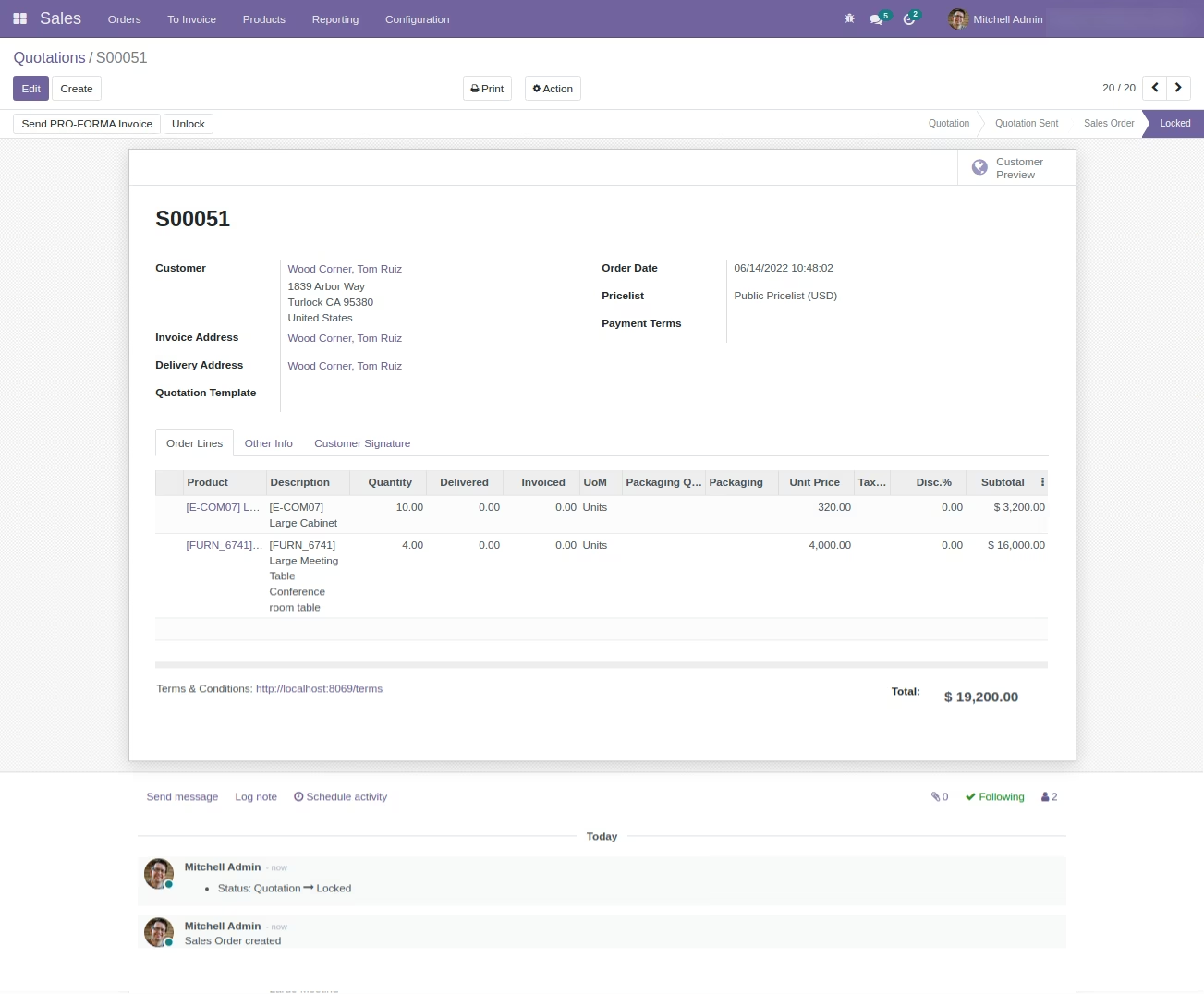
The module is a vital tool for businesses seeking to manage financial risks and maintain a healthy cash flow. This module empowers you to set and enforce credit limits for your customers, preventing them from accumulating excessive debt and reducing the likelihood of bad debts. By integrating seamlessly with accounting and sales modules, it provides a comprehensive solution for effective credit control, allowing you to make informed decisions and foster strong, sustainable customer relationships.
Set customizable credit limits for individual customers based on their creditworthiness.
Receive automated alerts and notifications when a customer approaches or exceeds their credit limit.
Block sales orders automatically for customers who have exceeded their credit limit.
Integrate credit management with your accounting and sales workflows for a unified process.
Track outstanding invoices and monitor customer payment behavior with comprehensive receivables management tools.
Define flexible payment terms to suit the needs of your business and your customers.
Generate detailed reports on credit usage and customer payment performance.
Configure approval workflows for orders that exceed the established credit limit.
Minimize the risk of bad debts and improve your company's financial stability.
Optimize cash flow by ensuring timely payments and controlling your accounts receivable.
Enhance customer relationships by offering clear and consistent credit policies.
Automate credit management processes to reduce manual effort and minimize errors.
Make data-driven decisions with real-time insights into customer credit and payment behavior.
Streamline your sales process by integrating credit checks directly into your order workflow.
Improve financial performance by reducing the costs associated with debt collection.
Customer Credit Limit on Sales Order Process
Sales Order with Customer Credit Limit App
This app allows you to manage the credit limit of your customer and restrict confirmation of sales orders if customers reached credit limits. So allow your Sales Manager to configure different credit limit rules/policies your company Management has decided. The credit limit can be set on the customer form based on rules selected by customer.
Main Features :
- Allow sales manager to create and manage credit limit rules under configuration.
- Allow the sales team/user to set the credit limit rule on the customer form.
- The credit limit will be compared using the customer receivable amount or customer receivable amount till the number of days you have set on the rule. (See Credit Limit Formula).
- You are allowed to have products and categories set on the credit limit rule so when that product and category comes on sales order then only the credit limit will apply If you do not set Product and Product Category on the credit limit rule then the system will apply credit limit formula on all Sales Order Lines.
- For more details see the video and check the below screenshots.
Available Option On Credit Limit Rules :
- Receivable Amount of Customer will consider Customer's Receivable amount till date and it does not consider due dates of invoices.
- Due Amount Till Days will consider Customer's Receivable amount from Unpaid Invoice till due dates calculated based on due days. For example, if Quote Date is = 13 Oct 2021 and Days = 10 then the system will consider the due amount from all unpaid invoices till 23 Oct 2021.
Menus Available:
- Sales
- Configuration
- Credit Limit Rules
- Configuration
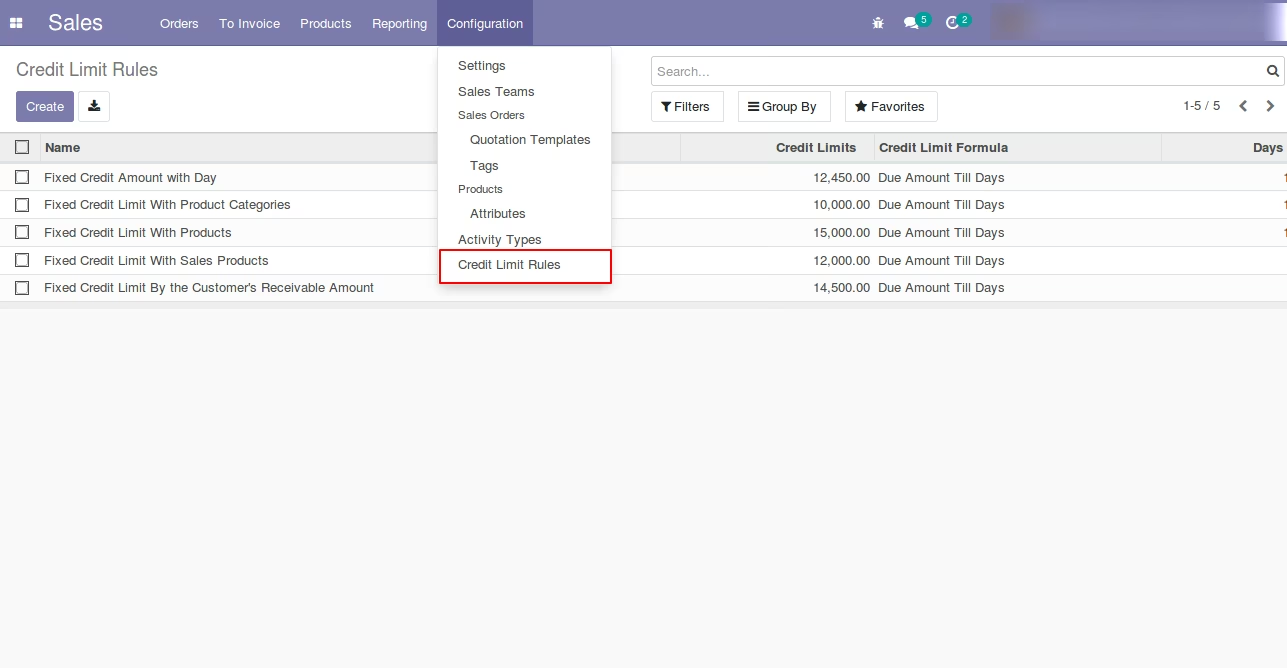
Credit Limit Rules Configuration Menu
Credit Limit Rule
Option 1 : Create Credit Limit Rule with Due Amount Till Days
Select Credit Limit Formula for the Credit Limit Rule.
- Receivable Amount of Customer will consider Customer's Receivable amount till date and it does not consider due dates of invoices.
- Due Amount Till Days will consider Customer's Receivable amount from Unpaid Invoice till due dates calculated based on due days. For example, if Quote Date is = 13 Oct 2021 and Days = 10 then the system will consider the due amount from all unpaid invoices till 23 Oct 2021.
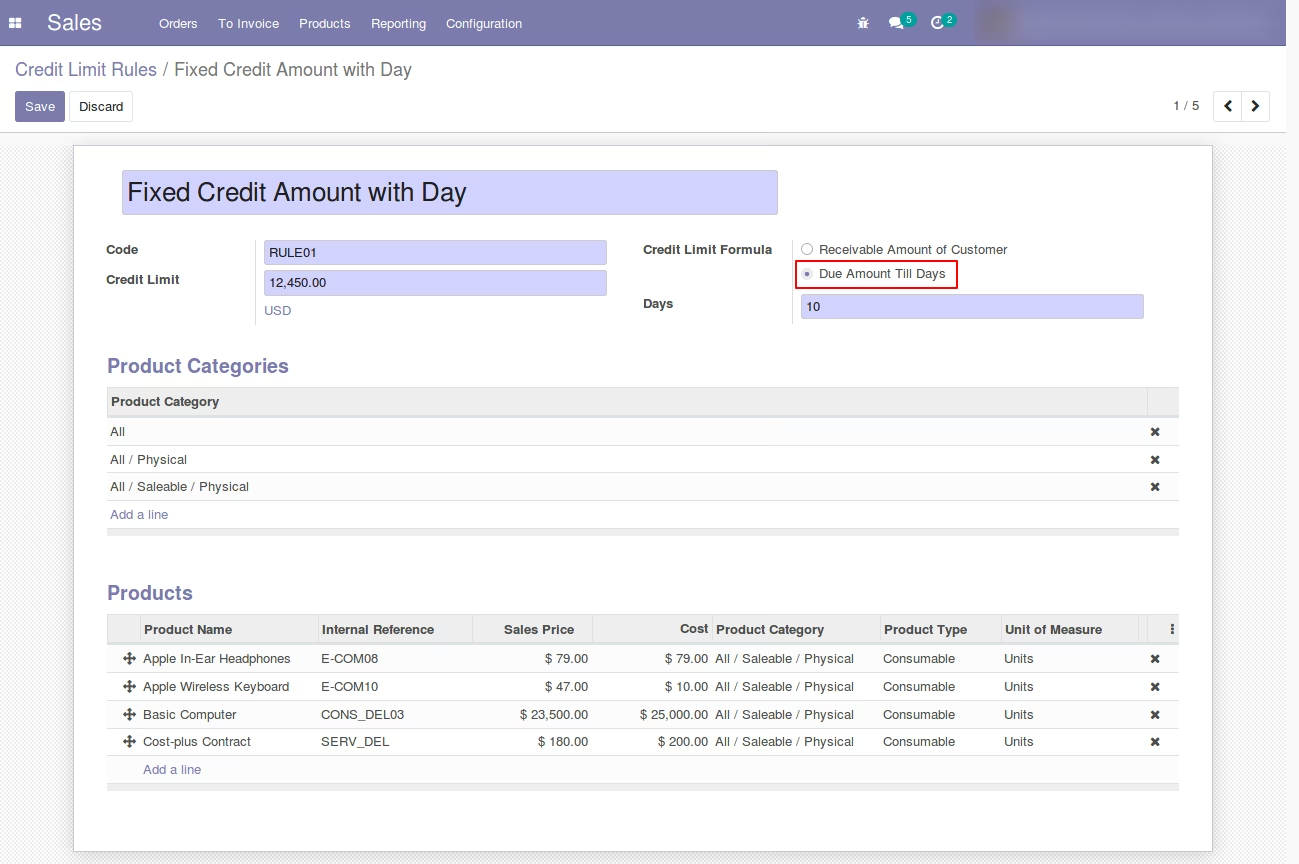
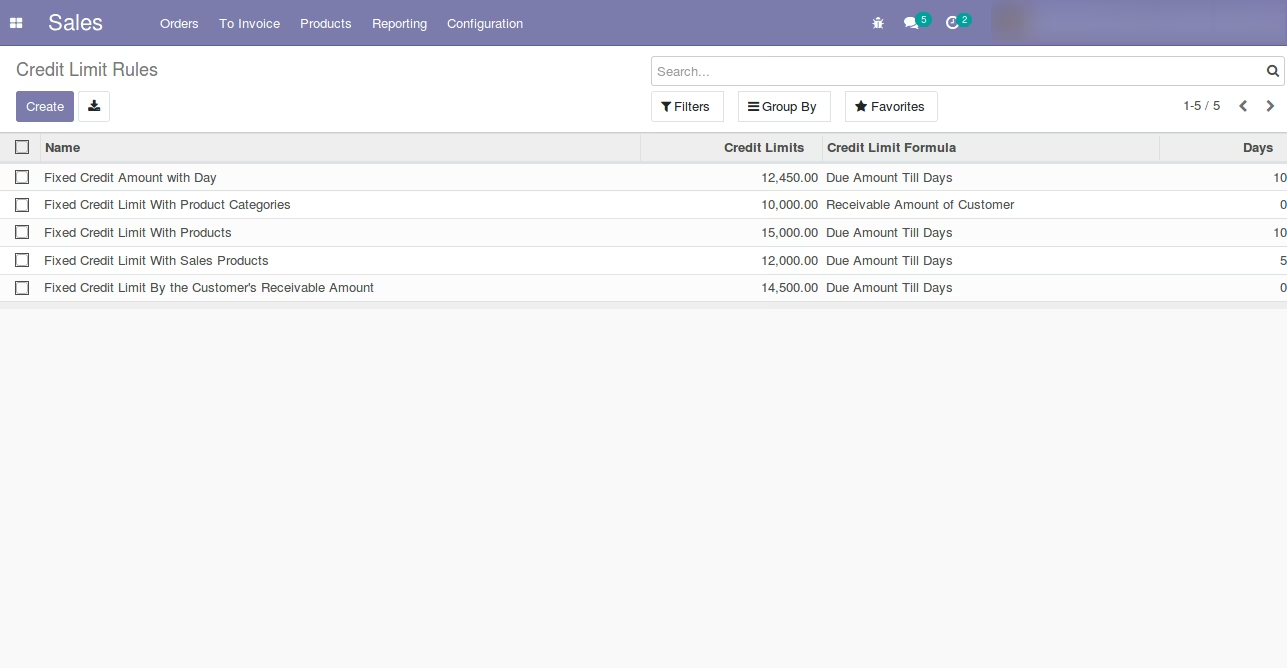
List view of Credit Limit Rules.
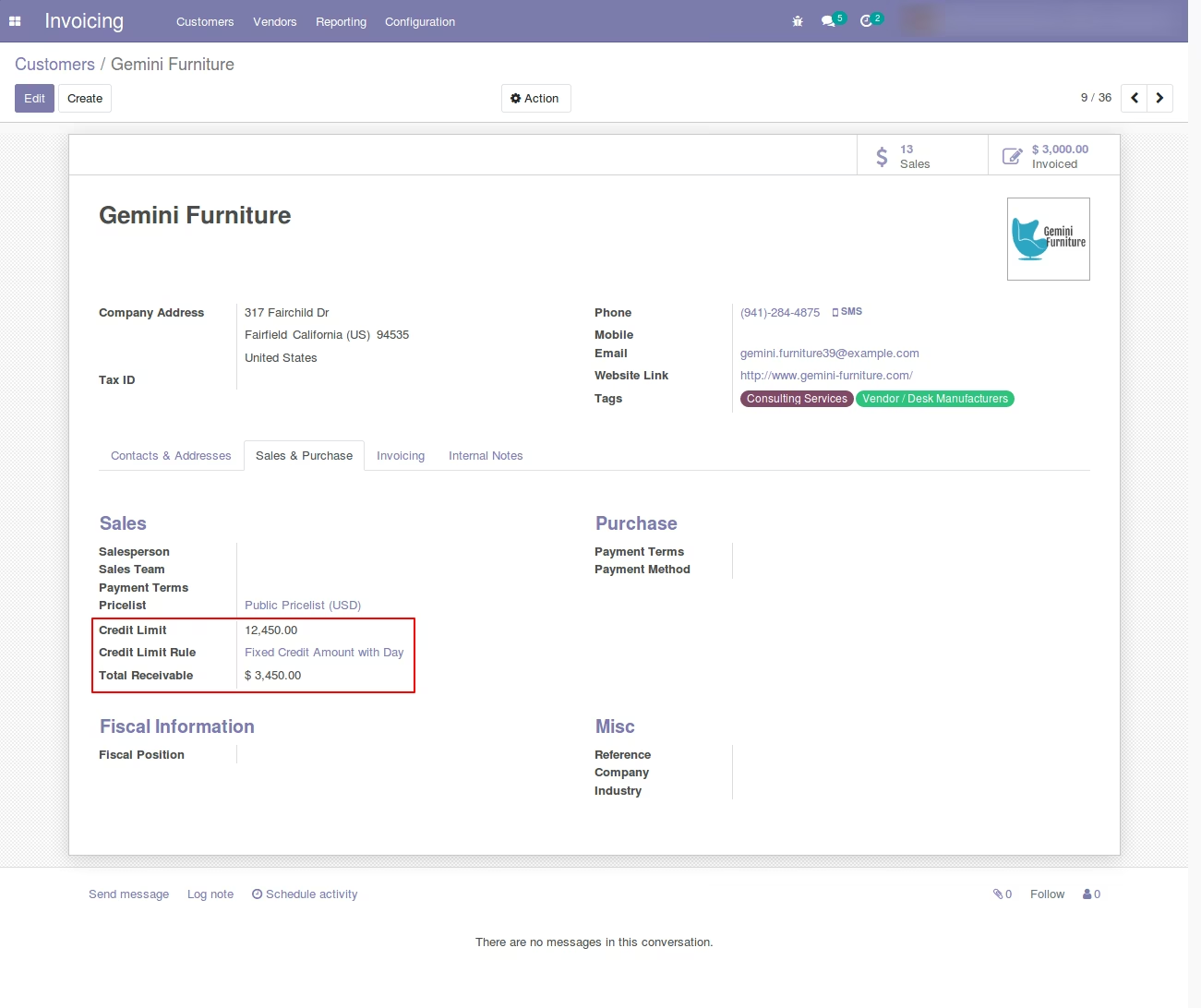
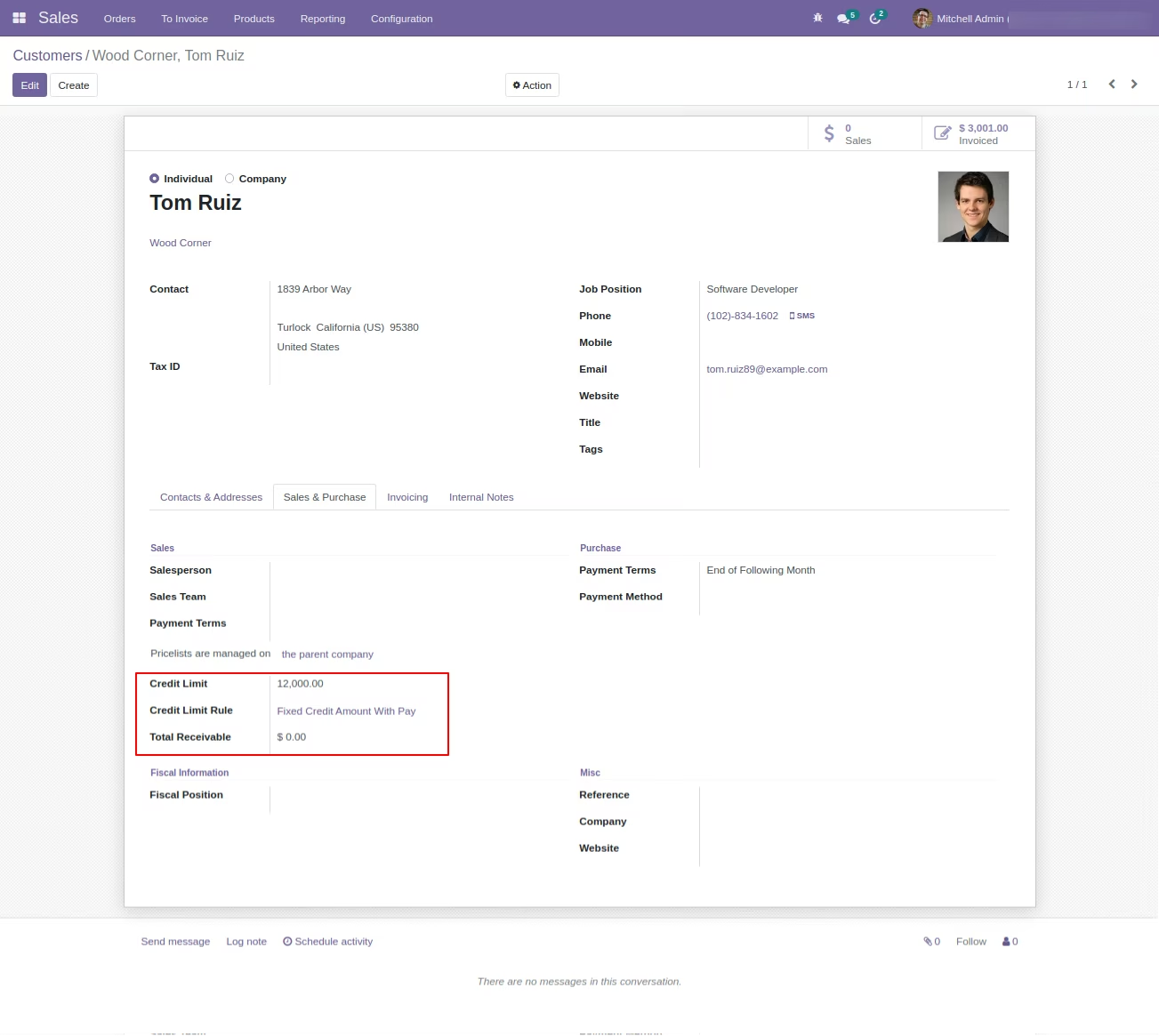
Customer Form - Credit Limit Setup
Select Credit Limit Rule
The system will automatically set the Credit Limit From the Credit Limit Rule.
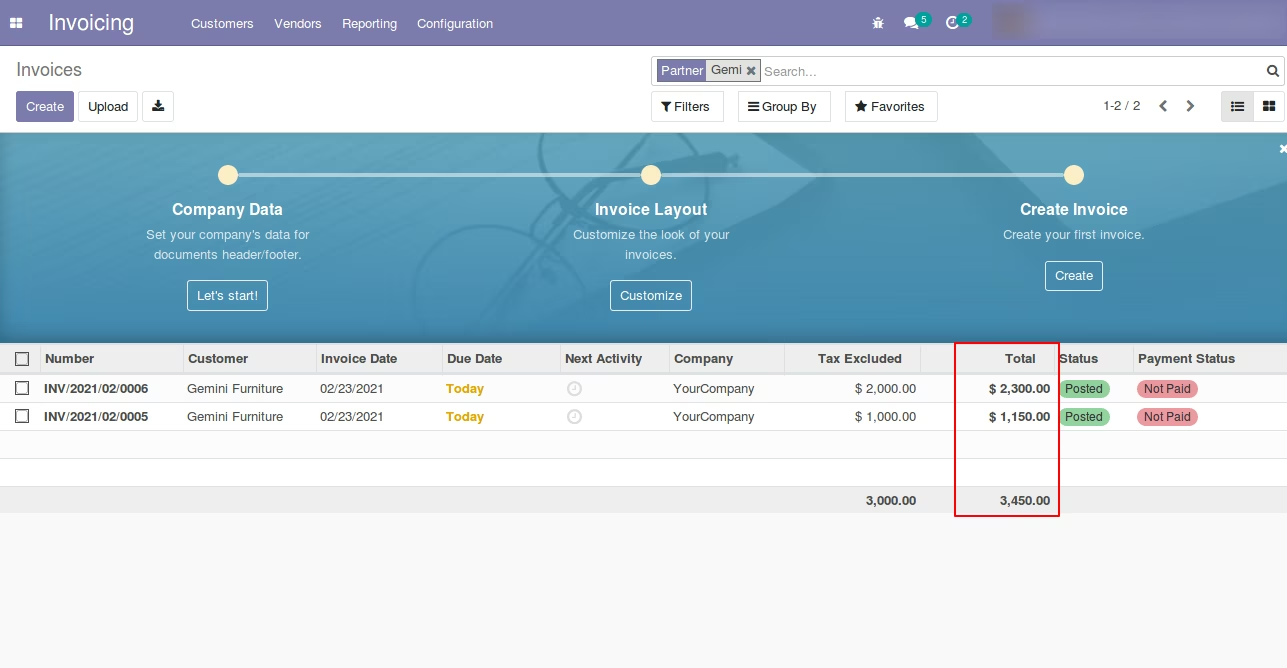
Previous unpaid Invoices price/credit of Customer (Standard)
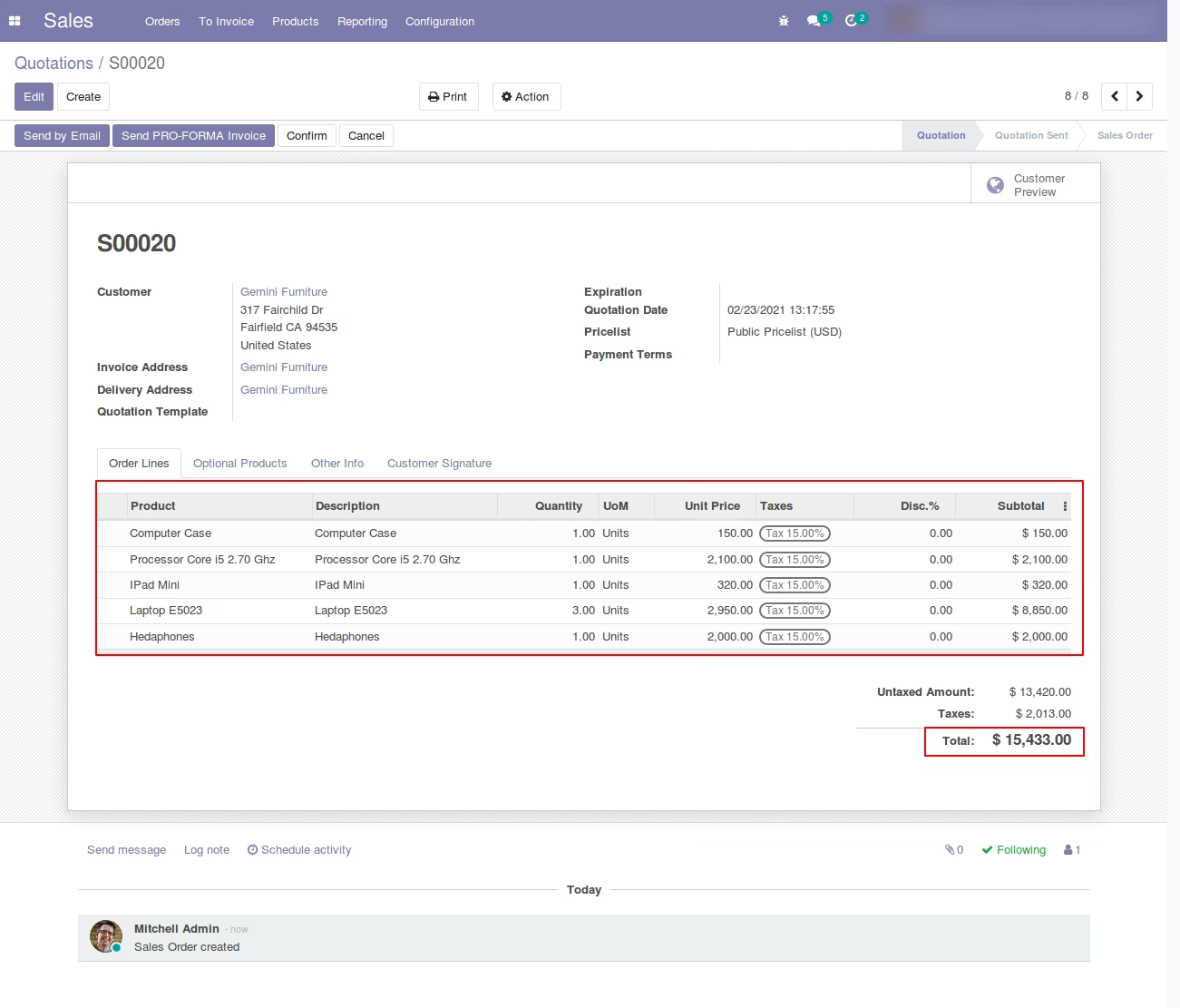
Create Quotation (Standard)
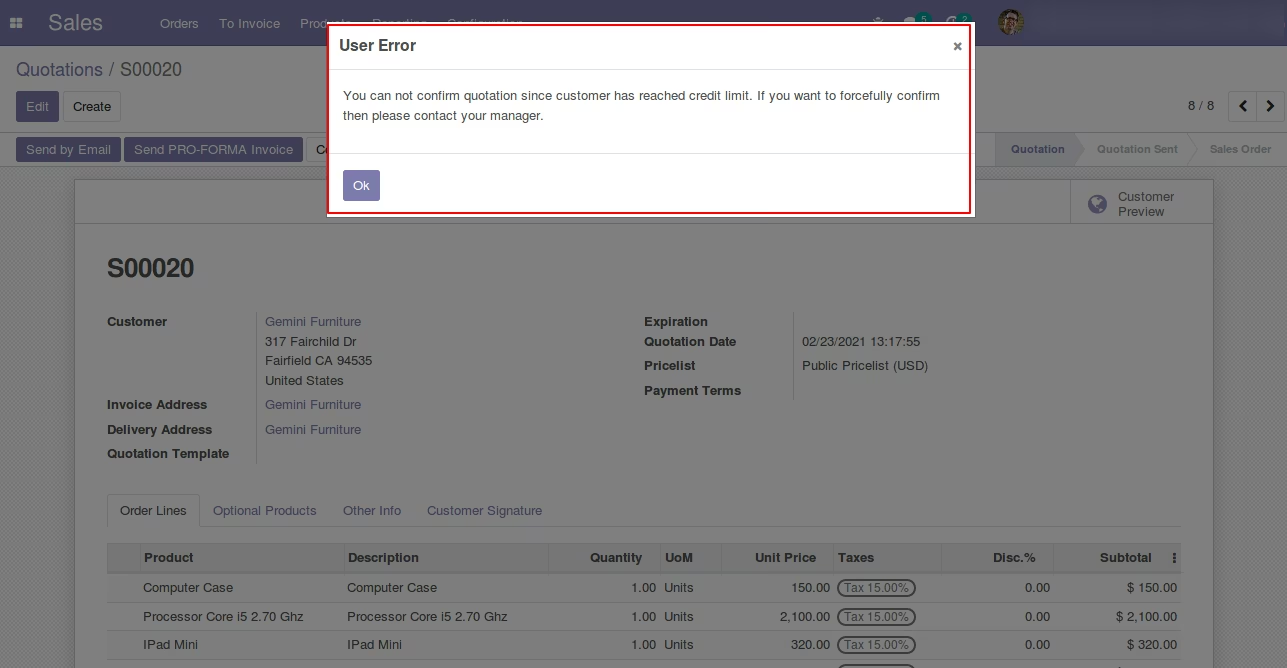
Create Sales Quotation under Credit Limit Rules
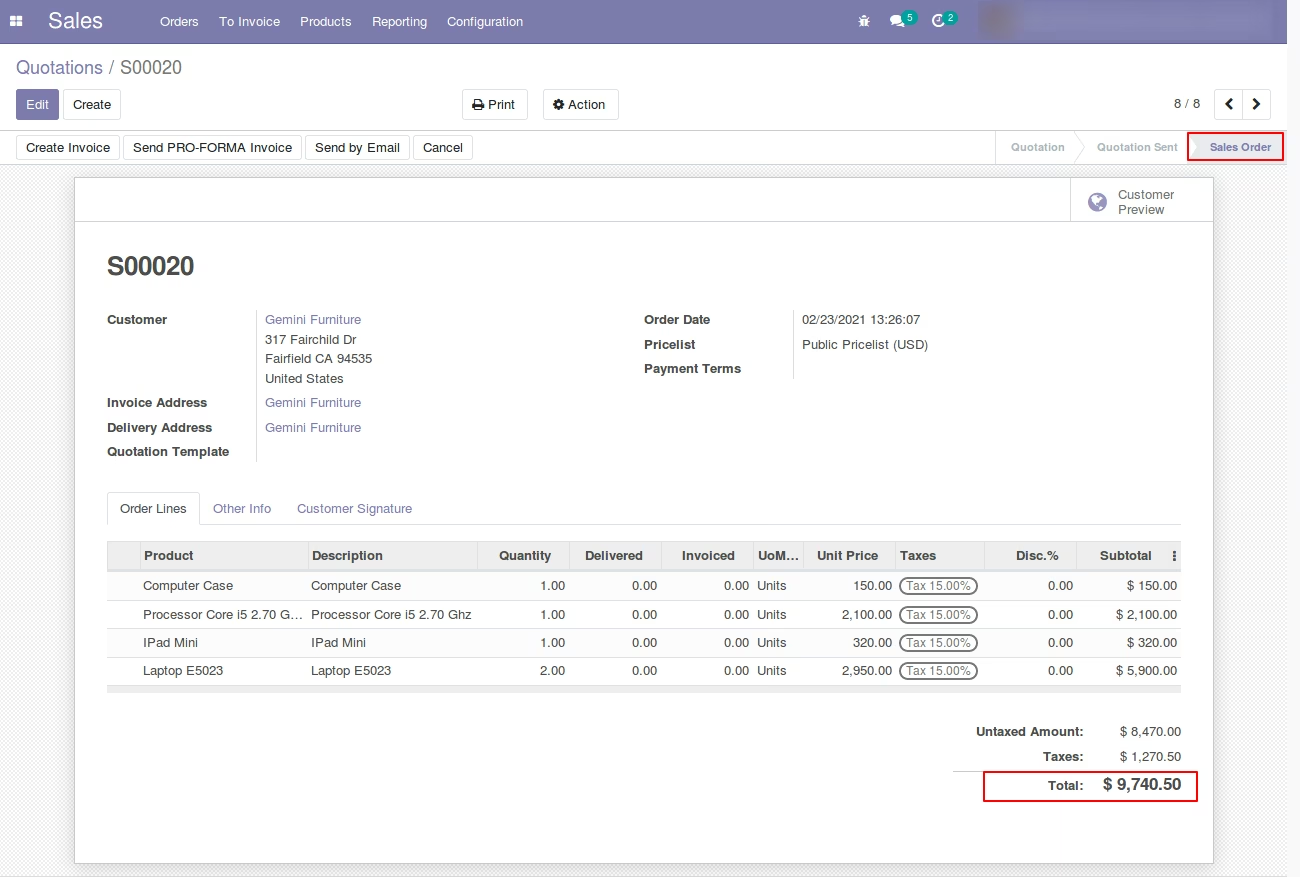
Option 2: Credit Limit Rules Configuration with Receivable Amount of Customer Setup
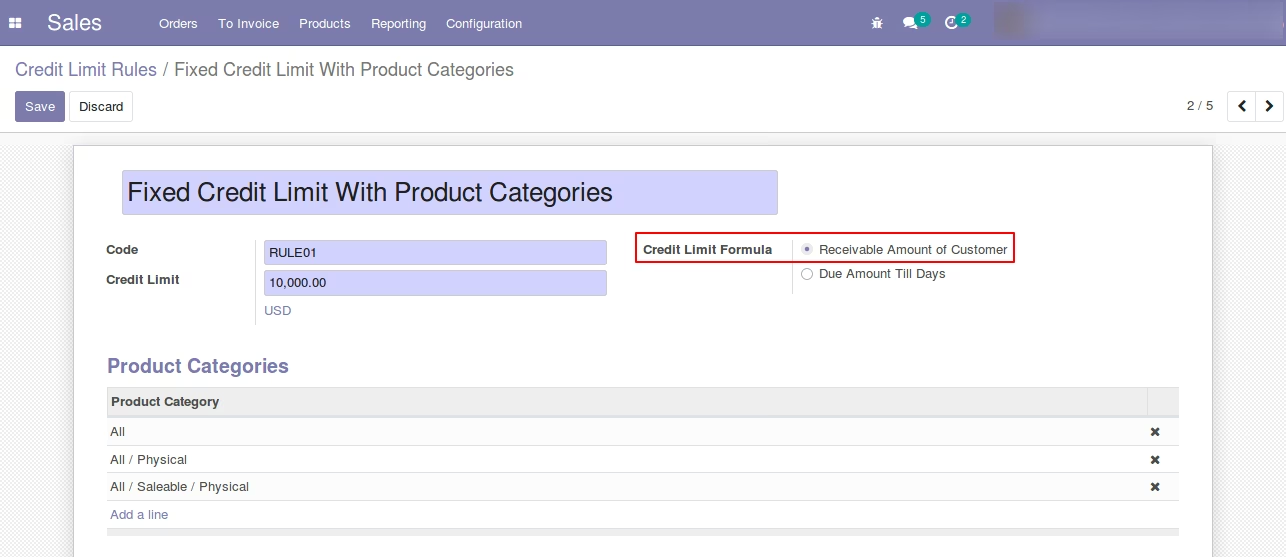
Customer Form (standard) - Credit Limit Setup
Select Credit Limit Rule
System will automatic set Credit Limit From the Credit Limit Rule.
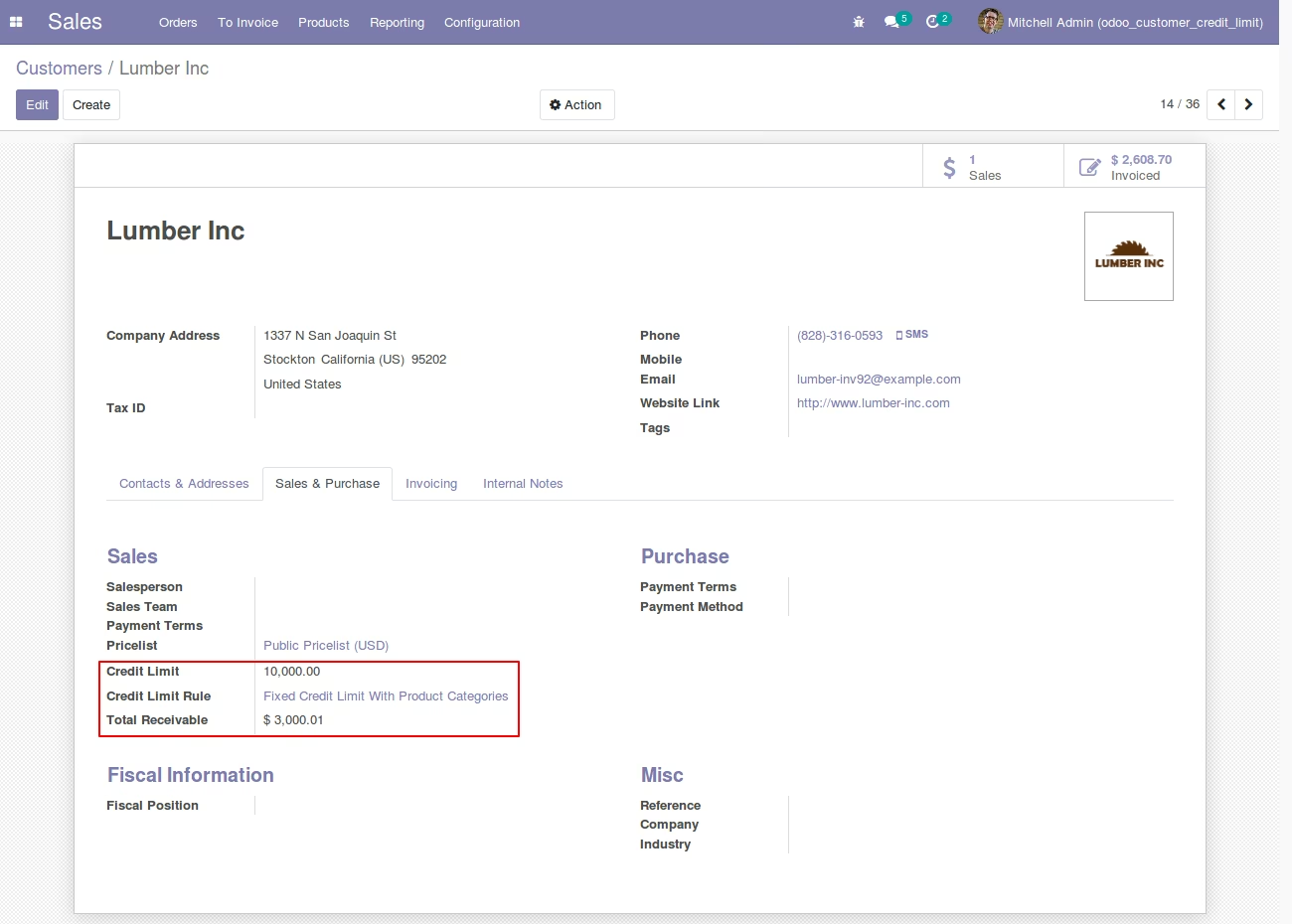
Previous unpaid Invoices price/credit of Customer (standard)
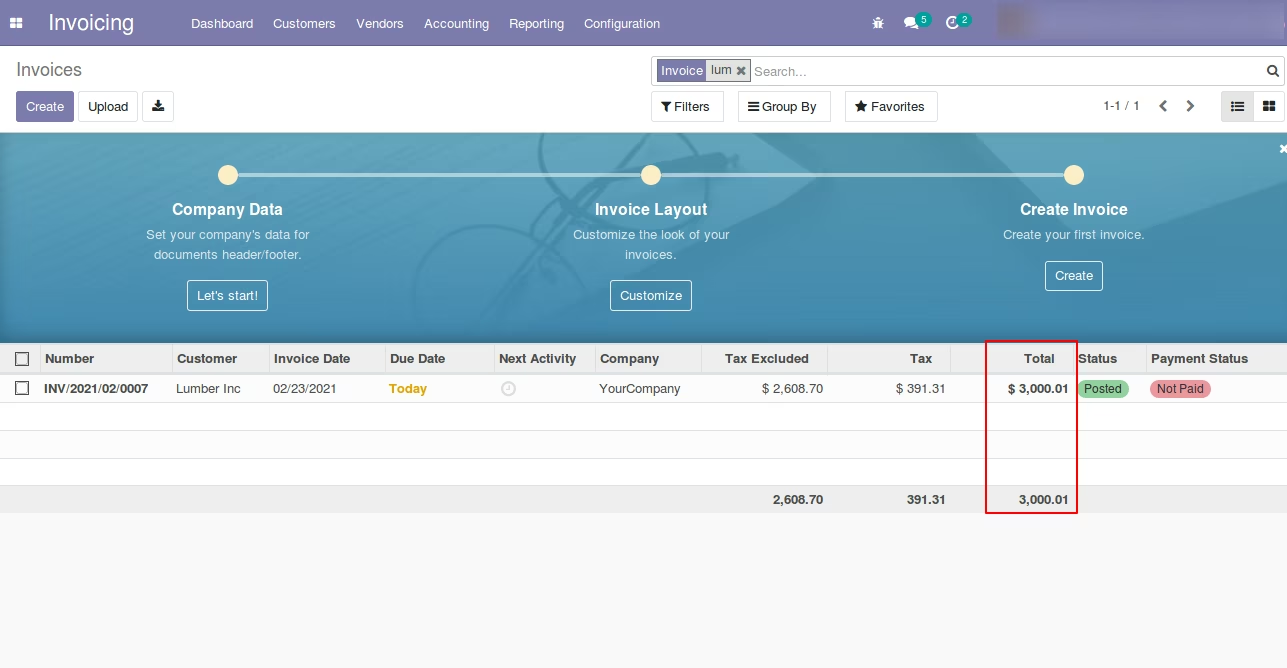
Create Sales Quotation - standard
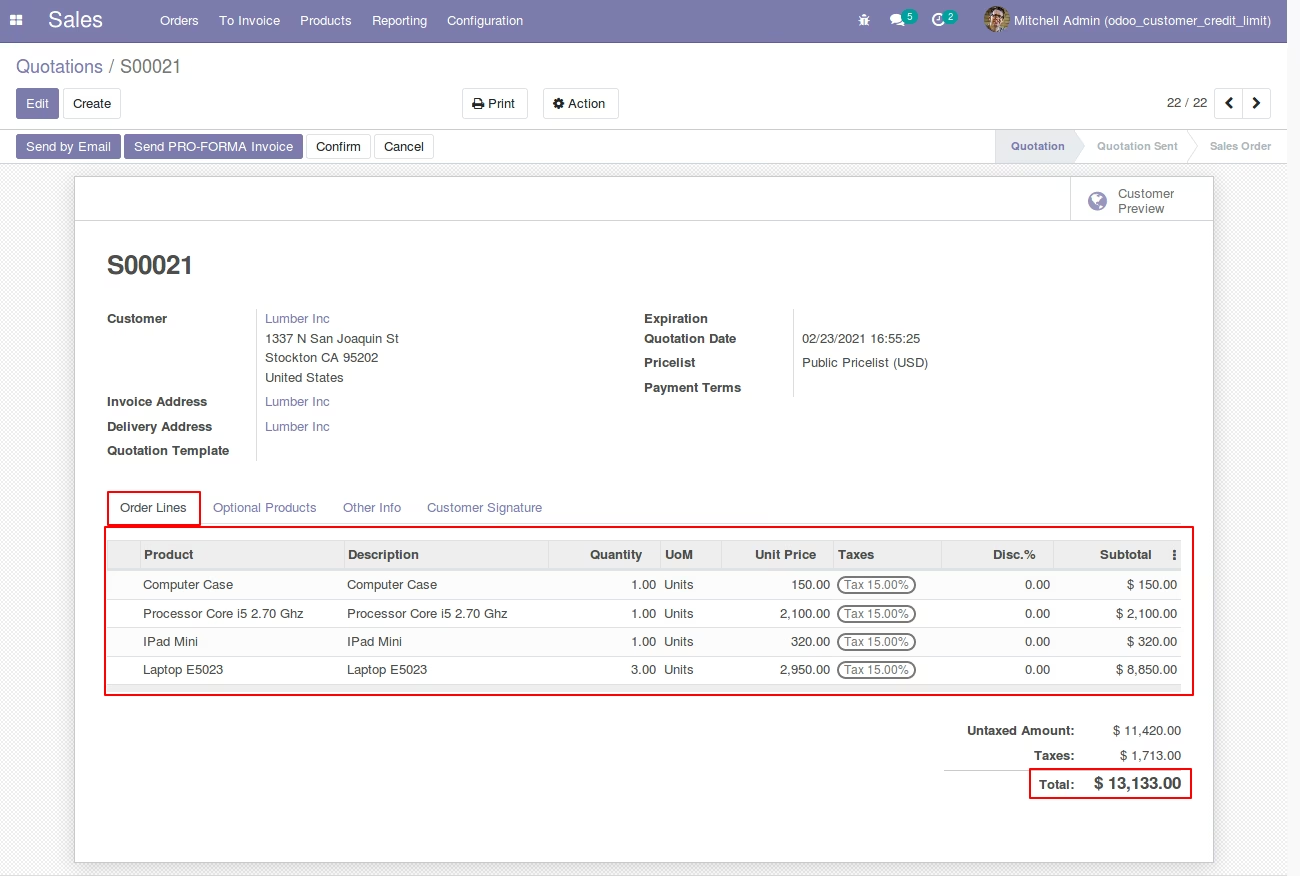
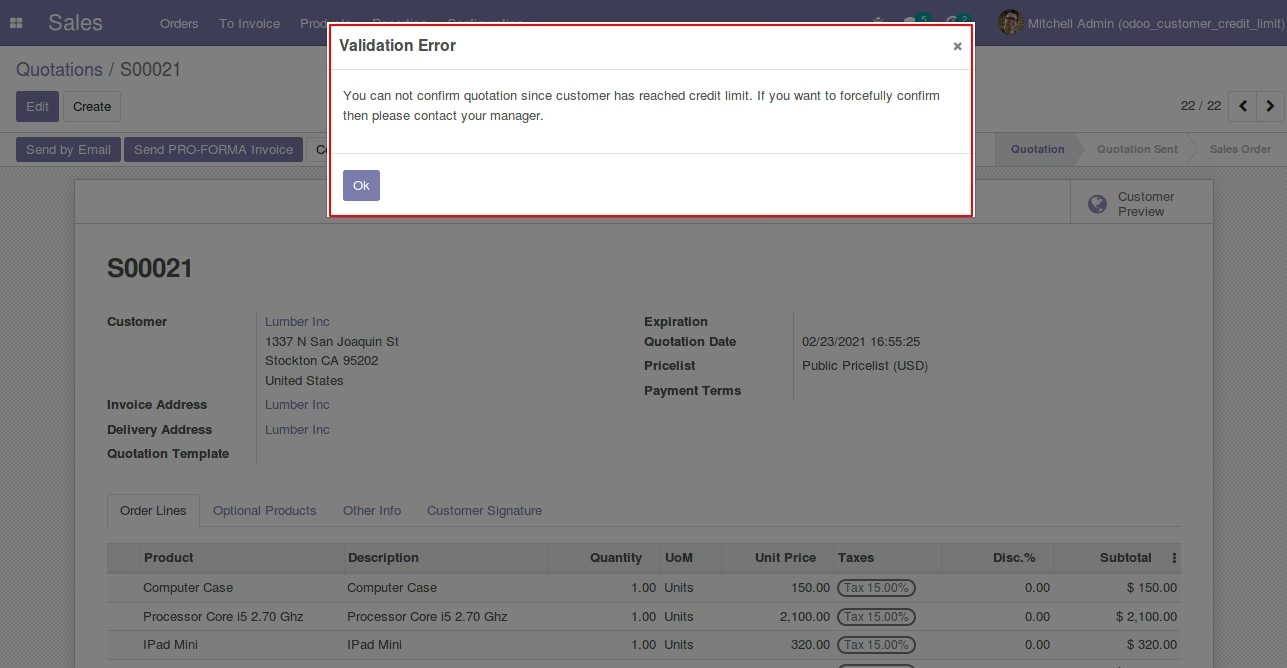
Create Sales Quotation under Credit Limit Rules
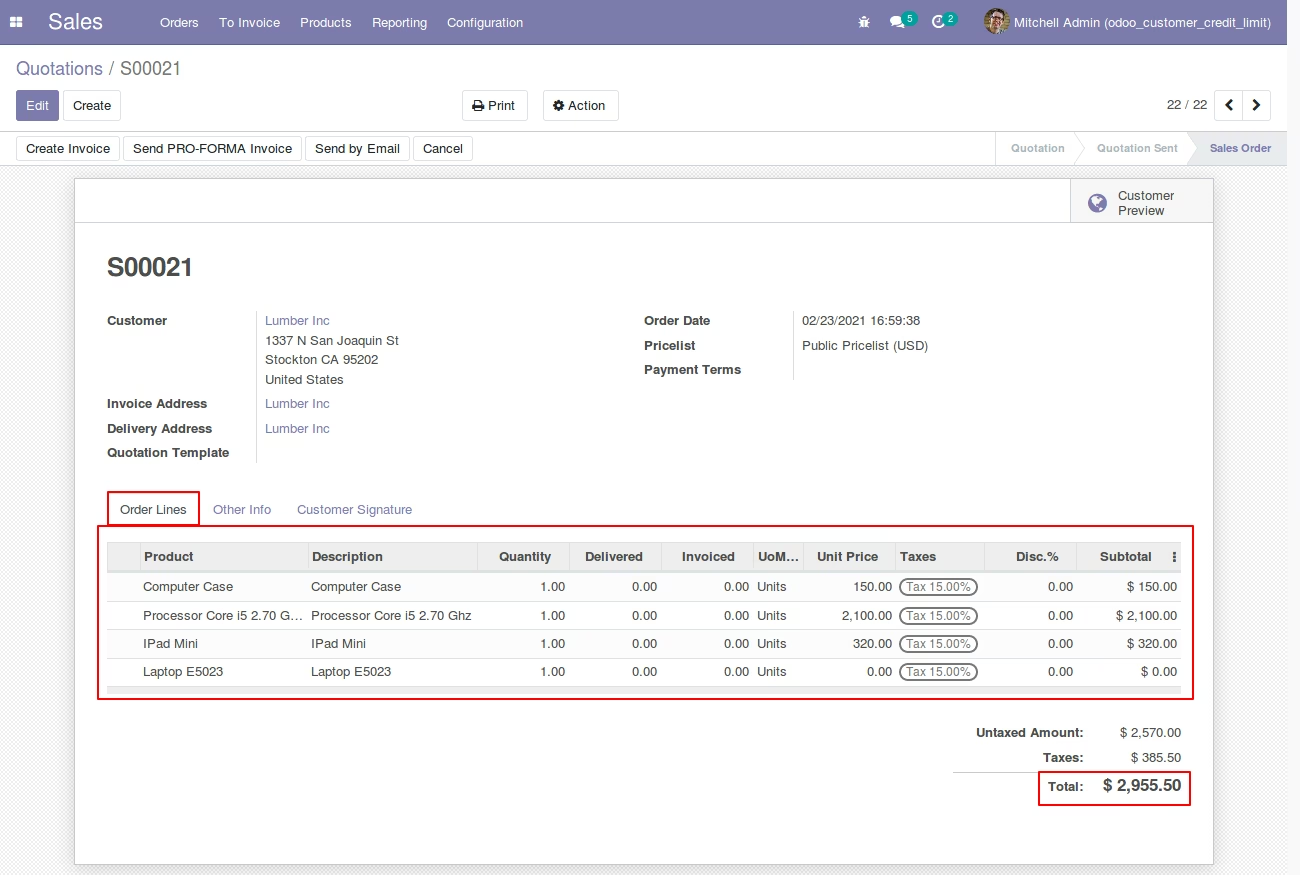
Skip Credit Limit Validation
Customer Form View [Standard] - Credit Limit Setup
Sales Quotation (Standard) with Skip Credit Limit Validation
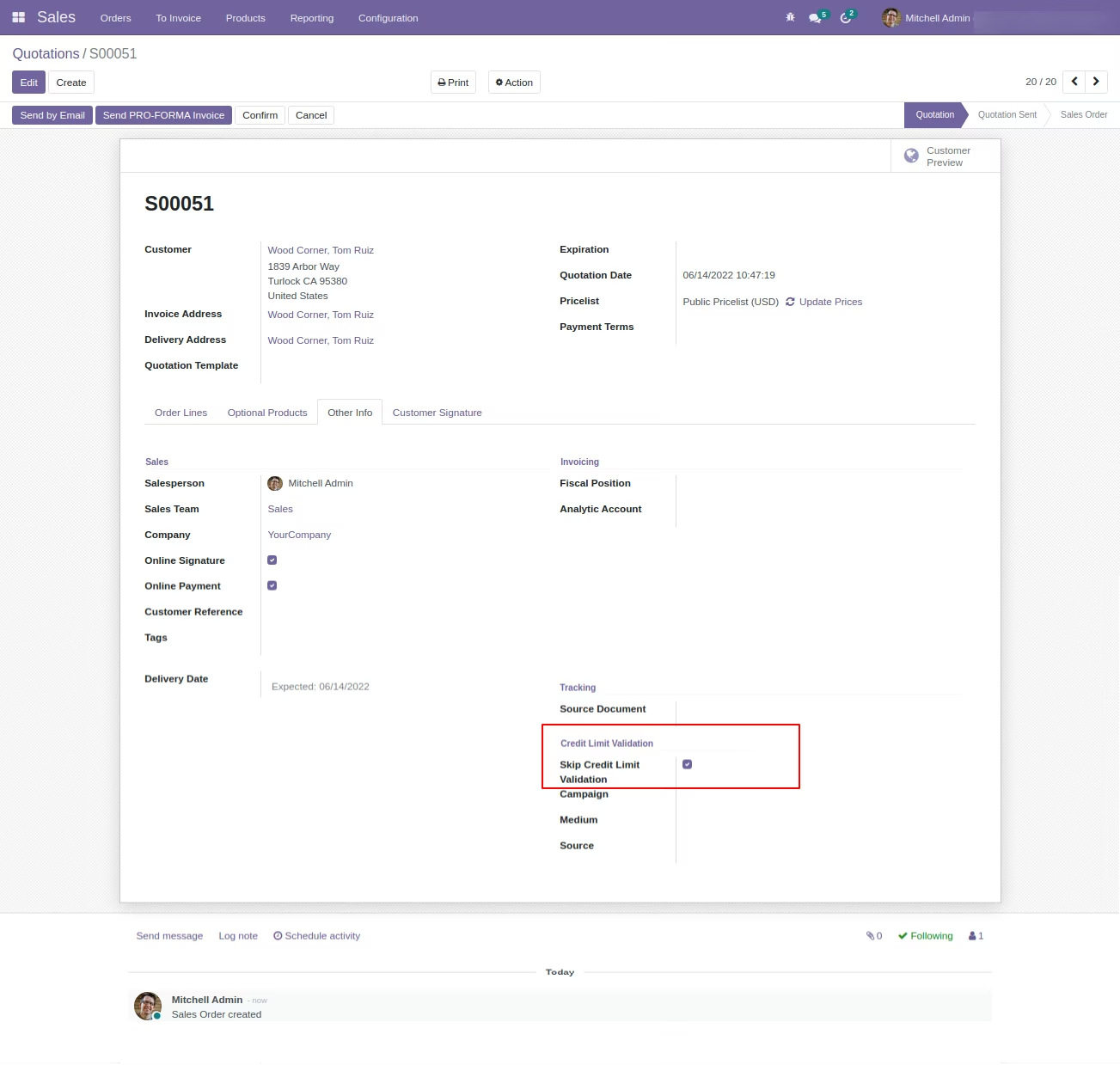
Sales Quotation (Standard) Forcefully Done using Skip Validation Option