The module provides a streamlined solution for managing loans between your business, customers, and suppliers. It allows accurate tracking of loans, repayments, and outstanding balances, integrating seamlessly with accounting and invoicing processes. Designed for businesses seeking efficient loan oversight, this module enhances financial management, simplifies loan workflows, and improves operational transparency.
Manage loans provided to customers and received from suppliers.
Track repayments and outstanding balances accurately.
Integrates seamlessly with accounting and invoicing workflows.
Automate loan calculations and payment schedules.
Utilize communication tools for loan notifications and updates.
Easy-to-use interface for quick loan management.
Streamlined management of customer and supplier loans.
Improved financial tracking and reporting.
Enhanced operational efficiency and reduced manual errors.
Clear visibility of outstanding loans and payment history.
Simplified workflow for loan approvals and repayments.
Customer and Supplier Loan(s) Management | Partner Loan Management App
Loan Management for Customer and Supplier - Apps
This app allow to manage loan of your Customers/Vendors/Partners.
Main Features:
- Allow loan manager to create and manage loan proofs/required documents list.
- Allow loan managers to create and manage loan types.
- Allow loan managers to create and manage loan policies.
- Allow loan users and managers to create and manage loan requests.
- Allow the loan manager to approve the loan request.
- The system generates a unique sequence number for loan requests.
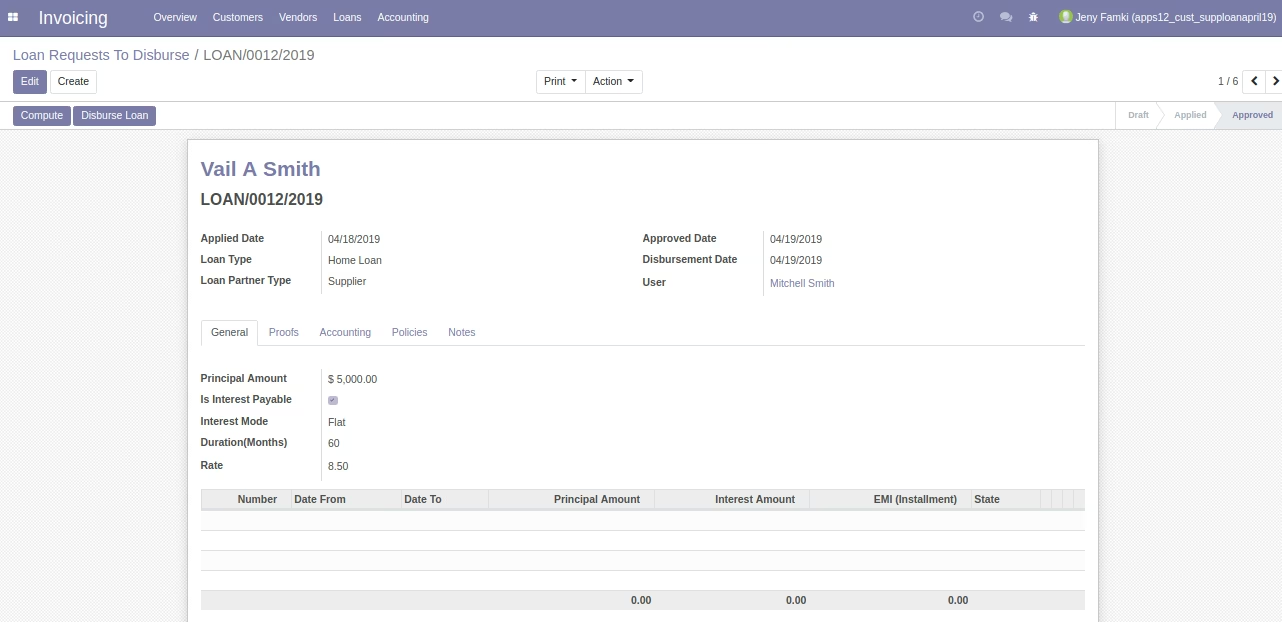
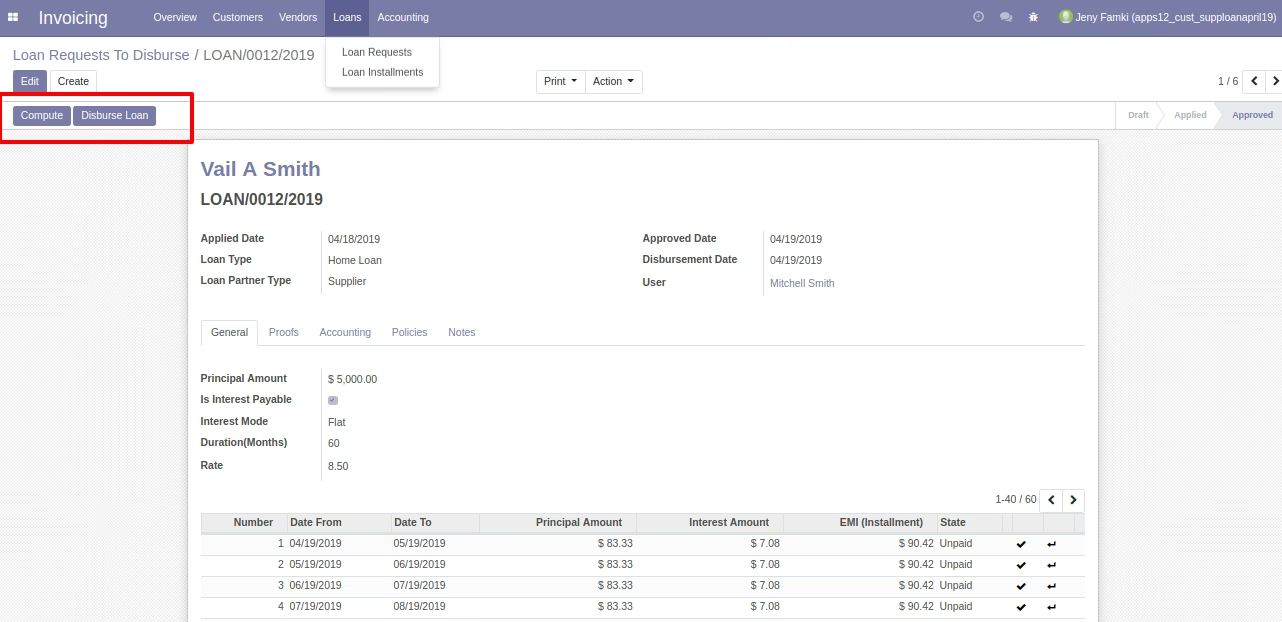
- Allow accountant to loan disburse from loan request form.
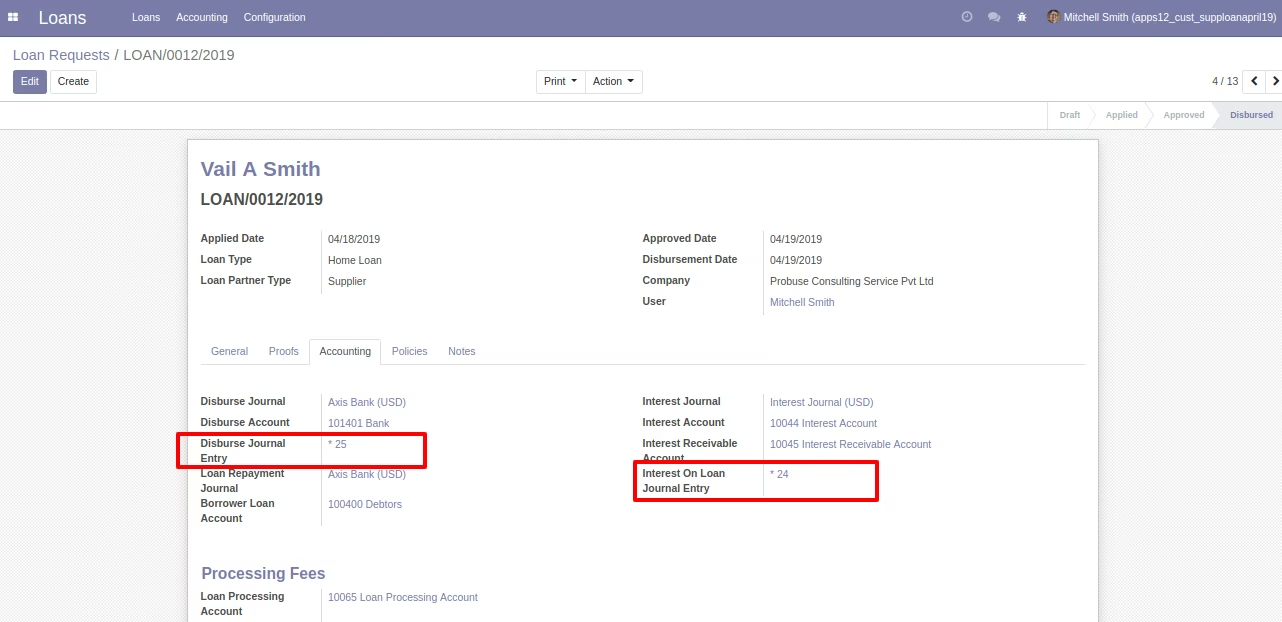
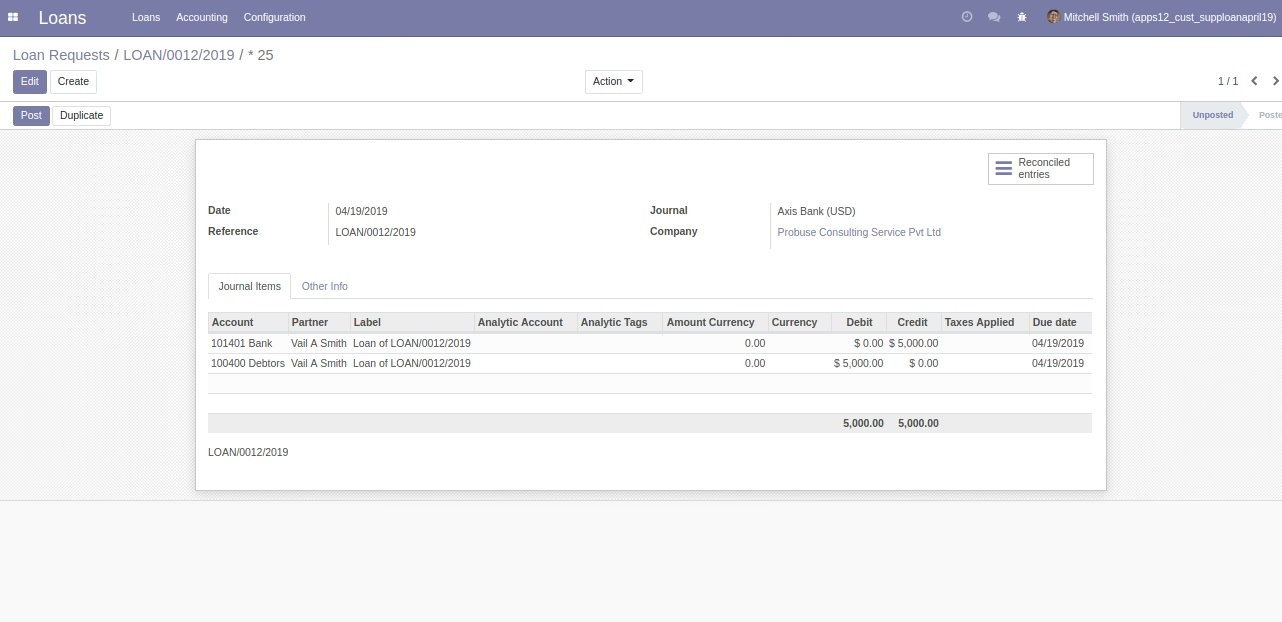
- Creation of disburse accounting journal entry.
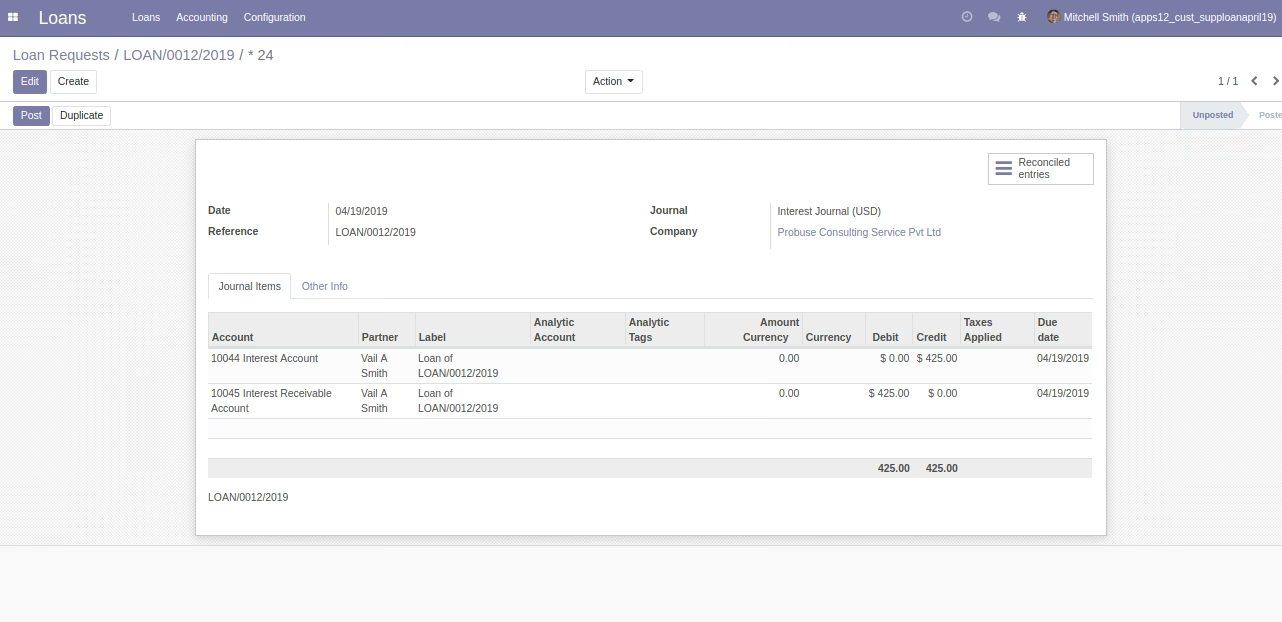
- Creation of interest receivable on loan accounting journal entry.
- Allow accountants to receive and manage loan installments.
- Creation of book interest for installment accounting entry.
- Creation of pay installment accounting journal entry.
- It will create an interest in loan journal entries and loan installment accounting entries.
- Allow you to print pdf loan report from loan request form.
- Allow your customers to see their loans in the portal of your website.
- For more details please see the video and check the below screenshots.
Sample Testing Users
- Loan Manager :===> Mitchell Smith
- Loan User :==> Camron Grill
- Accountant :==>Jeny Famki
Highlighted Steps:
Loan Request:
Create Loan Request -> Apply Loan Request -> Approve Loan Request -> Compute Loan Installment -> Disburse Loan ->
Loan Installments:
Confirm Loan Installments -> Book Interest -> Pay
Menus:
- Loans
- Loans
- Loan Requests
- Loan Requests to Approve
- Loan Installments
- Accounting
- Loans to Disburse
- Configuration
- Loan Proofs
- Loan Types
- Loan Policies
- Loans
- Invoicing
- Loans
- Loan Requests
- Loan Installments
- Loans
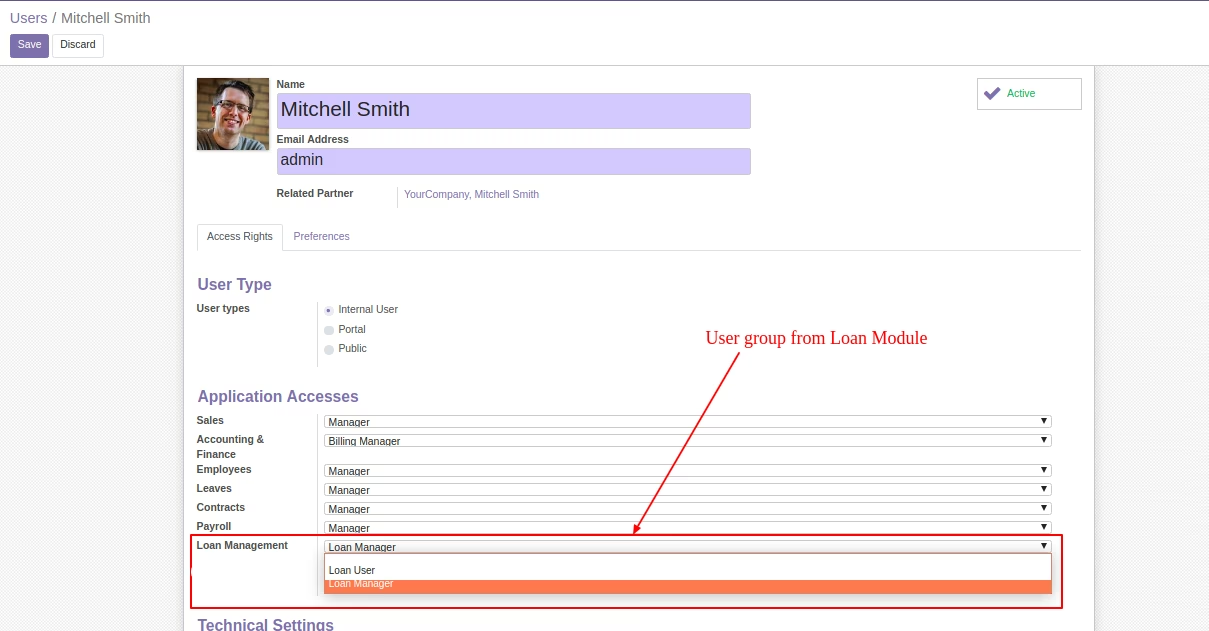
User Groups
This module will add below groups for loan management.
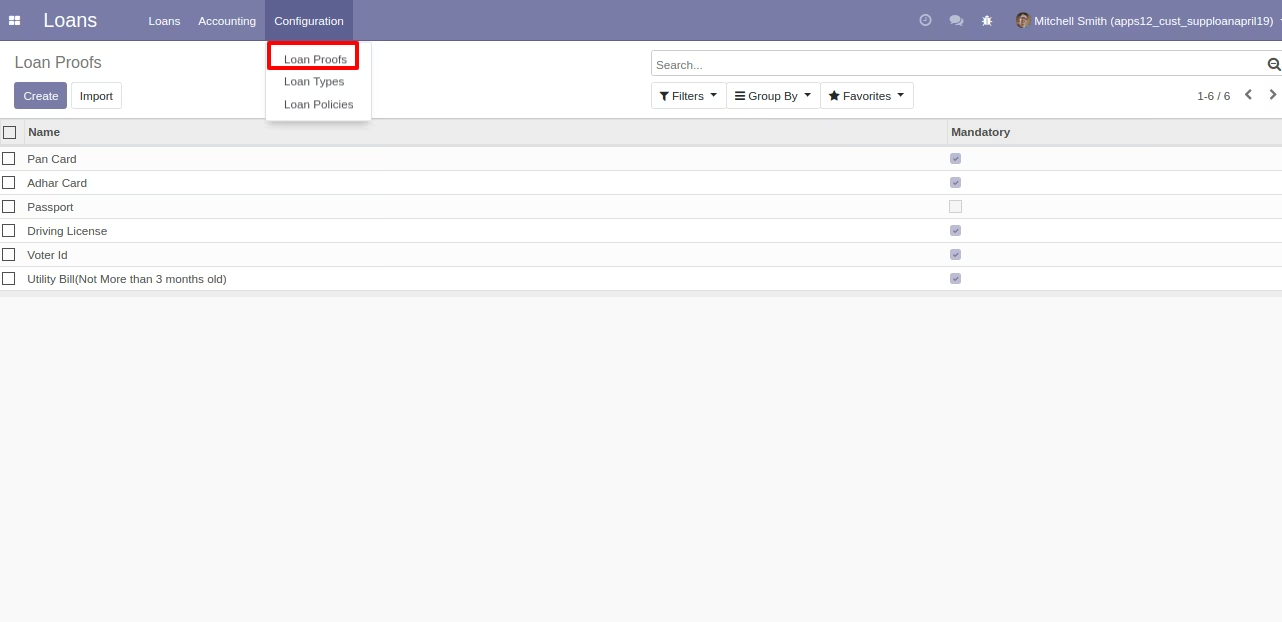
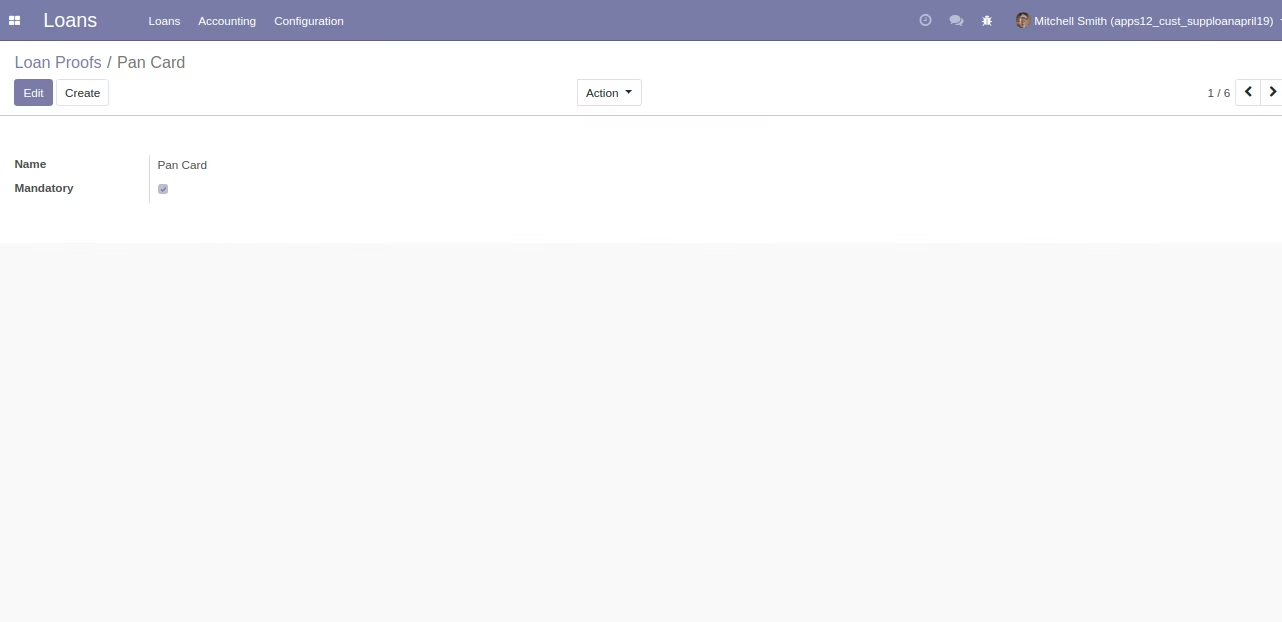
Loan Proofs
This loan proof menu allow Loan Manager to create and configure all loan proofs that will be required to approve loan and process it. These loan proofs will be selected on loan types and then it will be visible on loan request form.
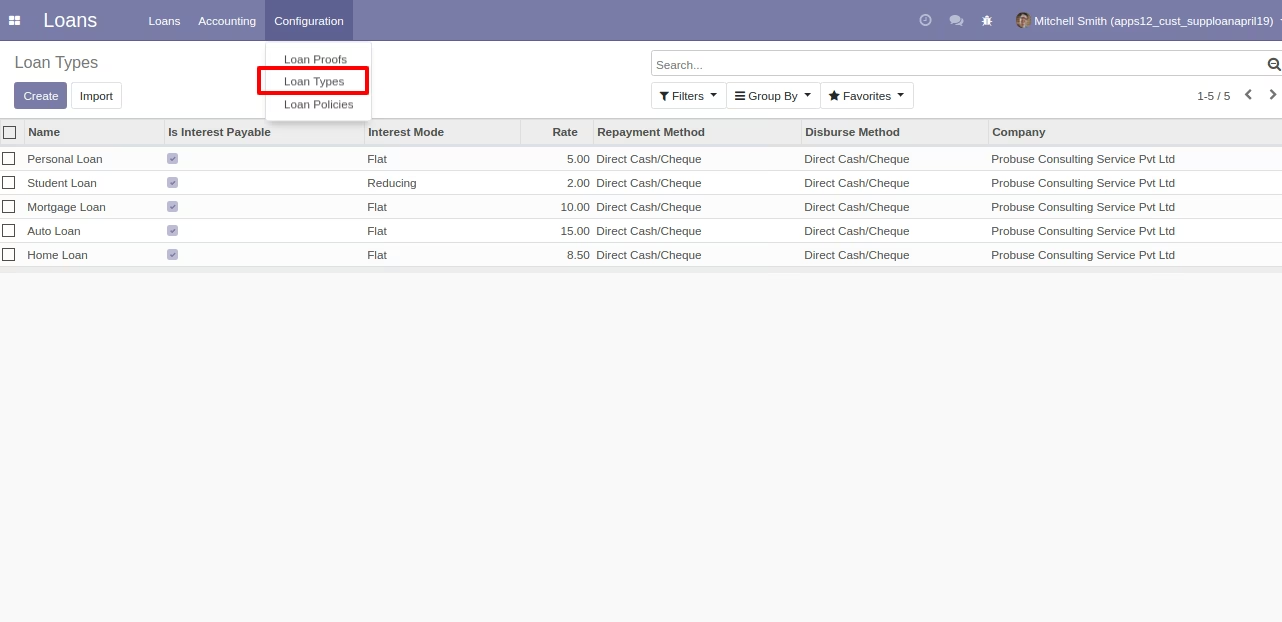
Loan Types List View
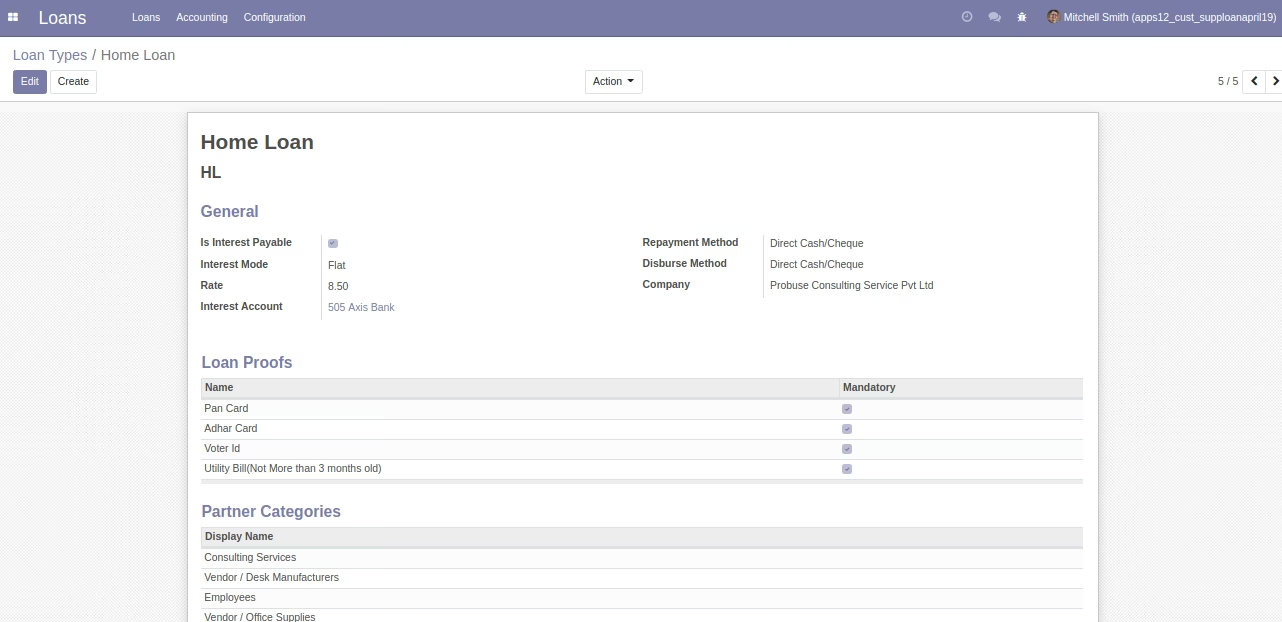
Loan Types Form View
This loan types allow Loan Manager to create different types of loan for customers/Suppliers. Also this loan type allow Loan user to configure loan given to customer/suppliers will be interest payable or not.
Also it will allow to configure that loan type repayment method will be from direct cash/bank cheque from customers/suppliers at time of installment payment. This also allow to configure disburse method will be by cash/bank. (Disbursement can be done when loan request will be approved.)
Here Loan Manager can list out Partner categories and customer/Suppliers which can request for this type of loan from company..... For example if Customer A is not eligible and not come under category selected in loan types then system will not allow him/her to submit loan request. Loan proof also configured here so that we can state that these proofs will be needed to process loan request for customers/suppliers.
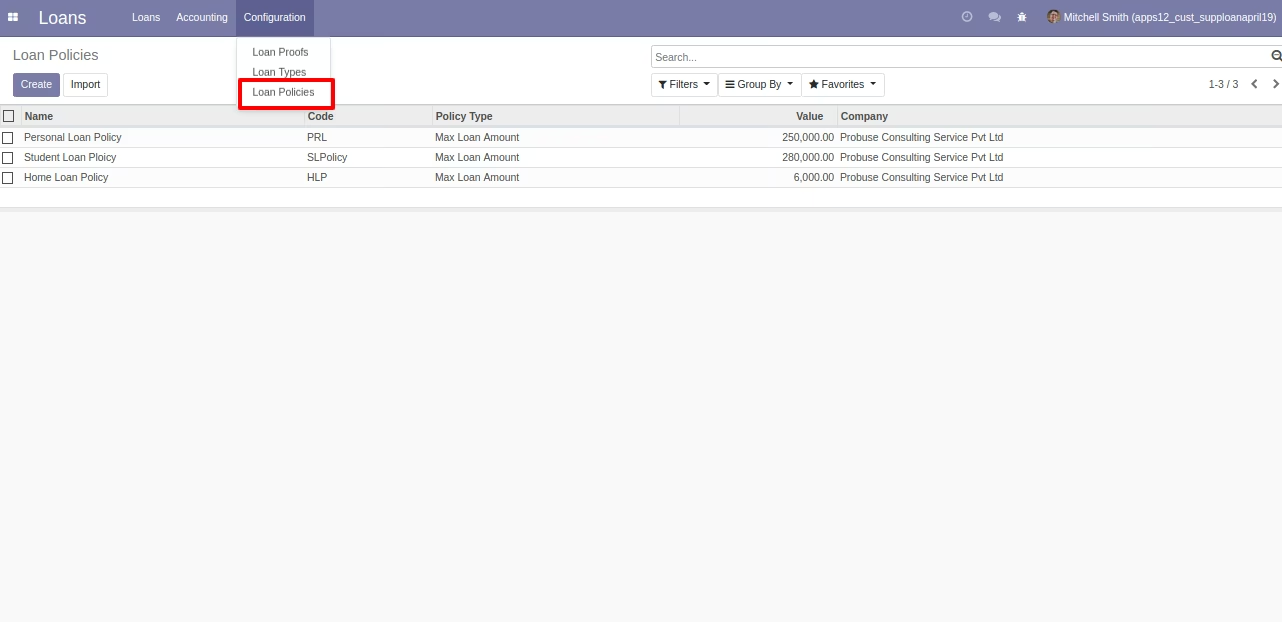
Loan Policies List View
Loan Manager can configure policies or rules for loan request and based on that rules it will check before approving loan that if customer full fill that policy or not.
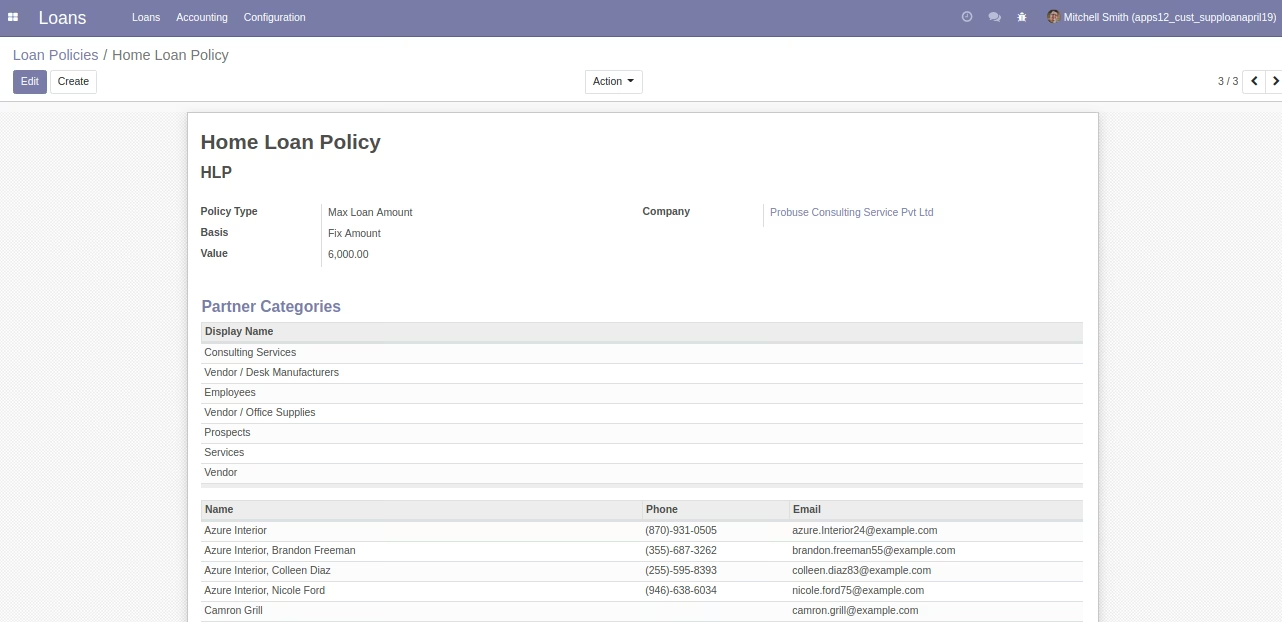
Loan Policies Form View
Policy types: 1. Max loan amount 2. Gap between two loans
Loan Request Form
Loan user can create loan request and approved it if all the required policies and proofs are available.
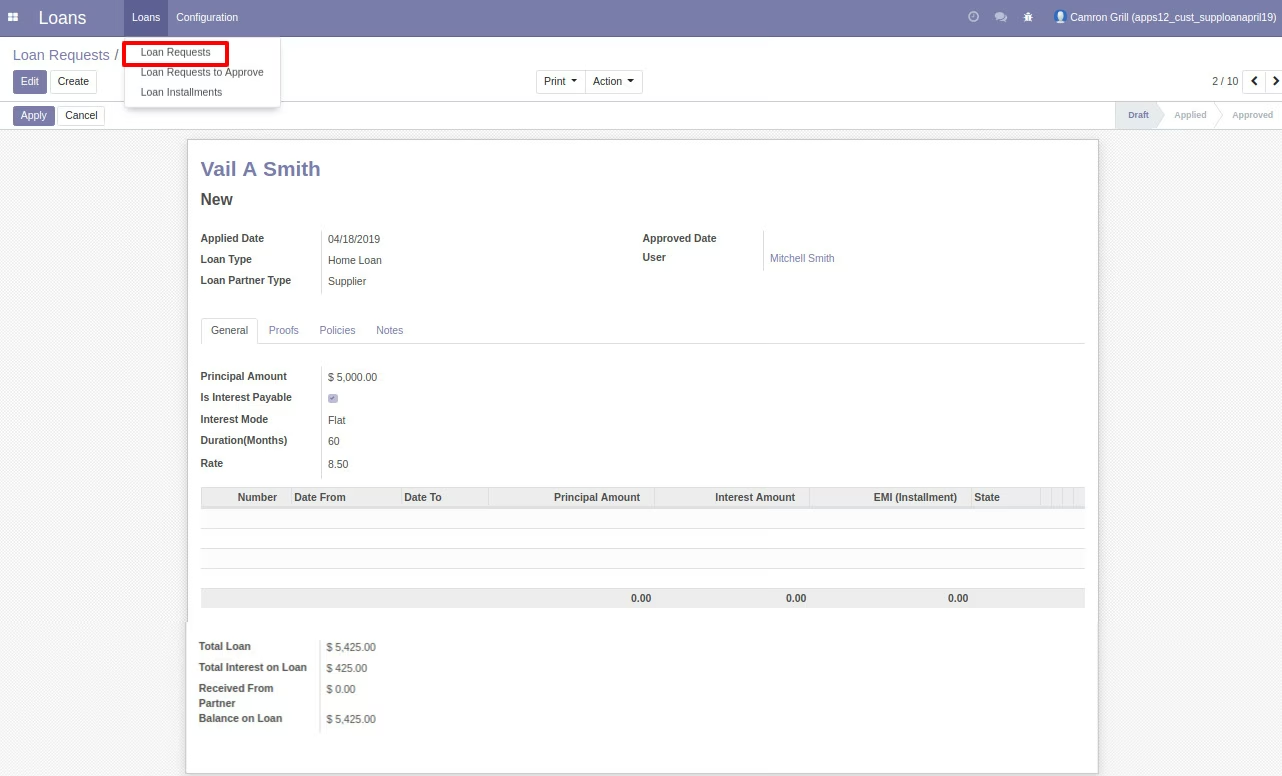


Loan Request Approve
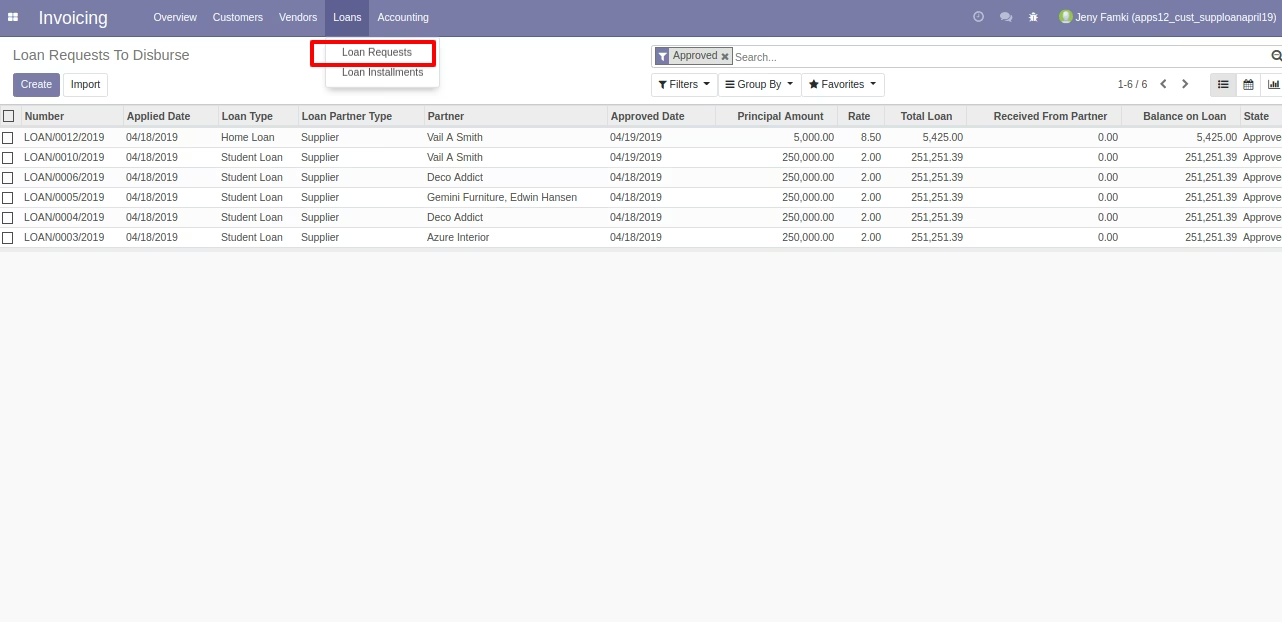
Loan to Disburse by Accountant
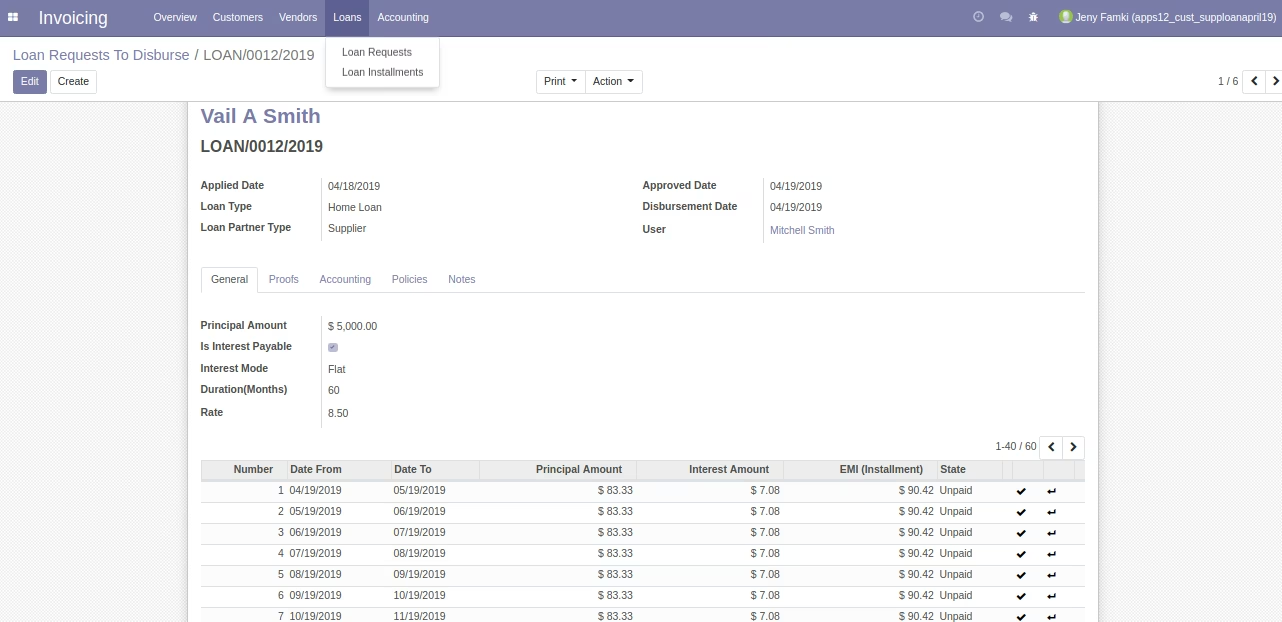
Disbursed Accounting Journal Entry
Disbursed Account From "Disburse Loan" Button
Disbursed Journal Entries
Disbursed Journal Entry.
Ineterest on loan Journal entry
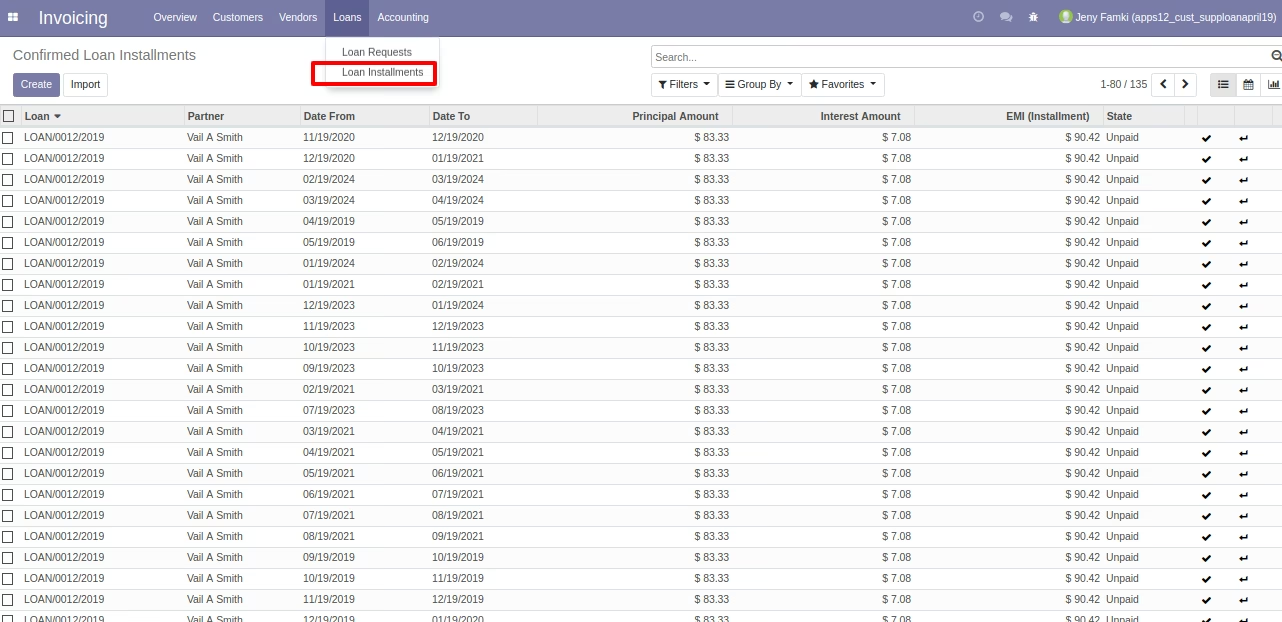
Loan Installments
All installments of loan will be listed here.
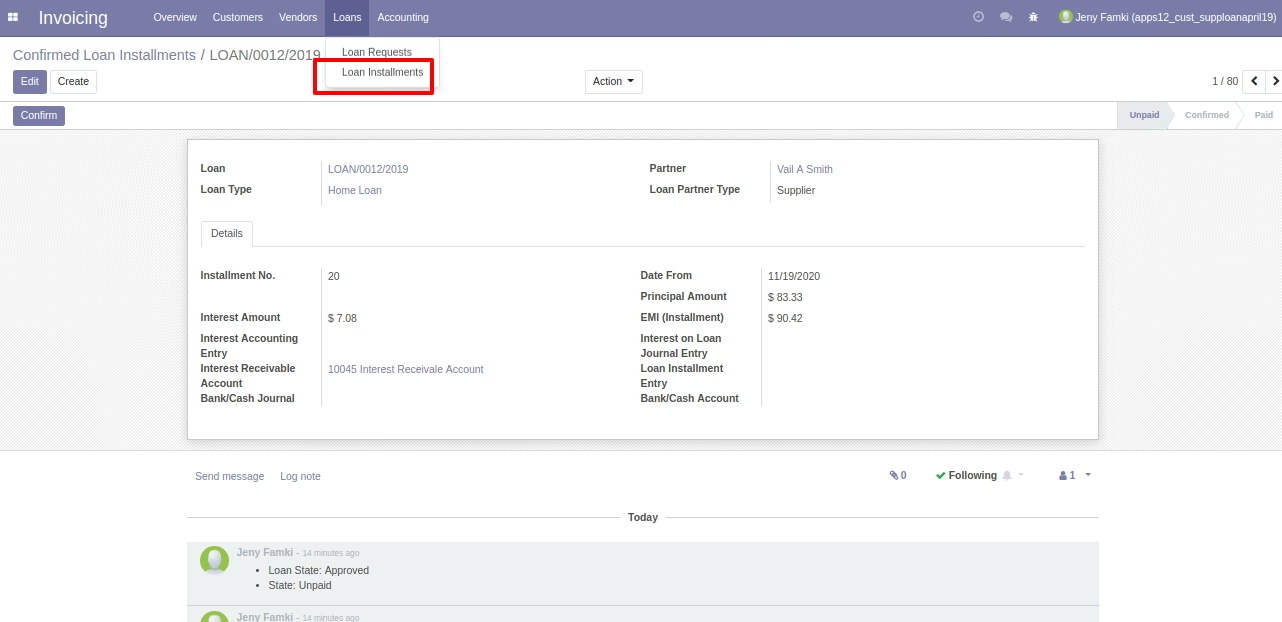
Loan Installments Form View
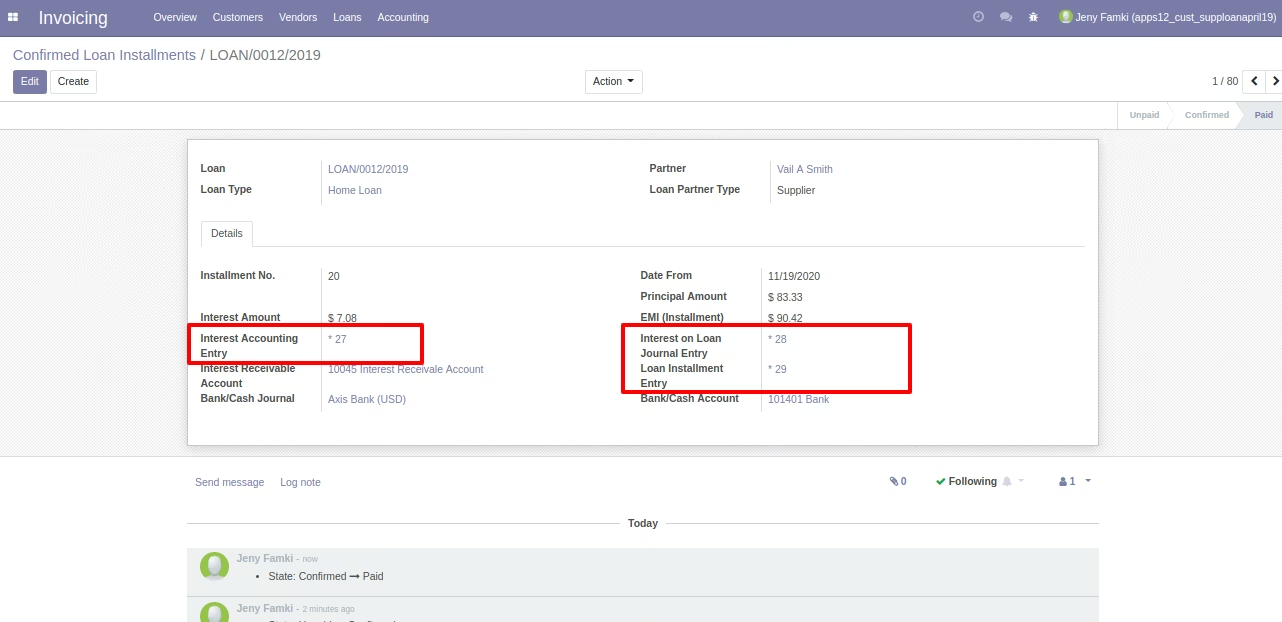
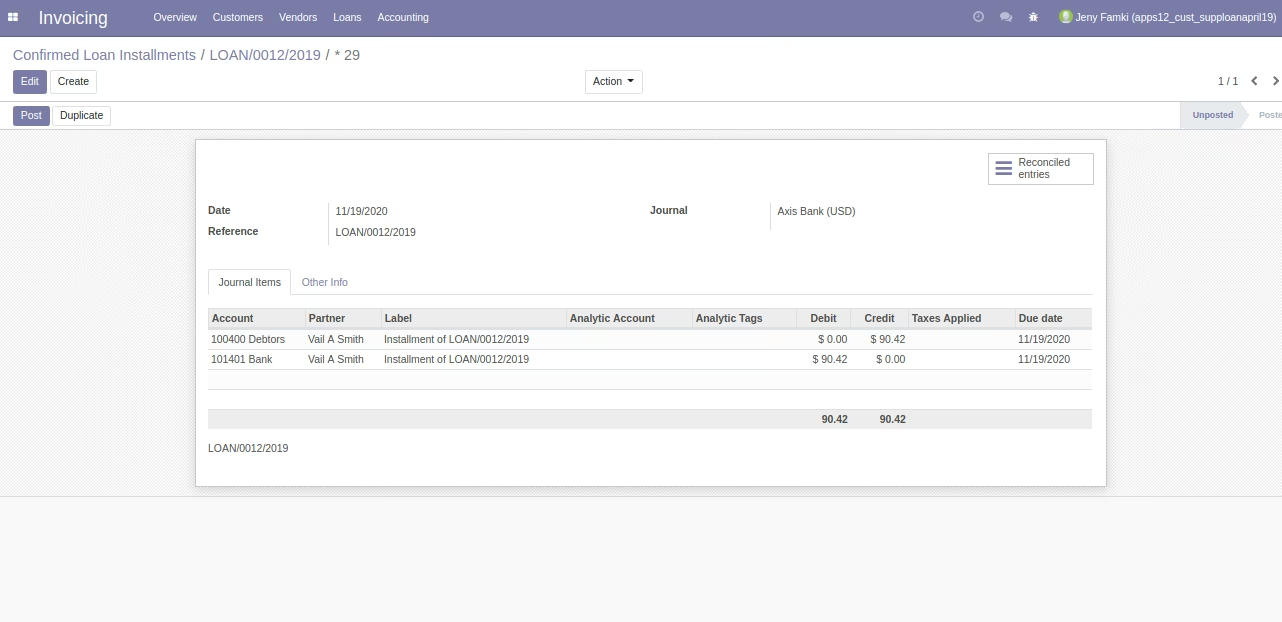
Pay and Book Interest of Installment

Installment Accountig Entries
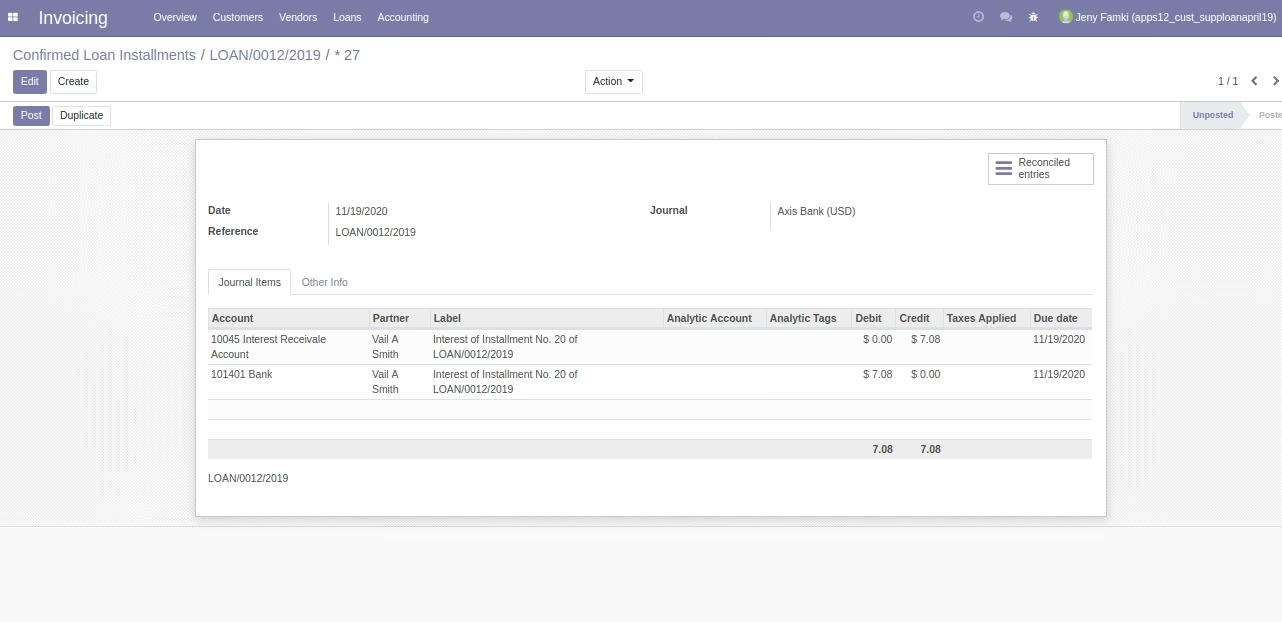
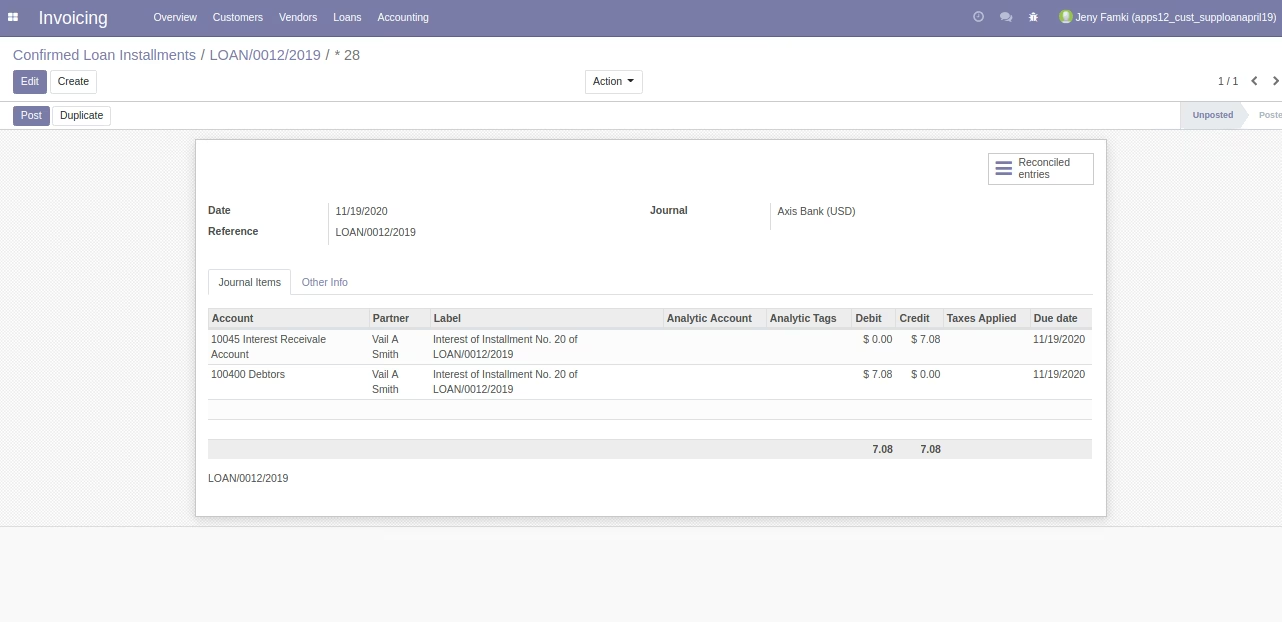
Loan Interest Accounting Entry
There is button on installment called "Book interest" that will raise this journal entry in system for interest for that installment.
Loan Installment Interest on Journal Entry
Loan Installment Journal Entry
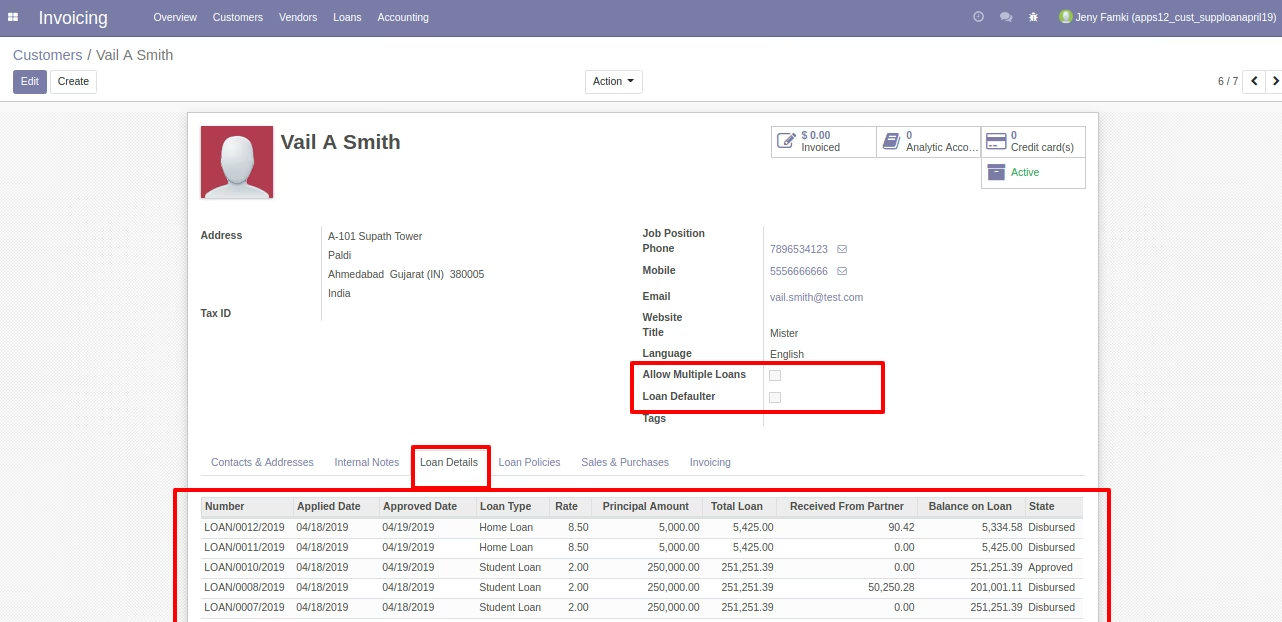
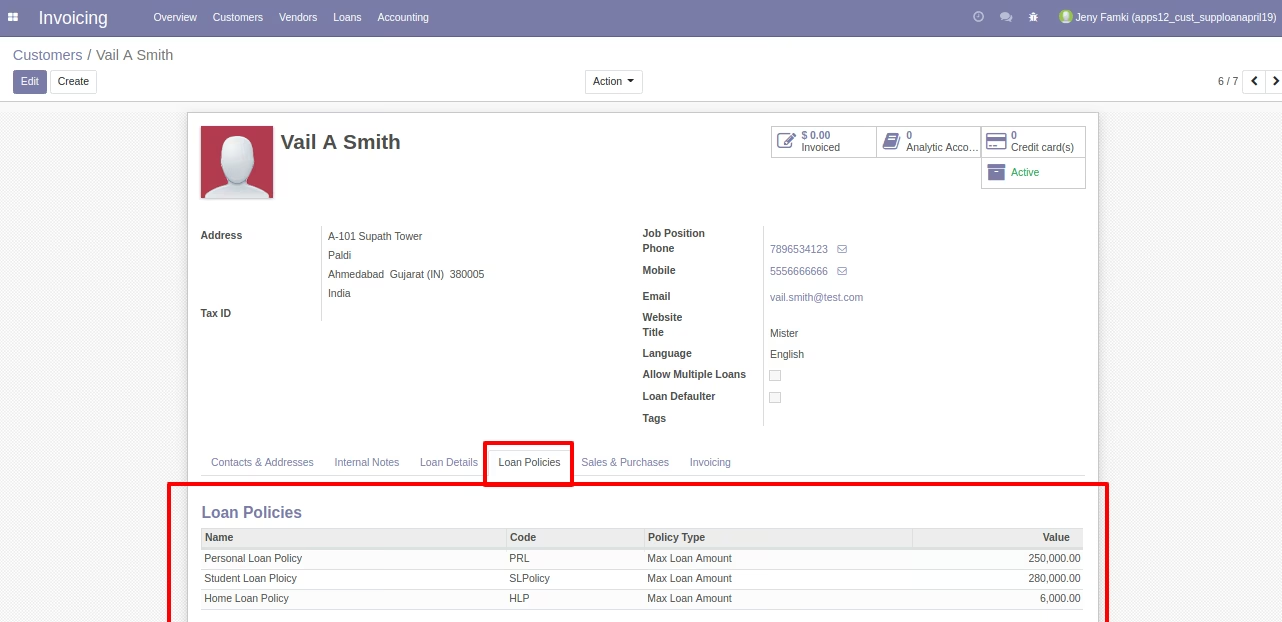
Some Other Configuration on Customer/Supplier Form
Loan details and loan policy will come automatically on Customer/Supplier form.
Your Customer/Supplier use Portal see all Loan Information
Show Loans From Open My Account Menu / My Loans
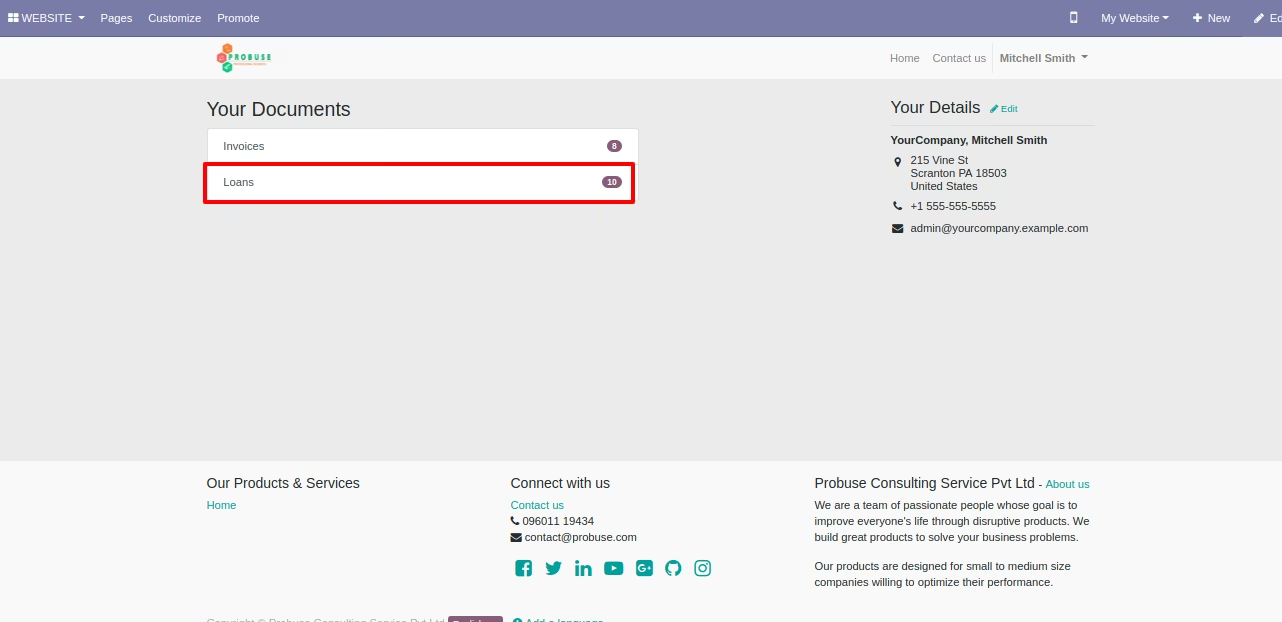
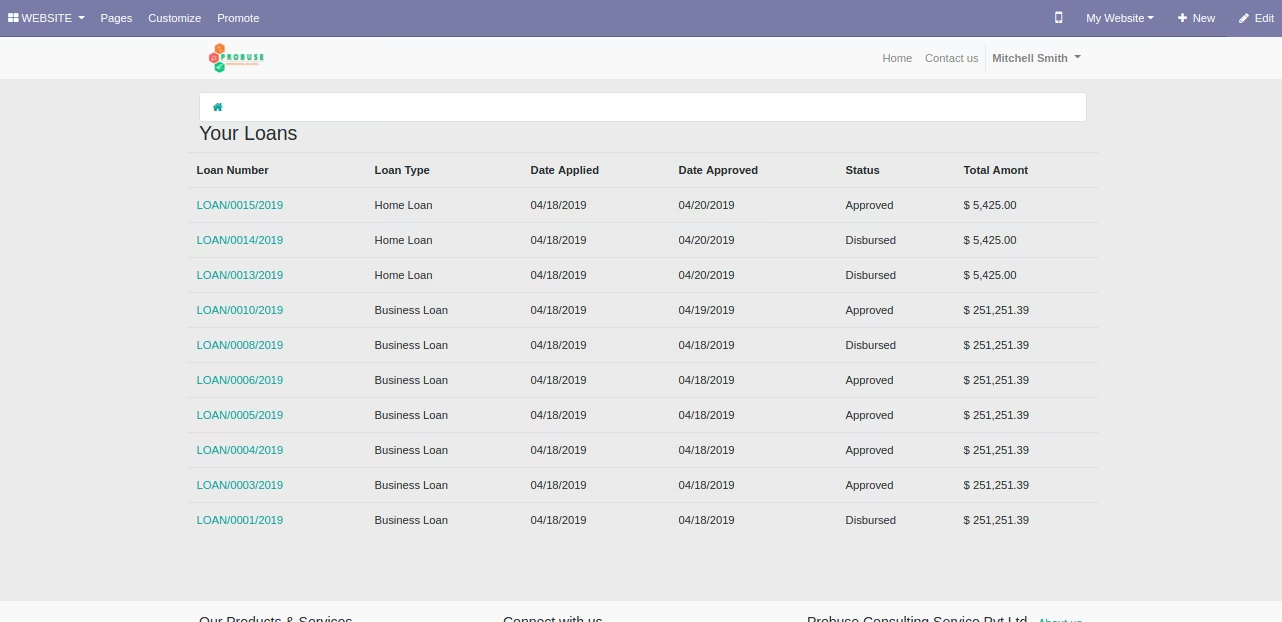
Here Show List of loans Which was taken by that customer/supplier who logged as portal user.
Customer/Supplier can print loan which will Open Full information from the loan.
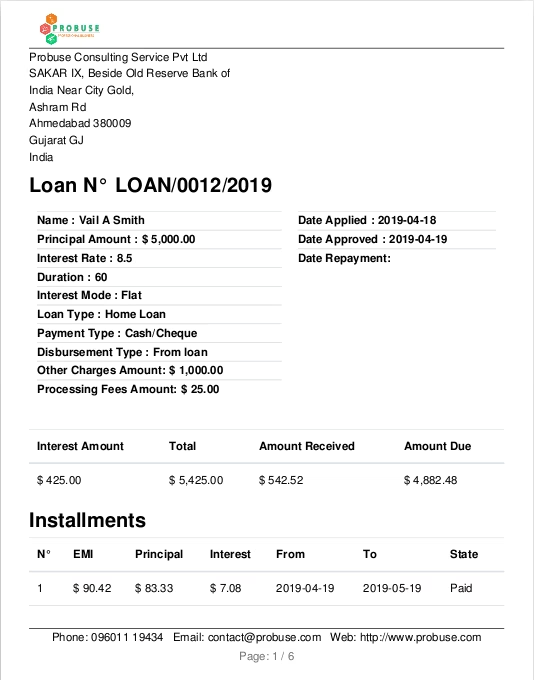
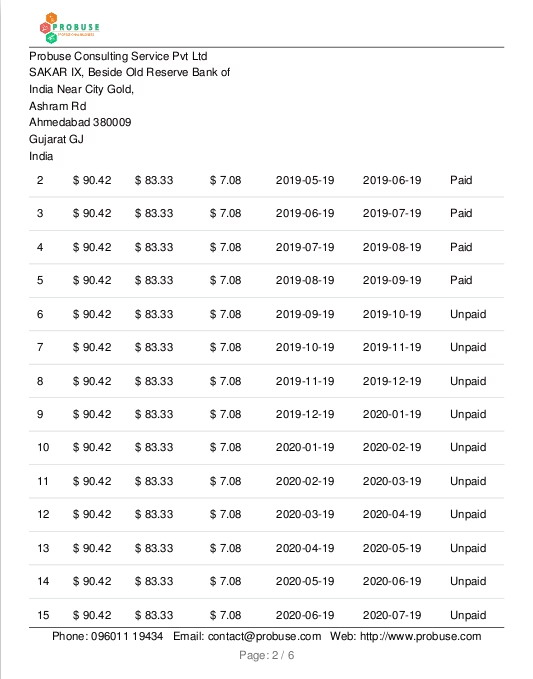
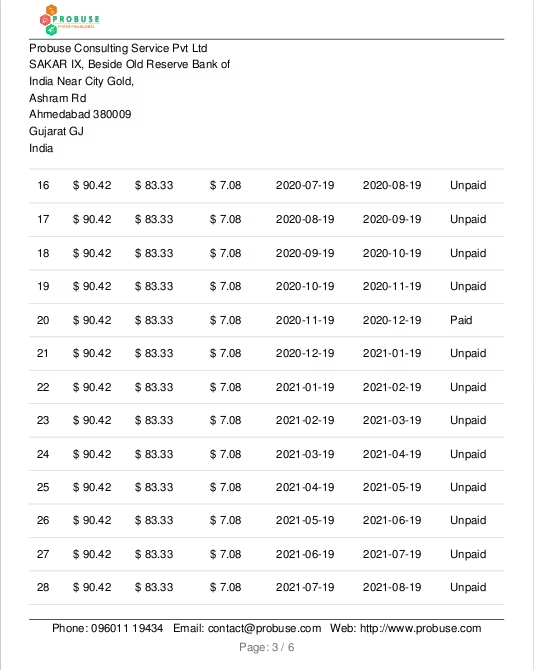
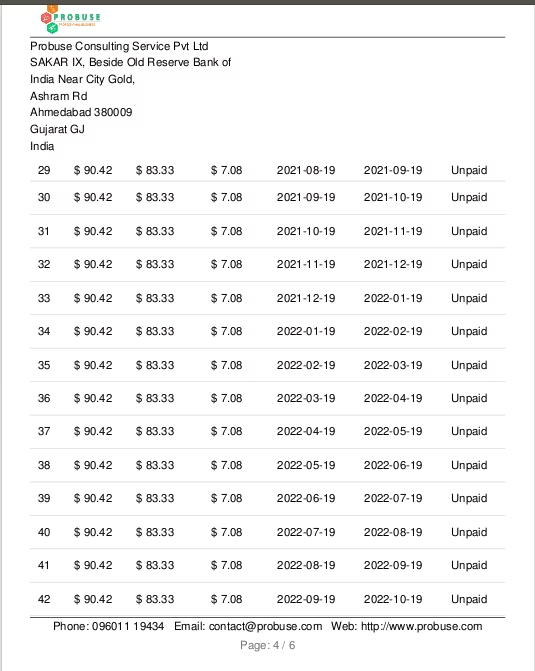
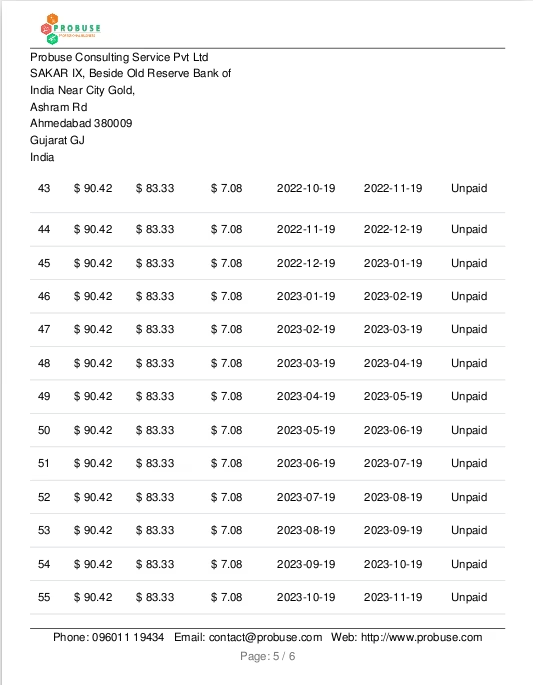
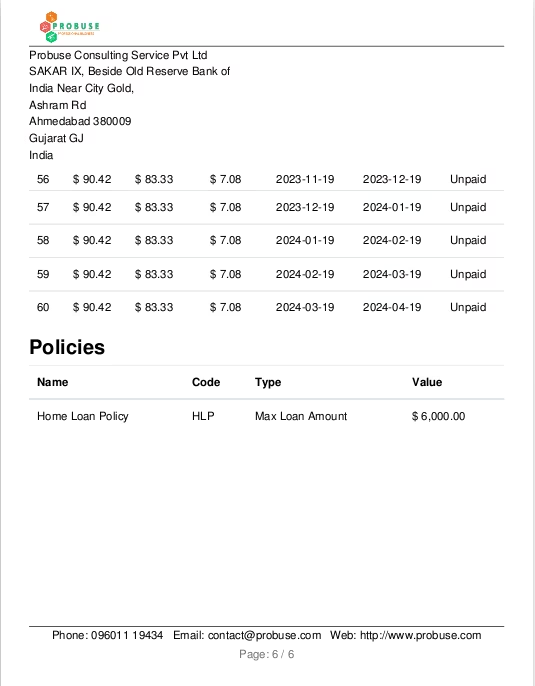
Loan PDF Report in Backend