This module serves as a powerful studio for building custom API endpoints in based on the JSON:API standard. Leveraging a robust underlying API framework, it simplifies creating secure, performant, and scalable integrations with external systems by defining endpoints directly within models.
Define custom JSON:API endpoints within using a simple method-based extension model
Secure and scalable API development built on top of a comprehensive API framework
Extend endpoints by implementing methods that handle request and response logic
Built-in support for JSON:API conventions including structured responses and error handling
Enables flexible external integrations without custom development overhead
Supports secure access to models with standard JSON:API protocols
Speeds up API creation with minimal boilerplate and framework guidance
Delivers scalable integration points for web, mobile, or analytics clients
REST Json:API Custom Endpoint Studio
with"api_framework"

This module allows you to create your custom API endpoints using the JsonAPI standard, tailored to your specific business needs. It leverages the powerful features of the api_framework, including support for multiple authentication methods, CORS (Cross-Origin Resource Sharing) configurations, and much more. This allows you to build secure, scalable, and efficient APIs that seamlessly integrate with your environment. Simply define a Python method, and your API endpoint will be ready to use.
Configuring API
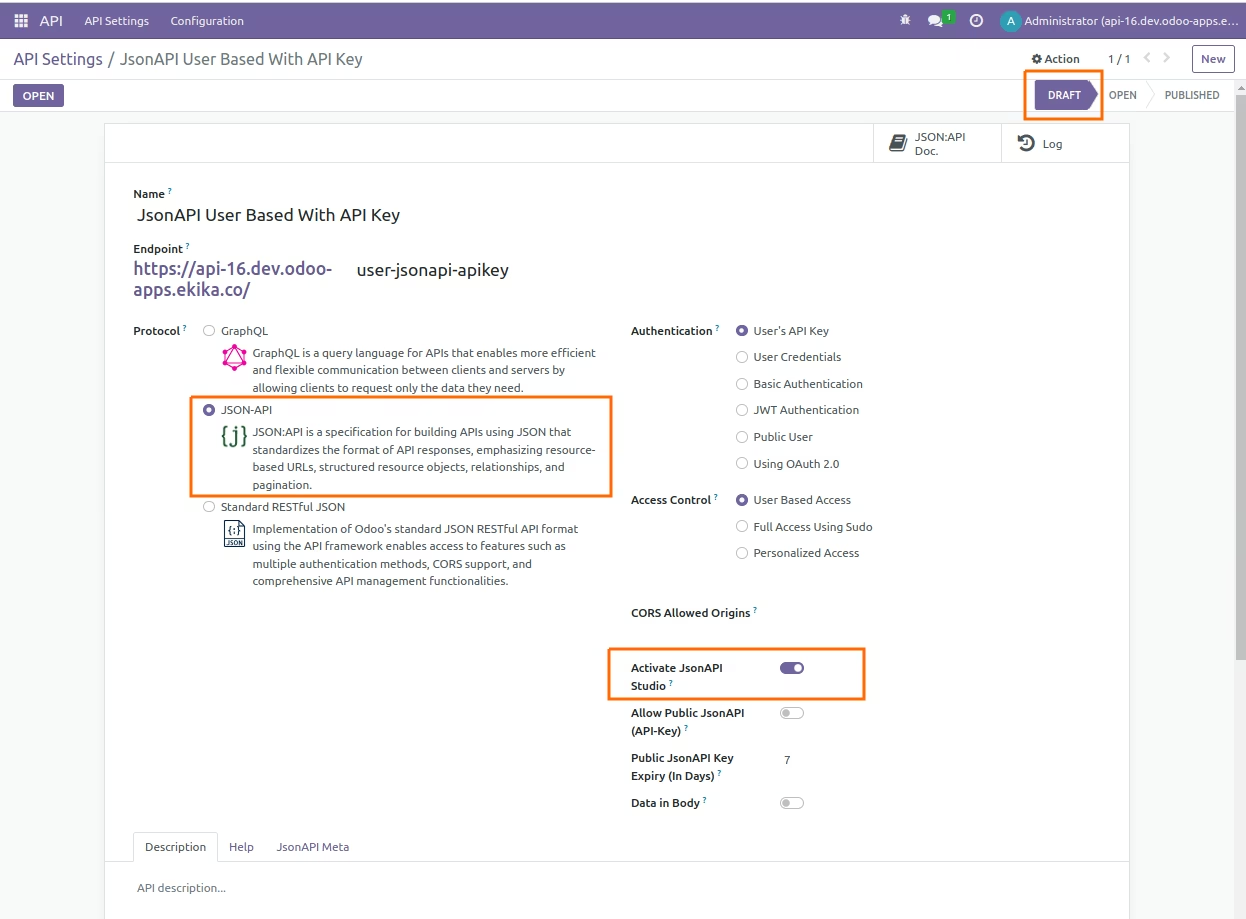
- To create a custom API endpoint, define methods within the "easy.jsonapi.customstudio" model. You can find the relevant file at: "/models/custom_jsonapi_studio.py".
- Use the "def my_custom_jsonapis(cls)" method to define your endpoint. Ensure the method returns a list of endpoints.
- Define a method matching one of the names in the list above. Ensure it accepts "query(JsonAPIQuery)" as a parameter.
- The methods you implement must return a dictionary object, and this object should contain at least the data or errors key. you may contain links and included in dictionary, for more information Refer JsonAPI(https://jsonapi.org/format/1.1/).
- Access your defined custom endpoints using the following format: {your-web-domain[:port]}/{your-api-endpoint}/{your-custom-endpoint}.
- For more detail please refer below examples:
*** python *** from import models from .http import request from .addons.easy_jsonapi.models.easy_jsonapi import JsonAPIQuery class MyJsonAPICustomStudio(models.AbstractModel): _inherit = 'easy.jsonapi.customstudio' @classmethod def my_custom_jsonapis(cls): res = super().my_custom_jsonapis() res.extend([ 'getContacts', 'getContactDetails', 'createContact', 'resetPasswordMail' ]) return res @classmethod def getContacts(cls, query: JsonAPIQuery) -> dict: try: partners = request.env['res.partner'].search_read([], fields=['name', 'email']) result = {'data': {'contacts': partners}} except Exception as exc: result = {'errors': exc.args} return result @classmethod def getContactDetails(cls, query: JsonAPIQuery) -> dict: try: partner = request.env['res.partner'].browse(int(query.params['partner_id'])) result = {'data': {'contactDetails': partner.read(fields=['name', 'email', 'phone'])}} except Exception as exc: result = {'errors': exc.args} return result @classmethod def createContact(cls, query: JsonAPIQuery) -> dict: try: data = request.get_json_data() partner = request.env['res.partner'].create({'name': data['name'], 'email': data['email']}) result = {'data': {'contactDetails': partner.read(fields=['name', 'email'])}} except Exception as exc: result = {'errors': exc.args} return result @classmethod def resetPasswordMail(cls, query: JsonAPIQuery) -> dict: try: user = request.env['res.users'].browse(int(query.params['user_id'])) user.action_reset_password() result = {'data': {'message': 'Password reset email sent successfully.'}} except Exception as exc: result = {'errors': {'message': 'Failed to send the password reset email.'}} return result
Request Considering above Examples:
 Get Contacts
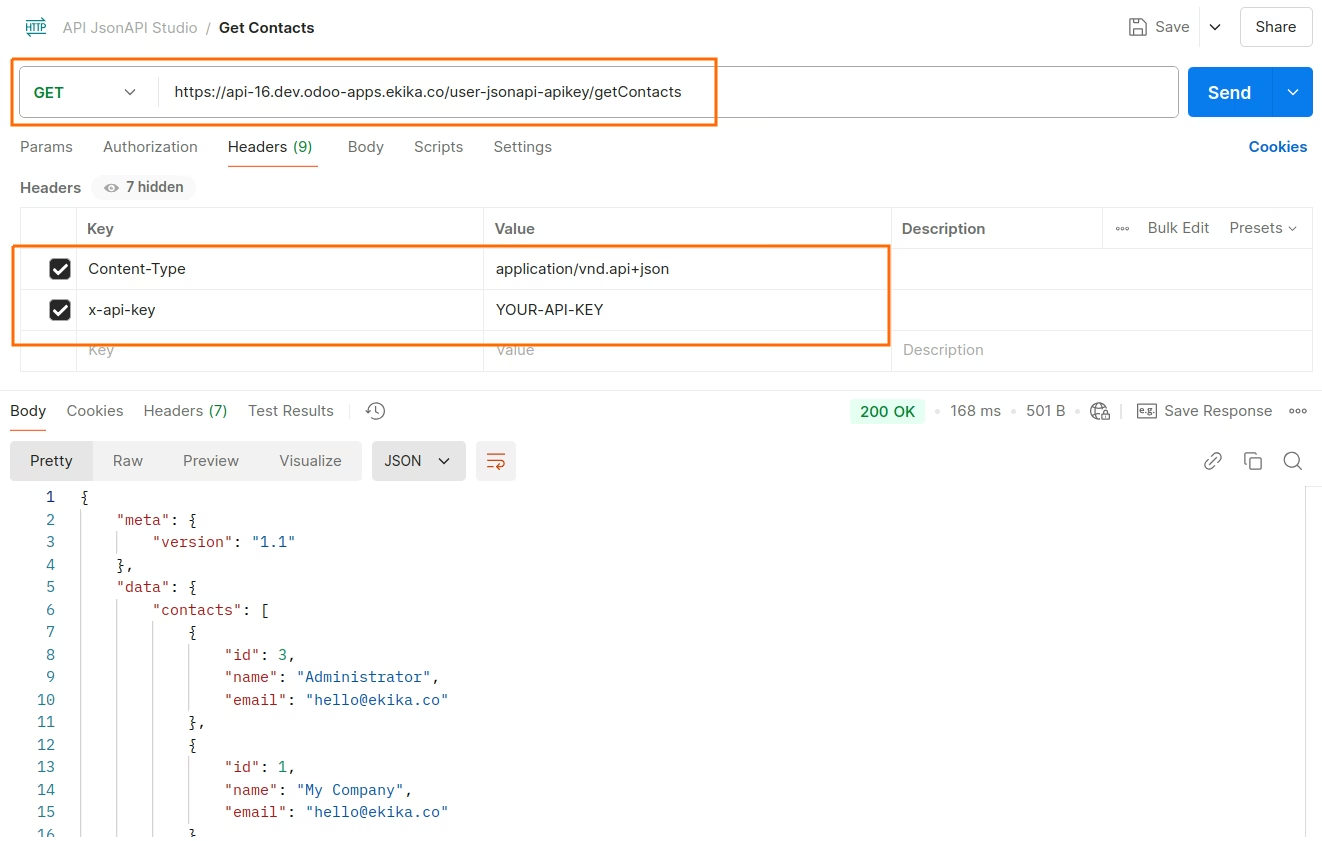
*** python *** import requests import json url = "https://api-16.dev.odoo-apps.ekika.co/user-jsonapi-apikey/getContacts" payload = {} headers = { 'Content-Type': 'application/vnd.api+json', 'x-api-key': 'YOUR-API-KEY' } response = requests.request("GET", url, headers=headers, data=payload) print(response.text)
Get Contact Details
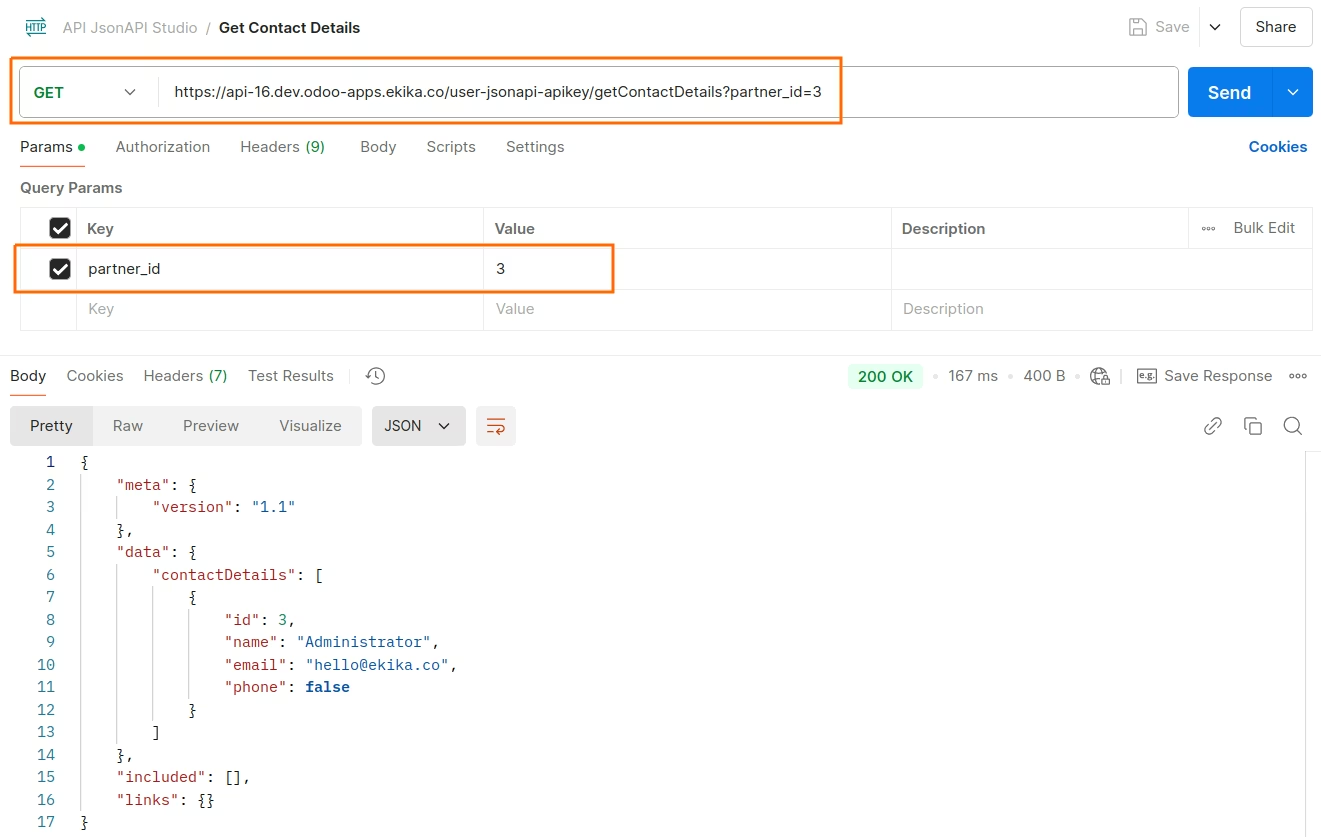
*** python *** import requests import json url = "https://api-16.dev.odoo-apps.ekika.co/user-jsonapi-apikey/getContactDetails?partner_id=3" payload = {} headers = { 'Content-Type': 'application/vnd.api+json', 'x-api-key': 'YOUR-API-KEY' } response = requests.request("GET", url, headers=headers, data=payload) print(response.text)
Create Contact
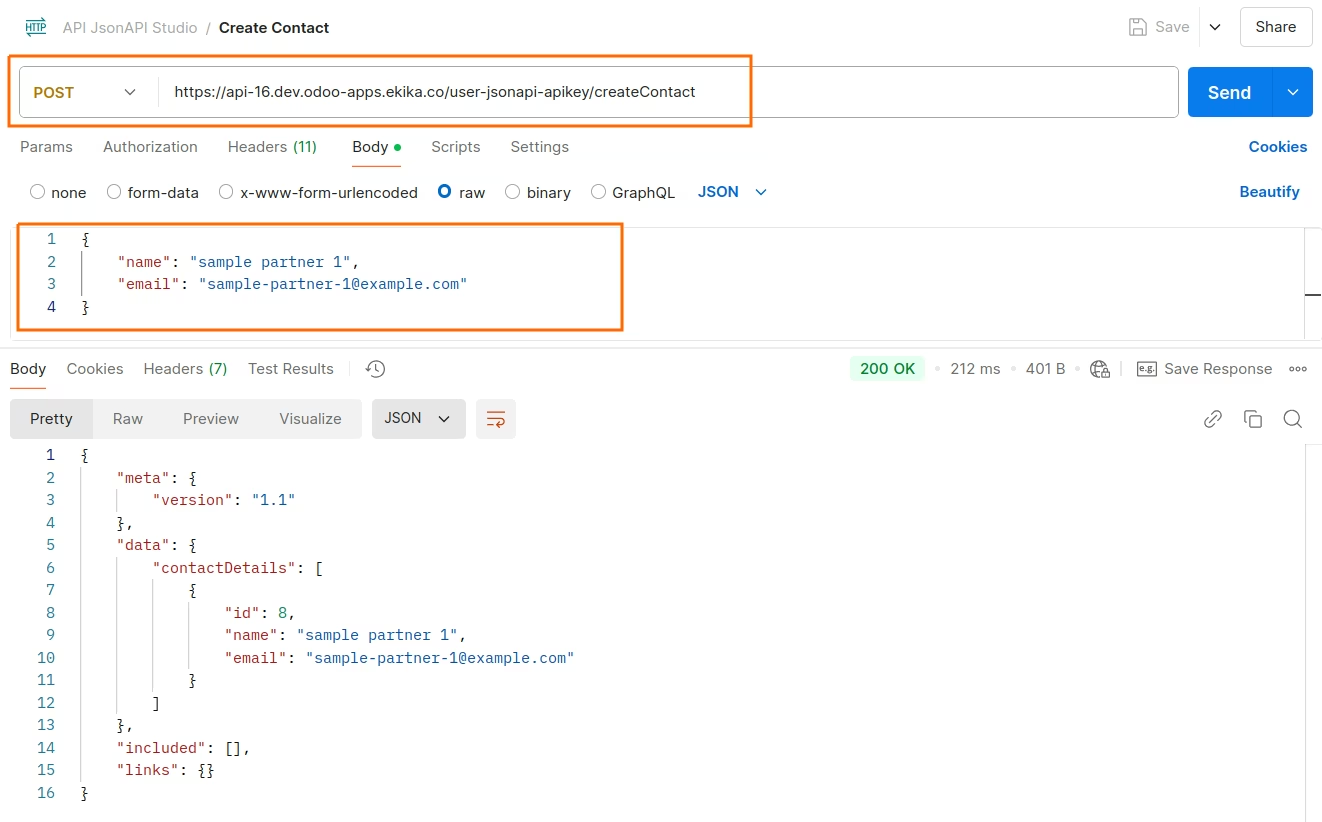
*** python *** import requests import json url = "https://api-16.dev.odoo-apps.ekika.co/user-jsonapi-apikey/createContact" payload = json.dumps({ "name": "sample partner 1", "email": "sample-partner-1@example.com" }) headers = { 'Content-Type': 'application/vnd.api+json', 'x-api-key': 'YOUR-API-KEY' } response = requests.request("POST", url, headers=headers, data=payload) print(response.text)
Reset Password Mail
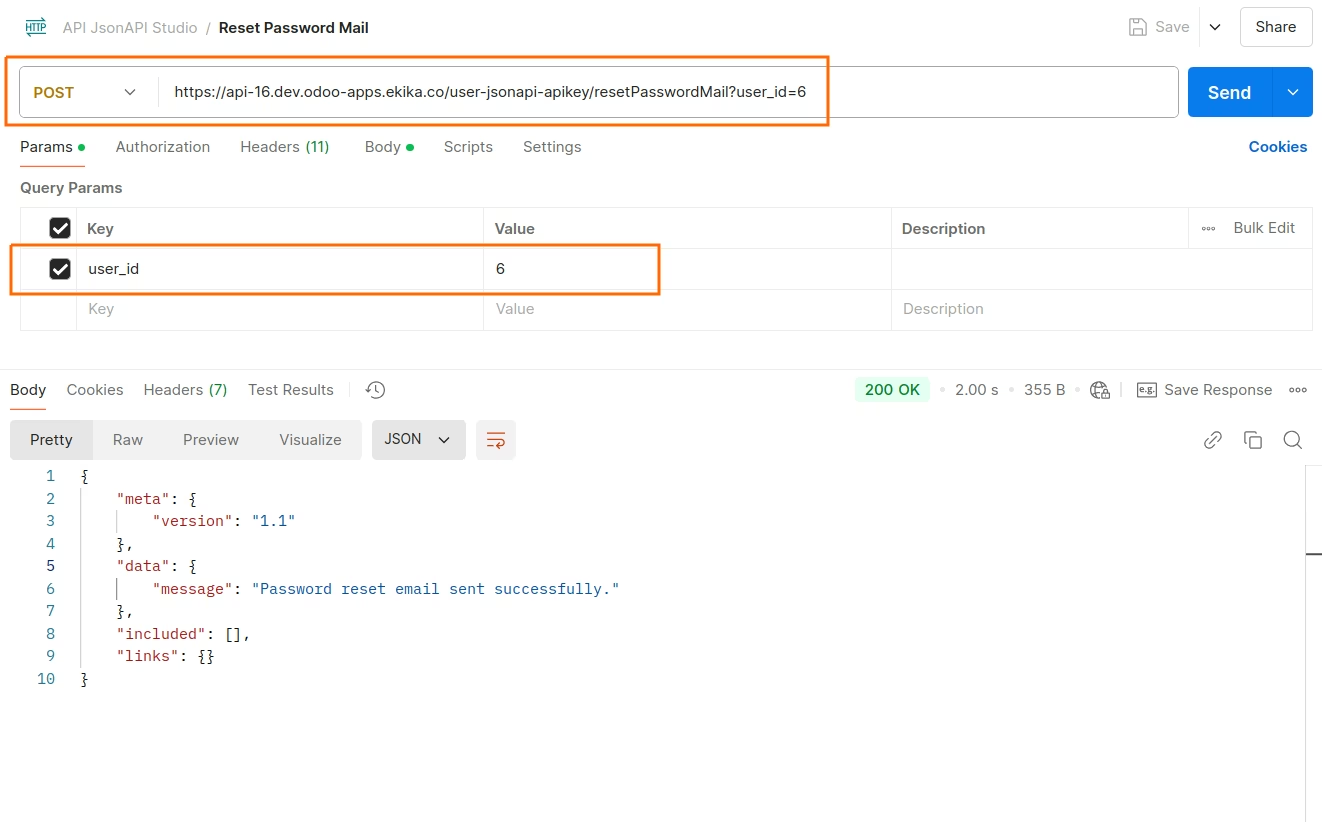
*** python *** import requests import json url = "https://api-16.dev.odoo-apps.ekika.co/user-jsonapi-apikey/resetPasswordMail?user_id=6" payload = {} headers = { 'Content-Type': 'application/vnd.api+json', 'x-api-key': 'YOUR-API-KEY' } response = requests.request("POST", url, headers=headers, data=payload) print(response.text)