The module empowers users to tailor task forms to their specific business needs without requiring technical expertise. By enabling the addition of custom fields, this module enhances task management, ensuring that all relevant information is captured efficiently. Whether it's tracking additional data points or organizing tasks more effectively, this module offers a seamless solution for businesses seeking to optimize their project workflows.
Add custom fields to task forms effortlessly.
Support for various field types: text, numeric, date, selection, and more.
Position fields anywhere on the task form to match your workflow.
Set fields as required to ensure essential information is captured.
Edit or delete custom fields as business needs evolve.
Assign field access rights to specific user groups for enhanced security.
Integrate fields with related models for comprehensive data management.
Display custom fields in the task portal for external users.
Utilize domain filters to refine field options based on specific criteria.
Incorporate widgets like checkboxes, radio buttons, and tags for improved user interaction.
Tailor task forms to capture all necessary information specific to your business.
Enhance data accuracy by setting mandatory fields.
Streamline task management with a customized and intuitive interface.
Improve collaboration by sharing relevant task details with external users.
Maintain organized and efficient workflows with personalized task forms.
Adapt task forms quickly to meet changing business requirements.
Ensure data consistency by linking fields to related models.
Simplify user experience with well-structured and accessible task forms.
Enhance reporting capabilities with comprehensive task data.
Increase user adoption by providing a familiar and user-friendly interface.
Often Odoo tasks' fields are not enough to reflect your project management system, while customization requires developer competencies. This tool is introduced to make everything as simple as creating a new document in Odoo. The app lets you prepare new task properties fast and comfortably.
New task fields without technical knowledge
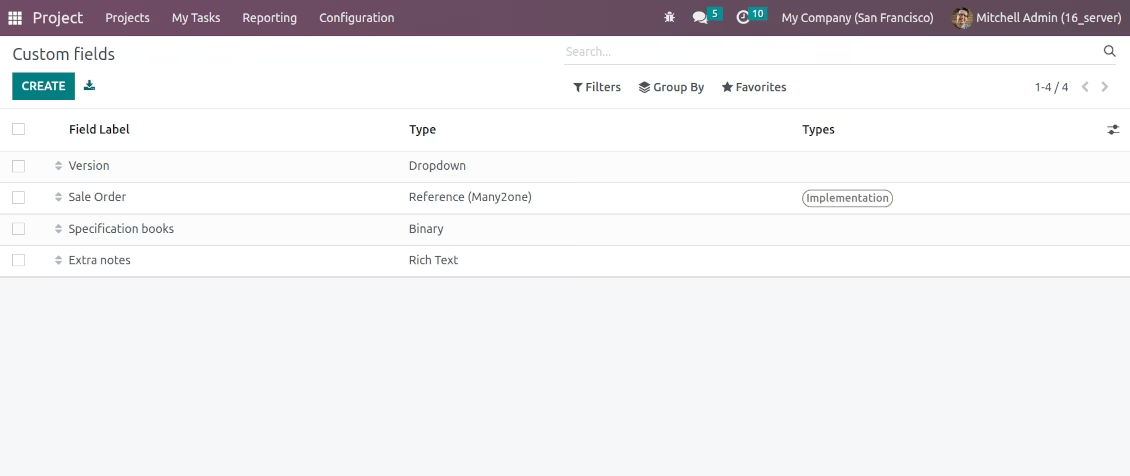
In order to add a new column for Odoo project tasks, just prepare a custom field. Nothing else is required! Find the app menus under Project > Configuration. The rights to create custom fields for tasks belong to Odoo Project Managers.
Simple interface placement
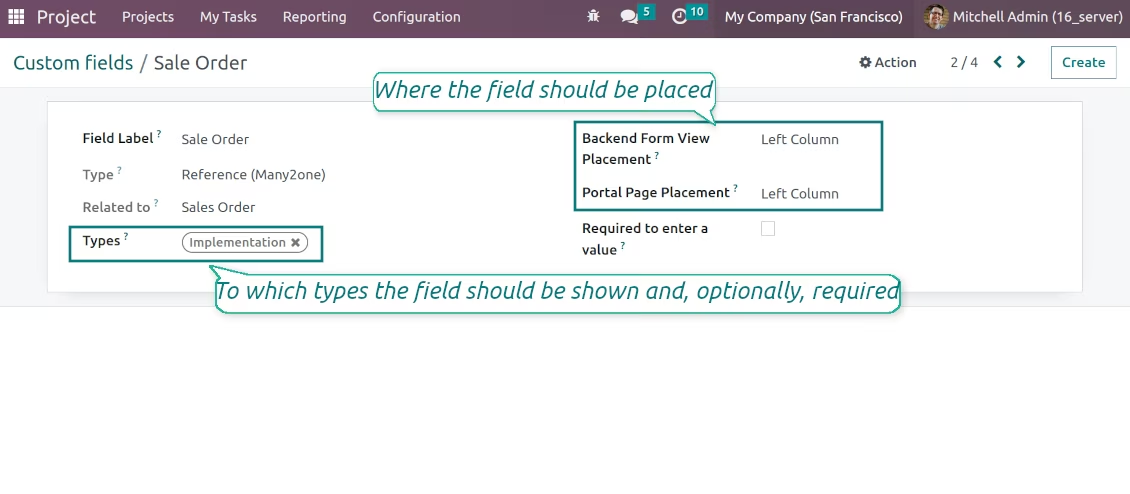
Choose an interface location for a new field from a closed list to structure properties for users. Make fields required to be entered by merely checking a related box.
Custom attributes for tasks in portal
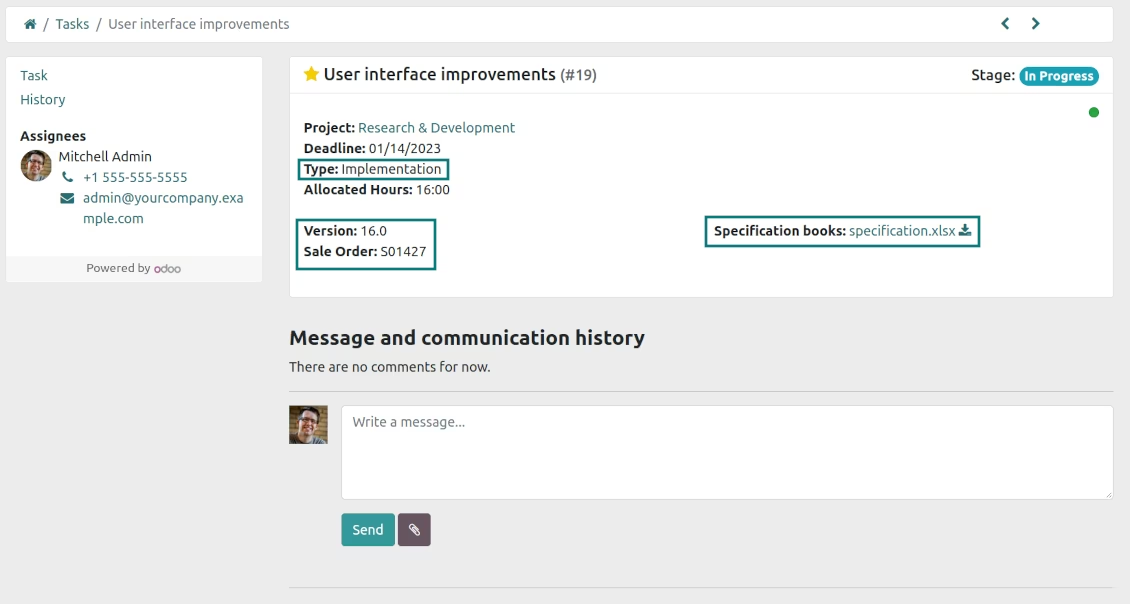
Optionally show new task fields also for external project users by defining a portal placement for those fields.
Complementary typology for tasks
The tool introduces complementary tasks' typology. Show fields for tasks only of specific types, and do not show for others. Thus, the set of columns for 'Research and development' and 'Implementation' activities might be different.
High variety of field types
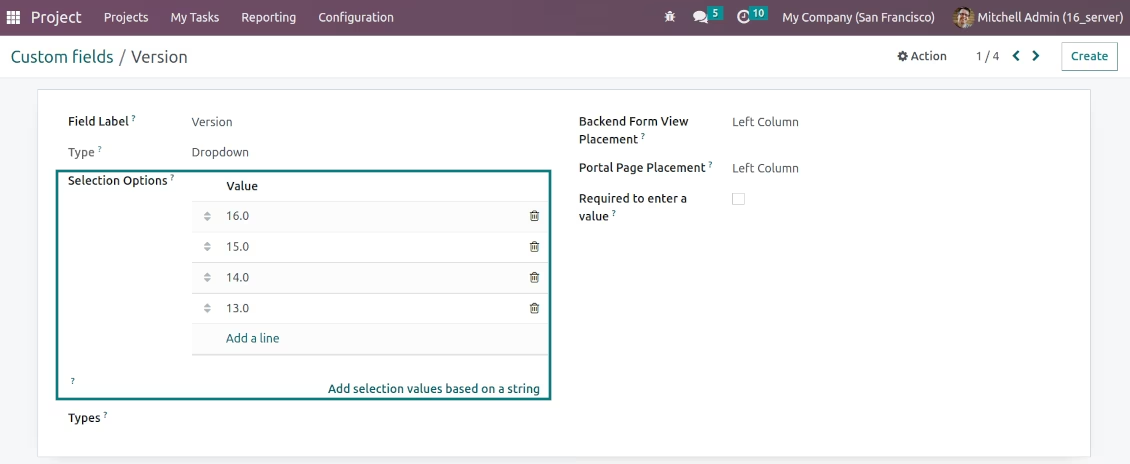
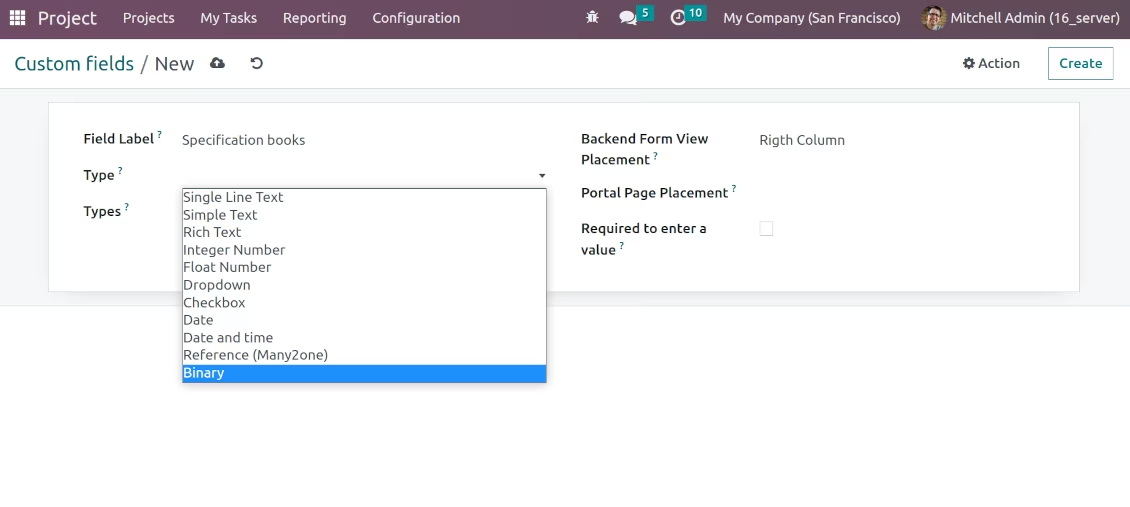
Single line text (char), simple text without formatting (text), rich text (HTML-formatted text), integer or float numbers, drop-down choice with your own options (selection), checkbox (boolean), date or date and time, binary (a file to upload), reference to another Odoo document (e.g. for a sales order, contact; many2one).
Compatible with standard Odoo features
Custom fields might be used in Odoo's advanced tasks' search to add new filters. It is possible to import and export custom properties. Developers can use custom fields in their scripts and view adaptations.
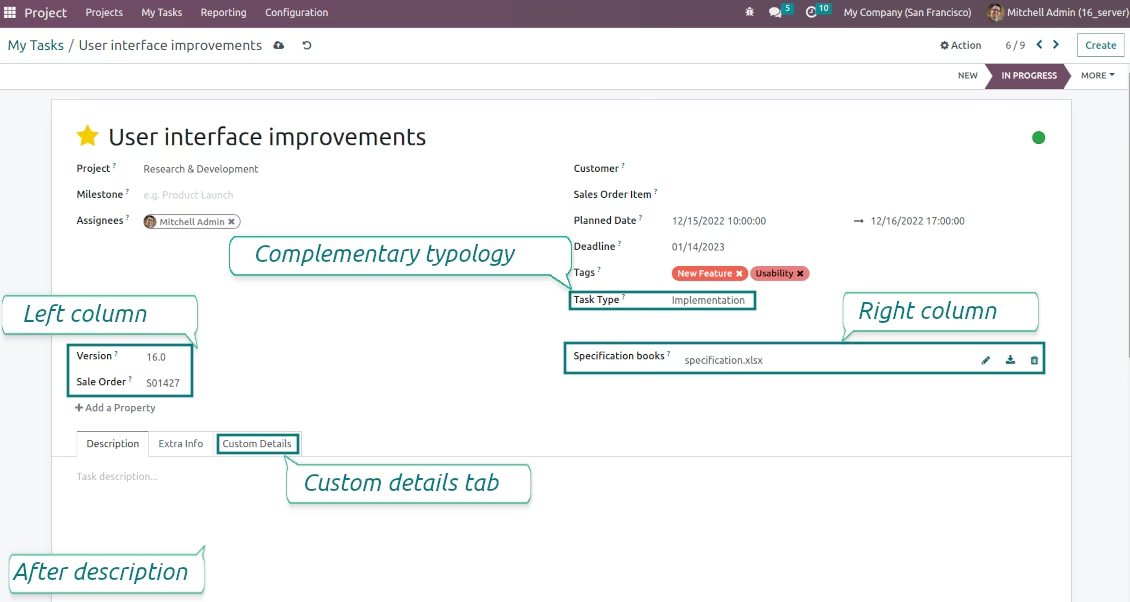
Odoo Task form with custom fields
Task portal page with custom fields (optionally)
Odoo task custom fields
Custom fields: multiple types to select
Different fields for different task types
Custom fields: drop-down choice