The module for enables businesses to automatically capture leads from Facebook Lead Ads directly into their CRM system. This integration eliminates the need for manual data entry, ensuring that leads generated through Facebook campaigns are promptly imported and ready for follow-up. By streamlining the lead capture process, businesses can enhance their sales pipeline efficiency and improve lead conversion rates.
Automatic Lead Capture: Automatically import leads from Facebook Lead Ads into CRM.
Integration with Facebook: Connect your Facebook account to CRM for seamless lead import.
Custom Field Mapping: Map Facebook lead form fields to corresponding CRM fields for accurate data representation.
Real-Time Data Sync: Ensure that lead data is updated in real-time, providing up-to-date information for sales teams.
Lead Source Tracking: Identify leads originating from Facebook campaigns for targeted follow-up and analysis.
User-Friendly Interface: Navigate through an intuitive interface for managing imported leads and configuring settings.
Scheduled Lead Fetching: Set up scheduled actions to fetch leads at regular intervals, ensuring timely data import.
Error Handling and Logging: Receive detailed error messages and logs for troubleshooting and ensuring data integrity.
Support for Multiple Facebook Accounts: Manage leads from multiple Facebook business accounts within a single instance.
Comprehensive Documentation: Access detailed documentation and support for installation and configuration.
Time Efficiency: Eliminate manual lead entry, saving time and reducing human errors.
Improved Lead Management: Centralize all leads within CRM for better organization and tracking.
Enhanced Sales Follow-Up: Enable sales teams to promptly follow up on leads captured from Facebook campaigns.
Data Accuracy: Ensure accurate and consistent lead data through automated import processes.
Campaign Performance Analysis: Track the effectiveness of Facebook campaigns by analyzing lead data within CRM.
Scalability: Easily scale lead capture processes as your business grows and runs more Facebook campaigns.
Customization: Customize field mappings and lead processing workflows to fit specific business needs.
Real-Time Insights: Gain real-time insights into lead generation performance and sales pipeline status.
Cost-Effective: Reduce the need for additional third-party tools or manual processes, lowering operational costs.
Seamless Integration: Integrate effortlessly with existing CRM setups without disrupting current workflows.
CRM Facebook Lead Integration
Built an integration App between Social Media platform lead form ads such as Facebook and CRM. This would allow you to run Social Media Campaigns using the Lead Form Ads and create a lead automatically in CRM. This would eliminate the manual import of leads. The Social media platforms supported are


Interface
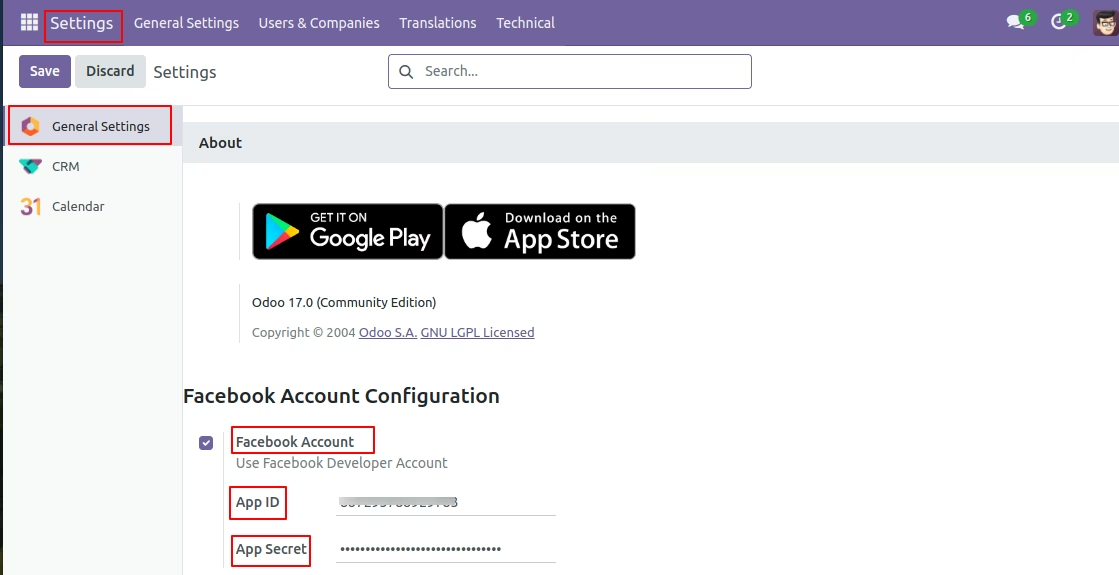
Step 1: Go to CRM → Settings and Paste the credentials For Facebook App ID and App Secret.
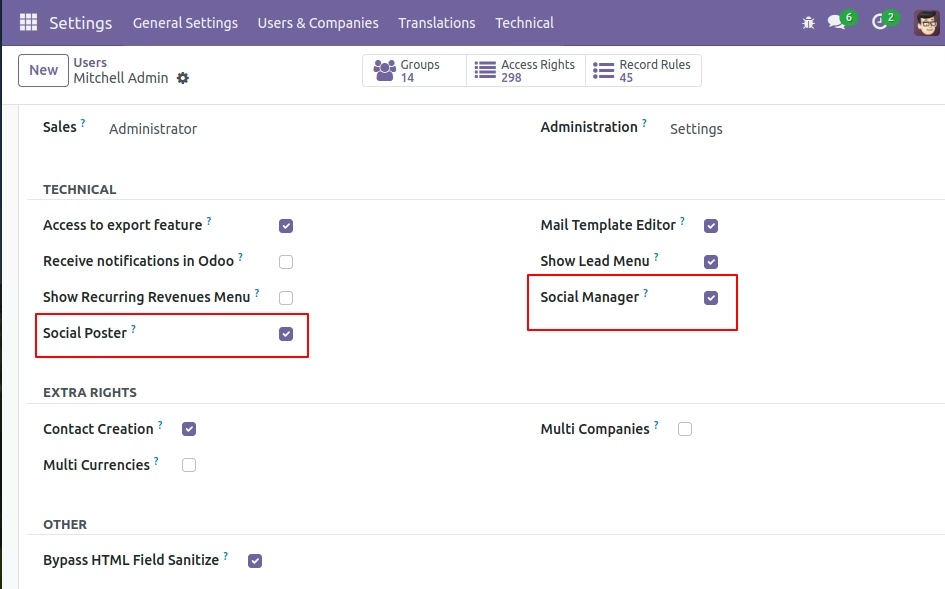
Step1.1: In settings => users we need to click on in this field which showing in below image
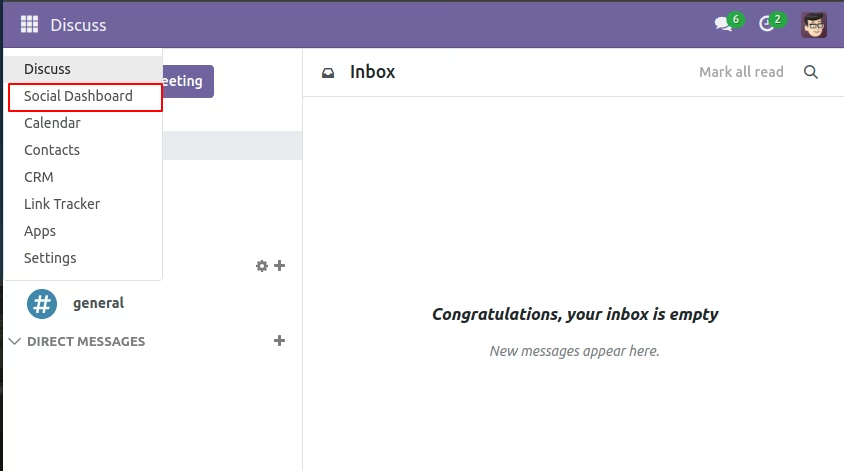
Step 2. Go To Social Dashboard Menu
Step 3: On Social Dashboard click on Facebook Accounts.
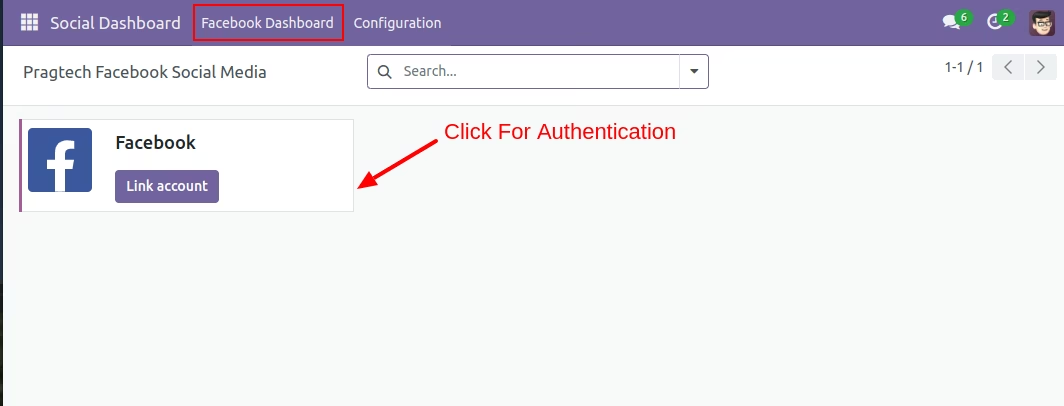
Step 4: After Clicking On “Link Account” button a wizard opens up in which user can fill in the credentials for the account to be linked.
After filling the credentials the user will be asked to choose pages on facebook Choose one page that you want to link with facebook.
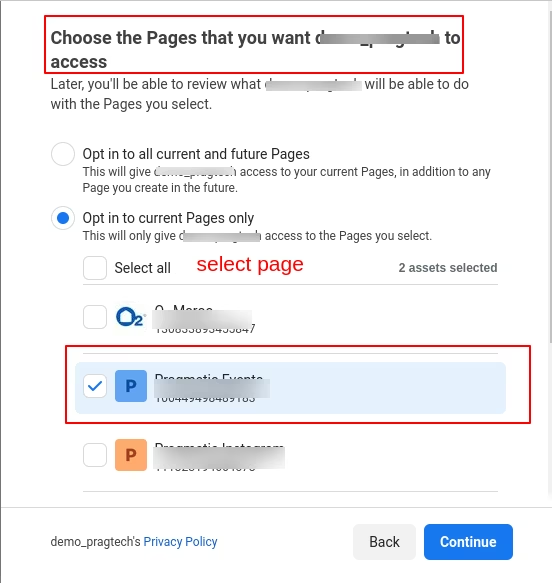
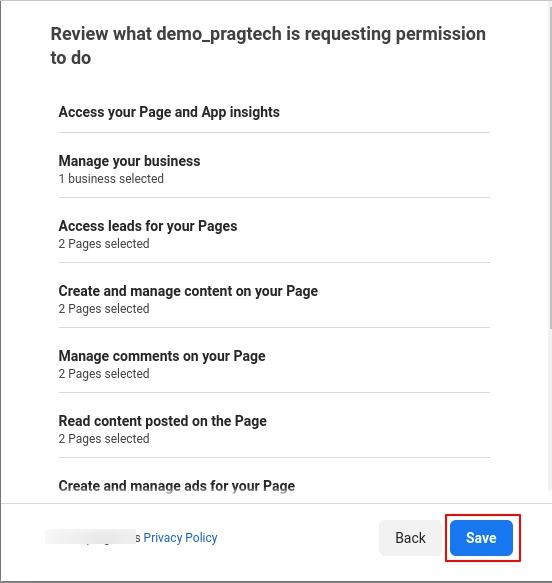
Step 5: After Selecting Page ,then after just click on save . You will be redirected to the confirmation page. click on the “Got it” button to complete the authentication part.
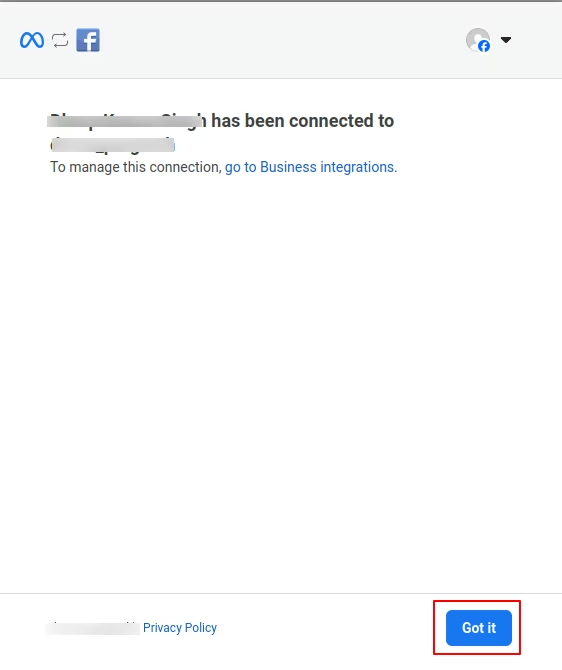
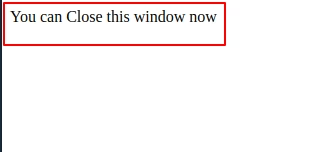
Step 6: After successful authentication the following message will be displayed on the screen shown in the image below.
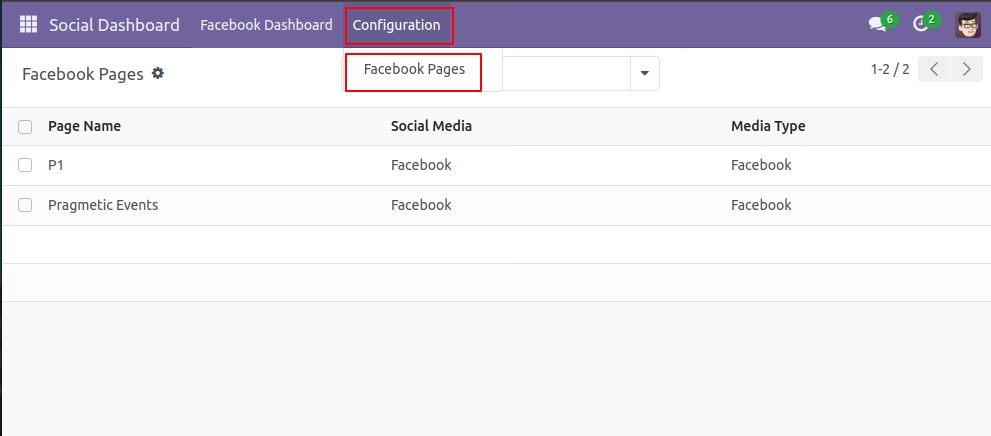
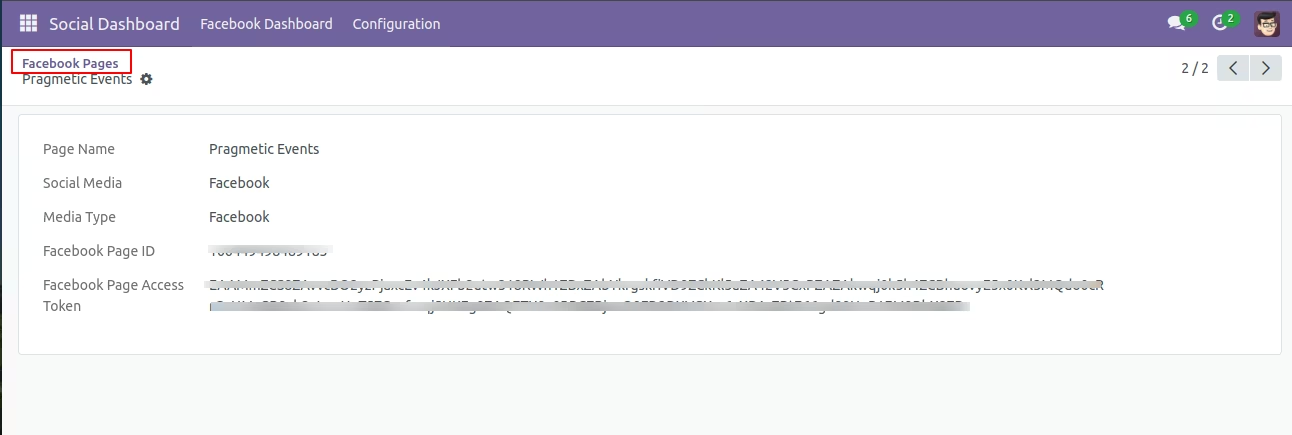
Step 7. Go to Social Dashboard Click on Configuration → Facebook Pages. Here we are going to get “Page Name, Social Media, Media Type , Facebook Page ID, Access Token” from Facebook.
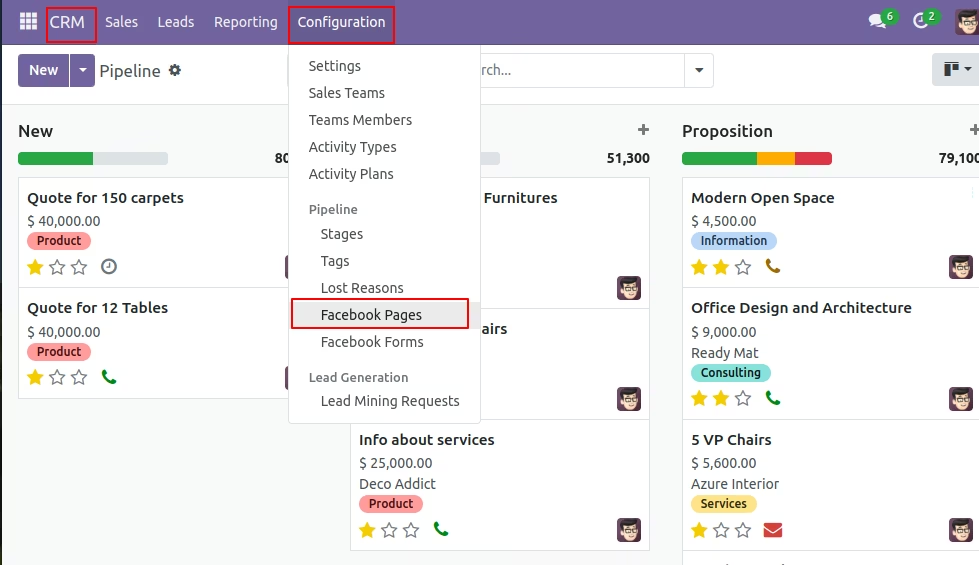
Step 8: To create Facebook Pages Go to CRM → Configuration → Facebook Pages.
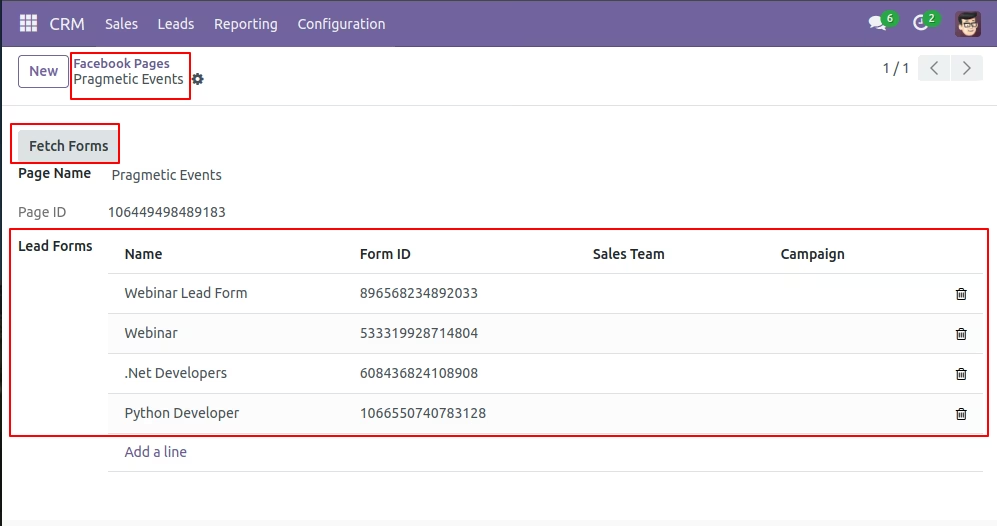
Step 9: Click on create button→ Select the existing page. To get the Forms of that page click on the “Fetch Form” Button. After clicking this button all the Lead Forms of that page will be loaded on the screen.
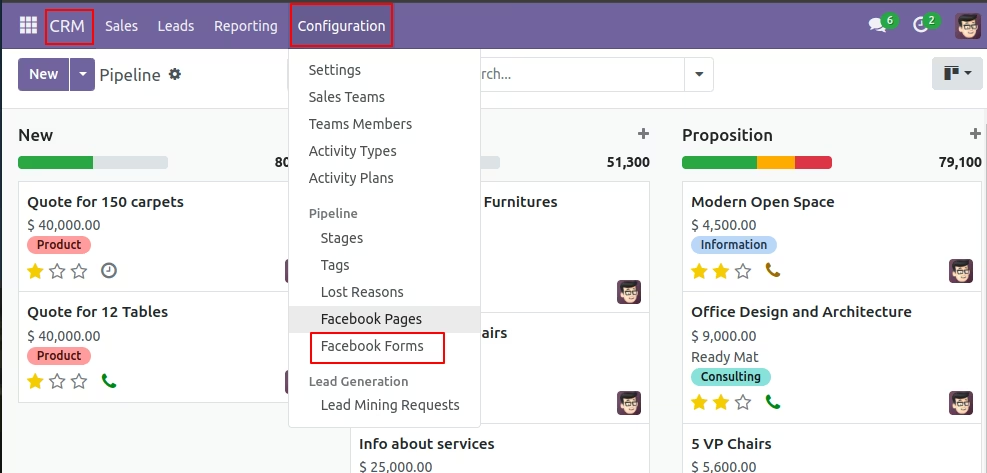
Step 10 : To Map Lead fields Go to CRM → Configuration → Facebook Forms.
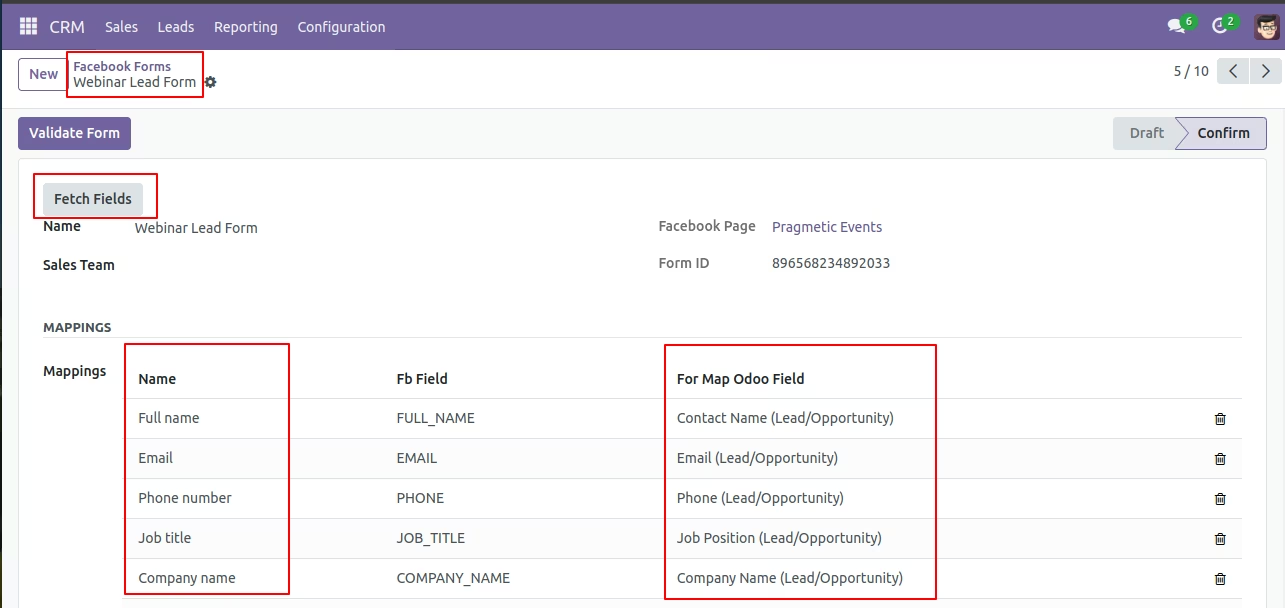
Step 11: On Facebook Form View click on “Get Fields” to get Facebook fields . Map existing fields with Fetched Fields of Facebook as shown in the image below.
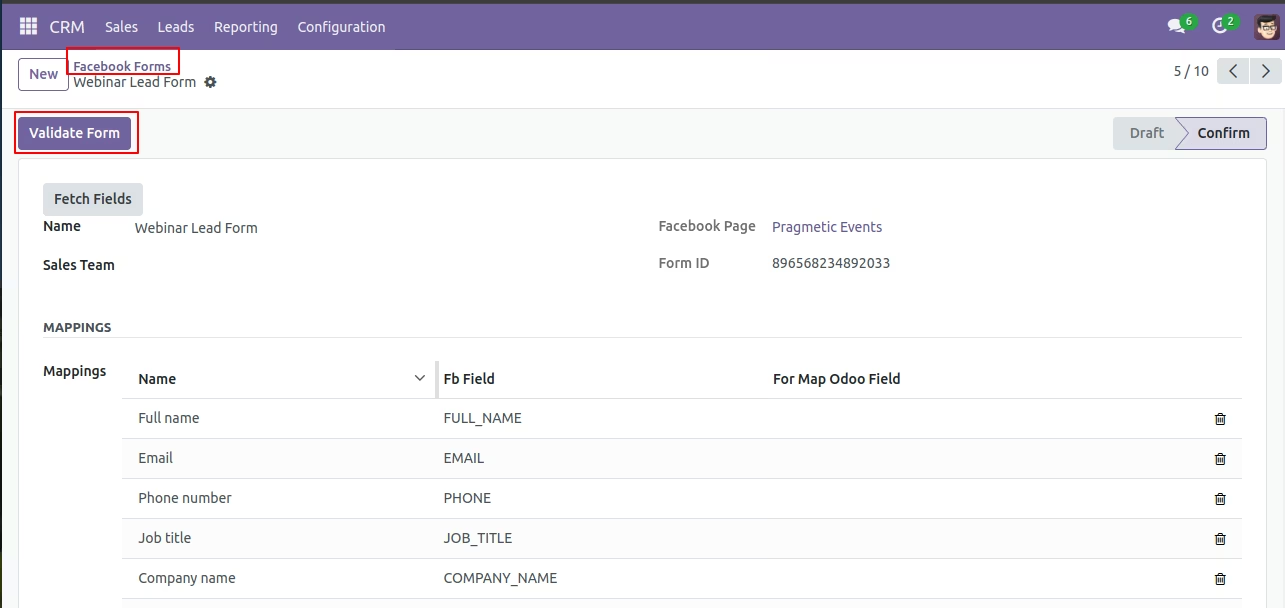
Step 12: On Facebook Form After Mapping fields , click on the Validate Form button.
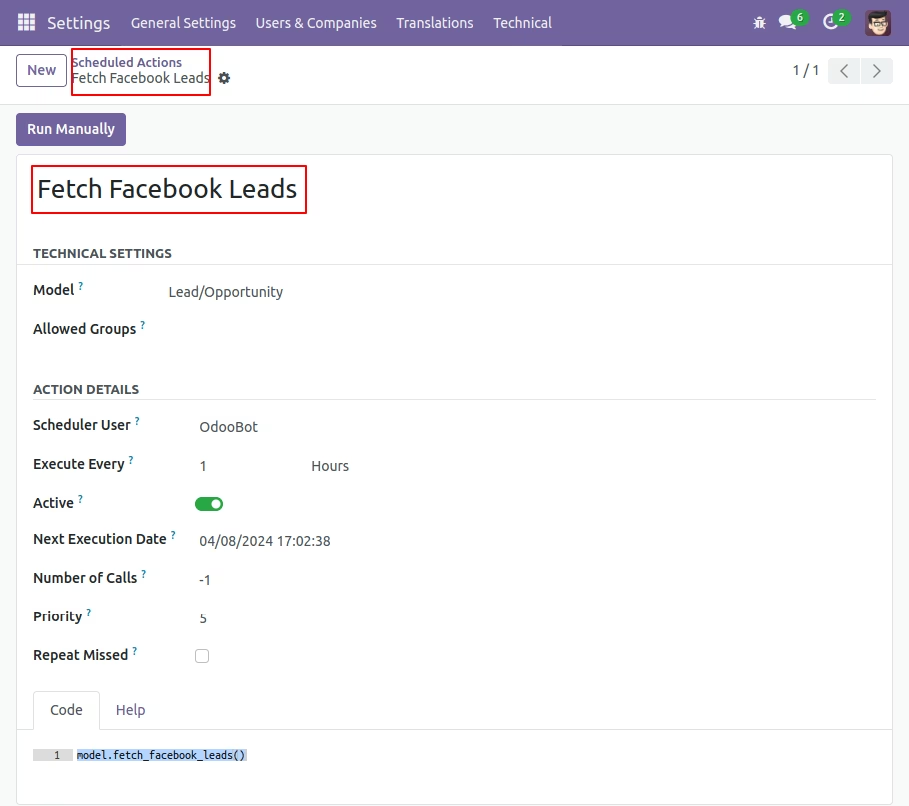
Step 13: To fetch the leads manually Go to Settings→ Technical → scheduled Actions. Select “Fetch Facebook Leads” Scheduled Action (Cron). And click on the “Run Manually” button. The leads are also fetched automatically by this cron at an interval of 1 hr.
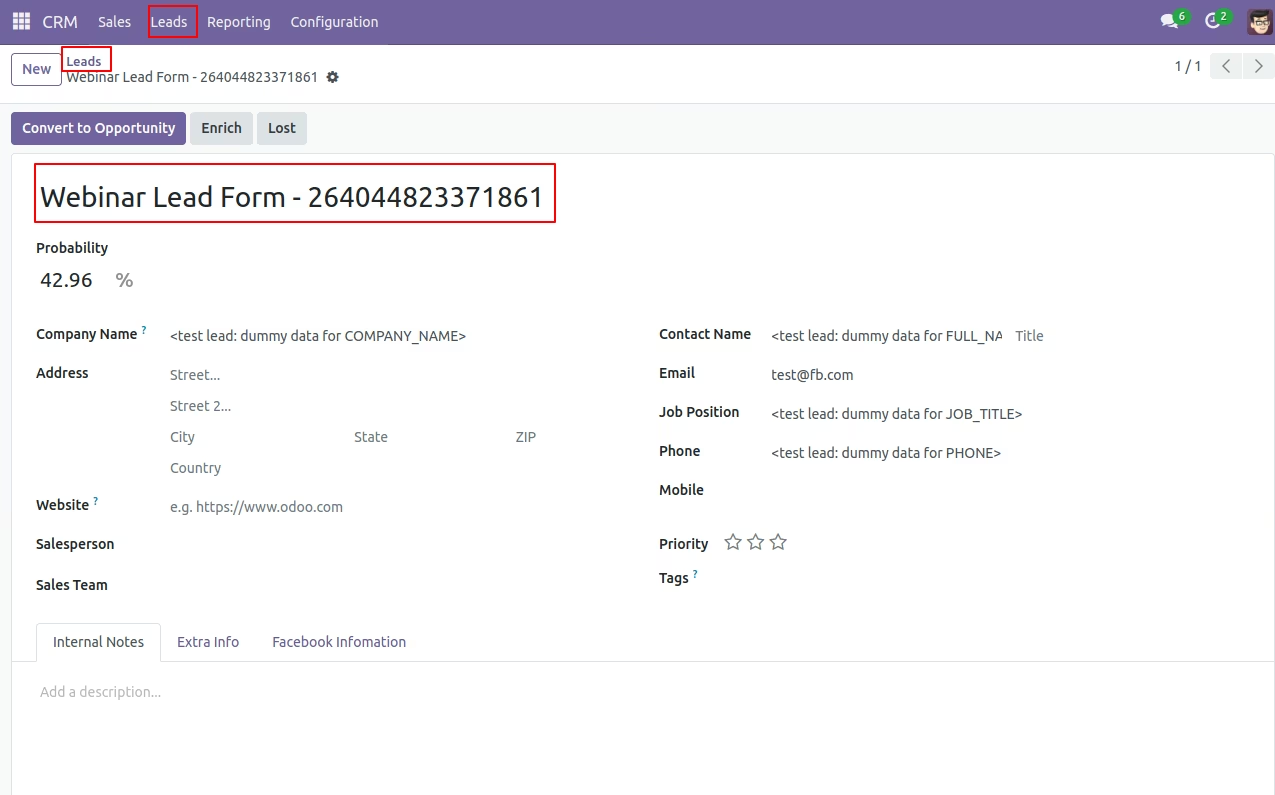
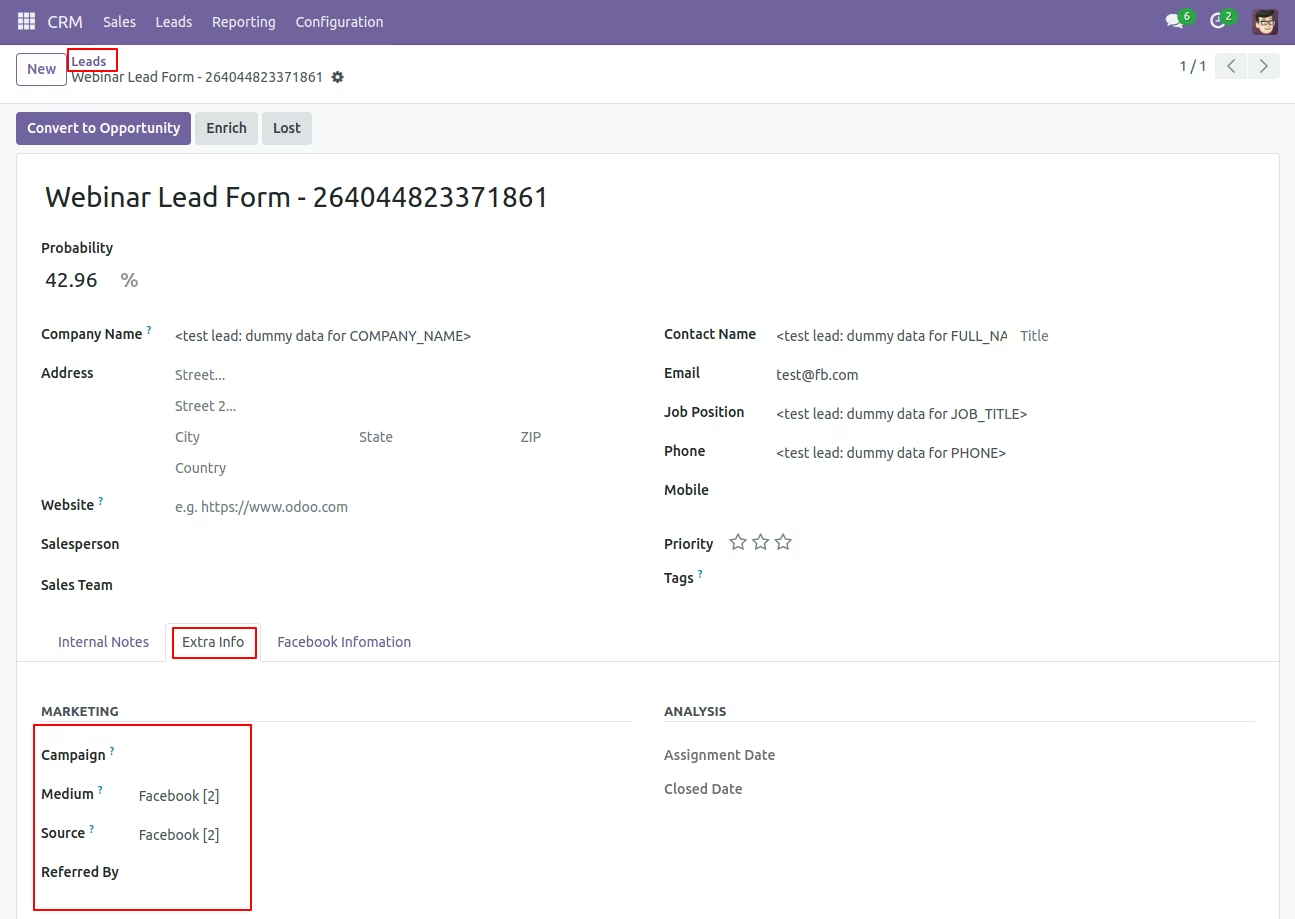
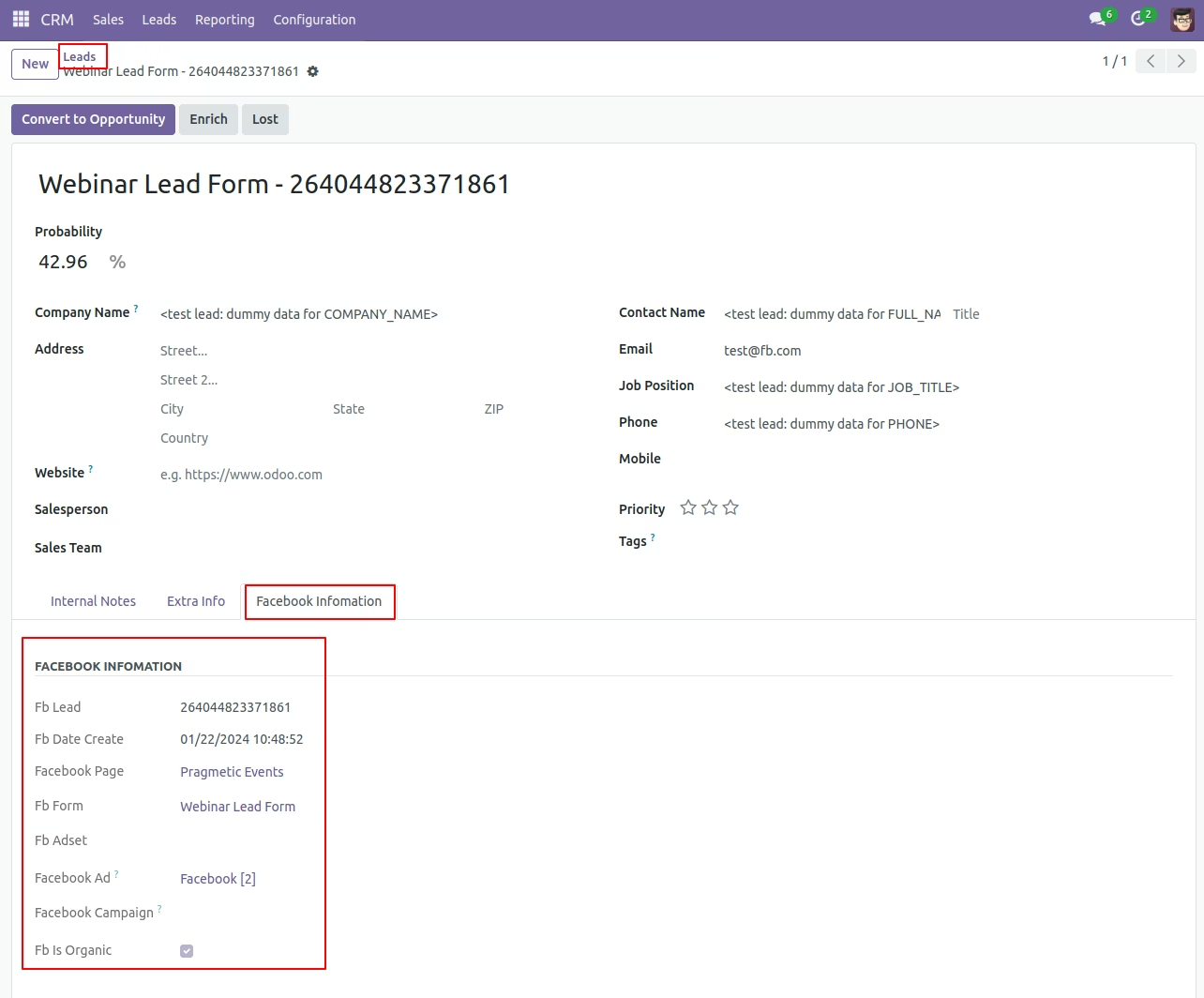
Step 14: Lead gets created on with mapped and unmapped fields along with Tracking Information.