The module allows businesses to control customer credit by setting individual credit limits, automating credit checks, and preventing orders that exceed allowed credit. It improves cash flow management, reduces financial risk, and ensures better credit control across sales operations.
Set individual credit limits for each customer.
Automated credit checks during sales order confirmation.
Block sales orders exceeding credit limits.
Approval workflows for credit exceptions.
Real-time alerts for credit breaches.
Integrates with Sales and Invoicing modules.
Monitor overdue invoices and customer credit usage.
Multi-company support for credit management.
Maintain audit trails and customer credit history.
Customizable credit policies per customer.
Ensure financial stability and reduce risk of bad debts.
Improve cash flow management and credit control.
Increase efficiency with automated credit checks.
Prevent over-crediting and overdue invoices.
Enhance customer relationship through transparent credit policies.
Enable data-driven decision making with credit reports.
Streamline sales and invoicing processes.
Support scalable credit management for growing businesses.
Maintain compliance with internal credit policies.
Centralize customer credit information for better control.
Our application offers a powerful feature allowing you to define customer credit limits for individual customers. When a customer initiates an order, seamlessly evaluates their past due balance against the set credit limit. If the order exceeds the customer's limit, the system intelligently flags it as 'CC HOLD' upon quotation confirmation. This functionality acts as a cornerstone in proactively managing overdue invoices and minimizing the potential for bad debt.
 Community
-
Enterprise
(On-premises) - .sh
 Online

Set Credit Limit

Auto Credit Limit Check

Customer Credit HOLD

Financial Protection
| Set Credit Limit | Set credit limit for individual customers |
|---|---|
| Auto Credit Check | System will automatically check customer credit limit and flags it as 'CC HOLD', if the amount exceeds the credit limit. |
Credit limit can be assigned based on customer records.
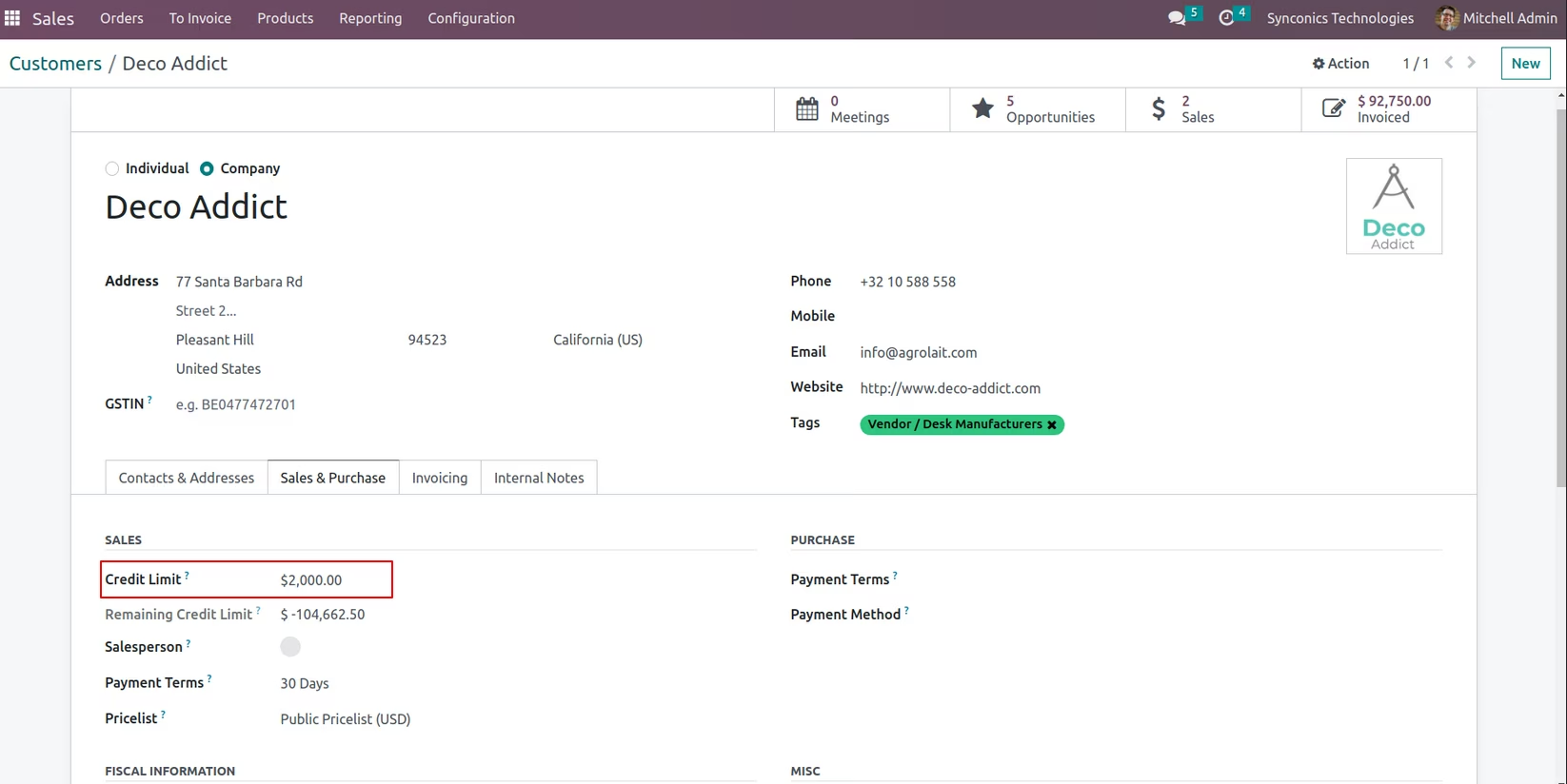
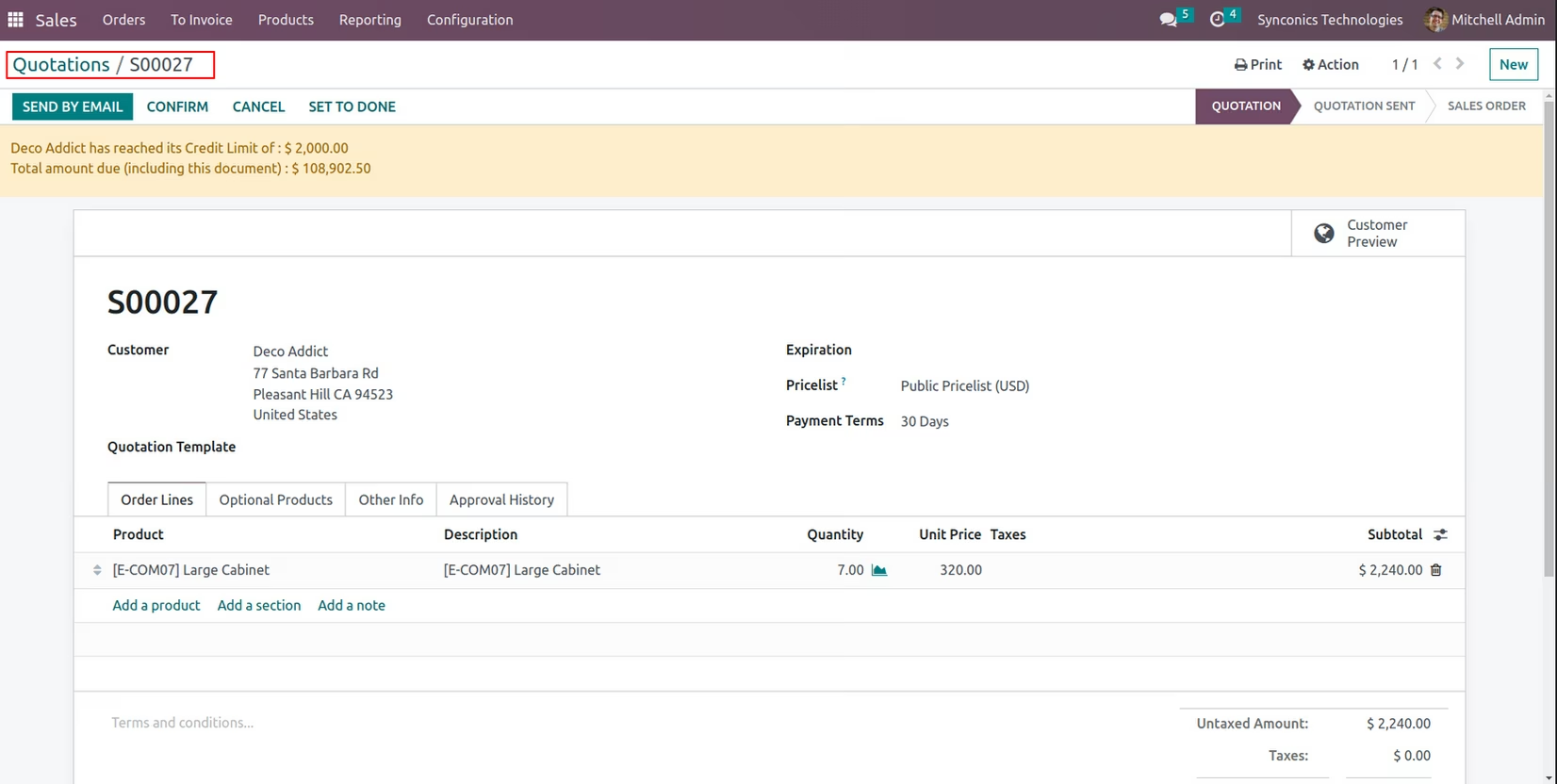
On creating a quotation and proceeding to confirmation, the system will check the quotation amount and sumup with the previous due amount. The sum-up total amount will be compared with customer's credit limit. If the sum-up amount is greater than the alloted credit limit, then it will be flaged as "CC HOLD" and it will not allow to create delivery.
If order is in "CC HOLD" stage, then the Sales/Account manager can approve or reject it. On approval the orders will proceed for next stage.
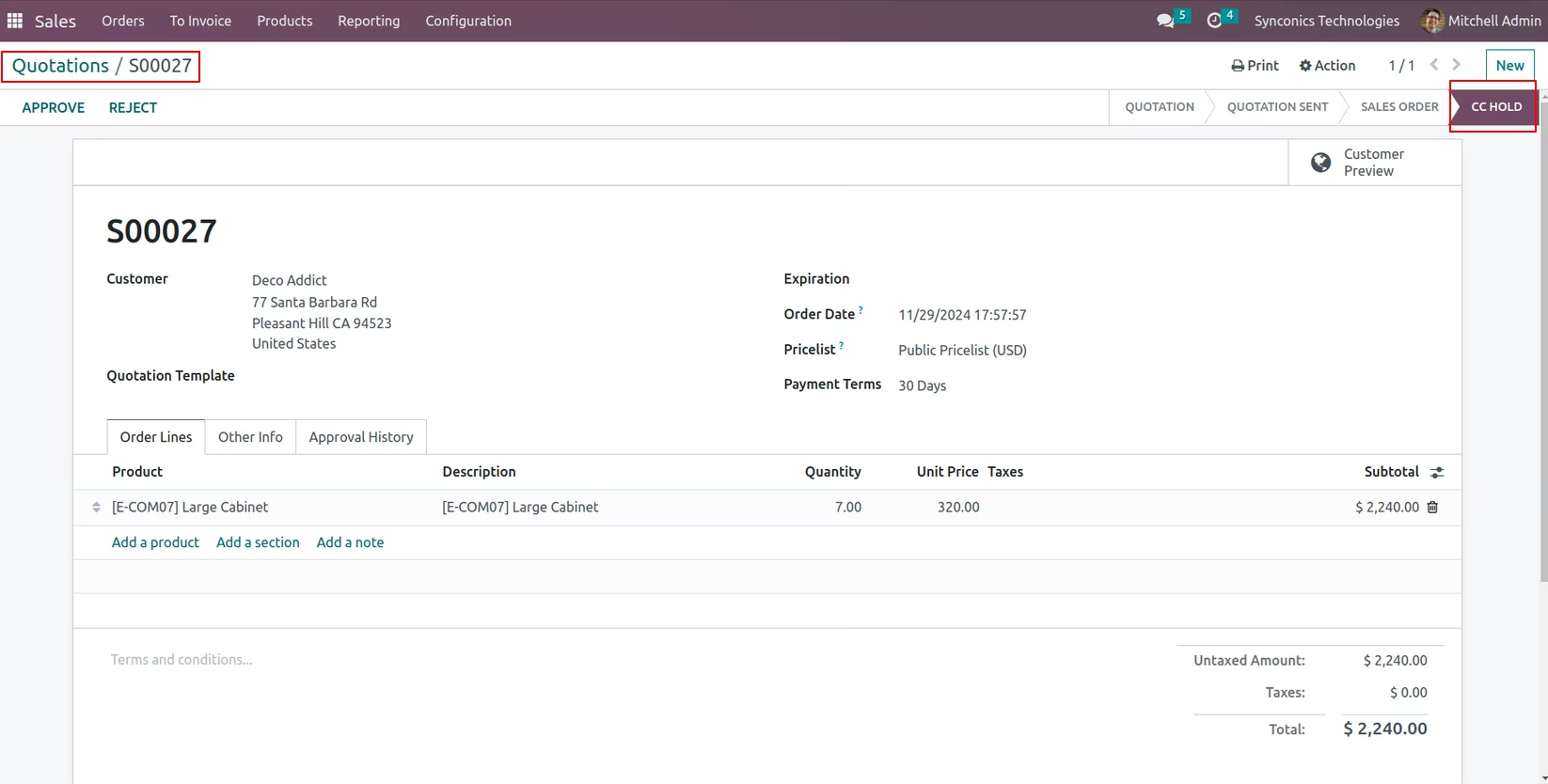
Sales manager and Account manager can view all "CC Hold" orders and update the approve/reject status with amount.
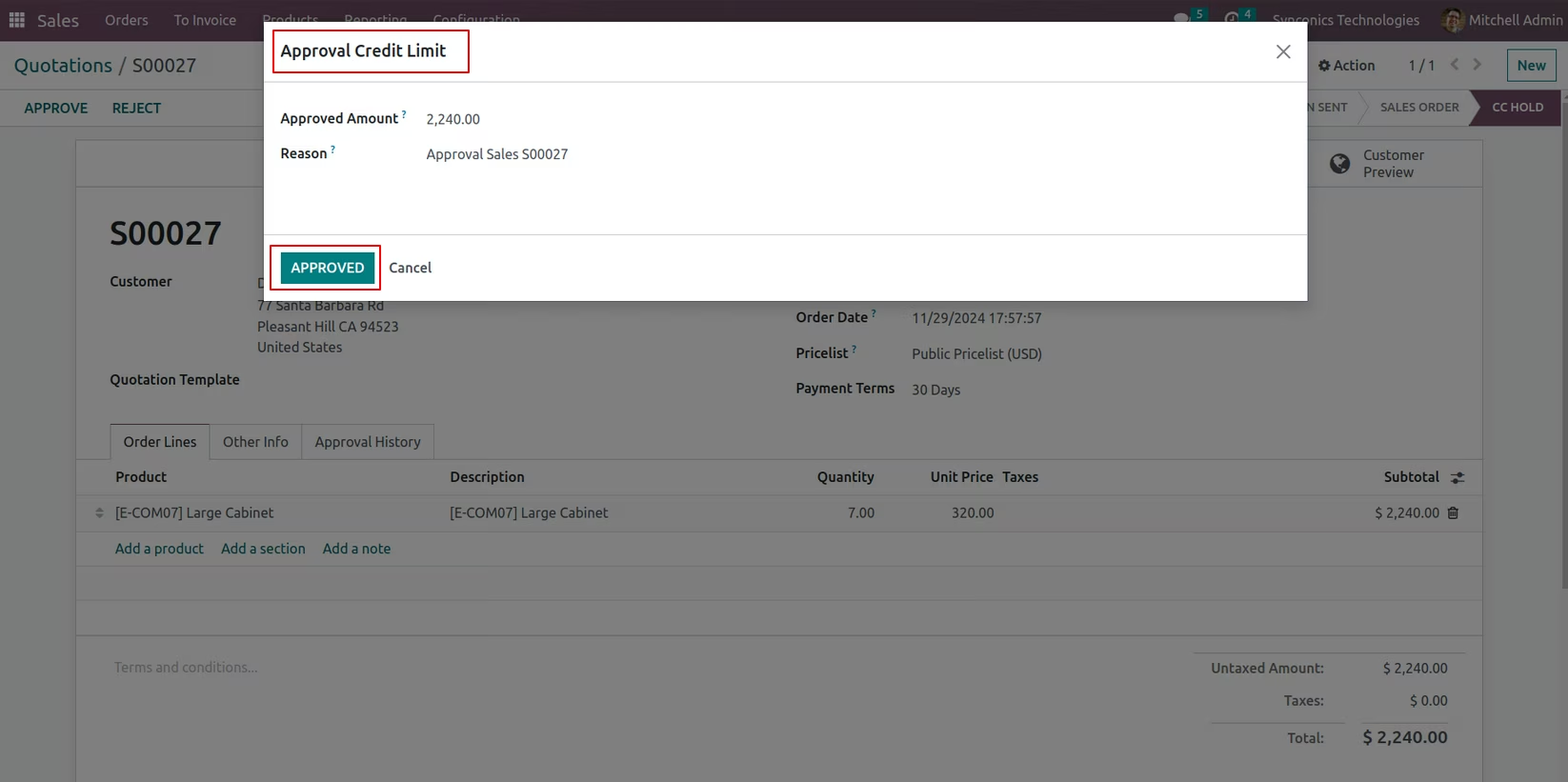
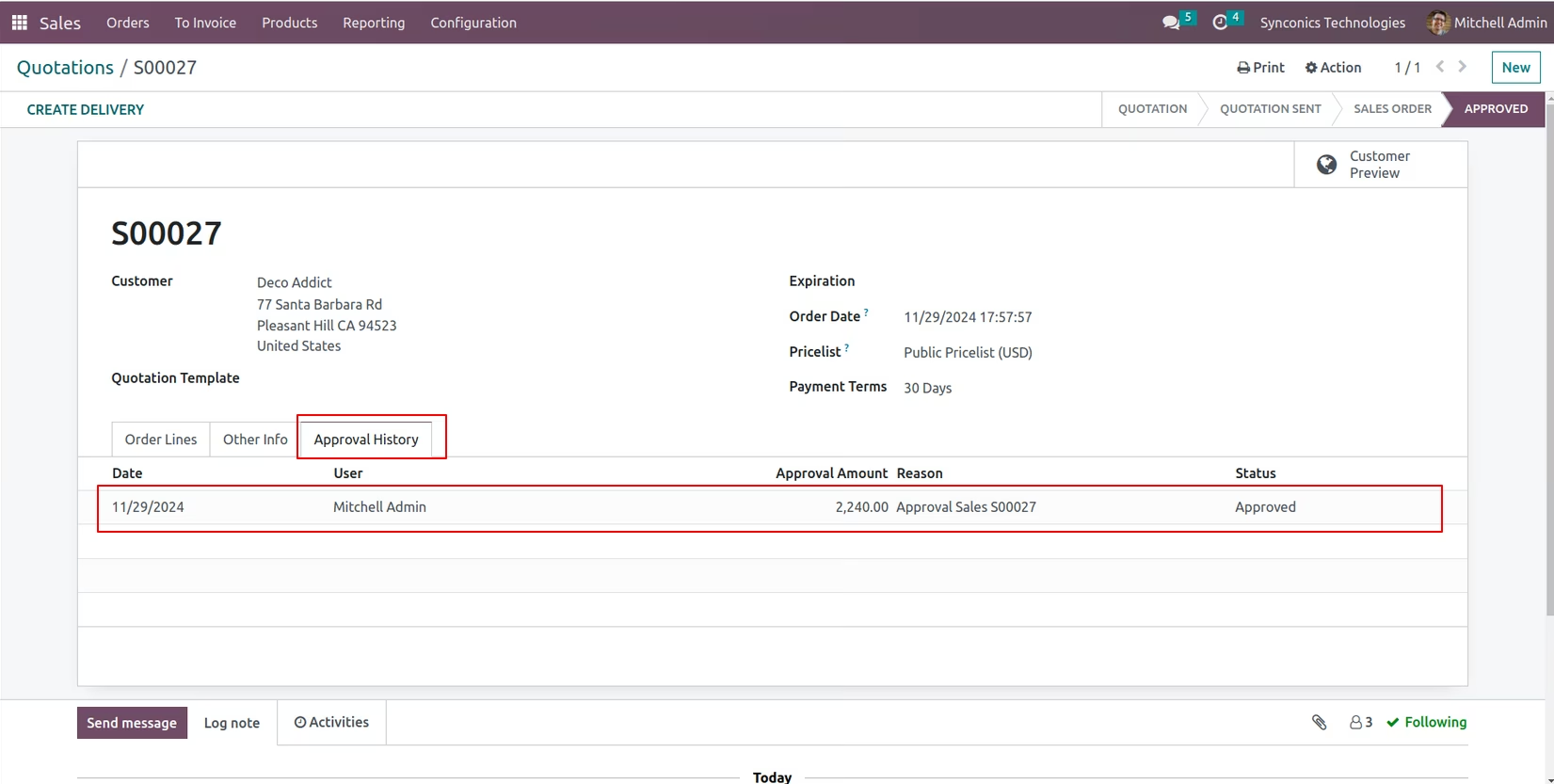
On manager's approval the order can proceed for delivery order
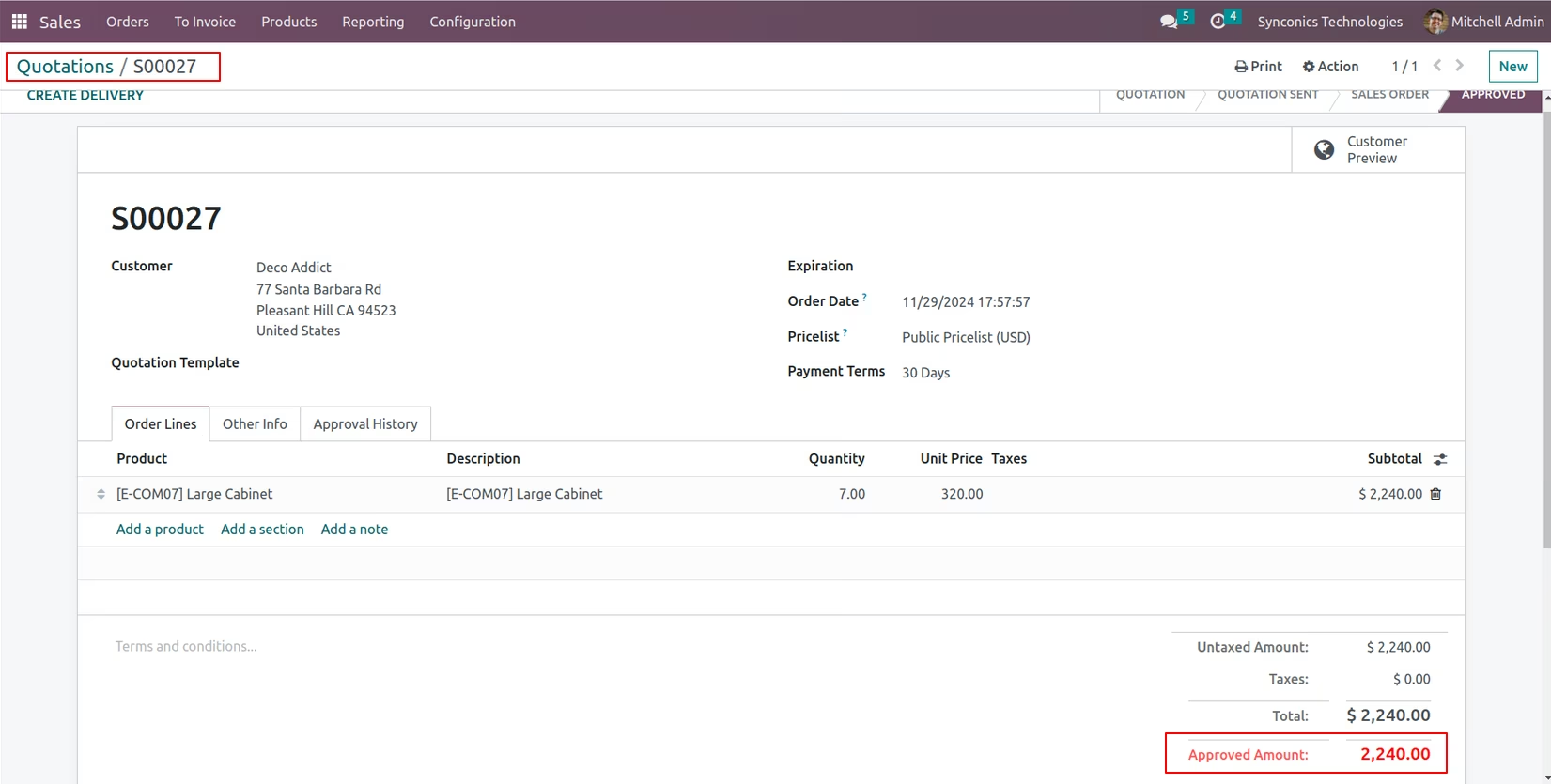
Approval history will be maintain on sales order