The module for offers a comprehensive solution to streamline the creation, approval, and invoicing processes associated with partner contracts. Designed to enhance operational efficiency, this module allows businesses to automate contract approvals, generate invoices directly from contracts, and manage workflows across multiple companies. By integrating this module, organizations can ensure timely contract renewals, maintain consistent billing practices, and improve overall contract lifecycle management.
Automated Contract Approvals: Implement customizable approval workflows to ensure contracts are reviewed and approved efficiently.
Invoice Generation from Contracts: Automatically generate customer invoices from approved contracts, reducing manual data entry.
Multi-Company Support: Manage contracts across multiple companies within a single instance, ensuring consistent processes.
Email Notifications: Receive timely alerts for contract approvals, expirations, and renewals to stay informed.
Contract Templates: Utilize predefined templates to create contracts quickly and consistently.
Contract Expiration Management: Set expiration dates and receive notifications to manage contract renewals proactively.
Enhanced Efficiency: Automate contract-related processes to save time and reduce errors.
Improved Compliance: Ensure contracts undergo proper approval processes, maintaining organizational standards.
Seamless Invoicing: Link contracts directly to invoicing, streamlining the billing process.
Scalable Management: Handle contracts across multiple companies with ease, supporting business growth.
Proactive Contract Management: Stay ahead of contract expirations and renewals with automated notifications.
Contract Management
Dynamic, Customizable and Flexible approval system for contracts.
Using approved/validated contracts to control creation of customer invoices and vendor bills.
Key Features:
- Validating contract with or without approval process
- Using teams to organize approval workflow for contracts
- Unlimited steps/levels of contract approval with email notifications
- Using contracts to create contract more quickly
- Using contracts as template of customer invoices or vendor bills
- Expiring/Closing contracts automatically depending on End Date or Last Payment Date
- Multi-Company and Multi-Currency features of System are supported
- Each user of the module can initiate contract adding
Module Settings:
After installing the module, administrator can enable using contract for invoices and approval workflow for contracts

Approval Teams:
Users with role "Team Leader" can create unlimited different approval teams for each case: for example for purchase and sale contracts
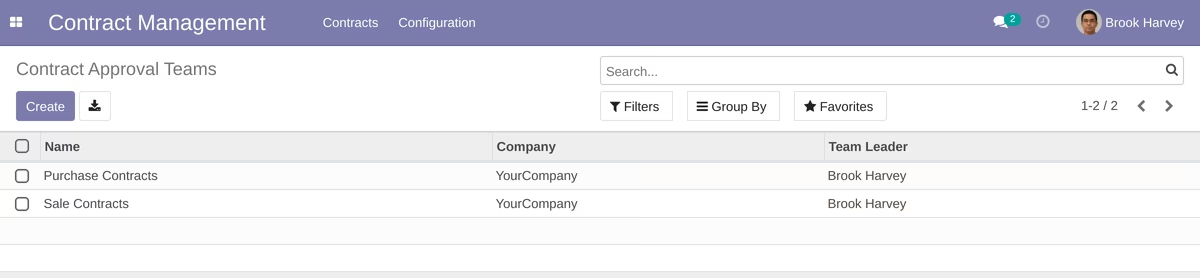
Example approval workflow for purchase contracts.
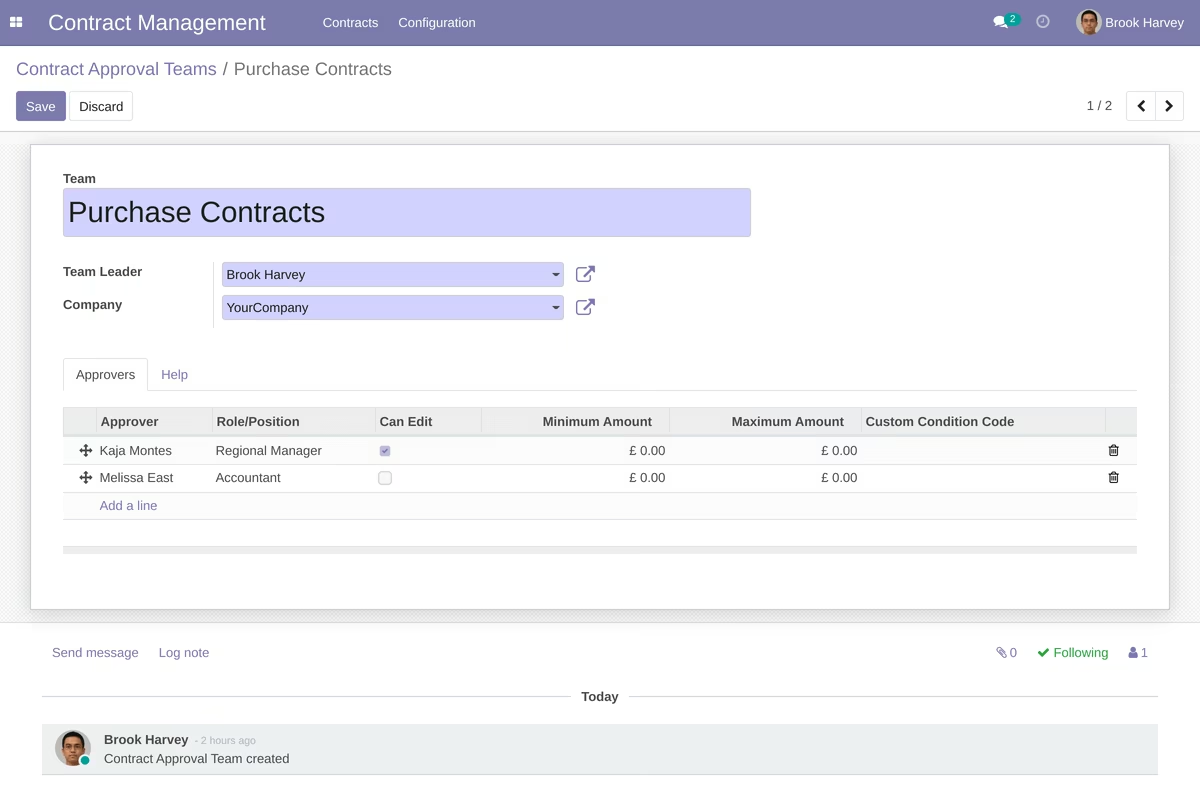
Example approval workflow for sales contracts.
Some info for team leader to help to create approval workflows for contracts.
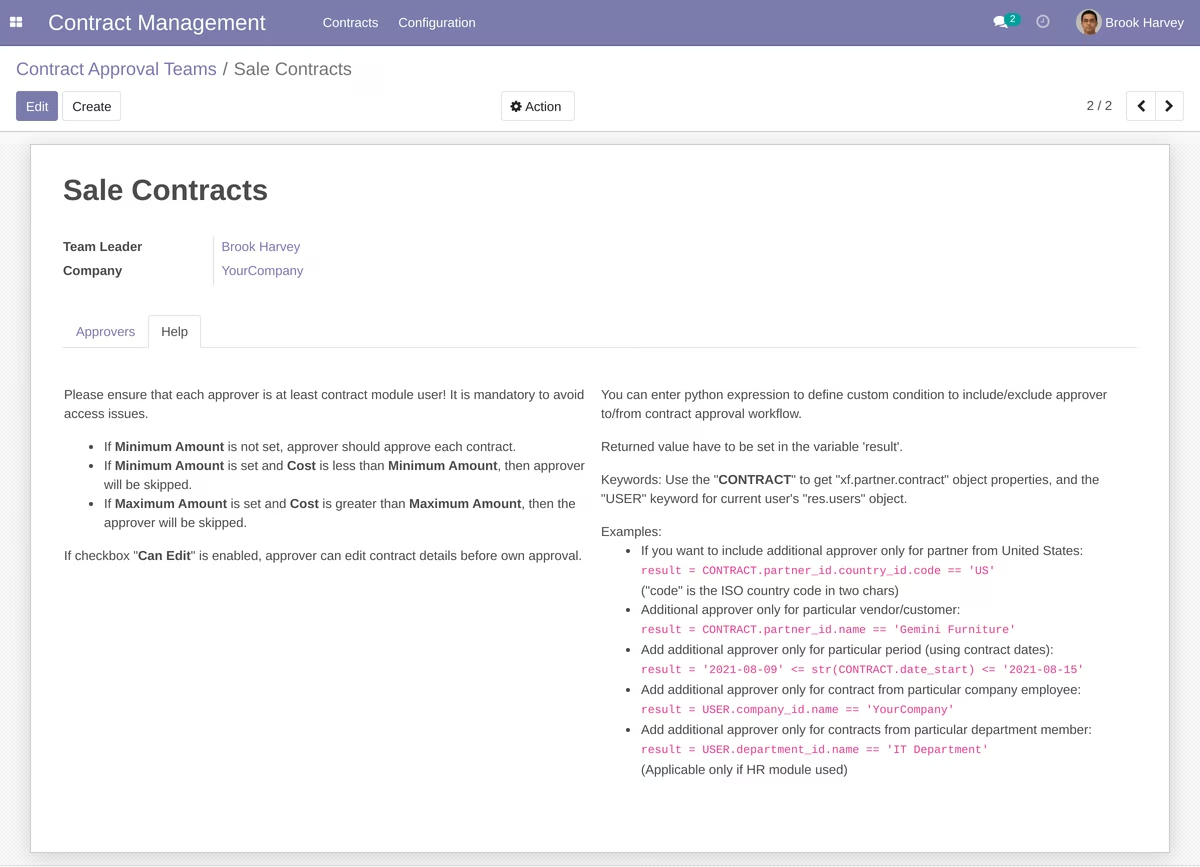
Contract Management:
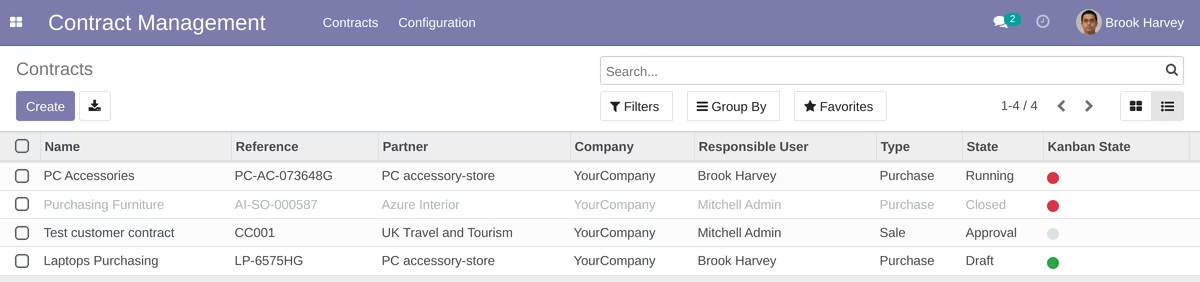
Contracts are showed as list:
or kanban view:
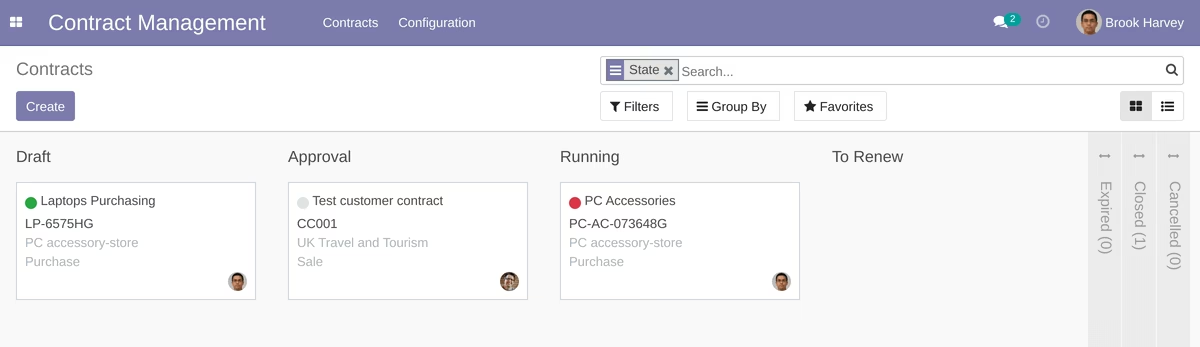
Users of the module can initiate contract and approval process.
Some simple contract example:
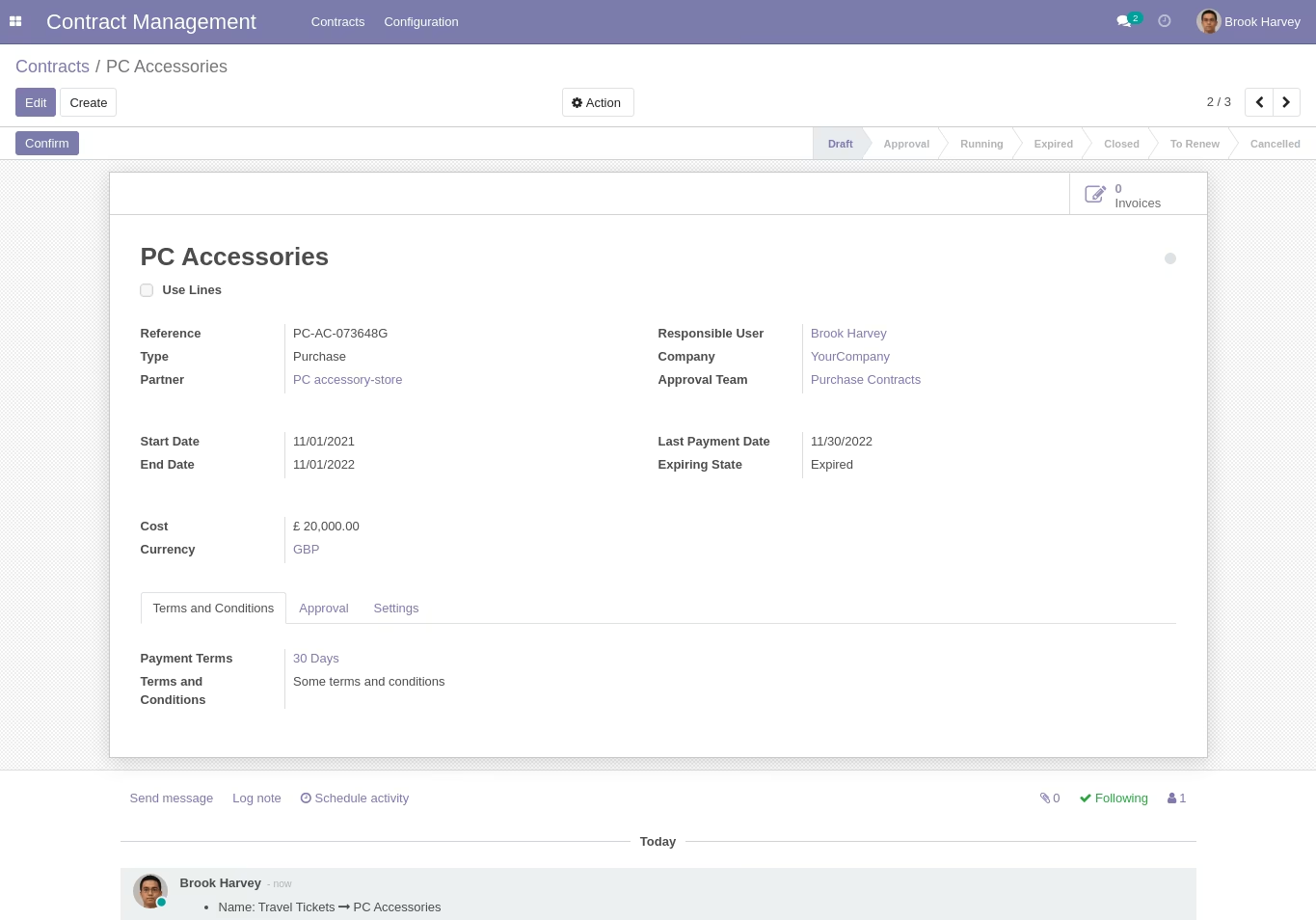
Example of contract that contains lines:
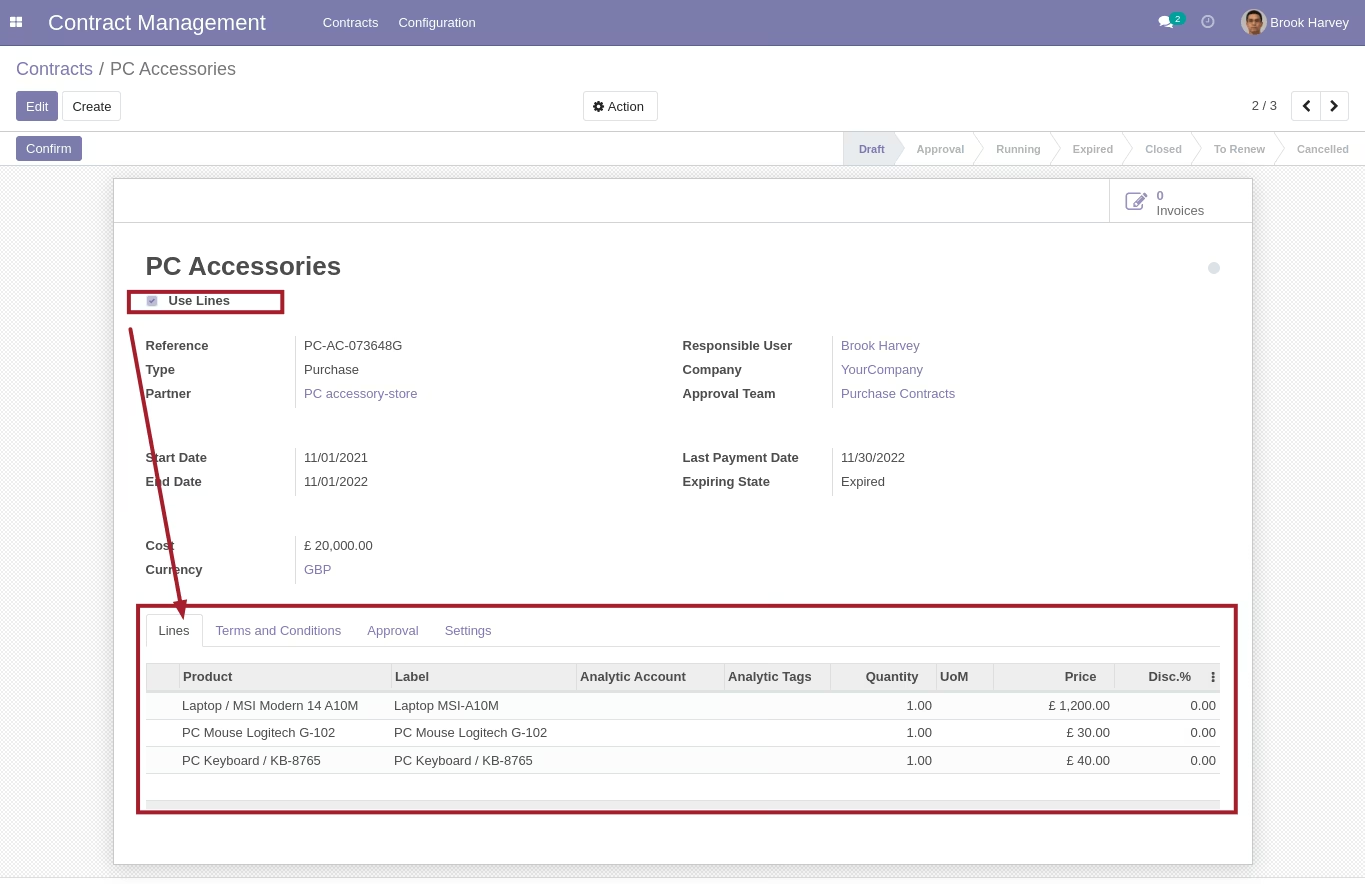
After click to the "Confirm" button the system sends notification for approvers and contract goes to the "Approval" stage.
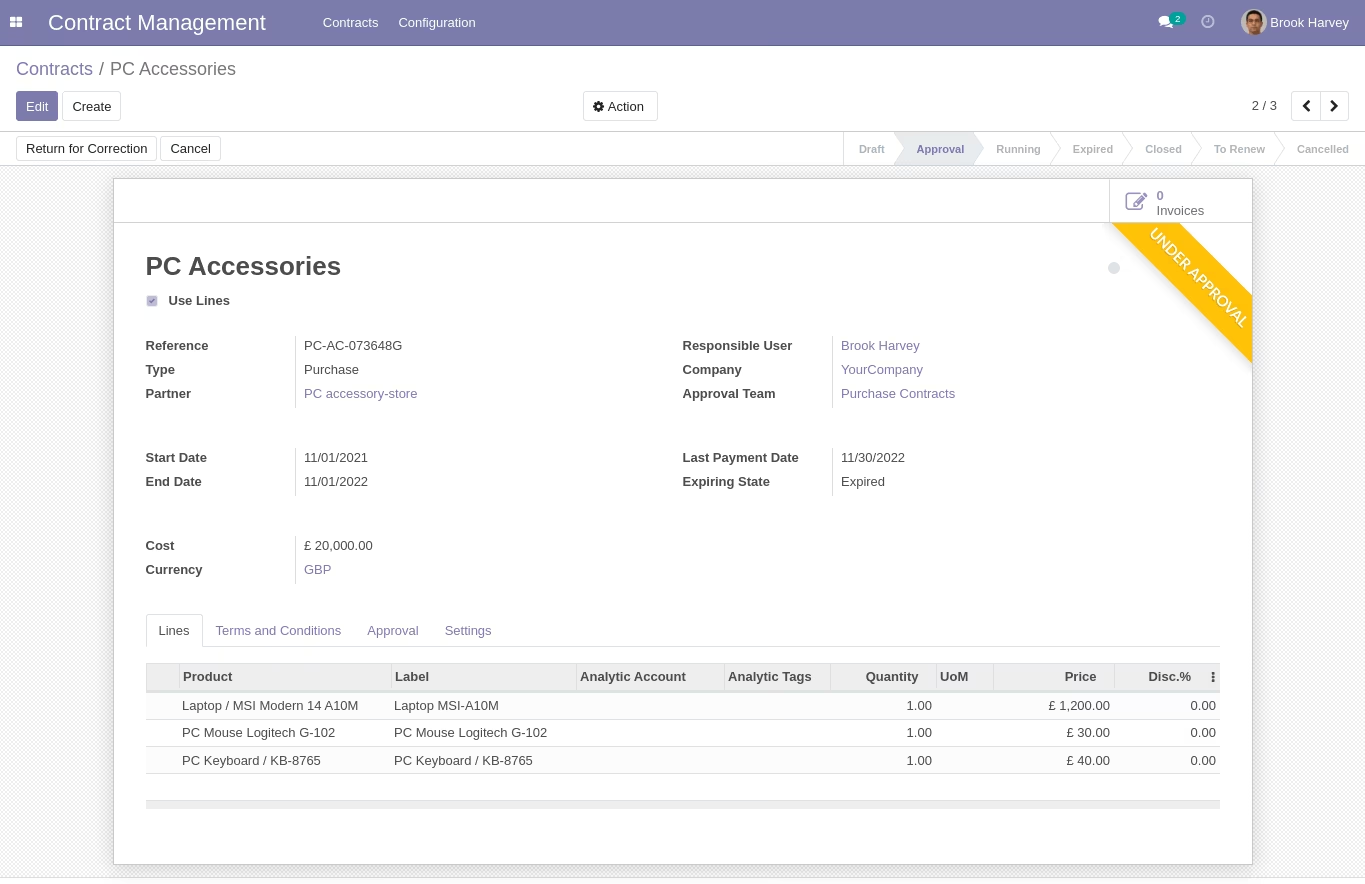
Contract Approval Process:
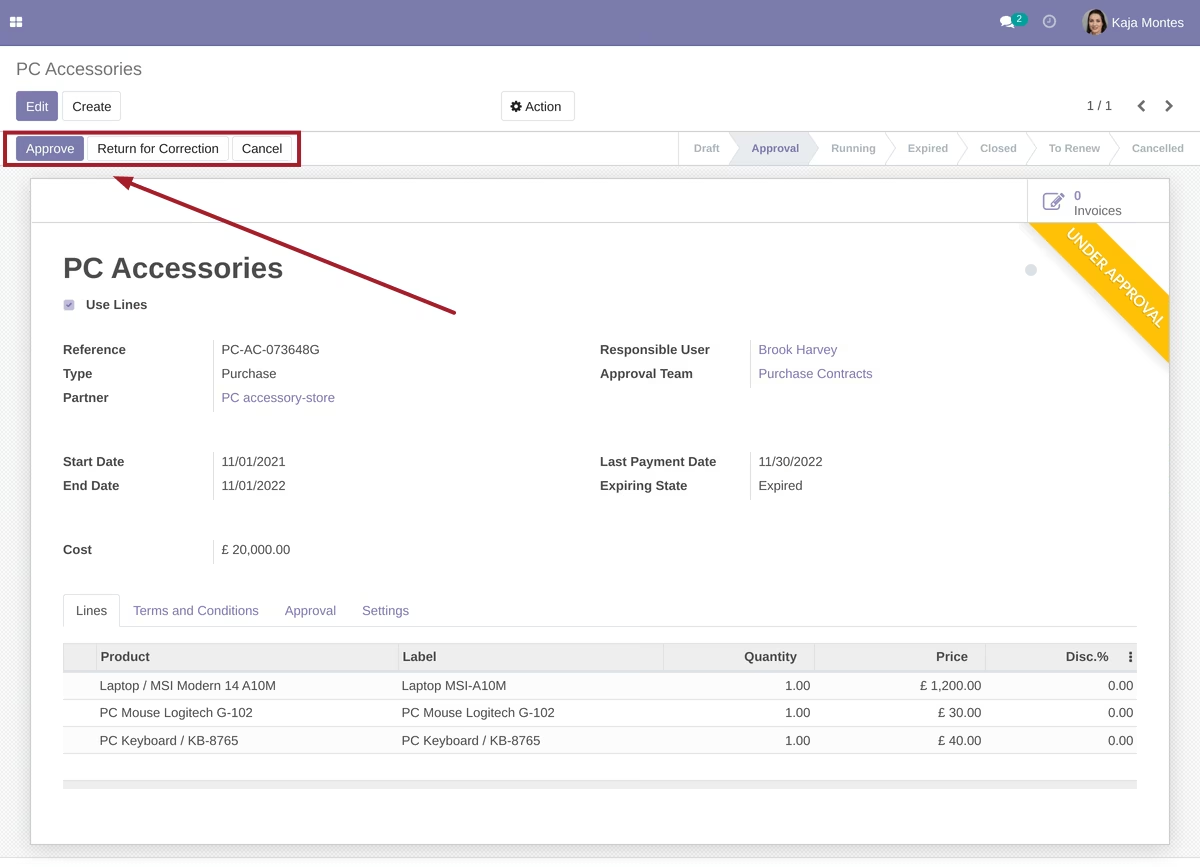
When document is waiting approval from particular user, the user sees the "Approve" and "Return for Correction" buttons
If approver wants to return document for correction he/she can do it by clicking the "Return for Correction" button and entering comments with reason.
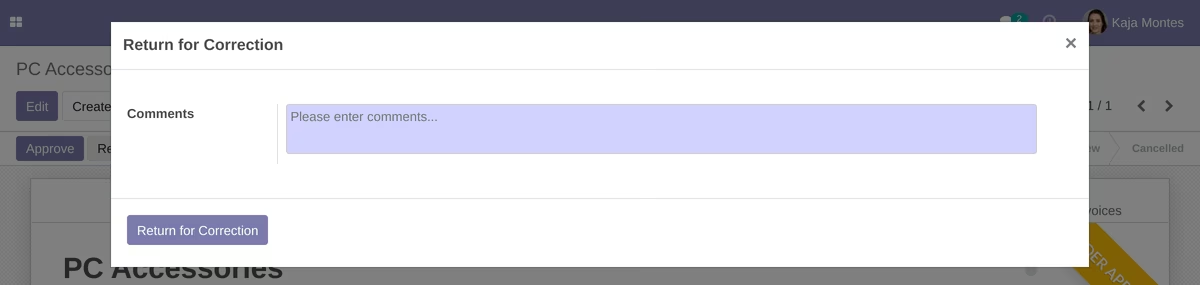
If approver return document, responsible person receives notification and can make corrections.
If approver approves contract, the document goes to next approval stage:
Current approvers have the "Pending" status in the "Approvers" tab.
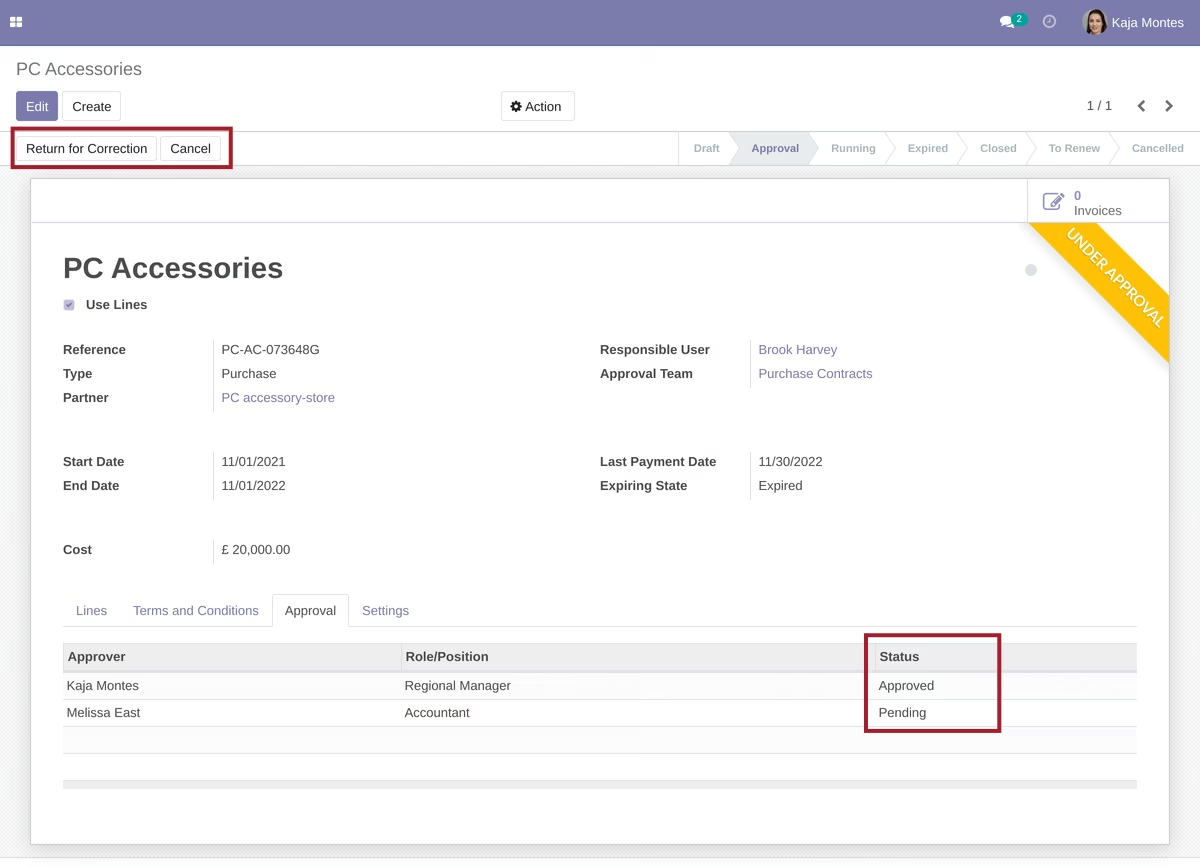
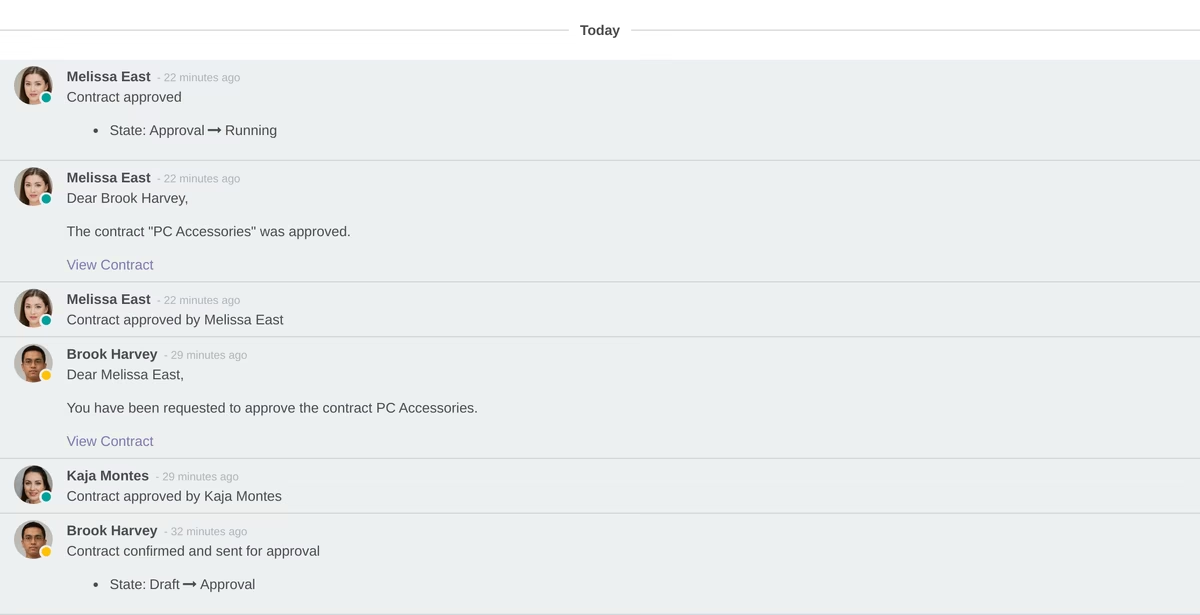
When contract is fully approved the status becomes as "Running" and responsible person and followers receive notification about that.
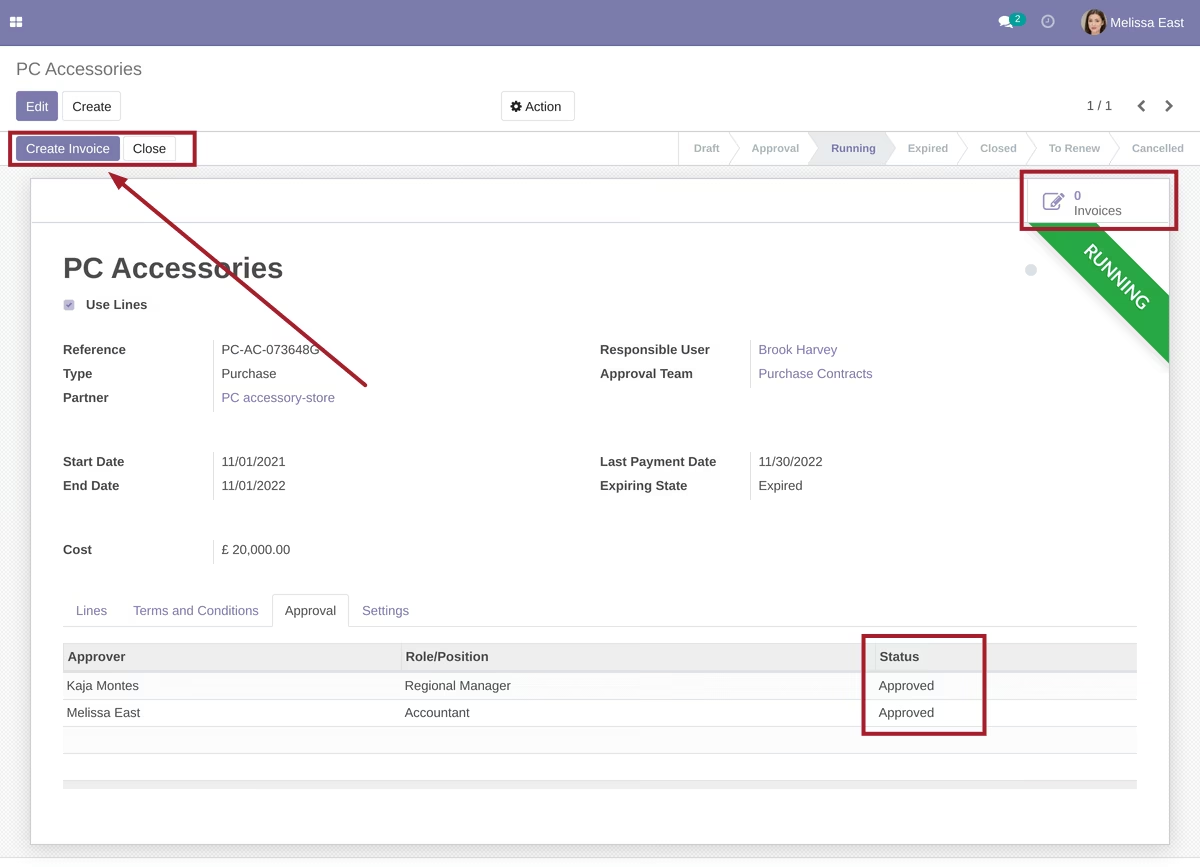
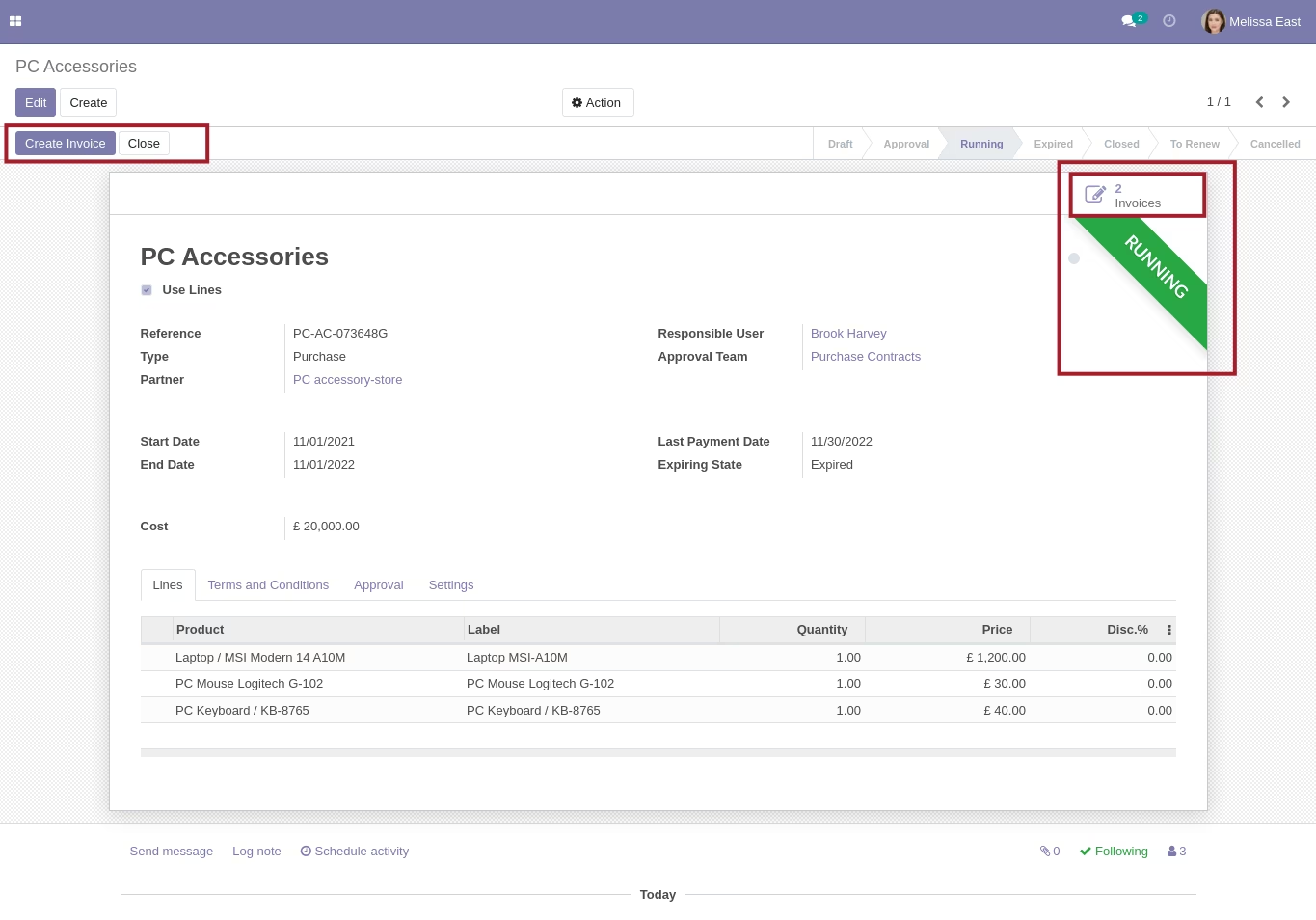
After approval users can create customer invoices or vendor bills depending on contract type.
All changes are logged in the bottom:
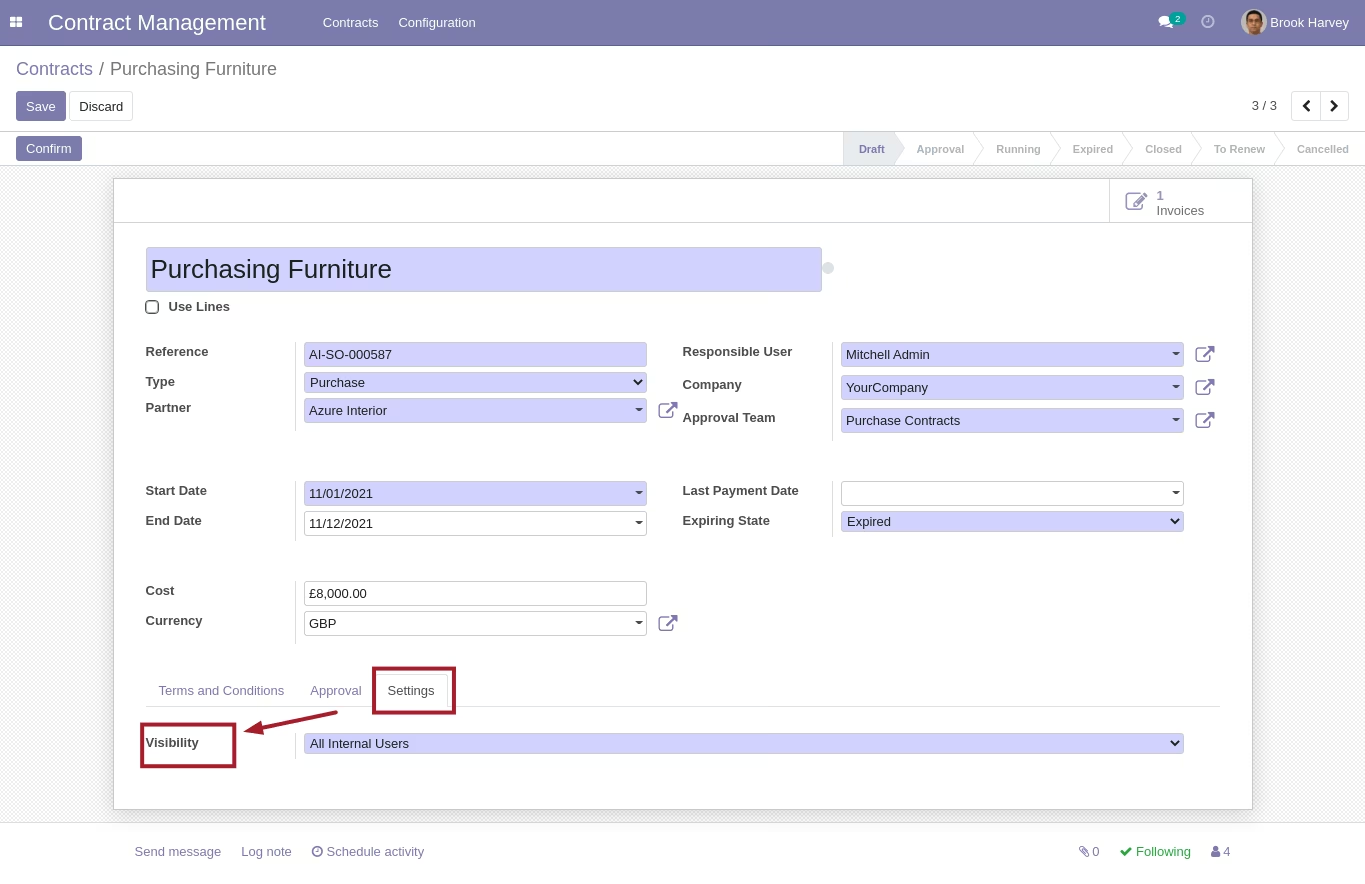
Responsible user or approval team members can change visibility of contract to make it available for all users or only for followers
Each day system checks and updates states of contracts using "End Date" and "Last Payment Date".
One week before the expiration contract is blocked and marked as red. An activity is scheduled for responsible person.

User can close contract or mark to renew. After renewal contract should be approved again.
Contract to Invoice:
Each contract can help create invoices more quickly just by clicking the "Create Invoice" button:
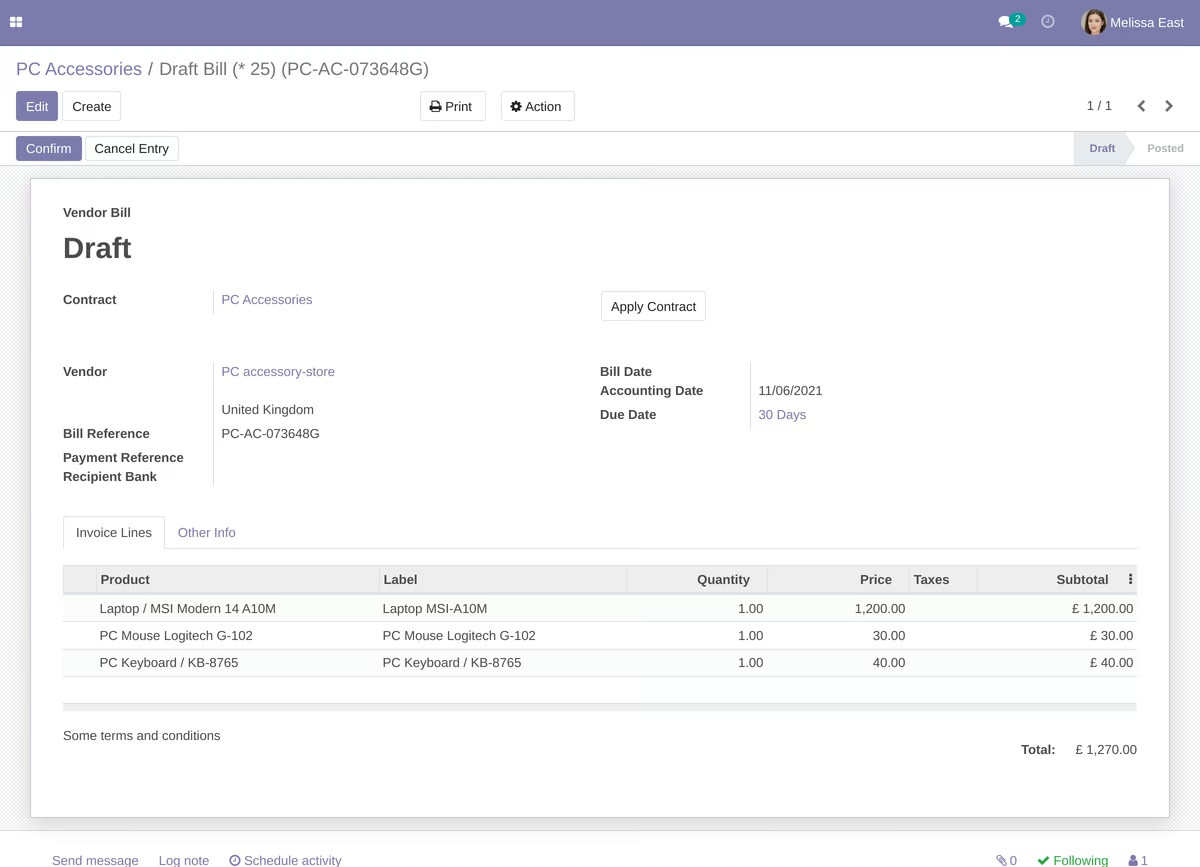
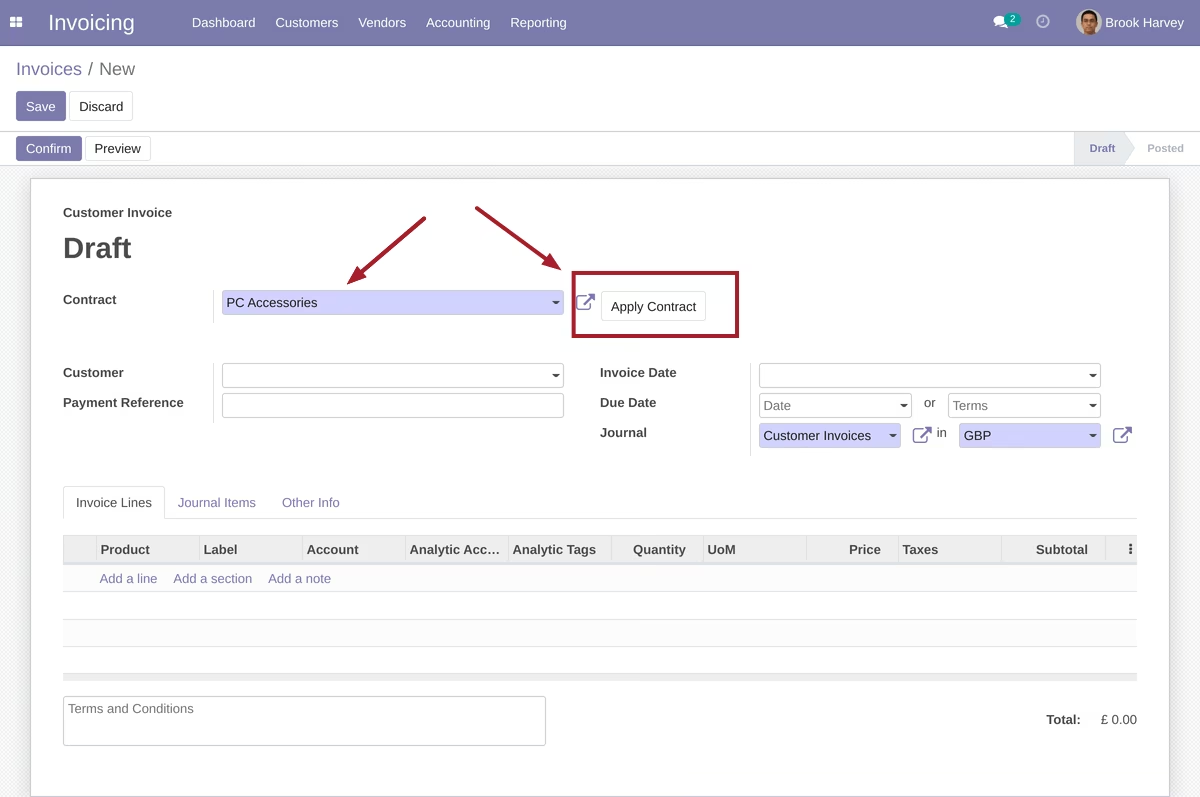
Also you can apply contract throughout invoice form:
Before:
After:
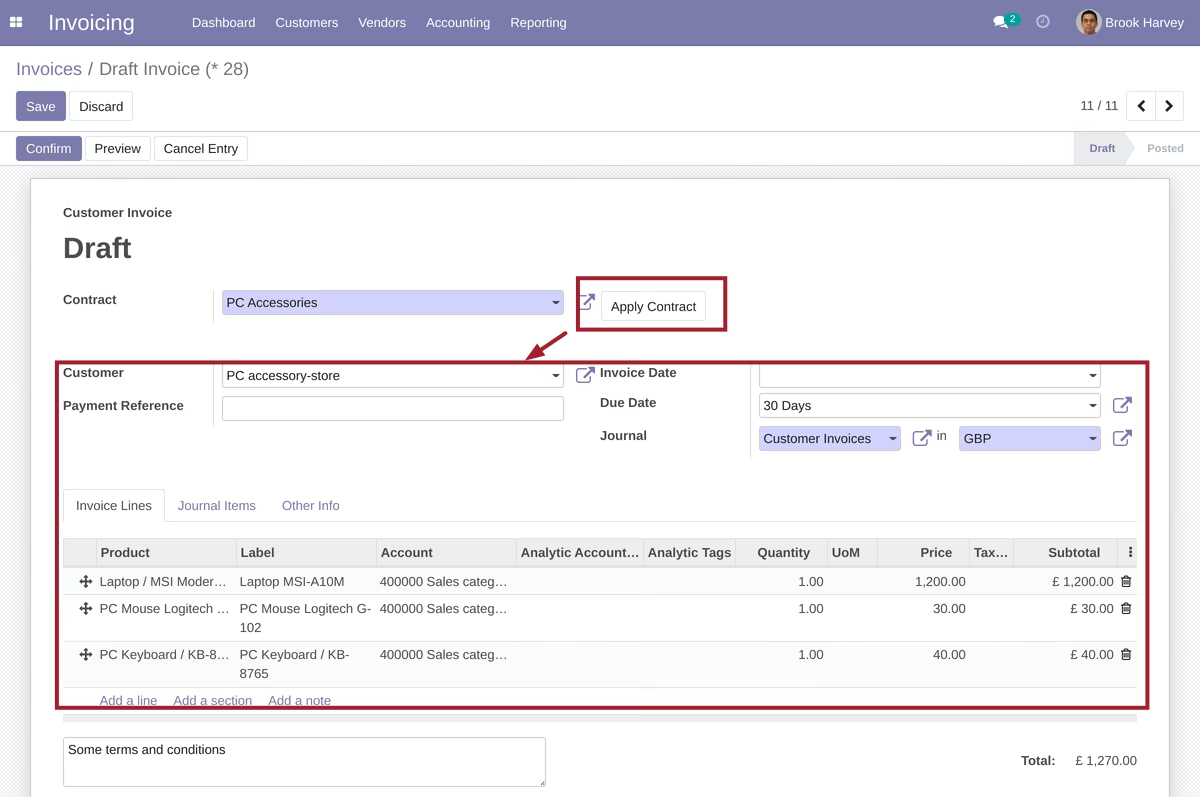
Thus you can use contracts as template for new invoices.