The module for introduces a visual categorization system that allows businesses to assign color-coded tags to their contacts. This feature enhances the organization of contacts within the CRM, making it easier to identify and manage partners based on specific criteria. Whether you're segmenting contacts by region, priority, or any other attribute, this module provides a straightforward solution to visually distinguish between different partner categories.
Color-Coded Tags: Assign distinct colors to contacts for quick visual identification.
Customizable Tagging: Define and manage your own set of color tags to suit your business needs.
Seamless Integration: Works smoothly with existing contact management system.
Enhanced CRM Usability: Improves the user experience by providing a visual categorization of contacts.
Easy Configuration: Simple setup process through user-friendly interface.
Improved Contact Organization: Quickly identify and manage contacts based on color-coded tags.
Enhanced Efficiency: Streamline CRM workflows by visually categorizing contacts.
Customizable System: Tailor the color tagging system to fit your specific business requirements.
User-Friendly Interface: Intuitive design that integrates seamlessly with Odoo's existing CRM features.
Time-Saving: Reduce the time spent searching for contacts by utilizing color-coded tags for quick access.
Has your company ever lost money because a manager forgot some important details about a partner? With this tool, it will hardly happen again. This app introduces a system of highly available and efficiently manageable color codes for partners.
Instant access to partner color codes
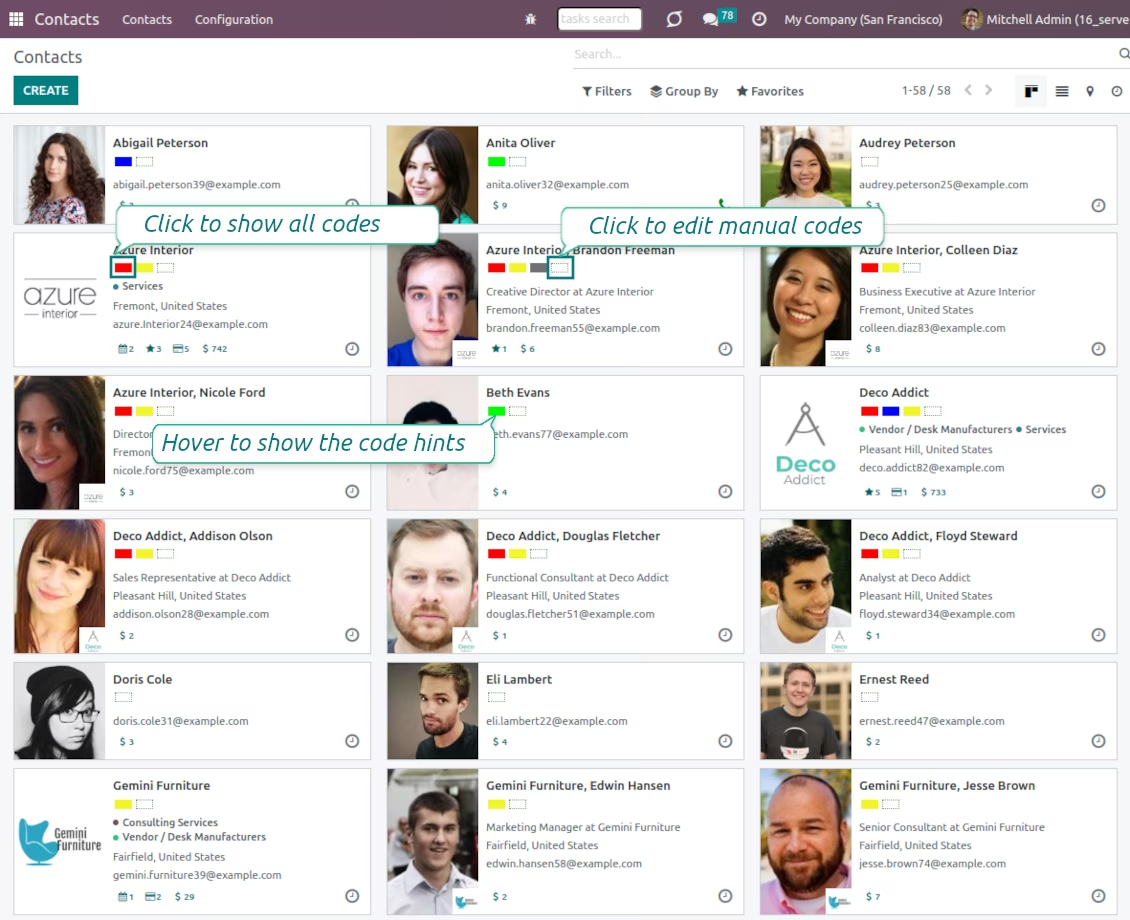
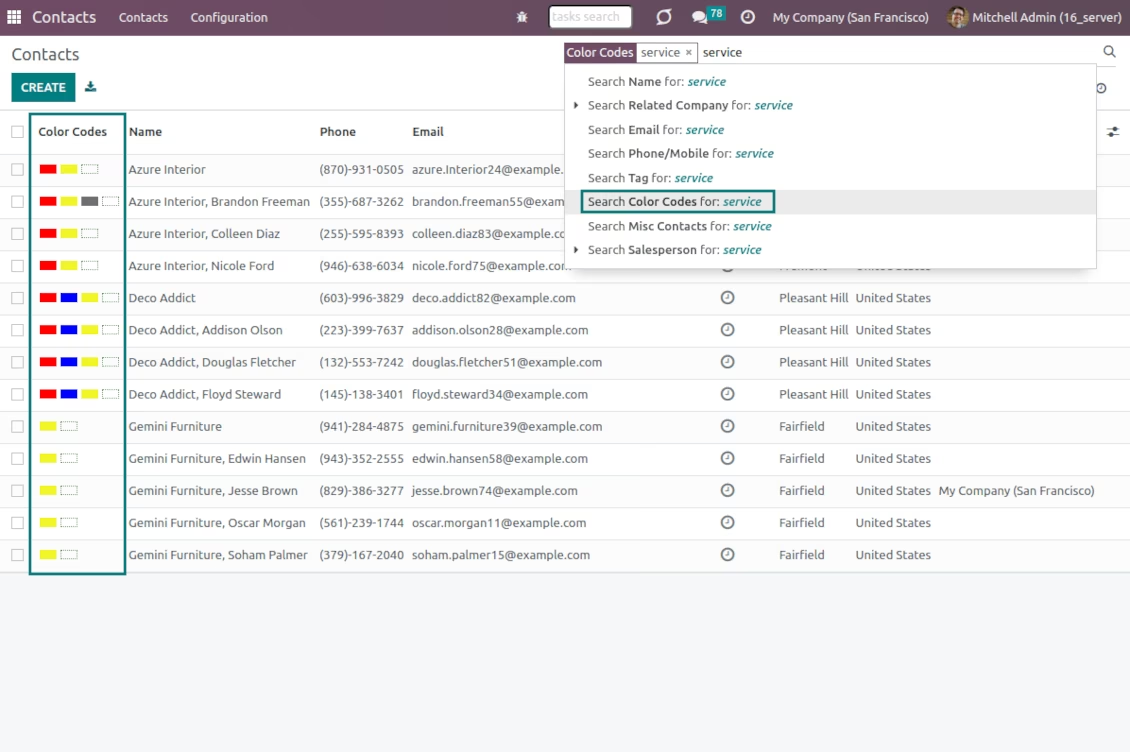
Color codes are on all standard partner views: form, kanban, and tree. Scoring works for any contact kind: companies, individuals or addresses, customers, or suppliers. Partners might be also searched by a code name and color notes
Partner scoring for any business area
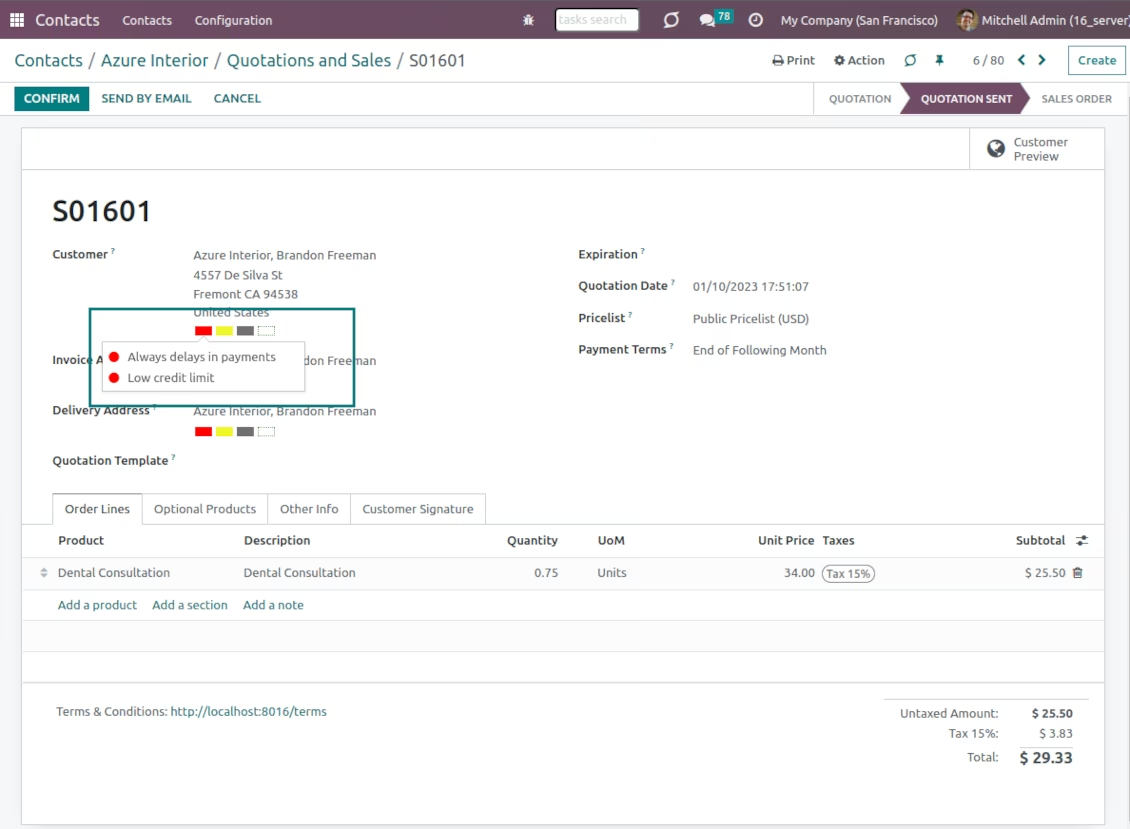
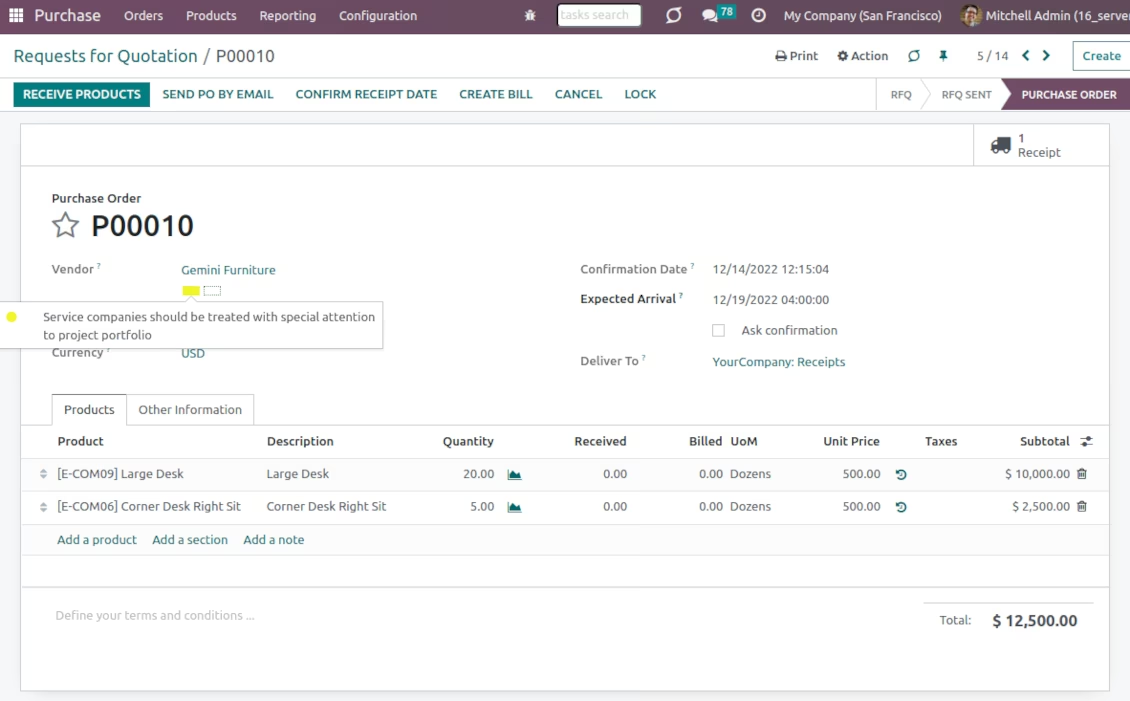
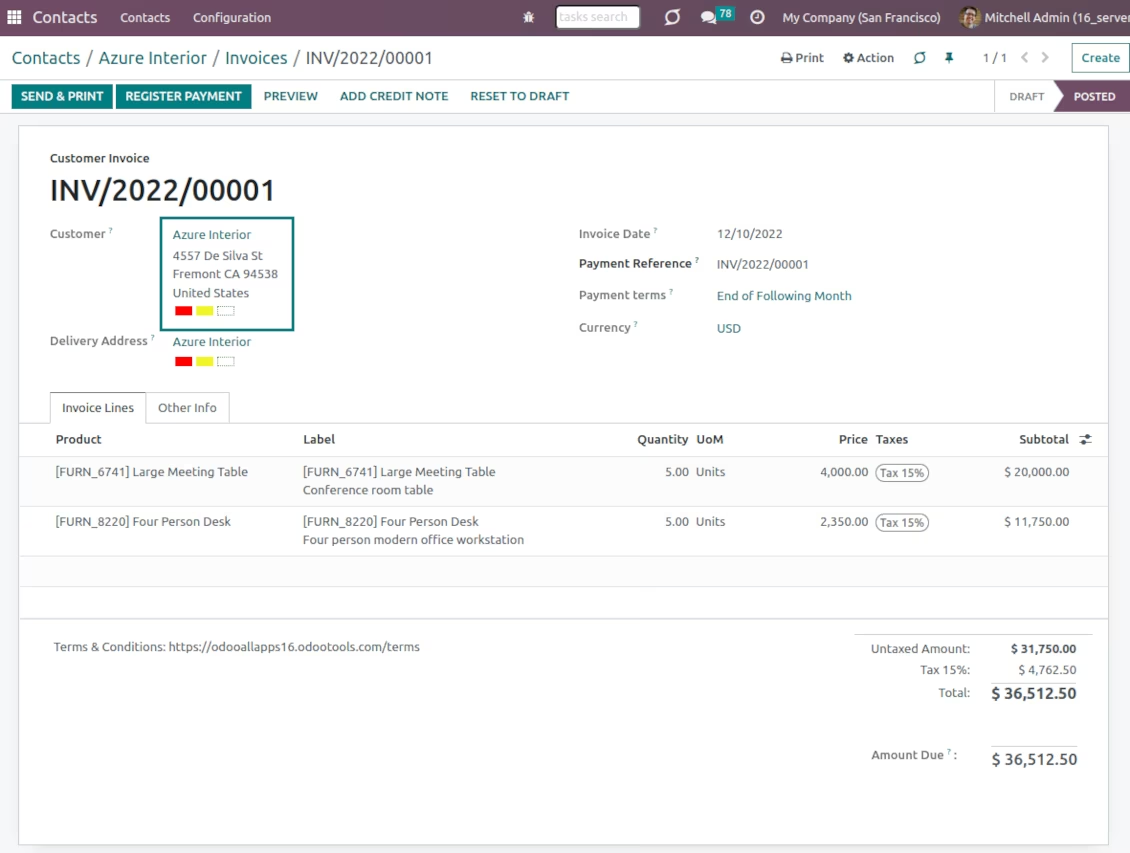
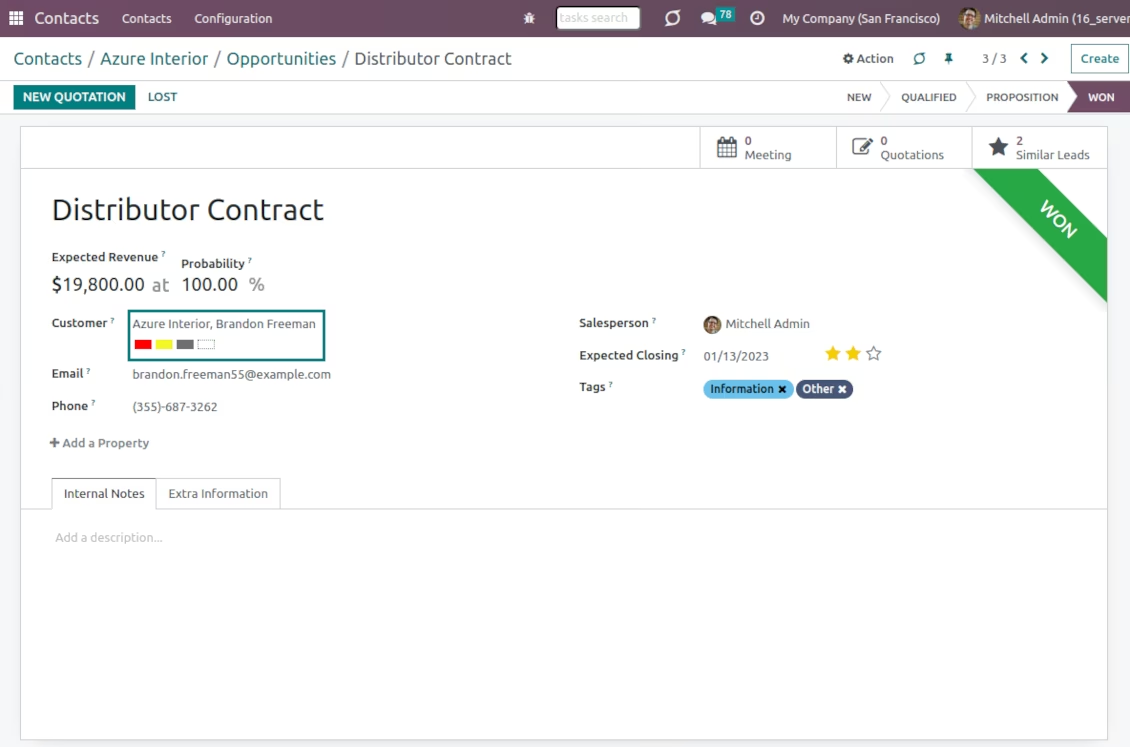
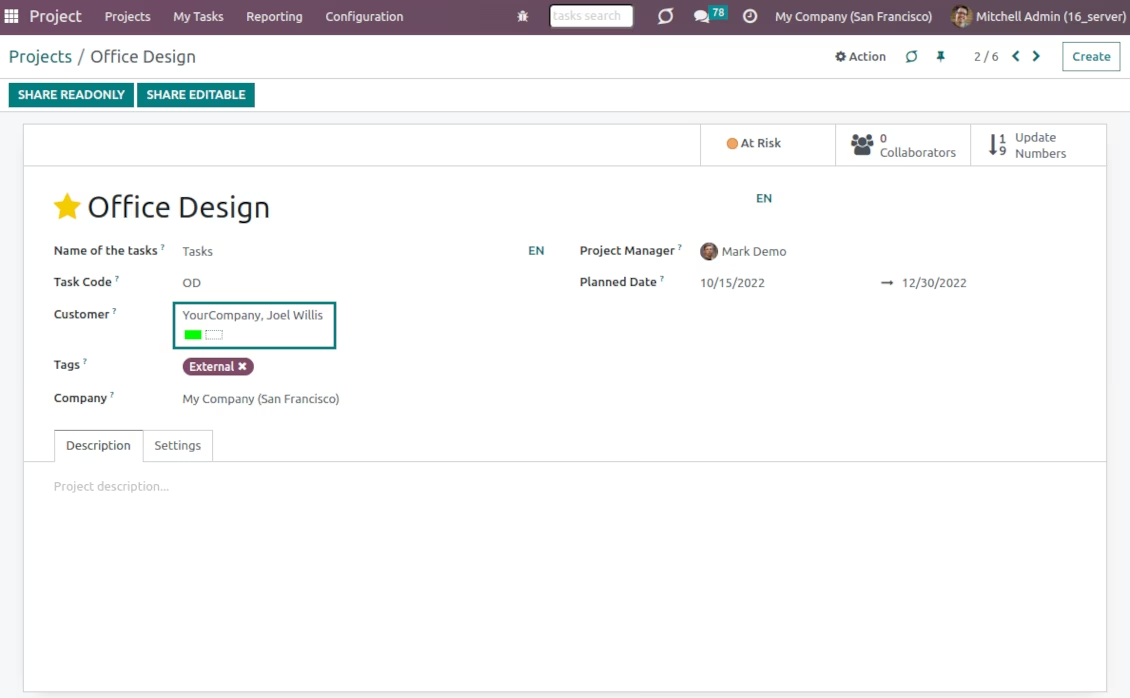
Color codes are available on each form where an contact is referenced: sales orders, opportunities, invoices, tasks, requests for quotation, and so on. That depends only on the set of installed apps
Automatic coding or/and manual administration
Color codes might be updated manually or/and they might be assigned automatically based on the special rules
Efficient codes management
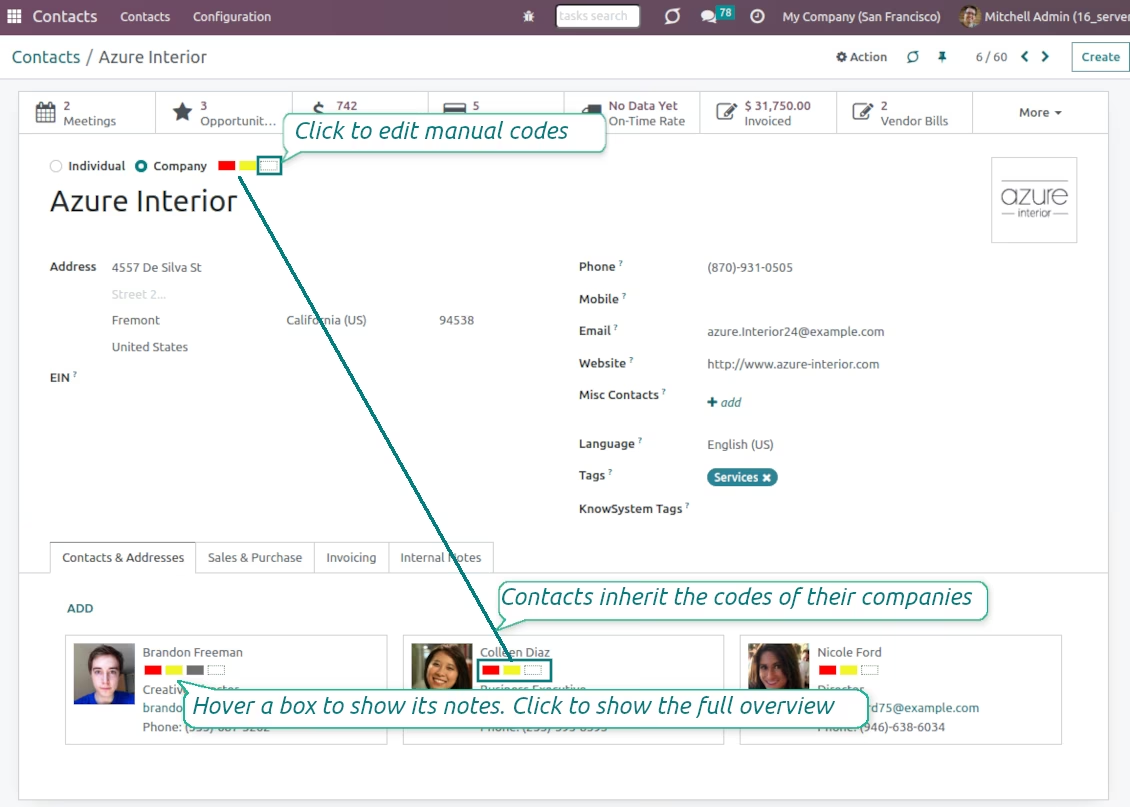
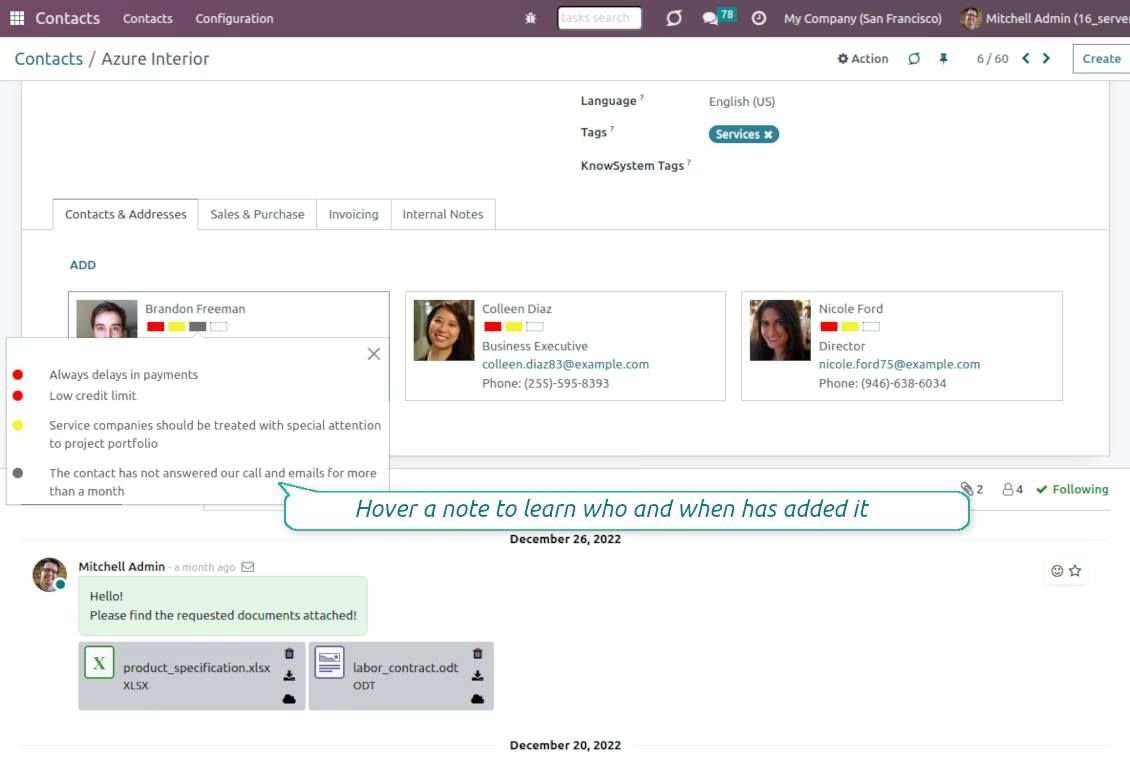
Click on any color box to observe full code details. Hover - for quick tool tips. Push on a dotted box - to edit manual codes. From any interface!
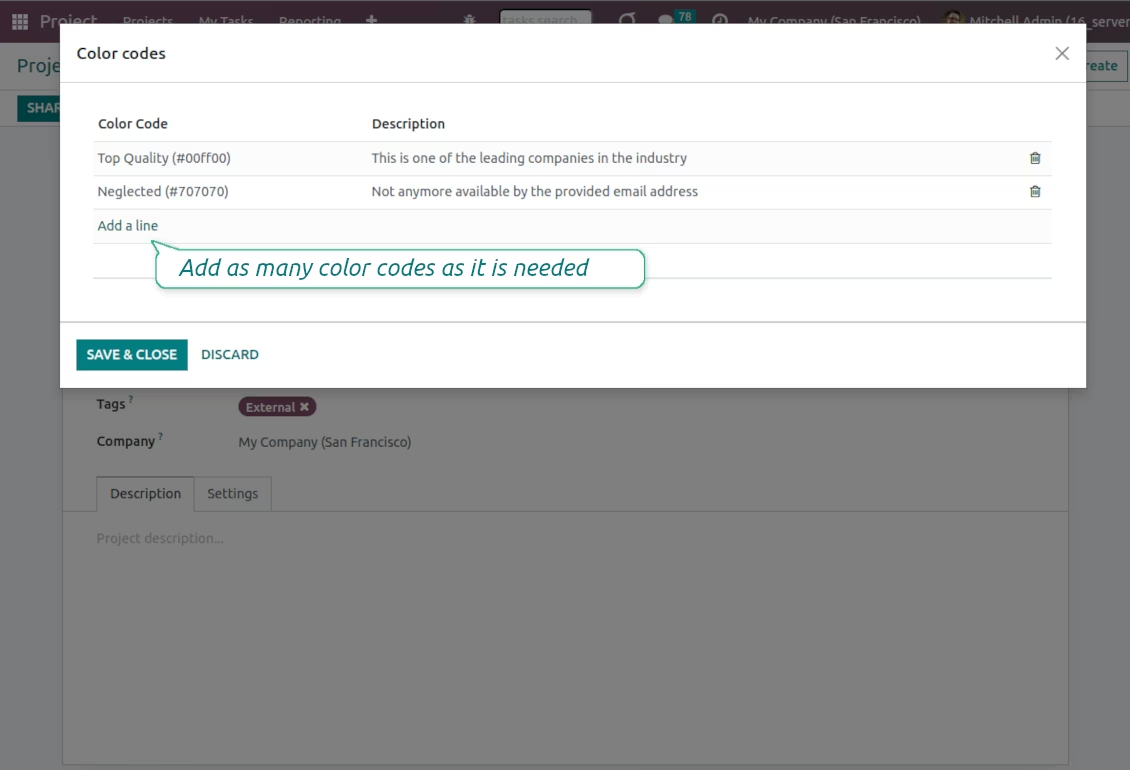
As many color codes as needed
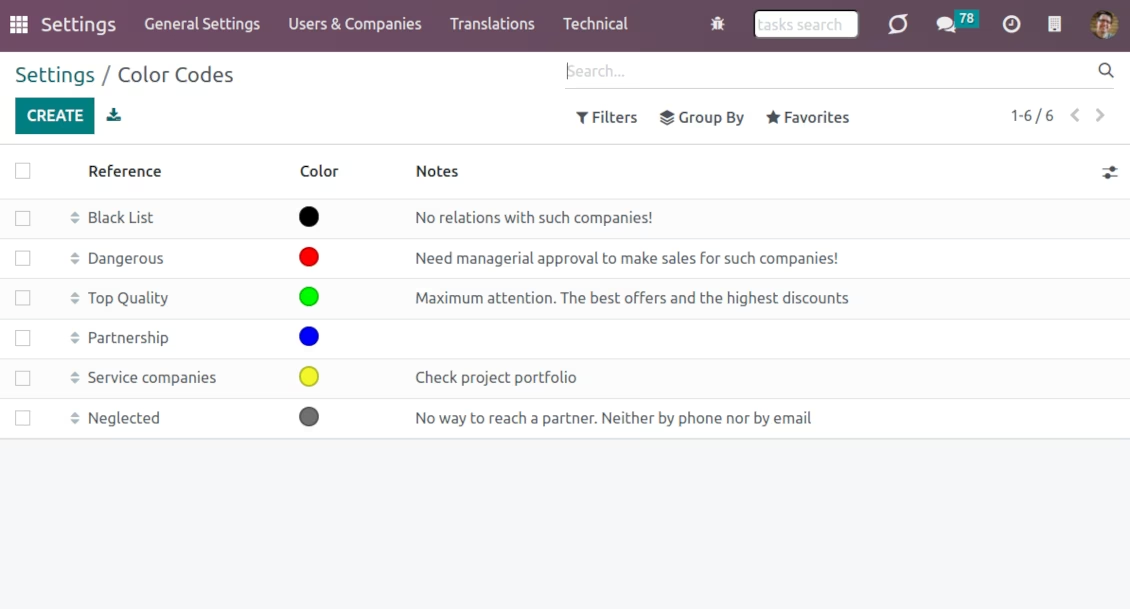
Prepare your own classifier of contact codes through the General Settings - 'Contacts Color Codes'. Apply any color. Have as many notes for the same code as you wish. Introduce business rules for all scenarios
Inherited color codes
Color codes take into account relations between partners. A contact always inherits color codes from a parent company and may have its own color notes, both manual and automatic.
Automatic color codes
-
Automatic color codes do not assume any user involvement. Configure rules once, and all matched contacts will receive configured color codes
-
Use automatic color codes in case you can strictly describe which partners receive those color codes
-
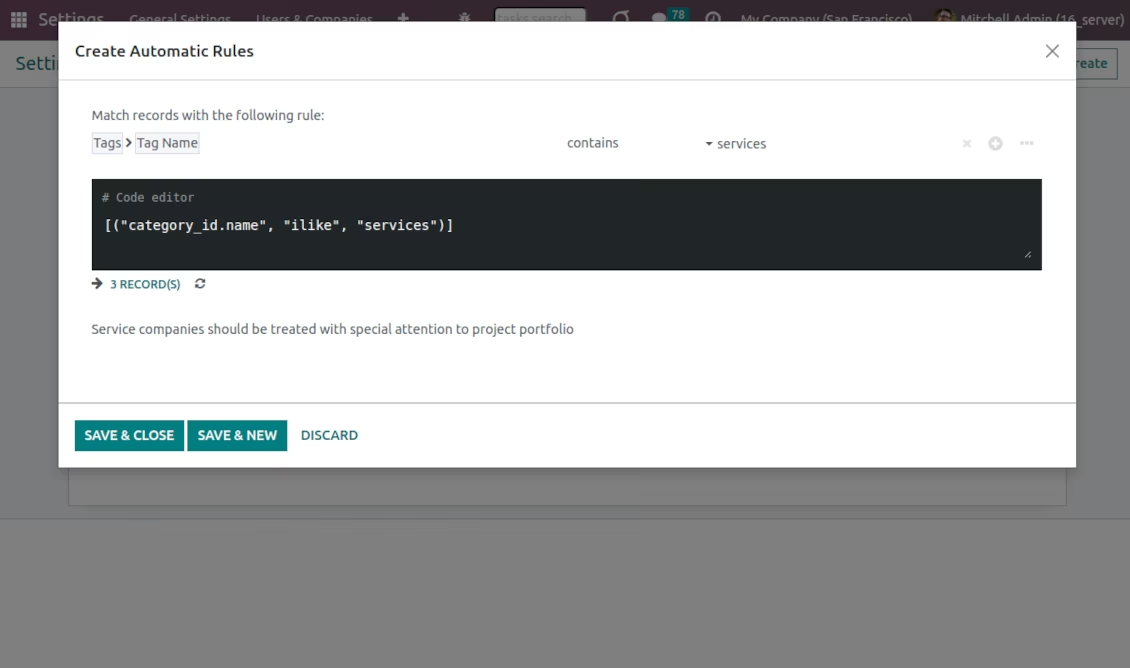
Define a rule as a set of criteria a contact should satisfy. You may use any partner field in the same way you define a search filter
-
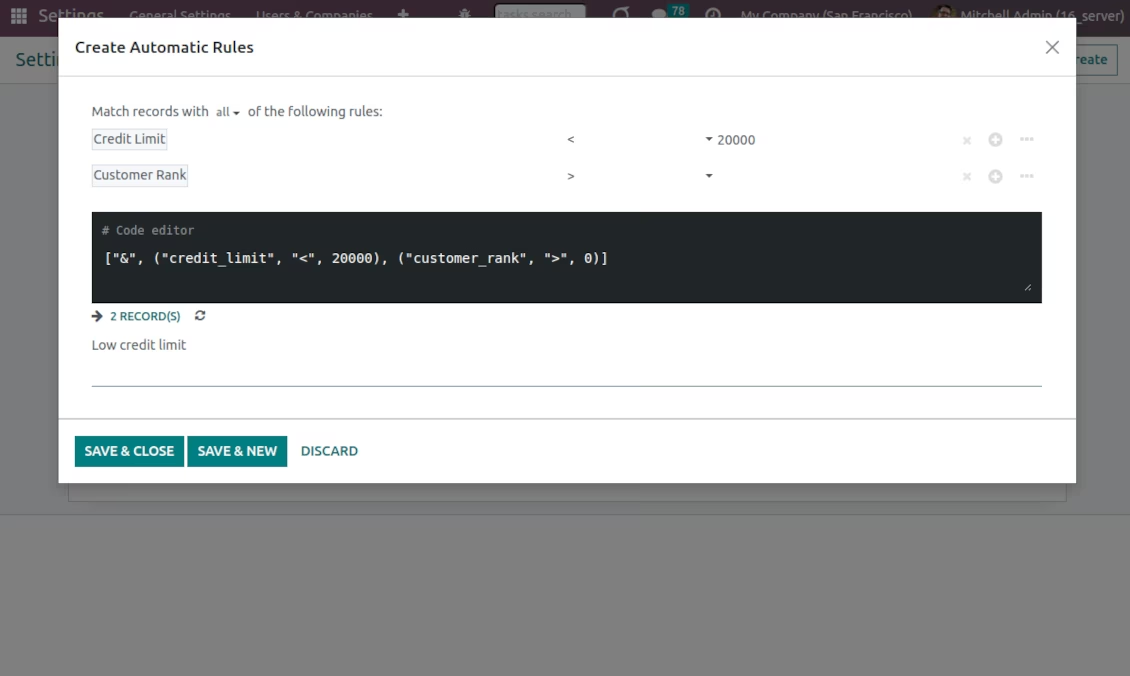
There might be as many criteria combined by 'any' or 'all' operators as you like
-
For a single color code, you may have an unlimited number of automatic rules. Matching any of those rules would lead to this color code assignment
-
Automatic rules are applied in real-time. As soon as you configured a new one, open/reload any form and check contact color codes
-
Automatic scoring rules might be applied to almost any business scenario
-
Typical use case: A contact already has some sort of manual tag. For example, the 'Danger!' tag should lead to the red color code
-
Typical use case: All contacts with set 'Blacklist' field should be assigned the black color code
-
Typical use case: Customers with a low credit limit (e.g. with less than $2000) receive the orange color code
-
Typical use case: Mark gray contacts without mobile and phone entered
-
Typical use case: Define color codes based on a country or a region, based on the 'Degree of trust you have in this debtor', or based on your own custom field.
Flexible codes classifier
-
Have as many color codes as you like. They may relate to any business facet. For example, introduce 'Black List', 'Not trusted', 'Strategic partners', 'Low credit limit', etc.
-
Apply any color shade for your code
-
Each color code may have a few notes. For example, 'John Brown' is black-listed since (a) his parent company has a huge debt; (b) he is not available by phone and mobile; (c) he has the tag 'potential fraud' assigned by a financial security officer
-
As soon as you installed the tool, would prepare a few default color codes. You may simply update or delete those codes to reflect your own color codes' logic
-
To configure the codes classifier go to the General Settings and find the section 'Contact Color Codes'.
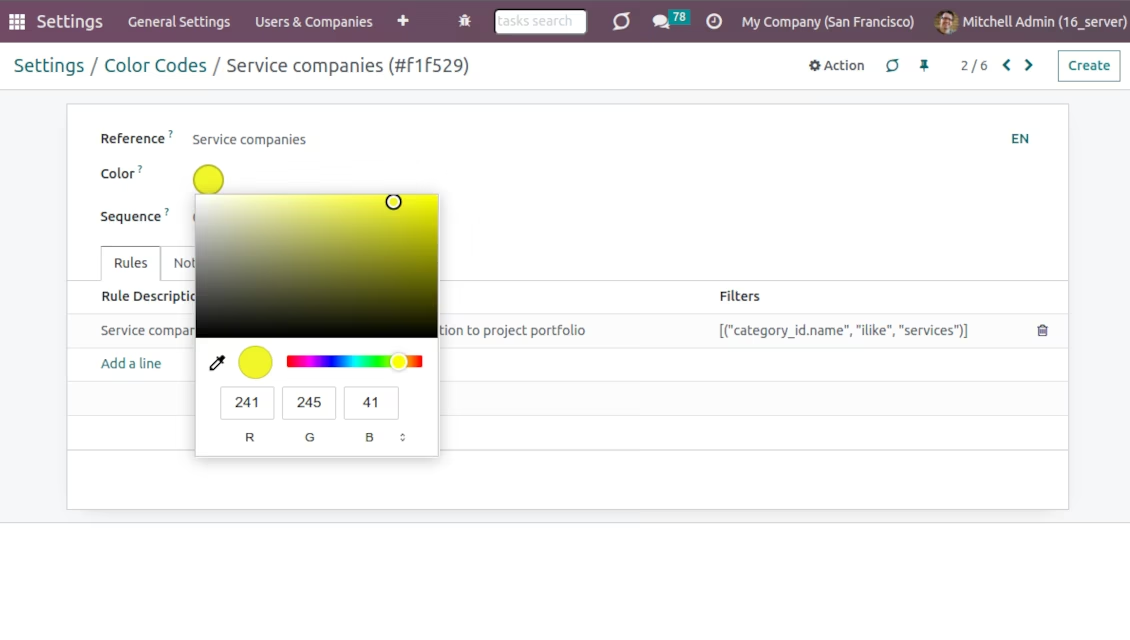
Color codes on partner form
Partner scoring details and notes
Color codes classifier
Color codes for the partner kanban view
Partner list view: scoring
Customer color coding for a sales order
Vendor color codes for a purchase order
Custom scoring for invoices
Color codes for opportunities
Color codes for project partners
Configure automatic rules to assign color codes
Flexible filtering for scoring automatic rules
Configure your own color codes
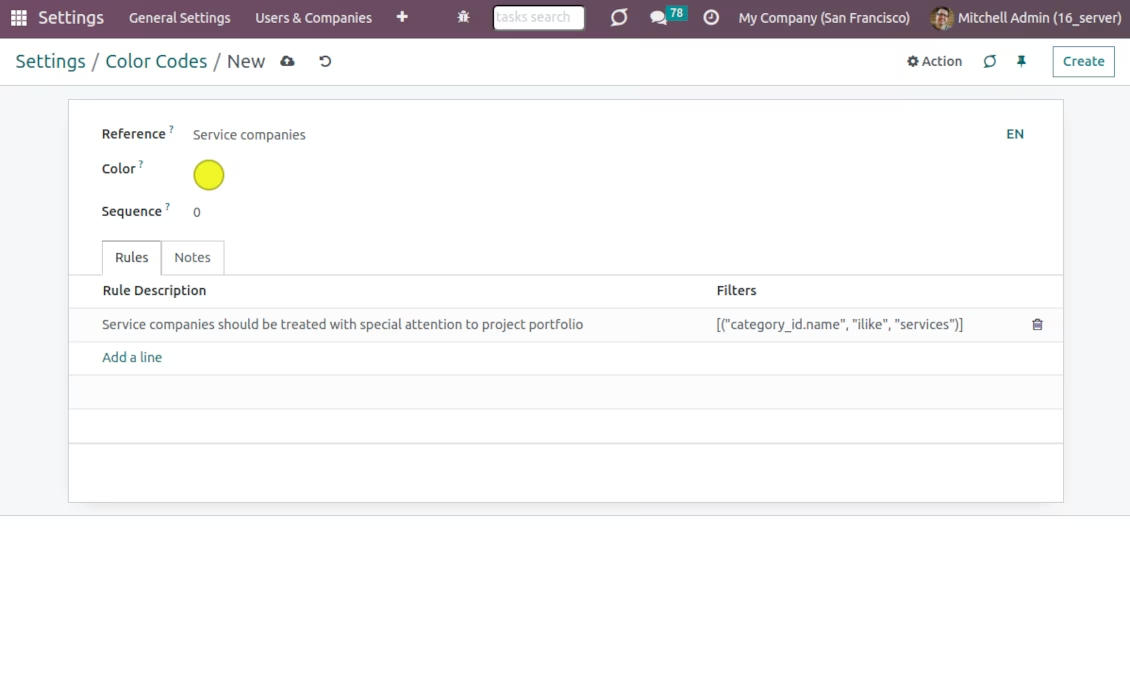
Unlimited number of colors for scoring codes
Edit a manual color code and its notes
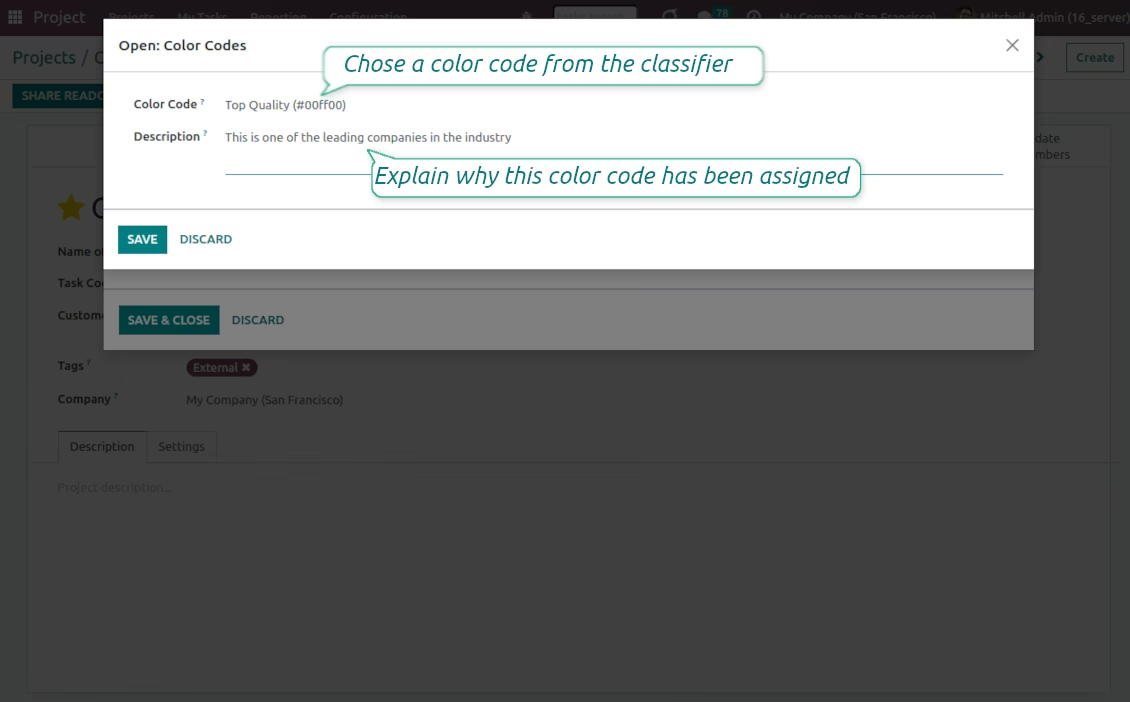
Edit manual color codes