The module enhances accounting capabilities by allowing users to define and manage cheque printing templates directly from the backend. This makes cheque issuance more flexible, professional, and aligned with business standards.
Backend interface to create and configure cheque layouts.
Print cheques seamlessly from payment entries with a dedicated print button.
Custom template design for cheque appearance and fields.
No additional setup required; install and use immediately.
Works with both Community and Enterprise editions supporting diverse deployment contexts.
Customizable cheque appearance: Tailor layouts to match your company’s formatting needs.
Time-saving integration: Cheque printing becomes part of the standard payment workflow fast and convenient.
Consistency and professionalism: Ensures all printed cheques maintain a uniform, official look.
Ease of use: No technical skills needed configuration and printing are intuitive and straightforward.

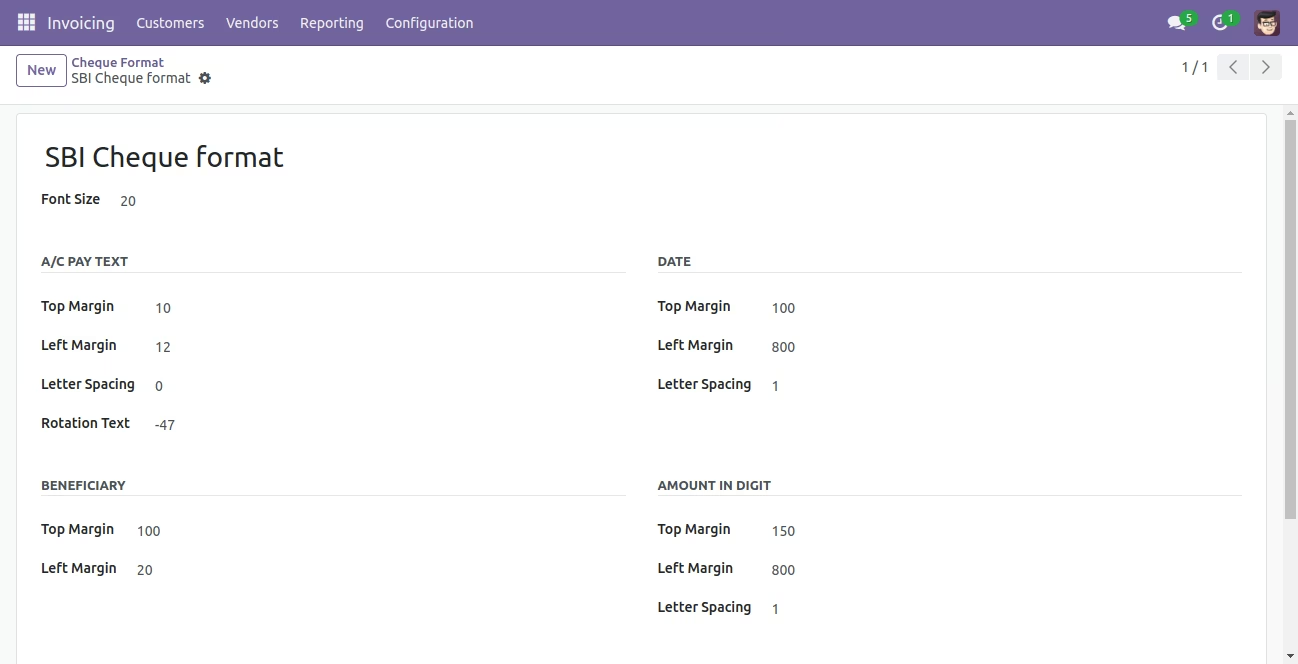
Navigate to the Invoicing and click on the Configuration menu.
Now click on the Cheque Format submenu and create our cheque format.
Enter all the details about cheque format.
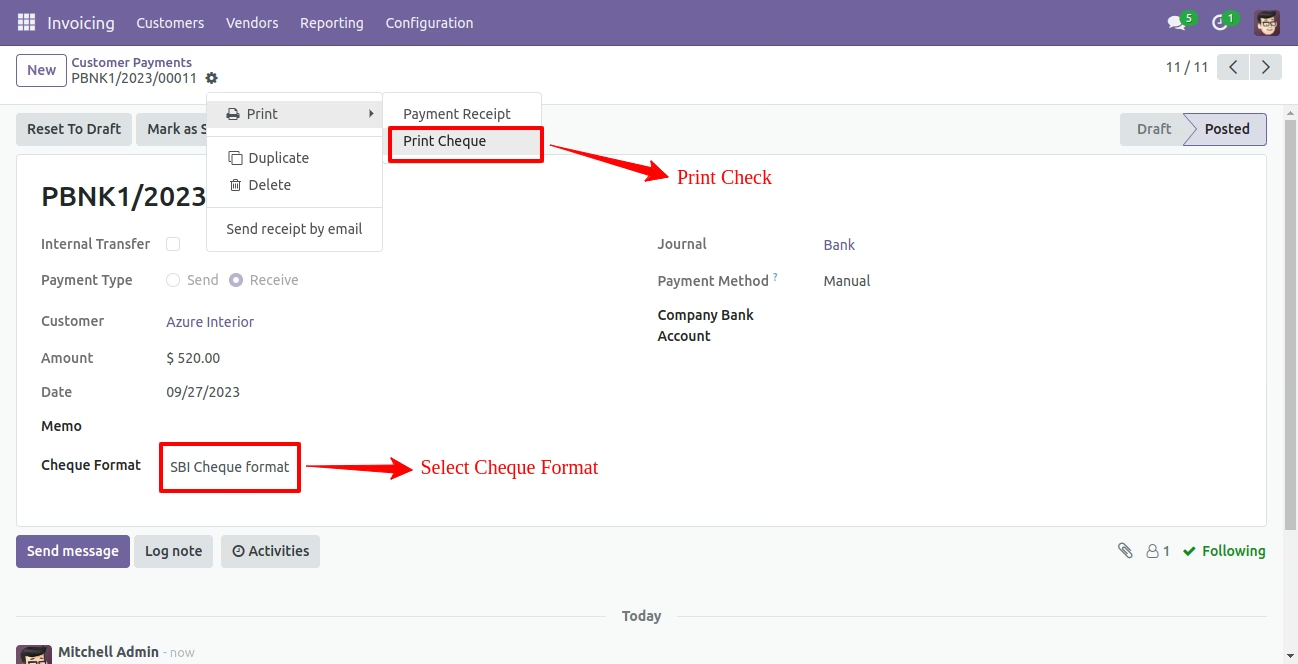
Navigate to the Invoicing and click on the Customers menu.
Now click on the Payments submenu and open any payment.
We can set our cheque format, which we print.
If we want to print cheque, click on the Print Cheque button.
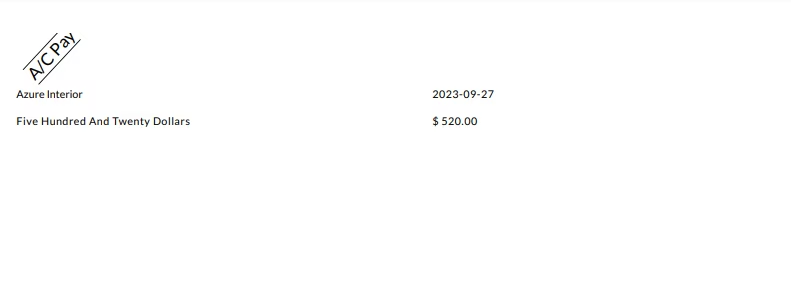
Our printed cheque like this: .

Create and set cheque format from backend.
We can Print cheque format.