The module is designed to streamline the entire process of vehicle repair and maintenance. It covers all stages, from repair requests and diagnostics to job order assignments and invoicing, providing a comprehensive solution for automotive service centers.
Repair Request Management: Create and manage customer repair requests efficiently.
Vehicle Diagnosis: Perform detailed diagnostics and generate reports.
Job Order Assignment: Assign tasks to technicians and track progress.
Service and Parts Management: Manage services and spare parts inventory.
Customer Communication: Send notifications and updates to customers.
Invoicing Integration: Generate invoices directly from job orders.
Reporting: Generate various reports for analysis and decision-making.
Improved Efficiency: Automate and streamline repair processes.
Enhanced Customer Satisfaction: Provide timely updates and quality service.
Better Inventory Management: Keep track of spare parts and services.
Integrated Invoicing: Simplify billing and payment processes.
Comprehensive Reporting: Gain insights into operations and performance.
App for Car Repair Management
Car Repair Request, Car Diagnosis, Car Repair Job Order Management
Repair Management for Cars - App
All Types of Car Repairs | Car Mechanic Workshop
This app allows you to manage your business/industries/workshops of car repair with features listed below and screenshots.
Main Features :
- 1. Website Request Form:
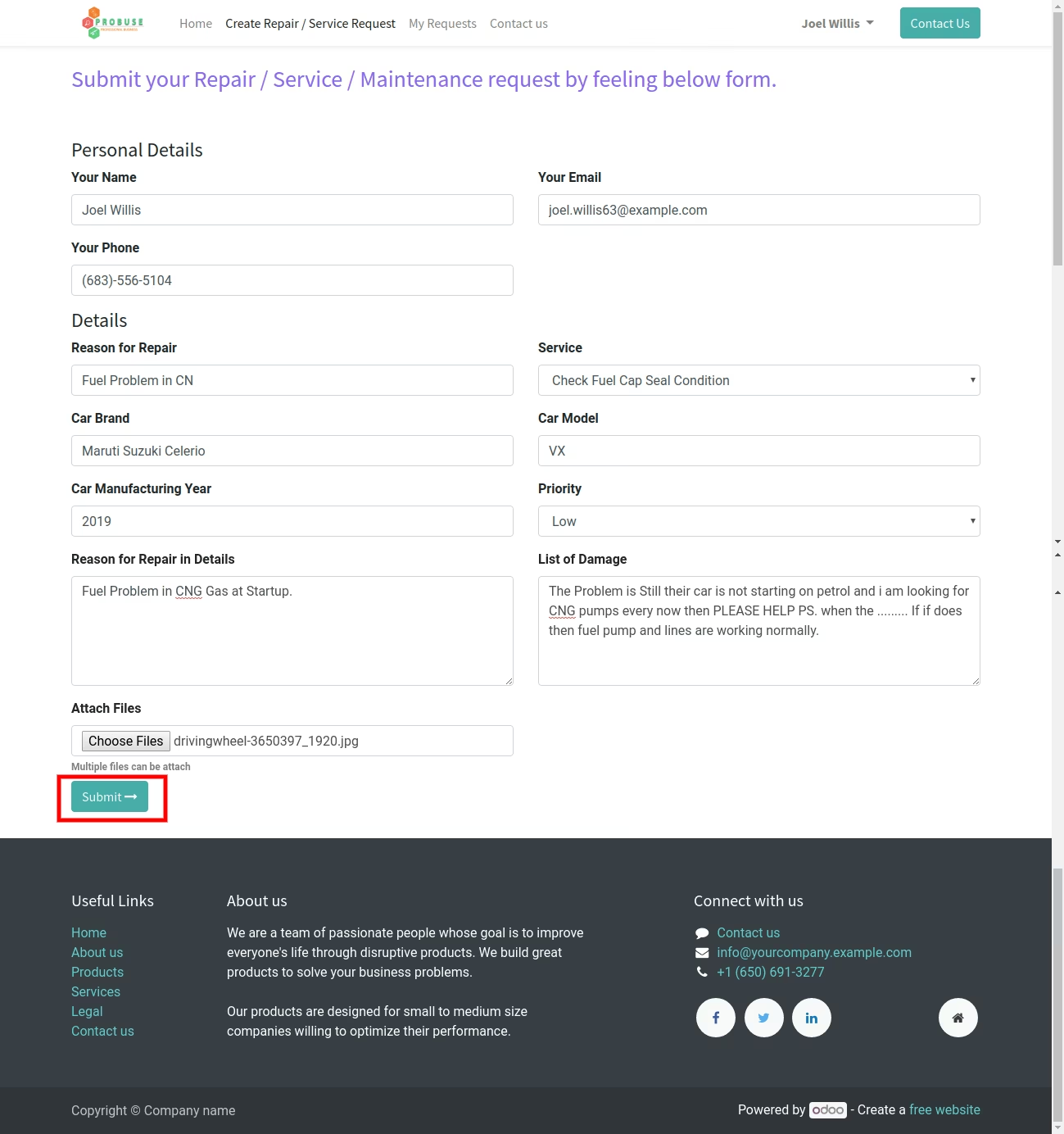
- Your customer can send a car repair request from your website by submitting a form and also attaching documents/images while submitting a request from the website page.
- 2. Car Repair Request Unique Number:
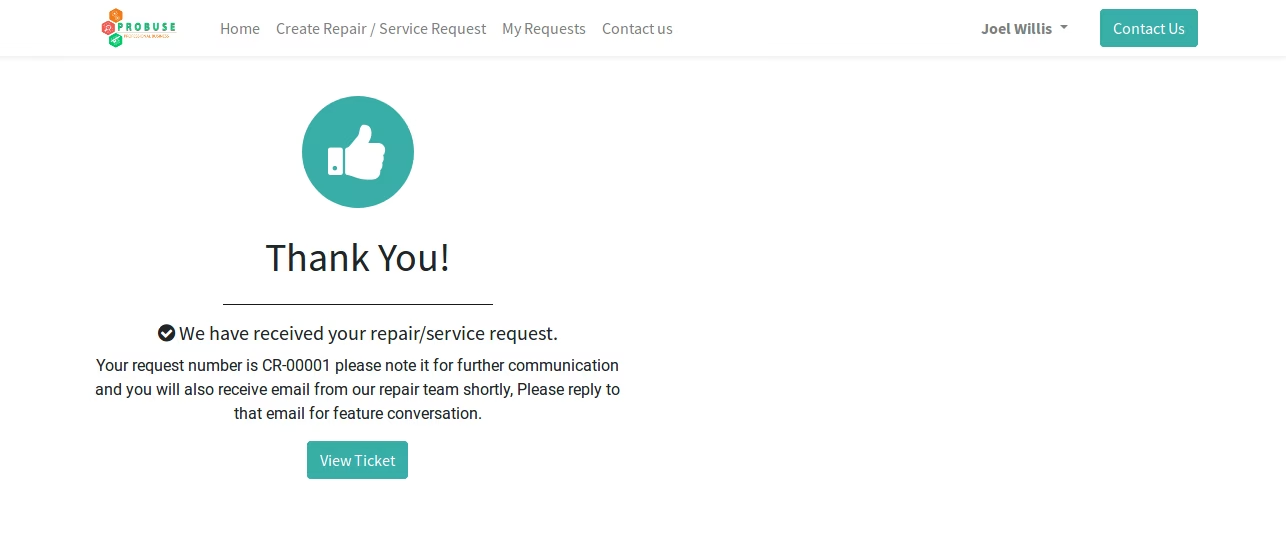
Generation of unique car repair request on submission and record it as a repair request ticket number in the backend.
- 3. Customer Portal:
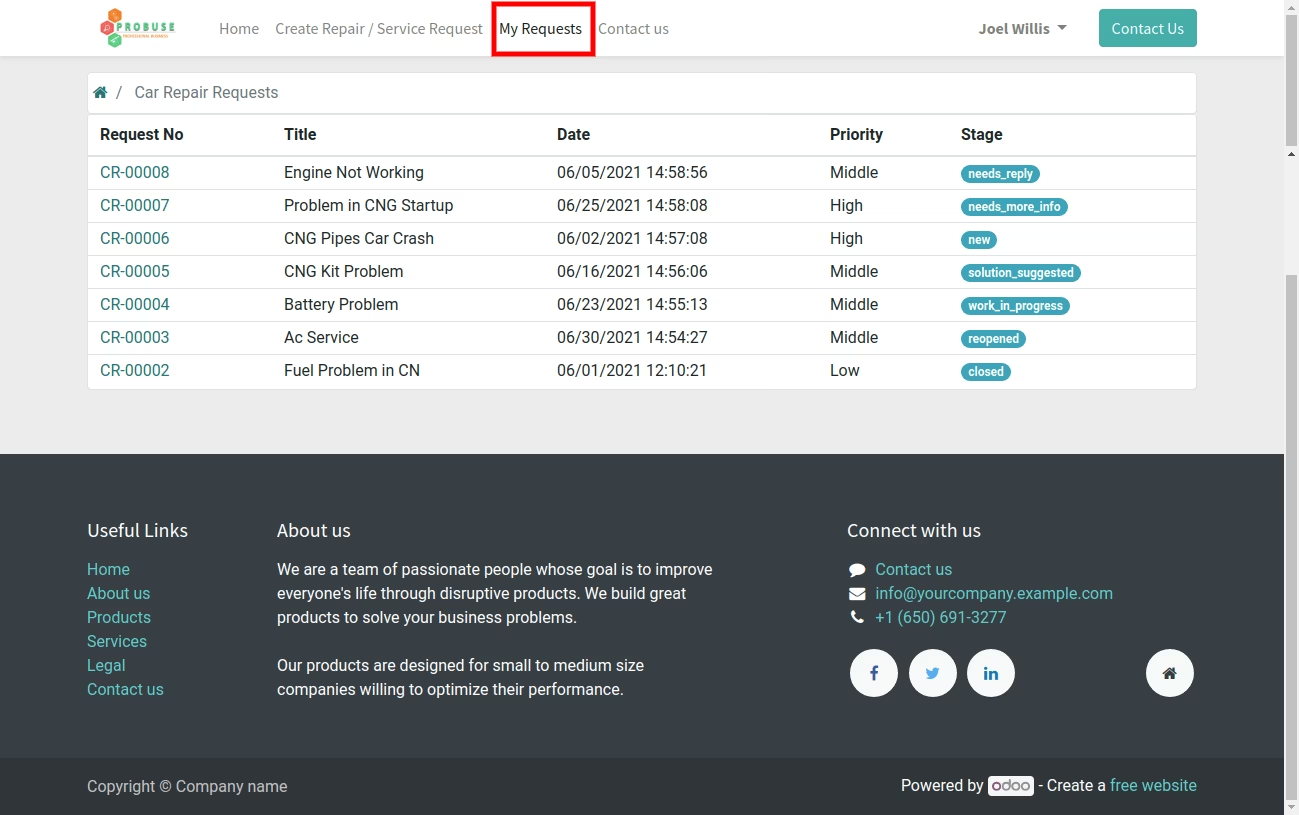
Customers can check the status of all car repair request tickets submitted by them on the my account page on the portal side of your website as shown.
- 4. Car Repair Request Backend Management:
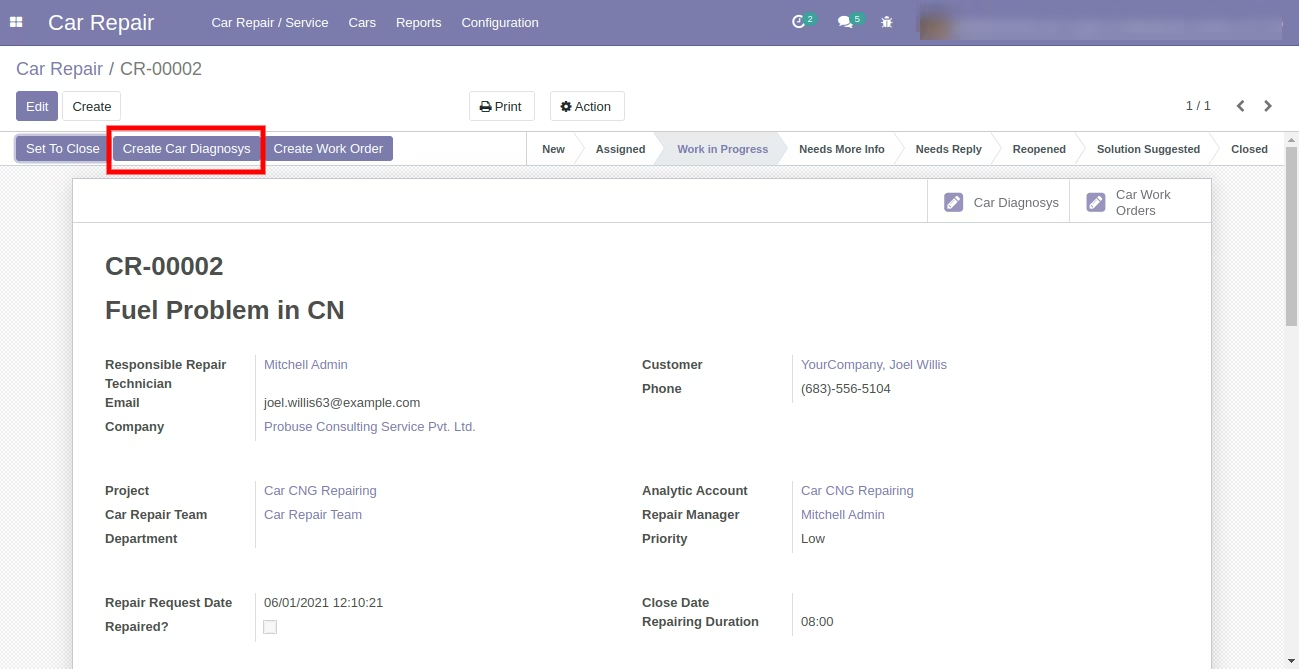
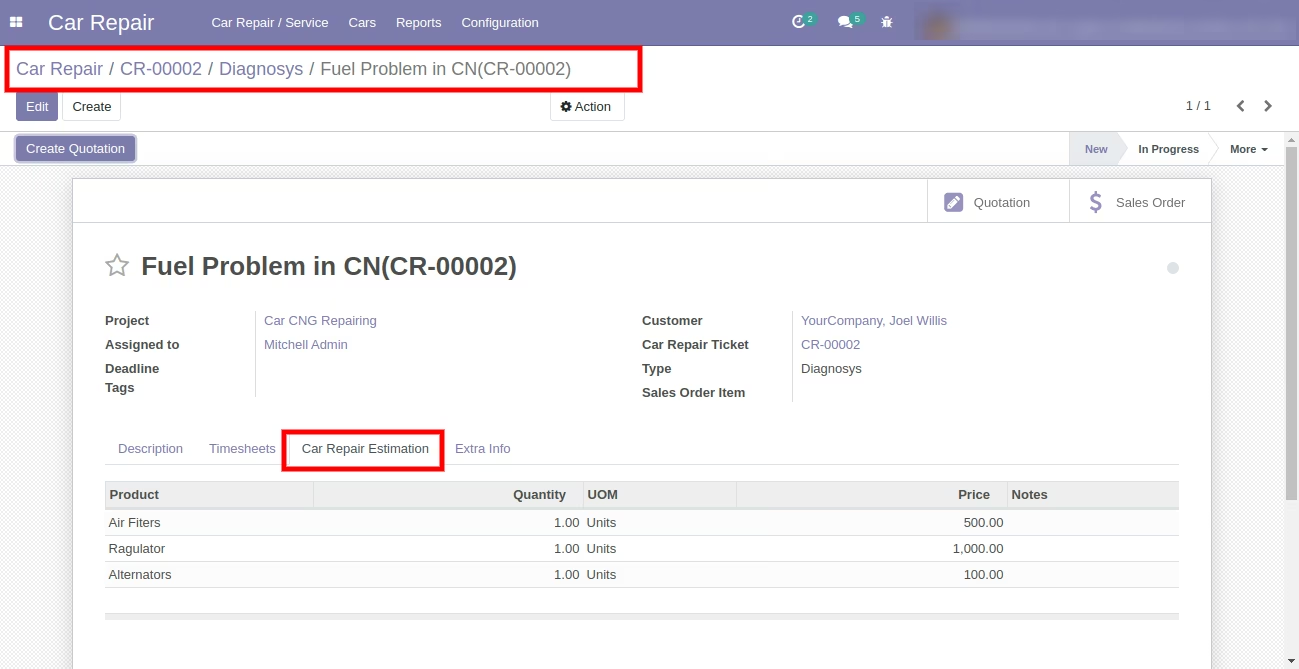
Allow the repair manager / repair user to create and manage a diagnosis of car repair requests and create sales quotations and send them to your customer.
- 5. Responsible:
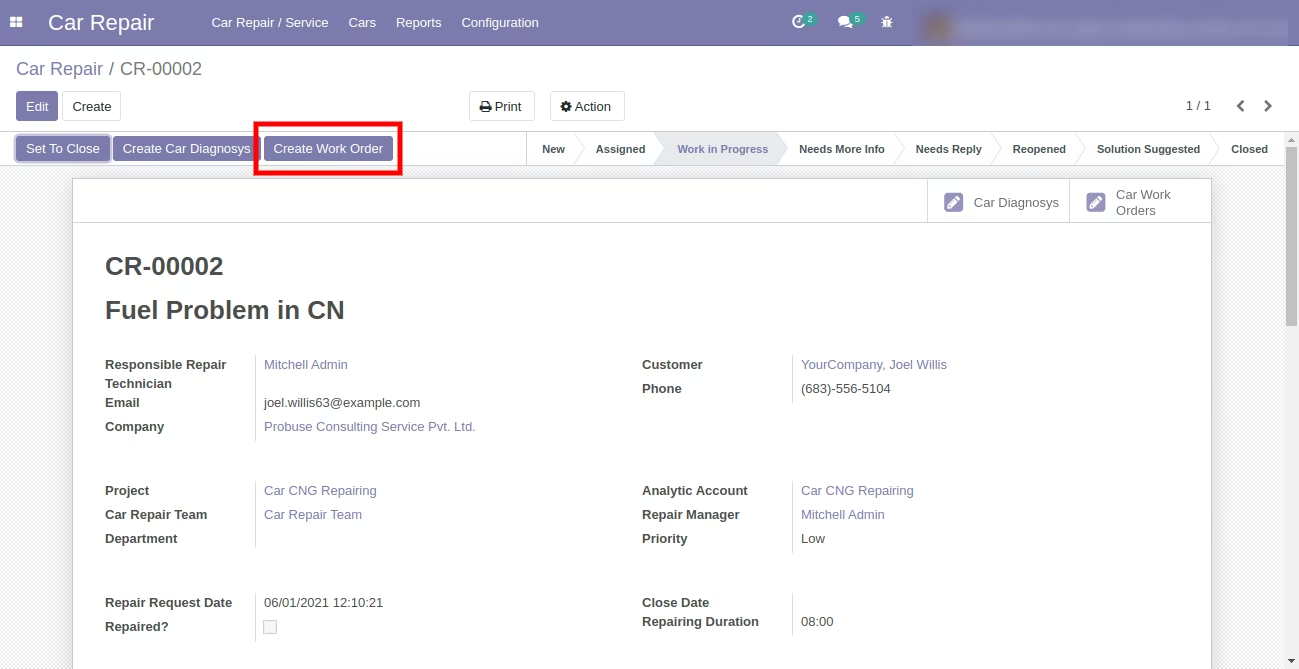
Allow repair manager / repair user to create job order / work order from repair ticket and assign it to responsible or technician or repair user.
- 6. Configuration:
Allow you to configure and manage car repair teams, services, and service types under the setup configuration menu.
- 7. Cars and Cars Parts:
Allow you to configure and manage cars and cars parts (as products).
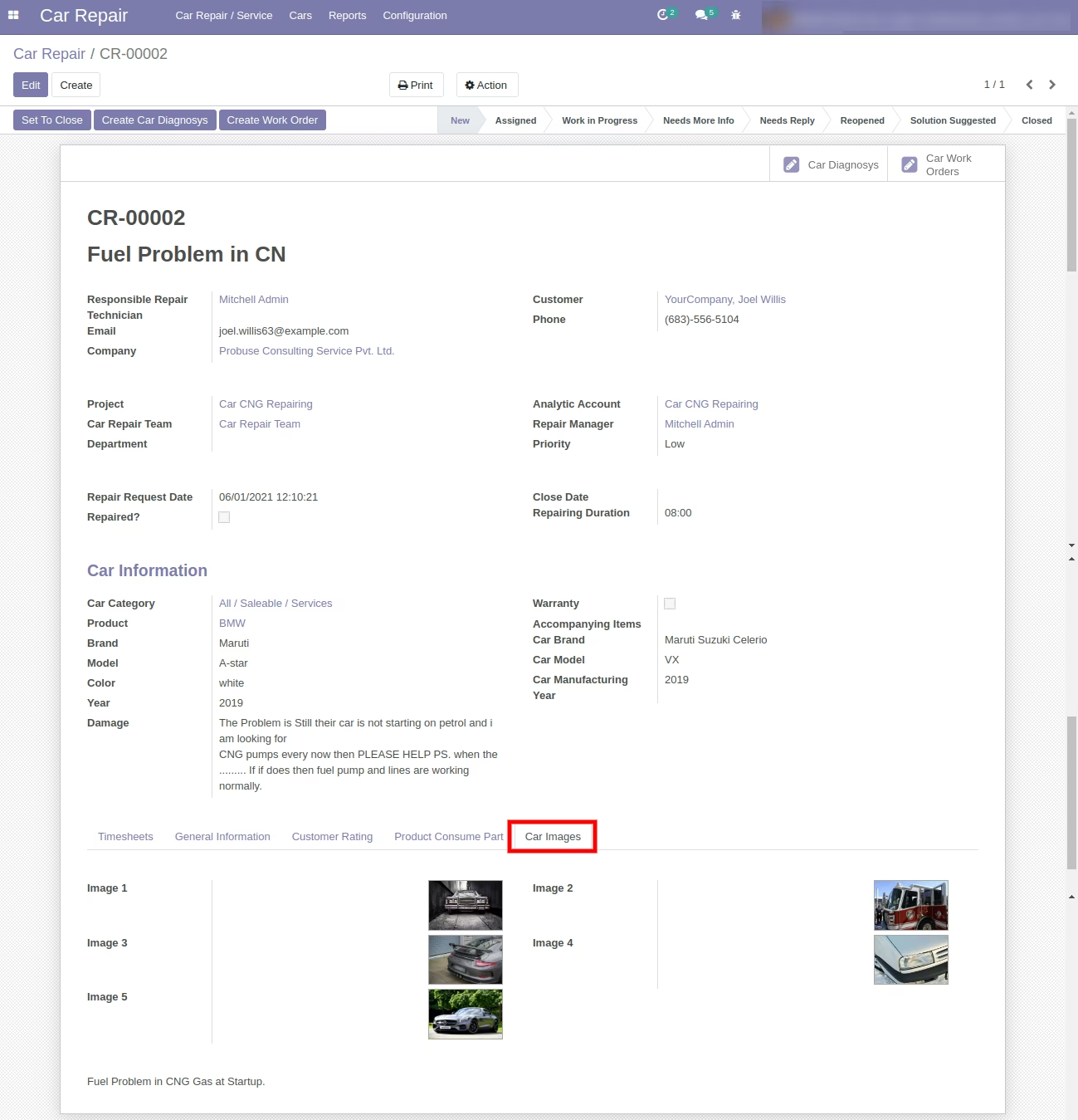
- 8. Car Repair Photos:
Allow you to add more car repair-related images on the car repair request ticket form.
- 9. PDF:
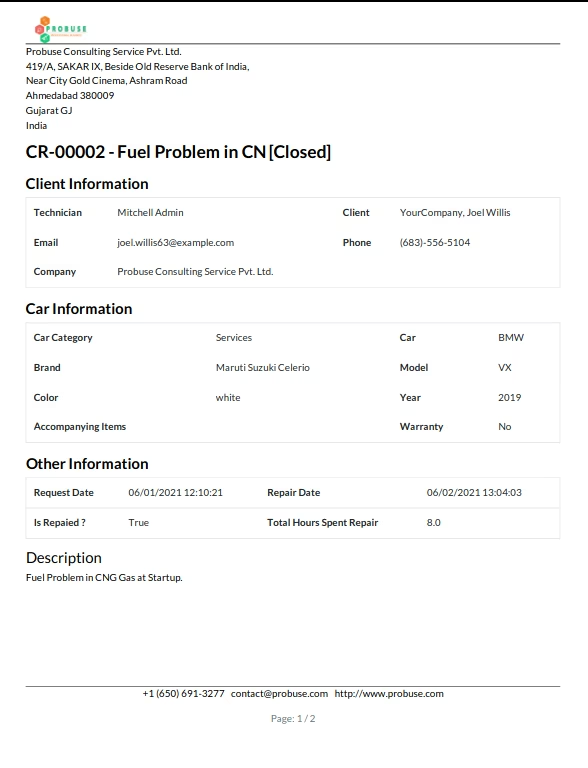
Allow you to print car repair request reports in pdf format.
- 10. Communication Message Chatter:
Car repair user / manager / technician can communicate with customers using chatter and fill in timesheets for work they have done for that repair request.
- 11. Close Ticket:
The car repair request manager can close car repair tickets and send bills to customers (billing could be done from a quotation that has been created from the repair diagnosis). When the manager closes the ticket, feedback requests will be sent to customers by email.
- 12. Feedback:
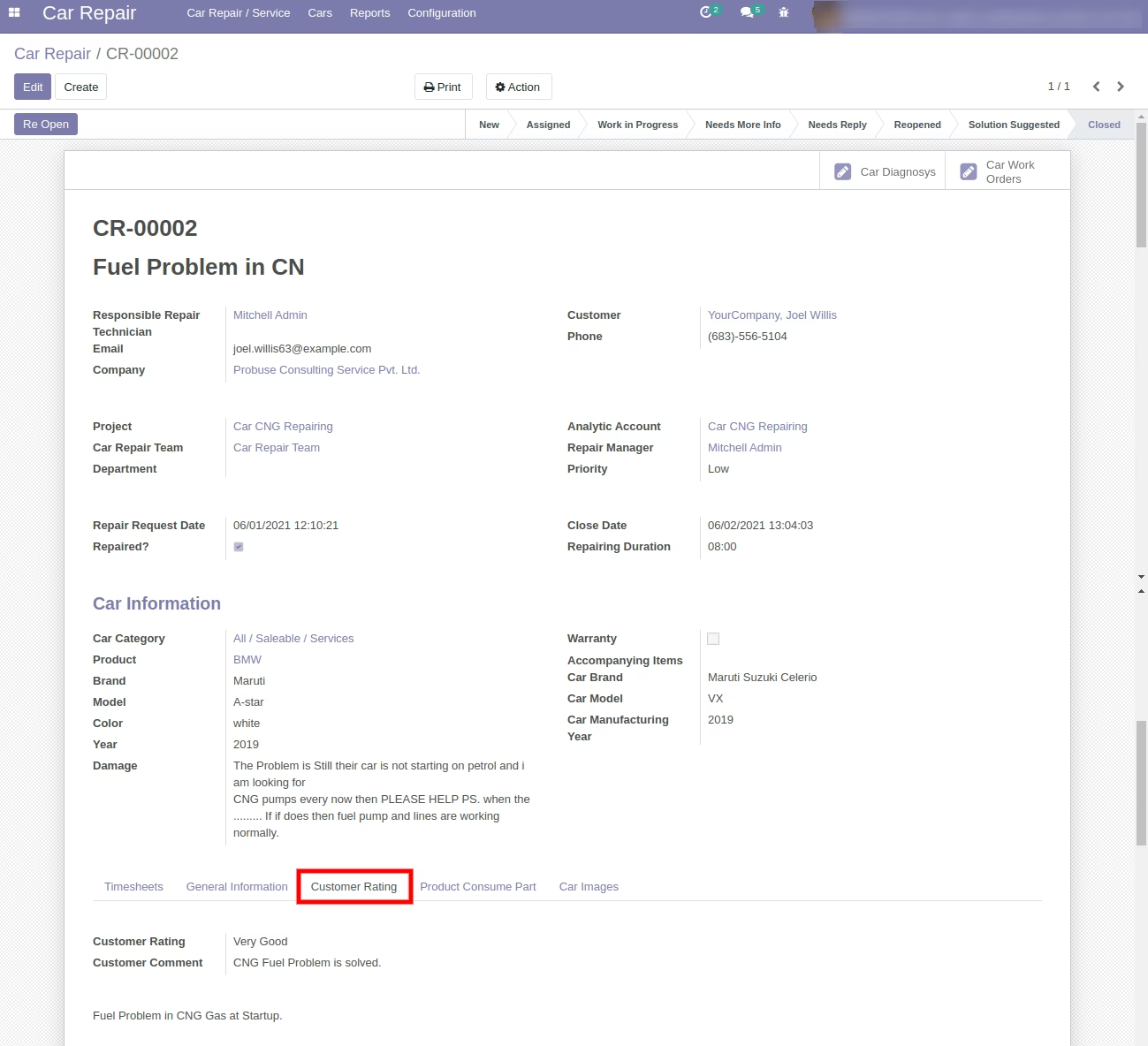
The system allows your customers to give feedback and rating of car repair requests by clicking on the button on the email.
- 13. Car Repair Team:
Manage your car repair request tickets using assignment to car repair team.
- 14. Report:
Reports -> Car repair request in pdf, car repair label, and car repair analysis are available as shown in the below sample.
- 15. Note:
For more details, you can watch the video and see the screenshots below.
- 1. Customer
- Customers can create car repair/service requests from the website.
- Customers can view submitted requests in my account portal.
- Manager can assign requests to repair user/technician.
- Manager can create car diagnosys from the ticket.
- Print pdf report of car repair request.
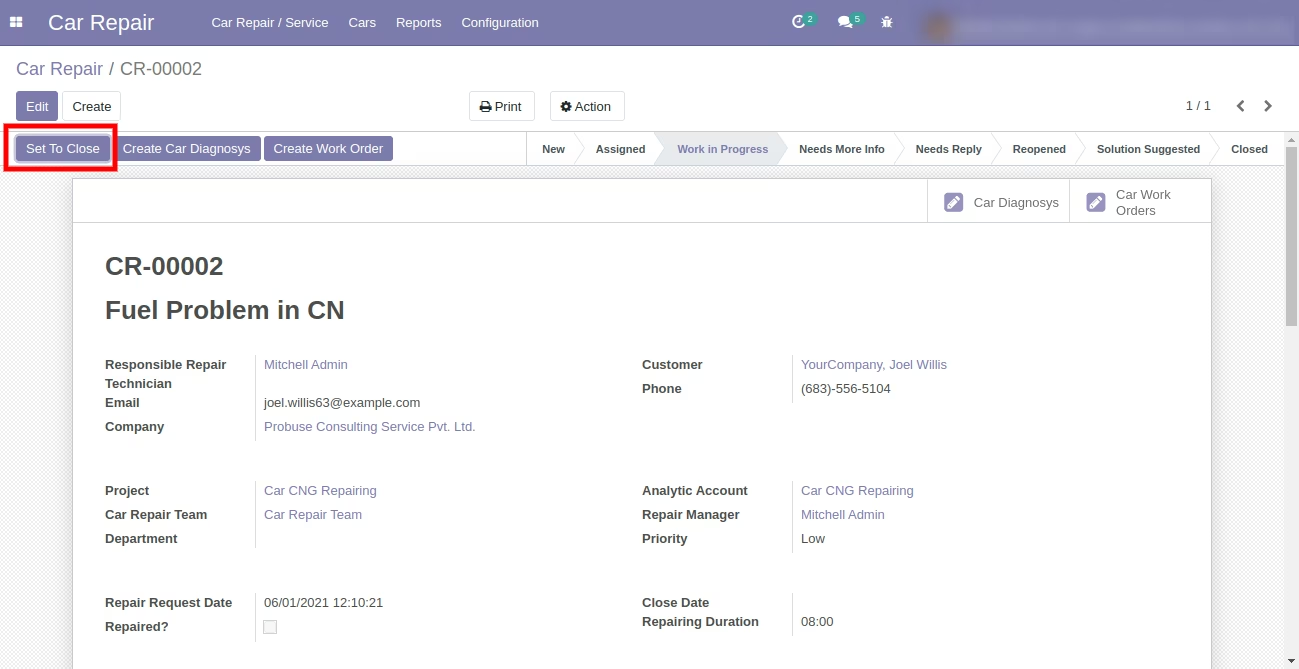
- Manager can close the ticket request at the end of the car repair.
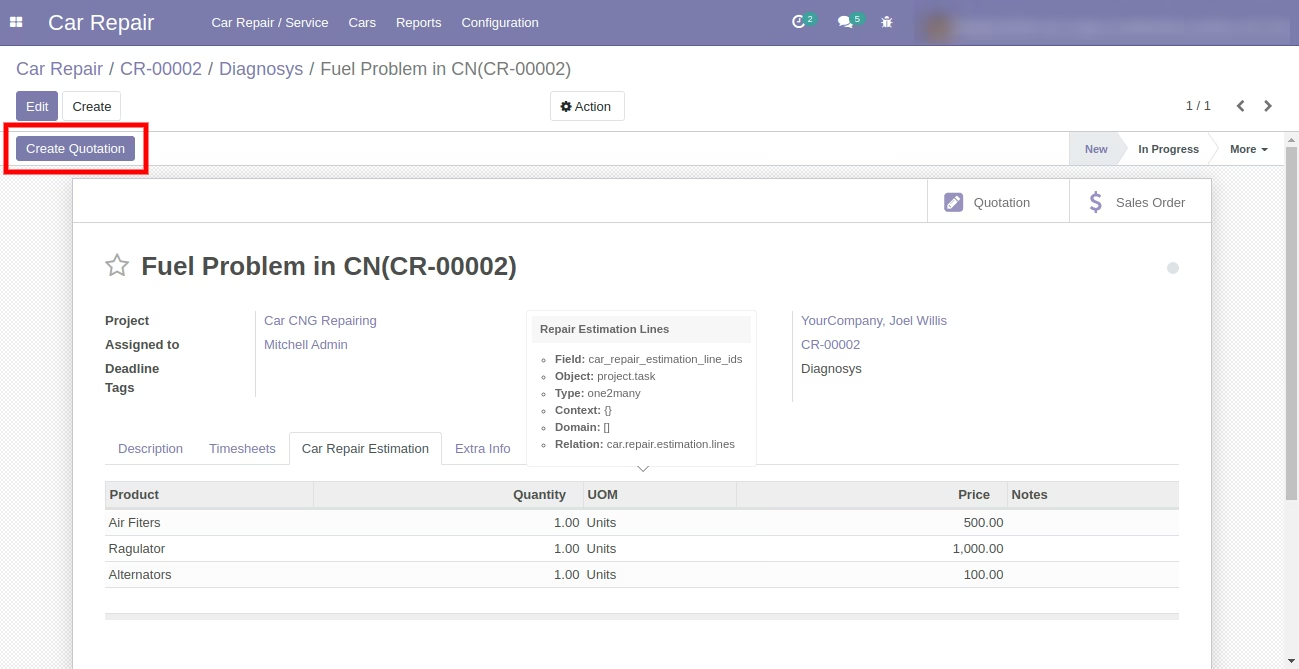
- Managers can also create quotations from diagnosys.
- Filling timesheets.
- Repair users can see and manage repair requests assigned by repair manager.
- Repair users can create work orders and work on work order / job order.
- Repair users can also create and manage car diagnosys from repair requests.
- Repair user / technician can communicate with customers.
- Filling timesheets.
- Sales users can send quotation by email to customer and work on quotation to make it order and then create invoice from order. (standard process).
2. Repair Manager
3. Repair User/Technician
4. Sales User
Role of Customer
Role of Repair Manager
Role of Repair User/Technician
Role By Sales User
Menus Available:
- Car Repair
- Car Repairs/Service
- Car Repairs/Service
- Car Diagnosys
- Car WorkOrders
- Cars
- Car Parts
- Cars
- Reports
- Reports
- Car Repair Requests
- Configuration
- Car Repair Teams
- Service Types
- Services
- Car Repairs/Service
Enterprise .sh Community
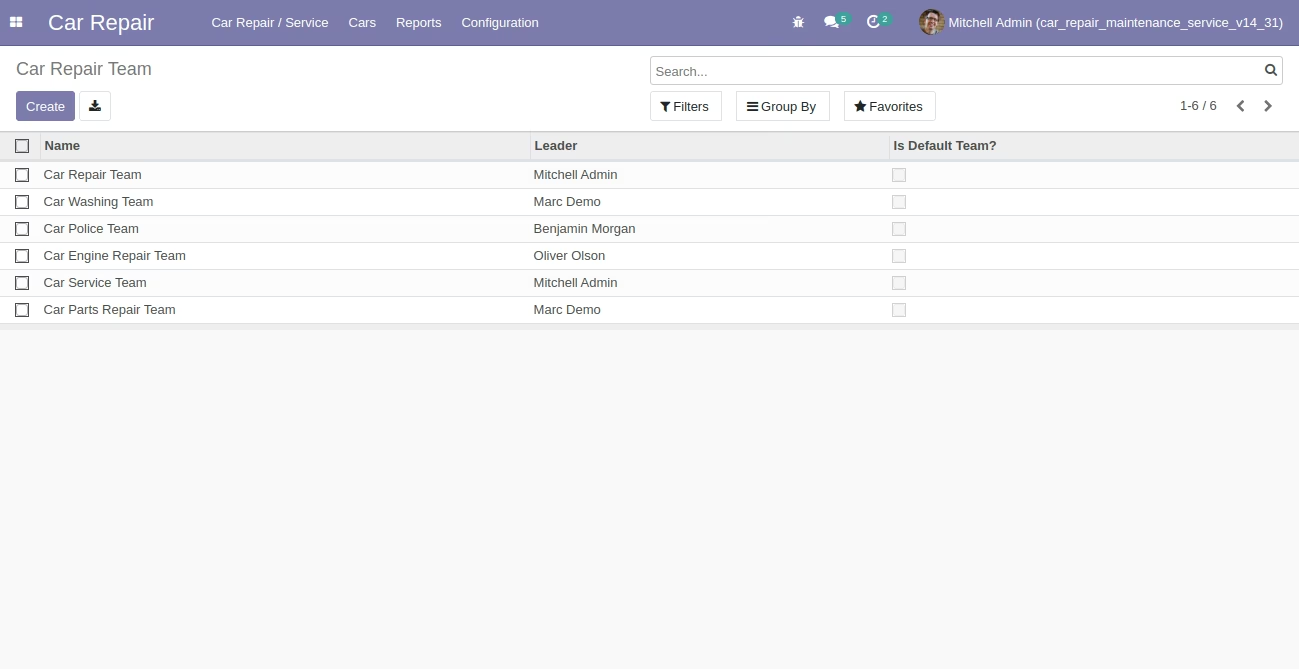
Car Repair Team List View
You can create different car repair teams and assign car repair tickets to the car repair team responsible to do that job.
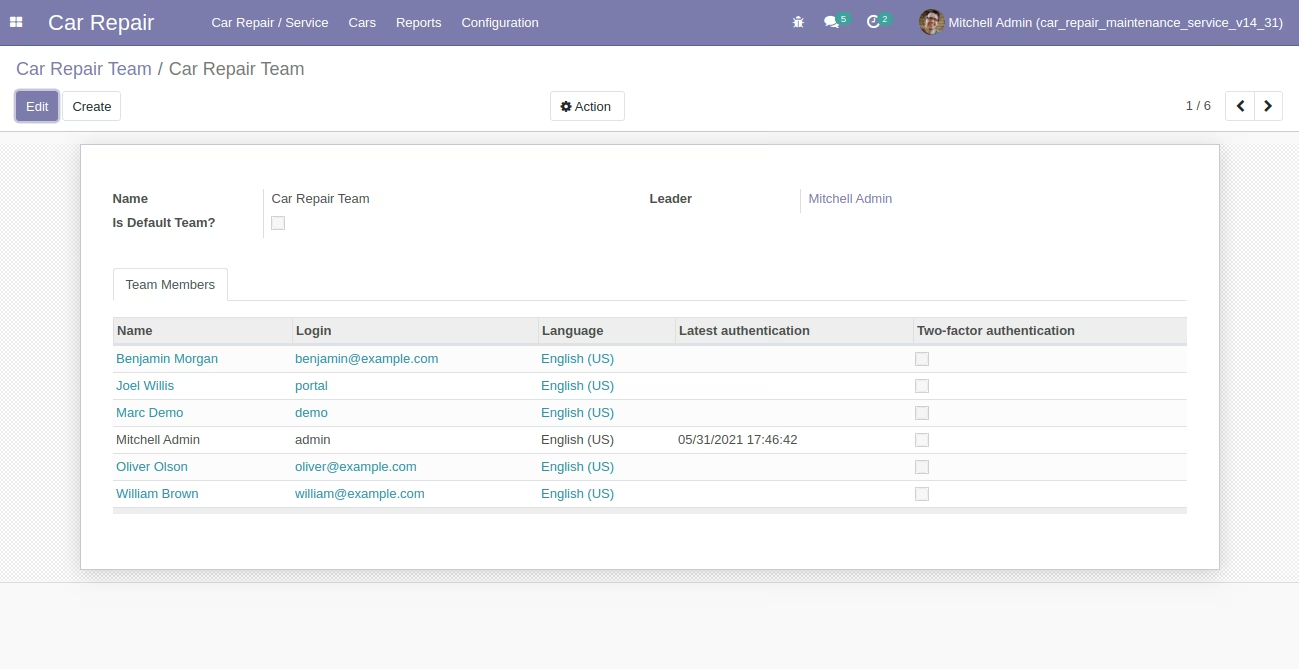
Car Repair Team Form View
You can create different car repair teams and assign car repair tickets to the car repair team responsible to do that job.
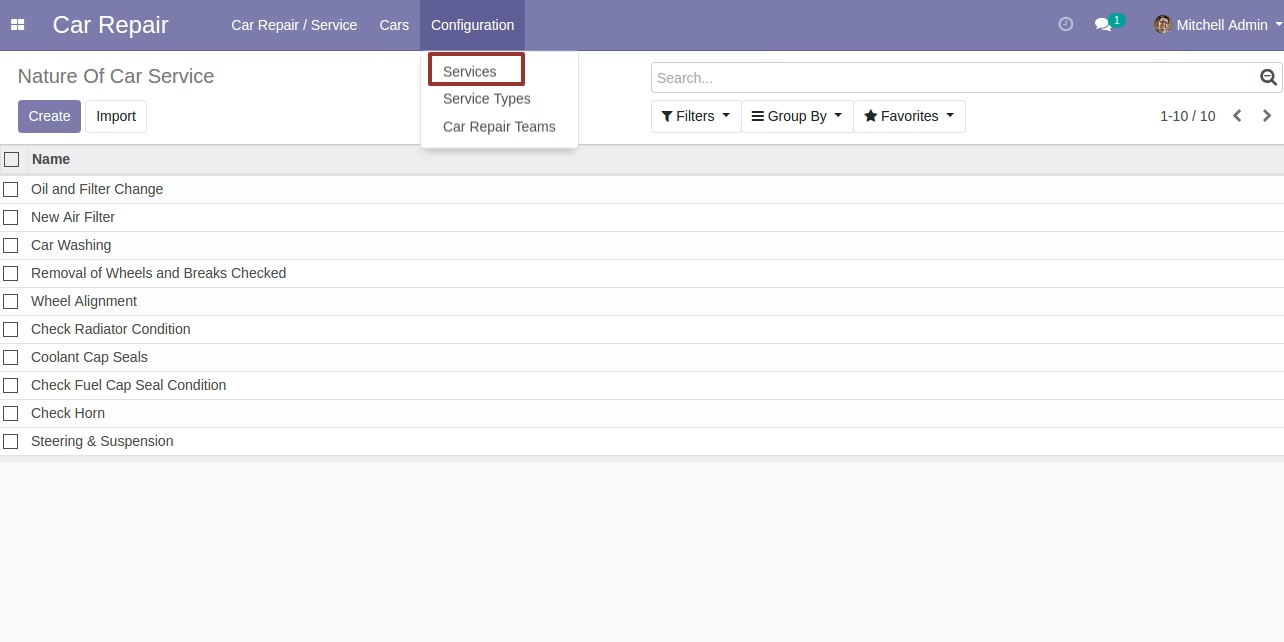
Car Services Configuration
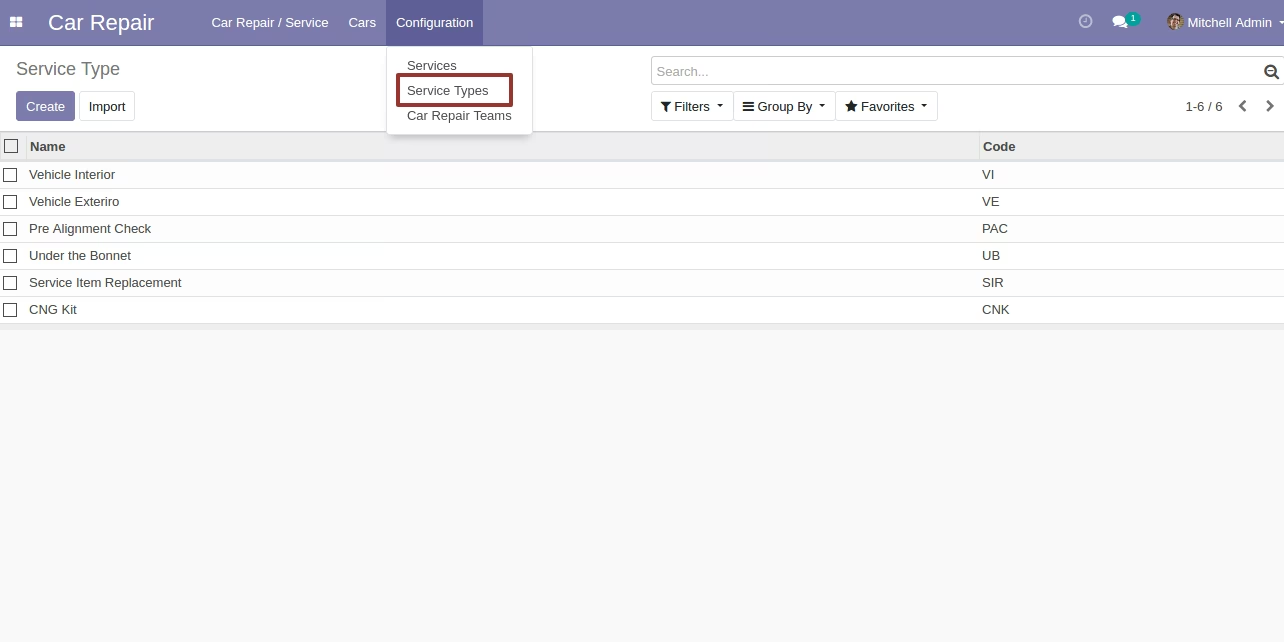
Car Service Type Configuration
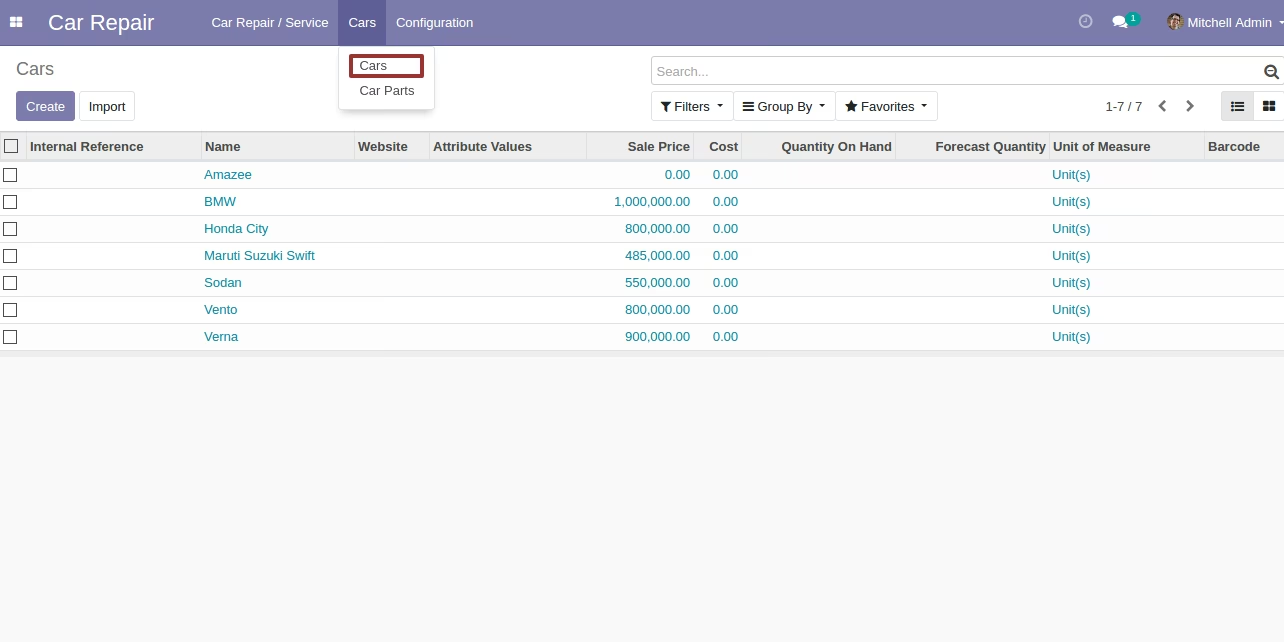
Cars Menu (Product Standard)
Cars Kanban View

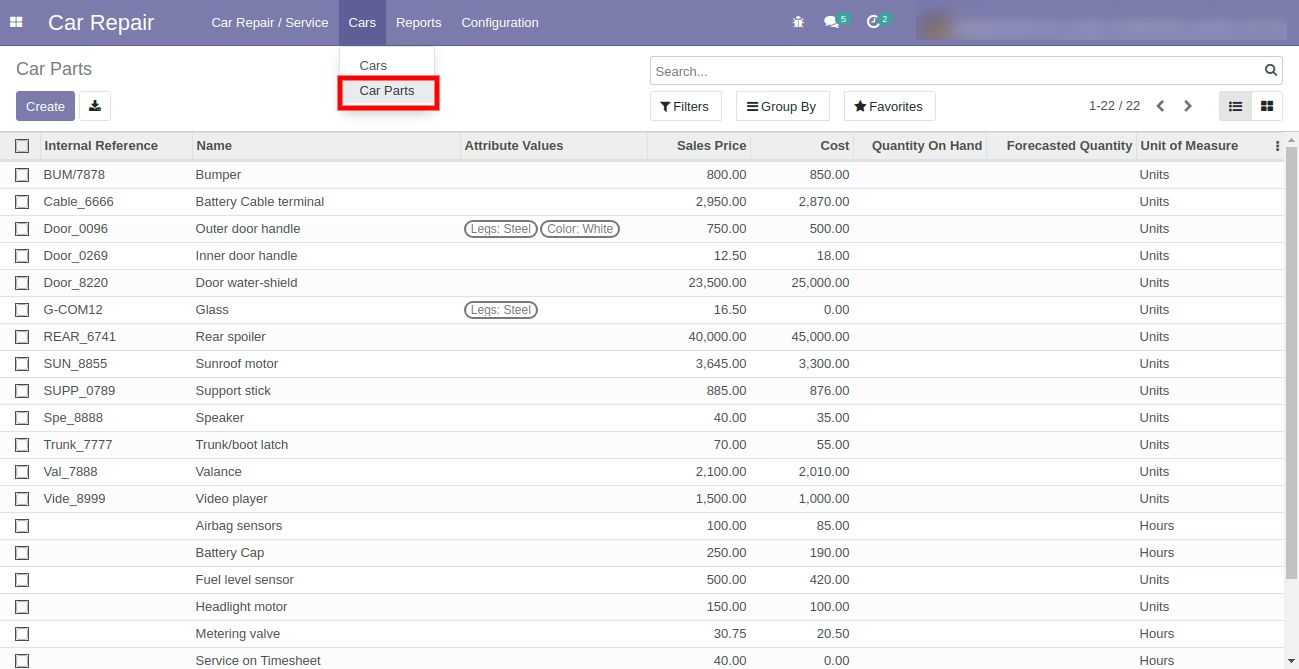
Car Parts Menu (Product Standard)
Car Parts Kanban View

Car Repair Request by Customer from Your Website
After Submit Customer will have Request Number for Future Reference and Communication.
On submission, the system will create a repair request in the backend under the default repair team.
Backend Form Cars Repair Request
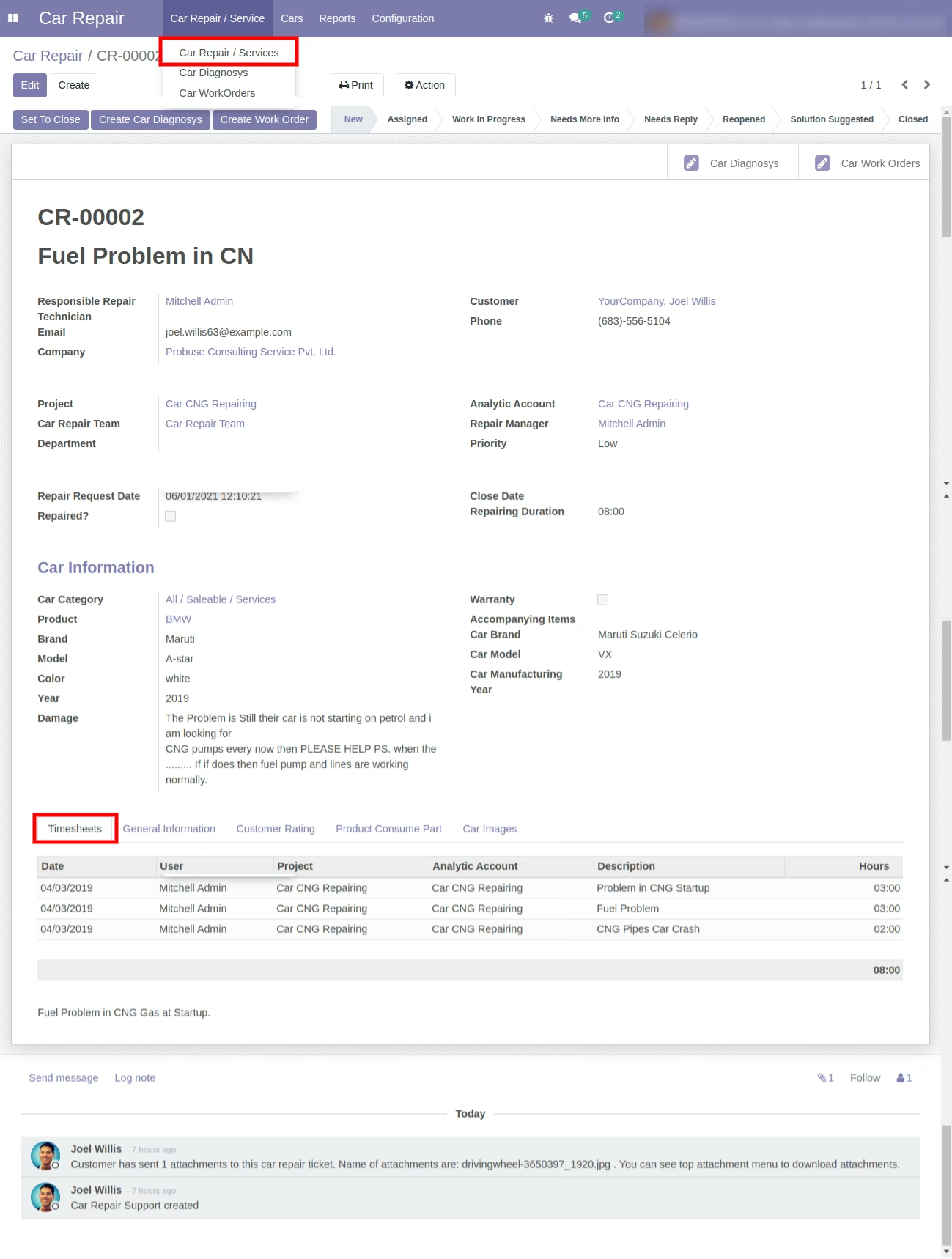
Repair Timesheet Tab Fill by Your Technician and Repair Team for Working Hours.
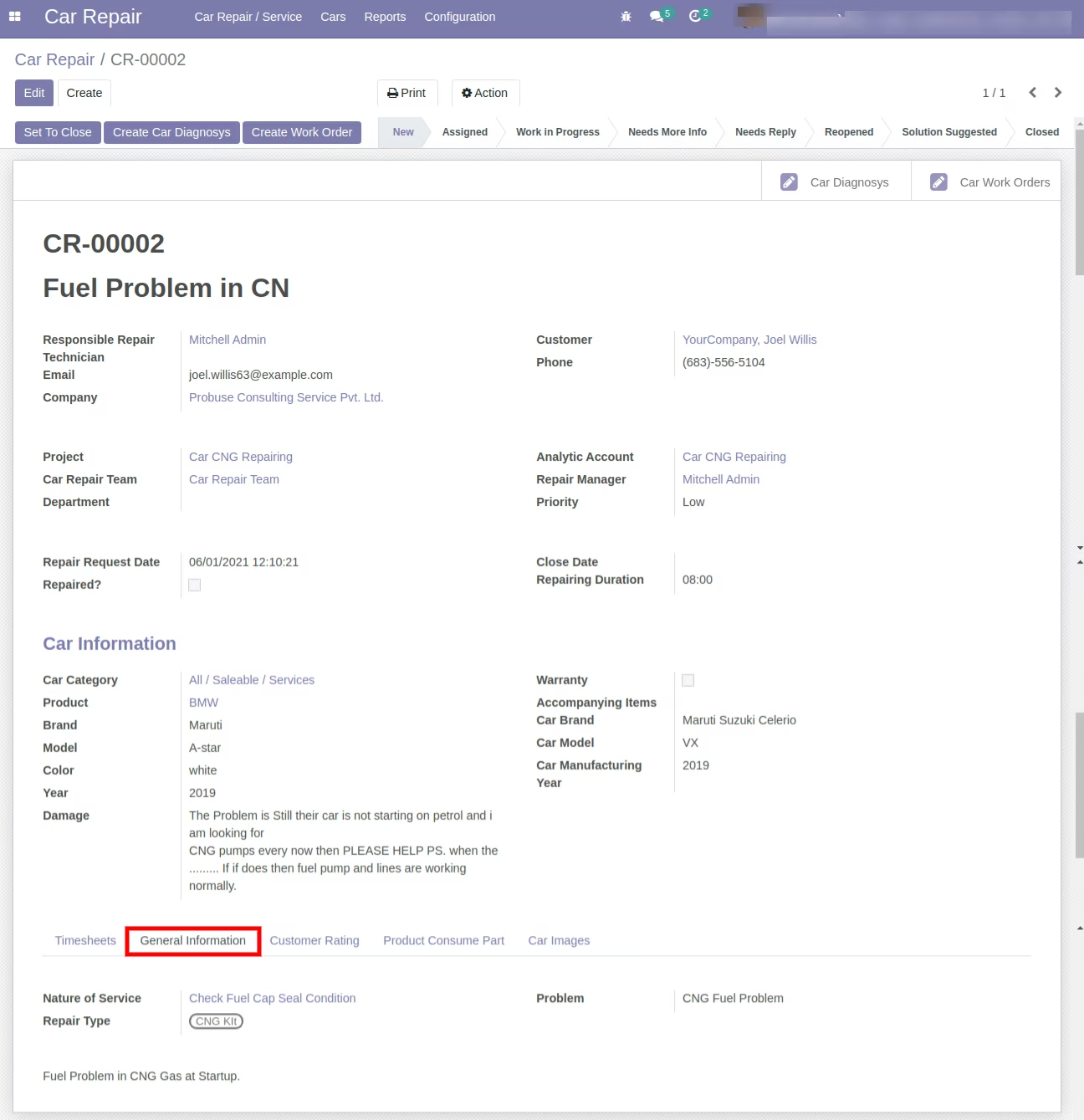
General Information Tab on Car Repair Request Form
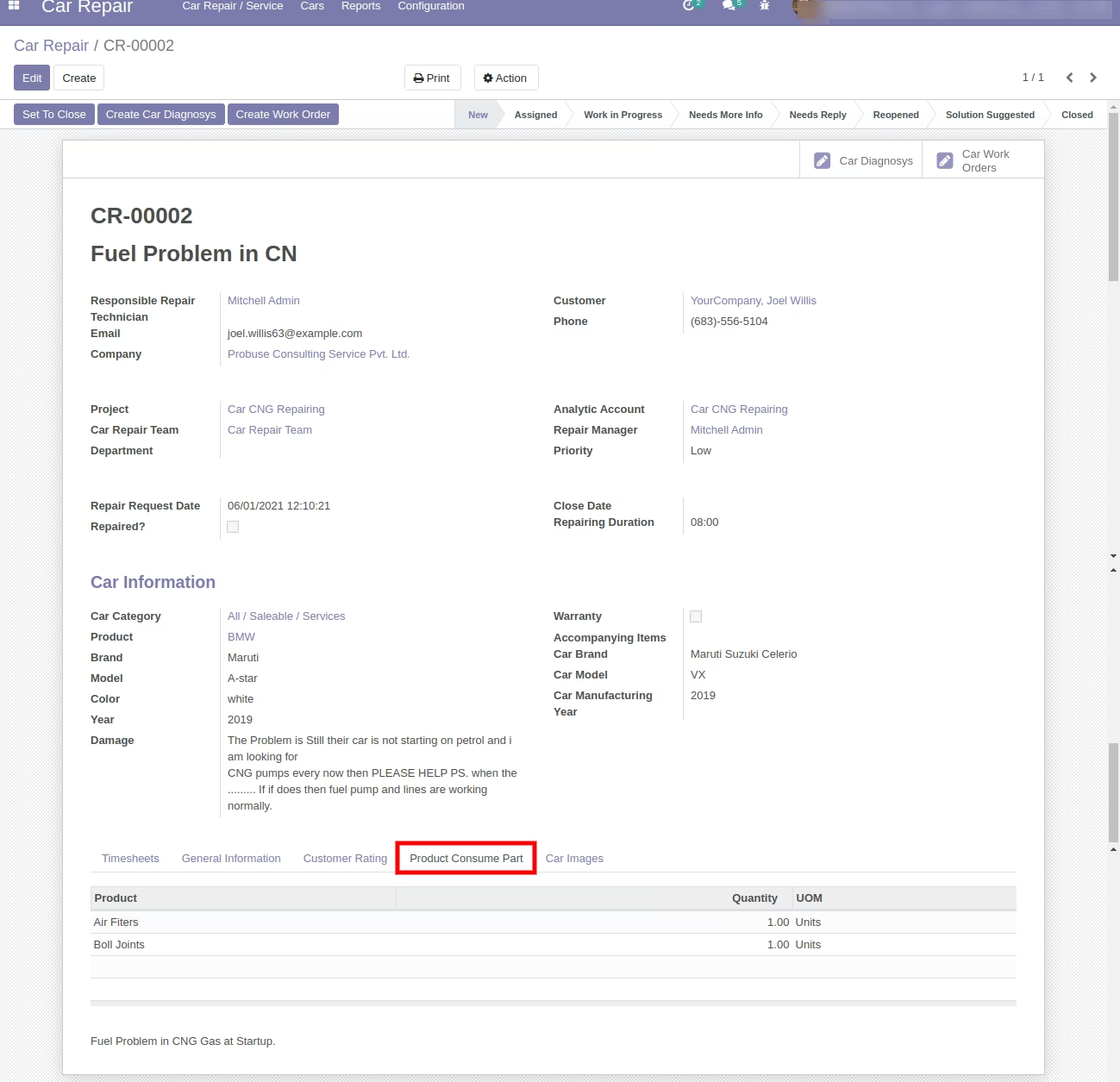
Product Consumes Part Tab on Car Repair Request Form
Add Car More Images on Car Repair Request Form
Create Diagnosys Button on Car Repair Request Form
Diagnosys Created from Car Repair Request
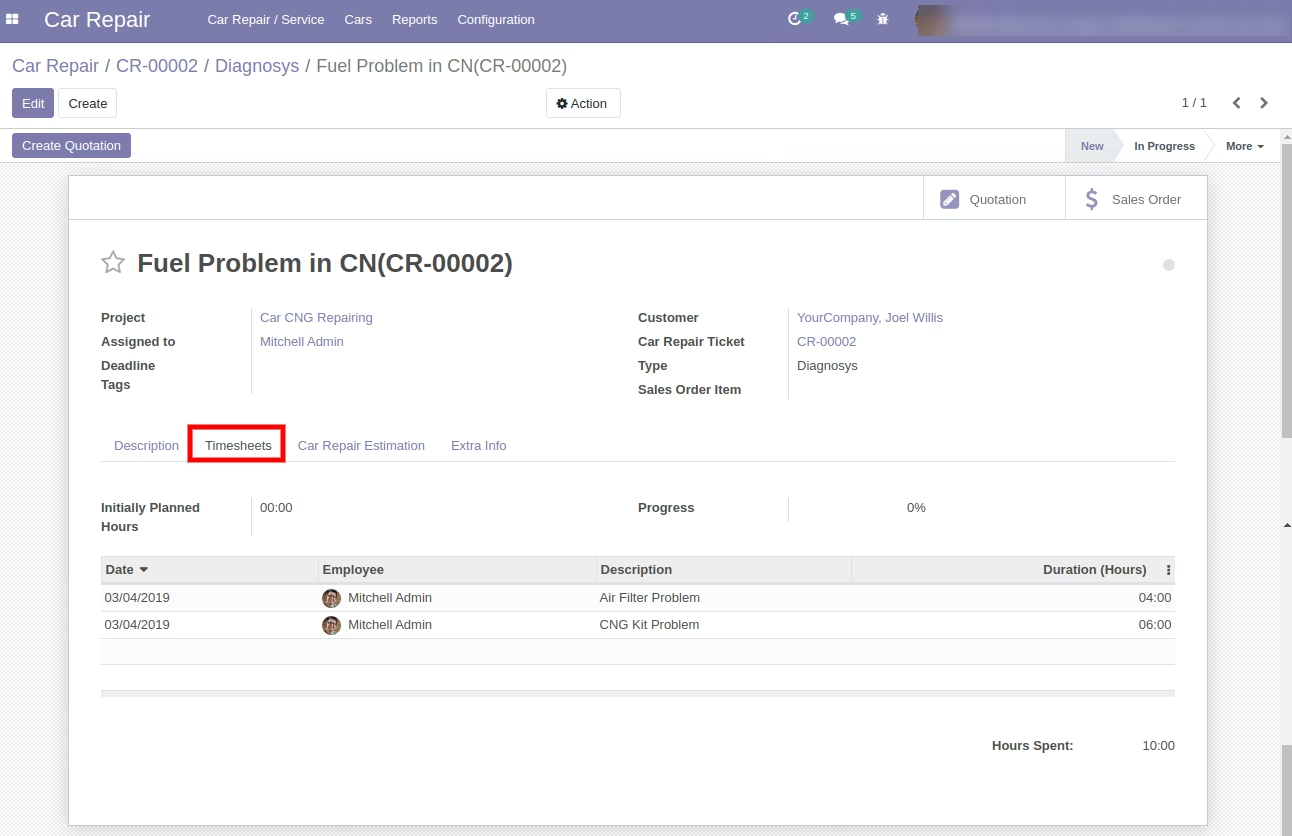
Diagnosys Timesheet
Create Work Order Button from Car Repair Request
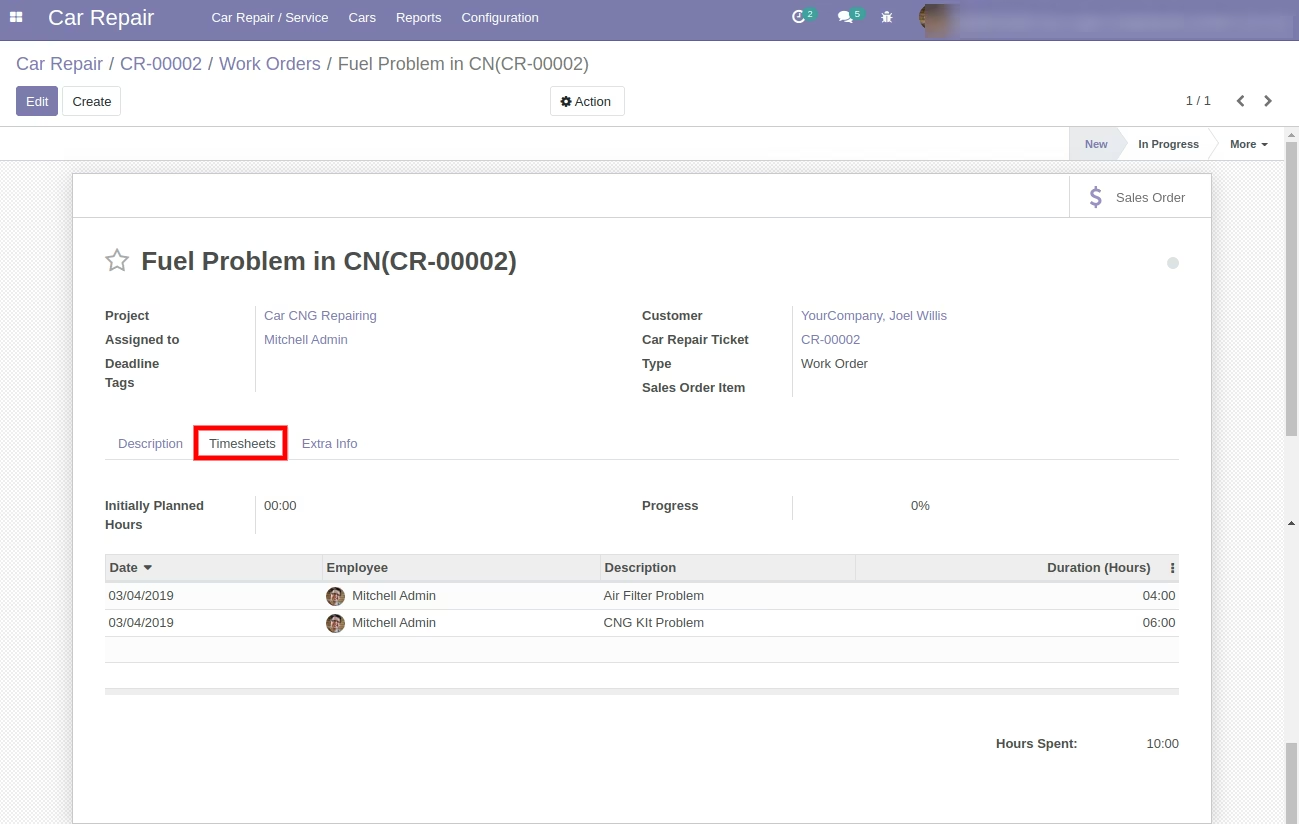
Work Order Timesheet Tab Fill by Repair User and Team
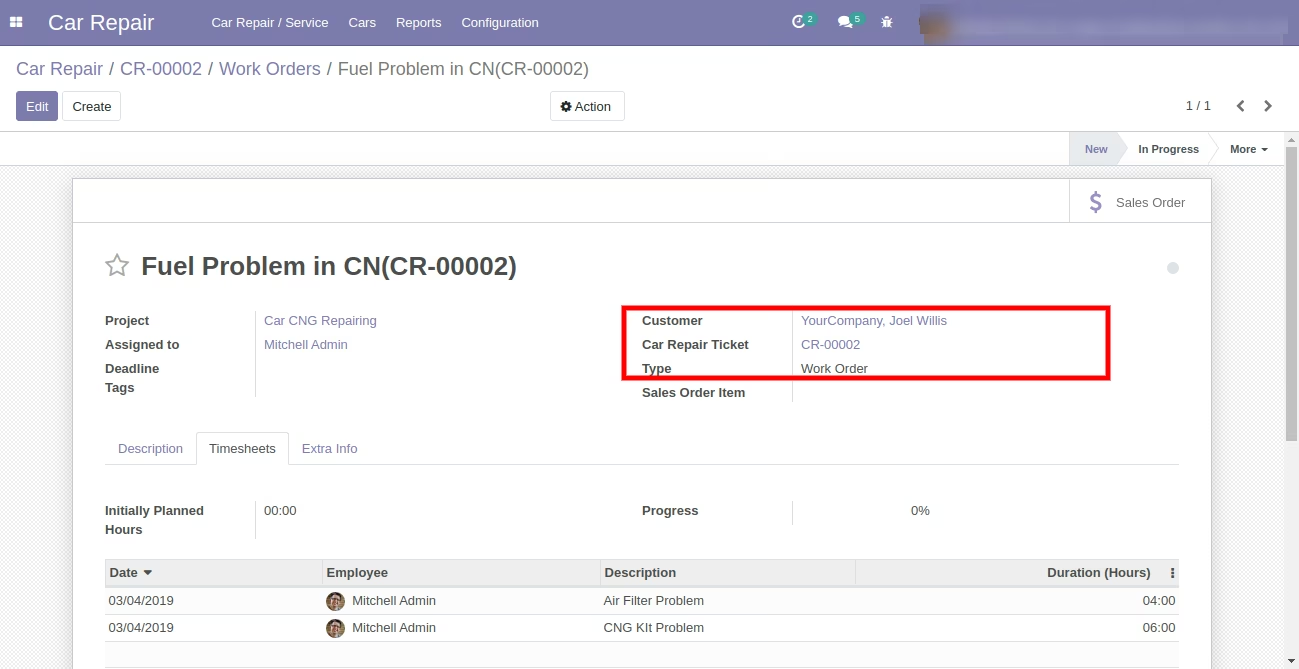
Job Order / Work Order Information
Create Quotations from Diagnosys of Car Repair
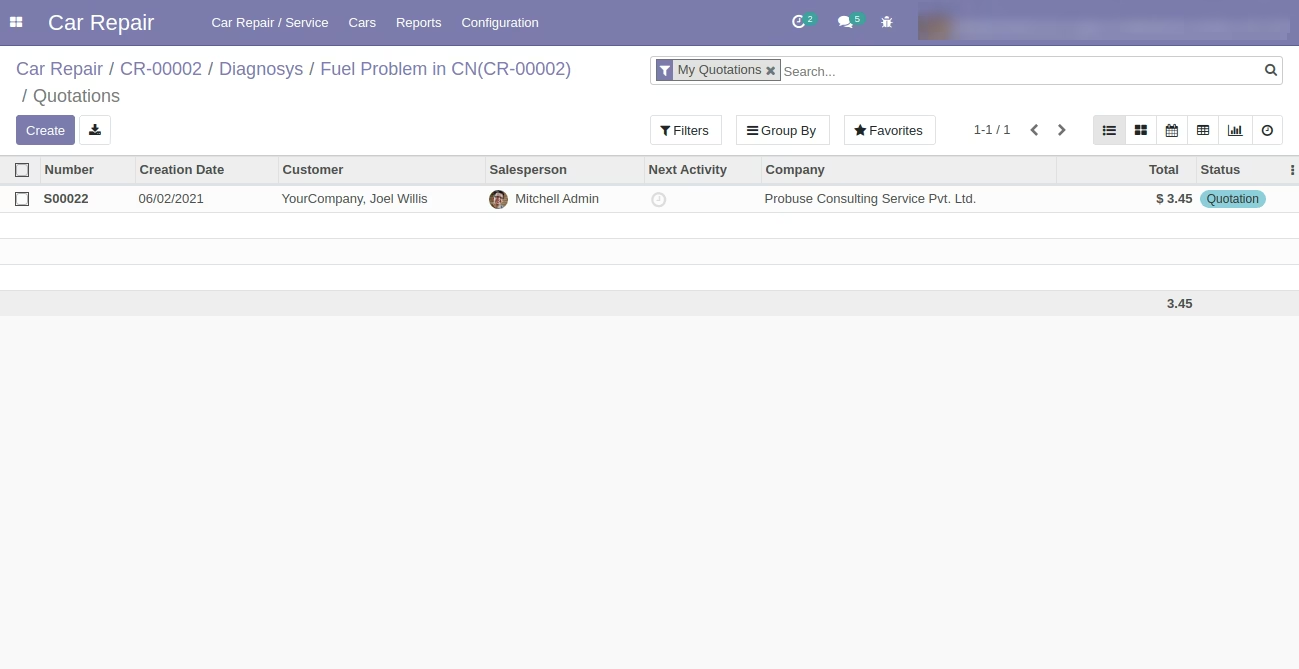
Quotations Created List View
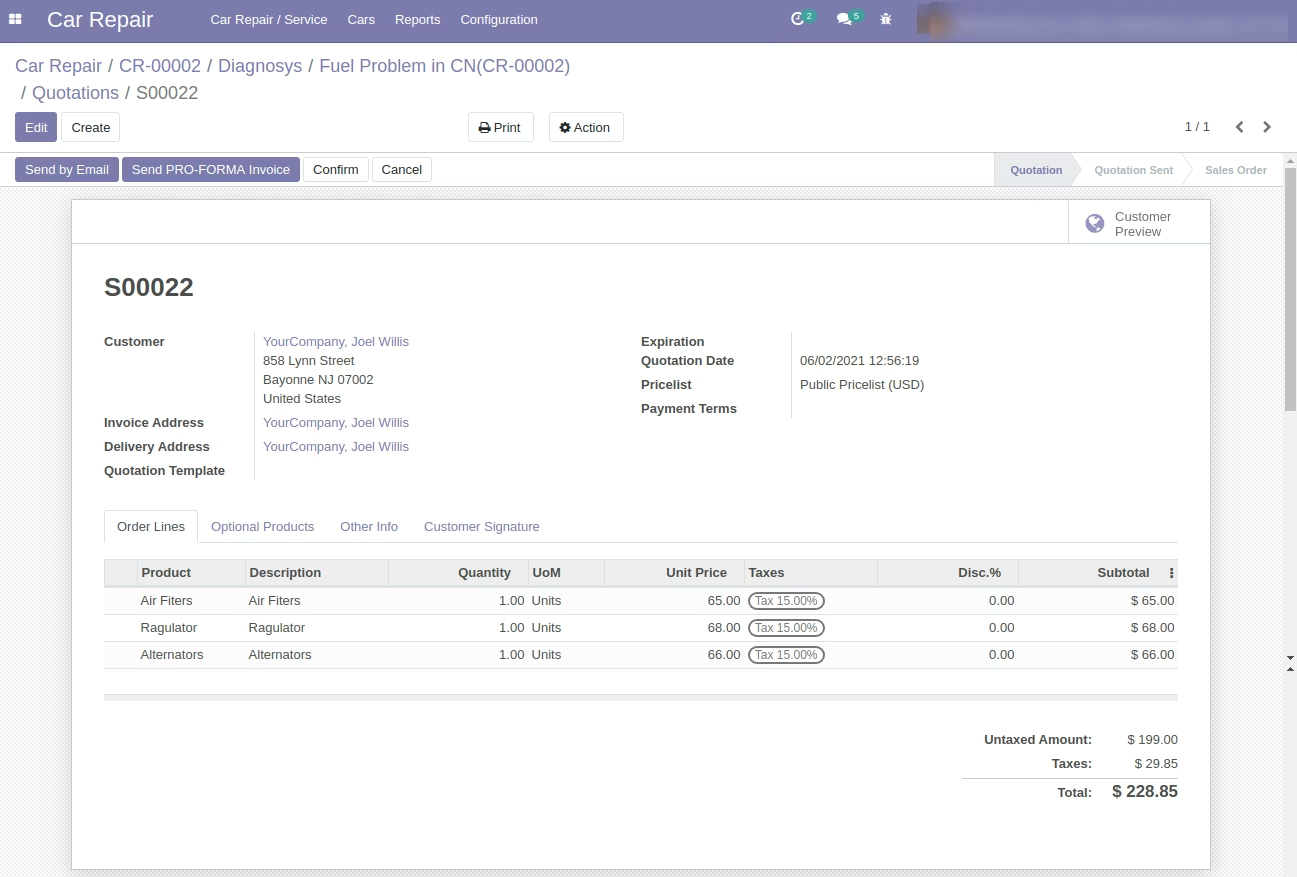
Quotations Created Form View
Allow You to Close Car Repair Request if Job Orders are Done.
Email sent to Customer on Close of Car Repair Request
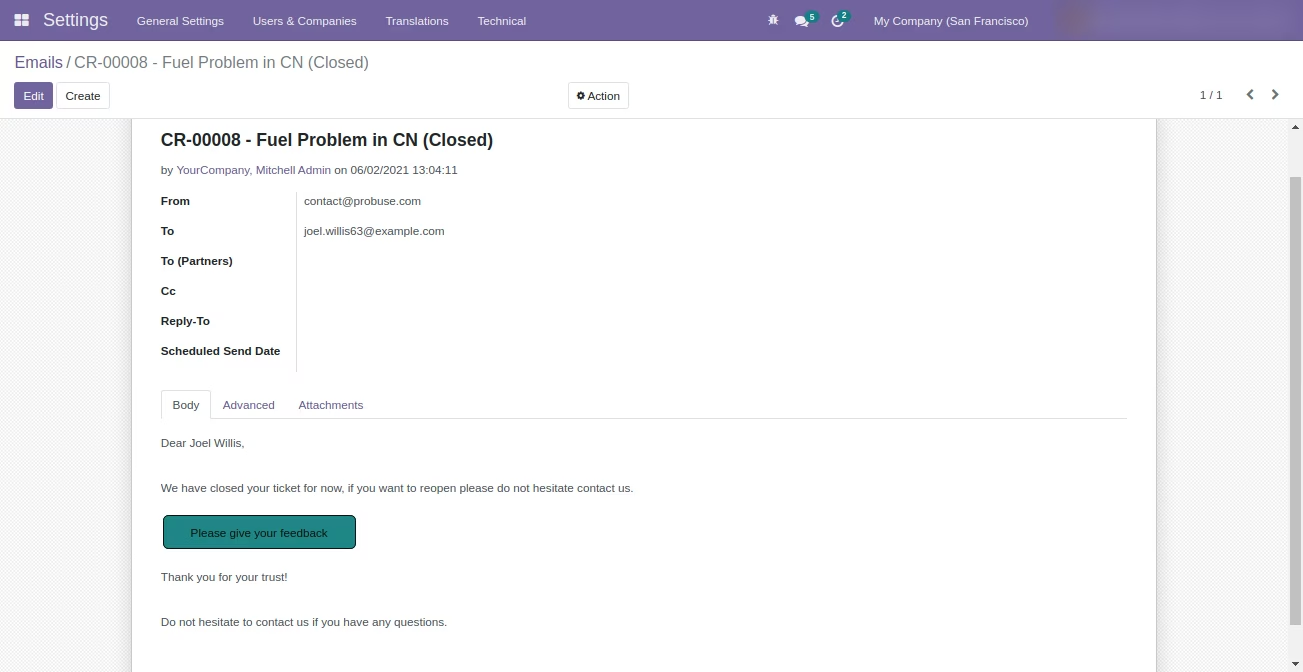
Feedback Link will be Send to Customer for Feedback on Car Repair Request Close
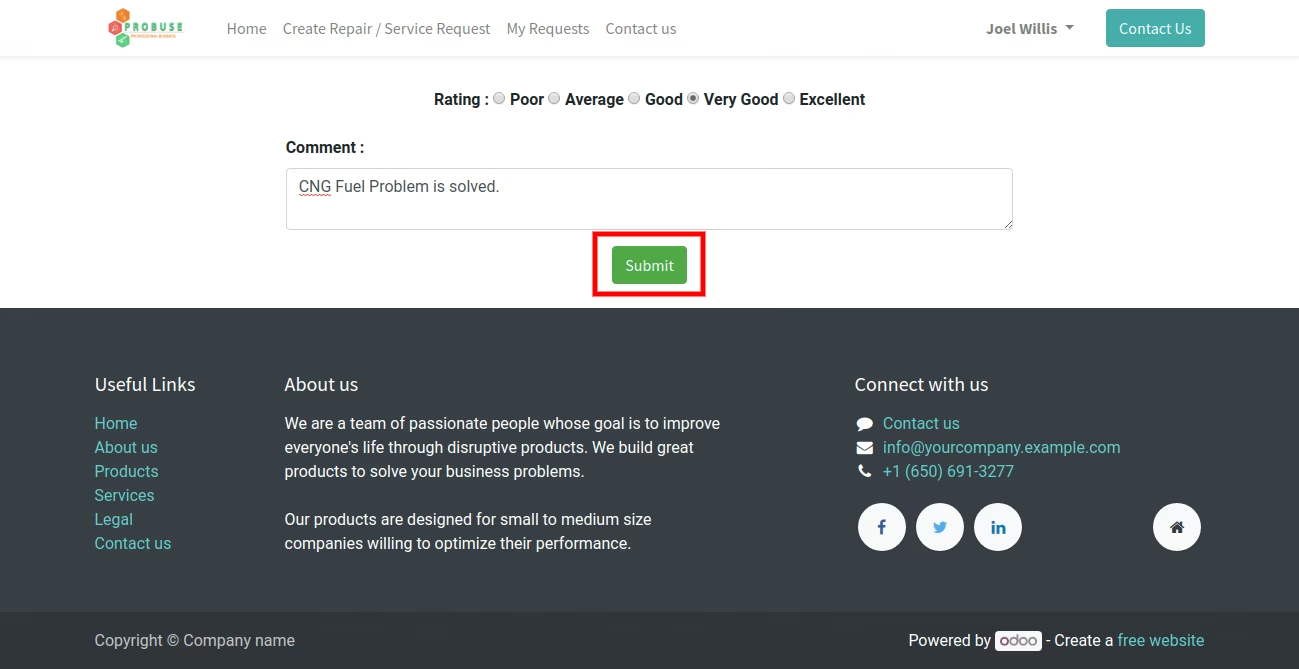
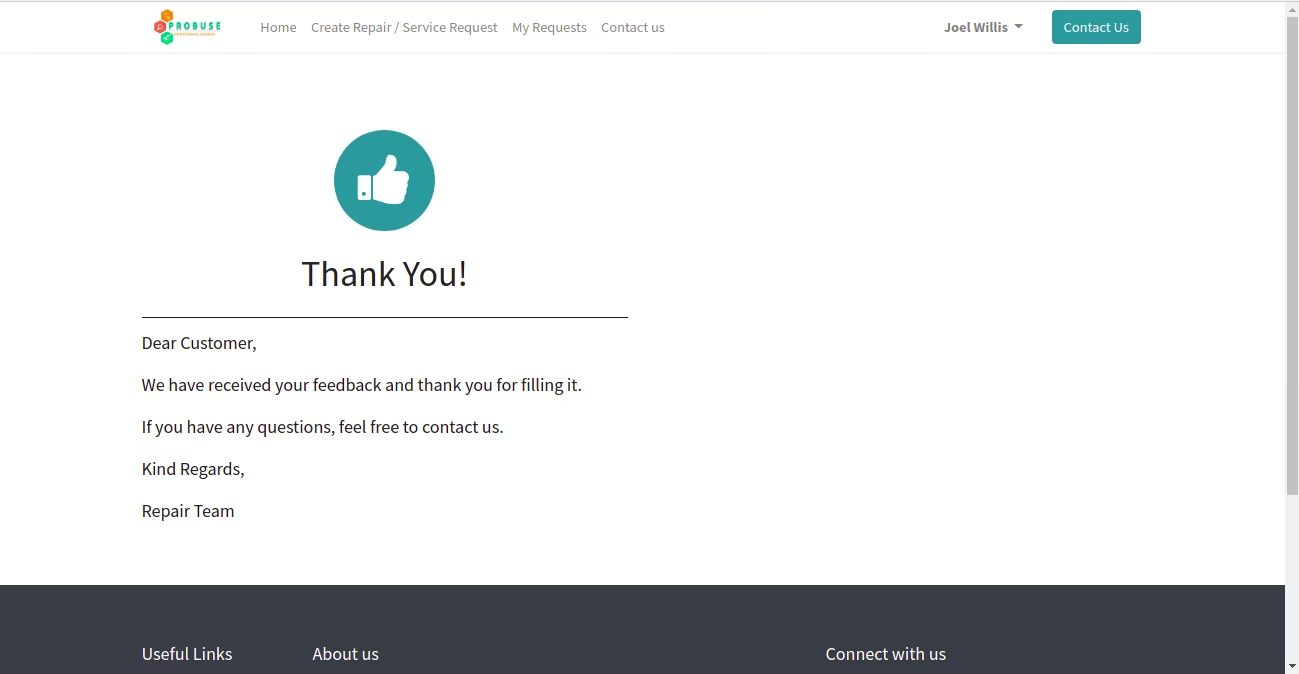
Thank you to Customer for Providing Feedback
Customer Rating Stored on Repair Request
My Car Repair Requests on Website - for Customer View
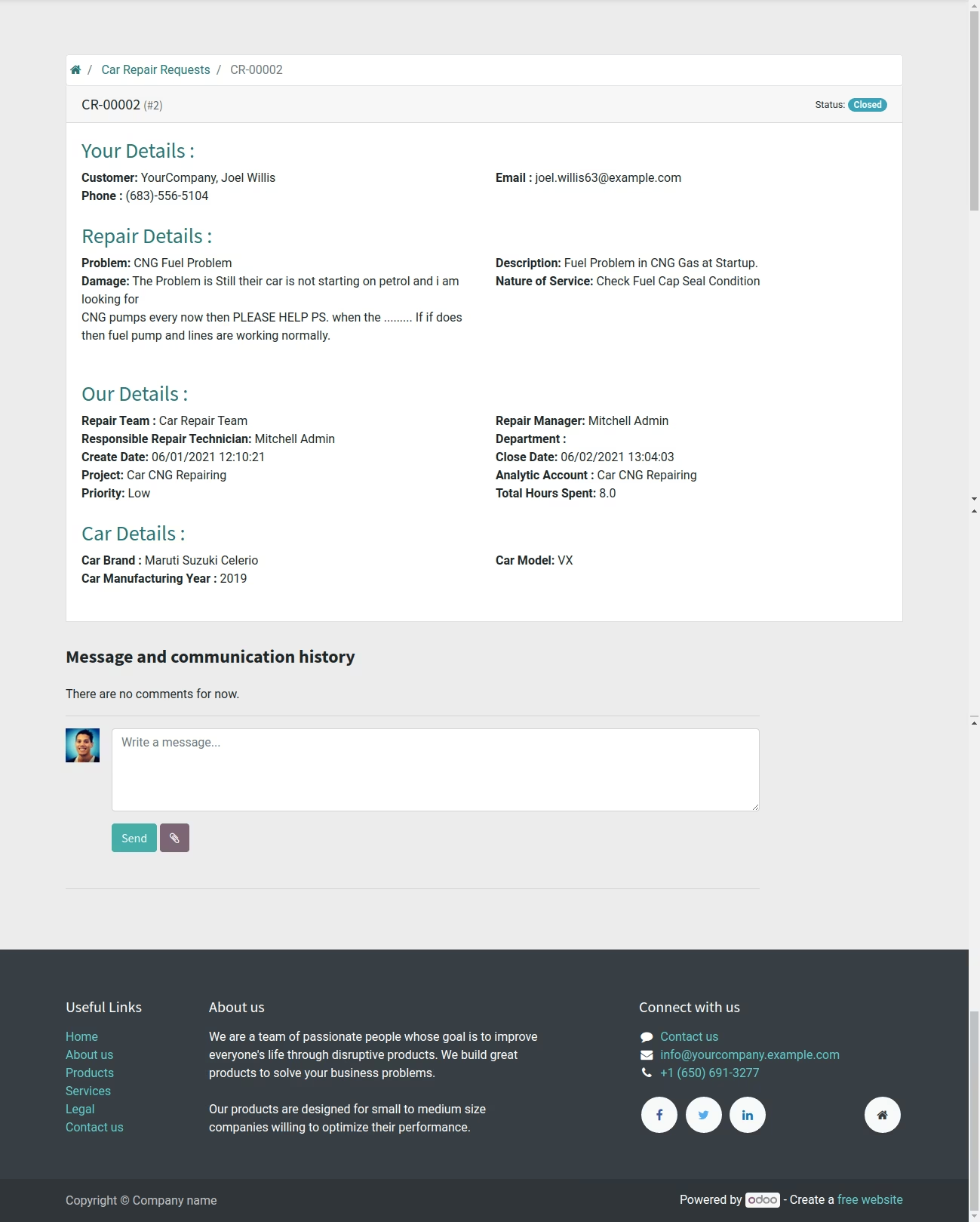
Car Repair Requests Detail on Website
Car Repair Request PDF Report
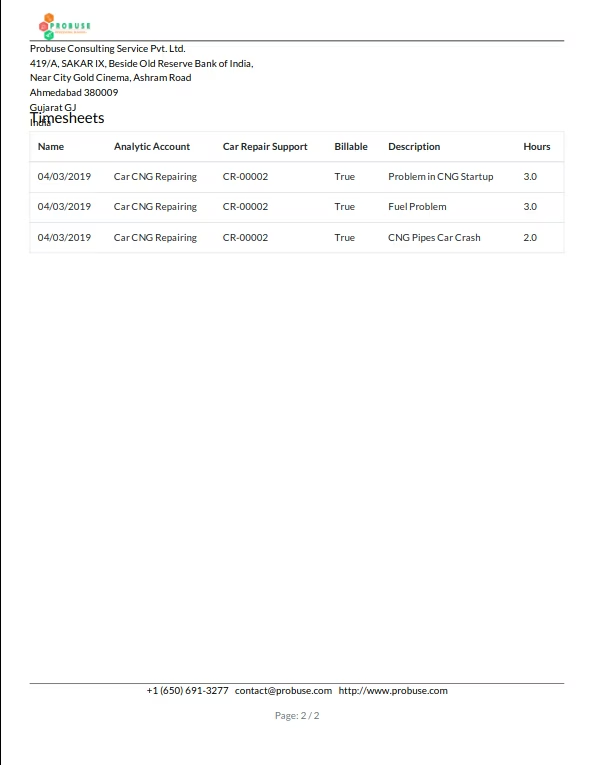
Car Repair Lable PDF Report
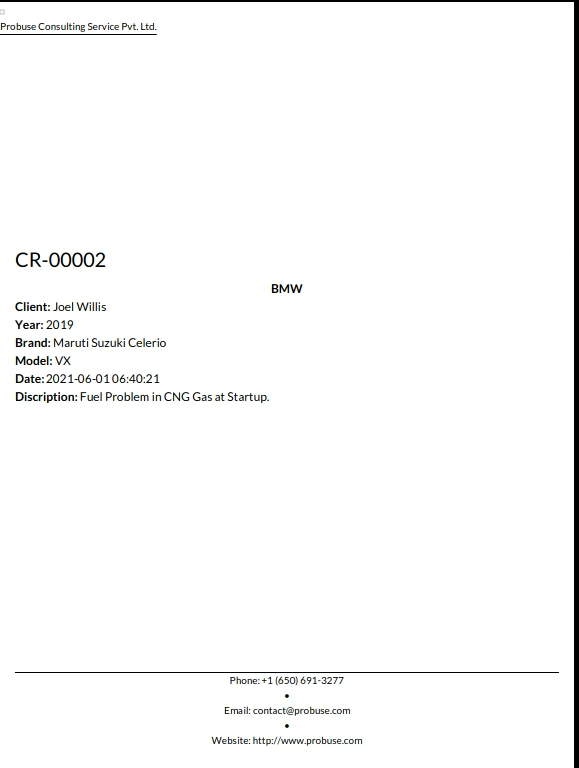
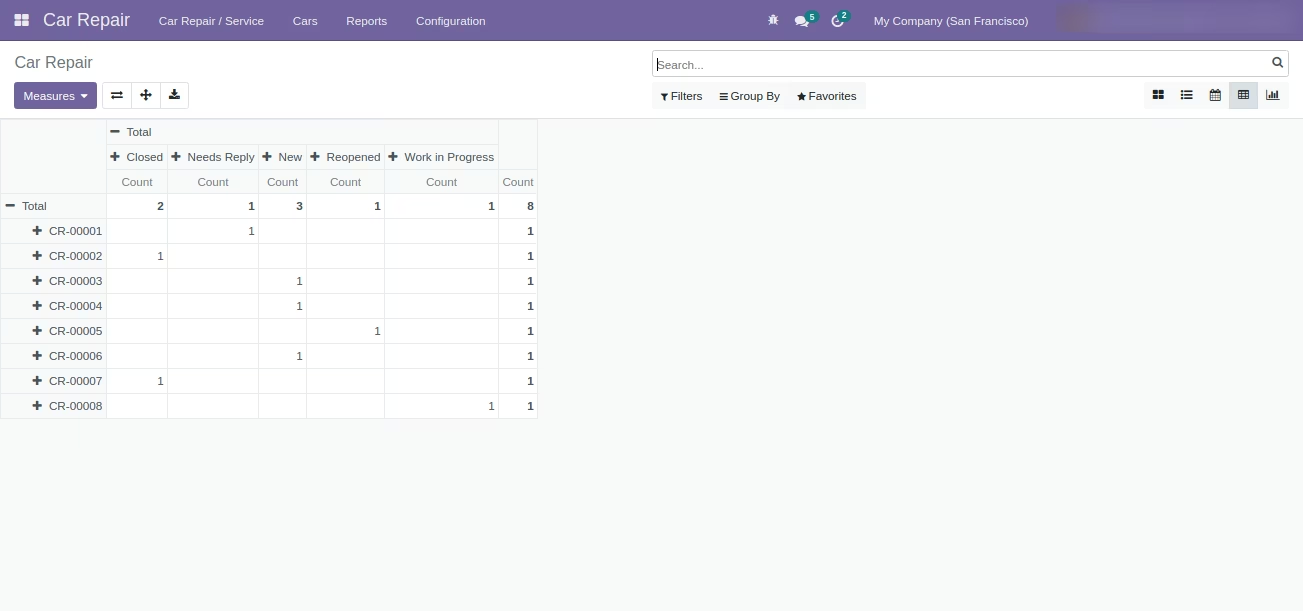
Car Repair Analysis Report
Car Repair Analysis - Pivot View
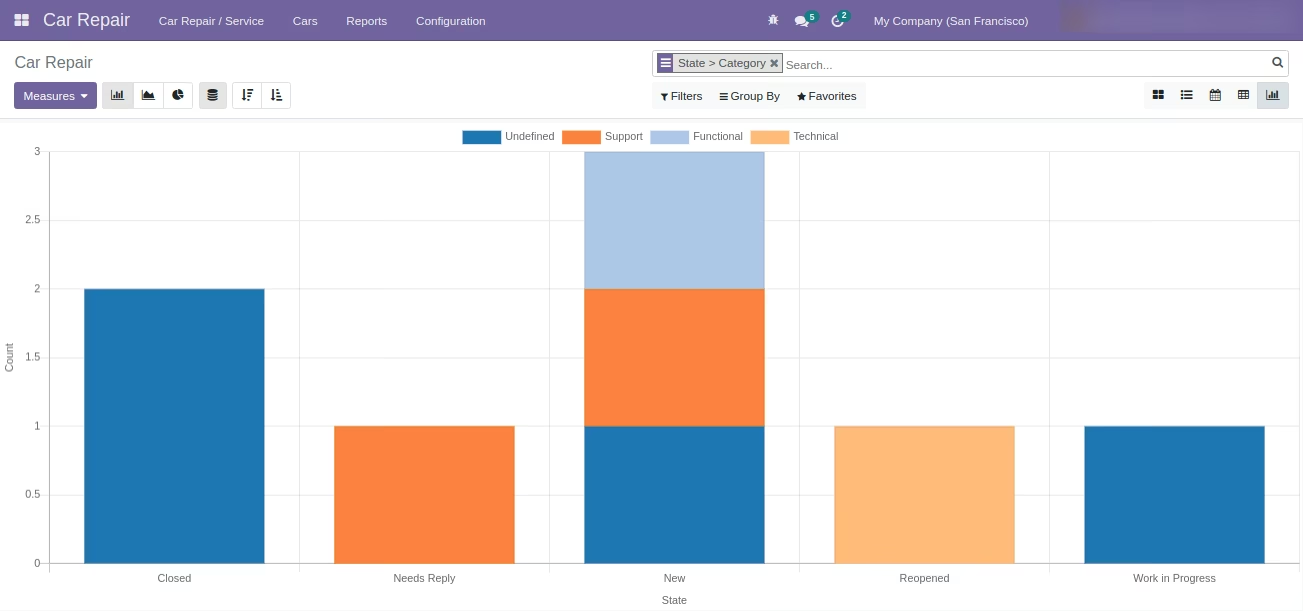
Car Repair Analysis - Bar Chart Graph View
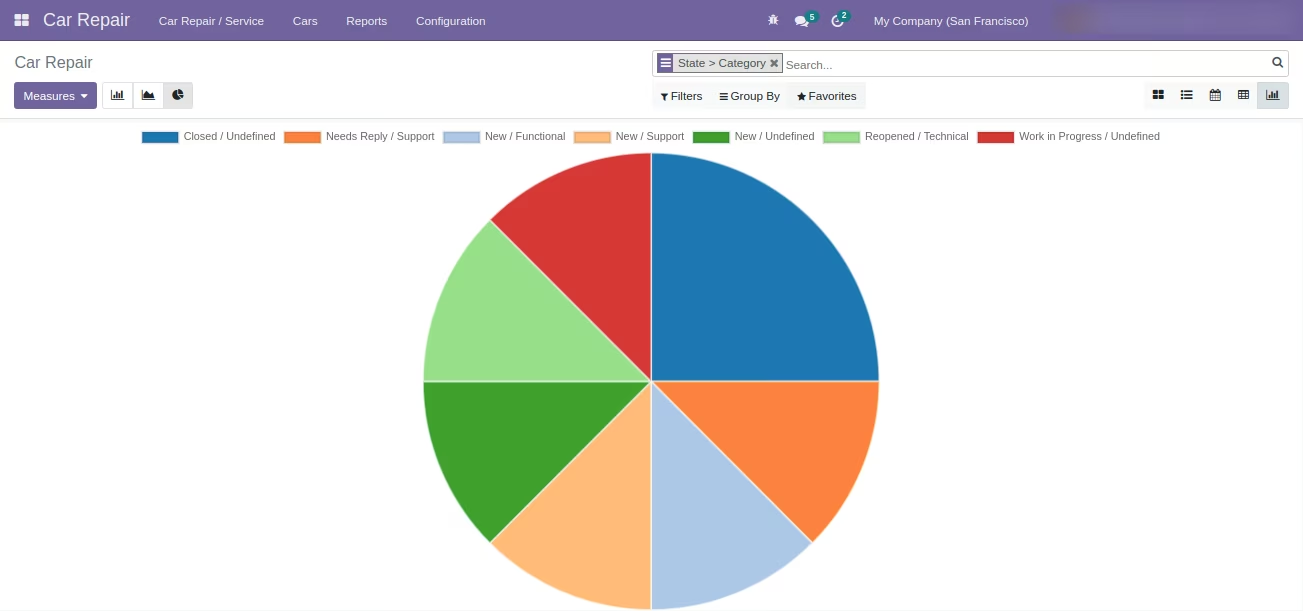
Car Repair Analysis - Pie Chart Graph View
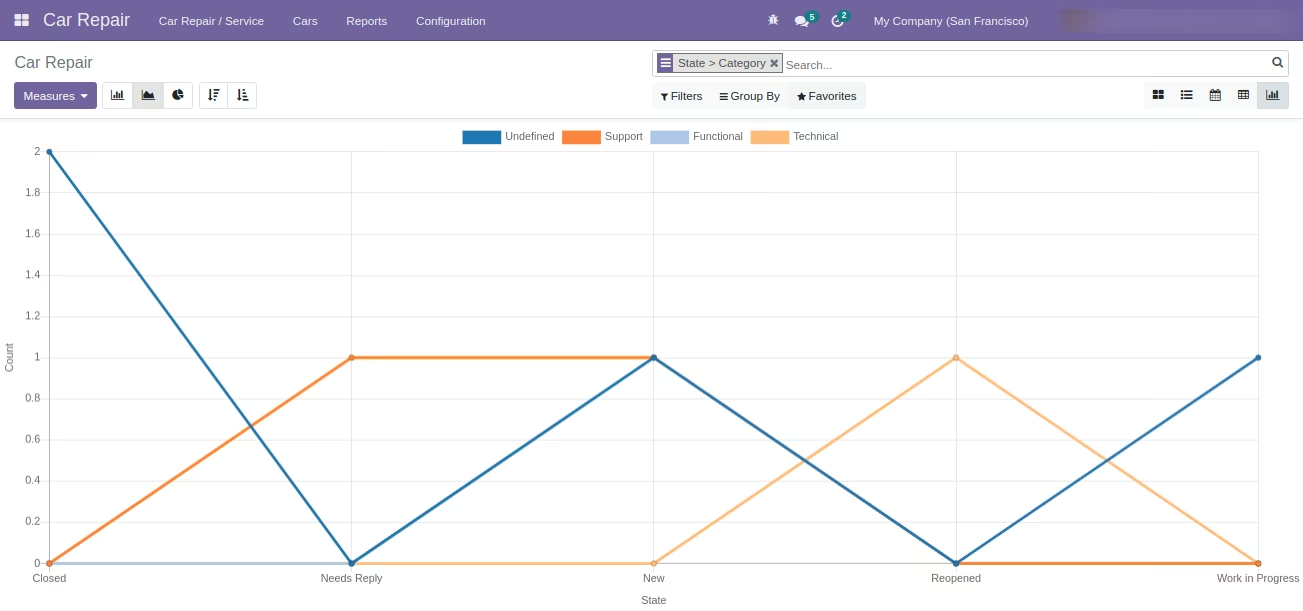
Car Repair Analysis - Line Chart Graph View
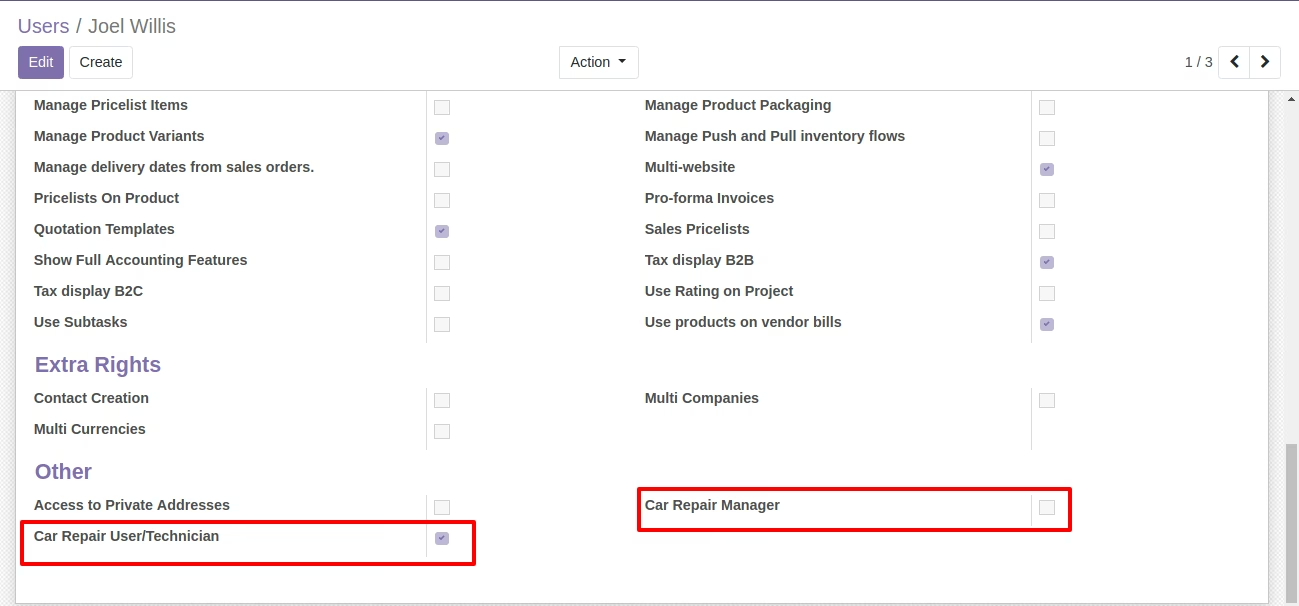
Car Repair User Group