The module enables seamless coordination between your car repair workflow and inventory system. It links stock moves and pickings to repair requests and job (work) orders, ensuring accurate tracking of parts and materials used during vehicle maintenance. This synchronization enhances operational efficiency, reduces stock discrepancies, and streamlines logistics in automotive service environments.
Integrates stock moves with car repair job orders and work orders.
Connects stock pickings directly to repair requests for traceability.
Supports real-time parts consumption tracking during repairs.
Ensures transparency between workshop operations and inventory status.
Enables accurate replenishment by linking repair needs to stock levels.
Maintains consistency across Sales, Repair, and Inventory workflows.
Facilitates precise monitoring of parts and materials used in repairs.
Reduces inventory discrepancies by syncing repair consumption with stock.
Enhances workshop productivity by automating stock tracking.
Supports efficient parts ordering and replenishment.
Improves repair cost accounting through accurate parts usage data.
Streamlines procurement planning with better visibility into parts demand.
Minimizes manual entry and error in stock and repair tracking.
Aligns multiple departments repairs, inventory, procurement for smoother operations.
Boosts customer service through timely repair completion.
Enhances auditability by preserving a complete parts movement trail.
Car Repair App Integration with Stock Inventory / Pickings
Car Repair and Car Repair Job Orders Integration with Stock Inventory - App
This app allows your car repair team and inventory team to integrate Stock Moves and Stock Pickings of Car Repair Requests and Car Related Job Orders / Work Orders.
Main Features:
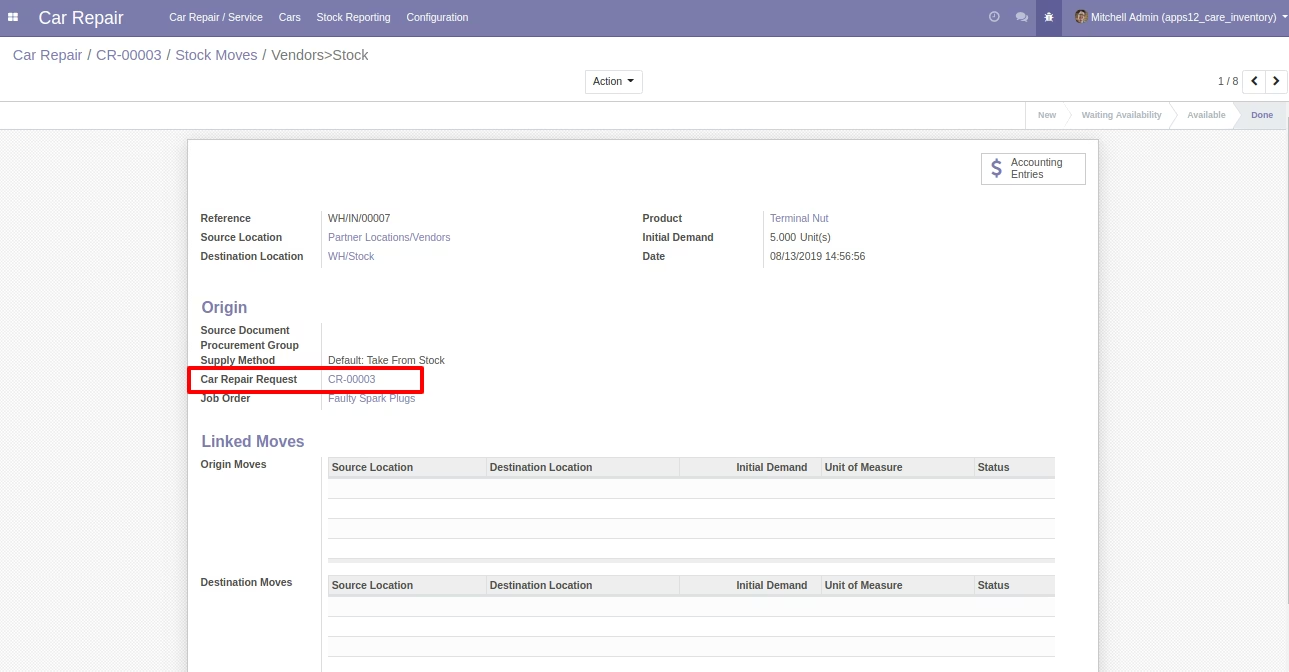
- Integrate Car Repair Request with Stock Moves of Stock Picking by allowing your user to select a car repair request on stock move on stock picking form.
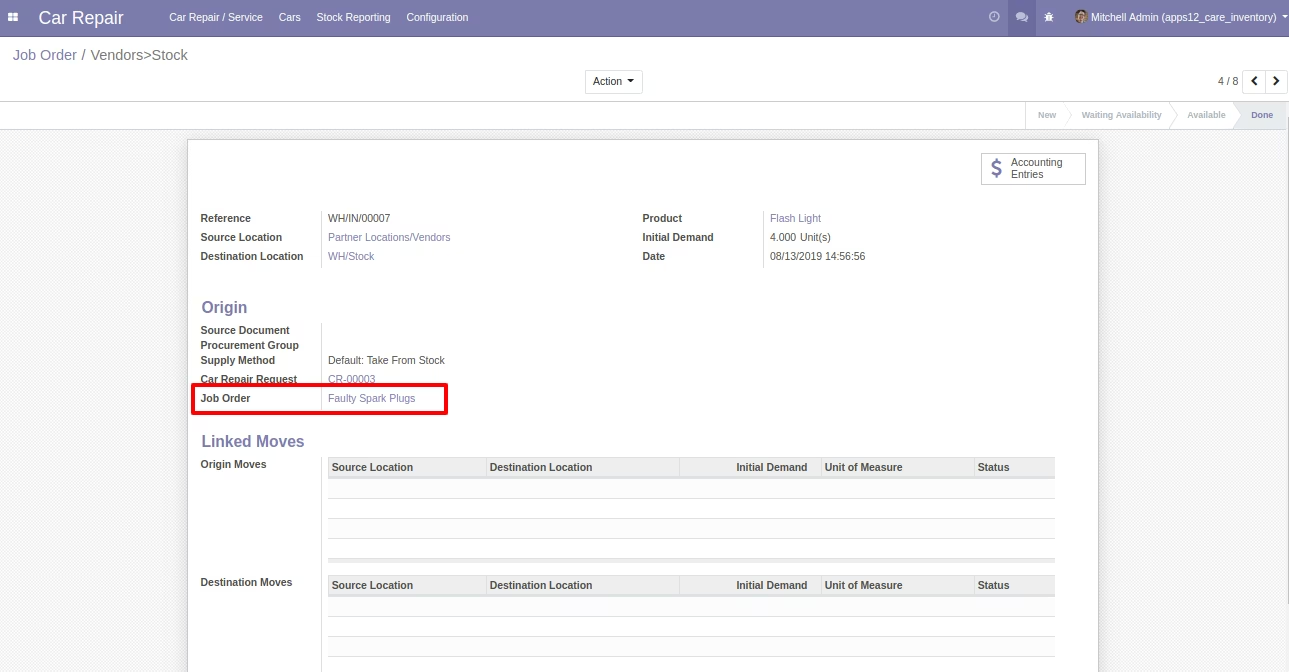
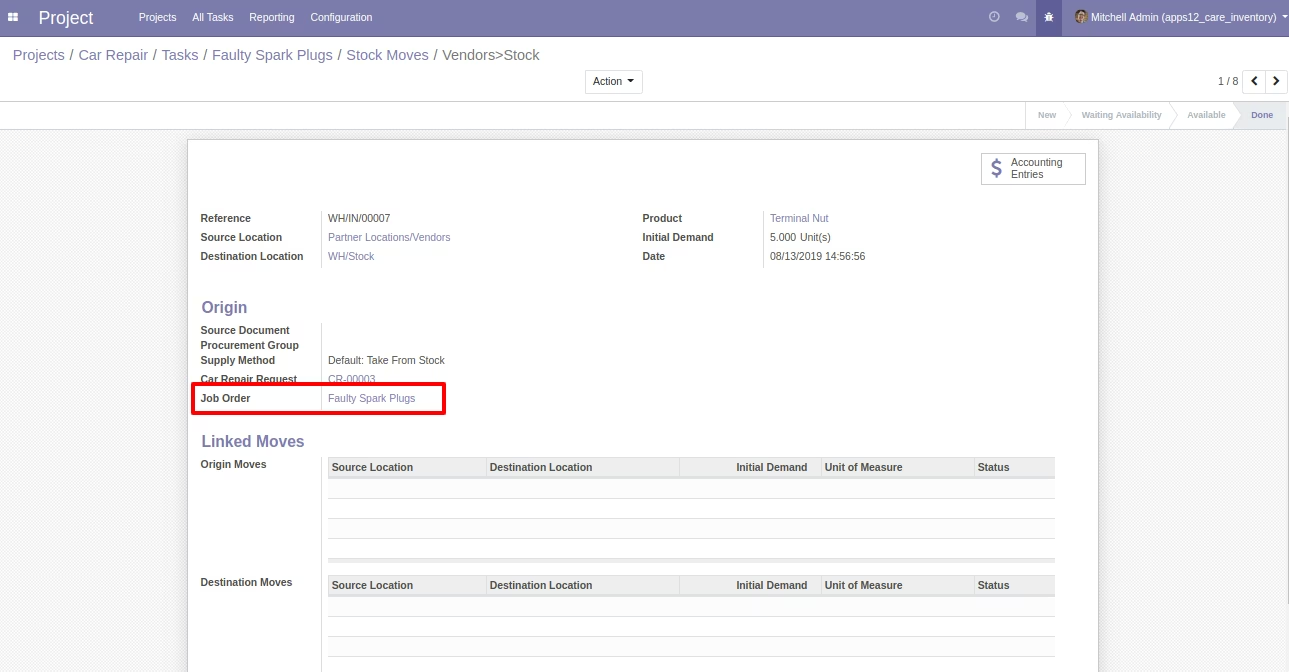
- Integrate Job Orders with Stock Moves and Stock Pickings by allowing them to select a car related job order / work order on stock move of stock picking.
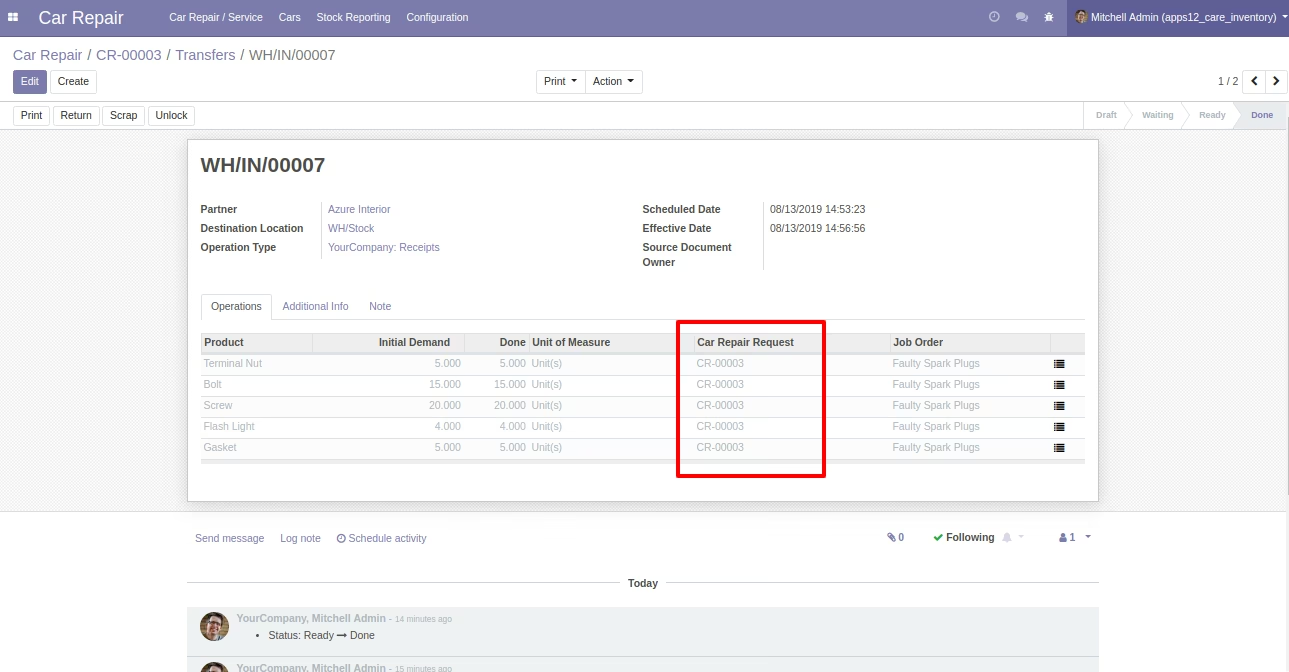
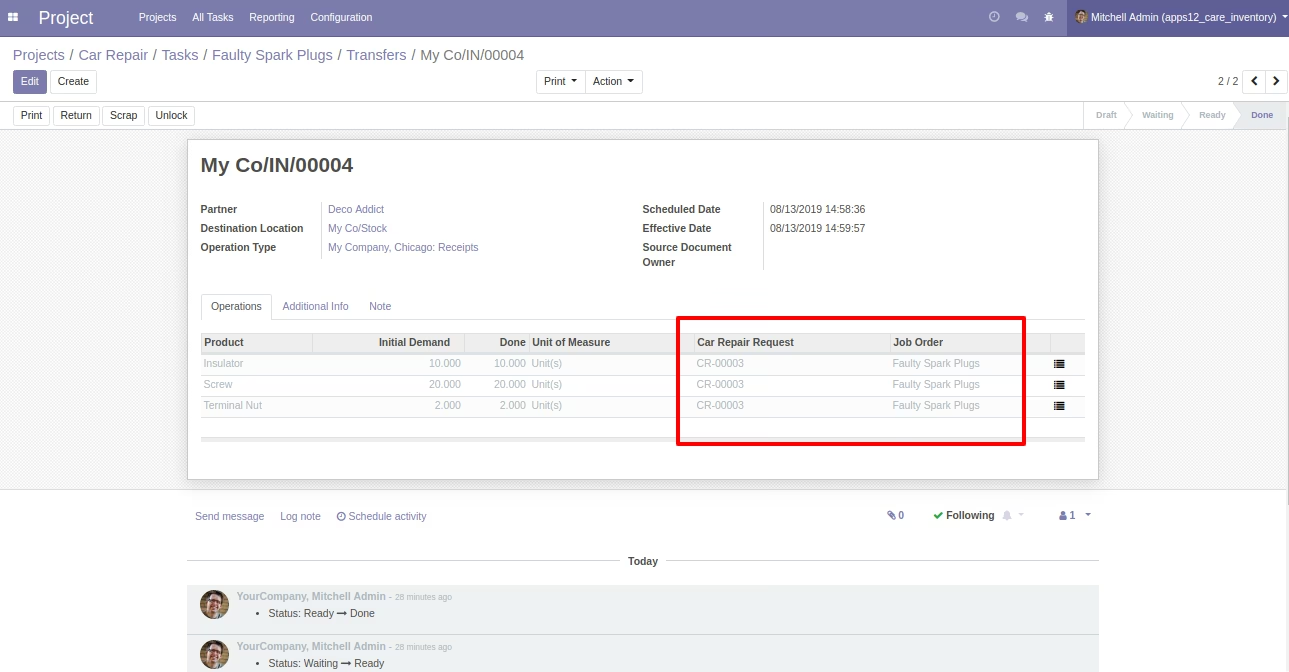
- Inventory User(s) can select a Car Repair Request and a Job Order on Stock Pickings Form as shown.
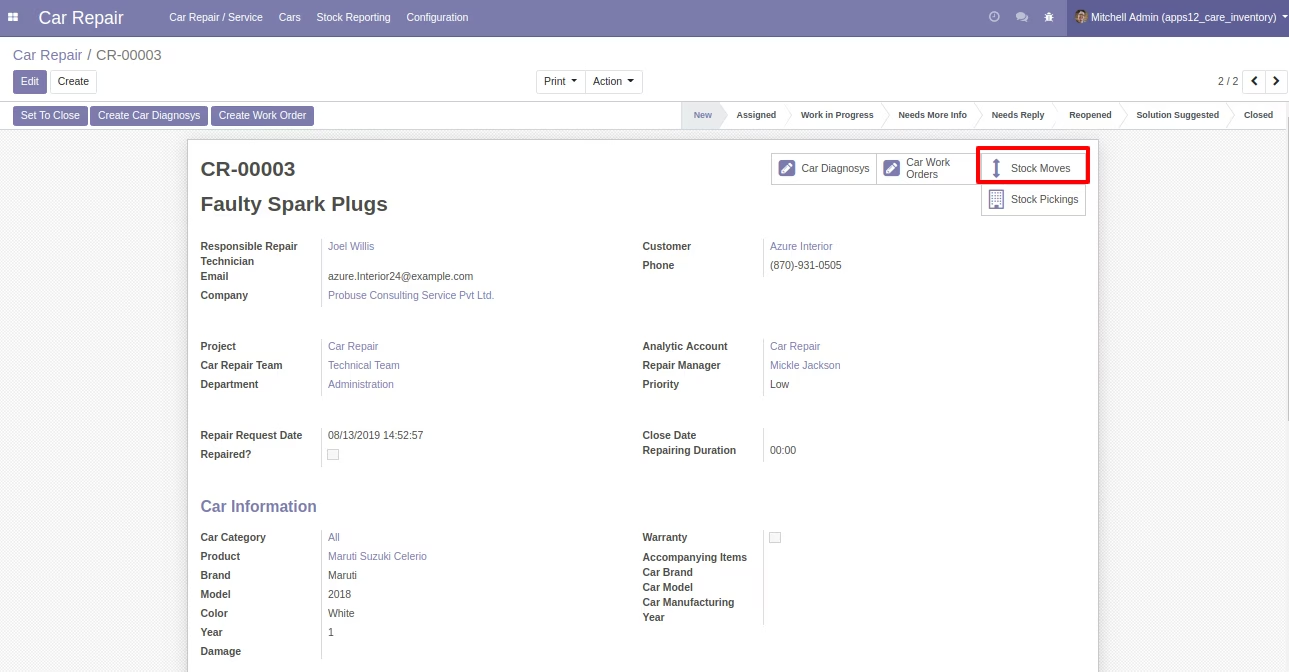
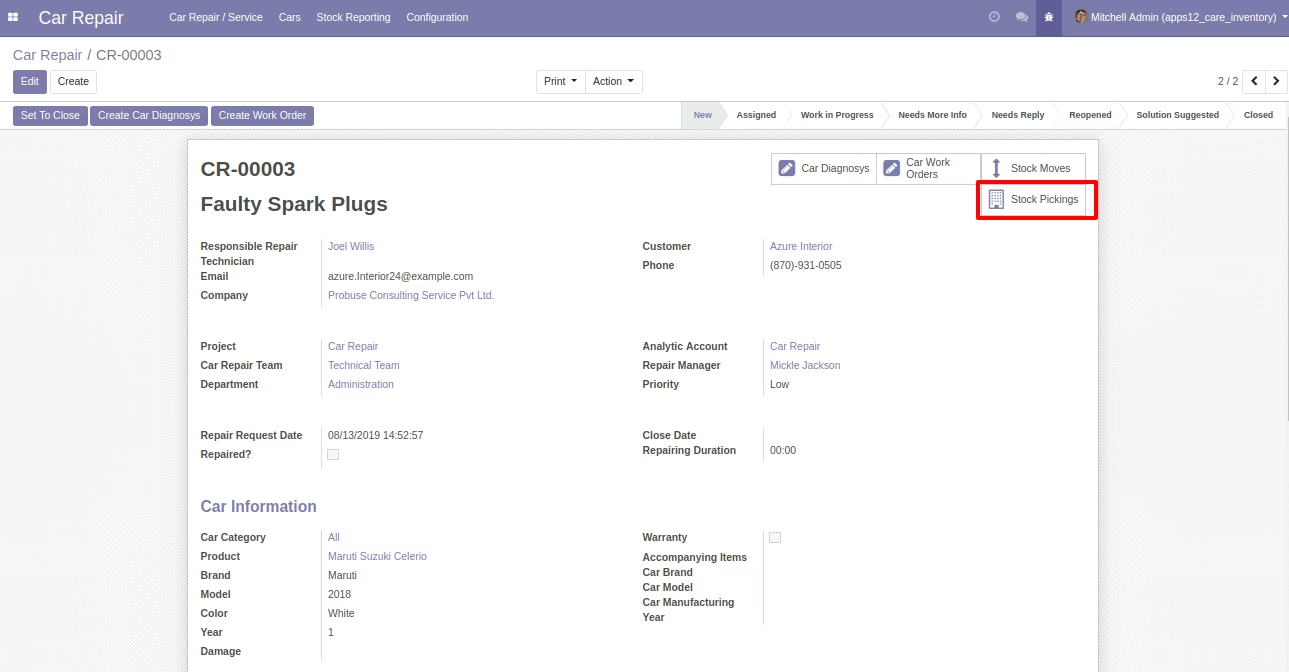
- Car Repair Request Form View with Stock Moves and Stock Pickings Smart Buttons as shown screenshot.
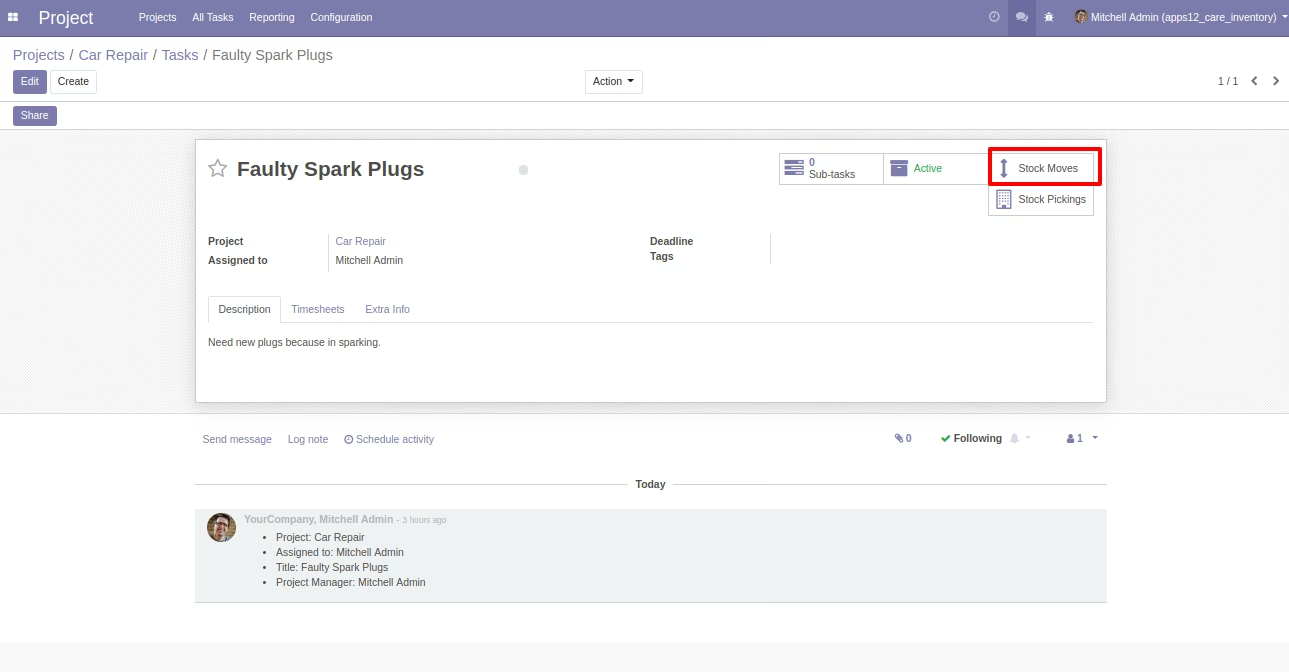
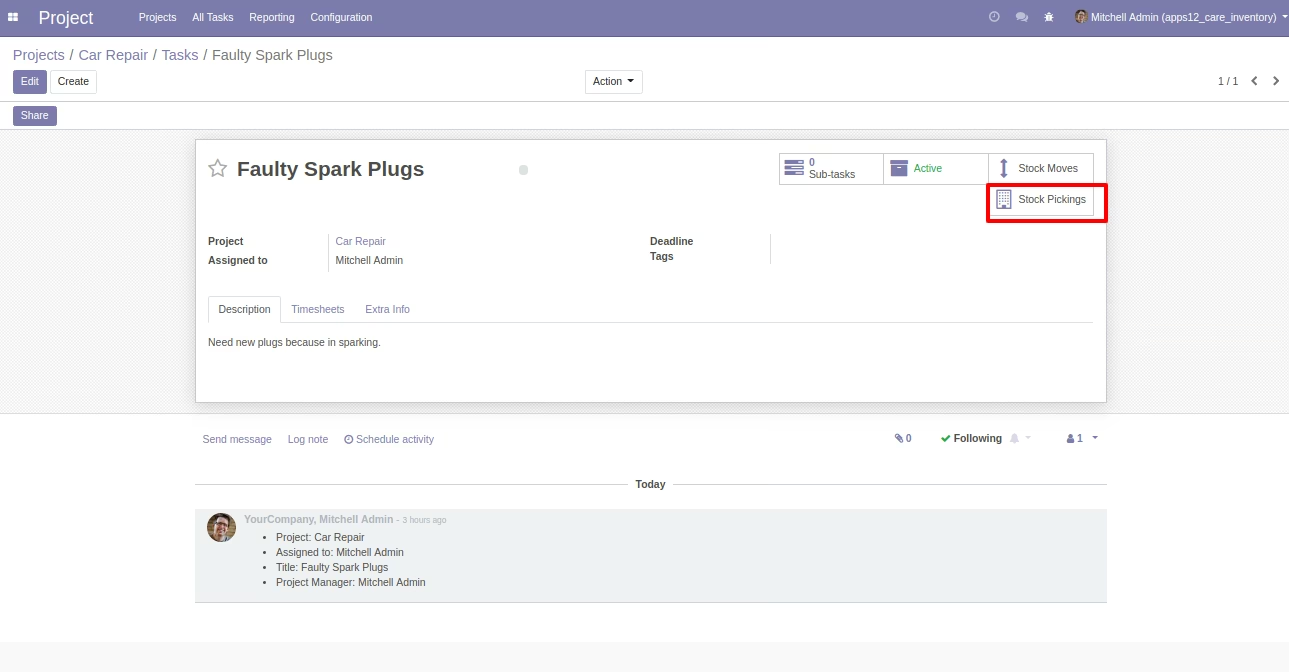
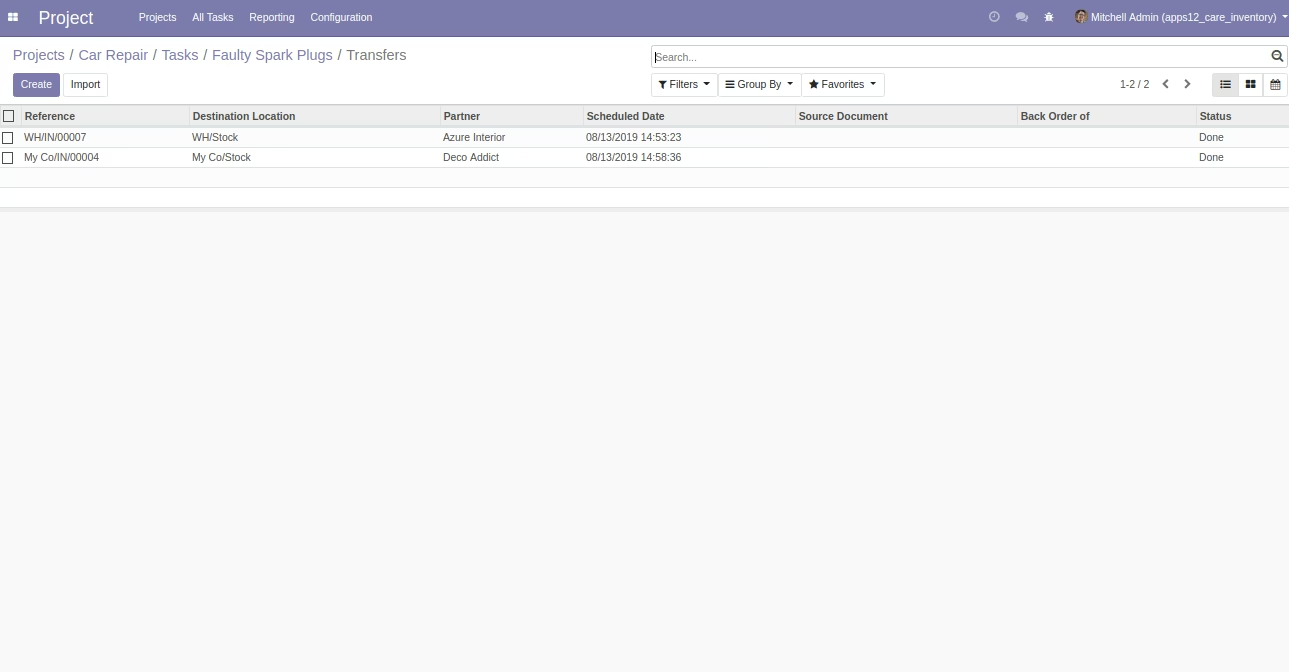
- Job Order | Work Order Form View with Stock Moves and Stock Pickings smart buttons.
- Your inventory team can choose car repair requests and job order on stock picking form during incoming, outgoing, internal transfer. And based on this selection stock will be shown and integrated with car repair requests and job orders of car repairs.
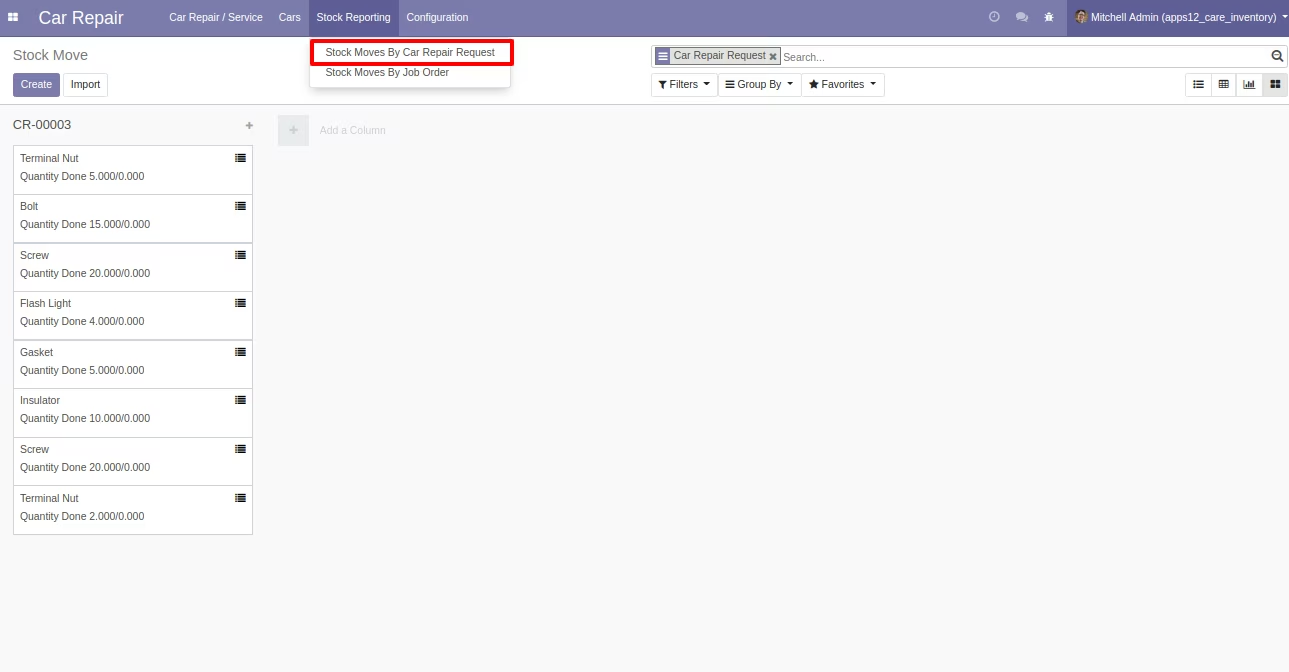
- User(s) can see Stock Moves by Car Repair Requests Report under Stock Reporting Menu.
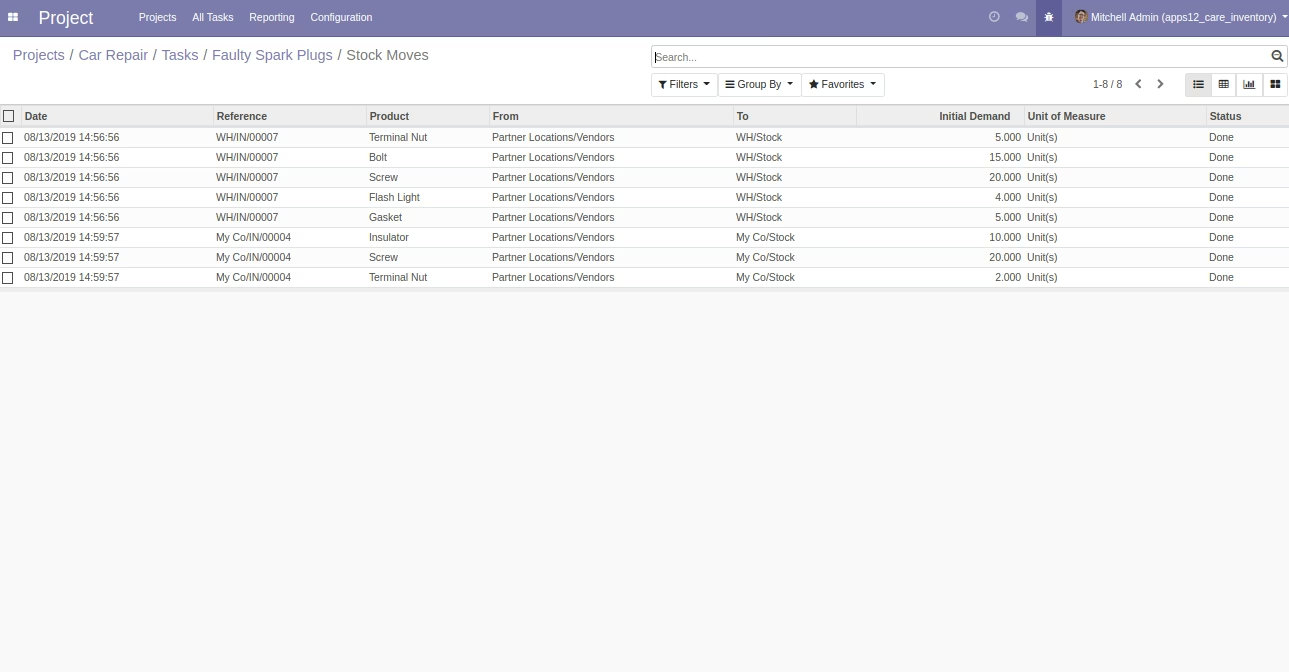
- User(s) can see Stock Moves by Job Order Report under Stock Reporting Menu.
- For more details please see below screenshots and watch the video.
Menu Items Available for Reporting:
- Repair
- Stock Reporting
- Stock Moves By Car Repair Request
- Stock Moves By Job Order
Enterprise .sh Community
Car Repair Form with Stock Moves Smart Button
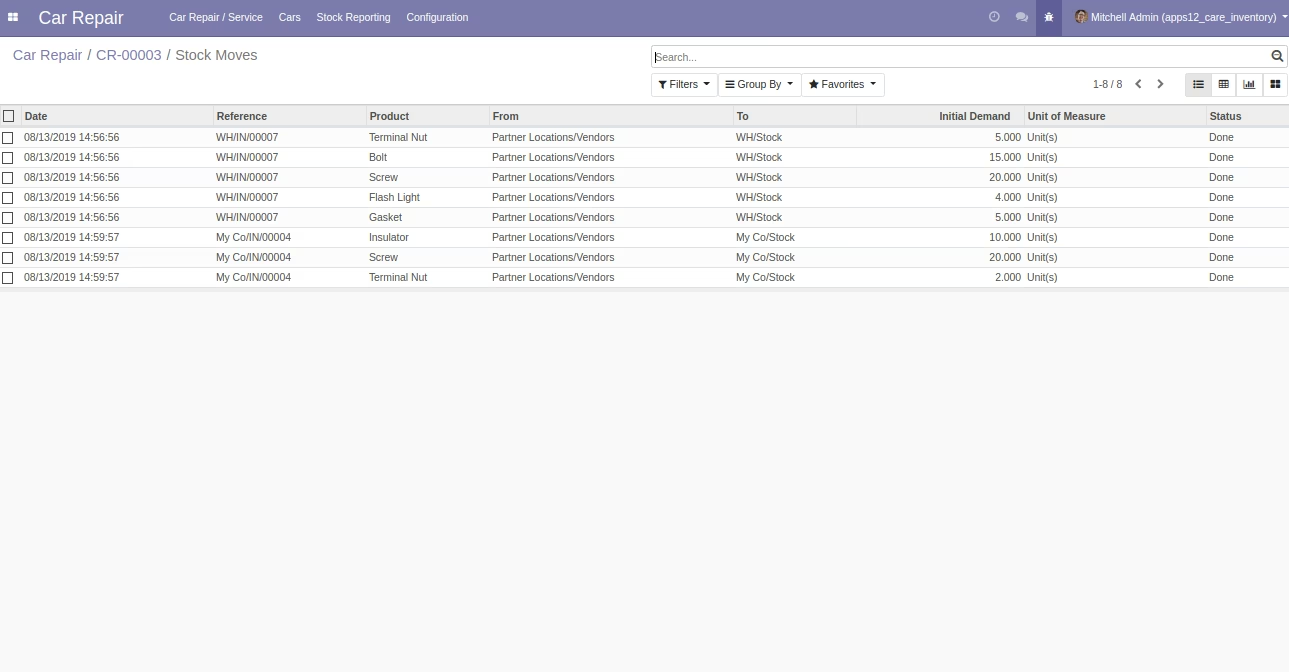
Stock Moves List View after Click
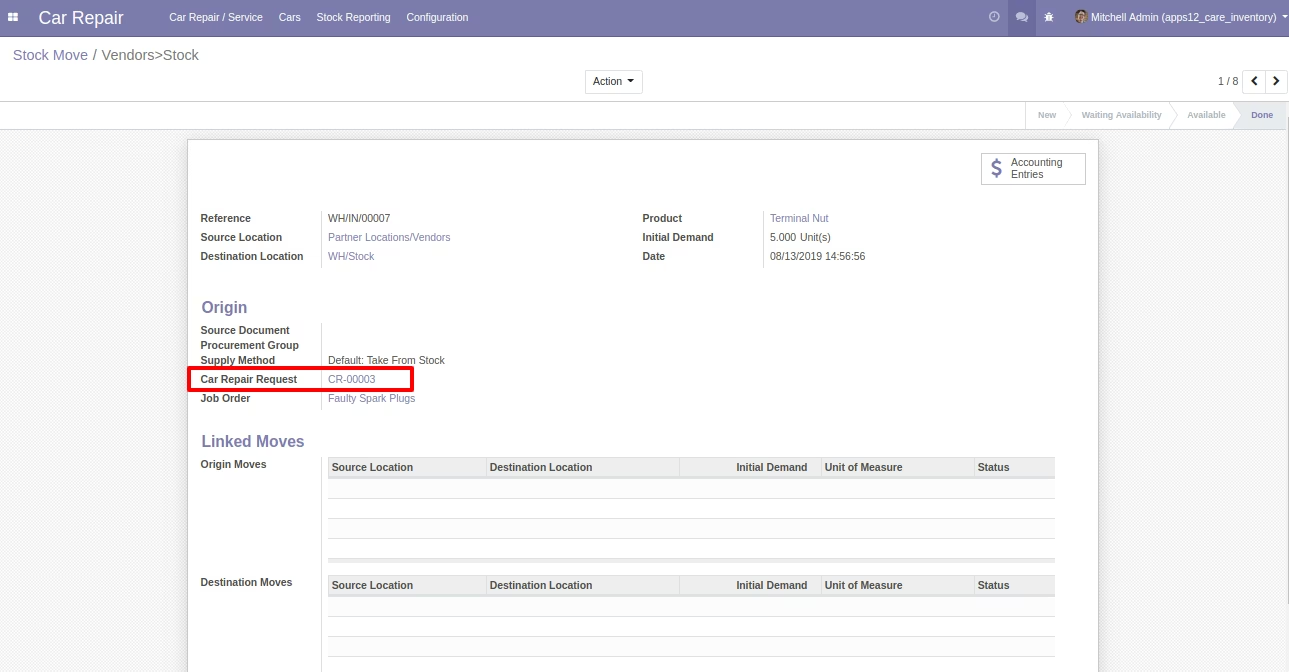
Stock Move (Standard) Form View with Car Repair Request field
Car Repair Form with Stock Pickings Smart Button
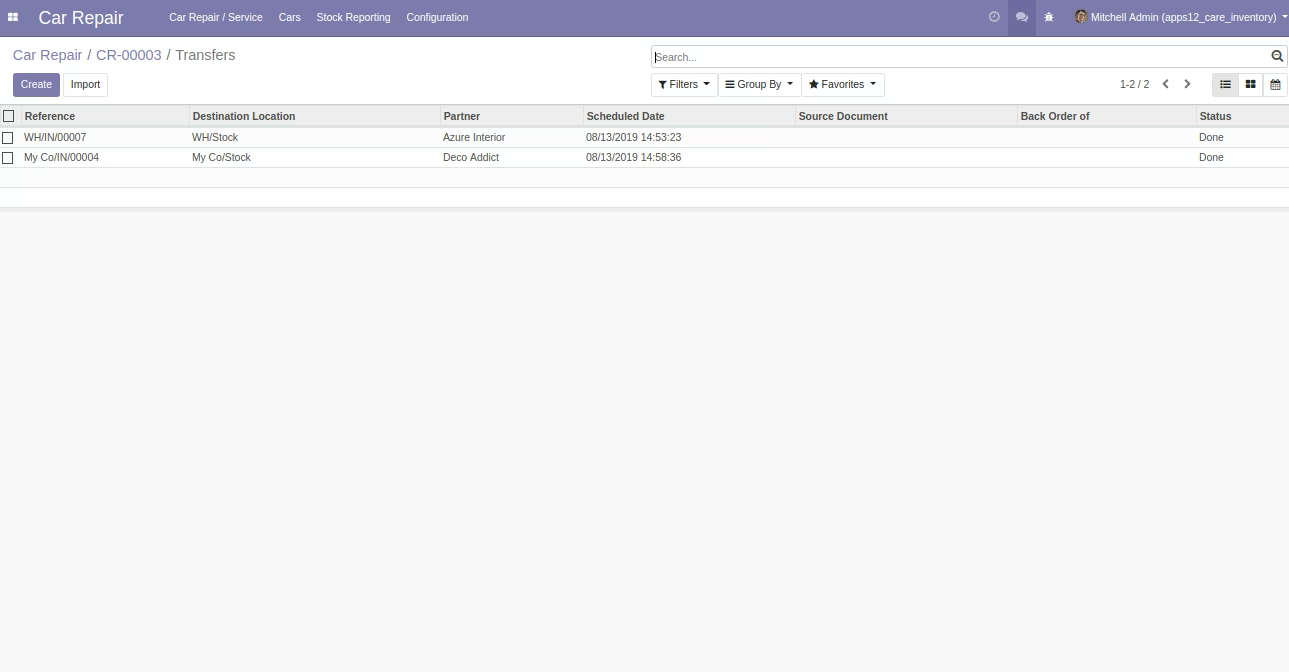
Stock Pickings List View after Click
Stock Pickings [Standard] Form View with Car Repair and Job Order Selection
Job Order Form View With Stock Moves Smart Button
Stock Moves List View after Click
Stock Move (Standard) View With Job Order
Job Order Form With Stock Pickings Smart Button
Stock Pickings List View after Click
Select Job Orders on Stock Move [Standard] on Picking
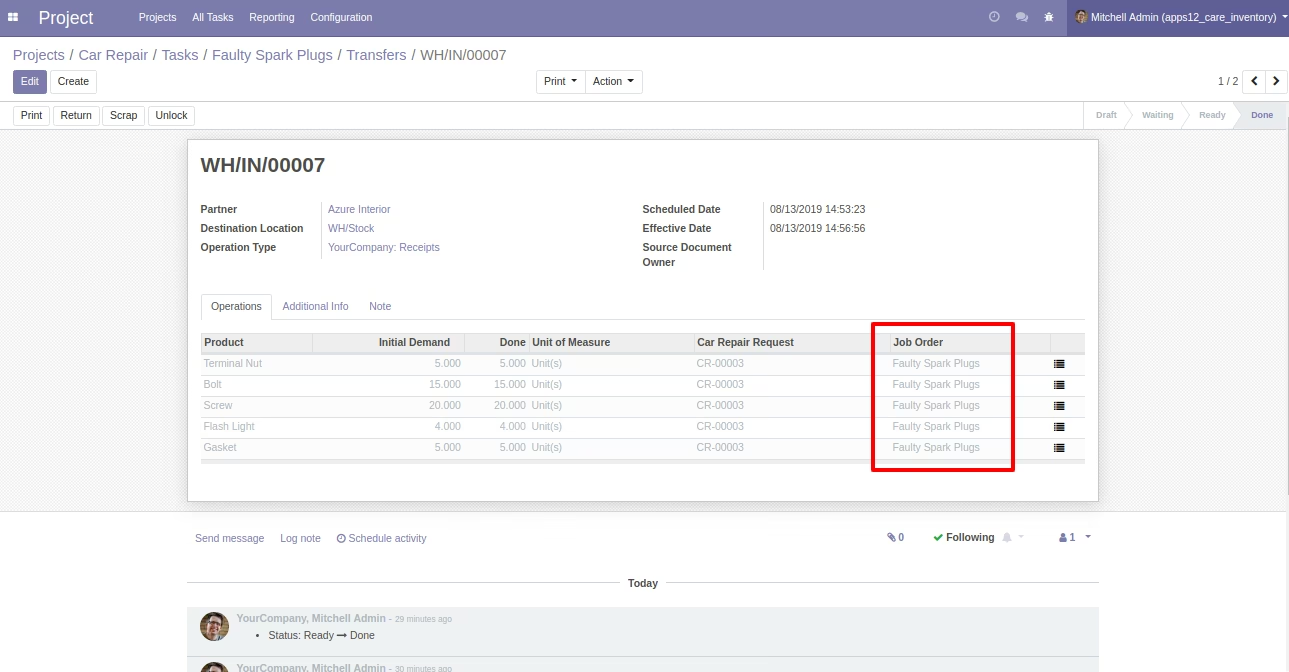
Stock Pickings [Standard] Form view
Stock Moves By Car Repair Request
Stock Moves By Car Repair Request Form view
Stock Moves By Job Order
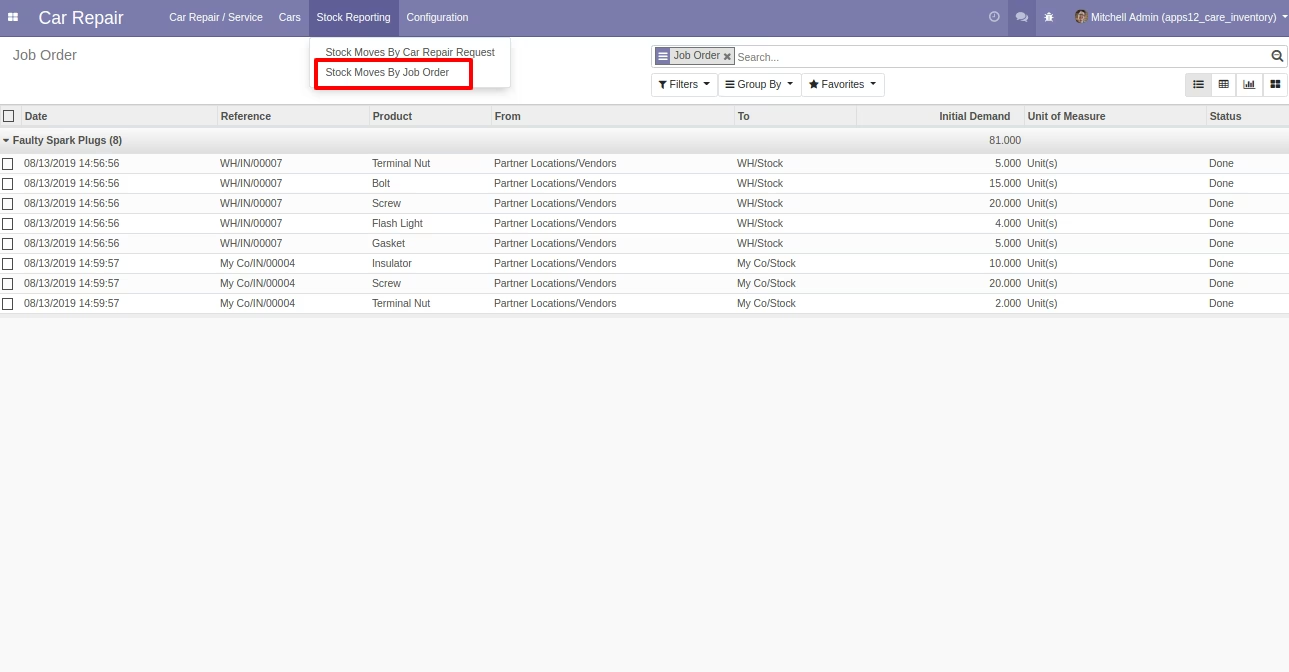
Stock Moves By Job Order Form view