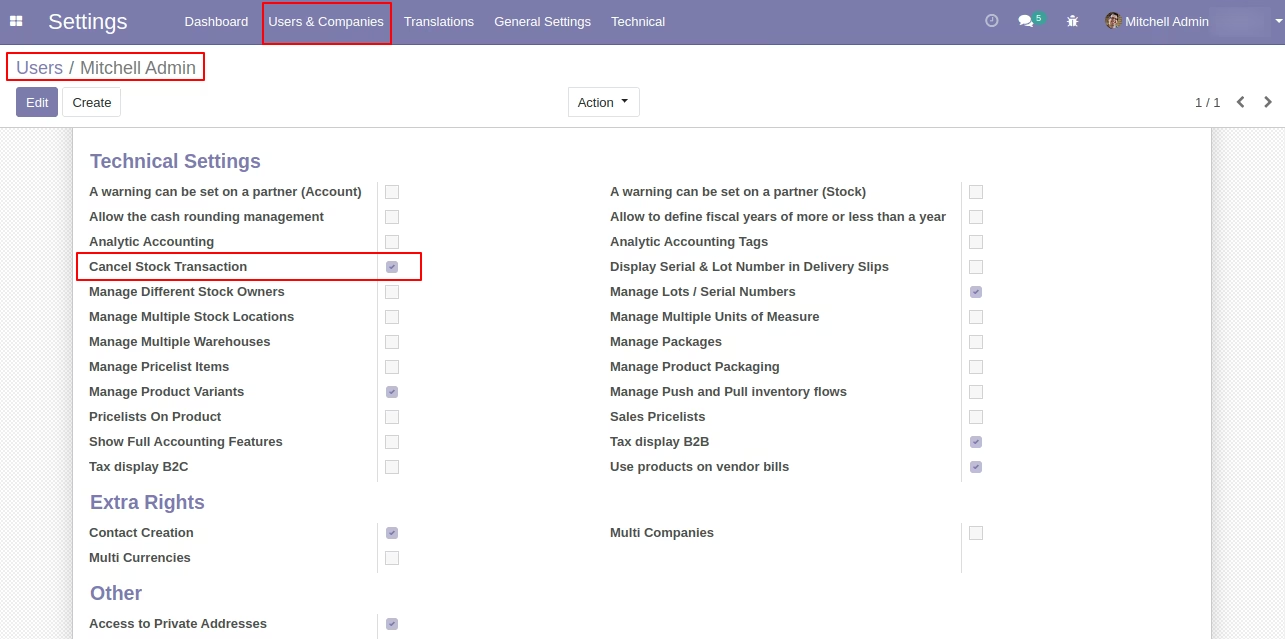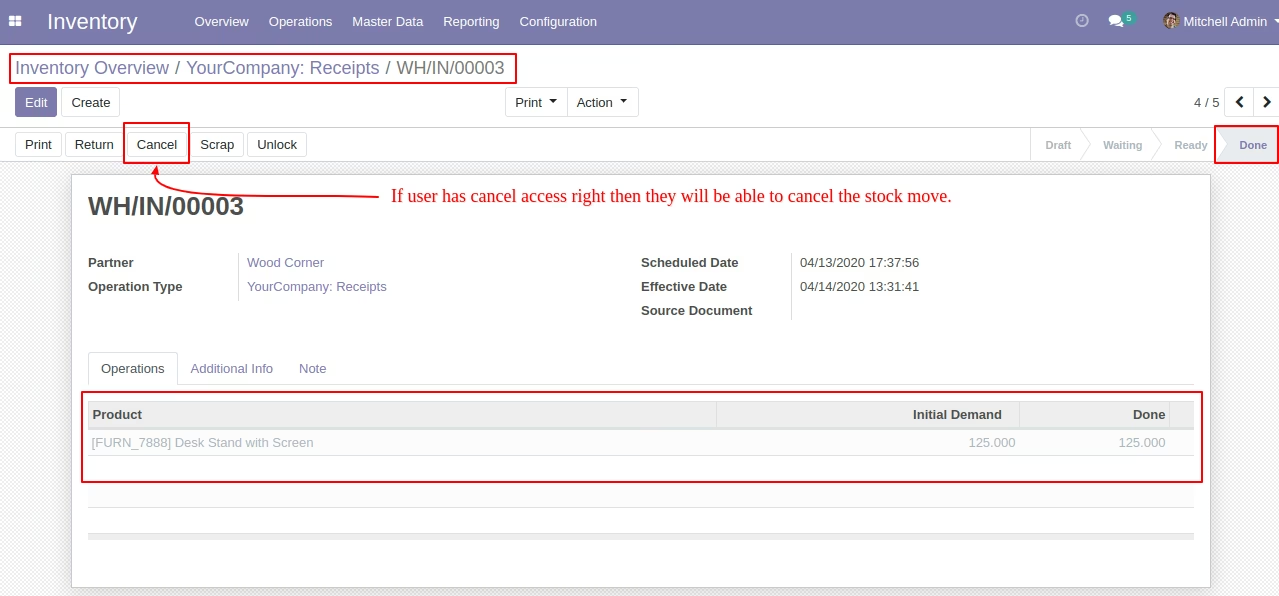
The module addresses situations where stock moves have already been completed in (marked as "Done") and need reversal. By enabling a controlled cancellation process, the module ensures that both inventory quantities and related accounting entries are accurately reversed, preserving the integrity of stock levels and financial records.
Enables cancellation of Done stock moves a capability not available by default.
Safely reverses moved quantities by creating an inverse stock move with swapped source and destination.
Restores proper quant handling, ensuring inventory levels remain accurate.
Automatically reverts any valuation entries associated with the original move.
Supports full traceability by tracking both original and reversal moves.
Enhances operational flexibility by allowing corrections to completed stock transactions.
Maintains data accuracy and accounting consistency automatically.
Reduces manual intervention and risk of human error in stock corrections.
Supports auditability through clearly linked reversal processes.
Simplifies inventory reconciliation during exceptional operational scenarios.
Preserves compliance with double-entry and quant logic standards.
Provides a safer alternative to unsafe SQL-based modifications.
Integrates transparently into existing inventory workflows.
Helps maintain continuity in automated operations without breaking logic.
Offers peace of mind when needing to correct mistakes in validated inventory entries.
- Allow user to cancel done stock move / picking.
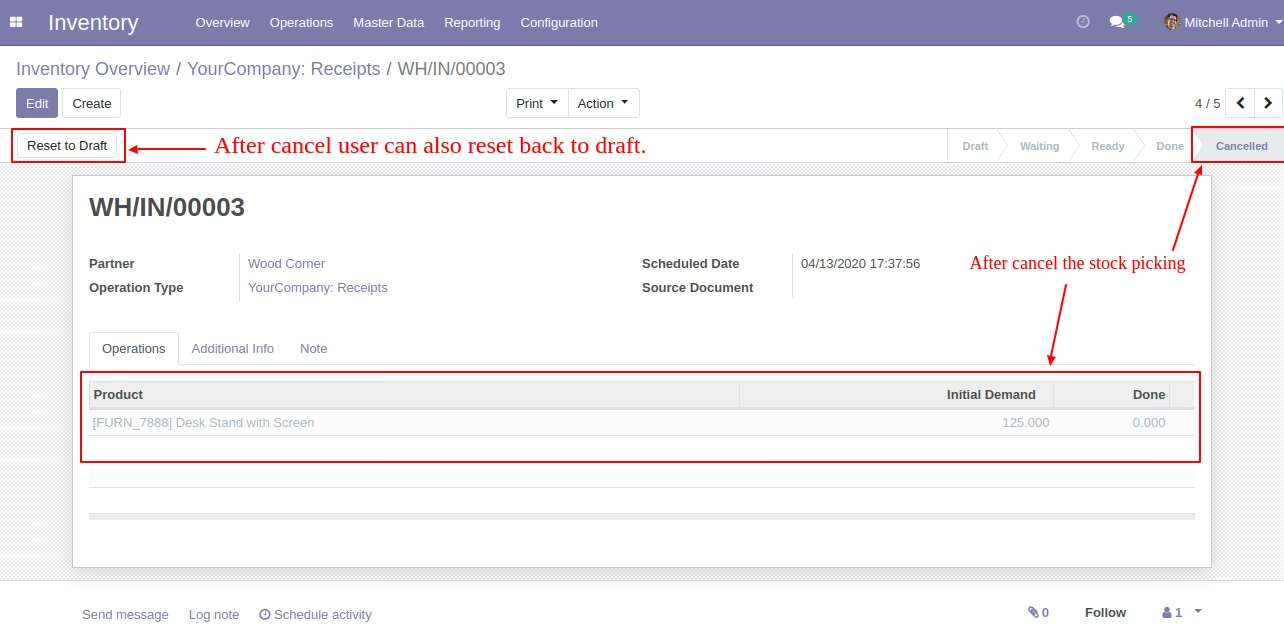
- Allow user to Reset back to Draft cancelled stock move / picking.
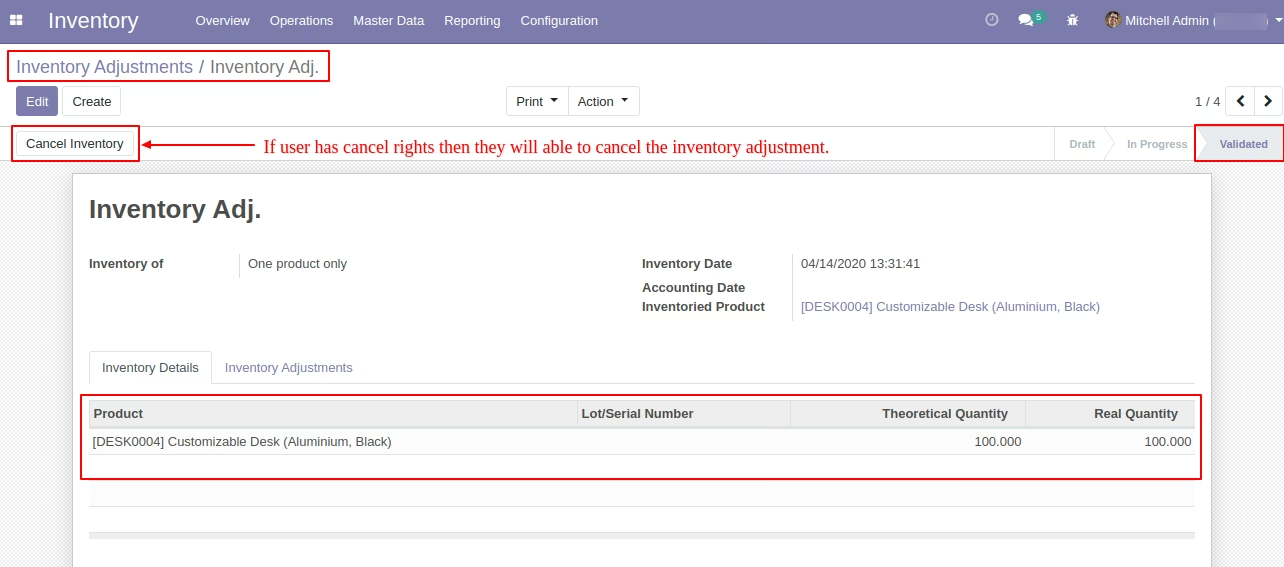
- User can cancel Inventory Adjustments which is already validated.
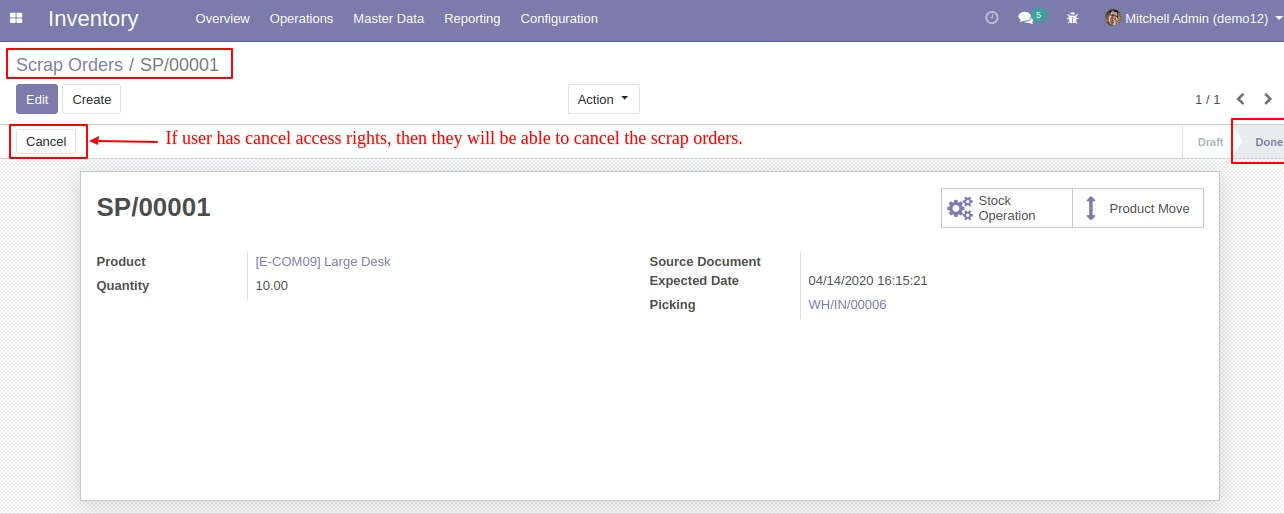
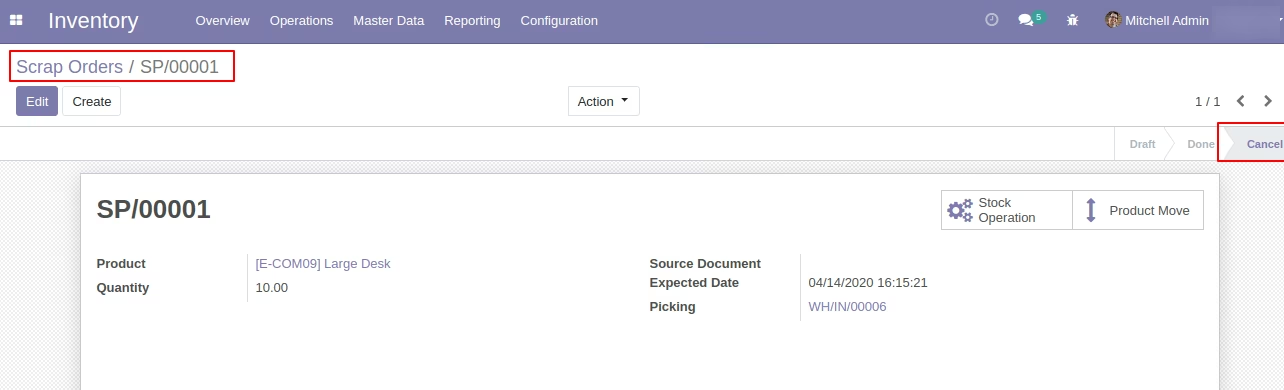
- User can cancel done Scrap Order.
- When user cancel Incoming/Outgoing shipment it also update Sales/Purchase orders Delivered/Received Quantity.
- While user cancel Stock transaction it also cancel the related Account Entries.
Overview