The module empowers users to reverse delivery orders that have already been marked as “Done”. This capability helps correct errors such as wrong quantities or mistaken validations without needing to recreate orders manually. It enhances operational control and maintains accurate tracking of stock movements by allowing those pickings to be reverted to draft state for review or reprocessing.
Allows cancellation of Done stock pickings, including delivery orders.
Automatically resets the canceled picking back to Draft state for further use or correction.
Restores updated stock levels by reversing associated stock moves and quantities.
Integrates seamlessly with ongoing inventory workflows, avoiding manual stock adjustments.
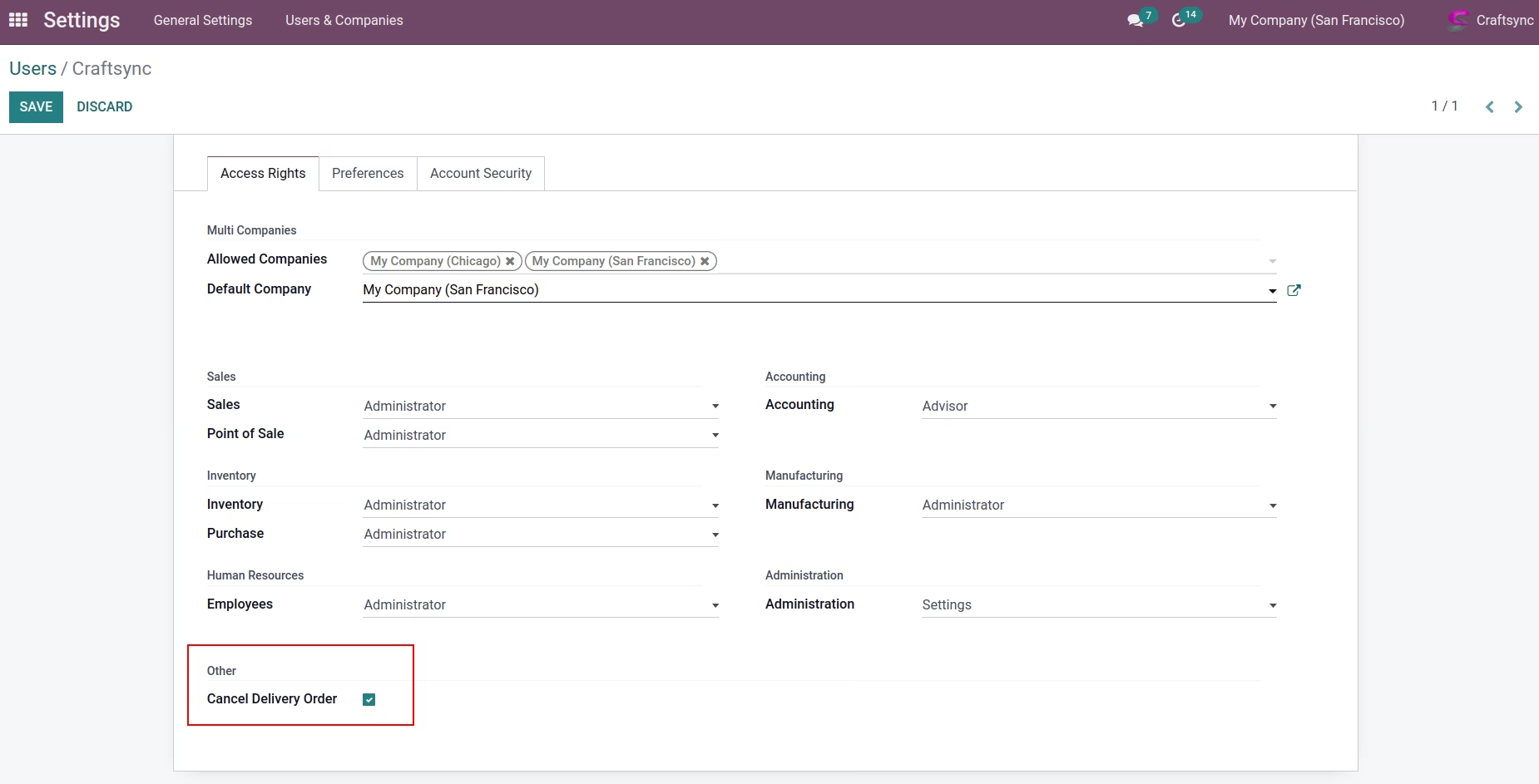
Provides controlled access to prevent unauthorized cancellations, ensuring data integrity.
Simplifies error correction by enabling direct reversal of completed pickings.
Ensures accurate inventory records without manual stock adjustments.
Reduces time spent on recreating stock movements or manual debugging.
Supports better audit trails with reversible operations.
Enhances business flexibility by offering safe rollback options.
Accelerates operational recovery from mistakes, enhancing productivity.
Maintains consistency with inventory logic and quant accuracy.
Minimizes dependency on developer interventions for reversals.
Improves warehouse accuracy and responsiveness to real-world errors.
Promotes safer stock operations without compromising fulfillment reliability.
This Application helps to Cancel Processed Delivery Order
- This application provides facility to cancel delivery, even if delivery was transfered.
- Stock Will be back when cancel stock picking
- Set cancel delivery to Draft(reset to draft)
- Direct Cancel Delivery from Sale Order and Purchase Order
User Can direct Cancel Delivery from Sale Order:
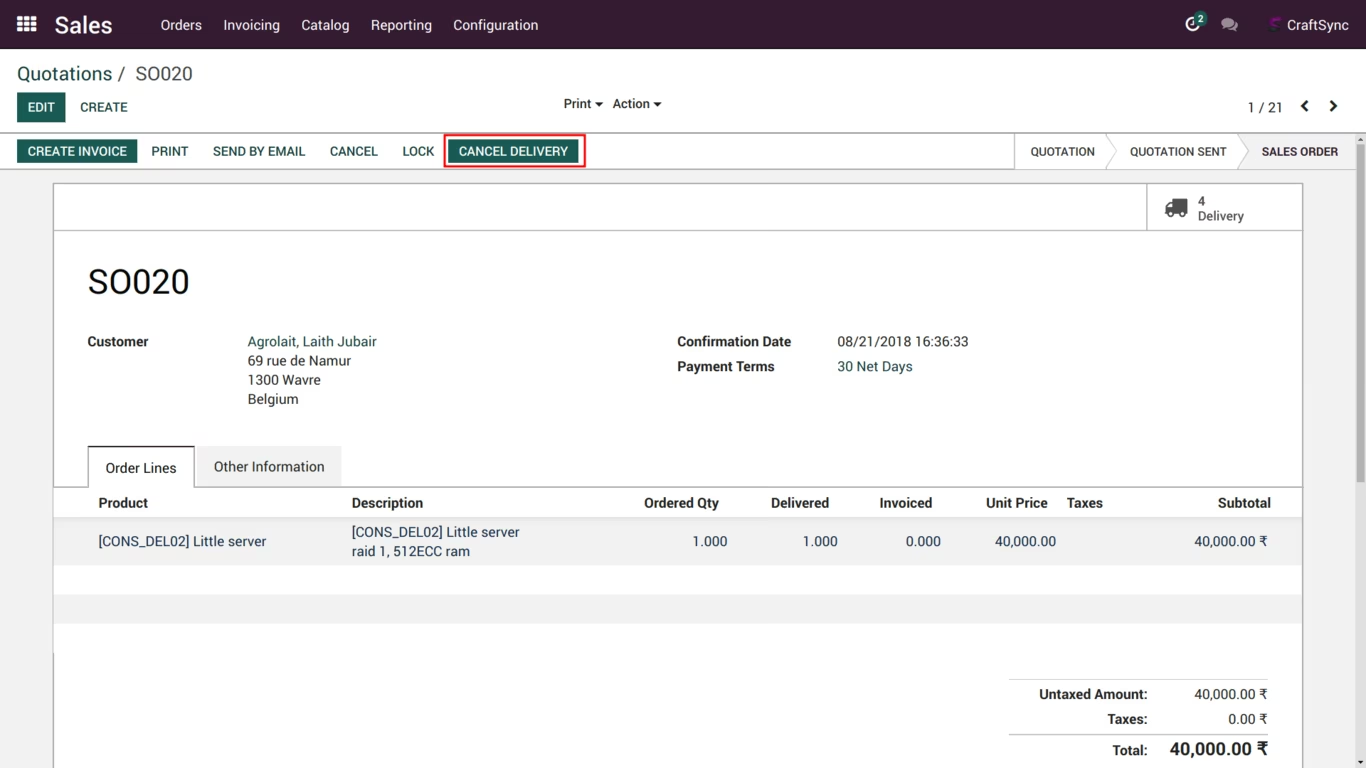
After Click Cancel Delivery, if order has one delivery than system will direct cancel that delivery, if more than one delivery than user can select which delivery order want to cancel. By click on clear all button all delivery will remove from wizard.
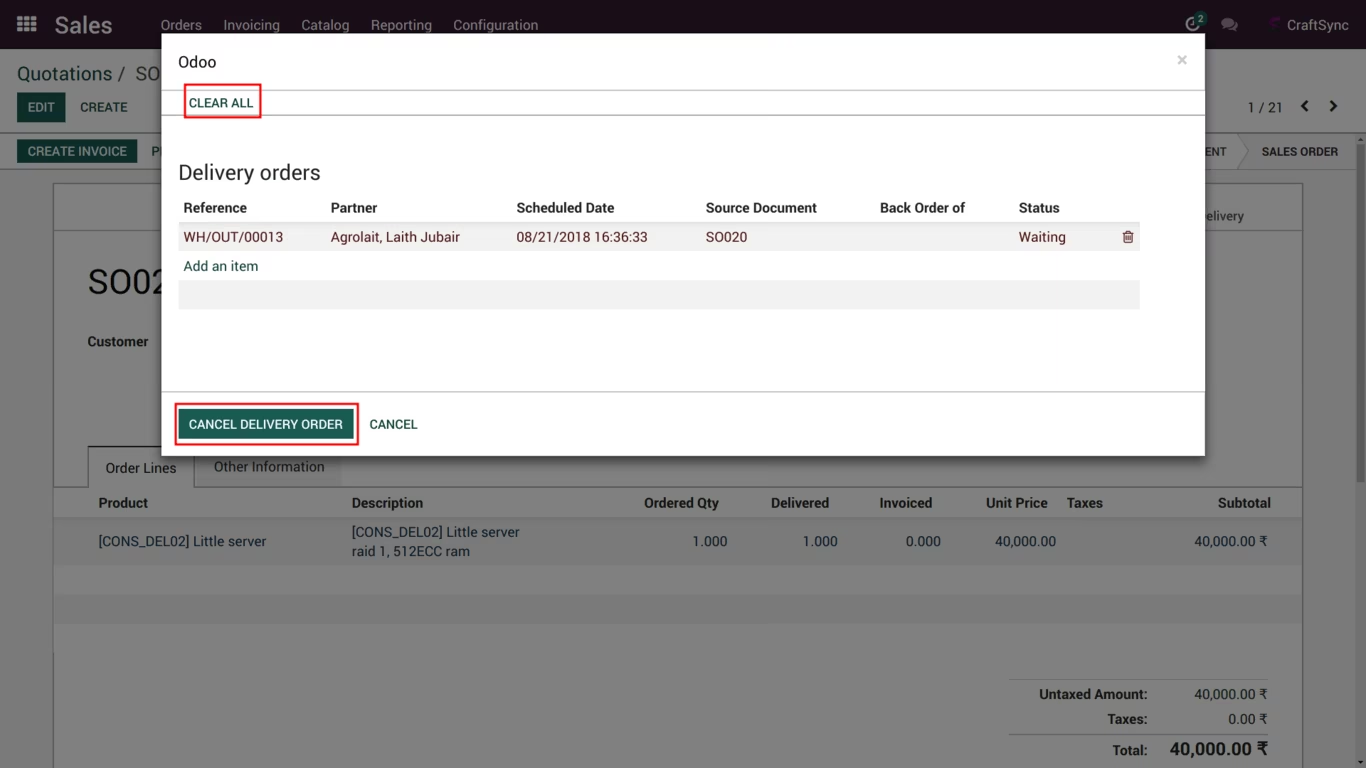
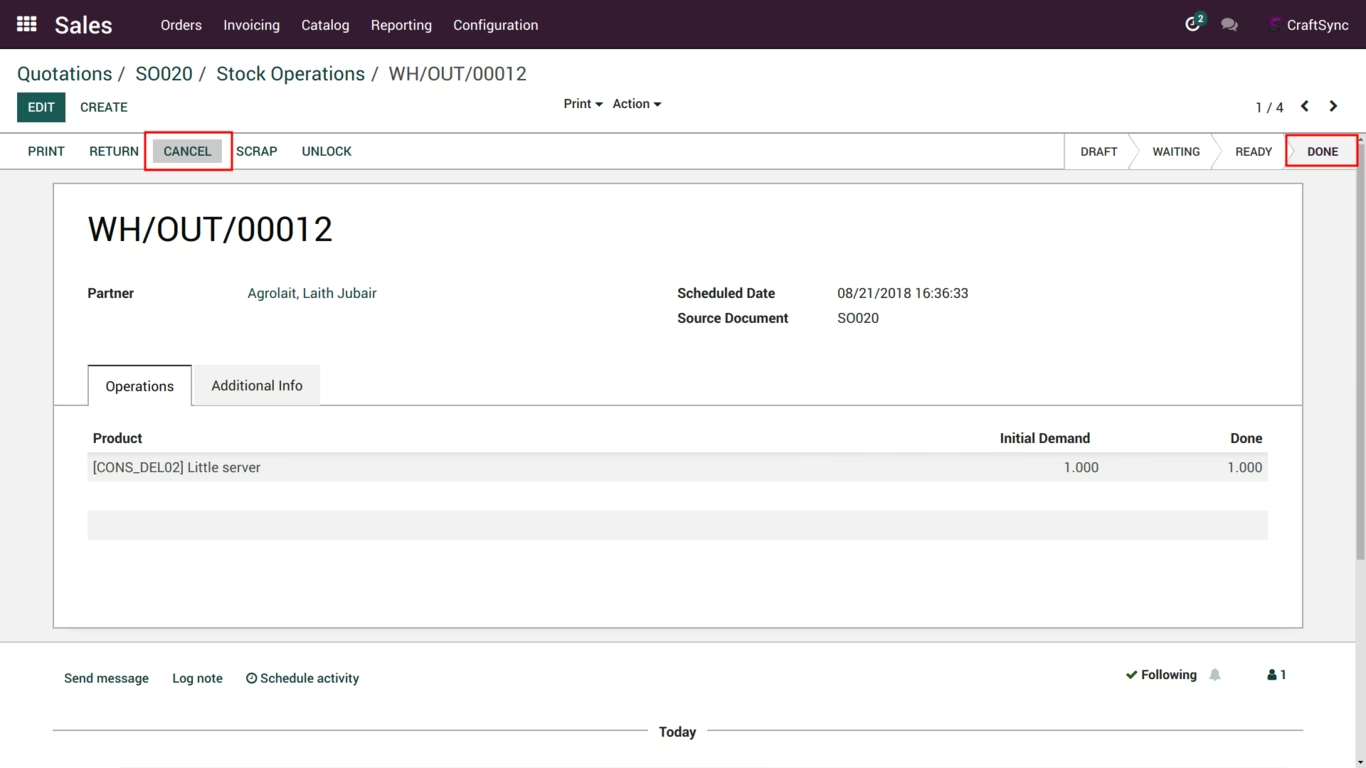
Selected Delivery order will cancel when you click Cancel Delivery Orders. And User can direct cancel delivery order from Picking as well cancel button will display in Done state as well.
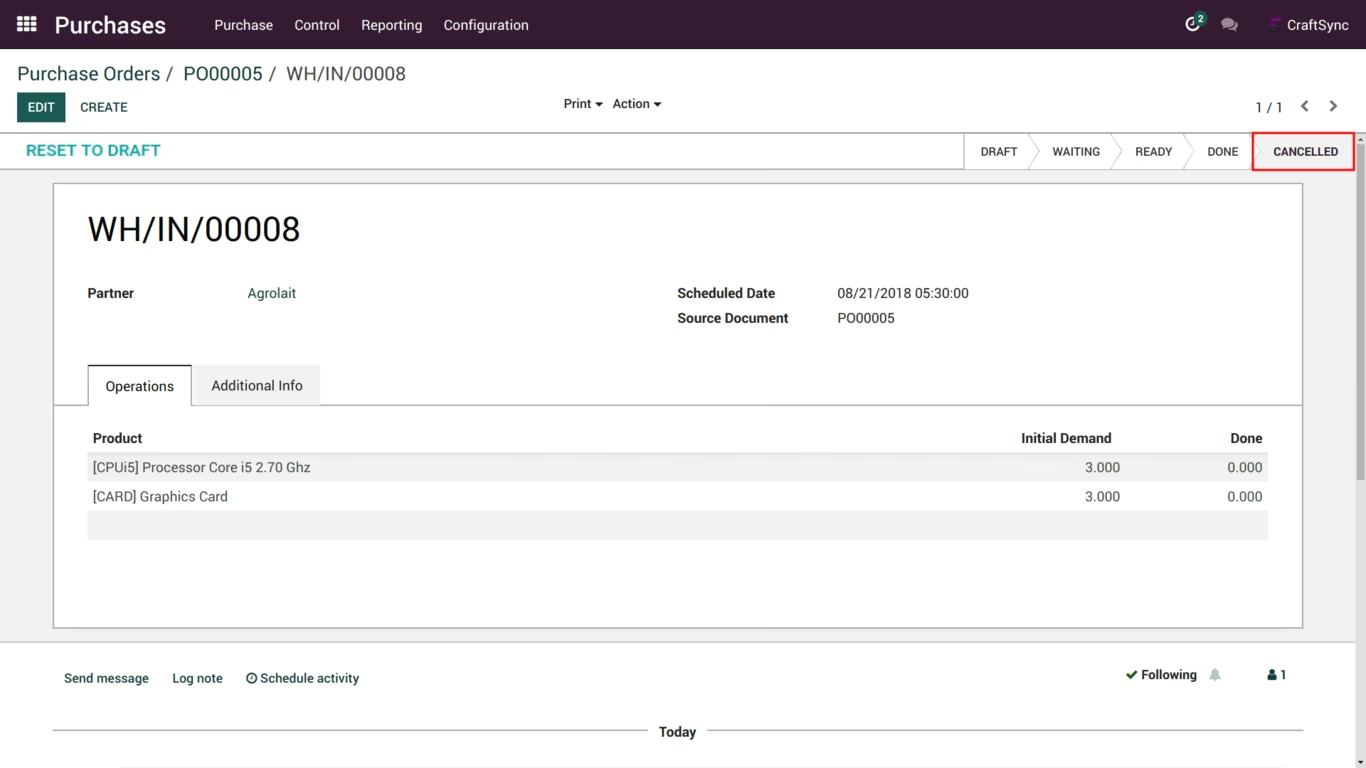
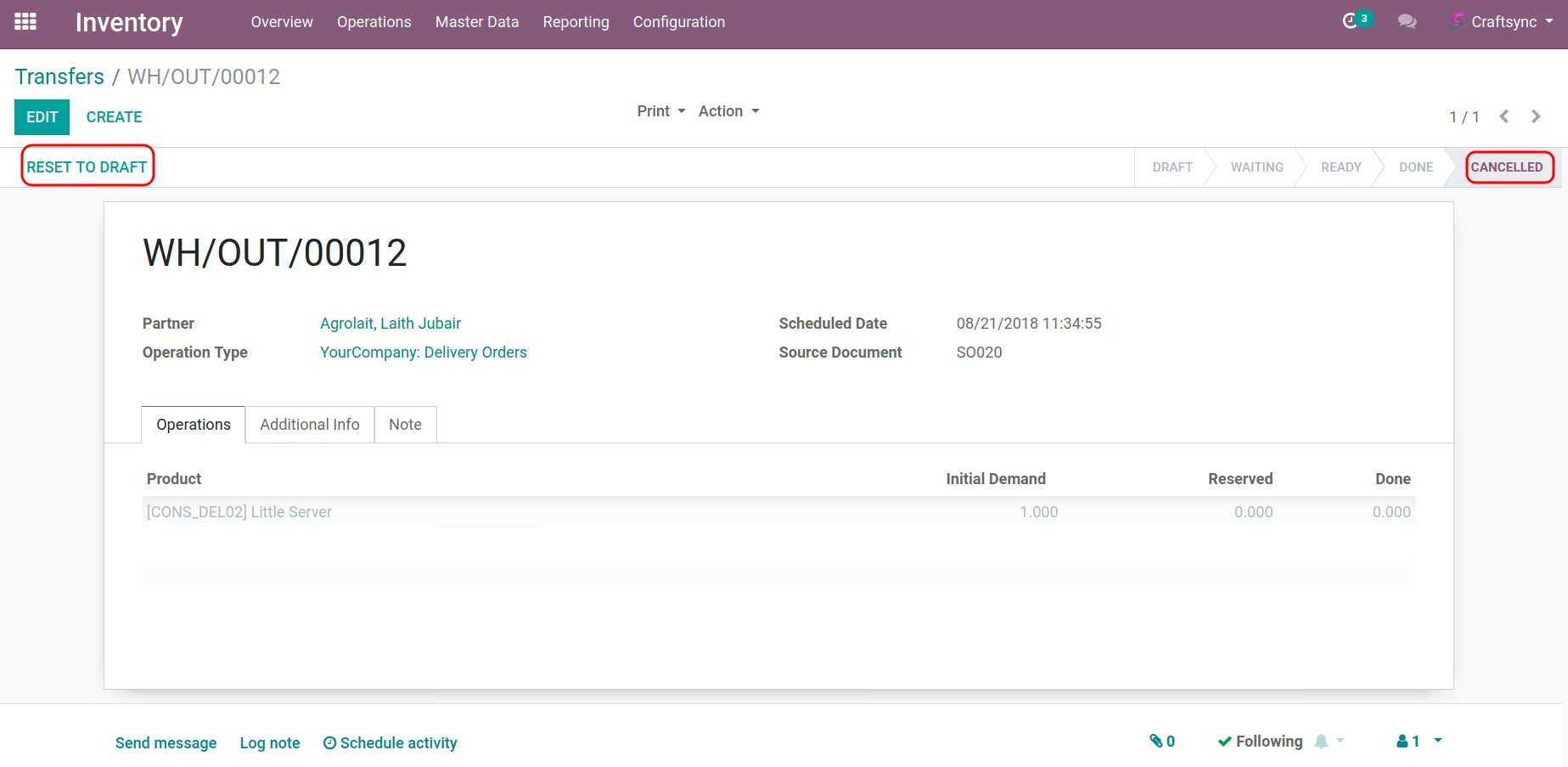
After cancelling delivery order, You can see the delivey is in 'Cancelled' state and user can delete that delivery. User can reset picking as well as from reset to draft button.
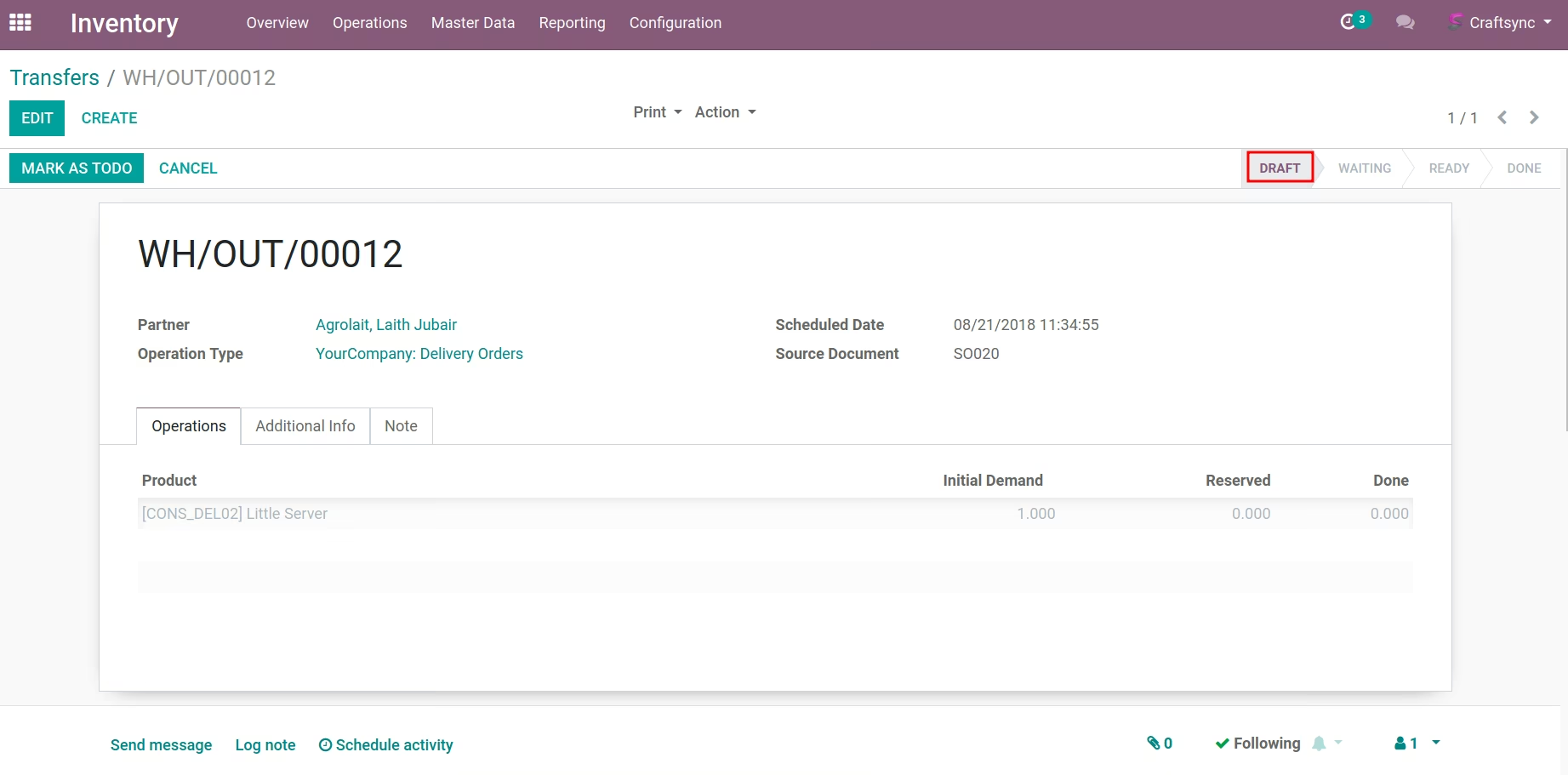
After reset button click, delivery available in 'draft' state.
Delivery Order will be cancelled and stock will be added to particular location. User Can direct Cancel Delivery from Purchase Order Look at the below image:
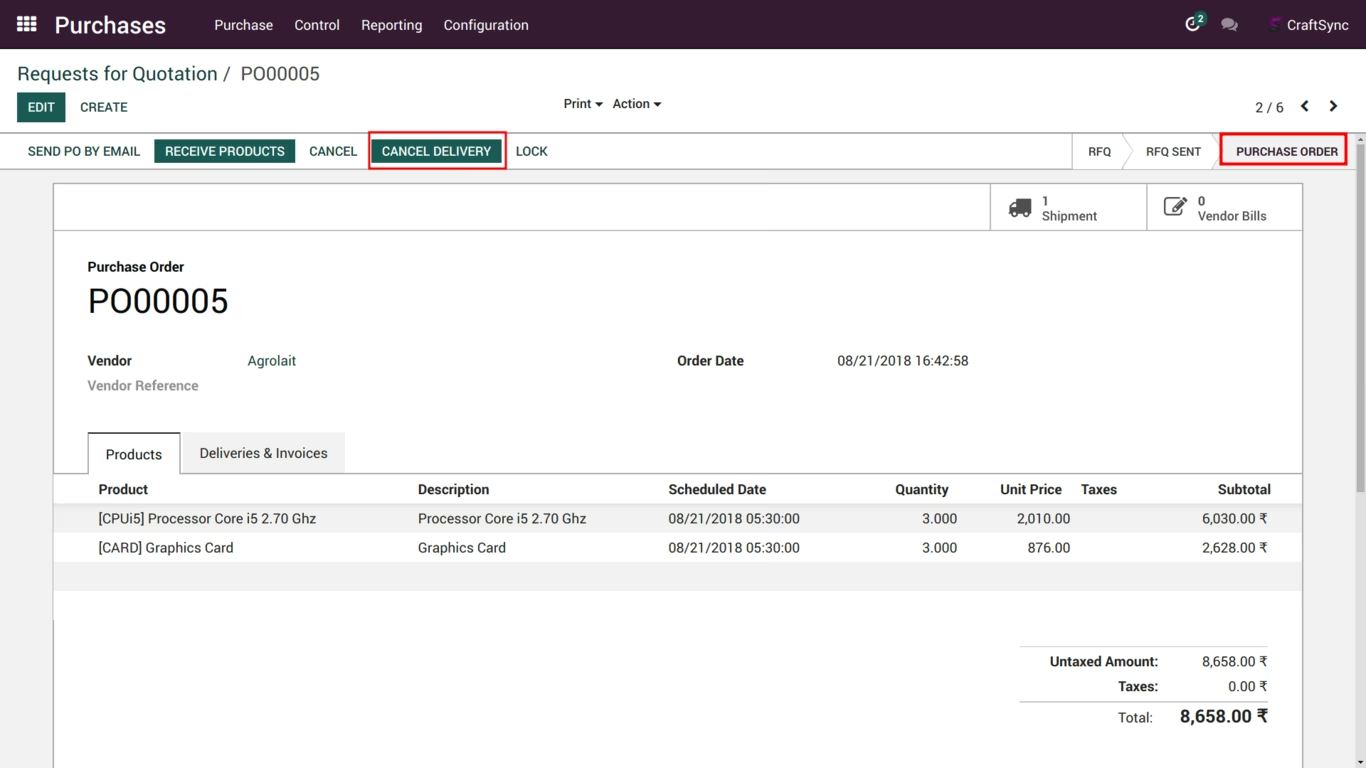
User can also cancel multiple delivery from Cancel Delivery button and User can cancel delivery of purchase order if it already transfer.
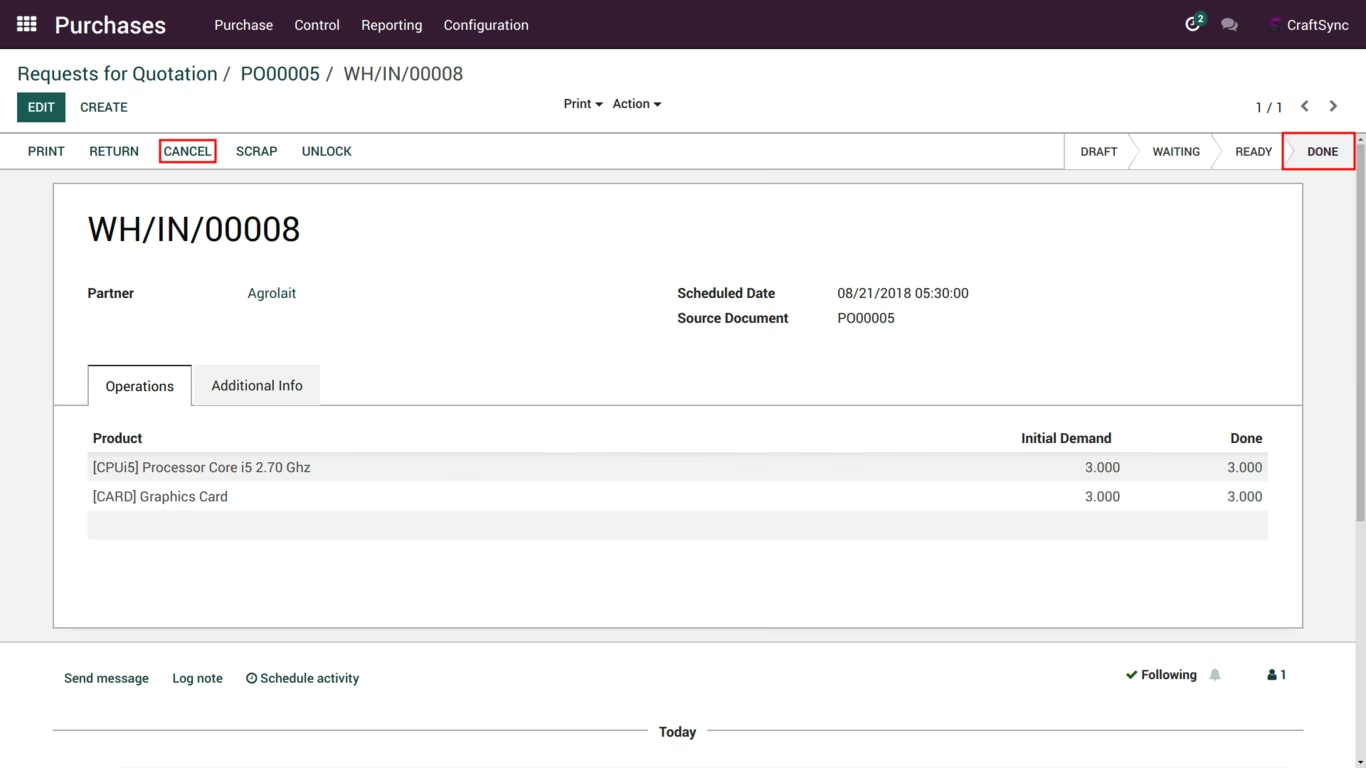
You can see the delivey is in 'Cancelled' state and stock will be return or remove of that product after cancel of that delivery order.