The empowers businesses to safely reverse purchase orders that have already progressed beyond the draft stage even after stock receipts. By streamlining the cancellation process, this tool ensures system data stays accurate and consistent across procurement, inventory, and accounting modules, avoiding manual errors or cumbersome workarounds.
Enables cancellation of confirmed or fully processed purchase orders, including those with completed receipts.
Integrates reverse stock moves automatically to adjust inventory levels correctly.
Reverts or updates related financial entries, including vendor bills and payments, to maintain accounting consistency.
Supports cancellation workflows where default constraints would typically block reversal due to DONE state.
Offers a centralized location for executing the cancellation, simplifying procurement corrections.
Resolves procurement errors without needing manual reversal steps or workarounds.
Maintains accuracy across inventory and financial data by automating related adjustments.
Reduces administrative burden with a streamlined cancellation process.
Ensures auditability by preserving system-generated correction trails.
Enhances process flexibility, supporting real business dynamics like returned goods or incorrect orders.
Minimizes risk of discrepancies between stock and accounting when canceling POs.
Empowers users without requiring direct database or configuration interventions.
Improves operational efficiency by handling complex errors gracefully.
Increases confidence in system reliability for procurement managers and finance teams.
Supports better control over vendor engagements by enabling safe contract reversals.
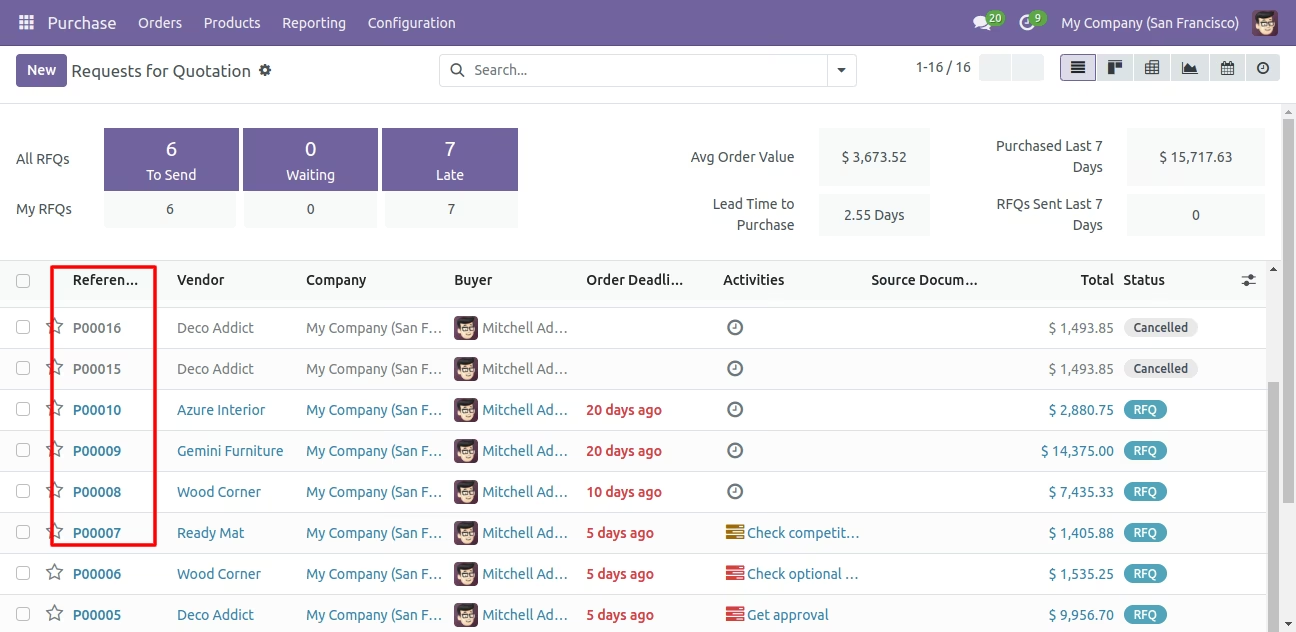
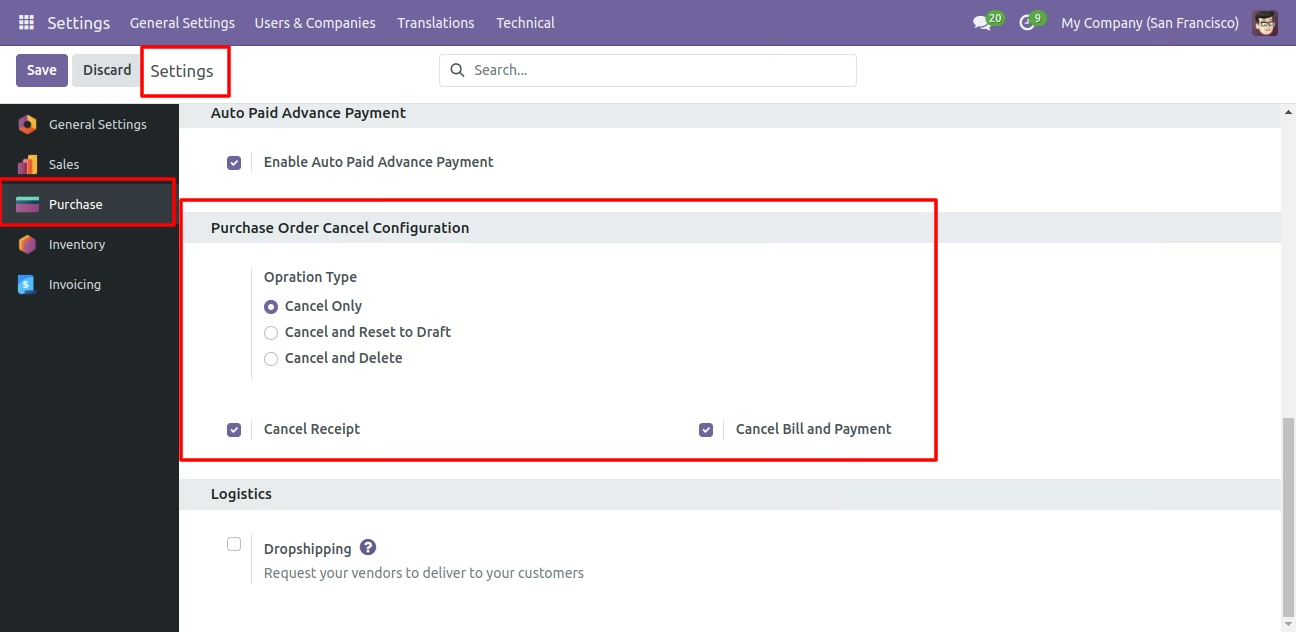
This module helps to cancel created purchase orders. You can also cancel multiple purchase orders from the tree view. You can cancel the purchase order in 3 ways,
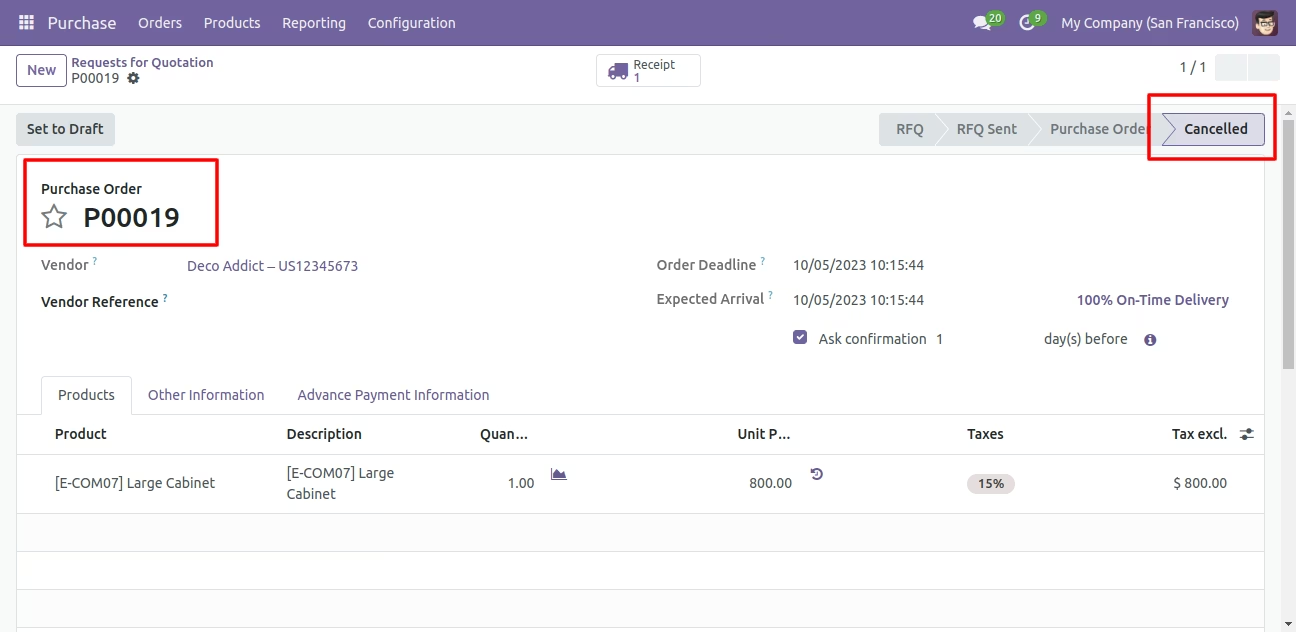
1) Cancel Only: When you cancel a purchase order then the purchase order is cancelled and the state is changed to 'cancelled'.
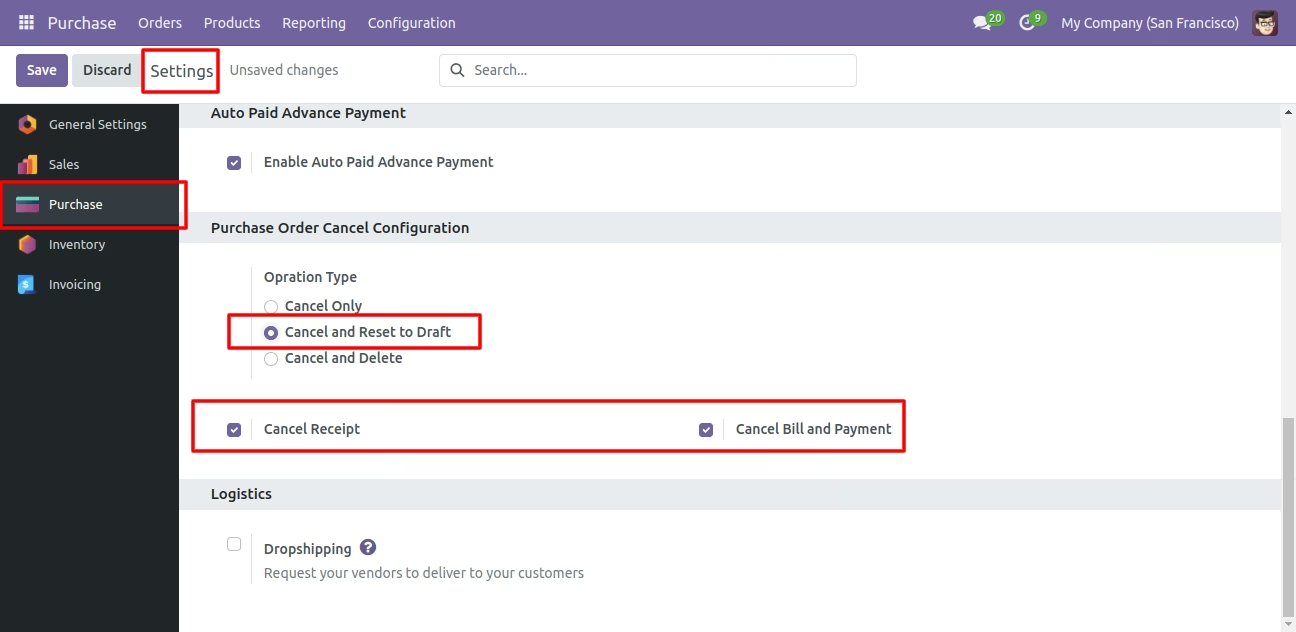
2) Cancel and Reset to Draft: When you cancel purchase order, first purchase order is cancelled and then reset to the draft state.
3) Cancel and Delete: When you cancel a purchase order then first purchase order is cancelled and then purchase order will be deleted.
We provide 2 options in the cancel purchase orders,
1) Cancel Receipt: When you want to cancel purchase orders and receipt then you can choose this option.
2) Cancel Bill and Payment: When you want to cancel purchase orders and bill then you can choose this option.
If you want to cancel purchase orders, receipts & bill then you can choose both options 'Cancel Receipt' & 'Cancel Bill and Payment'.
Cancel Purchase Order
Quickly cancel purchase orders with a single action.
Reset to Draft Purchase Order
Revert a purchase order back to draft status.

Delete Purchase Order
Permanently remove cancelled purchase orders.
Cancel Bill and Payment
Cancel vendor bills along with their payments for the corresponding cancelled purchase order.
Cancel Receipt
Cancel related receipt of cancelled purchase order
Mass Cancellation
Perform bulk cancellation of multiple purchase documents in one go to save time.
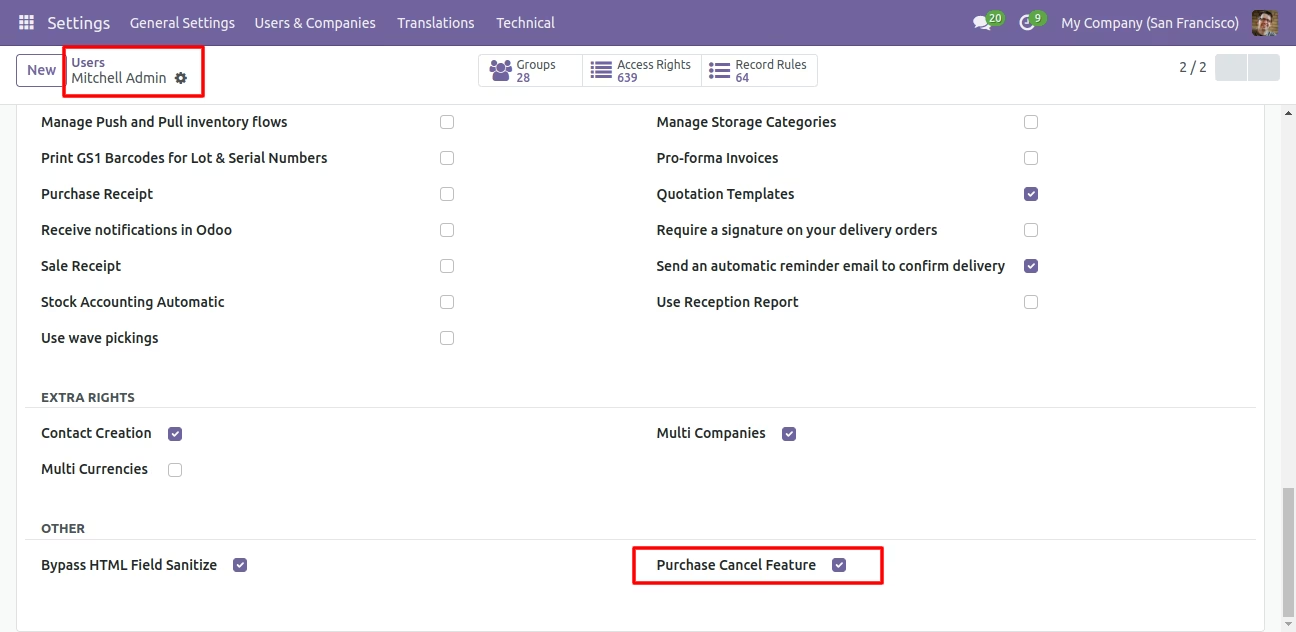
Tick the 'Purchase Cancel Feature' to cancel created purchase orders.
Flow-1
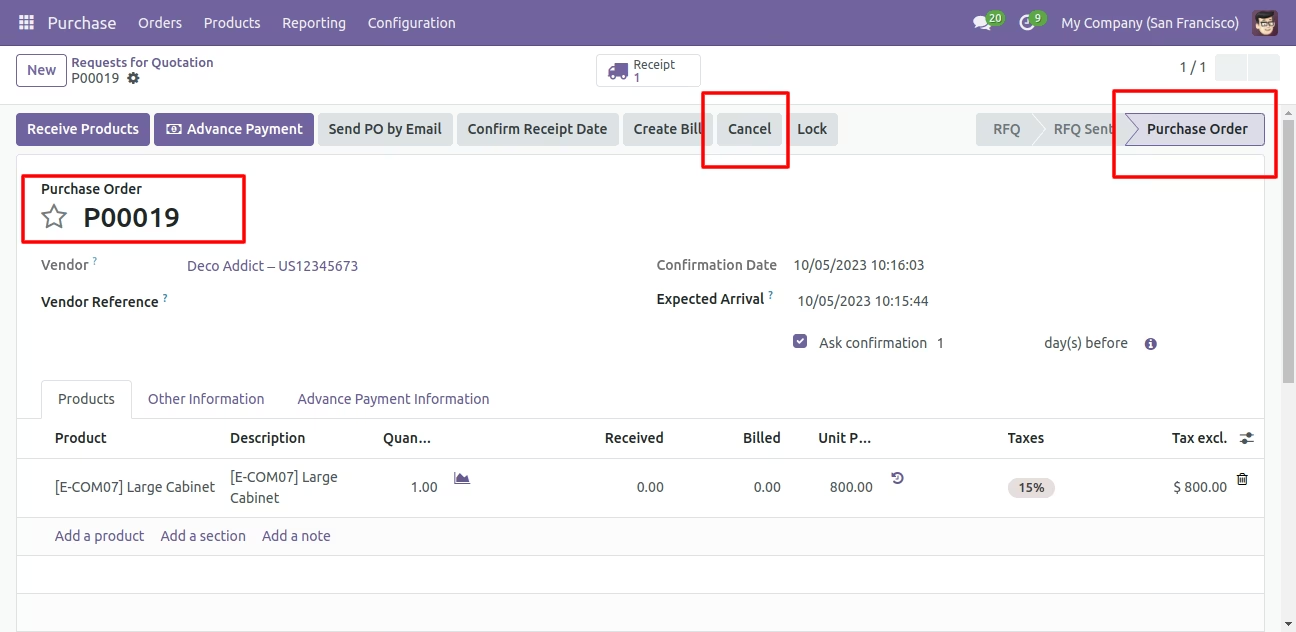
When you want to cancel a purchase order only then choose the 'Cancel Only' option.
We create a purchase order and then cancel created purchase order.
When you cancel a purchase order then the purchase order is cancelled and the state is changed to 'cancelled'.
Flow-2
When you want to cancel a purchase order and reset to the draft state tick 'Cancel and Reset to Draft'.
If you want to cancel purchase orders, receipt & bill then you can choose both options 'Cancel Receipt' & 'Cancel Bill and Payment'.
Now we create purchase order, receipt & bill.
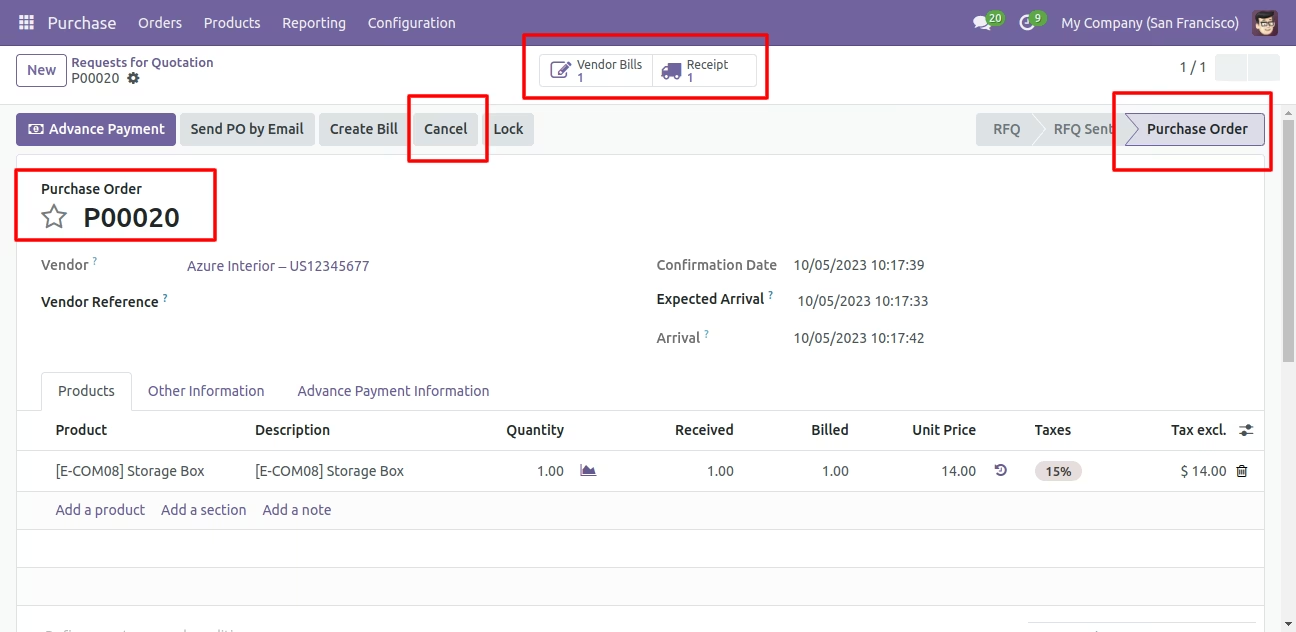
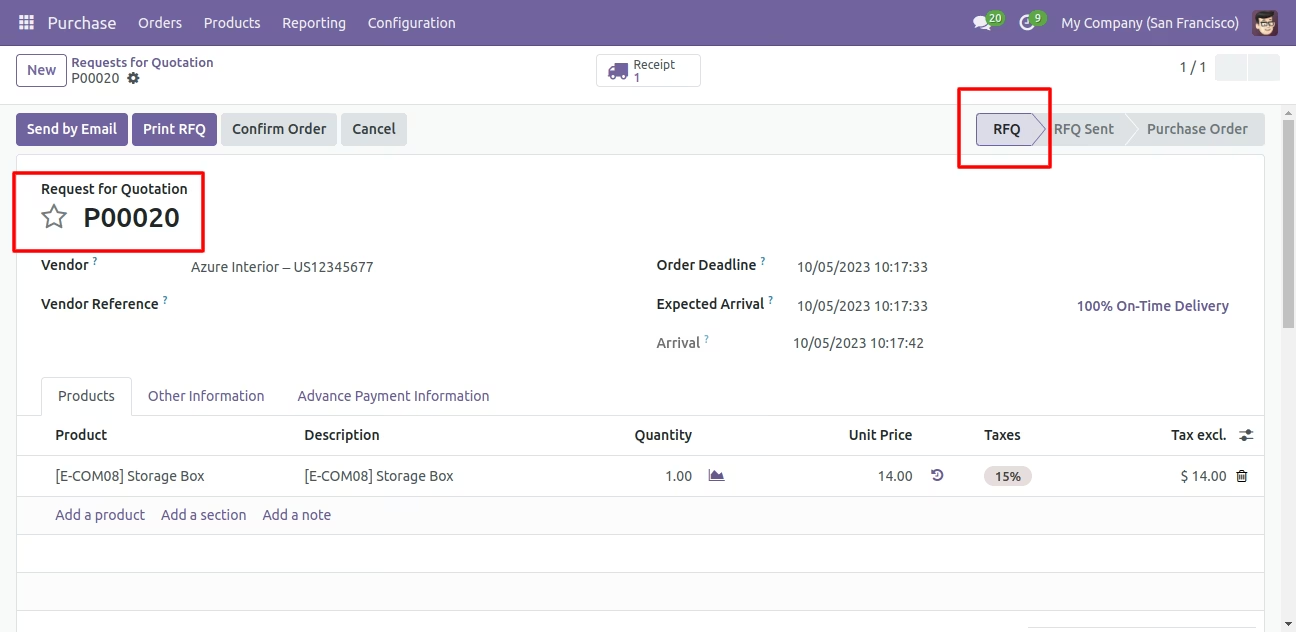
Now we cancel purchase order so After canceling the purchase order it reset to the draft.
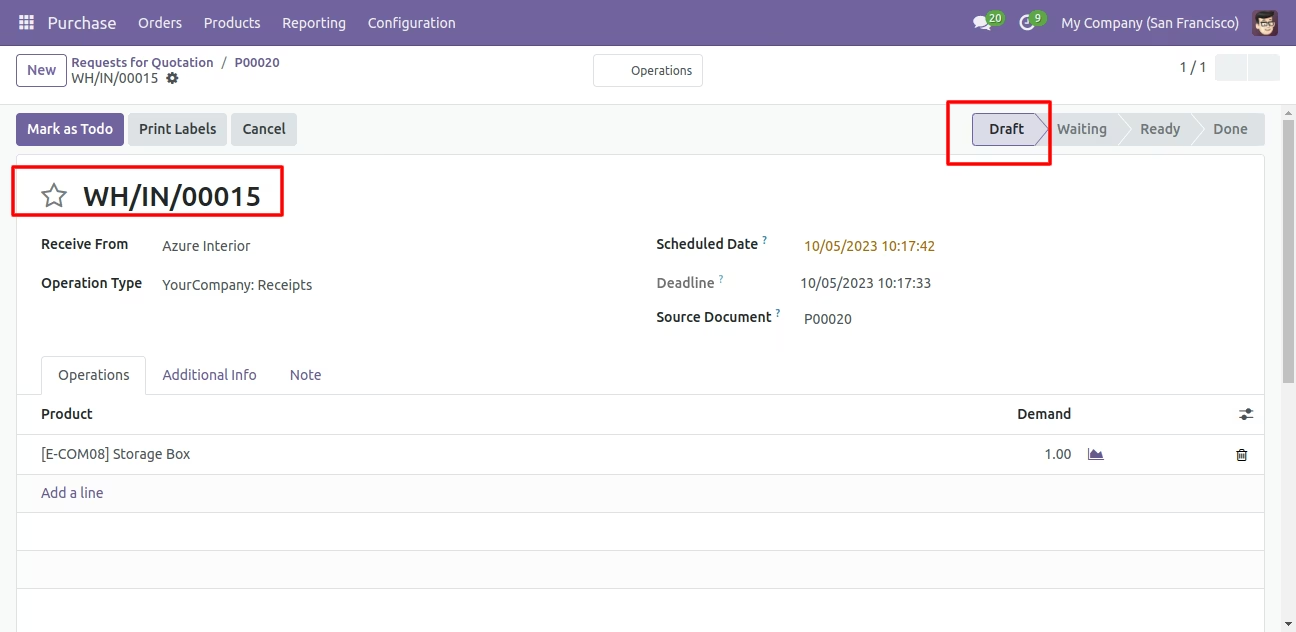
Our receipt is also reset to the draft.
Flow-3
When you want to cancel & delete a purchase order then choose the 'Cancel and Delete' option.
If you want to cancel purchase orders, receipts & bill then you can choose both options 'Cancel Receipt' & 'Cancel Bill and Payment'.
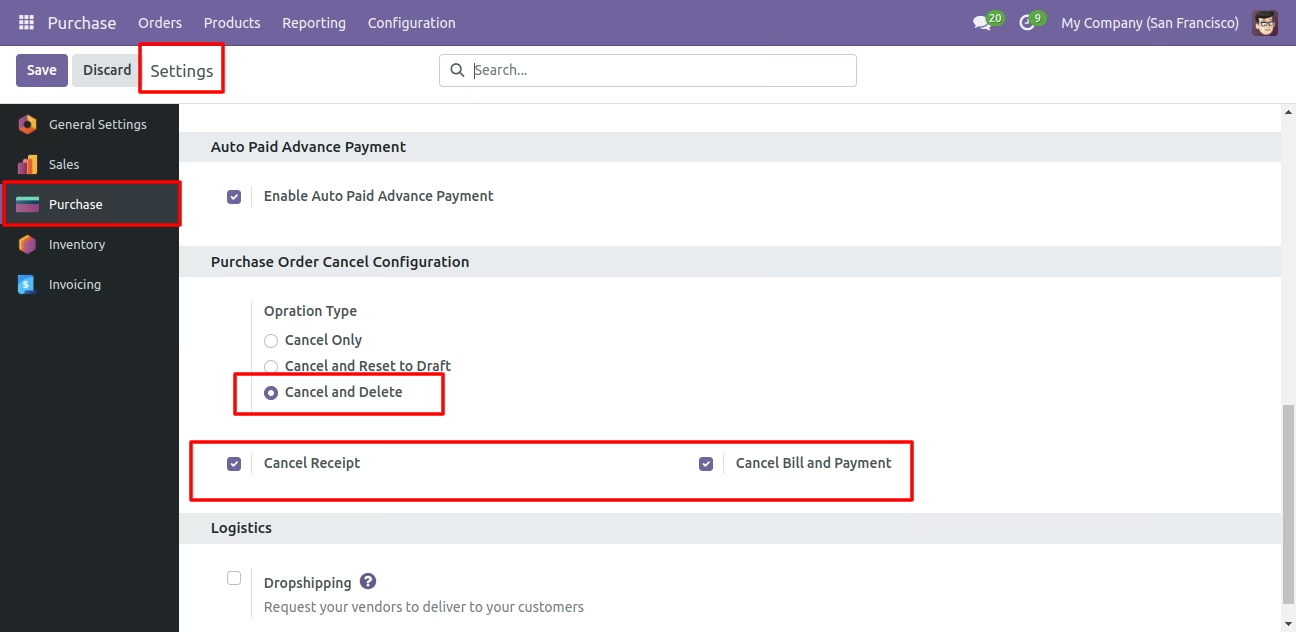
Now we create purchase order and then we cancel created purchase order.
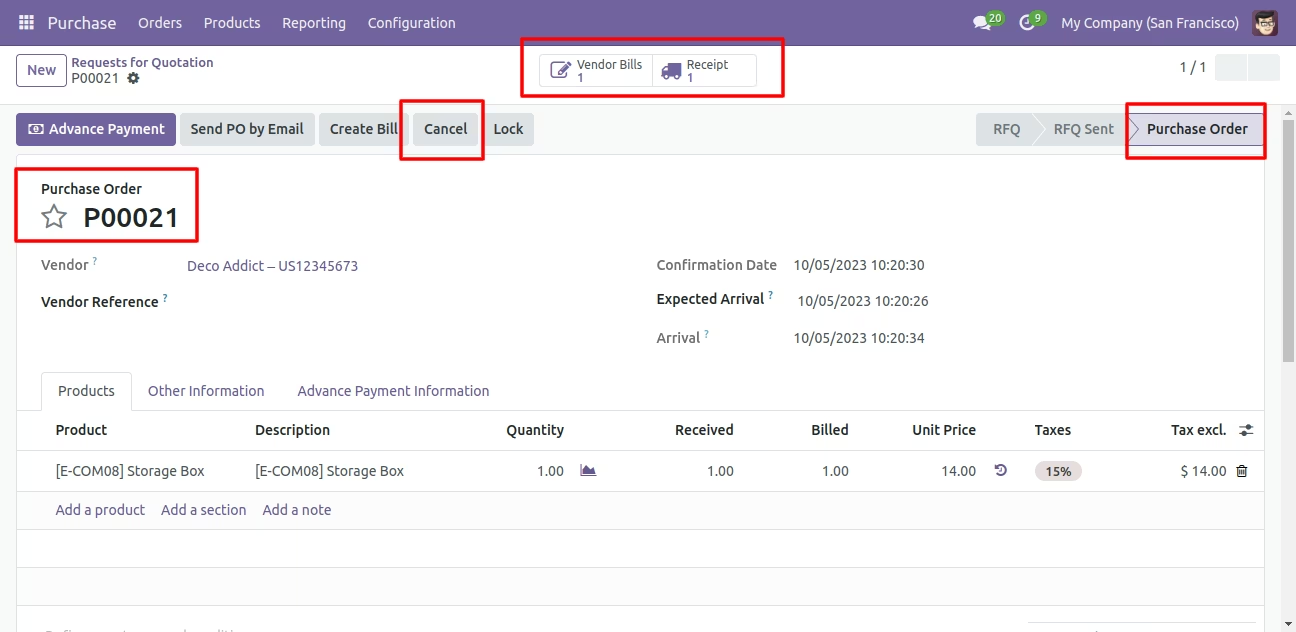
After the "Cancel" the purchase order our purchase order will be deleted.
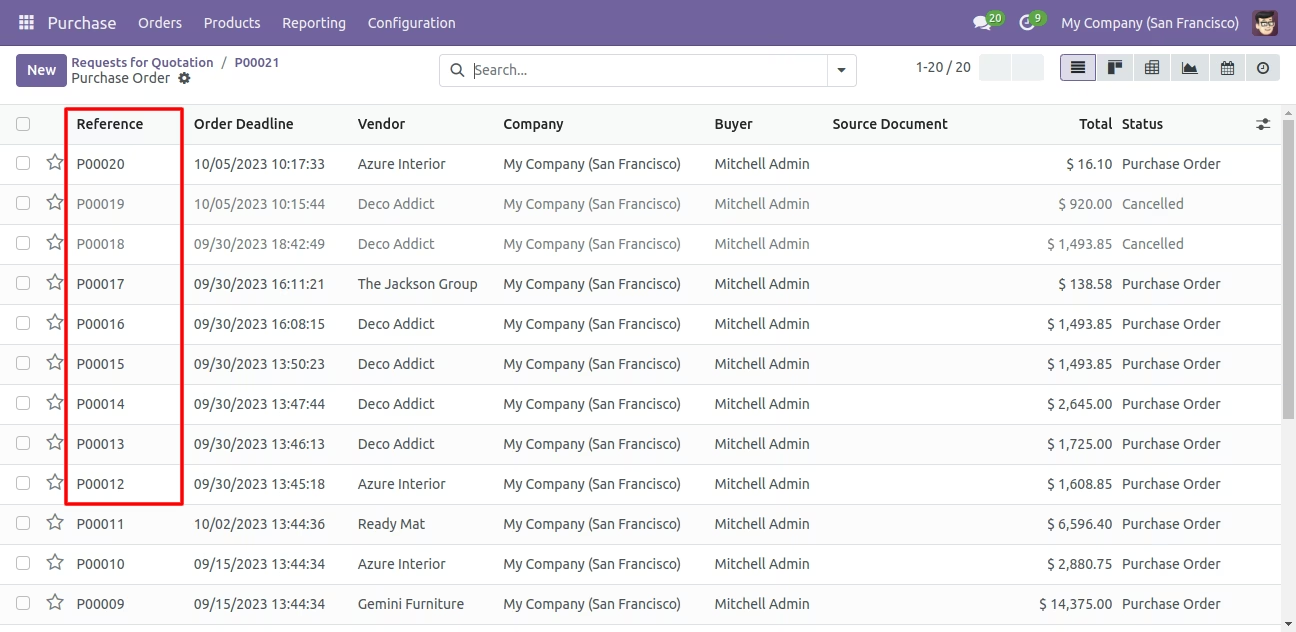
Flow-4
Now we cancel multiple purchase orders from the tree view.
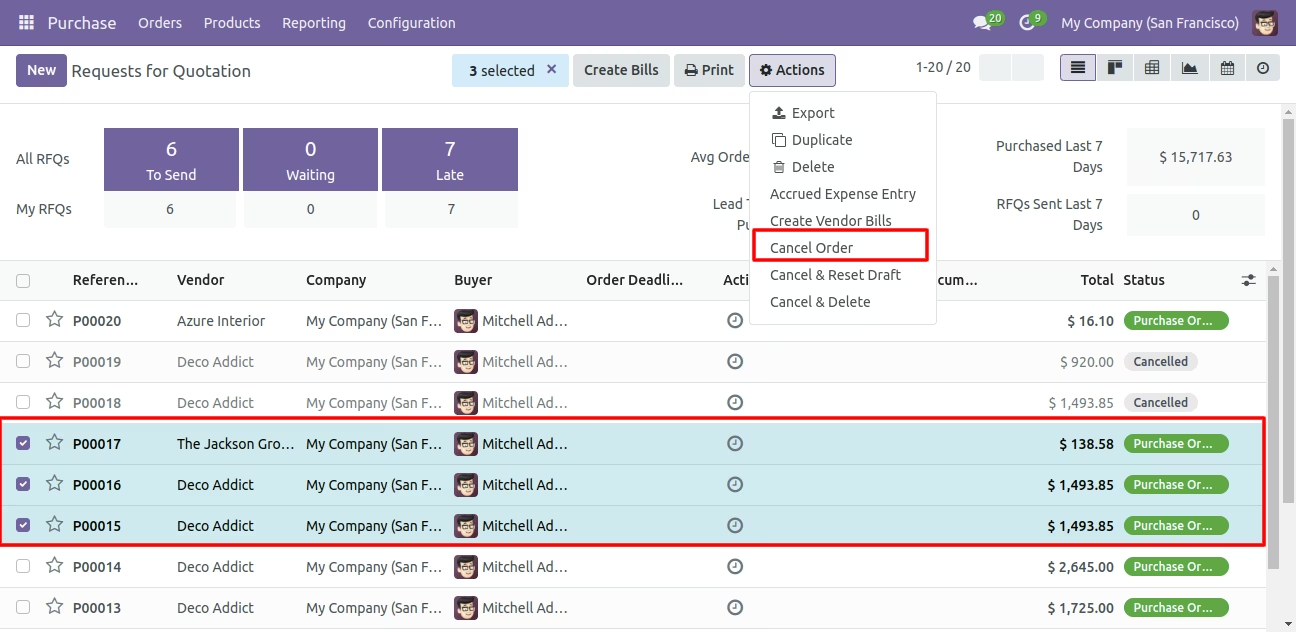
All selected purchase orders are cancelled.
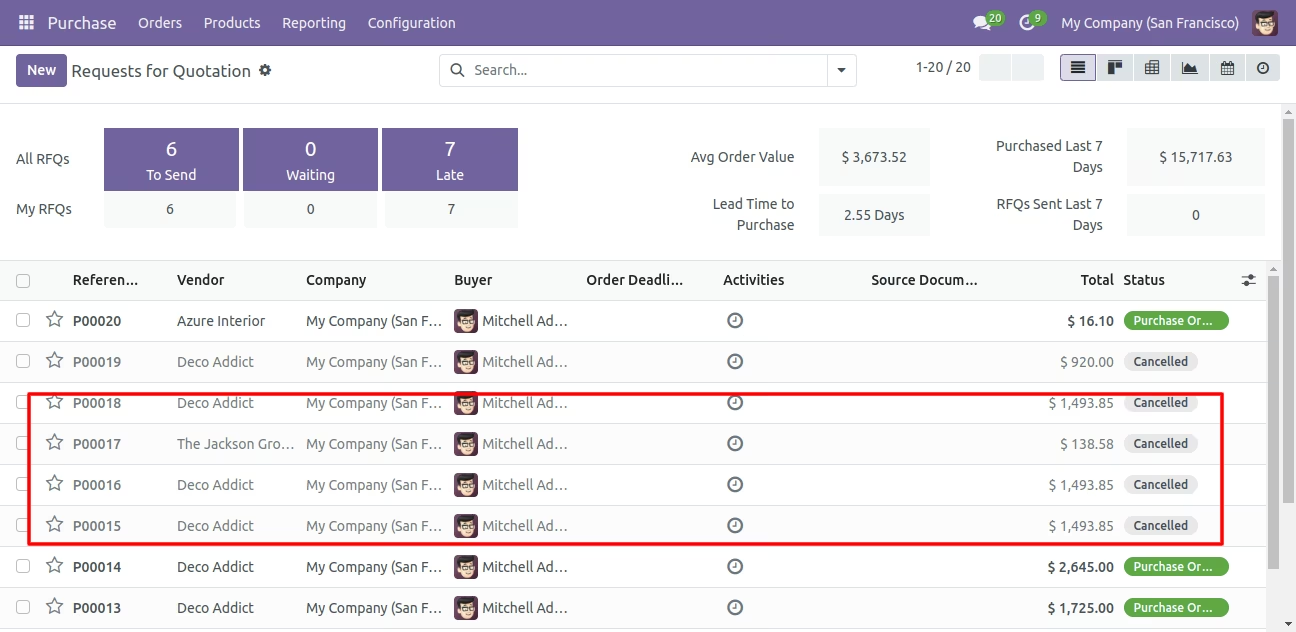
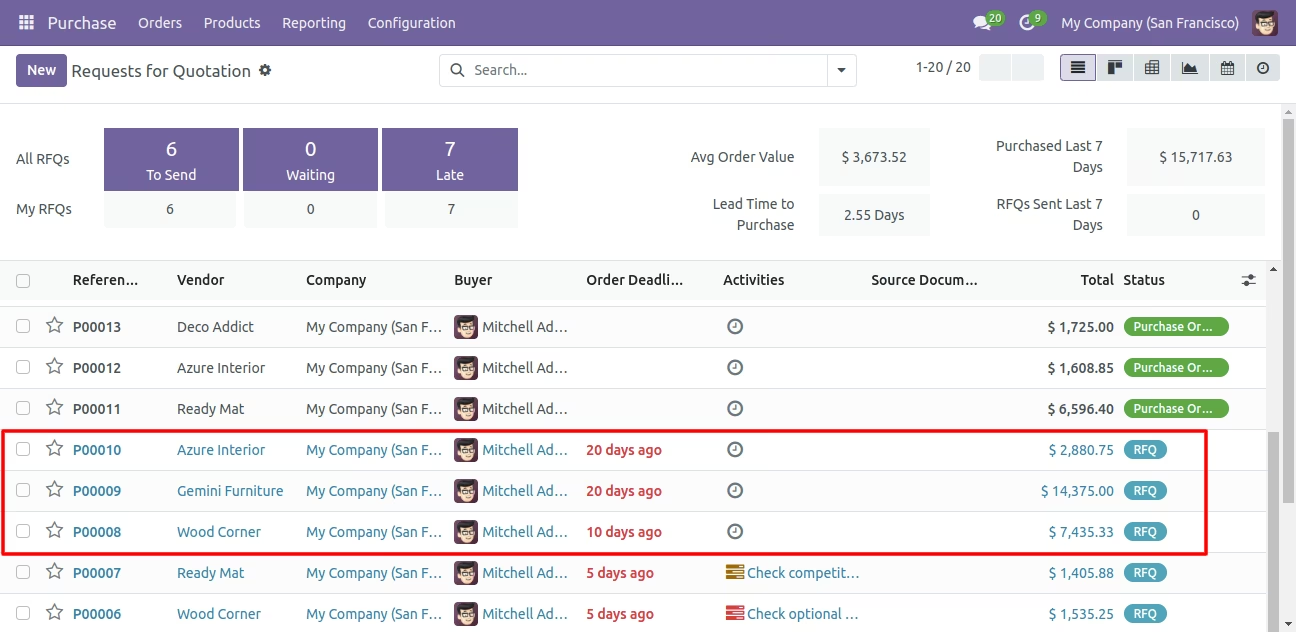
Now we 'cancel & reset draft' multiple purchase orders from the tree view.
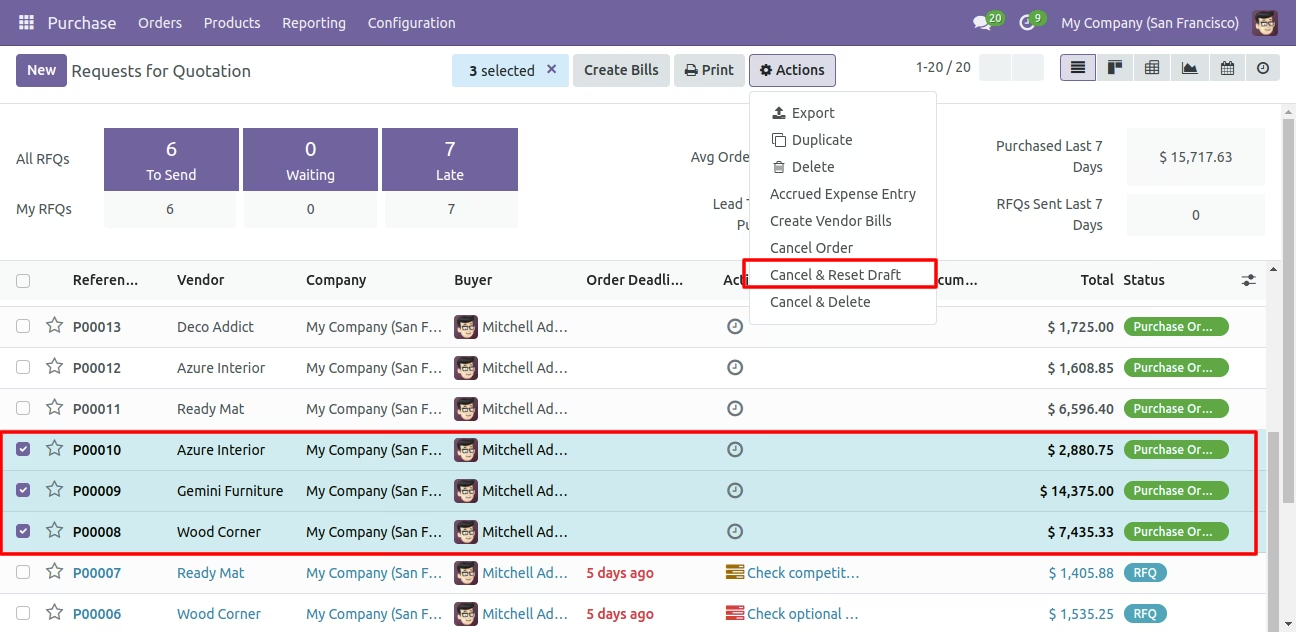
All selected purchase orders are cancelled and reset to the draft.
Now we 'cancel & delete' multiple purchase orders from the tree view.
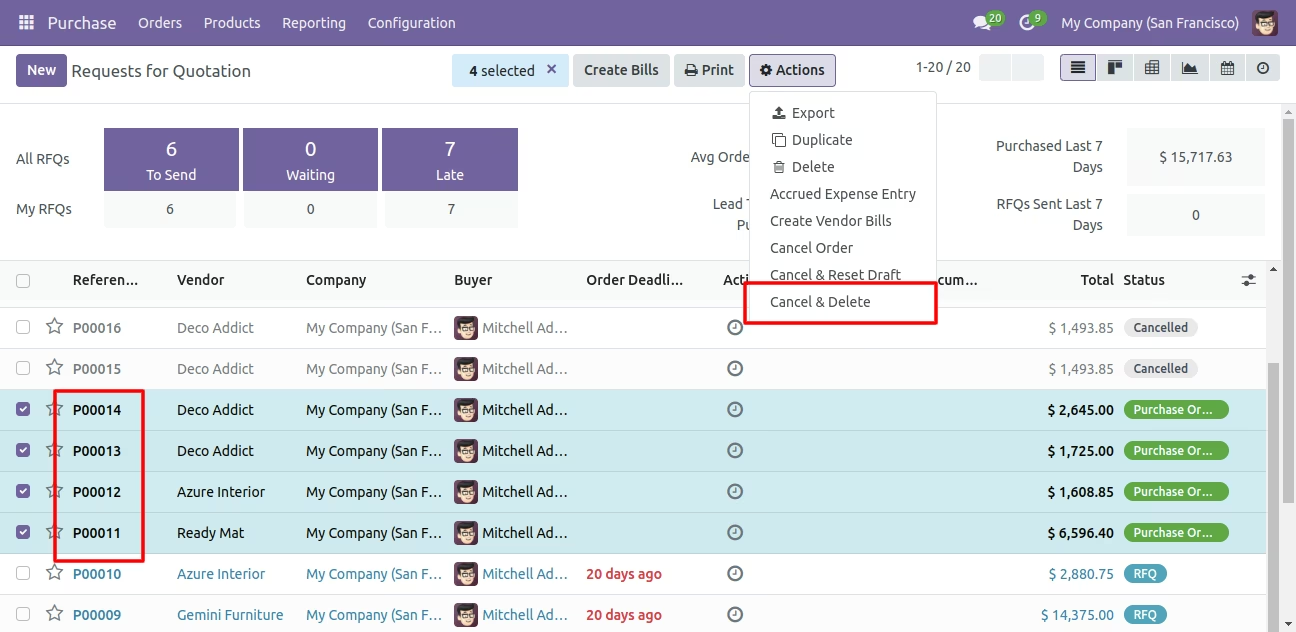
All purchase orders will be deleted after cancelled.