The module enhances e-commerce by allowing businesses to hide product pricing on the website and prompt direct inquiries when needed. Instead of showing a price or allowing immediate purchases, selected items display a Call For Price button. This approach supports customized pricing strategies especially useful for high value, bespoke, or frequently changing products where personalized quotes are essential.
Conceals product price and removes the "Add to Cart" button for specific products.
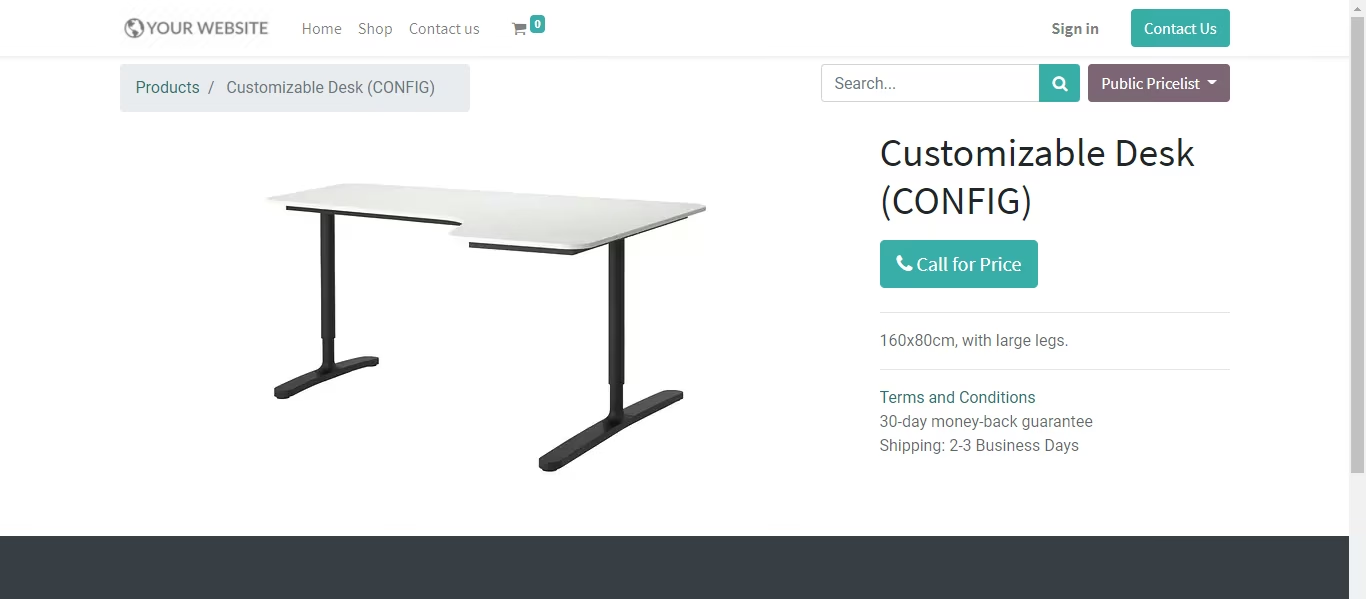
Displays a prominent "Call For Price" button instead, enabling customer price requests.
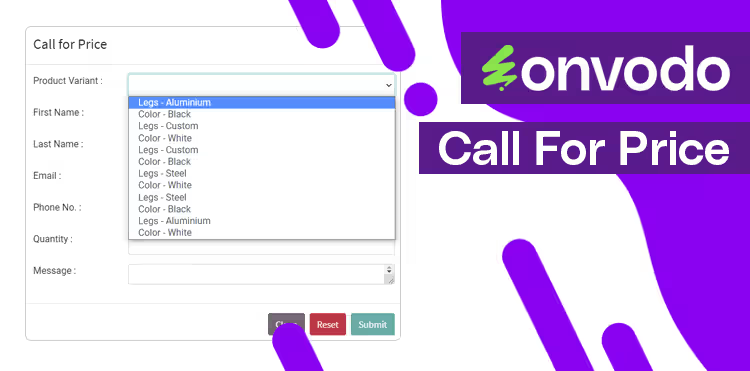
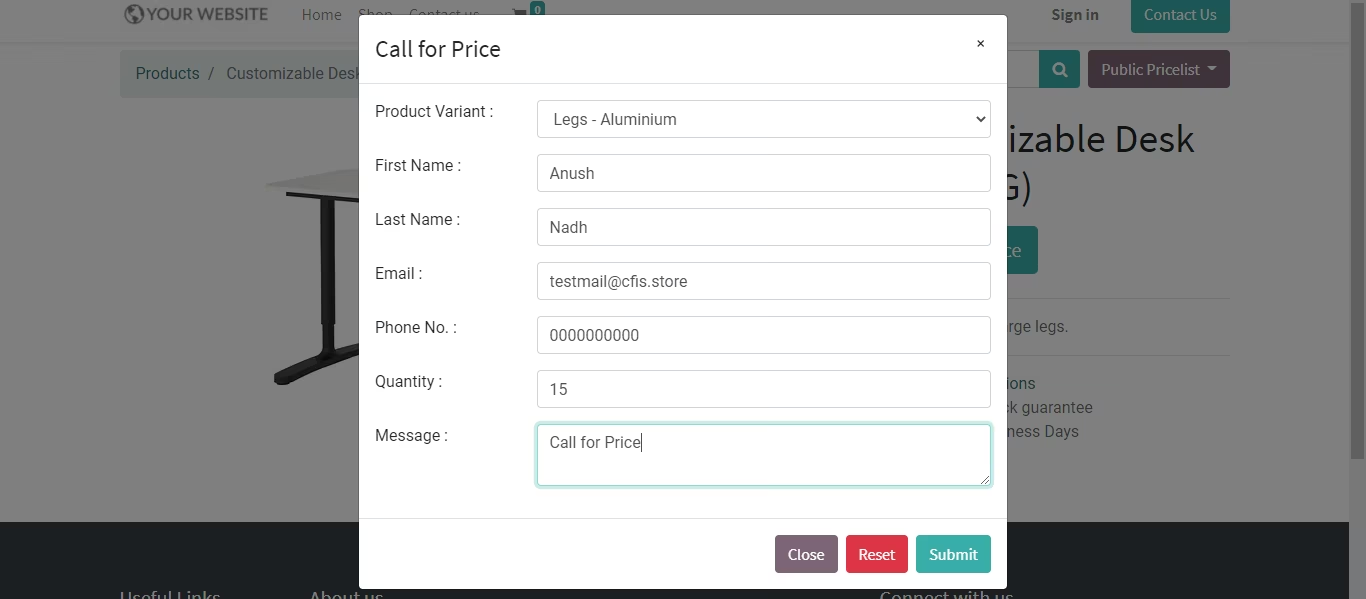
Opens a form for customers to submit inquiries, capturing contact details and product interest.
Automatically creates leads or opportunities in CRM when a customer requests pricing.
Allows conversion of inquiries into sales quotations directly from the lead record.
Supports visibility and configuration at the product level: mark specific items for price hiding.
Enables flexible pricing strategies for complex or high-value products.
Creates a personalized engagement channel through direct quote inquiries.
Captures customer interest efficiently by generating leads via website interactions.
Converts inquiries into quotations seamlessly, shortening the sales cycle.
Enhances privacy and control over price visibility.
Boosts sales opportunities through targeted follow-up on interest signals.
Aligns with brand professionalism by managing pricing discretion.
Reduces confusion or hesitation when pricing varies often.
Integrates easily with CRM workflows for structured lead handling.
Supports selective application—only for products you choose to feature.
Call For Price - Website Request a Call for Price
This module allows you to activate a call for price and hide the product price, as well as add a call for price button. The customer presses the button to submit the merchant a price request.
Installation
- Copy web_call_for_price module to addons folder
- Install the module normally like other modules
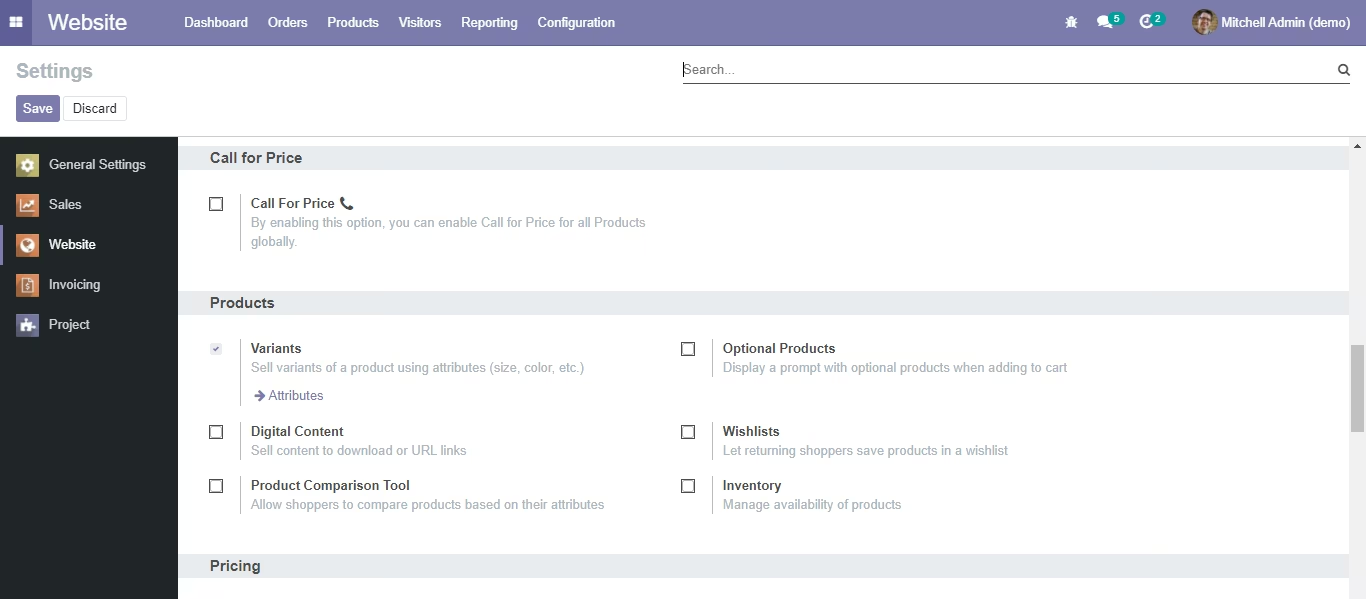
1. Global Settings for Enable Call for Price for all the Products
Website -> Settings -> Call for Price
2. Enable Call for Price based on the selected Products
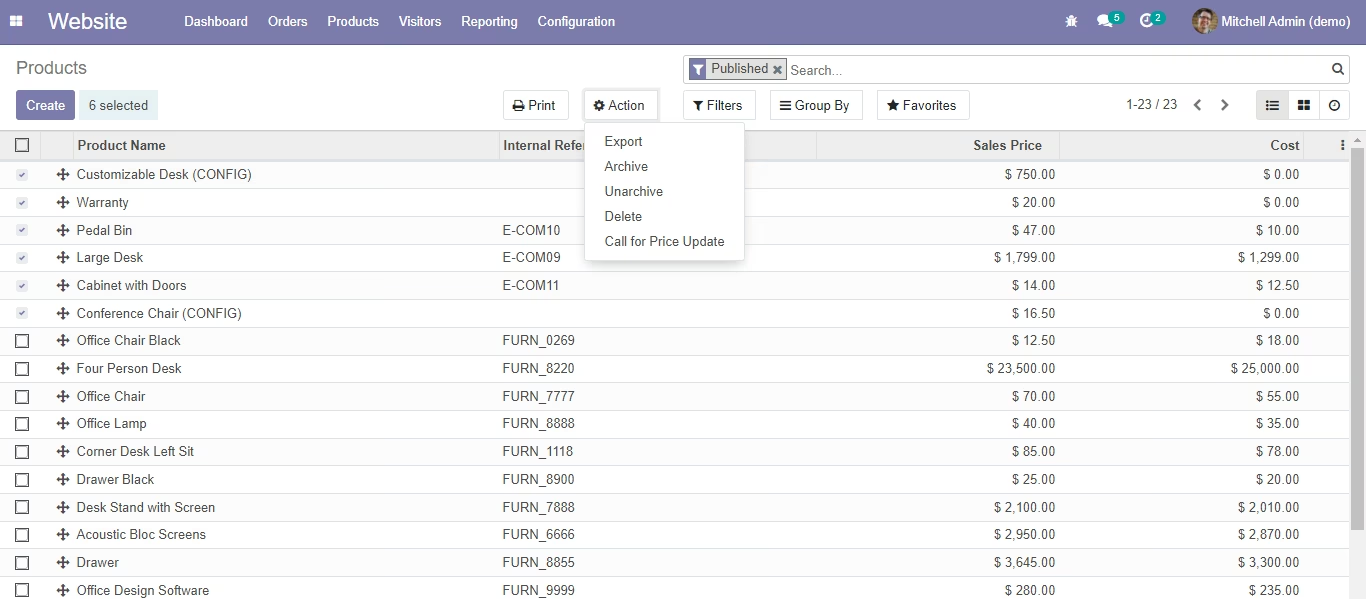
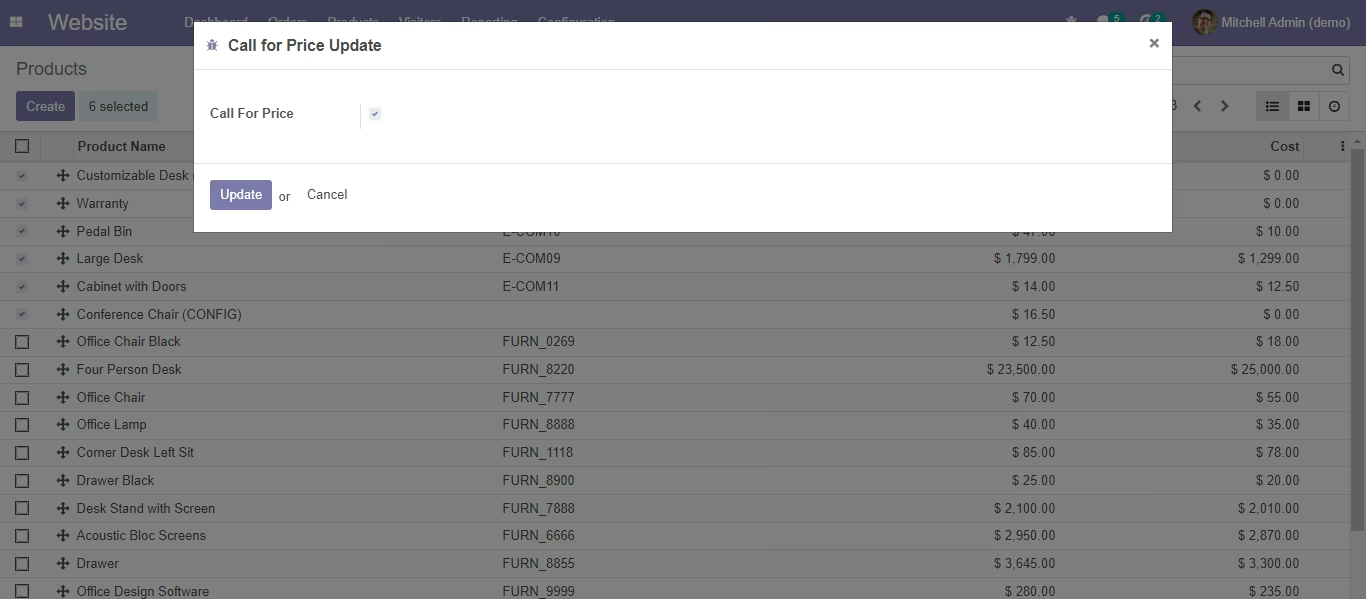
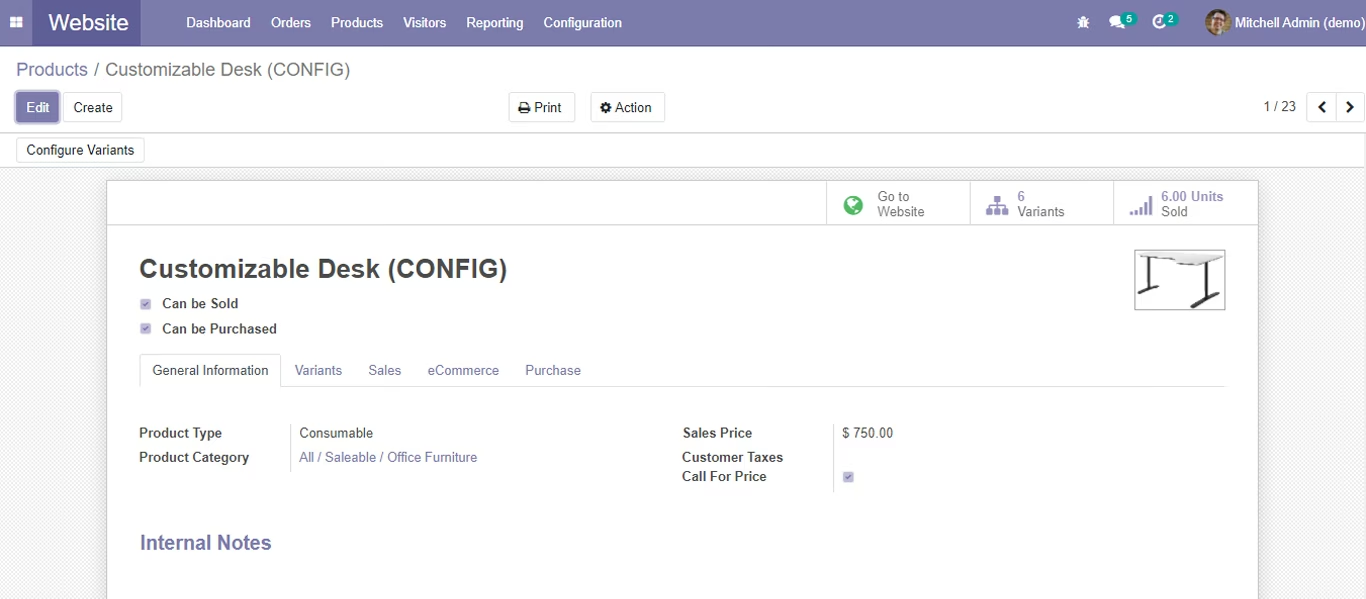
Products -> Tree VIew -> Select Multiple Products -> Call for Price Update
3. Call for Price Request from Website
Website -> Product
Generate Request (You can selectthe Product Variants also from the dropdown list)
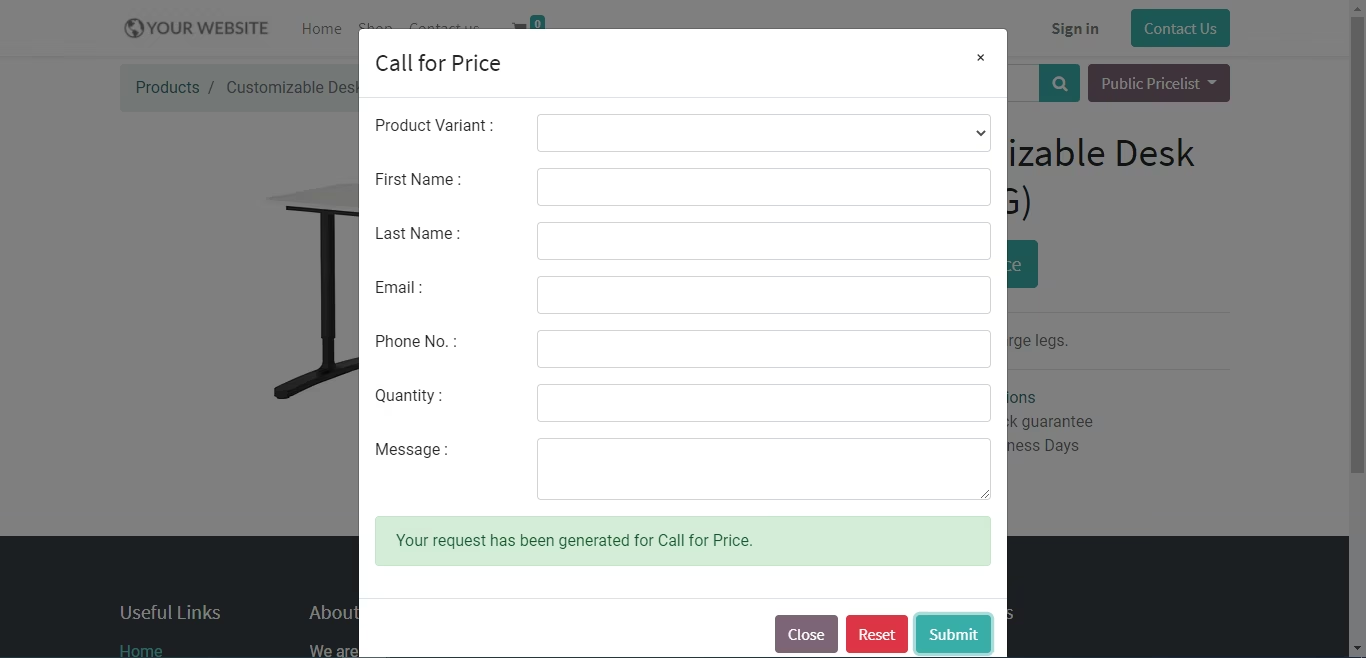
Success Message
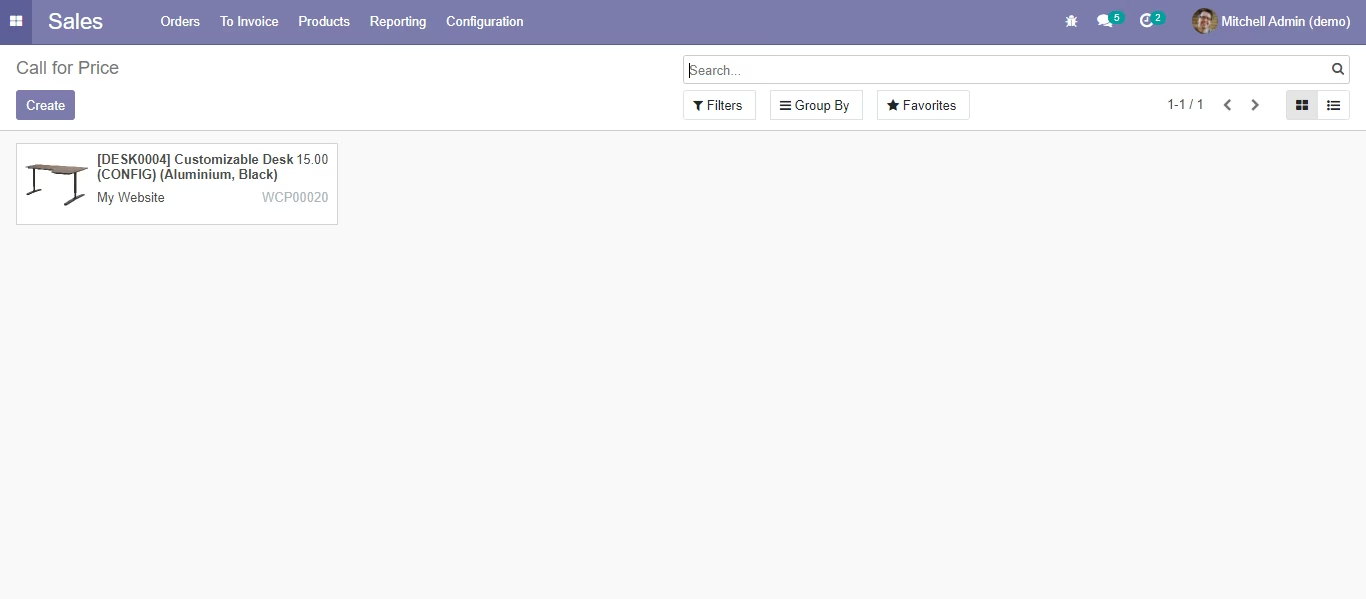
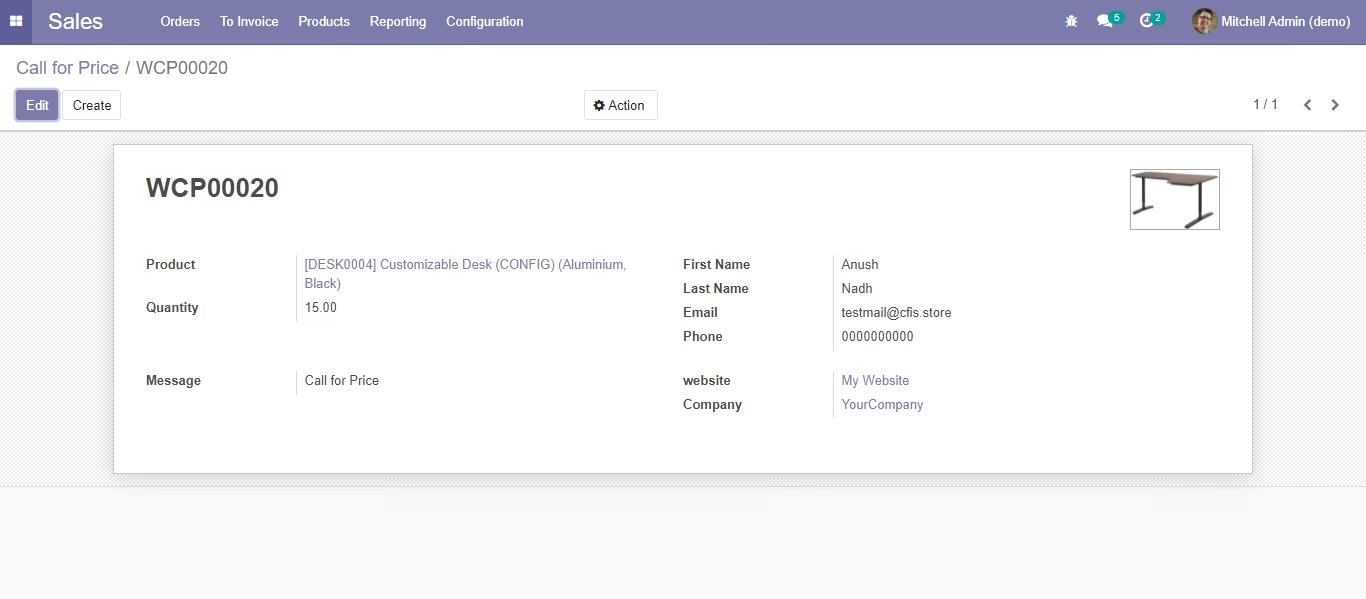
4. Call for Price Request
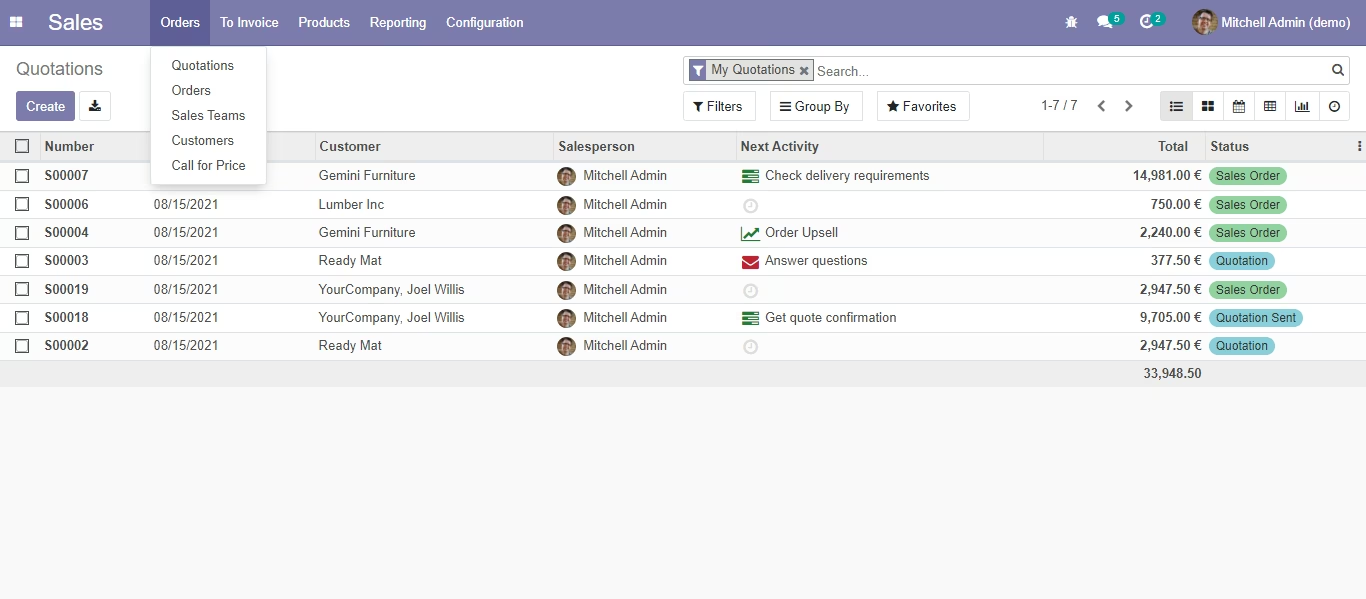
Sales -> Call for Price