This module enhances CRM by introducing a “Call for Price” option on products. When enabled, product prices are hidden on the front-end, encouraging customers to request pricing details. Those requests automatically become CRM leads, streamlining communication and sales follow-up.
Hide product prices and disable the "Add to Cart" button when the feature is enabled.
Display a “Call for Price” button to allow customers to submit inquiries.
Automatically generate CRM leads or opportunities based on customer requests.
Easily transform price inquiry leads into sales quotations or orders via CRM interface.
Seamlessly integrates with Sales, CRM, eCommerce, Website, Contacts, and Invoicing workflows.
Improved lead generation: Pricing inquiries become trackable sales opportunities.
Controlled pricing strategy: Hide prices for products needing custom pricing or special handling.
Efficient sales process: One-click conversion from inquiry to quotation saves time and reduces friction.
Better customer engagement: Facilitates direct communication and pricing negotiation.
In business sometimes products prices should be hidden for many reasons. These items might be free, out of stock or their prices change frequently and need to be verified by phone, email, etc. Call For Price To CRM is a tool with a flexible option, you can effectively manage all the product price status by deciding which are displayed, which must be contacted to know the price. The product that enables a call for the price will hide the price, then add a button call for price. The customer clicks the button to send price requests to the merchant about products and that request is a lead or opportunity for the merchant. From lead/opportunity you can easily create a new quotation of the related products.
- Easy to hide specific product prices.
- You can set a product for call for price.
- You can generate leads/opportunities from the call for price.
- You can generate a quotation/sale order from the lead/opportunity.
- You can connect with customers directly.
- This module saves your important time.
- It reduces human efforts.
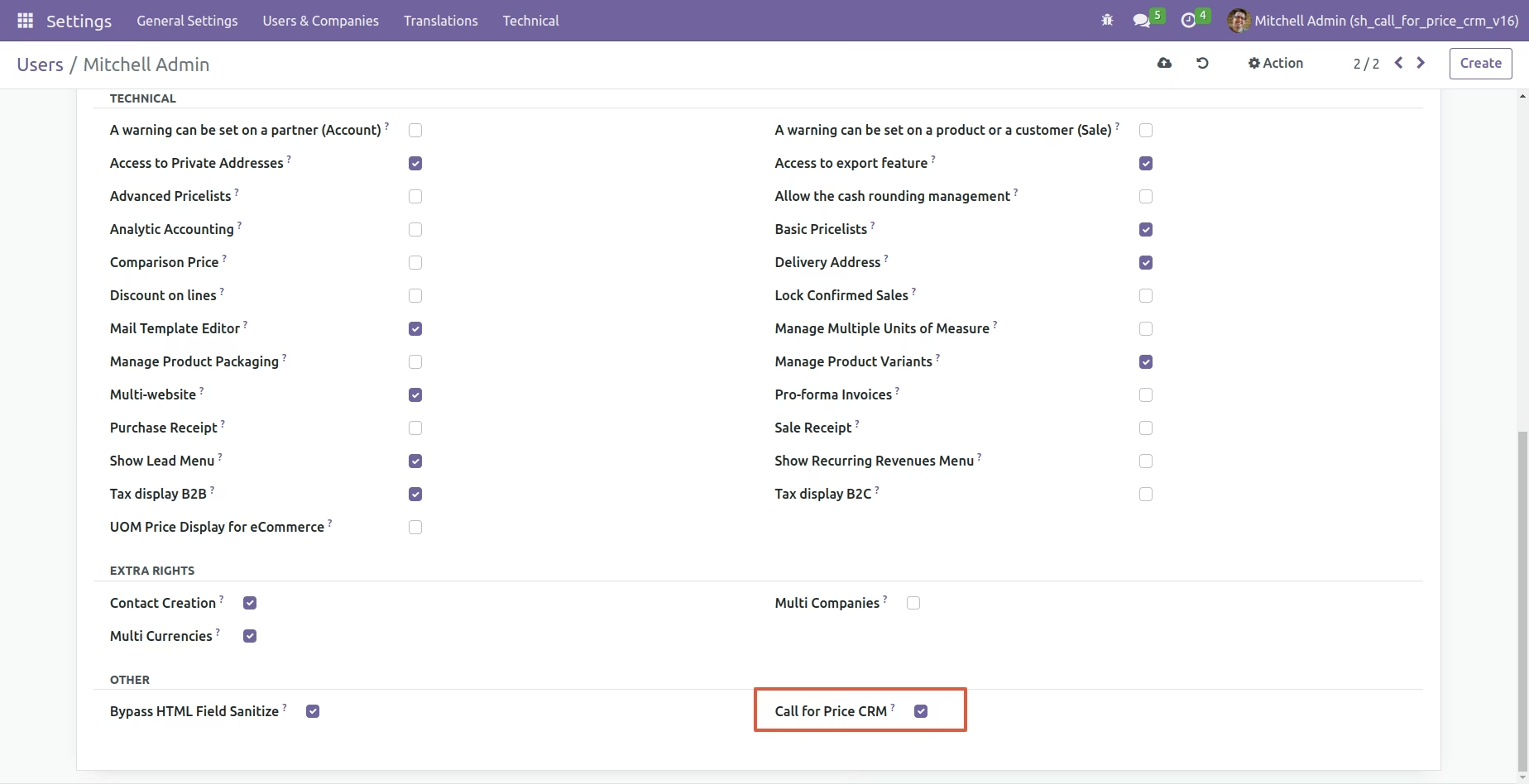
Go to User Setting and Tick "Call For Price CRM".
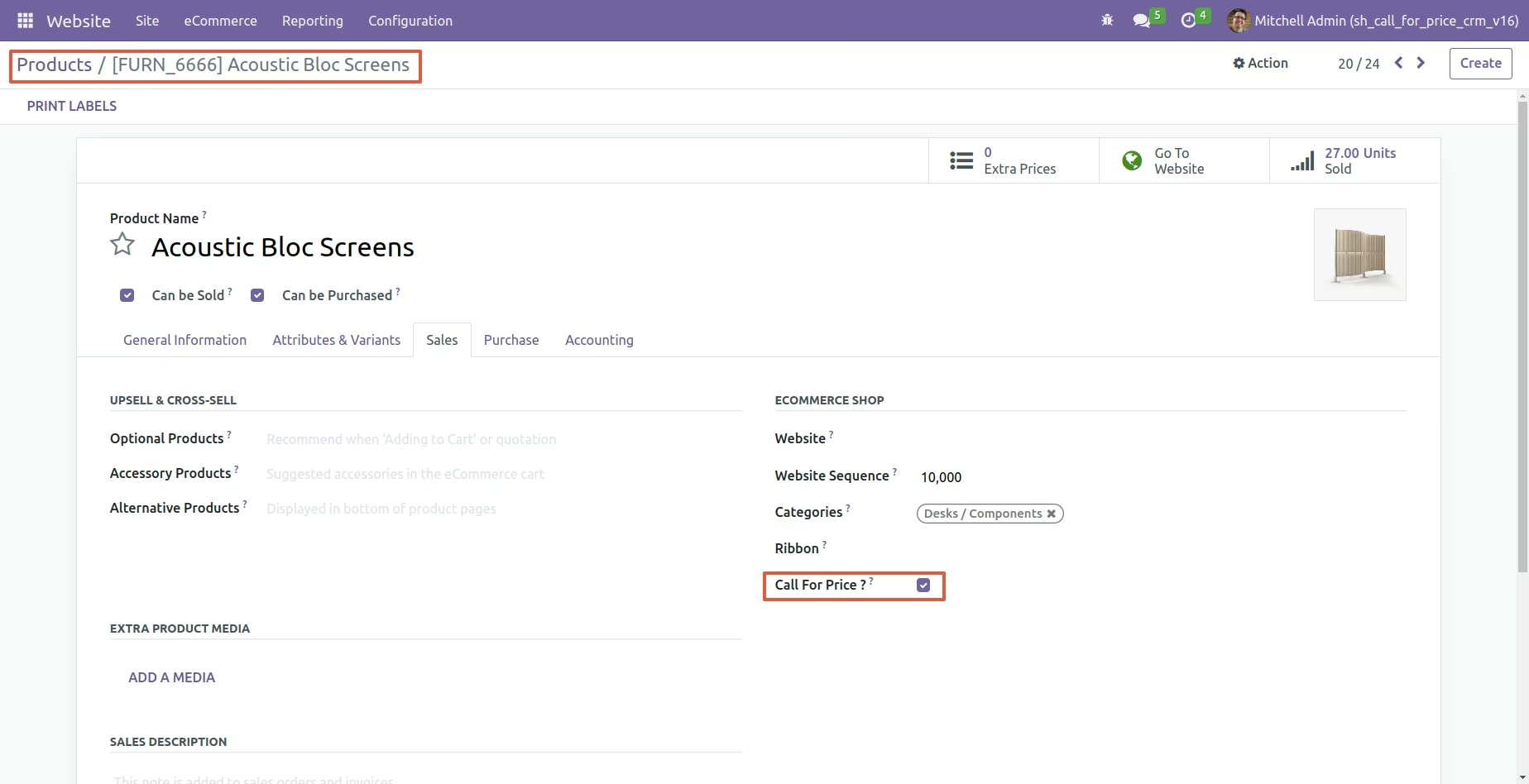
Set Product for "Call For Price" to True.
"Call For Price" button available for product set "Call For Price" option to True.
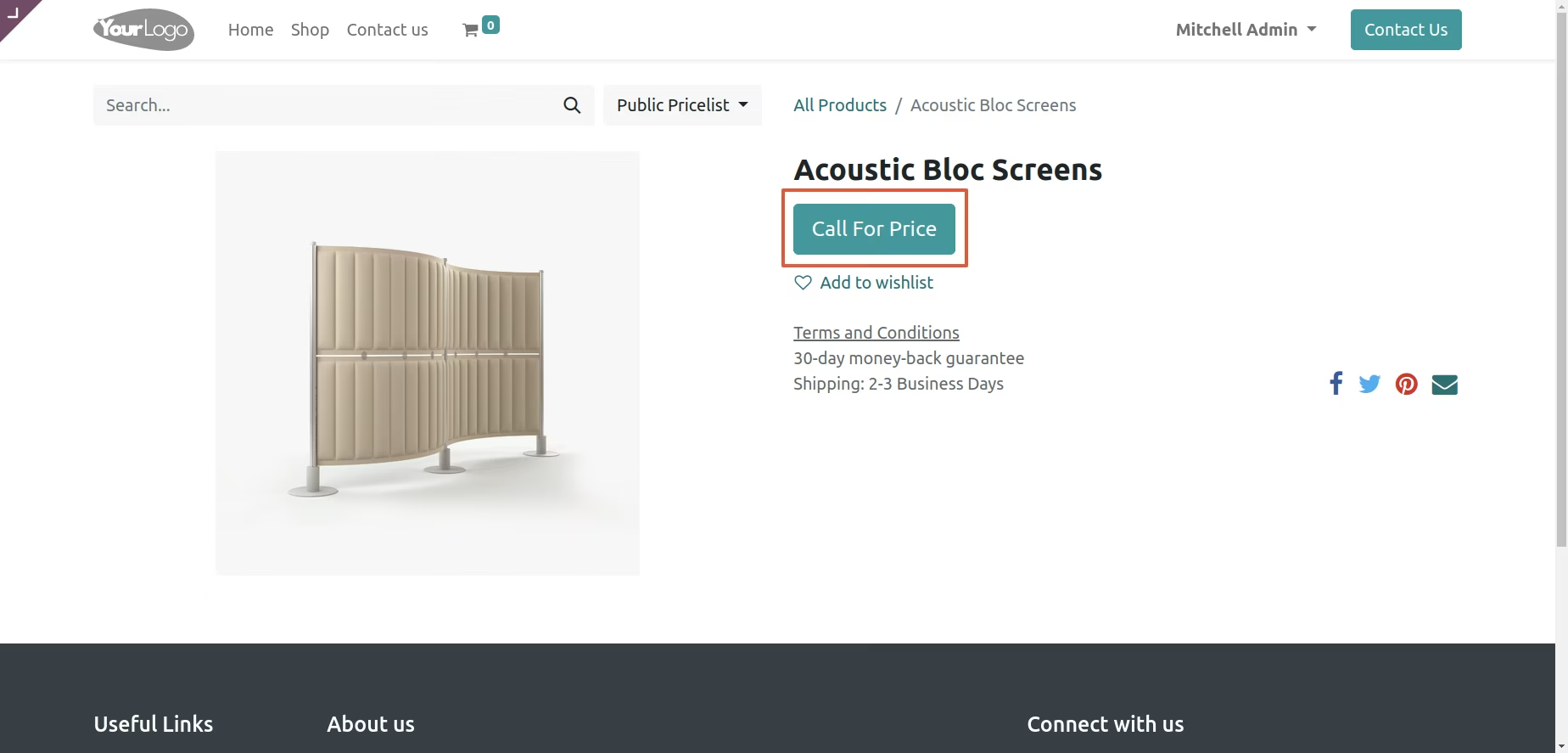
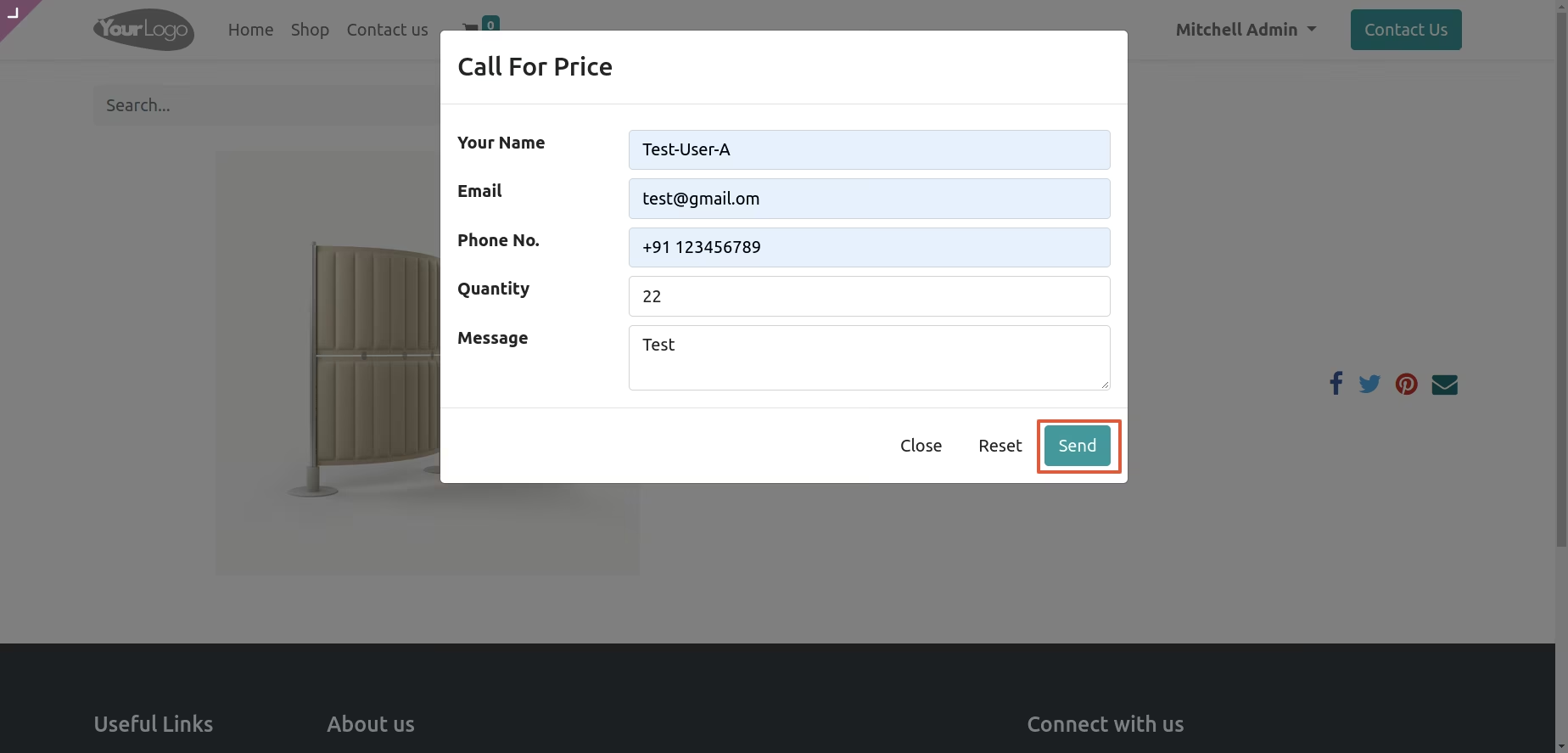
On the "Call For Price" button click popup opens, fill appropriate details and click on the "Send" button.
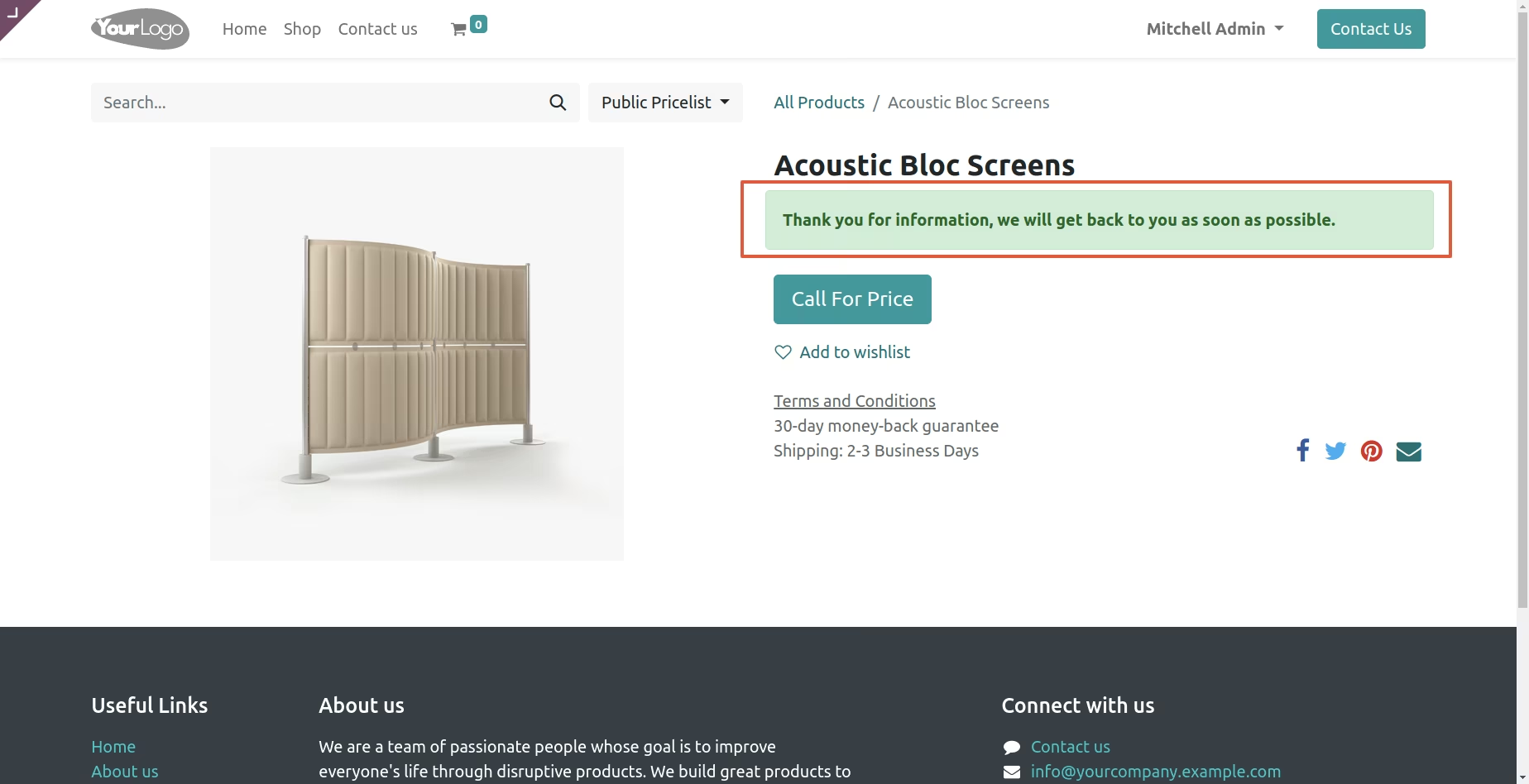
The message indicating Success call for price sent.
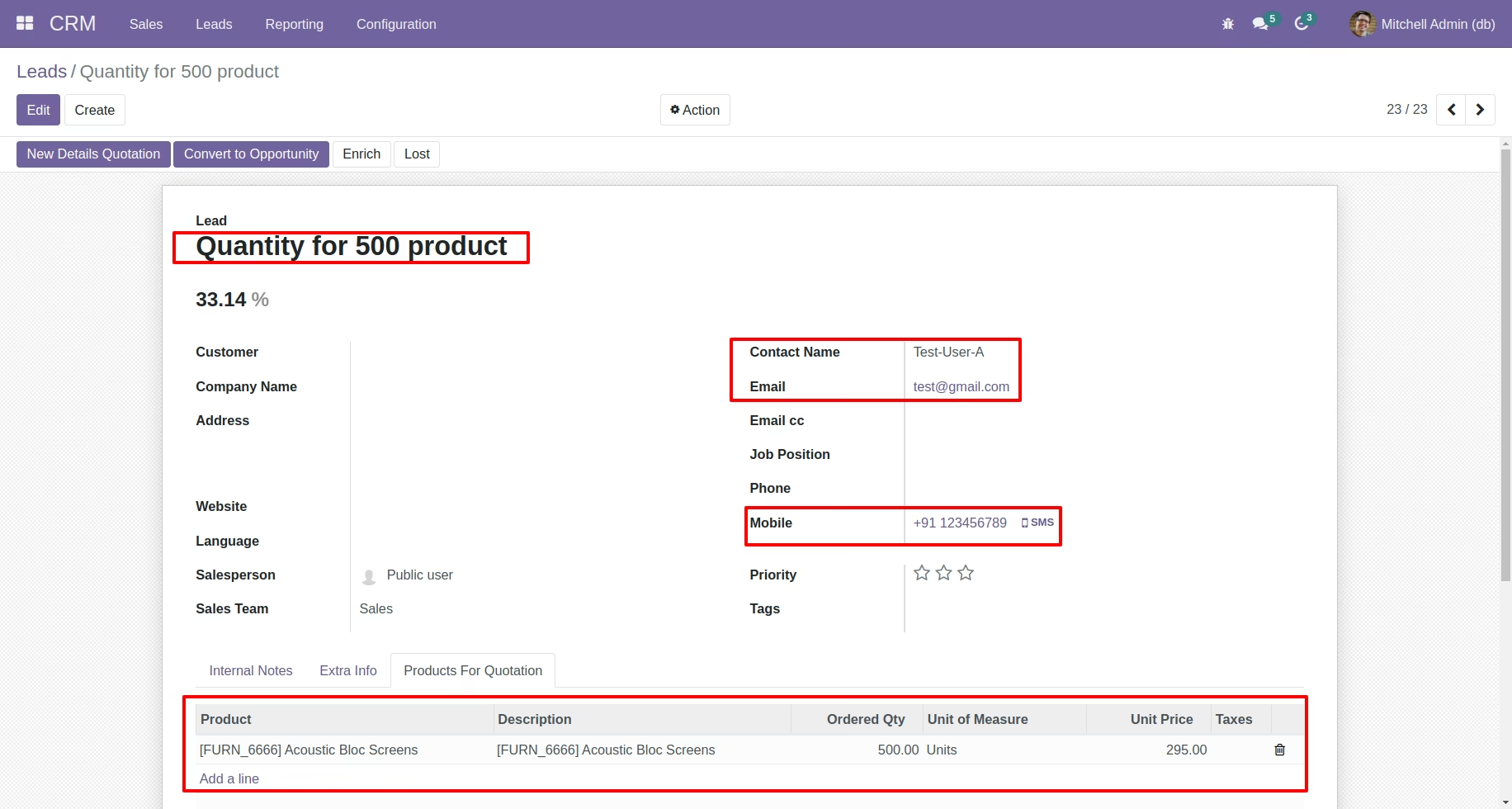
Lead generated for that product with details, You can also create quotation/sale order from here.