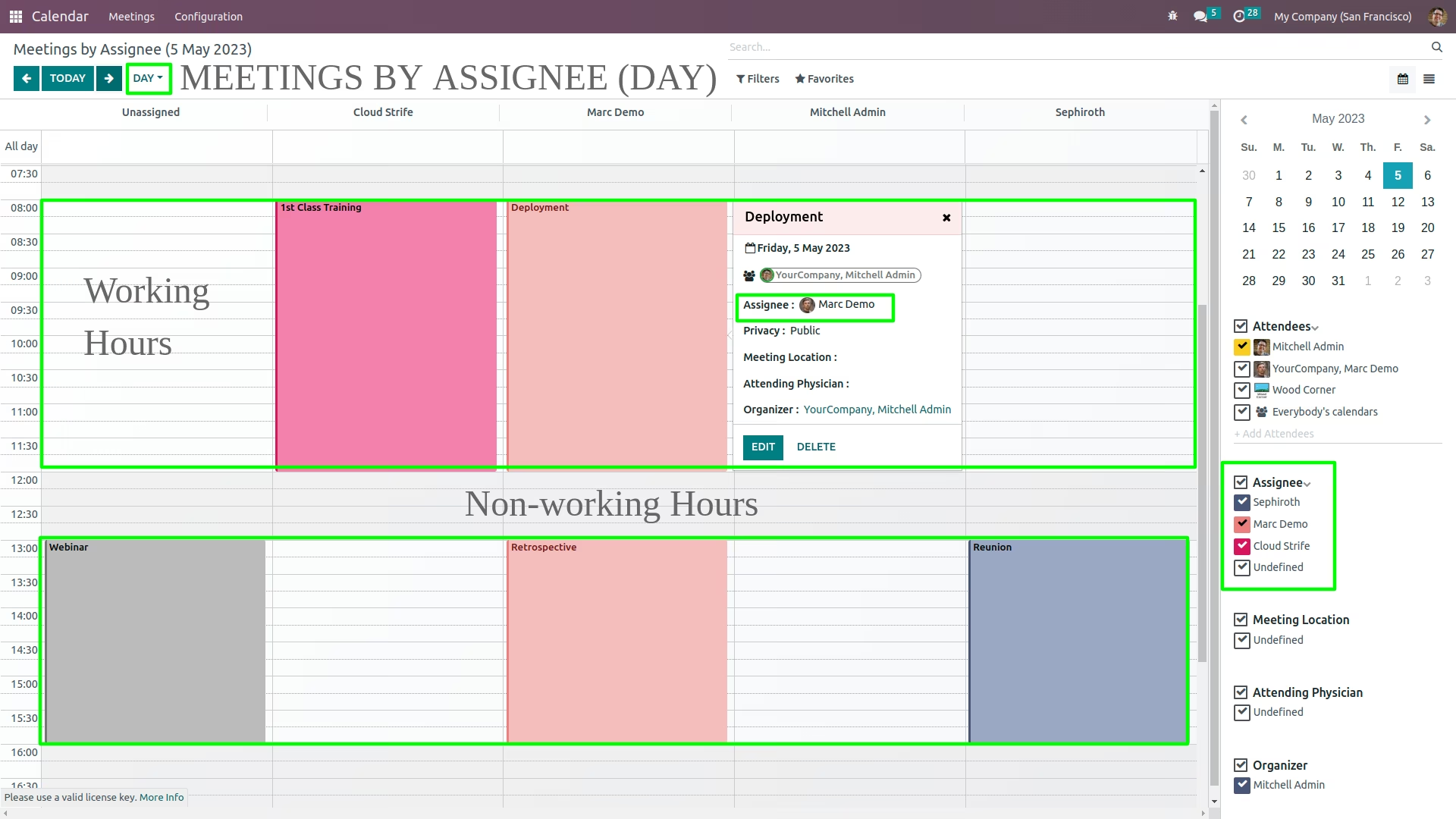
The module improves resource scheduling by enabling assignment of events based on resource availability. It integrates Full Calendar’s vertical resource-view architecture, enabling visibility of per-assignee schedules and preventing event creation or movement outside defined working hours.
Adds a vertical resource view to the Calendar for scheduling by assignee.
Highlights each resource’s working hours while blocking scheduling outside allowed times.
Allows users to drag and drop or create events within availability windows only.
Visually reinforces scheduling boundaries within day, week, or month views.
Ensures workflows respect individual resource calendars while maintaining clarity.
Enhances scheduling precision by ensuring events follow resource availability.
Improves resource management through intuitive, time-bound interfaces.
Reduces scheduling conflicts and inadvertent bookings outside working hours.
Streamlines coordination across teams, rooms, or service providers.
Empowers better planning with transparent visibility of available hours.
Calendar Scheduler by Assignee on Working Hours
New menu to schedule calendar meetings / events by assignee using FullCalendar Scheduler vertical resource view and highlights / restricts the working hours in the view
Important:
For profit companies and individuals intending to use FullCalendar Premium for commercial use must purchase a commercial license. This license allows source code modifications, but does not permit redistribution of modifications.- Read the Commercial license agreement
- Purchase a Commercial license
Features:
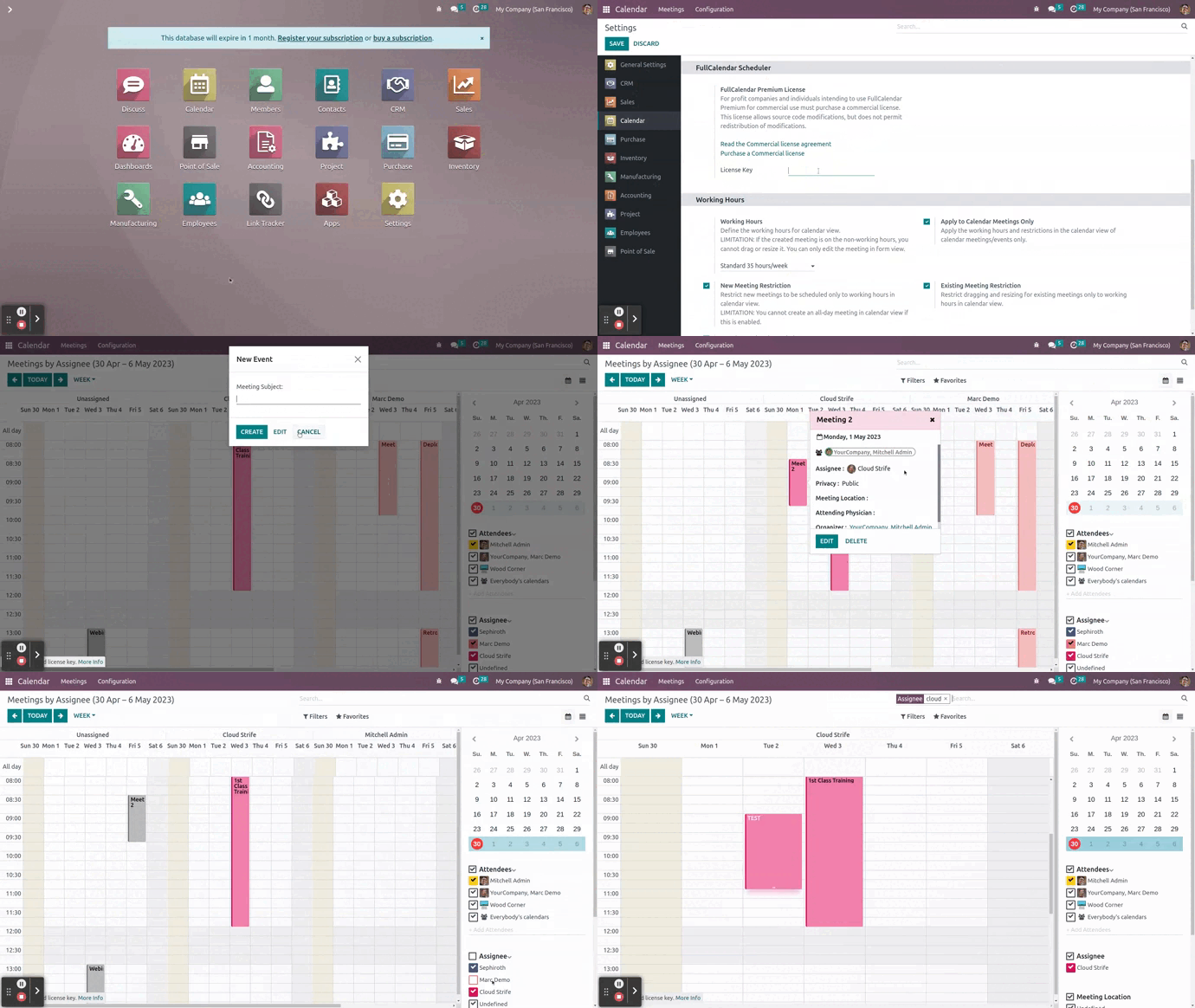
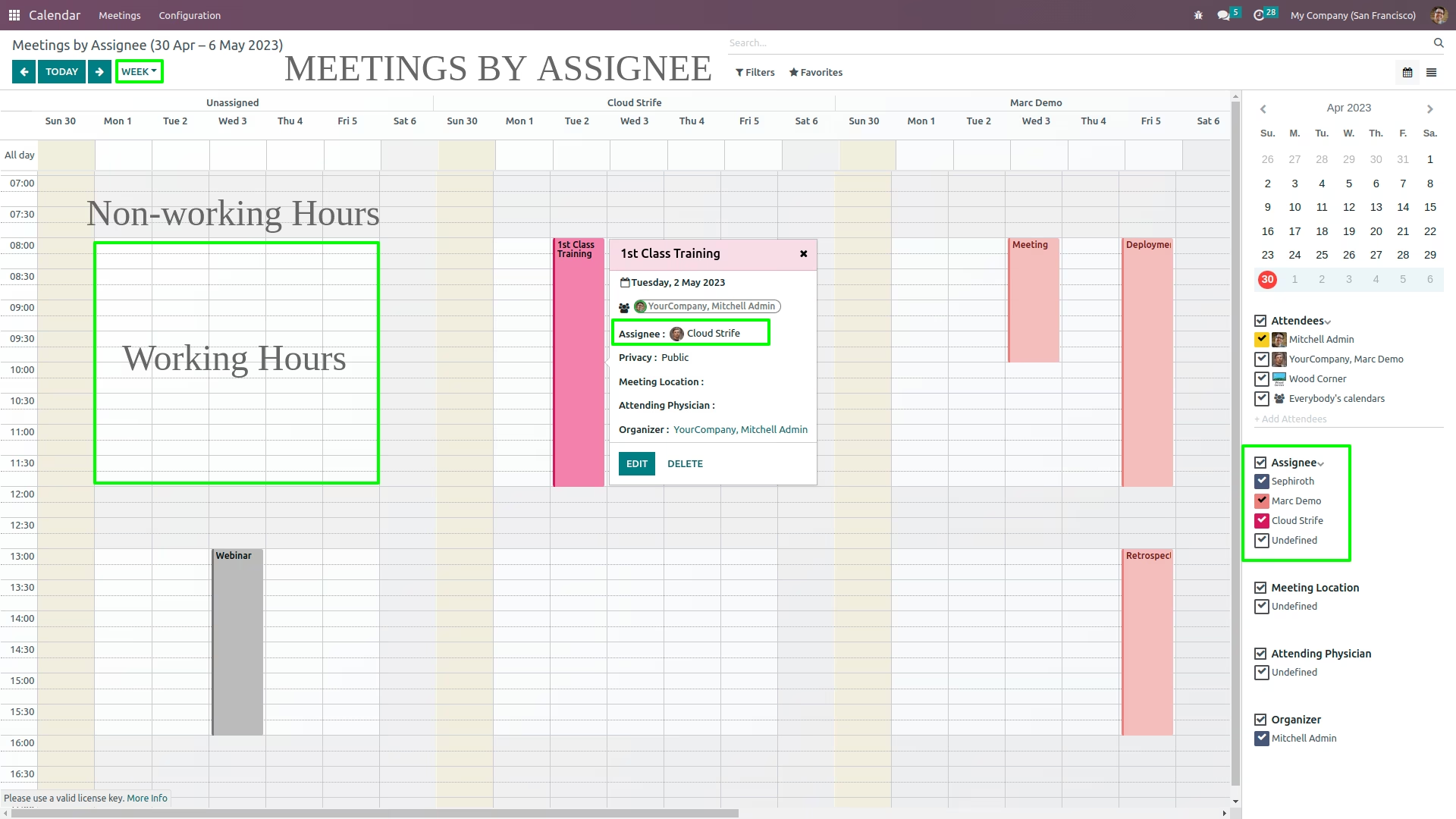
- New menu to schedule meetings by assignee in vertical resource view
- See meetings for each assignee by day view and week view
- Create meetings for each assignee
- Drag and drop meetings from one assignee to another
- Filter calendar resources by assignee
- Highlights or restricts the working hours in the view
Calendar Configuration
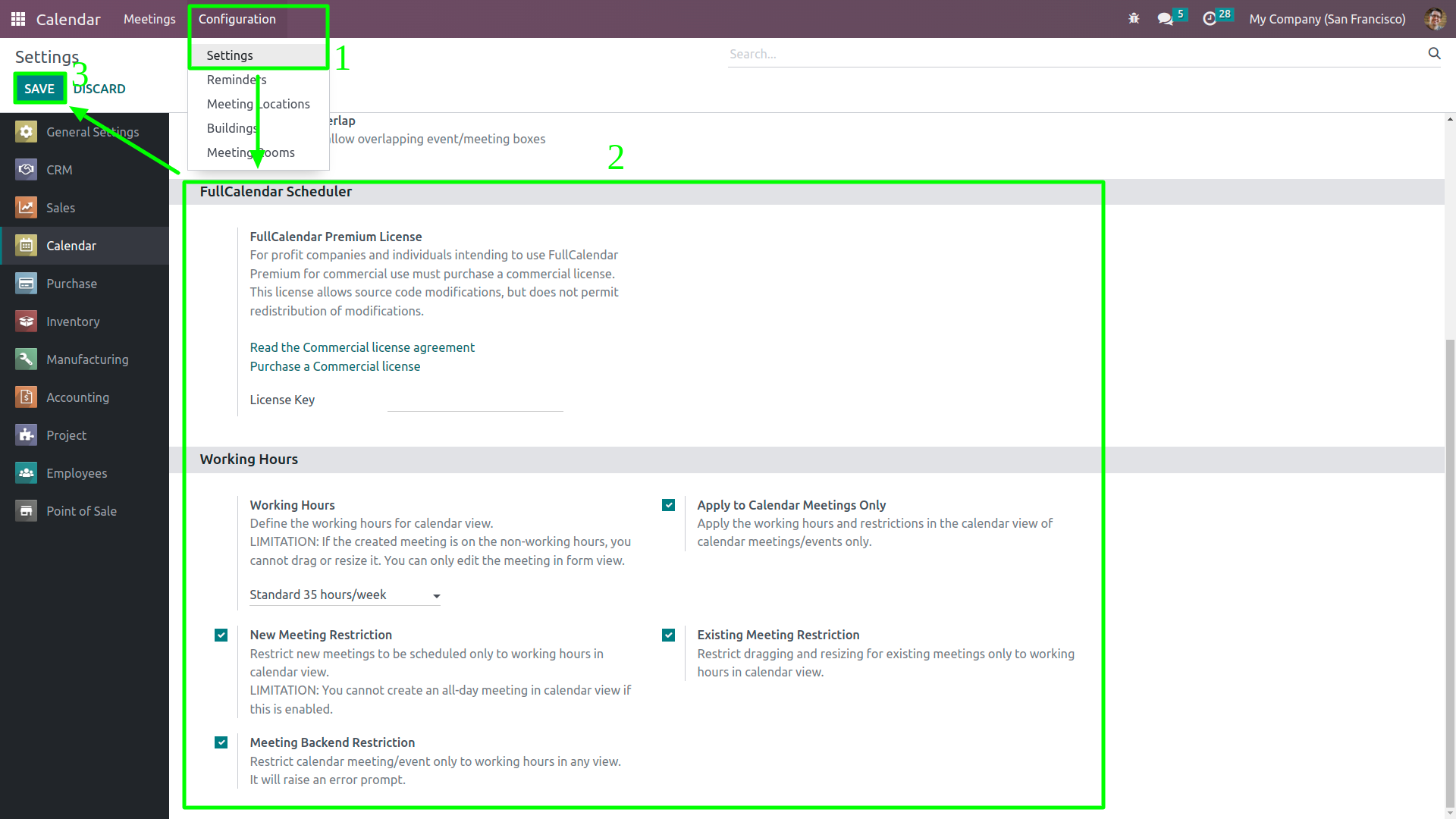
Go to Calendar > Configuration > Settings. Set the FullCalendar premium license key if needed and set the desired working hours for calendar view. User must have Administration / Settings group access and must be in developer mode.
Assignee Resource Configuration
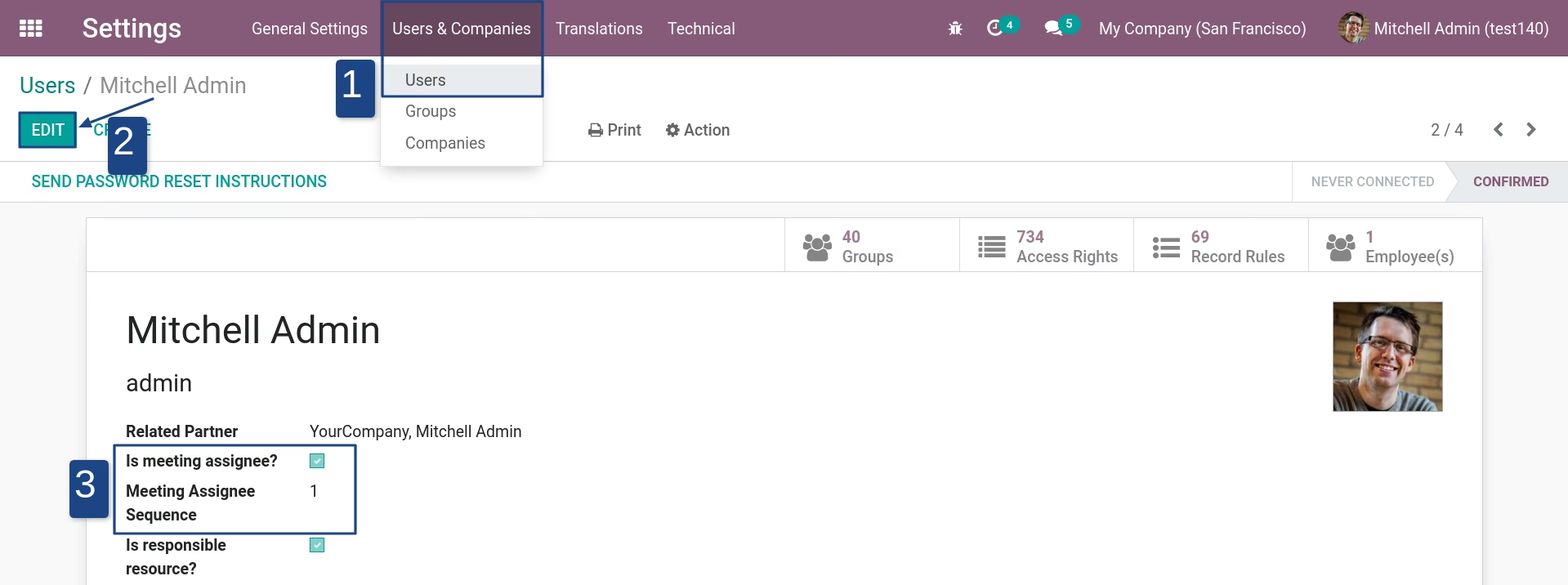
Configuration can be found in Settings > Users & Companies > Users. Then setup the users which will be a meeting assignee
Meetings by Assignee (Week View)
Meetings by Assignee (Day View)