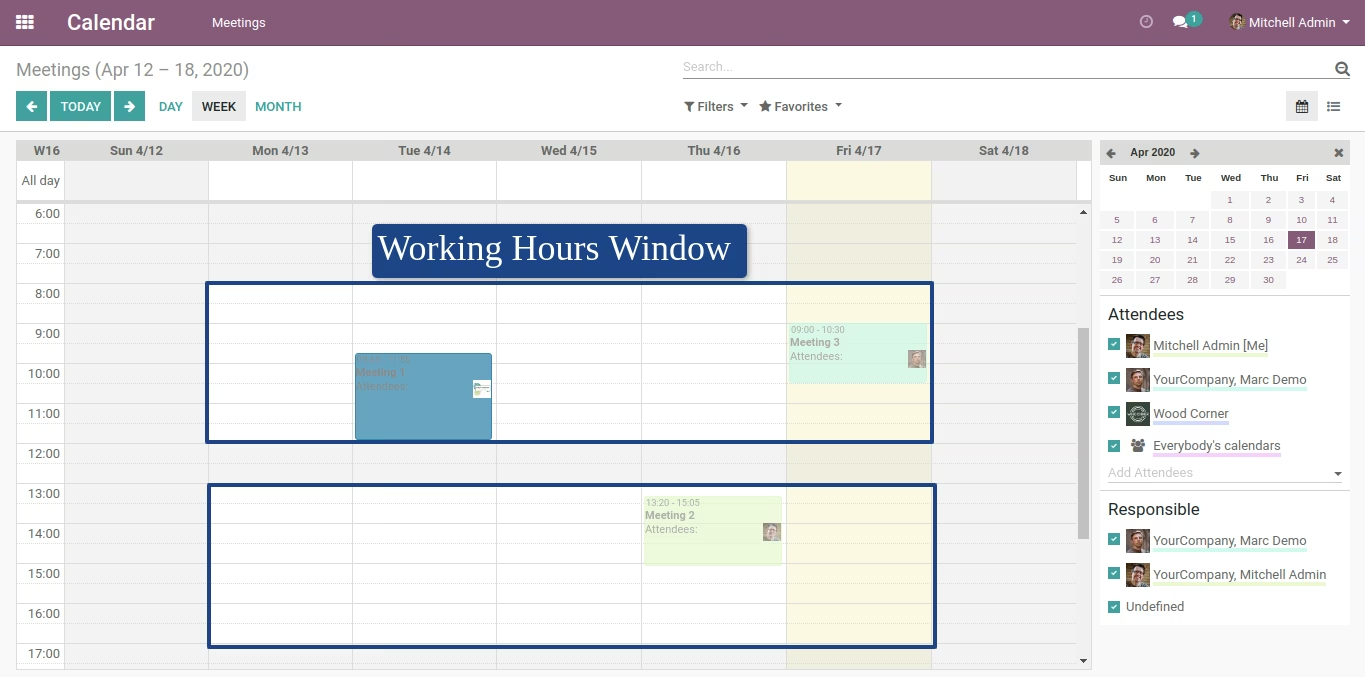
The module empowers organizations to enforce disciplined scheduling by setting business-defined working hours within Calendar. It prevents users from creating or modifying events including drag-and-drop and rescheduling outside these hours, thereby improving compliance, operational coordination, and meeting management.
Allows definition of working hours used by Calendar views through configuration settings.
Restricts creation or editing of events outside the defined working hours.
Applies restrictions during drag-and-drop or resizing event actions in calendar views.
Enforces constraints for event creation and updates in both backend and frontend interfaces.
Enhances scheduling discipline by preventing events outside agreed-upon hours.
Reduces booking conflicts through enforced scheduling rules.
Improves resource planning accuracy by aligning meetings to operational timelines.
Streamlines team coordination by restricting out-of-hours activities.
Delivers a consistent interface enforcing policy across user roles.
Calendar Working Hours
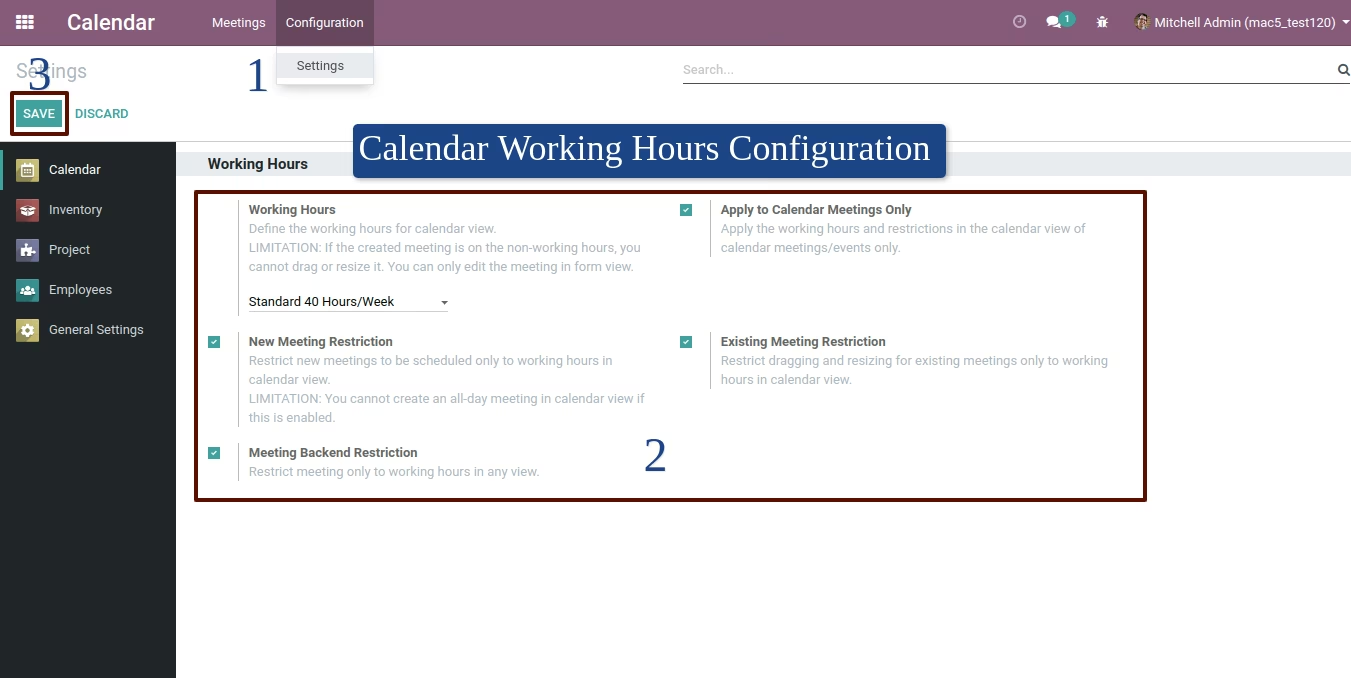
Way to configure working hours in calendar view
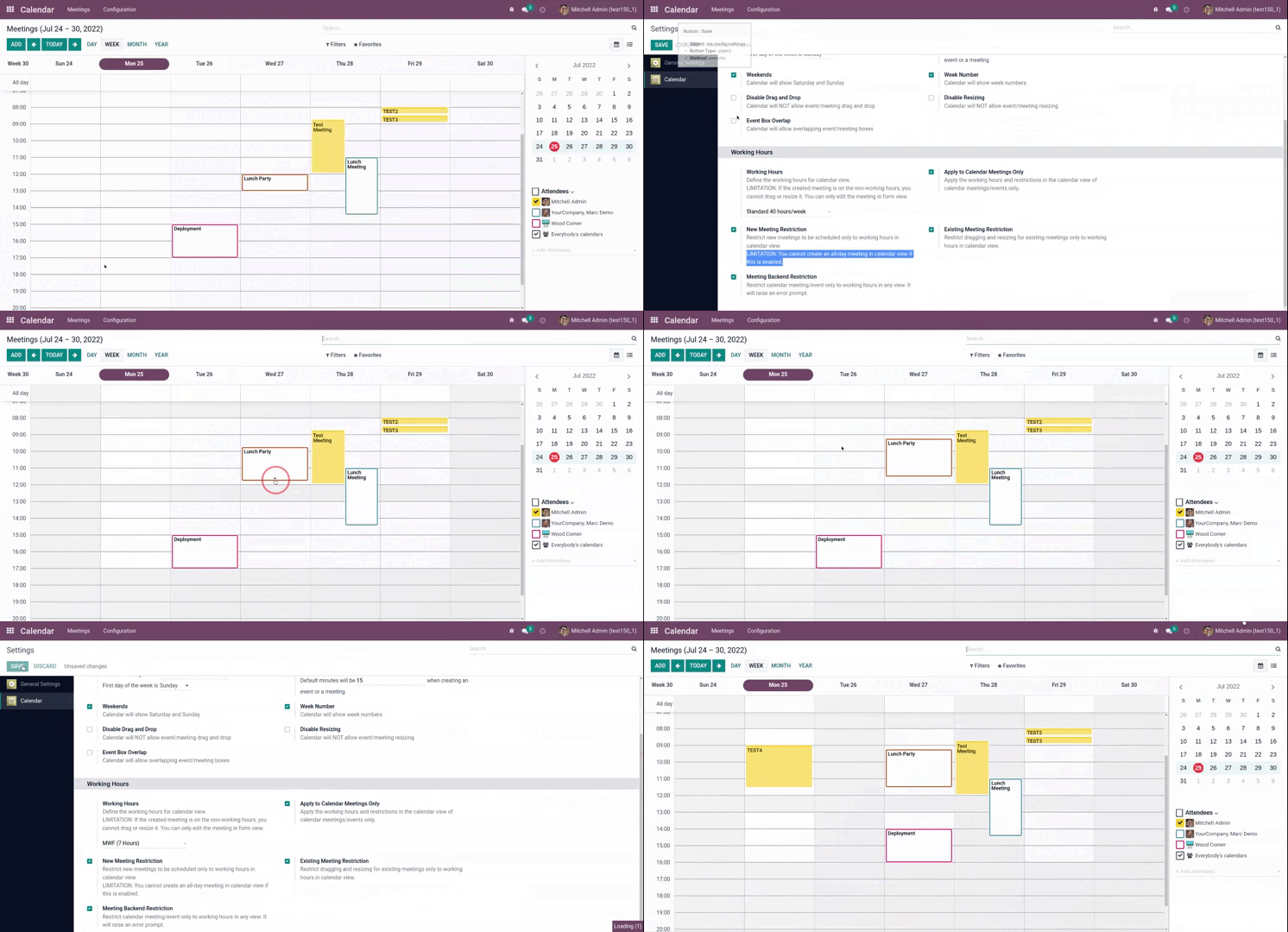
Configuration
Go to Calendar > Configuration > Settings and set the desired working hours for calendar view. User must have Administration / Settings group access and must be in developer mode.
Sample calendar view