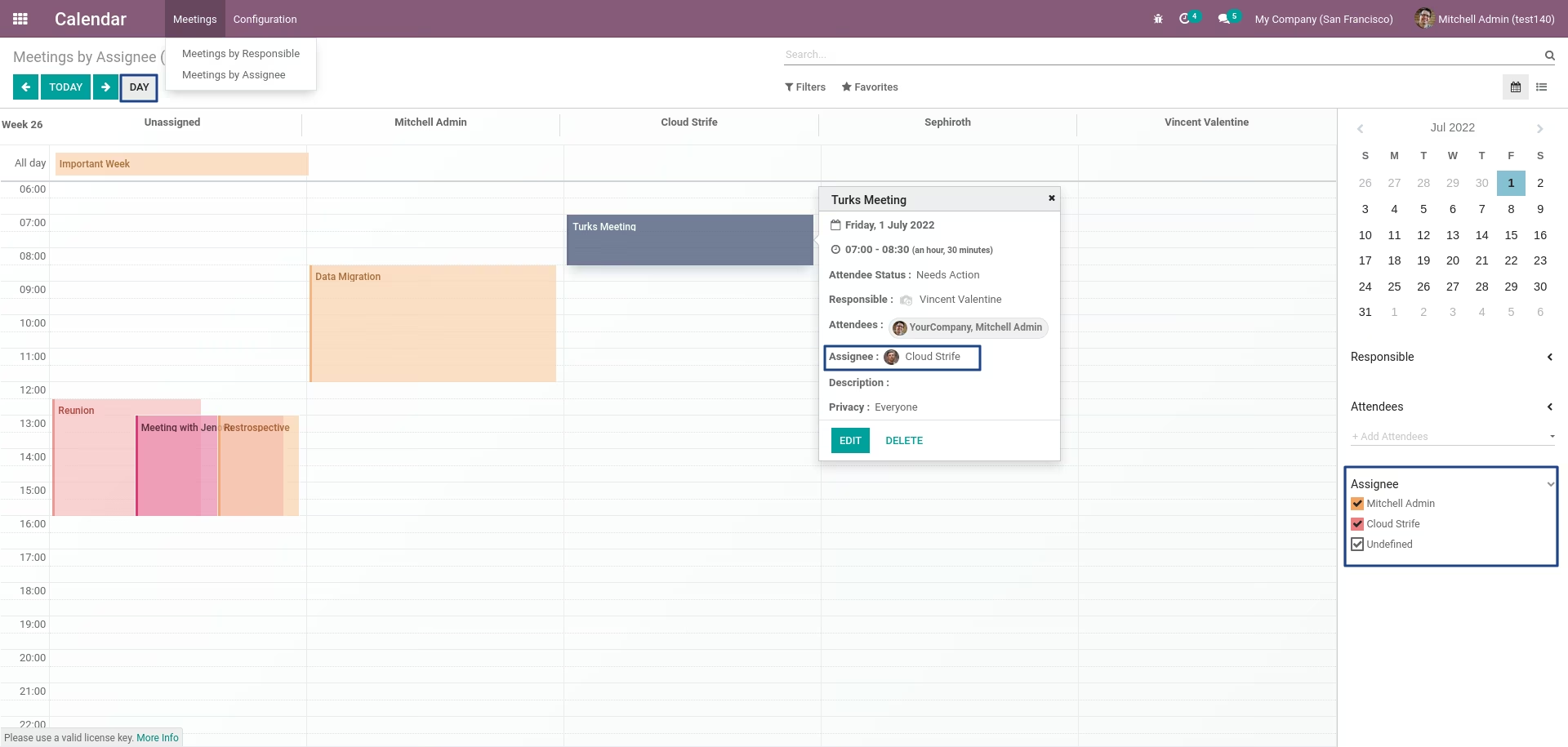
The module enhances Calendar by letting users schedule events directly against specific resources, such as employees or rooms. By implementing a Full Calendar vertical resource view, this module displays resources as columns making scheduling assignments intuitive and improving clarity in resource allocation.
Introduces a vertical resource scheduler in the Calendar, showing resources side-by-side for easy assignment.
Allows users to create and assign events by dragging directly into a resource’s time slot.
Enhances clarity by segregating schedules by resource, reducing overlap and confusion.
Supports workflow refinement by visually aligning assignments with resource availability.
Simplifies the scheduling process through clear, resource-centric assignment views.
Reduces booking conflicts by distinguishing resource timelines.
Enhances team coordination by offering a transparent scheduling interface.
Streamlines resource allocation ideal for managing rooms, staff, or equipment.
Improves operational visibility and planning efficiency.
Calendar Scheduler by Assignee
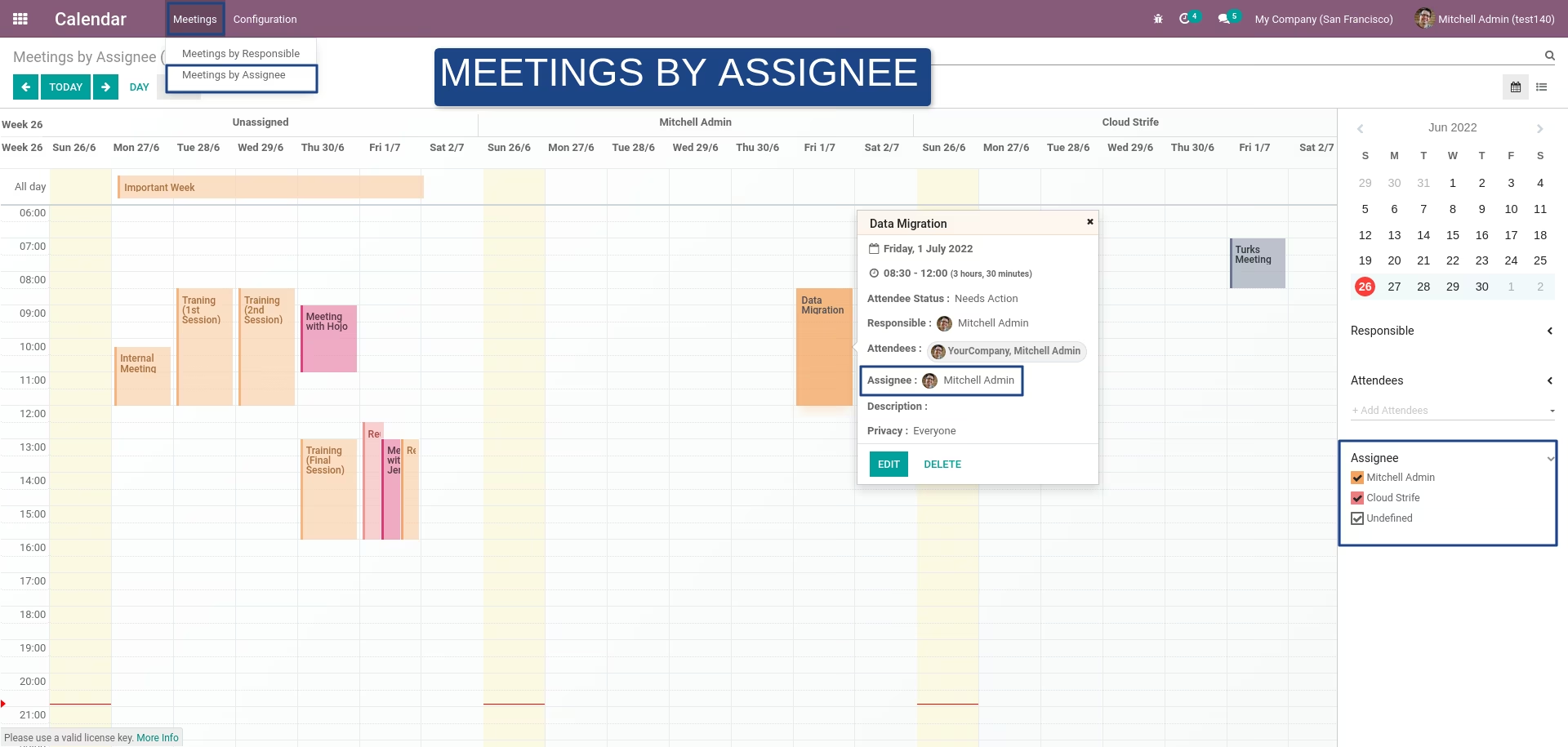
New menu to schedule calendar meetings / events by assignee using FullCalendar Scheduler vertical resource view
Important:
For profit companies and individuals intending to use FullCalendar Premium for commercial use must purchase a commercial license. This license allows source code modifications, but does not permit redistribution of modifications.- Read the Commercial license agreement
- Purchase a Commercial license
Features:
- New menu to schedule meetings by assignee in vertical resource view
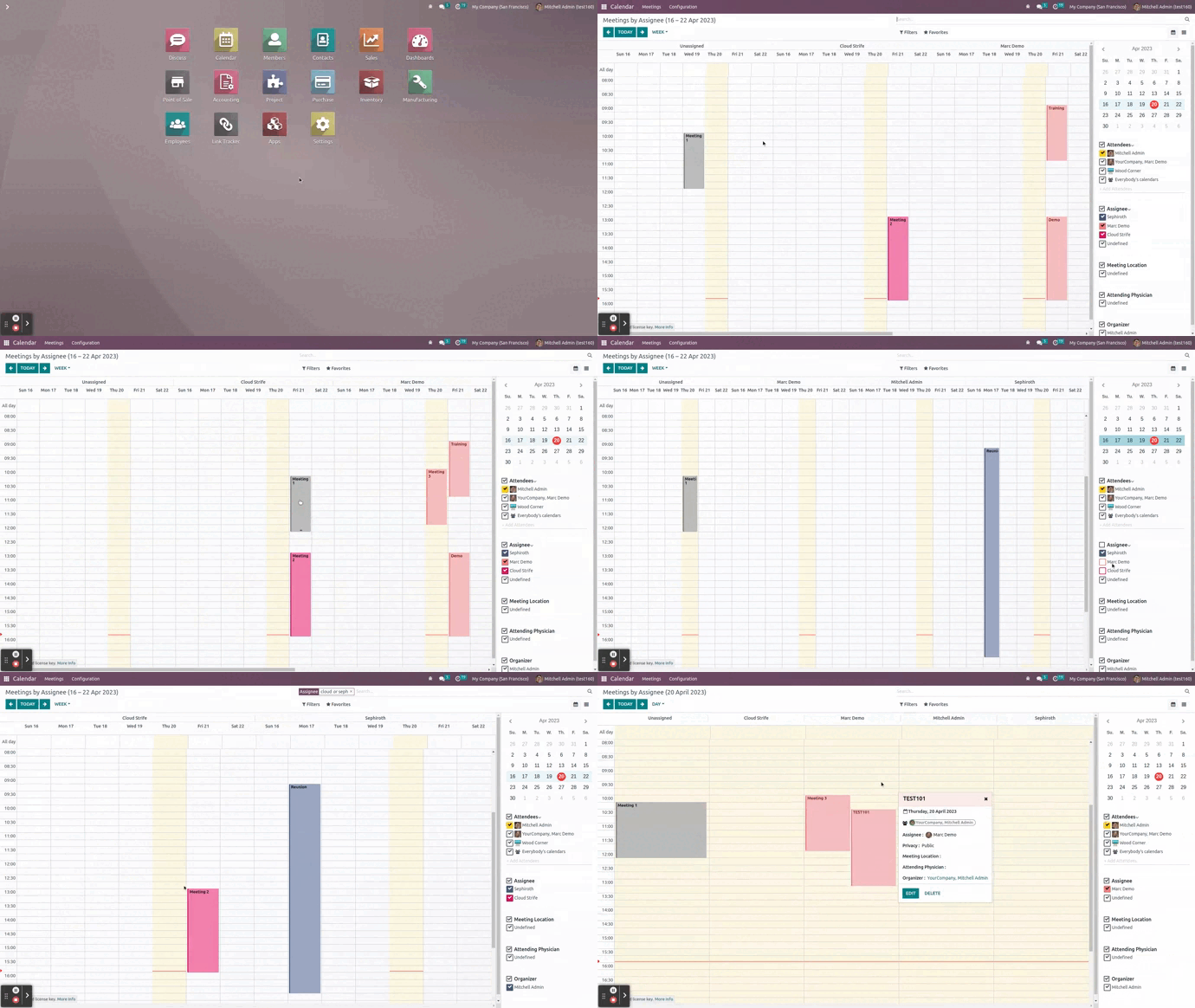
- See meetings for each assignee by day view and week view
- Create meetings for each assignee
- Drag and drop meetings from one assignee to another
- Filter calendar resources by assignee
License Configuration
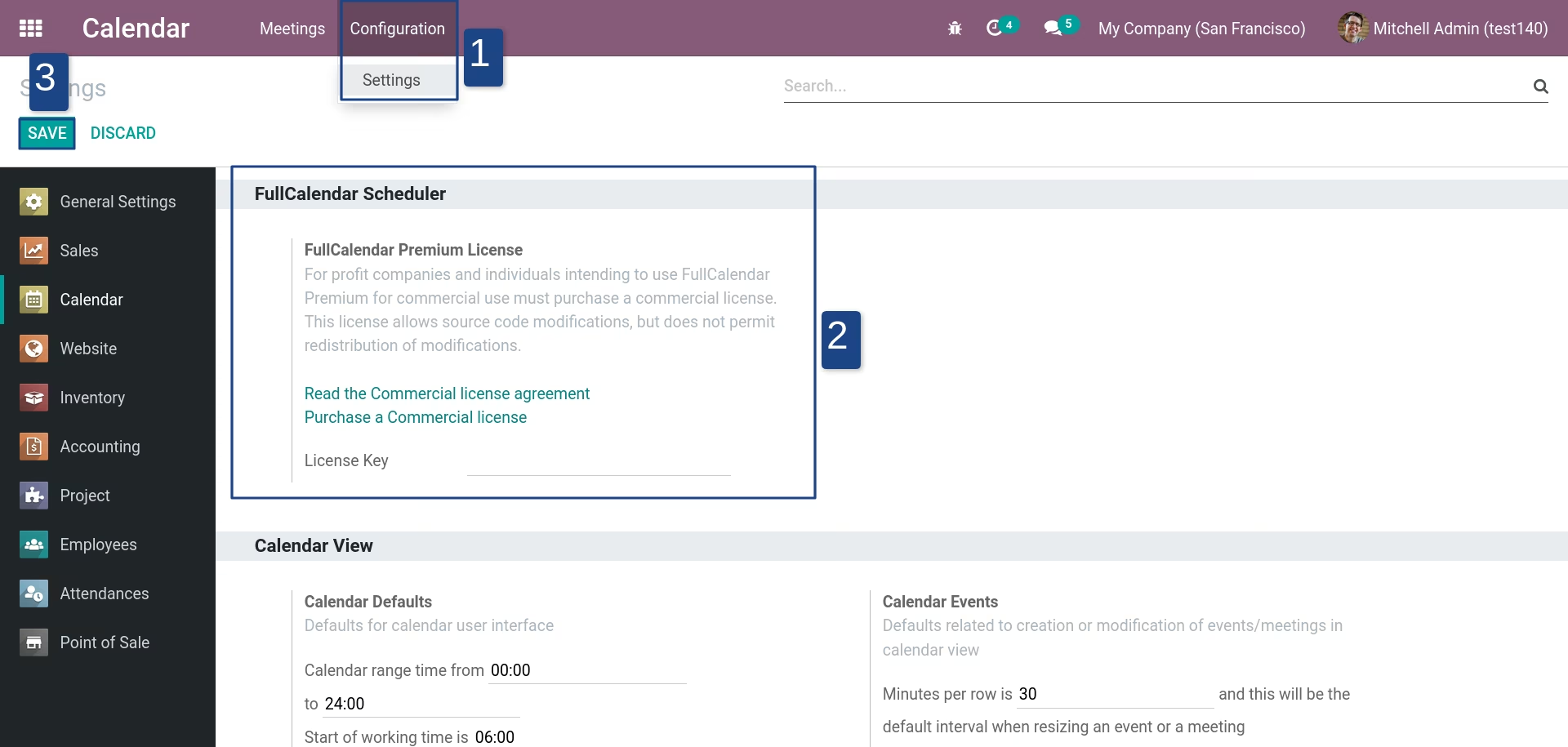
Go to Calendar > Configuration > Settings and set the FullCalendar premium license key
Assignee Resource Configuration
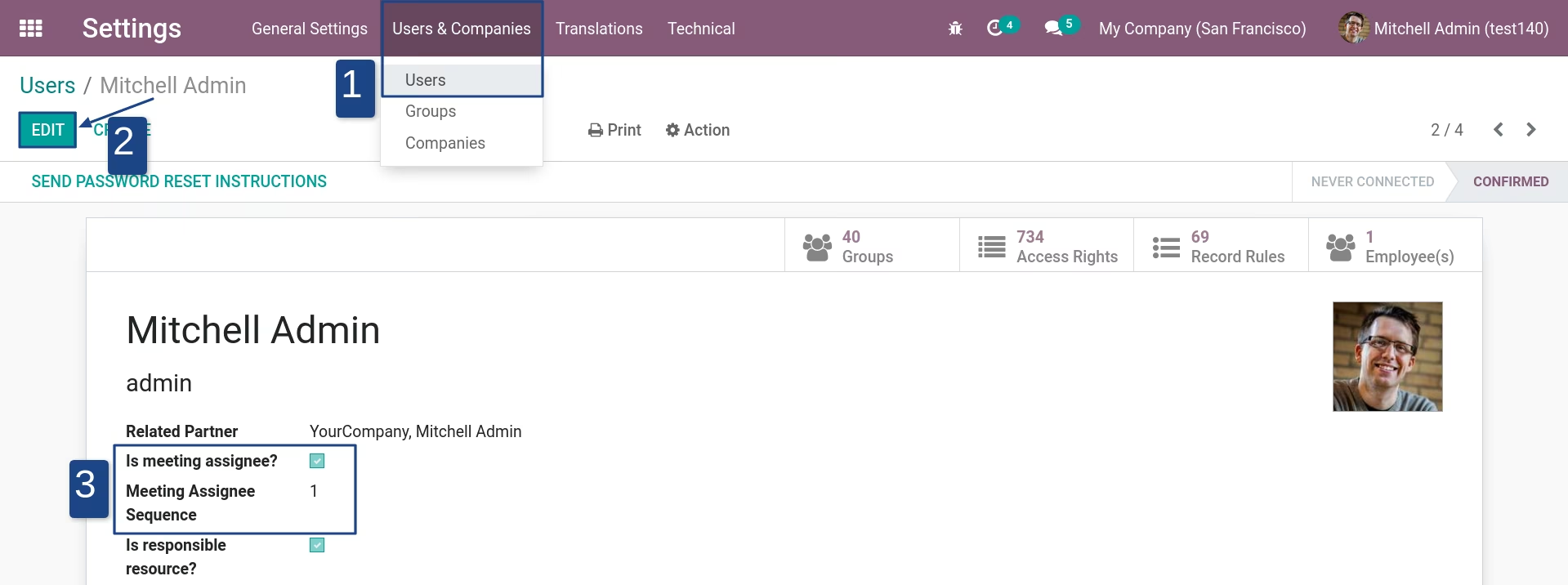
Configuration can be found in Settings > Users & Companies > Users. Then setup the users which will be a meeting assignee
Meetings by Assignee (Week View)
Meetings by Assignee (Day View)