This module integrates the Braintree payment gateway into your platform, offering a secure and seamless payment experience directly during checkout. It enables your business to accept a variety of payment options including credit cards, digital wallets, and PayPal while maintaining compliance and enhancing customer trust. Ideal for businesses seeking a reliable and smooth e-commerce payment solution, this integration elevates checkout efficiency, safeguards transaction security through tokenization and encryption, and supports global payment methods to drive conversion.
Seamless integration of Braintree payment gateway directly in your checkout page for a smooth payment flow
Secure tokenization and encryption of payment data to ensure reliable and compliant transactions
Support for multiple payment methods including credit cards, PayPal, and digital wallets
Streamlined real-time transaction tracking and management within your platform
Simple configuration using merchant credentials Merchant ID, public and private keys
Customizable payment settings to align with your e-commerce workflow
Enhanced customer experience with faster checkout and saved payment options
Improve conversion rates with a seamless, on-site payment process
Build trust and security through robust encryption and PCI compliance
Simplify payment management by consolidating transaction handling
Offer flexible payment options to broaden customer reach and convenience
Streamline setup and maintenance with easy credential-based configuration
Enhance customer experience with faster, hassle-free checkout

Gateway Acquirer
Braintree Payment Gateway Acquirer
The Braintree Payment Acquirer app provides a comprehensive solution for streamlining online payment processing. As a service from PayPal, Braintree offers a secure and versatile payment gateway that supports various payment methods, including credit cards, digital wallets, and more, enabling businesses to offer customers a smooth and reliable checkout experience while ensuring compliance and robust security.
Braintree Payment Gateway Acquirer Benefits

Improved Customer Experience

Enhanced Security and Trust

Increased Sales Conversion

Real-Time Payment Insights

Operational Efficiency

Flexibility for Growth
Braintree Payment Gateway Acquirer Features
Multiple Payment Options:
- Accept a wide range of payment methods, including major credit cards, debit cards, PayPal, Venmo, and digital wallets, catering to diverse customer preferences and needs.
Secure Payment Processing:
- Utilize advanced security features such as tokenization, encryption, and fraud detection tools to ensure safe transactions and protect sensitive customer data.
Customer Experience Enhancement:
- Simplify the checkout process with a user-friendly interface that includes saved payment methods for returning customers, improving overall satisfaction and convenience.
Real-Time Transaction Tracking:
- Monitor and manage transactions in real-time through the backend, providing admins with valuable insights into payment activities and sales performance.
Customizable Payment Settings:
- Configure payment settings such as currency options, transaction limits, and accepted payment methods to align with specific business needs and practices.
Seamless Integration:
- Easily integrate the Braintree payment gateway, allowing for a hassle-free setup that minimizes disruption to existing workflows.
Braintree Payment Gateway Acquirer Workflow
- Go to Website -> Configuration -> Payment Providers.
- Select the Braintree payment provider.
- Enter the merchant ID, public key, and private key into the configurations.
- Save the record. The app is set up and ready to use.
- Add products to the cart and proceed to checkout.
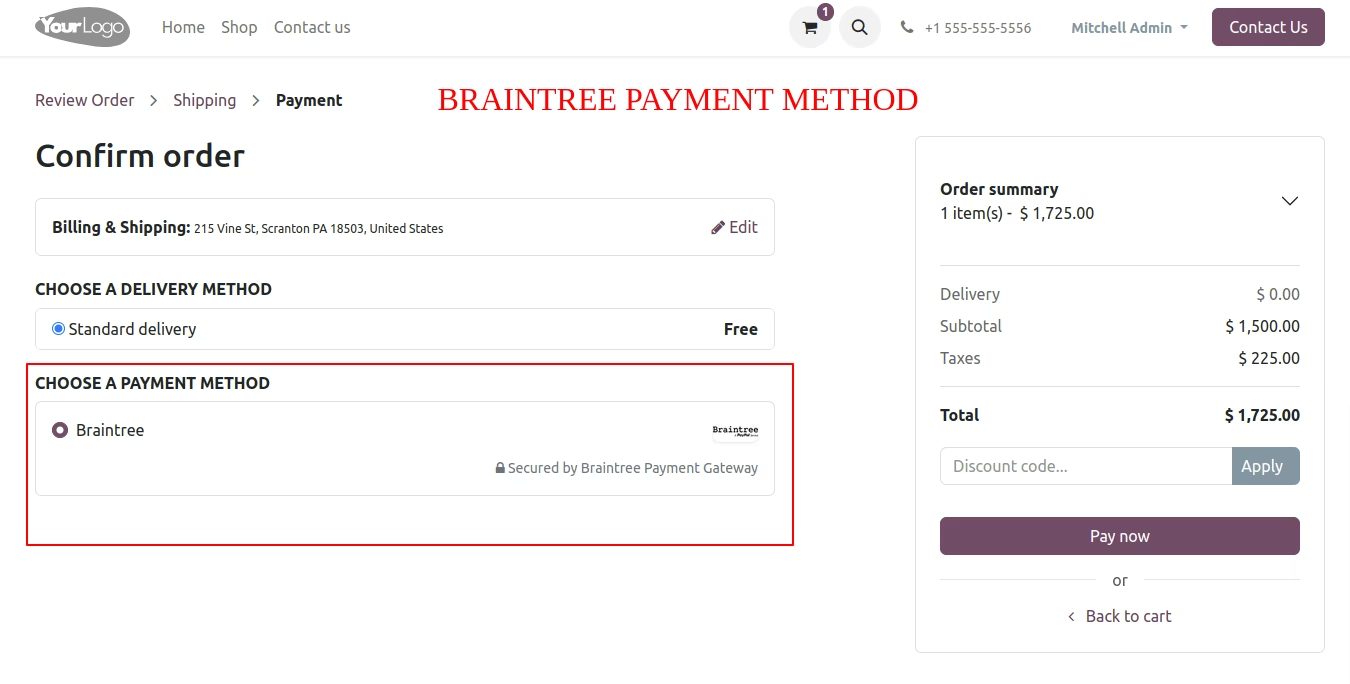
- Select the Braintree payment method.
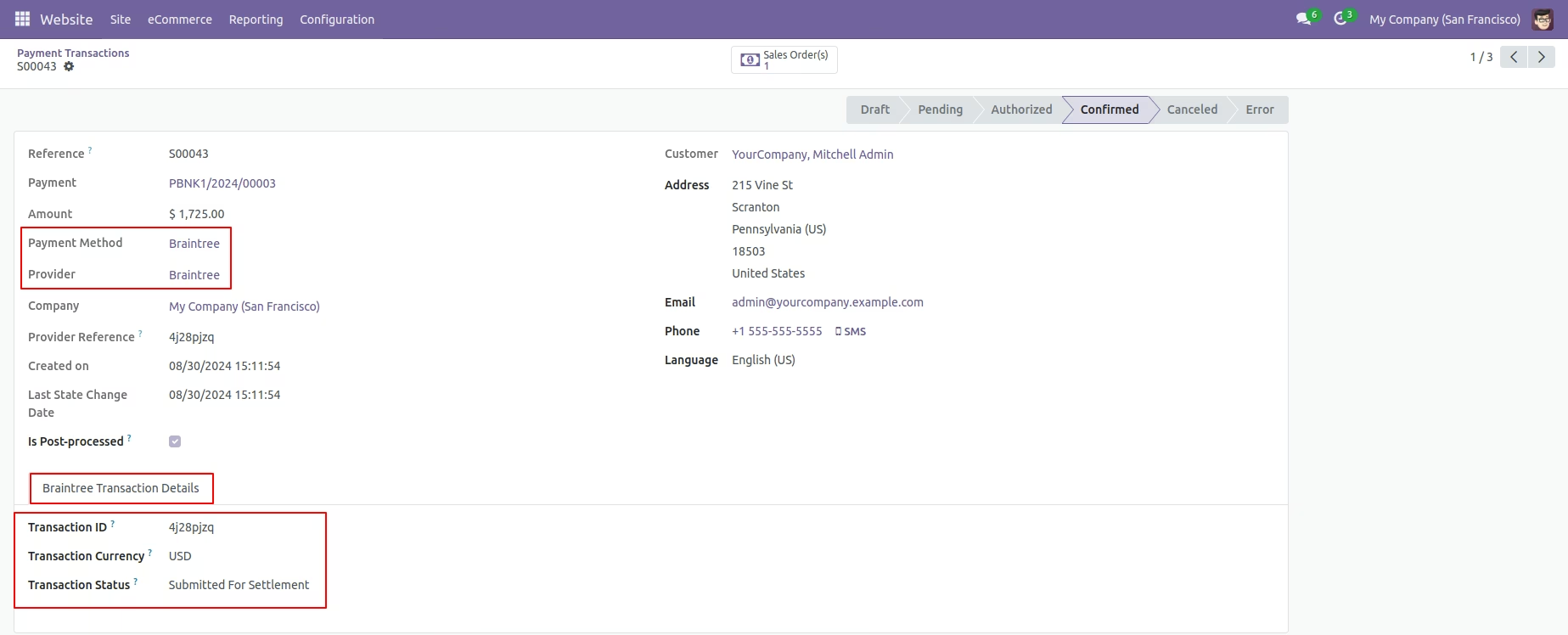
- For BraintreeTransaction history: => Navigate to Configuration -> Payment Transactions
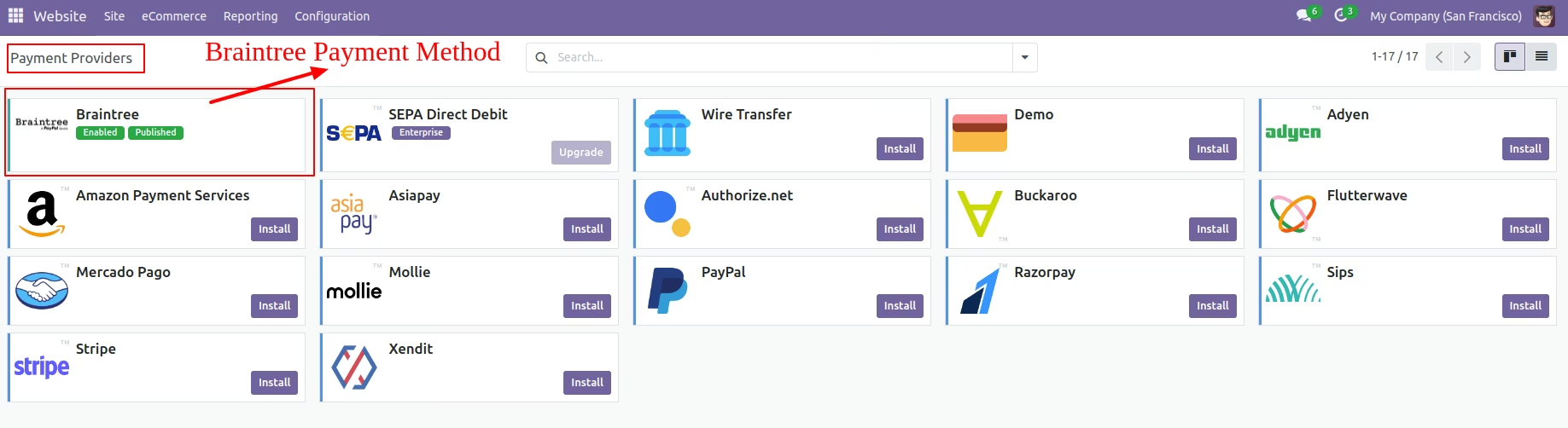
Payment Providers
First, navigate to the website and select Configuration to configure payment options for online transactions. Next, click on payment providers to access the available payment methods. Finally, select the Braintree payment provider.

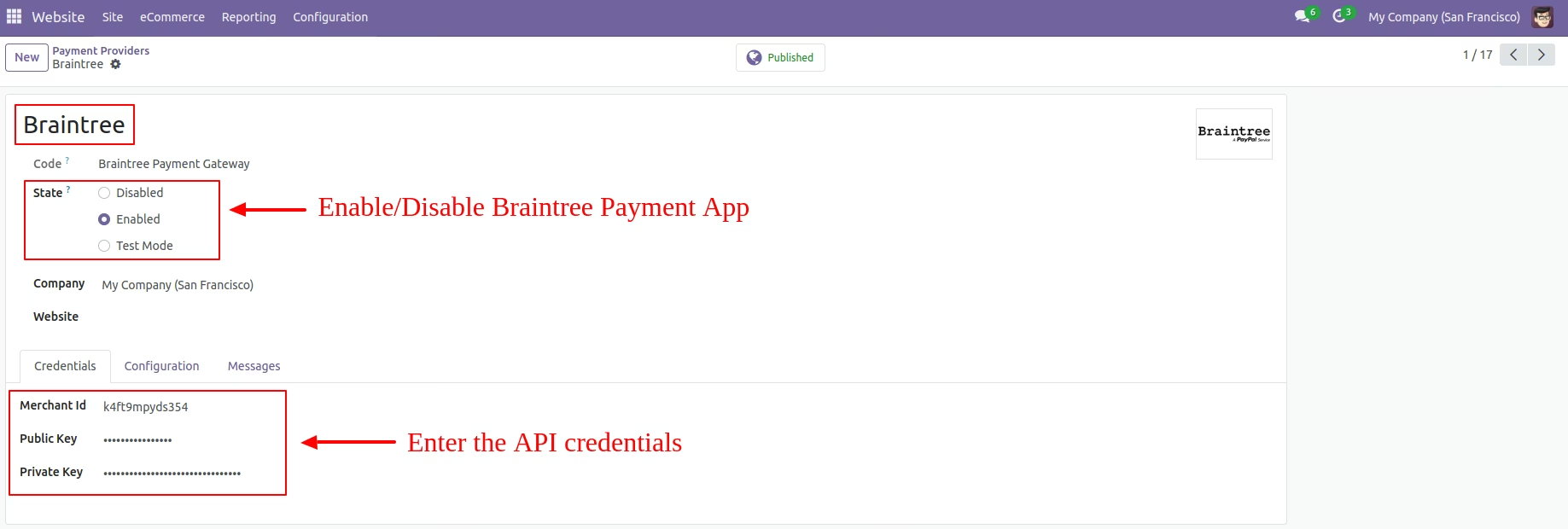
Enable Payment Method
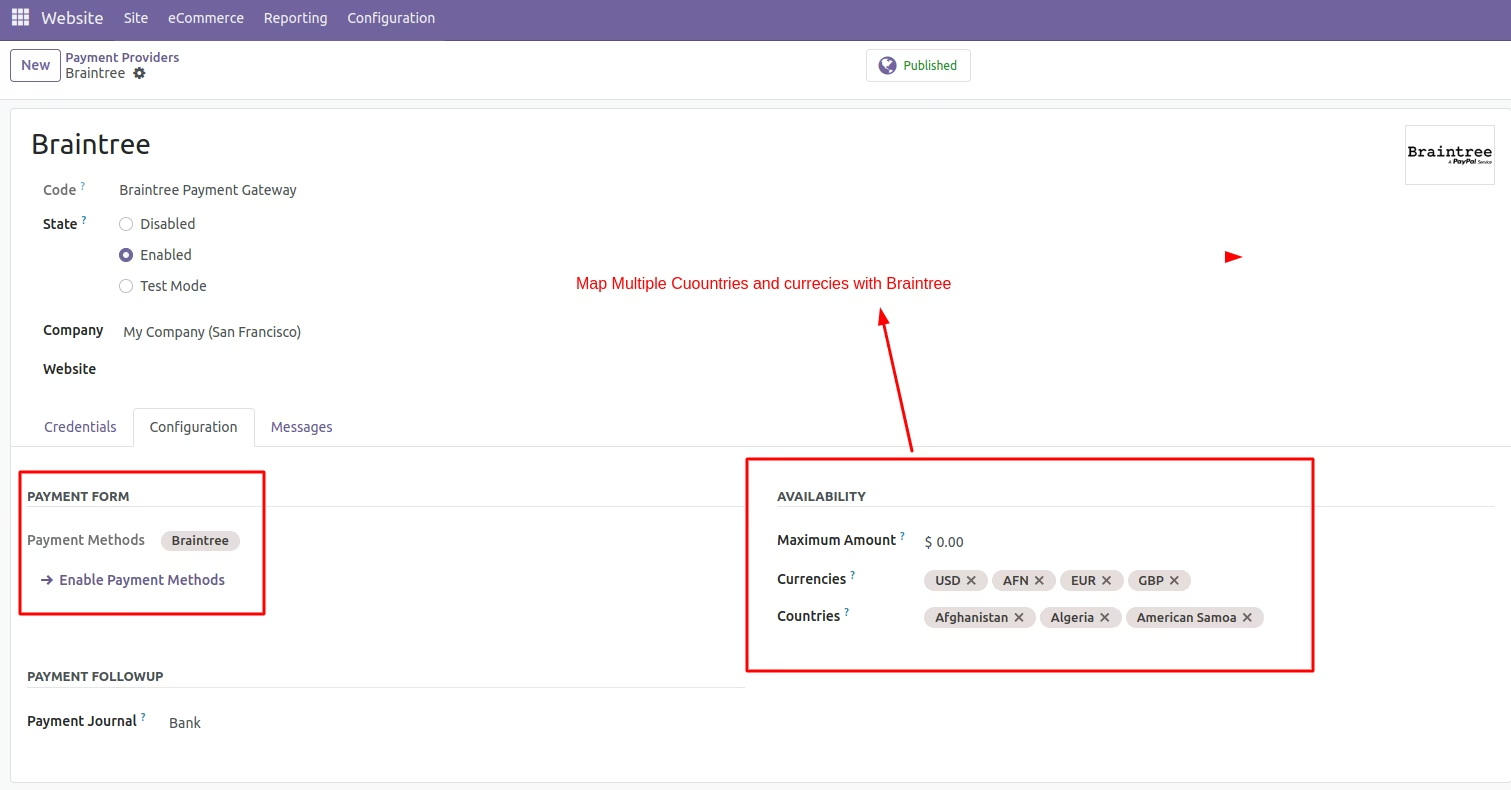
To proceed with online transactions, you must enable the Braintree payment option in the payment method settings. This allows customers to make braintree payments during the checkout process.
Enter The Credentials
Select the Braintree payment provider to enable Braintree to process transactions. After enabling Braintree payment, enter the required credentials, merchant ID, public key, and private key, on the payment providers page.
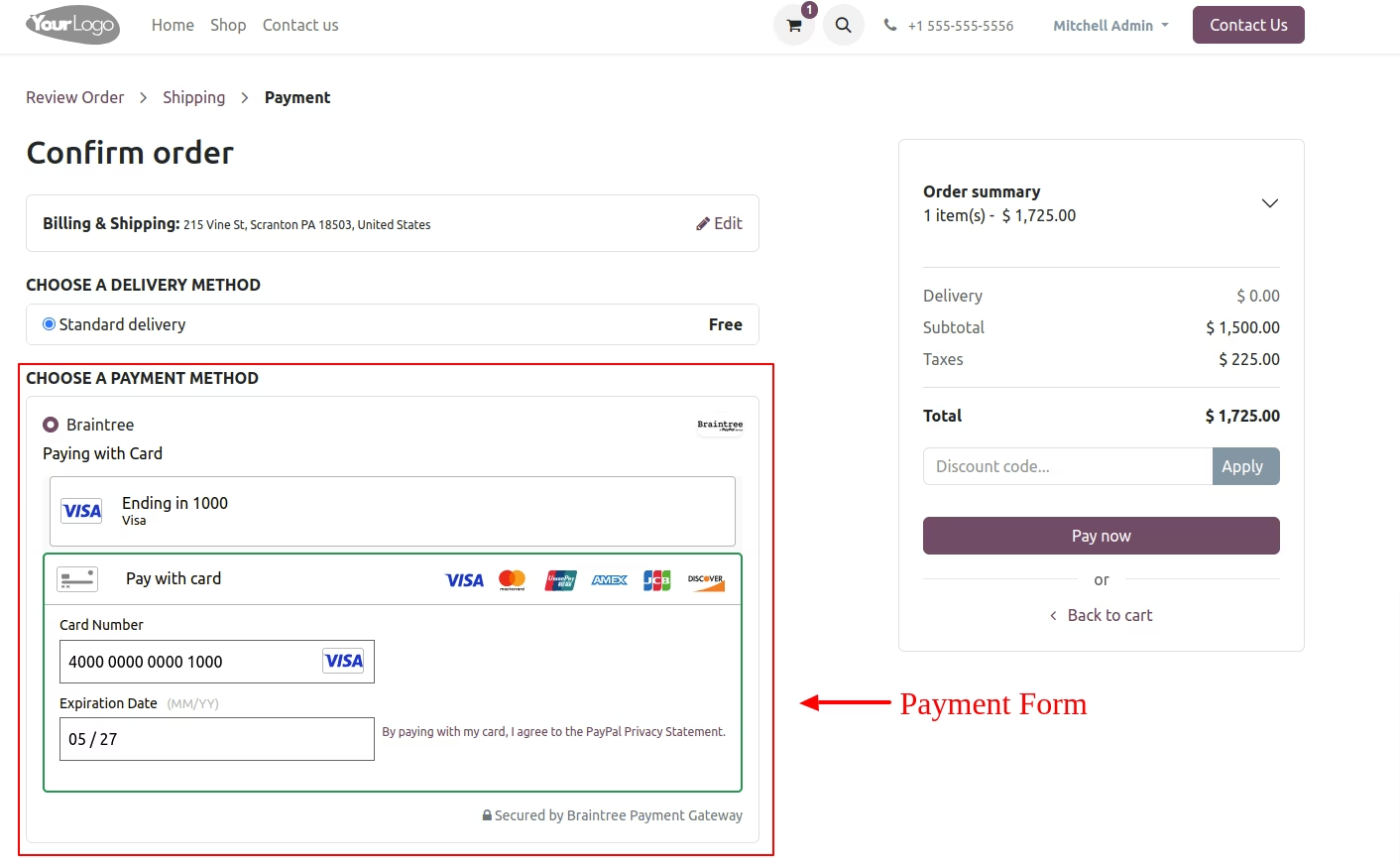
Card Details
Enter the card details, including the card number, expiration date, and CVC code as required.
Braintree Payment Option
Choose the Braintree payment method for processing your online transaction.
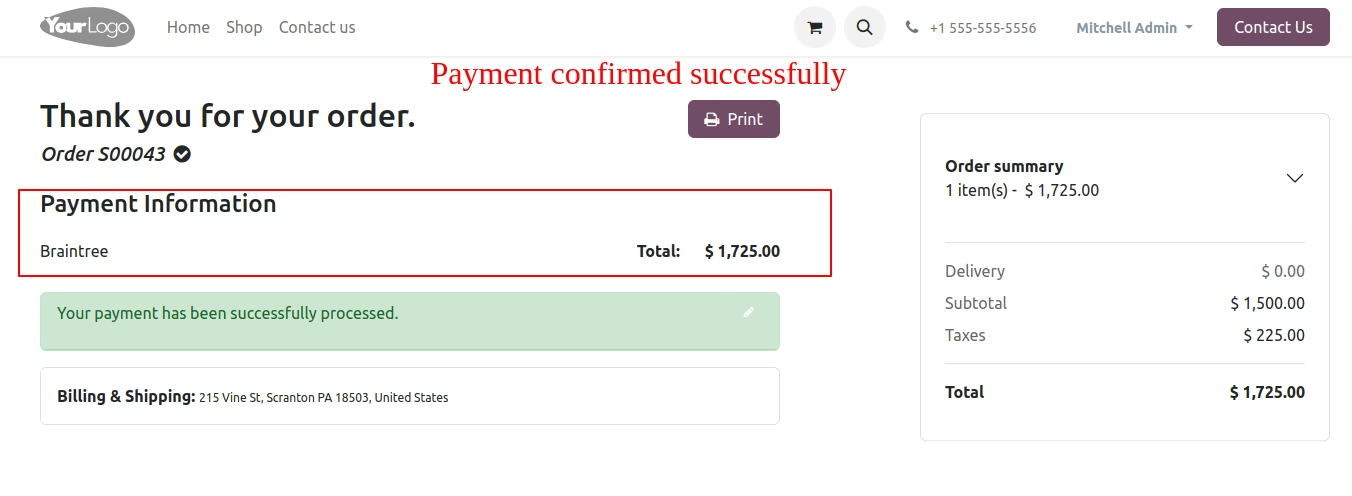
Payment Information in the Frontend
The payment confirmation is displayed successfully, indicating that the transaction has been processed. This message assures users that their payment was completed without errors.
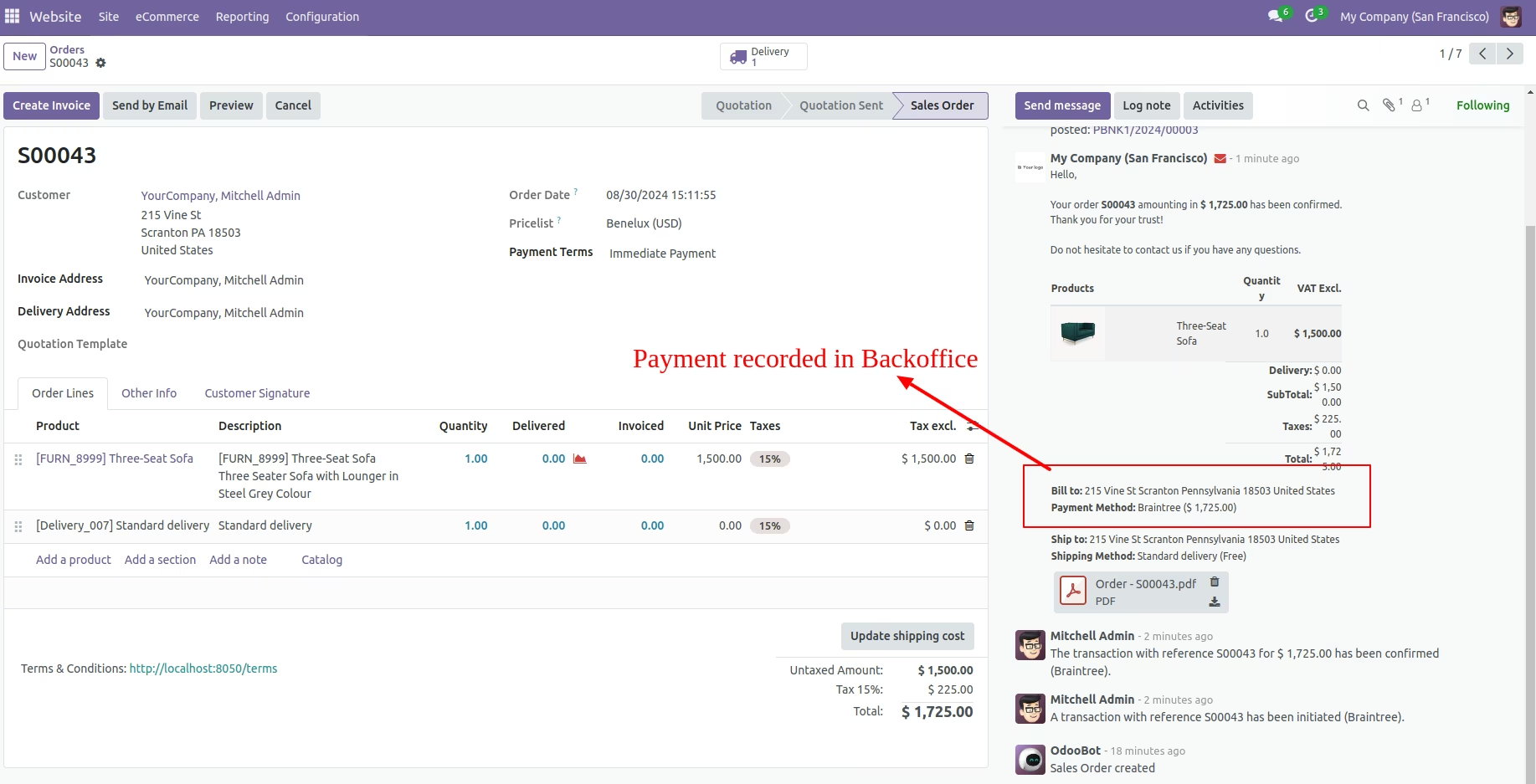
Website Orders Page
Access payment records in the BackOffice on the website orders page.

Payment Transaction History
Access the configuration settings and select payment transactions to view the payment transaction history. This section will display all transaction records along with their current status for easy monitoring.
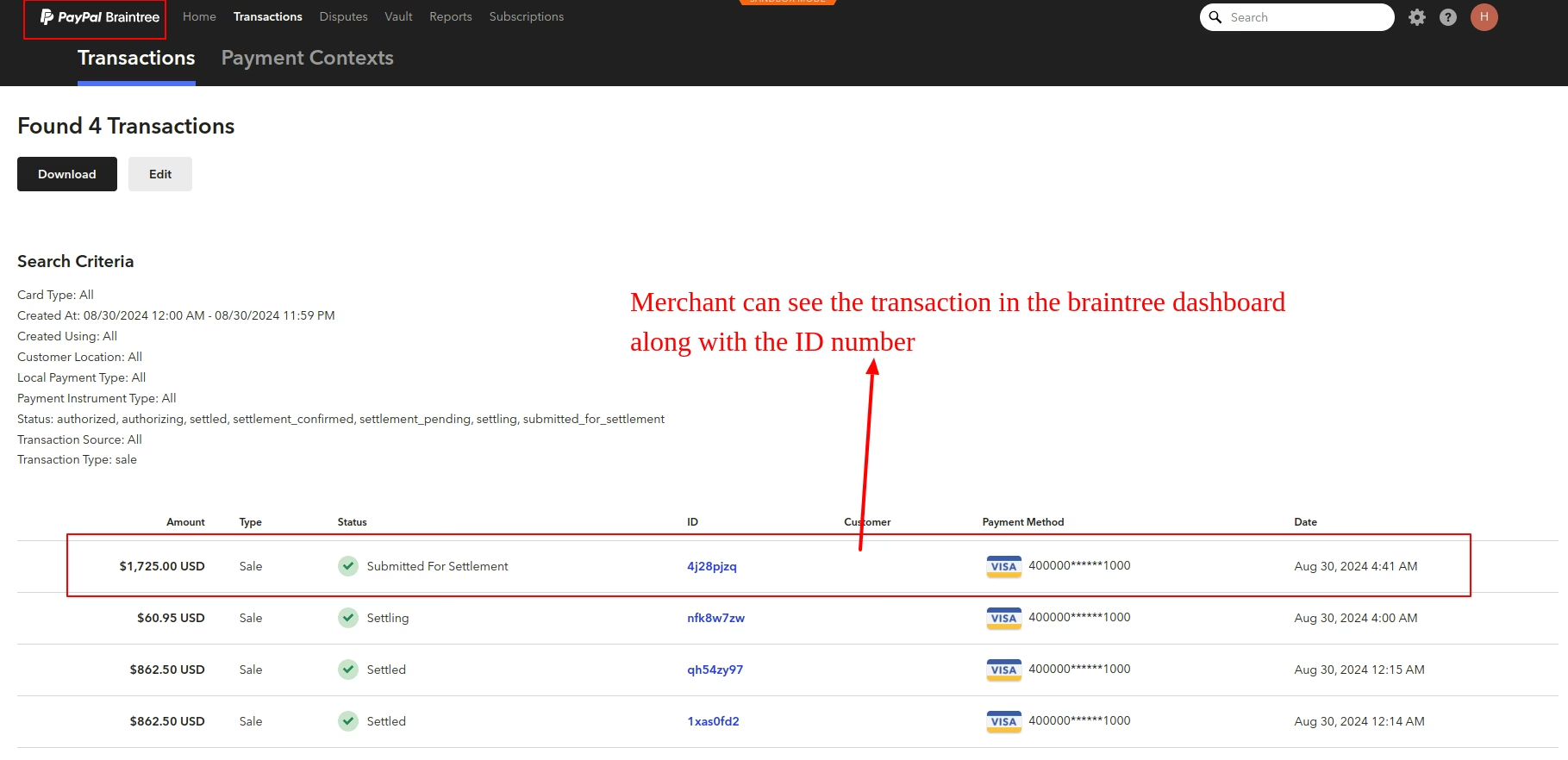
Braintree Dashboard
Merchants can view transactions in the Braintree dashboard, including the transaction ID number.
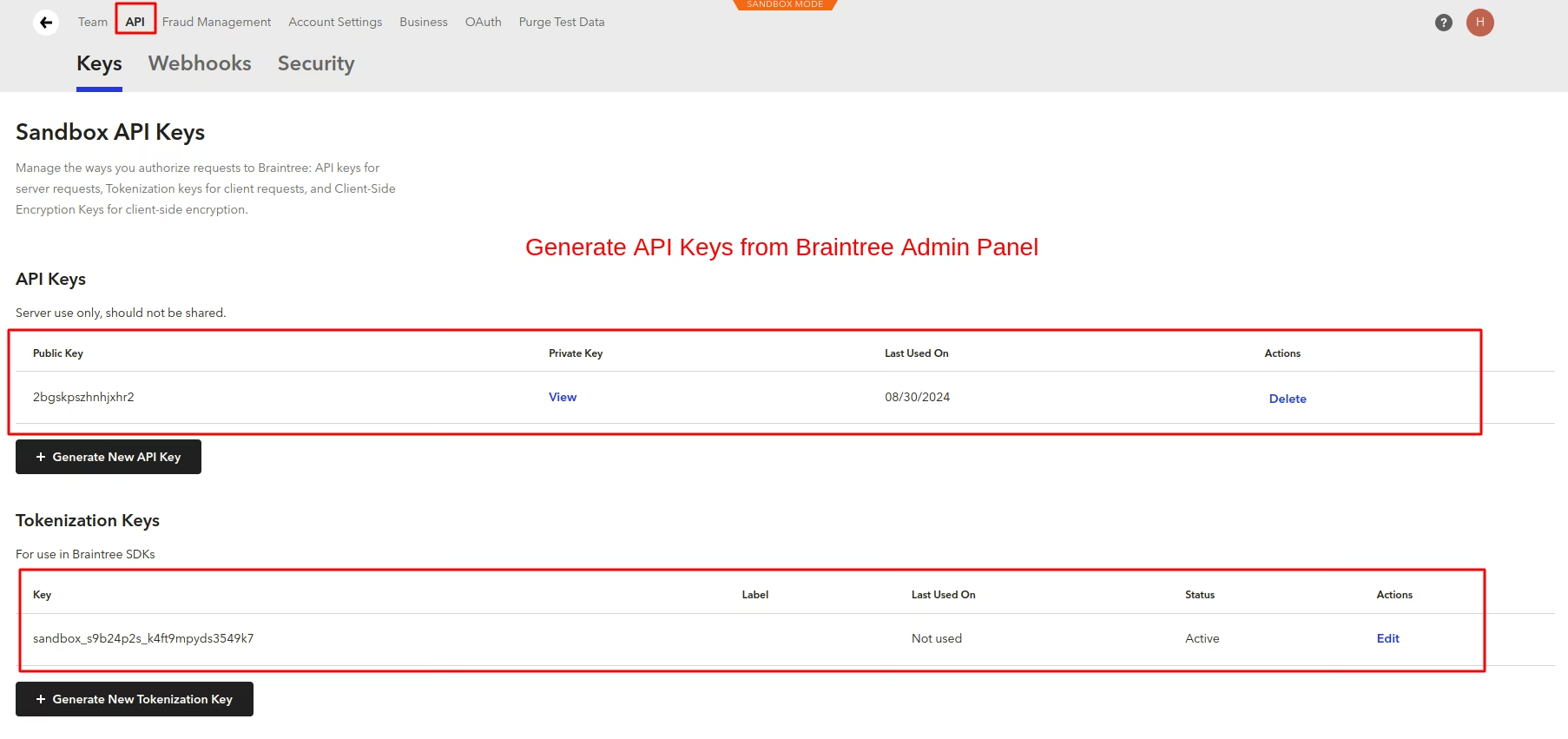
API Keys
Generate API keys from the Braintree Admin Panel to facilitate secure integration. These keys are essential for processing transactions and accessing Braintree's services.
Payment Provider: Configuration Tab
Set up mapping for multiple countries and currencies within Braintree to facilitate international transactions. This configuration allows for seamless payment processing across different regions and currencies.
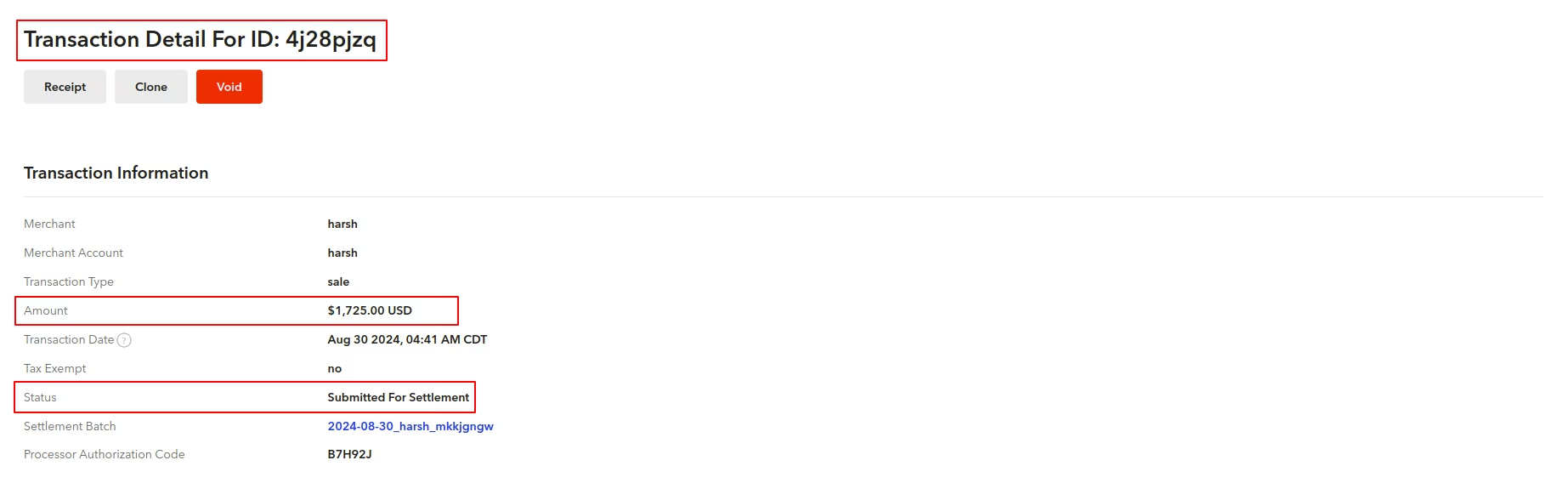
Transactions
Access transaction information in the Braintree dashboard for detailed payment insights.
Backend View of Transaction Details
View the complete payment transaction details, which include the transaction ID, transaction currency, and transaction status.