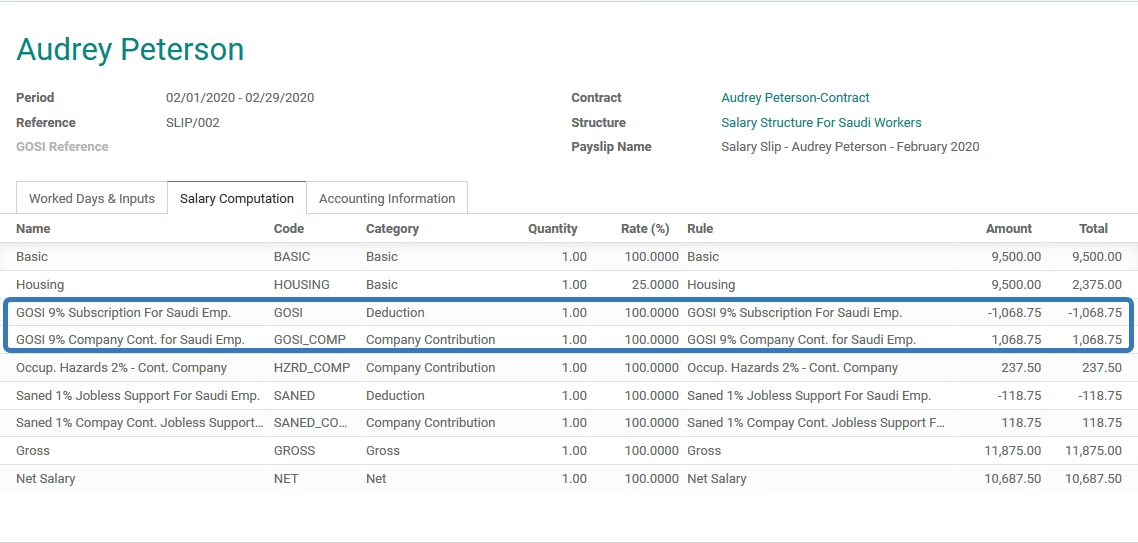
The module brings seamless automation of General Organization for Social Insurance (GOSI) contributions into payroll system. It accurately computes required deductions and employer contributions for both Saudi and non-Saudi employees, integrating directly into payslip workflows. This enhances payroll precision, reduces manual effort, and ensures compliance with GOSI regulations. Ideal for businesses managing payroll for diverse employee demographics, this module streamlines HR operations, safeguards compliance, and improves payroll transparency.
Automated calculation of GOSI contributions for Saudi employees directly on payslips
GOSI contribution support for non-Saudi employees as part of payroll processing
Direct integration into the payslip system for streamlined payroll management
Configuration and management integrated via standard payroll workflows
Ensures accurate GOSI deduction and employer contribution calculation
Reduce manual workload and errors by automating social insurance calculations
Strengthen compliance with GOSI regulations through consistent contribution accuracy
Enhance payroll efficiency with seamless integration into payslip generation
Support diverse employee profiles with both Saudi and non-Saudi coverage
Improve payroll transparency and audit readiness through integrated calculation data
- Calculate GOSI for Saudi employees and add it to the pays lip
- Calculate GOSI for non-Saudi employees and add it to the pay slip
Configuration
-
1- From payroll module, navigate to configuration, then clicks on Structures

-
2- Navigate to one of the created structures,
Salary structures for Saudi Workers: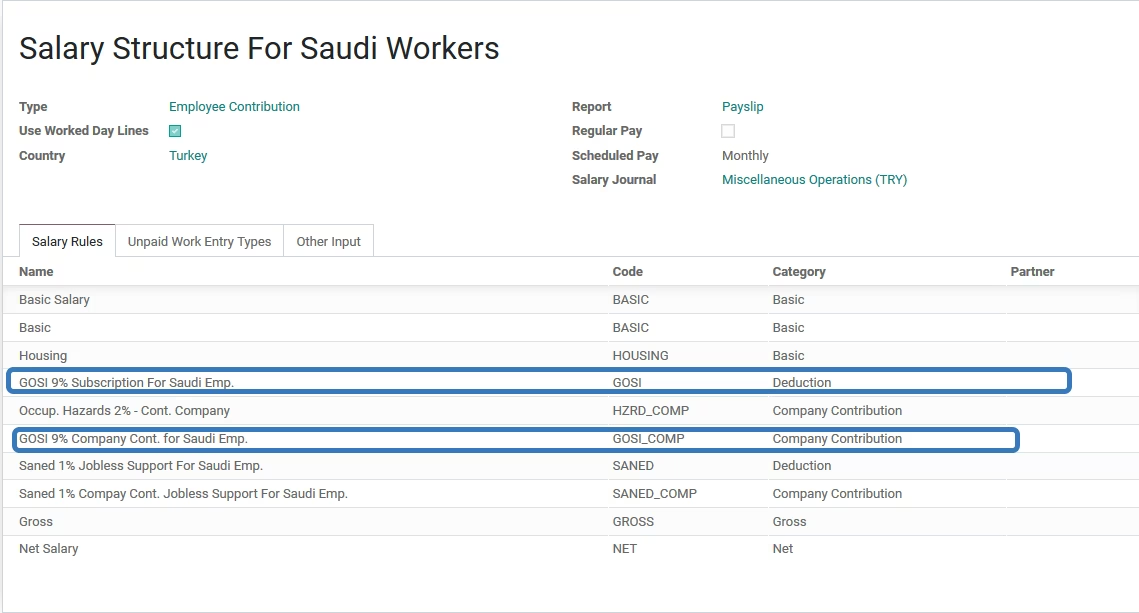
Usage
-
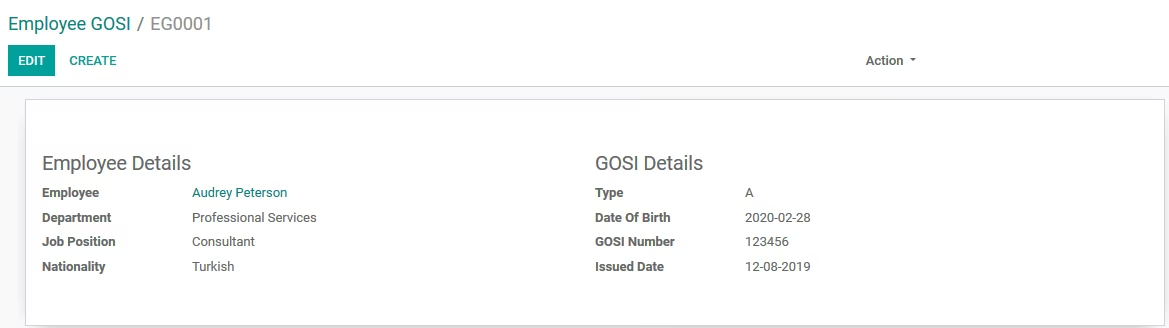
1- To check all employees that have been register inside the GOSI,
Go to Employees -> GOSI Register.
-
2- To check the details of the GOSI for any employee, just click on the employee name, then details will be appeared in new form.
-
3- GOSI is detected from the employeeâs salary once the pay slip is generated to the employee