The module enhances warehouse efficiency by enabling barcode based workflows directly within inventory processes. It supports fast scanning to create transfers, validate operations, perform inventory adjustments, and quickly view product details. With an intuitive interface and a smart button panel, operations become more accurate and less prone to manual errors ideal for businesses aiming to simplify warehouse tasks and boost productivity.
Scan to create warehouse transfers automatically detect locations and add products
Adjust product quantities by barcode scanning or using the smart quantity panel
Validate delivery, receipt, internal transfer, and other warehouse operations via barcode
Inventory adjustment workflows powered by barcode scanning across multiple locations
Fallback manual product search with real-time updates when barcodes are unavailable
Smart button panel enables quick quantity edits, view product details, and synchronize scanned vs expected counts
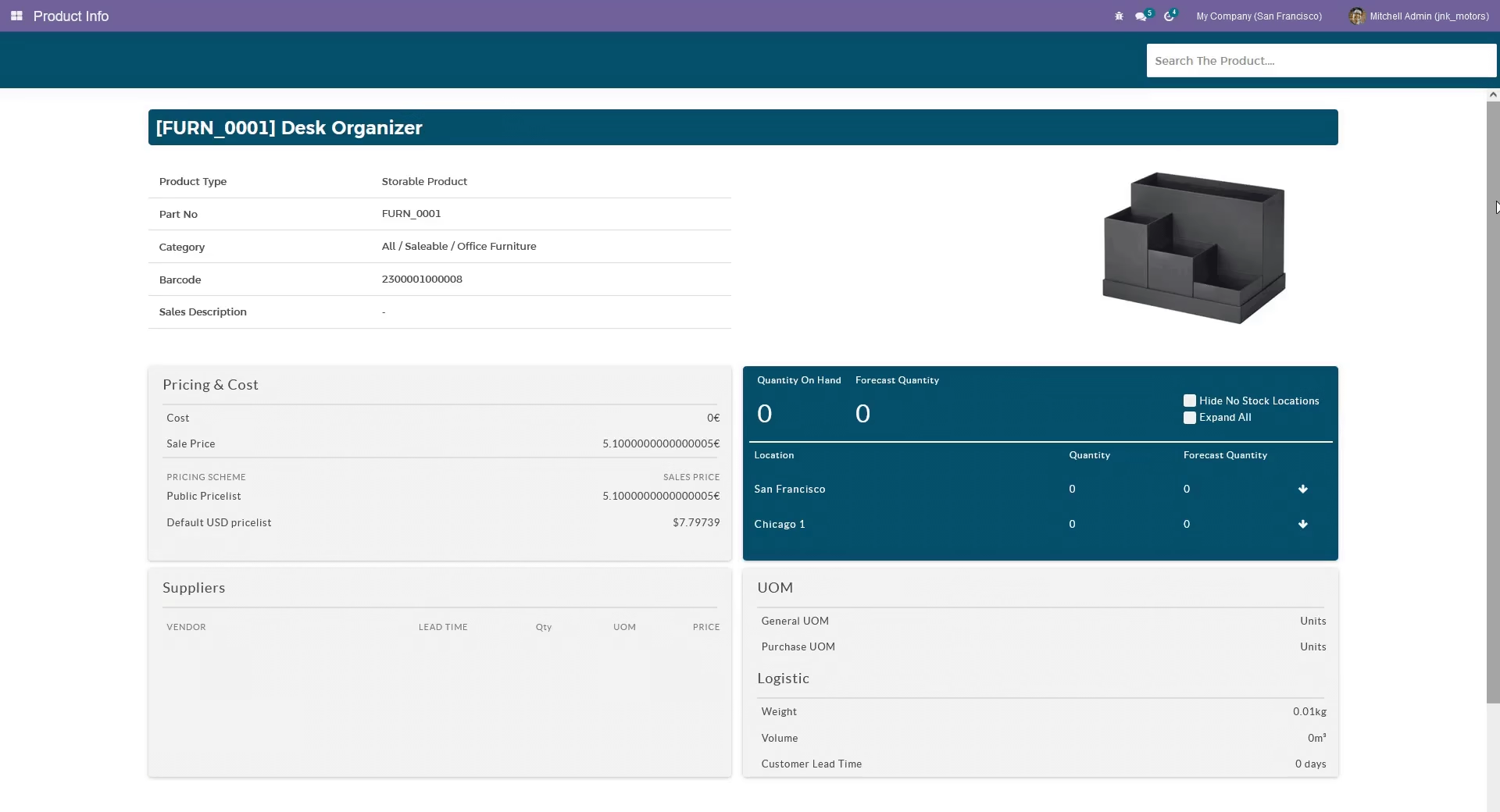
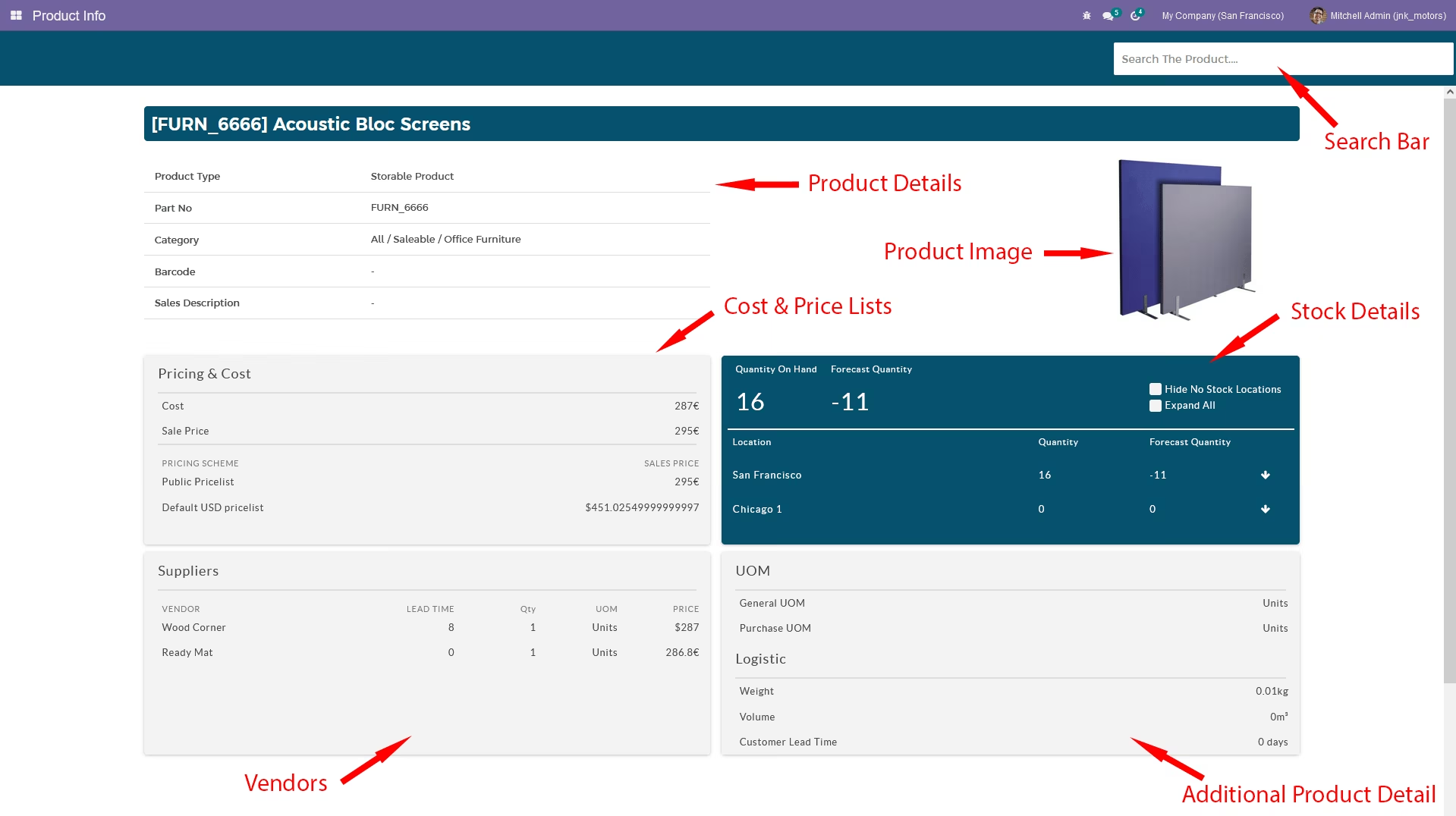
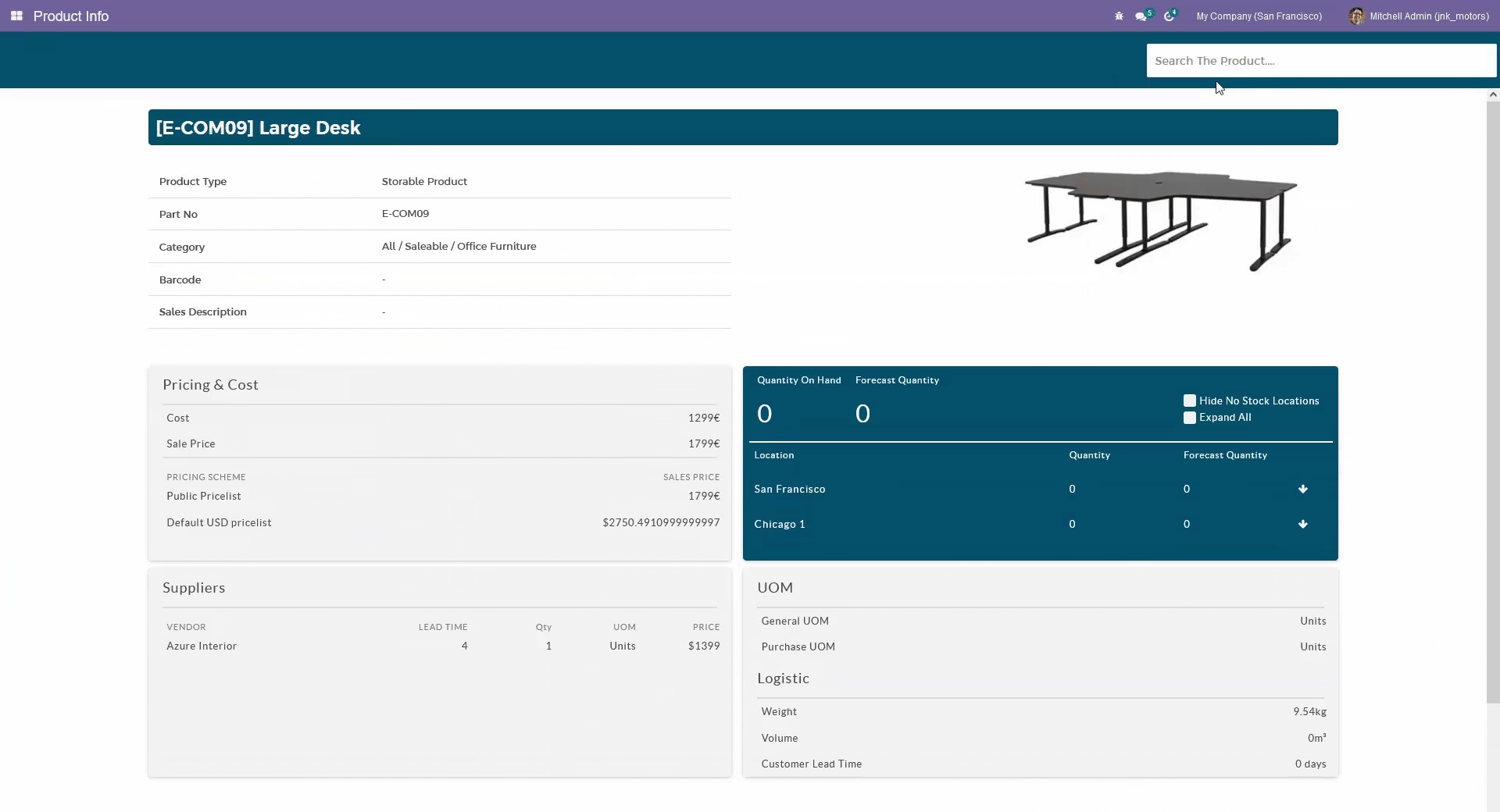
Comprehensive product info view with stock levels, cost, price, and supplier details at a glance
Accelerate warehouse operations with hands-free barcode workflows
Reduce manual entry errors through scanning-based control
Improve visibility into stock and product info from within the workflow
Maintain continuous workflow with search fallback for damaged or missing barcodes
Empower warehouse staff with tools that simplify transfers and inventory management
Barcode App
Inside your warehouse it is hard to enter items manually to create a transfer or to validate a purchase order delivery order etc. That is when the barcode scanning is come into play. If you can do all the work with barcodes it is much more easier and error free. So this is the ultimate solution.You can use this barcode app to create transfers, Validate warehouse operations, Inventory adjustments, View Product details.Refer to the tutorial for more details
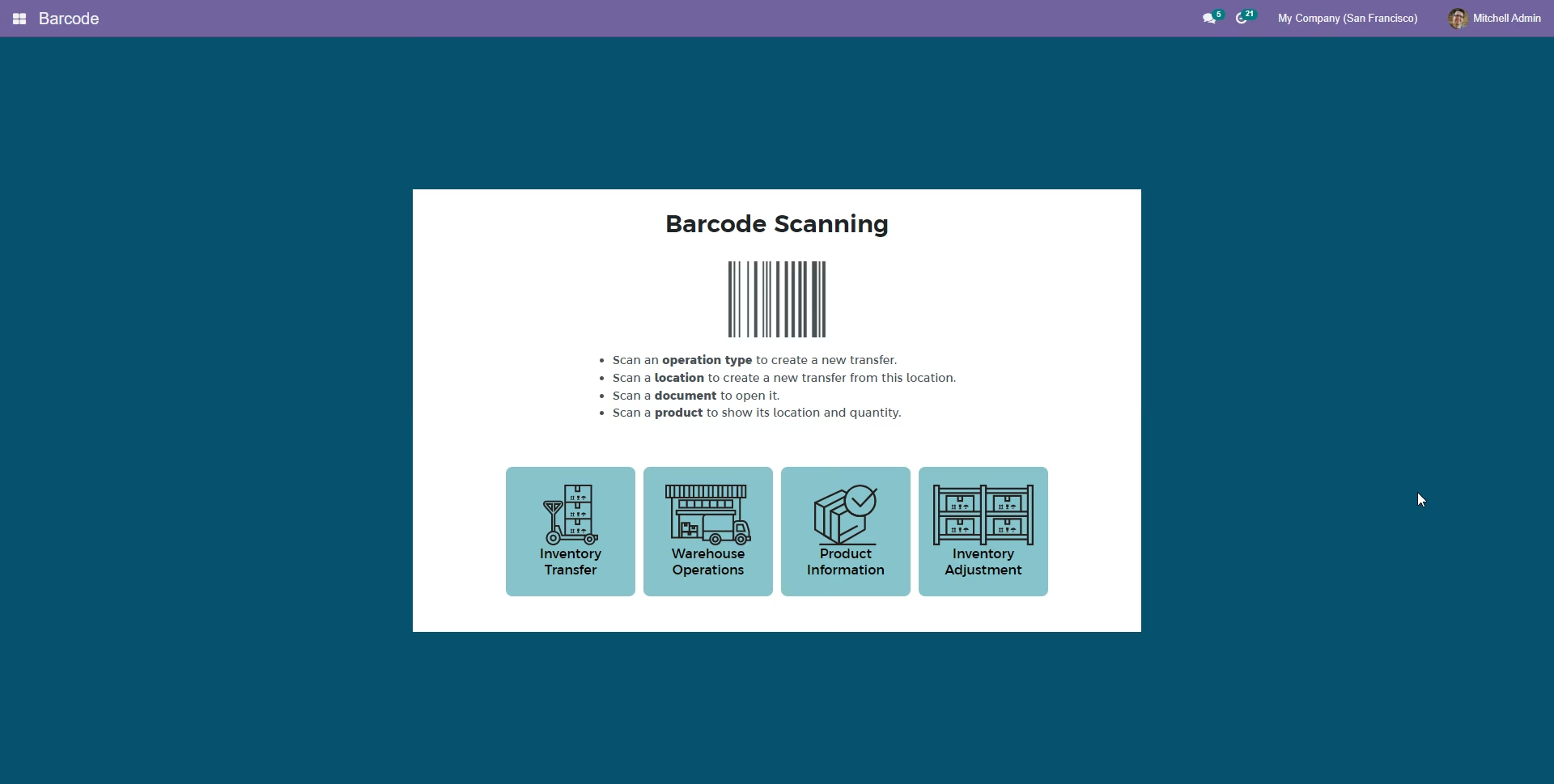
Features and Functions
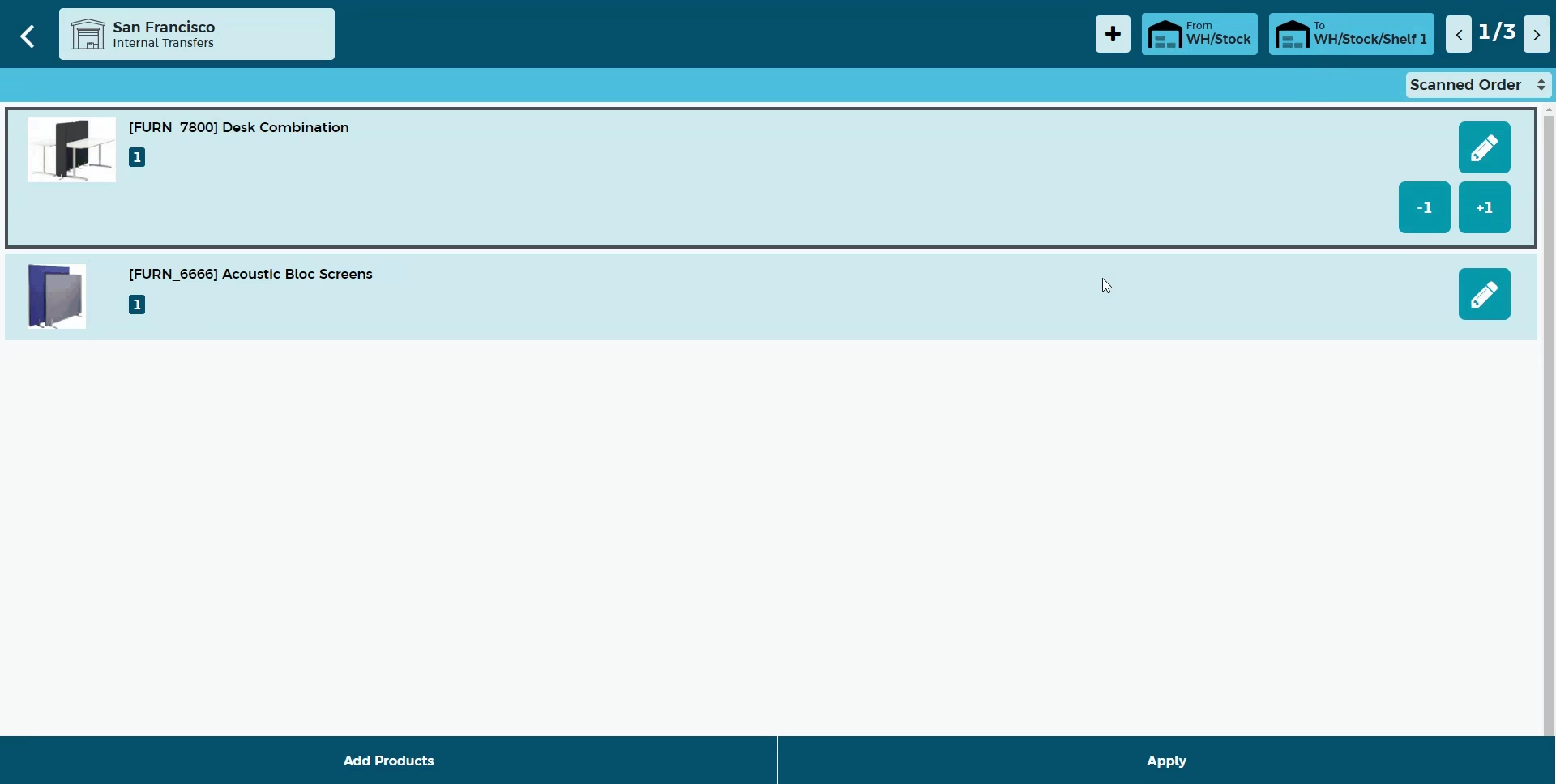
Create Warehouse Transfer
When you create a delivery order ,internal transfer or receipt it takes lot of time to enter products by hand one by one.This is the ultimate solution You no need to select product and do one by one.scan the the location and scan the items and you are done!. creat transfers from multiple locations. Scan the location and scan the product. This module automatically select the location and add the product for you.
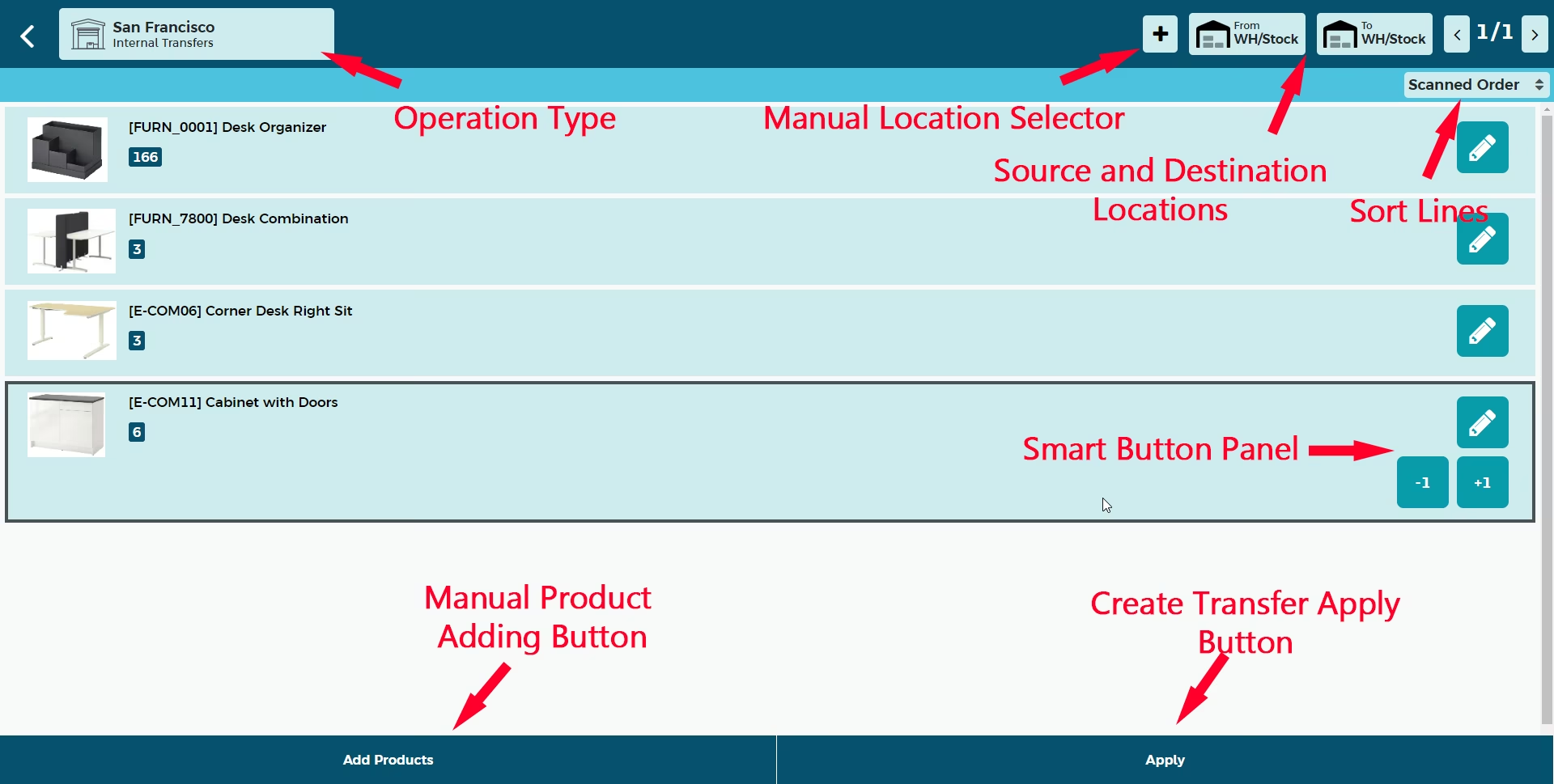
Add products and change quantity by barcode scanner
Use the barcode scanner to change the scanned quantity of the product or scan a new product to add them to the stock transfer.
Create stock adjustments to multiple locations
Scan the barcode of the location or use location selector to change or to select new location
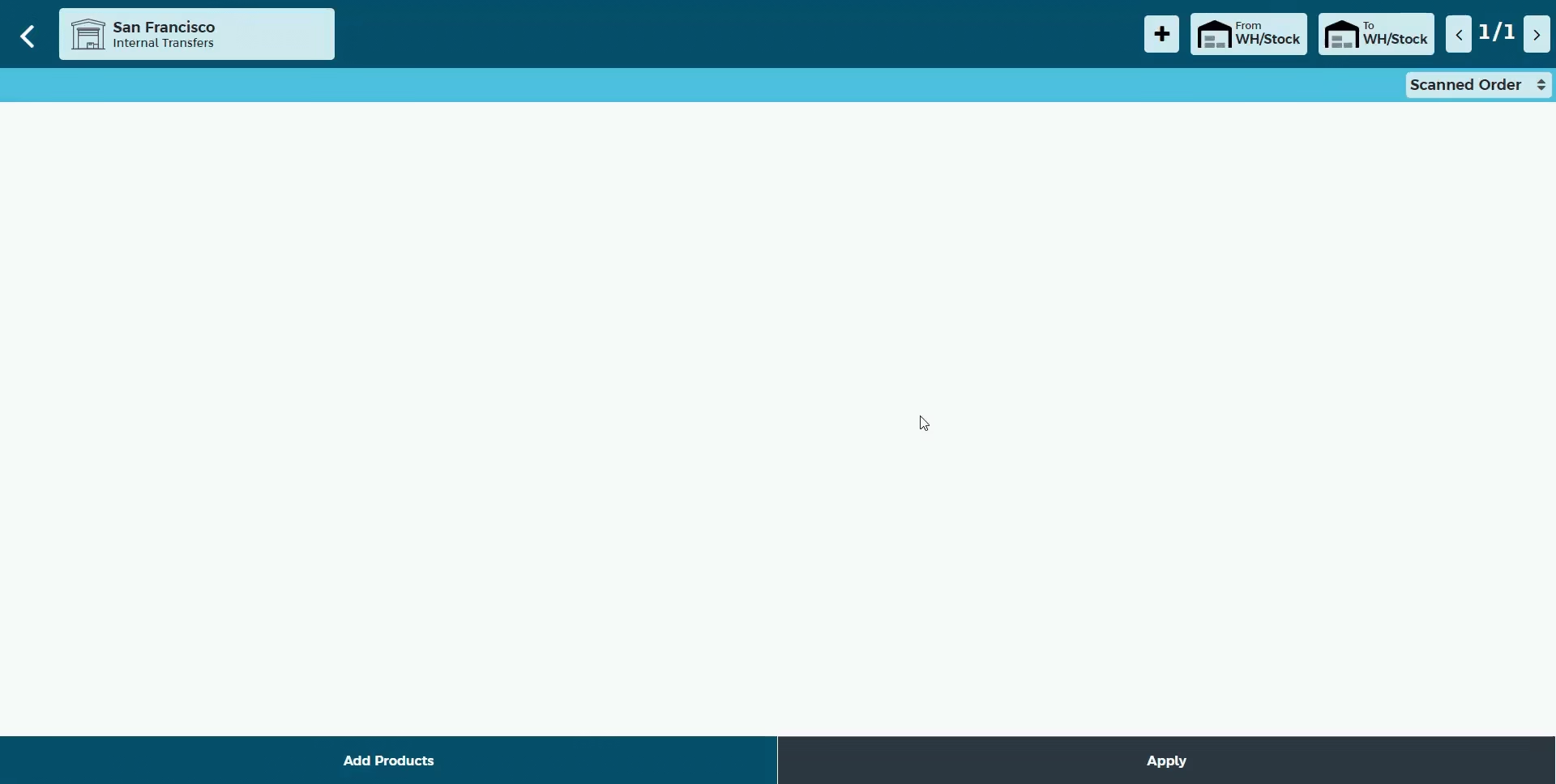
Add Product Manually With A Simple Search
Sometimes the product barcodes are damaged. In those time you might need to search the product and add the product manuallay to the stock adjustment. It is easier than ever with the real time updating search bar.Search by internal reference, barcode or using the name. You can select the quantity through the special keyboard
Warehouse Operations
When you receive purchase order or prepare a delivery order you need to validate the products quantity you send. This time warehouse operation function is a life savor. This helps to reduce inventory errors. This will help your business to deliver correct products to your customer.
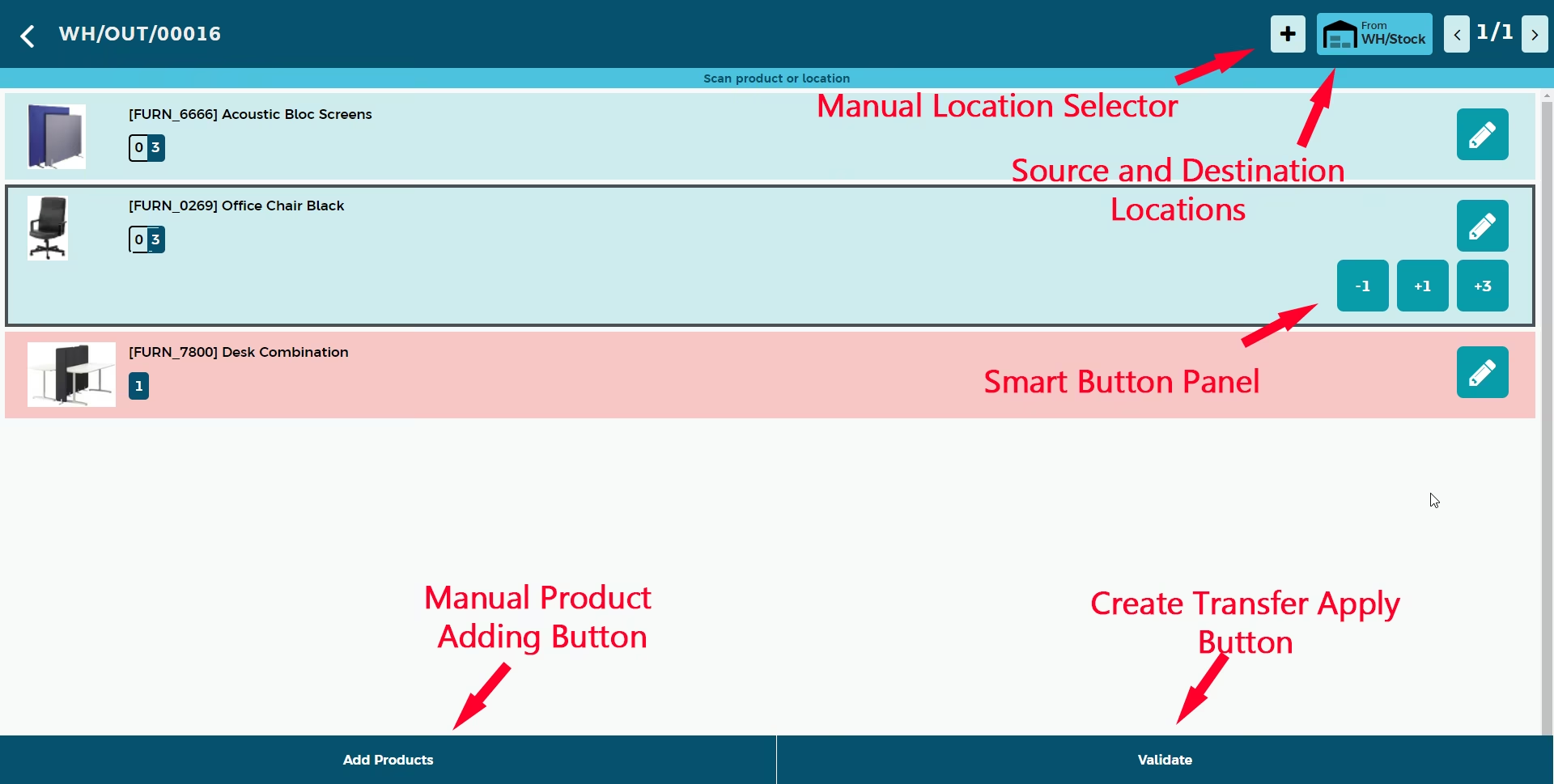
Add products and change Counted quantity by barcode scanner
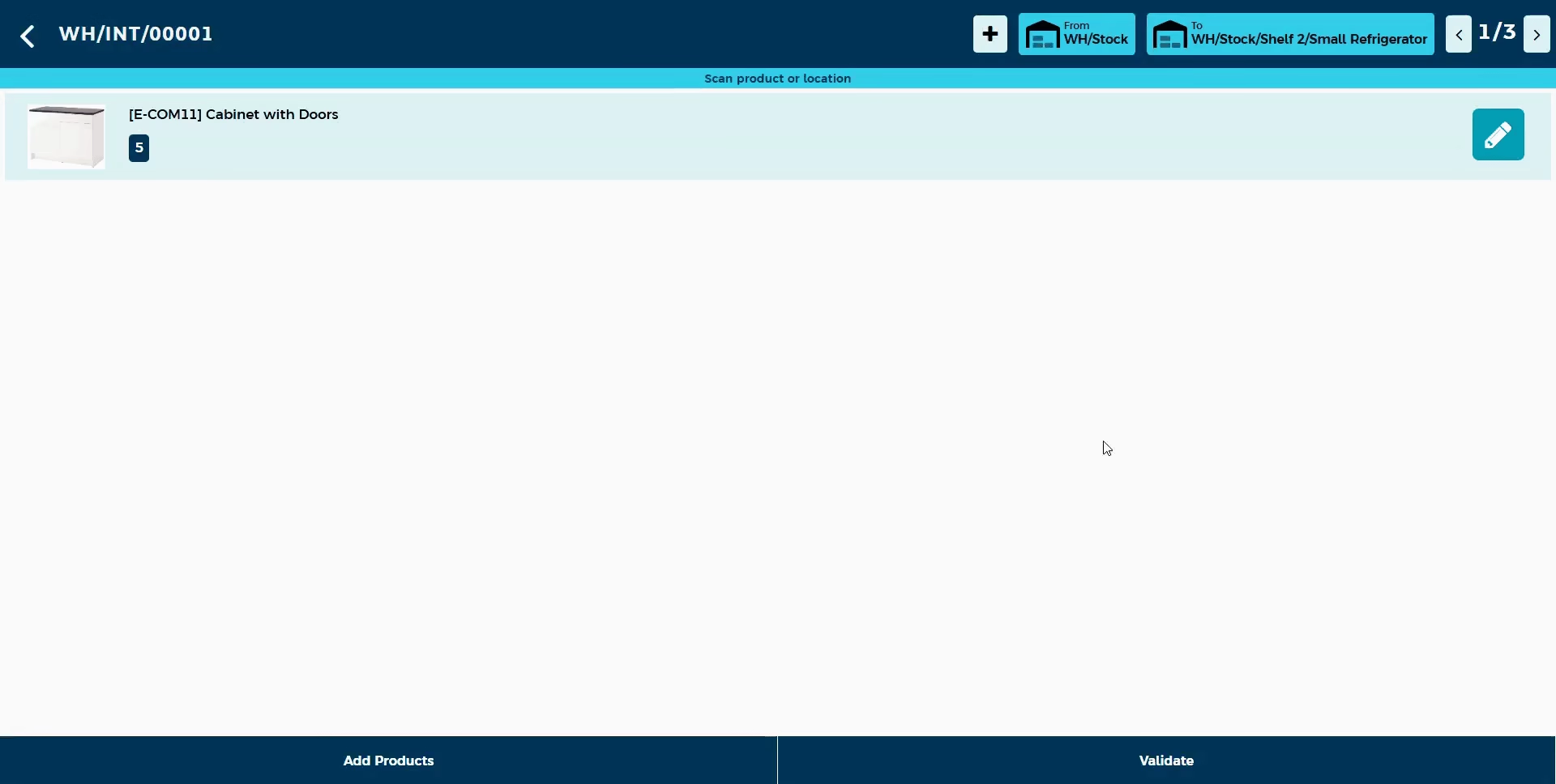
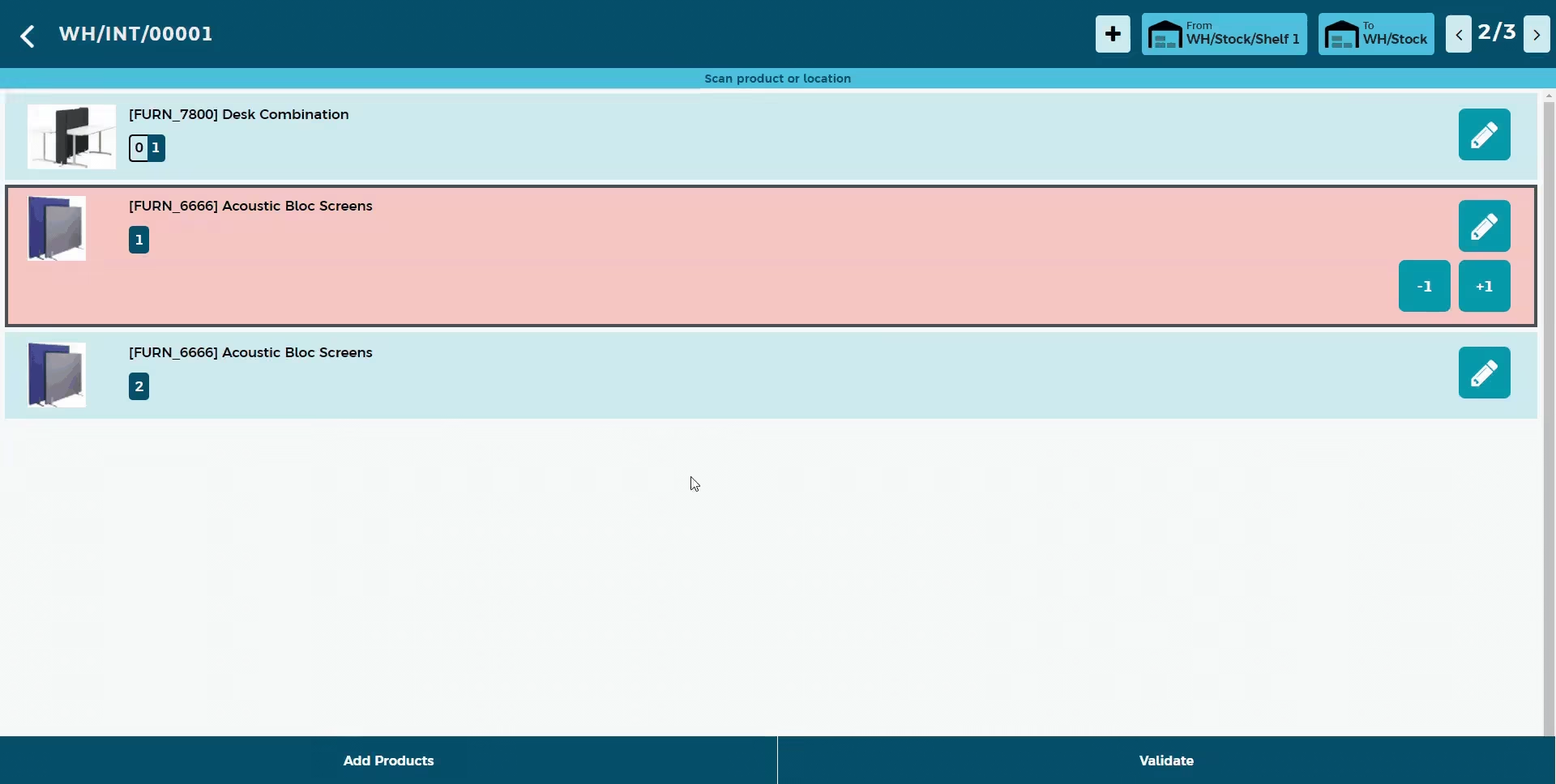
Use the barcode scanner to change the counted quantity of the product or scan a new product to add them to the warehouse operation. If user add new product to the operation it will shown in red line because the that product was unexpected in the operation.
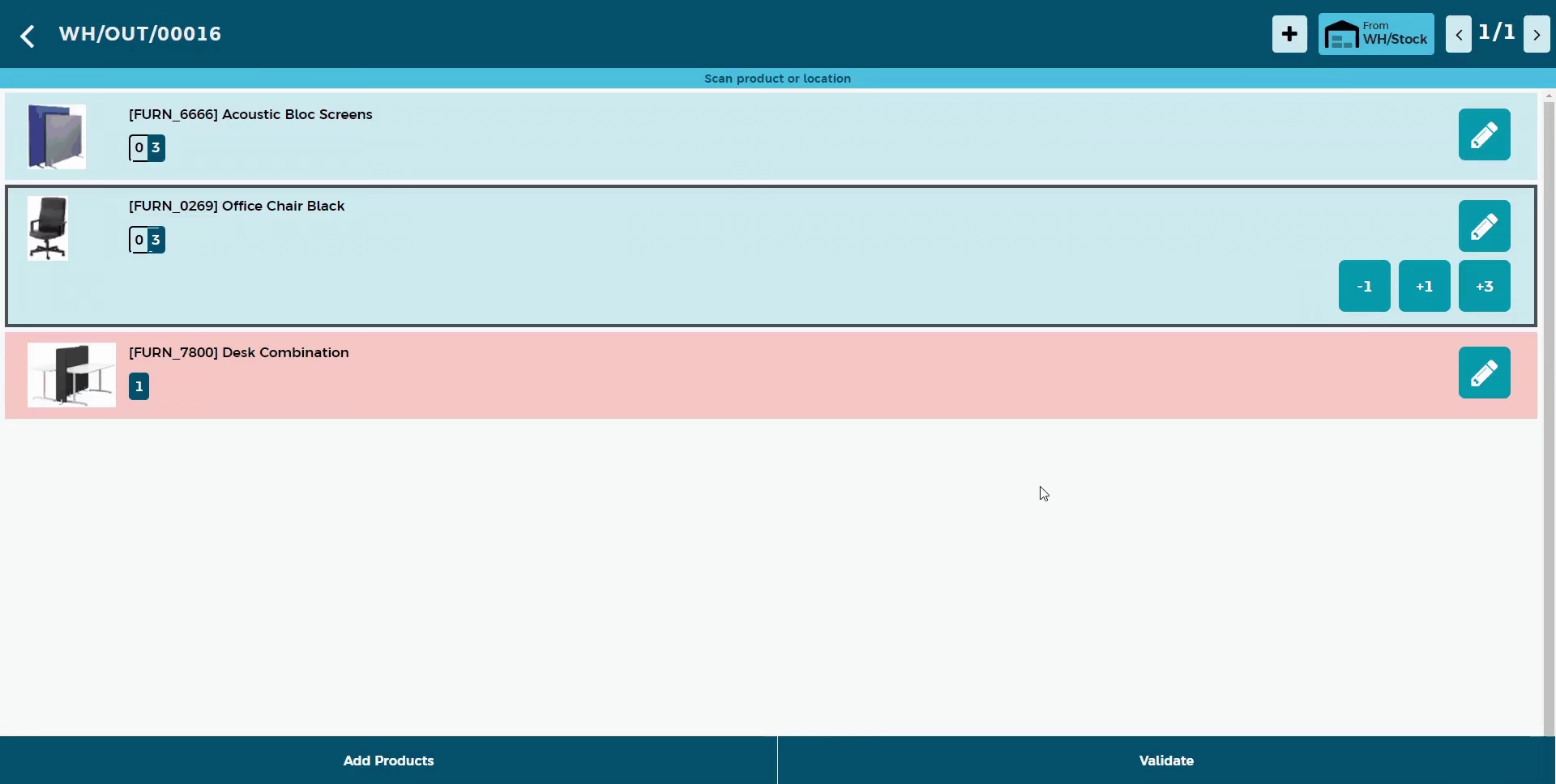
Handle multiple Locations
When you receive a purchase order or while preparing delivery order you may need to pick products from multiple locations.For that scan the barcode of the location or use location selector to change or to select new location
Add Product Manually With A Simple Search
Sometimes the product barcodes are damaged. In those time you might need to search the product and add the product manually to the operation. It is easier than ever with the real time updating search bar.Search by internal reference, barcode or using the name. You can select the quantity through the special keyboard
Smart Button Panel
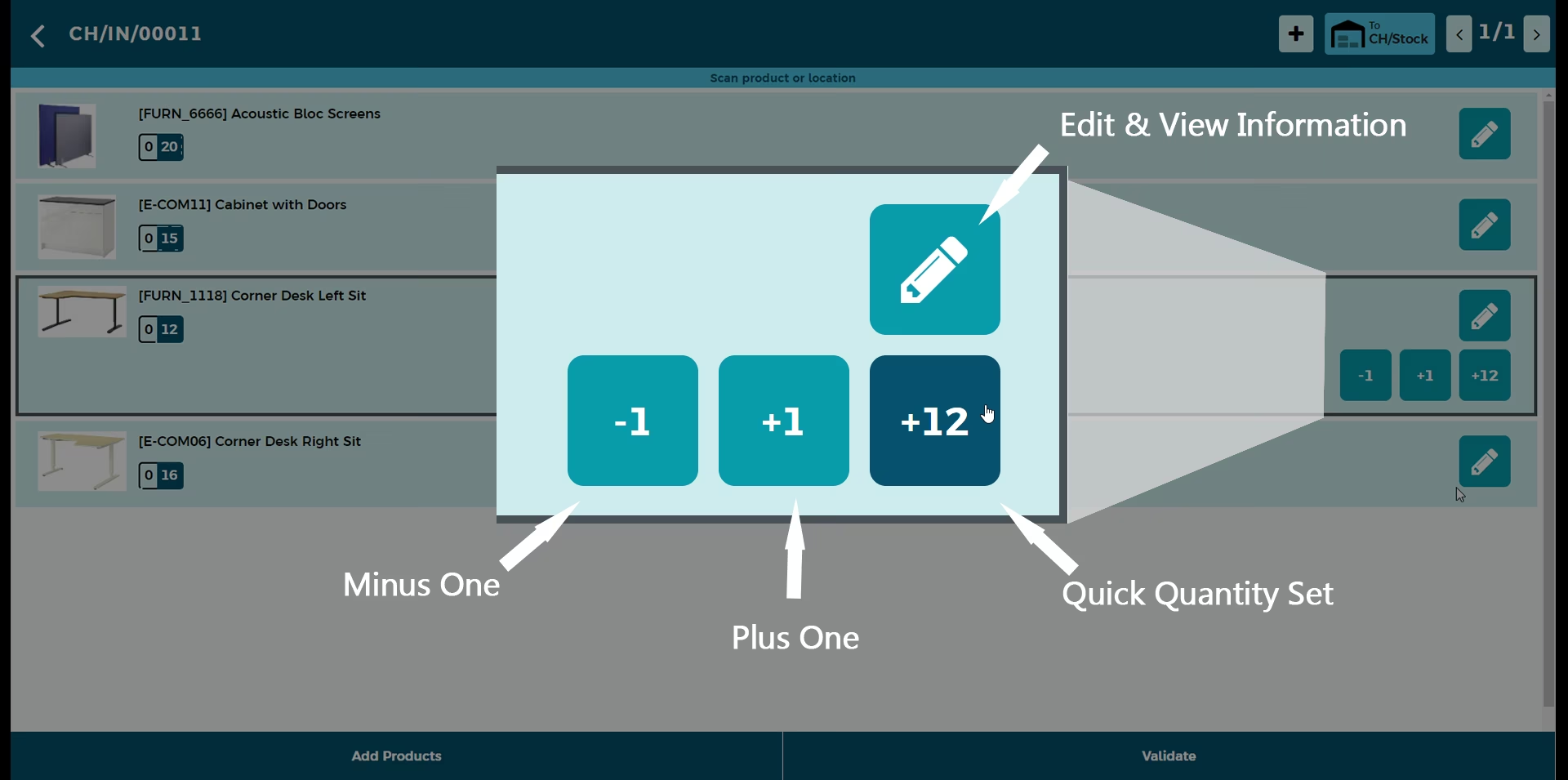
To change the product quantity manually this module gives you smart button panel. This panel allows you to
- Edit quantity and view product details
- Add one to the product quantity
- Remove one to the product quantity
- Equalize the demanded quantity and scanned quantity
Product Information Viewer
Salespersons and warehouse managers mostly work with a single location. You need to know stock data to each location with ease.That is why integrated stocks levels are hard to use. Surely, you have to push a few buttons, apply groupings and filters to retrieve required product information. However, is it comfortable? Hardly. Moreover, it is confusing since sudden misunderstanding leads to customer dissatisfaction. So, you need a tool to provide essential inventory data and price details at a glance. Here it comes!.This app allows you to see the all the details about your product in one click.scan the barcode or use advance realtime search bar to select the product
Features
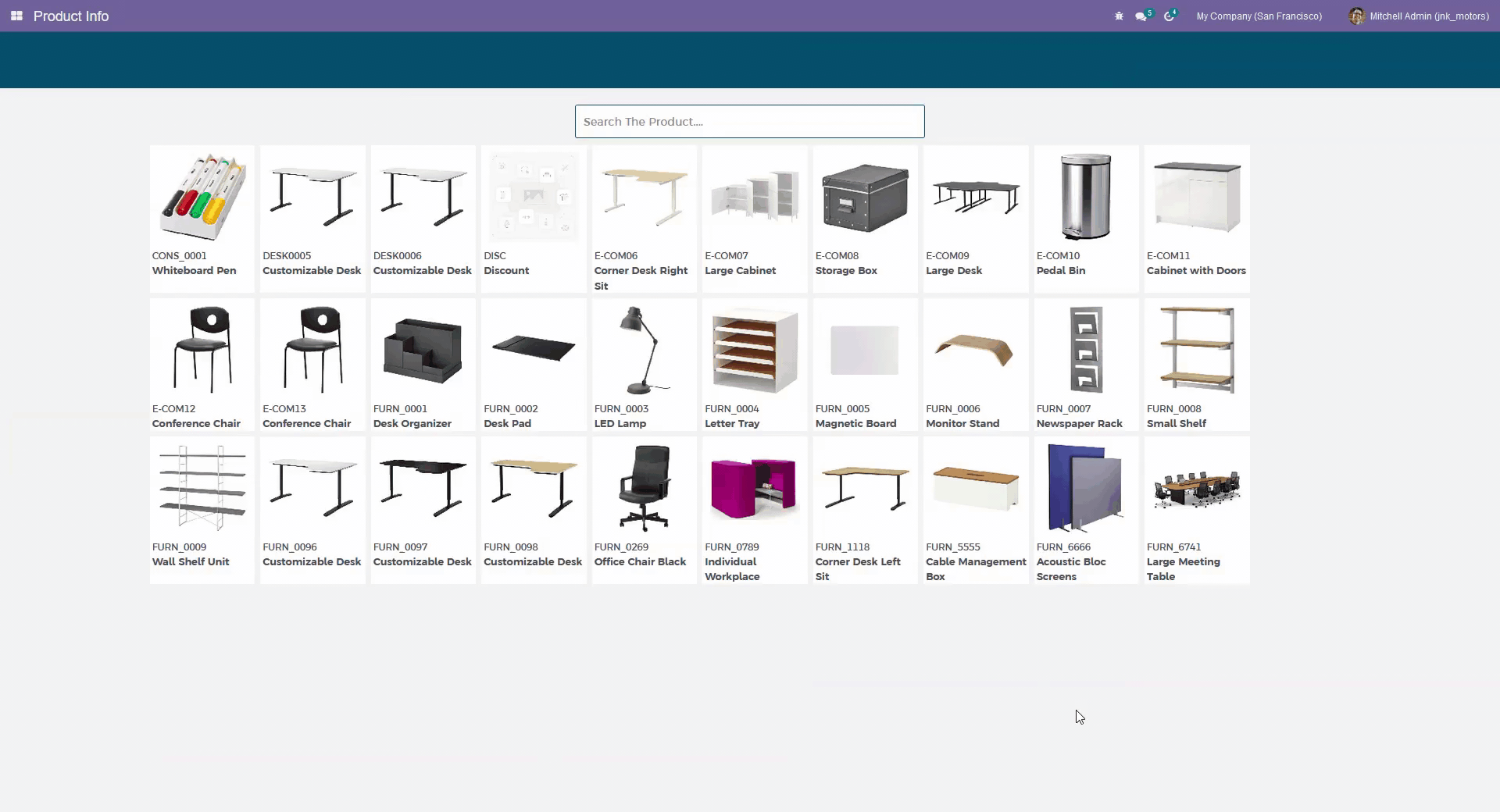
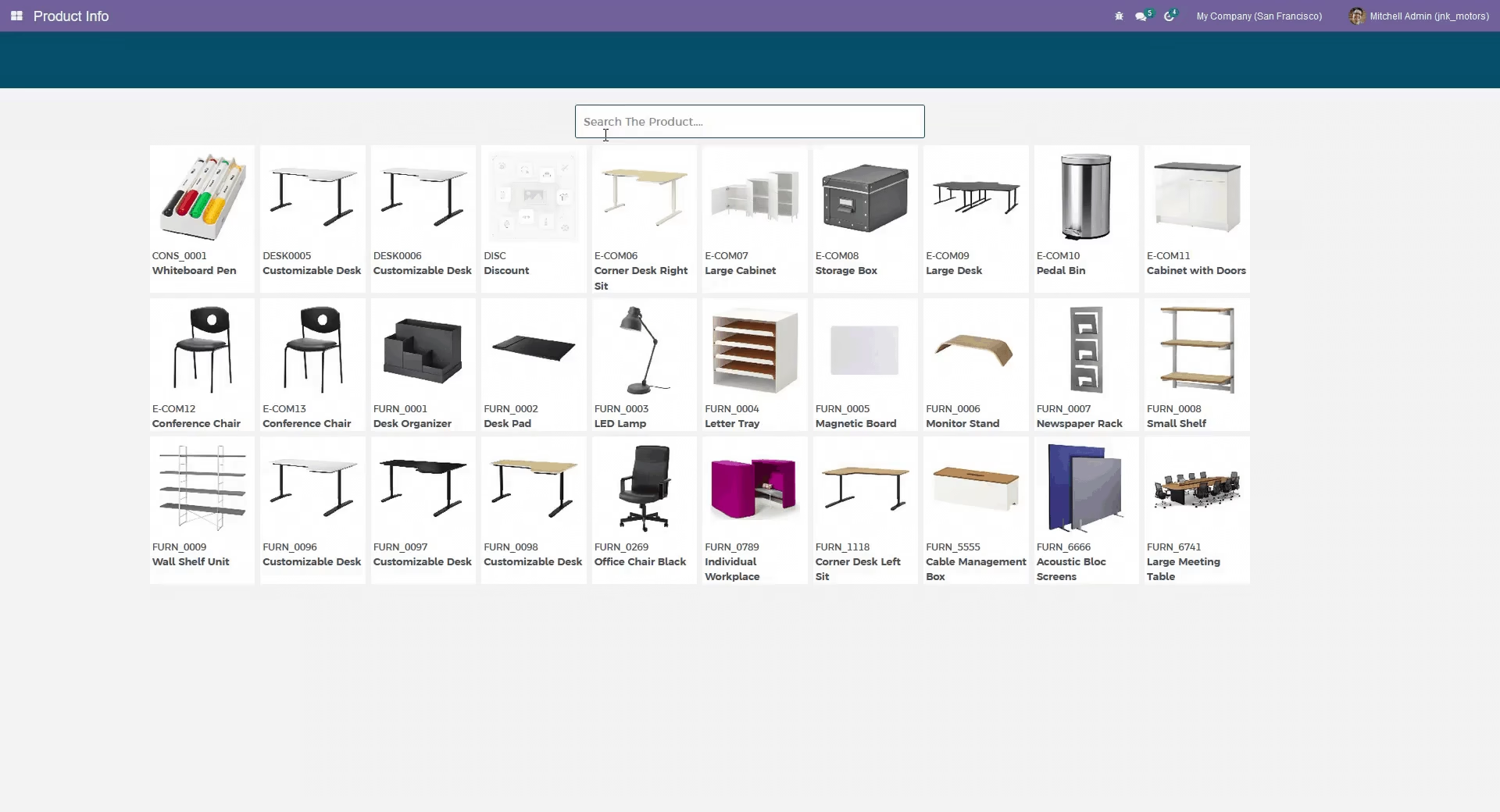
Search the product easily from Internal Reference Name or Barcode
Realtime updating search bar
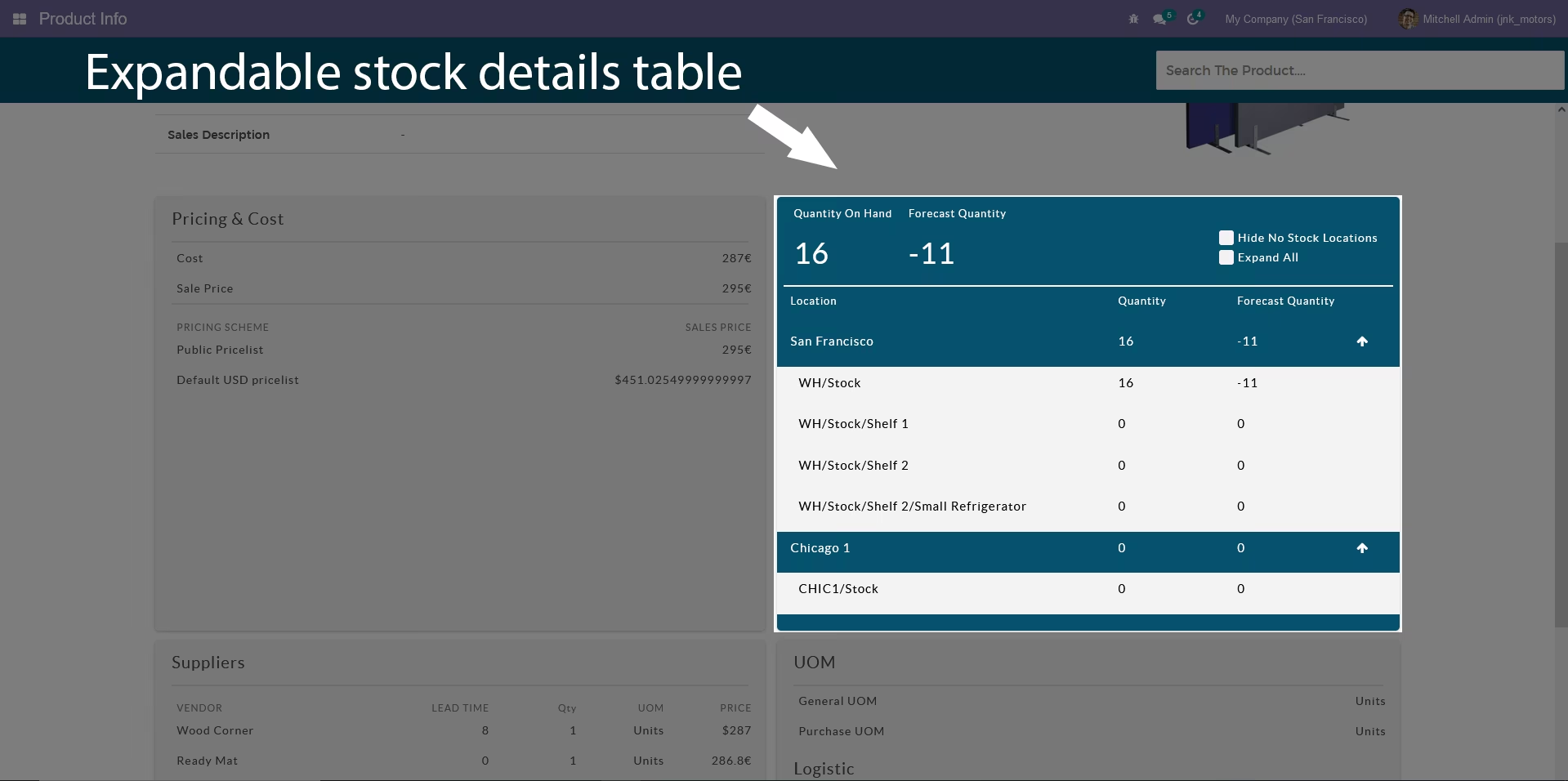
Advance stock details table with filters
Cost and Price table
Supplier and Additional details table
no configurations.Install and use
Barcode Scan To Search Product
Scan the product barcode to search the product.
Realtime Updating Search Bar
Search the product by Internal Reference Name or Barcode Search bar updates realtime to ease the search.
Advance stock details table
This table allows to see your inventory stock in warehouses and internal locations.
Inventory Adjustment
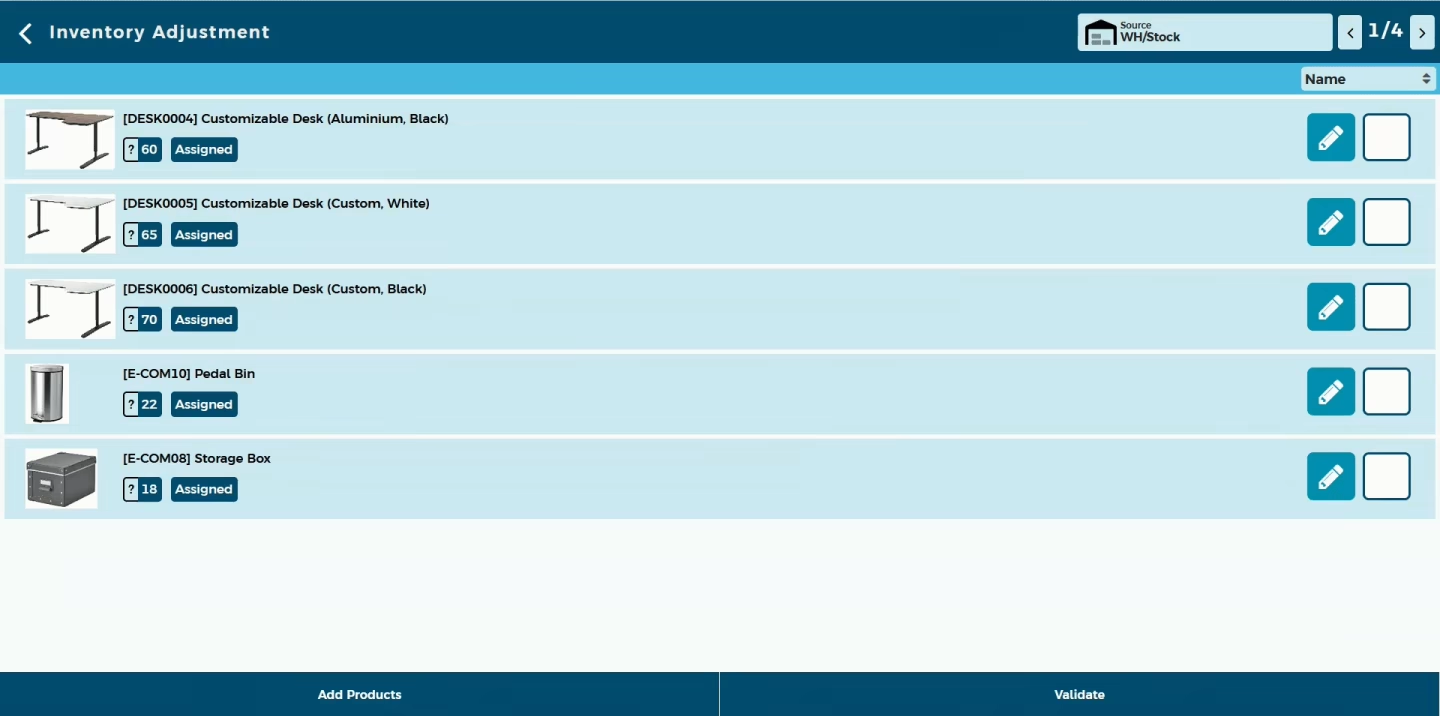
Do you want to scan Barcode with ease? Do your time wasting in Stock Adjustment operations by manual product selection ? So here is the solutions this modules useful do quick operations of Stock Adjustments using Barcode scanner. You no need to select product and do one by one. scan it and you done!. Adjust stock in multiple locations. Scan the location and scan the product. This module automatically select the location and add the product
Features
Easy to add products and change quantity in inventory adjustment by barcode scanner
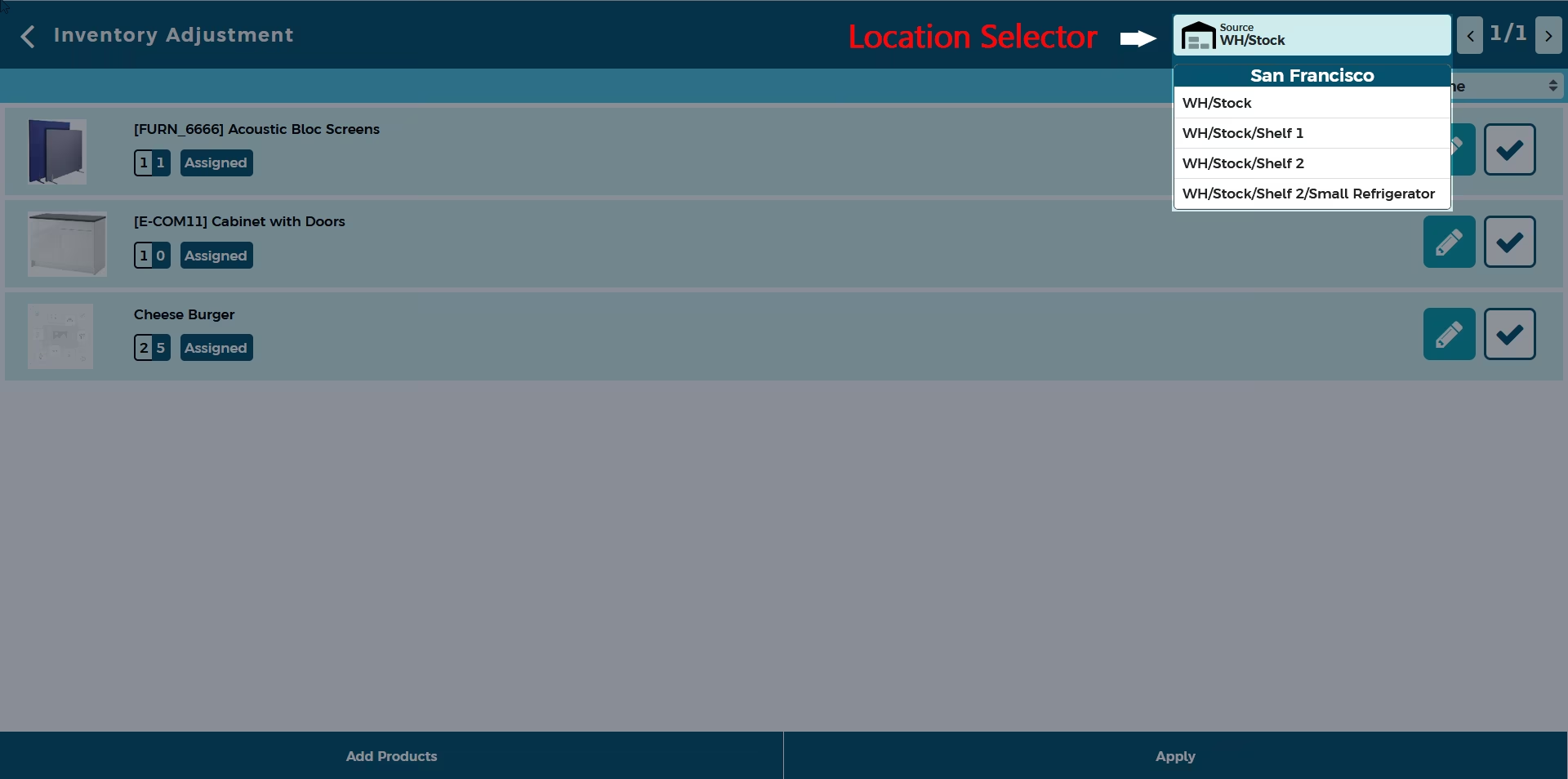
Easy to change location in inventory adjustment by barcode scanner.
Create stock adjustments to multiple locations in single session
Add product manually with a simple search using realtime updating search bar.
Barcodes eliminate the possibility of human error.
No special configuration required, install it, use it.
It reduces human efforts.
Add products and change quantity by barcode scanner
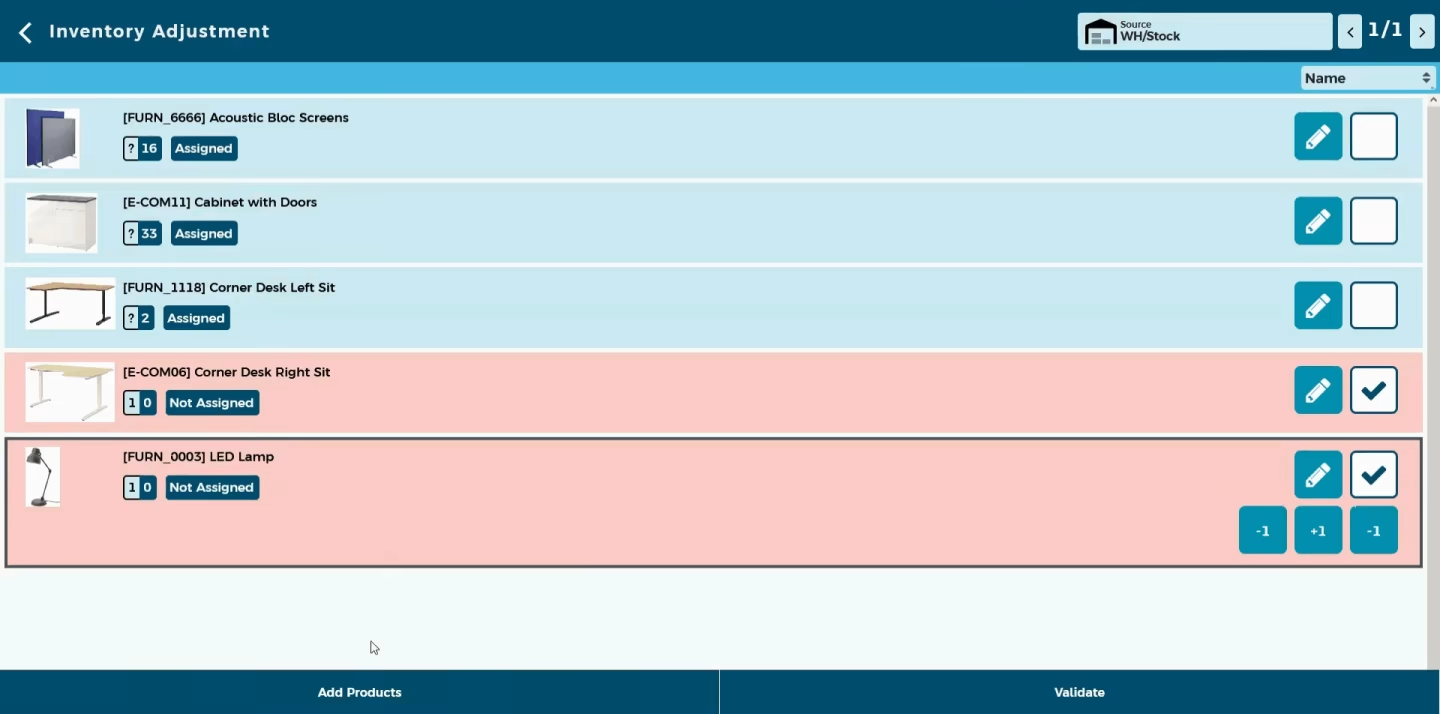
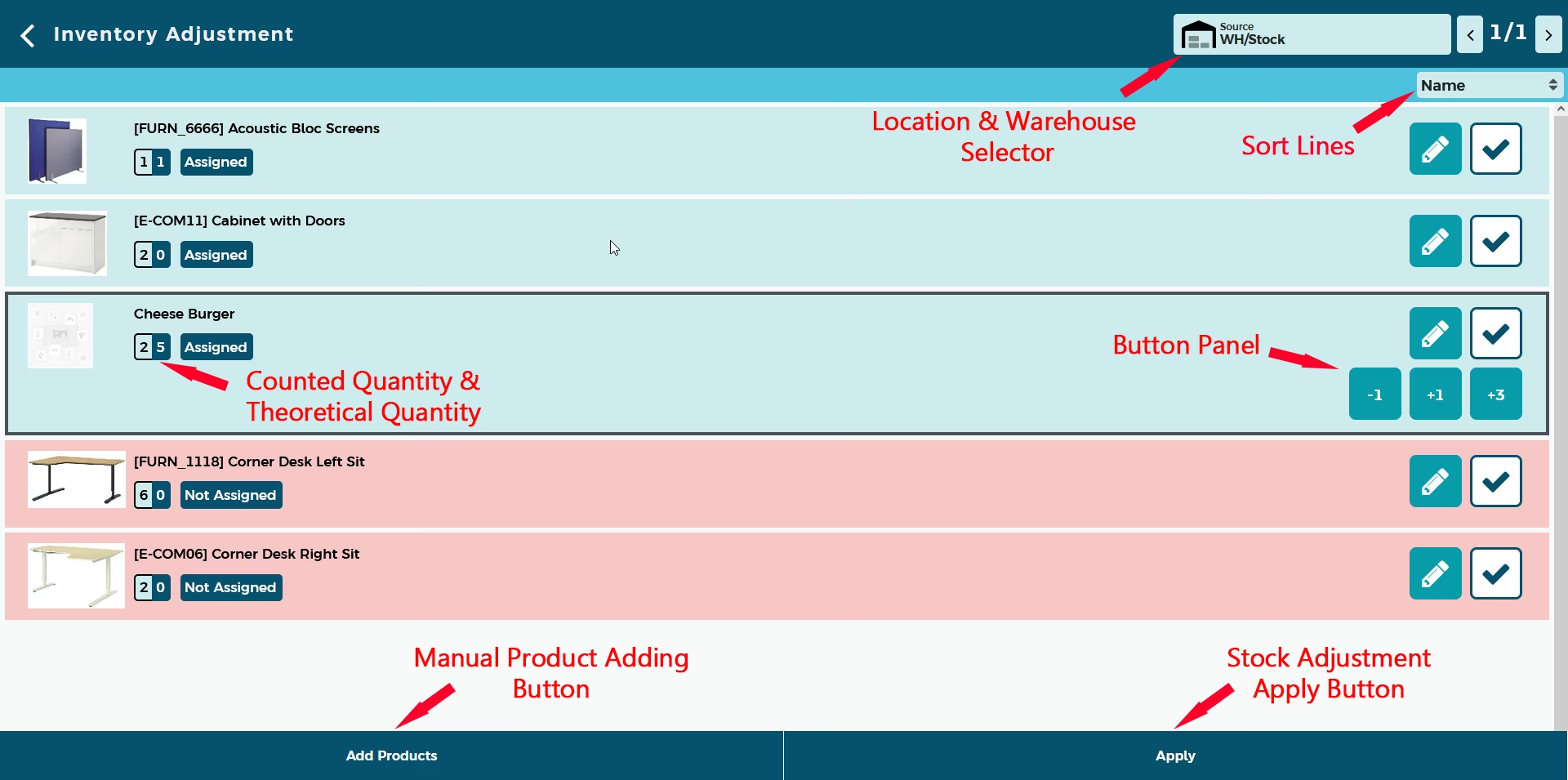
Use the barcode scanner to change the scanned quantity of the product or scan a new product to add them to the stock adjustment. If user add new product to the inventory adjustment it will shown in red line because the that product was not assigned to the user
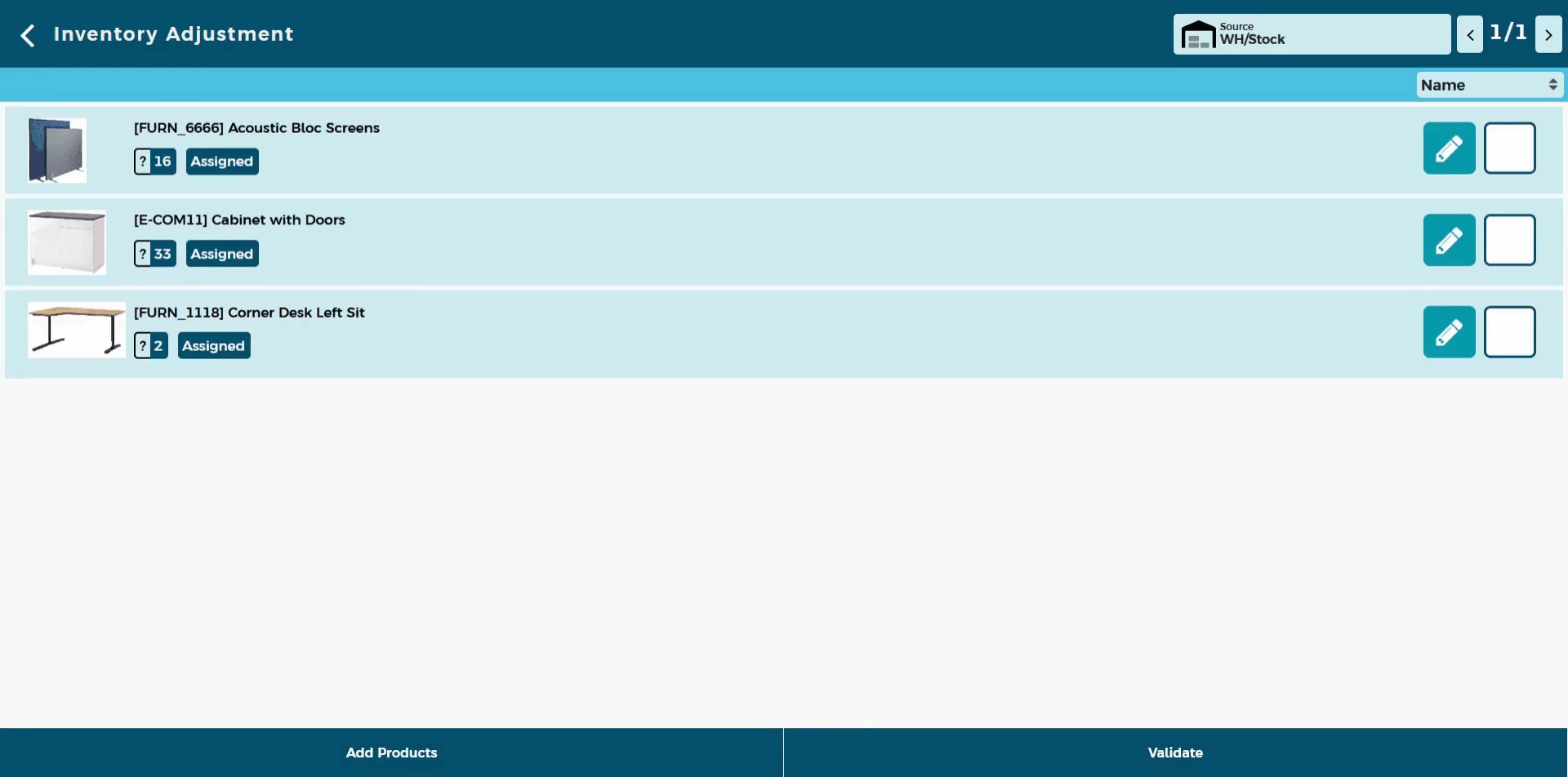
Create stock adjustments to multiple locations
Scan the barcode of the location or use location selector to change or to select new location
Add Product Manually With A Simple Search
Sometimes the product barcodes are damaged. In those time you might need to search the product and add the product manuallay to the stock adjustment. It is easier than ever with the real time updating search bar.Search by internal reference, barcode or using the name. You can select the quantity through the special keyboard
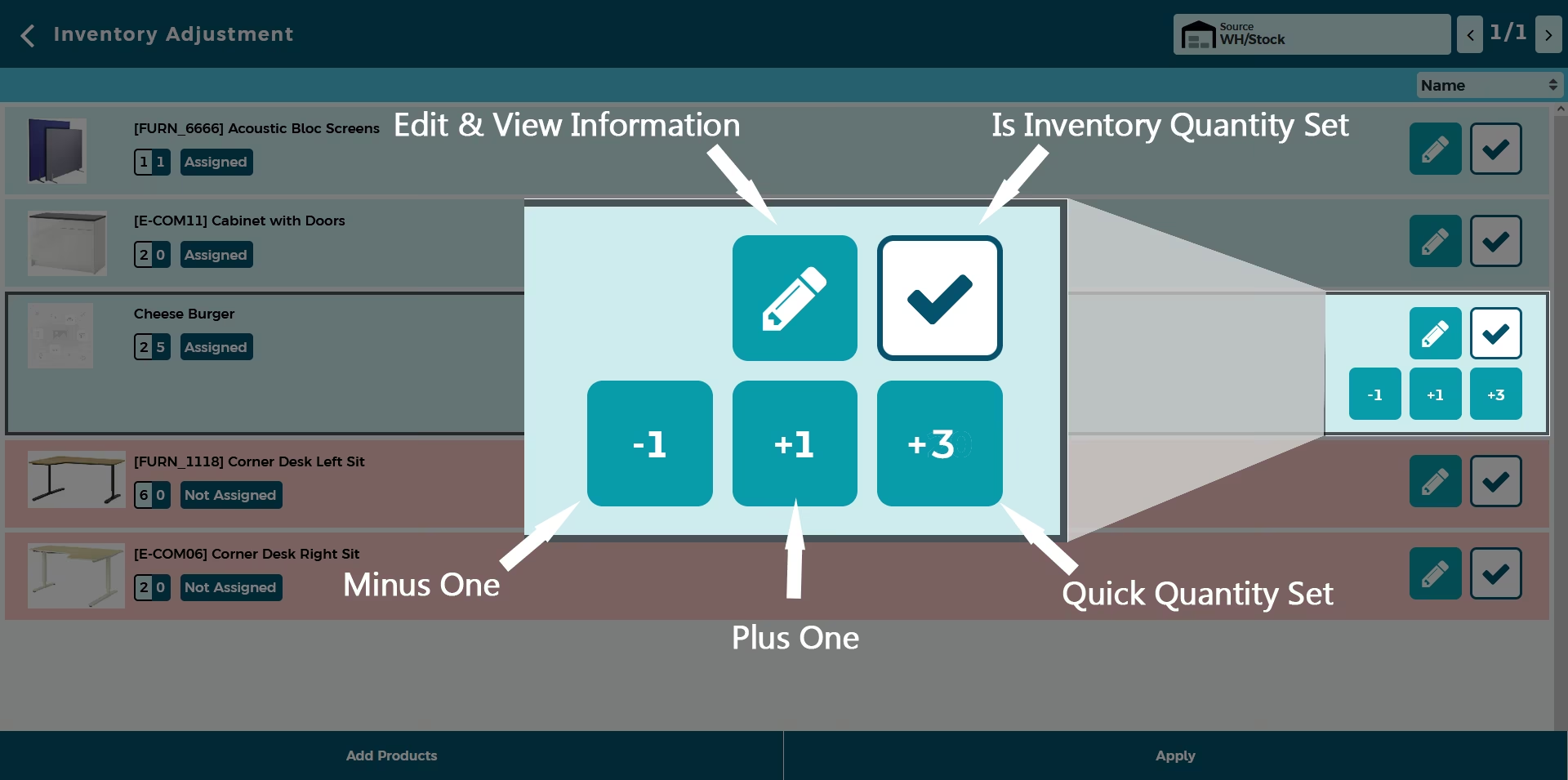
Smart Button Panel
To change the product quantity manually this module gives you smart button panel. This panel allows you to
- Edit quantity and view product details
- To change the whether inventory quantity is set. If button is not selected the change will not apply
- Add one to the product quantity
- Remove one to the product quantity
- Equalize the counted quantity and scanned quantity