
The module enables seamless synchronization of bank statements in by integrating with the Enable Banking API. Supporting over 2,500 banks across multiple European countries, this solution brings real-time transaction imports, automated reconciliation, and simplified bank feed management directly within your accounting workflows.
Automate bank statement synchronization via the Enable Banking API for European banks
Monitor banking connection status and fetch transactions directly from the journal dashboard
Simple setup by entering Application ID and RSA Private Key for quick integration
Manual fetch option to retrieve statements on demand as needed
Supports a broad network of banks for flexible regional coverage
Save time and reduce manual work by automating bank statement input
Ensure accurate and up-to-date financial data with real-time imports
Simplify bank reconciliation through streamlined data flows
Improve visibility into transaction activity via dashboard insights
Accelerate accounting workflows with quick and secure configuration
Enable Banking
Online Bank Statements Synchronization
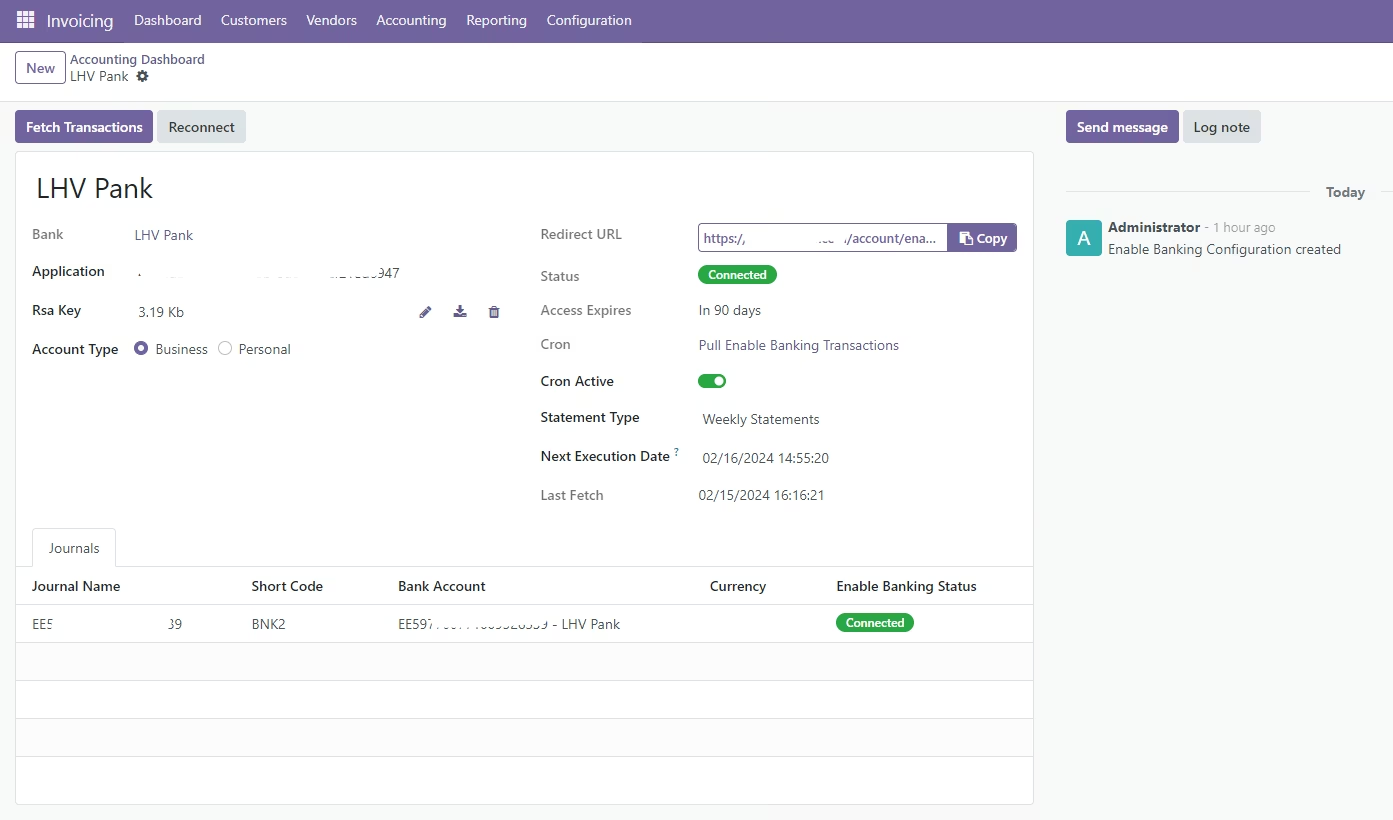
Automatically sync your bank statements with Enable Banking API connector. Enable Banking supports over 2500 banks in 28 countries in Europe. If you link your own accounts on Enable Banking website, you can use their API FOR FREE.
See the full list of supported banks here: https://enablebanking.com/open-banking-apis
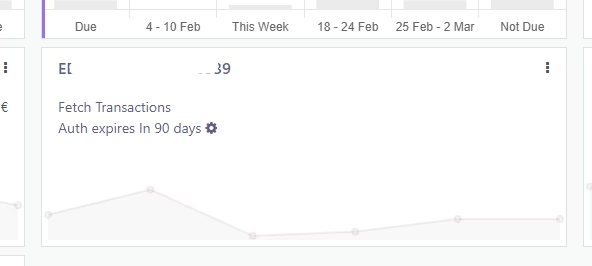
Clear overview
Fetch transactions manually, have a clear overview of your bank connection status and access the Enable Banking configuration right from the journal dashboard.
Simple setup
Just insert your Application ID and RSA Private Key, then click 'Connect' to effortlessly establish the connection. It's a quick and easy process, so you can get your bank sync running smoothly in no time.
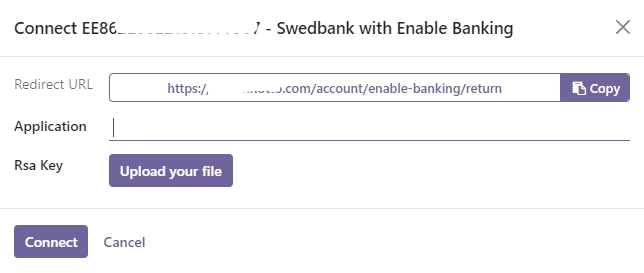
Setup & Requirements
Ensure you have pyjwt pip package installed before you install the module.
- Make sure that the bank that is selected on your Journal has correct name and country as listed here: https://enablebanking.com/open-banking-apis
- Go to your Journal Dashboard and click Connect on the journal you wish to connect with Enable Banking
- Copy the Redirect URL that is showed in the Enable Banking Connection Wizard
- Go to https://enablebanking.com/cp/applications (create your account if you don't have one)
- On the Enable Banking control panel, create a new production environment (follow the instructions on the page)
- Link your account(s) you wish to connect
- Go back to the Enable Banking connection wizard and fill in Application ID and RSA Key
- Click Connect and follow the instructions
- Everything is ready!