
The module empowers administrators to automate comprehensive backups of covering both databases and associated files. It supports flexible destinations ranging from local directories to remote servers via FTP, SFTP, or cloud platforms. With scheduling, retention, and alert controls embedded in interface, it simplifies data protection while ensuring operational peace of mind.
Backup database alone or together with attachments and file folders
Define custom backup destinations: local directories, FTP, SFTP, Dropbox, Google Drive, and Amazon S3
Automatically delete outdated backups based on configurable retention settings
Receive notifications via email upon successful or failed backup events
Schedule recurring backups using built-in cron configuration
Automate essential backup processes and reduce manual intervention
Protect data across a variety of storage options for better flexibility
Maintain storage hygiene via automatic cleanup of older backups
Stay informed of backup status through direct alerts
Improve disaster recovery readiness with scheduled, reliable backups
Automatic backup module provide an efficient feature to backup all the database files and folders. Backup can be done to selected folder or to remote server via FTP or SFTP.
- Backup database or database and folders / files.
- Possible to delete old backups.
- Backup can be made to any local server
- Ability to backup on remote server FTP or SFTP
- Backup type: Dropbox, Google Drive, Amazon S3.
How to use this module
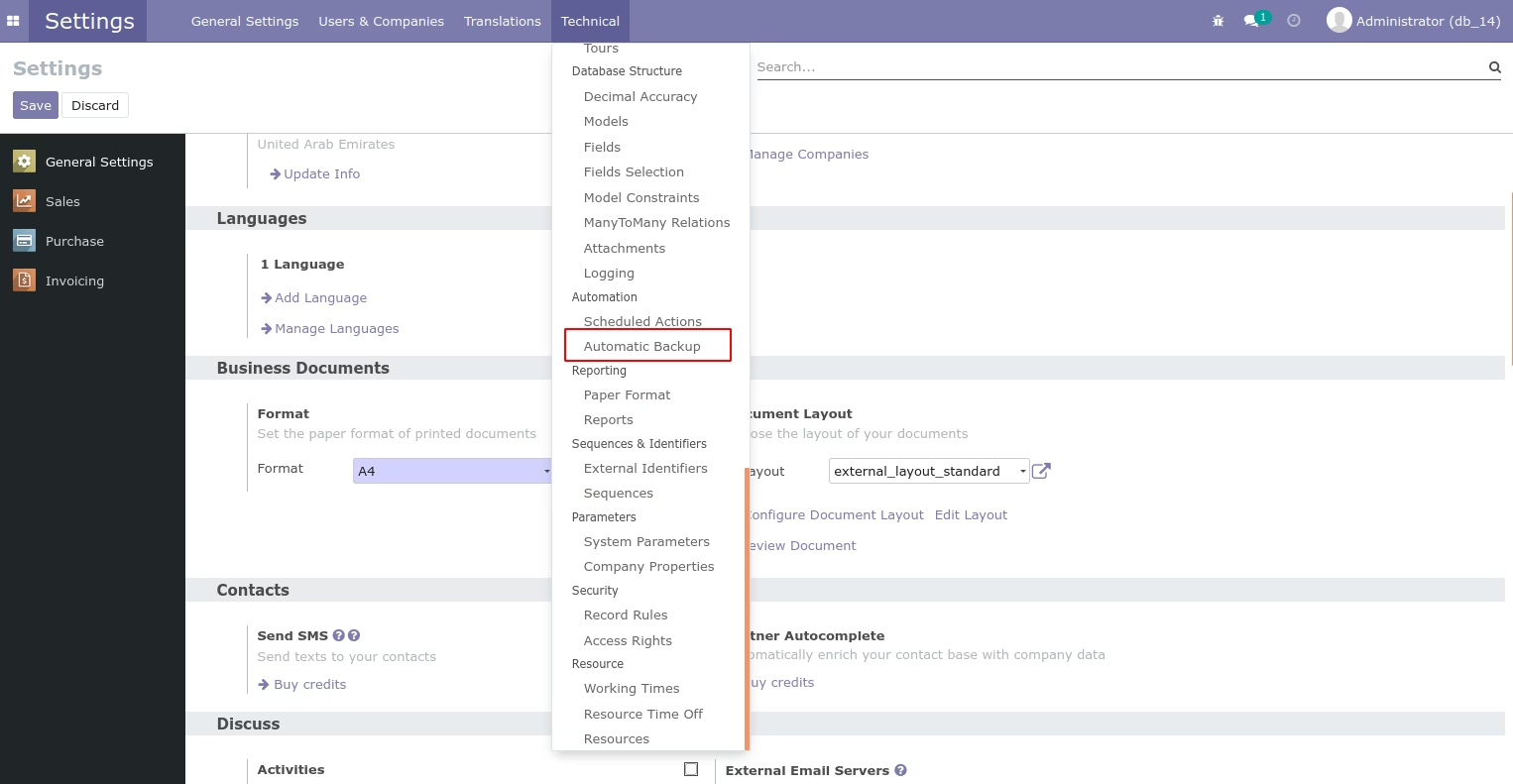 After installing this module, user can see the configuration from automatic backup menu. Make sure you have installed python package pysftp and dropbox.
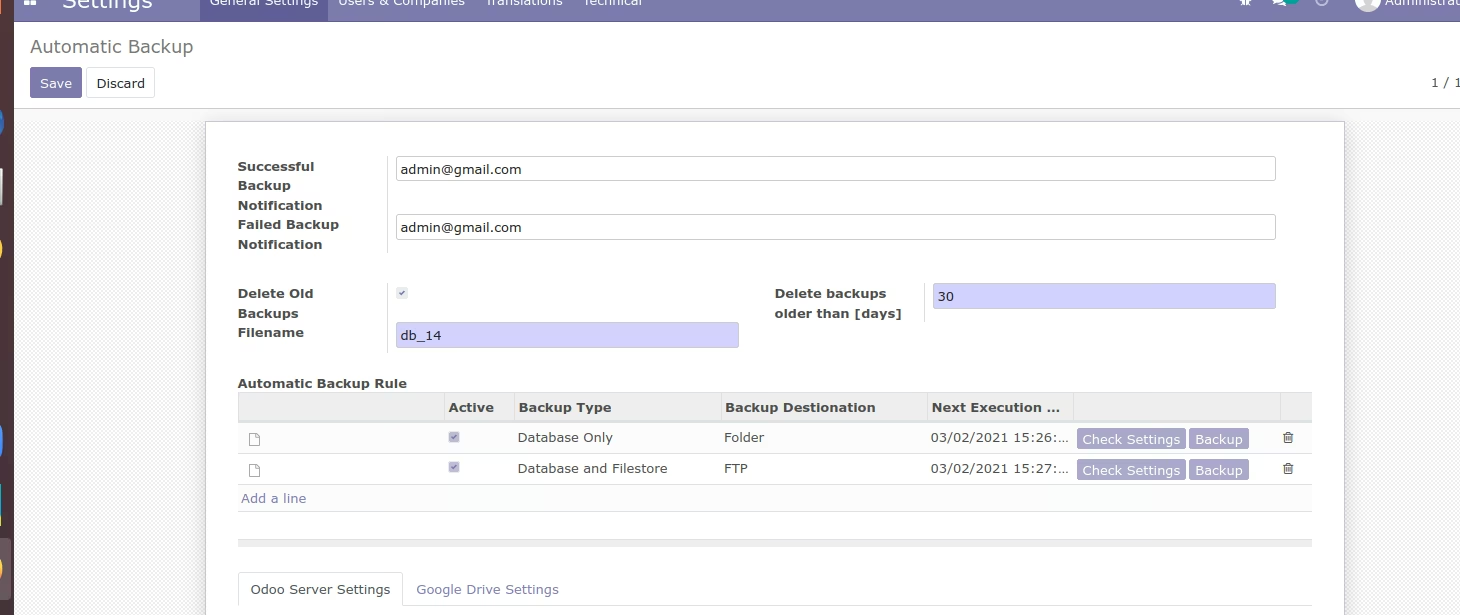 Here in the above image, user can enter the email to receive the notification for successful and failed backup notification. Also possible to delete the old backups according to mentioned days.
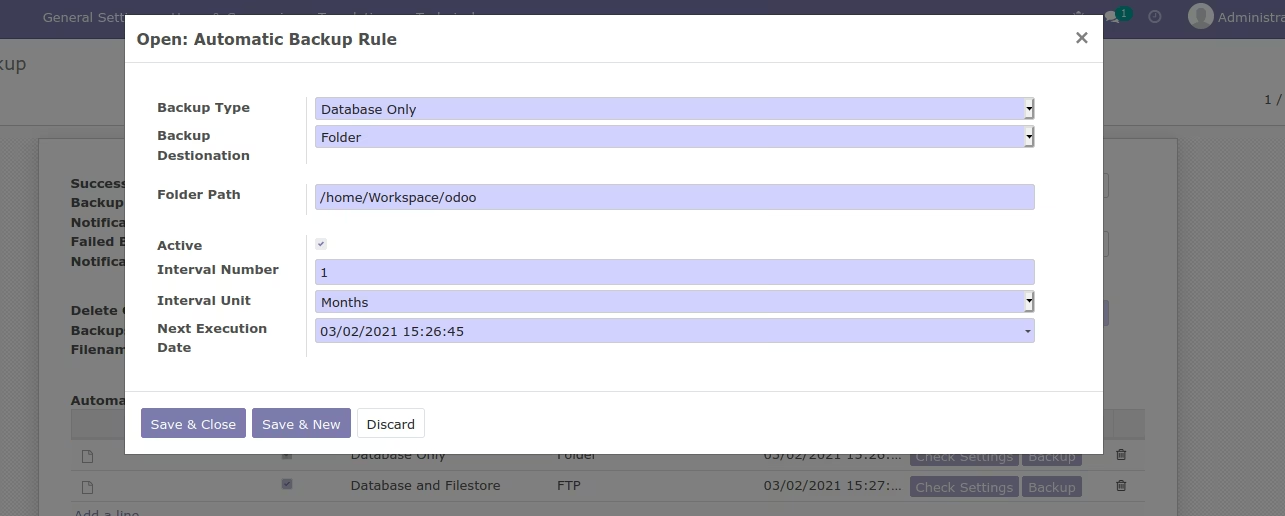 If the backup need to be done in any local folder, backup destination can be selected accordingly. Backup type can be database or database files. Folder path need to be provided to store the backups.
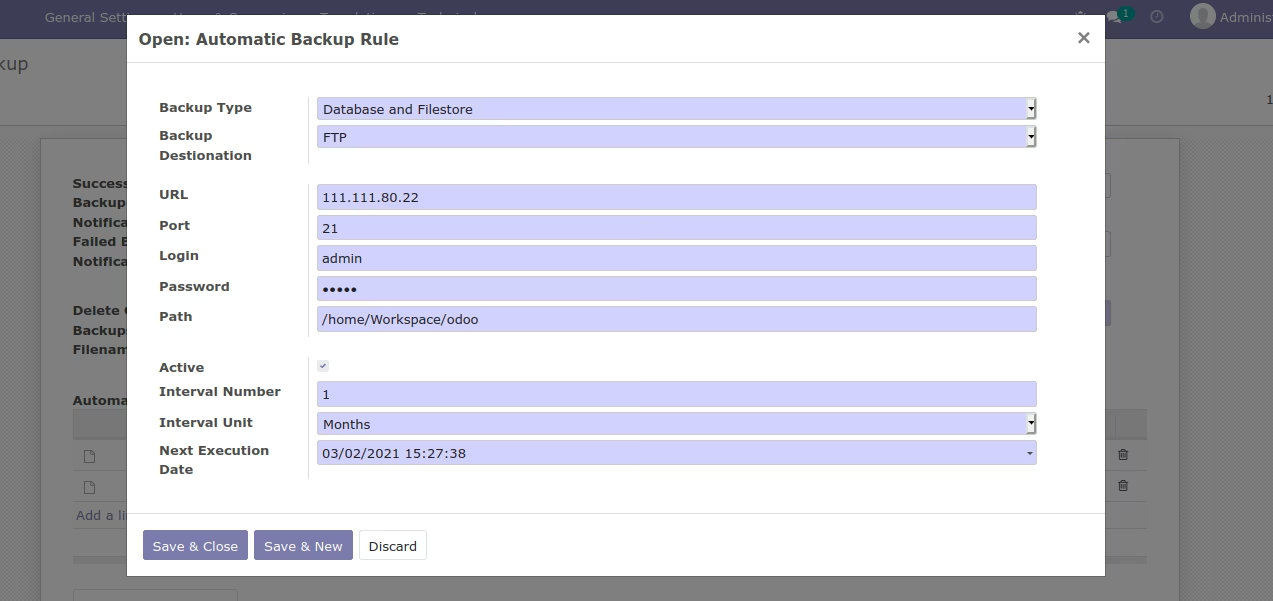 Backup done on remote server using FTP. Specify the relevant URL and the port number.
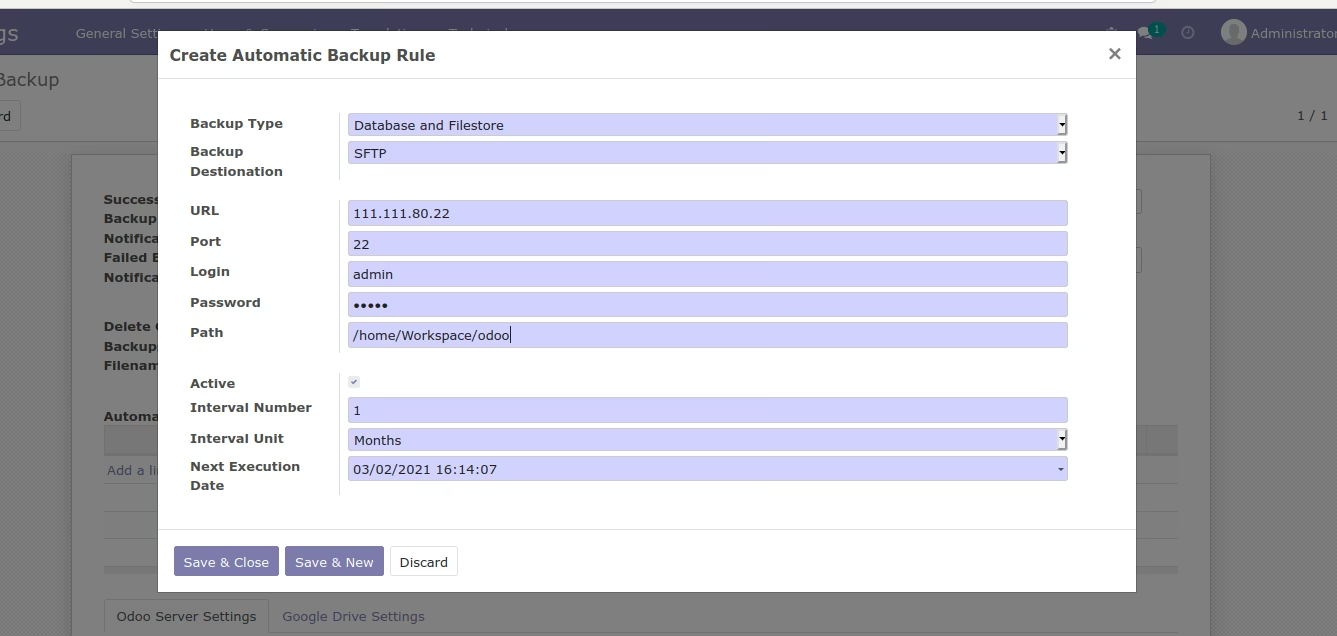 Similar to FTP, SFTP can be used to save the database files in the remote server.
Similar to FTP, SFTP can be used to save the database files in the remote server.
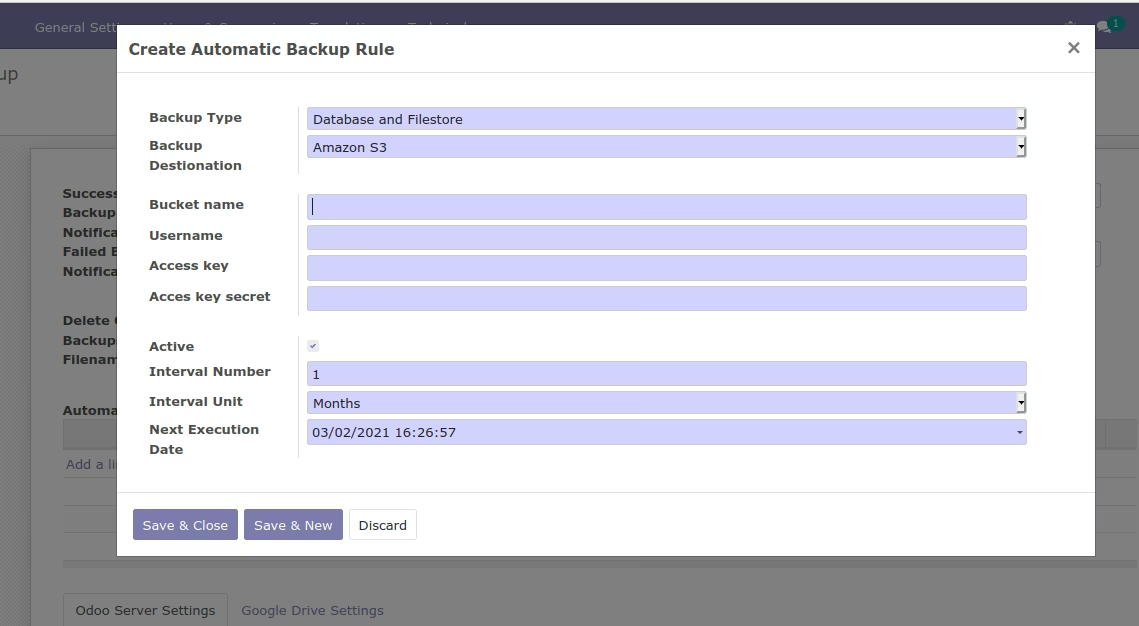 Backup database files using backup type Amazon S3
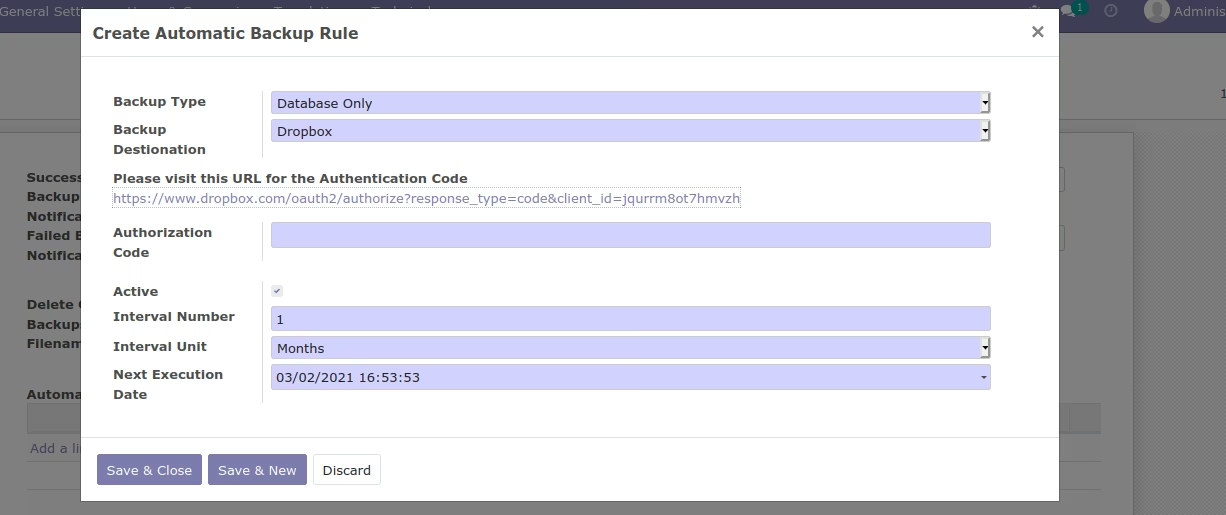 When backup type is Dropbox, use the authorization code URL to store the files.