The module empowers businesses operating in multi-company environments to automate internal transfers seamlessly. By defining inter-company rules, it triggers synchronized stock and accounting documents across entities such as delivery orders, purchase orders, and invoices upon relevant actions. This ensures operational continuity, enhances data integrity, and eliminates manual work in inter-entity workflows.
Automatically generate mirrored transfer documents when moving stock between companies
Synchronize purchase and sales documents based on inter-company rules
Automate accounting entries linked to internal transfers and stock operations
Centralize and streamline multi-company operations with minimal manual setup
Ensure consistent documentation flow across entities, reducing error risk
Accelerate inter-entity logistics and accounting by automating repetitive transaction generation
Improve operational transparency with synchronized stock and accounting records
Automatic Inter Company Transaction-Transfer App(Community Edition)
Auto Validation for Pickings and Receipts
Simple Return Handling Across Multi Companies
Automatic Stock and Accounting Transfers Between Companies
Seamless Automatic Inter-Company Transfers for Multi-Company Operations
Auto Inter-company Transfer Rules app helps user to manage automatic stock and accounting inter company transaction from different company based on inter company rules setup. This module is very useful for multi company environment when it has holding company or holding warehouse process, so it require to create automatic intercompany transfer document such as sales order, purchase order, invoice, refund, receipt, delivery everything will be manage automatically based on configuration provided. User have option to link inter company documents, validate picking/receipt, create invoice/bill, validate invoice/bill and applied inter company on sale order only, purchase order only and both sale-purchase order.

Stock InterCompany Transaction
User can easily perform stock transaction between multiple companies.

Return InterCompany Transaction
User can easily perform return transaction between multiple companies.

Auto Workflow for InterCompany Transaction
Automated workflow based on "Intercompany Transaction application on" configuration.

Easy Access InterCompany Documents
Easily access to related documents of intercompany transaction with smart buttons.

Link Intercompany Document
User have option to link or not related documents of intercompany transaction.

Auto Validate Picking or Receipt
User have option to automatically validate picking or receipt.

Create Invoice/Bill
Customer invoice or vendor bill will created for intercompany transaction.
Validate Invoice / Bill
Customer invoice or vendor bill will validated for intercompany transaction.
Auto Inter Company Transaction
Inter Company Transaction Access Rights
The user with "InterCompany Transaction Manager" access rights can only create inter company transactions.
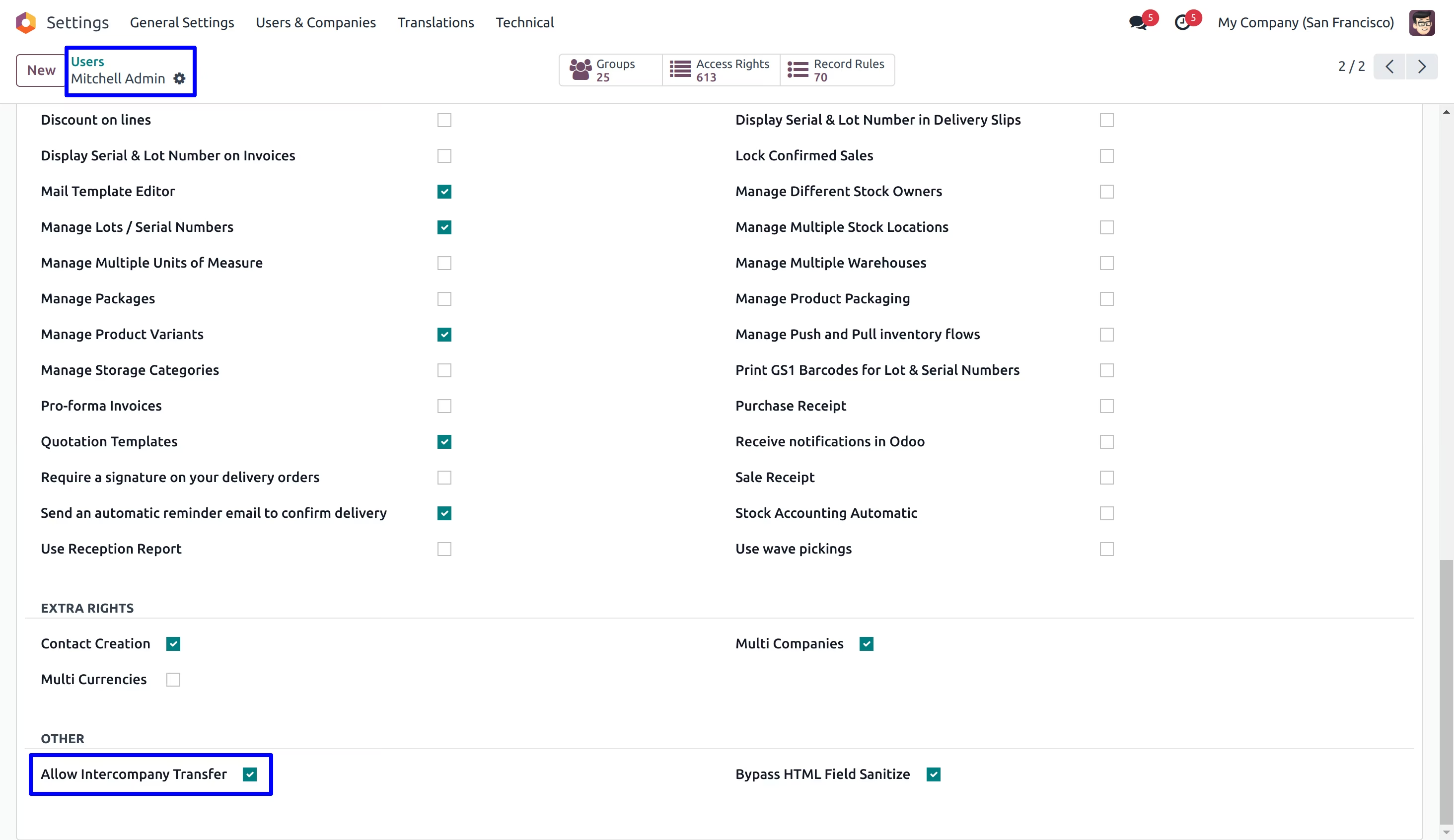
InterCompany Configurations
User have option to link inter company document, validate picking/receipt, create invoice/bill, validate invoice/bill.
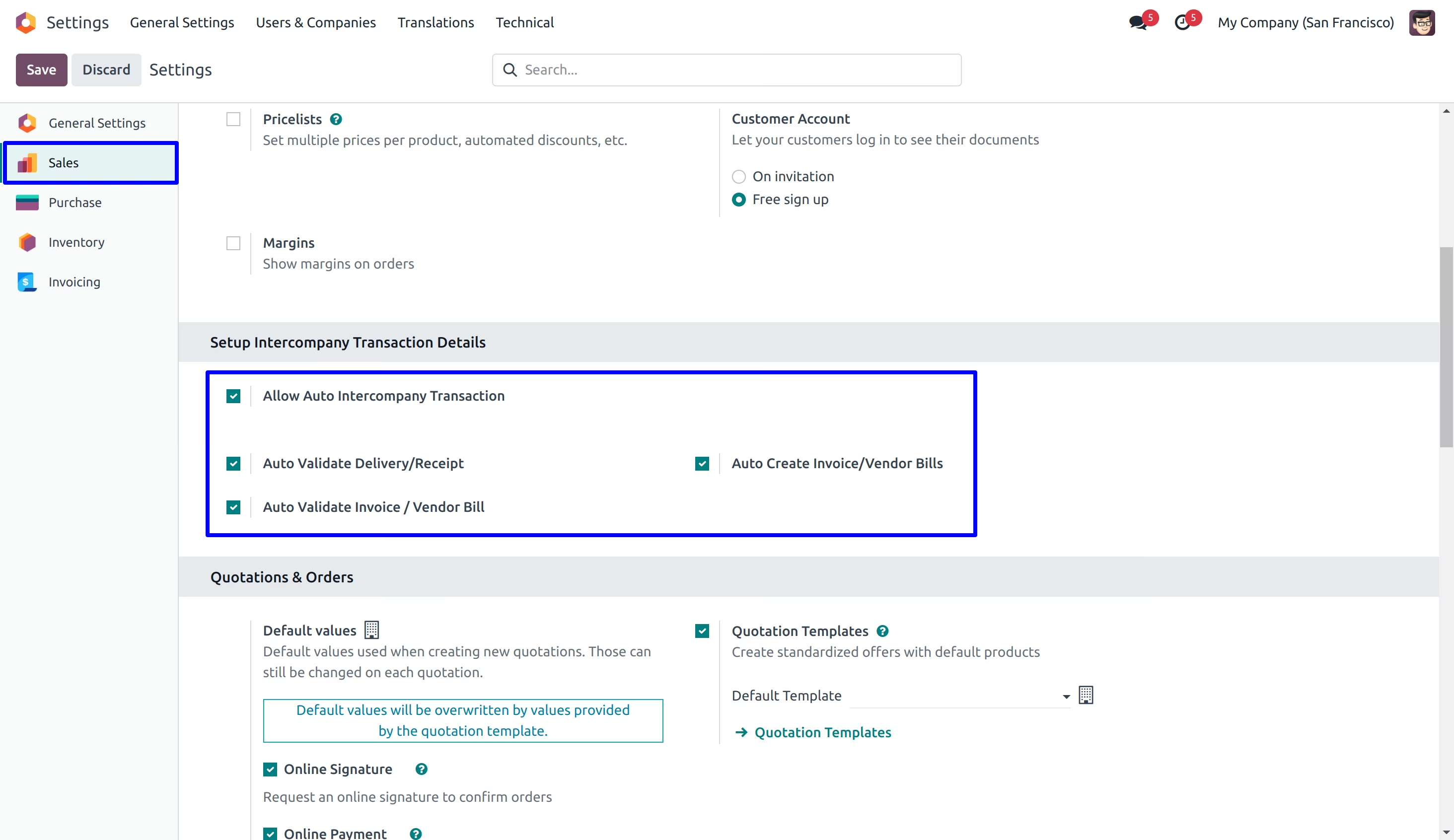
InterCompany Warehouse Configurations
User can select inter company warehouse under company view, based on selected warehouse inter-company sale order's warehouse and purchase order's receipt picking will be assigned on generated documents.
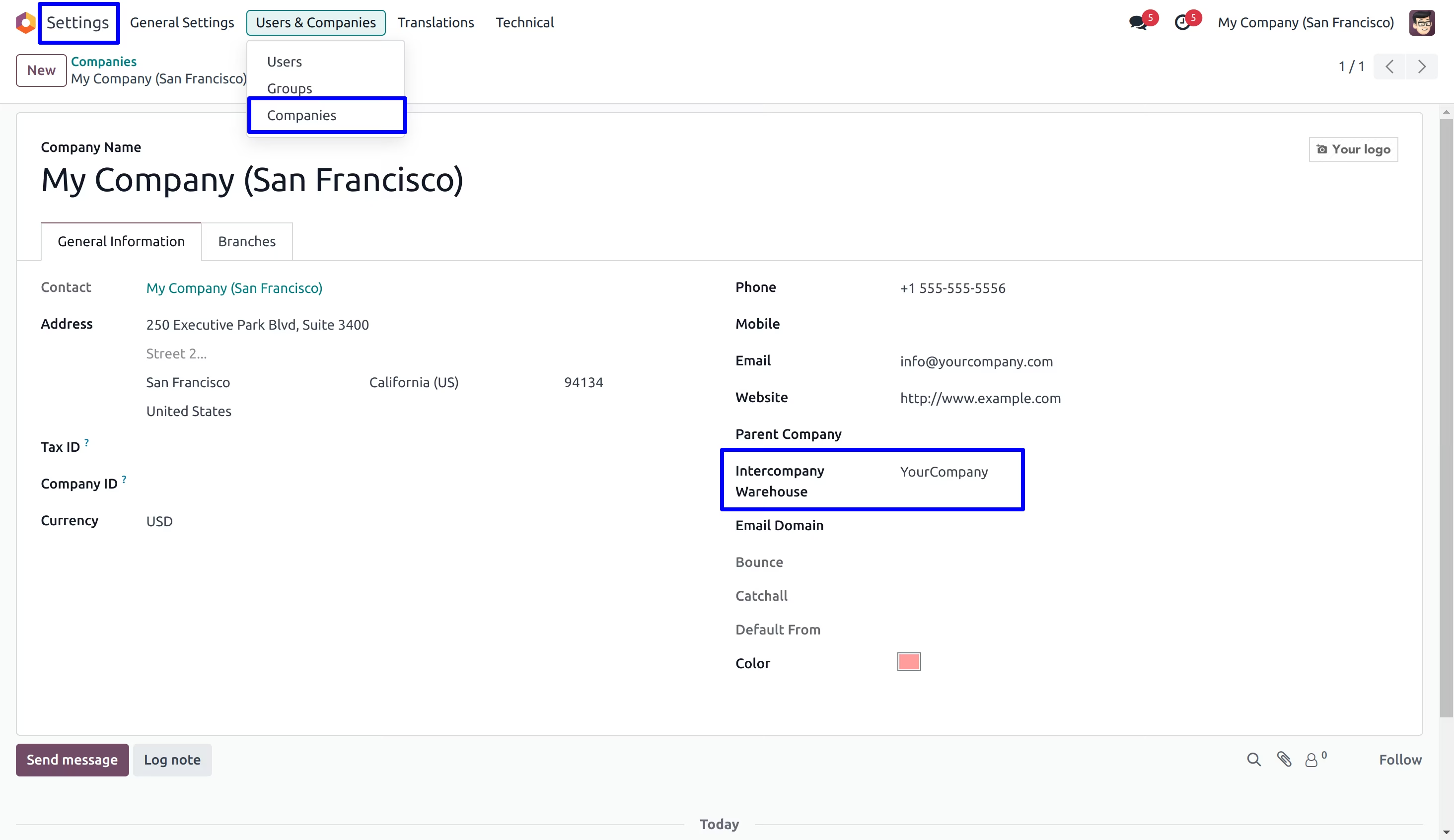
Auto InterCompany Transaction from Sales Order
Sales Quotation
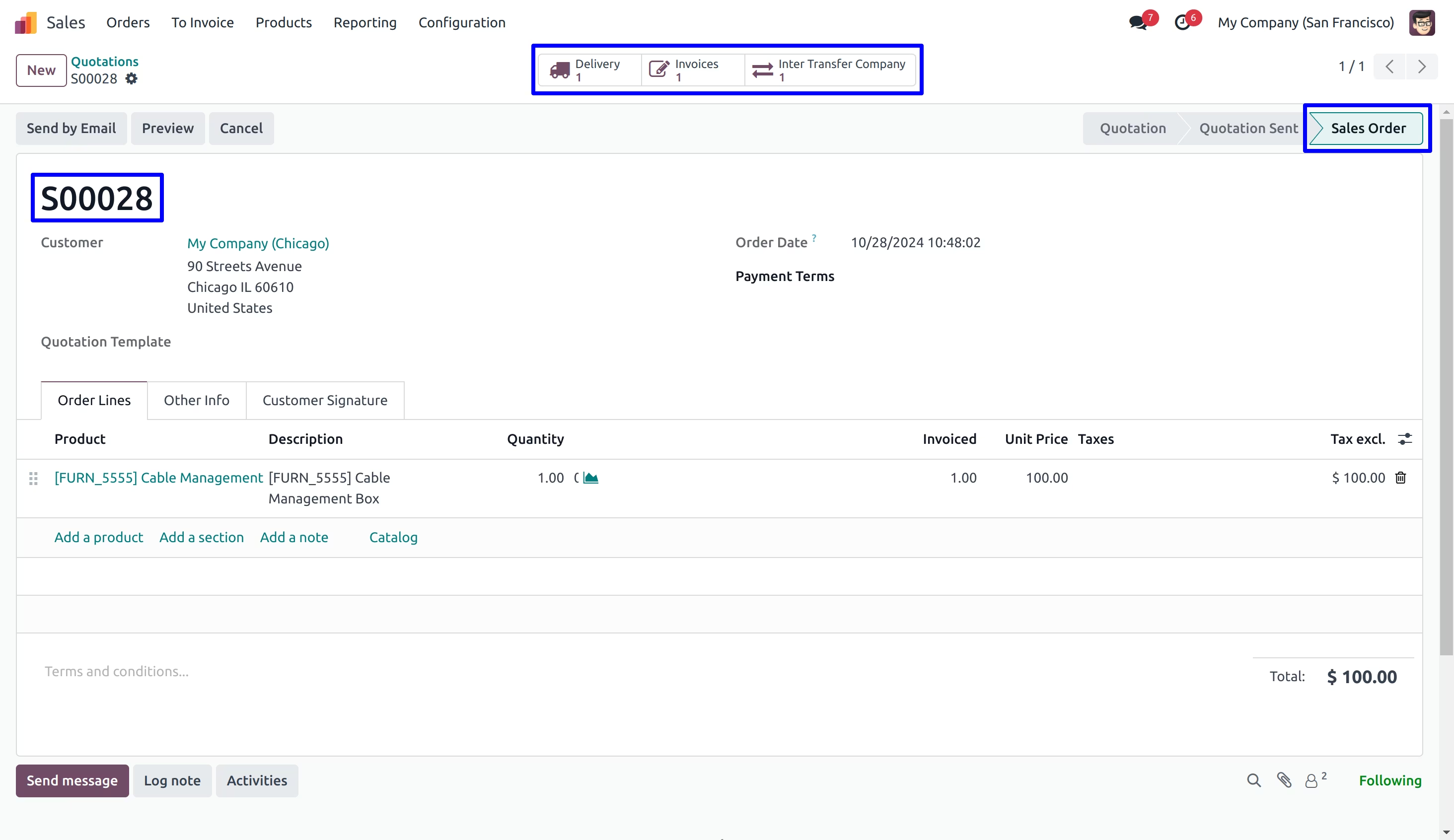
User have to create and confirm sales quotation.
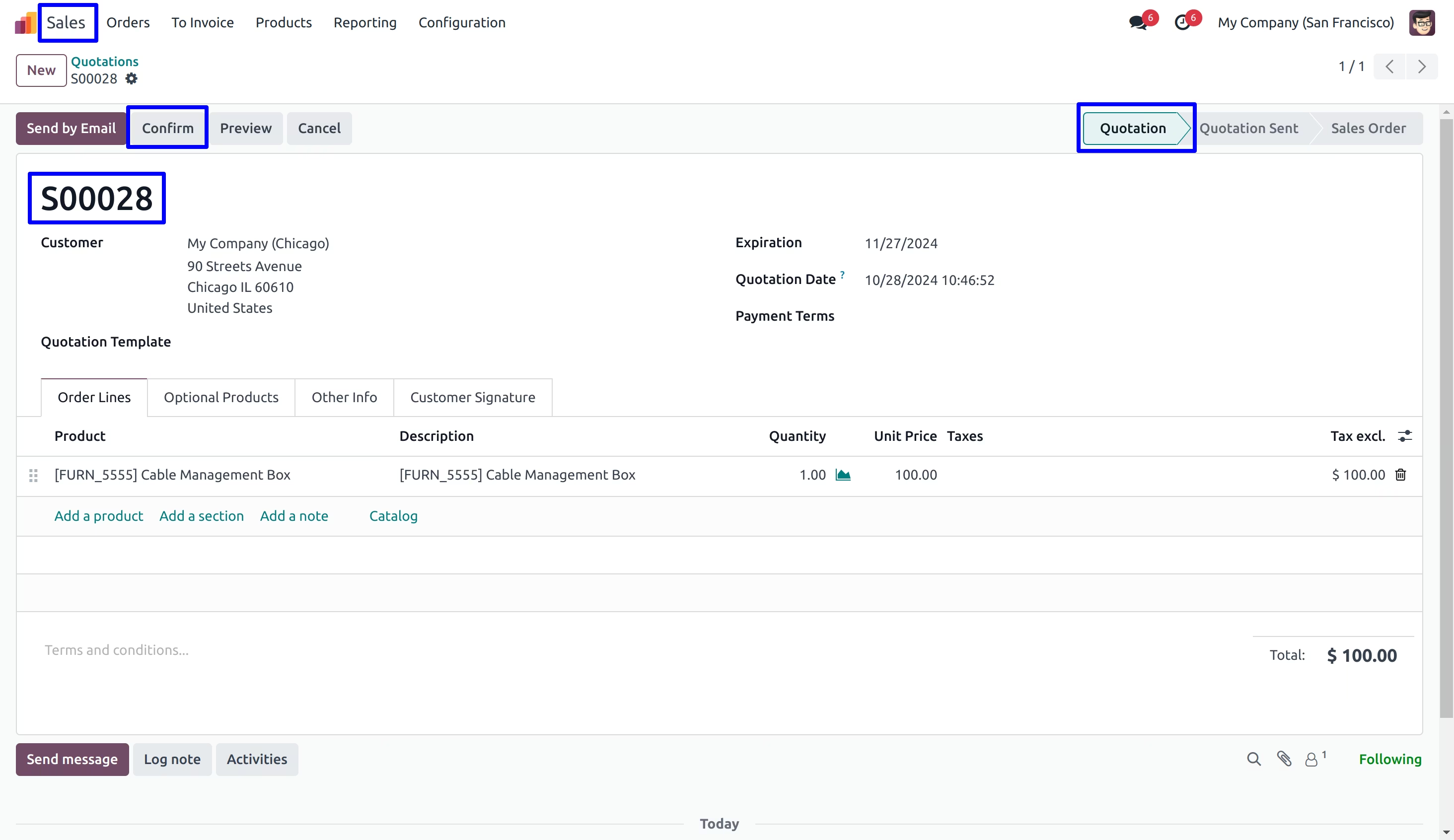
On confirm sales quotation user can see new create inter company transaction on smart button.
User can see created stock inter company transaction and purchase order for that.
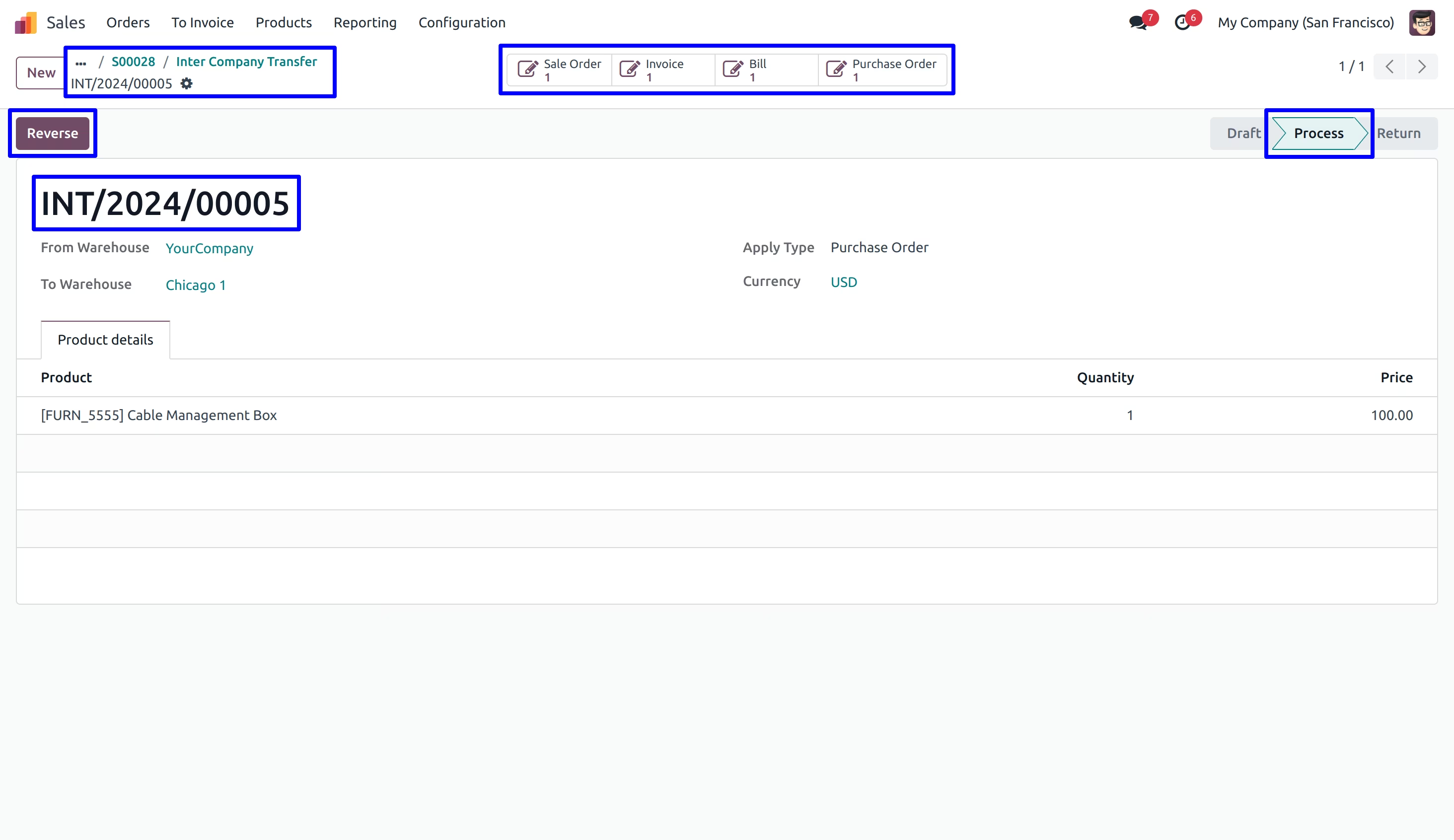
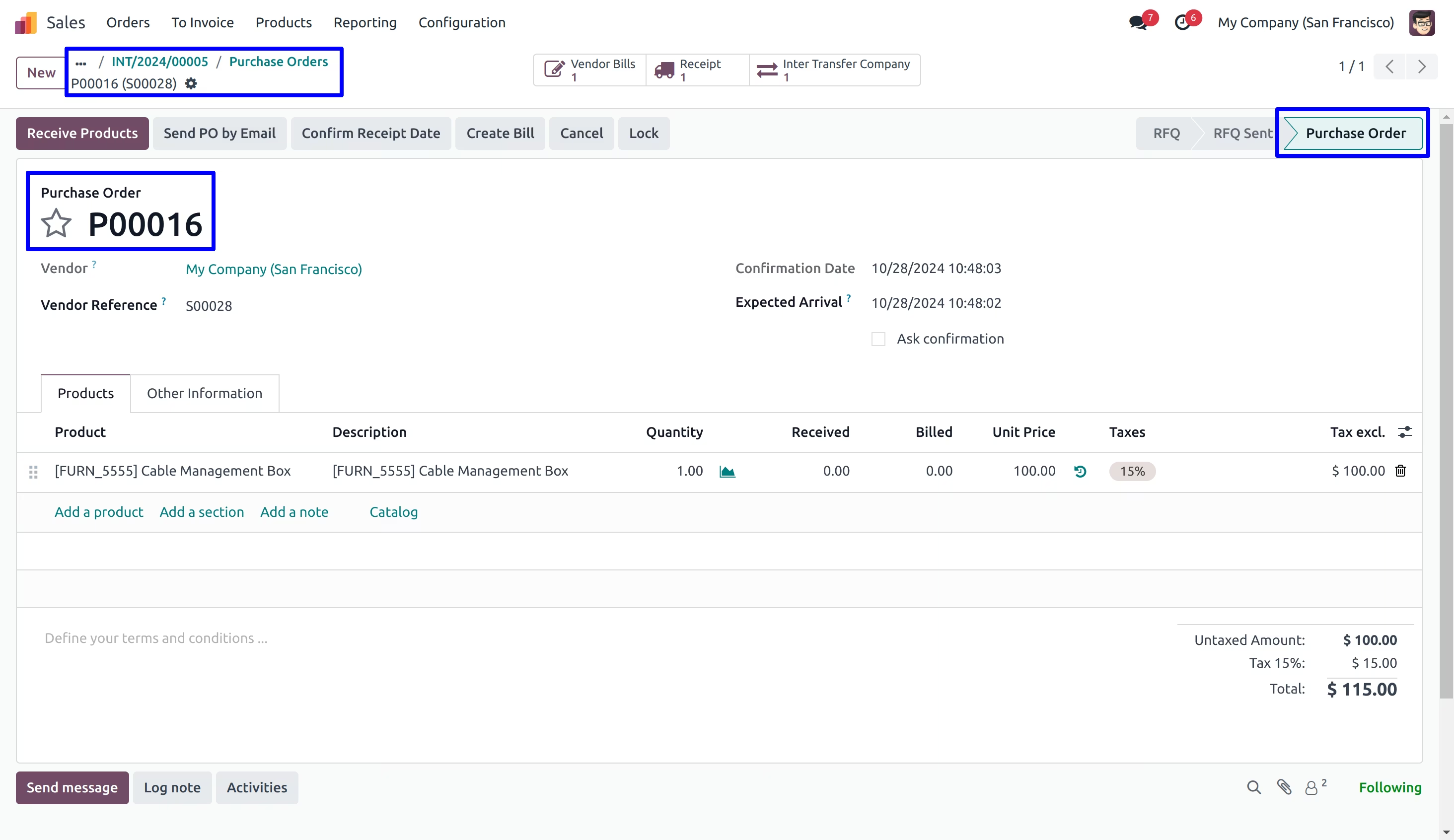
Inter Company Transaction detail on Purchase Order
User can see new created purchase order for inter company transaction.
Auto InterCompany Transaction from Purchase Order
Purchase Quotation
User have to create and confirm purchase quotation.
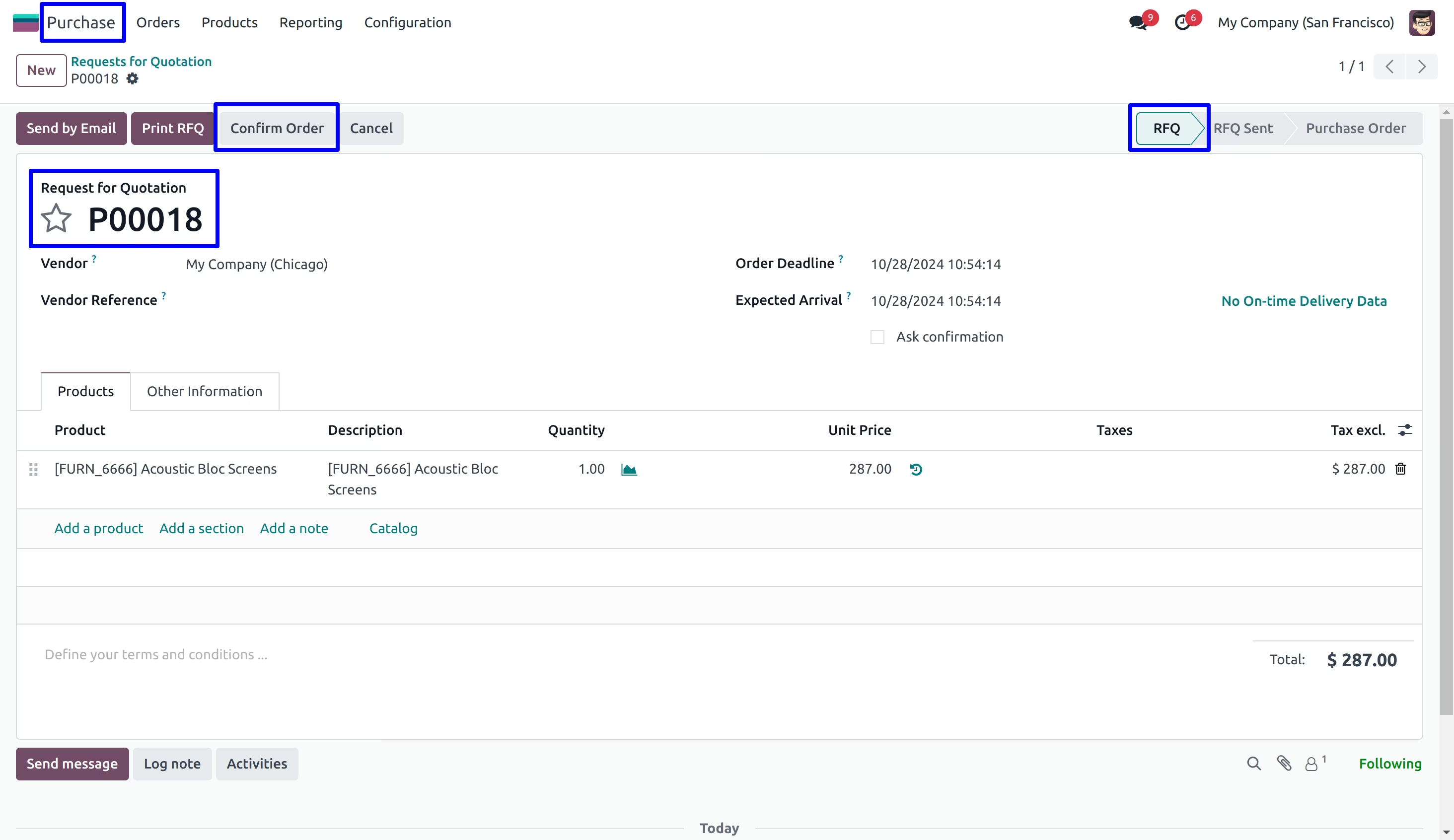
On confirm purchase quotation user can see new create inter company transaction on smart button.
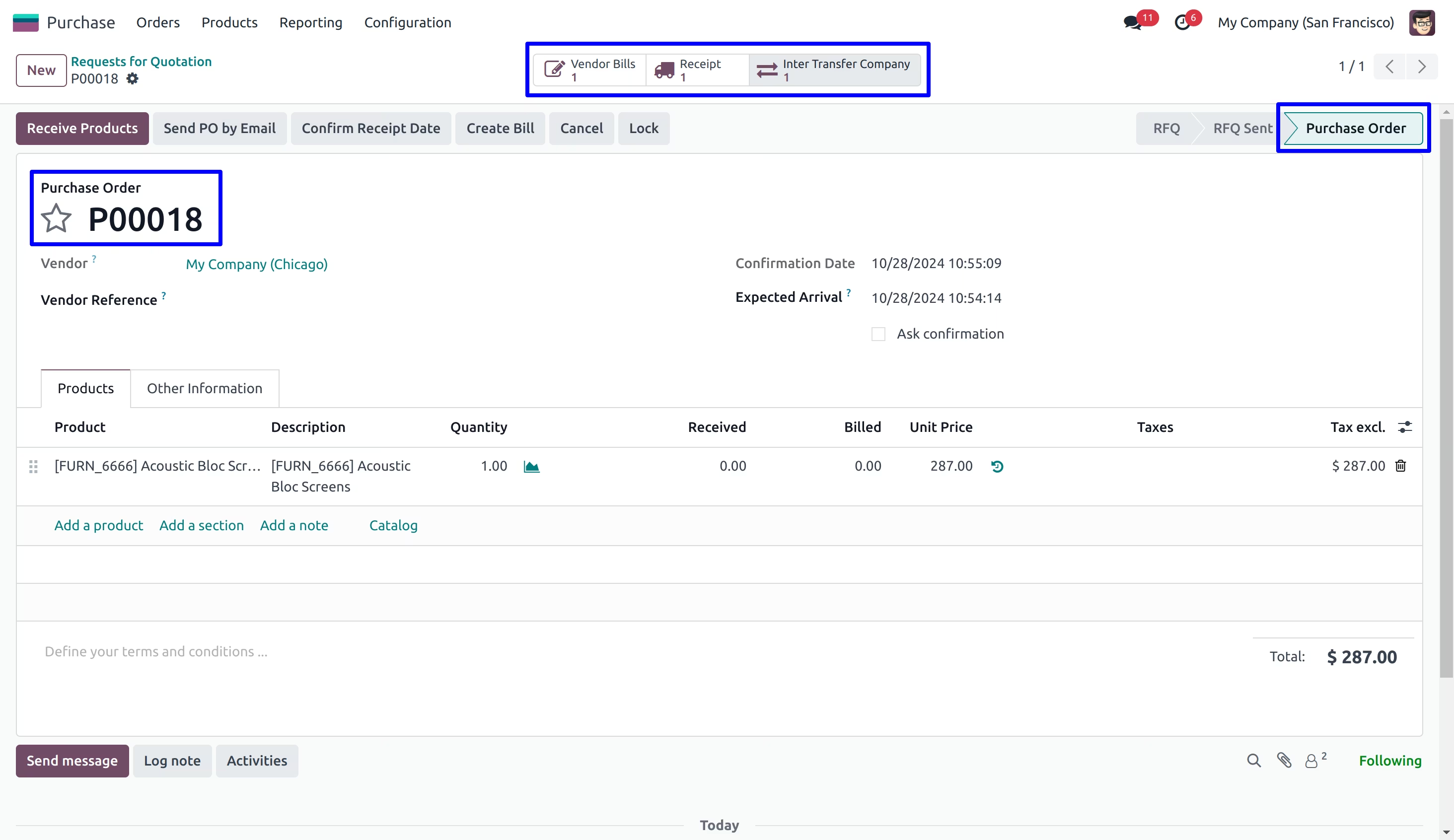
User can see created stock inter company transaction.
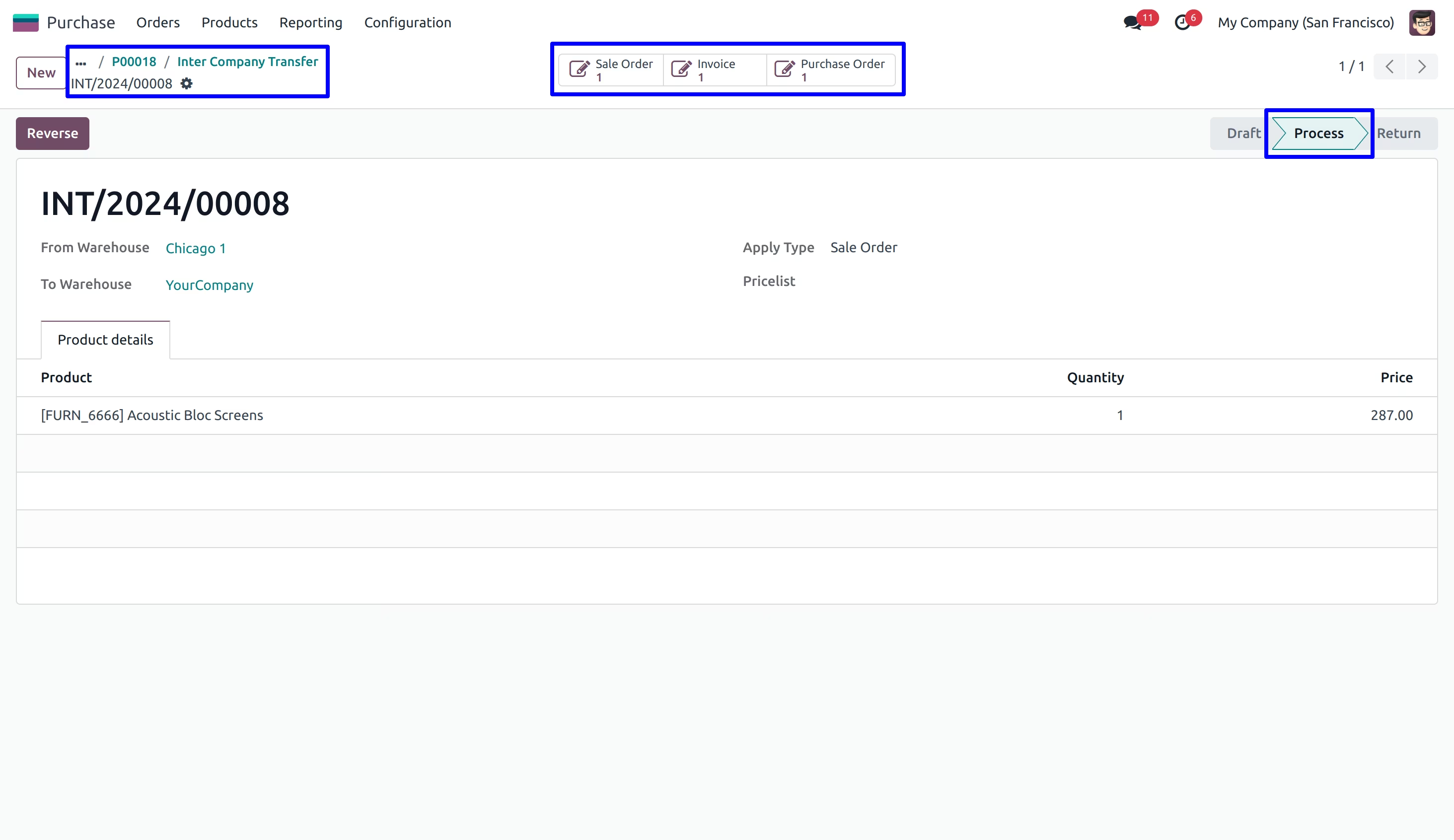
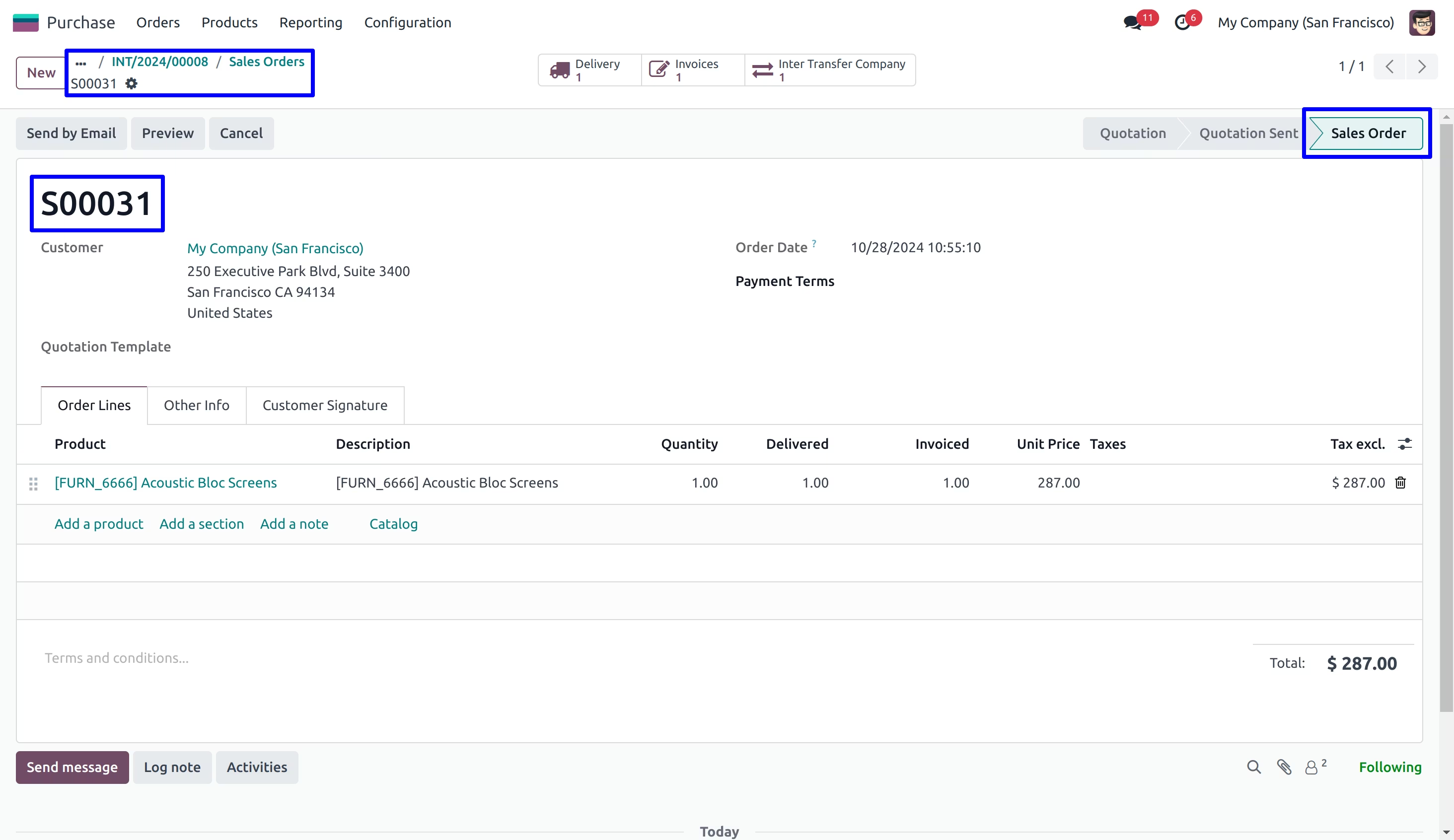
Inter Company Transaction detail on Sale Order
User can see new created sale order for inter company transaction.
Manual Inter Company Transaction
Inter Company Transaction Menu
Under Inventory > InterCompany Transaction > InterCompany Transaction menu user can find and create stock inter company transaction.
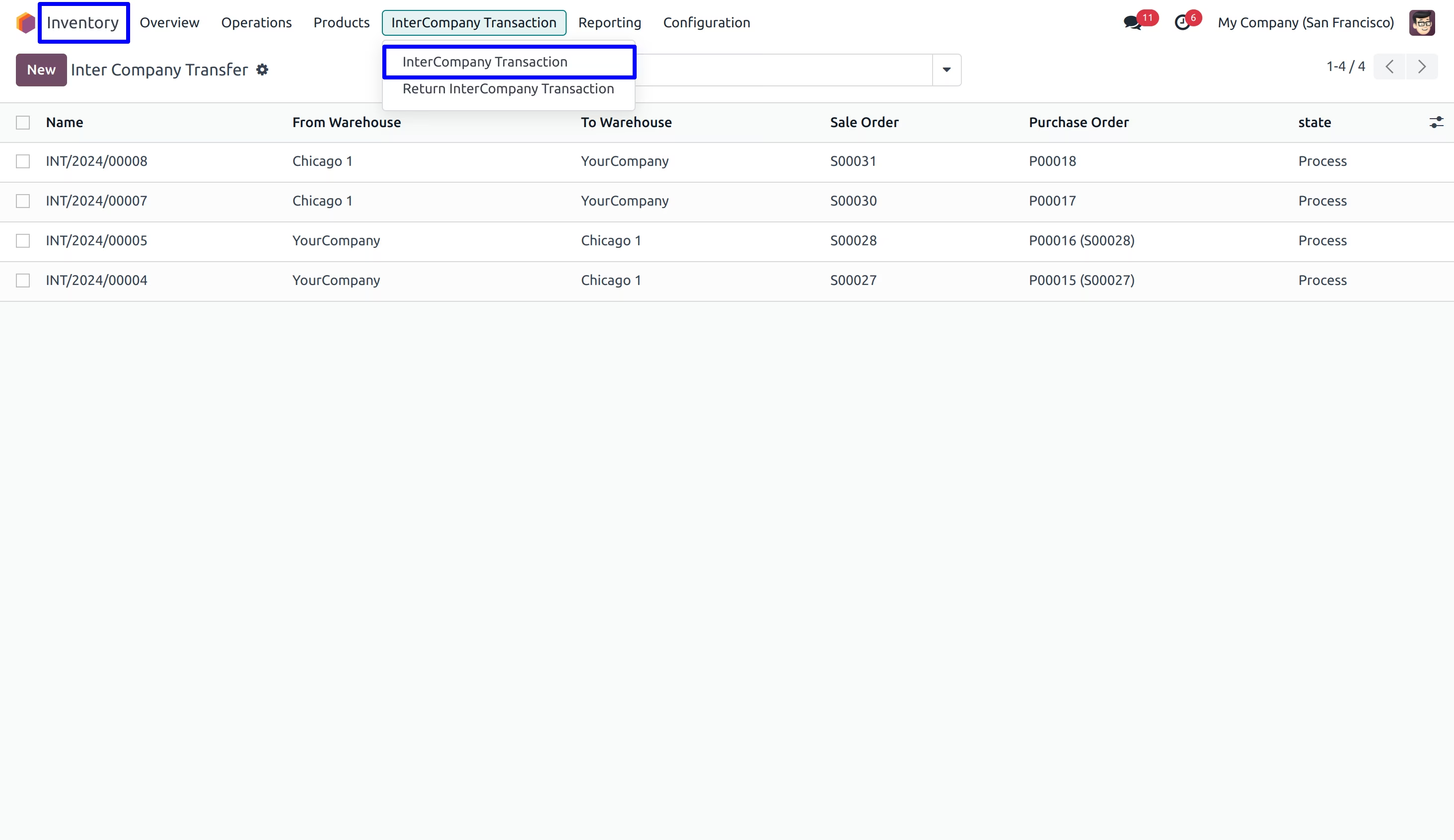
User can see created stock inter company transaction in draft state.
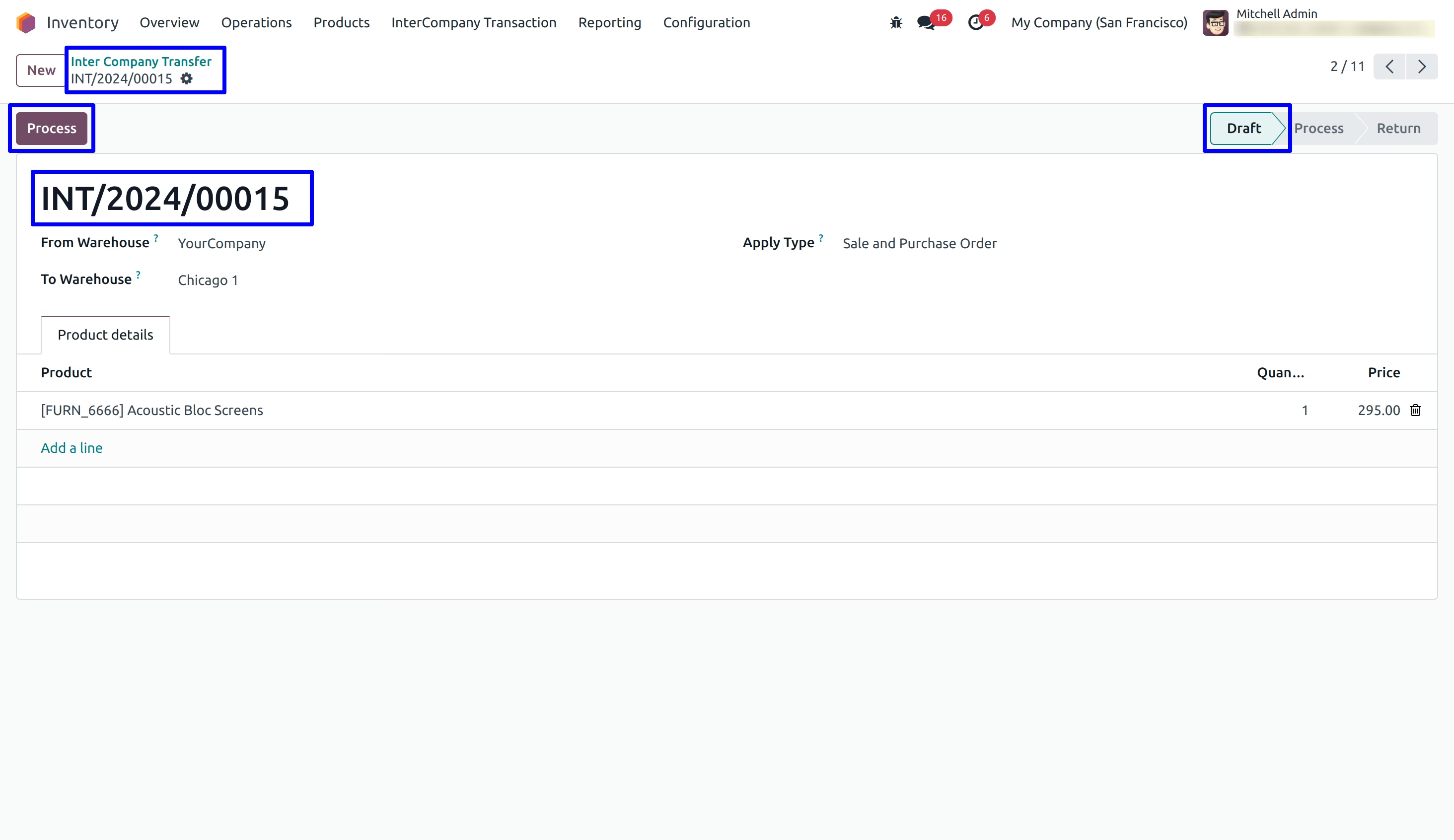
Sale order will created for the target company that is the company of the warehouse which is set under "To Warehouse" and related picking and invoice will auto created.
User can see all documents related to inter company transaction like sale order, delivery order, purchase order, incoming shipment, customer invoice, vendor bill etc will be linked to stock inter company transaction.
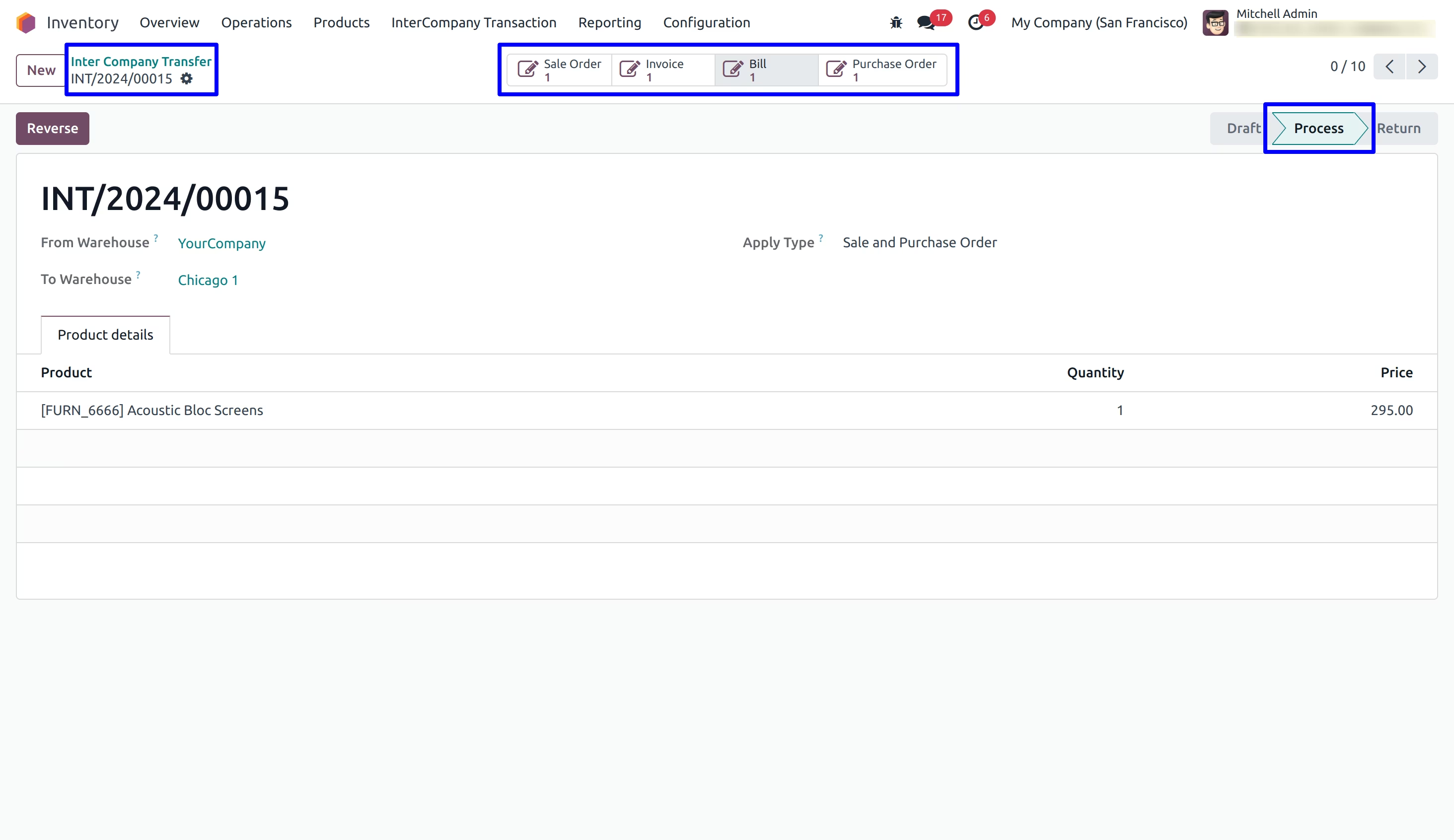
Inter Company Transaction detail on Sales Order
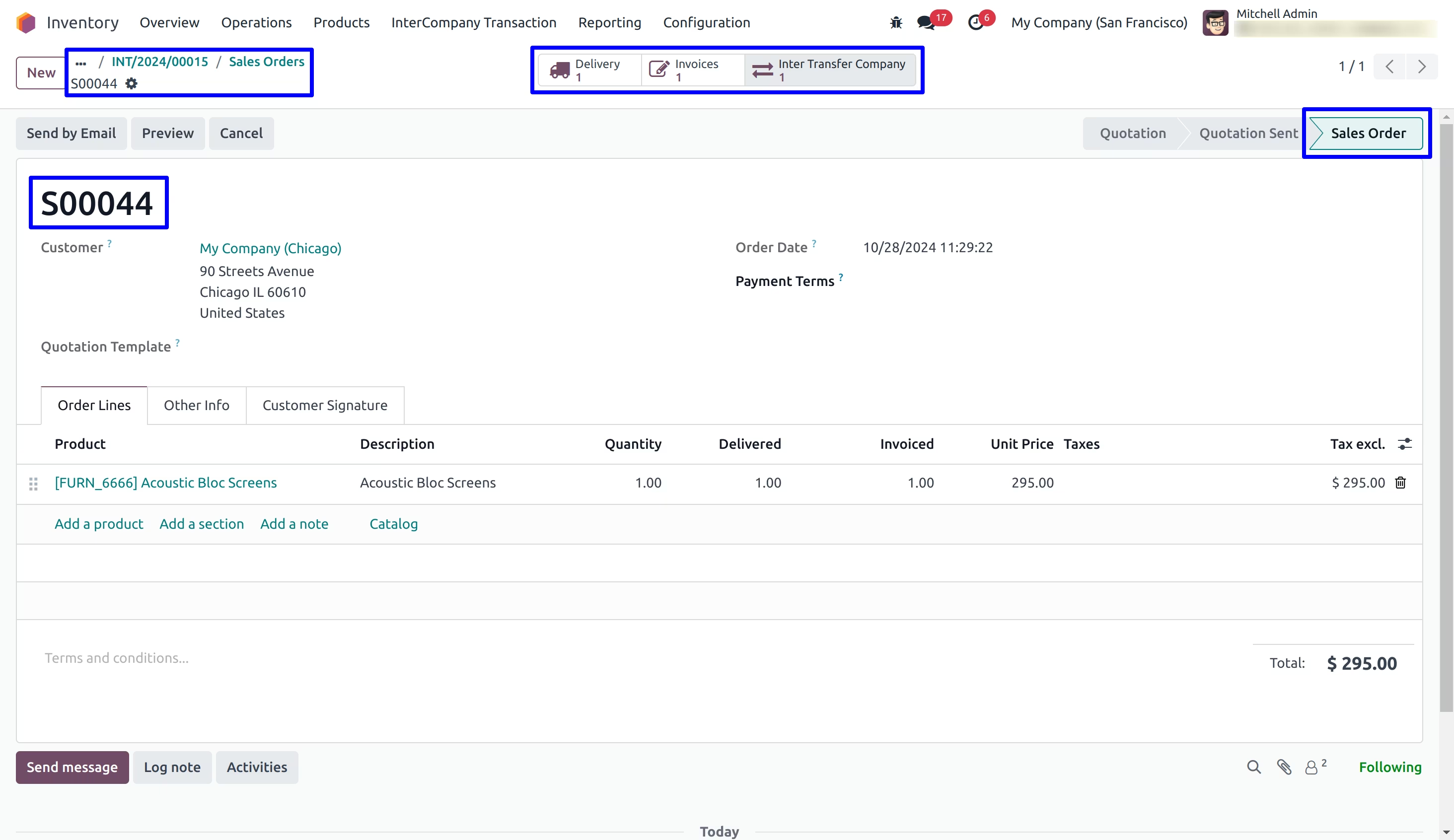
Inter Company Transaction detail on Delivery Order
If user enable "Validate Picking/Receipt" option under configuration then delivery order will automatically validated.
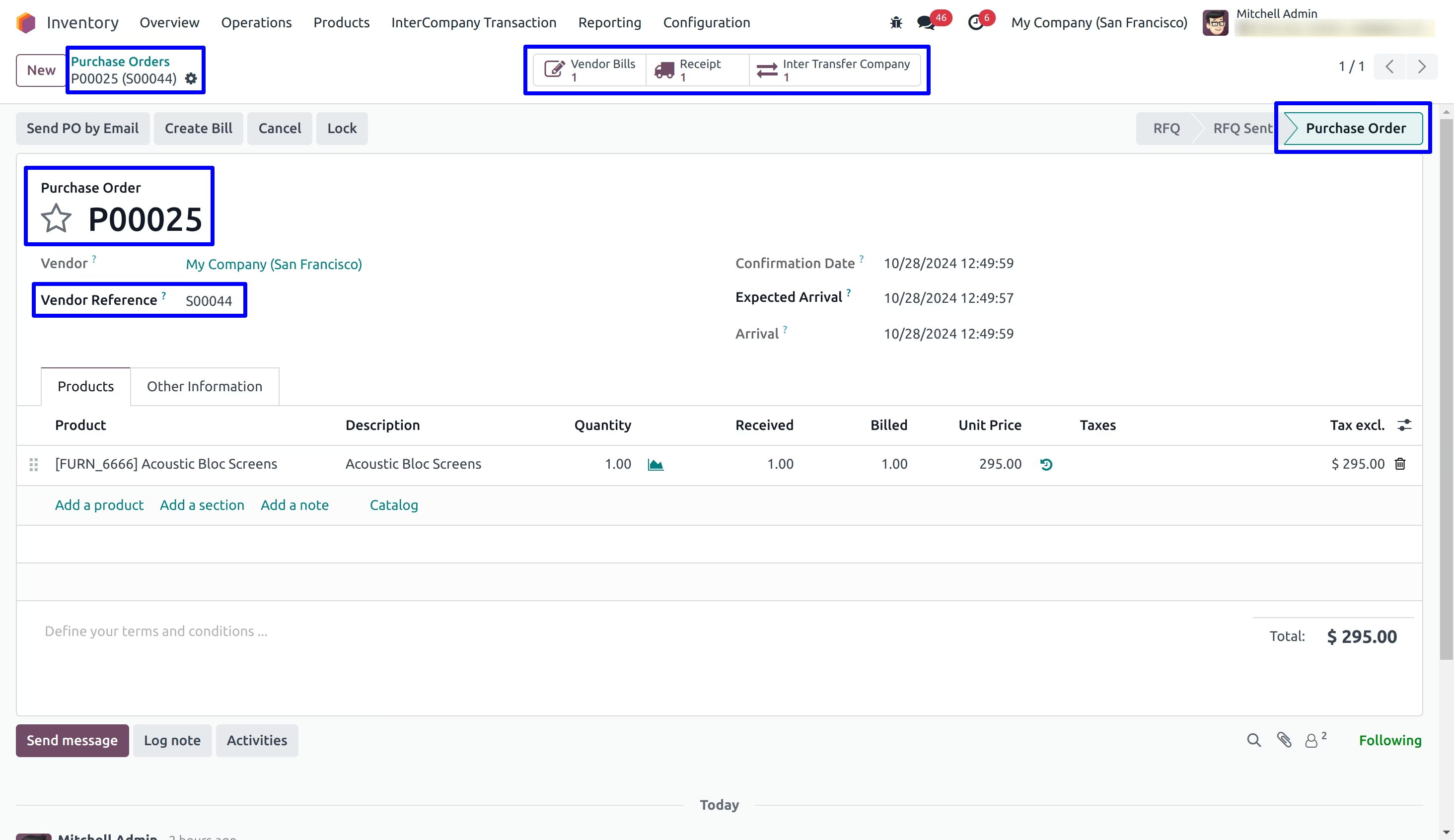
Inter Company Transaction detail on Purchase Order
Purchase order will be created with the company which is set under "From Warehouse" and all related shipment and bill will auto created.
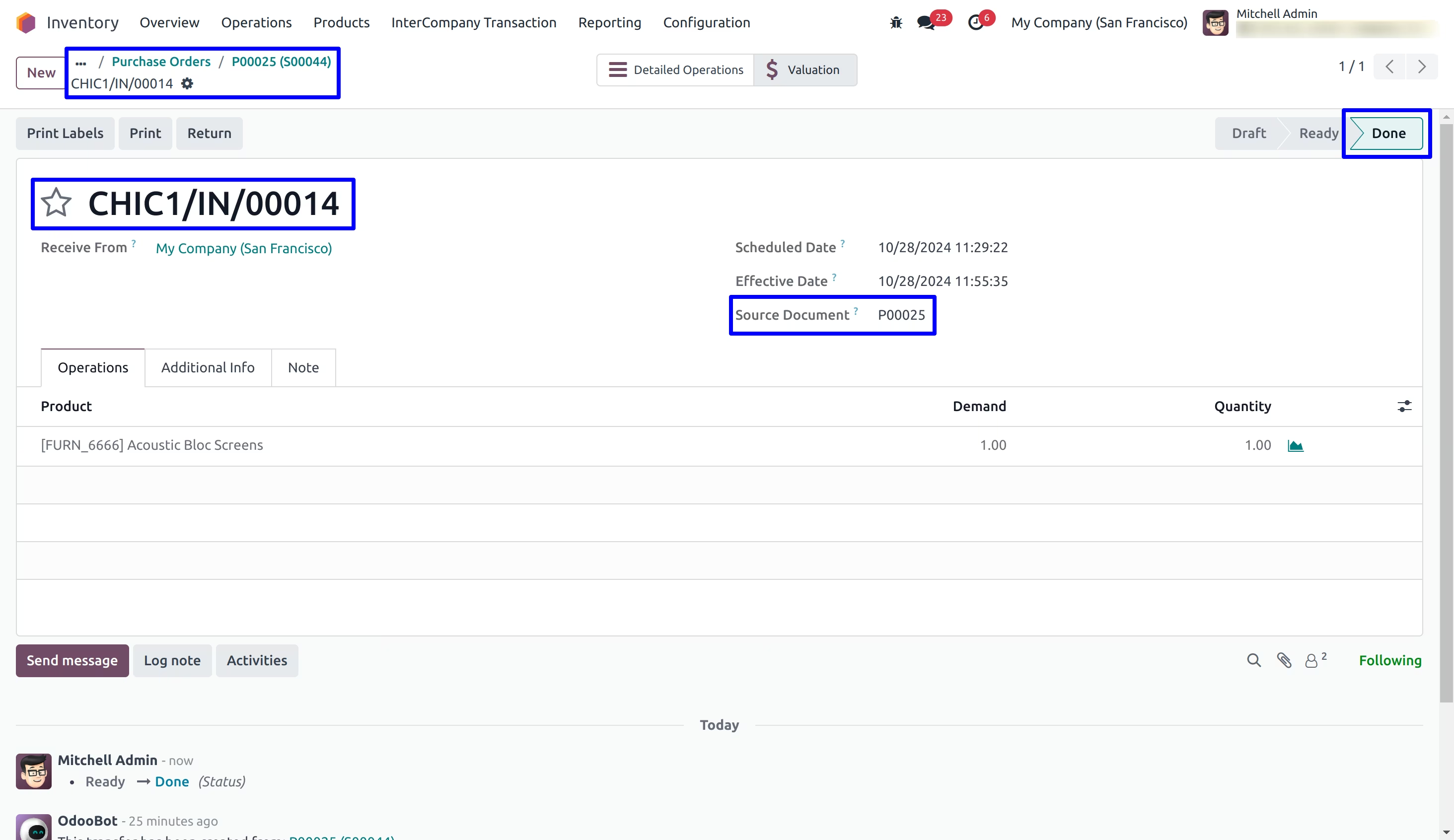
Inter Company Transaction detail on Incoming Shipment
User can see auto validated incoming shipment of inter company transaction as per configuration.
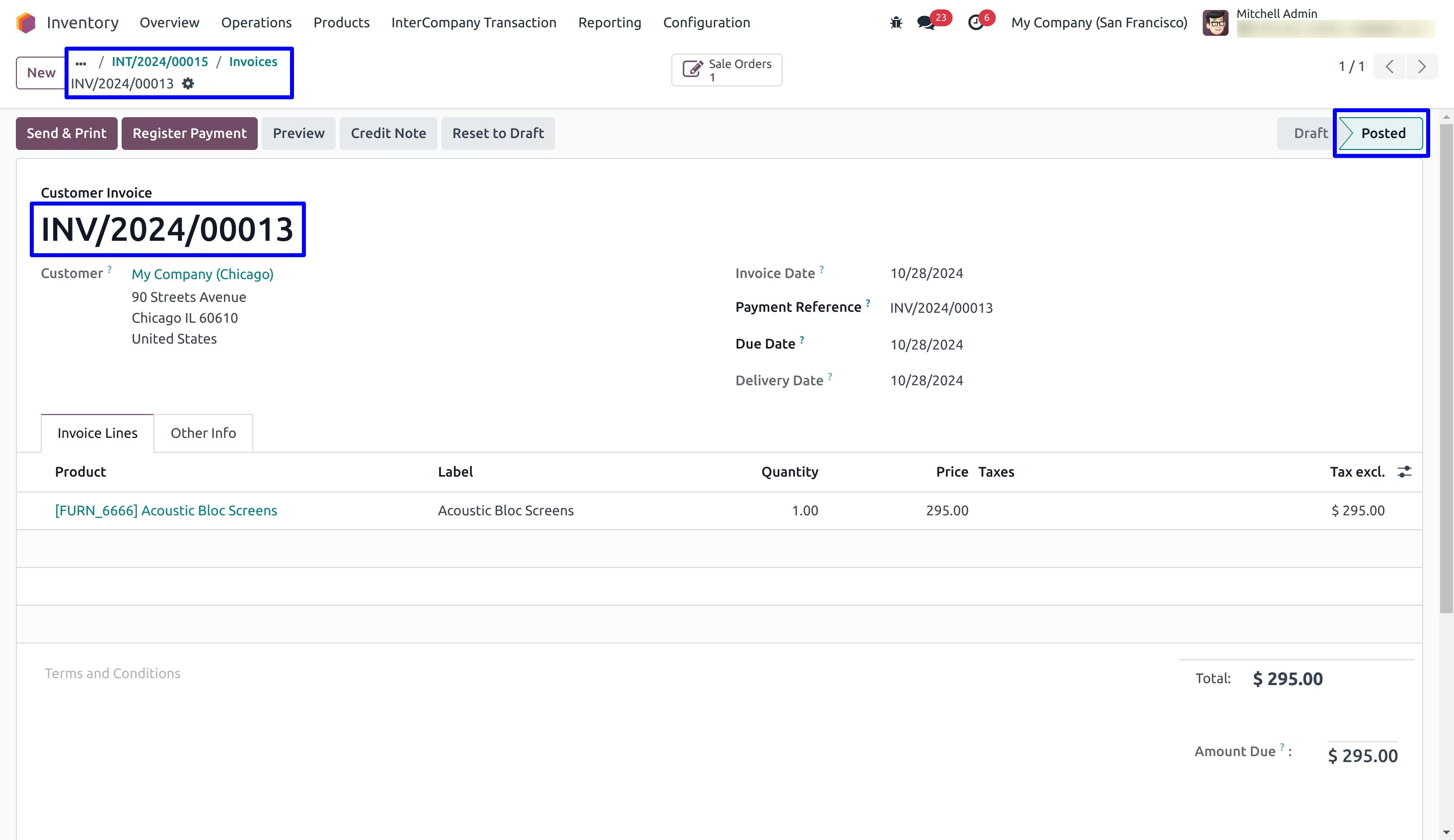
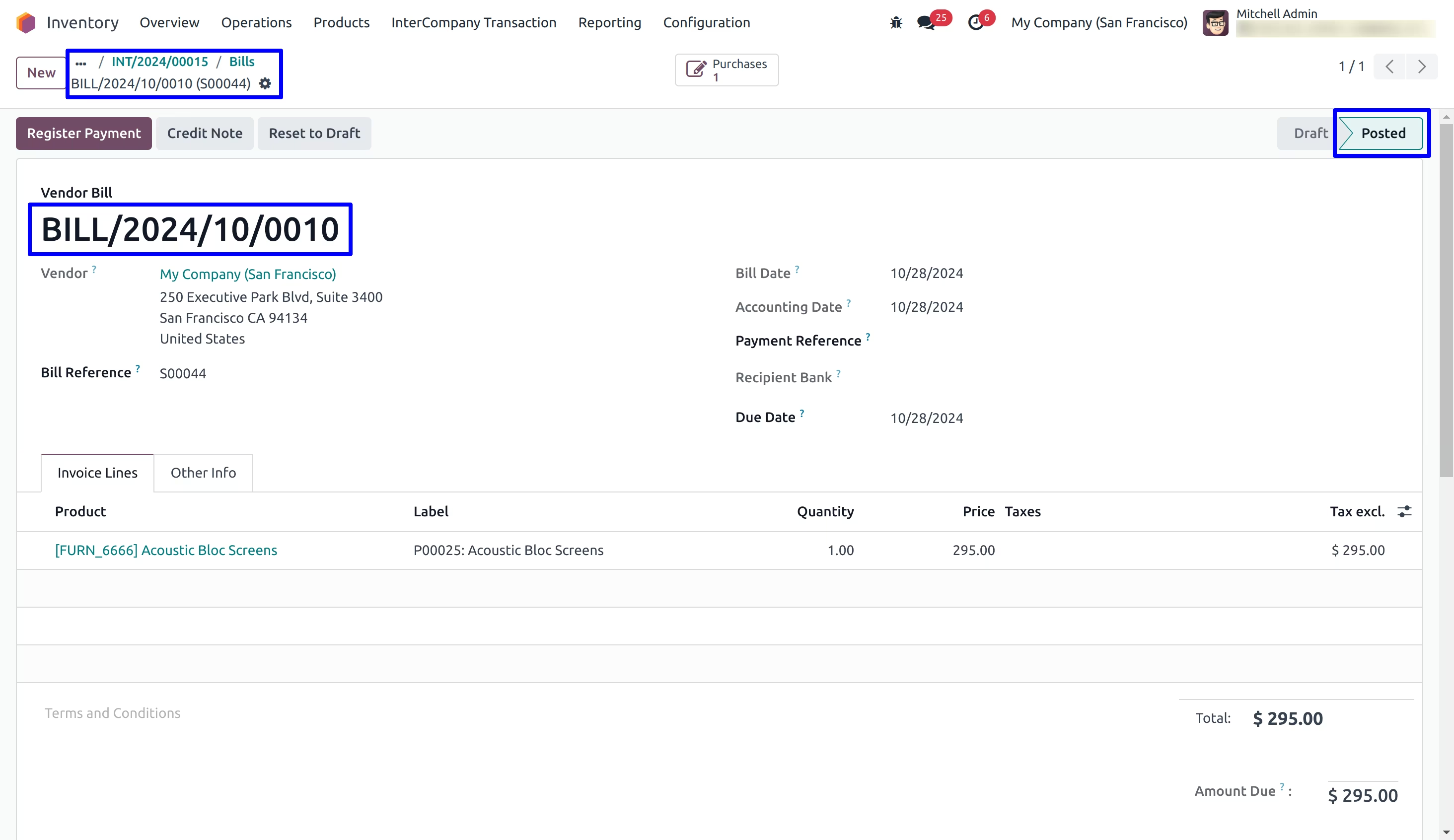
Customer Invoice and Vendor Bill
If user enable "Create Invoice/Bill" option under configuration then customer invoice and vendor bill will be created for inter company transaction.
If user enable "Validate Invoice / Bill" option then customer invoice and vendor bill will be validated.
User can see created and validated customer invoice and vendor bill for stock inter company transaction.
Reverse InterCompany Transaction
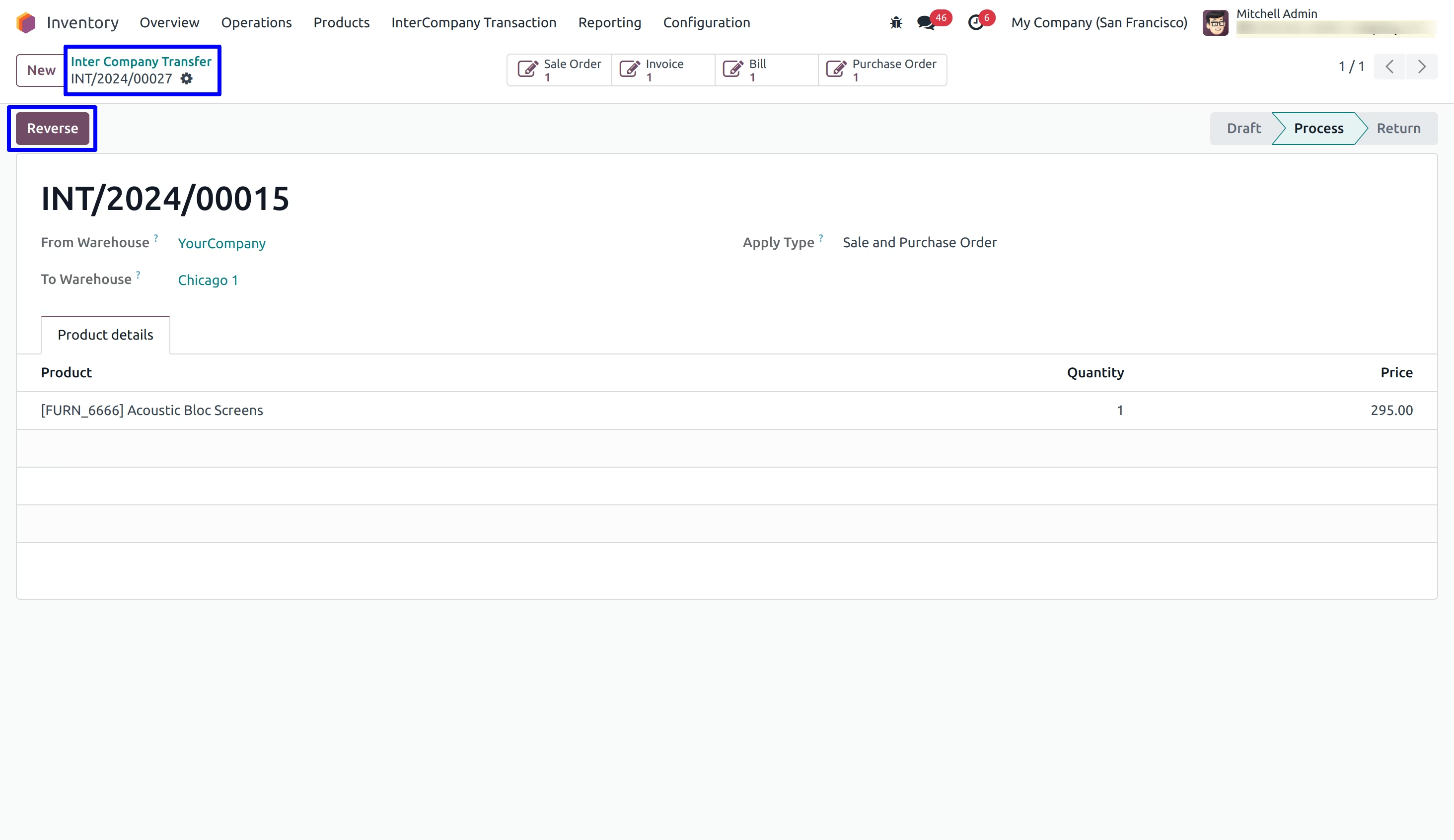
To Reverse inter company transaction user have to click "Reverse" button on inter company transfer.
Reverse InterCompany Transaction Menu
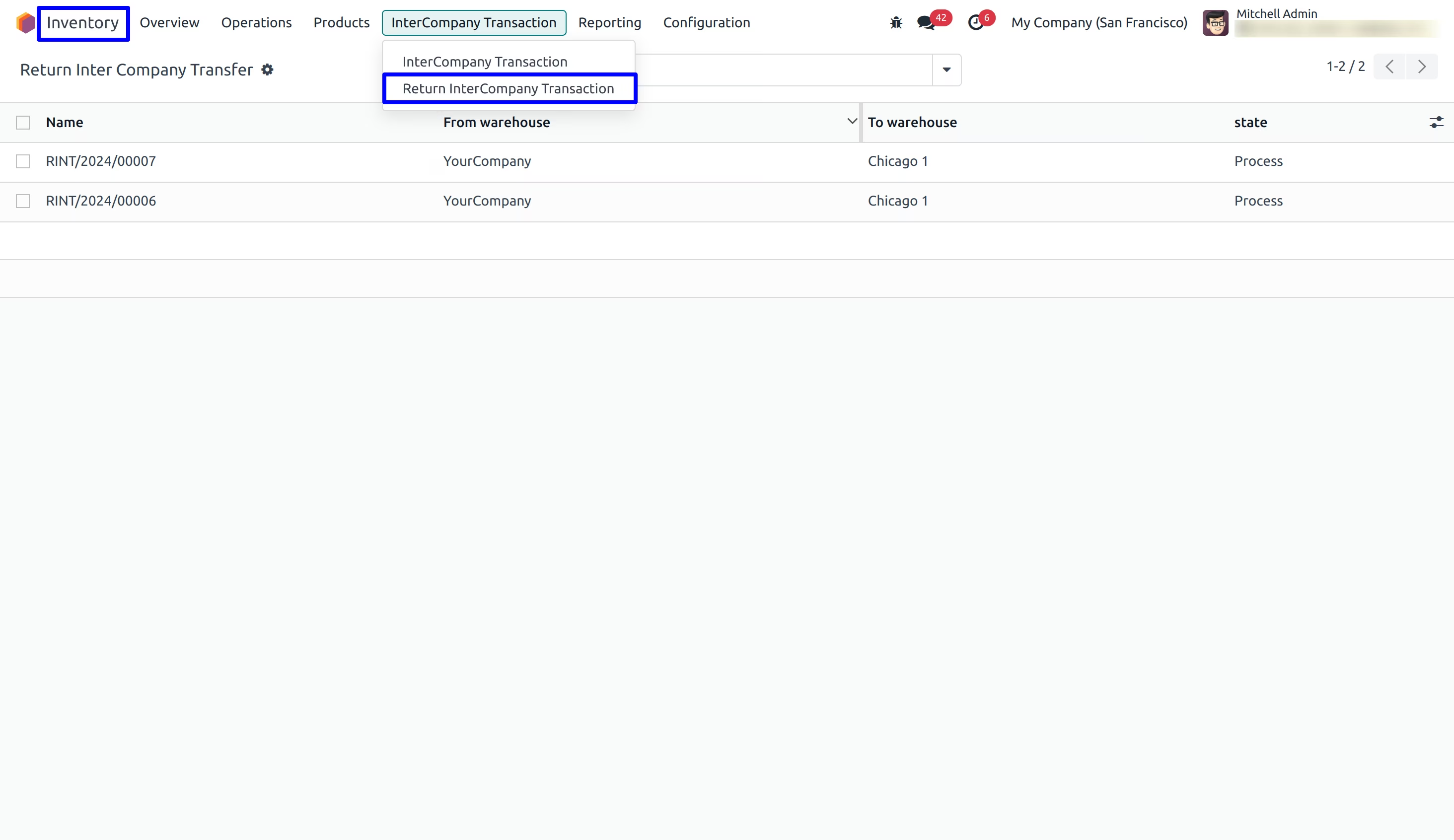
Under Inventory > InterCompany Transaction > Return InterCompany Transaction menu user can find return transaction transaction.
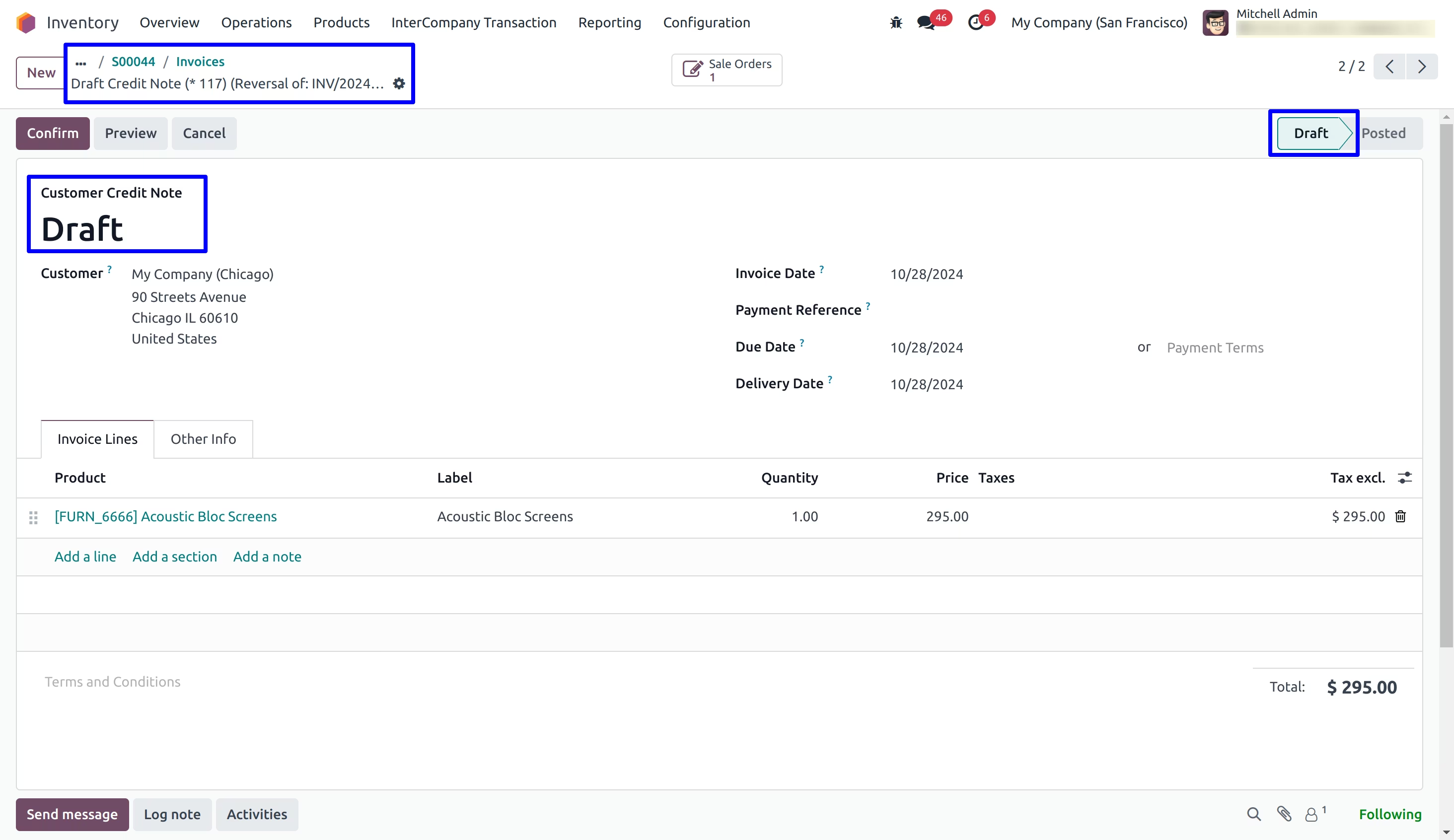
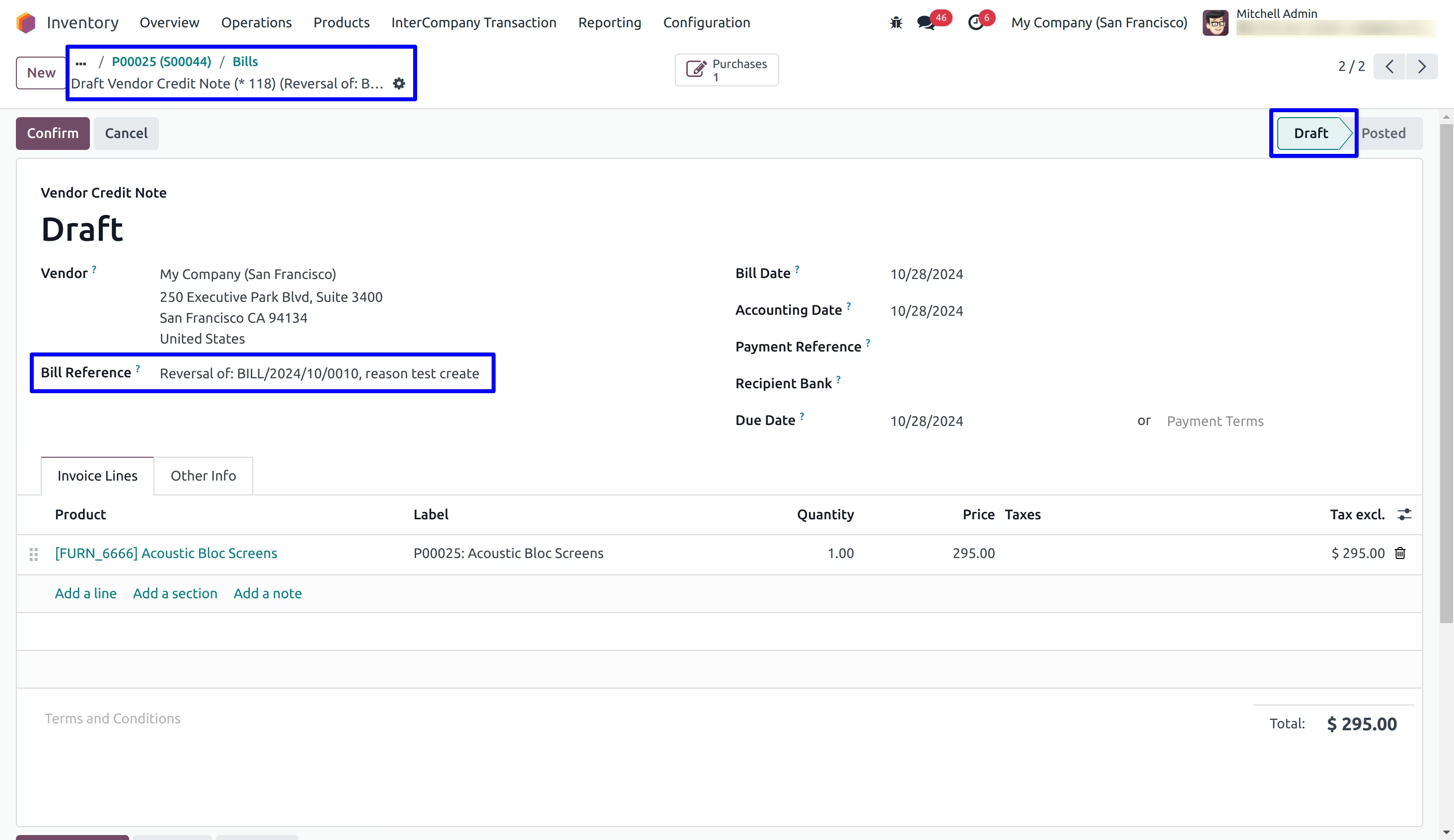
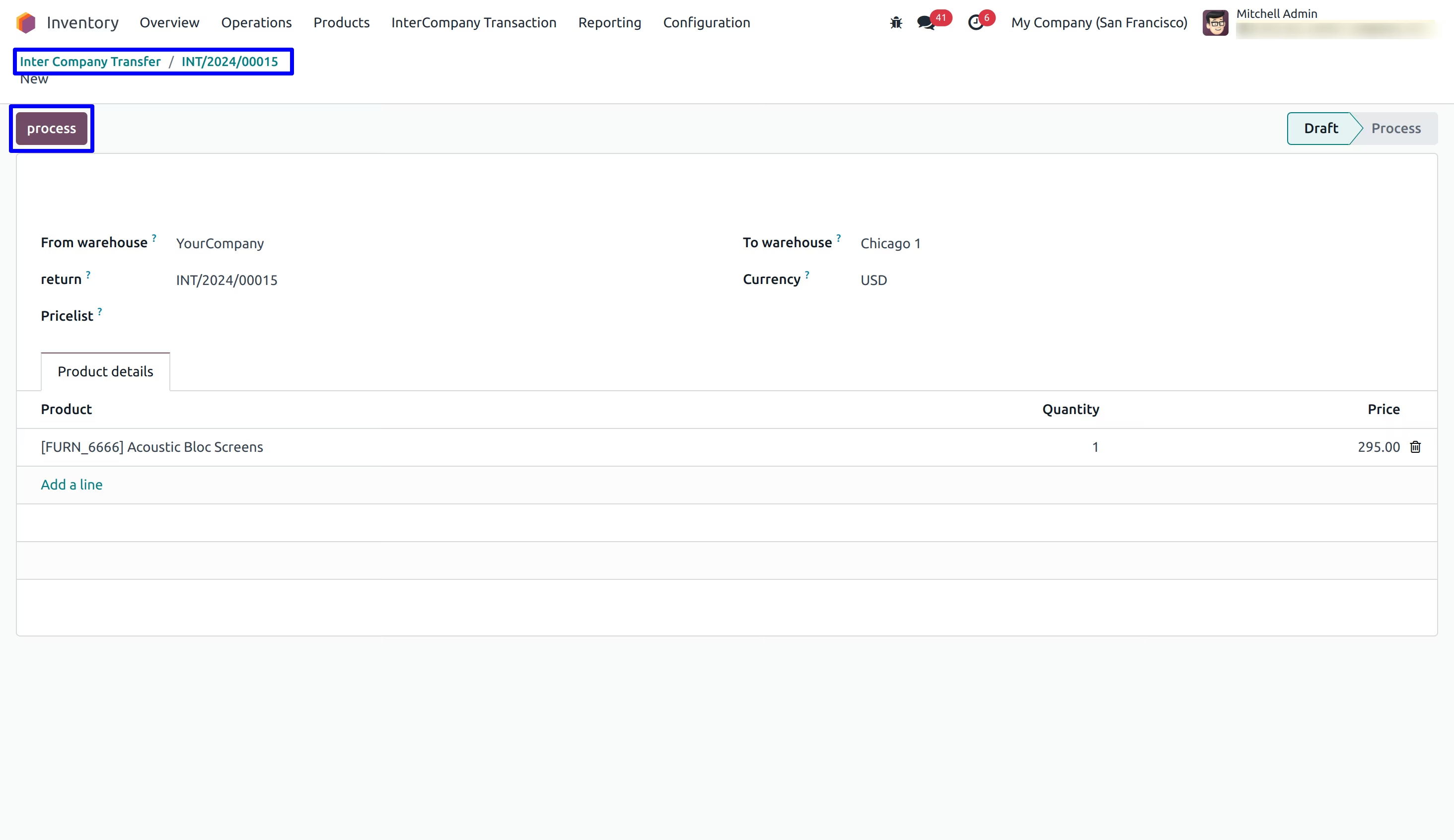
User can see created return inter company transaction in draft state with sale order and purchase order.
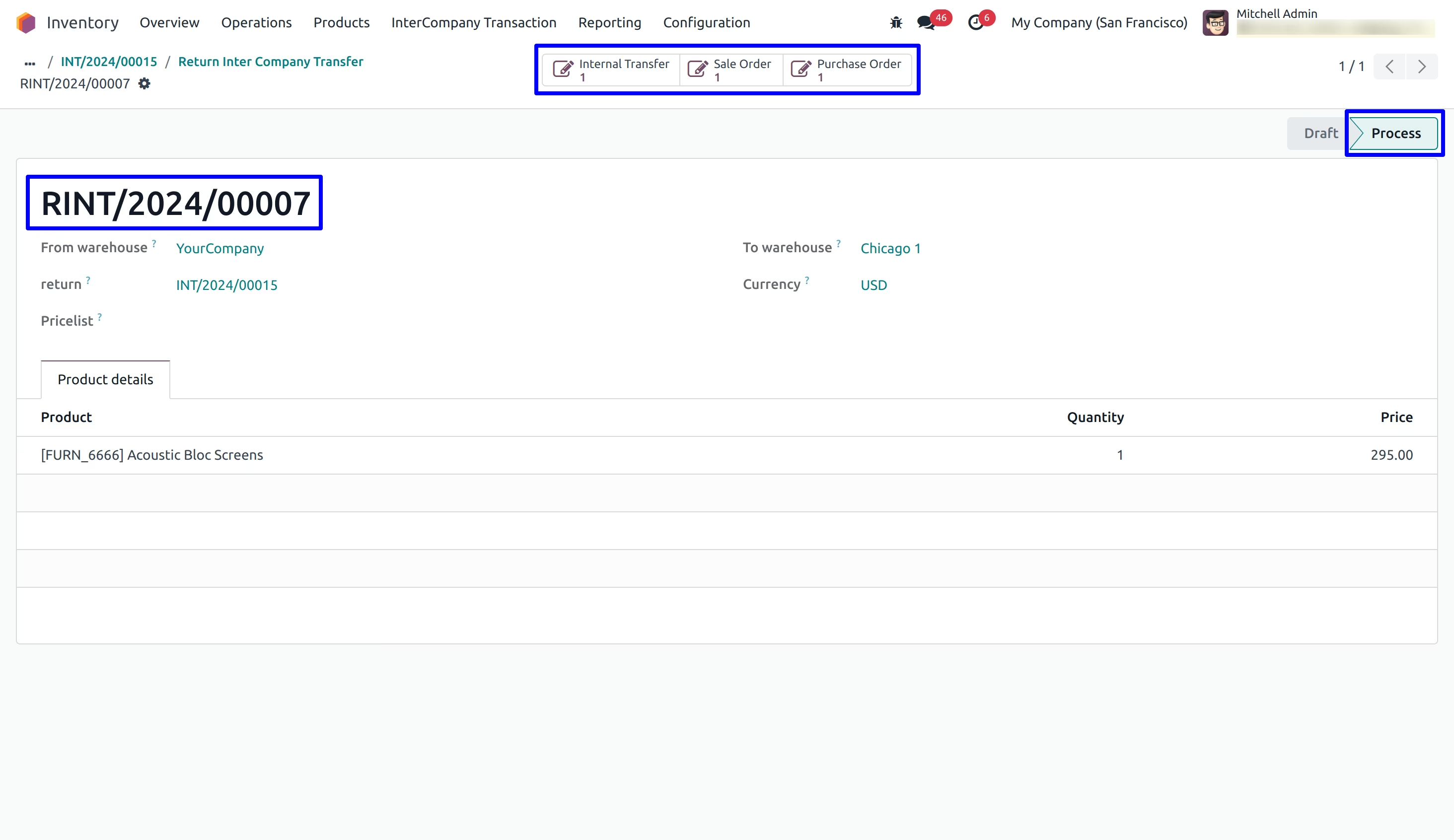
On click of "Process" button user can see customer invoice and vendor bill is created, state will be changed to "Process" form "Draft".
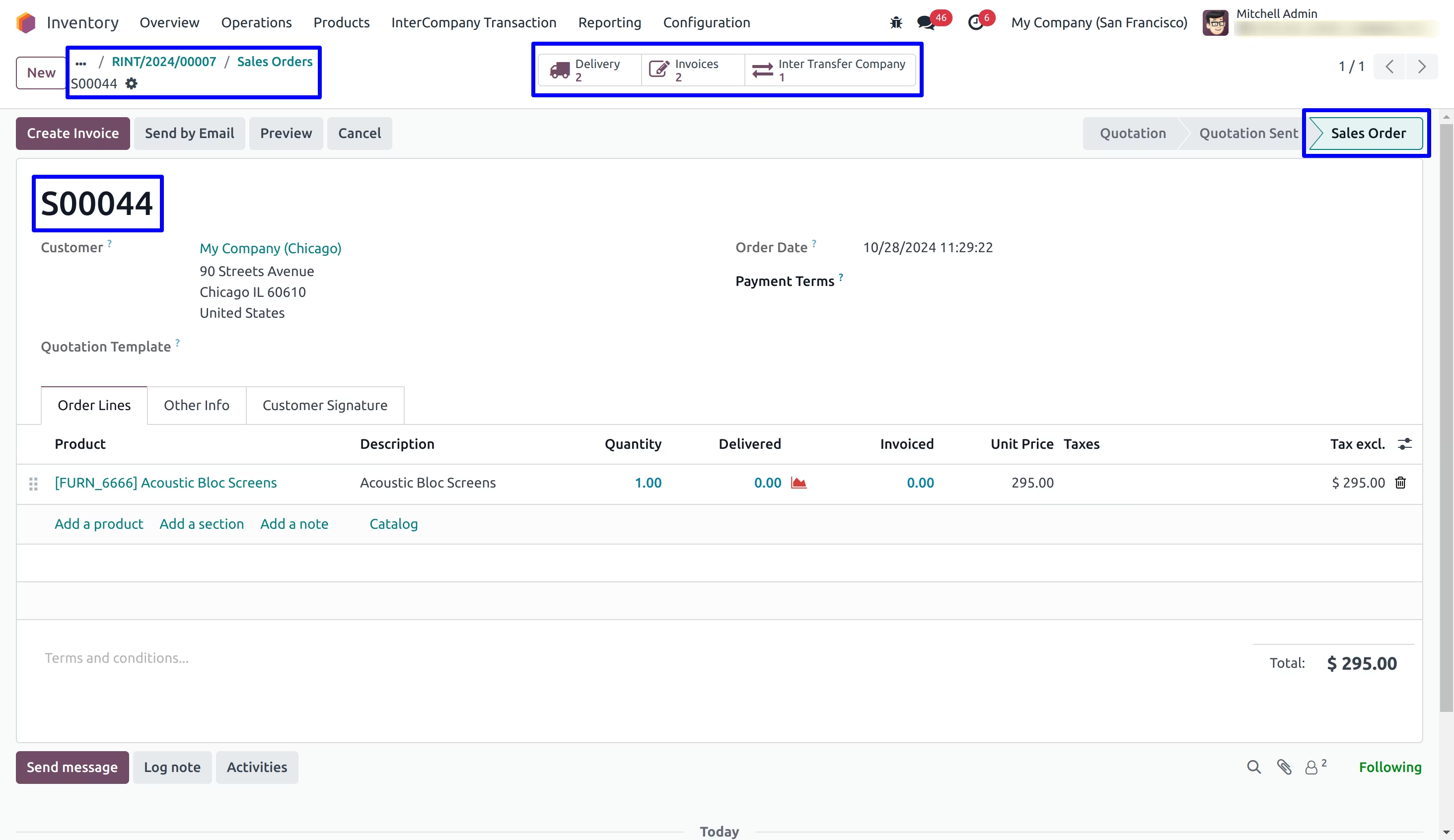
Inter Company Transaction detail on Sales Order
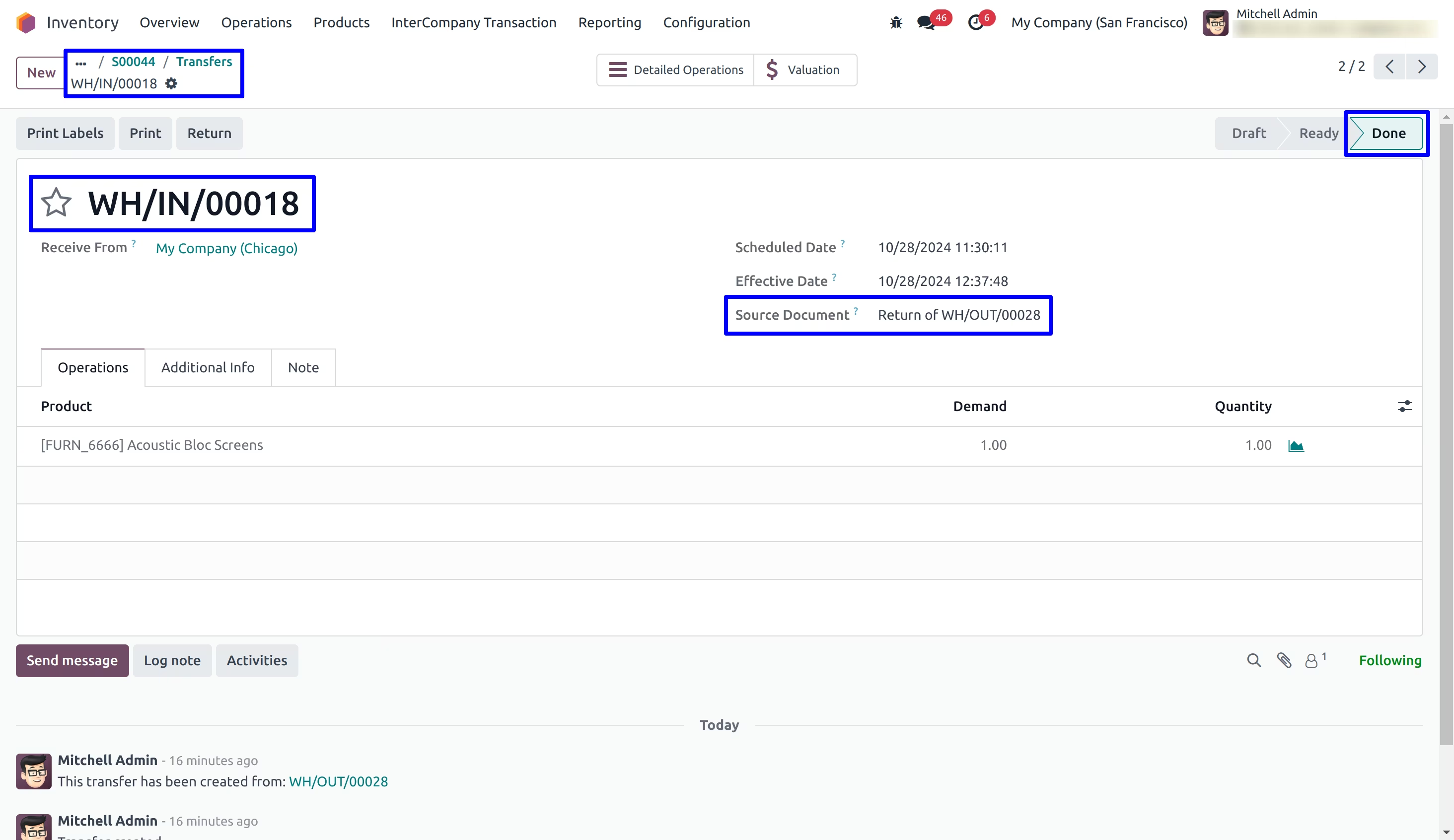
Inter Company Transaction detail on Delivery Order
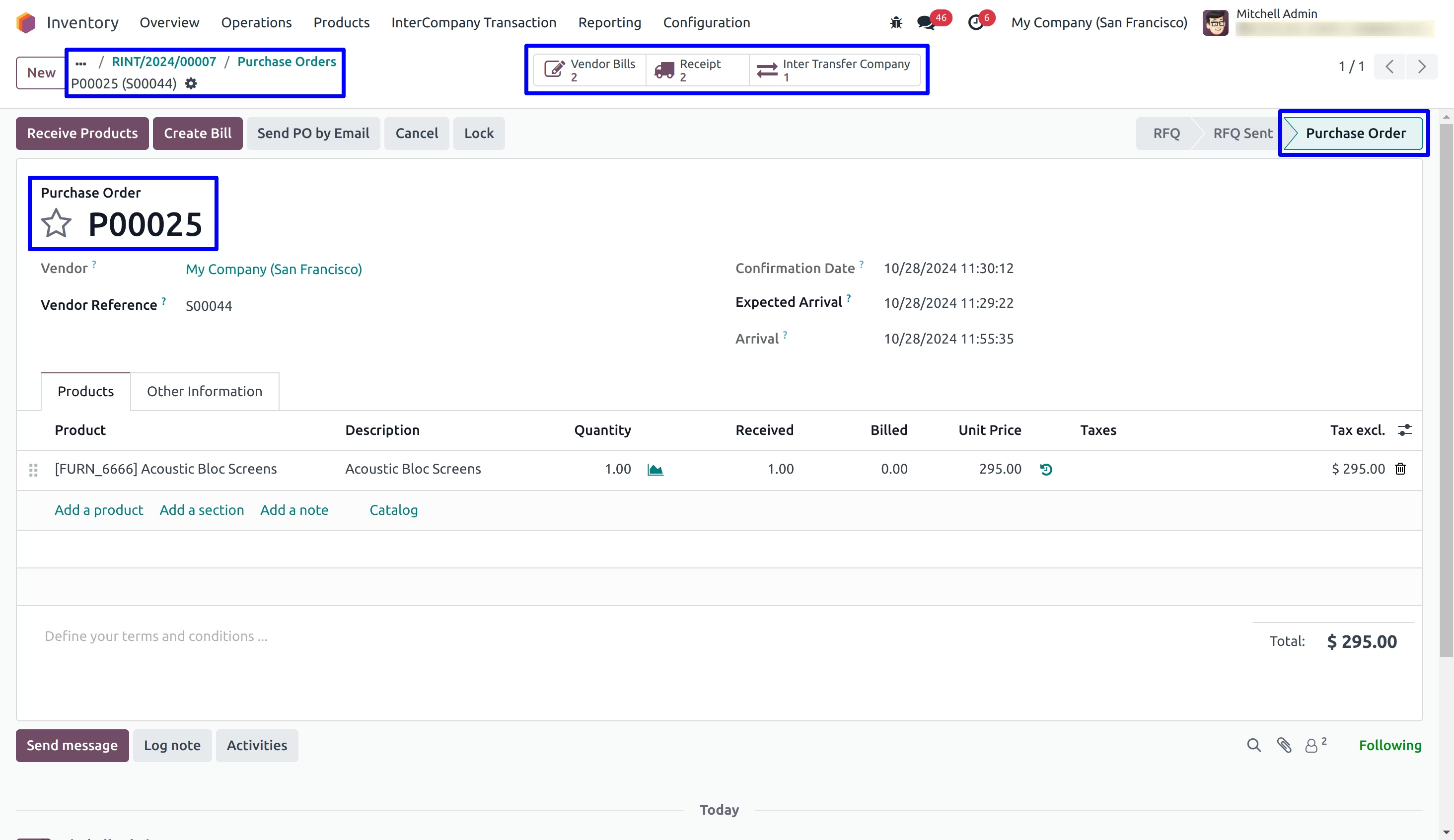
Inter Company Transaction detail on Purchase Order
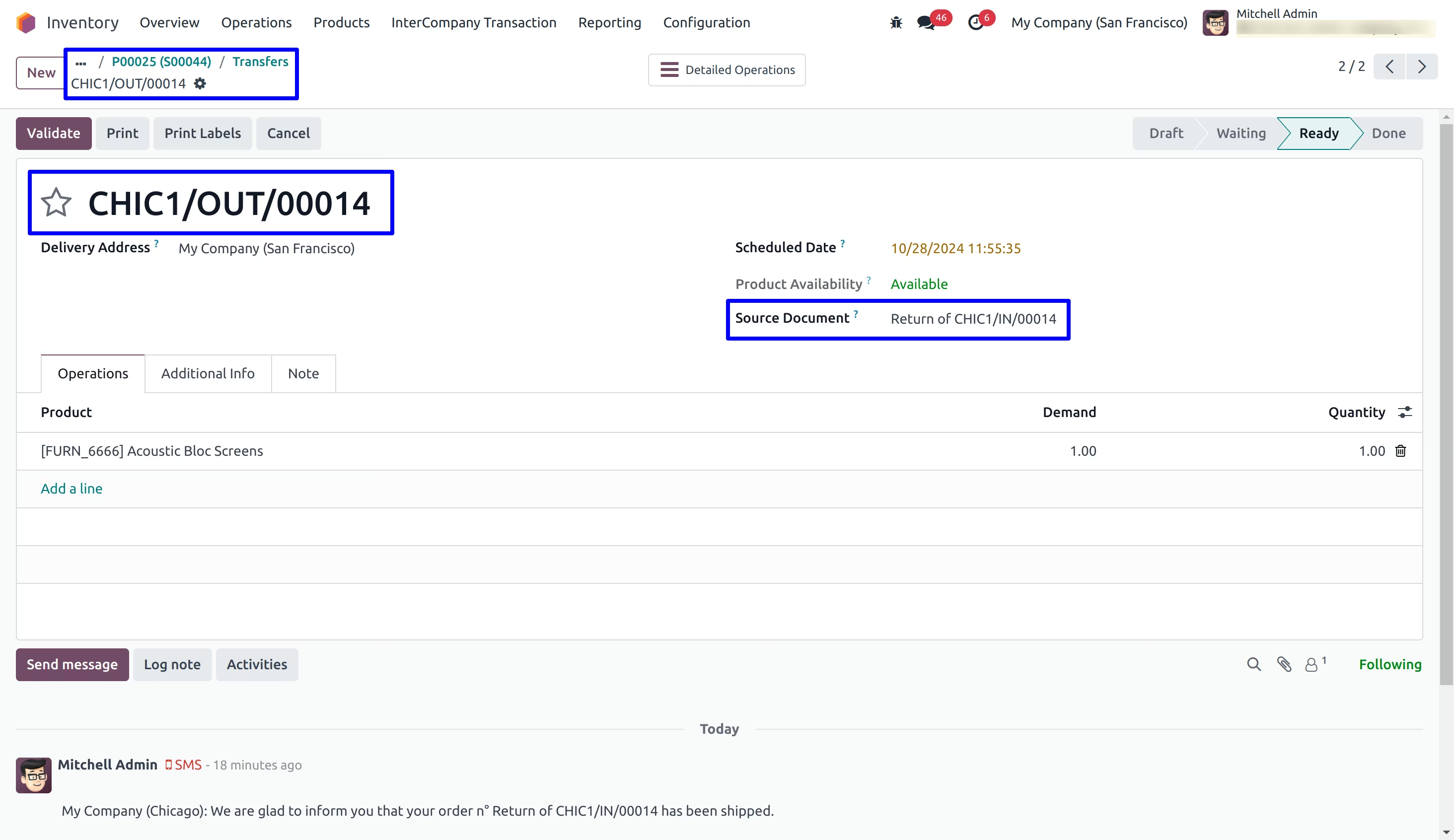
Inter Company Transaction detail on Incoming Shipment
Customer Invoice and Vendor Bill
User can see created customer invoice and vendor bill for return inter company transaction.