The module seamlessly integrates Australia Post's shipping services, enabling businesses to manage their shipping processes directly within the platform. This integration allows for real-time shipping rates, automatic label generation, and shipment tracking, streamlining the entire shipping workflow for both domestic and international orders.
Real-Time Shipping Rates: Fetch live shipping rates from Australia Post based on order details.
Shipping Label Generation: Automatically generate shipping labels for orders.
Shipment Tracking: Track shipments directly from the backend or website.
Domestic & International Support: Handle both domestic and international shipments with ease.
Easy Configuration: Simple setup process to integrate Australia Post.
Efficiency: Streamline the shipping process by managing everything.
Accuracy: Reduce errors by automatically fetching shipping rates and generating labels.
Customer Satisfaction: Provide customers with real-time tracking information, enhancing their experience.
Cost Savings: Optimize shipping costs by selecting the most appropriate shipping options.
Australia Post Shipping Integration
Real-Time shipment and order generation with australia Post
The module integrates AusPost Shipping with so you can use Australian shipping to deliver your orders. The module can be used for both website and backend to ensure customer satisfaction through quick and timely delivery.
- Provider: AUSPOST
- API Version: v1
- Region: Australia
- Used for: Rating, Shipping, Tracking, and Cancelling
-
Get API access: Register with https://welcome.auspost.com.au/
u/signup?state=hKFo2SBre E9vRk1EcEJrNURaRzA3U UoyeHRHN2lSZGNNdEVNZa Fur3VuaXZlcnNhbC1s b2dpbqN0aWTZIGdI MUhWTnZyWVJTemVybTRDST hGVDQ1OU90b0tkc2R so2NpZNkgamIwOG5U NDI5N0REZ3VOWm1mMjZj RGtvOEFUdHRmYnA Please ensure that you have a valid Auspost API Credentials to integrate Australia Post Shipping Integration.
NOTE: For website shipping feature you must install this models
While using the module please ensure these things:
- Valid Credentials.
- None-Zero Amount Of Weight.
- Valid Address For User/Partner [Street, City, Zip, State Code, Country Code, Phone ].
- Valid Address For Warehouse [Street, City, Zip, State Code, Country Code, Phone ].
This Extension Allows
- Get Account details.
- Address Validation at the time of fetch rate and shipment creation.
- Fetch Rate.
- Configure Signature Required or Safe Drop.
- Shipment Creation (Using packaging ).
- Label Printing For Shipment.
- Update created Shipment.
- Order Creation.
- Order Summary Printing For Order.
- Can Generate Return Label of Return shipment.
- Cancel Shipment.
Setup & Configure
This module required the extension of BackBone Shipping Module.
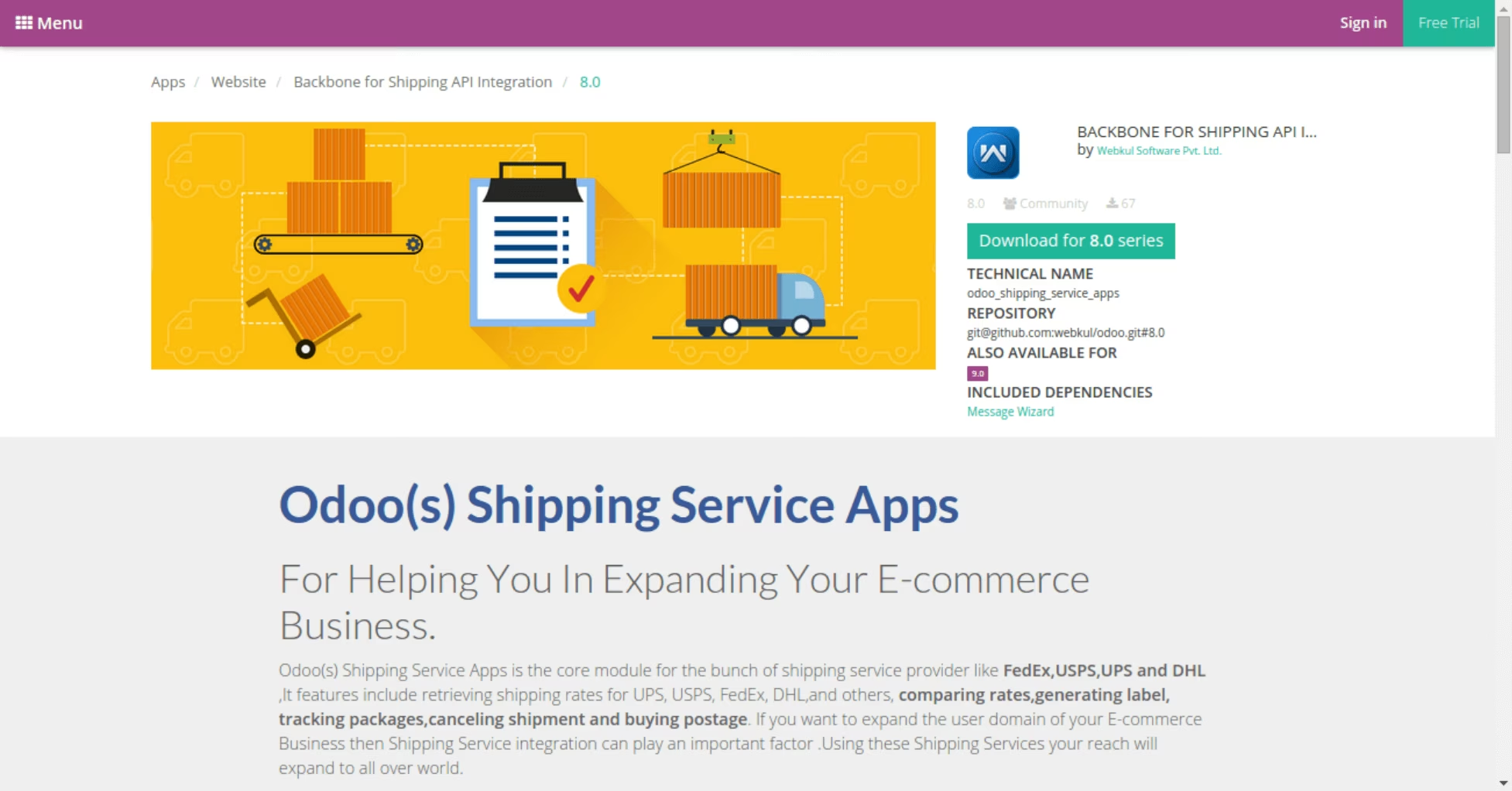
After the successful installation of the BackBone Shipping Module module
you will have to click the Australia Post Shipping Module Link under:
Website Admin ->Configuration->Shipping Service.
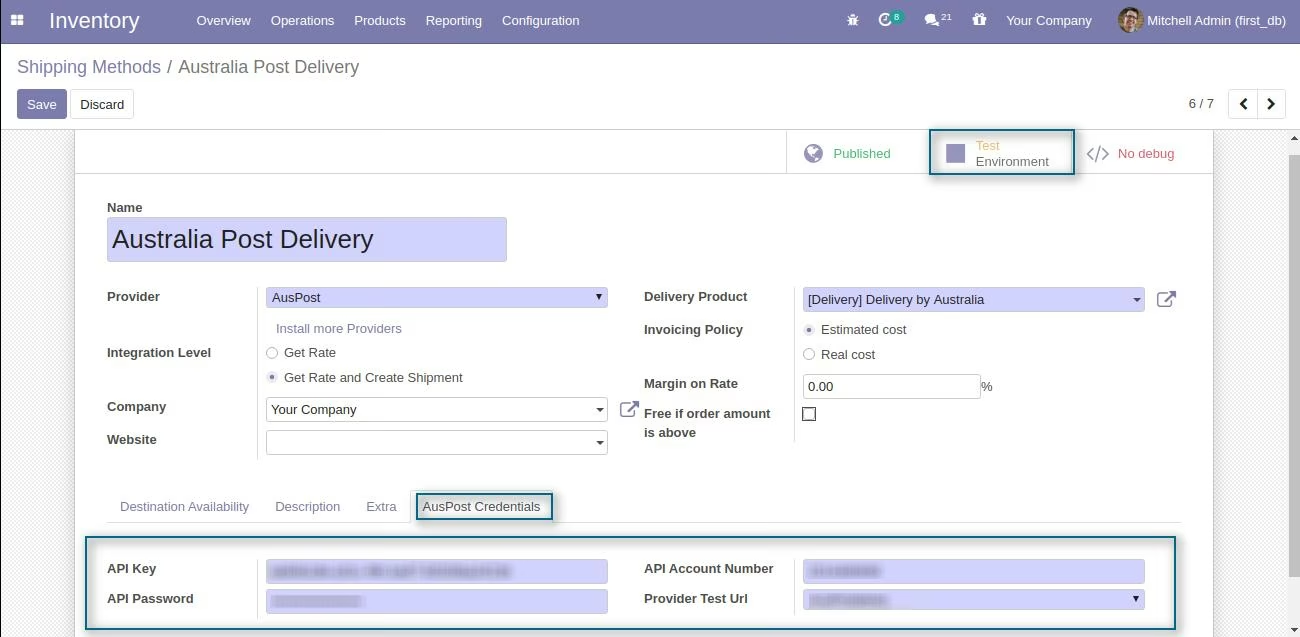
After the installation, you have to set the Credentials from Delivery Methods, under Inventory -> Delivery Methods -> Australia Post Delivery.
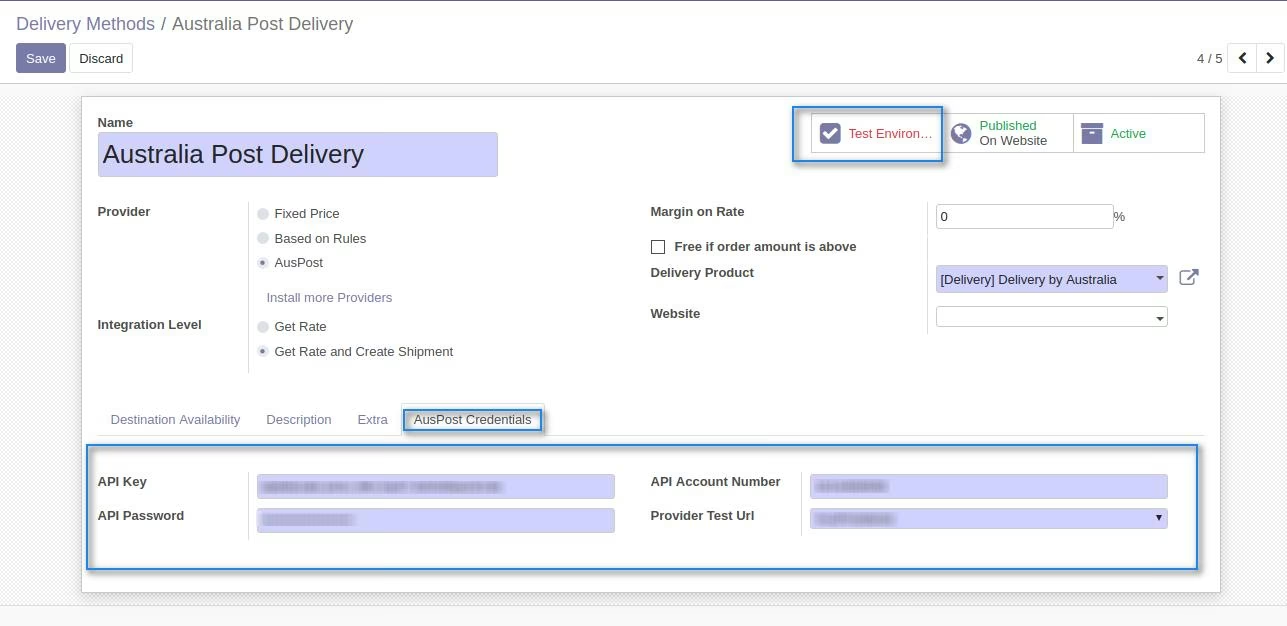
Fill these Australia Post Credentials
- API Key.
- API Password.
- API Account Number.
Environment - please, use only Testing, while you are testing the module work-flow. Turn into Production, when you go live and ready to create billable labels.
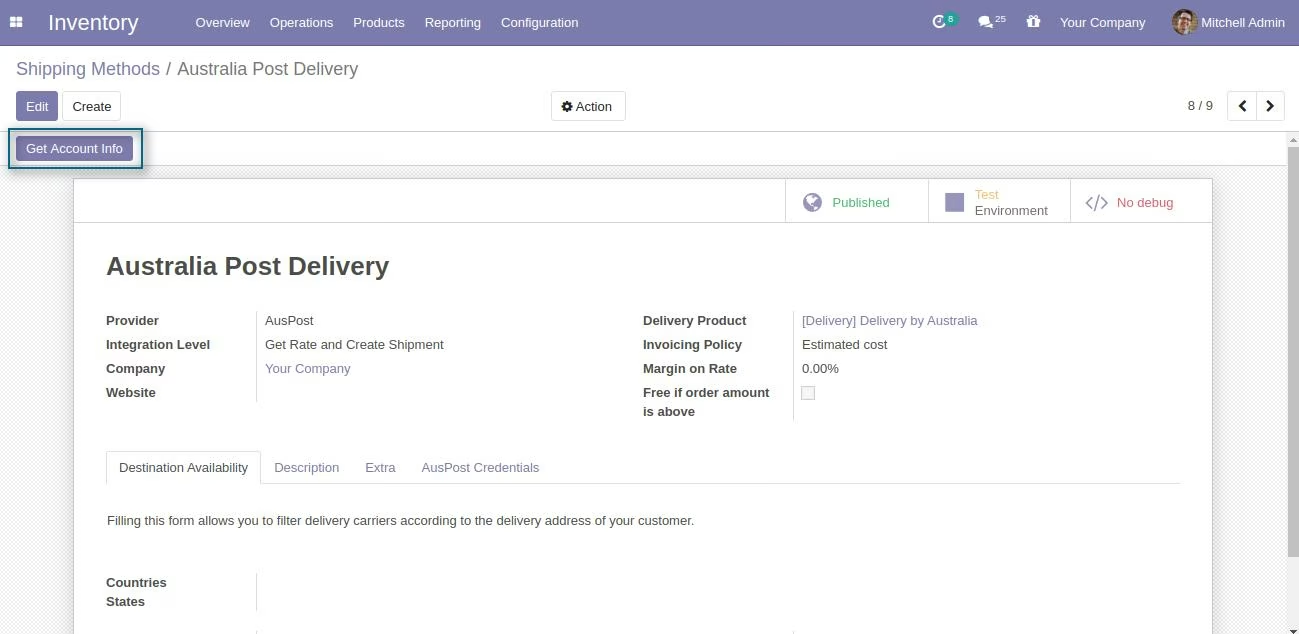
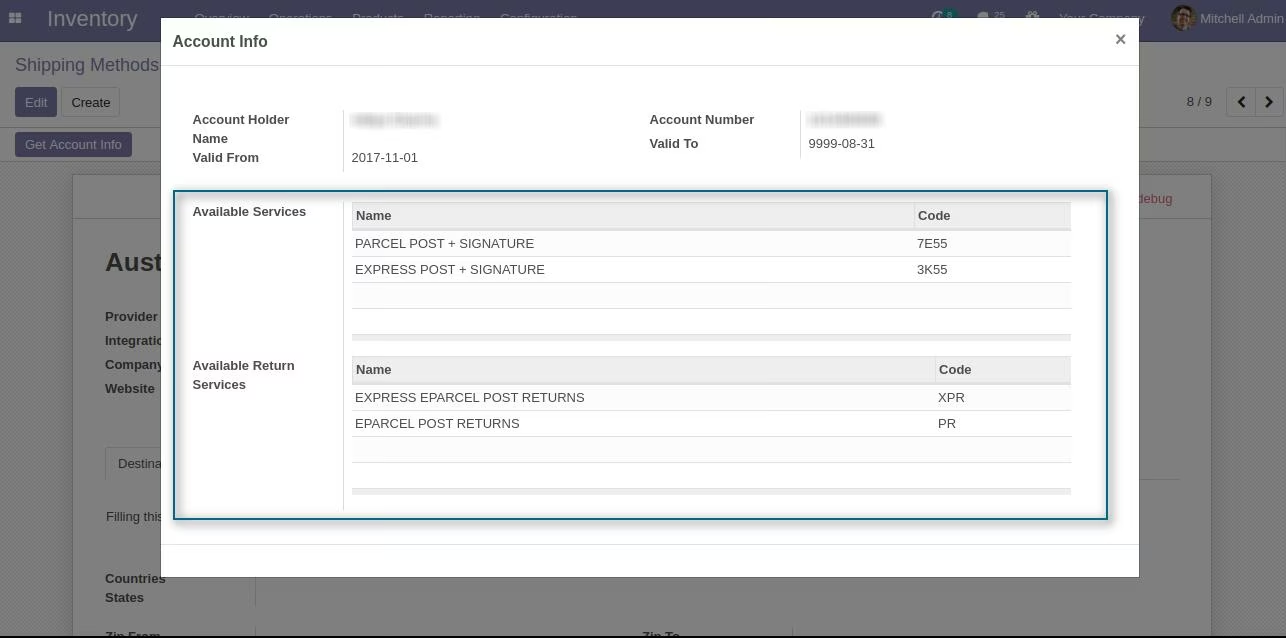
After configure the Account Details click on Get Account Info to get the Account information and available services.
You can check the account details in wizard
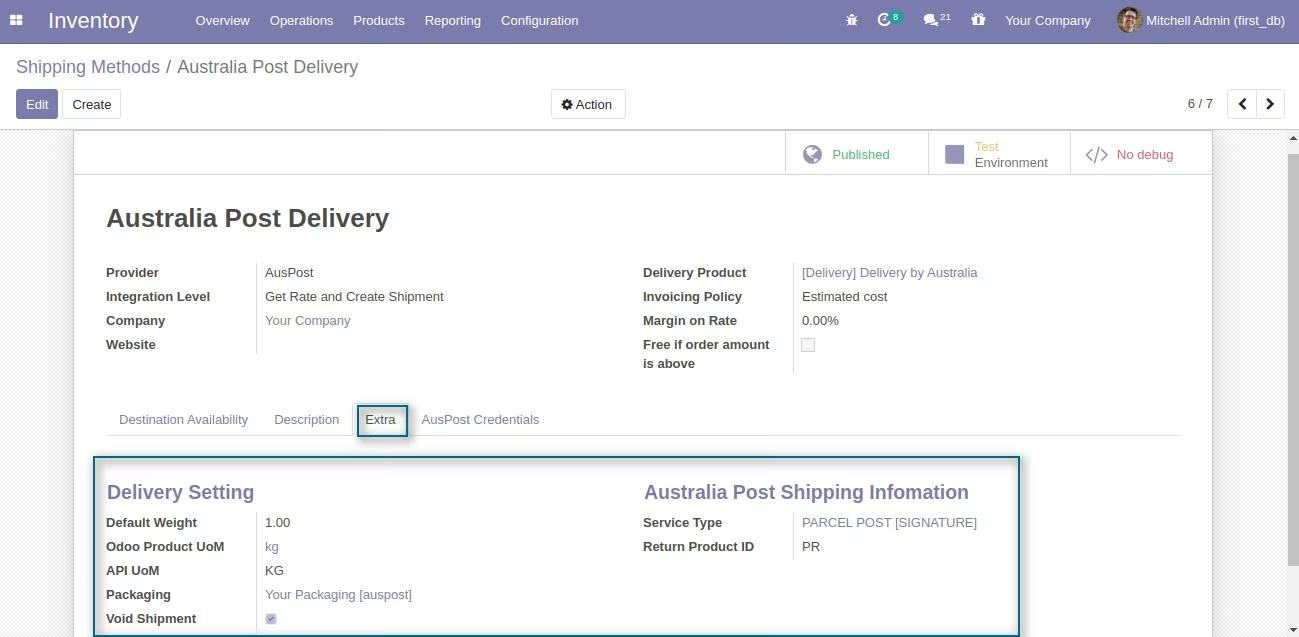
- We have set up the most frequently used values But please look all of them and change according to your needs .
Safe Drop
Configure Authority to Leave value under the settings of packaging.
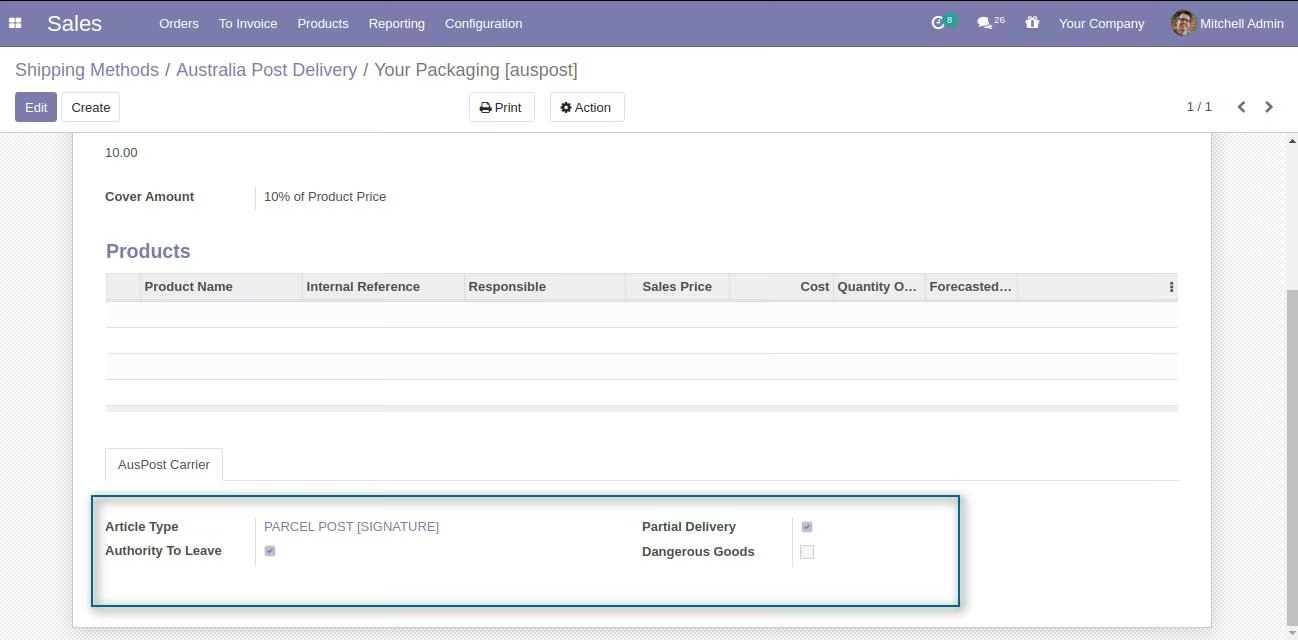
- Enable Authority to Leave to allow the item left in a Safe Place.
- Disable Authority to Leave for Required Signature.
Work-flow
After configuring the Australia Post Shipping Module module you will be able to see the Australia Post Delivery in
Delivery Method List Of Sale Order Option
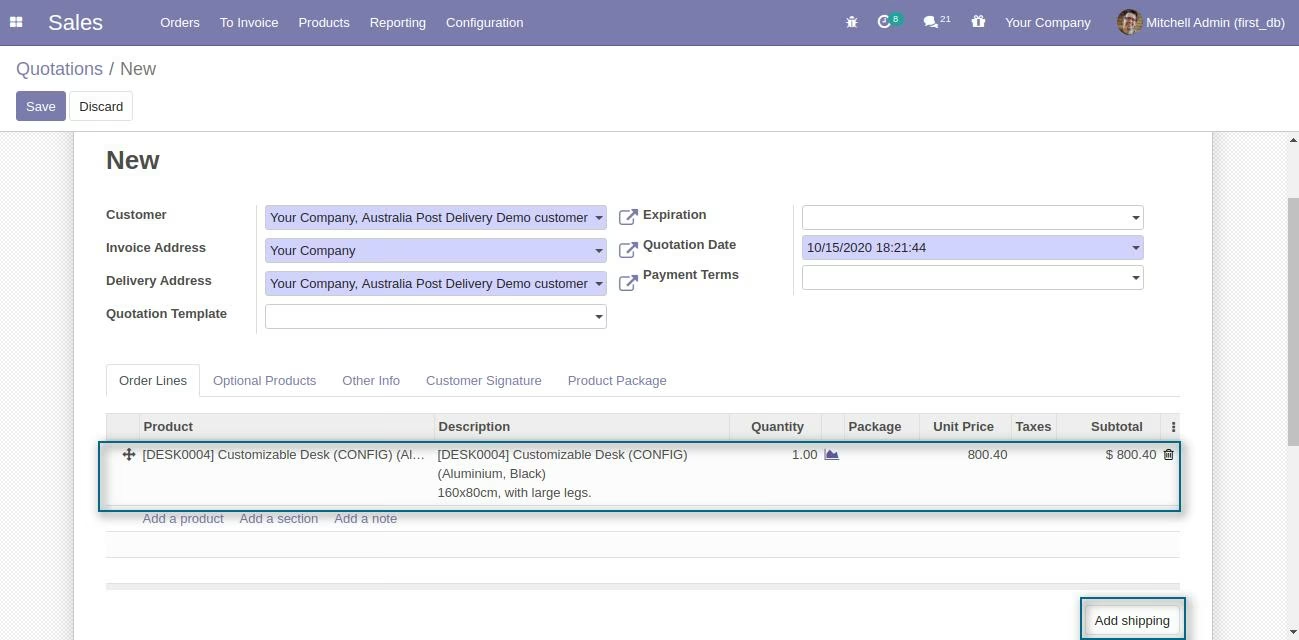
[Sale --> Quotation ->Create].
For Using Australia Post
- Select A customer .
- Add product in sale oder line .
- Click "Add Shipping" to select a delivery carrier and calculate rate.
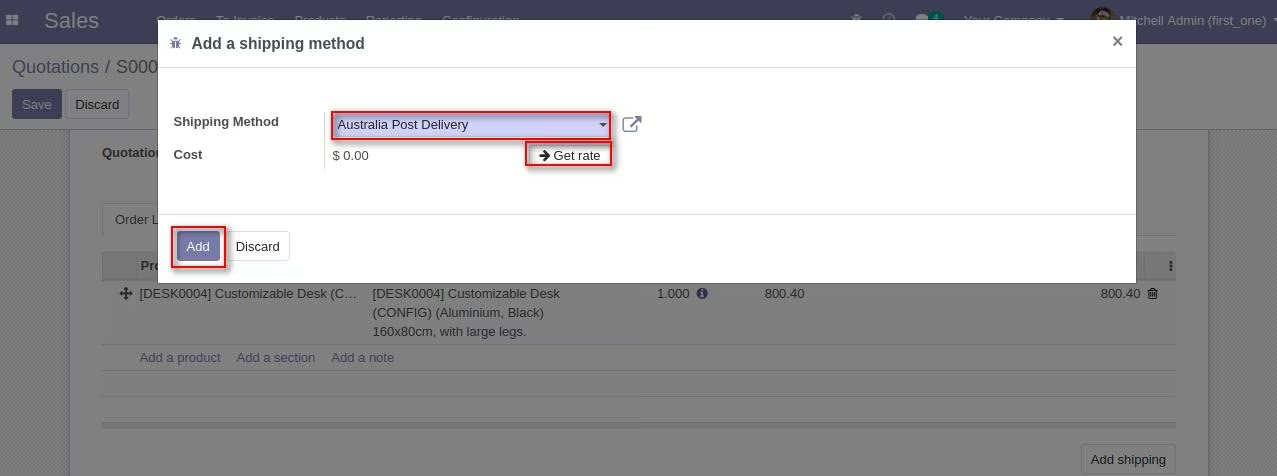
- Select Australia Post Delivery as Delivery Method from wizard for corresponding sale order .
- Click on Get price to fetch Delivery charges. and add the delivery charges to the corresponding sale order.
- Click "Add" to add the delivery charges to the corresponding sale order.
Wizard for select carrier and calculate rate. Get rate and Add them to order.
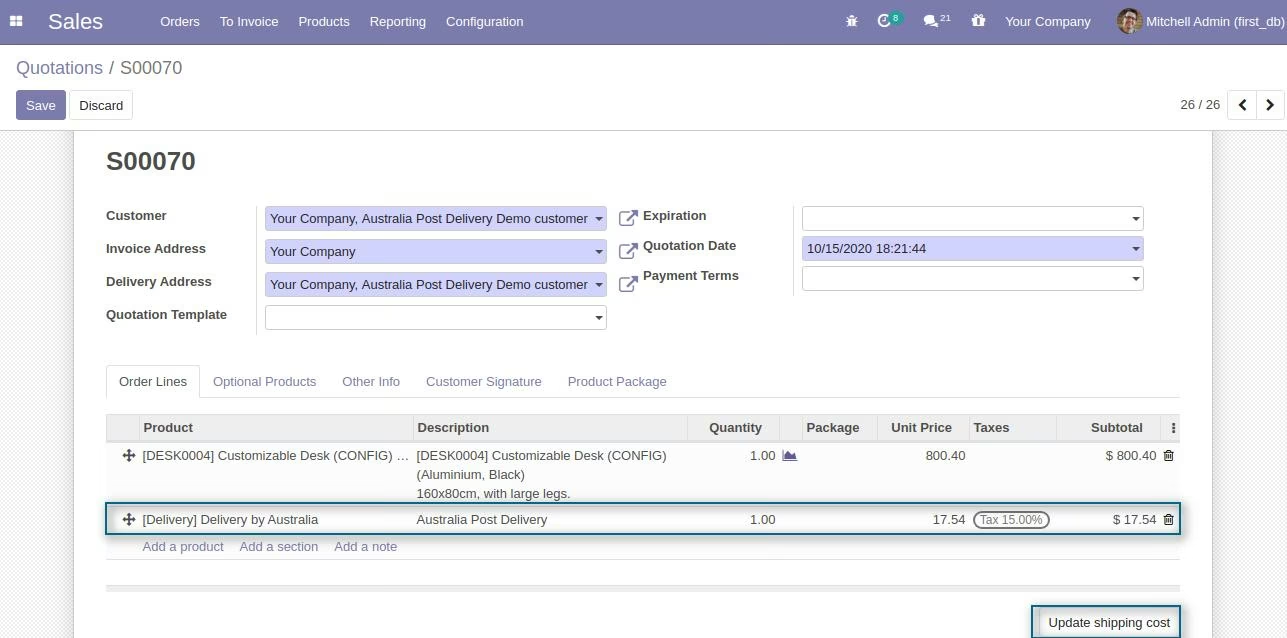
You can update the shipping cost after adding them to order.
Website View
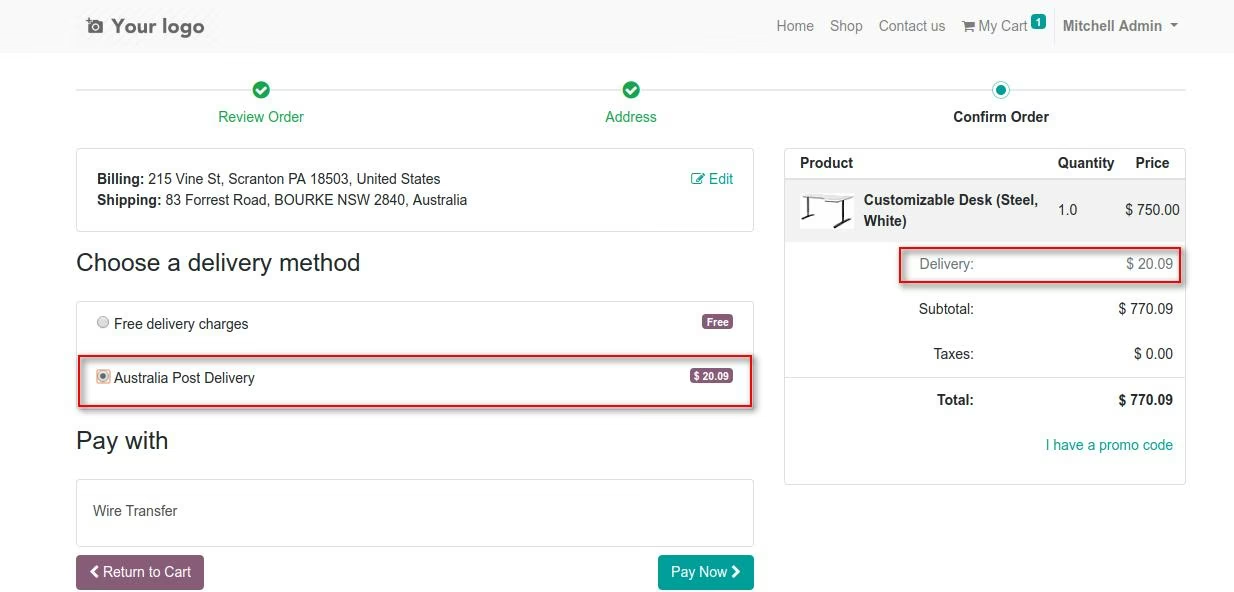
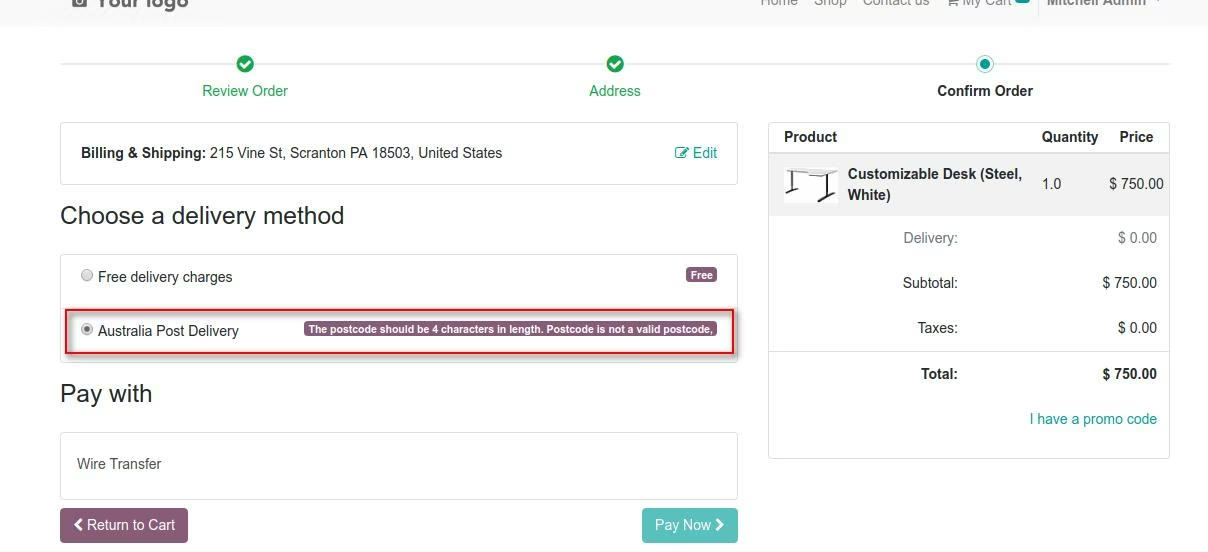
This module also support the feature of Price Calculation From Website .
On the website user can see the UPS delivery option in delivery method List in their cart before making final payment.
NOTE:
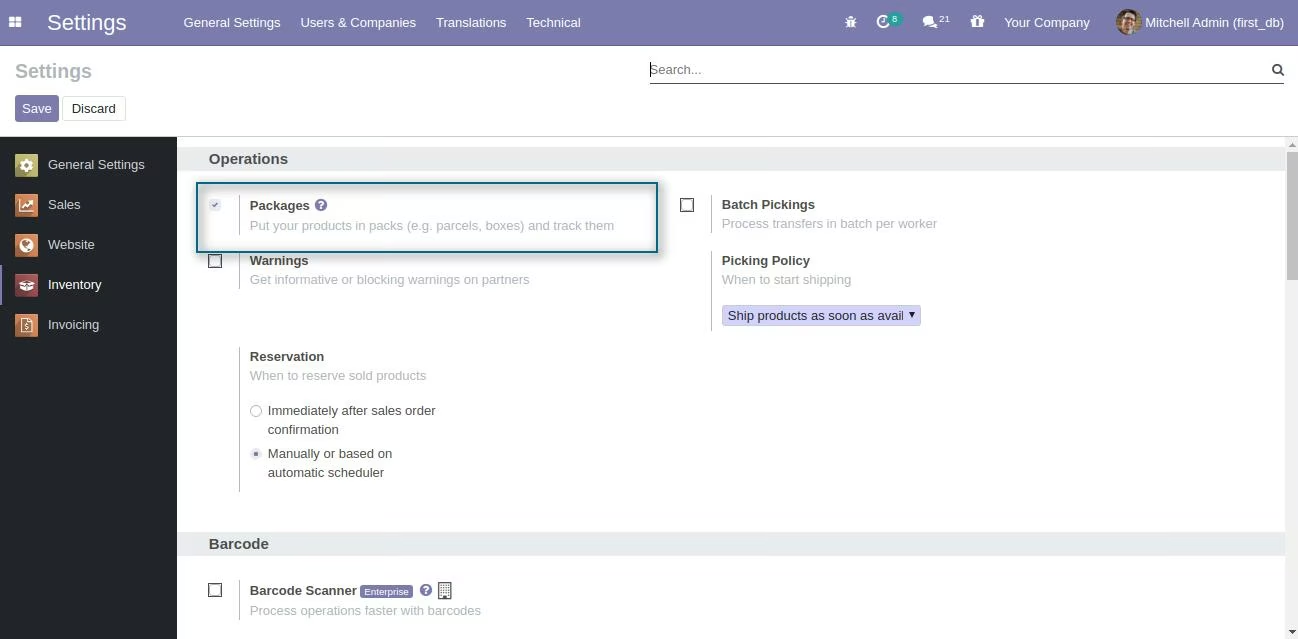
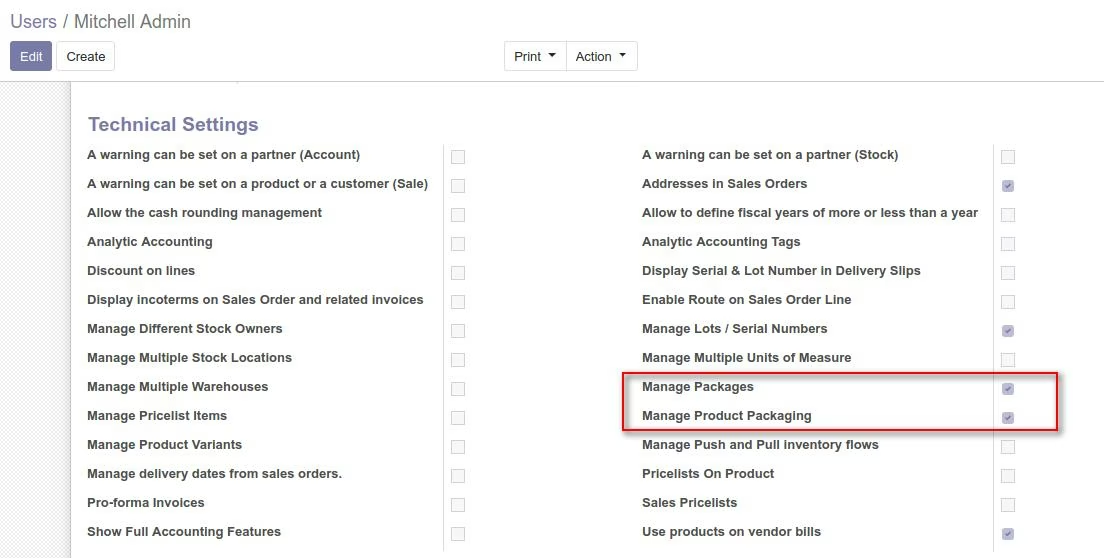
Prior to label generation enable packaging option and assign access of packaging.
Click on Check Availablity, to recheck the availablity of product and its quantities.
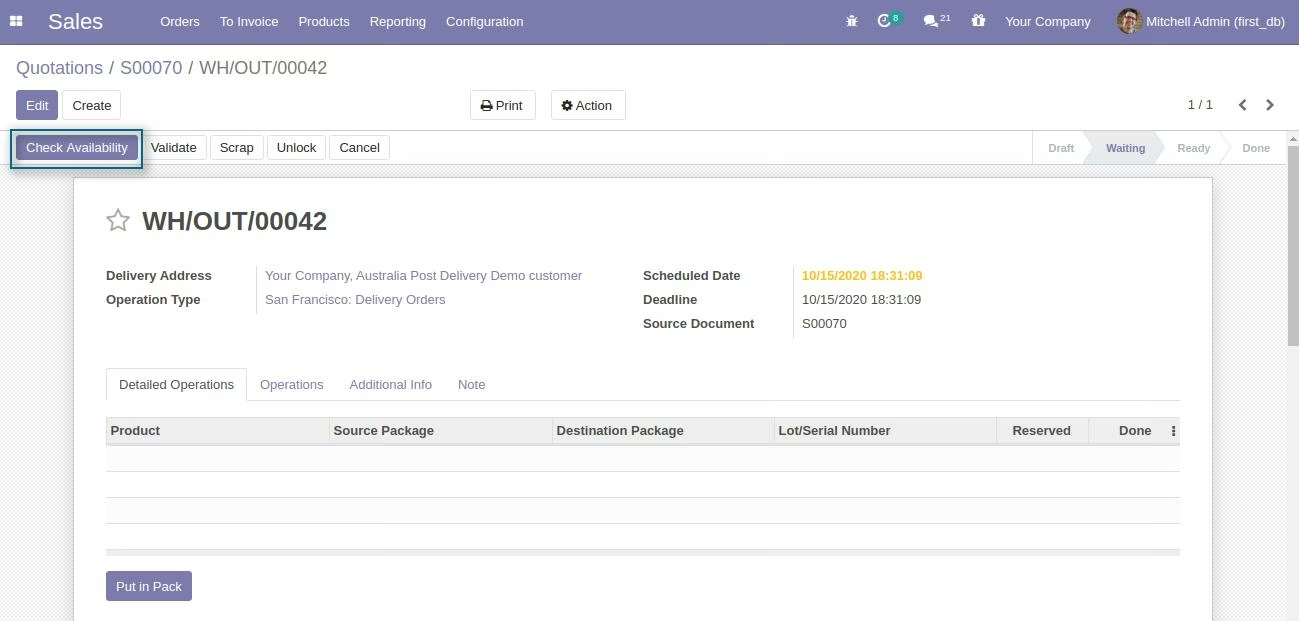
NOTE: Firstly you have to create package of picking before clicking the validate.
Now create package by selecting those picking line which you want to put in single package then click on put in pack .
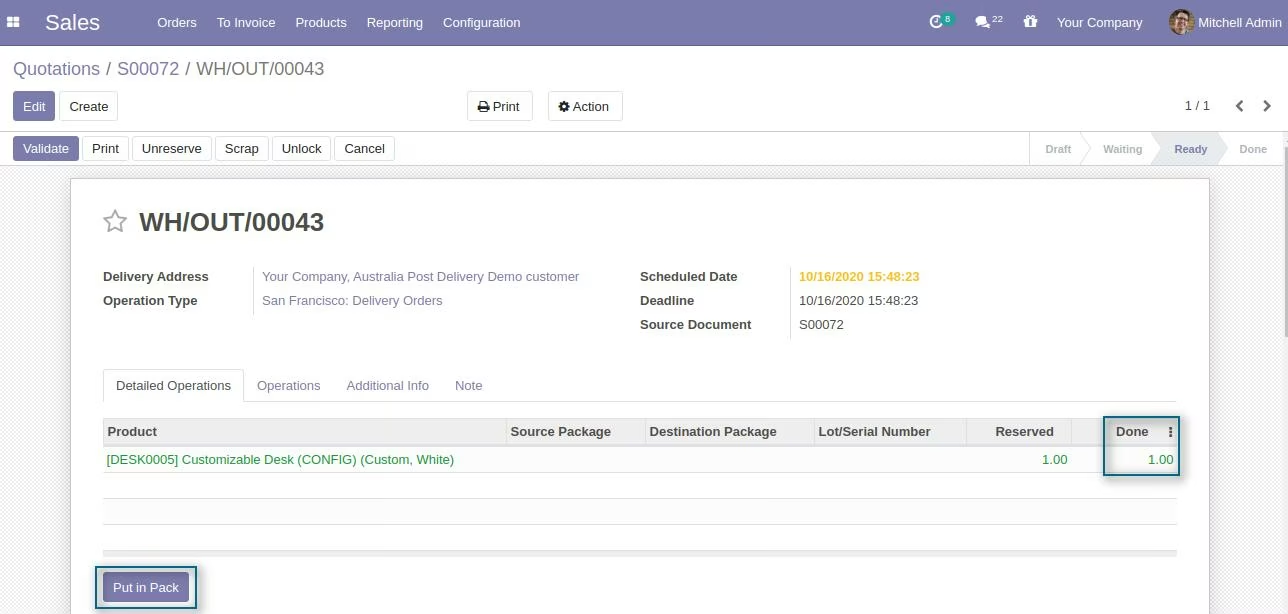
In side the wizard select the AusPost Package Type you want to use for this package.
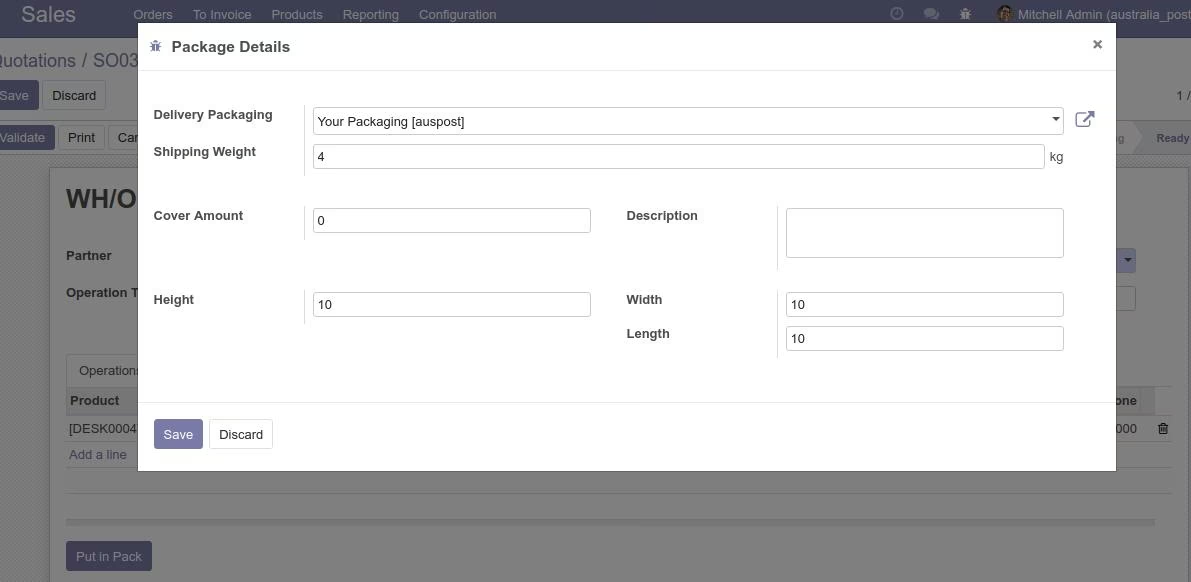
Here you can also modify the package Shipping Weight and also add the cover amount and description of package for future reference.
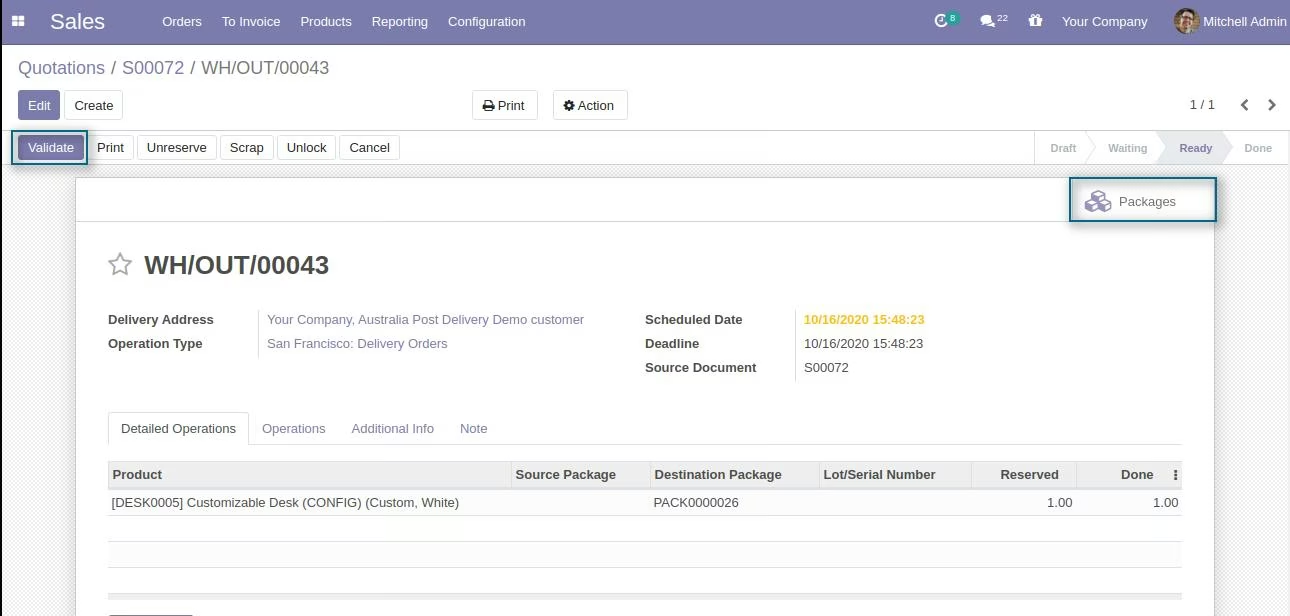
Validate Picking
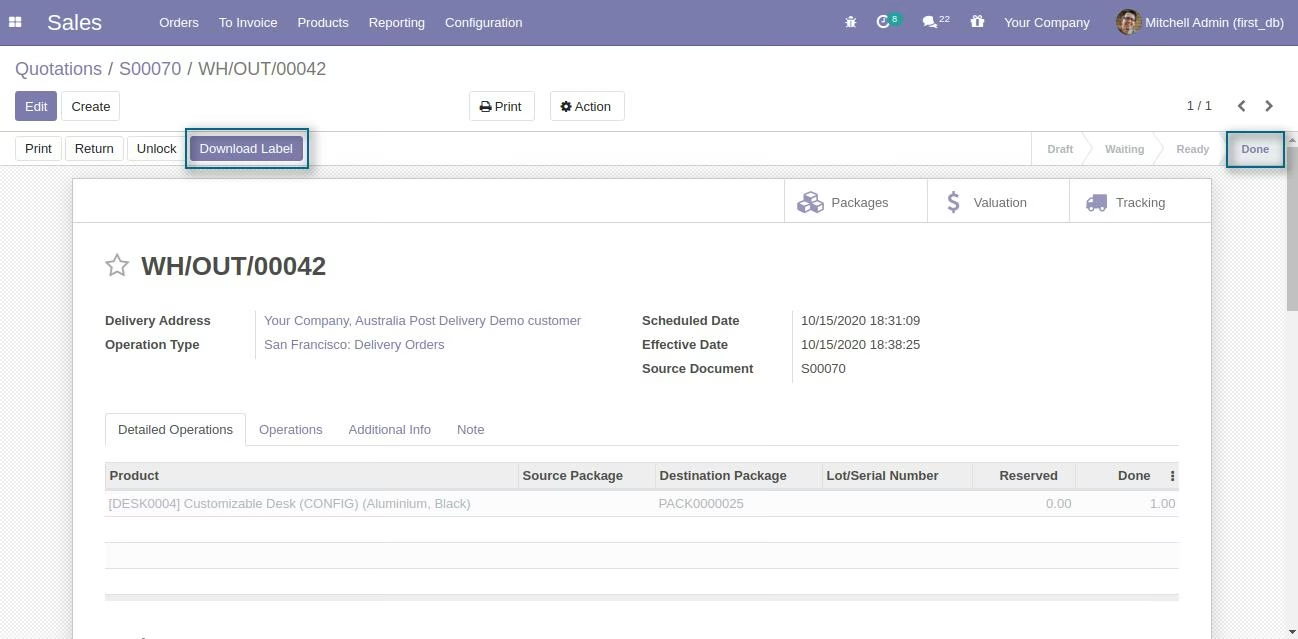
Download Label
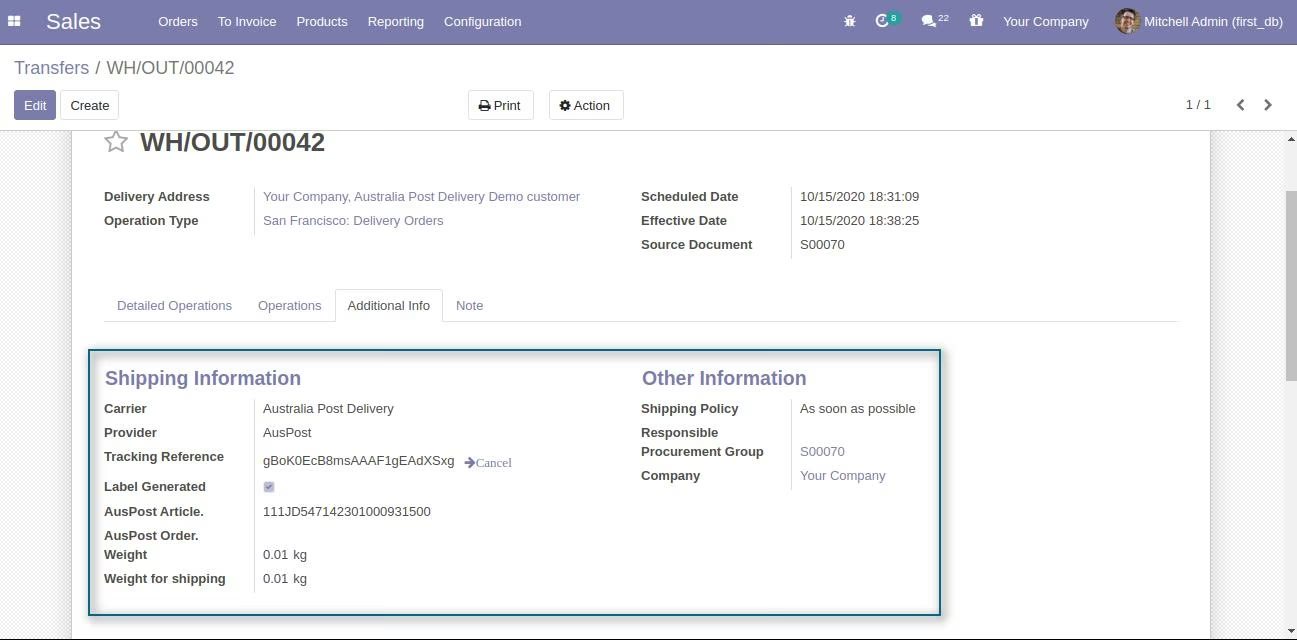
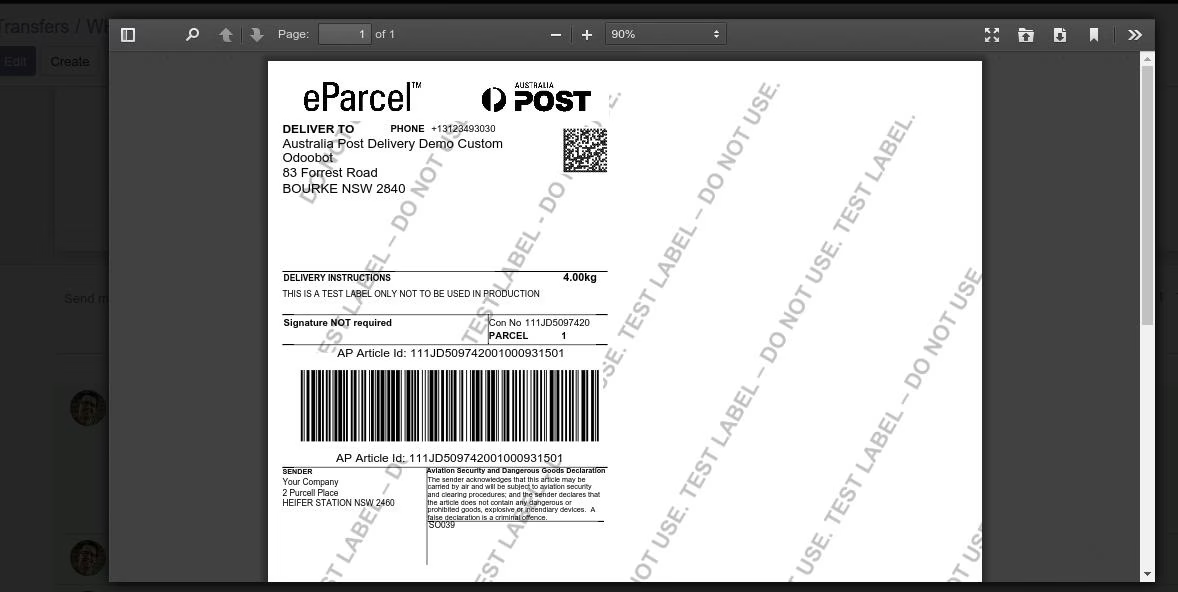
You can Update an existing shipment if you have made any changes in the created one.
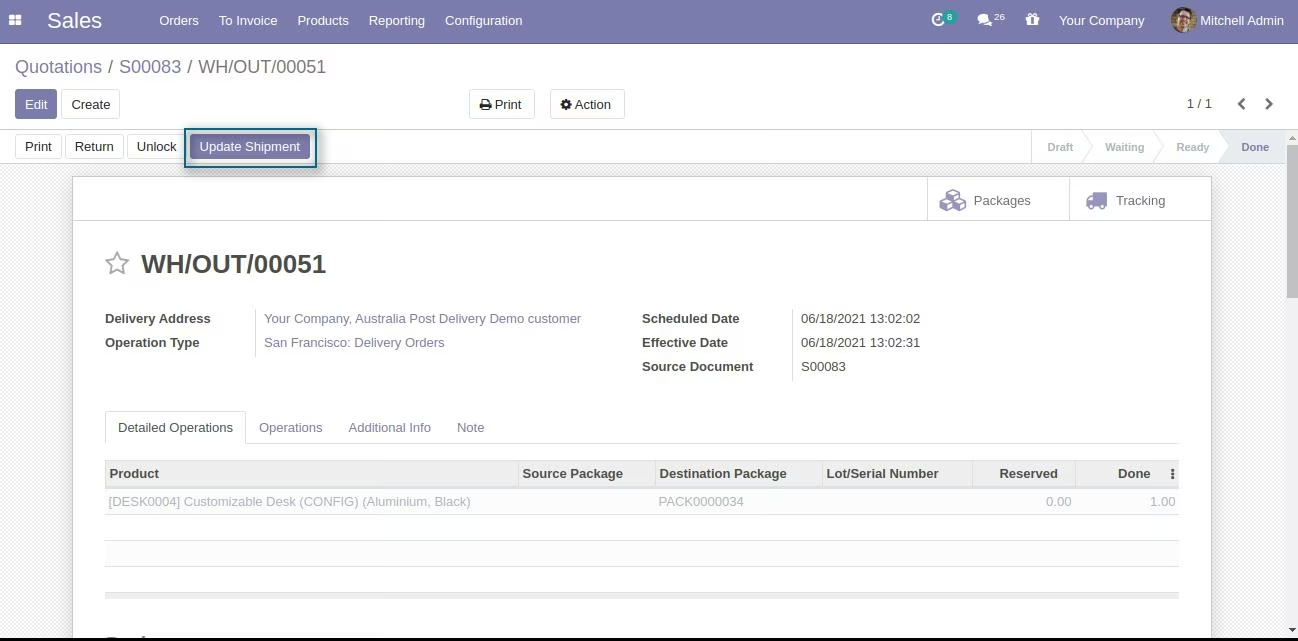
Click on Update Shipment button to update the shipment after made the required changes.
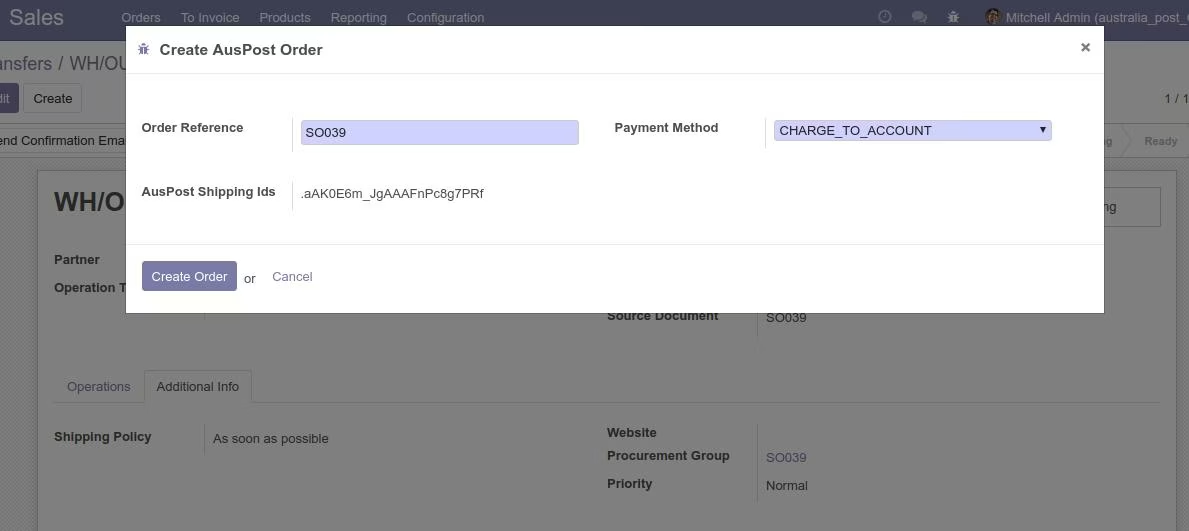
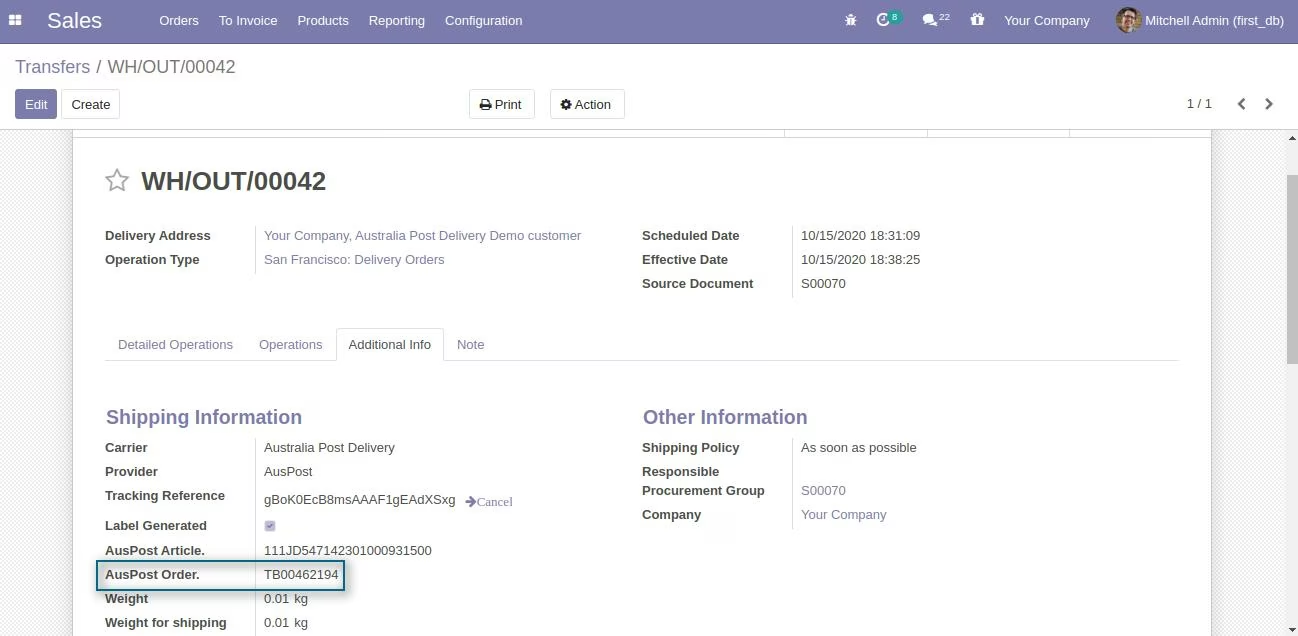
Select Pending Shipment and Generate Order
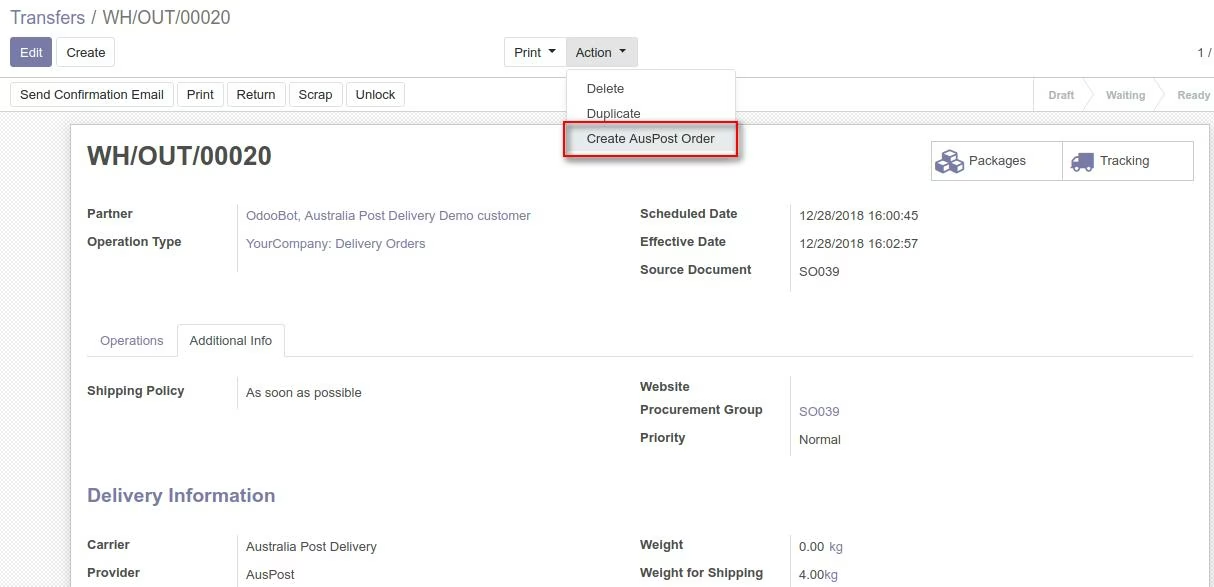
Generate Order
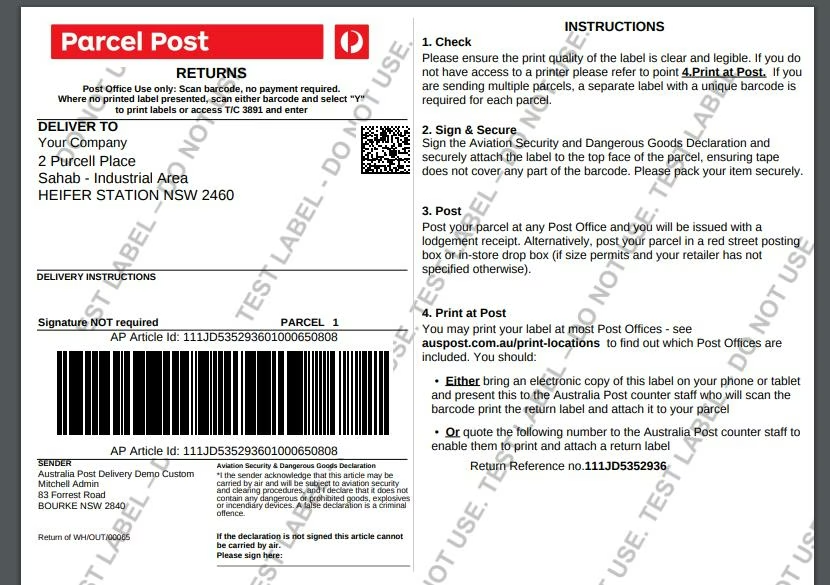
This module also provide the feature of return label generation.
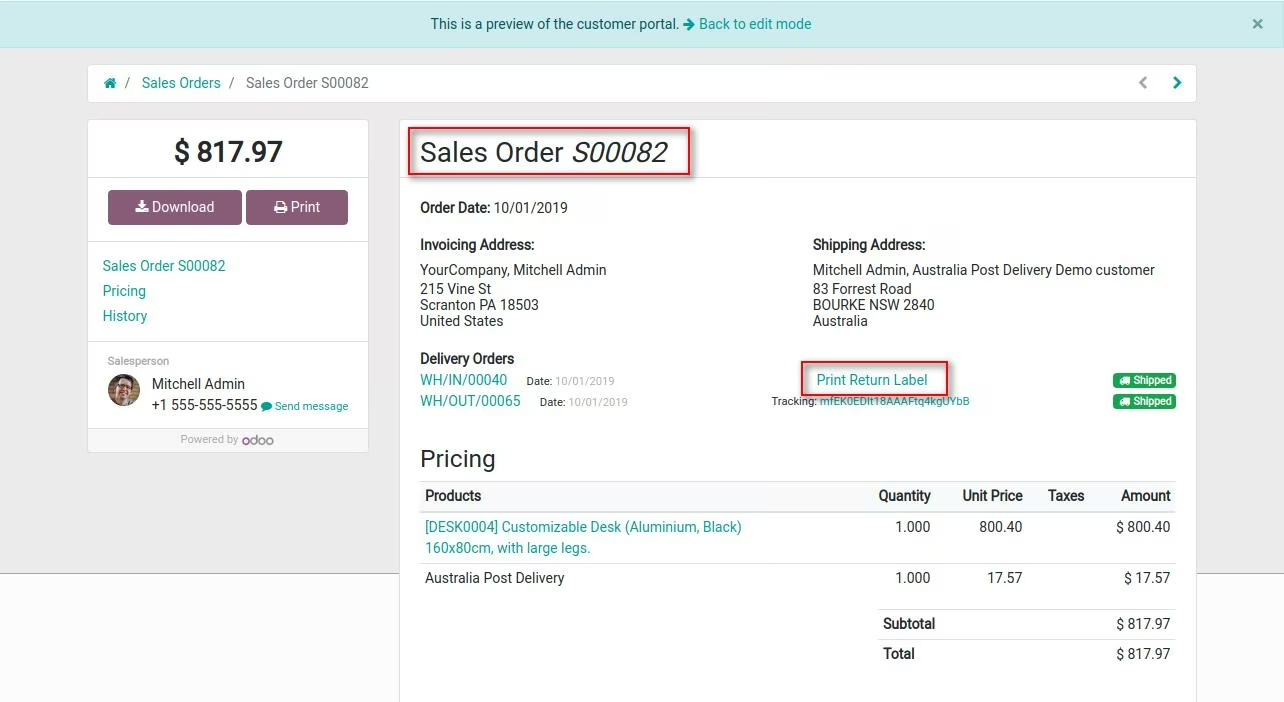
Thus after receiving shipment if customer want to return its shipment then he/she can download the return label from Customer portal after filing return to attach label on the package and deliver back to Warehouse.
-
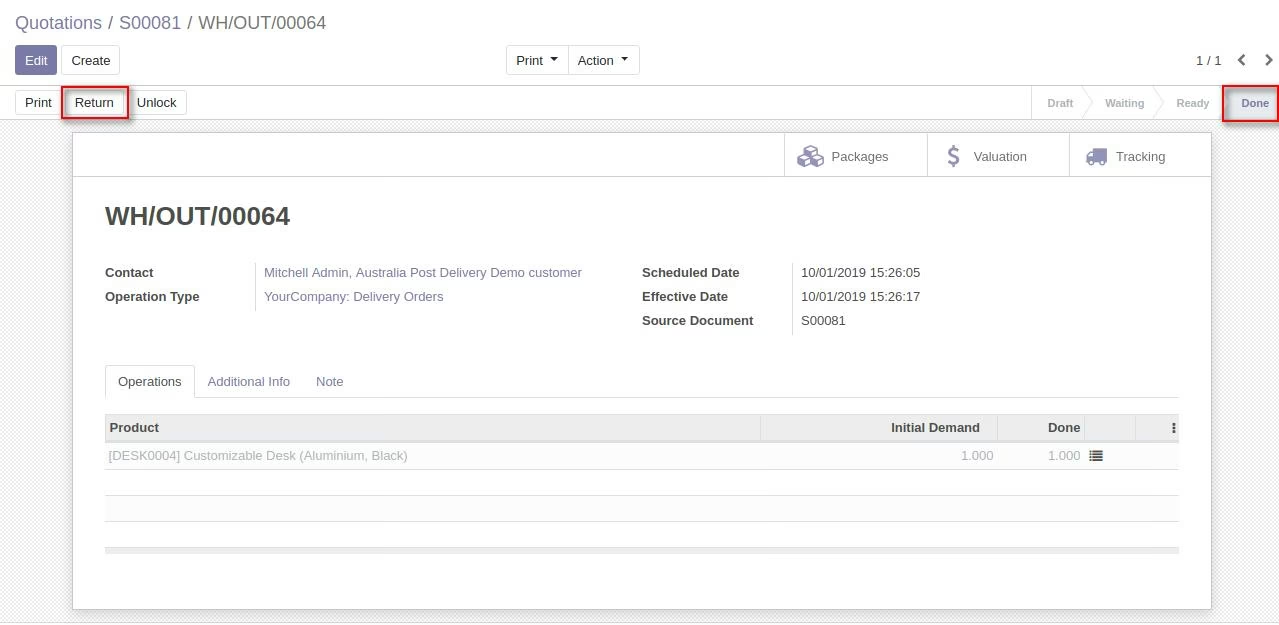
Generate return from validated shipment.
-
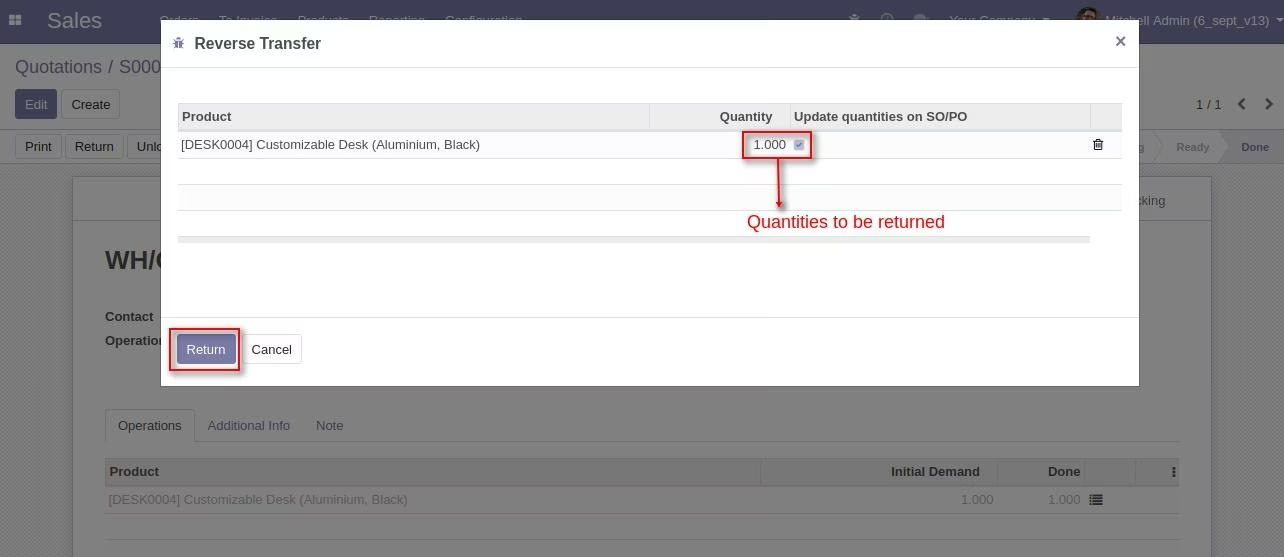
Select the quantities to be return among the delivered quantities.
-
Select Australia Post delivery as carrier for this return shipment.
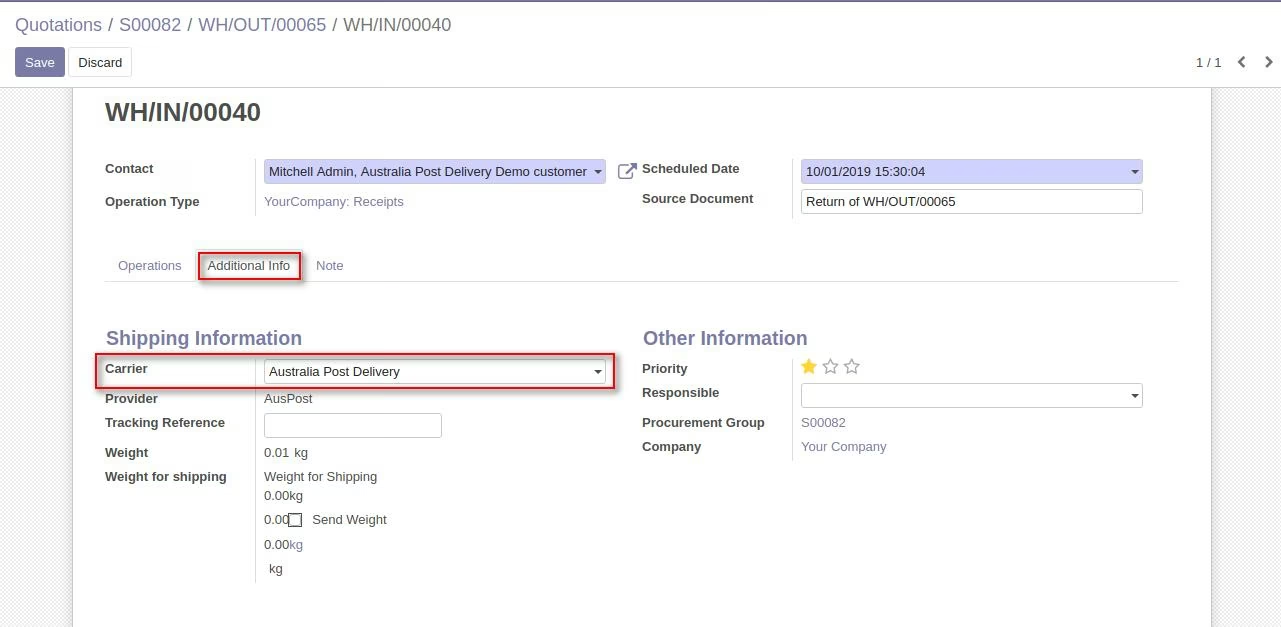
-
Now create package by clicking Put in pack and then click Print Return Label to generate return label.
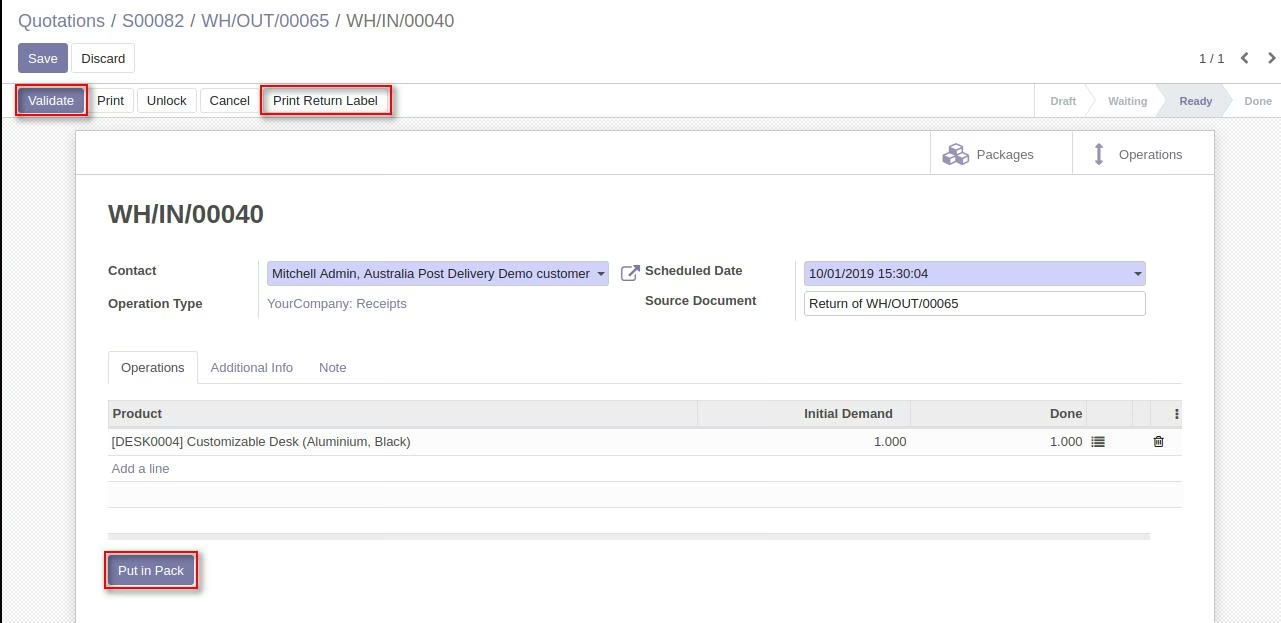
Note: You can generate return label only for one package. Do not create more thanone package for generation of return label.
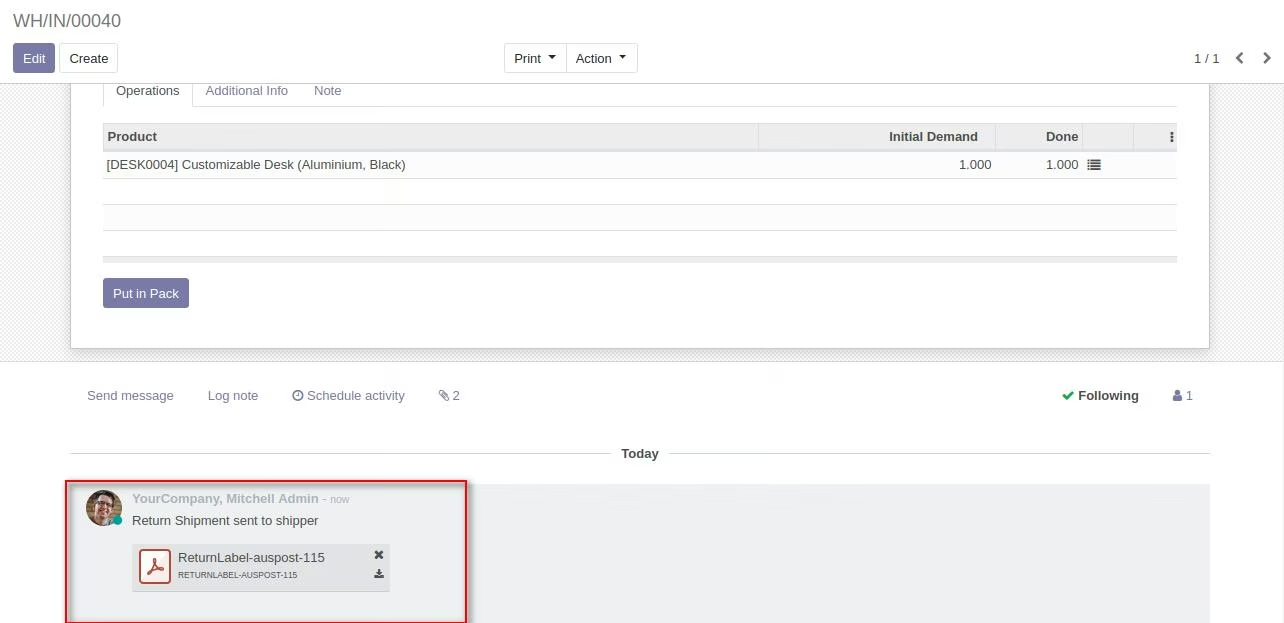
Return label can be downloaded from the message box.
After generation of return label customer can download this return label fromcustomer portal if Return Label Accessible from Customer Portal field is checked in delivery carrierconfiguration.
Preview of Return Label
You can cancel your existing shipment
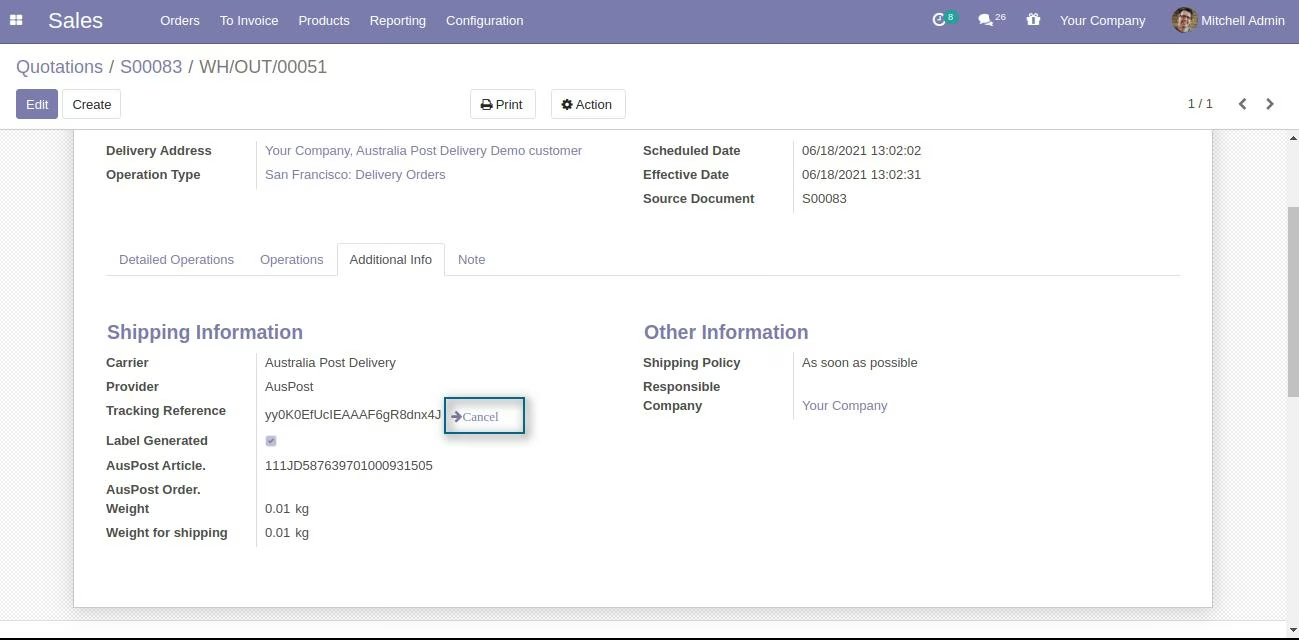
Click on Cancel button present inside Additional Information