The Assign Schedule Activity to Multiple Users enables users to assign a single activity to multiple users simultaneously. This functionality is particularly beneficial for tasks that require collaboration among team members, such as follow-ups on sales orders or CRM leads. By assigning activities to multiple users, you can ensure better coordination and timely completion of tasks.
Assign Activities to Multiple Users: Easily assign a single activity to multiple users at once.
Integration with Sales & CRM: Assign activities within sales quotations/orders and CRM pipelines.
User-Specific Activity Views: Each user can view their assigned activities upon logging in.
Notification System: Assigned users are notified of their activities in the chatter.
Minimal Configuration Required: Install and start using without complex setup.
Improved Team Collaboration: Facilitates better coordination among team members by assigning shared tasks.
Enhanced Task Management: Streamlines the process of managing and tracking activities.
Time-Saving: Reduces the time spent on assigning individual tasks to each user.
User-Friendly Interface: Provides an intuitive interface for assigning and managing activities.
Assign Schedule Activity to Multi Users
Schedule activity assign to multiple users app helps to allow multiple-mass user at a same time in schedule activity a system will be split activity by allow and assigned users.

Assign Multiple Users At the Same Time
Assign schedule activity to multiple users to a particular record at the same time in sales & CRM modules.
Users can See Own Scheduled Activity After they Log-in in Sales
Every user can check his/her activity in their particular records in sales after they are assigned to activity.

Users can See Own Scheduled Activity After they Log-in in CRM
Every user can check his/her activity in their particular records in crm after they are assigned to activity.
Create a sales quotation/order, and there you will see a scheduled activity button on the chatter box of that quotation/order.
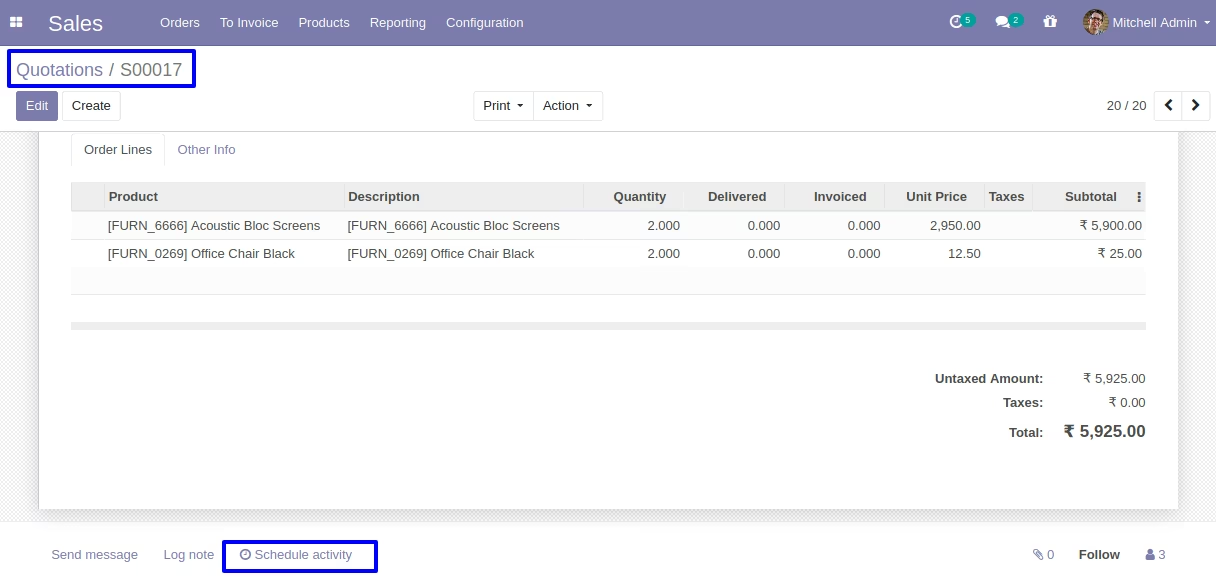
On clicking of scheduled activity button, you can see a assign multi users field where you can assign as many users as you want.
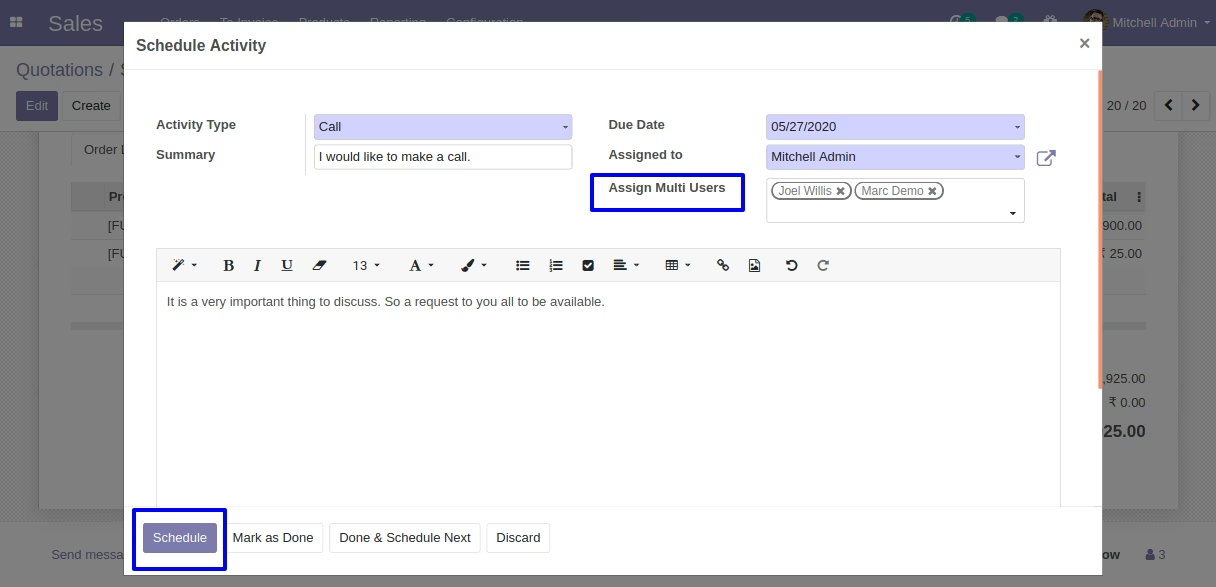
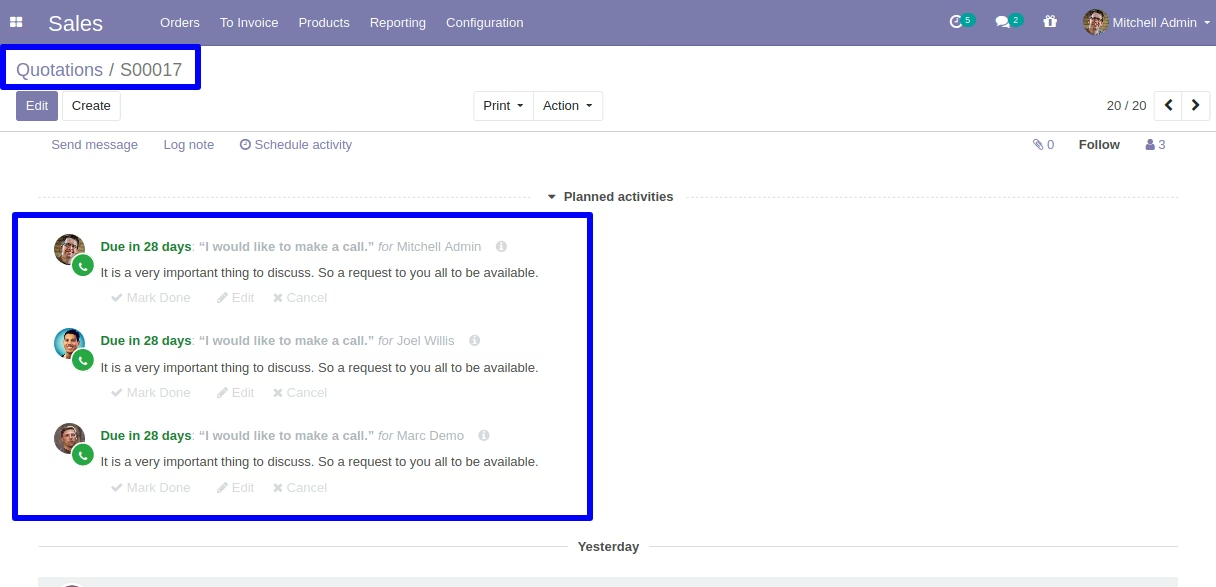
After clicking on schedule button, all the users mentioned on assign multi users field will be notified of the activity on that quotation/order, when they log-in.
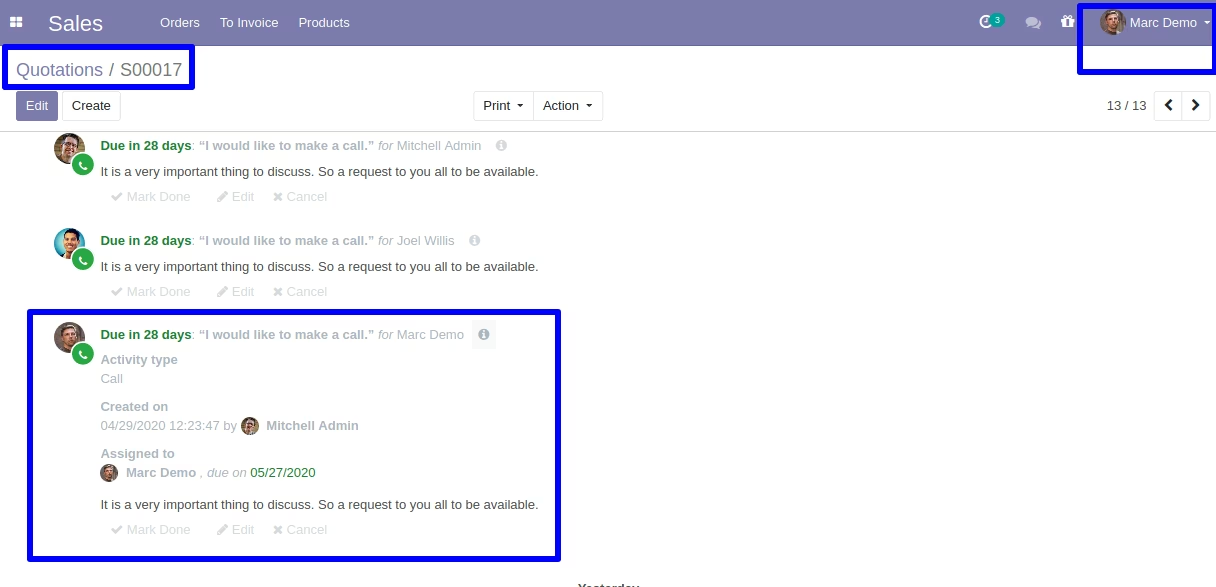
For example, demo user will be able to see his activity whenever he access his quotation/order.
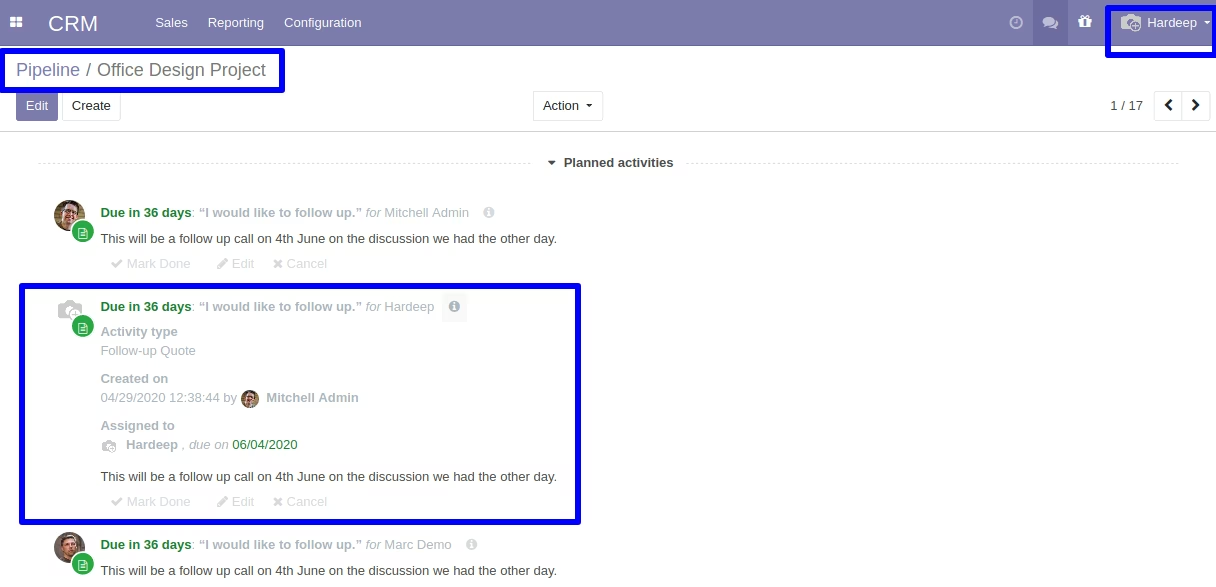
Similarly, create a CRM pipeline, and there you will see a scheduled activity button on the chatter box of that pipeline order.
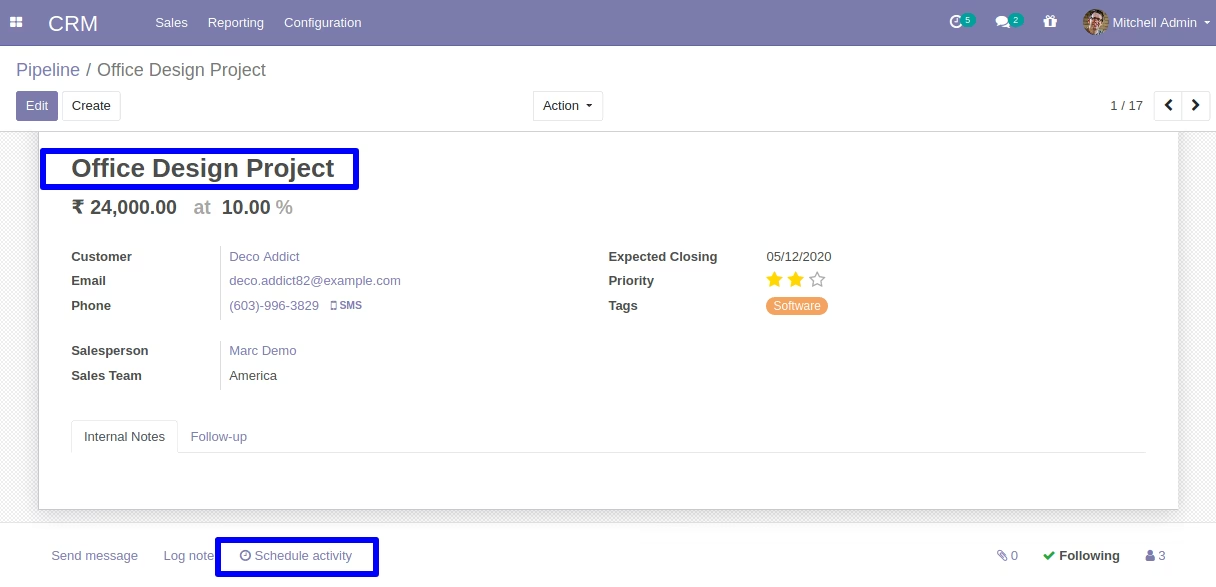
On clicking of scheduled activity button, you can see a assign multi users field where you can assign as many users as you want.
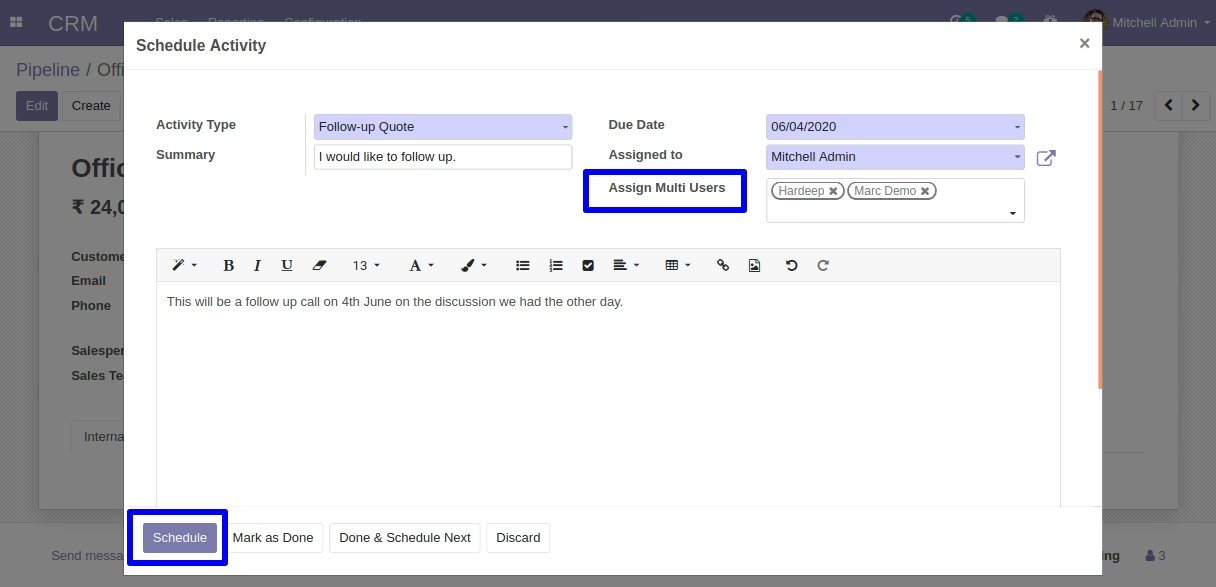
After clicking on schedule button, all the users mentioned on assign multi users field will be notified of the activity on that pipeline order, when they log-in.
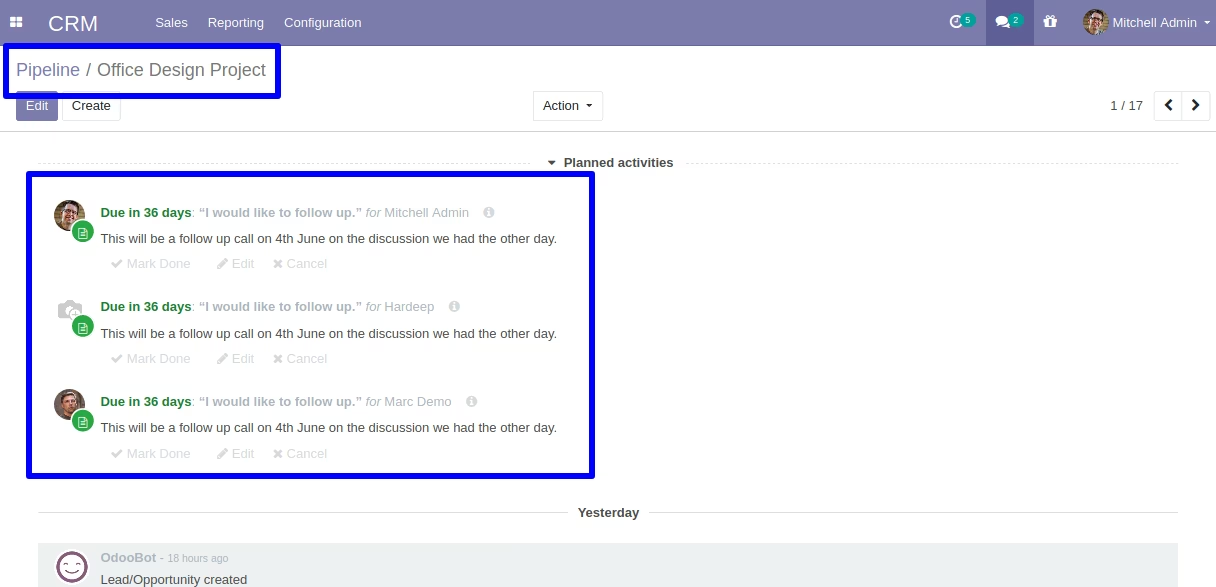
For example, demo user will be able to see his activity whenever he access his pipeline order.
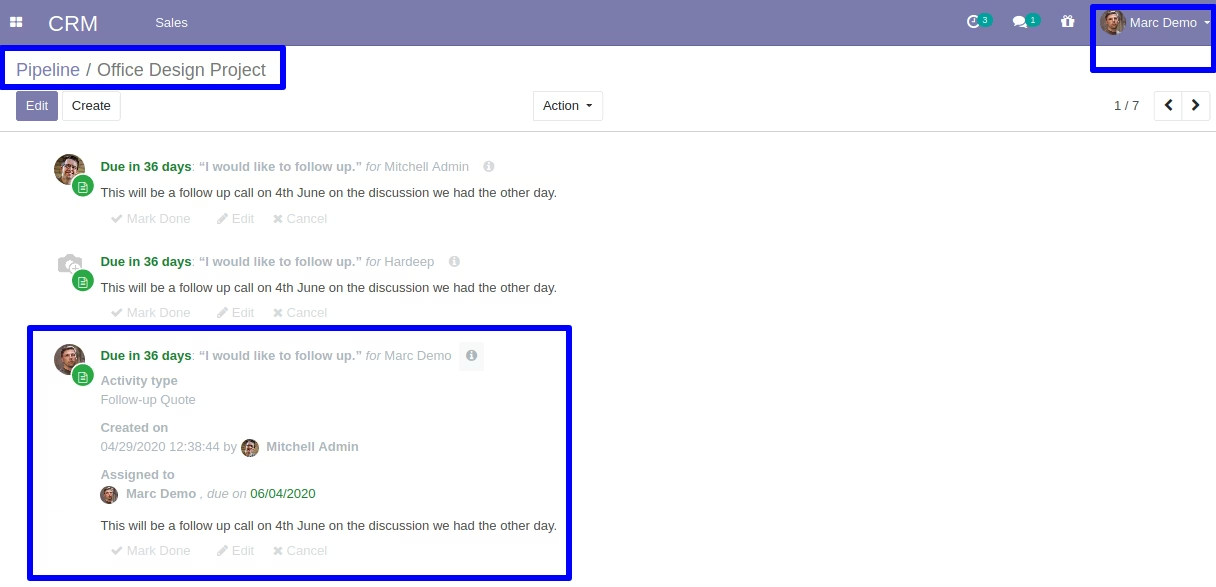
An user named hardeep will be notified of his activity when he access his pipeline order.