Transform your customer booking experience with the Appointment Calendar module. This comprehensive tool allows your clients to book appointments for your services or with your team members directly through your website. By providing a user-friendly online scheduling system, you can eliminate the hassle of back-and-forth communication, reduce administrative workload, and offer your customers the convenience of booking at any time. This module is the perfect solution for service-based businesses looking to streamline their appointment process, manage resources effectively, and enhance the overall customer journey.
Online Appointment Booking: Enable customers to schedule appointments for services or with specific team members directly from your website.
Configurable Availability: Set the availability of your team members and services by defining available days and specific time slots.
Team and Service Management: Easily create and manage bookable team members and services from the backend.
Calendar View: Visualize and manage all scheduled appointments in a clear and intuitive calendar interface with daily, weekly, and monthly views.
Automated Confirmations: Automatically send a thank you message and confirmation to customers upon successful booking.
Time Slot Management: Allow customers to book single or multiple time slots based on your predefined appointment durations.
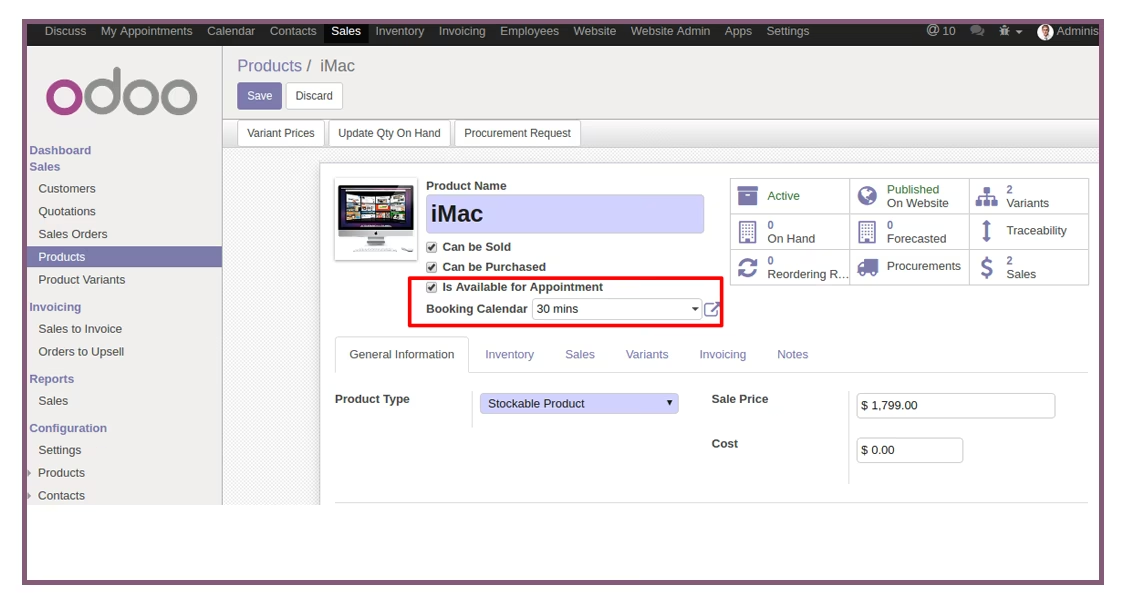
Product Integration: Configure specific products as bookable services, allowing for seamless integration with your sales and invoicing processes.
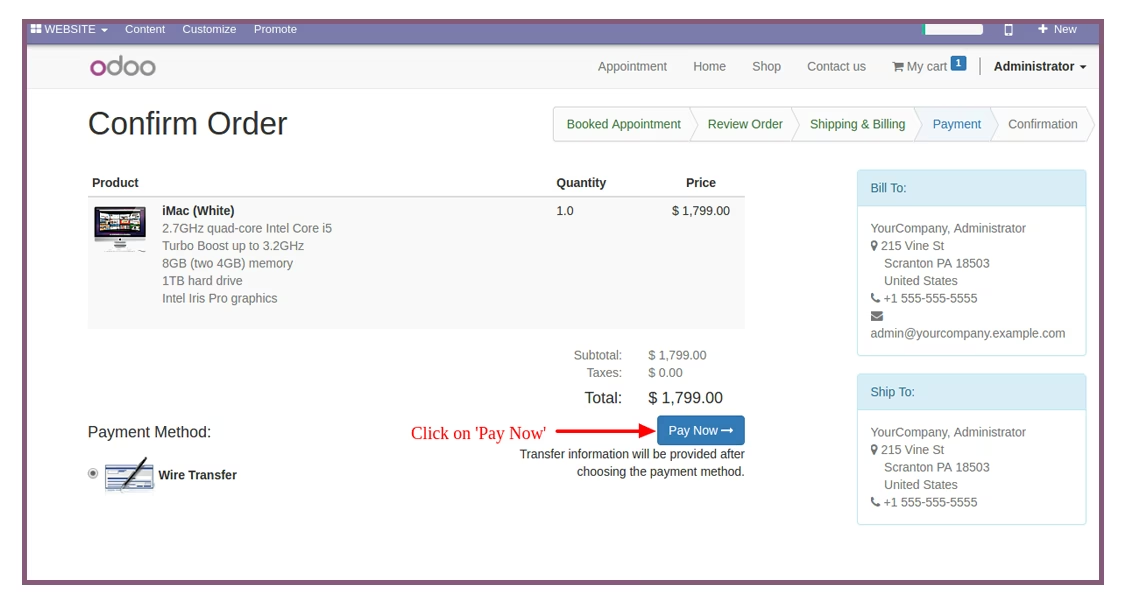
Payment Integration: Optionally require online payment to confirm a service booking, fully integrated with eCommerce and payment gateways.
Enhanced Customer Convenience: Offer your clients the flexibility to book appointments 24/7, improving their overall experience.
Reduced Administrative Tasks: Automate the booking and confirmation process, freeing up valuable time for your staff.
Minimized Scheduling Conflicts: Avoid double bookings and efficiently manage your team's and resources' schedules.
Increased Bookings and Revenue: A streamlined and accessible online booking system can lead to an increase in appointments and sales.
Improved Resource Management: Gain a clear overview of all bookings to better manage the availability of your team and resources.
Seamless Integration: Fully integrated with CRM, Sales, and Calendar modules for a unified and powerful business management solution.
Appointment Calendar
Supported Editions
Community
Enterprise
.sh
Appointment Calendar module is used to Book Team Members and Book Services on a website. If a user wants to take an appointment with a team member or their services then the user can take an appointment online.
Configuration of Appointments Calendar app
Key Features of Appointment Calendar
You can Set availability of days and timing of appointment to be booked.
You can choose team member and servicable product for Appointment.
Create different Team Member and Services from backend.
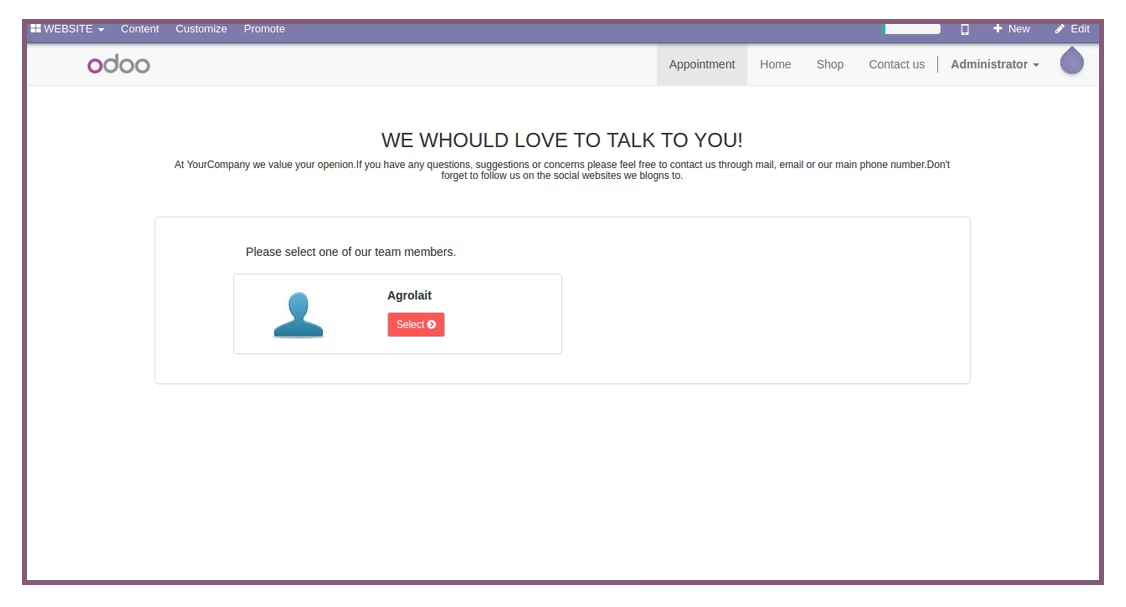
Team member and Service available on website's Appointment page.
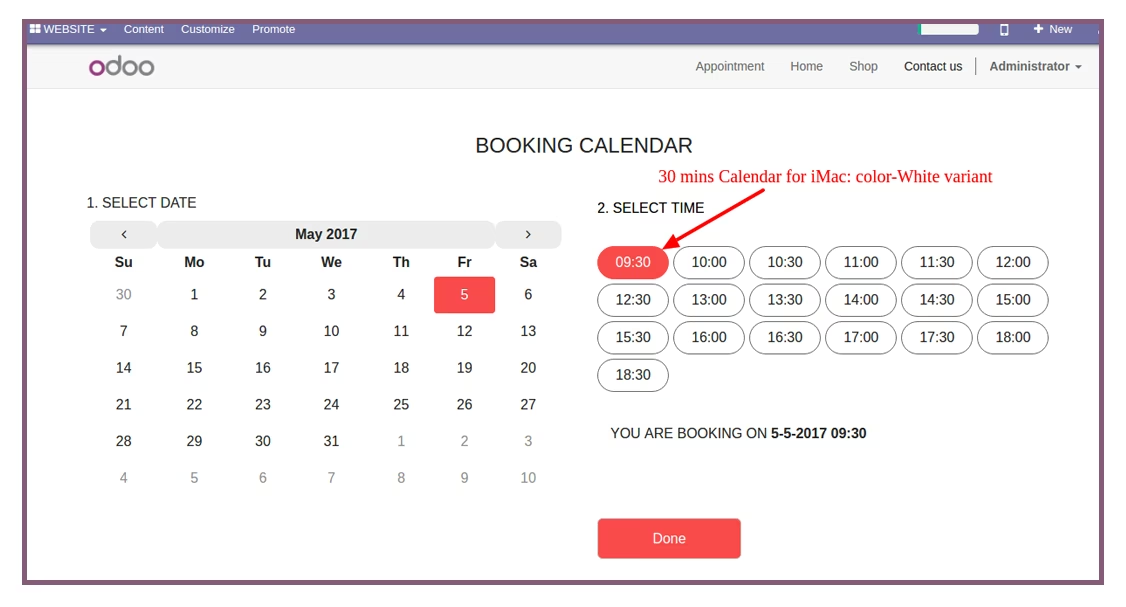
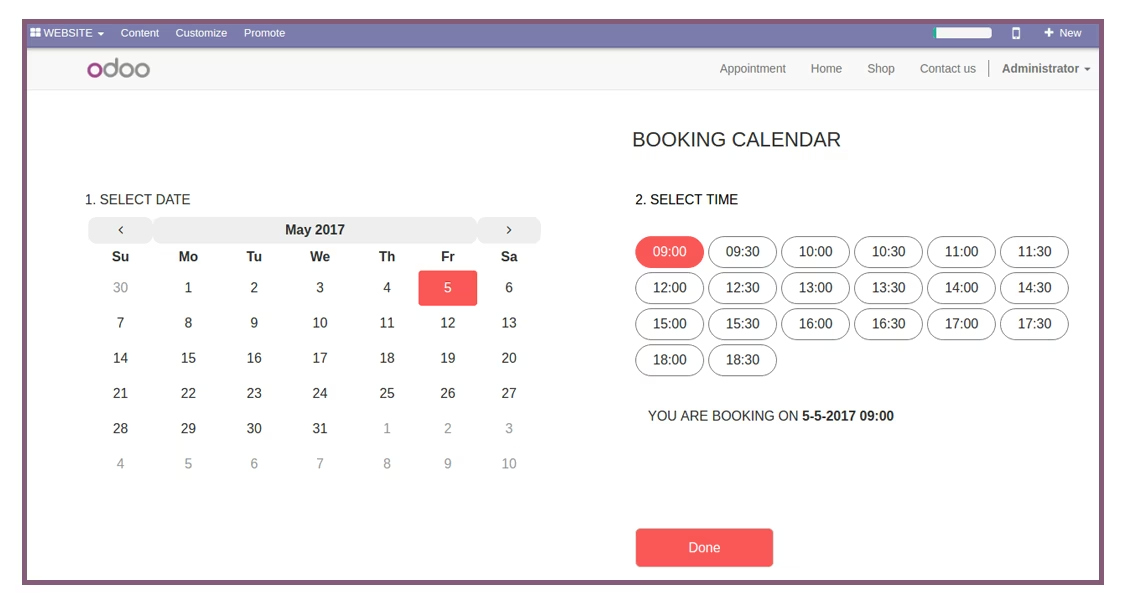
User can Book appointment in time slot, they can also book in multiple time slot.
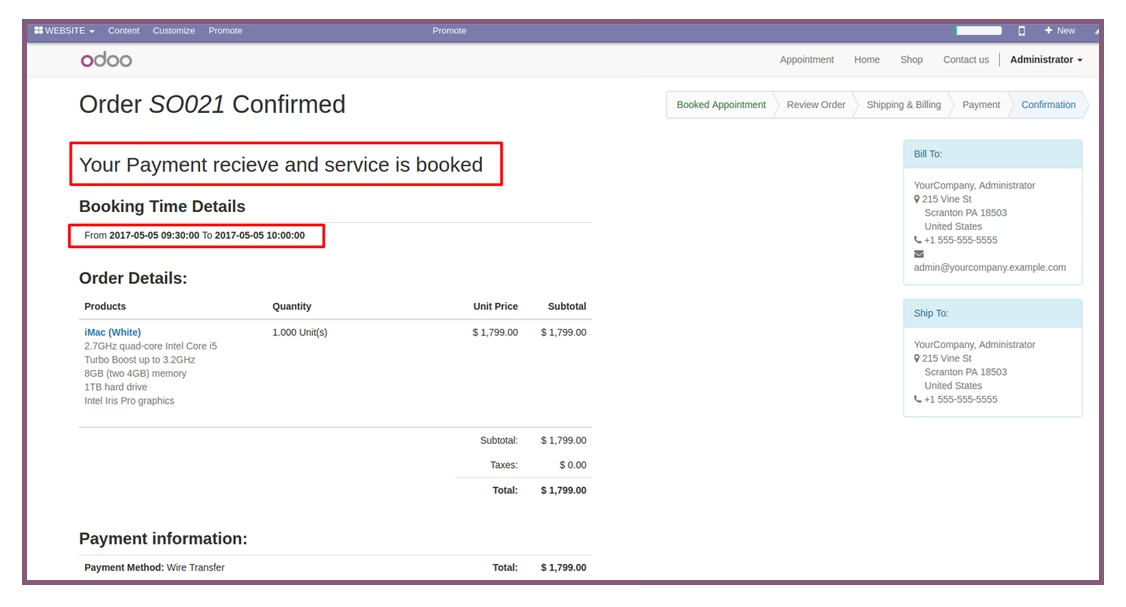
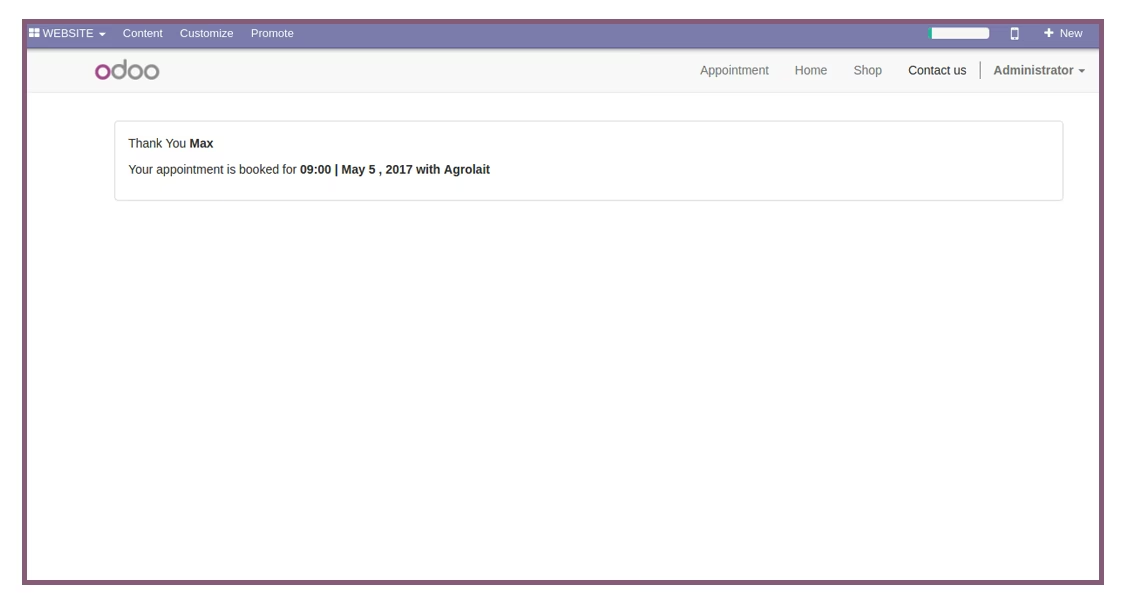
When user takes an appointment, Thankyou Message shown on website.
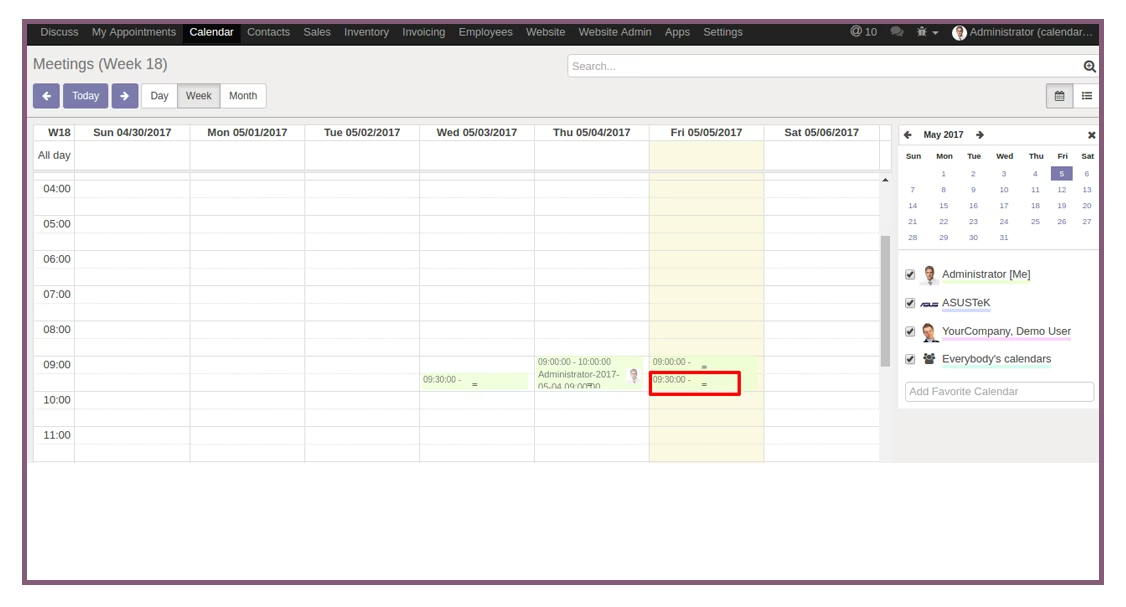
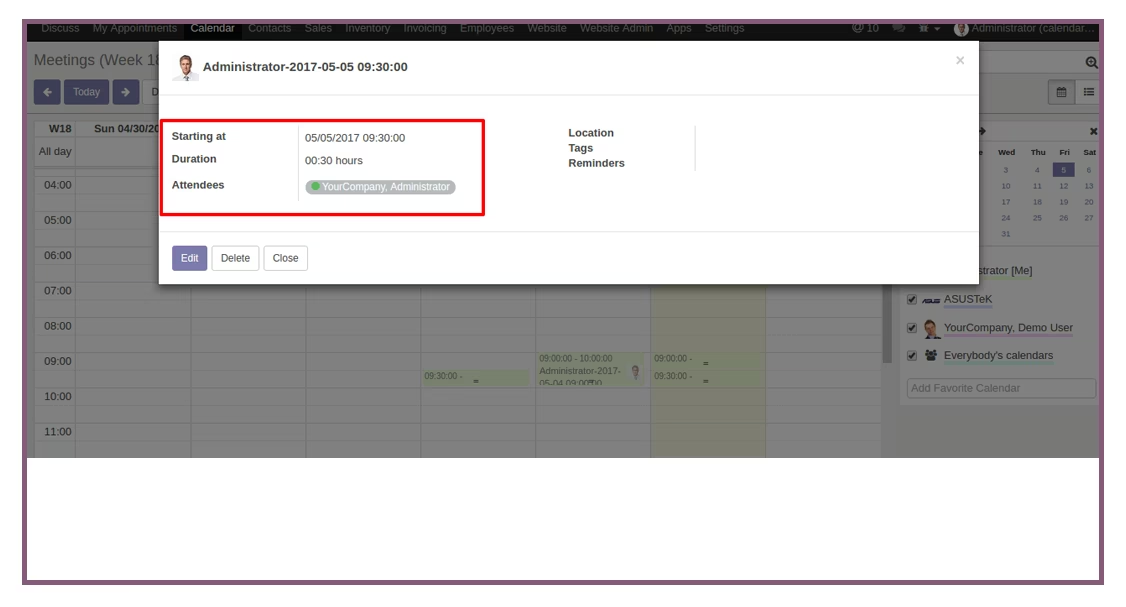
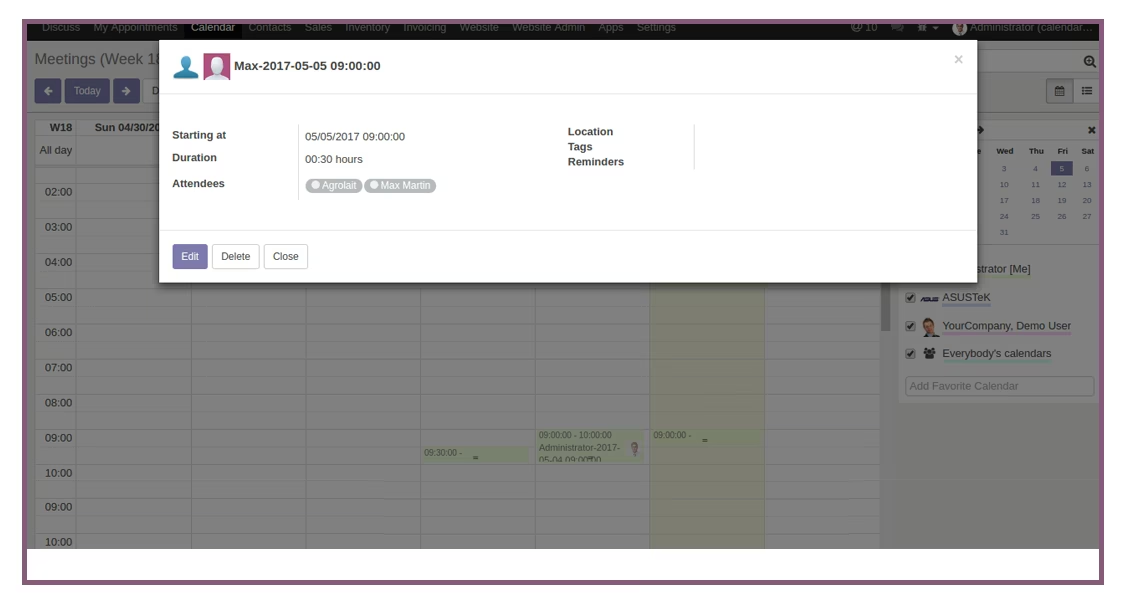
After book team member or Services, you can check the appointment in backend.
Configure Calendar for Booking
- Navigate to My Appointments and then Click on Configuration menu.
- Open Calendar configuration and create appointment calendar.
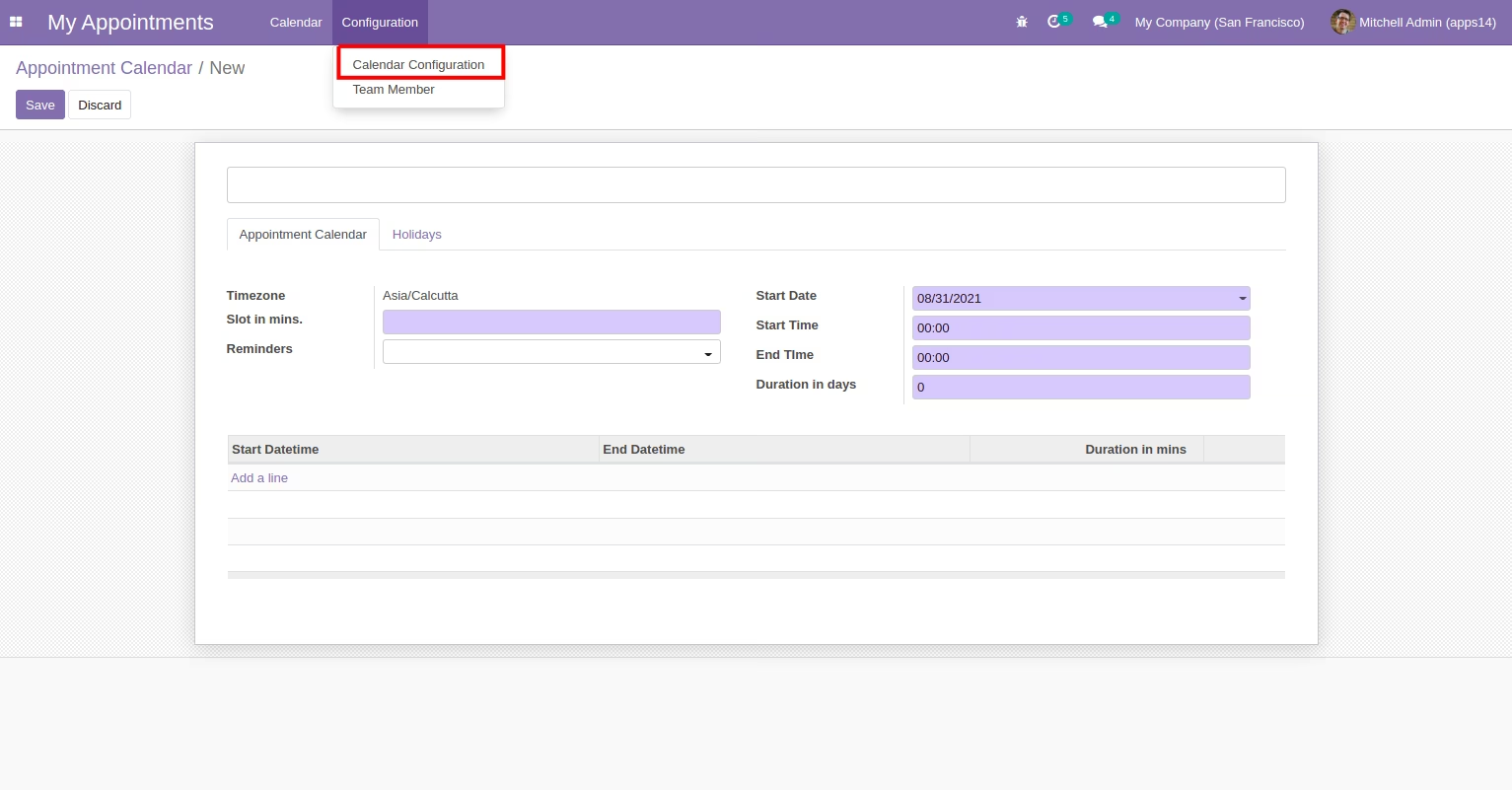
- Add Timezone and slot in minutes.
- Add a line of Start datetime, End Datetime and Duration.
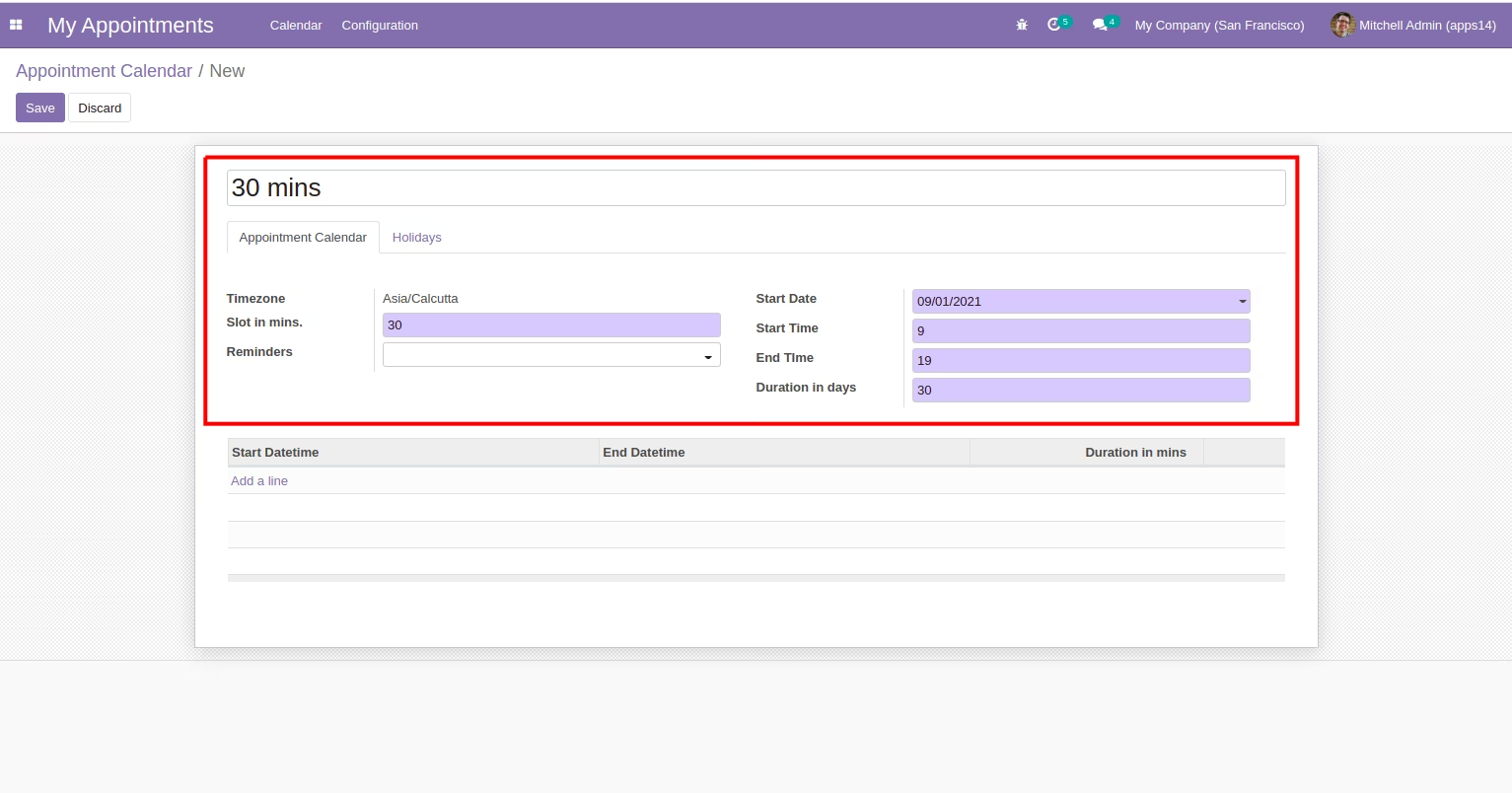
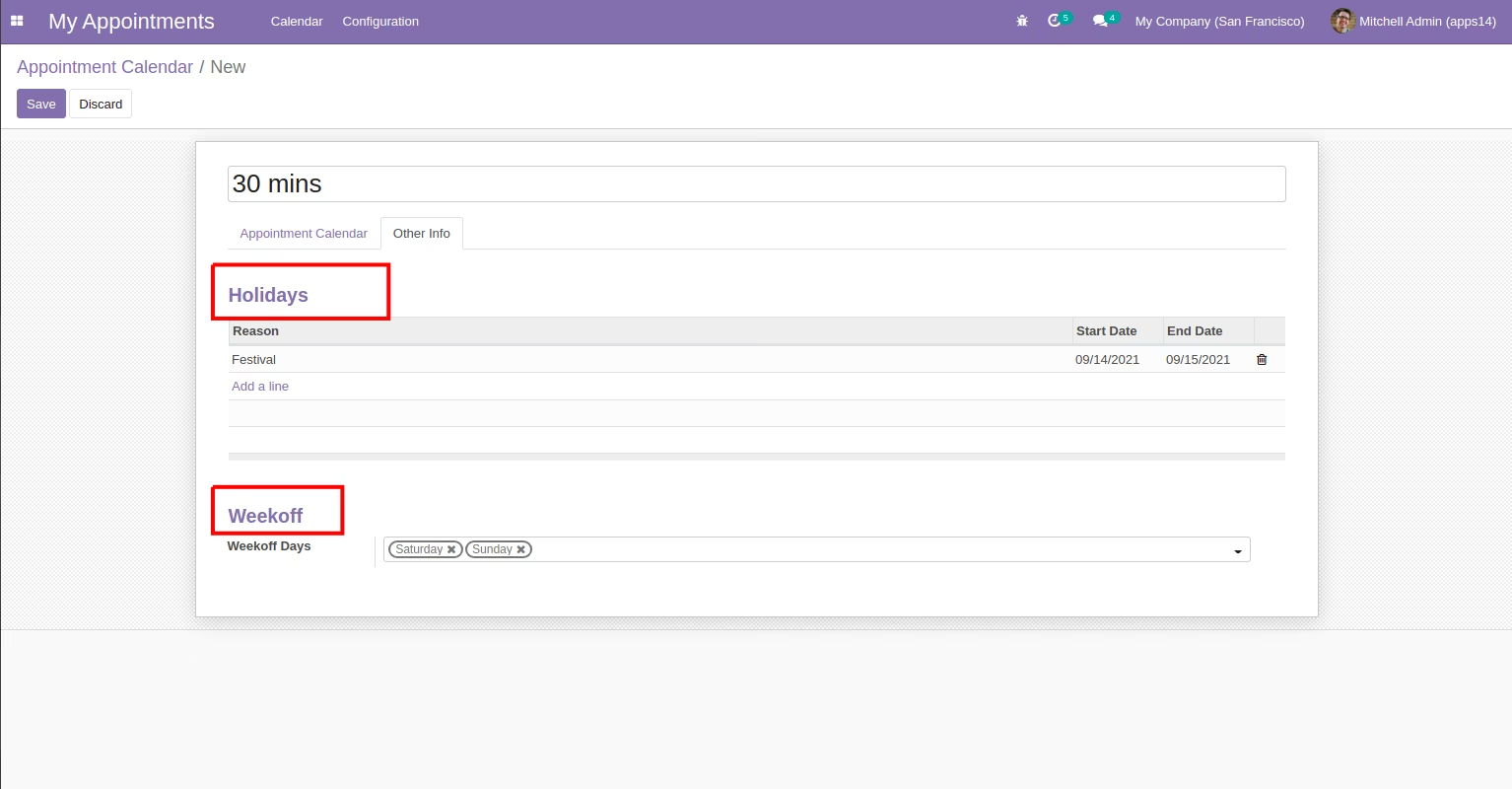
- Add holidays to exclude from schedule.
- Add week-off days to exclude from schedule.
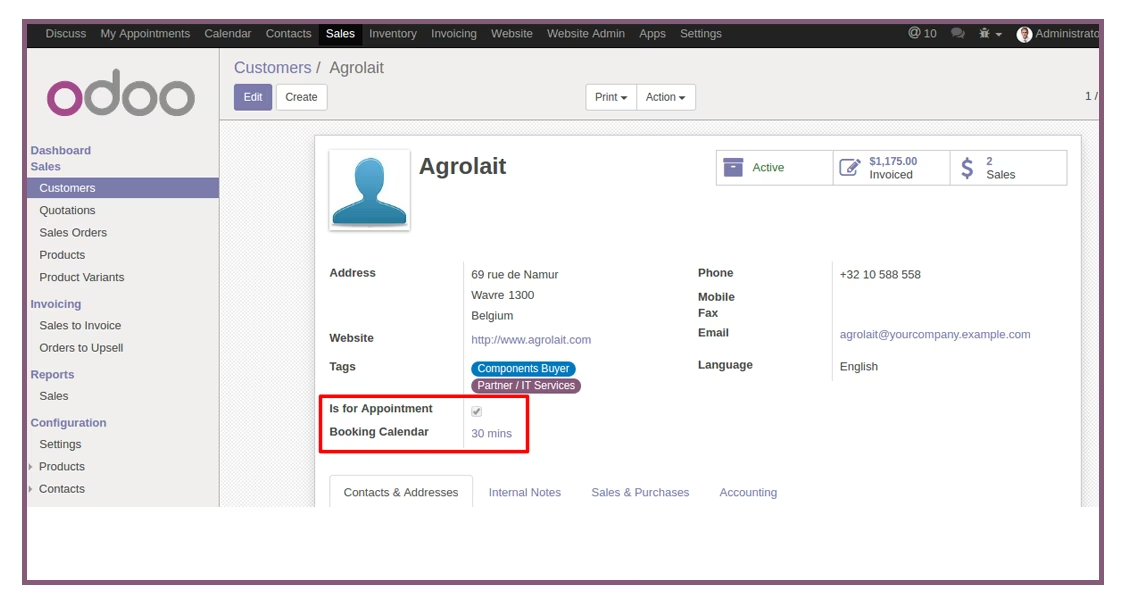
Assign Team Member for Appointment
- Navigate to customers and open customer's profile.
- Enable 'Is For Appointment' in Customer's Profile.
Go to Website and Select Team Member
Select Date and Time Slot
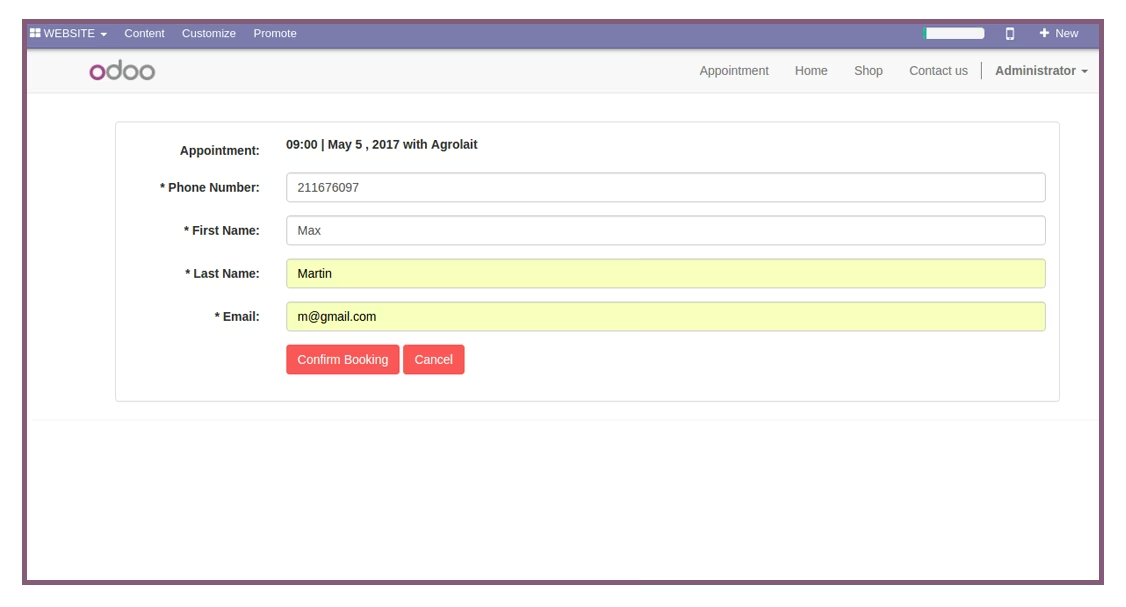
Fill the form and Confirm the appointment
Thankyou Message Popup
Check Appointment entry in backend
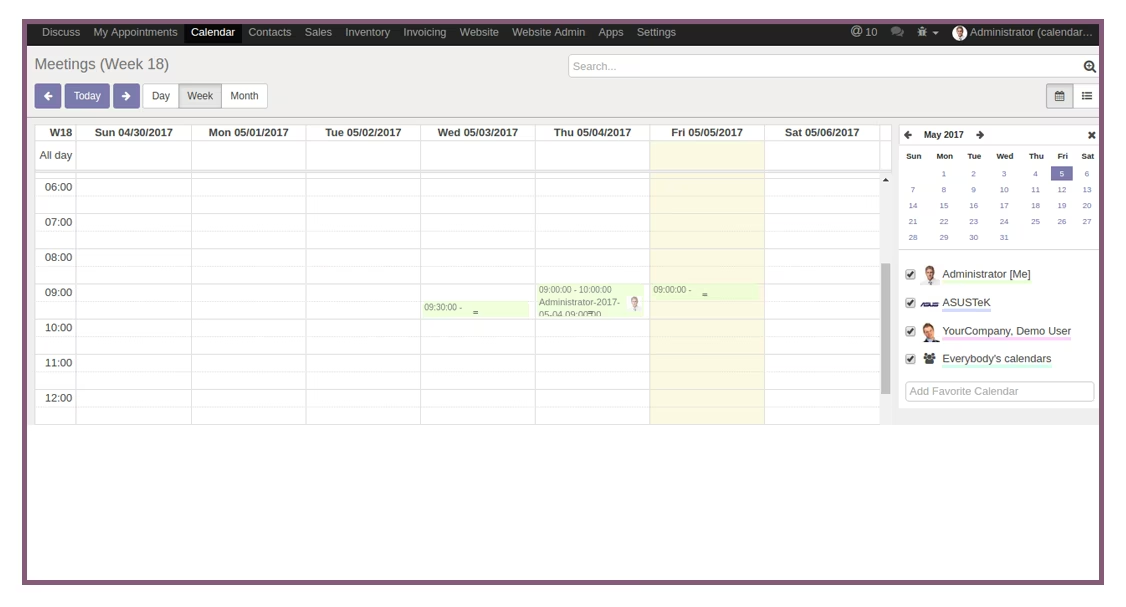
Open Appointment Entry Schedule
- Checked 'Is Available for Appointment' and select Calendar
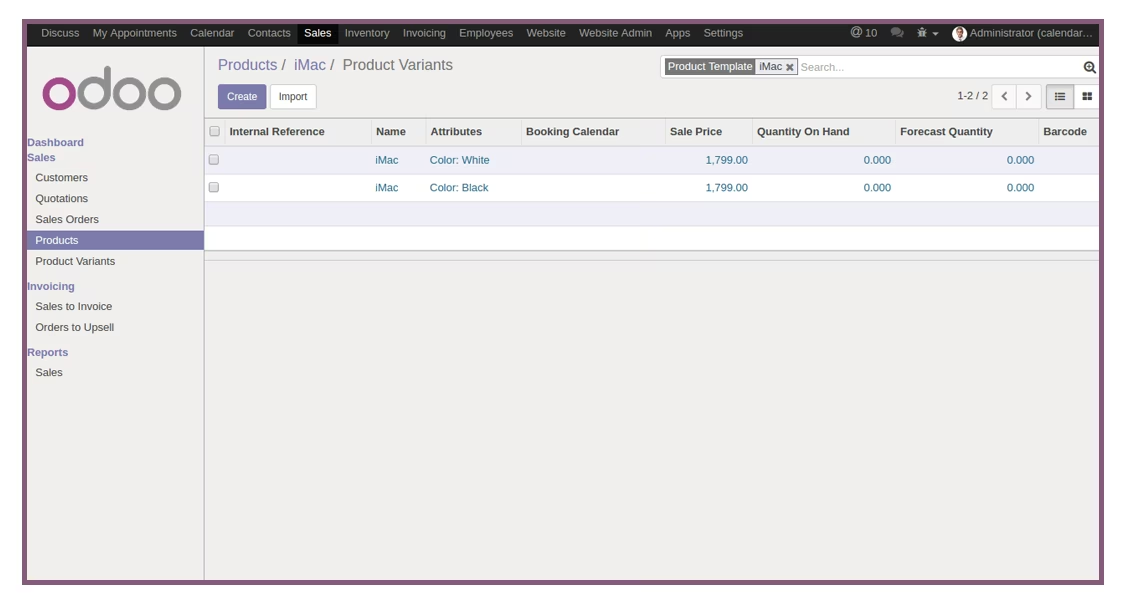
- Set Variants for Product.
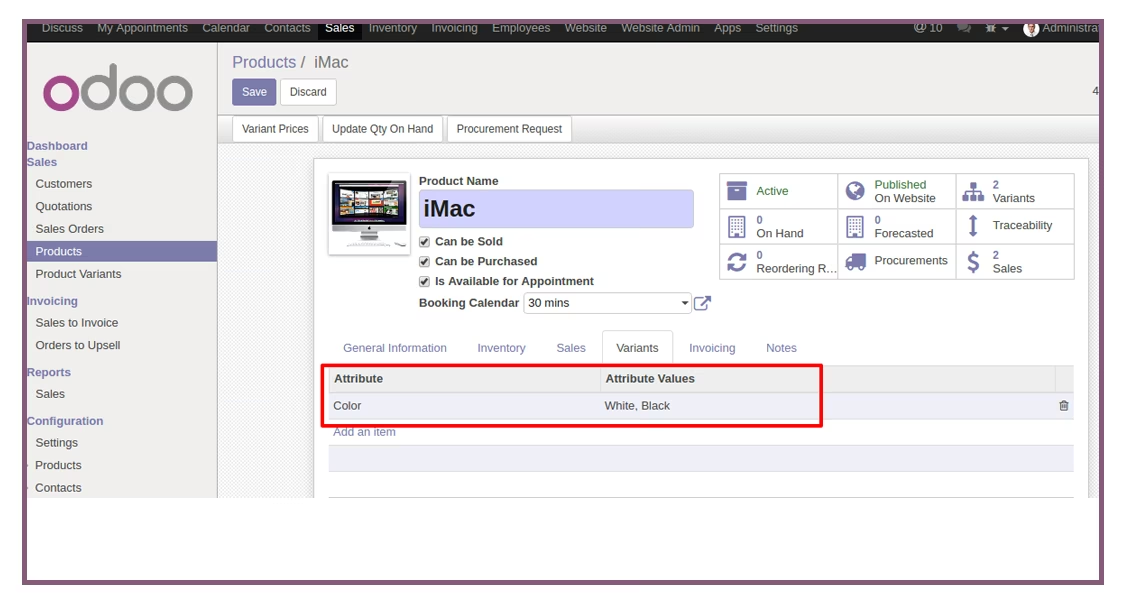
- Check Product Variant.
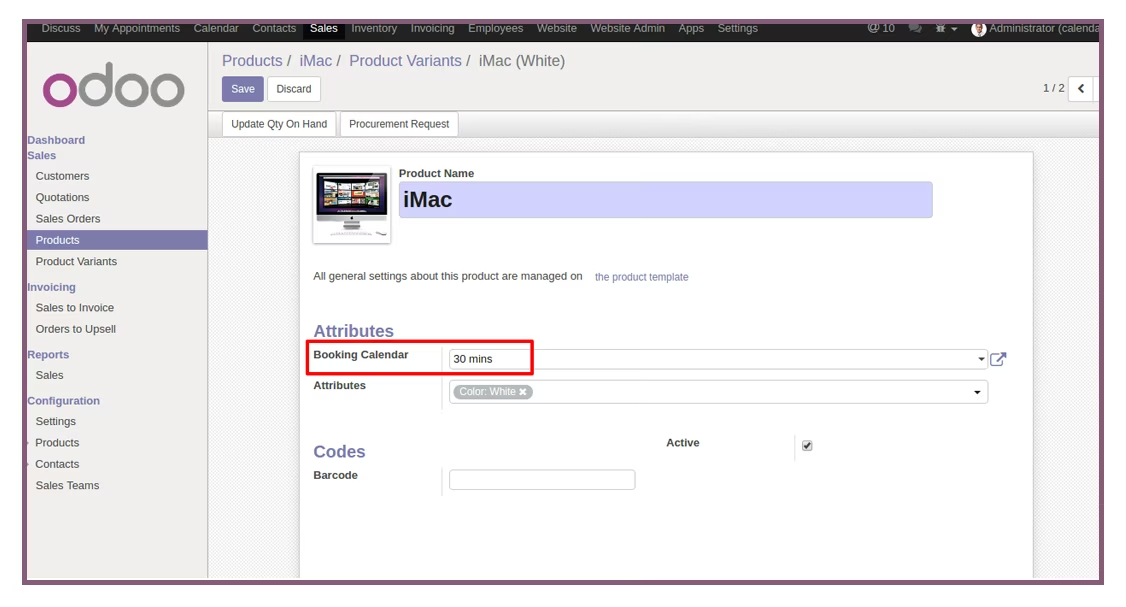
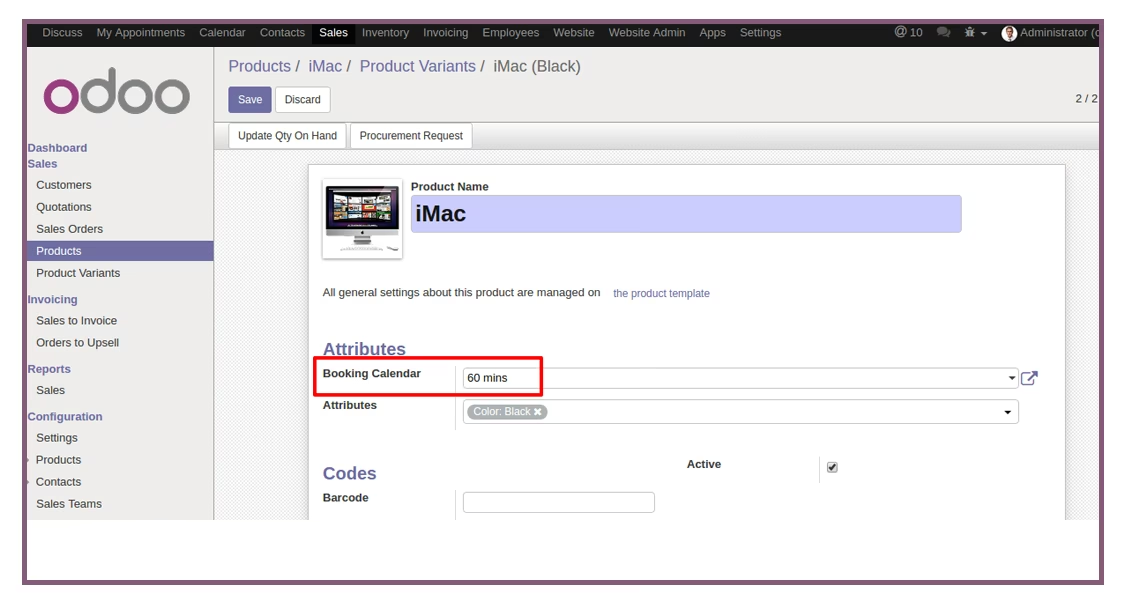
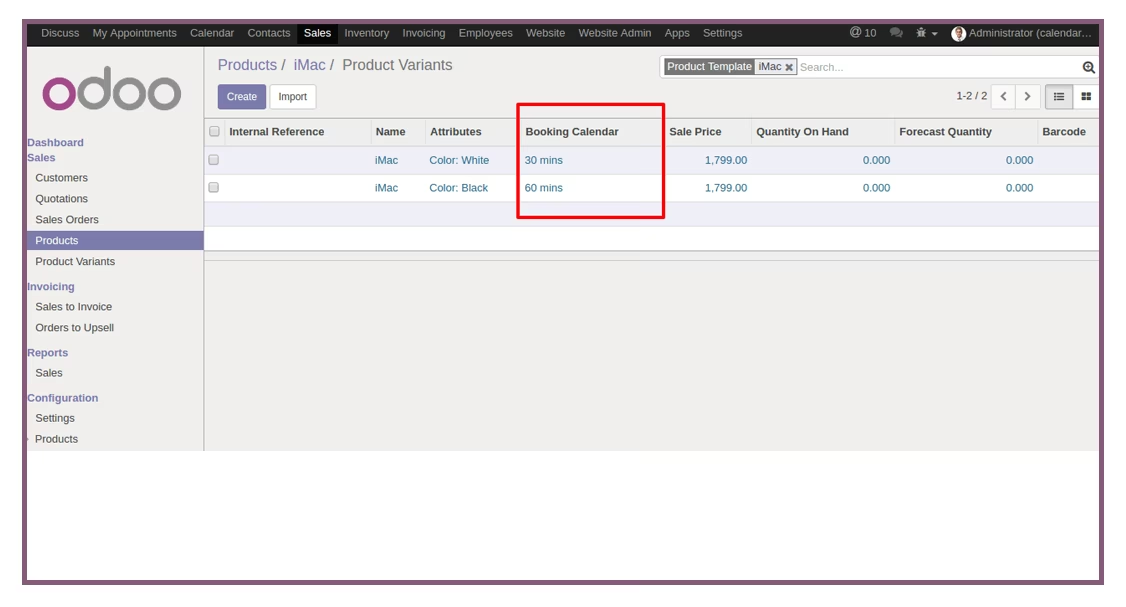
- Set Calendar for Variants.
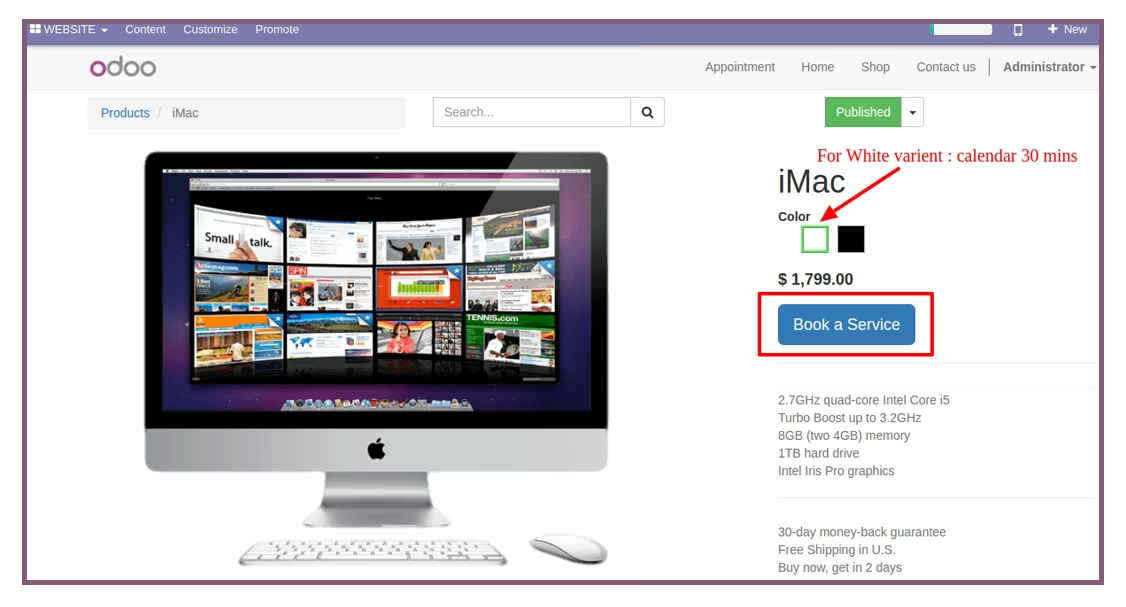
- Select Product with Variants and click on 'Book a Service'.