Modernize your API security with the API JWT Authentication module. This essential tool integrates a robust JSON Web Token (JWT) based authentication system into your environment, providing a stateless and highly secure method for managing API access. Ideal for headless applications, mobile apps, and third-party integrations, this module allows you to issue, validate, and manage JWTs for secure, token-based communication. Say goodbye to traditional session-based authentication and embrace a more scalable, efficient, and secure way to protect your API.
Stateless JWT Authentication: Implements a secure, stateless authentication mechanism using JSON Web Tokens.
Token Management: Provides endpoints for generating, refreshing, and revoking JWT and refresh tokens.
Secure Endpoints: Protect your API resources by requiring a valid JWT in the authorization header of each request.
Customizable JWT Validators: Configure how JWTs are validated, including audience, issuer, and signature algorithms.
User and Partner Strategies: Define strategies for identifying the user and partner associated with a valid token.
Cookie Mode: Optionally use HTTP-only cookies for storing JWTs, simplifying front-end application development.
Enhanced Security: A stateless authentication model reduces the risk of session hijacking and provides a more secure way to manage API access.
Improved Scalability: Stateless tokens are ideal for distributed systems and microservices architectures, allowing for better scalability.
Flexible and Modern: JWT is a modern and widely adopted standard for API authentication, ensuring compatibility with a wide range of applications and services.
Decoupled Architecture: A perfect solution for headless and decoupled architectures, such as single-page applications (SPAs) and mobile apps.
Greater Control: Fine-grained control over token validation and user identification provides a more secure and flexible authentication system.
JWT Authentication

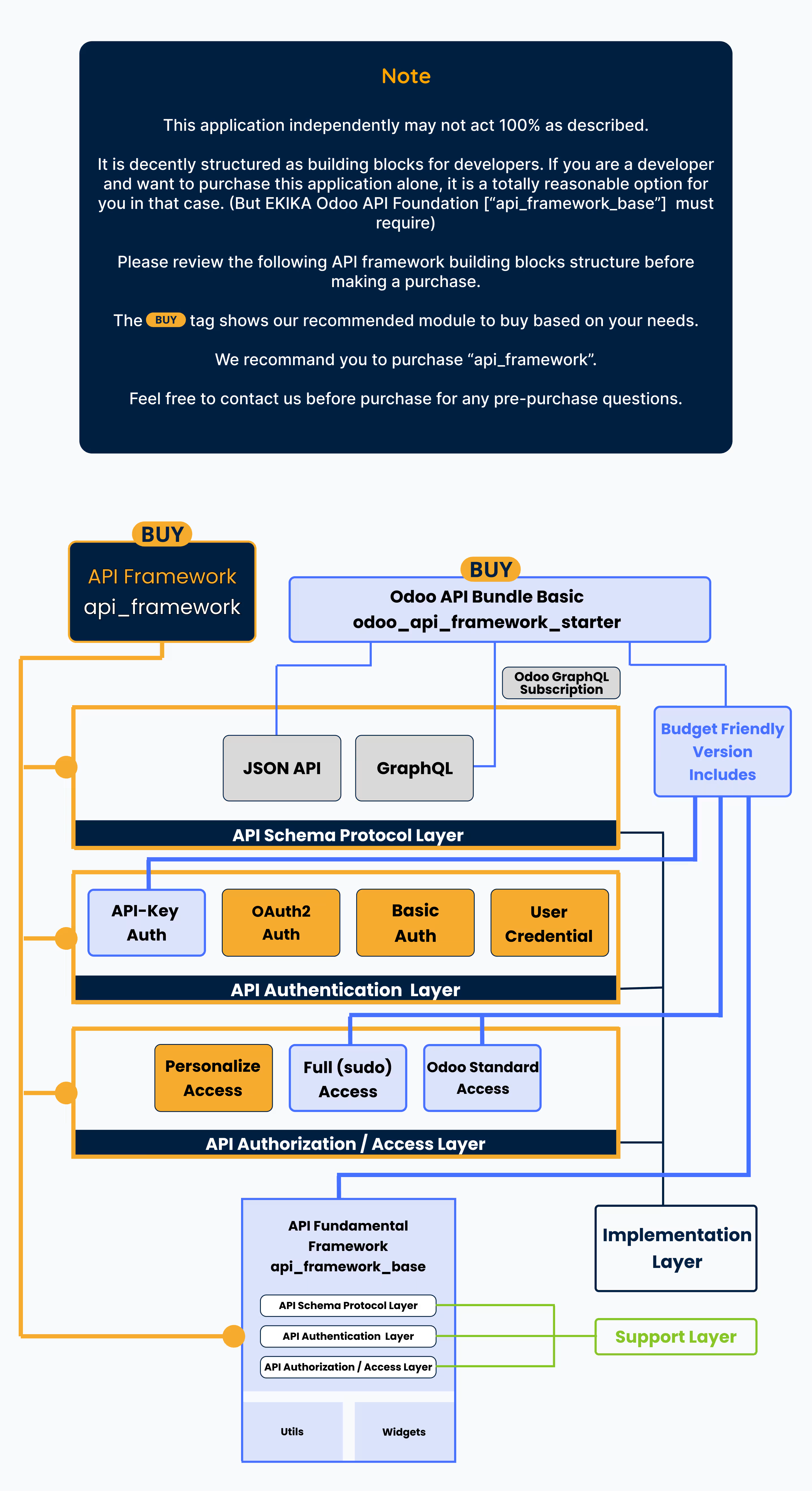
This module serves as a fundamental component within the API Framework, enabling JWT-based authentication for secure access. To incorporate JWT authentication into your API configuration, integrating this module is a necessary step. It provides the foundational mechanisms required for managing and validating JWT tokens, ensuring that only authenticated requests are granted access to protected endpoints.
Overview
JWT (JSON Web Token) authentication provides a robust and stateless way to secure API endpoints. It ensures that only authorized users can access API resources by requiring the client to include a token in the request headers. An Implementation of RFC 7519. (Thanks to Mr. José Padilla)
How It Works
When accessing an API endpoint secured with JSON Web Token (JWT) authentication, clients need to include an Authorization header in the request, containing the JWT token provided by the server. This token, which serves as proof of authentication, is typically issued during the initial login process. Once authenticated, the server generates a JWT and returns it to the client, which must then include this token in the Authorization header of each subsequent request to ensure access to protected resources. The token acts as a credential that validates the client's identity and permissions, allowing the server to verify that the requester is authorized to perform the requested actions without requiring additional login steps each time.
Headers
| Key | Value |
|---|---|
| Authorization | Bearer Your-JWT-Token |
Configuring JWT Authentication
 Specify the authentication type as JWT for using JSON Web Tokens (JWT).
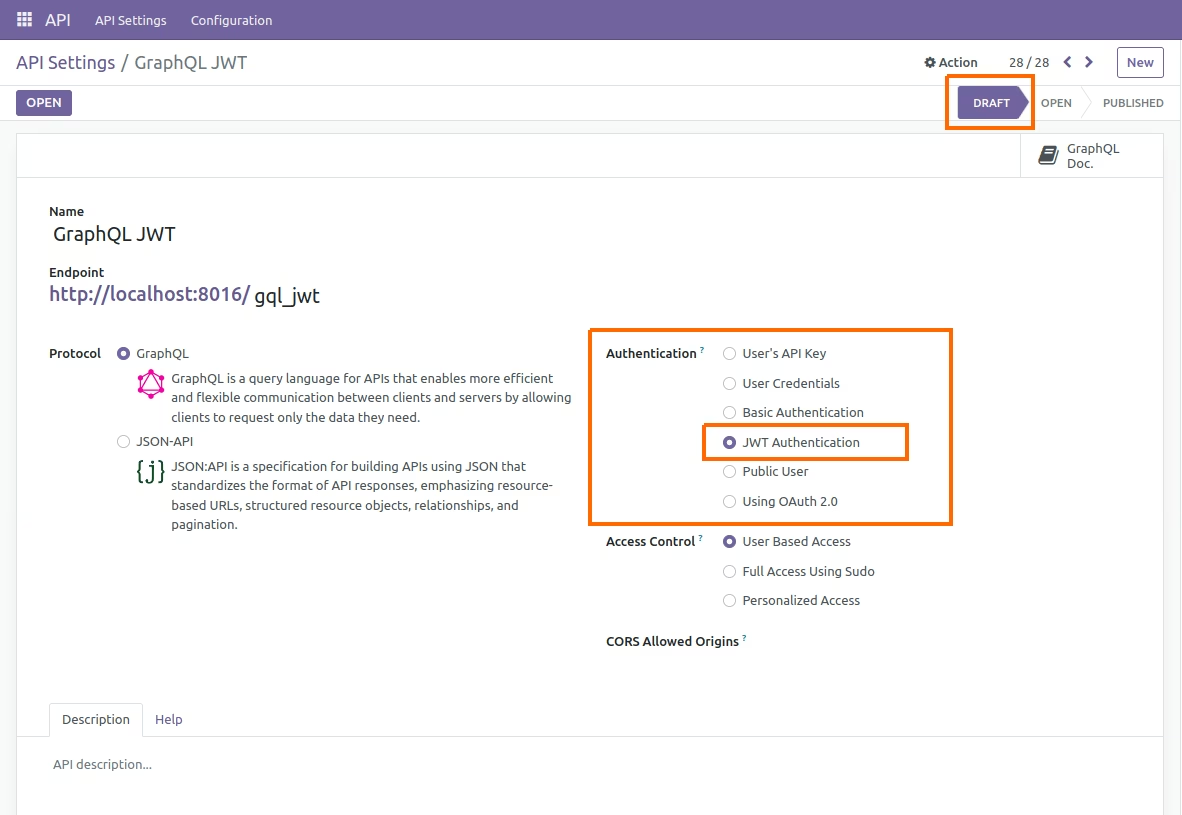
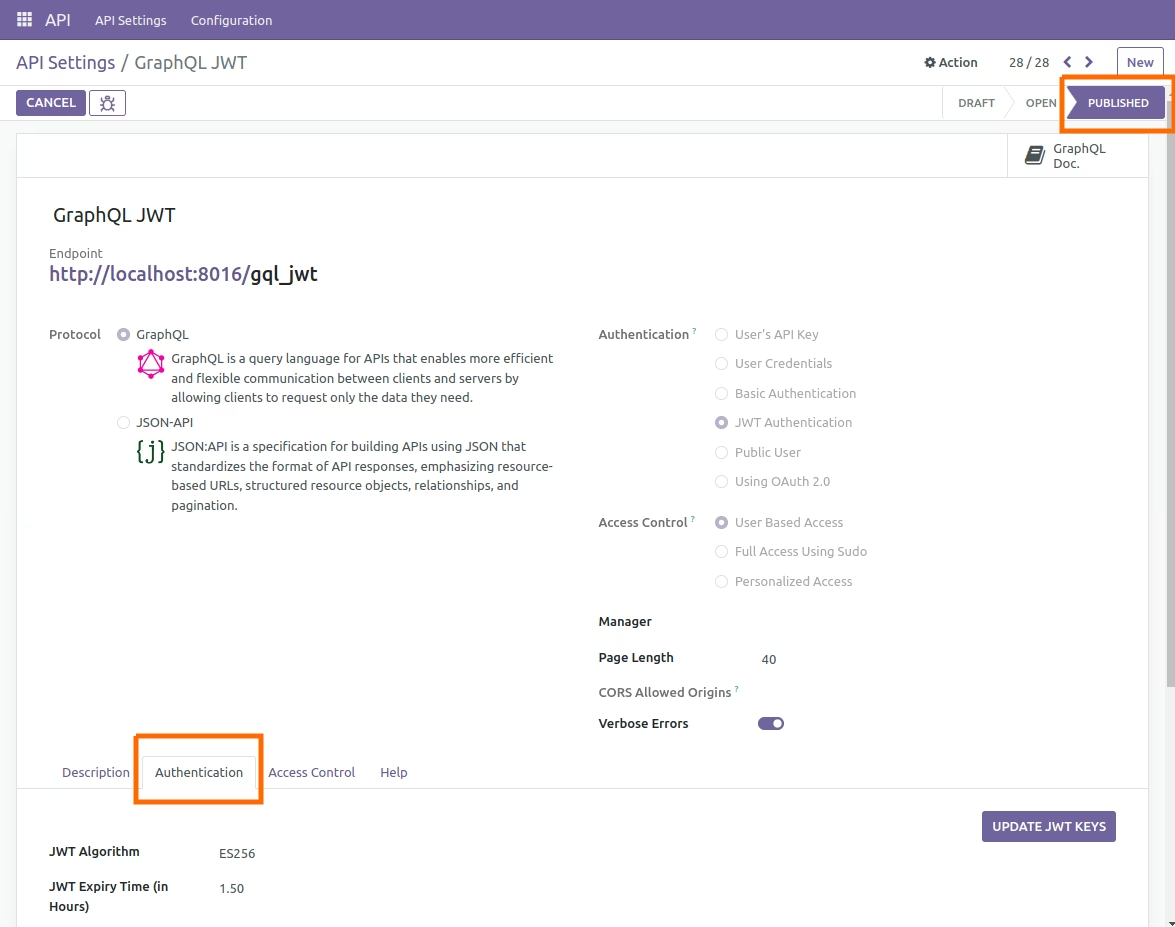
The Authentication Configuration tab is visible when the API is in the OPEN/PUBLISHED state.
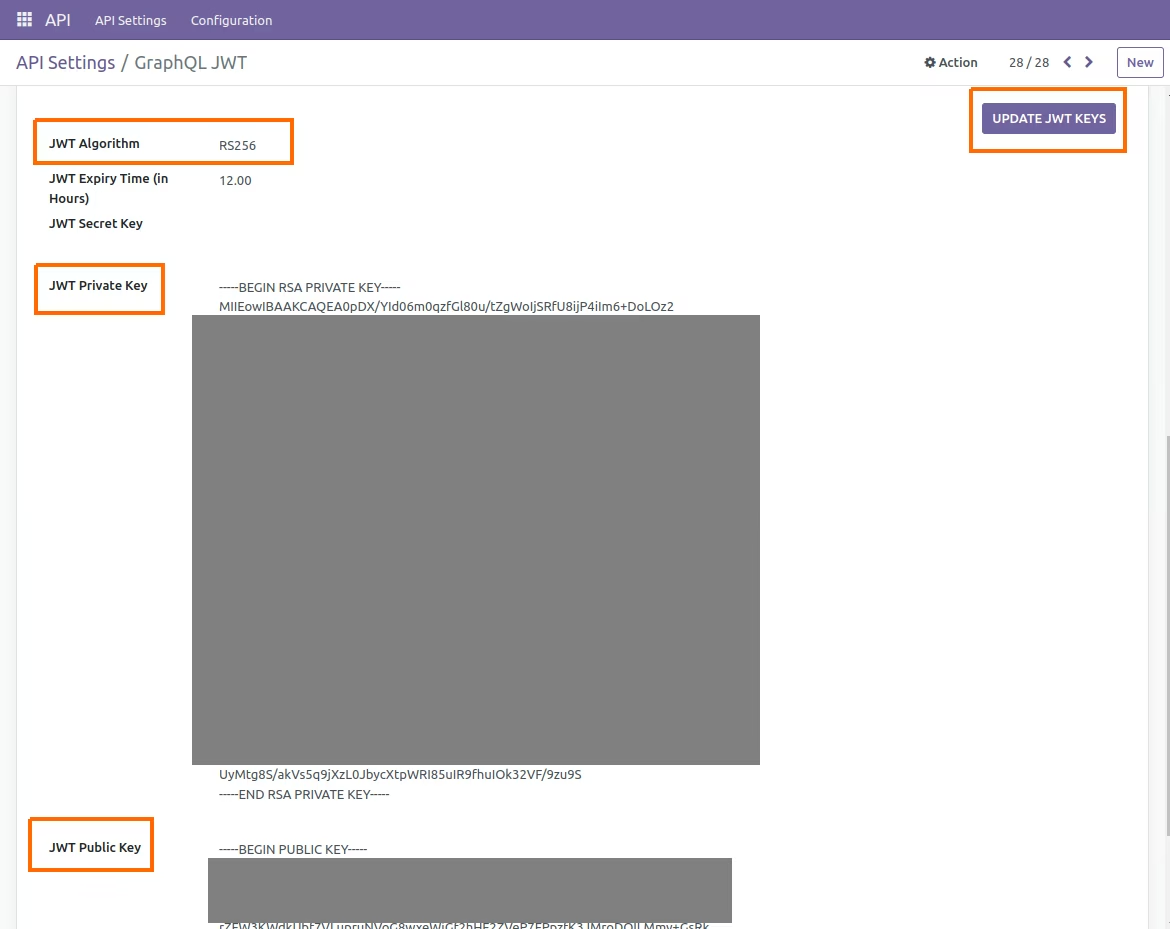
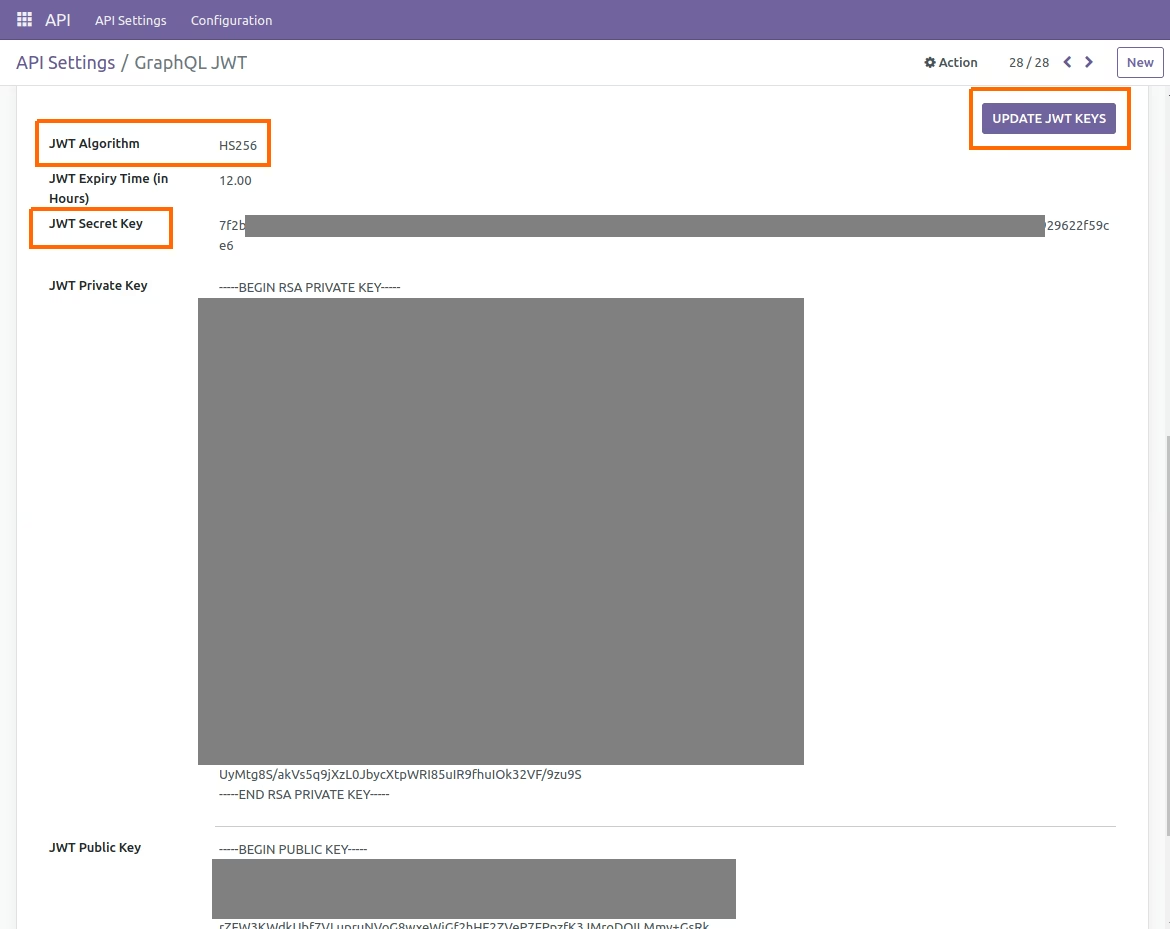
Select a JWT algorithm from the list of available options.
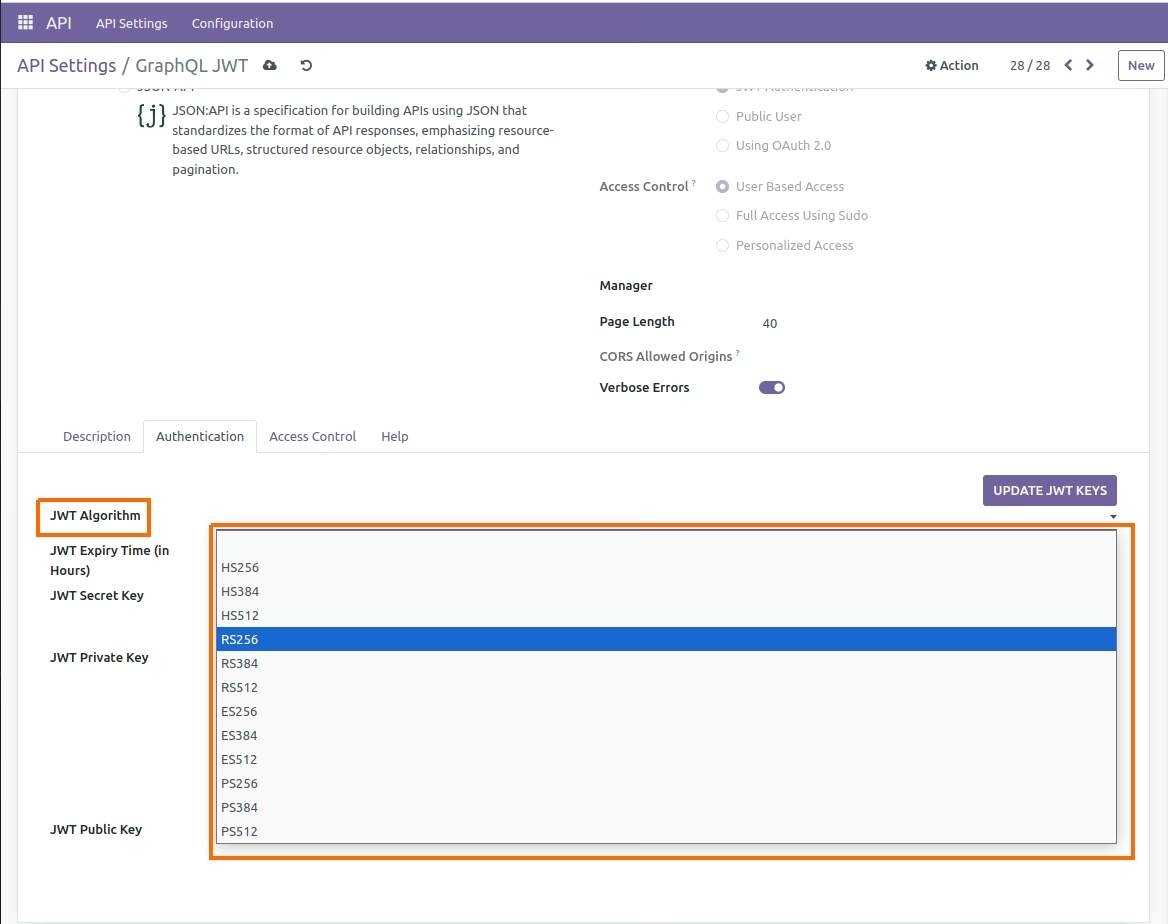
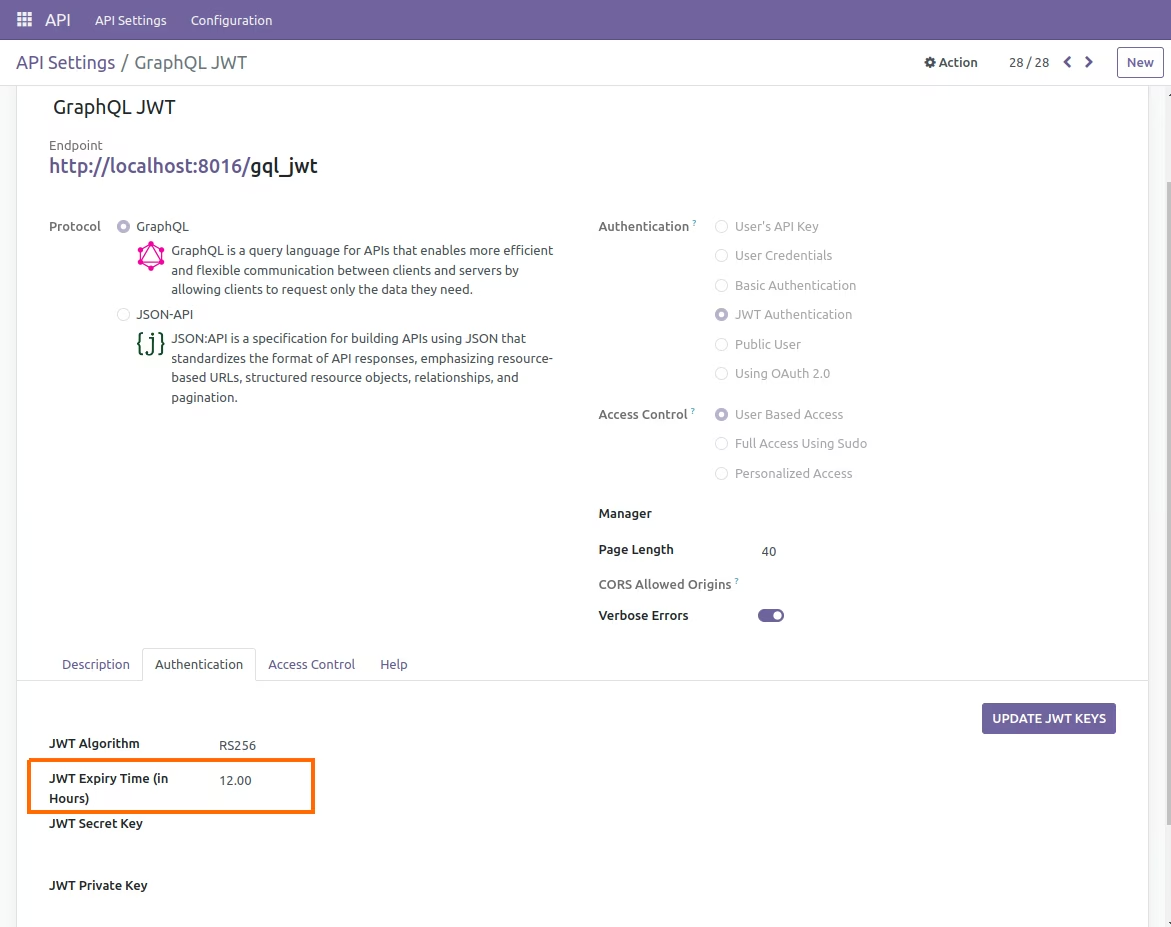
Provide the JWT token's expiration time in hours.
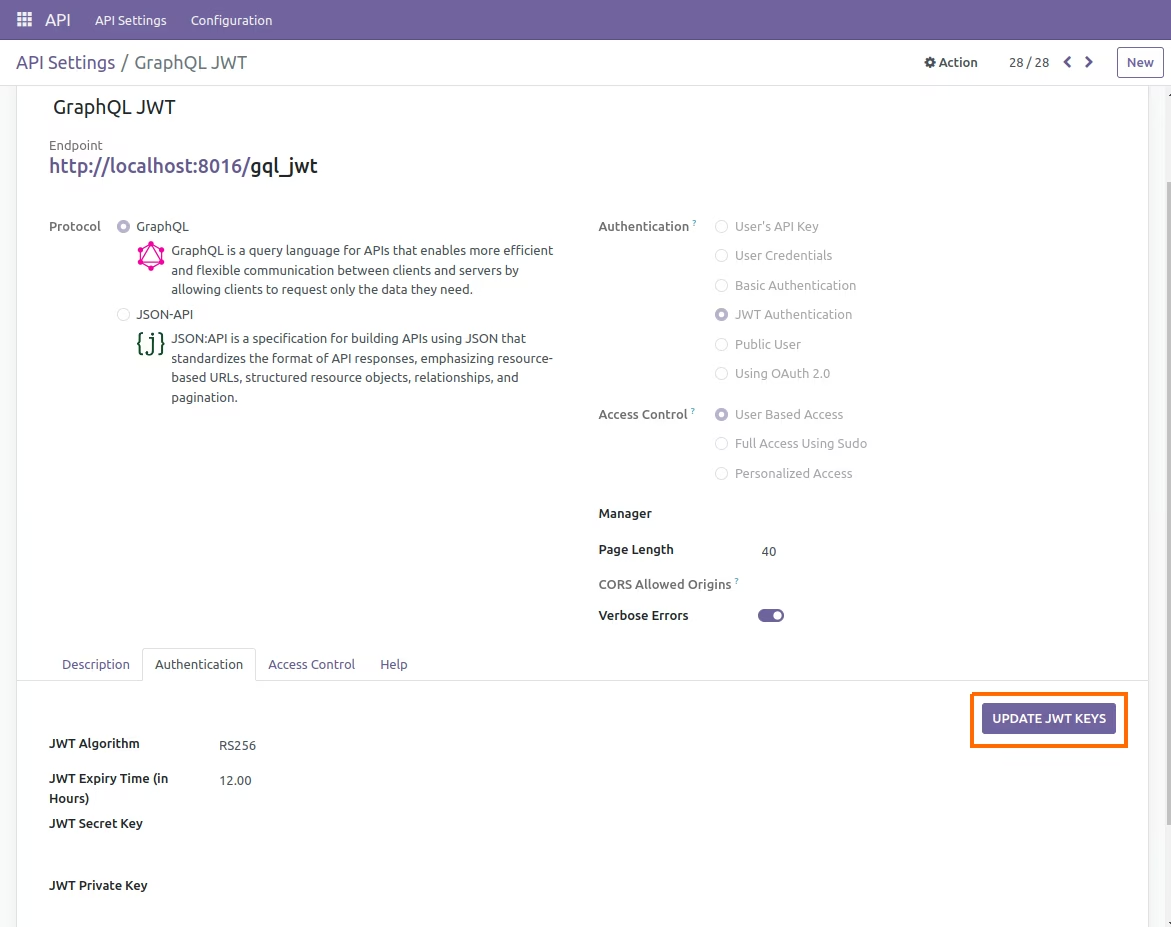
Use the "UPDATE JWT KEYS" button to create or refresh JWT keys according to the chosen algorithm.
As shown in the image below, JWT keys are generated according to the chosen algorithm(RS256) when the "UPDATE JWT KEYS" button is clicked.
As shown in the image below, JWT keys are generated according to the chosen algorithm(HS256) when the "UPDATE JWT KEYS" button is clicked.
Login Using JWT
Below Image Shows the jwt login request in postman
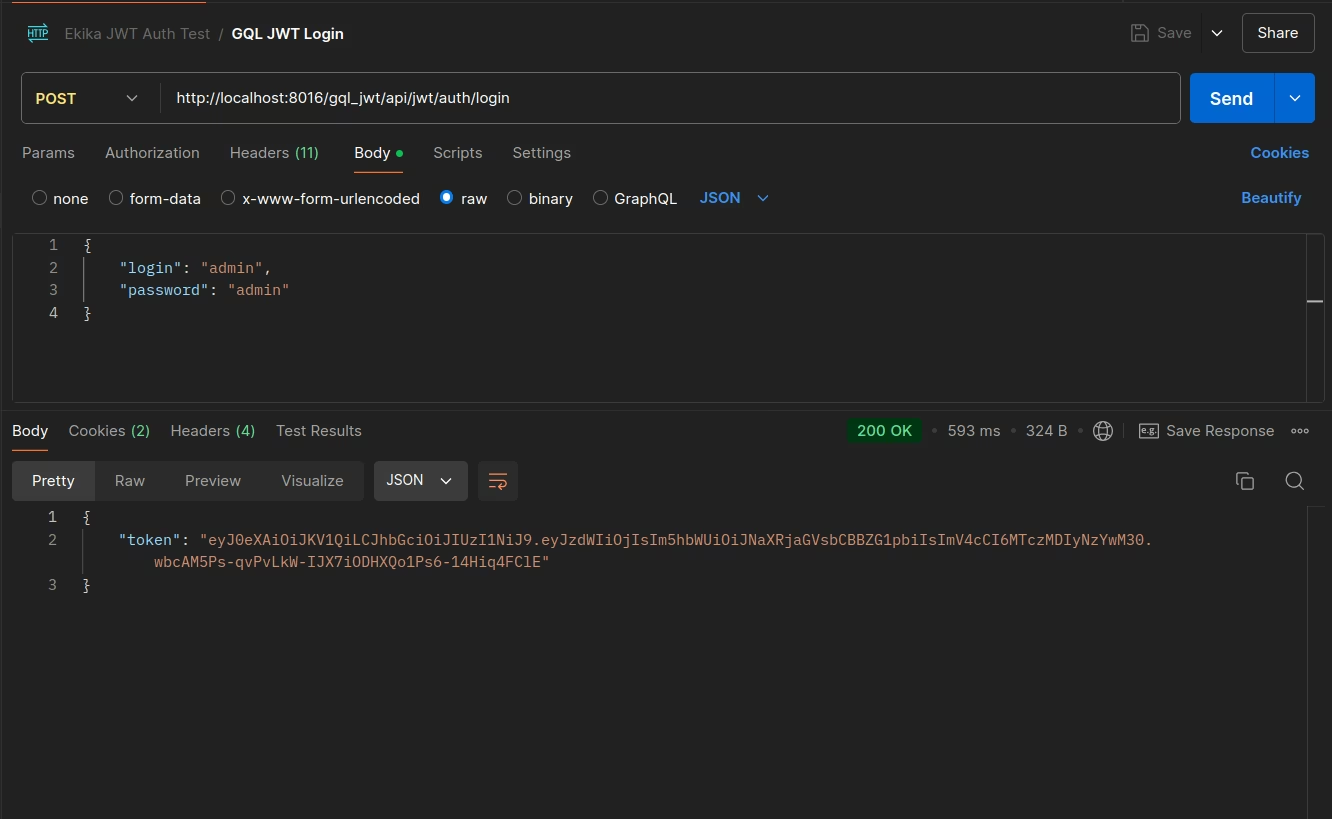
Here's an example using Python:
import requests import json url = "http://localhost:8016/gql_jwt/api/jwt/auth/login" payload = json.dumps({ "login": "admin", "password": "admin" }) headers = { 'Content-Type': 'application/json', } response = requests.request("POST", url, headers=headers, data=payload) print(response.text)
Fetch Data Using JWT Authentication
Below Image Shows the jwt fetch data request in postman
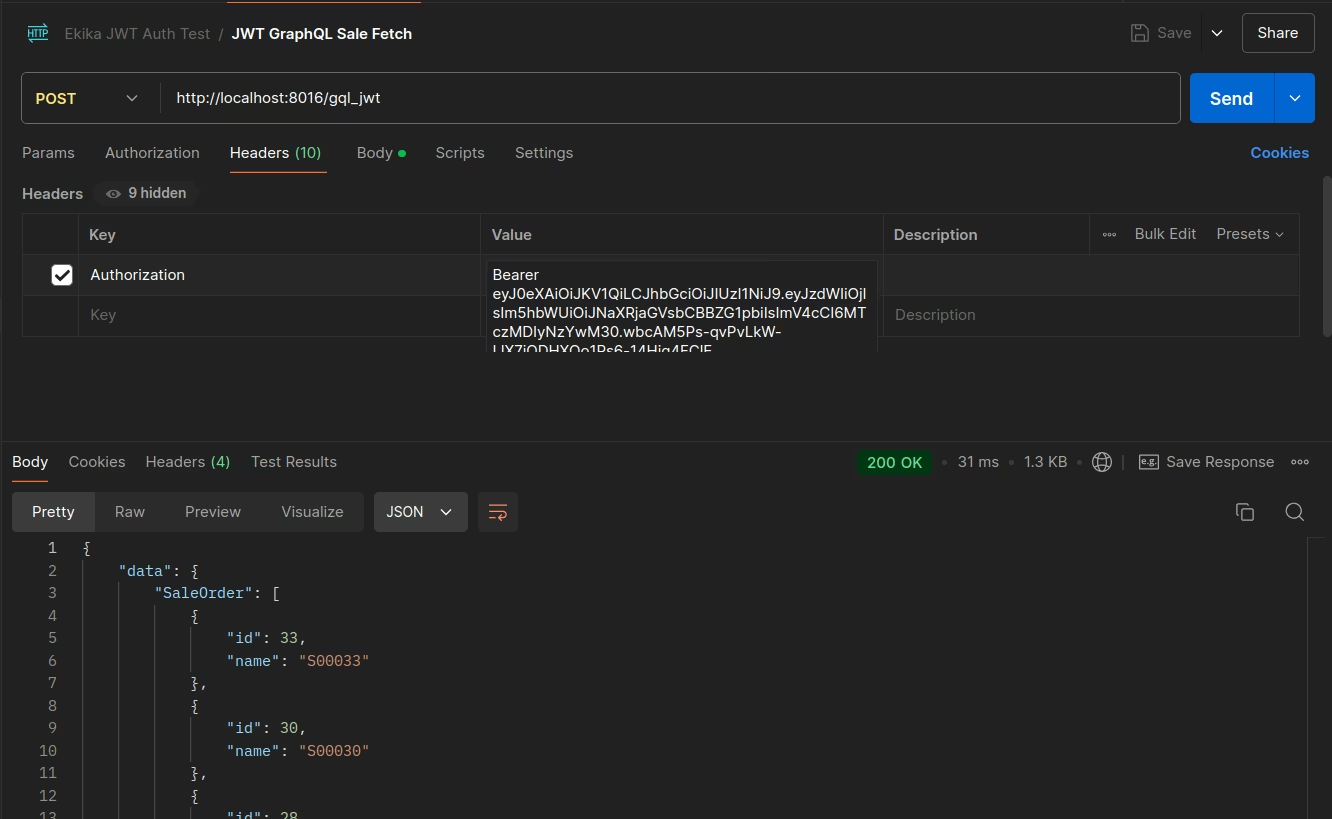
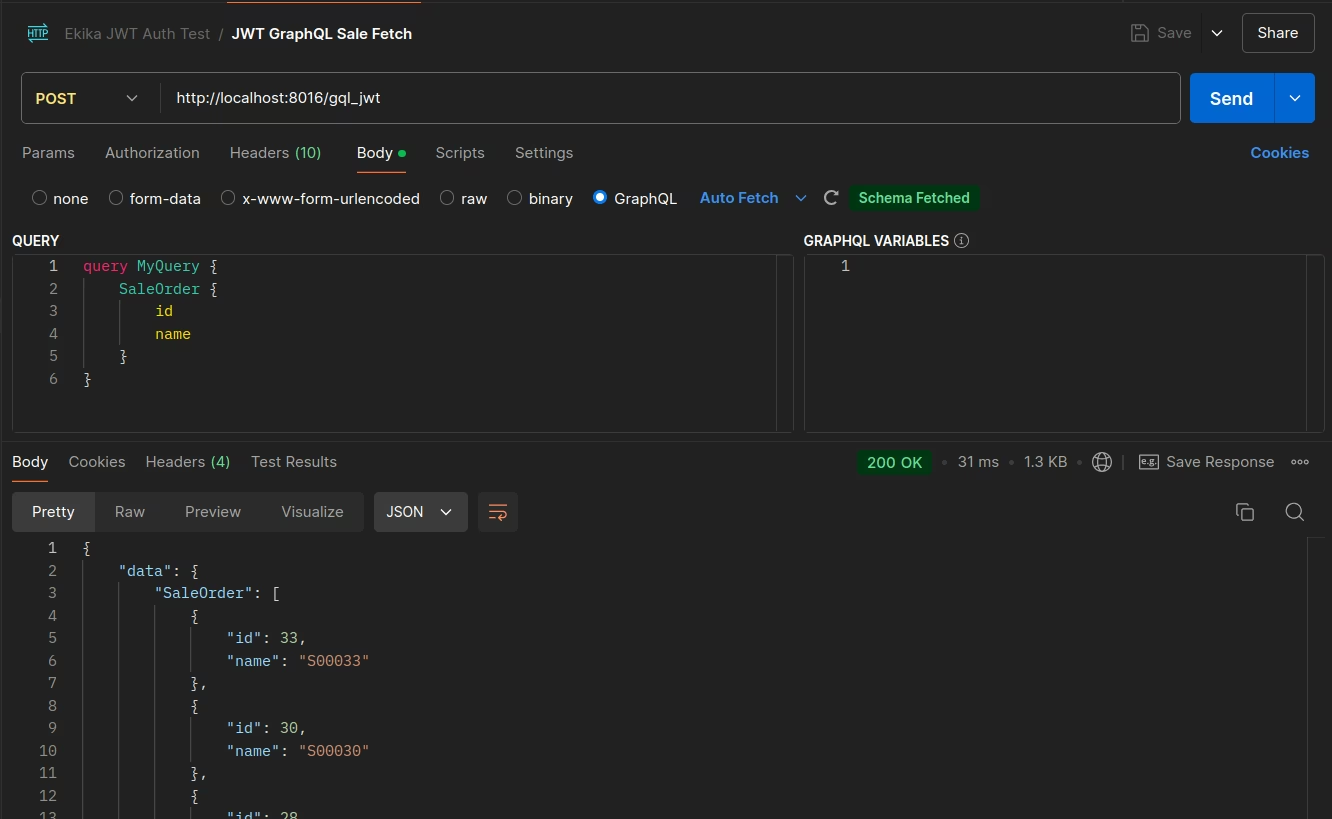
Here's an example using Python:
import requests import json url = "http://localhost:8016/gql_jwt" payload = "{\"query\":\"query MyQuery {\\n SaleOrder {\\n id\\n name\\n }\\n}\",\"variables\":{}}" headers = { 'Authorization': 'Bearer eyJ0eXAiOiJKV1QiLCJhbGciOiJIUzI1NiJ9.eyJzdWIiOjIsIm5hbWUiOiJNaXRjaGVsbCBBZG1pbiIsImV4cCI6MTczMDIyNzYwM30.wbcAM5Ps-qvPvLkW-IJX7iODHXQo1Ps6-14Hiq4FClE', 'Content-Type': 'application/json' } response = requests.request("POST", url, headers=headers, data=payload) print(response.text)