Gain a powerful and flexible solution for managing your company's financial planning with the Account Budget Management module. This comprehensive tool is designed to bring robust budgeting capabilities to your environment, allowing you to manage both analytic and crossovered budgets with ease. From setting budgetary positions and defining planned expenditures to tracking actuals and analyzing performance, this module provides the features you need to maintain tight control over your finances, ensure fiscal discipline, and make strategic, data-driven decisions.
Analytic and Crossovered Budgets: Manage both project-based (analytic) and company-wide (crossovered) budgets within a single, integrated system.
Budgetary Positions: Define and configure budgetary positions by linking them to specific general ledger accounts for accurate tracking.
Comprehensive Budget Management: Create, confirm, validate, and manage the entire lifecycle of your budgets with a clear and intuitive workflow.
Planned vs. Actual Analysis: Compare planned amounts against actual expenditures and revenue in real-time to monitor performance.
Detailed Reporting: Generate insightful reports, including budget line analysis and graphical views, to gain a clear understanding of your financial health.
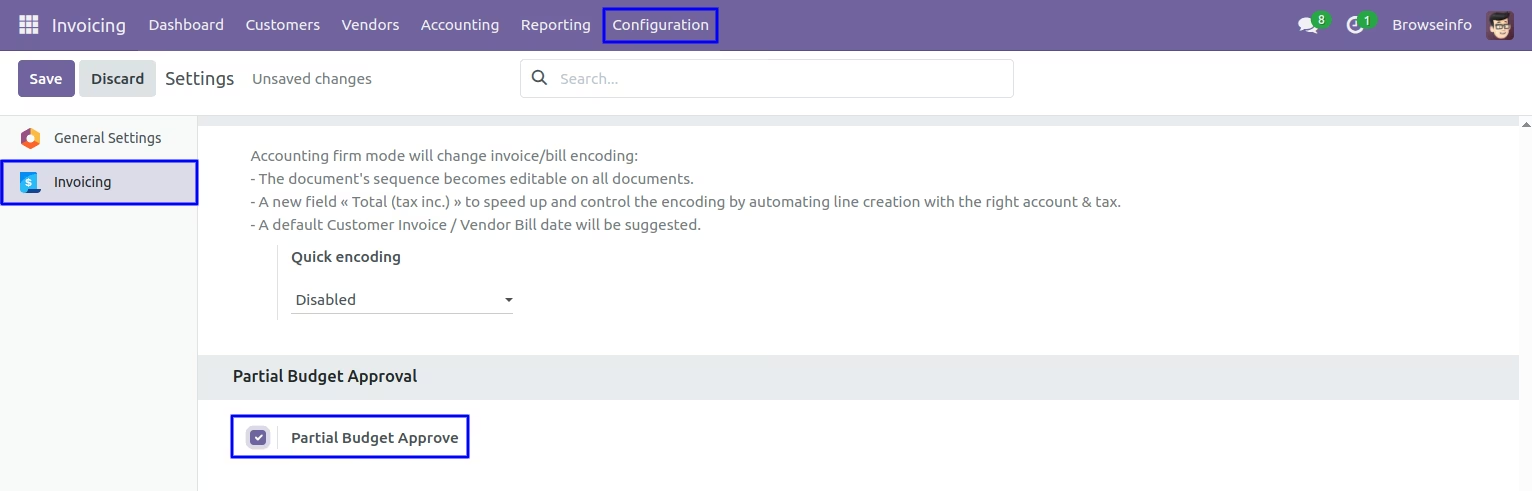
Partial Budget Approvals: Flexibility to approve partial budget amounts to meet specific business requirements.
Seamless Integration: Fully integrated with Invoicing and Accounting modules for a unified and streamlined financial management experience.
Improved Financial Control: Gain a clear and accurate overview of your company's financial performance against planned budgets.
Enhanced Decision-Making: Leverage detailed reports and analytics to make informed decisions about resource allocation and financial planning.
Increased Accountability: Promote fiscal responsibility by tracking expenditures and ensuring adherence to budgetary limits.
Streamlined Budgeting Process: Simplify and automate the entire budgeting lifecycle, from creation and approval to tracking and reporting.
Proactive Financial Management: Identify potential budget overruns and financial risks early on to take corrective action.
Greater Transparency: Provide stakeholders with a clear and transparent view of the company's financial performance and budgetary status.
Analytic Accounts Budgets Management Apps
Track Budget vs Actual Spending
Restore Budget Features in Community
Manage Budgets with Analytic Accounts
Budget Management App for Community Edition
Accounting Budget management apps deprecated in Version since 12.0 on Community Edition, This feature available on earlier version. We have developed this app Which Allows you to manage budgets using both crossovered and analytic accounts.User can create and define position and add items to select the accounts linked to the budget also user can create the budget item to compare the spent amount and the planned expenditure in different state. We have also developed the other deprecated reports and modules of for v18, If you interested please check our other Apps.

Set Budgets
You can create the budget item to compare the spent amount and the planned expenditure in different state.

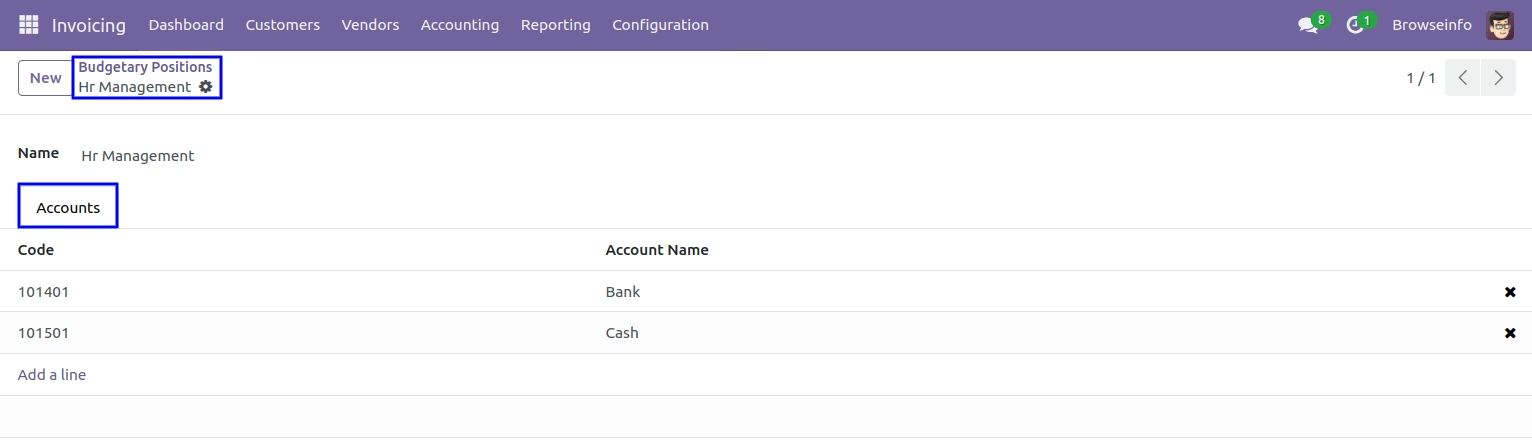
Set Budgetary Positions
Here you can create and define position and add items to select the accounts linked to the budget.

Manage Budgets
Allows you to manage budgets using both crossovered and analytic accounts

Check your budget
You can check your crossovered budget at any time
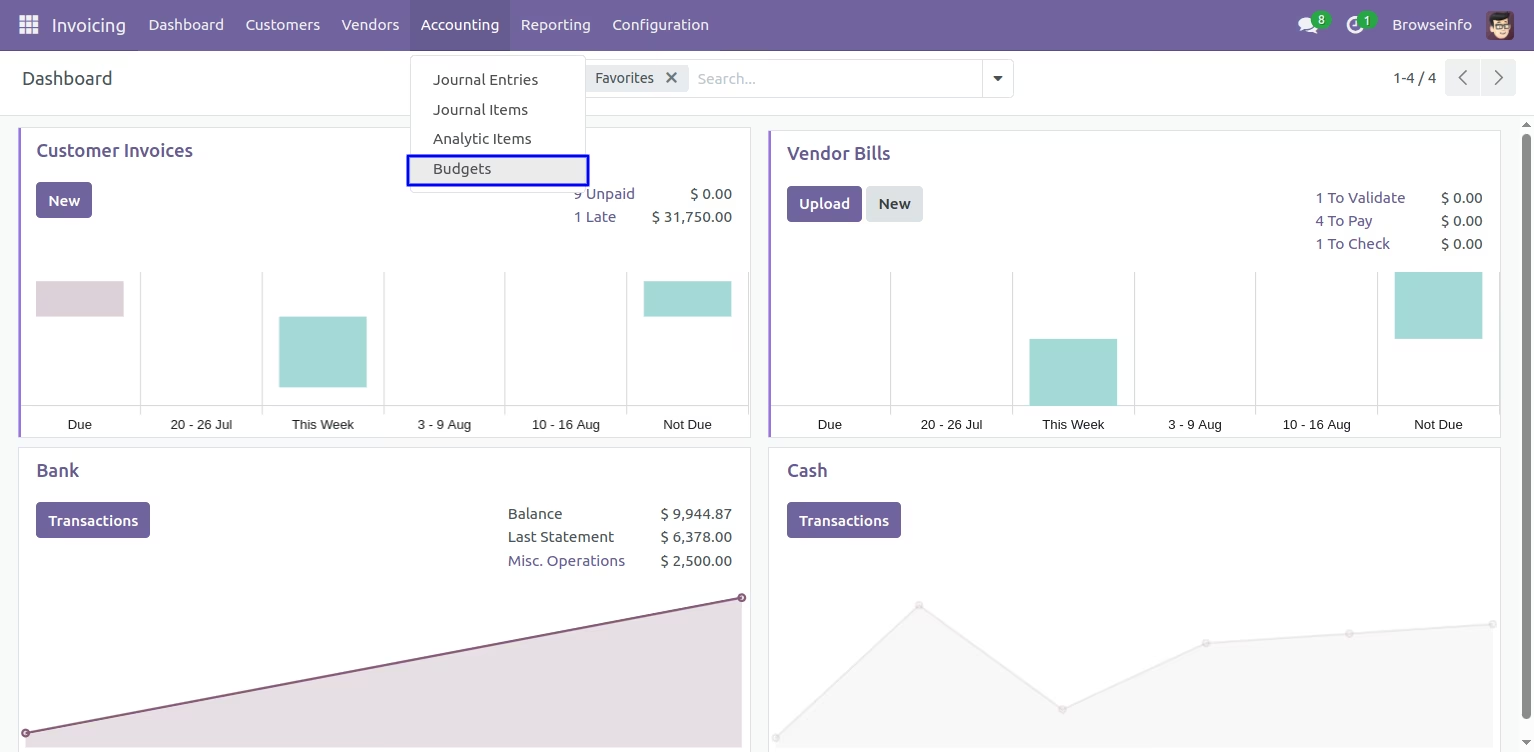
Budget menu
Under Invoicing > Accounting select Budgets.
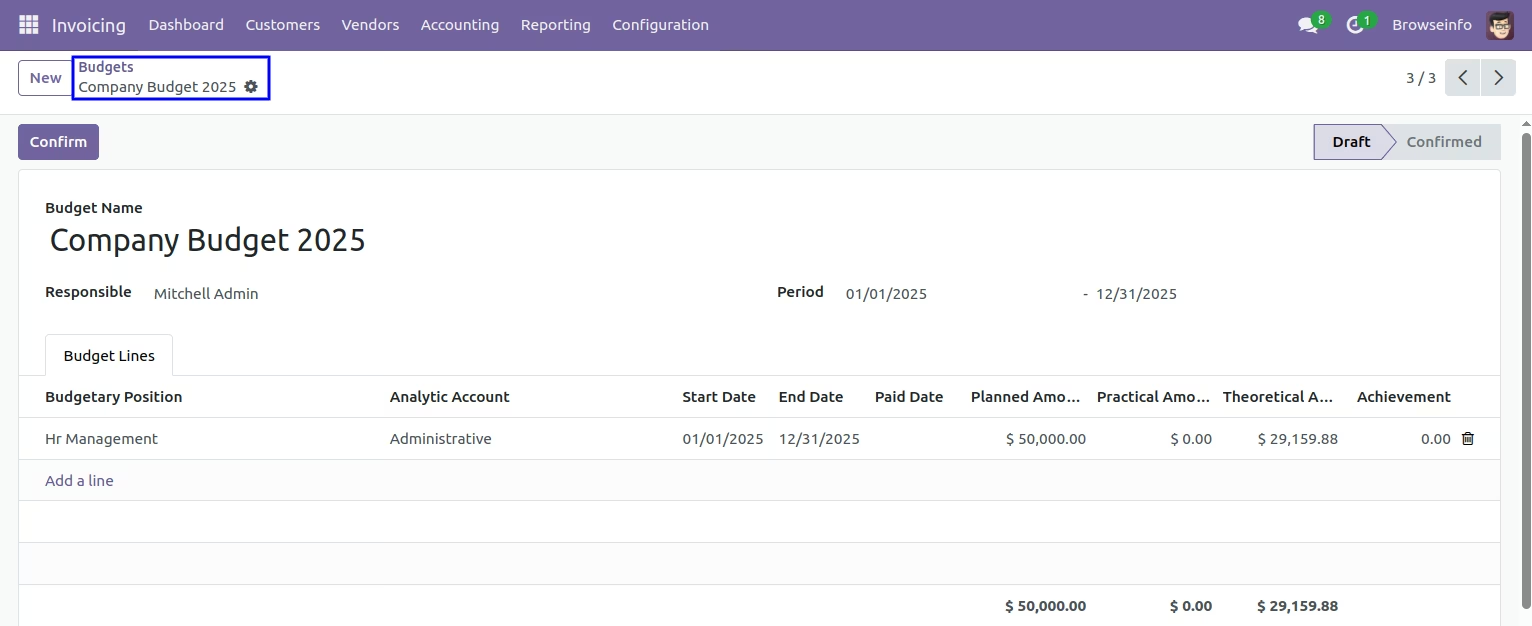
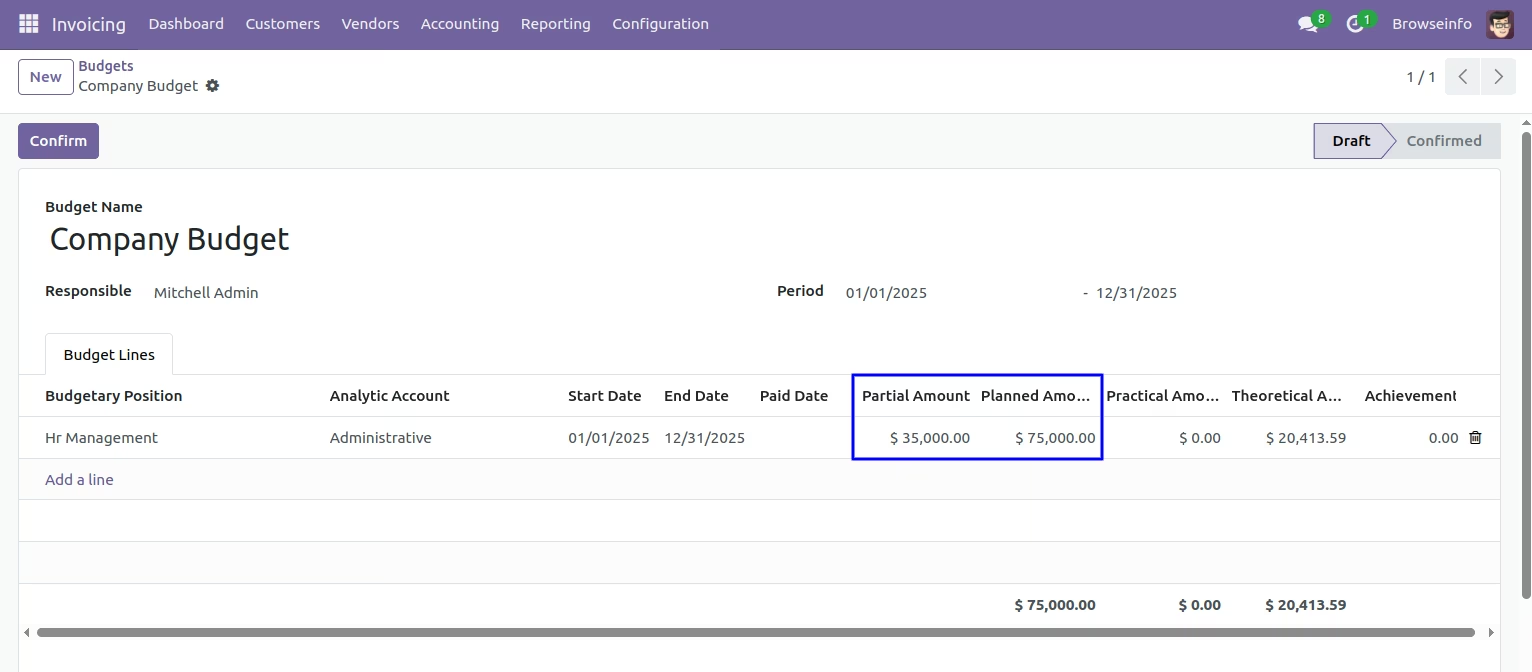
Create a new budget and fill fields, when you create a new budget it will be in draft state.
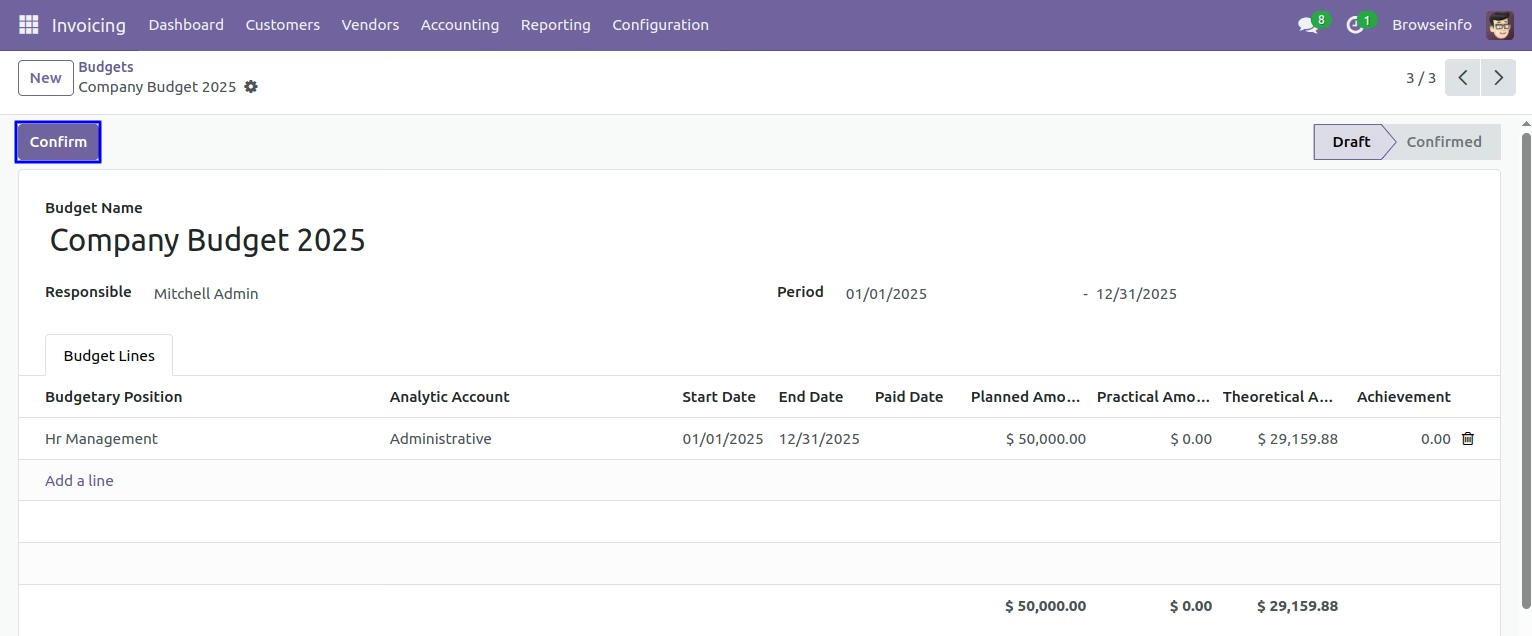
Budget in draft state. By clicking confirm button budget will be in confirmed state.
Budget in confirmed state here admin can approve or cancel budget.
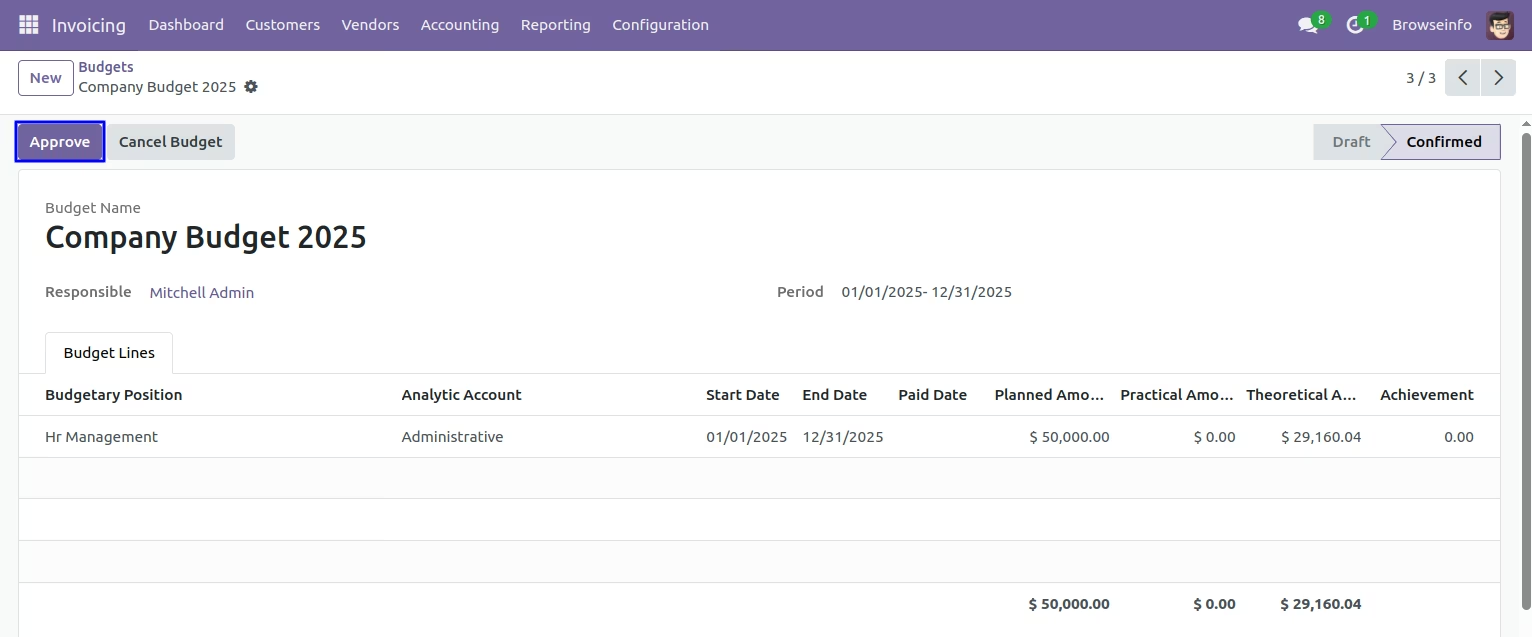
Budget in validated state here admin can approve or cancel budget.
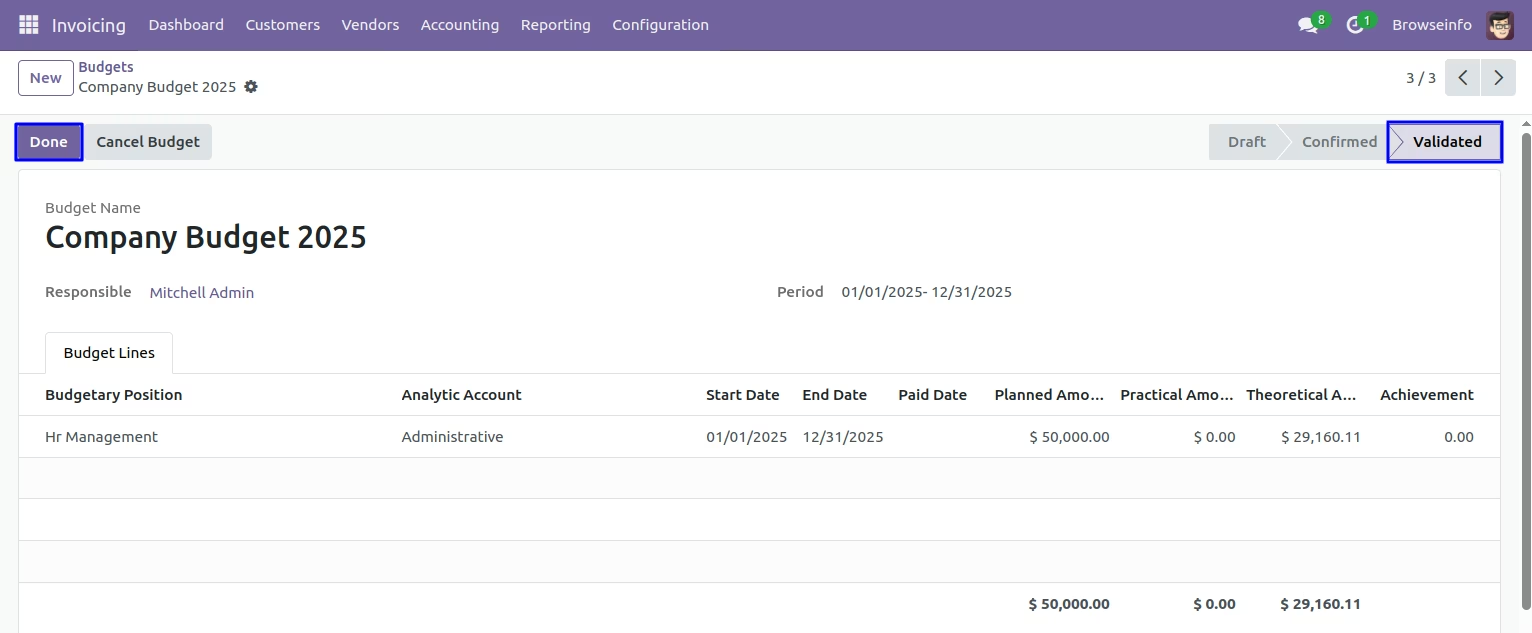
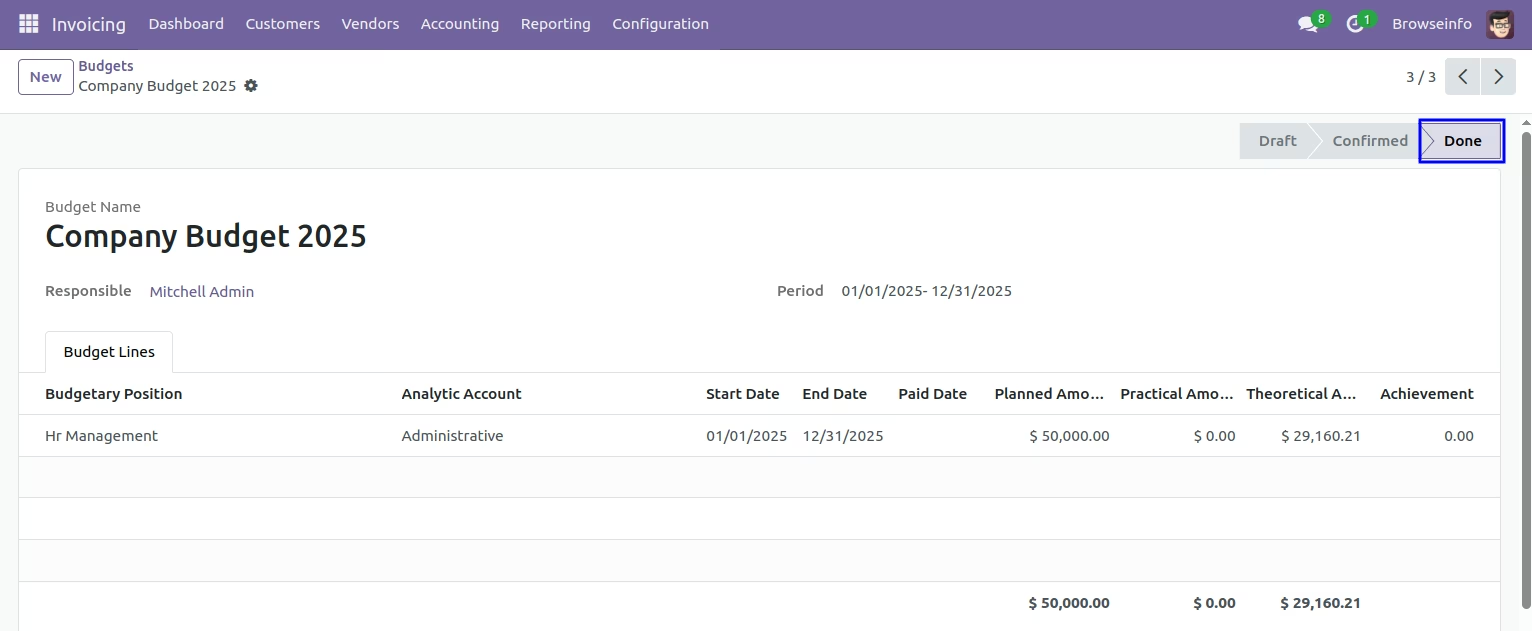
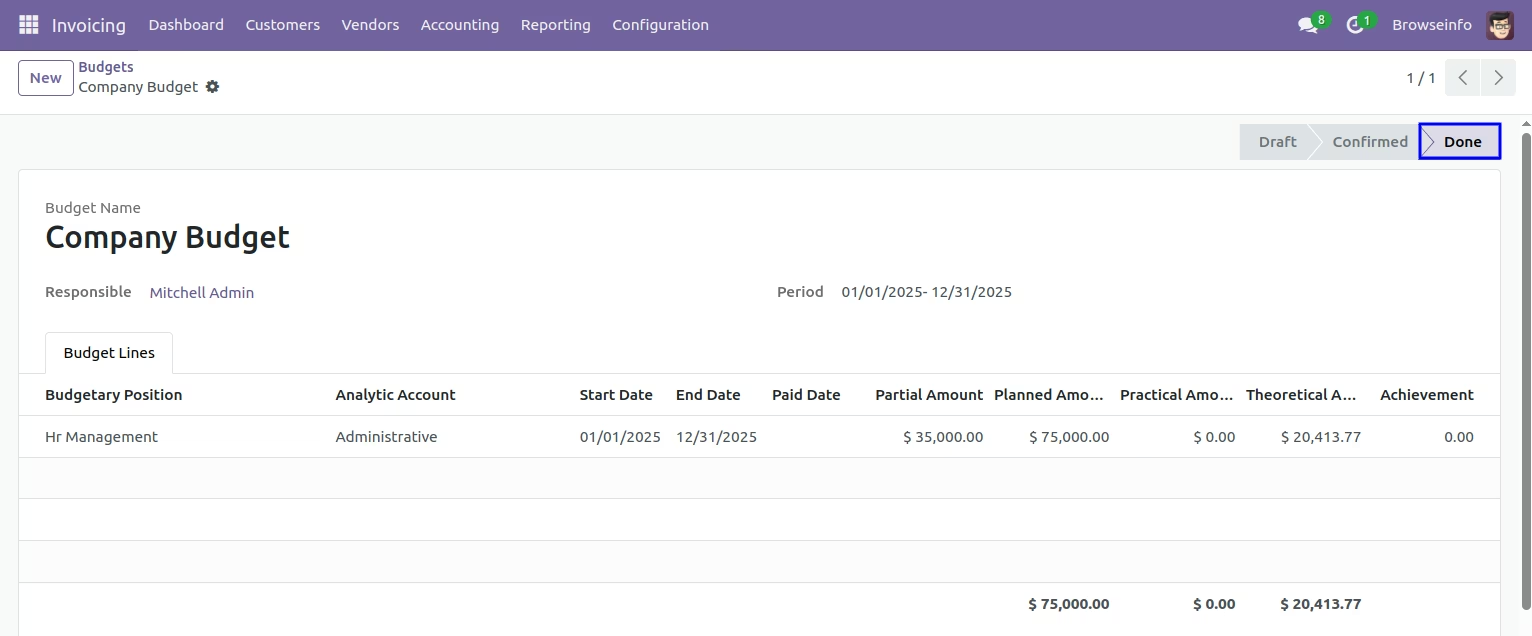
Budget in done state
Partial Budget approve option in configuration.
Partial amount and paid date fields in draft budget.
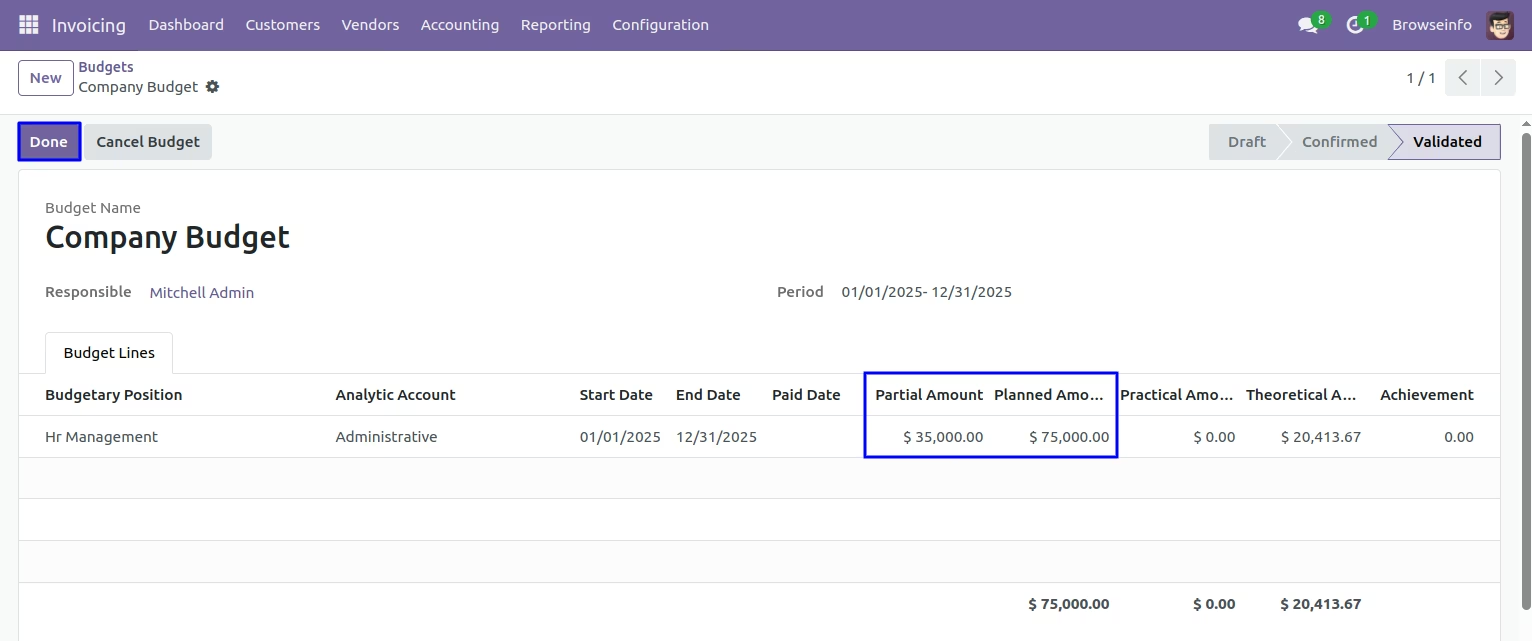
Partial budget in done state.
Budget report
Select Budgets under Invoicing > Reporting and you can see tree view of crossovered budget lines.
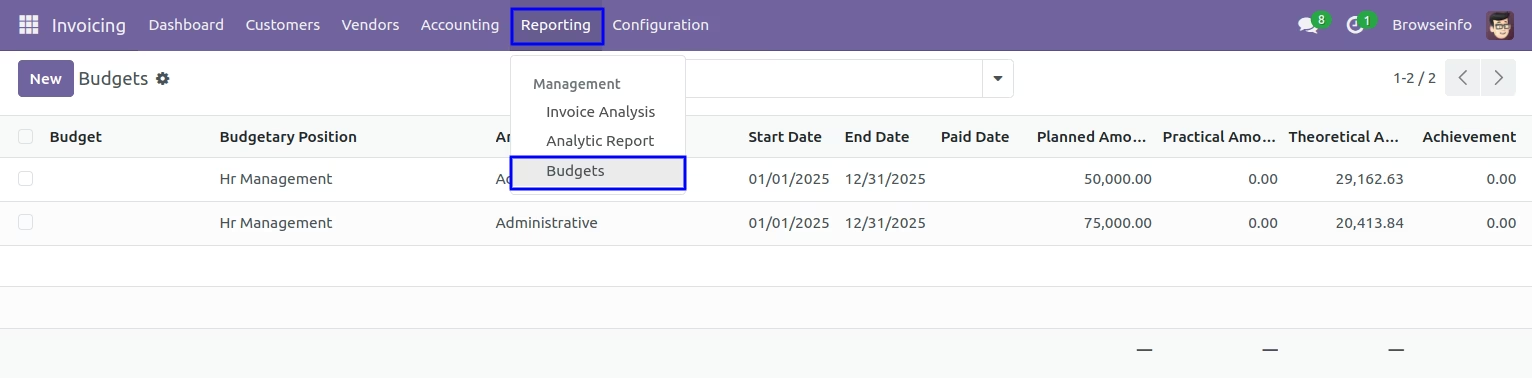
You can see budget lines
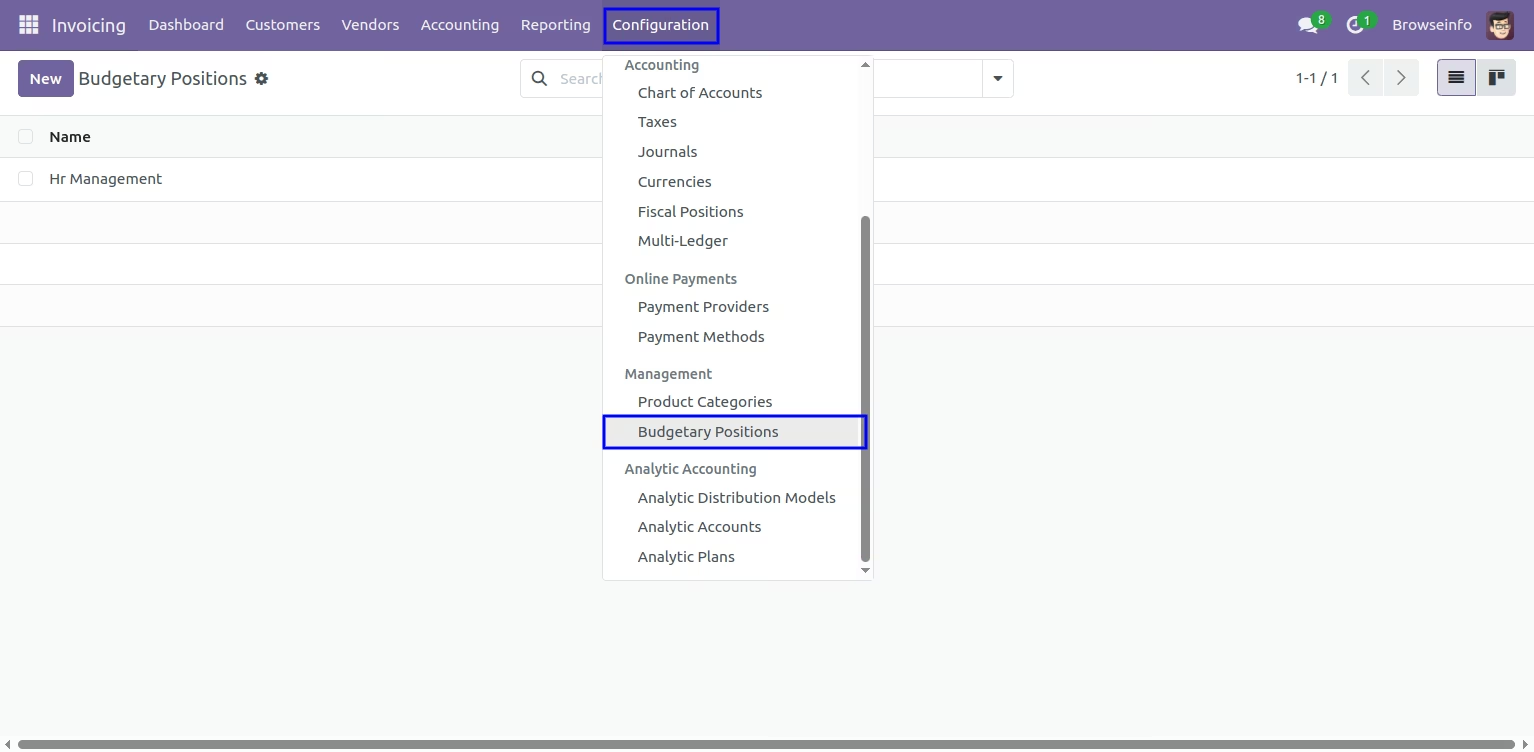
Budget Configuration
Select Budgetary positions under configuration menu.
Version :
18.0.0.0
20 October 2024
Initial release of the app.
Version :
18.0.0.1
28 August 2025
Fixed issues.