Unlock a new level of financial control over your projects with the Project Profit & Loss Report module. This essential accounting tool provides a detailed breakdown of the profitability of each project or analytic account, allowing you to move beyond high-level summaries and understand the real financial performance of your operations. By consolidating all project-related income and expenses into a clear and concise report, this module empowers project managers and financial analysts to monitor profitability, identify trends, and make strategic decisions to ensure every project is a financial success.
Detailed P&L Reporting: Generate comprehensive profit and loss reports for specific projects or analytic accounts.
Analytic Account Integration: Leverages analytic accounting to track all project-related revenues and costs.
Flexible Date Ranges: Analyze project performance over any period by selecting custom start and end dates.
PDF Export: Easily print and share professional P&L reports in PDF format.
Multi-Project Analysis: Select and analyze multiple projects or analytic accounts in a single report.
Comprehensive Data Sources: The report aggregates data from various sources, including customer invoices, vendor bills, and timesheets, to provide a complete financial picture.
Enhanced Project Profitability: Gain clear visibility into the financial performance of each project to maximize profitability.
Informed Decision-Making: Use detailed P&L data to make strategic decisions about project planning, resource allocation, and pricing.
Improved Financial Control: Maintain tight control over project finances by closely monitoring revenues and costs.
Accurate Financial Analysis: A reliable and accurate tool for financial analysts and project managers to assess project performance.
Streamlined Reporting: Simplify your financial reporting process with an easy-to-use and powerful P&L reporting tool.
Greater Transparency: Provide stakeholders with a clear and transparent view of project financial performance.
Project / Analytic Account Profit and Loss ReportApp
Profit and Loss for Project / Analytic Account
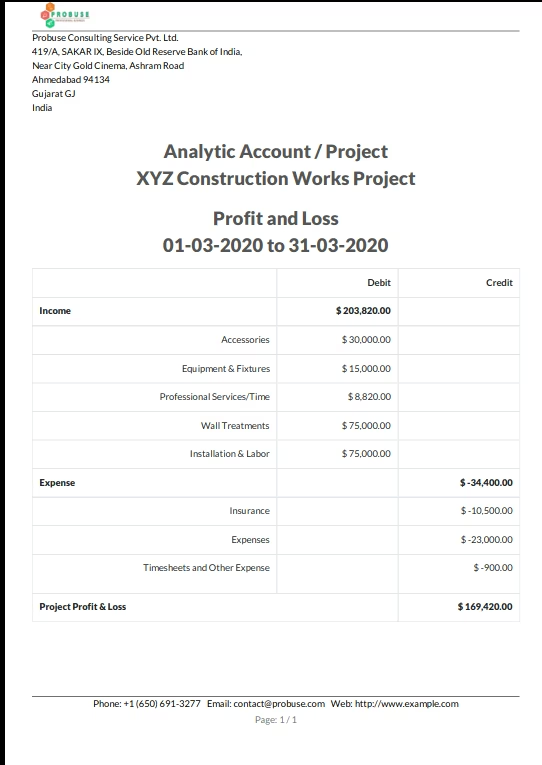
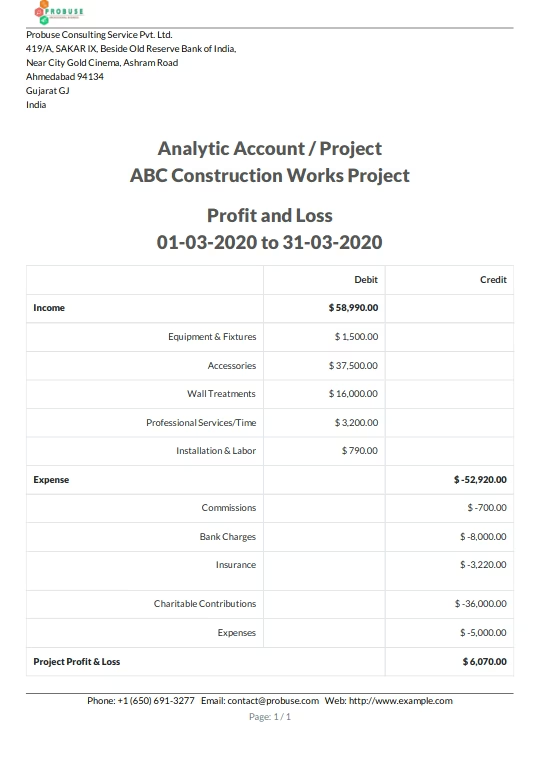
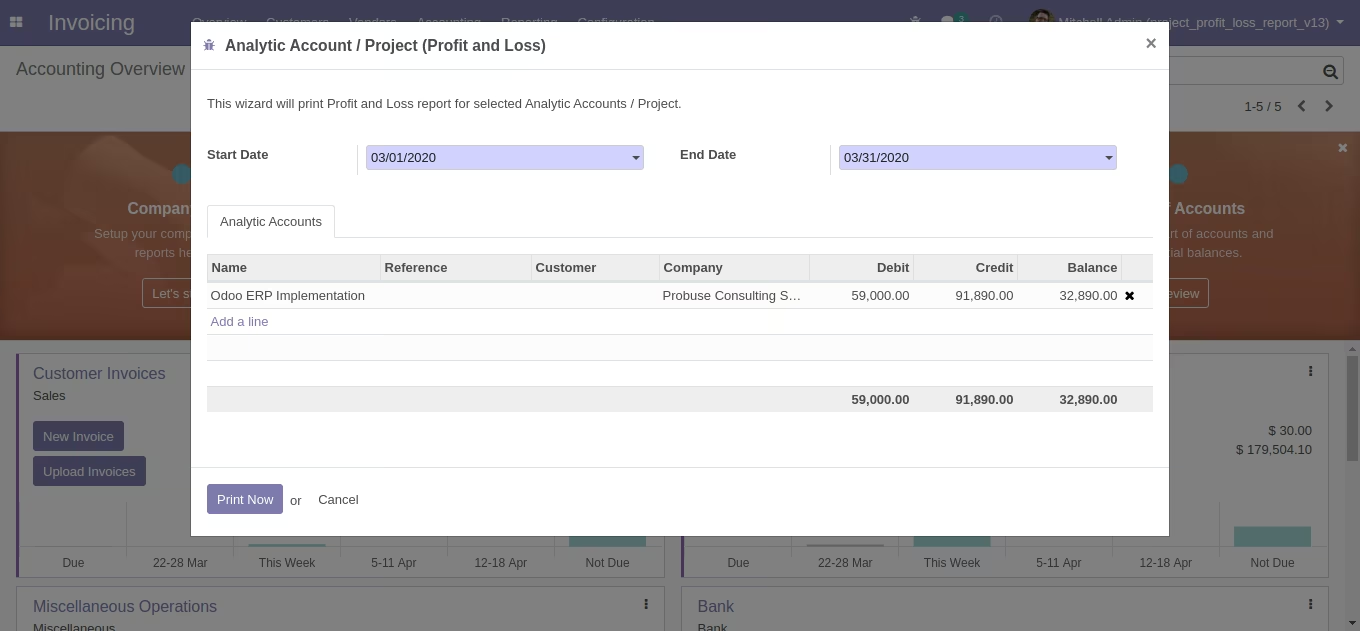
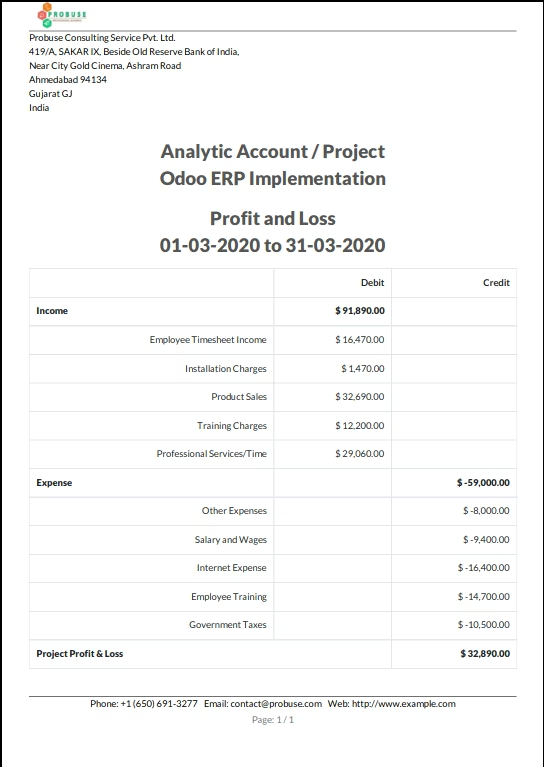
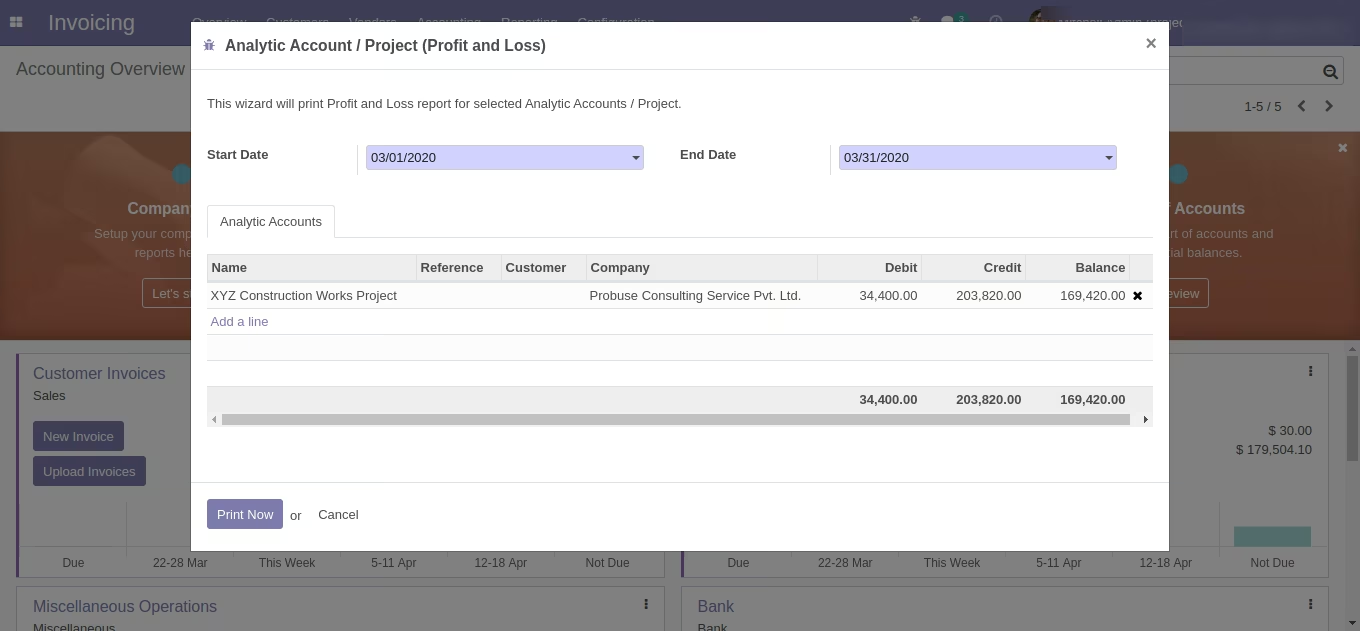
This app allows you to print a Profit and Loss report for selected analytic accounts/projects as shown below screenshots.
Main Features
- Allow you to print a profit and loss report in pdf format for analytic accounts and projects. This report is built based on analytic items / analytic entries in which come from various sources like customer invoices, vendor bill, timesheets etcâ¦
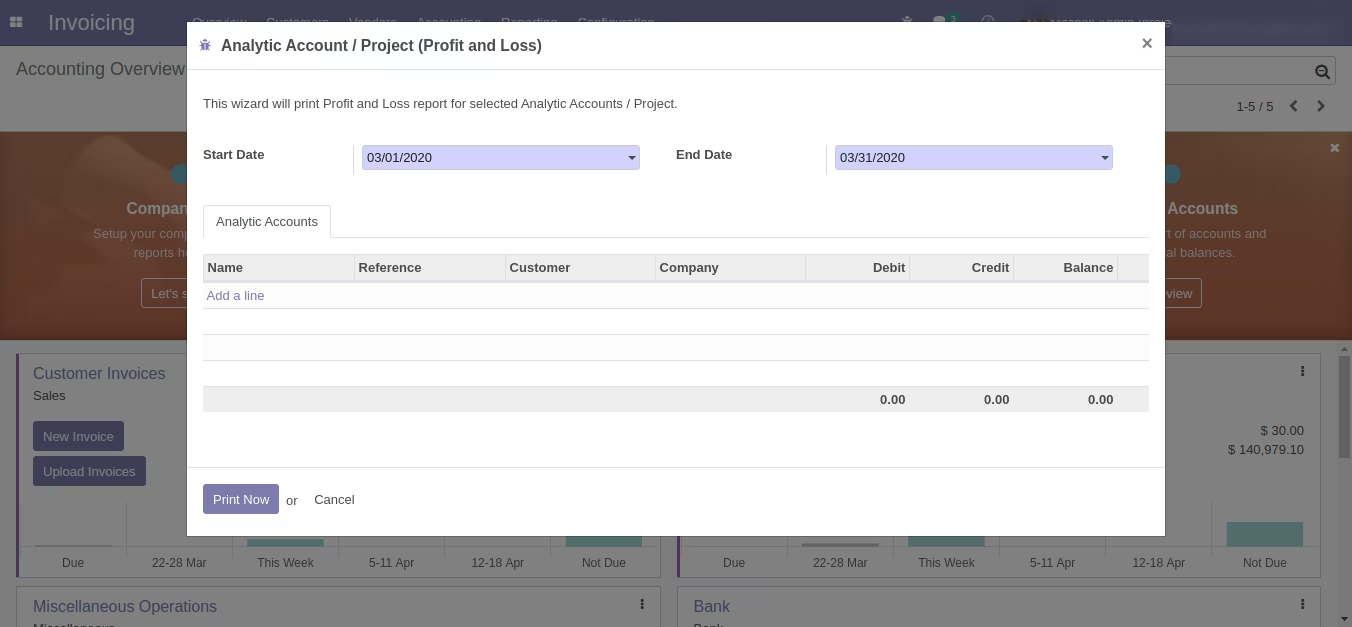
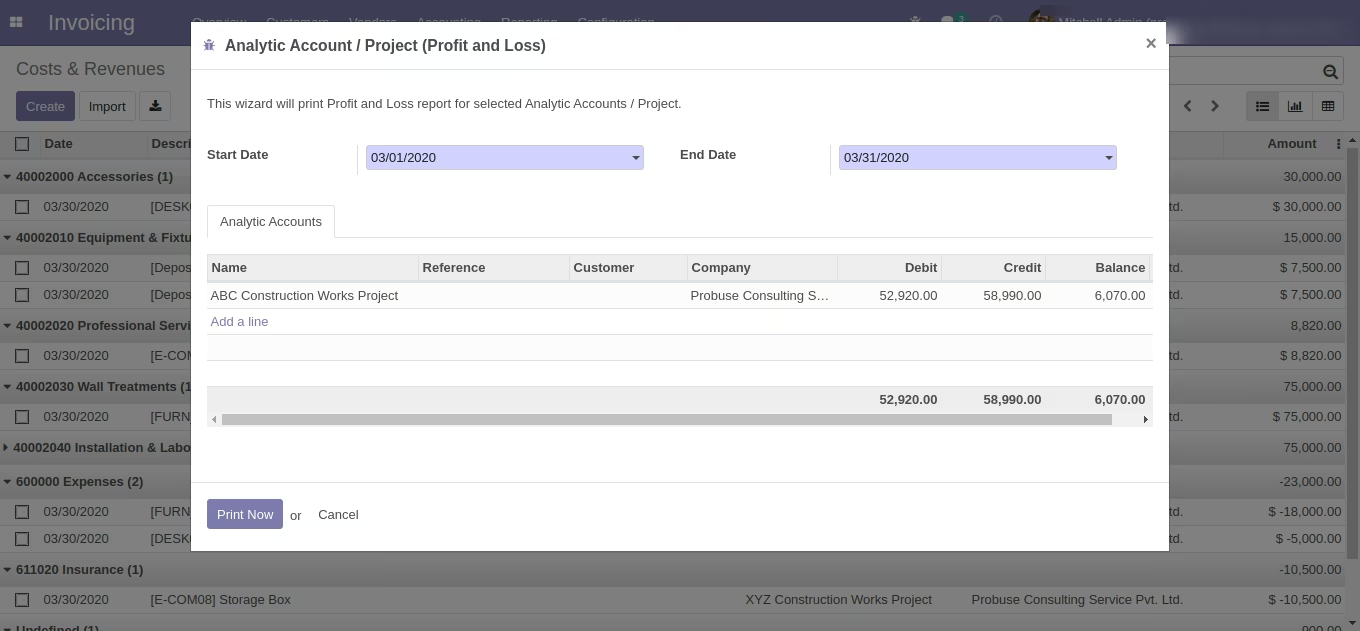
- You can select the start and end period on the wizard and analytic accounts and the system will print Profit and loss reports for that as shown in the below sample.
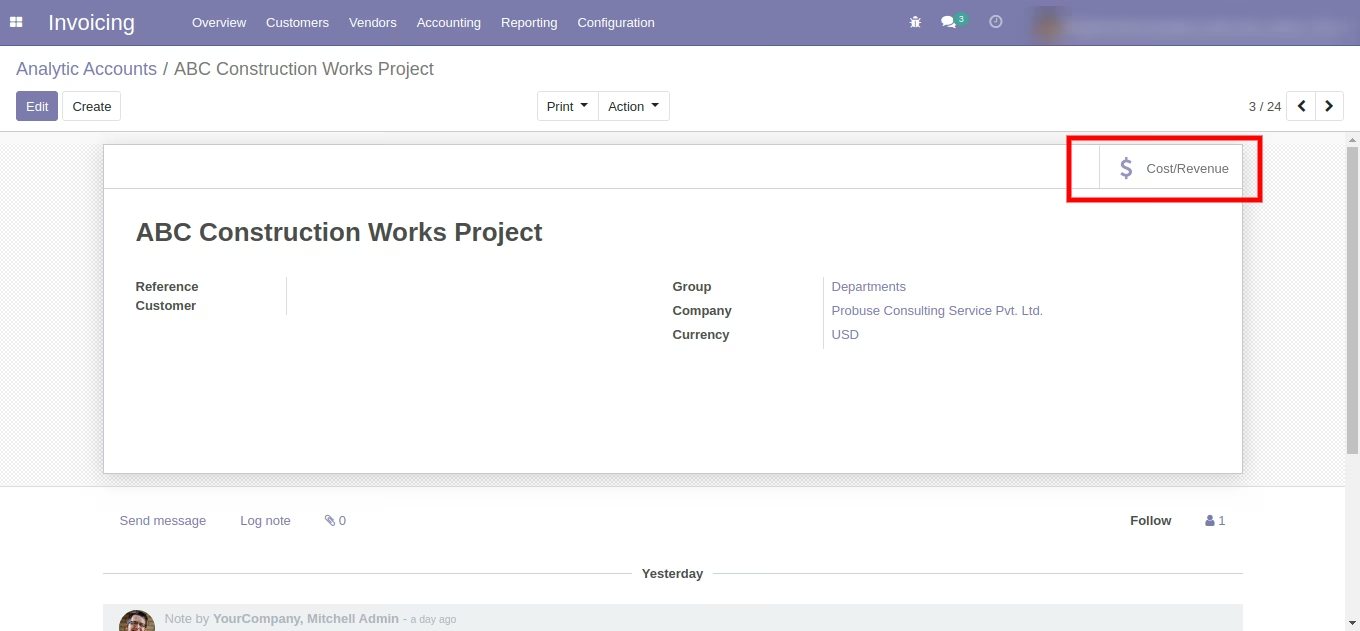
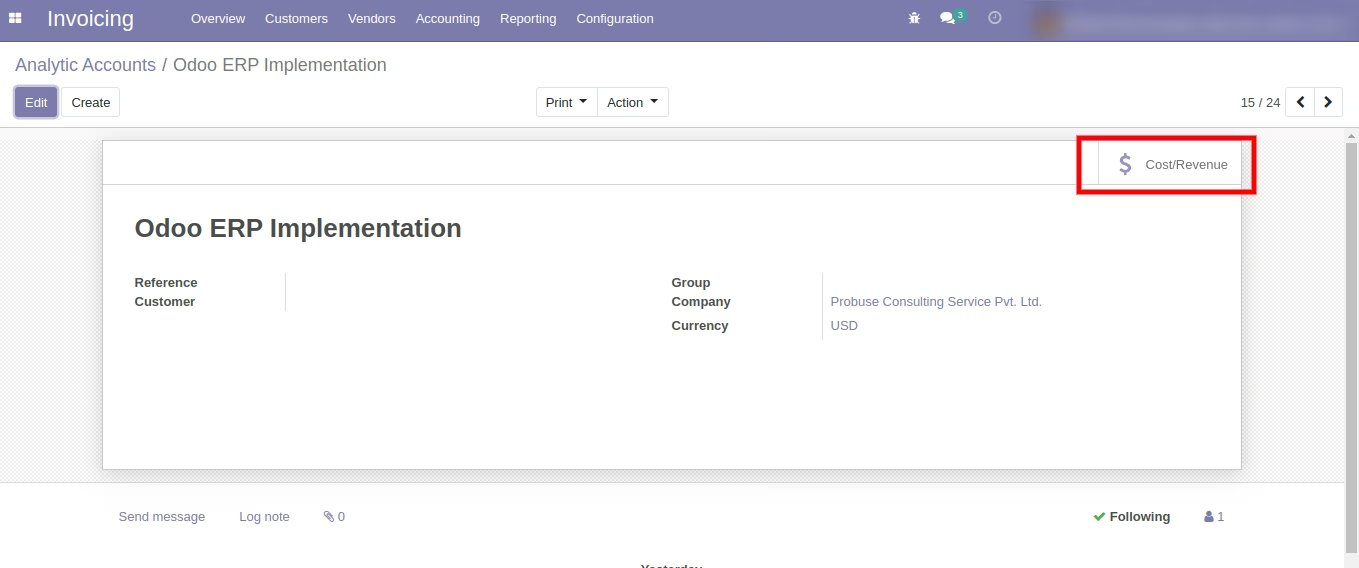
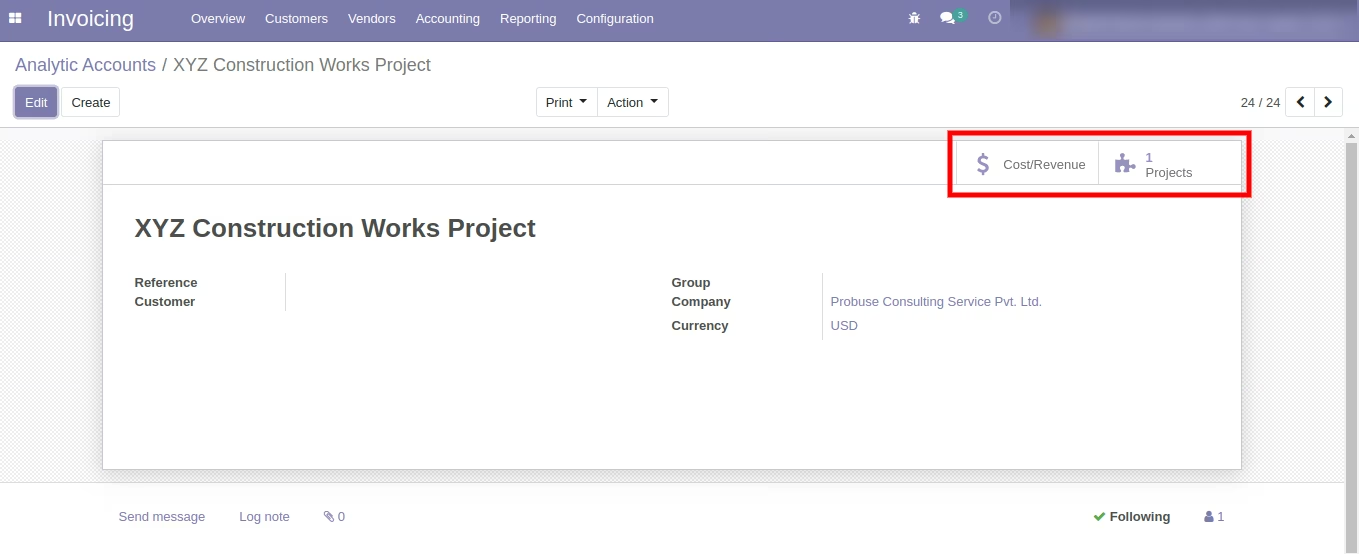
- Please note that the Cost/Revenue button on the analytic account form has been renamed now to Gross Margin. So if you see *Cost/Revenue* button on any below screenshot(s) and in the video please consider it as a new renamed button *Gross Margin*.
- For more details please check the below screenshots and watch the video.
Menus Available:
- Invoicing
- Reporting
- Analytic Profit and Loss
- Reporting
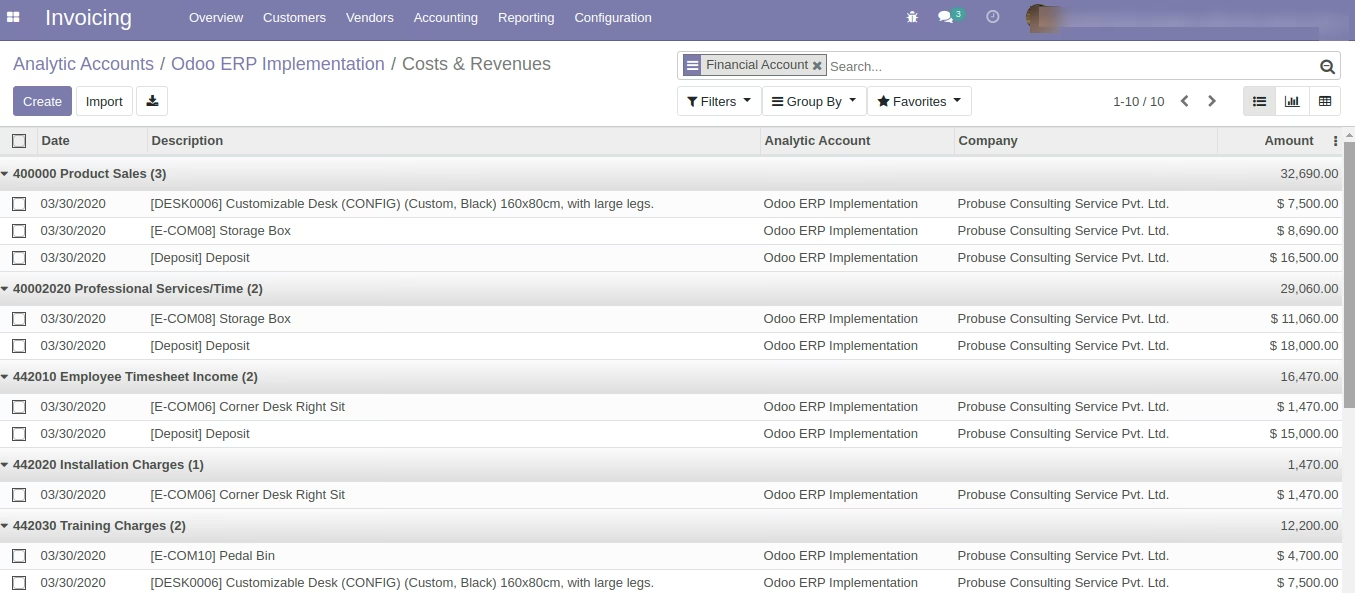
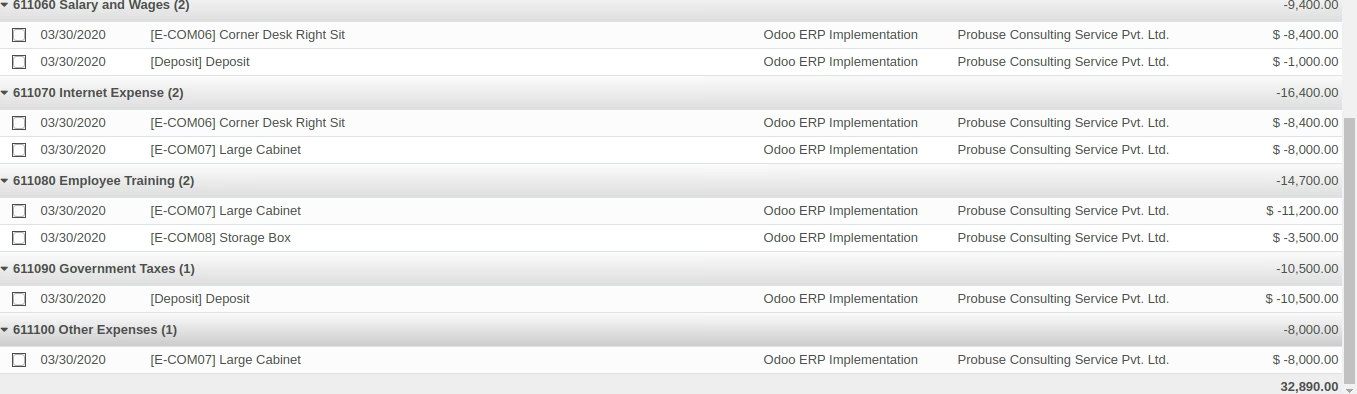
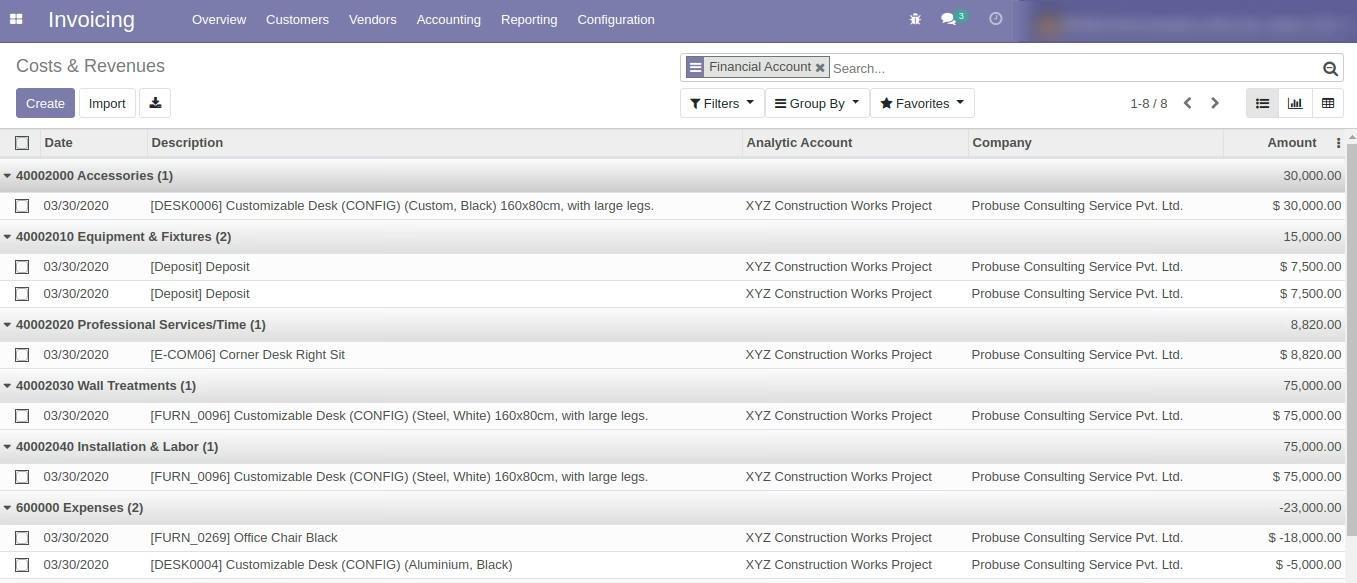
Important Note for App: For Analytic entries (Analytic Items) where Financial Account is set system will show it on the Profit and Loss report as Financial Account name but for Analytic Entries where Financial Account is not available on analytic lines then the system will show it as Other Income or Other expense (For e.g. Timesheet Entries does not have a financial account set on its analytic lines.).
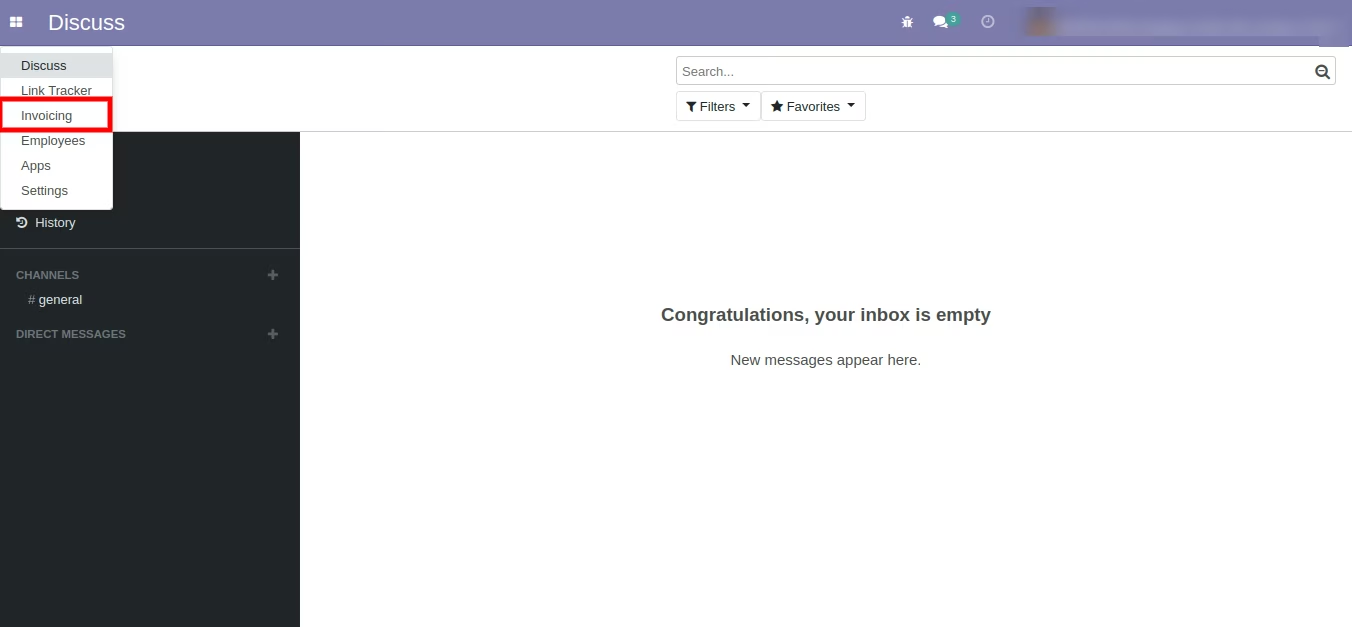
Invoicing Menu (Standard)
Example 1
Analytic Account Form (Standard) with Gross Margin Button (Standard)
Analytic Account Line Group by with Financial Account (Standard)
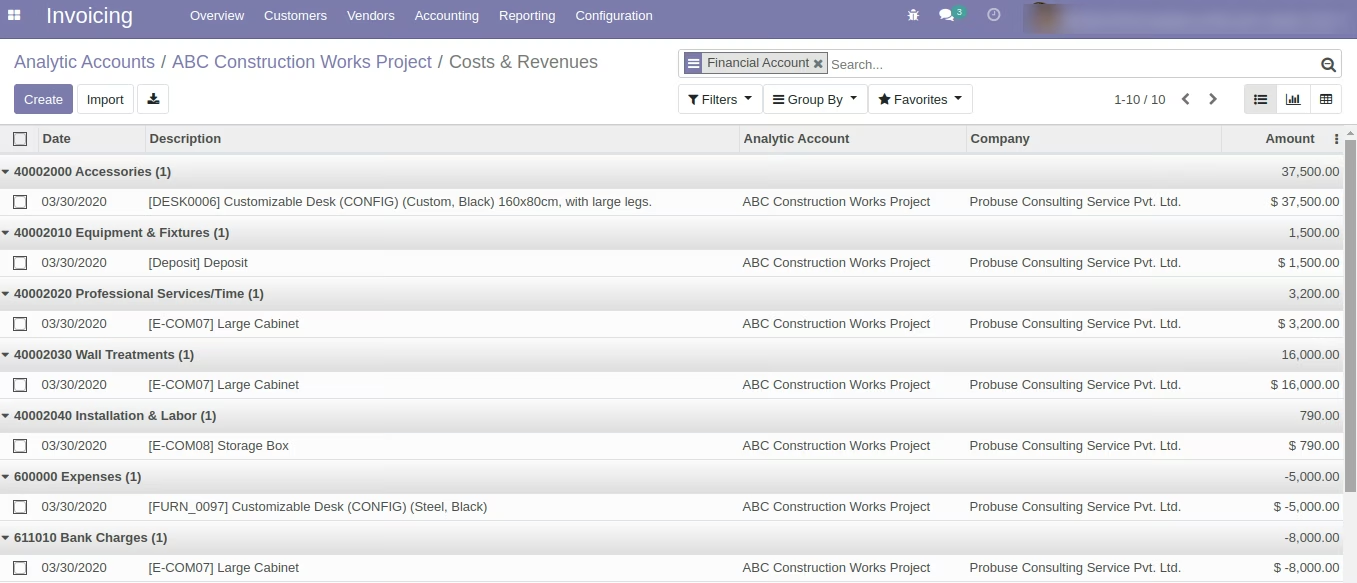

Analytic Account / Project
Analytic Profit and Loss Report Menu Wizard
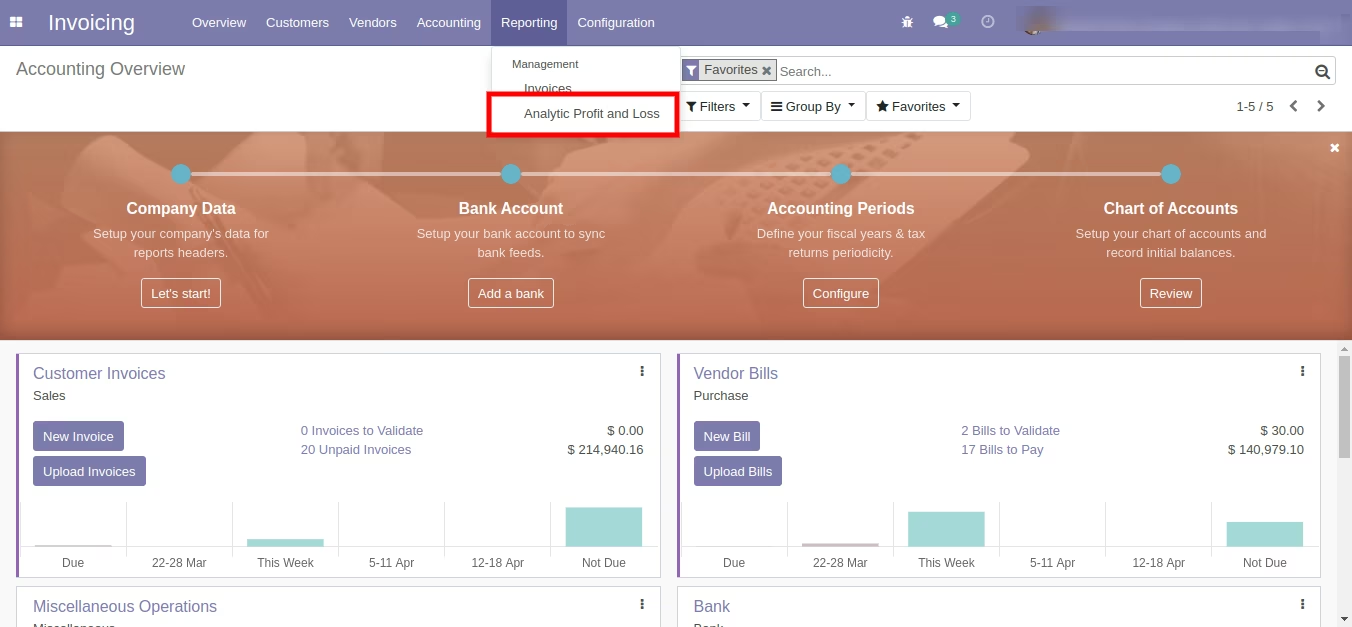
Wizard Screen to Print Profit and Loss for Analytic Account
Select Analytic Accounts on Wizard
Printed Report Sample PDF
Example 2
Analytic Account Form (Standard) with Gross Margin Button (Standard)
Analytic Account Line Group by with Financial Account (Standard)
Select Analytic Accounts on Wizard
Printed Report Sample
Example 3
Analytic Account Form (Standard) with Gross Margin Button (Standard)
Analytic Account Line Group by with Financial Account (Standard)

Select Analytic Accounts on Wizard
Printed Report Sample