
The Amazon Connector Reports module for offers an advanced solution for integrating Amazon's comprehensive reporting capabilities directly into your environment. Designed to work seamlessly with the core Amazon Connector module, this extension enables businesses to access a wide array of Amazon reports including settlement, FBA, FBM, inventory, analytics, performance, and tax reports within the interface. By consolidating these reports into a single platform, users can streamline their e-commerce operations, enhance data analysis, and make informed business decisions without the need to navigate multiple systems.
Settlement Reports: Import detailed financial breakdowns of orders, refunds, reimbursements, and Amazon fees.
FBA Reports: Access Fulfillment by Amazon performance metrics, including inbound shipments and inventory health.
FBM Reports: Retrieve data on Fulfilled by Merchant orders, including shipping and handling performance.
Inventory Reports: Monitor stock levels, inbound shipments, and inventory health across Amazon warehouses.
Analytics Reports: Analyze sales performance, customer behavior, and other key business metrics.
Performance Reports: Evaluate account health, including order defect rate, cancellation rate, and late shipment rate.
Tax Reports: Generate reports detailing sales tax collected and remitted across different jurisdictions.
Centralized Reporting: Access all Amazon reports directly, eliminating the need to switch between platforms.
Enhanced Data Analysis: Utilize powerful reporting tools to analyze and visualize Amazon data for better decision-making.
Improved Efficiency: Automate the import and processing of Amazon reports, saving time and reducing manual data entry.
Comprehensive Insights: Gain a holistic view of your Amazon business performance, from financials to inventory management.
Scalability: Easily manage and analyze data from multiple Amazon marketplaces and seller accounts within a single instance.
Amazon Connector - All Reports: Settlement reports, FBA Reports, FBM Reports, Warehouse Inventory Reports, Analytics Report, Performance Reports, Tax Report
Get the most comprehensive Amazon reports solution for your business. Any kind of report Amazon is offering through their SP-API is accessible. Furthermore you can convert this report into a view and/or documents.
Start working with your data and connect to your BI to enhance your business opportunities.
All types of Amazon Reports
https://developer-docs.amazon.com/sp-api/docs/report-type-values
You need more functions or help with setup? Reach out to us: We are selling on Amazon since 2010 - with since 2012.
What is 4EG stands for? 4EGrowth is our company vision to succeed.Find out more by contacting us.
- Request and retrieve 109 Amazon Reports (Amazon Developer Account is needed) (https://developer-docs.amazon.com/sp-api/docs/report-type-values)
- Convert Amazon Reports content to models and store them in the database. Get headers of your files and get views from it. Refresh data if you want. Store different data by date etc.
- Convert Amazon Reports to Document Spreadsheet. For example "Restock inventory report" to see how much to restock from your FBM to FBA. Create Dashboards from Amazon and data from Spreadsheets. Get the full picture of your performance. Build performance measures, pricing rules etc. based on data.
- Additionally: Processing Flat File V2 Settlement Report. Get all your invoices reconciled!
- Generate Scheduler to automatically request and retrieve Amazon Reports. No need to refresh the data manually or re-generate
This module provides the core feature of requesting and retrieving Amazon Reports.
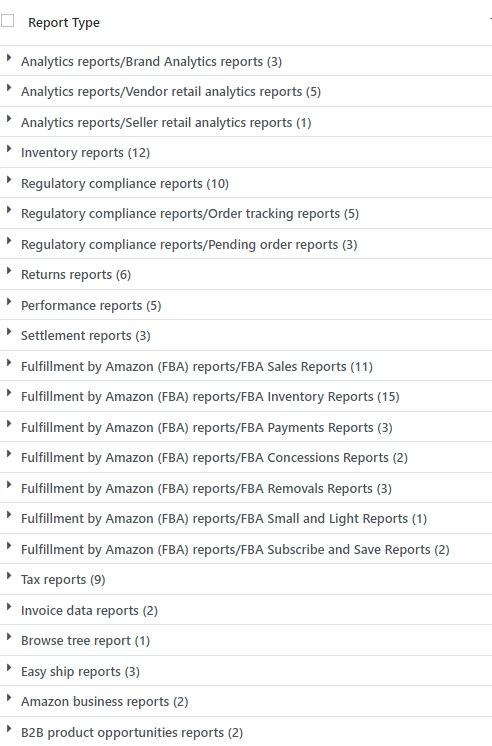
1. Report Categories and Types
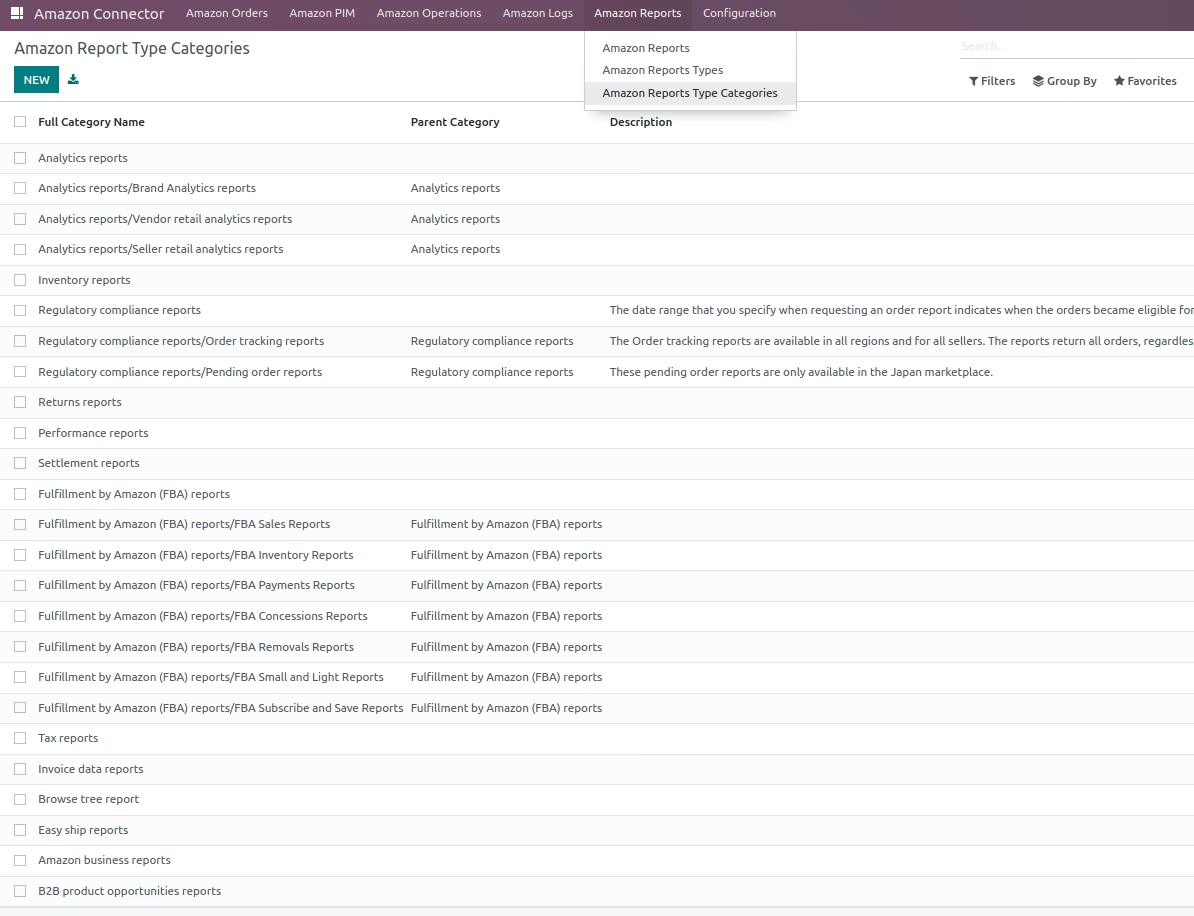
- Report Category: Amazon Report Category
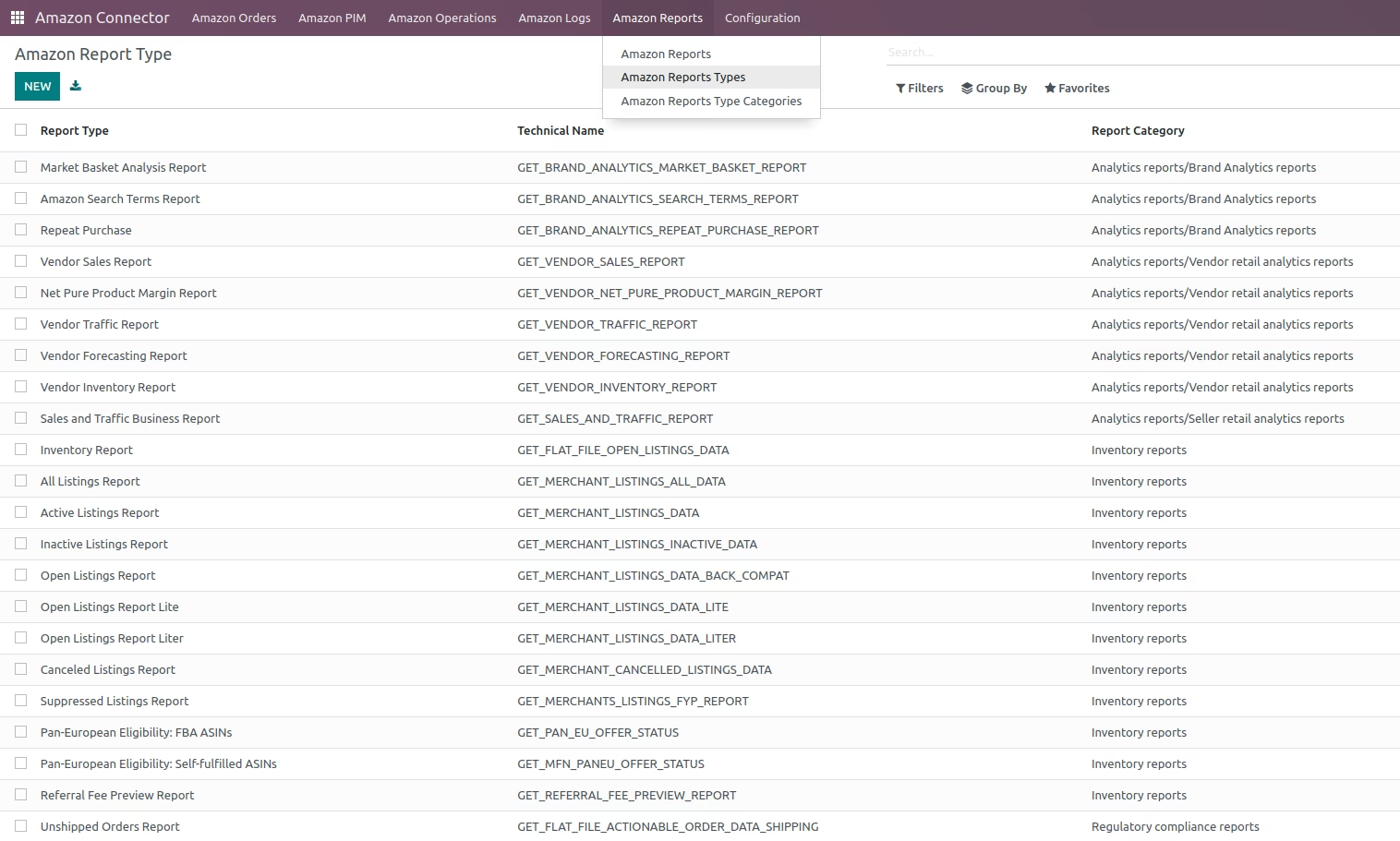
- Report Type: Amazon Report Type
2. Request Amazon Reports
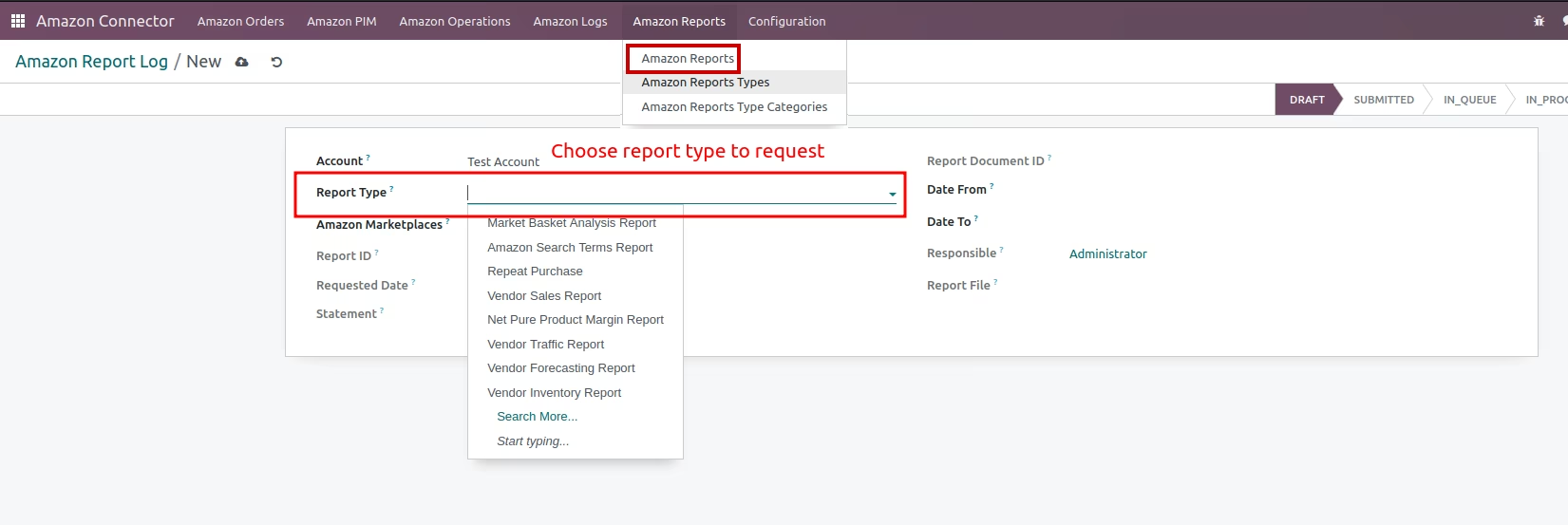
- Creating Report Log: Choose Report to Request
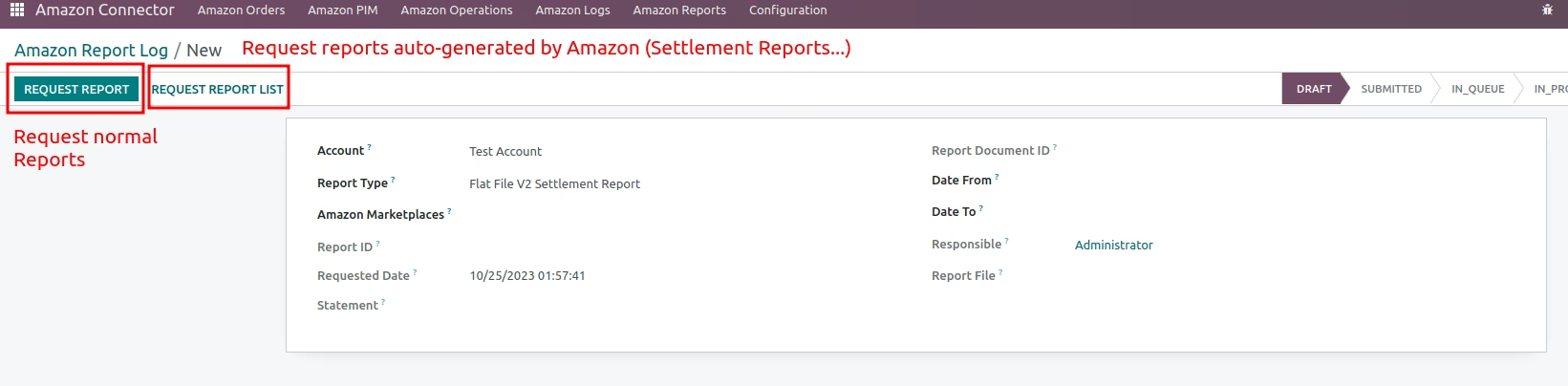
- Requesting report: User can either request manual generated reports or auto-generated reports (by Amazon).
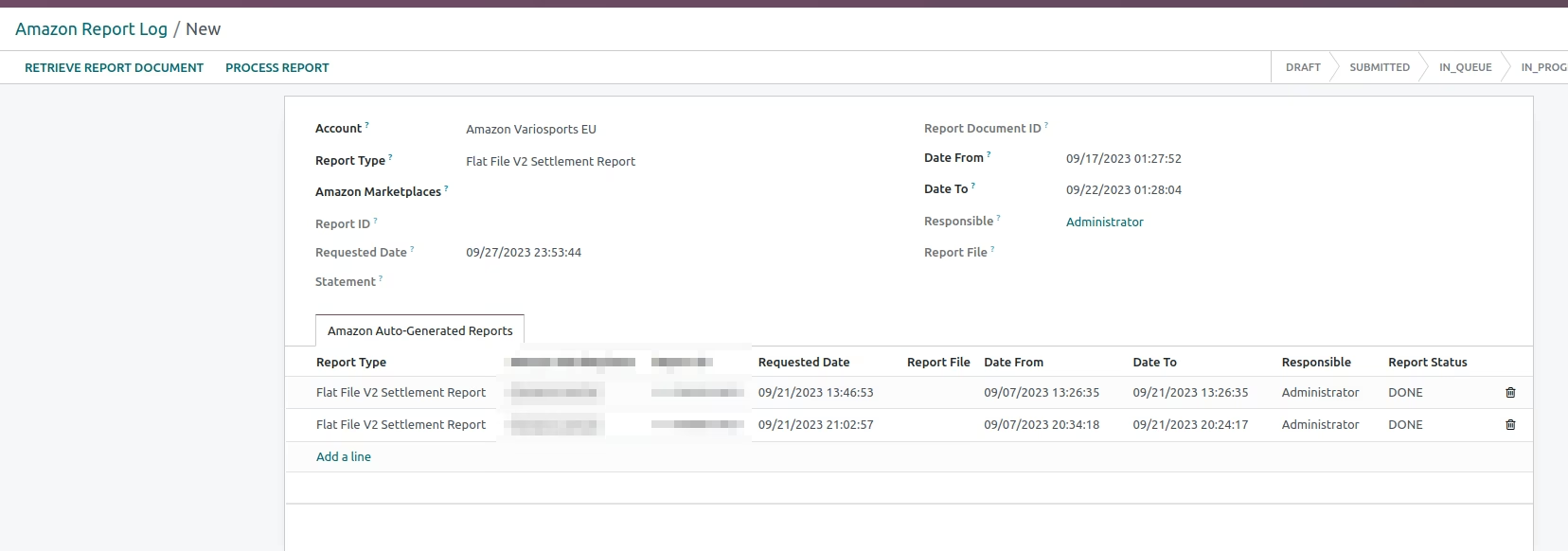
- Auto Generated Reports: An example of auto-generated reports (by Amazon).
3. Operations on Amazon Reports
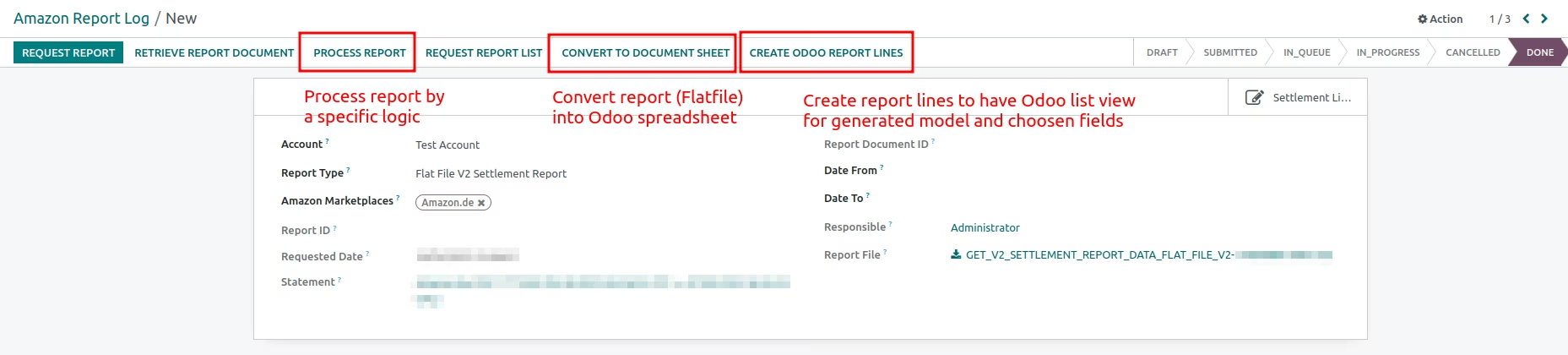
- Operations on Reports: User can perform operations on Amazon Reports.
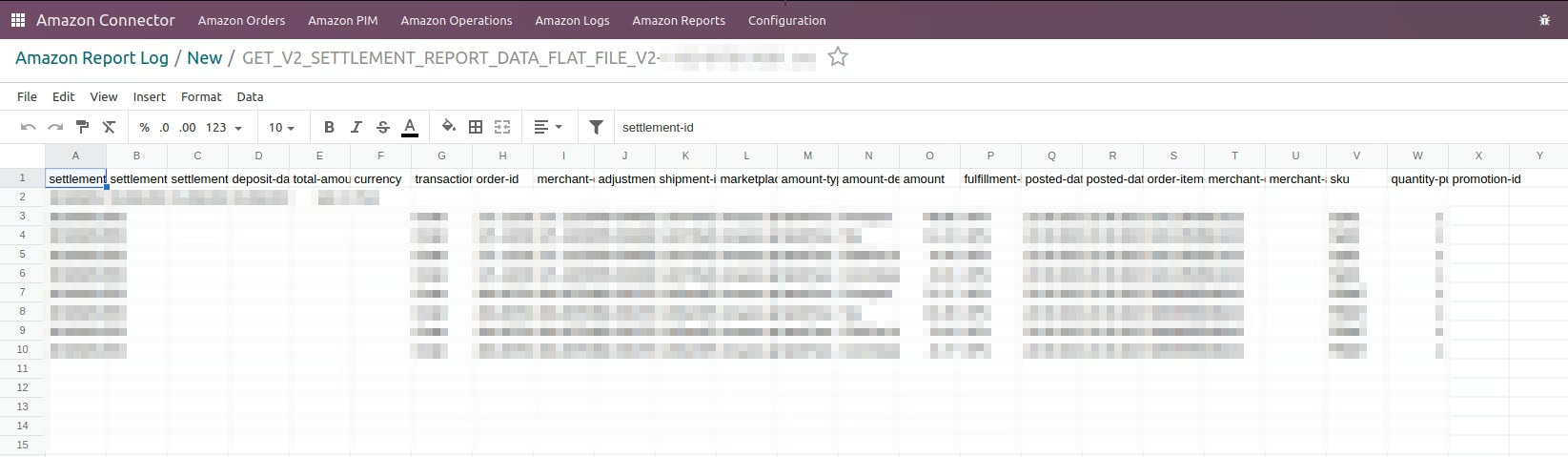
- Report Spreadsheet: User can convert Amazon Reports to Spreadsheet.
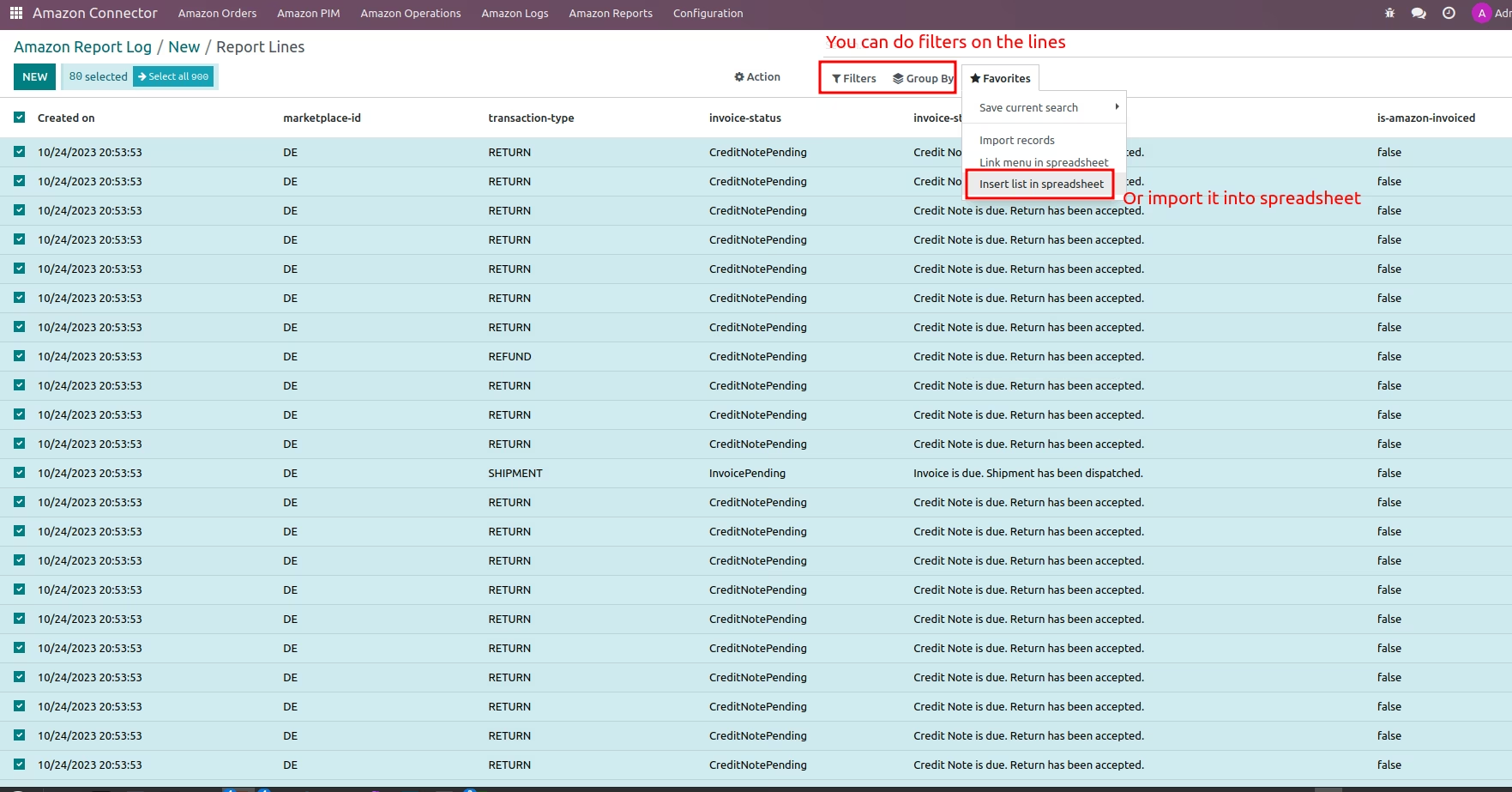
- Report Database Record Lines: User can generate records for report's content (see 4. for configuration of models).
4. Operations on Amazon Report Type
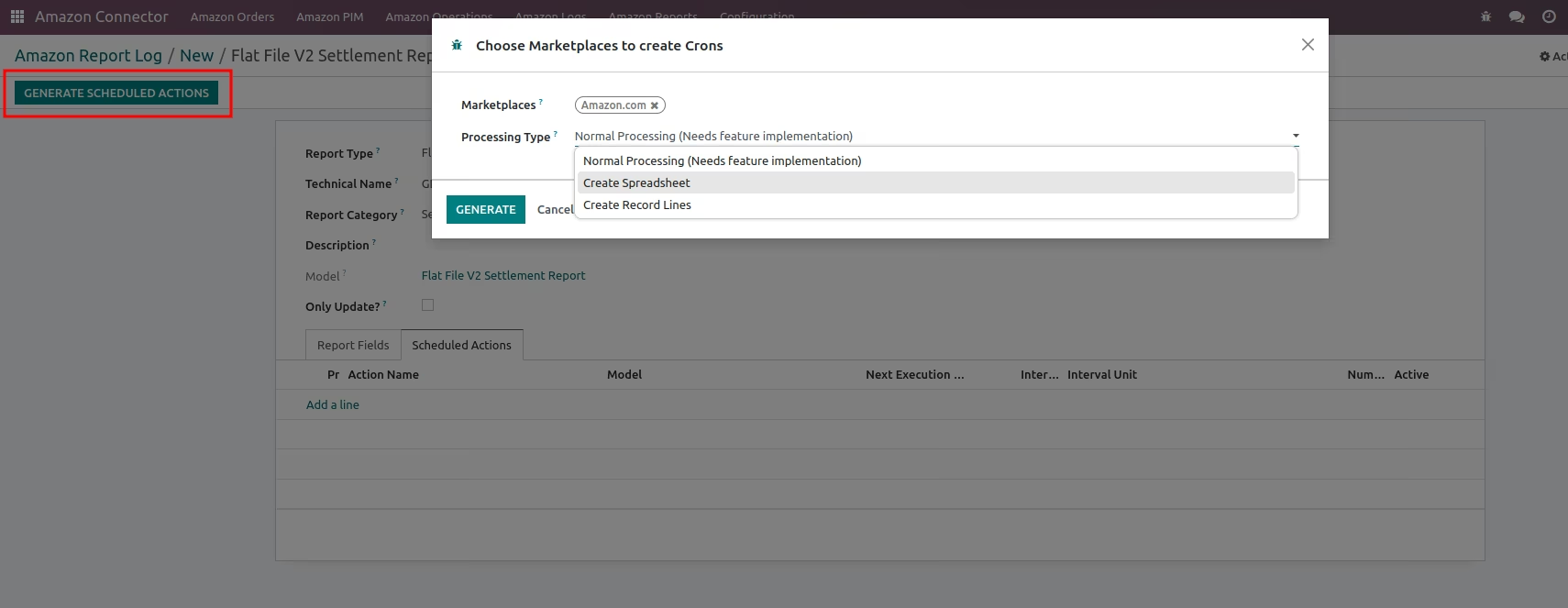
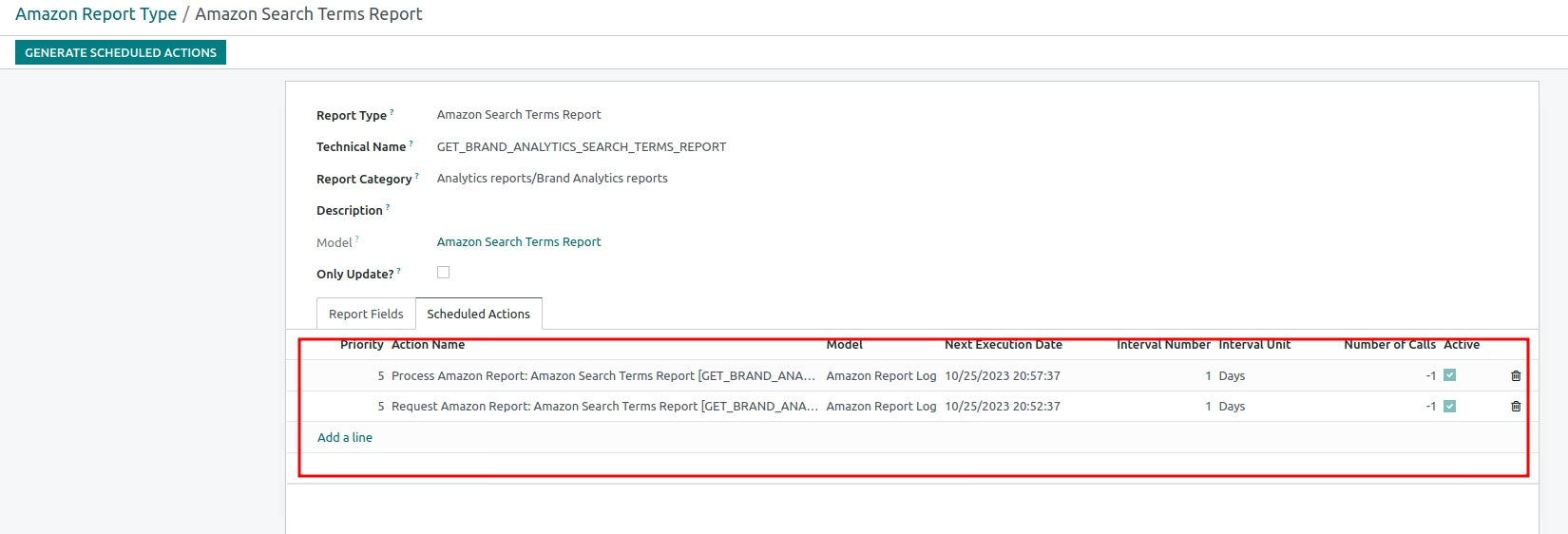
- Generate Scheduler: Choose Marketplace and Processing Type to generate scheduler.
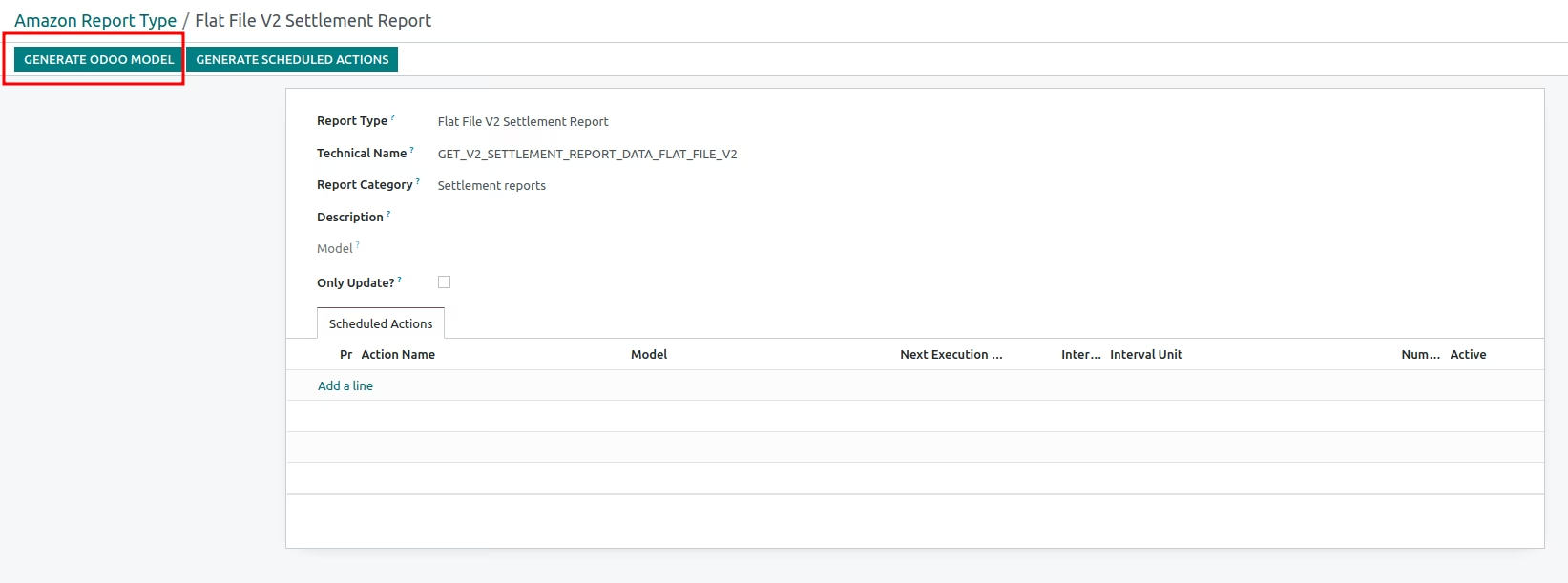
- Generate Models: Will create models for and fields the this report type (needs at least one requested report in system)
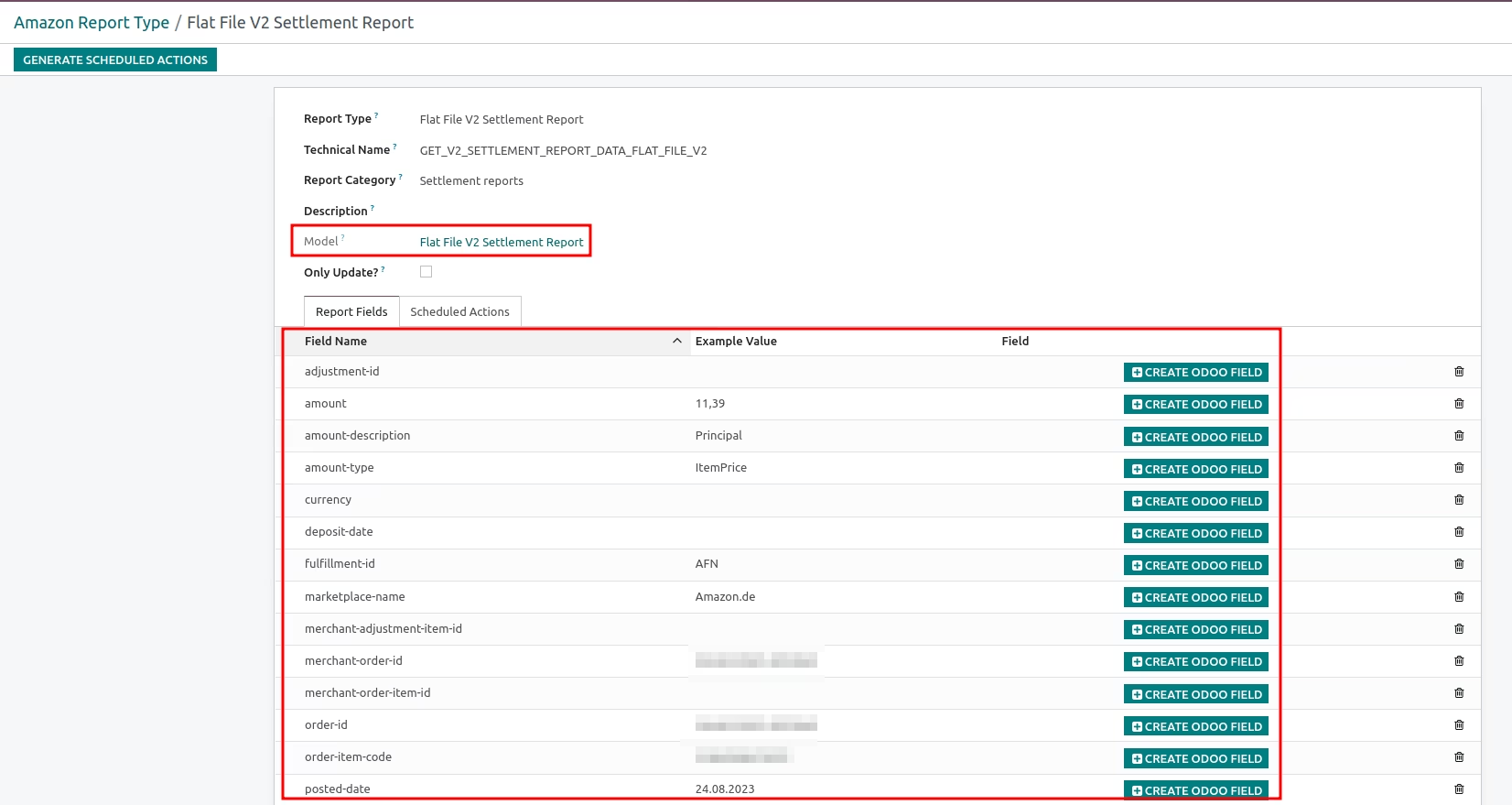
- Choose Report Columns to create Fields: This will define the fields for Report Lines (see 3. Report Database Record Lines).