The SH Community module serves as a robust alternative to the official .sh platform, tailored specifically for users operating the Community Edition. This module empowers developers and businesses to establish a comprehensive development and deployment pipeline without the need for an Enterprise subscription. By integrating seamlessly with GitHub, it facilitates version control, continuous integration, and automated deployments, thereby streamlining the development process.
GitHub Integration: Connect your instance with GitHub repositories for seamless version control and code management.
Staging Environments: Create and manage staging environments to test changes before deploying to production.
Automated Deployments: Implement continuous integration pipelines for automatic deployment of code changes.
Custom Module Support: Easily install and manage custom modules to extend functionality.
Version Control: Maintain a history of changes and roll back to previous versions when necessary.
Collaborative Development: Enable multiple developers to work concurrently on different features or fixes.
Enhanced Workflow: Streamline the development lifecycle from coding to deployment within the interface.
Cost-Effective: Utilize advanced development tools without the need for an Enterprise subscription.
Improved Efficiency: Automate repetitive tasks such as deployments and testing, reducing manual effort.
Enhanced Collaboration: Facilitate teamwork among developers through shared repositories and staging environments.
Increased Flexibility: Customize your instance with community modules and custom developments.
Simplified Management: Manage development, staging, and production environments from a single platform.
Set up staging and production environments as per your development workflow.
Tools Panel
With this module you can manage all the repositories where your modules are located.Supports private and public repositories. You can use GitLab , GitHub or any Git based system. Every minute an automated task is executed that checks commits uploaded to the branch configured in the module and if there are changes, the module pulls all the new changes. If there are changes in the repository, the server is restarted and only the modules that have changed are updated. This facilitates the deployment of updates since only the developer must push his changes to the branch configured in the module and in a minute those changes will be reflected.
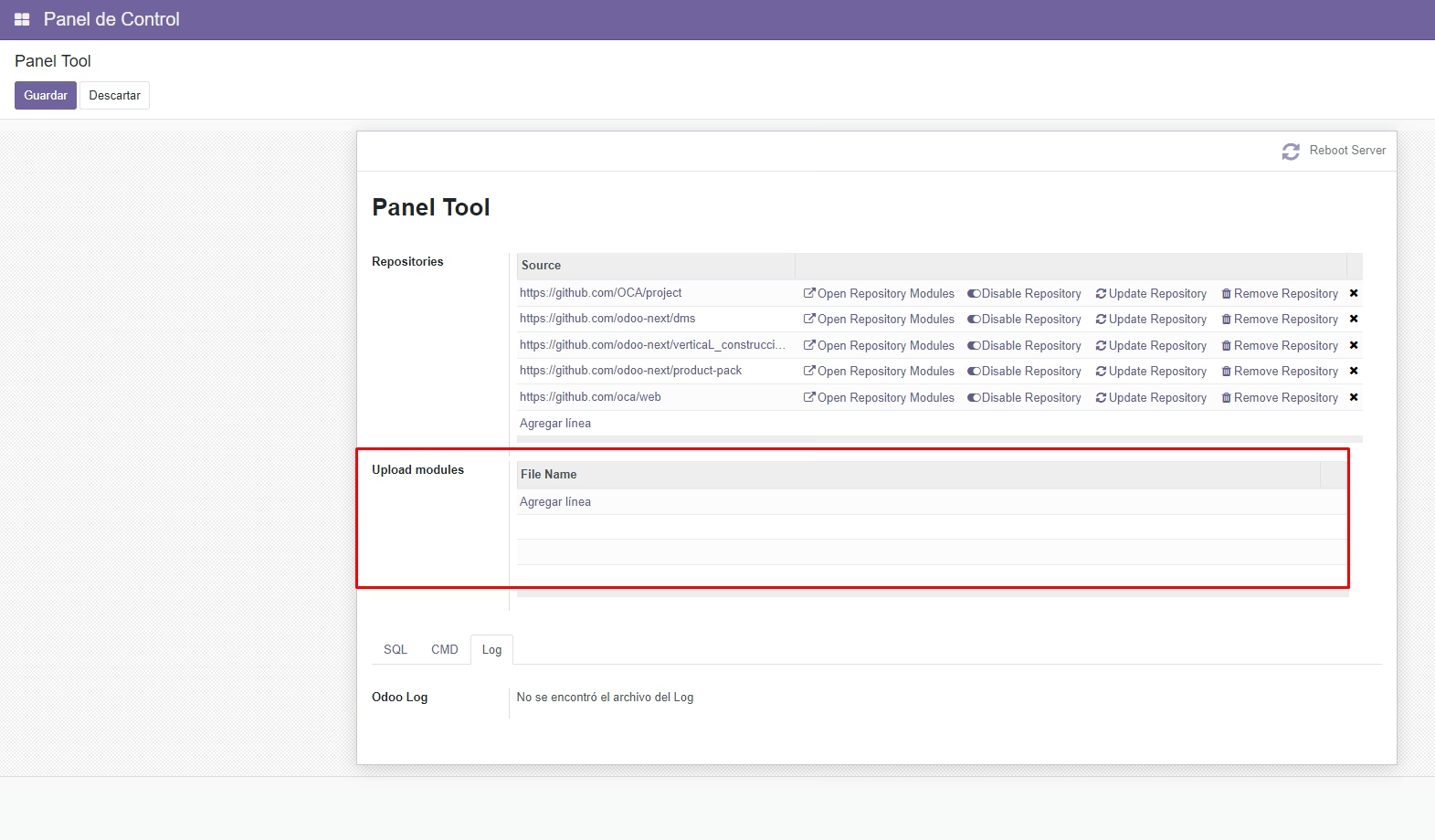
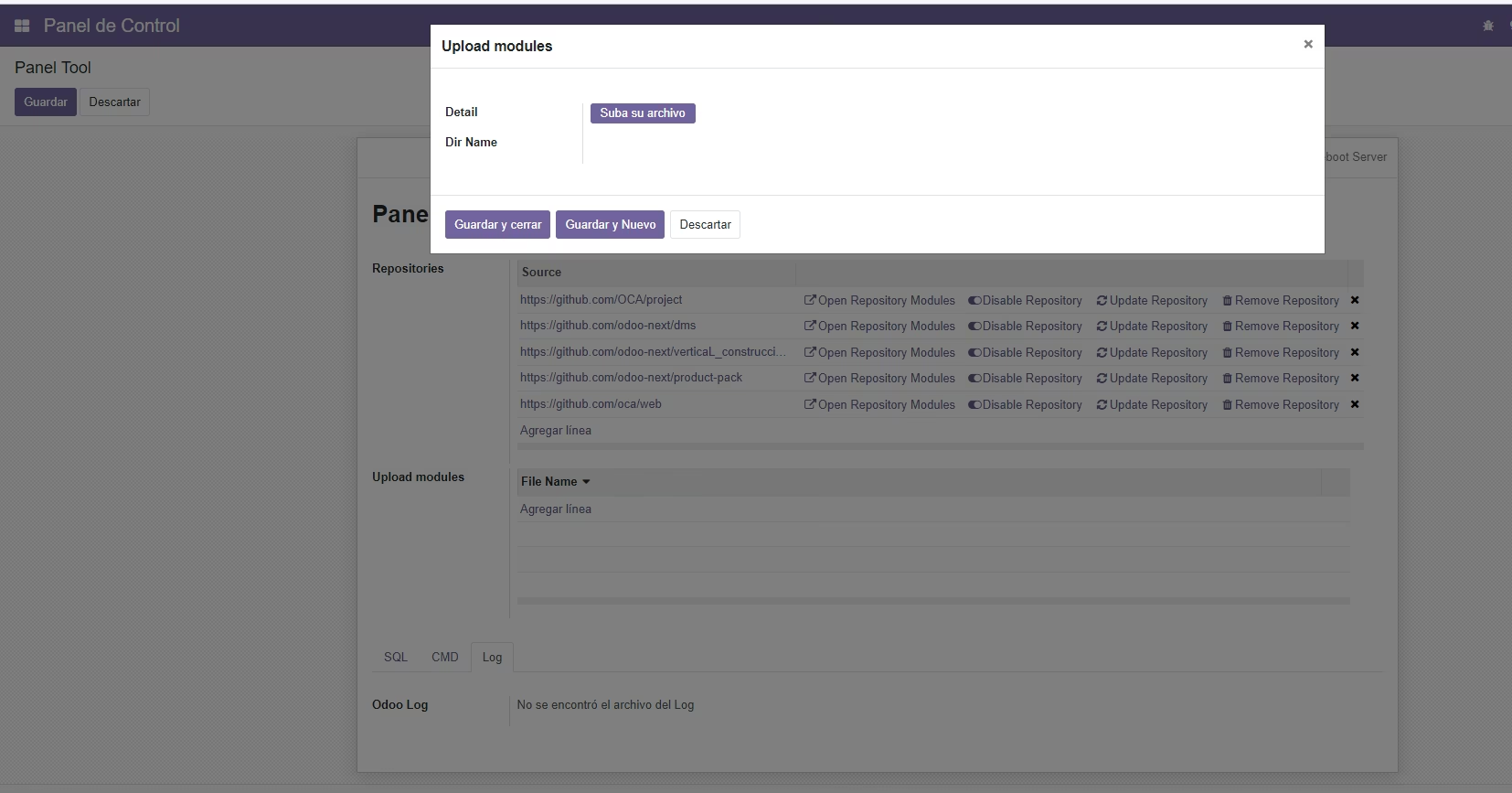
Upload modules in zip format to the server. With this module you can download modules from the Store in zip format and easily upload them to your server
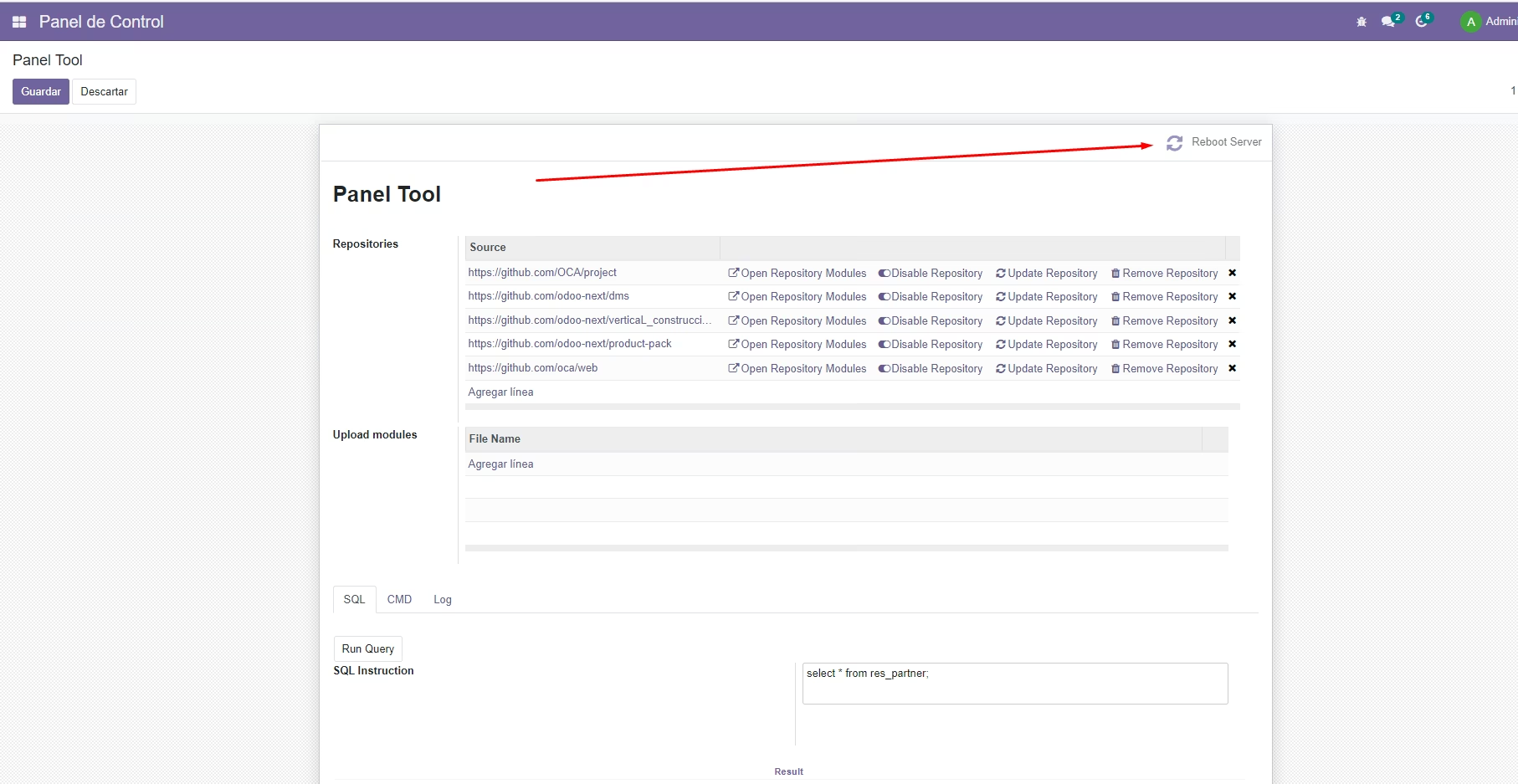
Restar Server from Backend
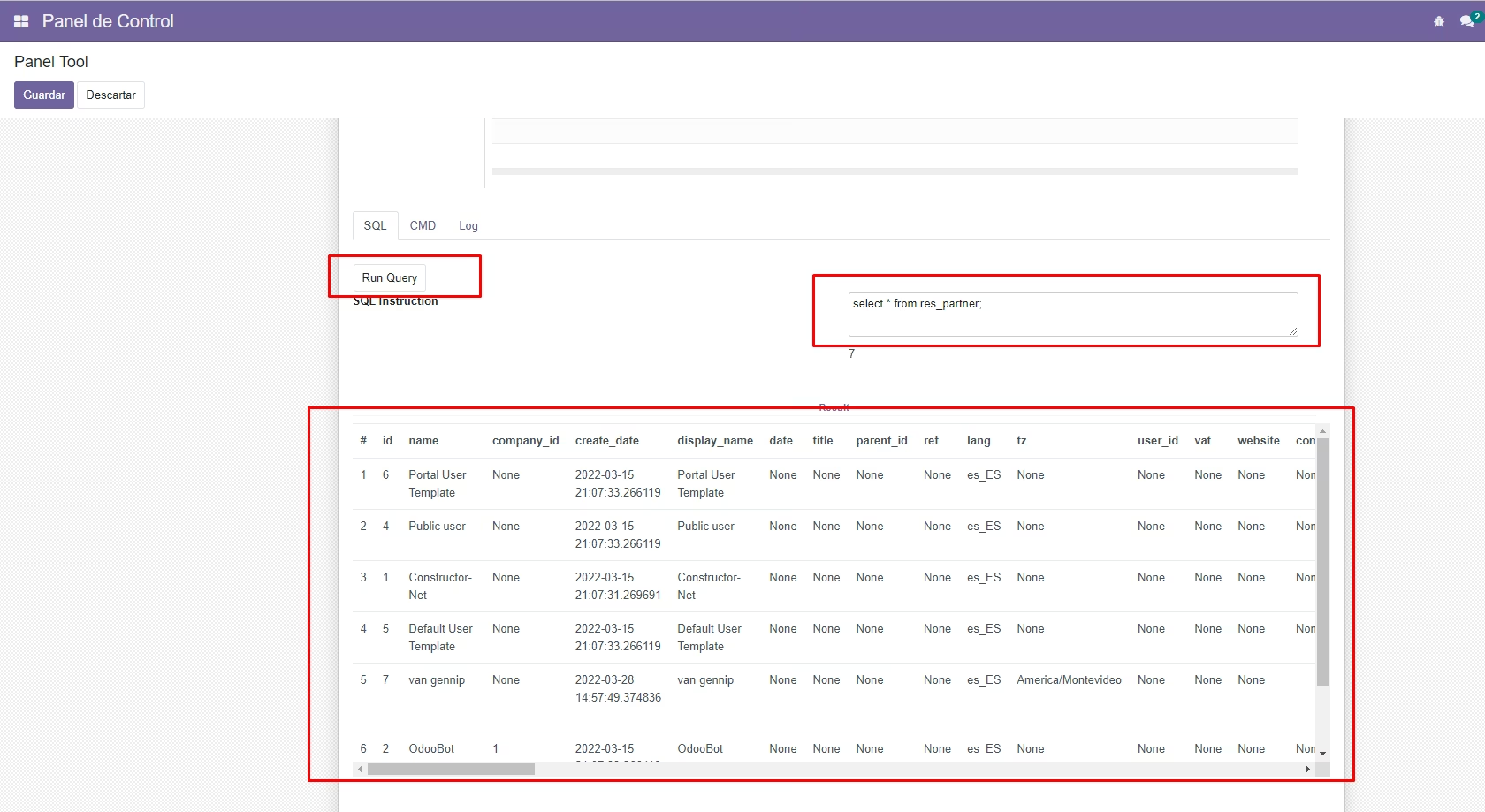
Run sql queries from Backend
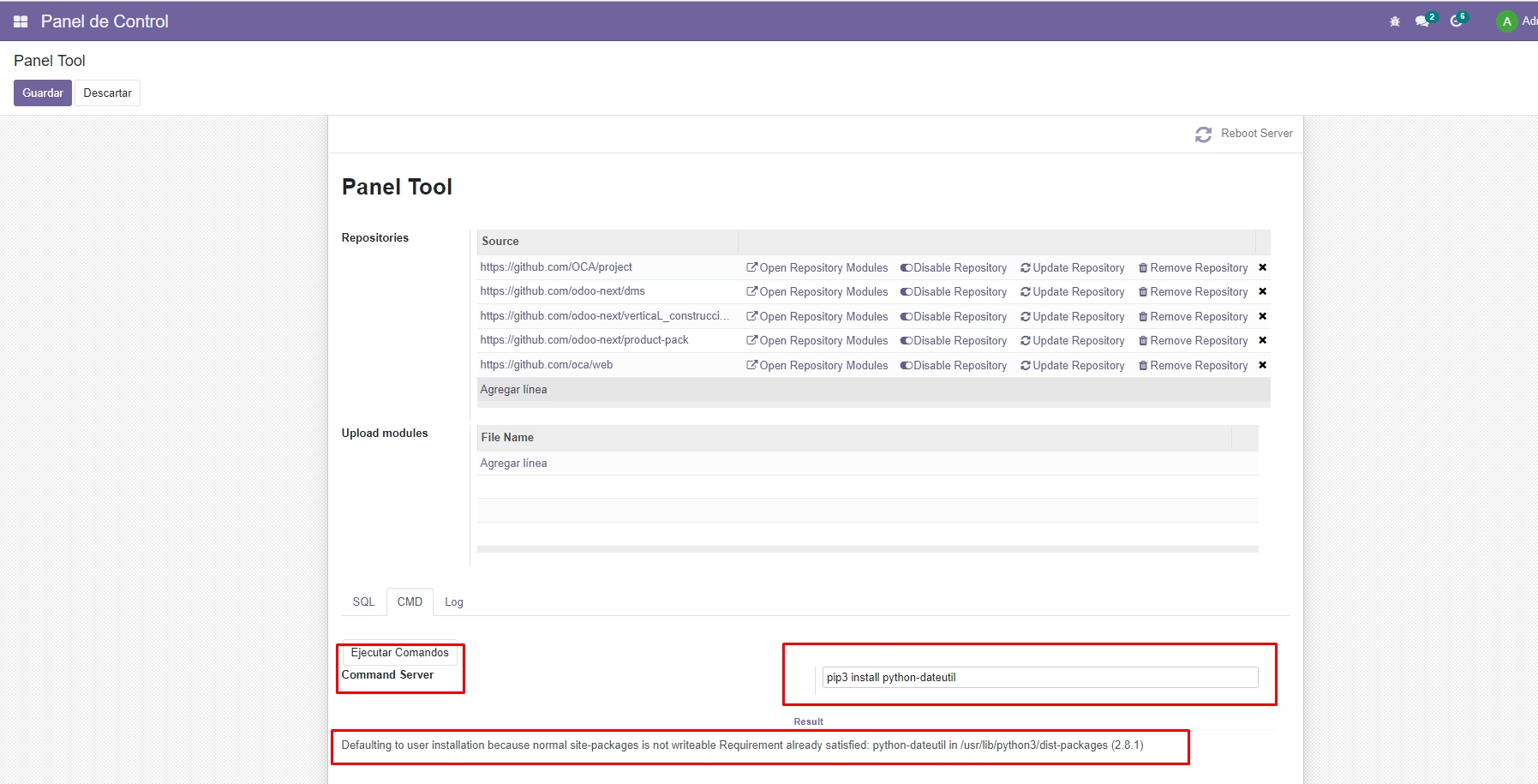
Execute commands to the Server
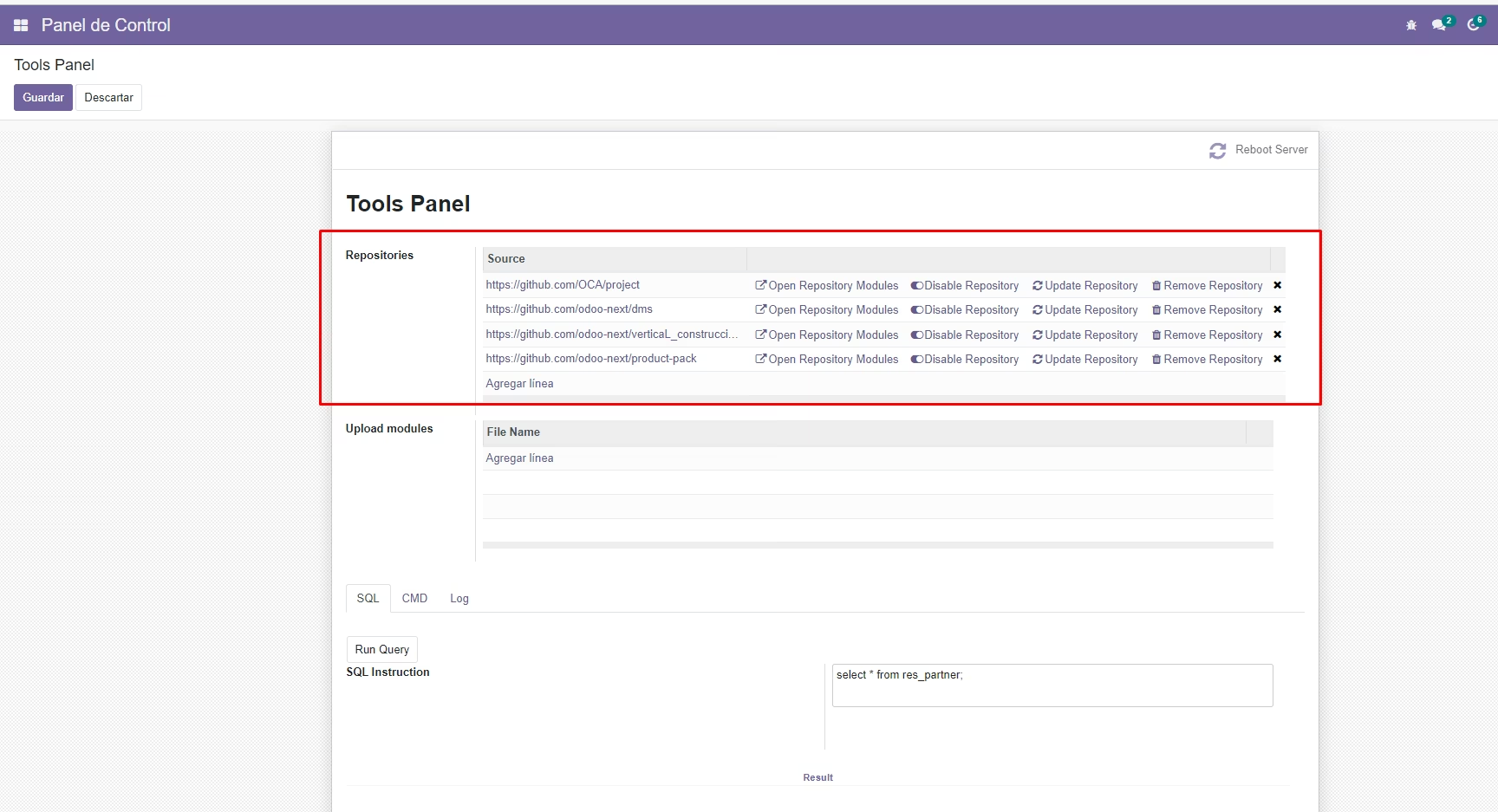
(Example) Cloning a github repository
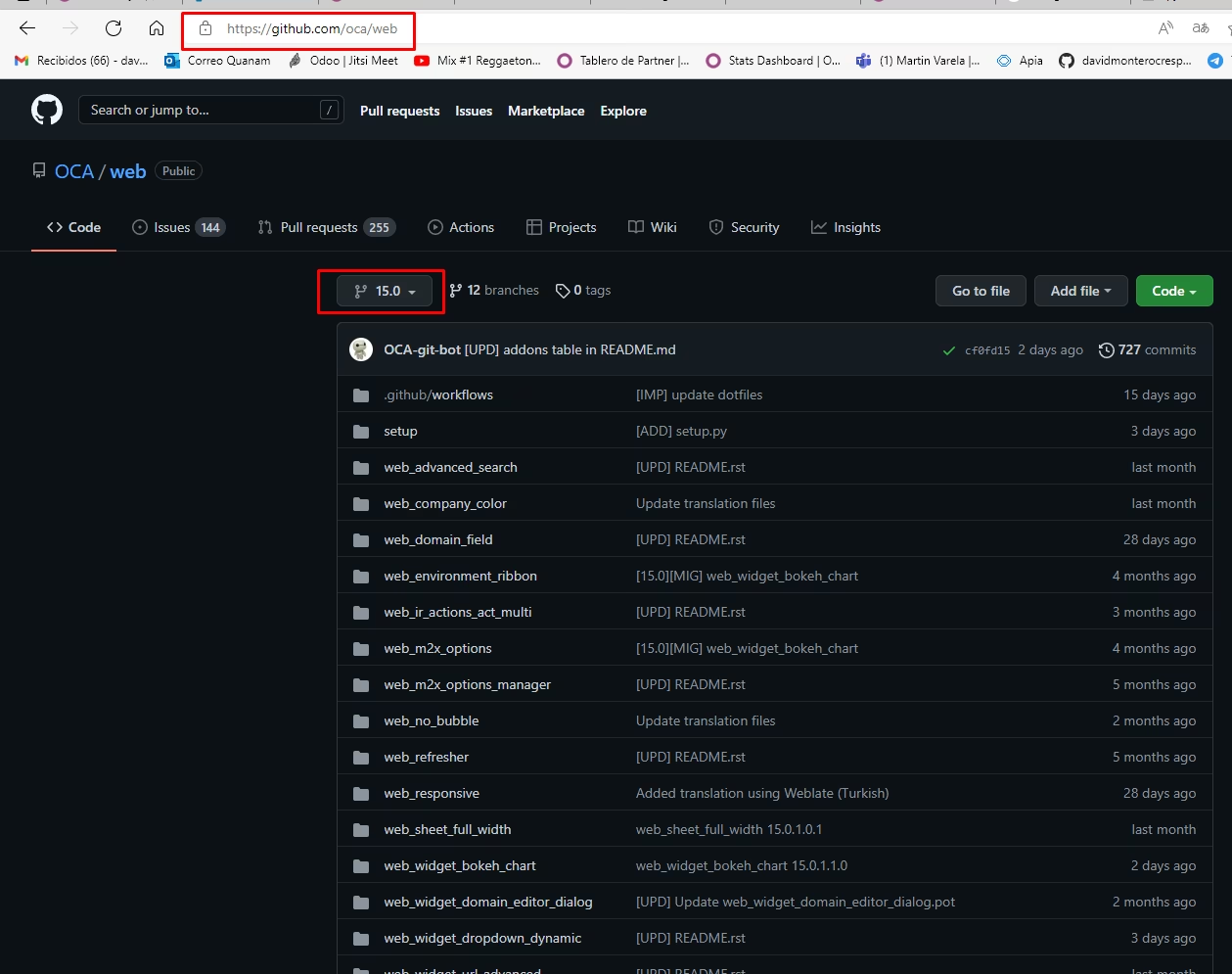
Copy the repository url
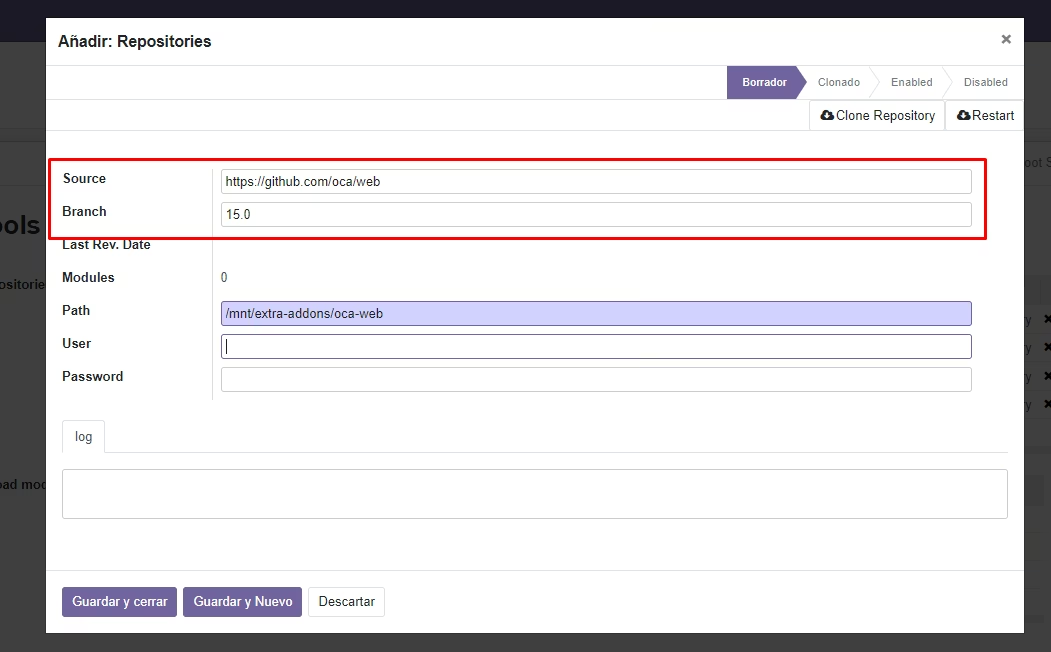
Clone the repository
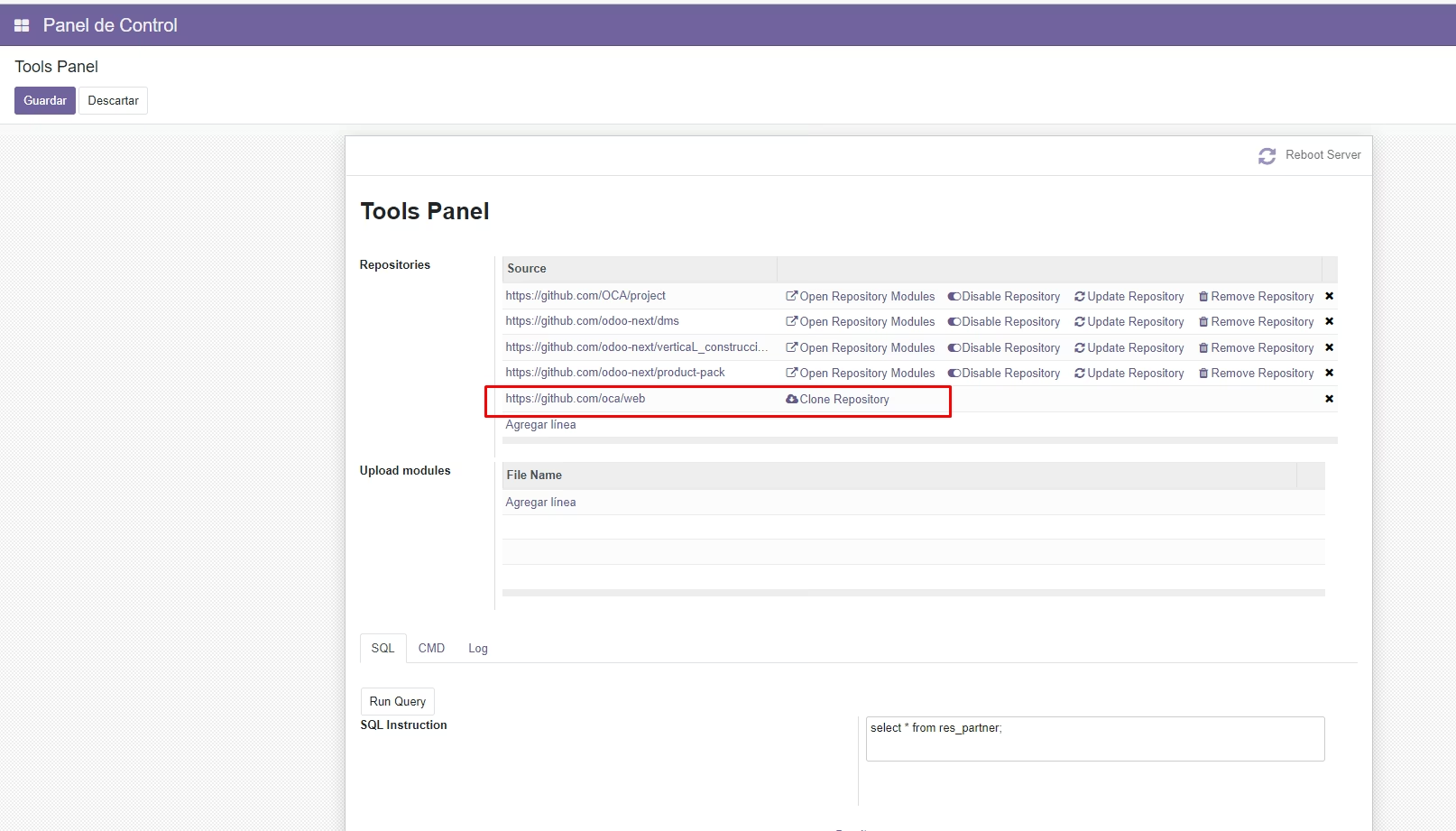
Enable the repository
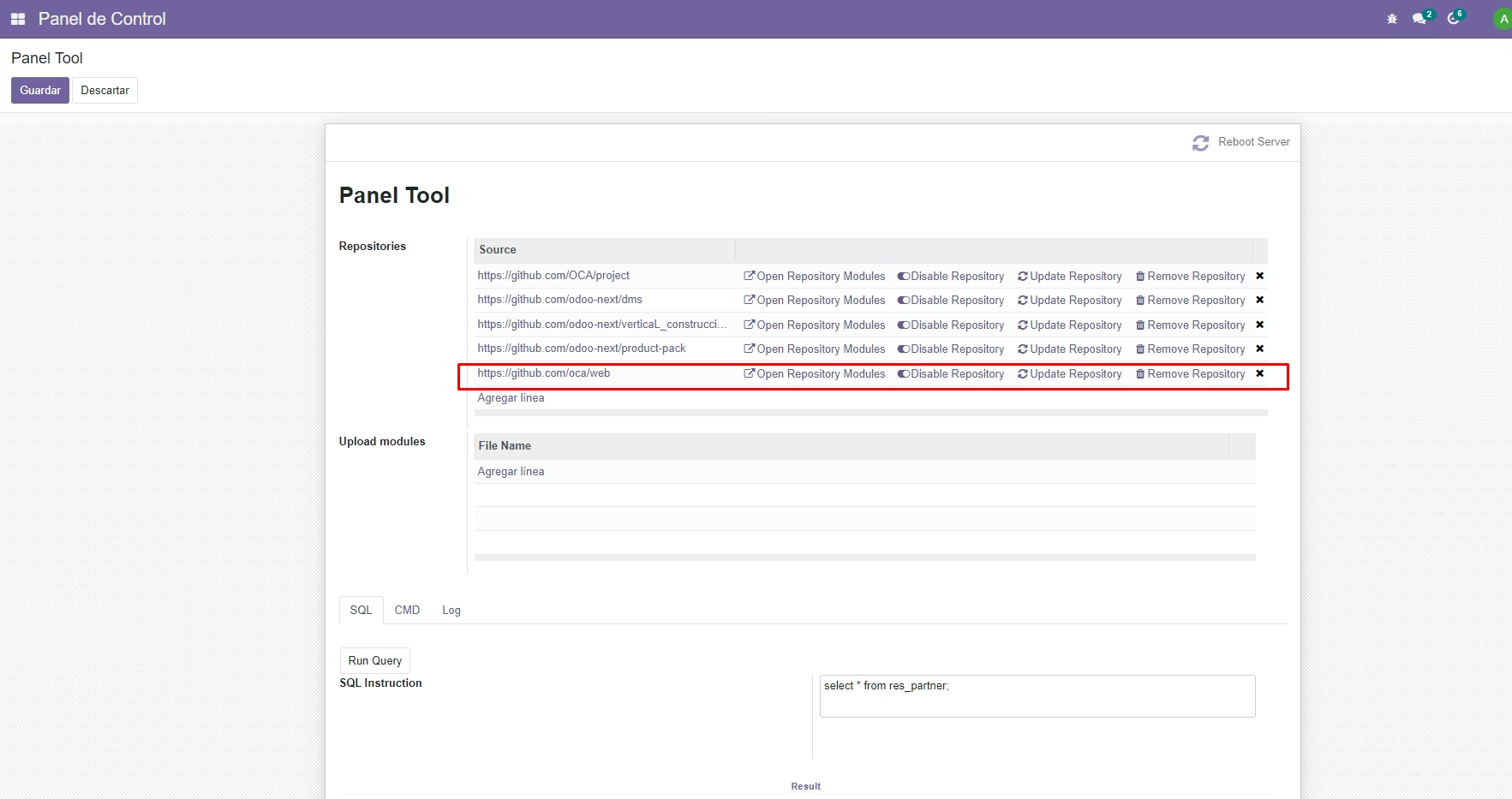
Operations
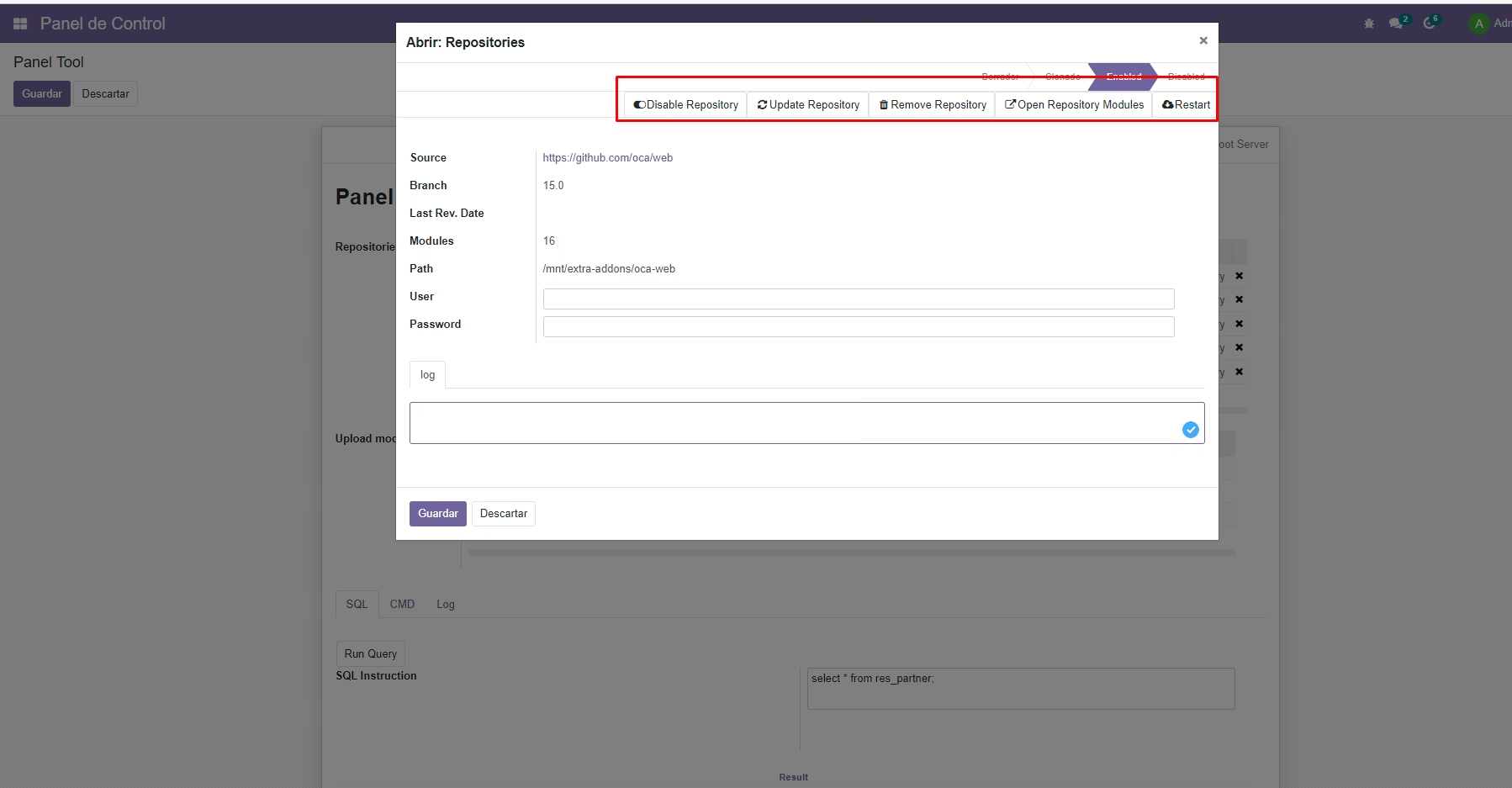
Operatiosn:
- Update the list of modules.
- You can see the modules that belong to that repository.
- Disable repository.
- Update the repository
- Remove the repository
- Logs
Restar Server from Backend
Run sql queries from Backend
Execute commands to the Server
Upload modules in zip format to the server. With this module you can download modules from the Store in zip format and easily upload them to your server