The POS Access Rights Management allows administrators to control and restrict specific functionalities within the Point of Sale (POS) system based on user roles. This ensures that only authorized personnel can perform sensitive actions, enhancing security and operational efficiency.
Restrict POS Payments: Disable the payment option for certain users to prevent unauthorized transactions.
Control Discount Applications: Limit the ability to apply discounts to specific roles.
Manage Product Quantity Adjustments: Restrict users from changing product quantities during a sale.
Prevent Price Editing: Disable the option to edit product prices within the POS.
Restrict Order Line Removals: Control who can remove items from an order.
Dynamic Access Control: Assign permissions dynamically based on user roles, ensuring appropriate access levels.
Enhanced Security: Prevent unauthorized actions within the POS system.
Operational Control: Ensure that only qualified personnel can perform certain tasks.
Customizable Permissions: Tailor access rights to fit the needs of your organization.
Improved Compliance: Maintain adherence to internal policies and procedures.
POS-Point of Sale Restrict/Allow/Disable Features Apps
User-Based Control for POS Features and Actions
Enable or Disable POS Functionalities per User Role
Secure POS Operations by Limiting Sensitive Actions
Customizable Access Rights for POS Buttons and Fields
This apps helps to Restrict/Allow/Deny Point of sales-PoS Features like Payment, Quantity, Discount, Edit Price, Remove Order-line, Customer Selection, +/- button, Numpad for Particular POS User. After installing this feature you can manage pos option from the user configuration,you can able to see the extra dynamic access control on user access rights configuration from there you can manage to restrict Payments option, Discount option, change Quantity of Product, Editing Product Price, Removing order lines, Customer Selection, +/- button, Numpad options and features.

Allow/Deny POS Features.
You can Allow/Deny POS feature like Payments, Discount Offerings, Quantity of Product, Editing Product Price, Removing order lines, Customer Selection, +/- button, Numpad.

Dynamic access control
You can give Dynamic access to particular users and employee, so that user and employee can have access to only his/her allow functionalities.
POS Allow/Deny Features
This module allows you to control which user or employee can have access of how much functionalities in POS:
Allow/Deny Numpad.
Allow/Deny Payments.
Allow/Deny +/- Button.
Allow/Deny Discount Offerings.
Allow/Deny Customer Selection.
Allow/Deny Quantity of Product.
Allow/Deny Removing order lines.
Allow/Deny Editing Product Price.
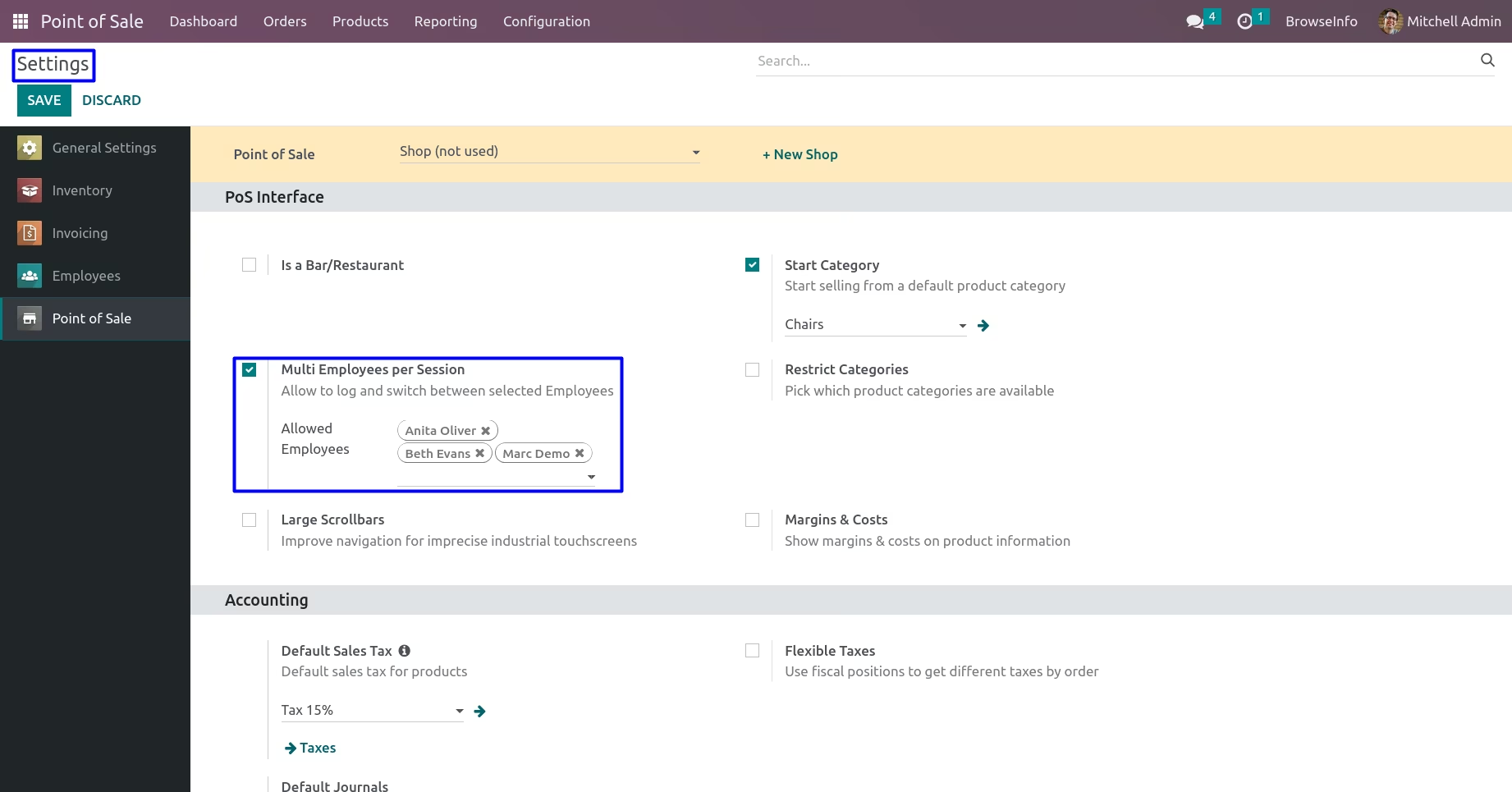
POS Multi Employees per Session Configuration
version18 has feature to multi employees per session , or user can choose or select employee from the current pos session for that on POS settings you can select employee which will be available for the pos sessions.
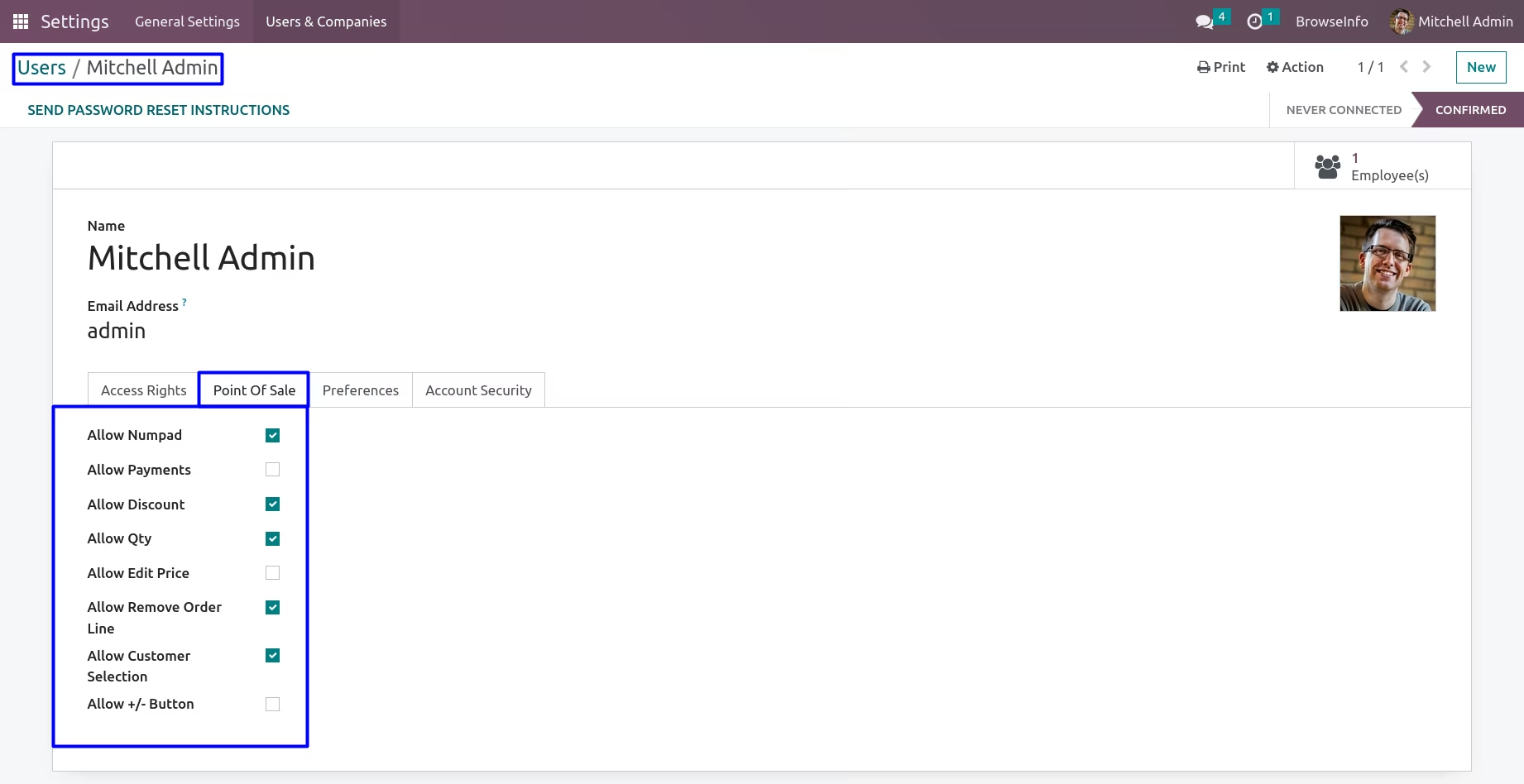
POS Allow/Deny Configuration for User
Allow/Deny POS Features like Payment, Quantity, Discount, Edit Price, Remove Order-line, Customer Selection, +/- Button, Numpad for Particular POS User.
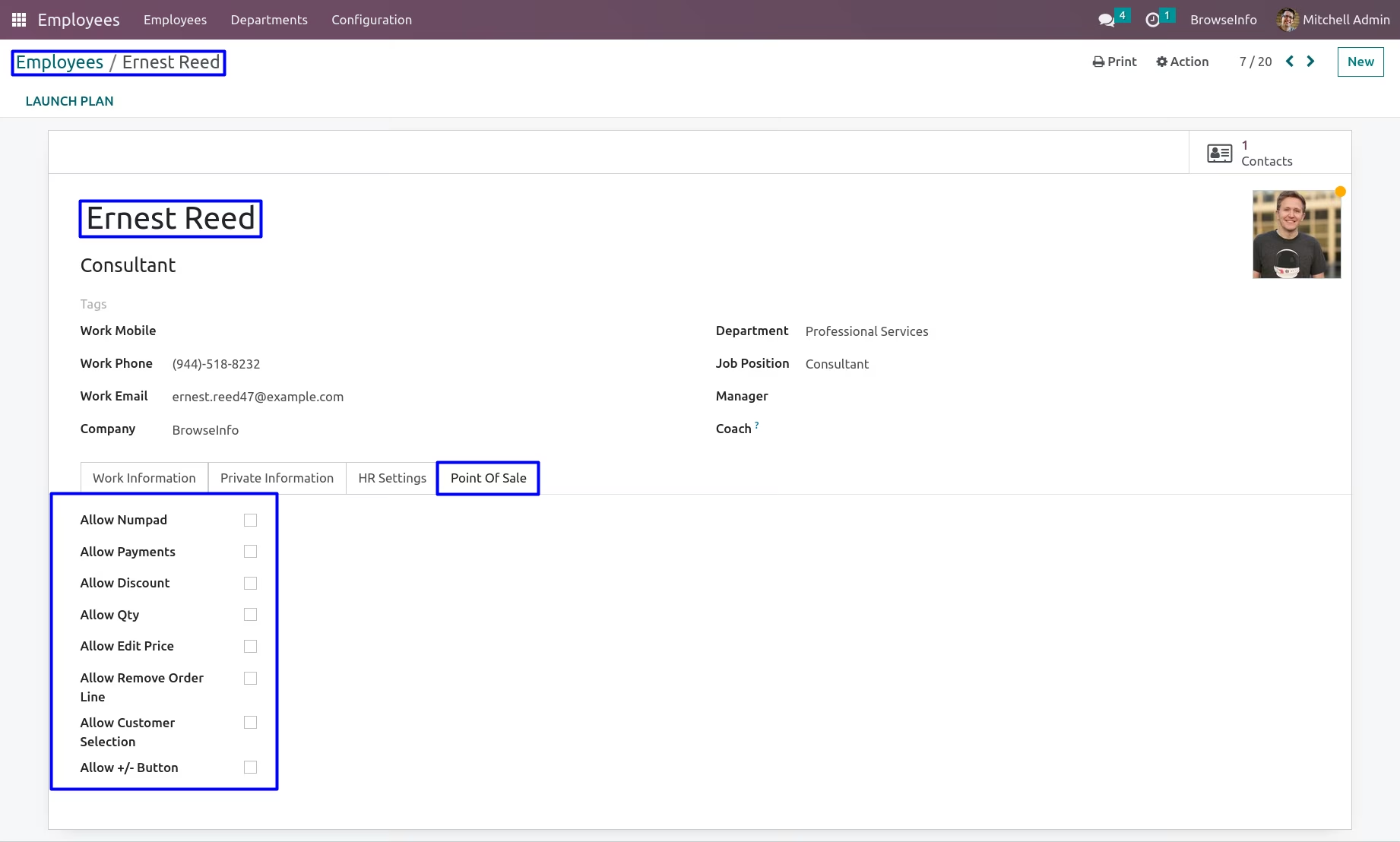
POS Allow/Deny Configuration for Employee
When employee link with User(related users assigned for employee) then his/her settings manages from the users.
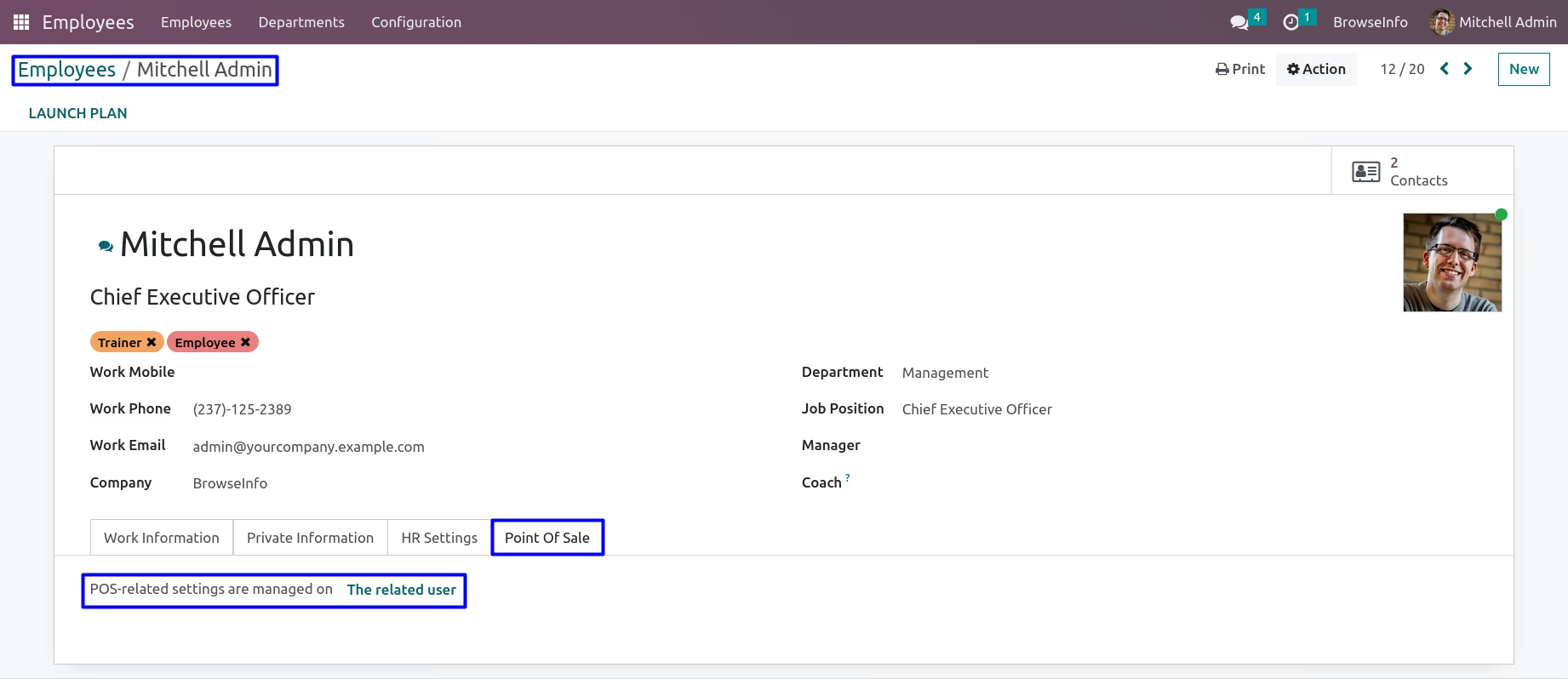
When employee doesn't link with User(related users not assigned for employee) then his/her settings manages from employee form.
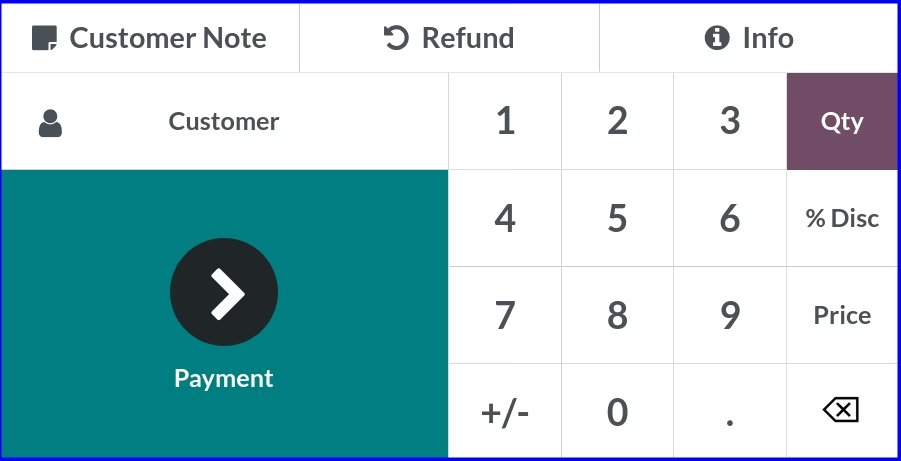
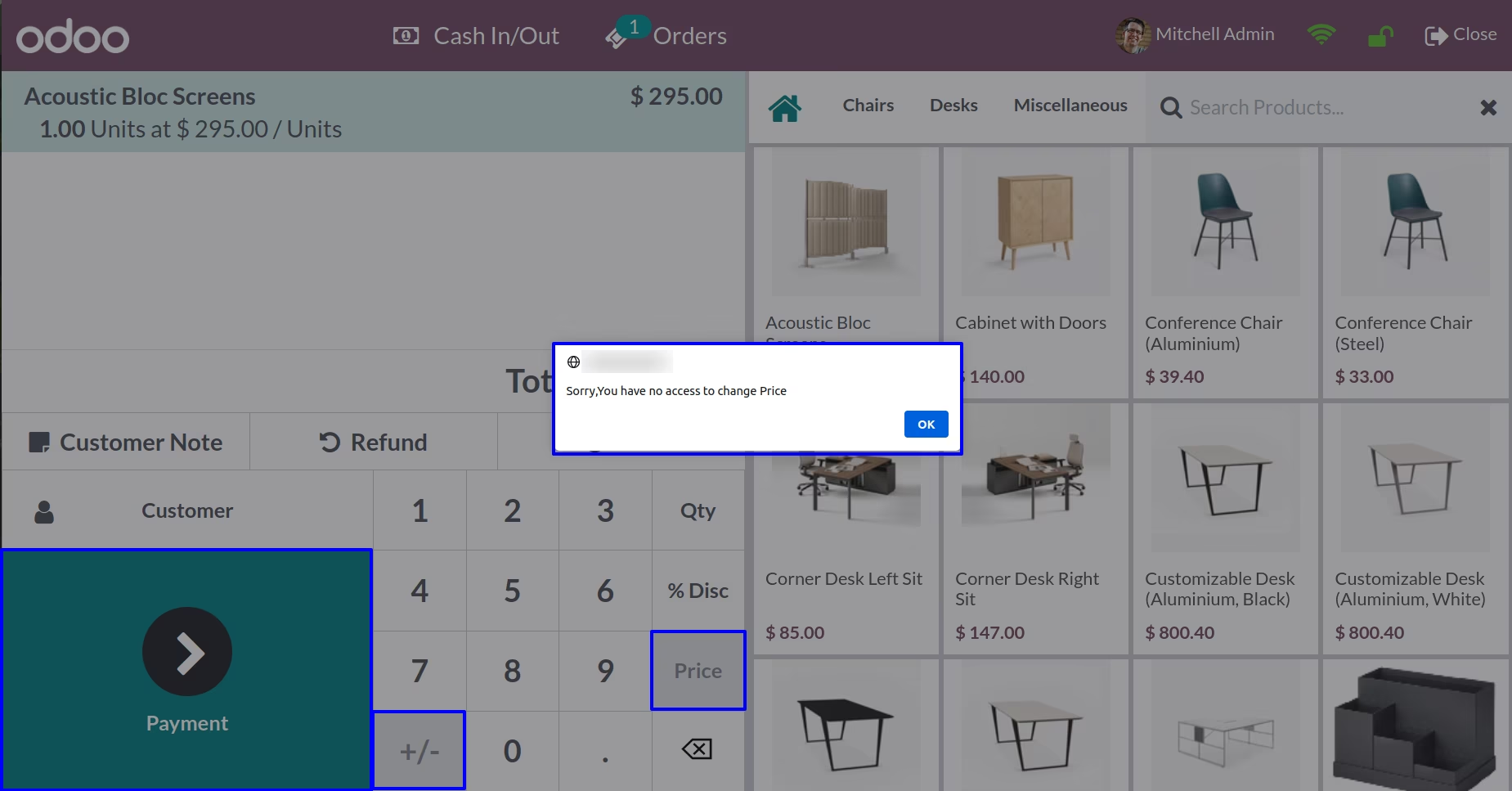
Here you can see Payment, Price and +/- button options are disabled.
Version :
15.0.0.0
30 November 2022
Initial release of the app.
Version :
15.0.0.9
28 July 2023
Minor Bug Fixes.