The All-in-One WhatsApp Integration offers a comprehensive solution for businesses seeking to enhance customer communication through WhatsApp. This module allows seamless sending of various documents such as Quotations, Sales Orders, RFQs, Purchase Orders, Invoices/Bills, Payment Receipts, Delivery Orders, and POS Order Receipts/Invoices directly to customers' WhatsApp accounts. By integrating WhatsApp messaging into Odoo's core modules, businesses can streamline their communication processes, improve customer engagement, and ensure timely delivery of important documents.
Multi-Module Integration: Integrates with Sales, Purchase, Invoicing, Point of Sale, Inventory, and more.
Automated Document Sending: Automatically sends relevant documents to customers via WhatsApp.
Easy Configuration: Simple setup process to link WhatsApp with modules.
Enhanced Customer Engagement: Provides customers with instant access to important documents on their mobile devices.
Improved Communication Efficiency: Reduces delays in document delivery and enhances customer satisfaction.
Streamlined Communication: Centralizes communication through a widely-used platform, reducing the need for multiple channels.
Increased Customer Satisfaction: Customers receive timely updates and documents directly on their mobile devices.
Operational Efficiency: Automates the sending process, saving time and reducing manual effort.
Enhanced Record Keeping: Maintains a clear communication trail within the system.
WhatsApp All In One
Send messages to your customers via WhatsApp messaging service fully automated system.
Send your Quotations, Sales Orders, RFQs, Purchase Orders, Invoices/Bills, Payment Receipts, Delivery Orders, PoS Order Receipts/Invoices, Website Orders to Customer's WhatsApp. All in one module.
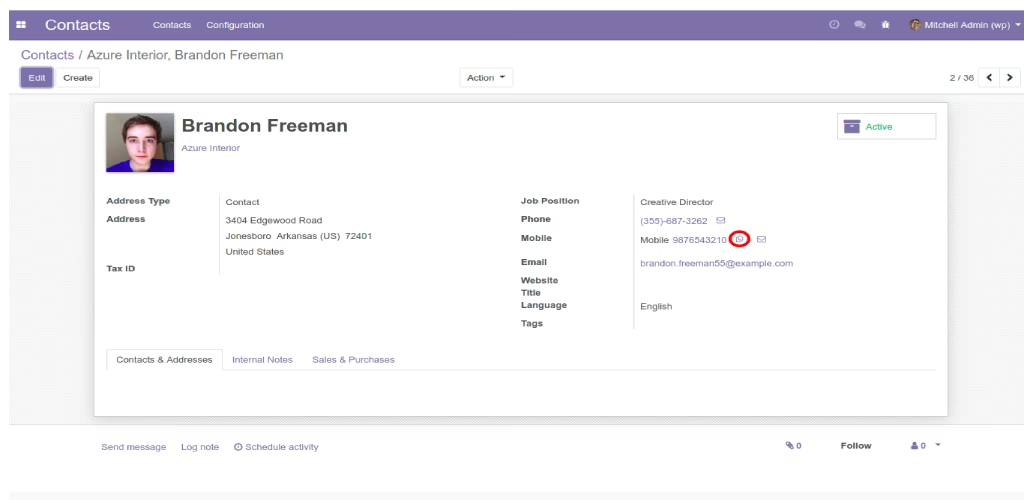
Contact your WhatsApp contacts directly from
Easy way to send messages from to your customers via WhatsApp
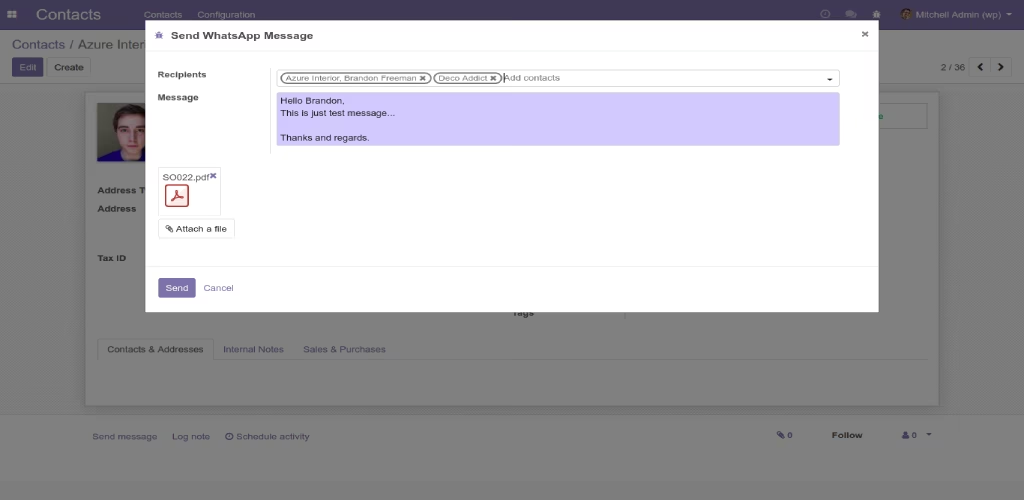
Send message to multiple contacts with attachments
Send WhatsApp message to as many contacts as you want, thanks to modified many2many widget. Furthermore you can attach multiple attachments with the message.
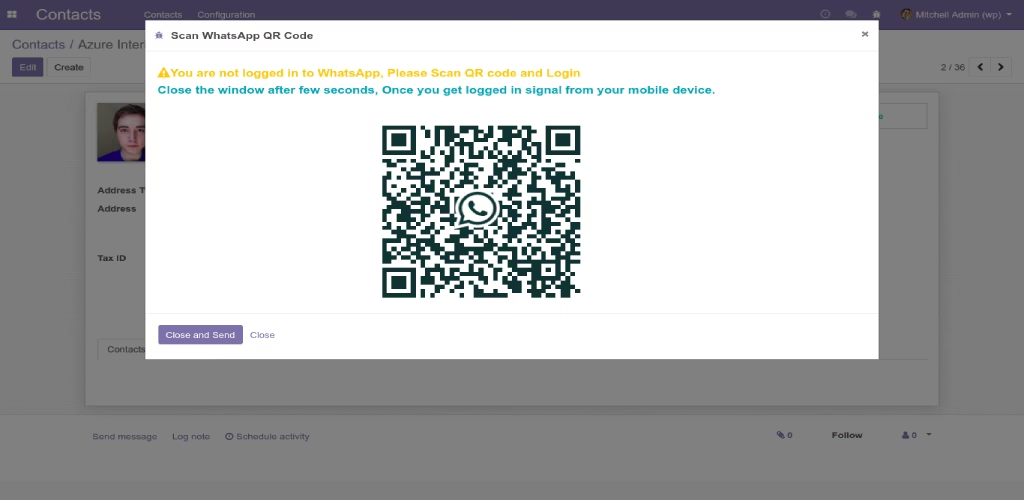
Login to WhatsApp made easy
Just scan QR code from your mobile device and you are good to go!
If you don't know how to login to WhatsApp, just follow the instruction from https://faq.whatsapp.com/en/web/28080003
All users of can login to their WhatsApp individually, i.e. each user will have their own Session. They can Logout from general settings. Also they have Logout option in their WhatsApp Mobile App.
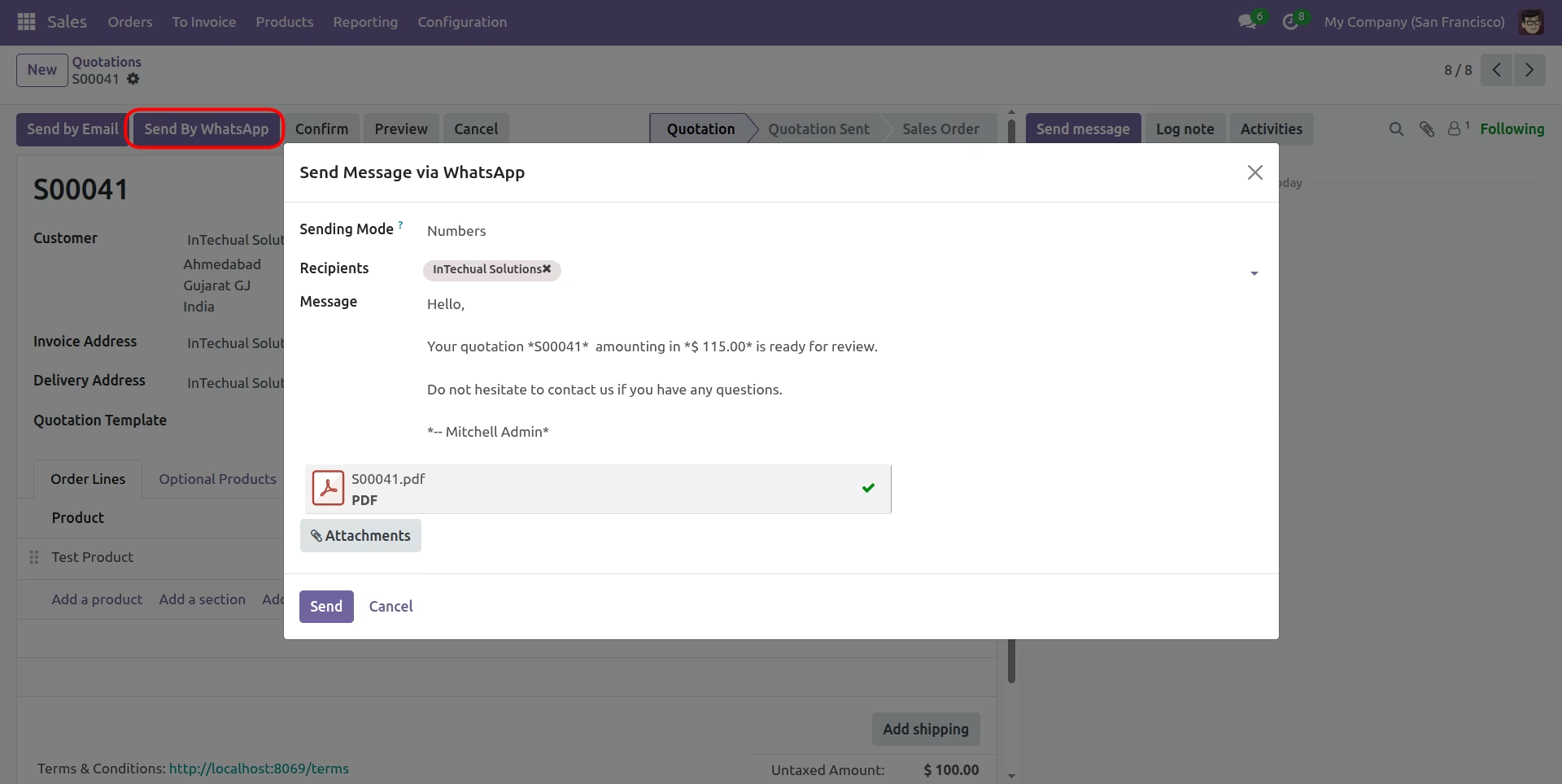
Send Quotation/Sales Order
Send Quotation/Sales Order with attached PDF.
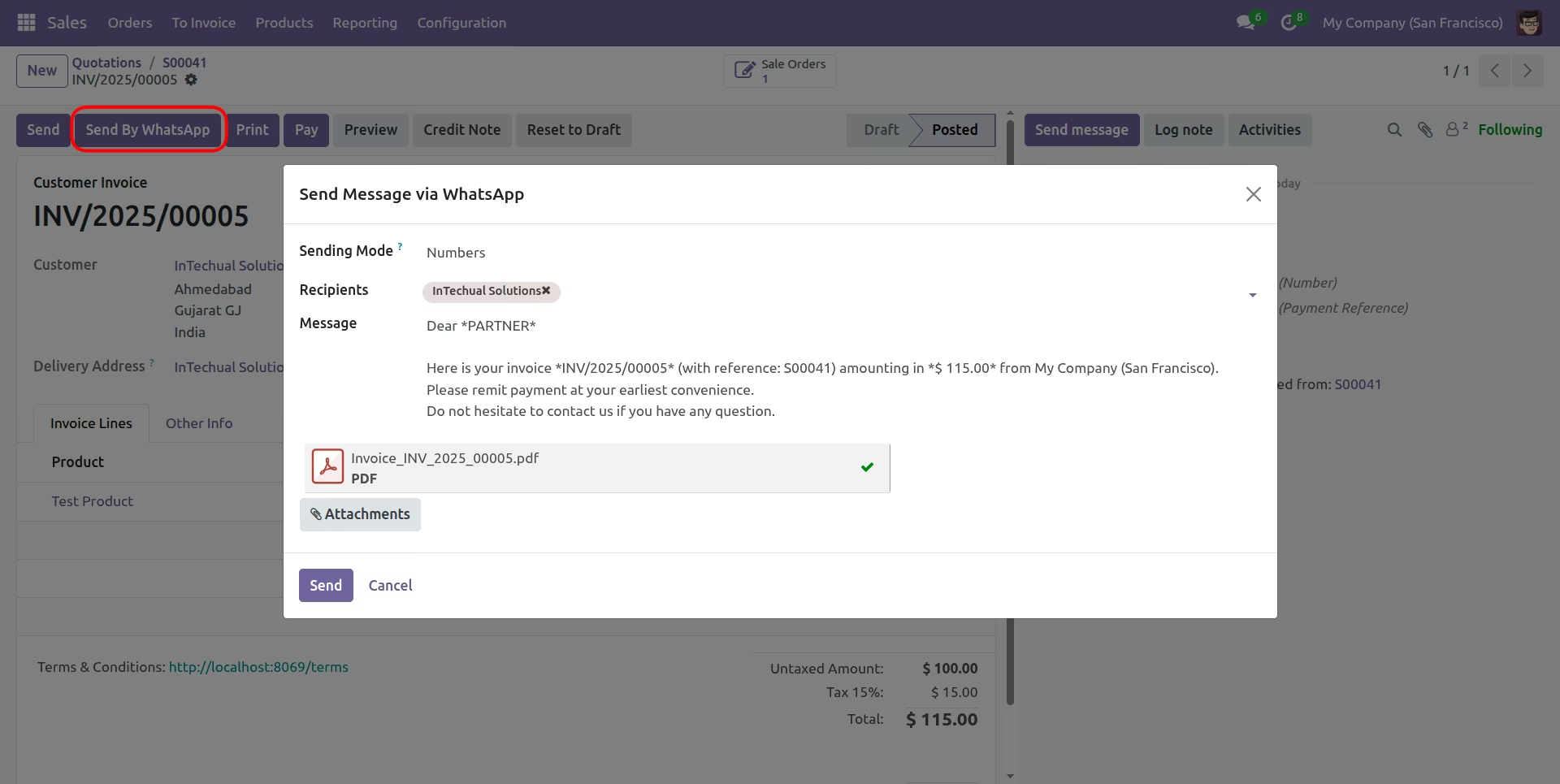
Send Invoce/Vendor Bill
Send Invoce/Vendor Bill with attached PDF.
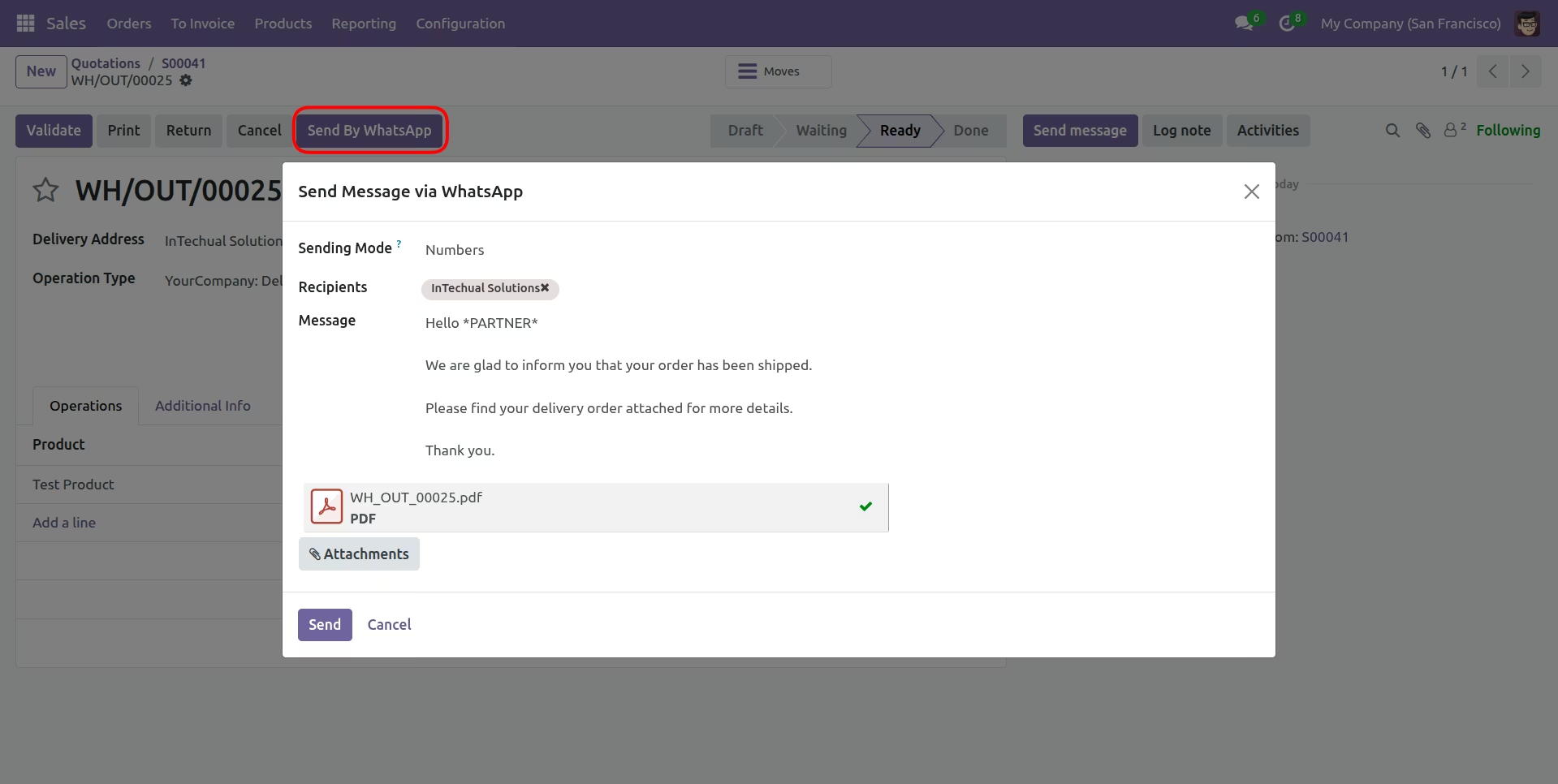
Send Delivey Order
Send Delivery Order with attached PDF.
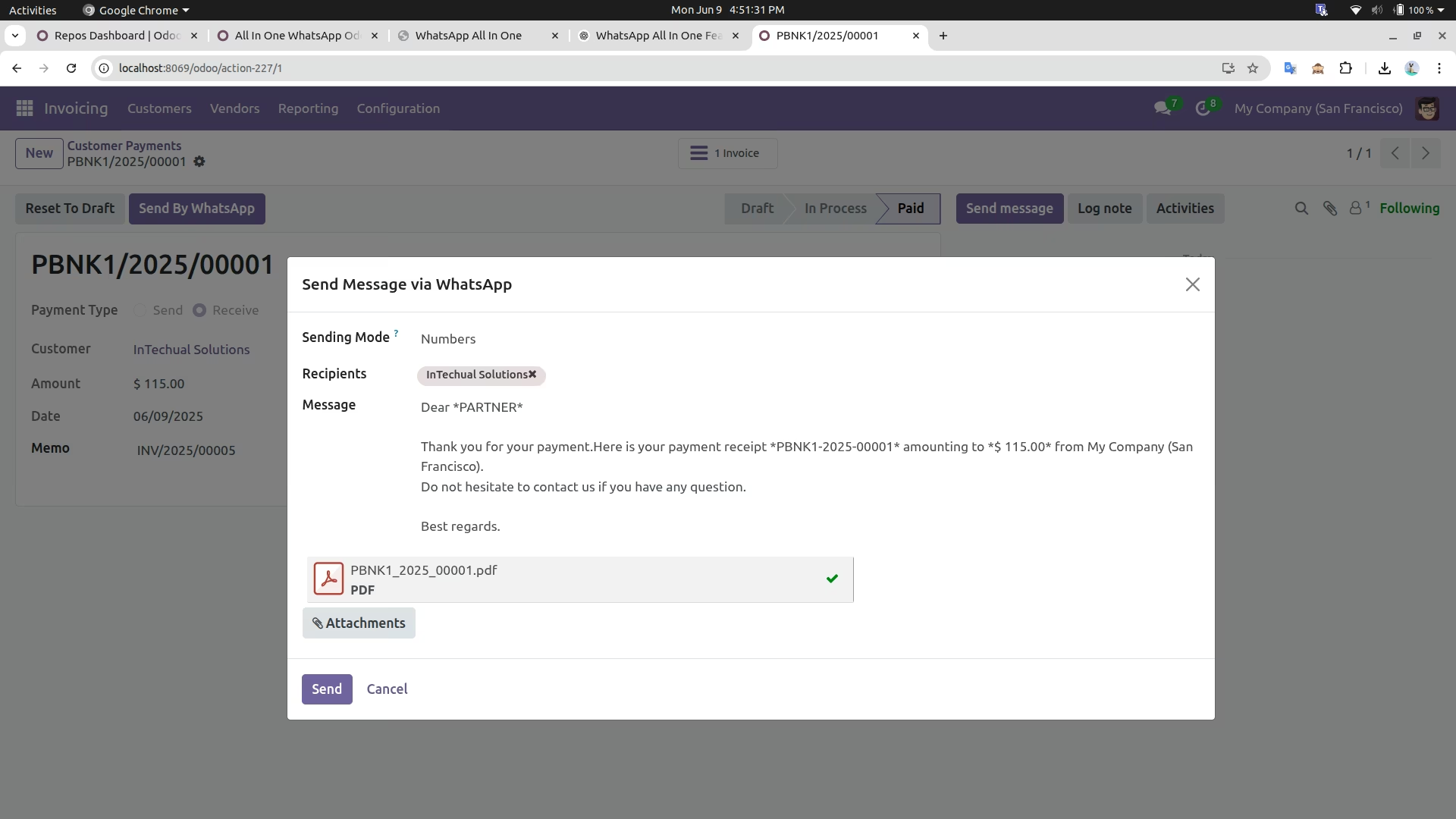
Send Payment Receipt
Send Payment Receipt with attached PDF.
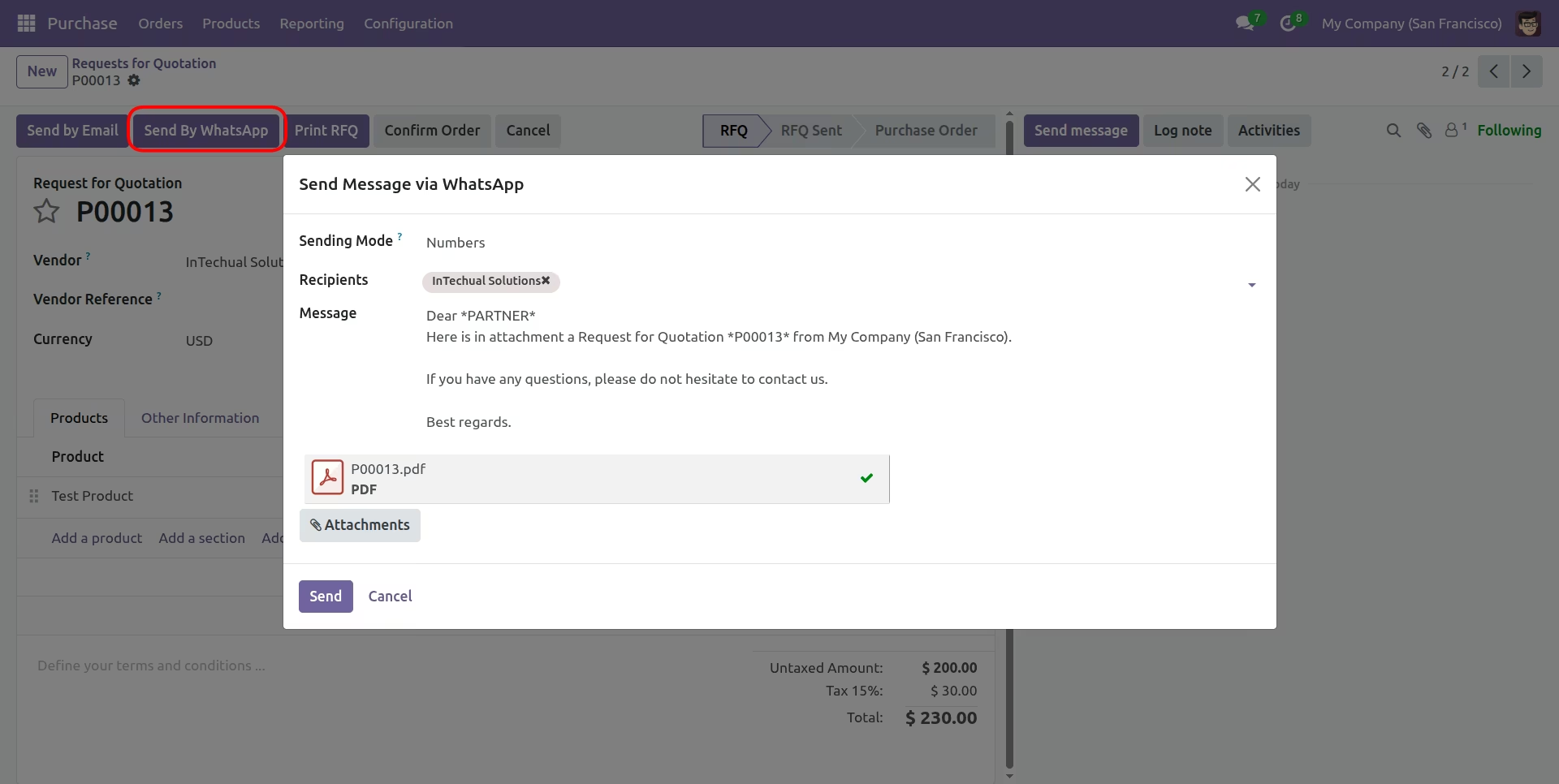
Send RFQ/Purchase Order
Send RFQ/Purchase Order with attached PDF.
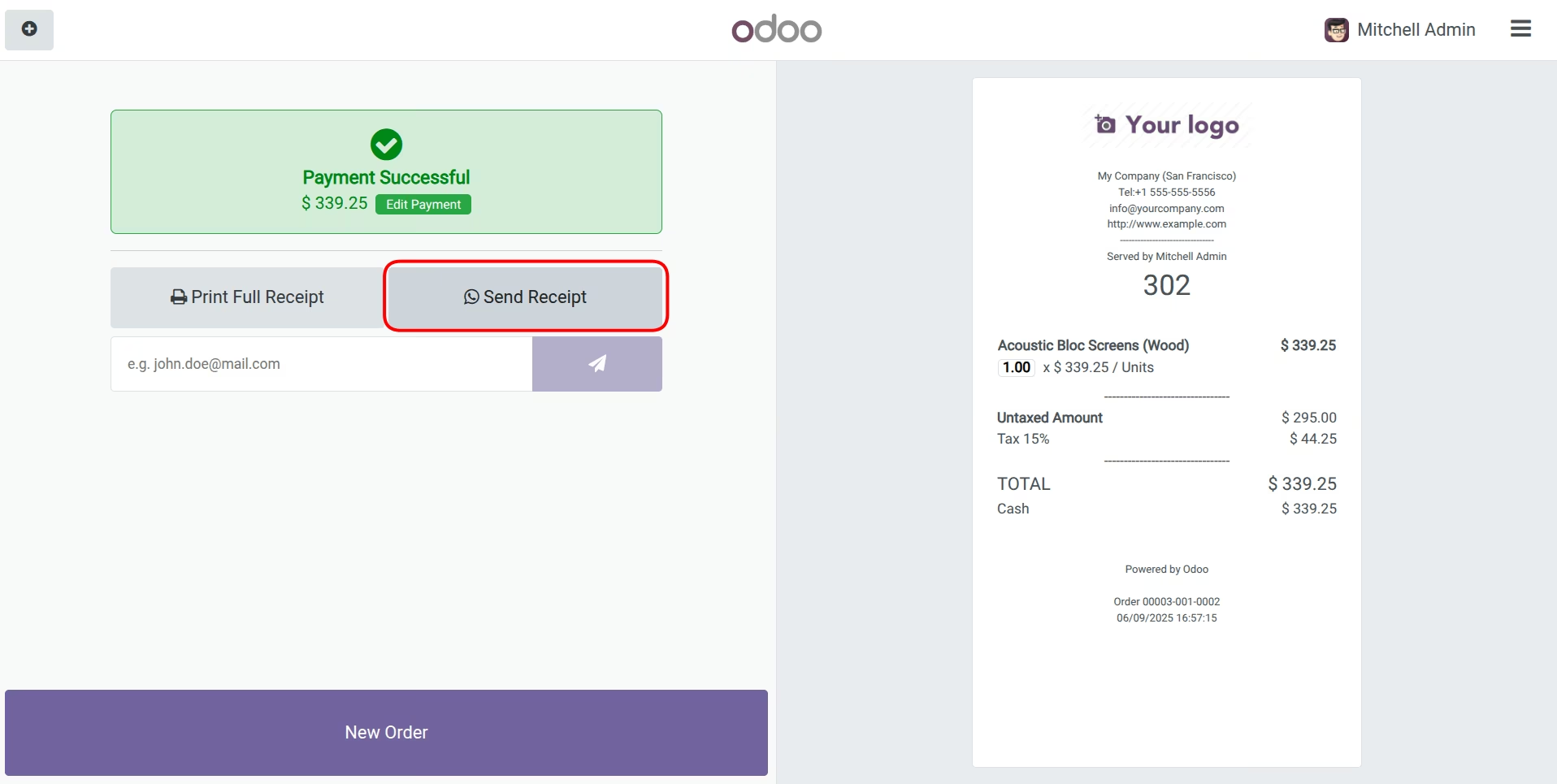
Send PoS Receipt
Send PoS Receipt with attached PDF.
Sales & Quotation Integration
Purchase Module Support
Invoice and Payment Sharing
Delivery Order Notifications with PDFs.
POS Receipts on WhatsApp
Website Orders Integration
Logs outgoing messages in
Multi user support
Requirements
$ sudo python3 -m pip install phonenumbers
# selenium python library
$ sudo python3 -m pip install --upgrade selenium
# Google Chrome browser (Skip if already installed - Just update it)
$ wget https://dl.google.com/linux/direct/google-chrome-stable_current_amd64.deb
$ sudo dpkg -i google-chrome-stable_current_amd64.deb
# If any error occurs during Google Chrome Installation
$ sudo apt-get install -f
# Give permissions to this module
$ sudo chown : -R /path/to/module/whatsapp_all_in_one
# Replace "" with actual username and path with actual path
Note: Contact us if you find any difficulties in setup/installation.