The All In One Secondary Unit Of Measure module is designed to facilitate the management of secondary units of measure (UOM) across various operations, including sales, purchases, inventory, and accounting. Developed by Softhealer Technologies, this module enables businesses to handle products that require multiple units of measure, streamlining processes and reducing manual calculations.
Unified Secondary UOM Management: Assign and manage secondary UOMs for products across sales, purchases, inventory, and accounting modules.
Automatic Conversion: Easily convert between primary and secondary UOMs with automatic updates.
Sales Integration: Display secondary UOMs in sales orders and quotations, including in PDF reports.
Purchase Integration: Show secondary UOMs in purchase orders and RFQs, with corresponding PDF reports.
Inventory Visibility: View stock quantities in both primary and secondary UOMs.
Accounting Support: Reflect secondary UOMs in accounting entries and reports.
Manufacturing Compatibility: Utilize secondary UOMs in manufacturing orders and bills of materials.
Enhanced Operational Efficiency: Streamline processes by managing multiple UOMs within a single system.
Reduced Manual Calculations: Automate conversions between primary and secondary UOMs, minimizing errors.
Improved Reporting: Generate comprehensive reports that include secondary UOM data for better analysis.
Seamless Integration: Ensure consistent UOM management across all relevant Odoo modules.
User-Friendly Interface: Easily configure and utilize secondary UOMs without complex setups.
All In One Secondary Unit Of Measure
Do you have multiple units of measure for your products? If so, you've come to the right place. We've developed a comprehensive module to manage secondary product units in sales, purchases, inventory operations, and accounting. This module simplifies the process of obtaining secondary unit values, saving you valuable time on calculations. Additionally, you can display these values in PDF reports, making it easier for your customers and vendors to understand.
- It's easy to convert the product value from the primary unit to the secondary unit.
- You can utilize the secondary unit in sales, purchases, accounting, and inventory.
- Easily convert from secondary to primary and from primary to secondary.
- If you input the secondary unit of measure, it will automatically update the value of the primary unit of measure, and if you change the primary unit of measure, it will auto-adjust the value of the secondary unit of measure.
- Users can view stock (on hand, outgoing, incoming) in the secondary unit of measure.
- It will also be displayed in PDF reports.
- You can obtain an invoice analysis report based on secondary units of measurement (UOM) and secondary quantities.
-
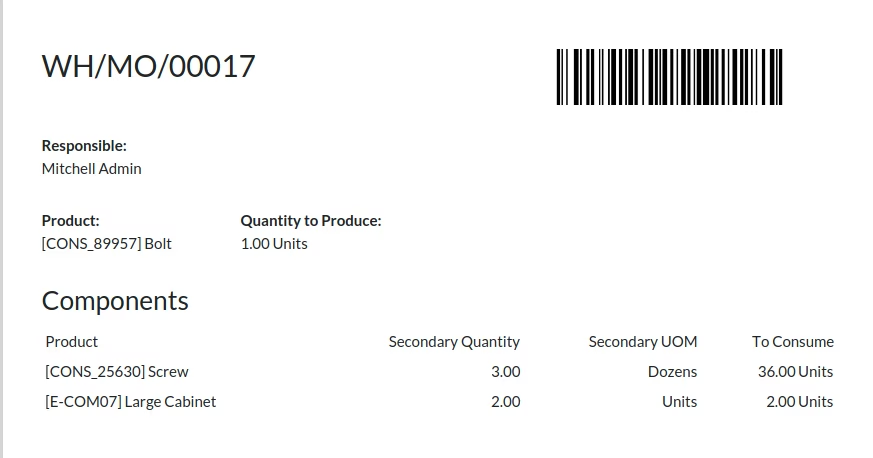
Easy to convert manufacturing/bom product value from the Primary Unit of Measure to the Secondary Unit of Measure in the Manufacturing order line.

-
You can also display a secondary unit of measure in the Manufacturing order pdf report.

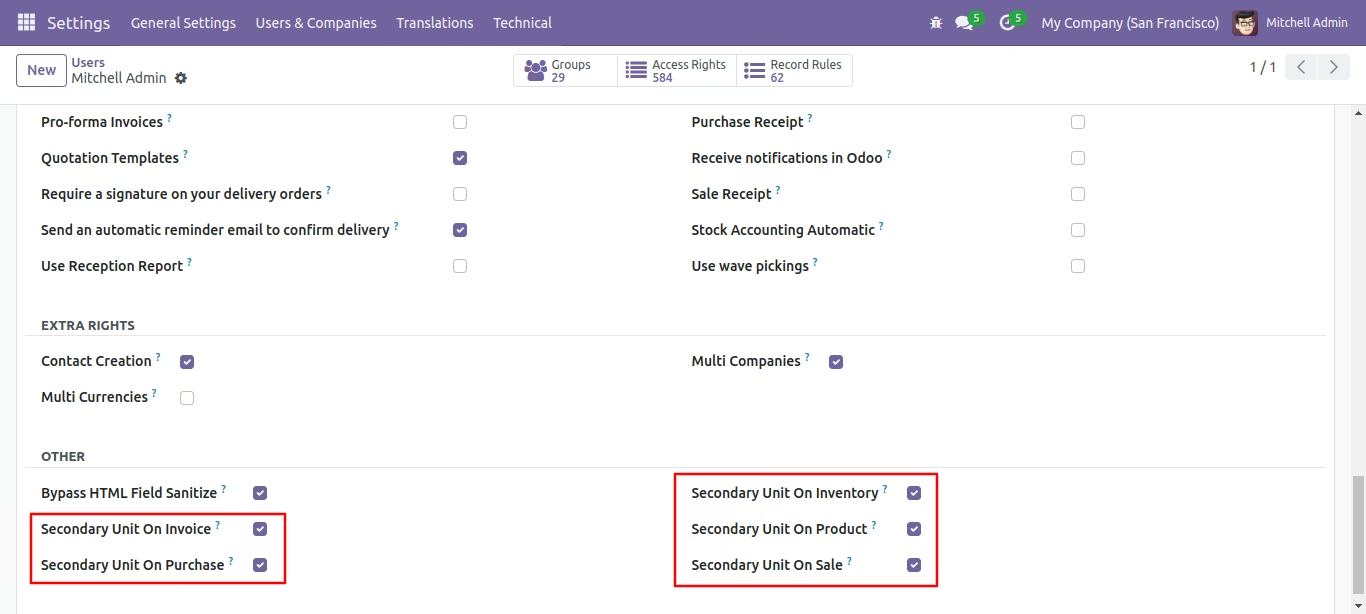
Click right on the related group.
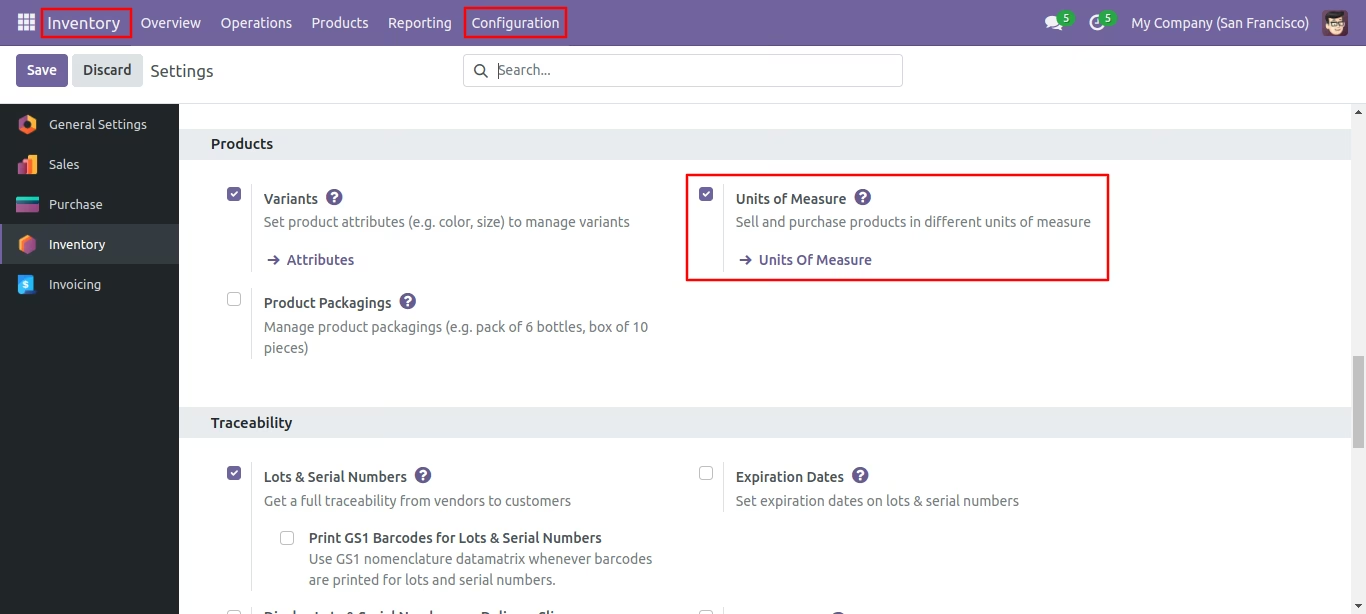
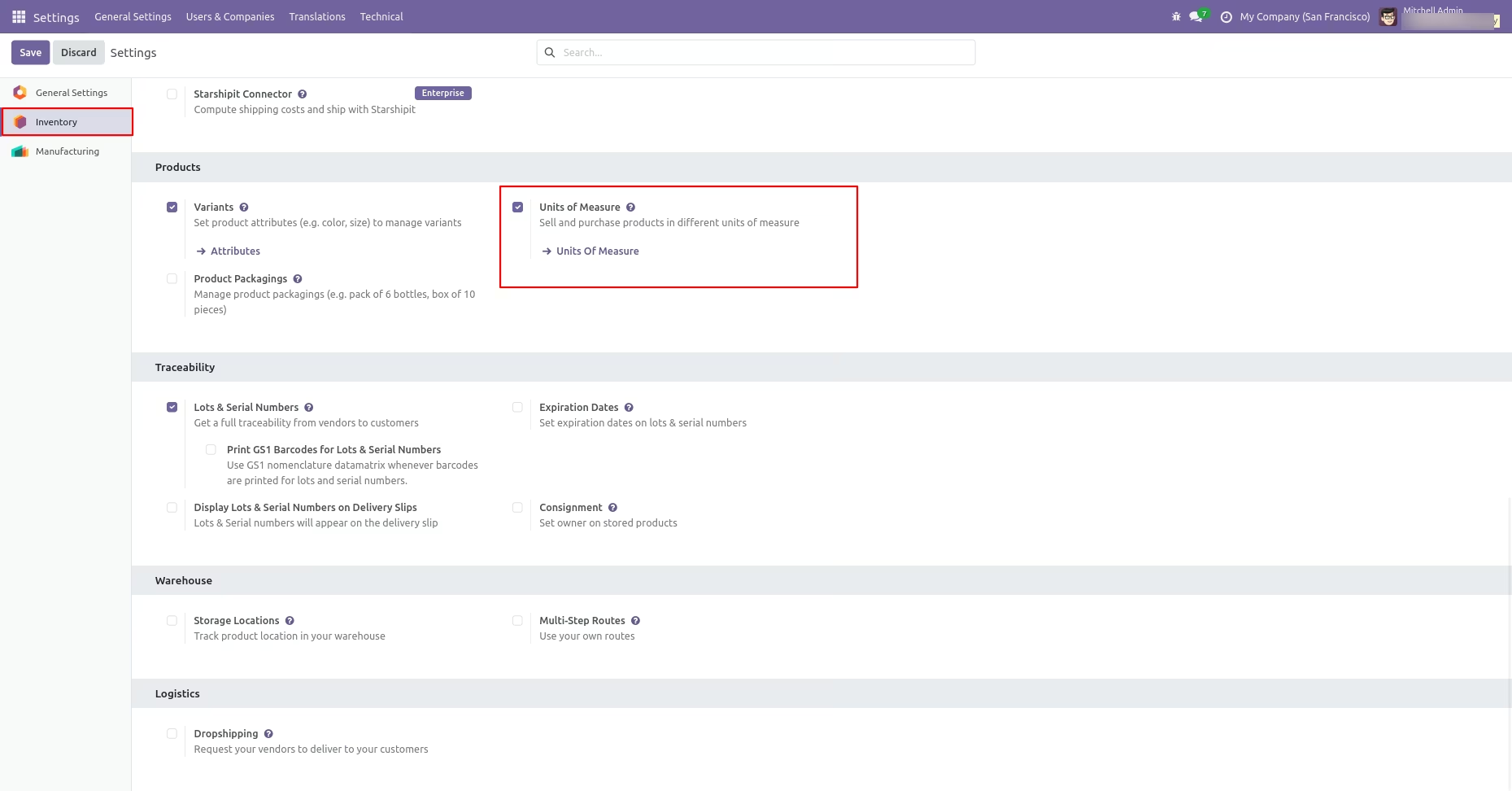
Go to the inventory Configuration and then, tick 'Unit of Measure'.
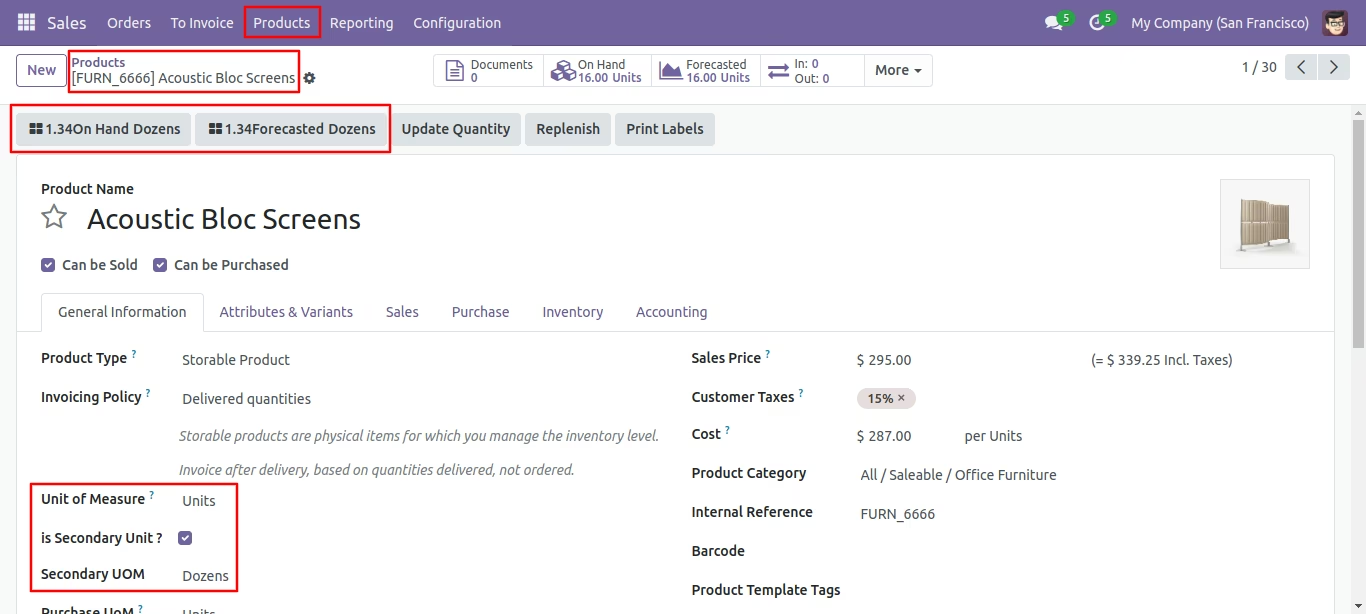
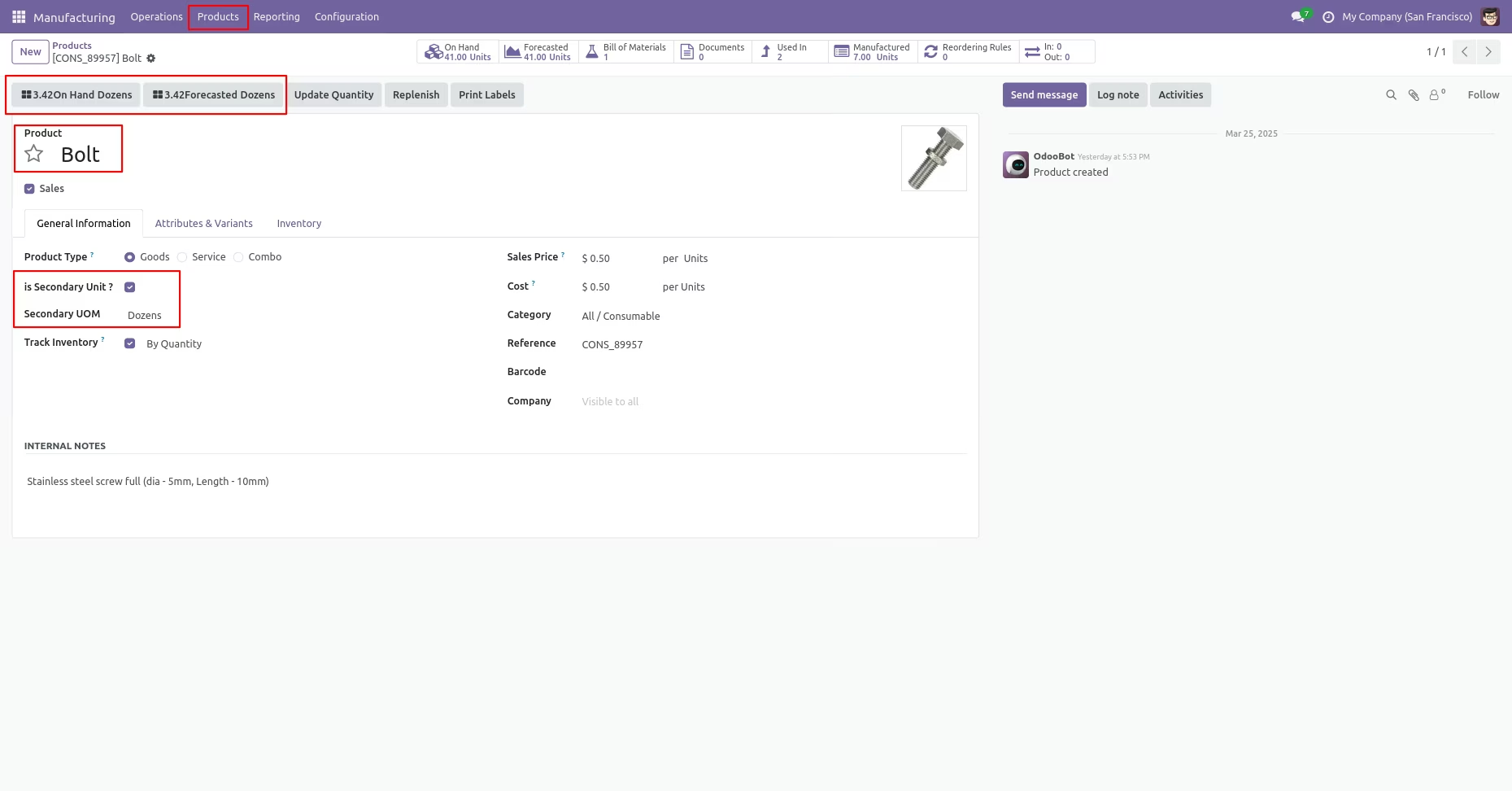
Choose the appropriate secondary unit for the primary unit in the product.
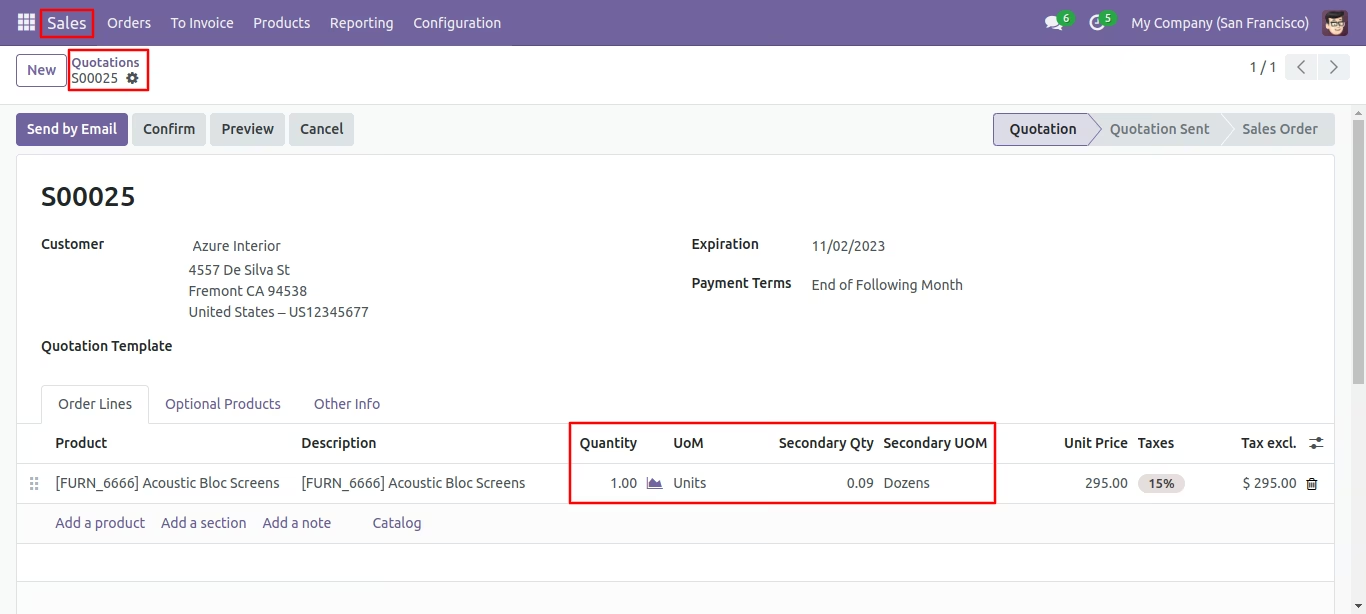
You can view the secondary unit along with the secondary quantity in the quotation order line.
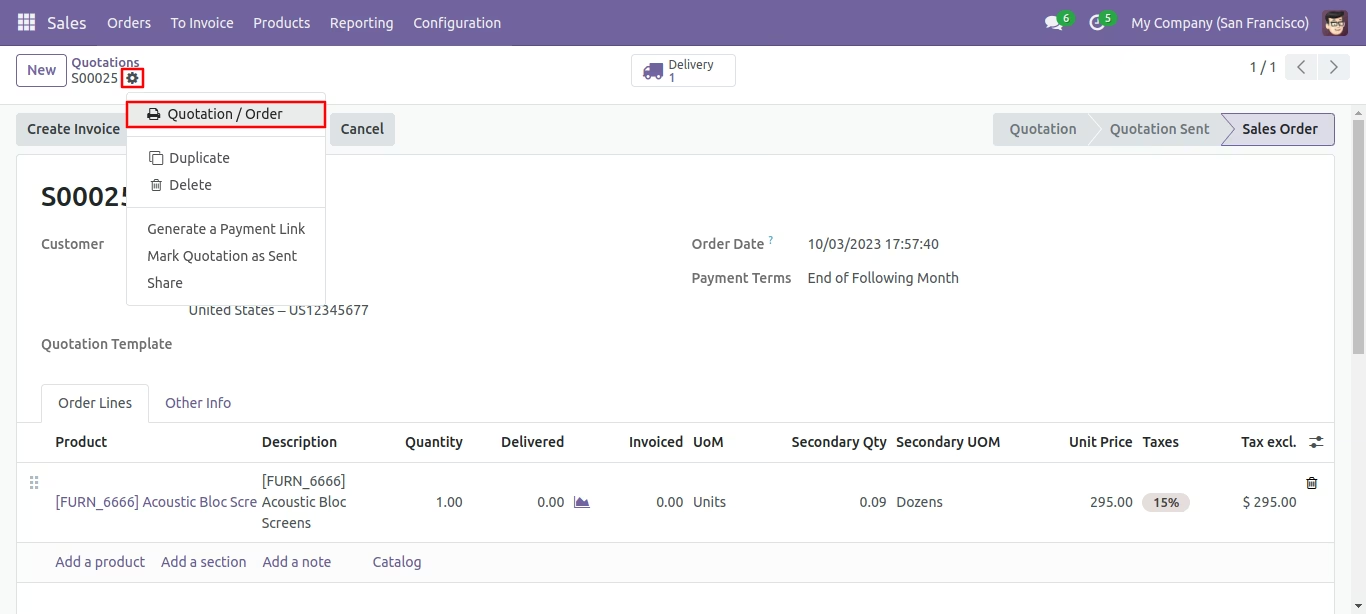
Print the quotation/order report from the action button.
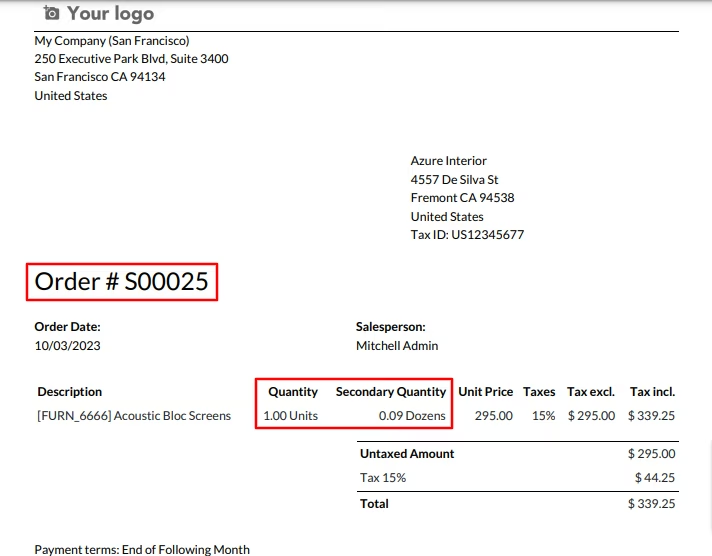
Quotation/order PDF report looks like below.
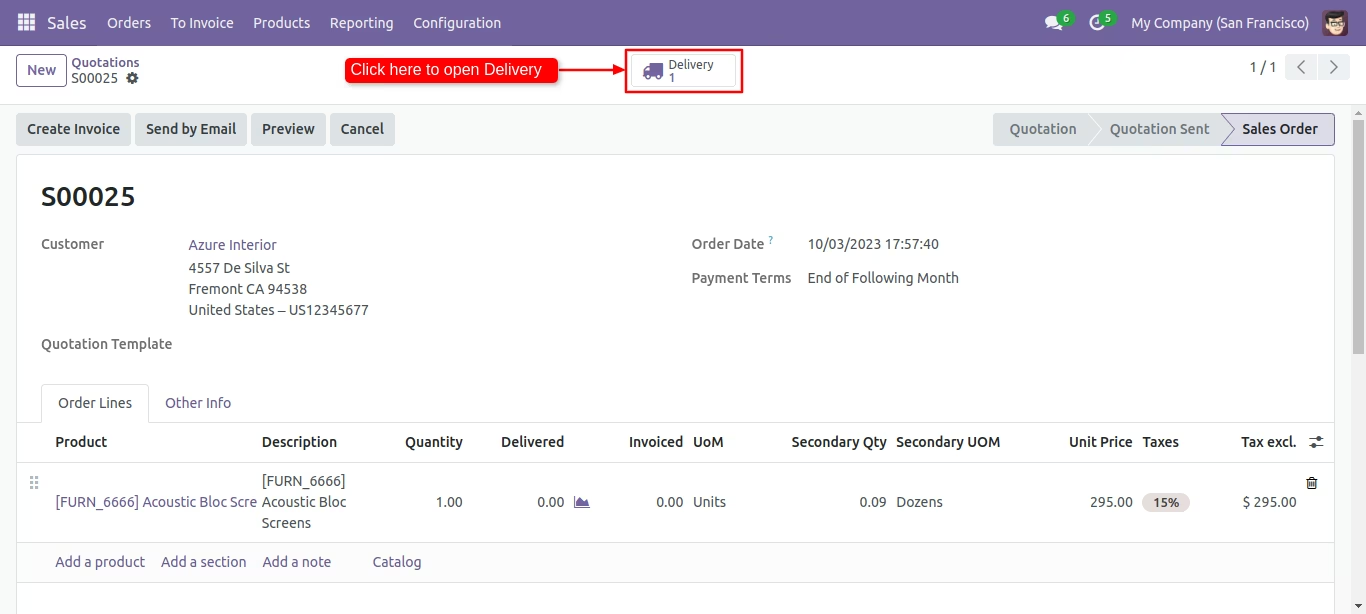
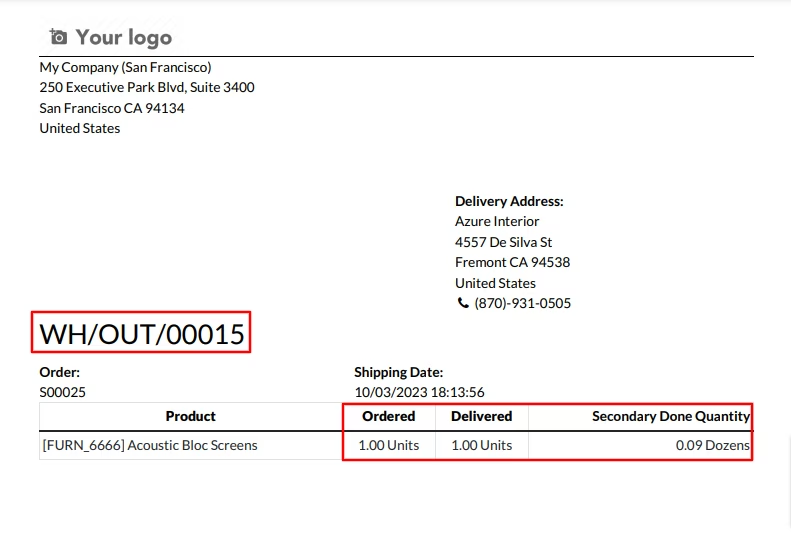
To access the delivery order from the quotation, click on the 'Delivery' smart button.
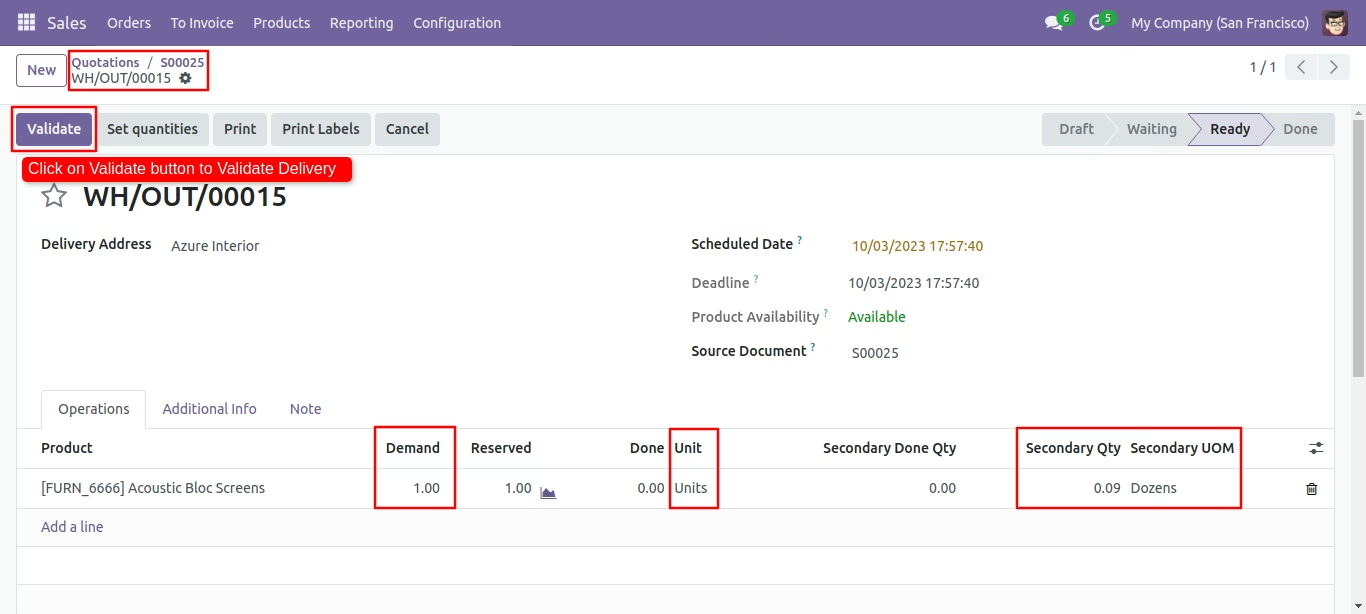
Secondary unit with secondary qty in operations. Click on the 'Validate' button.
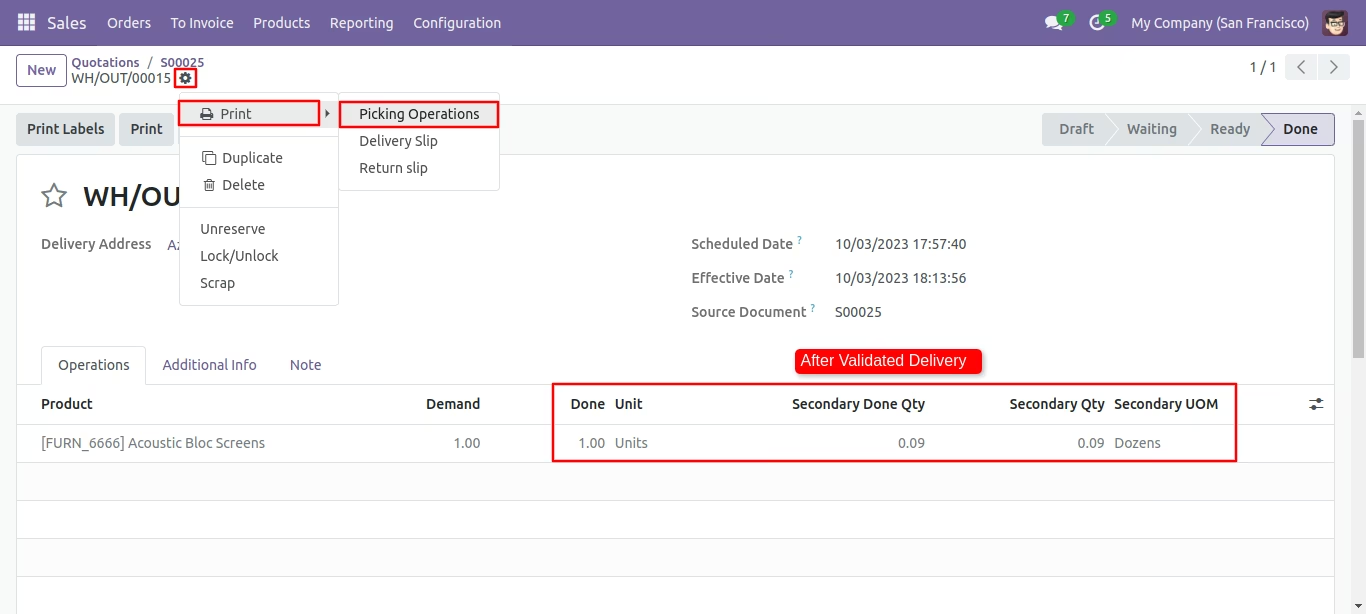
Print the picking operations report from the action button.
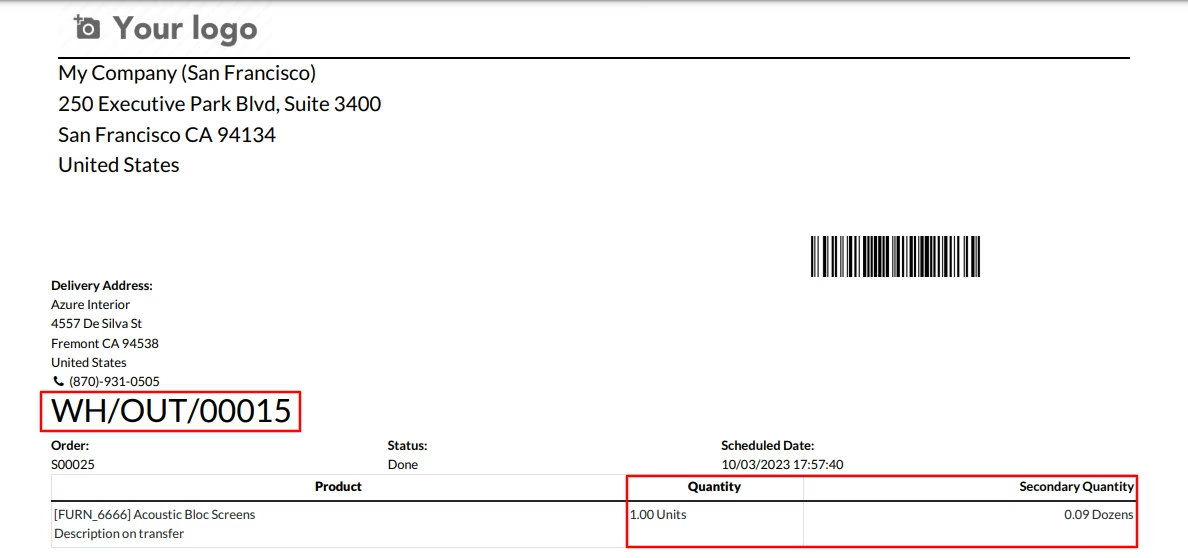
Secondary Qty in Picking order pdf report.
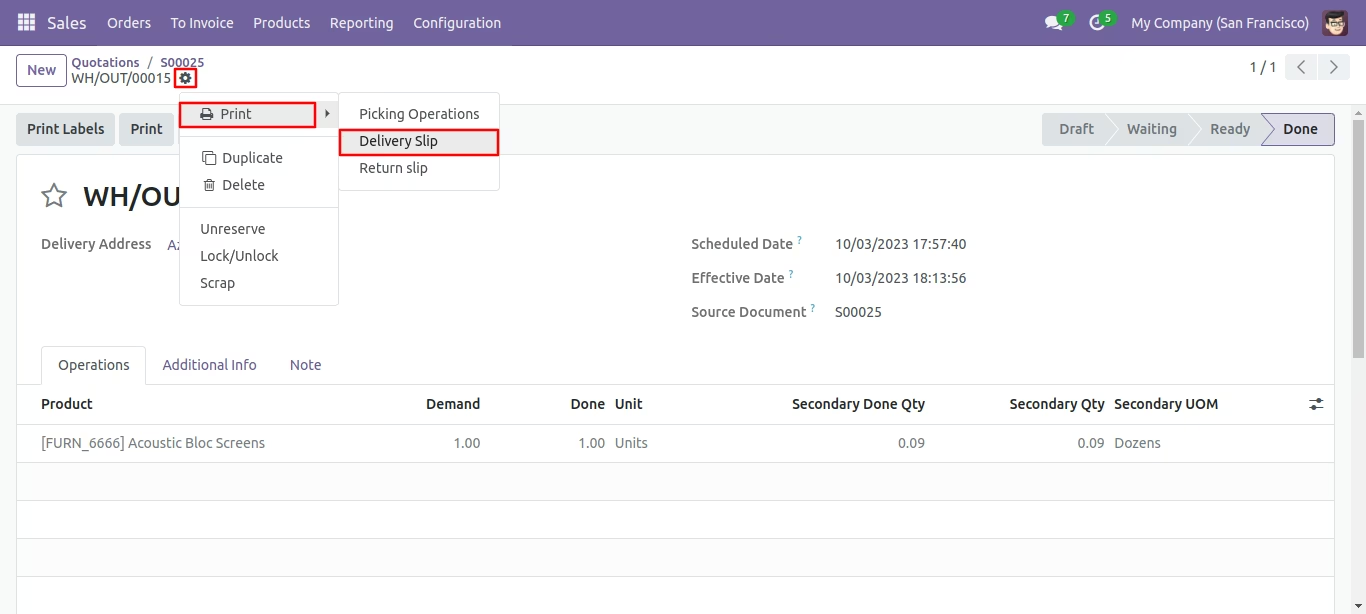
Print the delivery slip report from the action button.
Secondary Qty in Delivery slip pdf report.
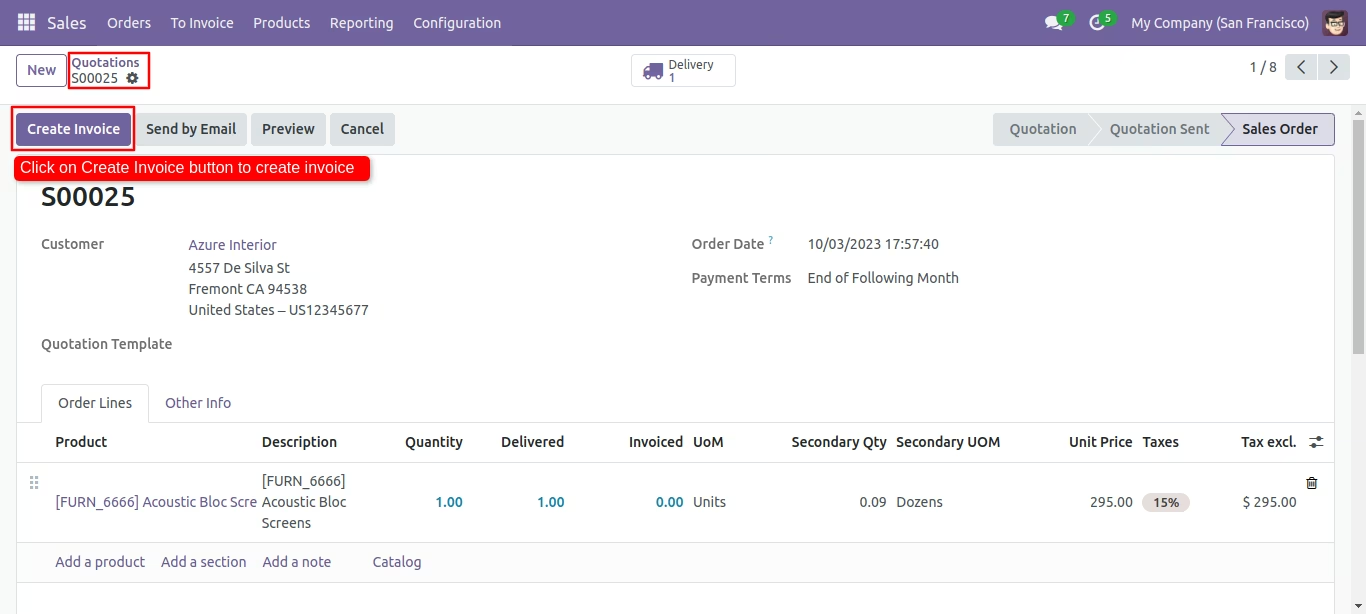
Create an invoice.
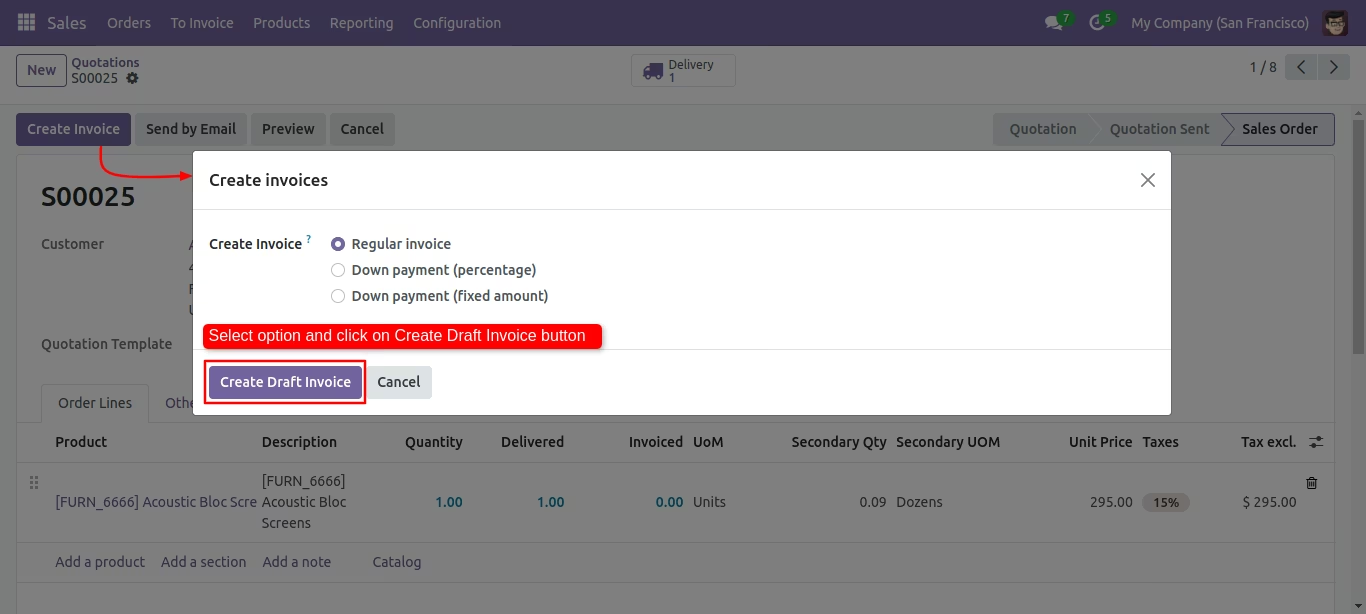
After that, create invoice wizard will appear. Select the option and click on the 'Create draft invoice' button.
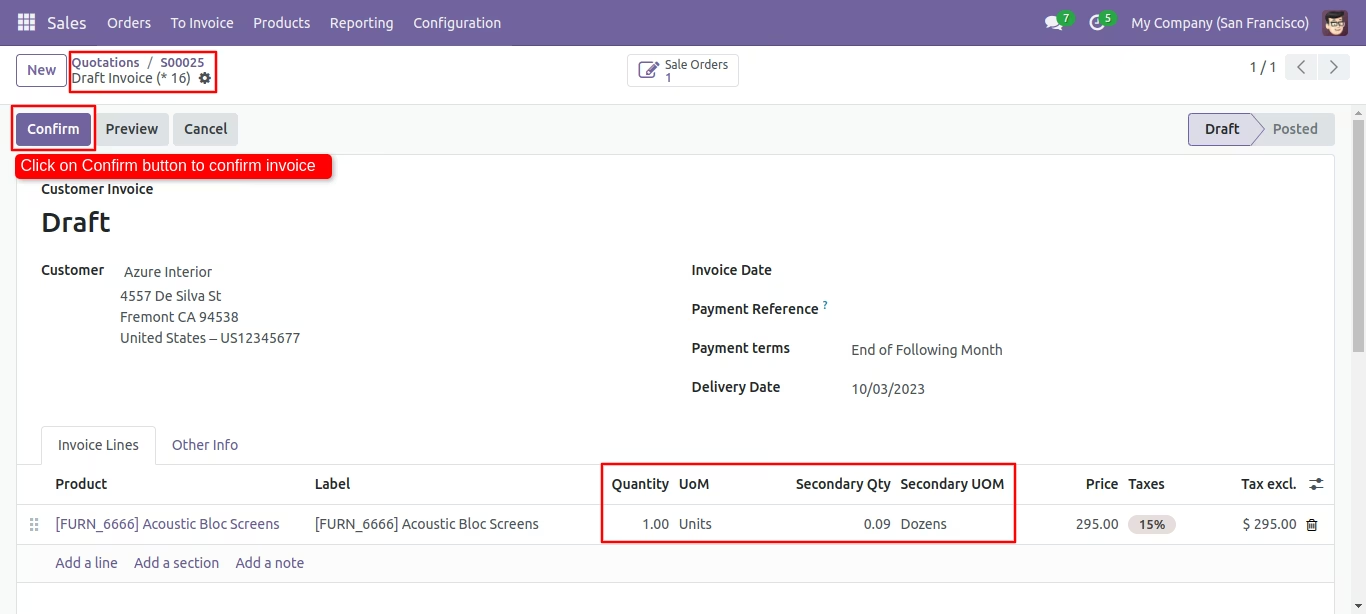
Secondary unit with secondary qty in Invoice line. confirm the invoice.
Print the invoices report from the action button.
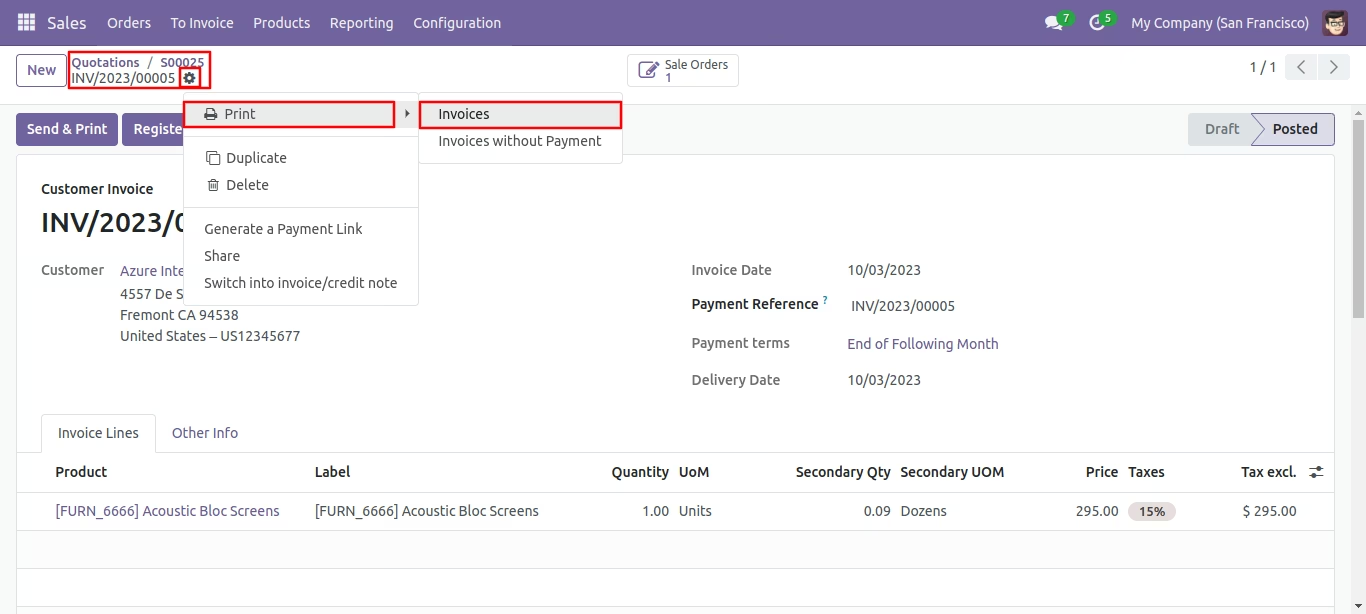
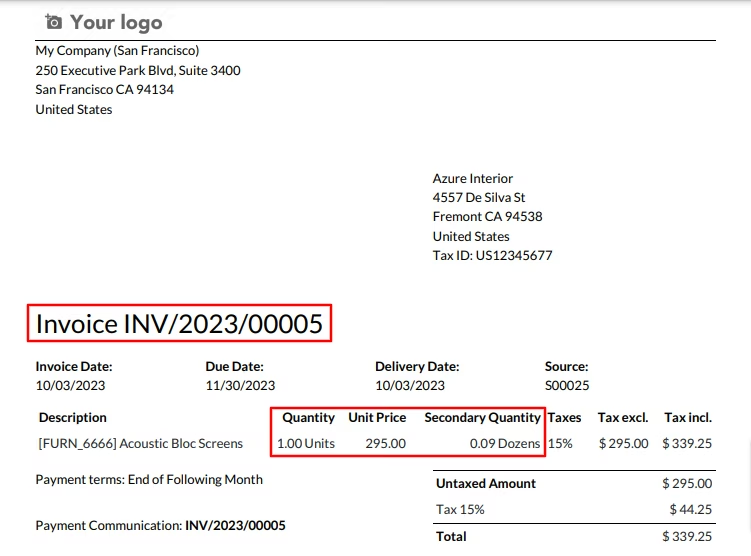
Secondary unit with secondary qty in customer Invoice pdf report.
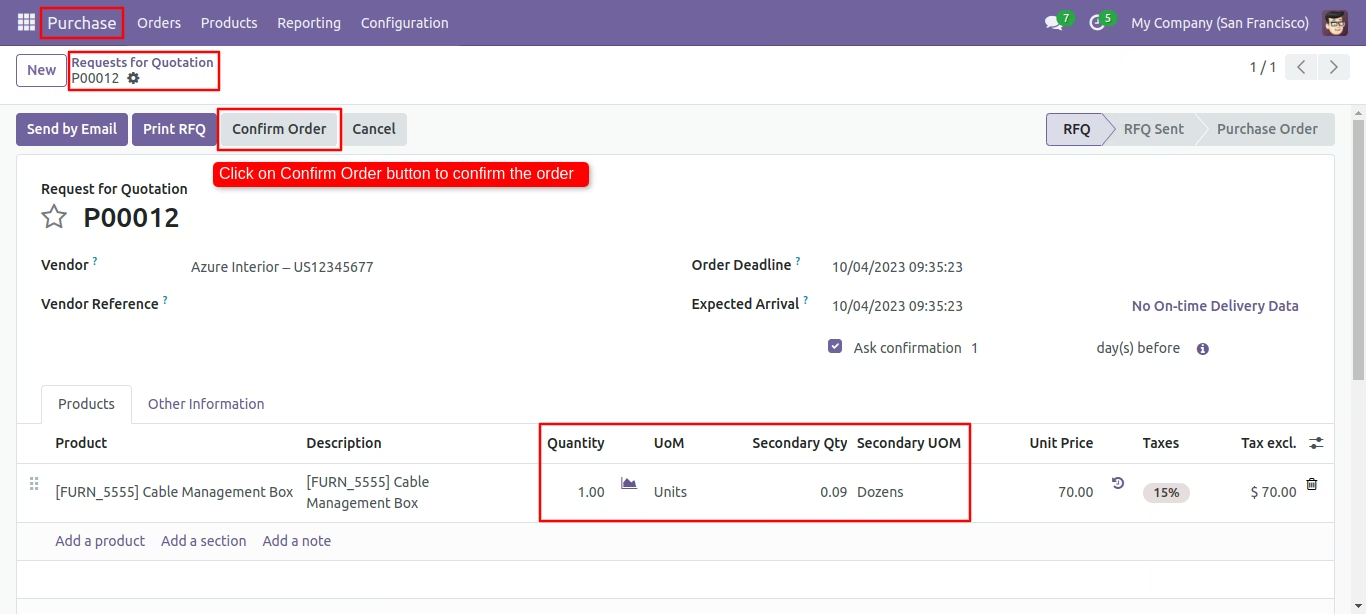
You Can see a secondary unit with a secondary qty in RFQ products.
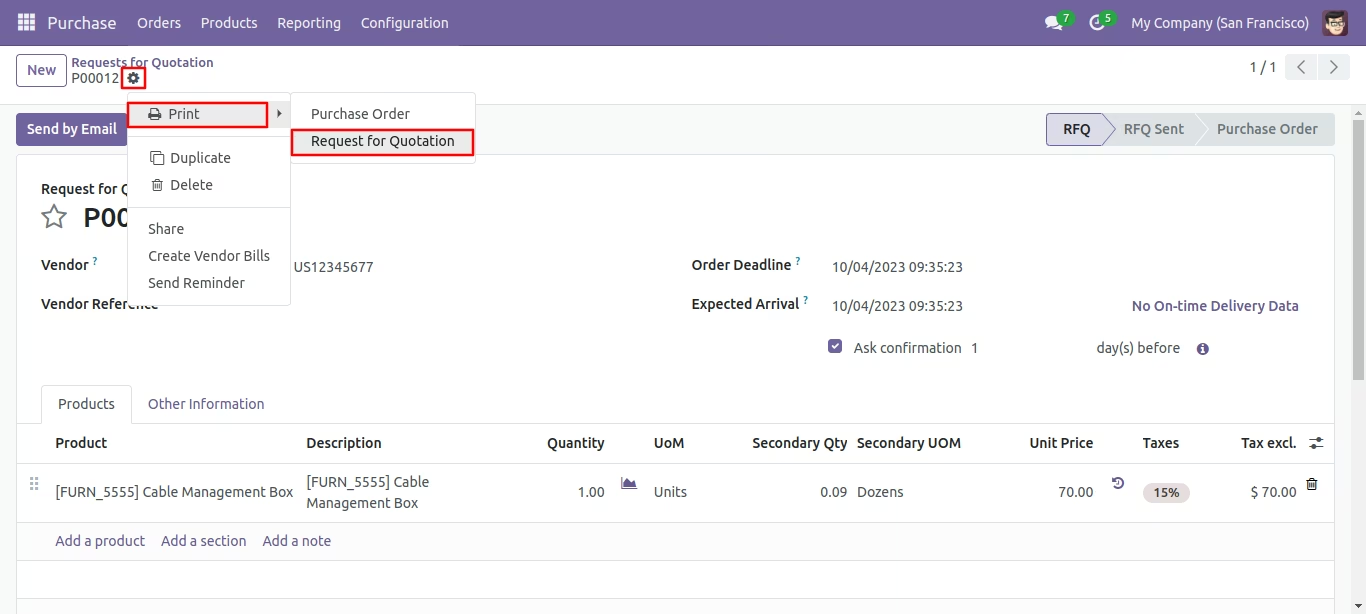
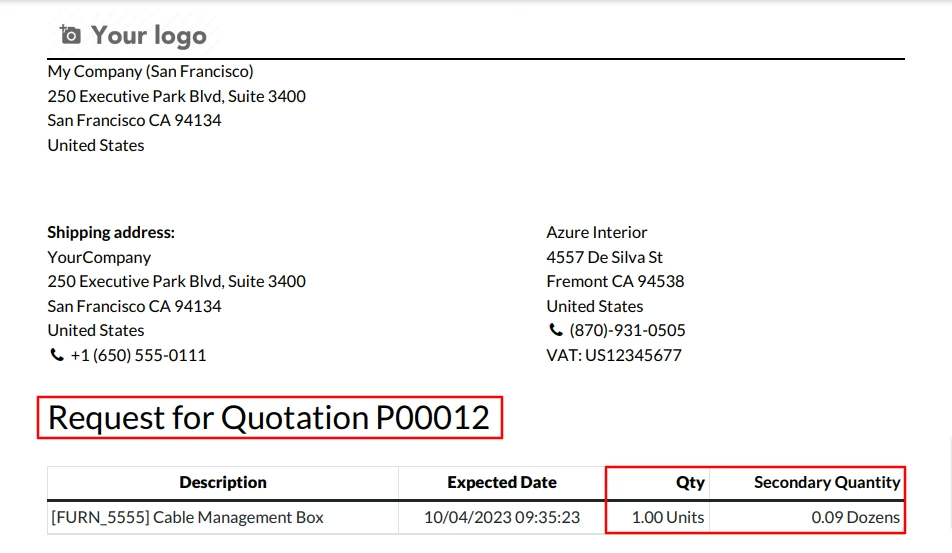
Print the request for quotation report from the action button.
Secondary UOM in Request for Quotaion Pdf report.
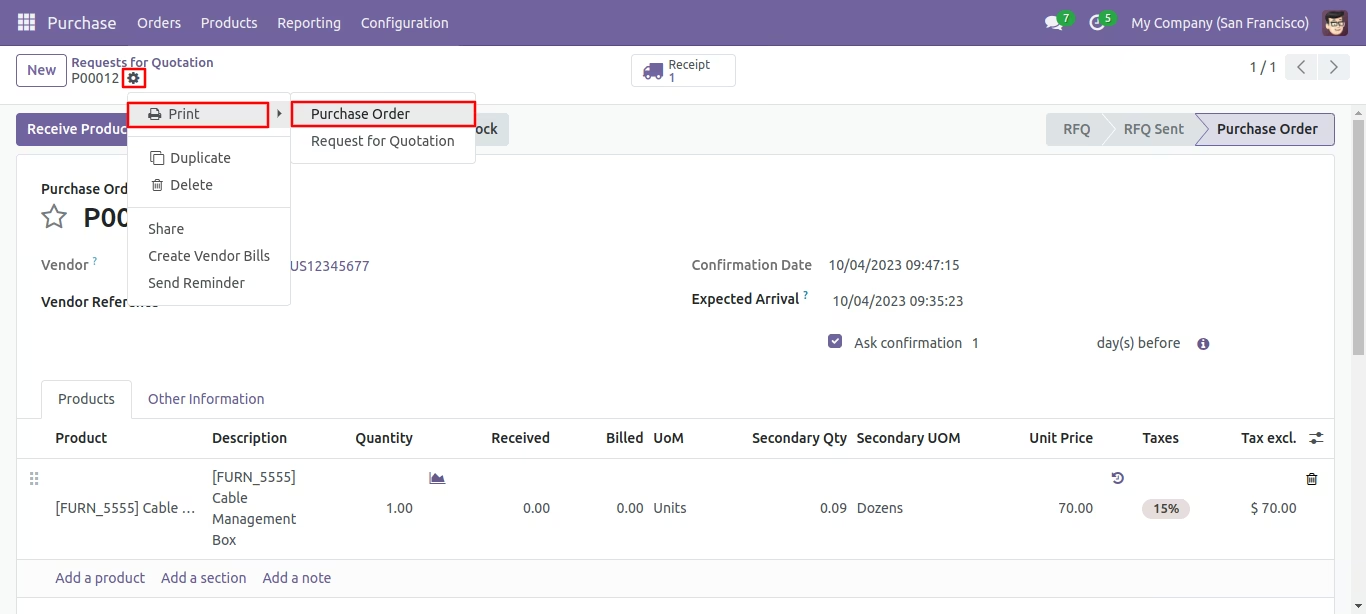
Print the purchase order report from the action button.
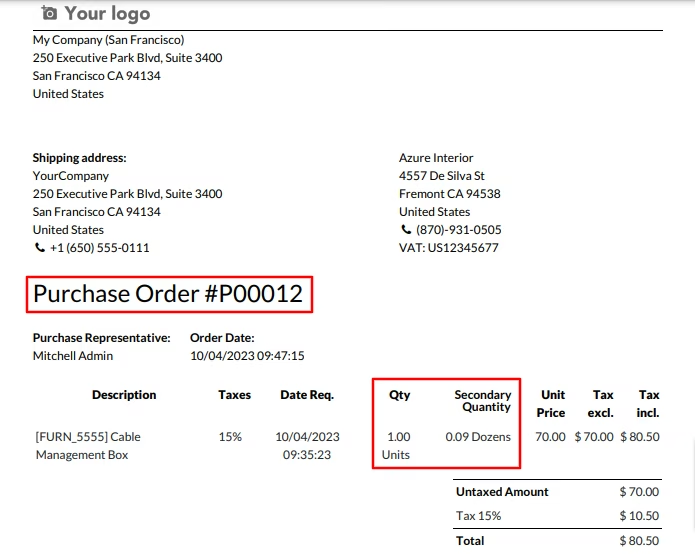
Secondary UOM in Purchase order confirms pdf report.
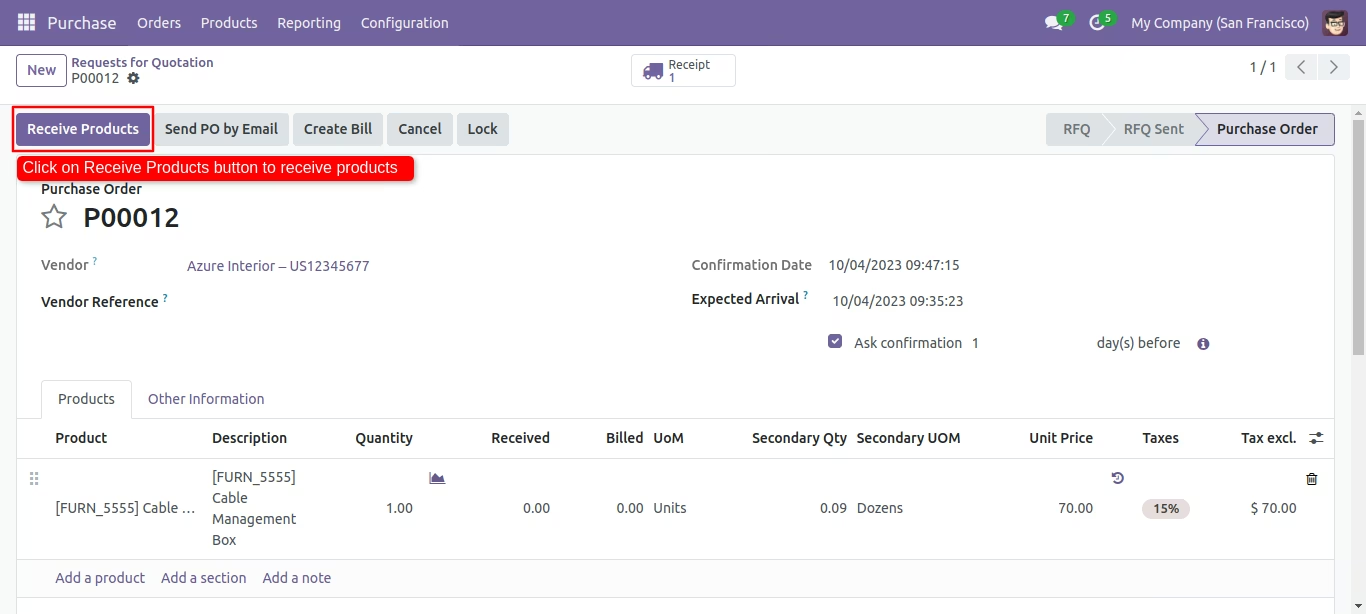
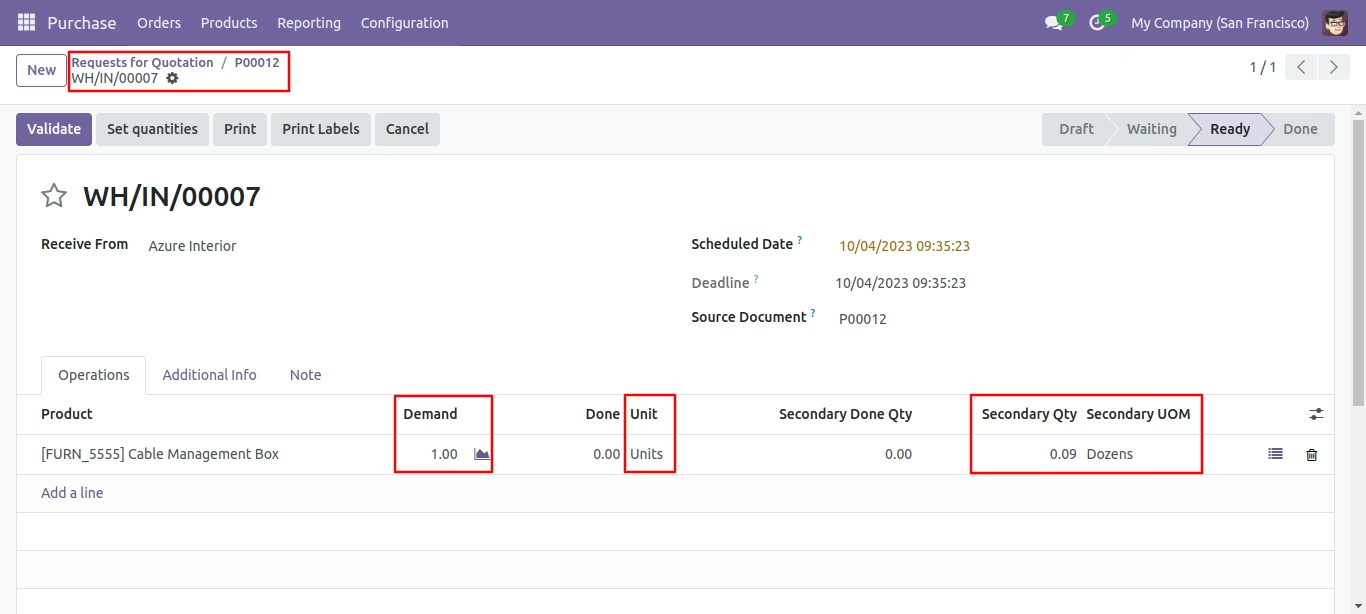
To receive the product, click on the 'Receive Product' button.
Secondary unit and Qty in product Receipt.
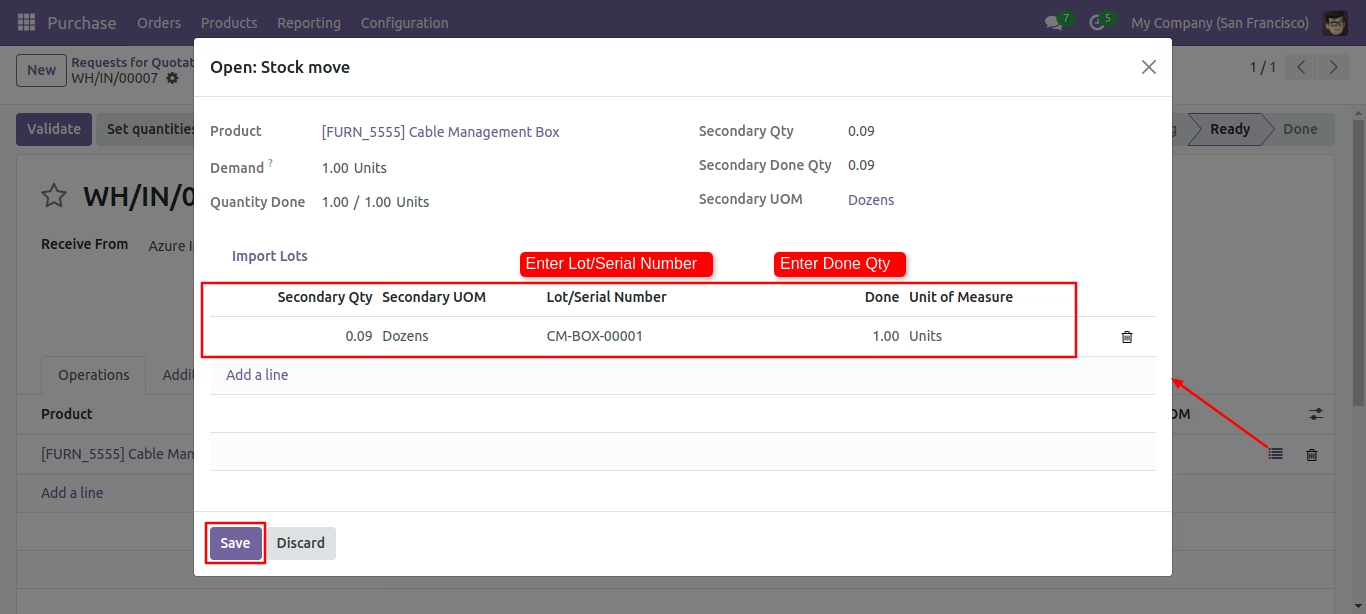
Secondary UOM and Qty in stock move wizard.
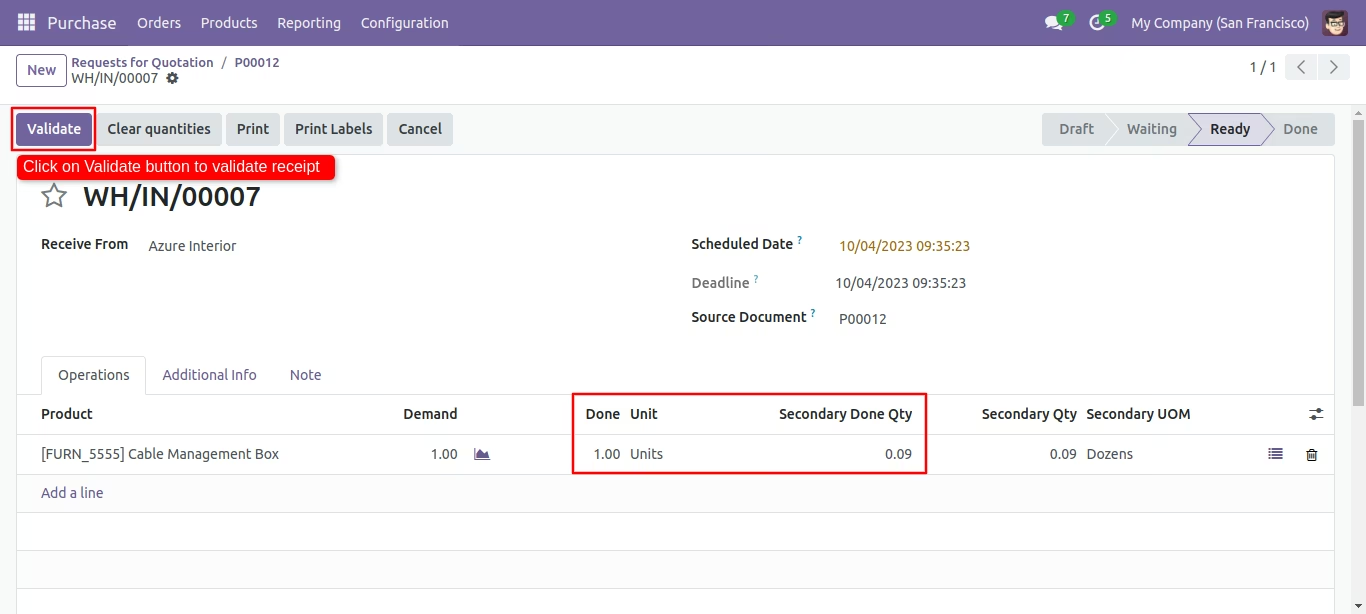
to validate Receipt, click on the 'Validate' button.
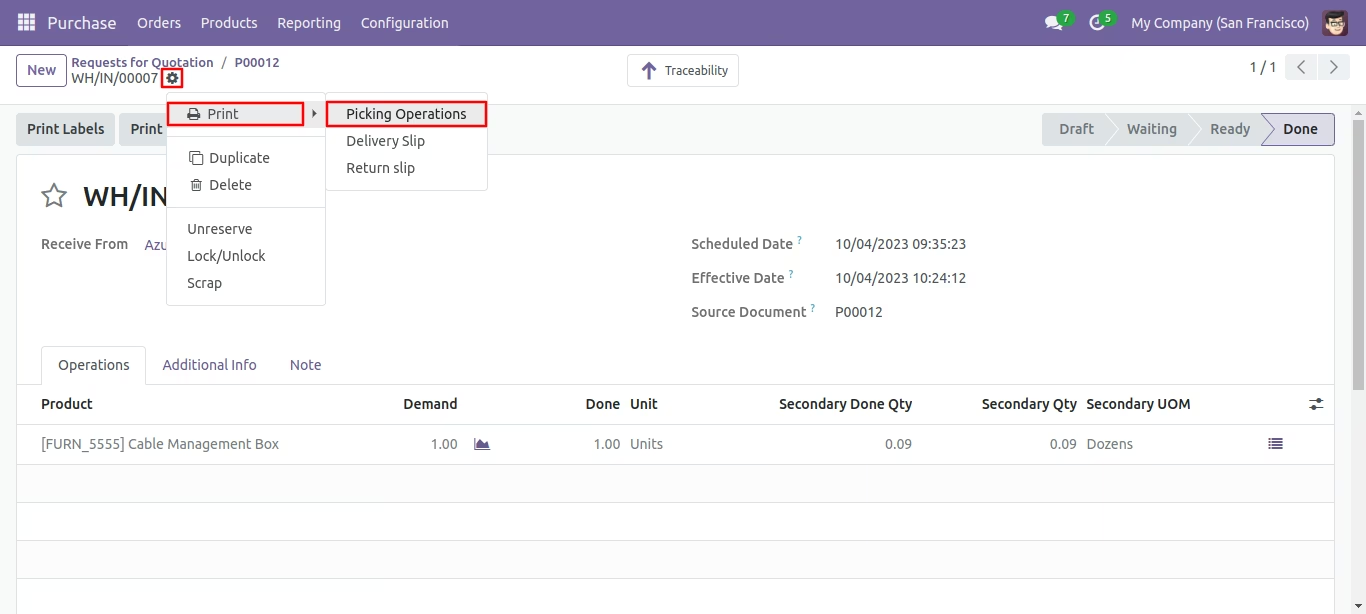
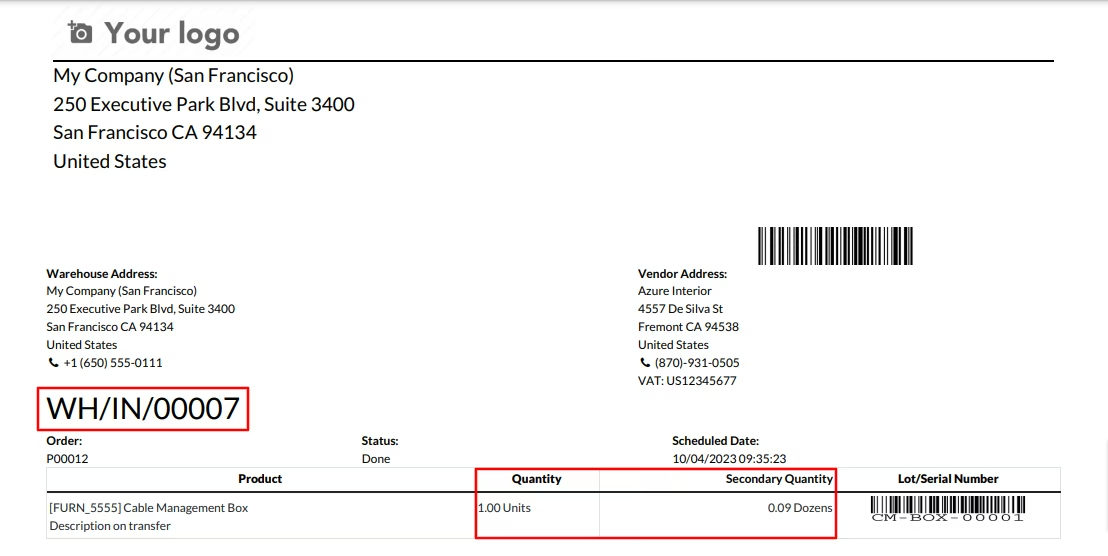
Print the picking operations report from the action button.
Secondary Qty in Picking order pdf report.
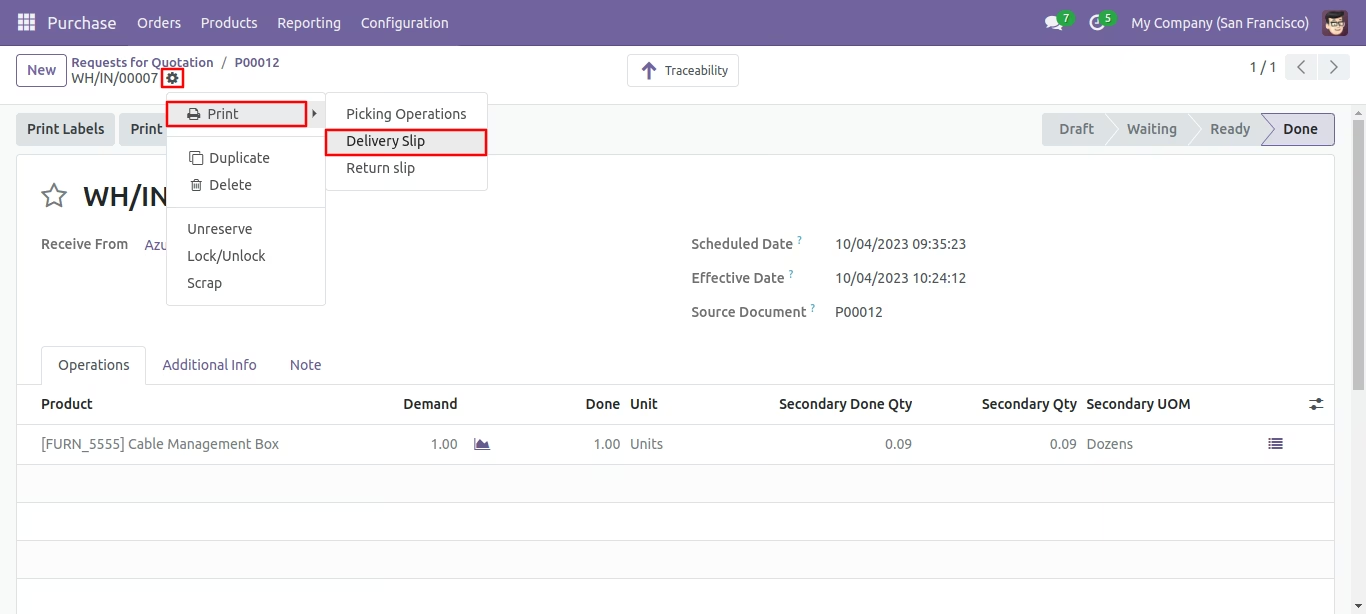
Print the Delivery slip report from the action button.
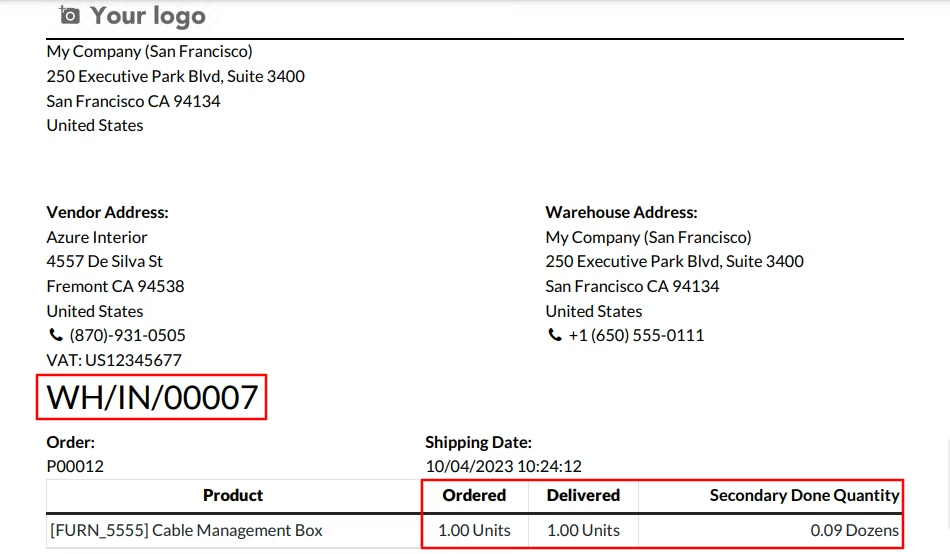
Secondary Qty in Delivery slip pdf report.
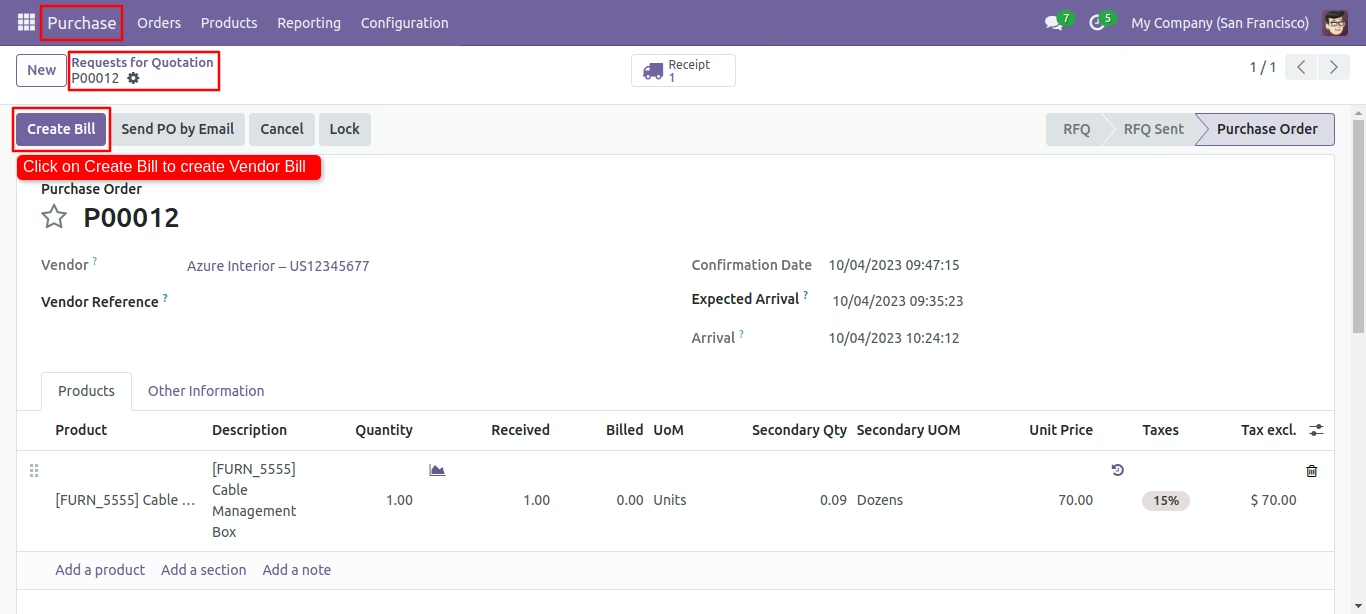
Create a bill.
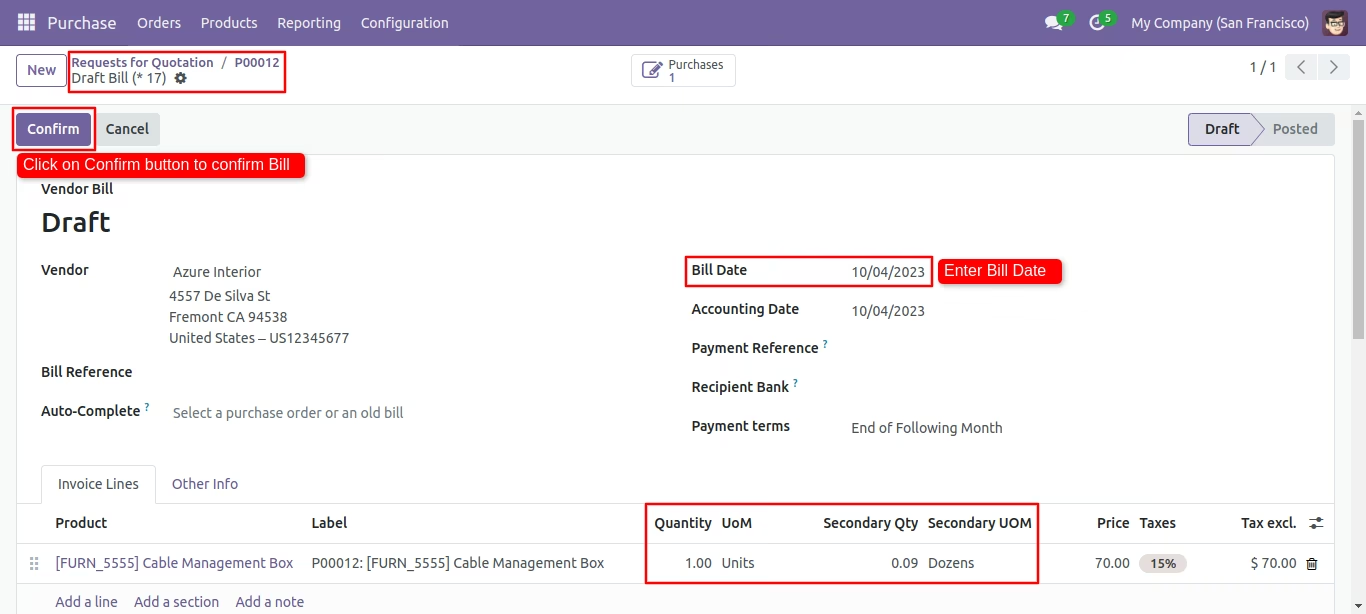
Secondary unit with secondary qty in Invoice line. confirm the bill.
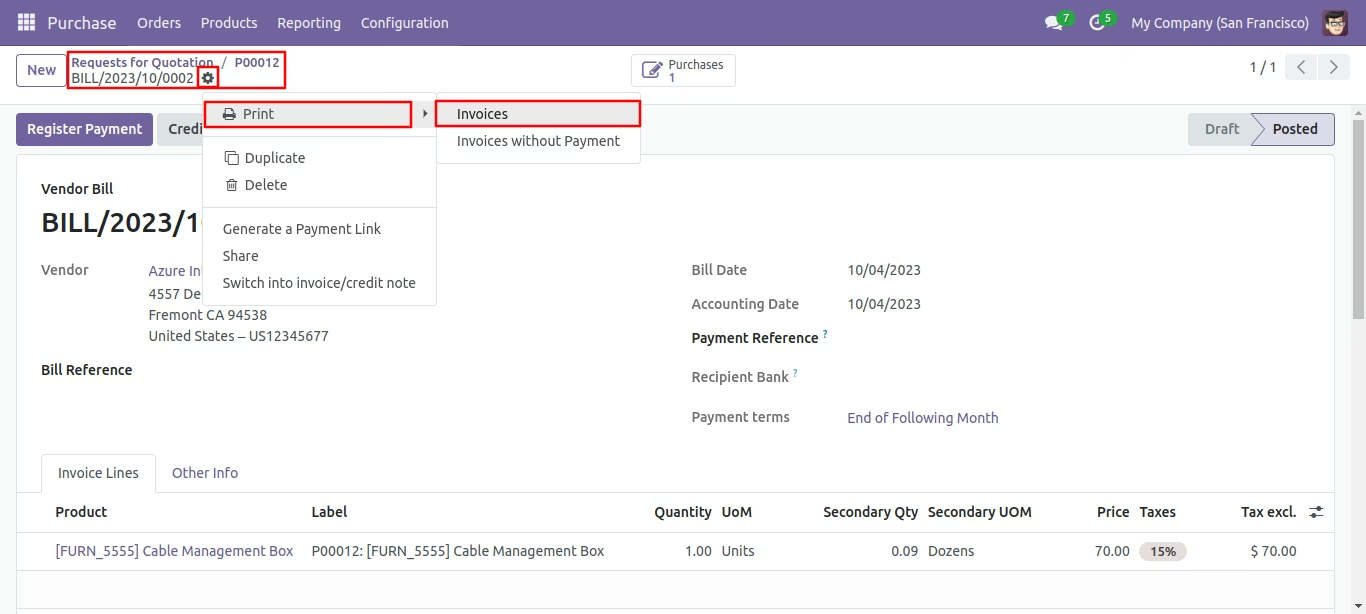
Print the Invoices report from the action button.
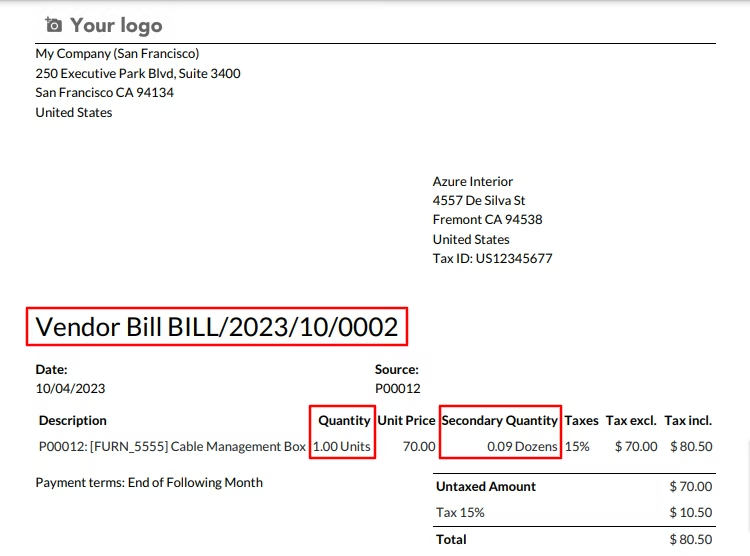
Secondary unit with secondary qty in vendor Invoice pdf report.
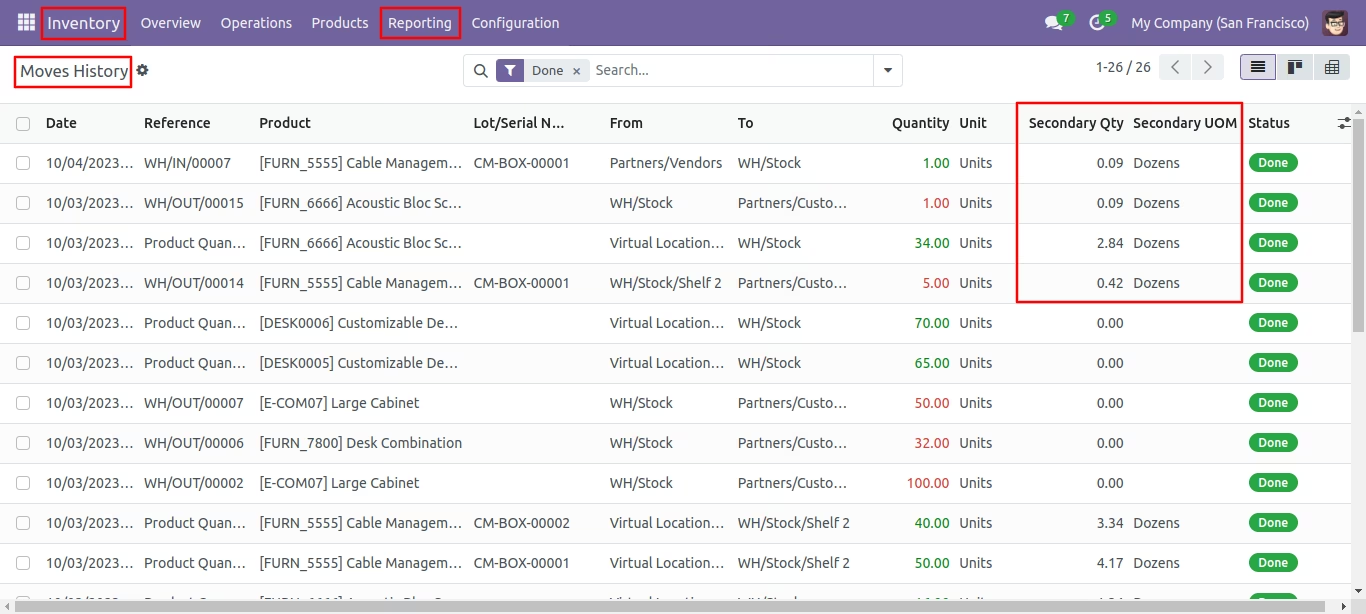
Secondary UOM and Qty in Moves History view.
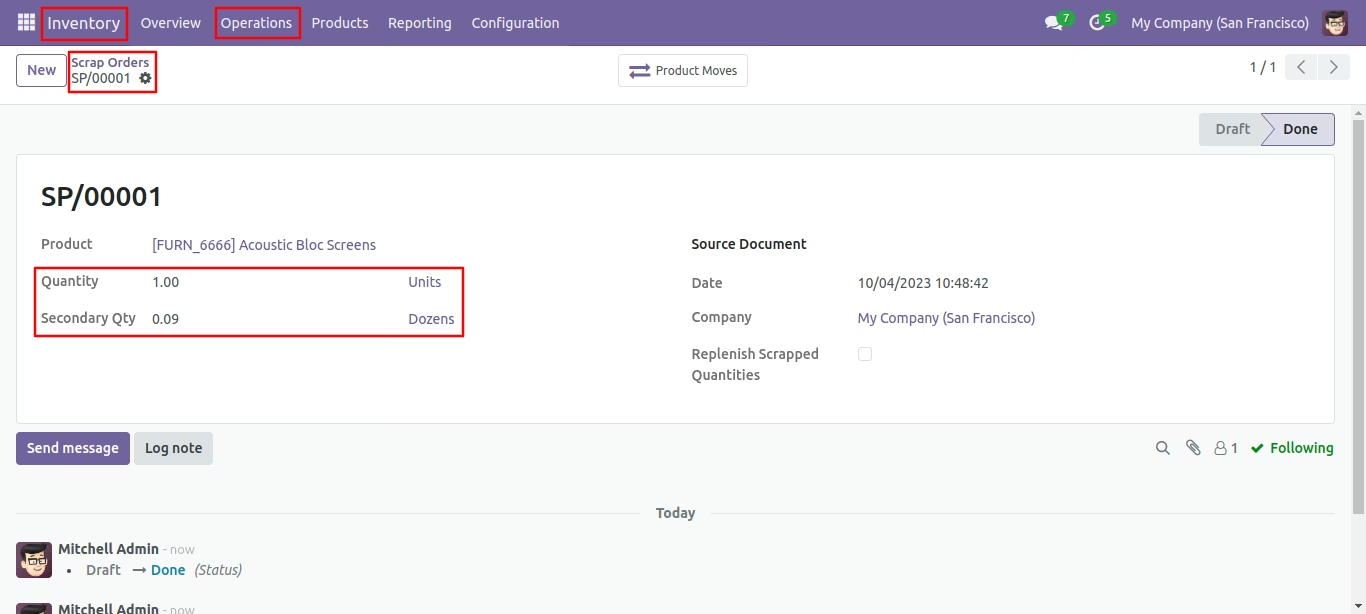
Secondary Qty in Scap Order form view.
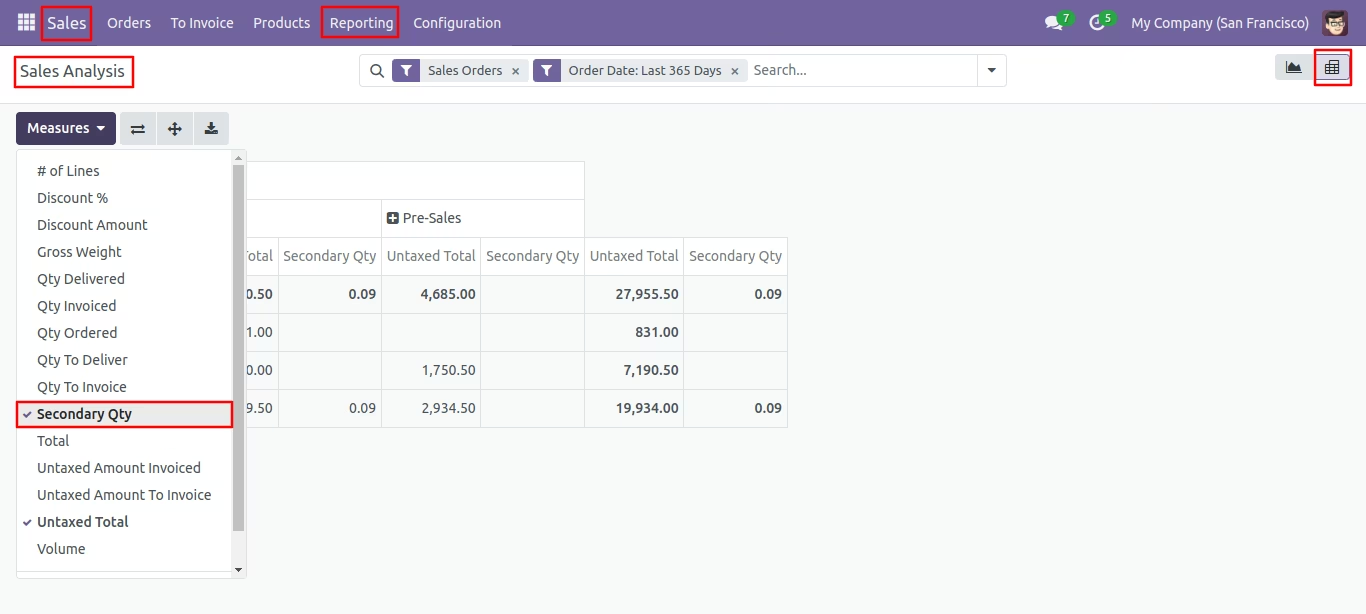
Secondary Qty in Sales Analysis pivot view.
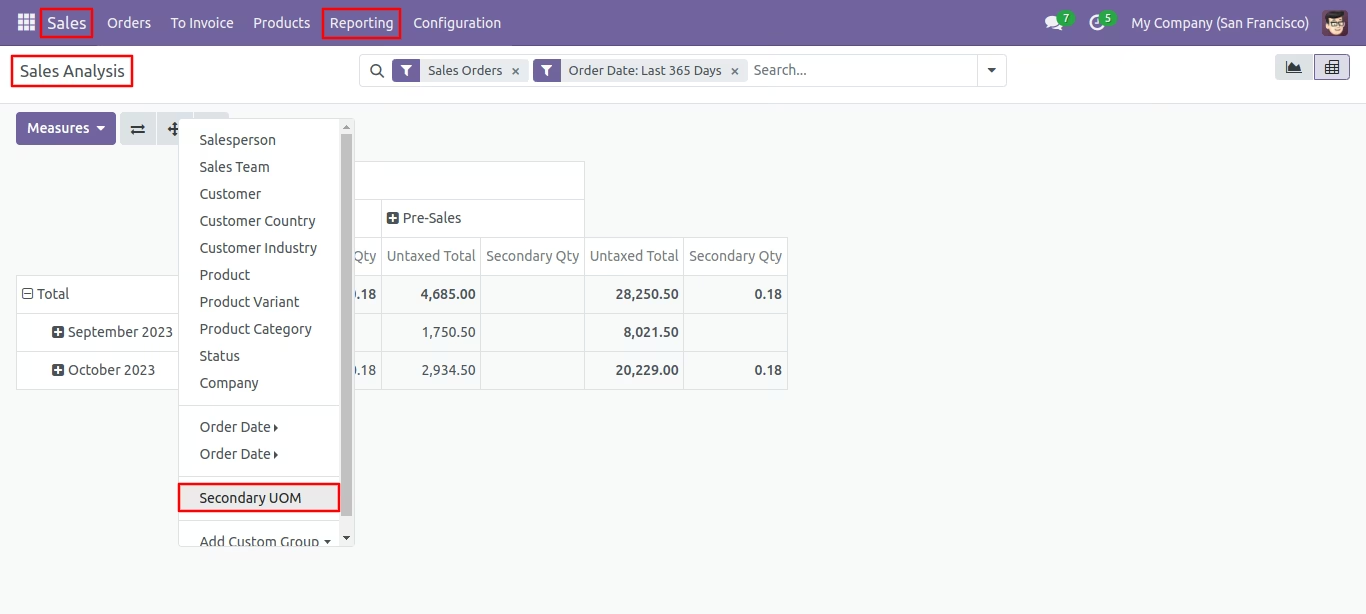
Secondary UOM in Sales Analysis pivot view.
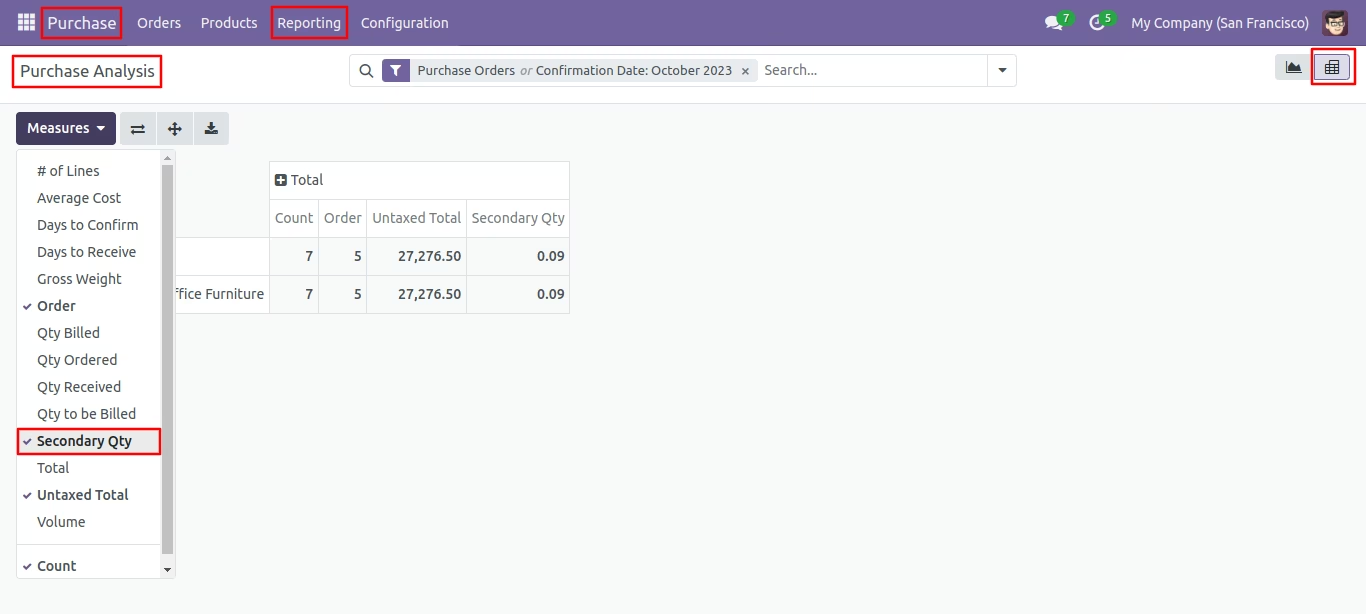
Secondary Qty in Purchase Pivot view.
Secondary UOM in Purchase Pivot view.
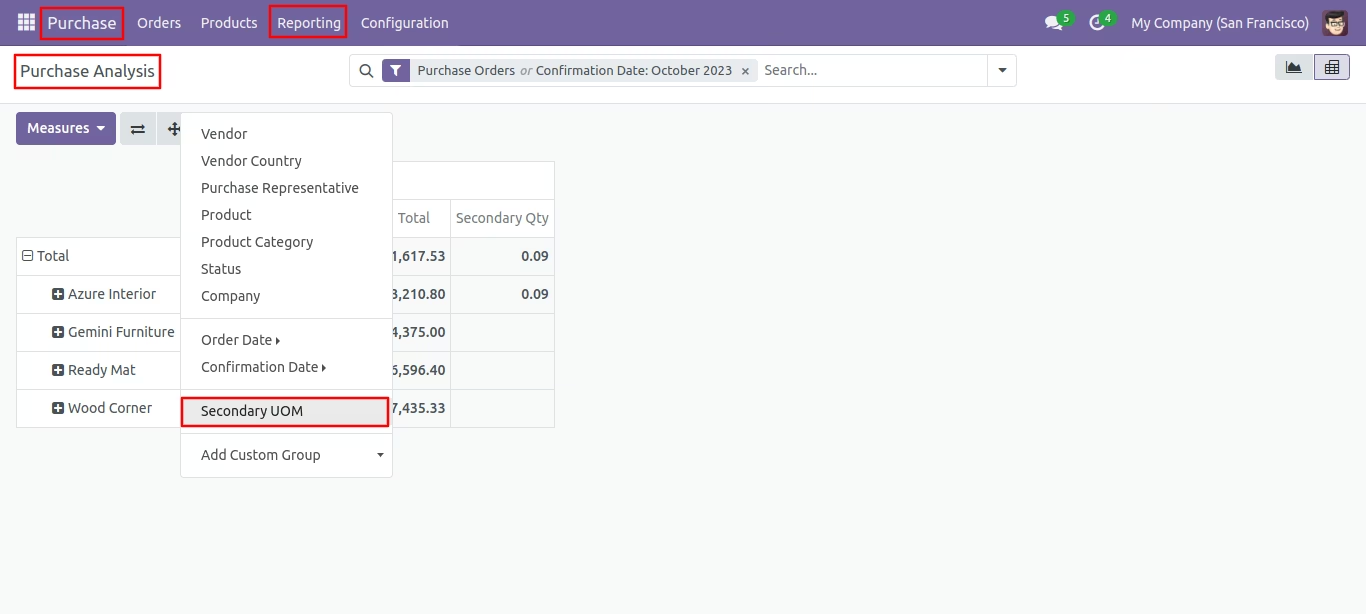
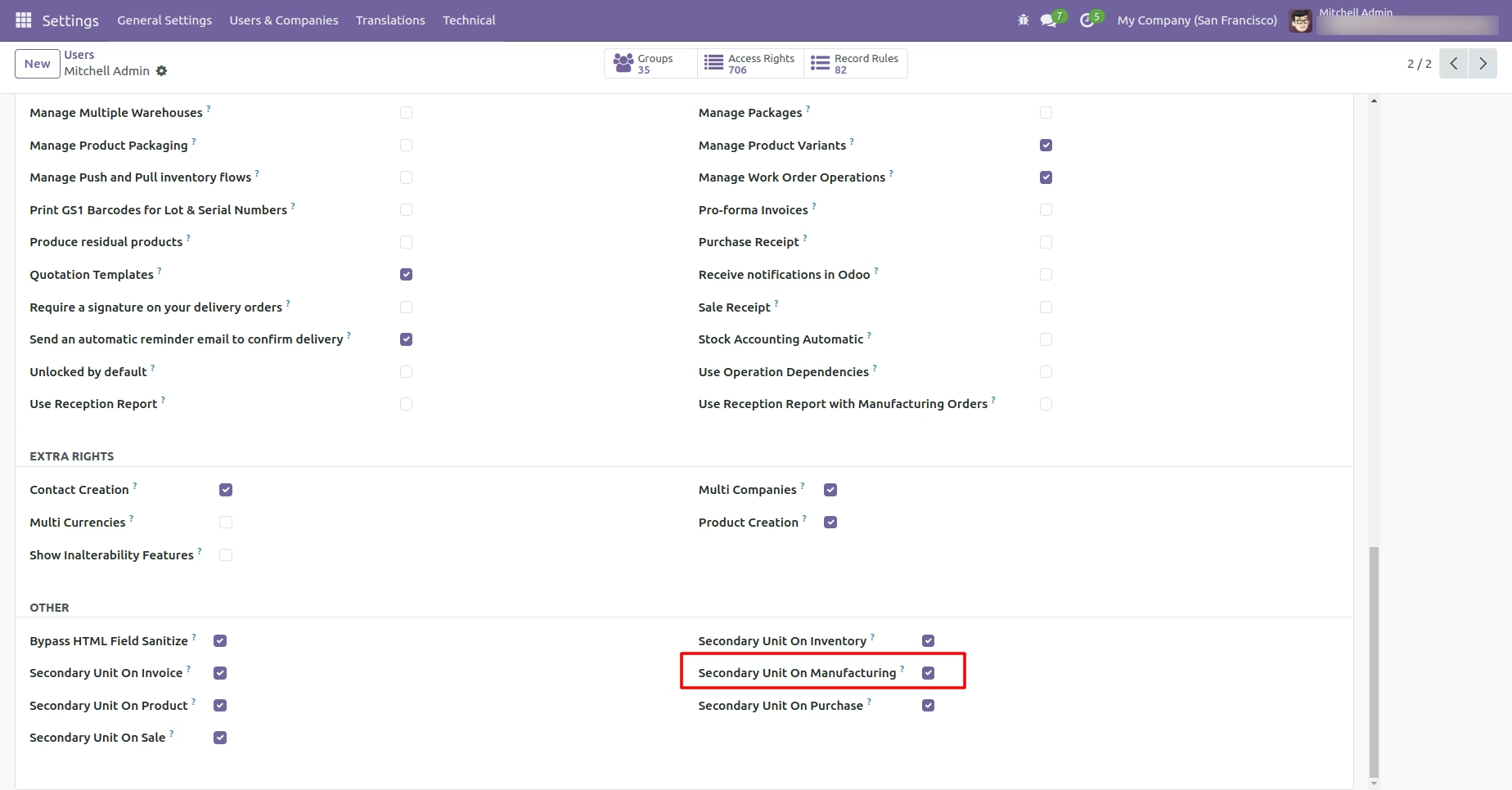
Enable the 'Secondary Unit On Manufacturing' and 'Secondary Unit On Product'.
Go to the inventory configuration and tick 'Unit of measure'.
Select the right secondary unit of measure for a primary unit of measure in product.
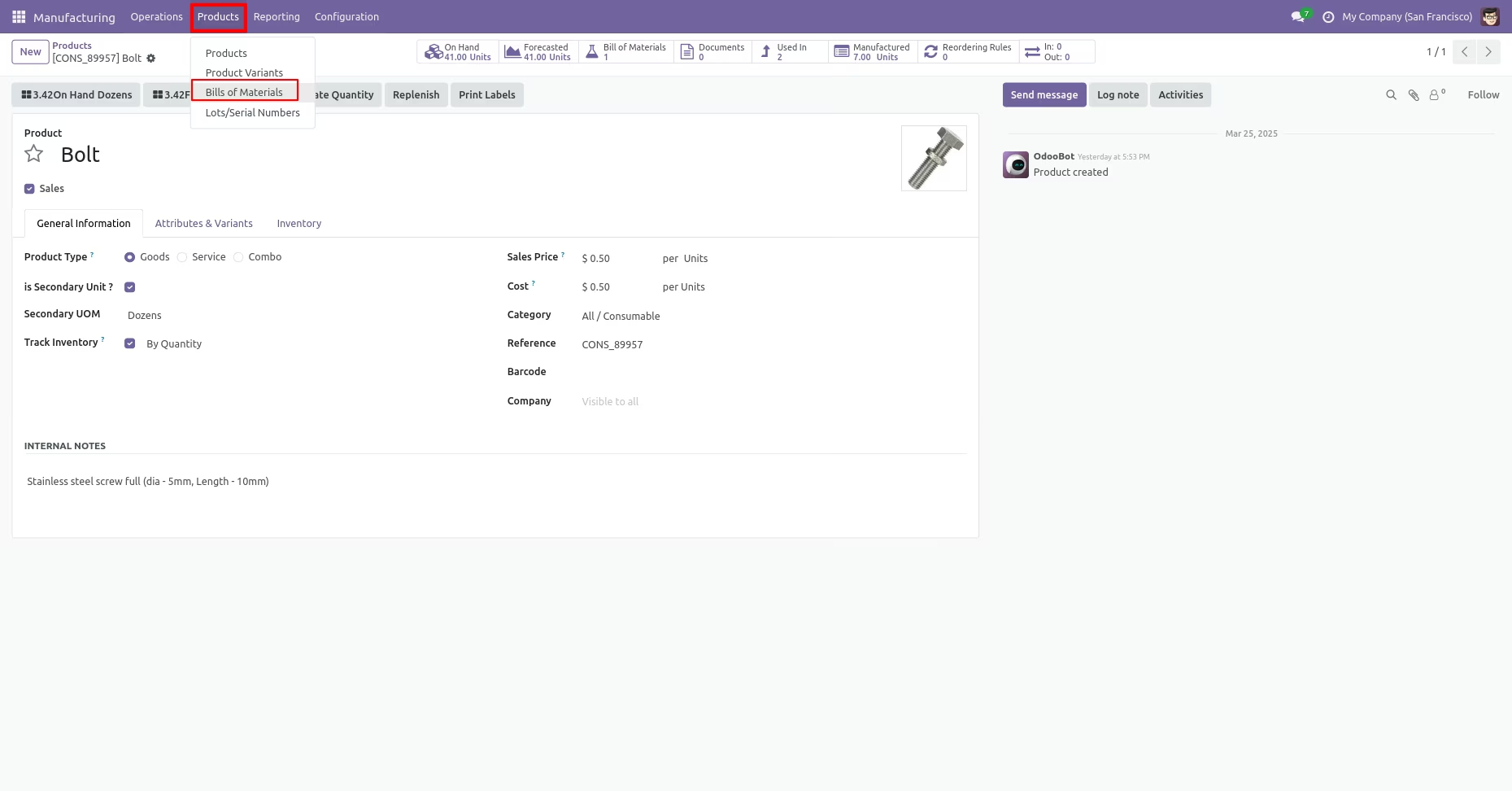
'Bill Of Materials' menu.
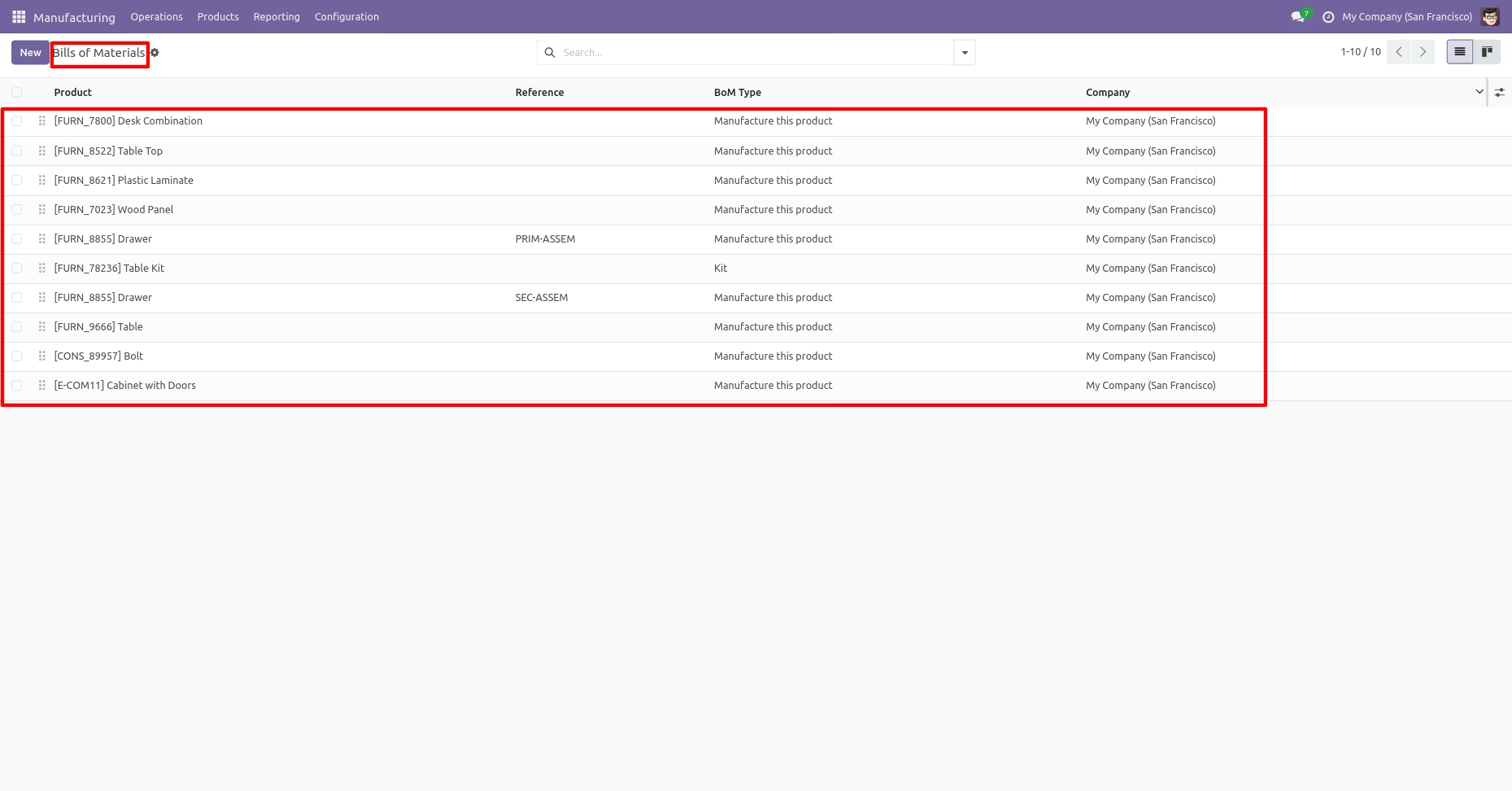
Tree view of the 'Bill Of Materials'.
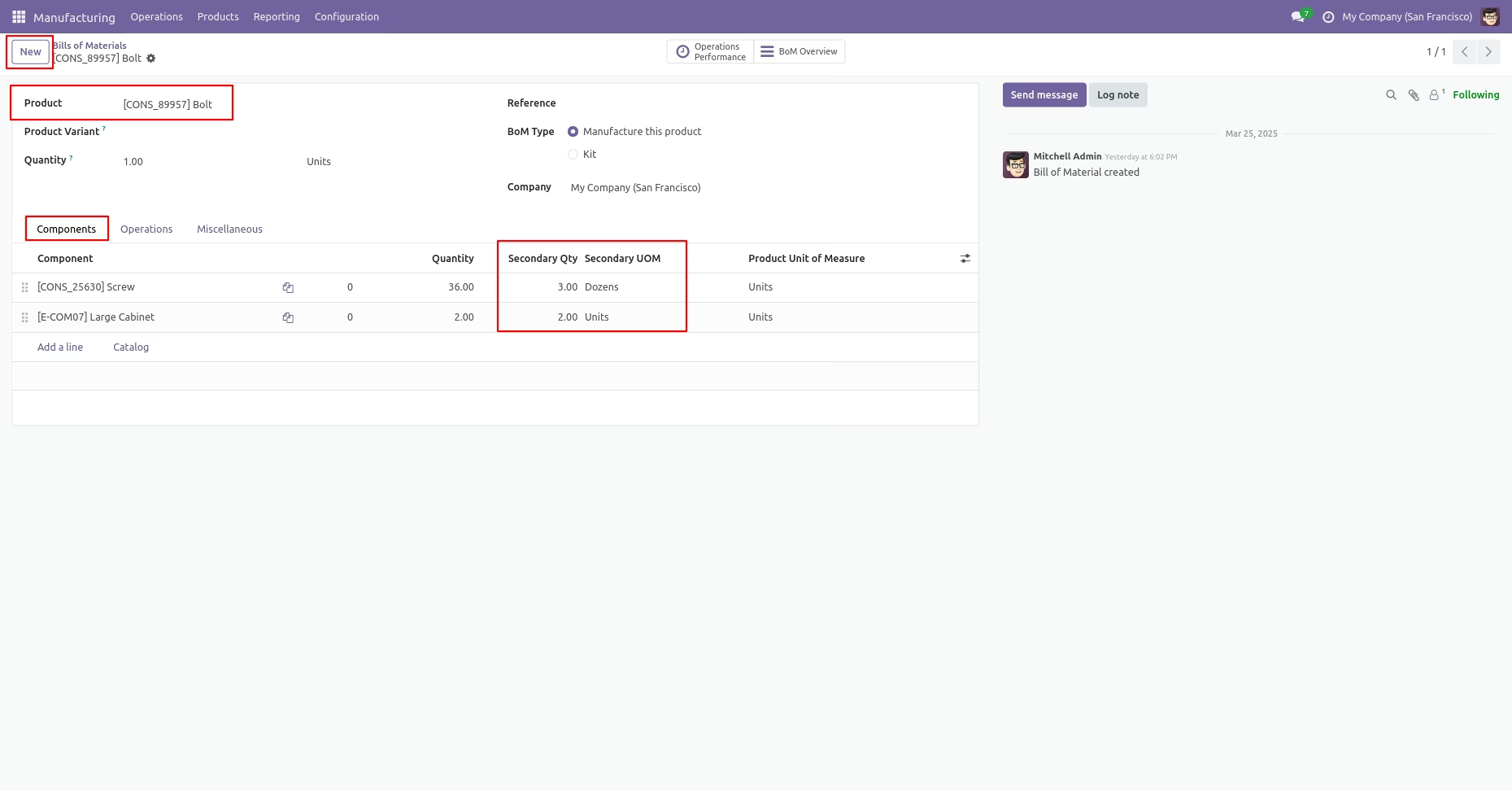
You can see the secondary Qty and Secondary UOM in BOM.
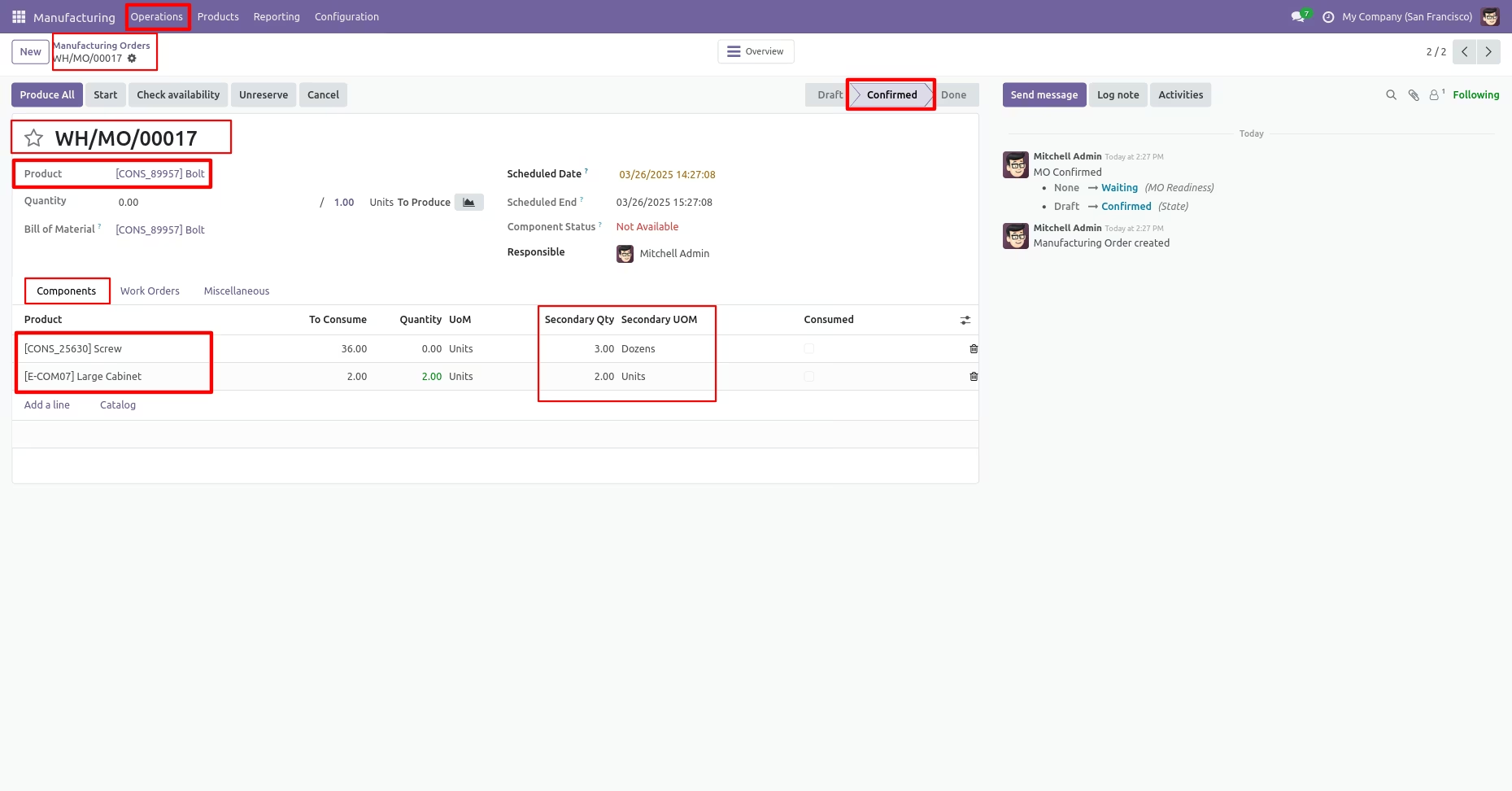
You can see the secondary Qty and Secondary UOM in Manufacturing order line.
You can print the Production order pdf report from the 'Action' button.
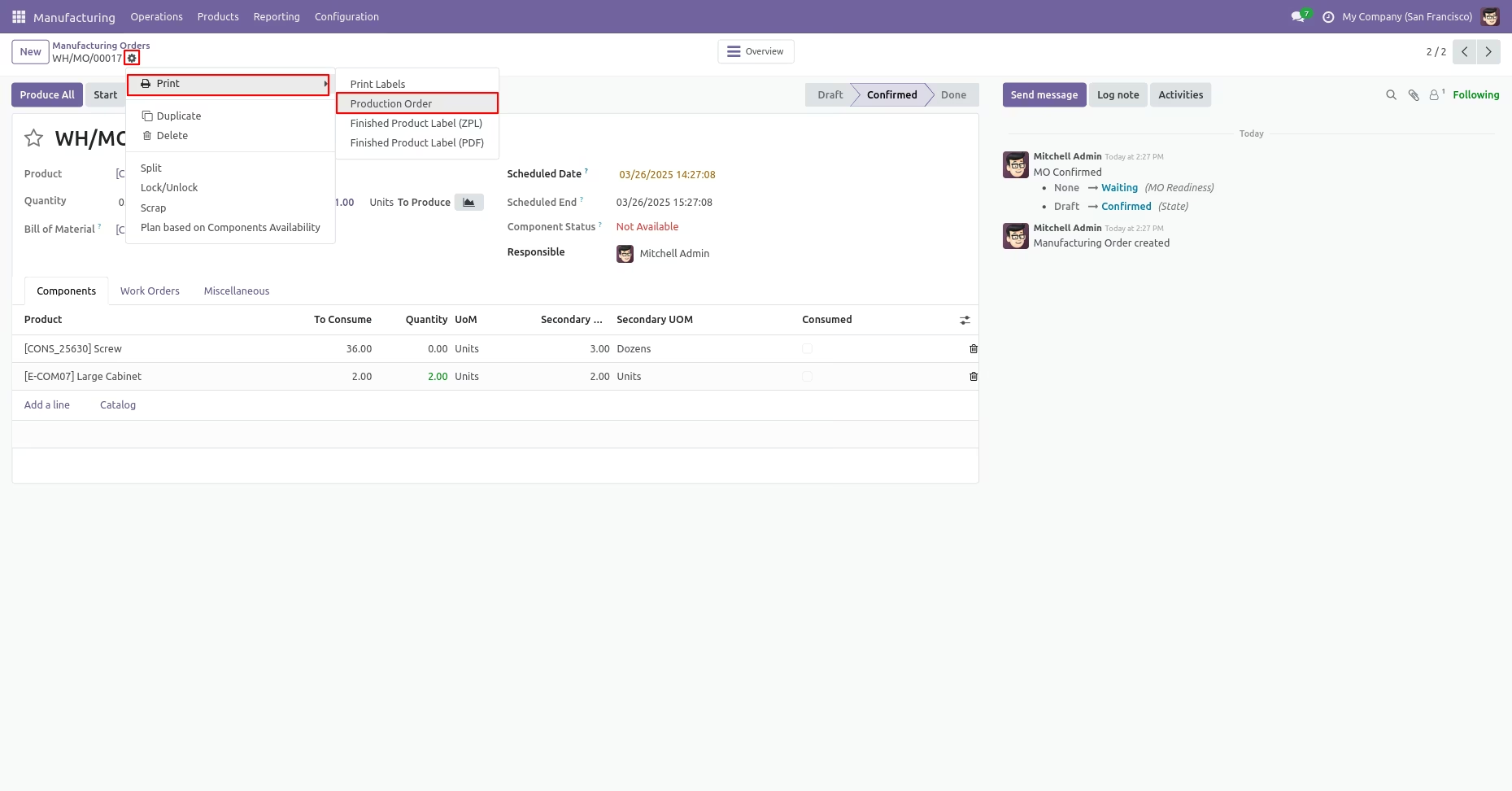
PDF report of the Production order.