This all-in-one loyalty and rewards module offers a unified solution for managing loyalty points and redemption across both website and point-of-sale channels. Designed to enhance customer engagement and retention, it simplifies loyalty incentivization by allowing customers to earn and redeem points seamlessly during online and in-store purchases. With streamlined loyalty management and efficient redemption workflows, this module delivers a polished and professional loyalty experience.
Key Features
Enables loyalty point accrual for purchases made through both website and POS
Allows customers to redeem loyalty points directly from their screen during checkout
Supports unified loyalty management across e-commerce and in-store channels
User-friendly interface for managing earning and redemption of loyalty points
Integrates seamlessly with core business workflows for streamlined operations
Benefits
Boosts customer retention with flexible loyalty incentives across all purchase channels
Enhances customer satisfaction through easy loyalty redemption at checkout
Simplifies loyalty management with unified control for website and POS environments
Improves engagement by offering seamless loyalty rewards on both online and in-store transactions
All in one Loyalty Rewards and redeem Program for Website and POS Apps
All in one Loyalty and Rewards program for Webshop and Point of sales apps is used to give Sale,POS and website loyalty redemption points for every purchase to your customers from there screen.Customer can also redeem this loyalty points for other purchase from there screen. Every single purchase from the Sale, POS and Website records the Loyalty Rewards based on configuration setup on there backend and those rewards will be redeemed on Sale,POS and Website order from screen order easily. Reward redeems visible on applied Sale, POS and Website order so it will be helpful for see history of the reward point redemption. When customer is cancelled order that time history will also get cancelled so no loyalty point calculated. Customer can also view there loyalty point on smart button which will be calculate based on history.
Looking Advance All in one Loyalty Rewards and Redeem App, please check below link
All in one Advance Loyalty Rewards and Redeem Apps.
Features
Loyalty Point Configuration
Apply loyalty point based on loyalty configuration rule.
Earns loyalty points
Customer can earns loyalty points with his/her every purchase in Sale,POS and Website.
Define Loyalty Points
Define Loyalty based on product category(Sale, POS, Website) and purchase amount.
Redeem loyalty points
Customer can redeem loyalty points as a discount for other purchase order in Sale, POS and website.
Order is Cancelled, History will Also Cancelled
When user can calcelled order that time order history will also cancelled so no point calculated.
Calculate Partner's Loyalty Points based on History
User can view partner's loyalty points on smart button which is calculated based on partner's history.
History of Loyalty Points
User can see there loyalty points transactions history with draft, confirmed and cancelled stages.
Validations for Sale, POS and Website
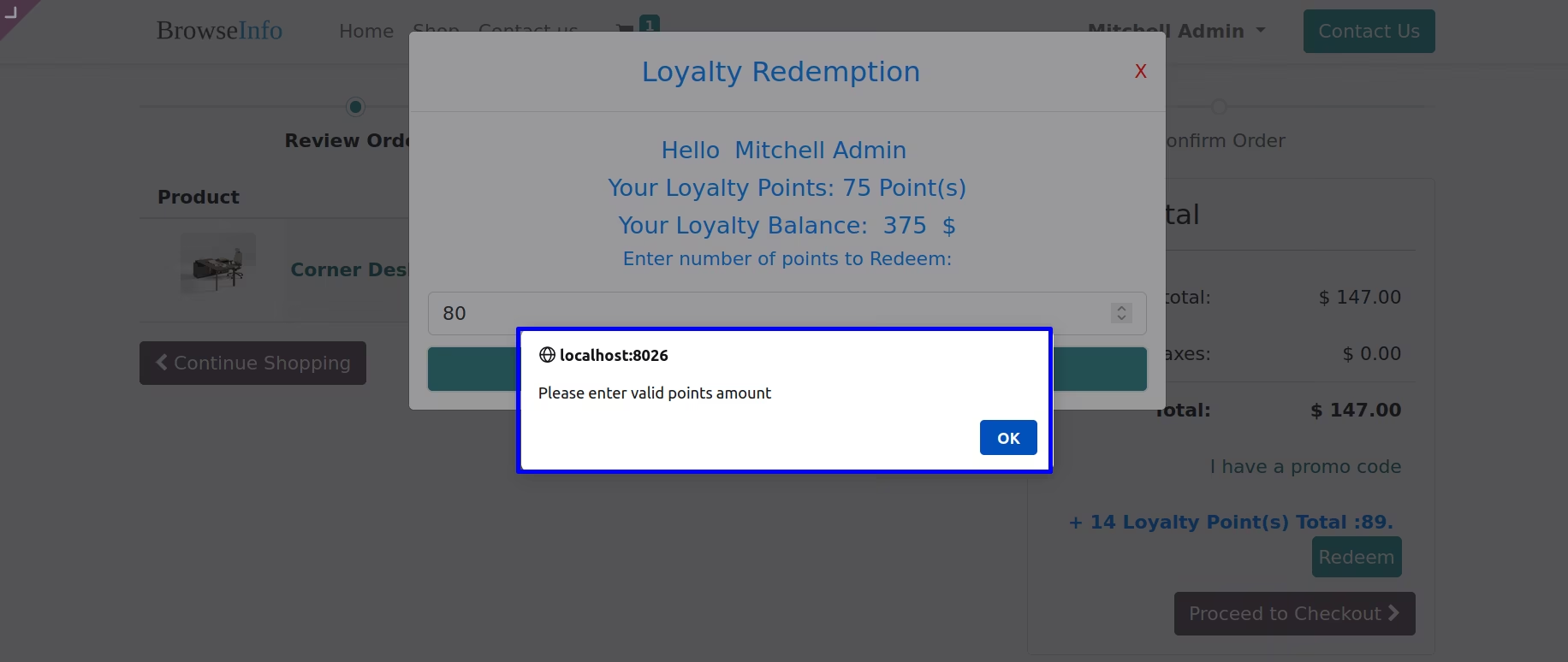
User have get some validation messages when they give wrong input or enter more than loyalty points also avoid selection of customer.Sale Loyalty Configuration
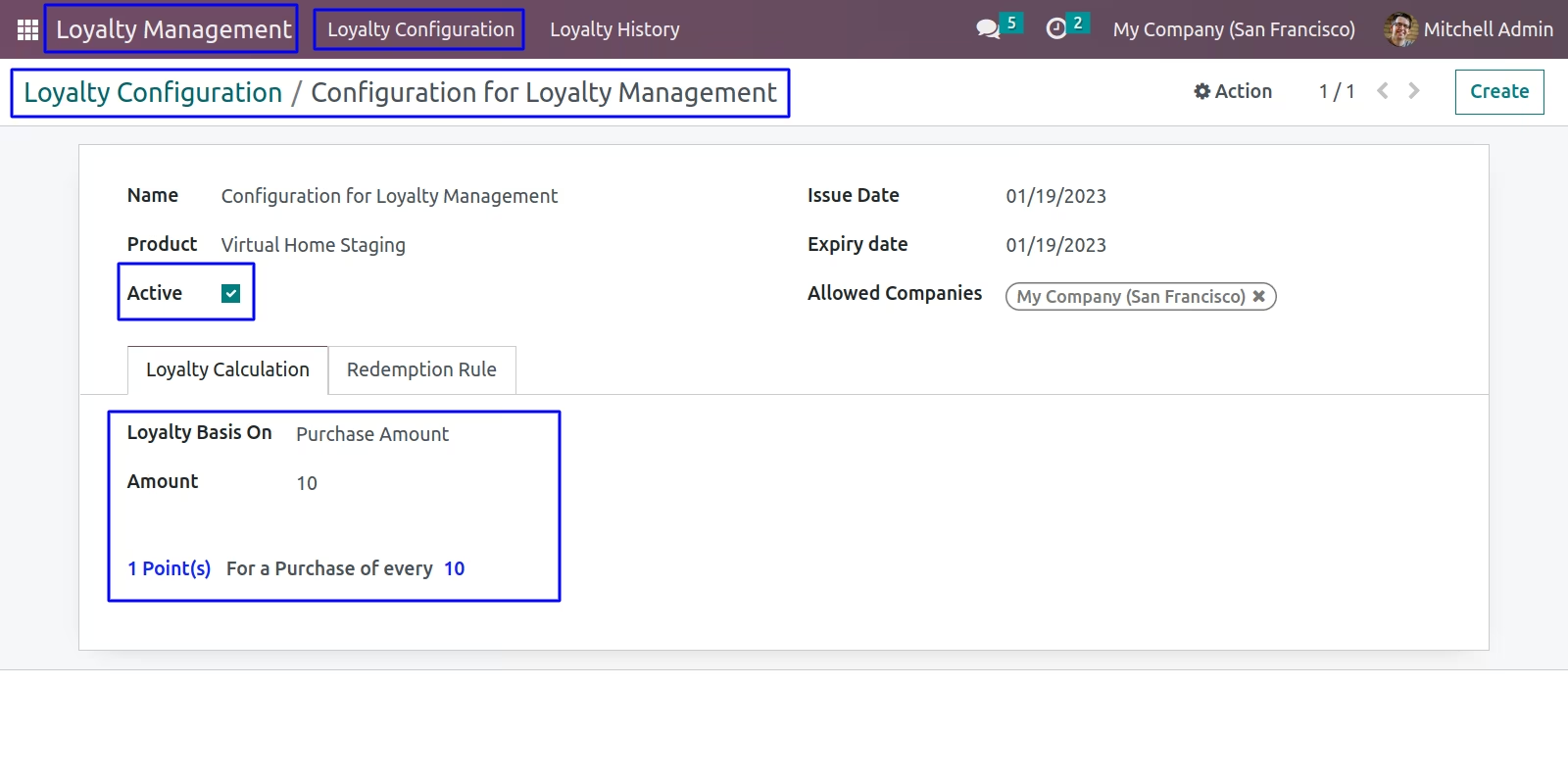
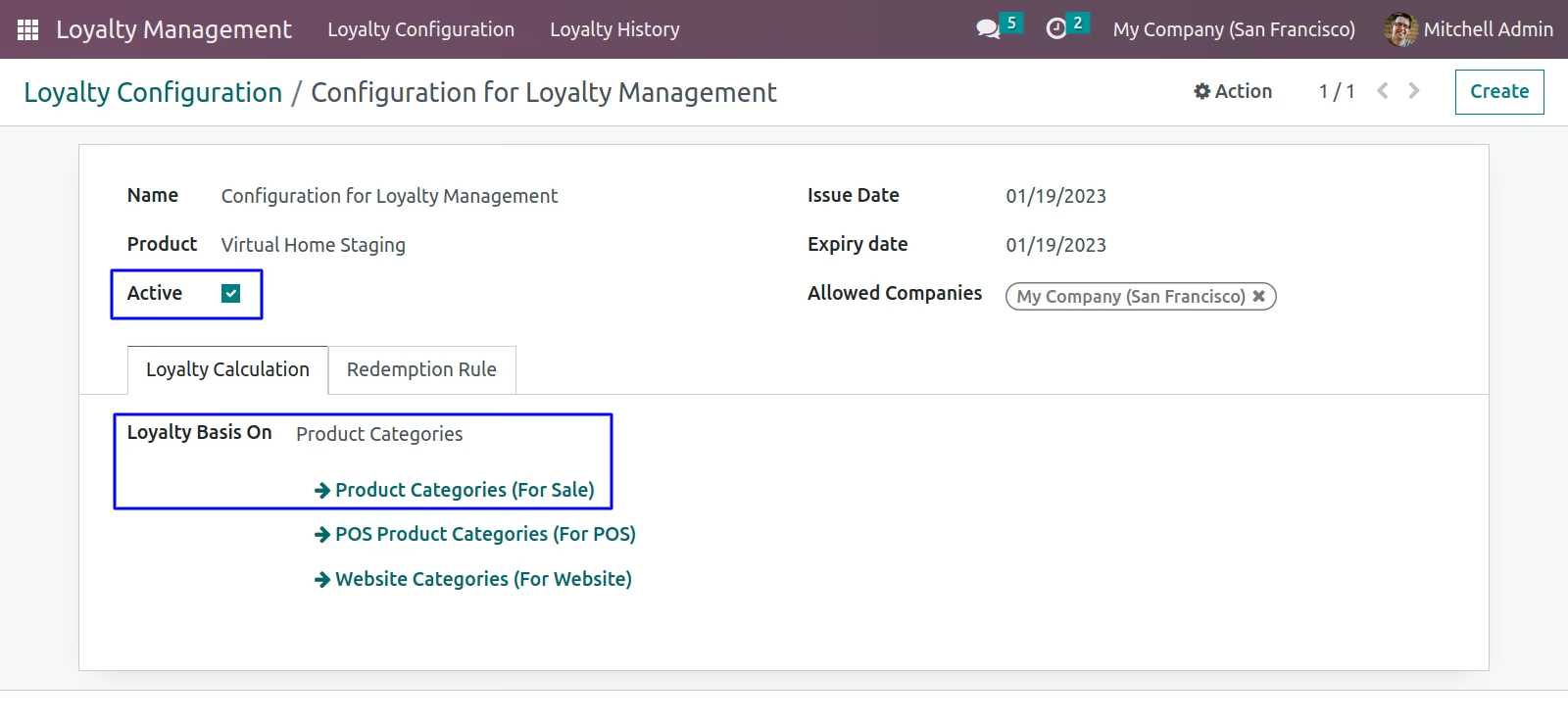
There are two options for loyalty (i) Purchase Amount and (ii) Product Categories(For Sale).
Based on Purchase Amount
Based on Sale Product Categories
Sale Loyalty Redemption Rule
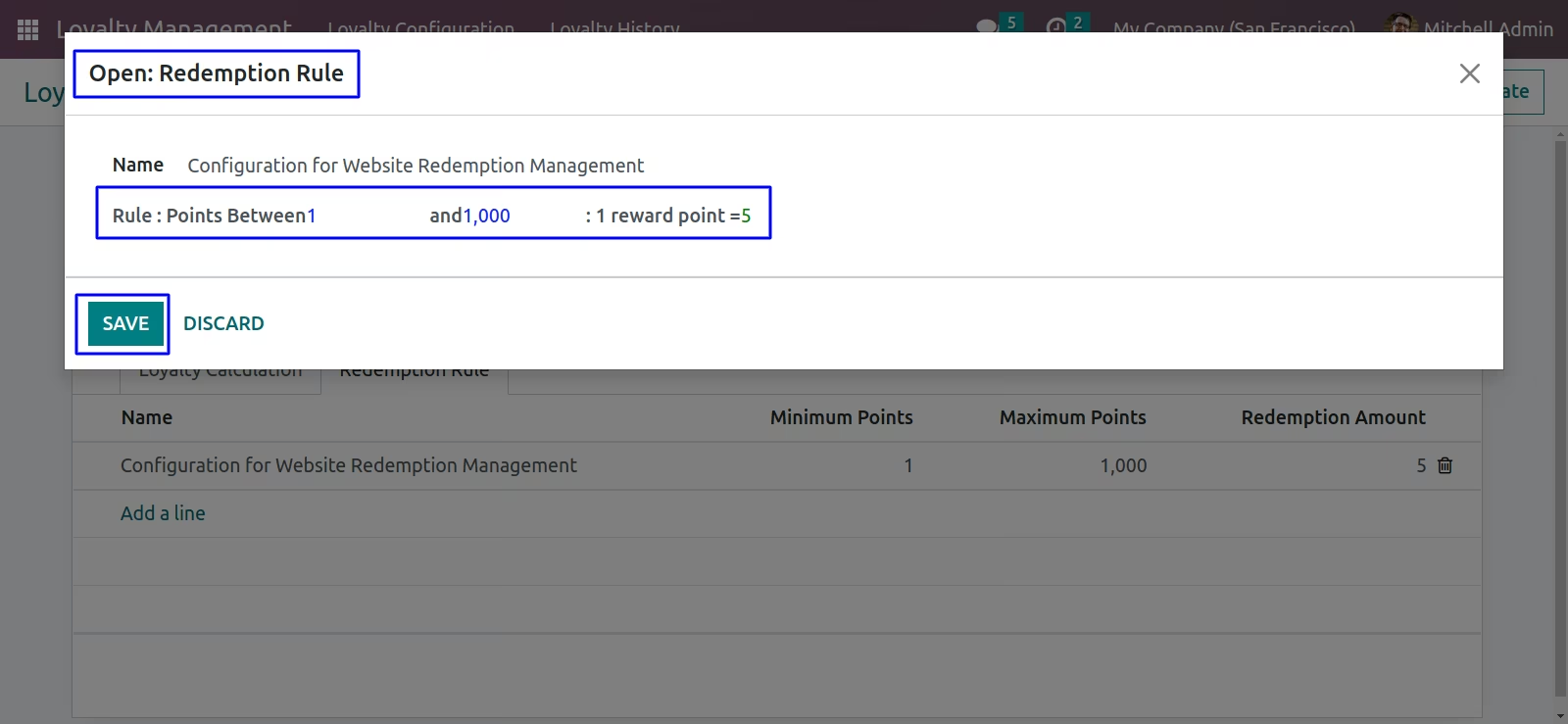
Loyalty Based on Purchase Amount
Display loyalty point based on Purchase Amount in Sale(Select Customer first)
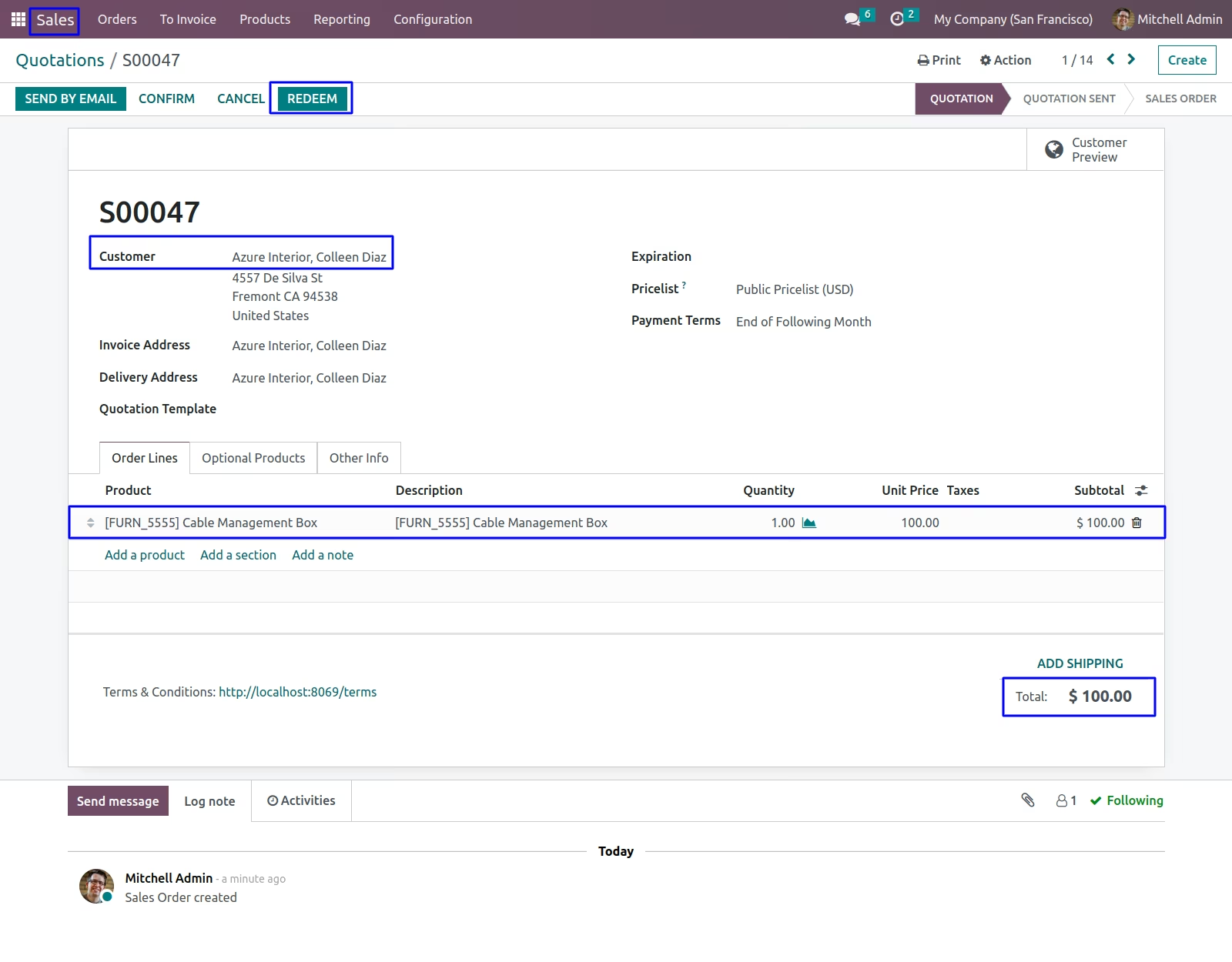
Sale Loyalty History for credit point is generated in back-end
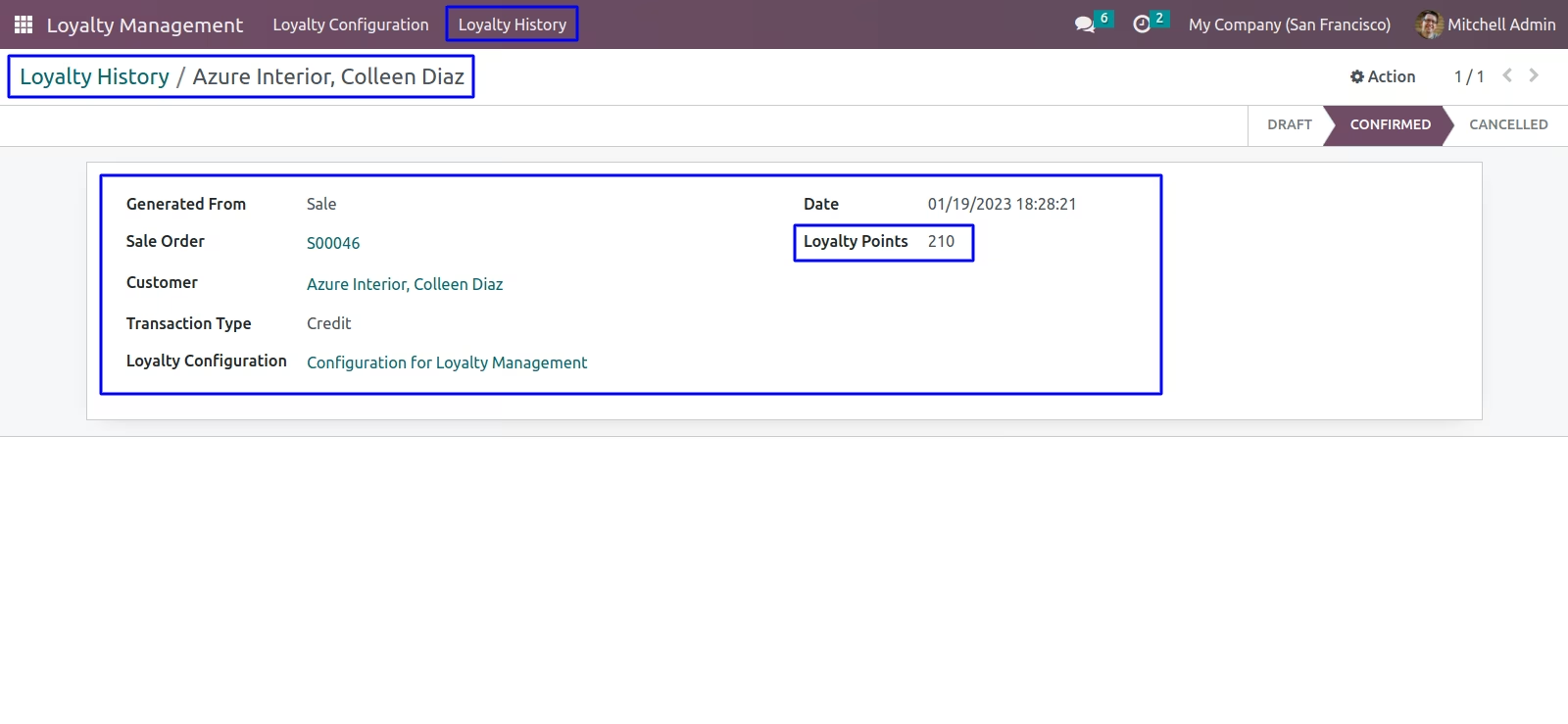
Customer's loyalty points is display in Sale
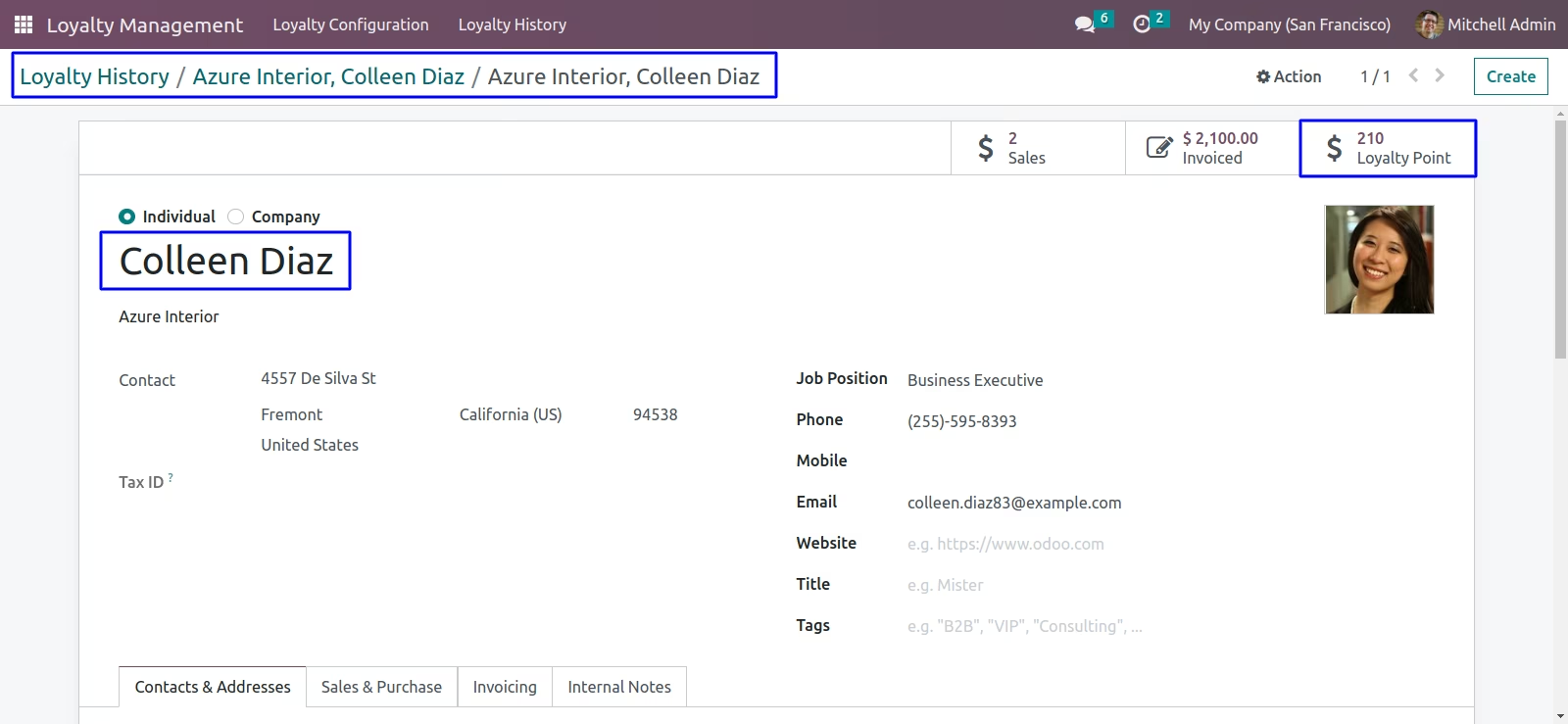
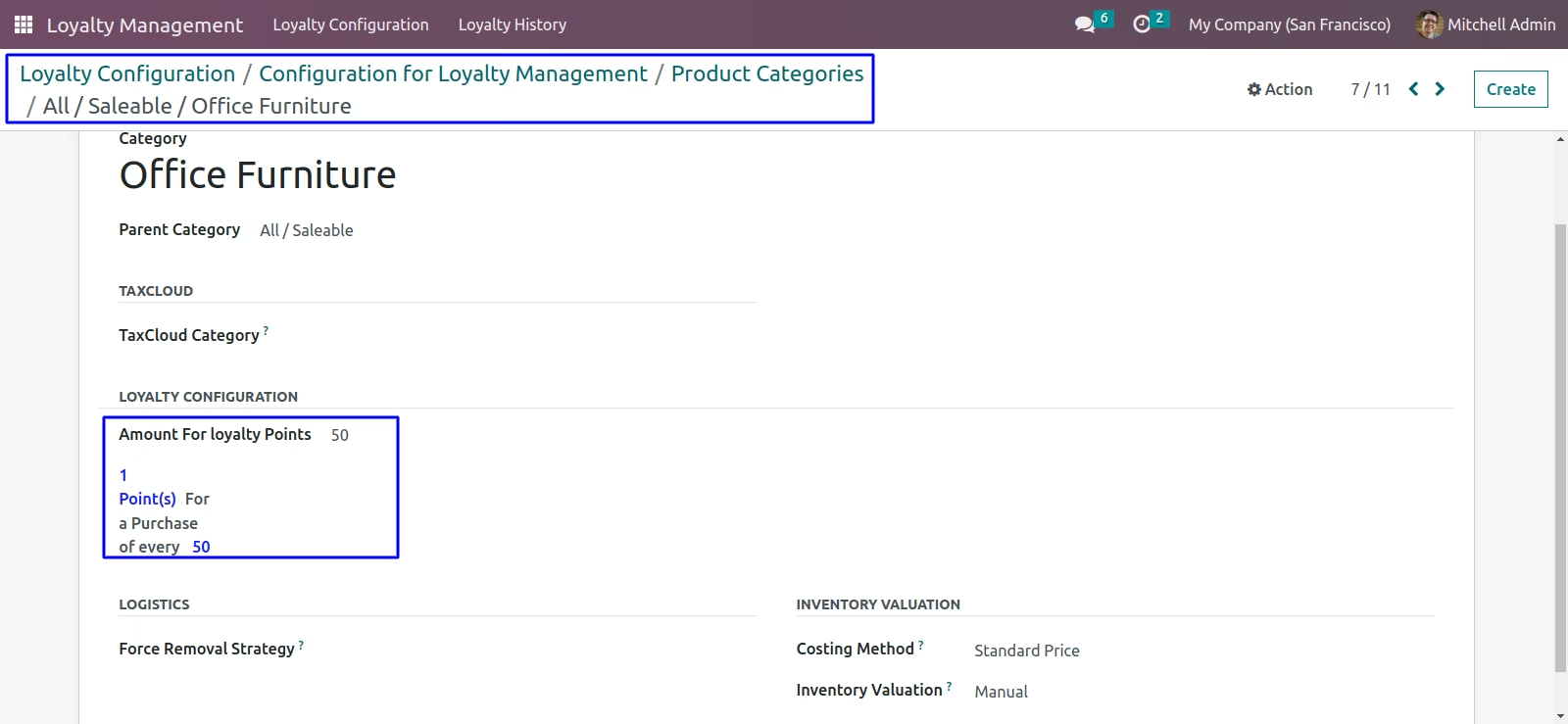
Loyalty Based on Sale Product Categories
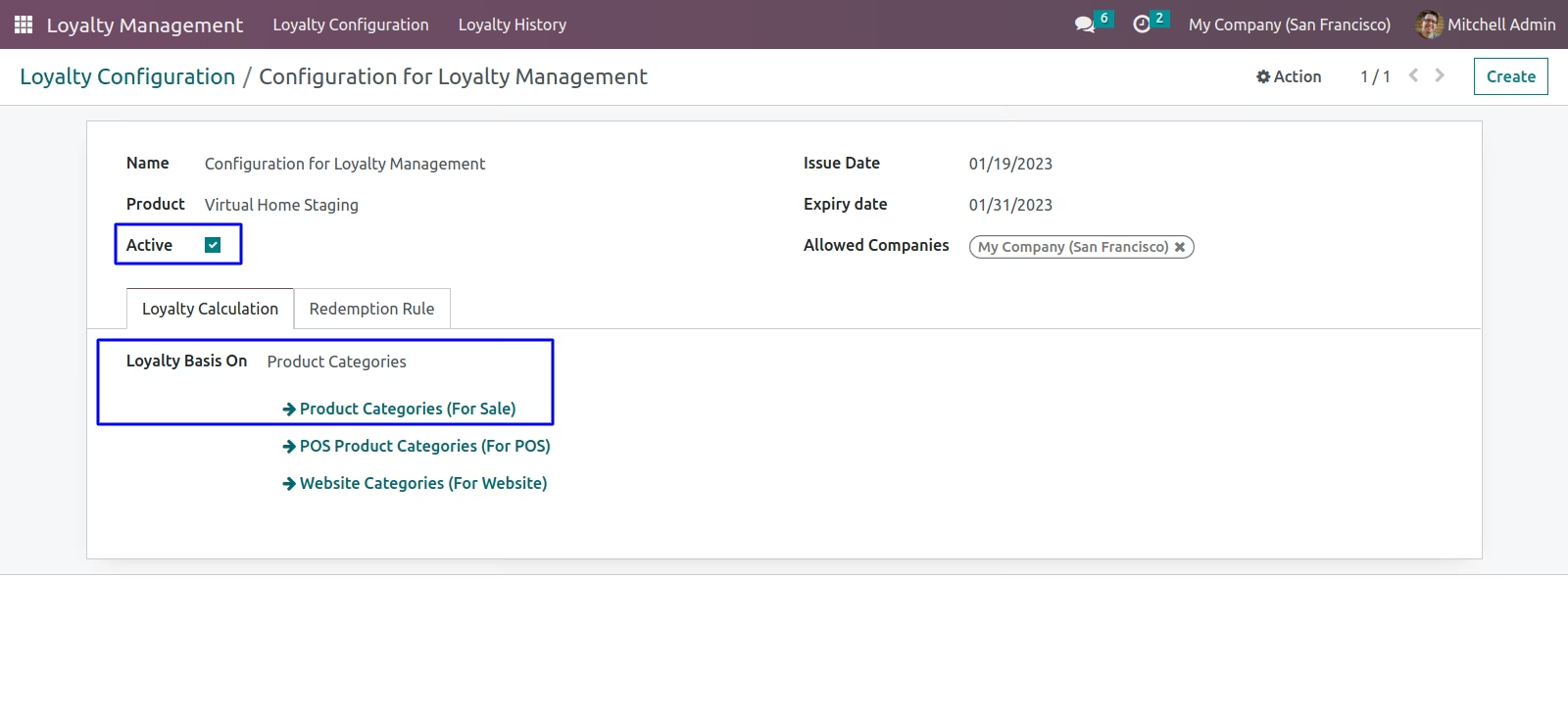
Configuration in Sale Product Categories
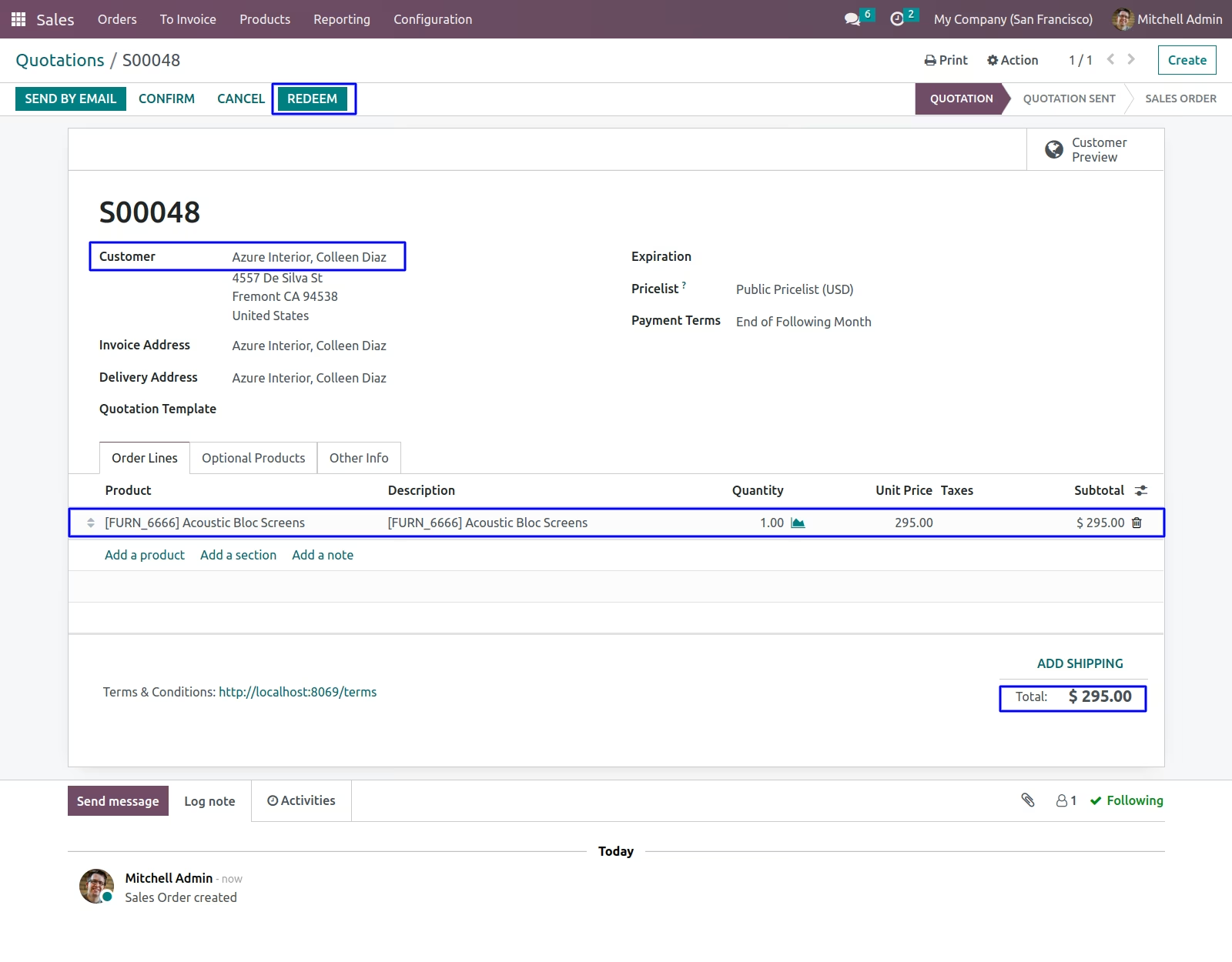
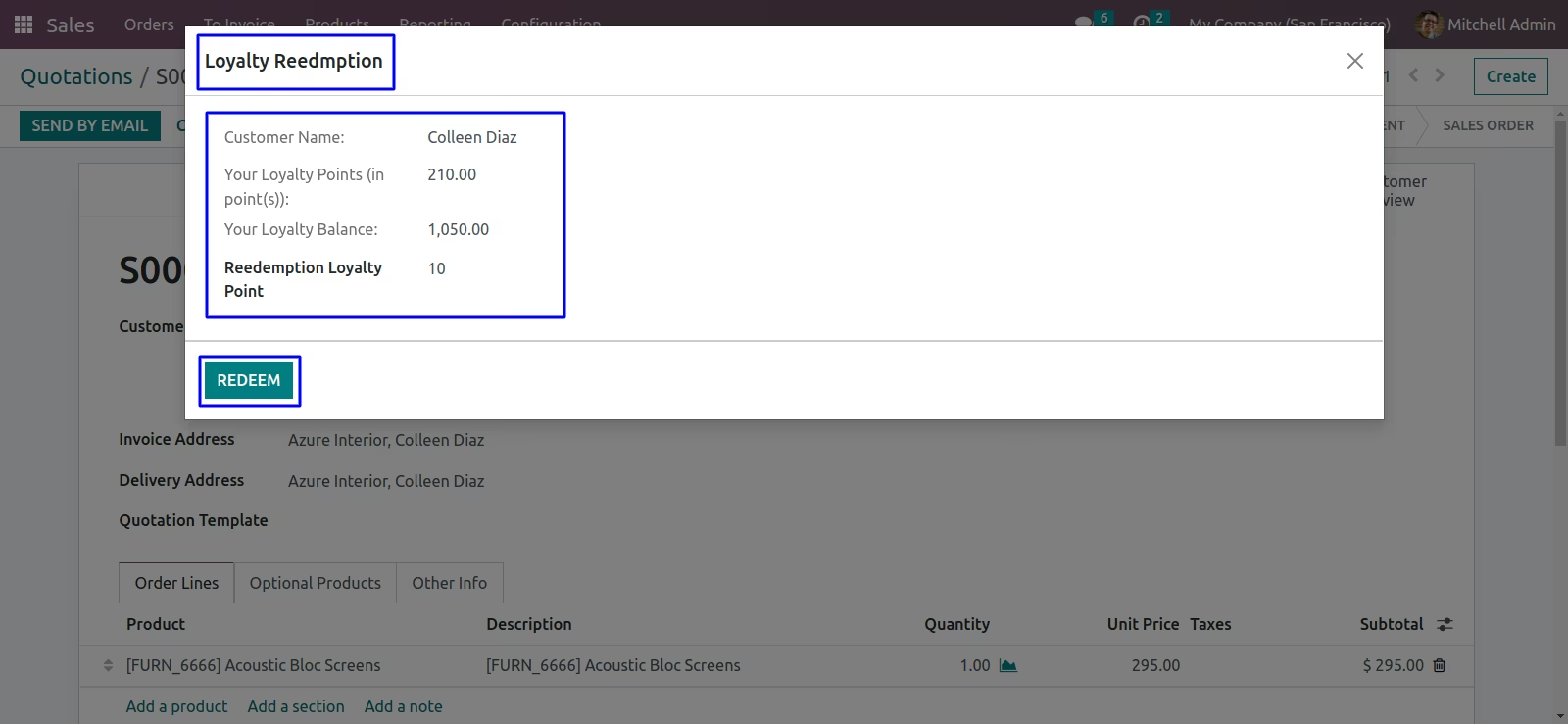
Loyalty Redemption
Sale Loyalty Redemption Rule
Display loyalty point based on Sale Product Categories(Select Customer first)
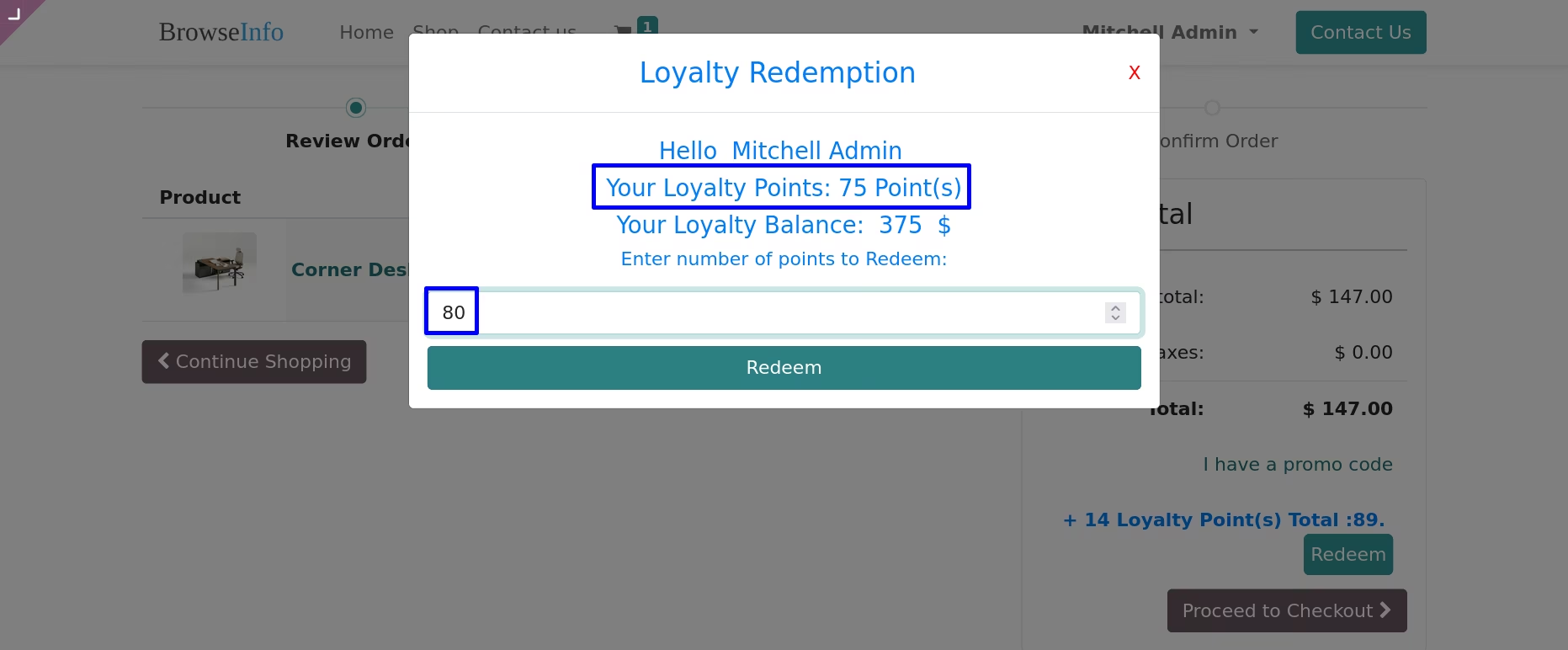
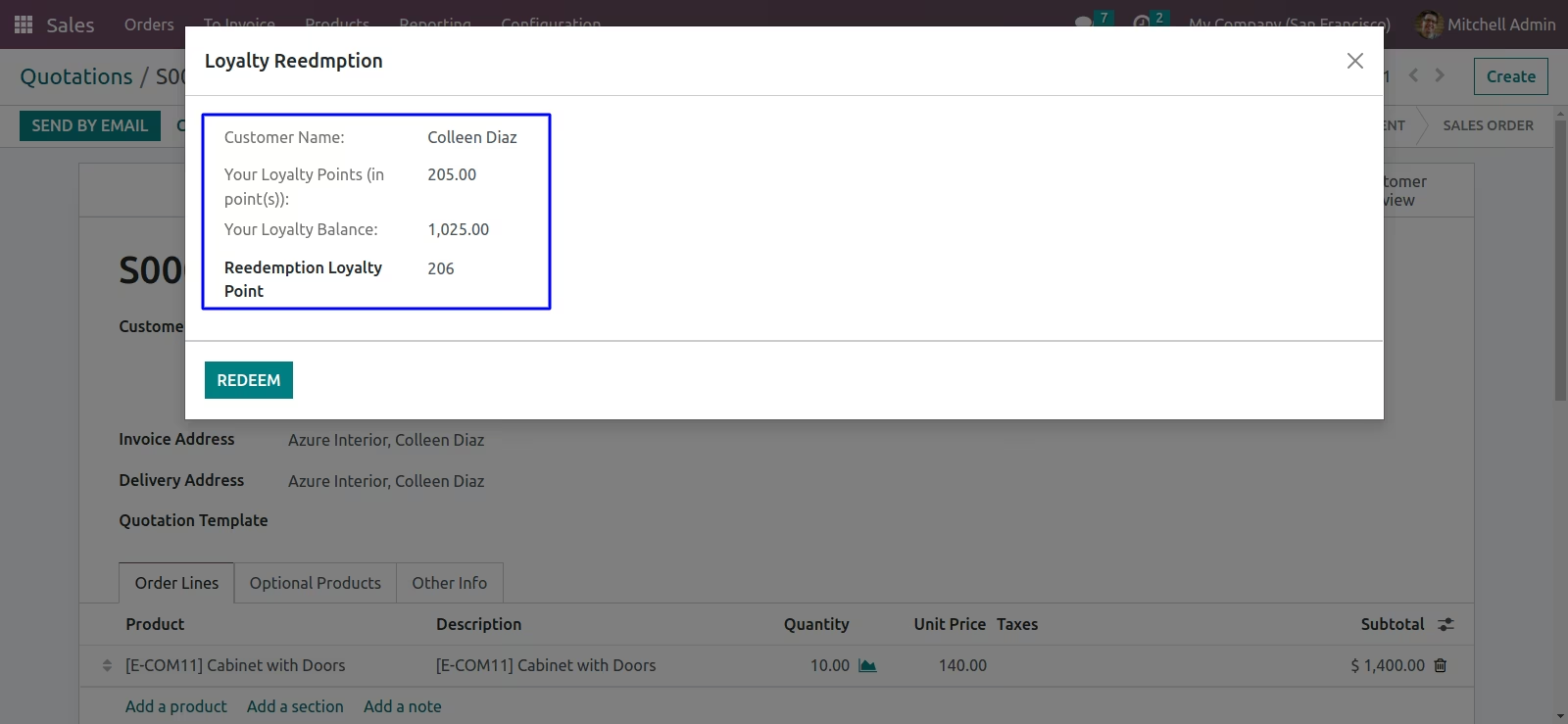
Enter number of points to Redeem,Here you can see number of points and total amount according to redemption rule
After Redemption
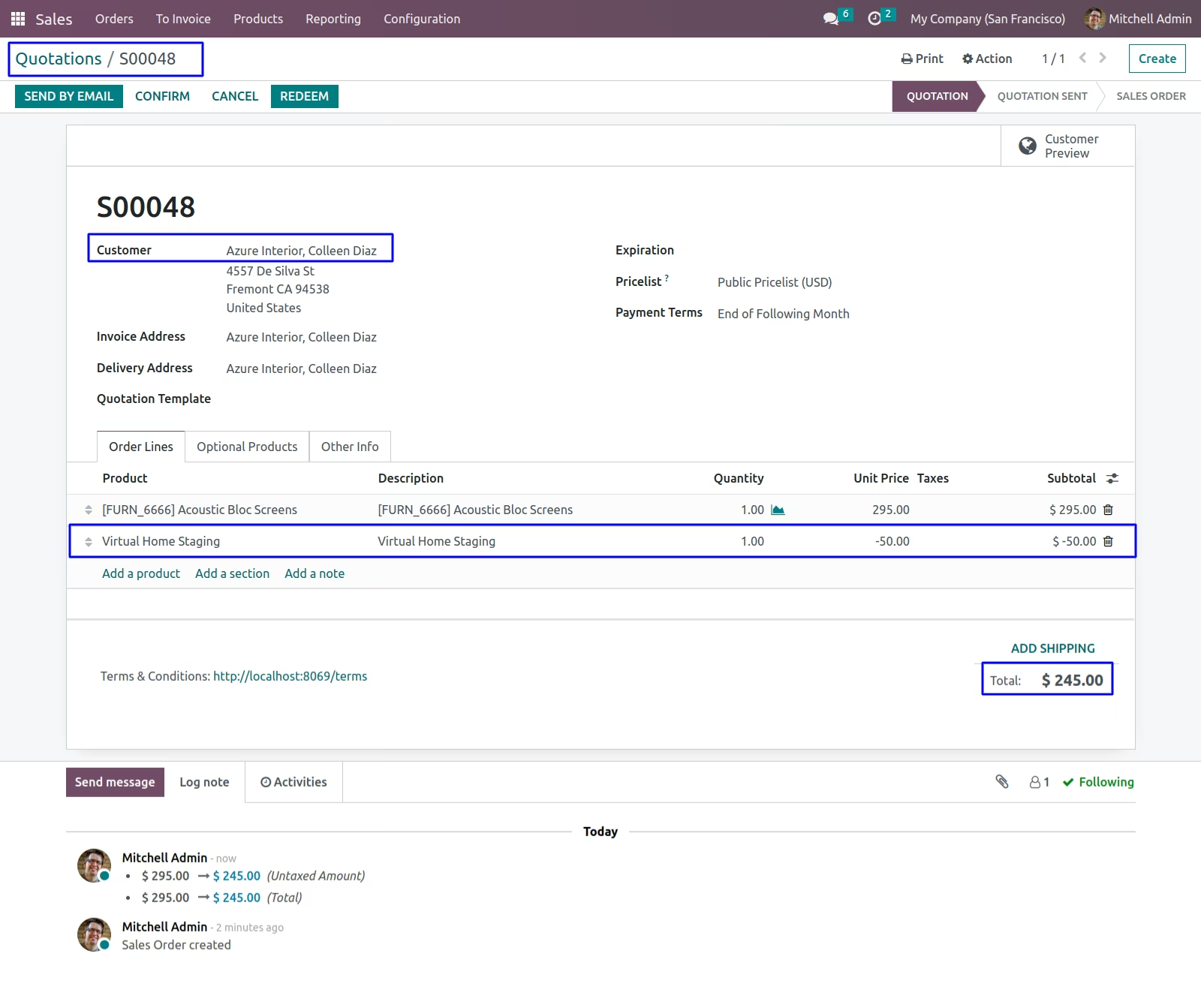
Validations For Sale
Redeem more than loyalty points
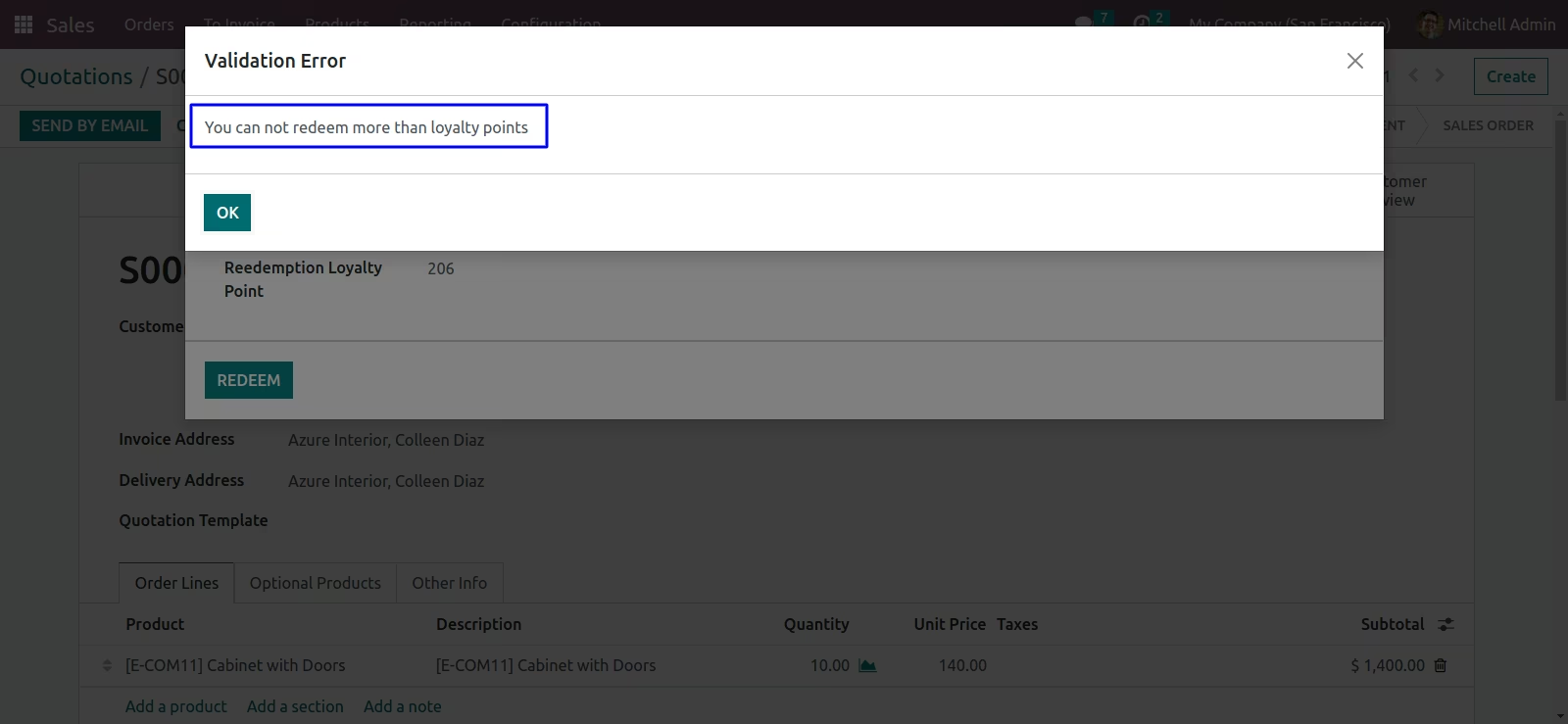
POS Loyalty Configuration
There are two options for loyalty (i) Purchase Amount and (ii) POS Product Categories.
Based on Purchase Amount
Based on POS Product Categories
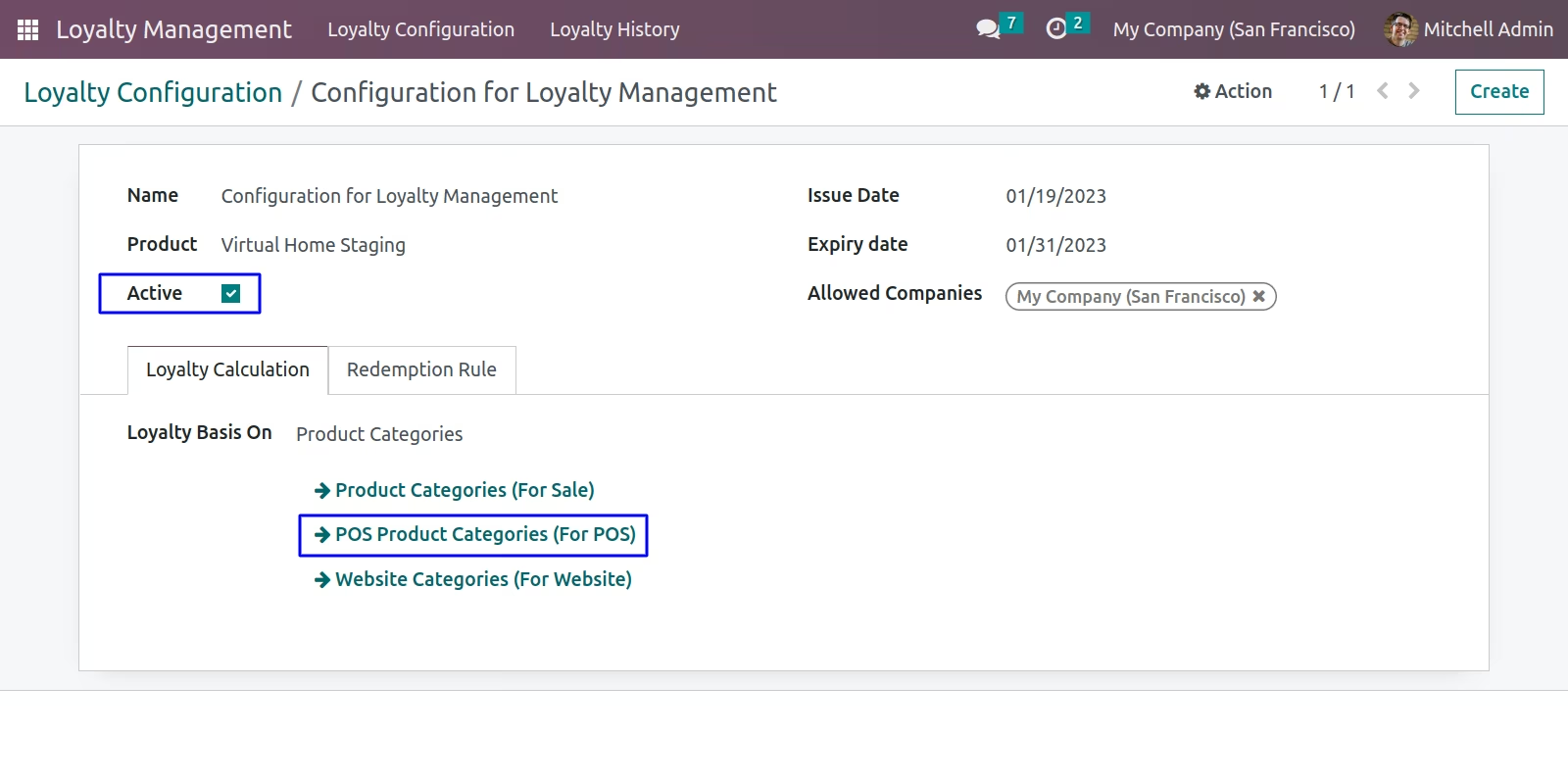
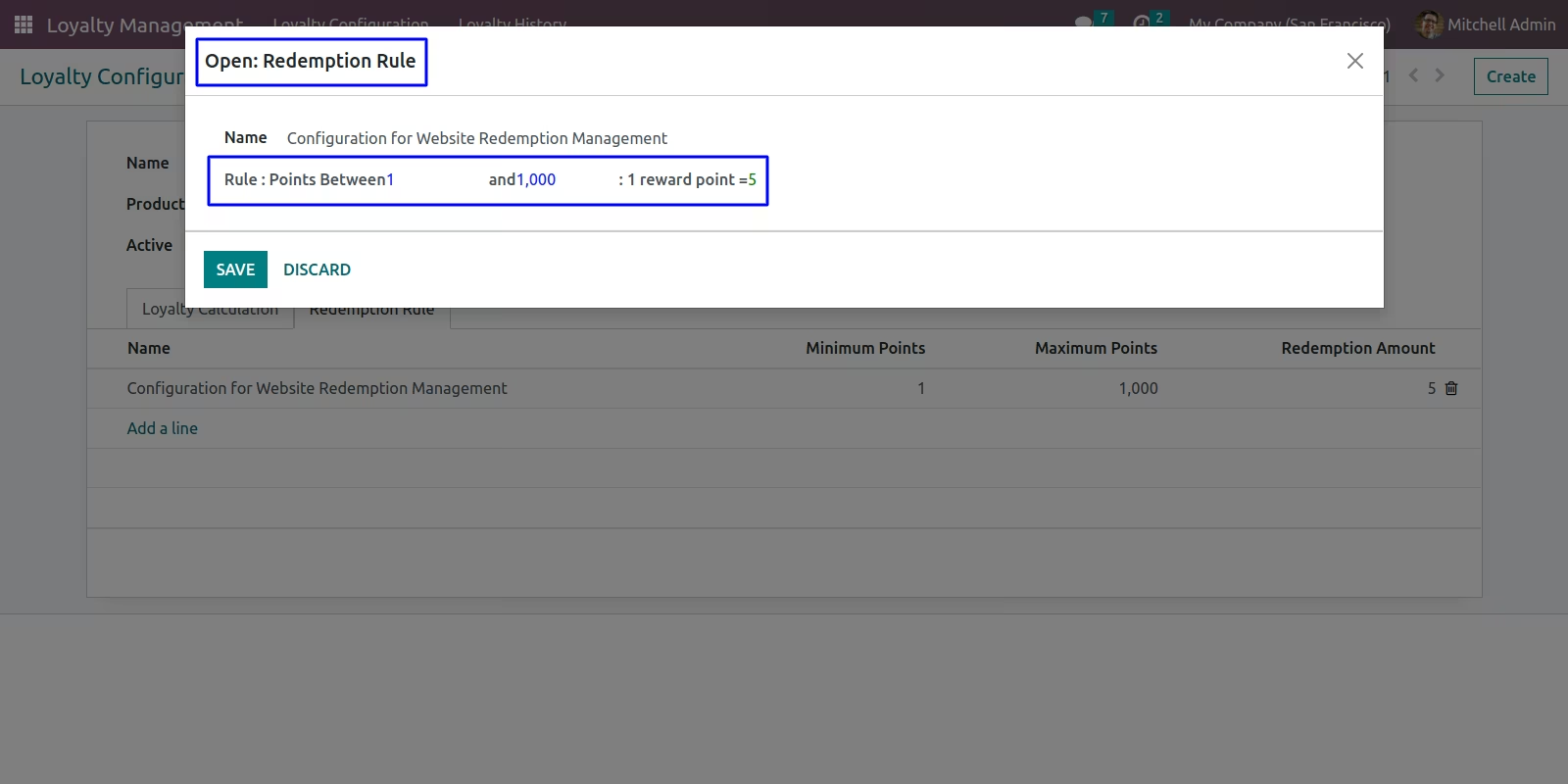
POS Loyalty Redemption Rule
Loyalty Based on Purchase Amount
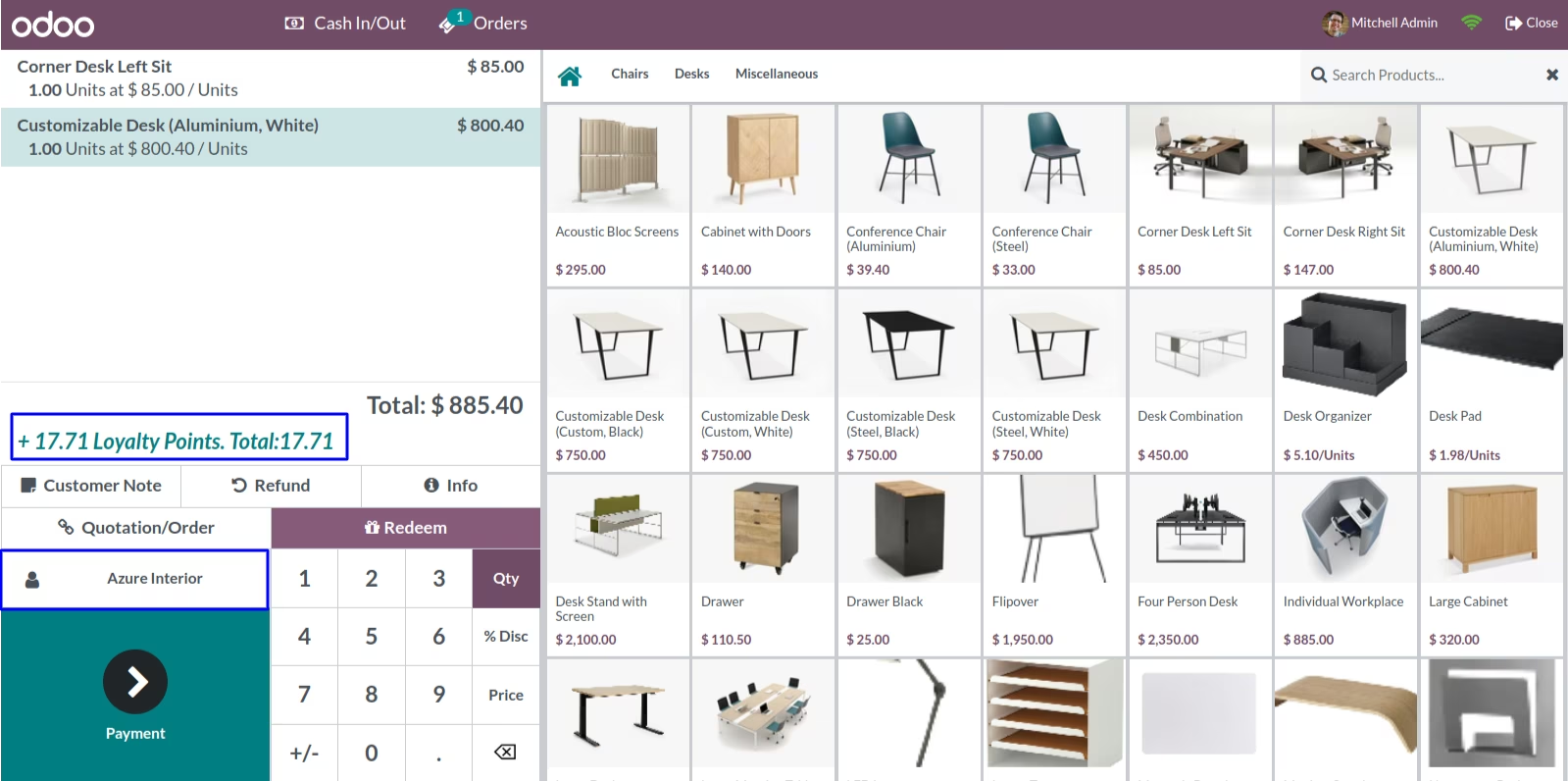
Display loyalty point based on Purchase Amount in POS(Select Customer first)
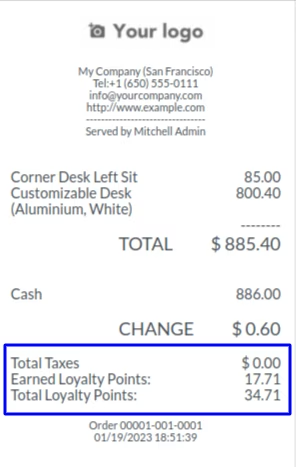
Earned Loyalty Points will be displayed in POS Receipt
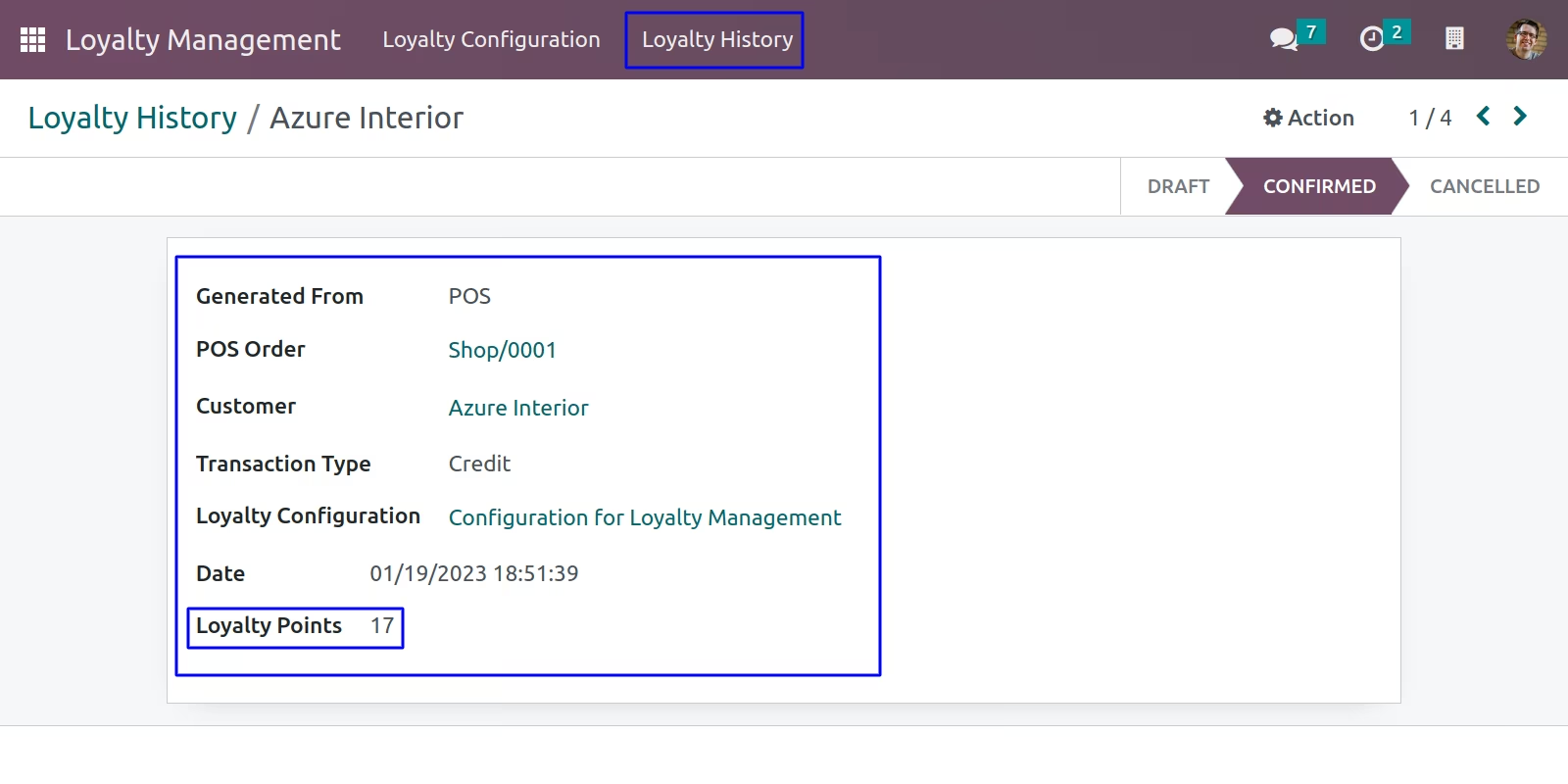
POS Loyalty History for credit point is generated in back-end
Customer's loyalty points is display in POS
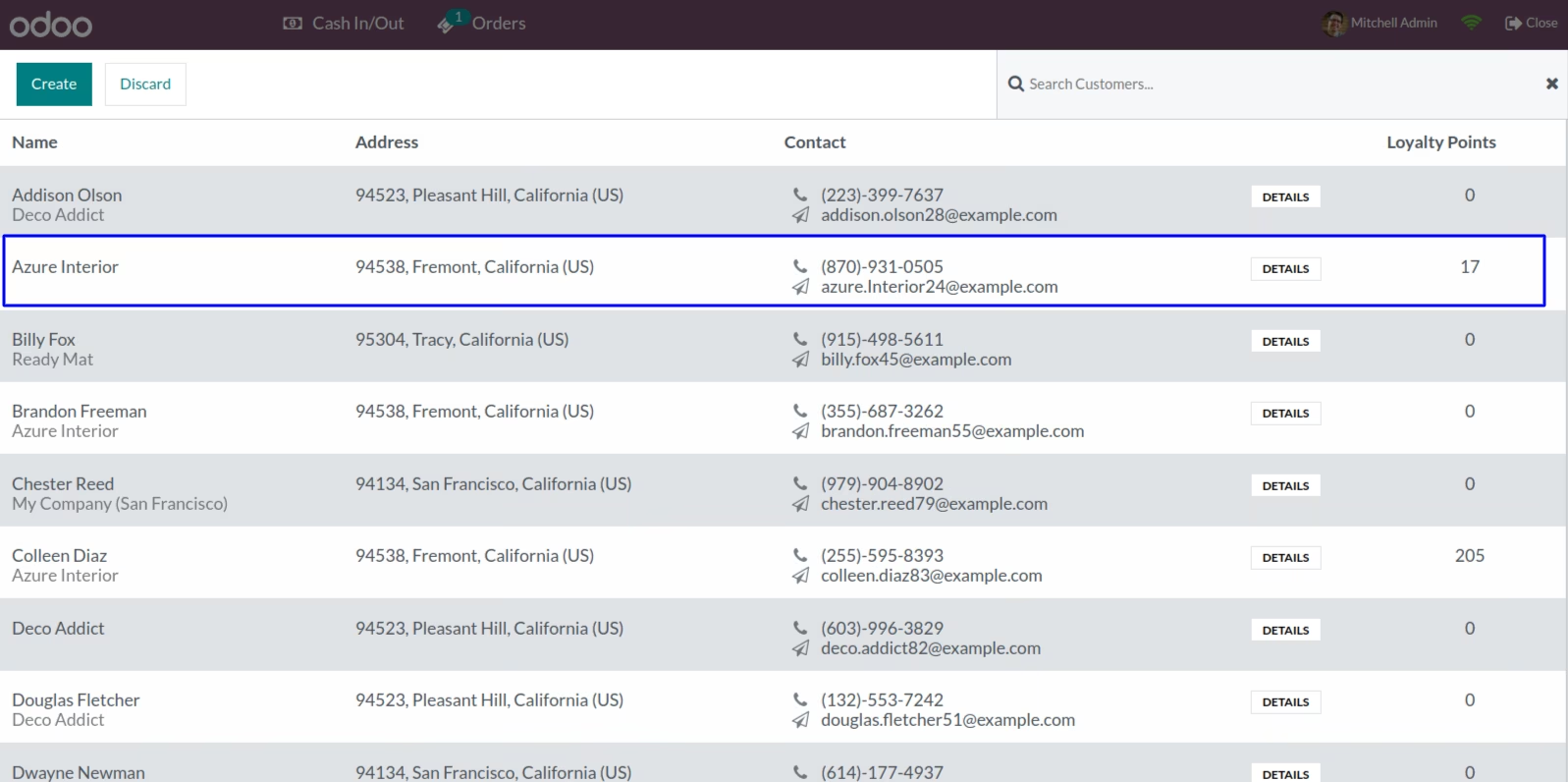
Customer's Loyalty Points
Customer's loyalty points is display in Back-end
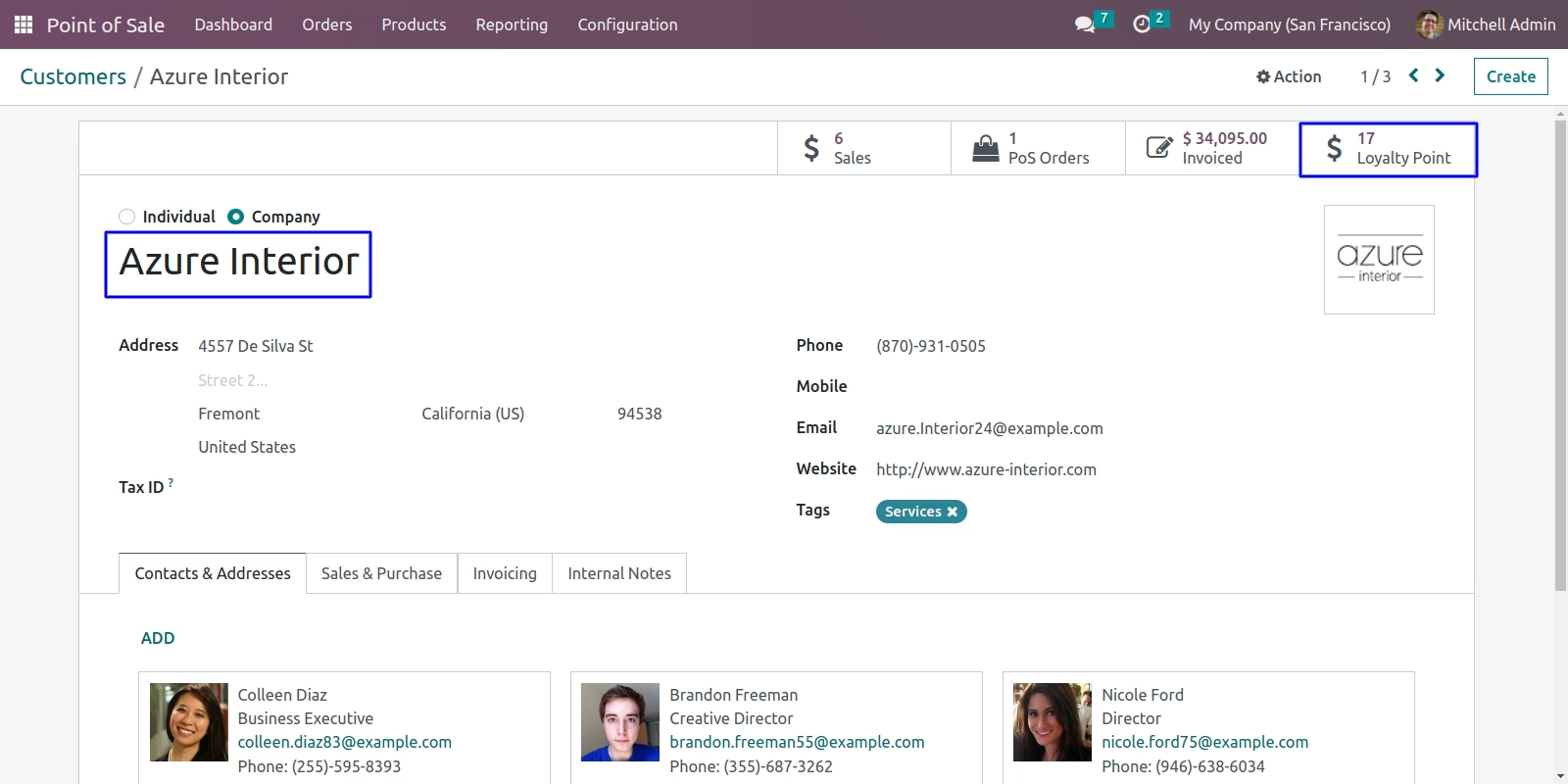
Loyalty Based on POS Product Categories
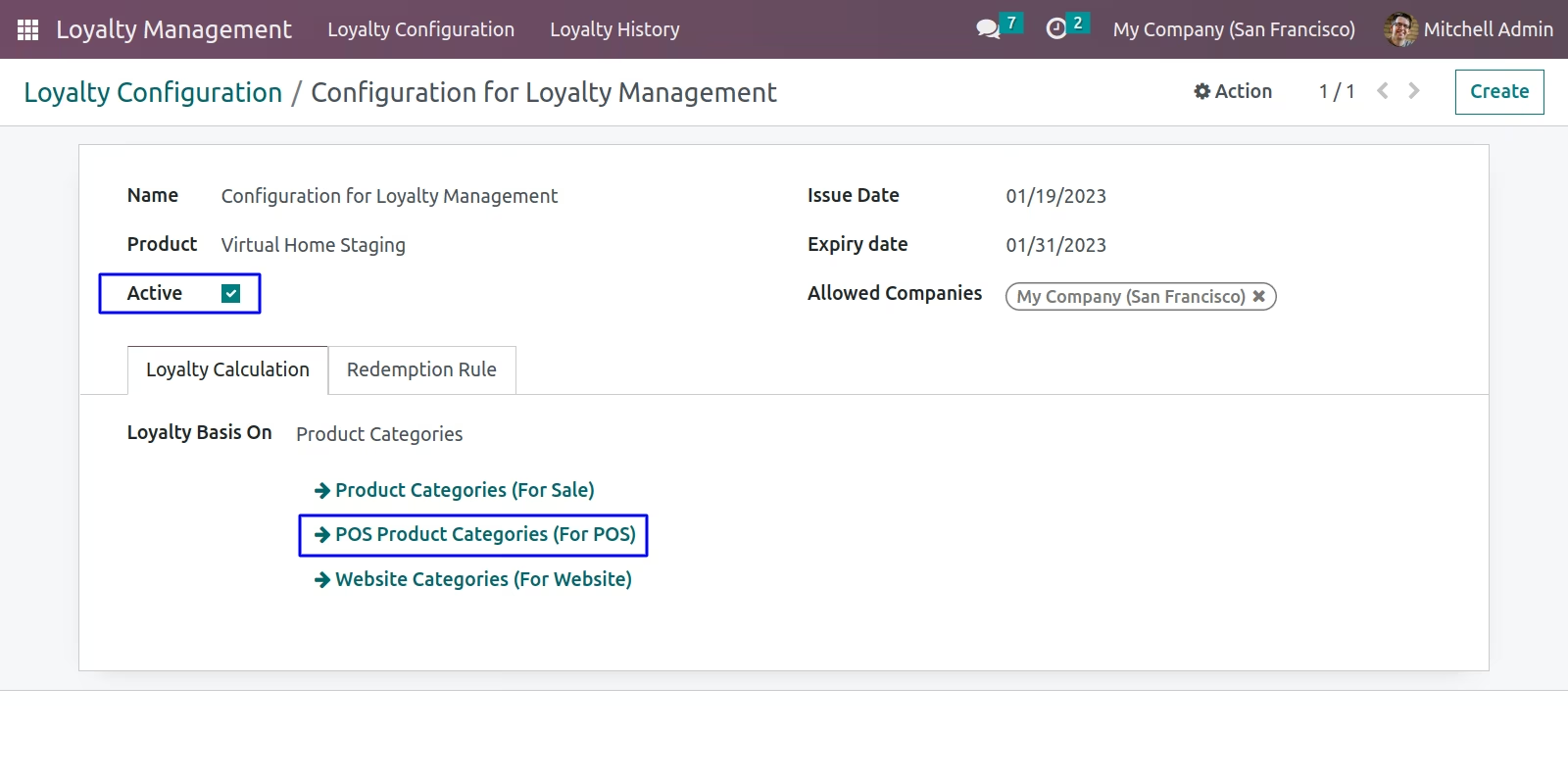
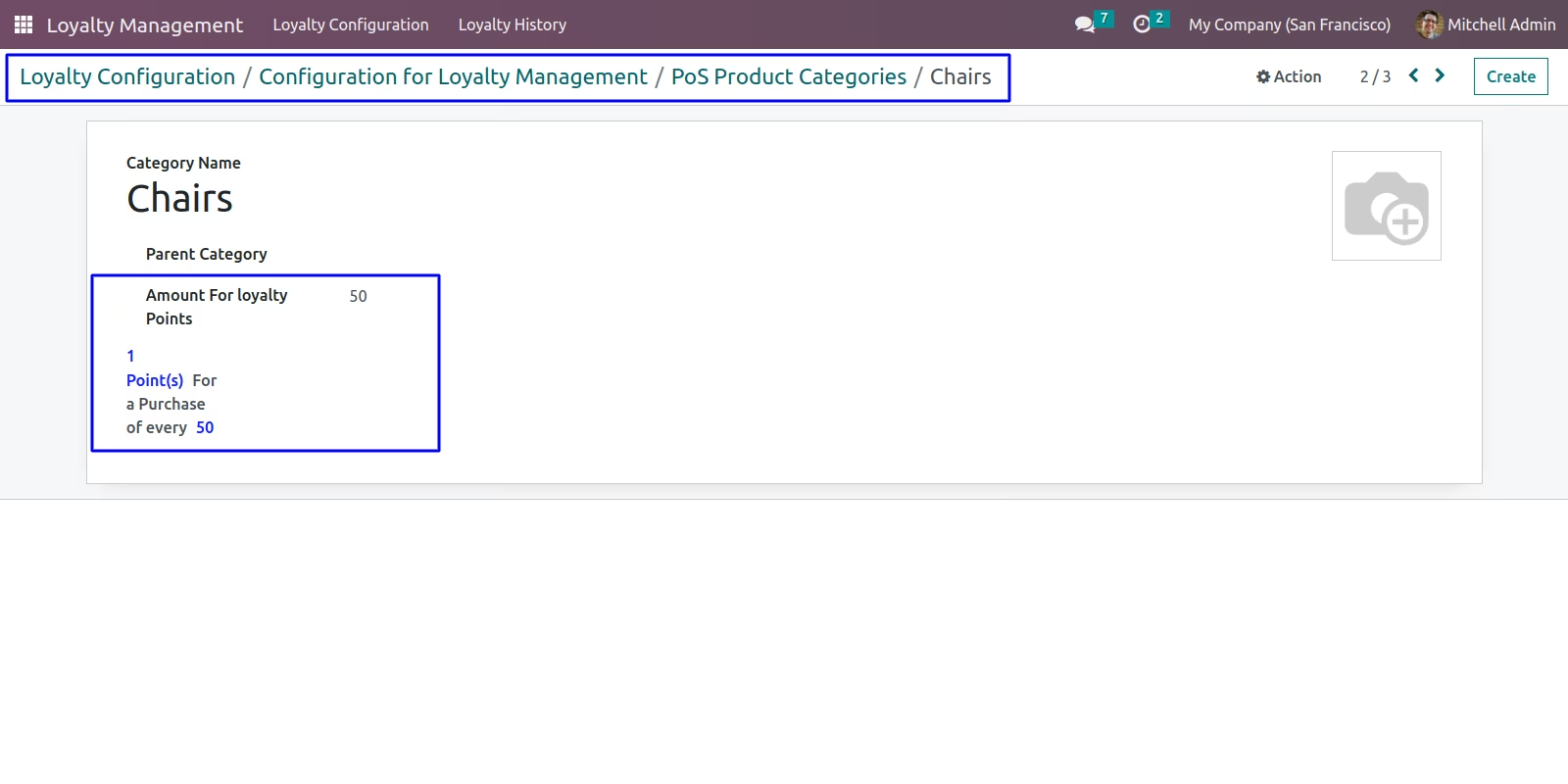
Configuration in POS Product Categories
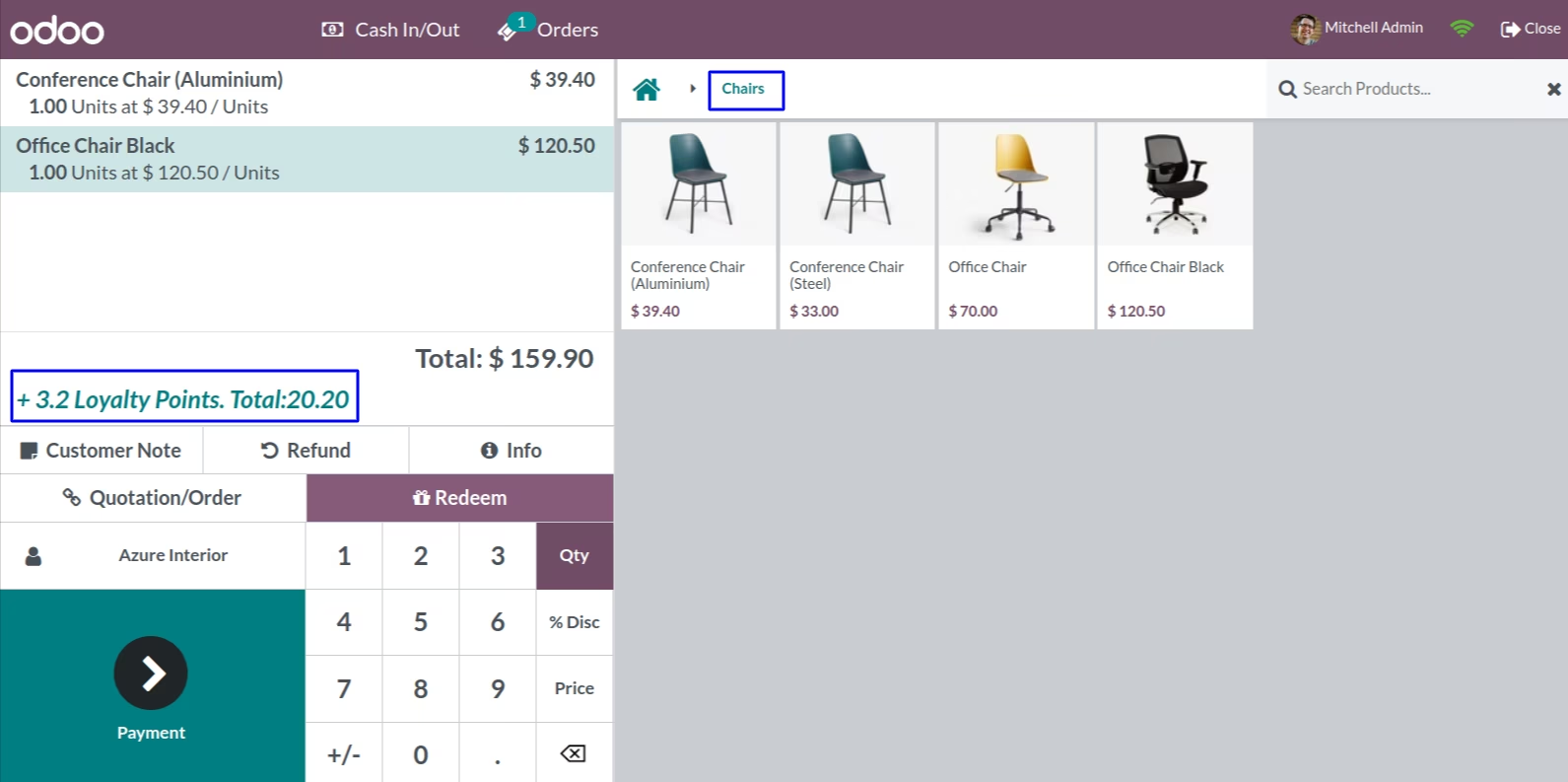
Display loyalty point based on POS Product Categories(Select Customer first)
Loyalty Redemption
POS Loyalty Redemption Rule
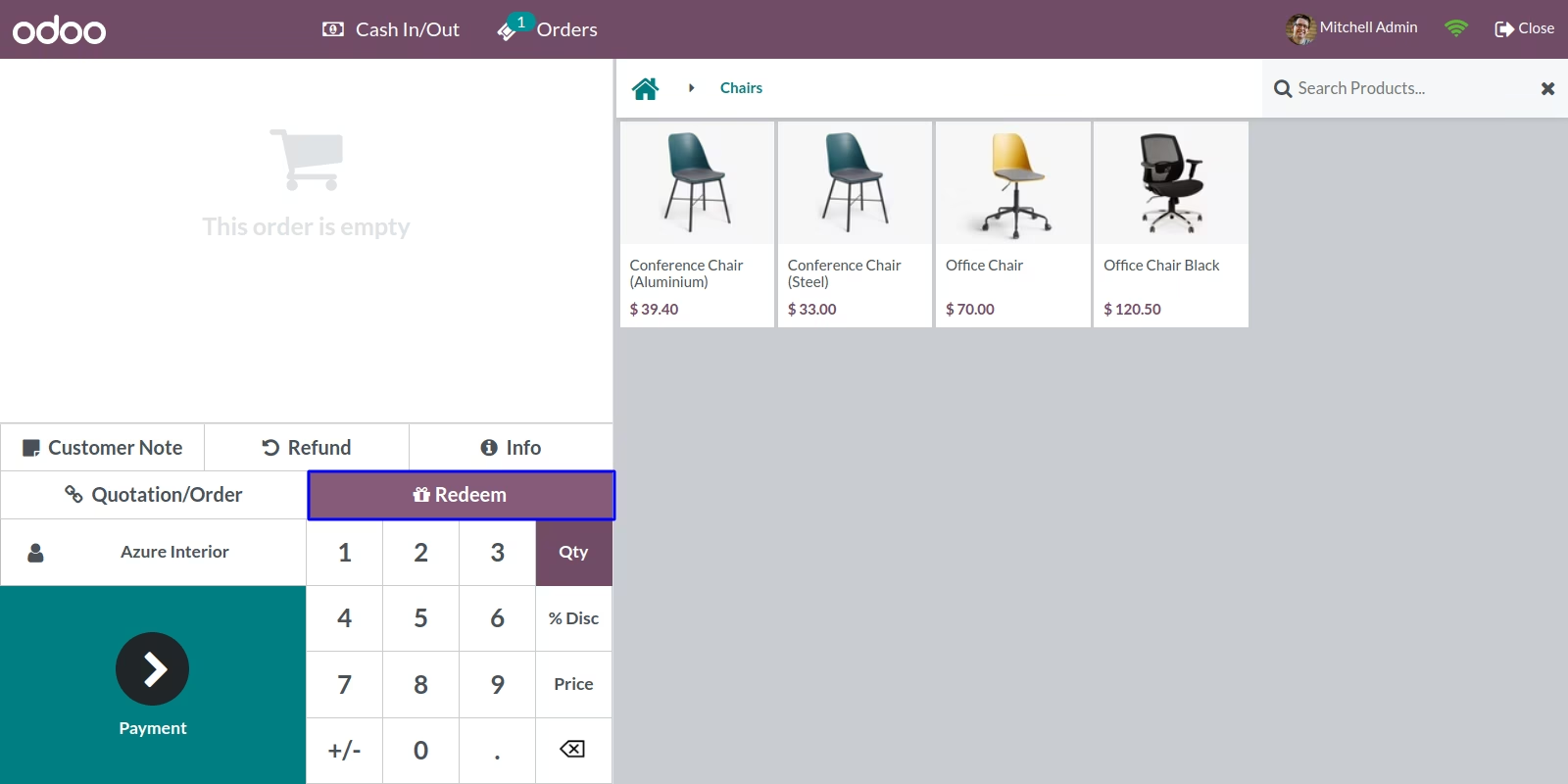
Click on Redeem Button
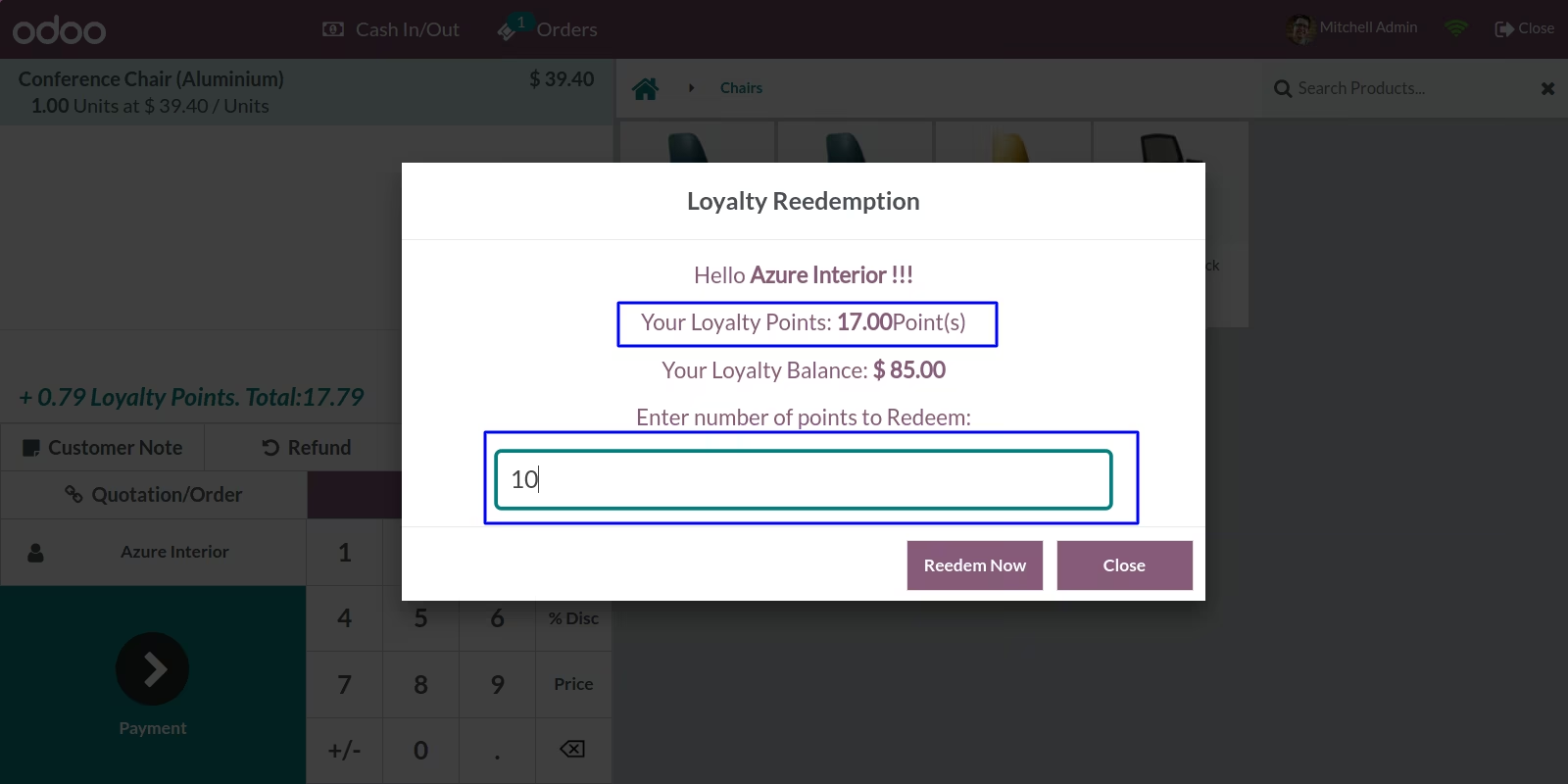
Enter number of points to Redeem,Here you can see number of points and total amount according to redemption rule
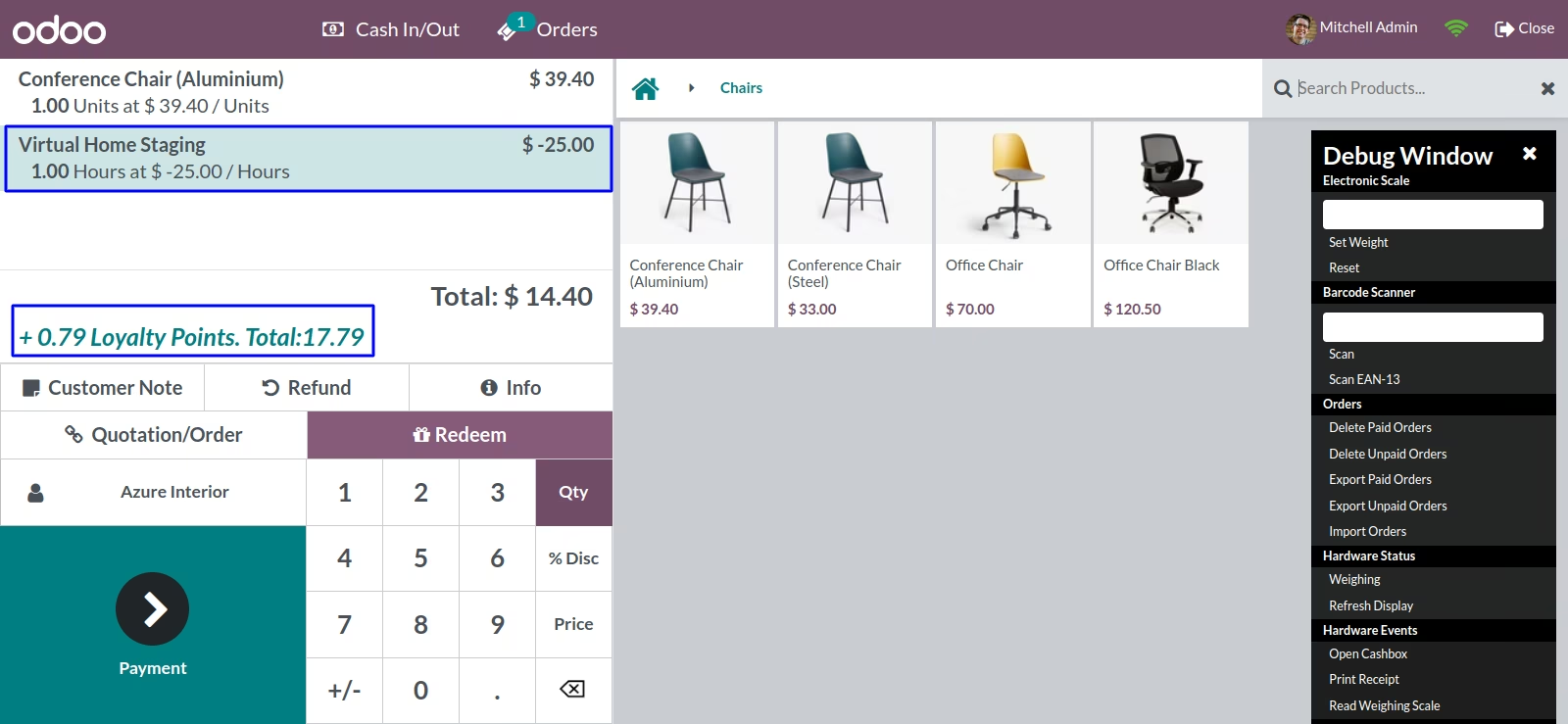
After Redemption
Validations For POS
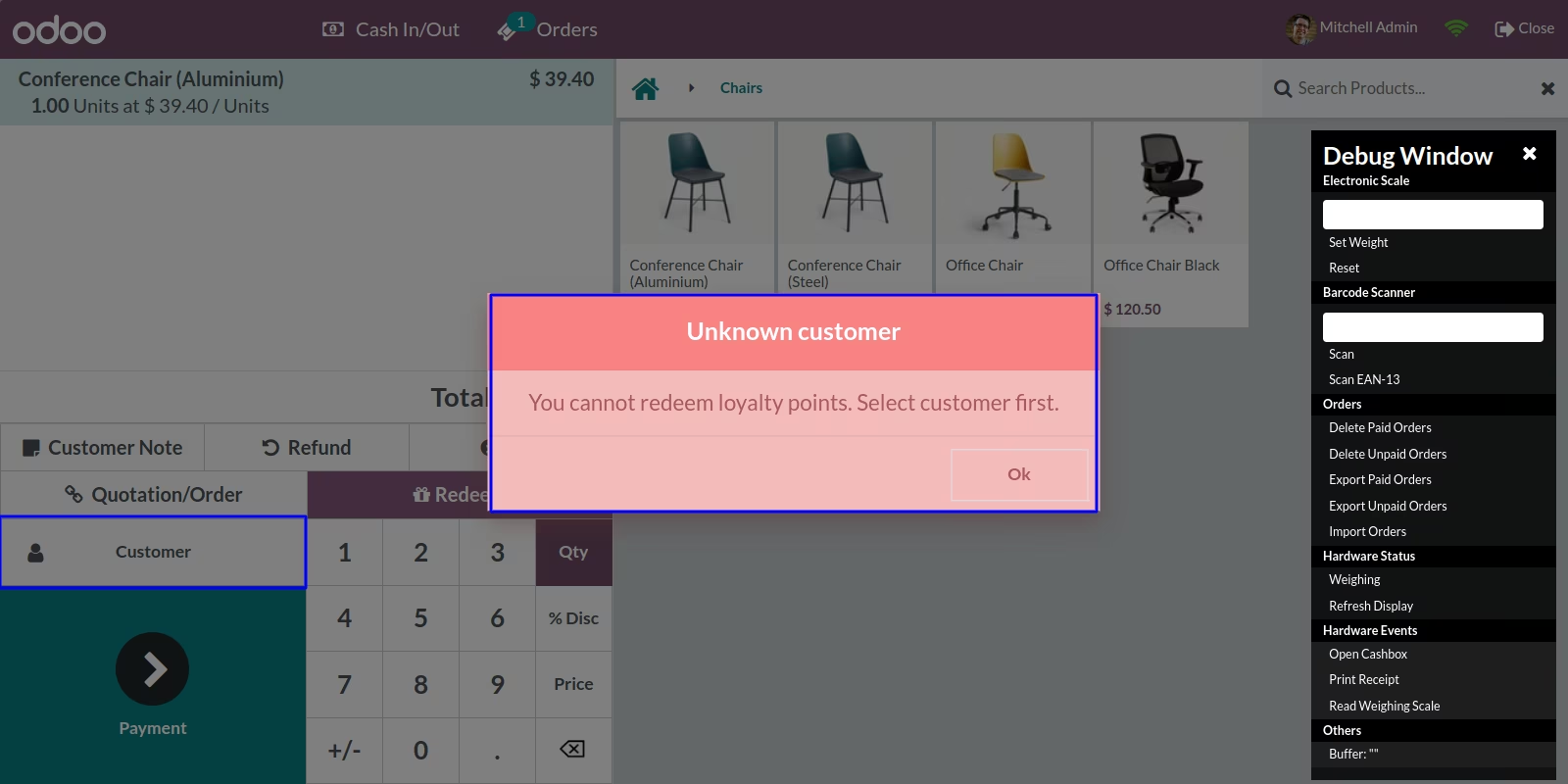
Select Customer before Redemption
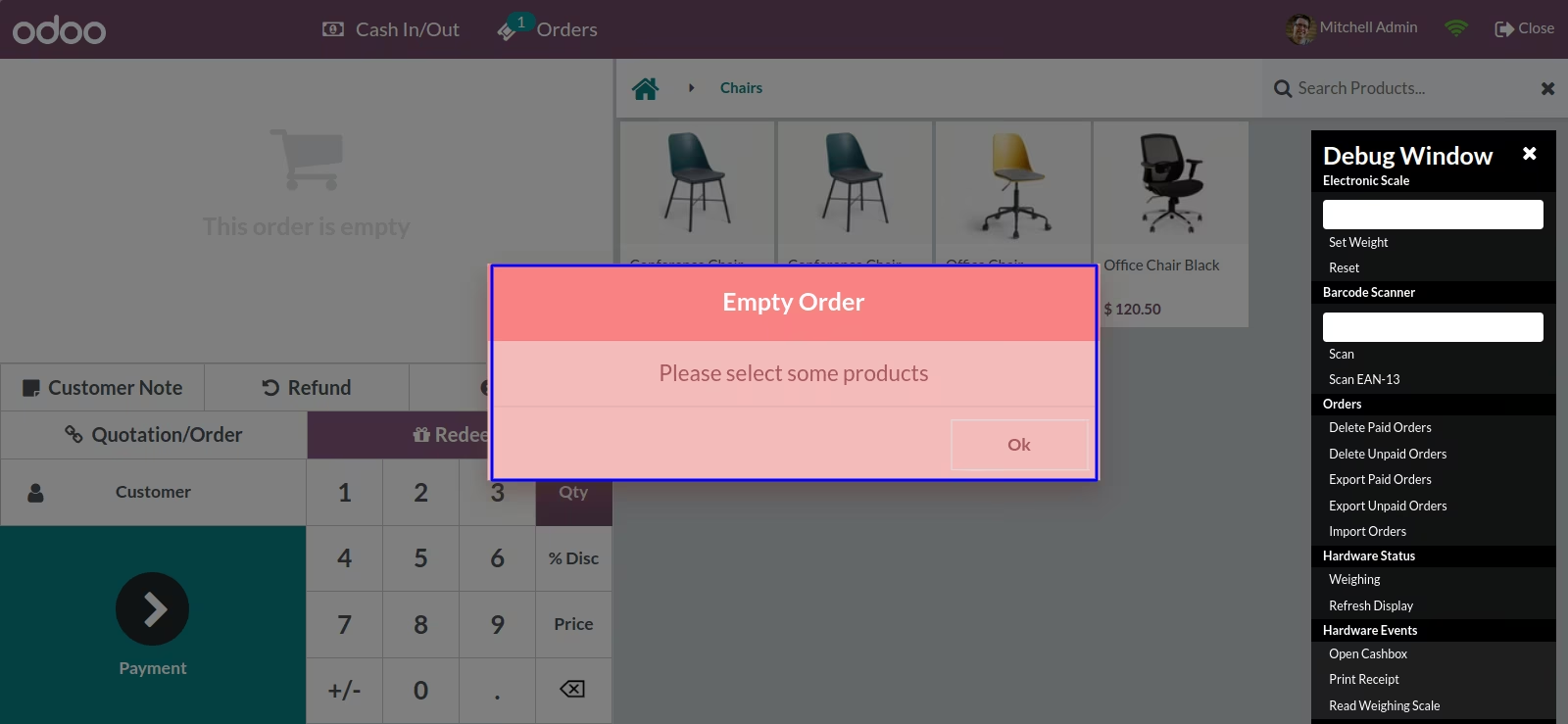
Add some products before Redemption
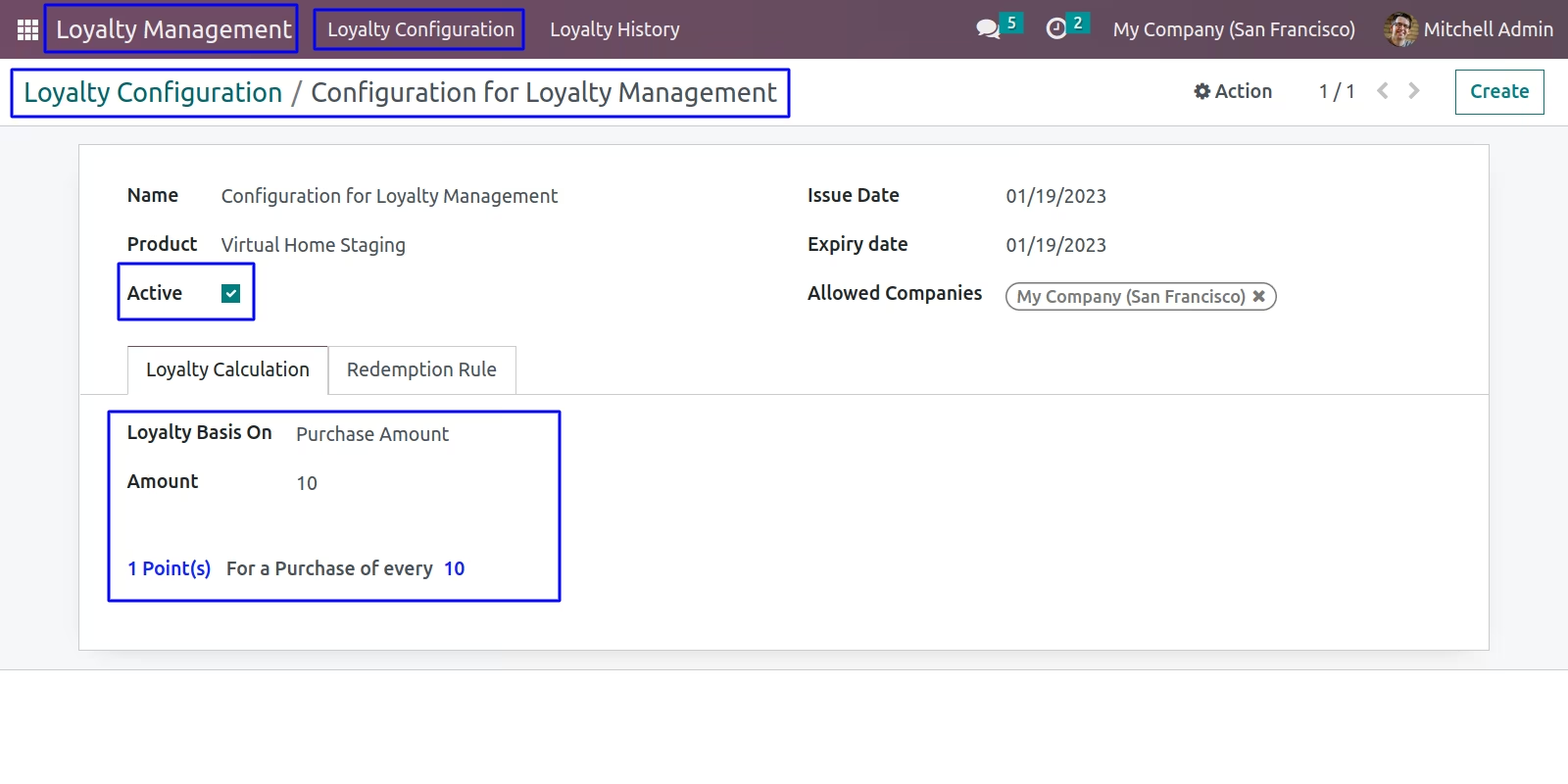
Website Loyalty Configuration
Based on Purchase Amount
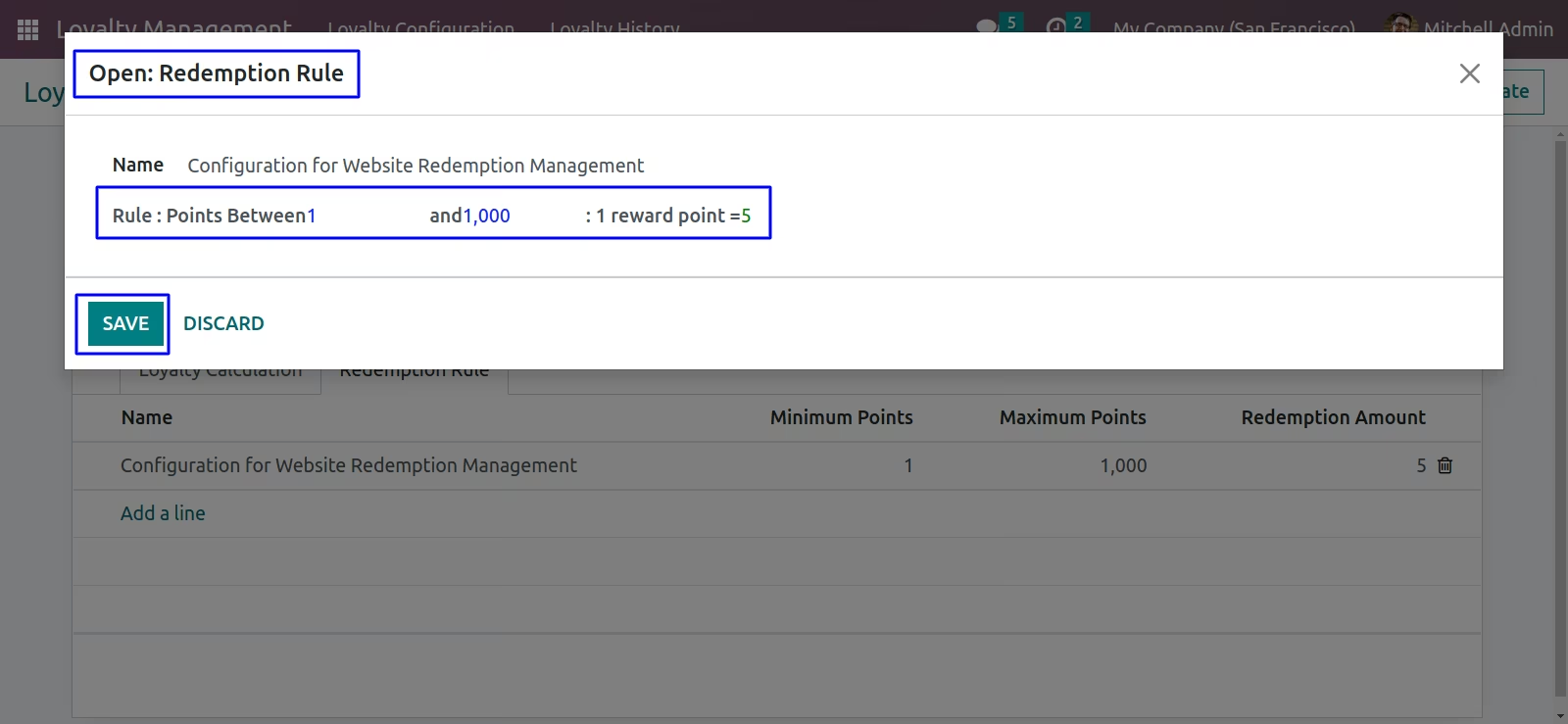
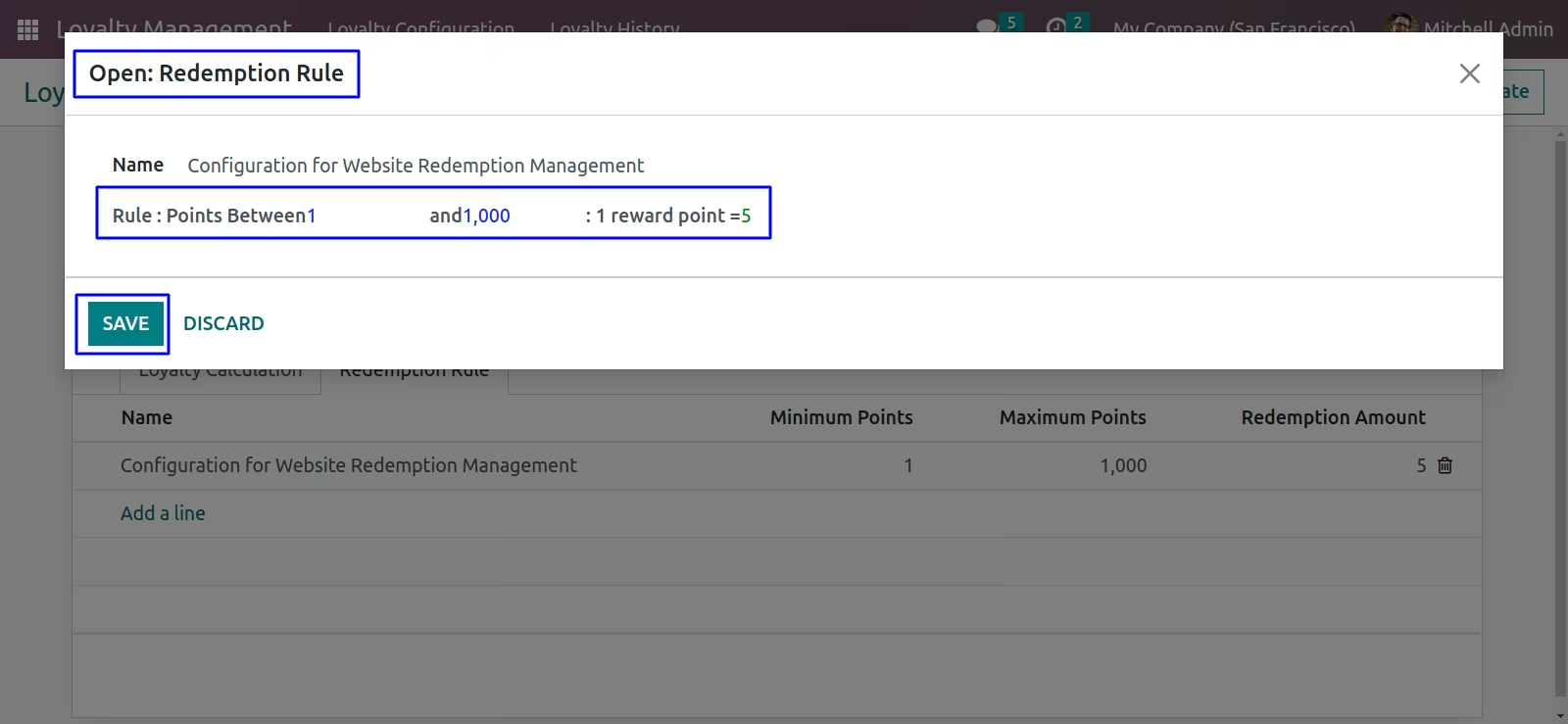
Website Loyalty Redemption Rule
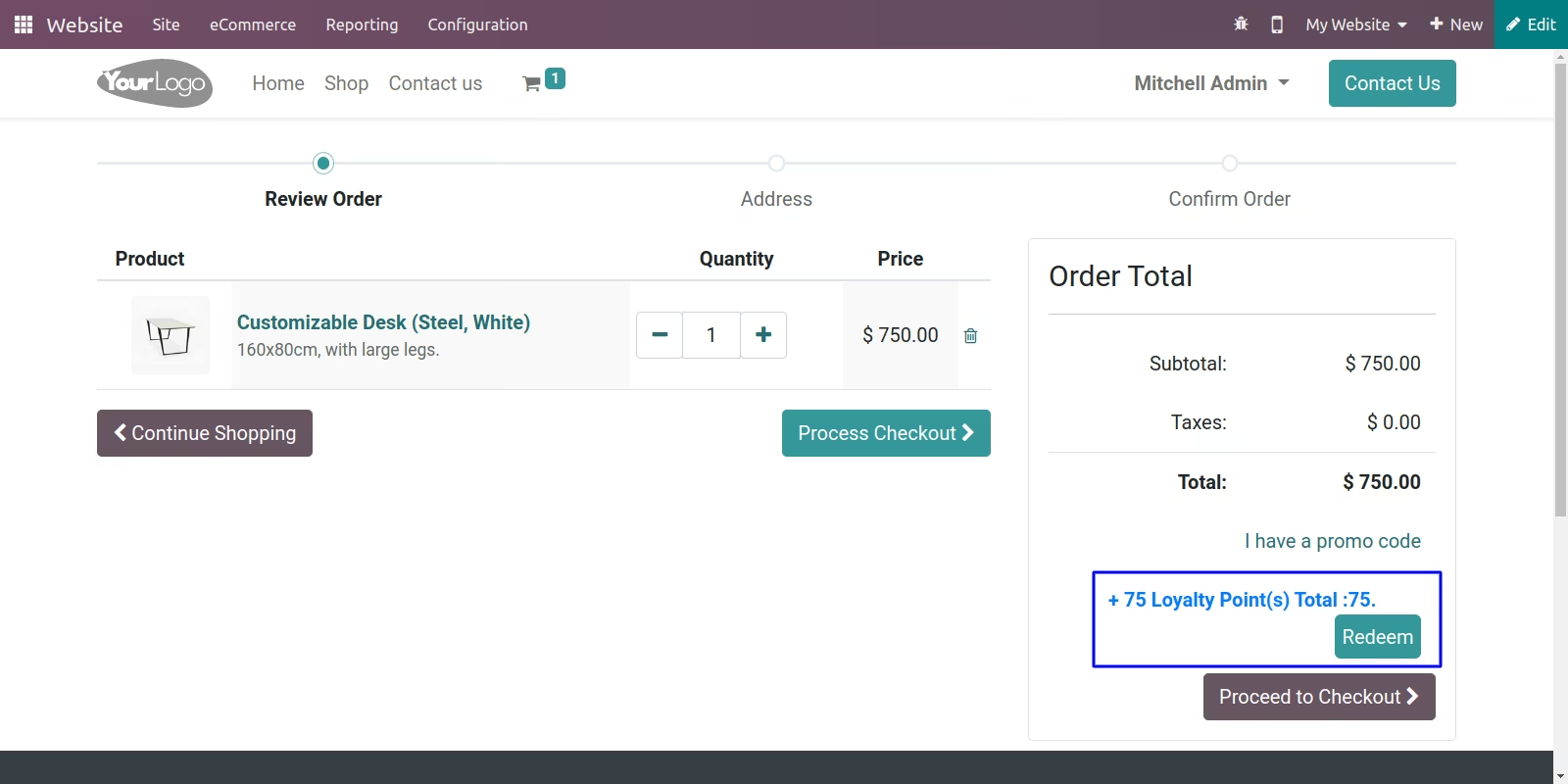
Display loyalty point based on Purchase Amount in Website
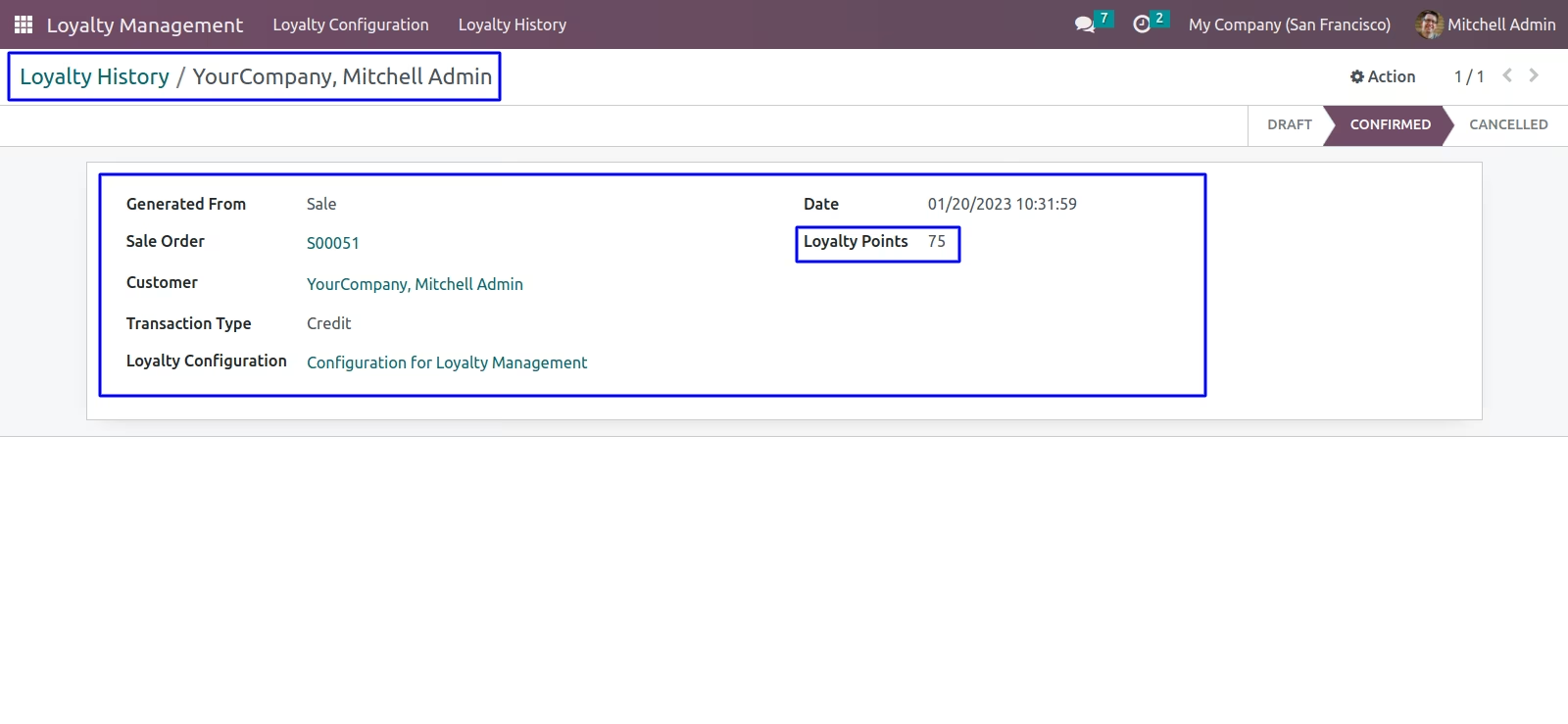
Website Loyalty History for credit point is generated in back-end
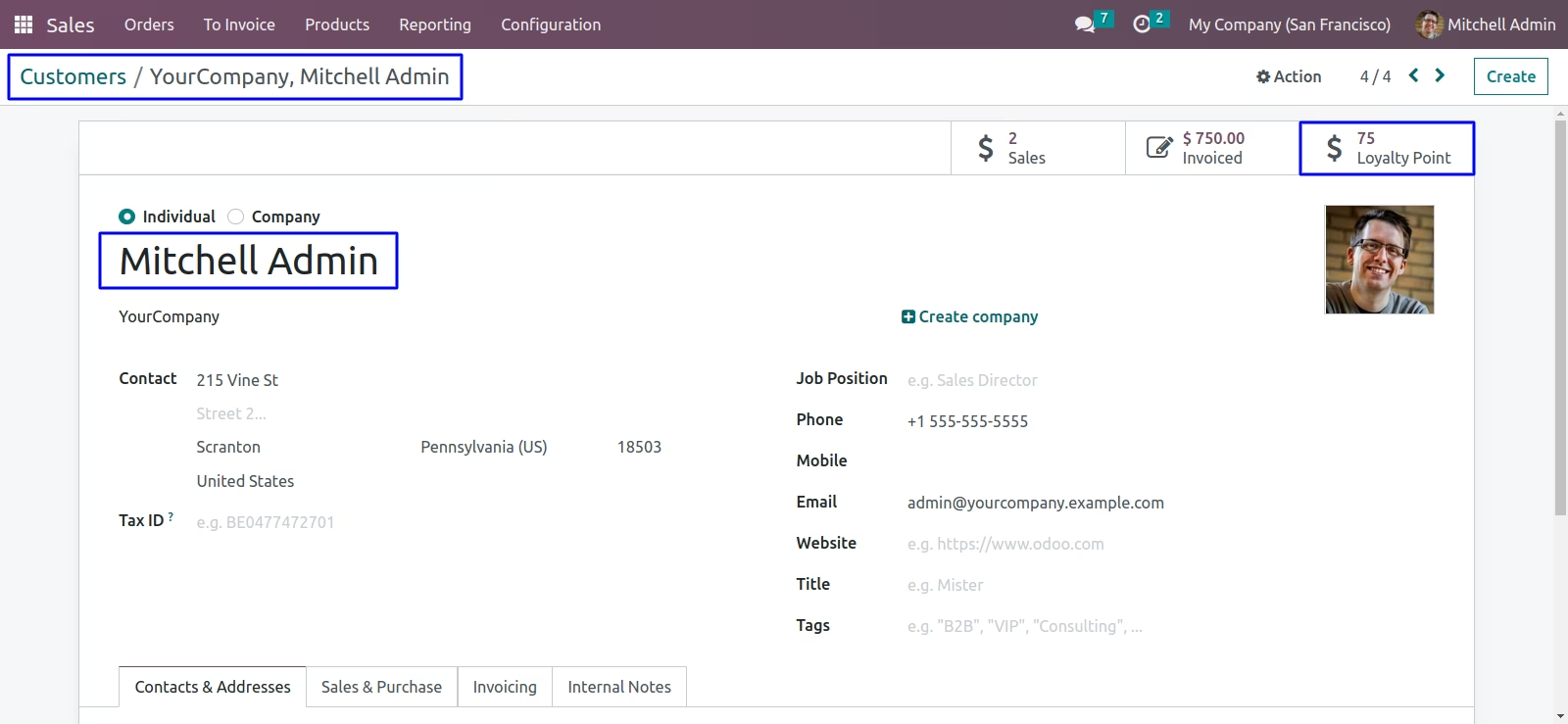
Customer's Loyalty Points
Customer's loyalty points is display in Back-end
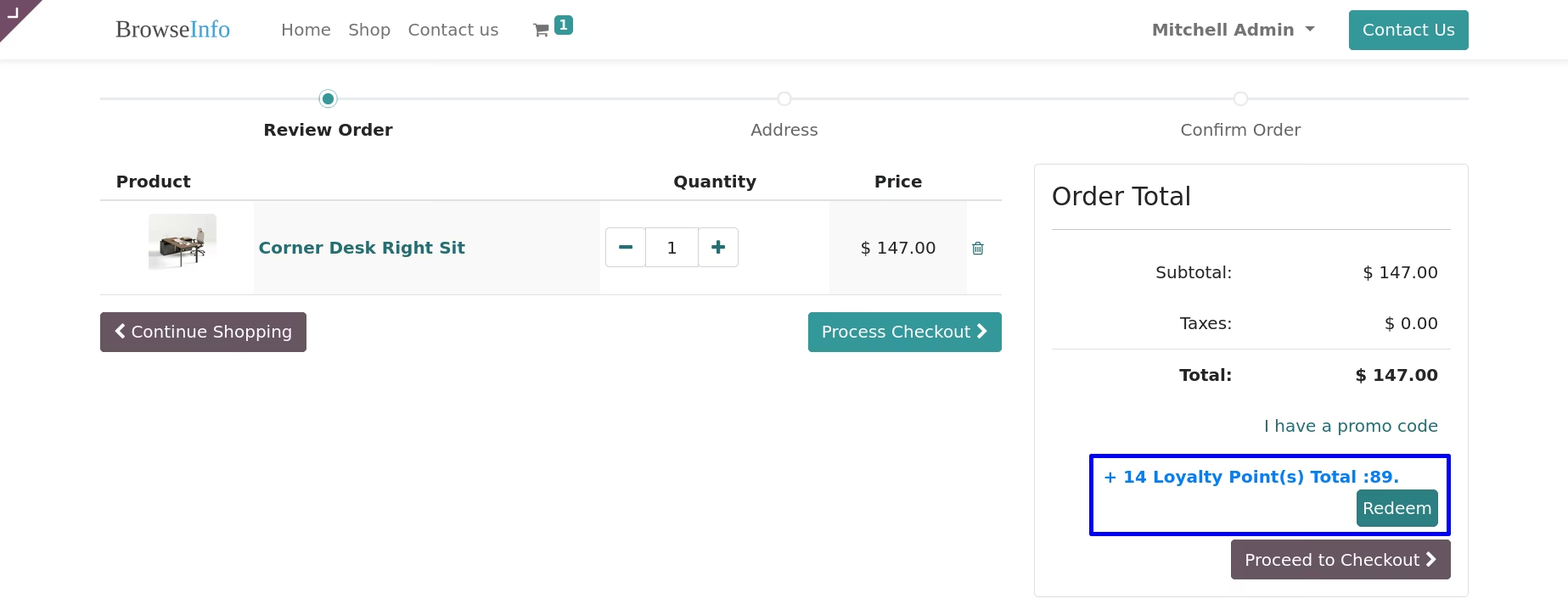
Display loyalty point based on Website Product Categories
Loyalty Redemption
Website Loyalty Redemption Rule
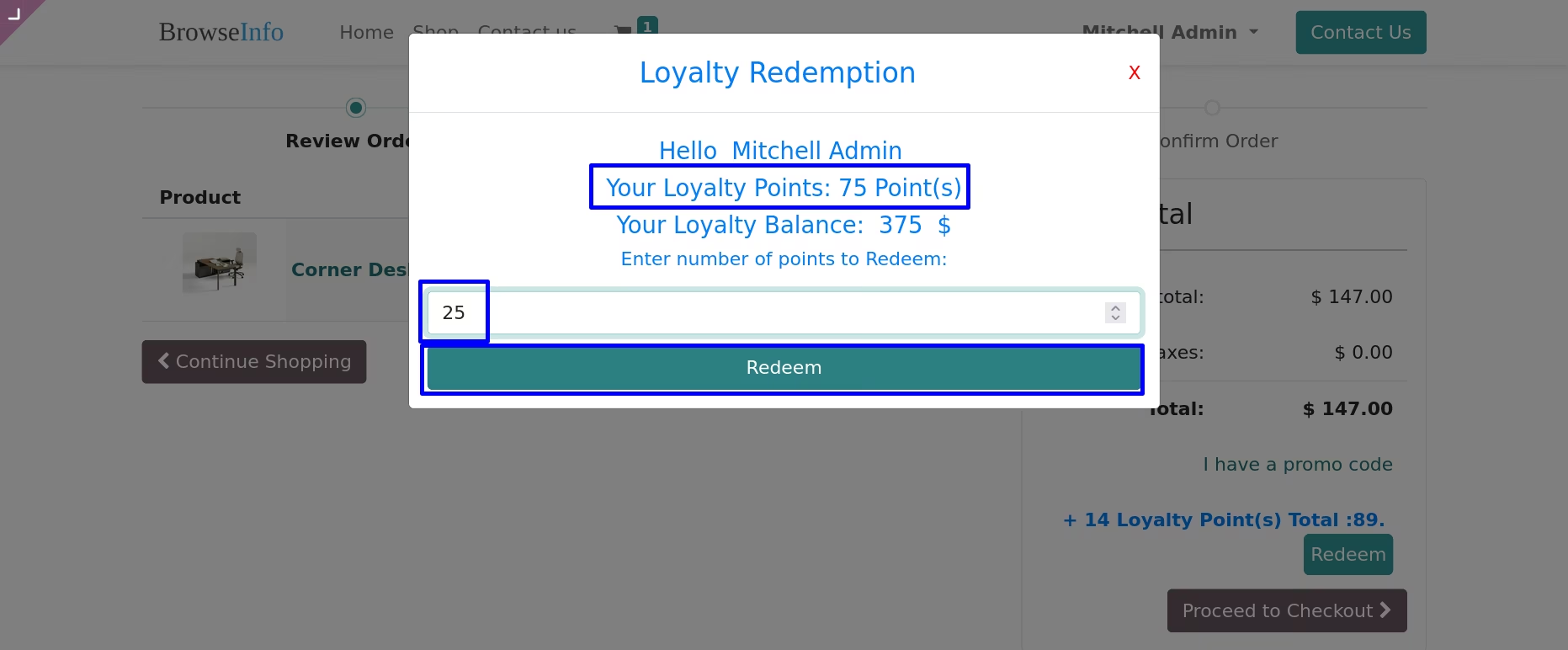
Enter number of points to Redeem,Here you can see number of points and total amount according to redemption rule
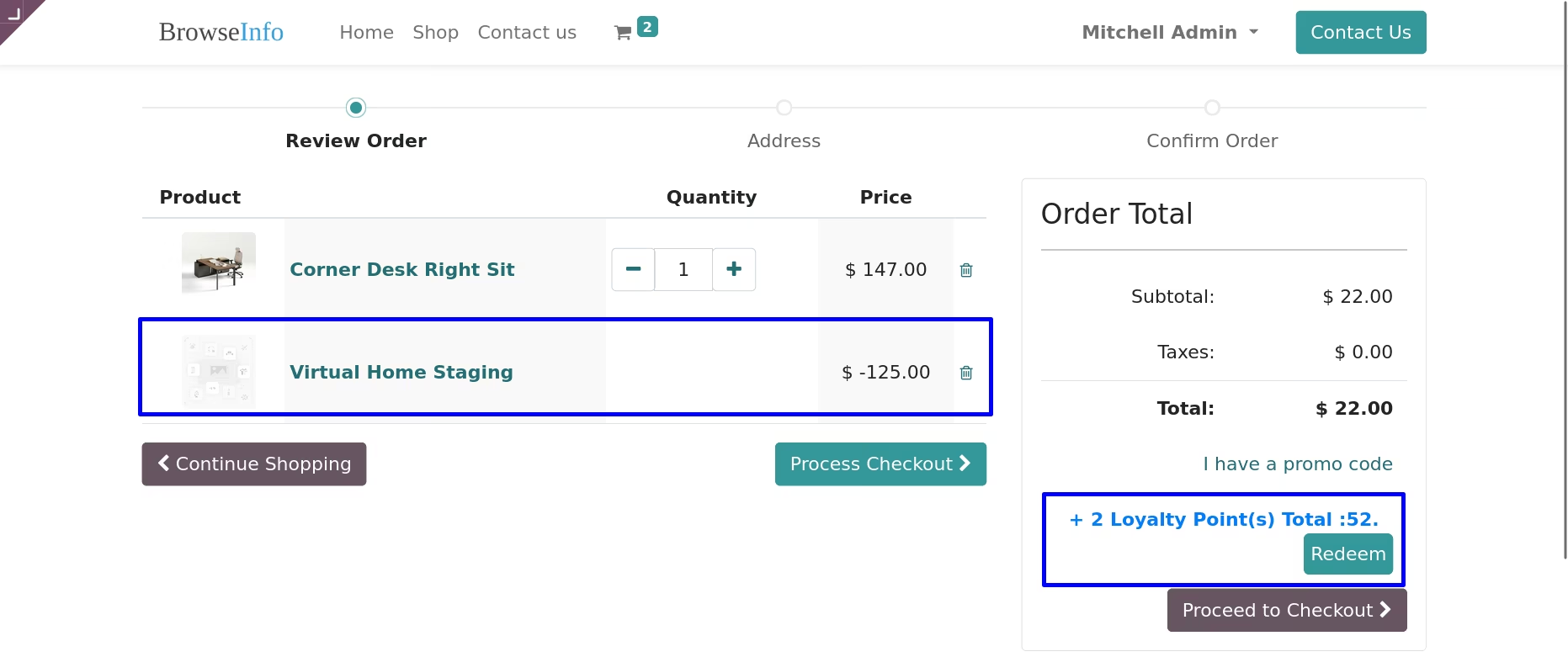
After Redemption
Validations For Website
Redeem more than loyalty points.