This all-in-one custom checklist module delivers a versatile and comprehensive solution for creating and applying checklists across multiple business domains from CRM and sales to purchase, manufacturing, inventory, projects, meetings, tasks, and employee workflows. It offers template-based checklists with progress indicators and stage tracking, helping businesses standardize processes and monitor completion effectively across operations.
Key Features
Create custom checklist templates applicable in CRM, sales, purchase, manufacturing, inventory, projects, tasks, meetings, employee entry/exit, and opportunities
Load checklists directly into relevant records like sales orders, purchase orders, or project tasks
Visual progress tracking via completion percentage indicators for each checklist
Divide checklist items into stages (e.g., New, Completed, Cancelled) for workflow clarity
Flexible filtering and views across list and Kanban layouts to view completed or pending items
Progress bars and percentage display enhance at-a-glance status updates
Benefits
Standardizes workflows across diverse functions with reusable checklist templates
Enhances visibility into task and process progress through clear indicators
Improves operational efficiency by embedding checklist tracking into core business documents
Supports better oversight with easy identification of pending versus completed actions
Facilitates process consistency and accountability across teams and systems
All In One Custom Checklist
The checklist used to give an important list of items, things to be done, or points to be considered, used as a reminder. This module helps to track the work of the checklists, All in one custom checklist module includes, sale order custom checklist, purchase order custom checklist, manufacturing custom checklist, meeting custom checklist, project custom checklist, stock custom checklist, task custom checklist, employee entry-exit custom checklist, CRM leads & opportunity custom checklist. Here you can know the detail of the checklist in percentage. This module helps to divide checklist items into different stages. cheers!
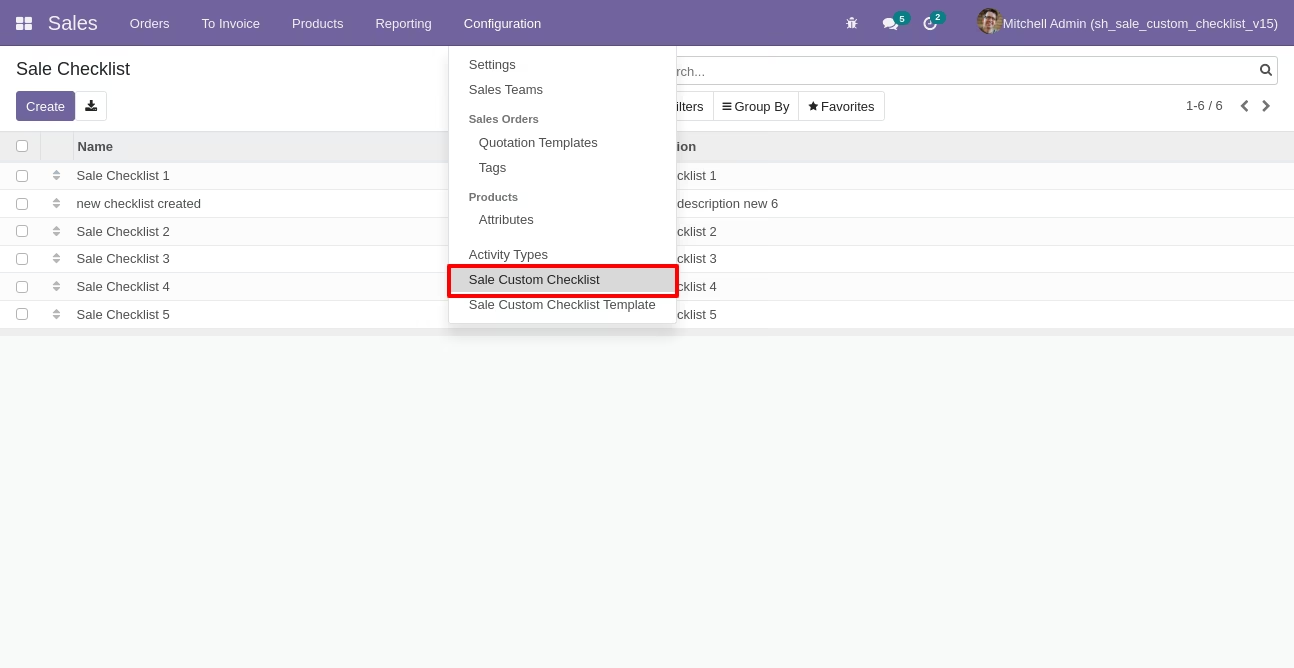
Go to configuration select "Sale Custom Checklist".
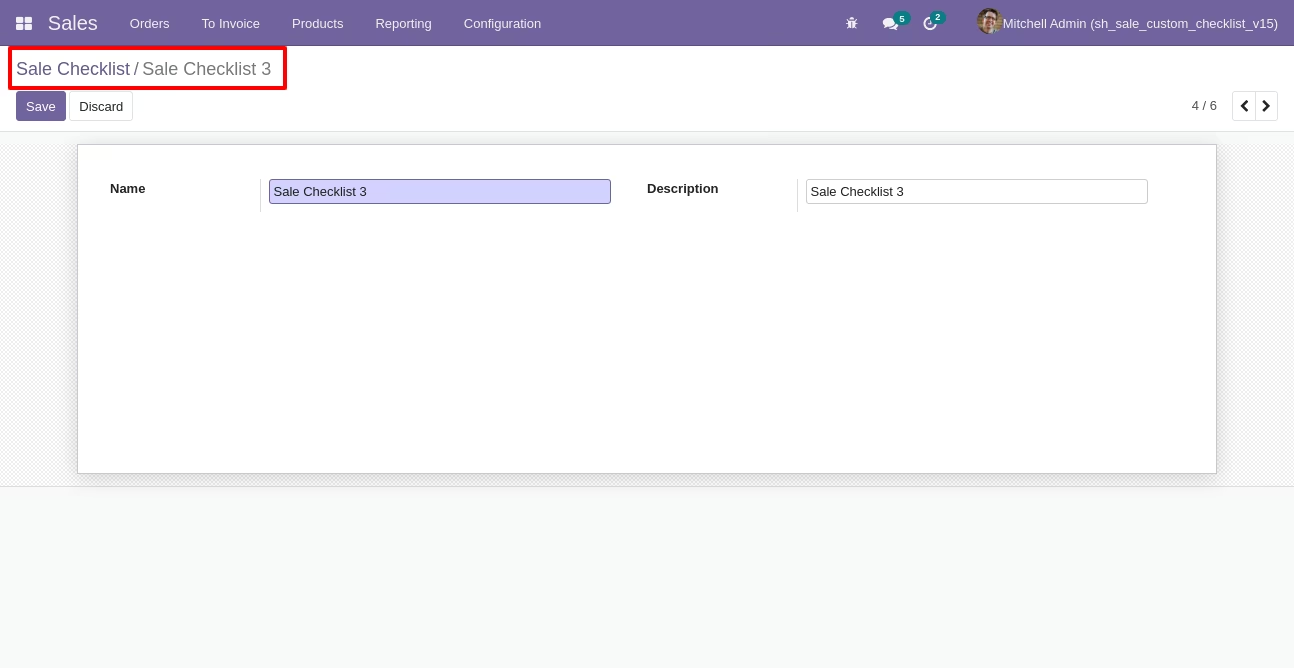
Write the name and description of the checklist.
Sale checklist list view looks like this.
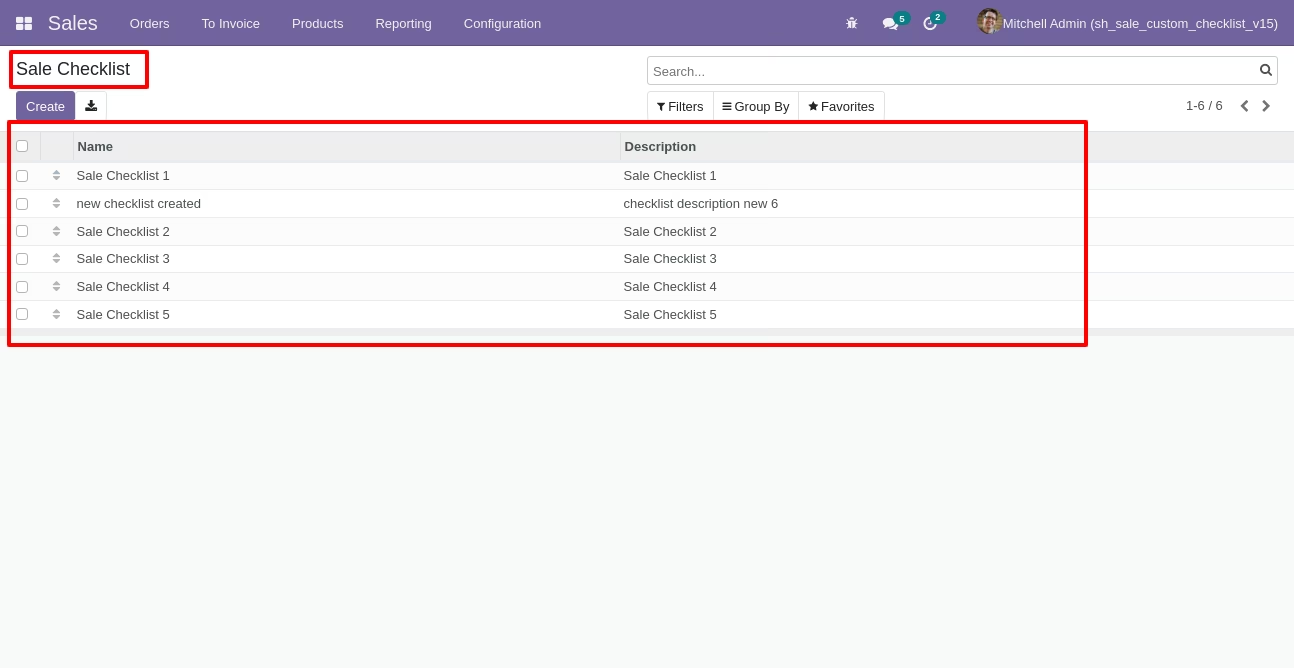
Go to the "Configuration" => Sale Custom Checklist Template.
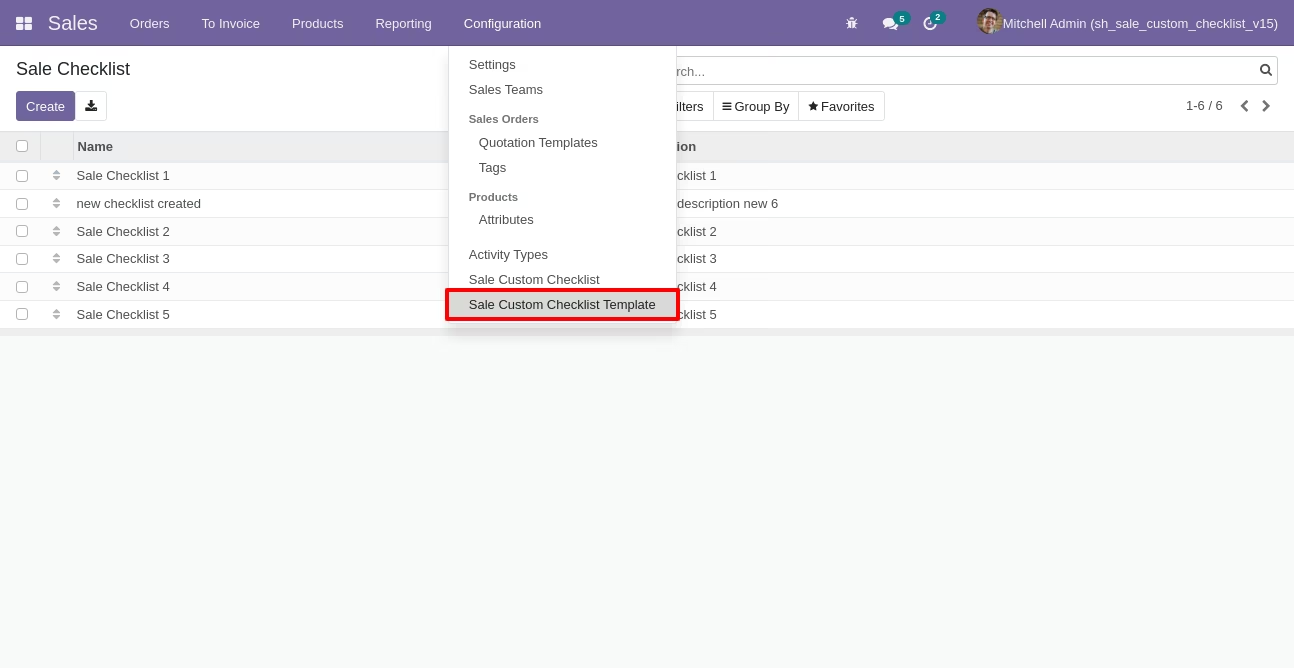
Now we create a sale checklist template, checklist template form view looks like this.
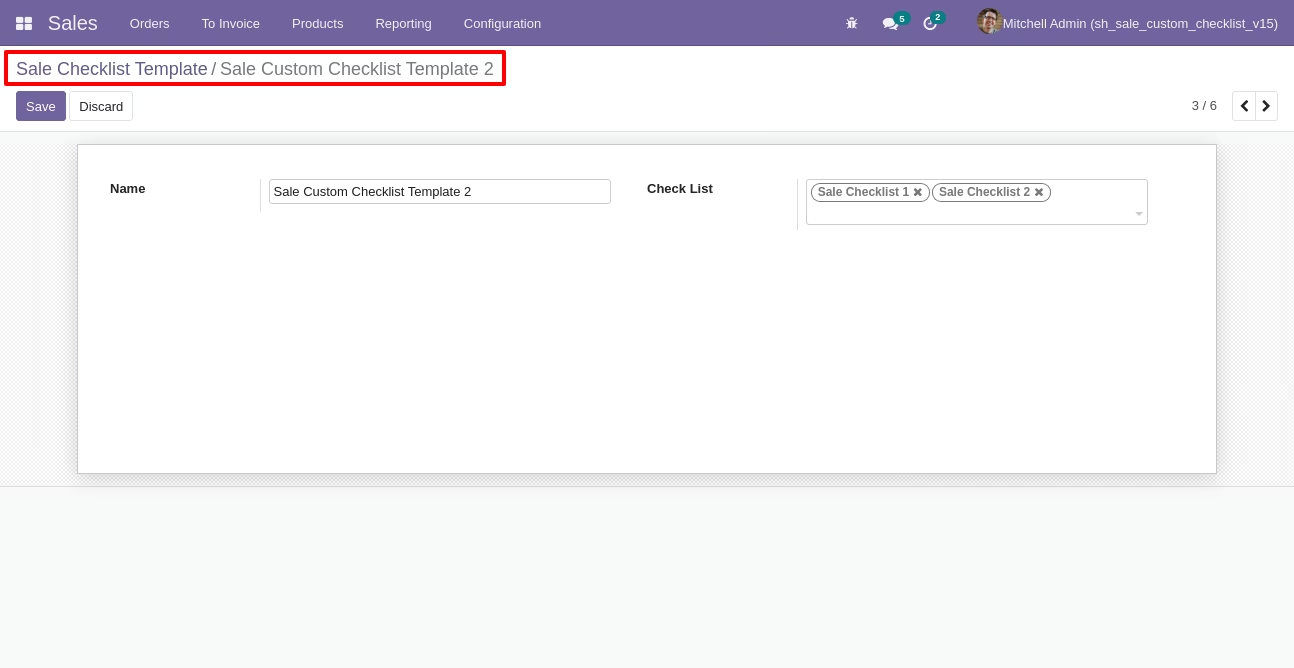
Sale checklist template list view looks like this.
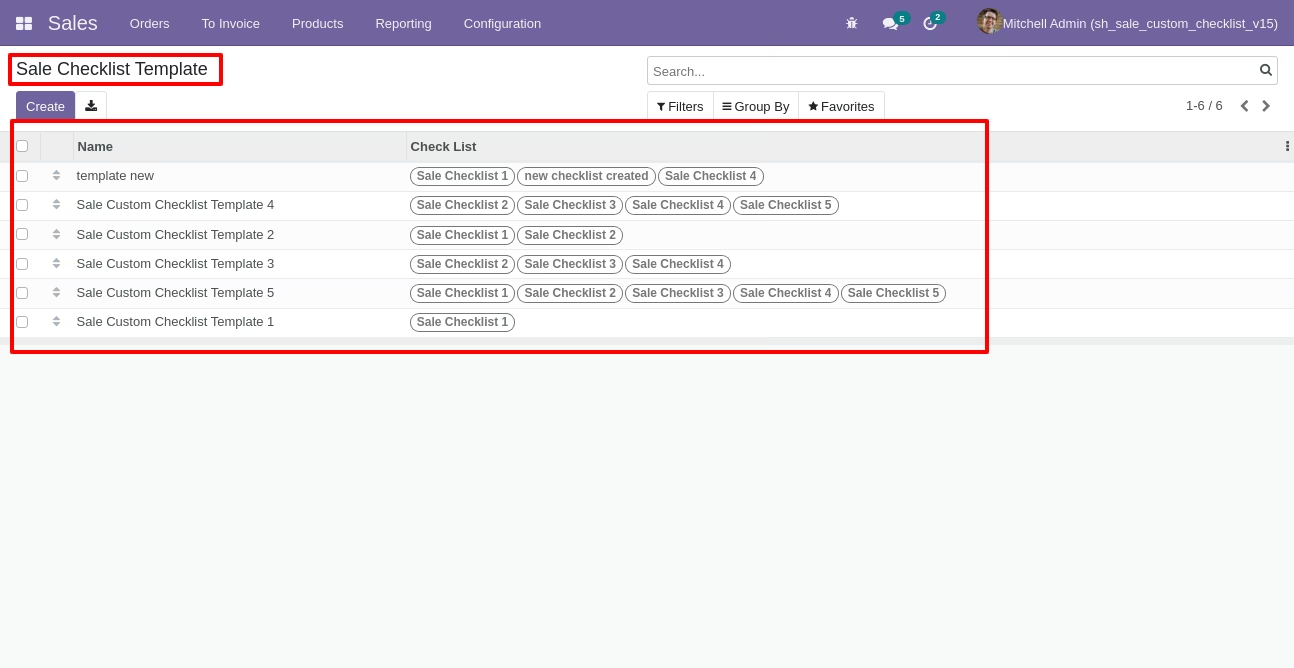
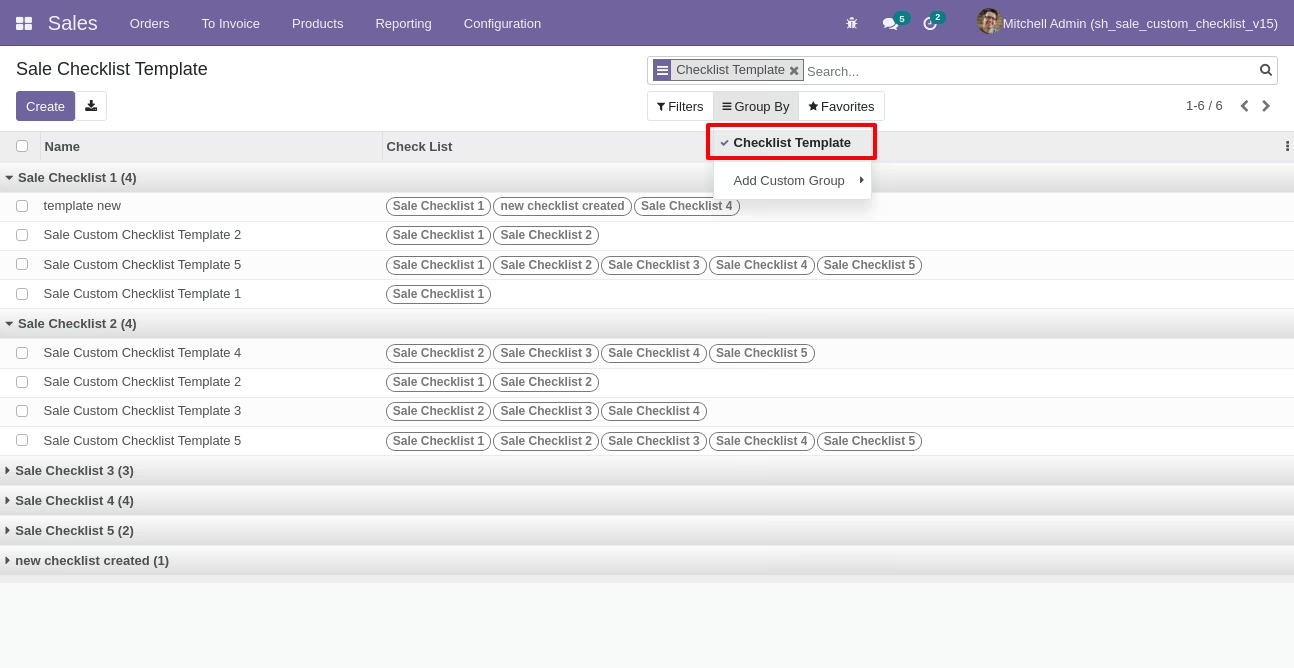
You can group by checklist templates.
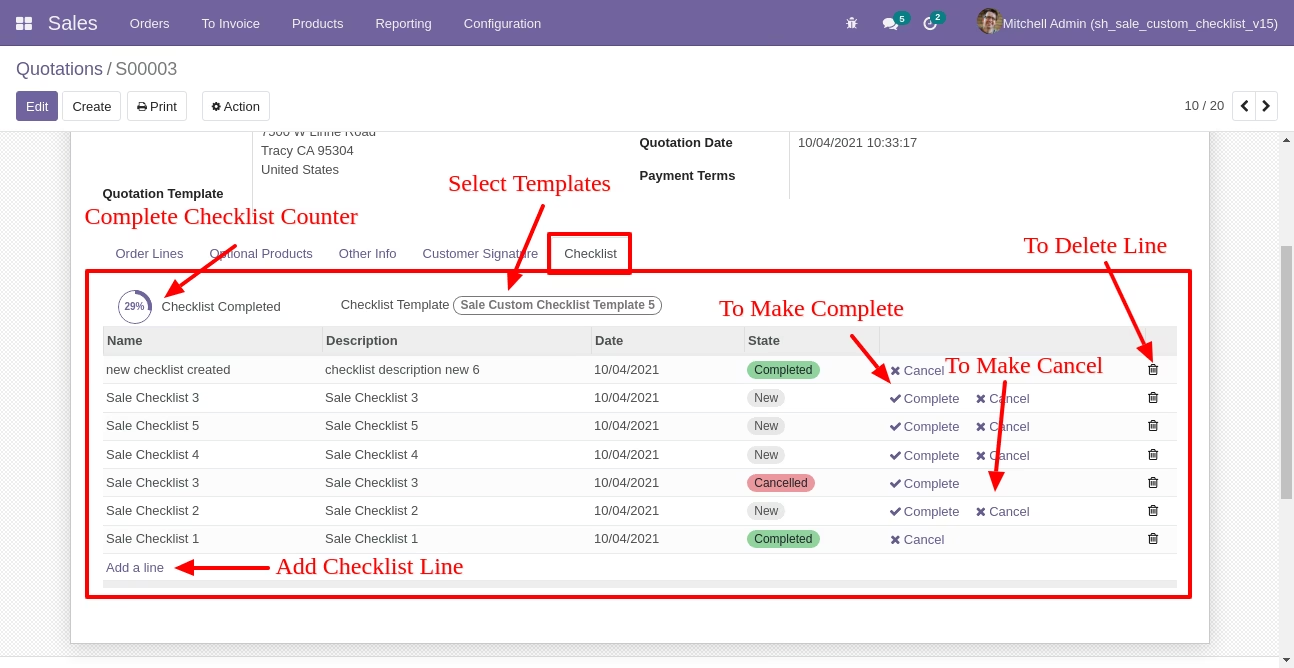
Now we fill the checklist by selecting the checklist template, When we select checklist template, it adds a record by default.
Sale checklist with state New, Completed and Cancelled. Click on Check Icon To Complete Checklist & Cancel Icon to Cancel Checklist.
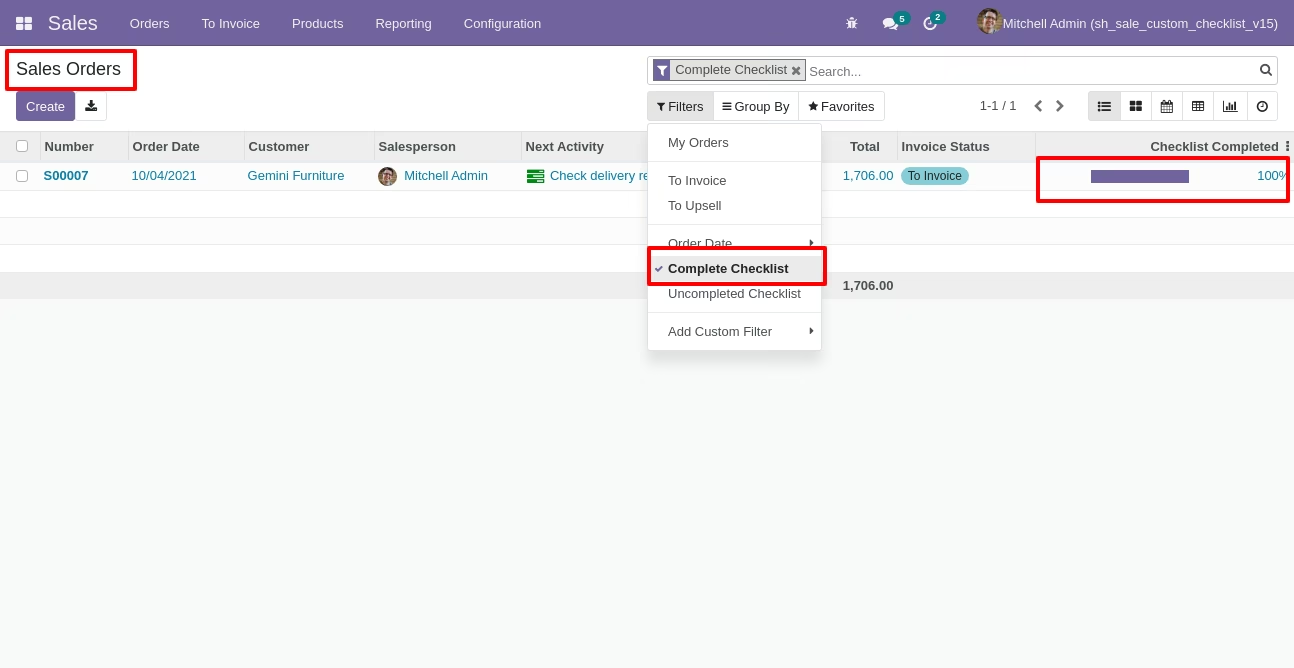
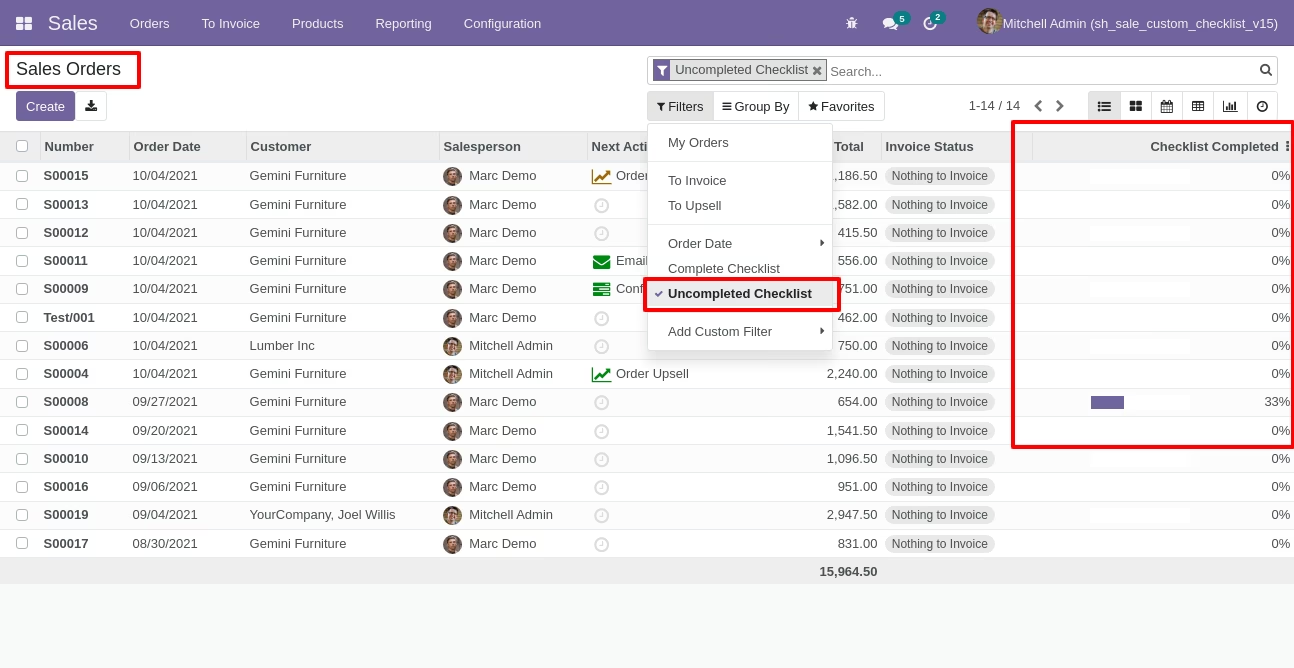
Checklist completed percentage on list view, You can filter checklists by complete/Uncomplete checklist.
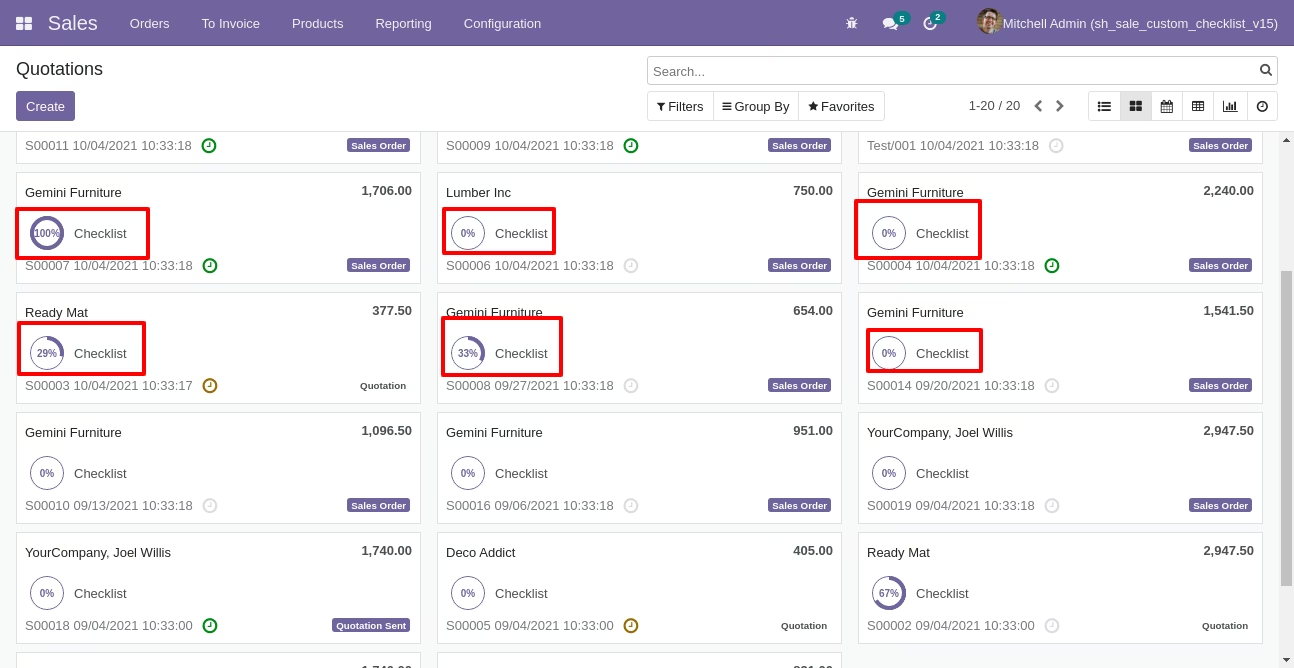
Checklist completed percentage on kanban view.
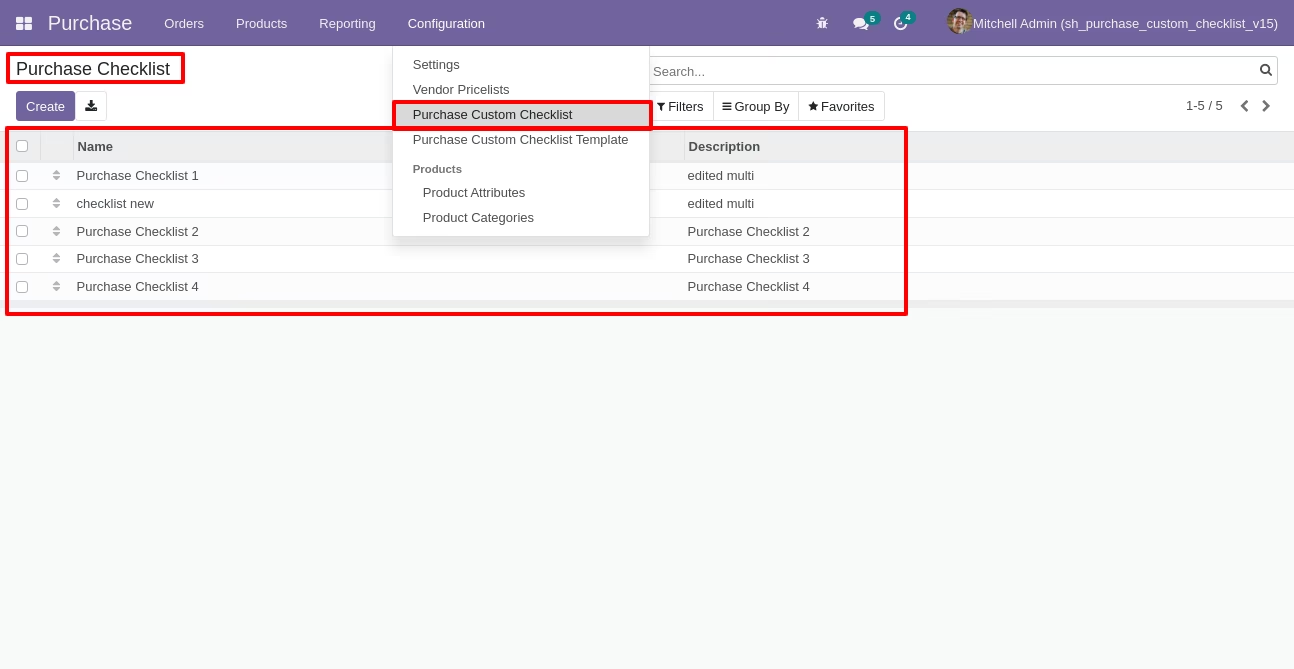
Go to configuration select "Purchase Custom Checklist".
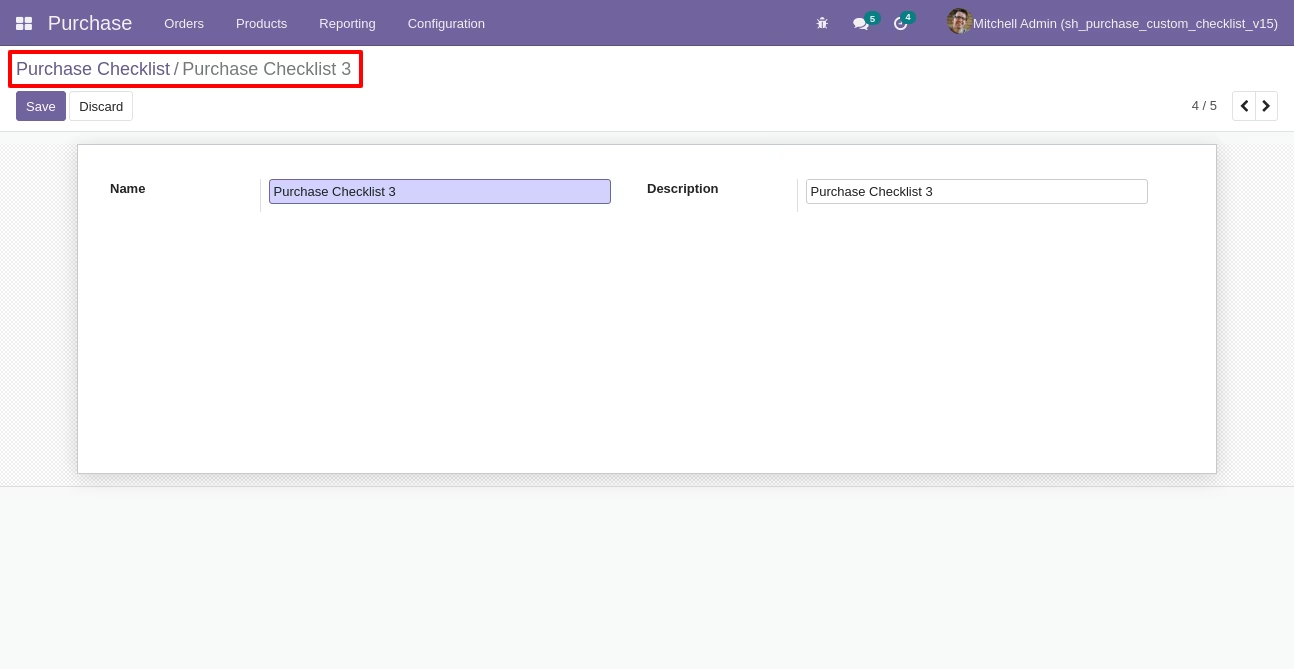
Write the name and description of the checklist.
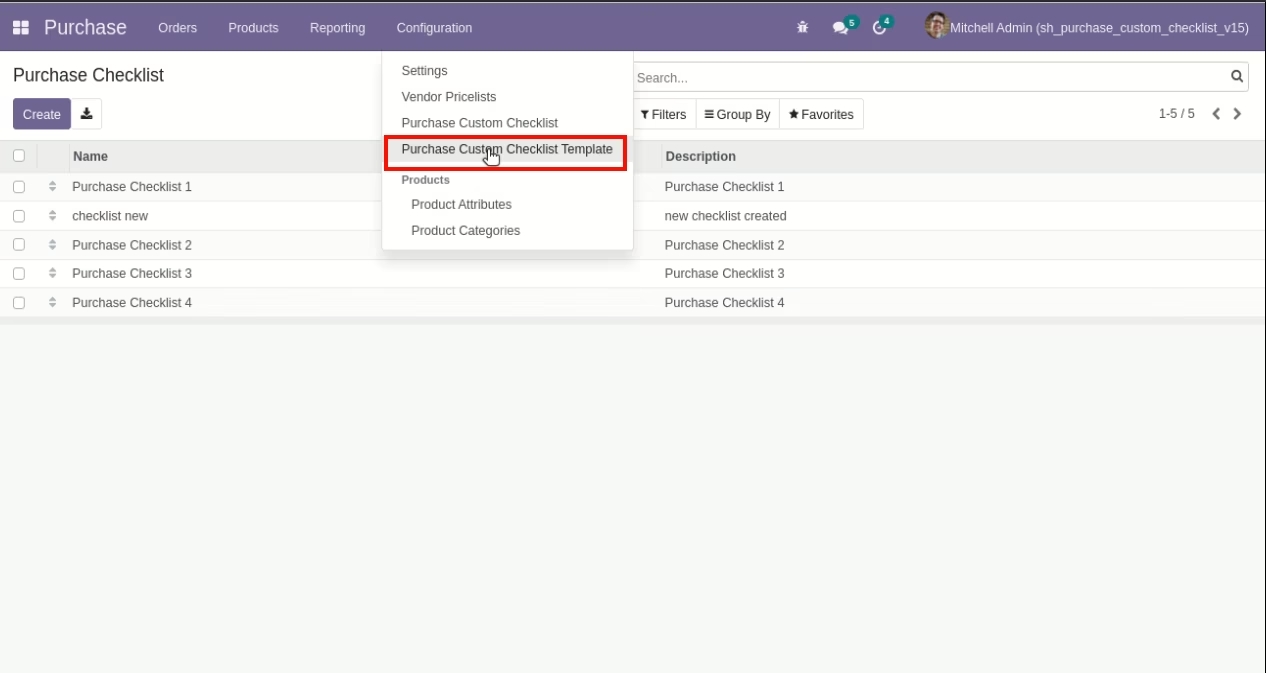
Go to the "Configuration" => Purchase Custom Checklist Template.
Now we create a purchase checklist template, checklist template form view looks like this.
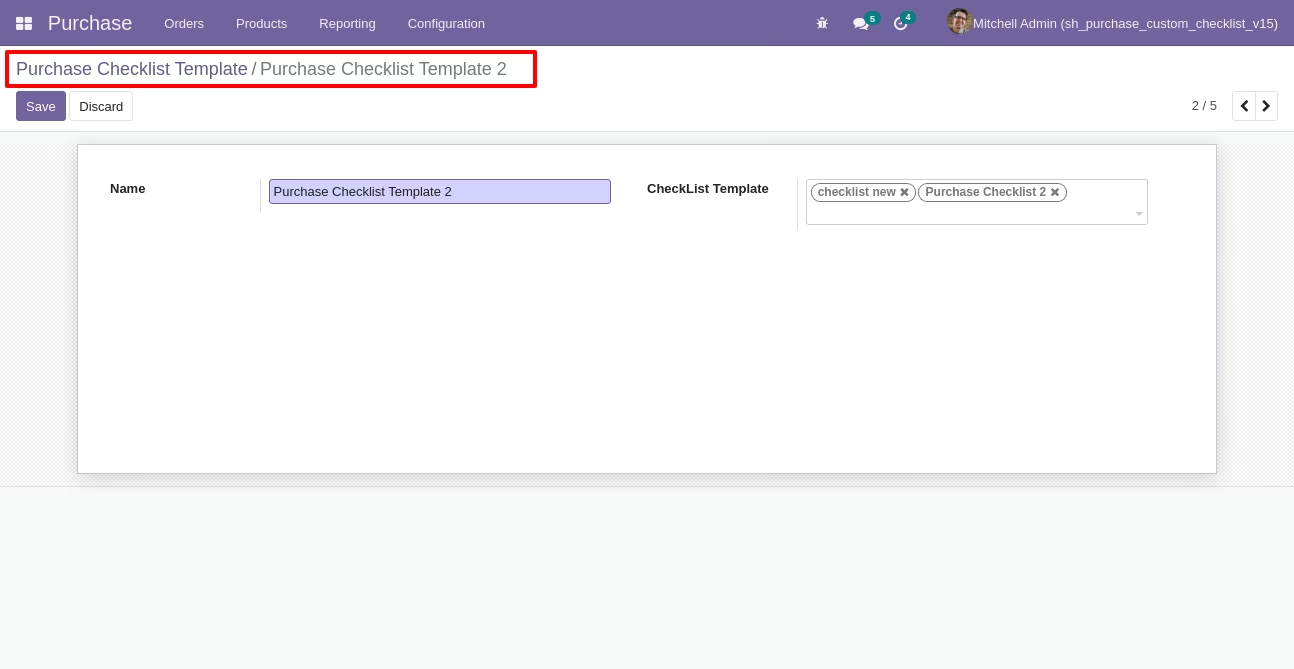
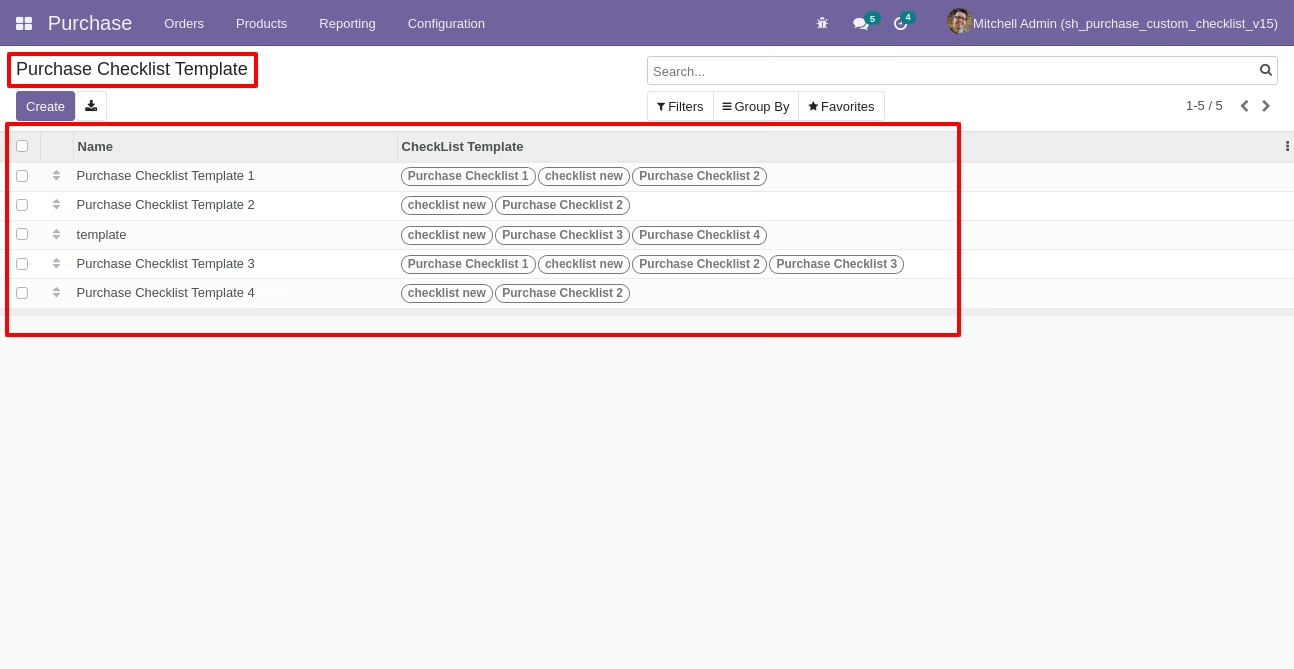
Purchase checklist template list view looks like this.
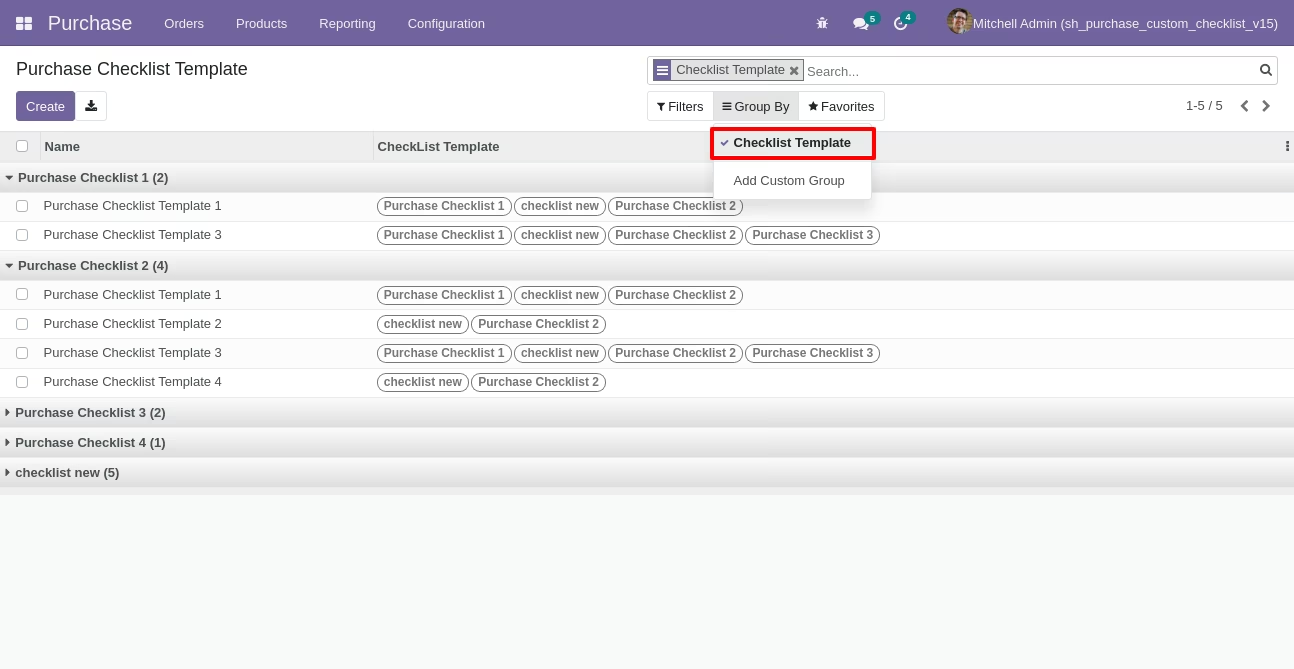
You can group by checklist templates.
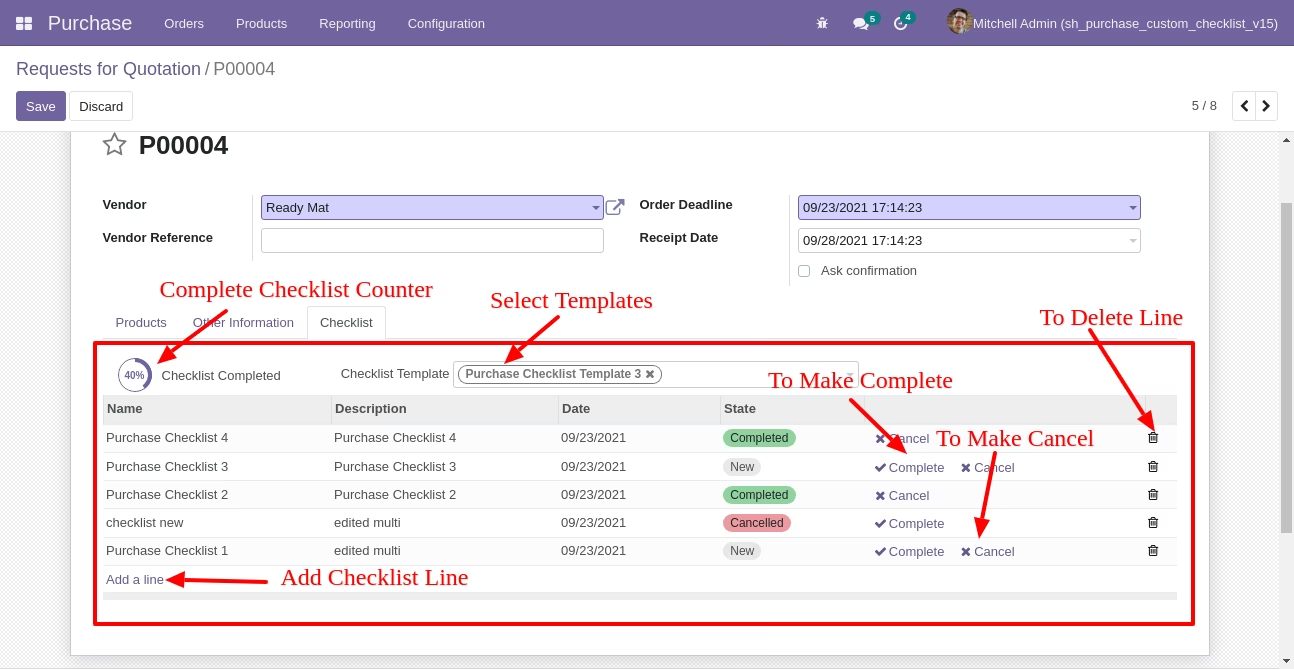
Now we fill the checklist by selecting the checklist template, When we select checklist template, it adds a record by default.
Purchase checklist with state New, Completed and Cancelled. Click on Check Icon To Complete Checklist & Cancel Icon to Cancel Checklist.
Checklist completed percentage on RFQ list view.
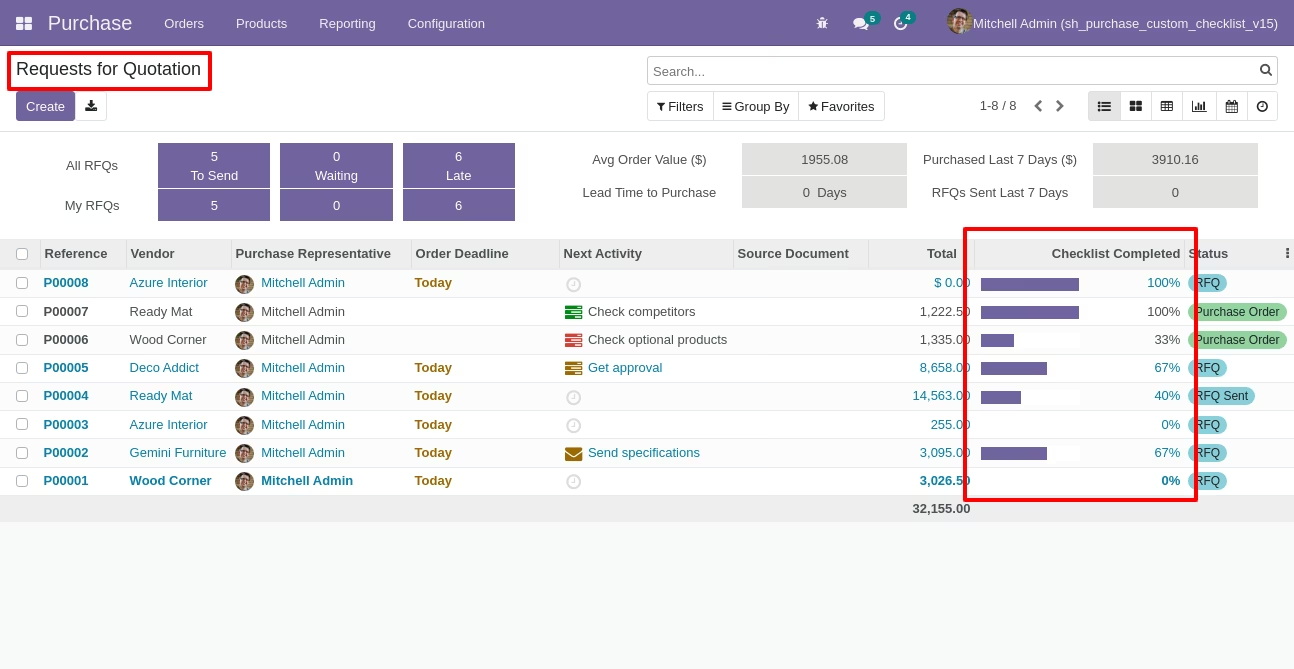
Checklist completed percentage on PO list view.
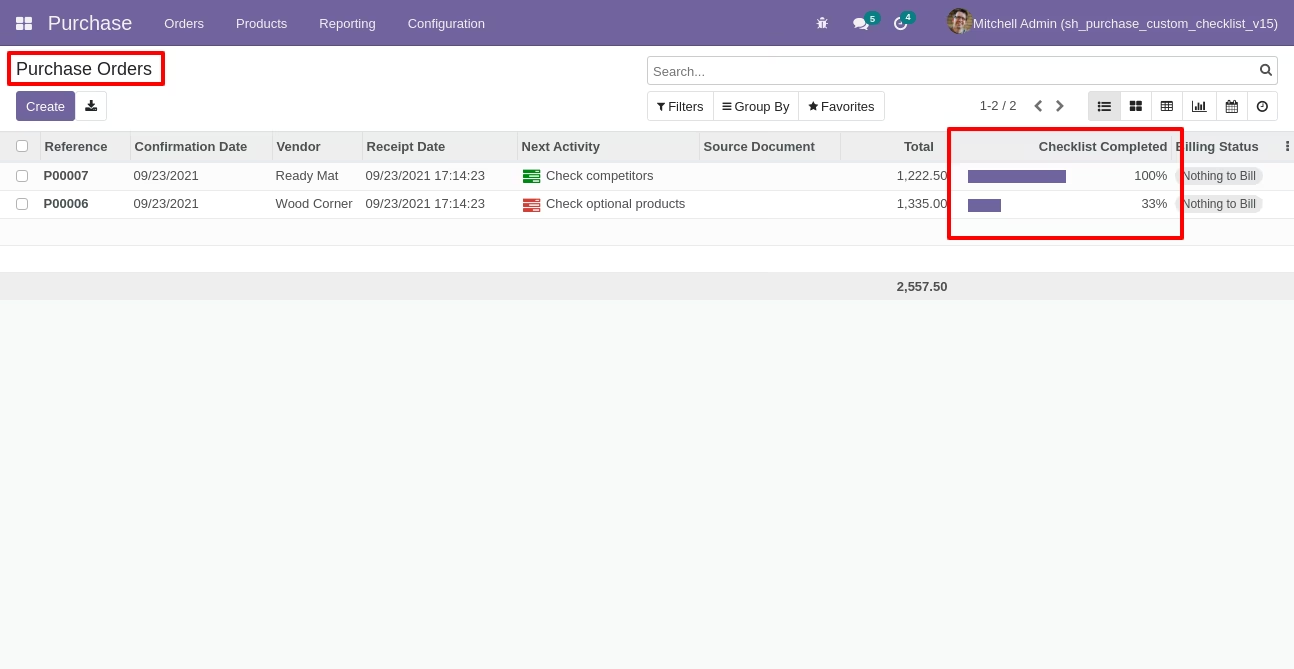
Checklist completed percentage on kanban view.
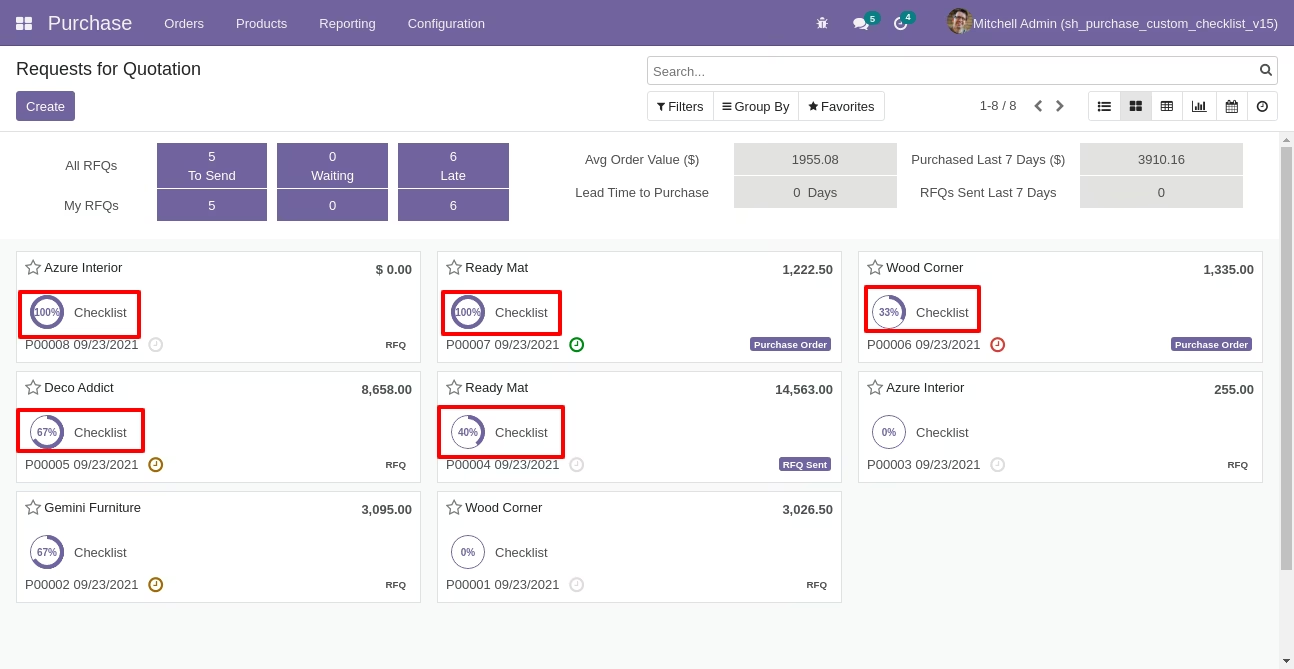
You can filter checklists by complete/Uncomplete checklist.
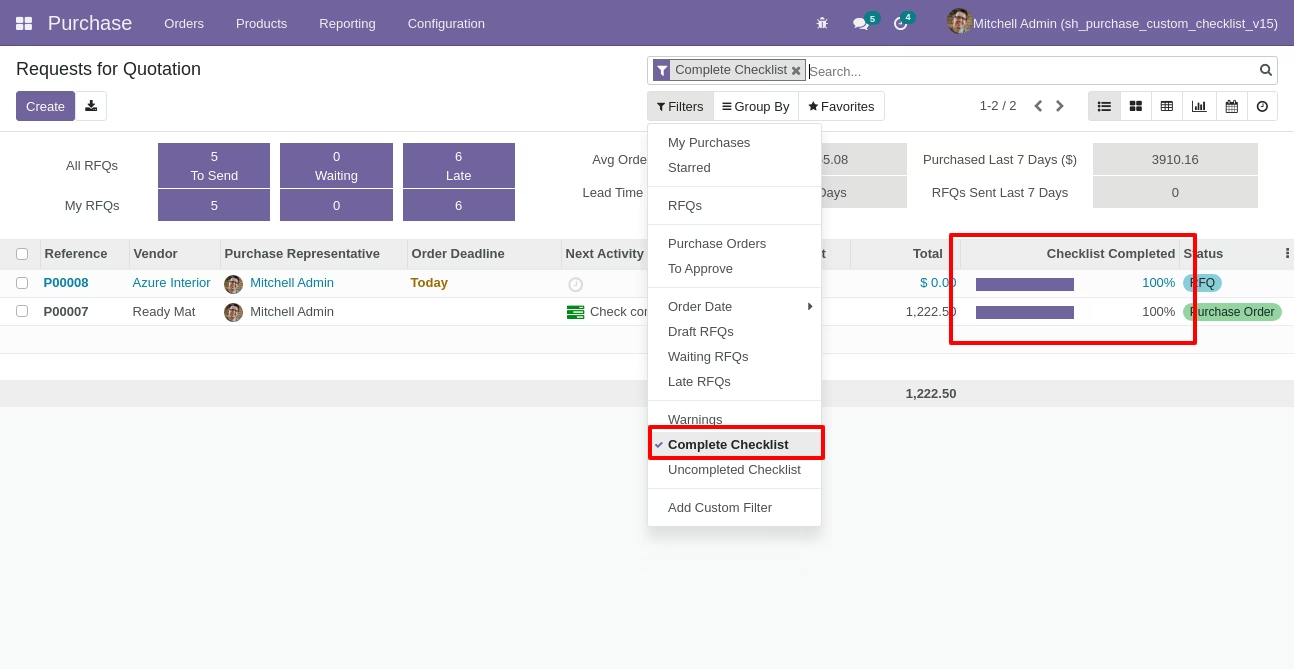
Go to configuration select "MRP Custom Checklist".
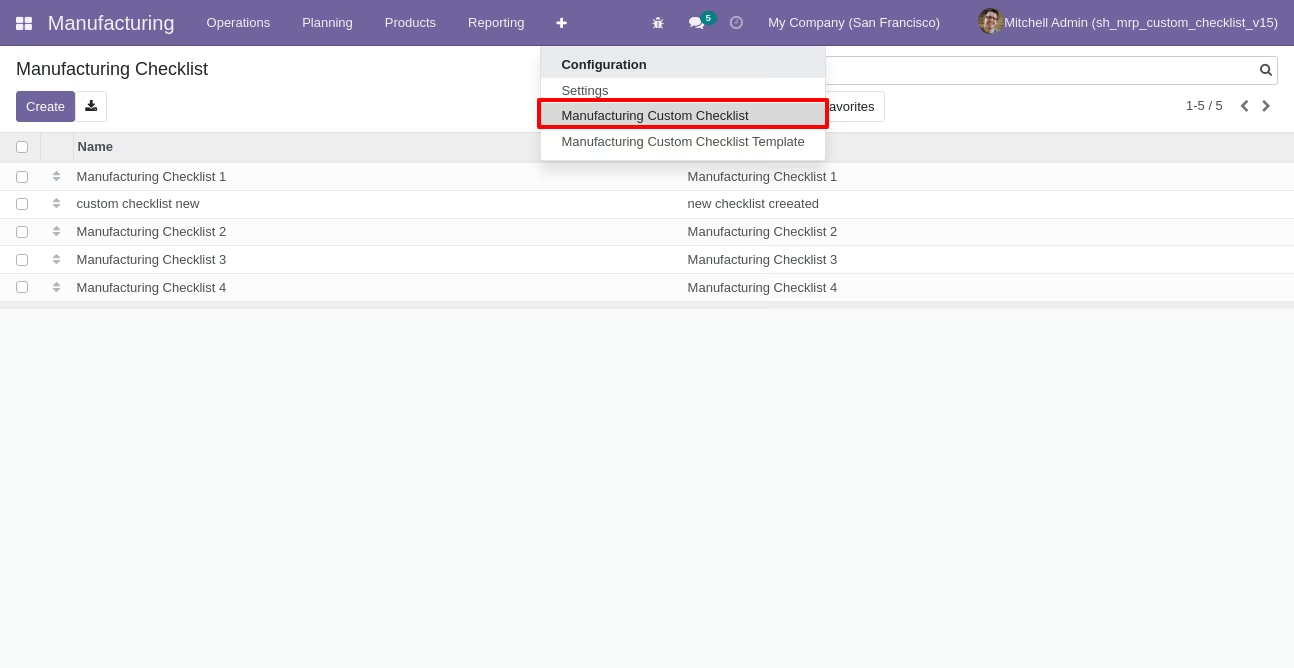
Write the name and description of the checklist.
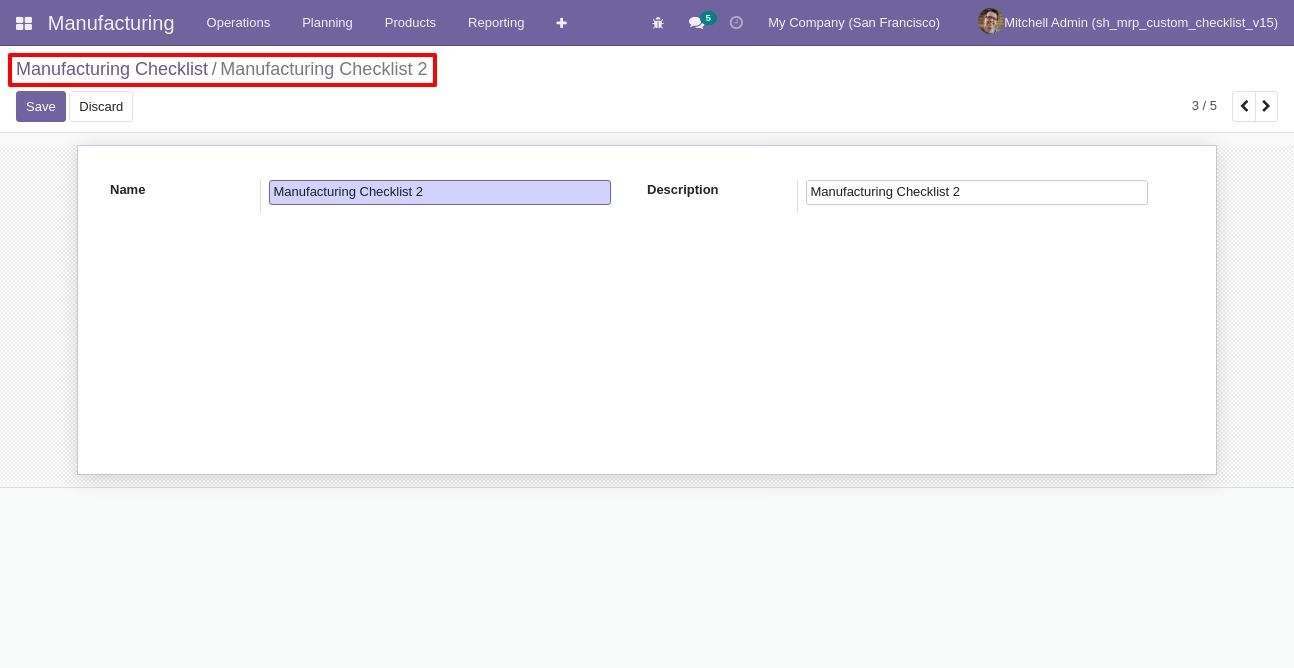
Go to the "Configuration" => MRP Custom Checklist Template.
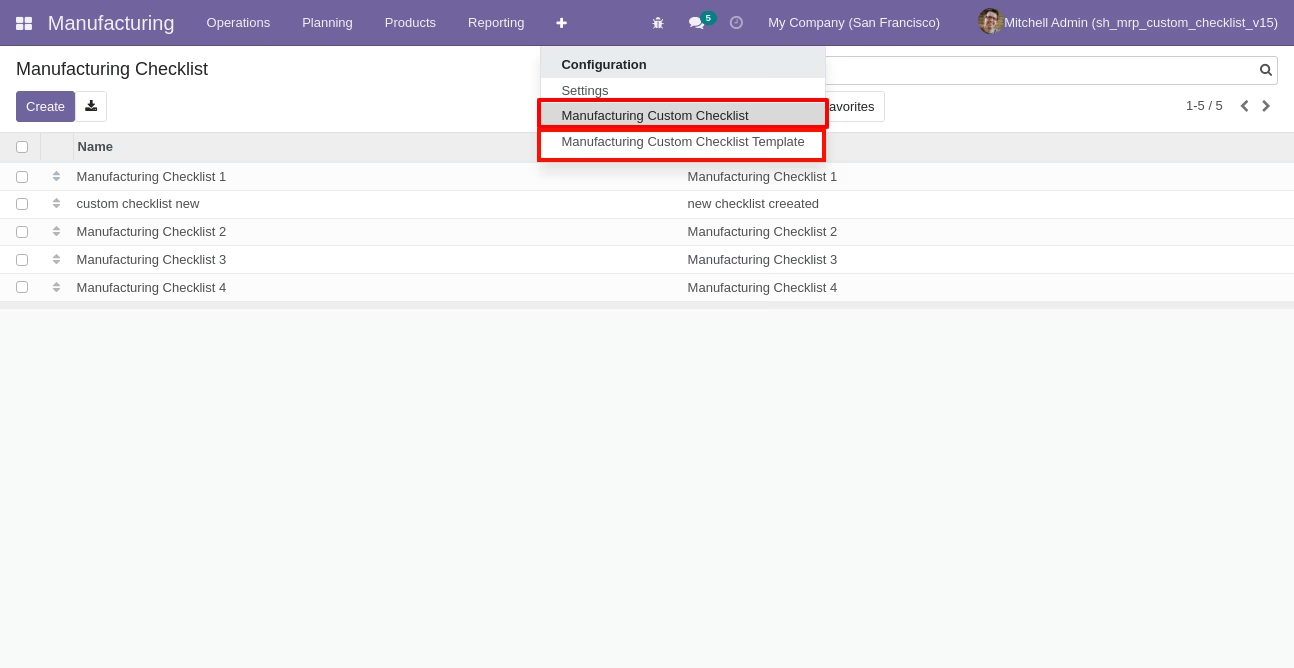
Now we create checklist template, checklist template form view looks like this.
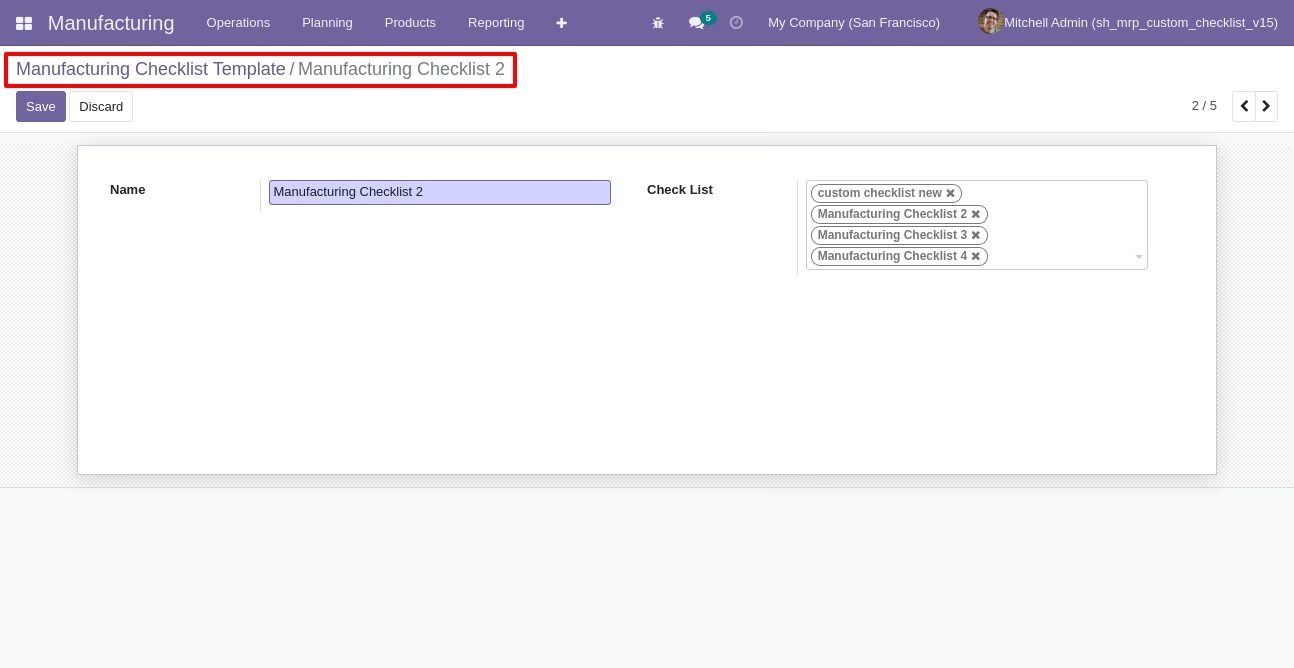
MRP checklist template list view looks like this.
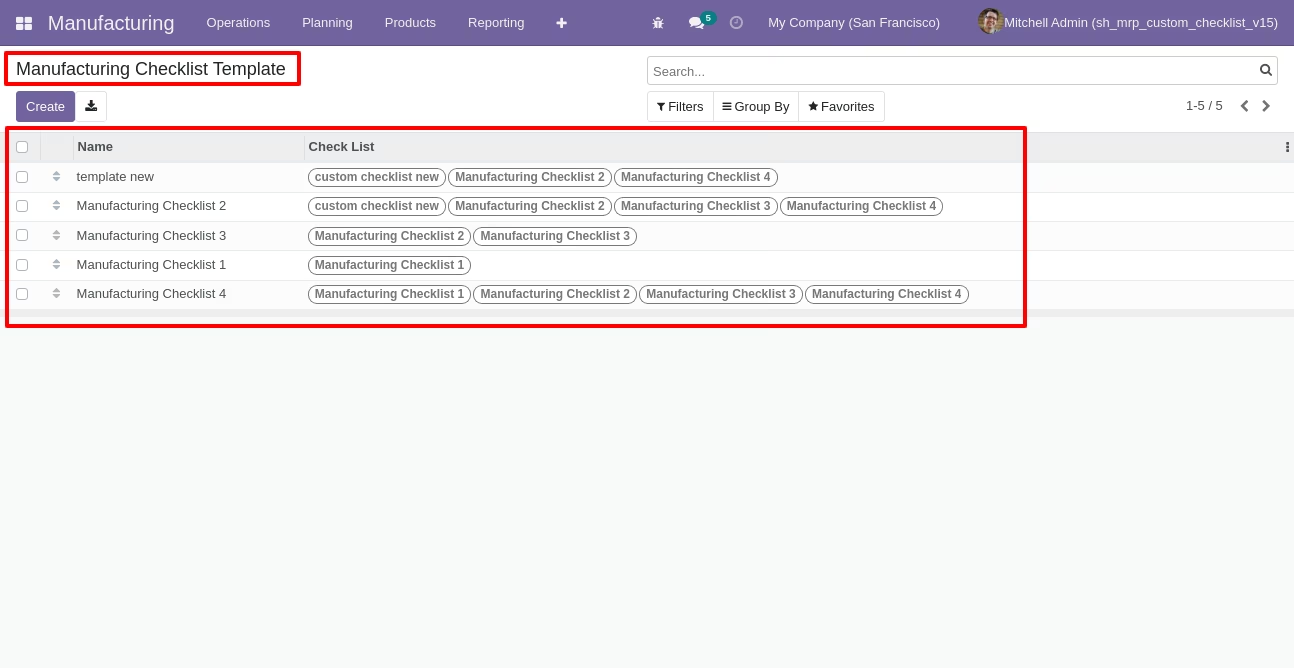
You can group by checklist templates.
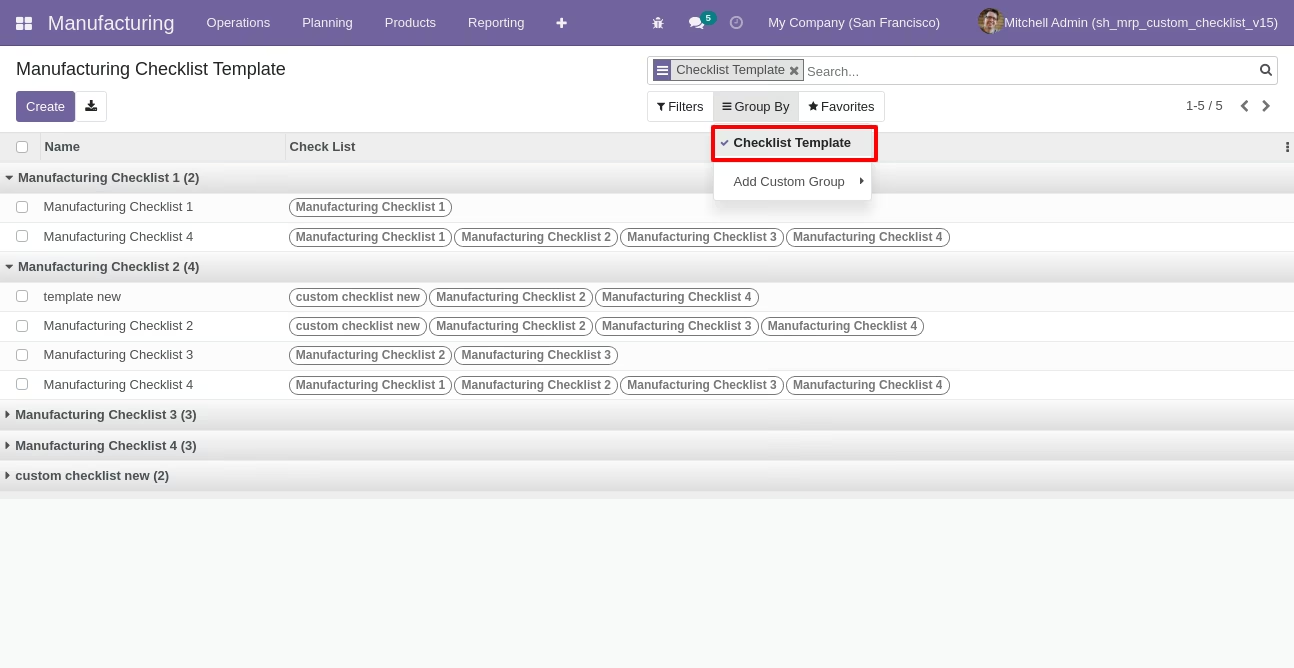
Now we fill the checklist by selecting the checklist template, When we select checklist template, it adds a record by default.
MRP checklist with state New, Completed and Cancelled. Click on Check Icon To Complete Checklist & Cancel Icon to Cancel Checklist.
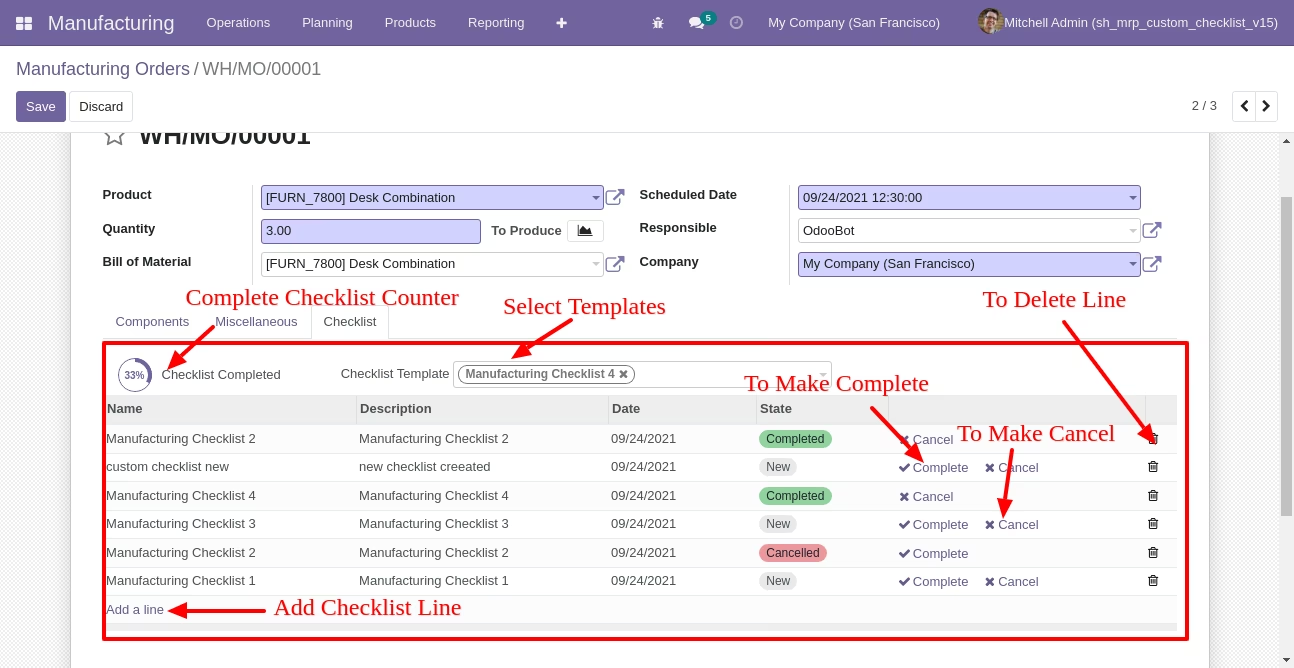
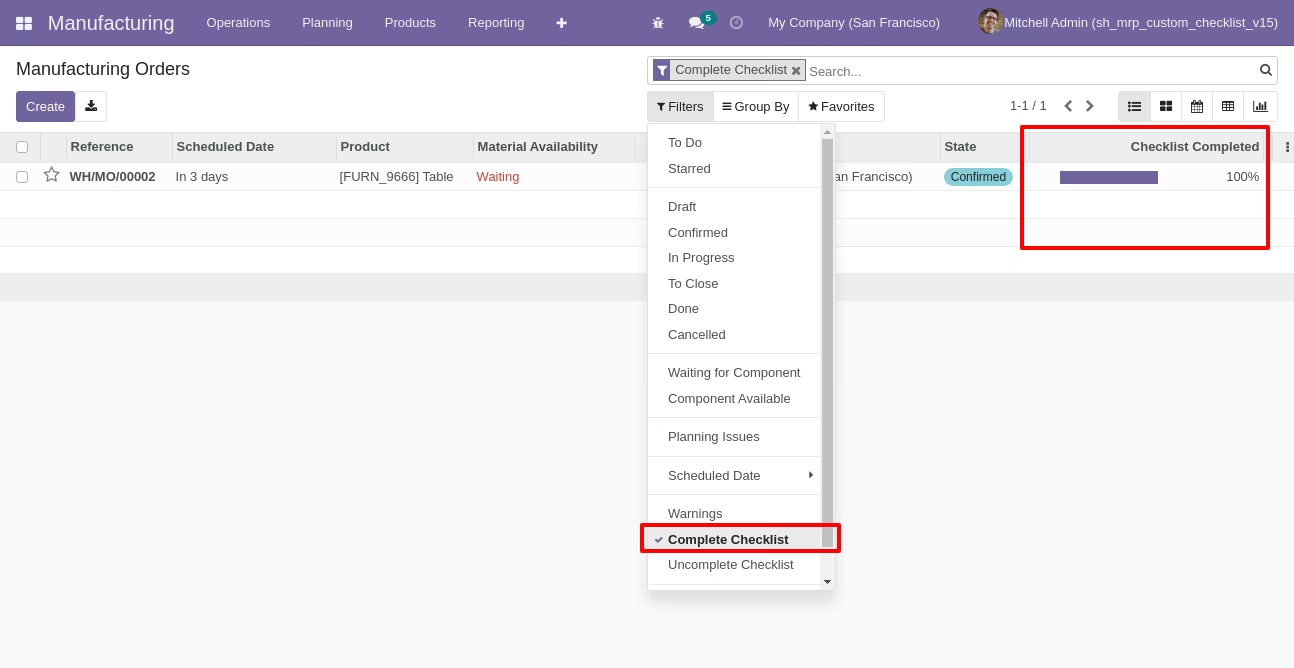
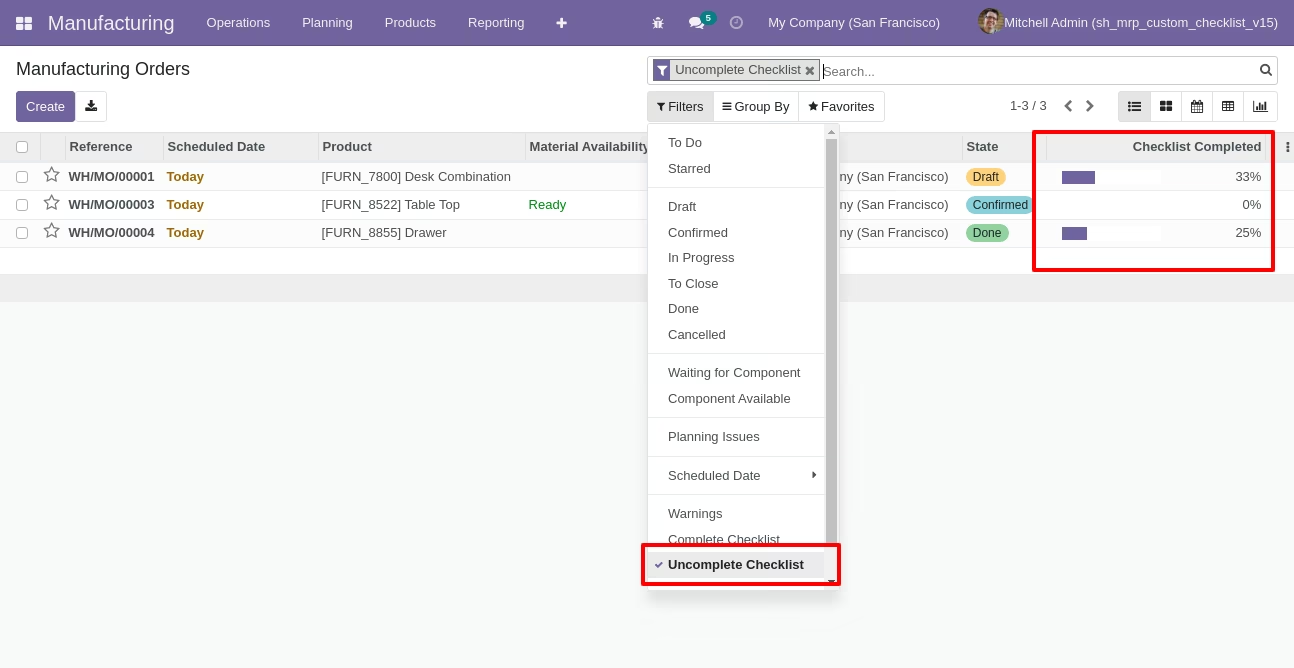
Checklist completed percentage on list view.
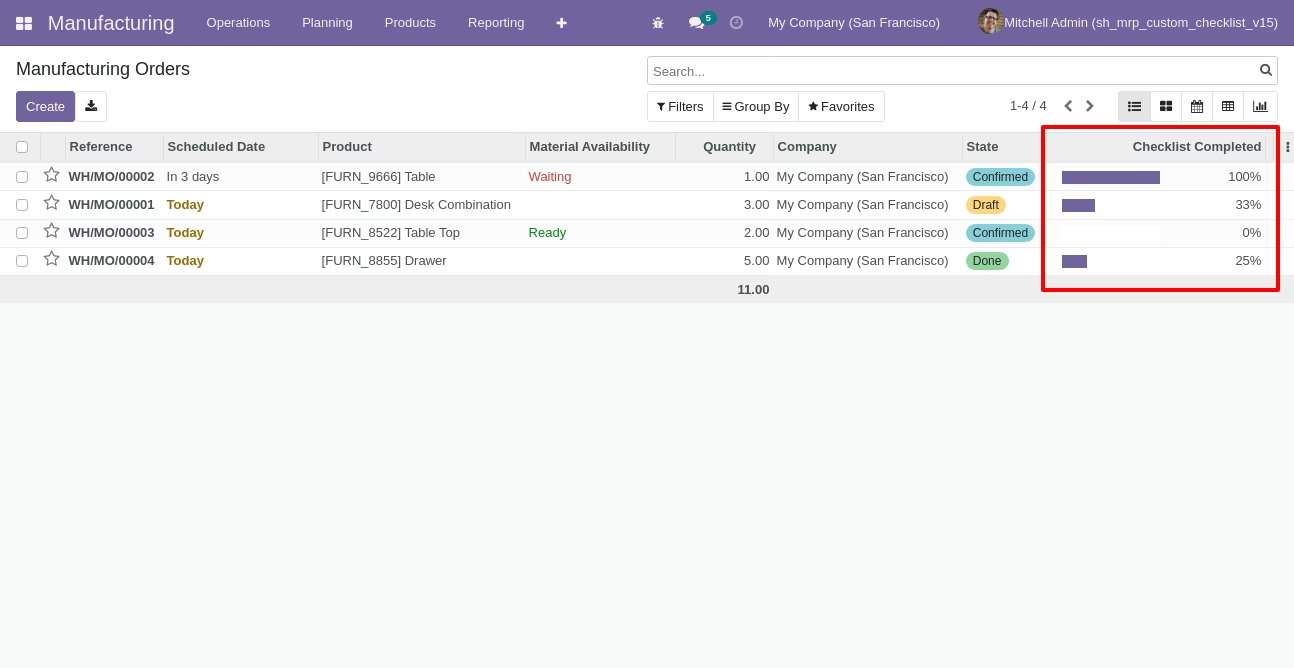
Checklist completed percentage on kanban view.
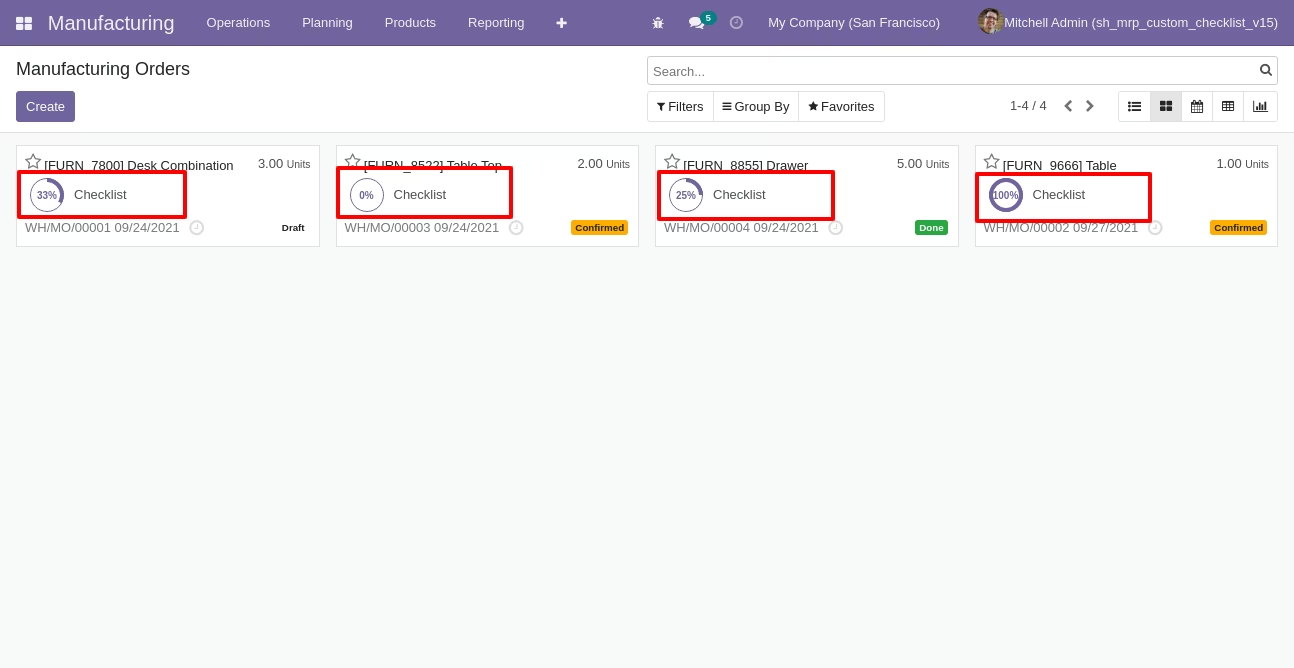
You can filter checklists by complete/Uncomplete checklist.
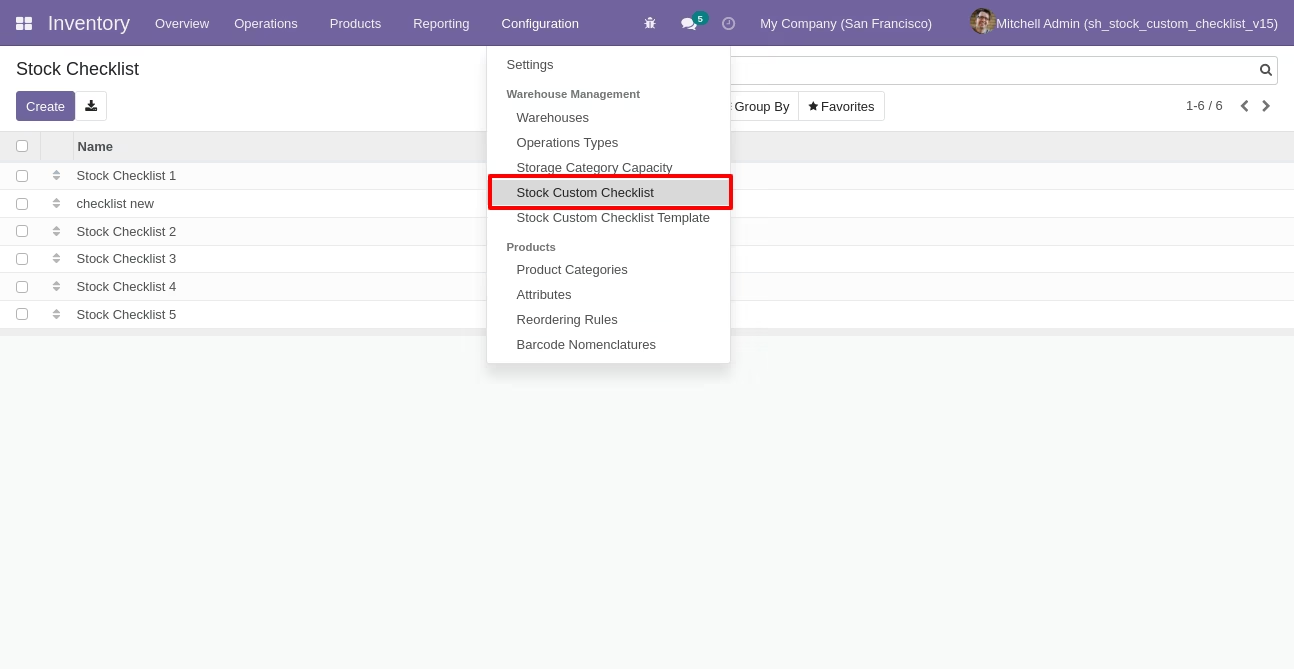
Go to configuration select "Stock Custom Checklist".
Write the name and description of the checklist.
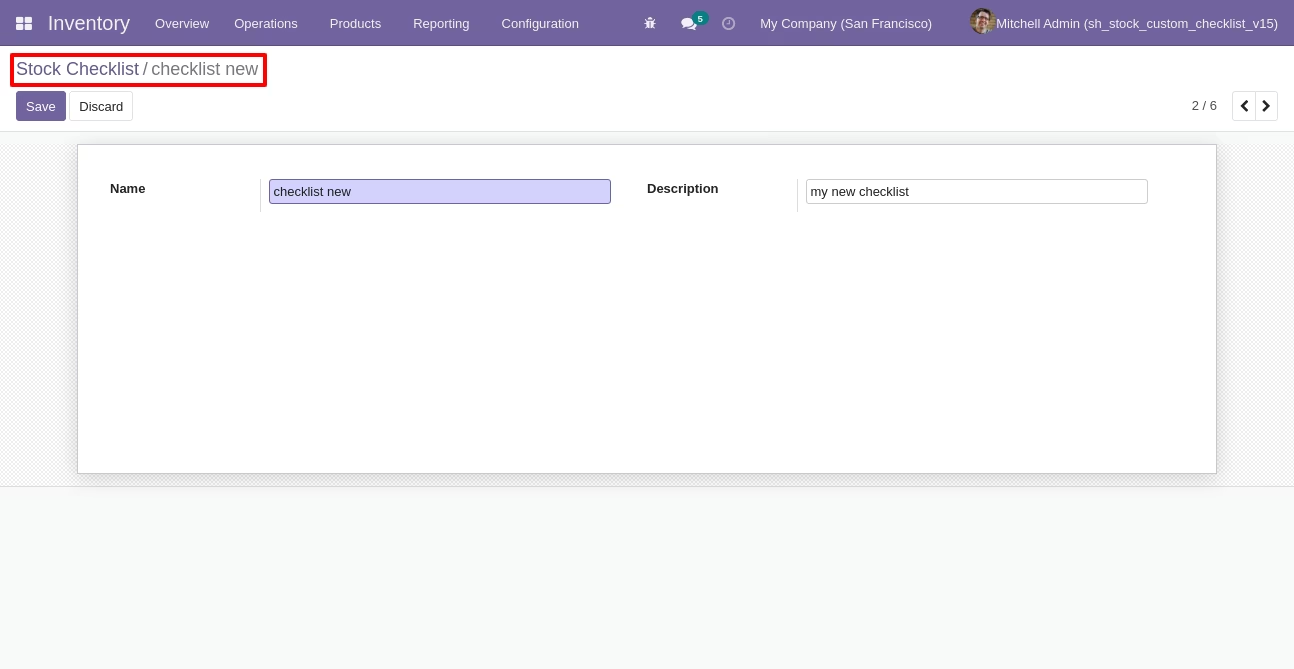
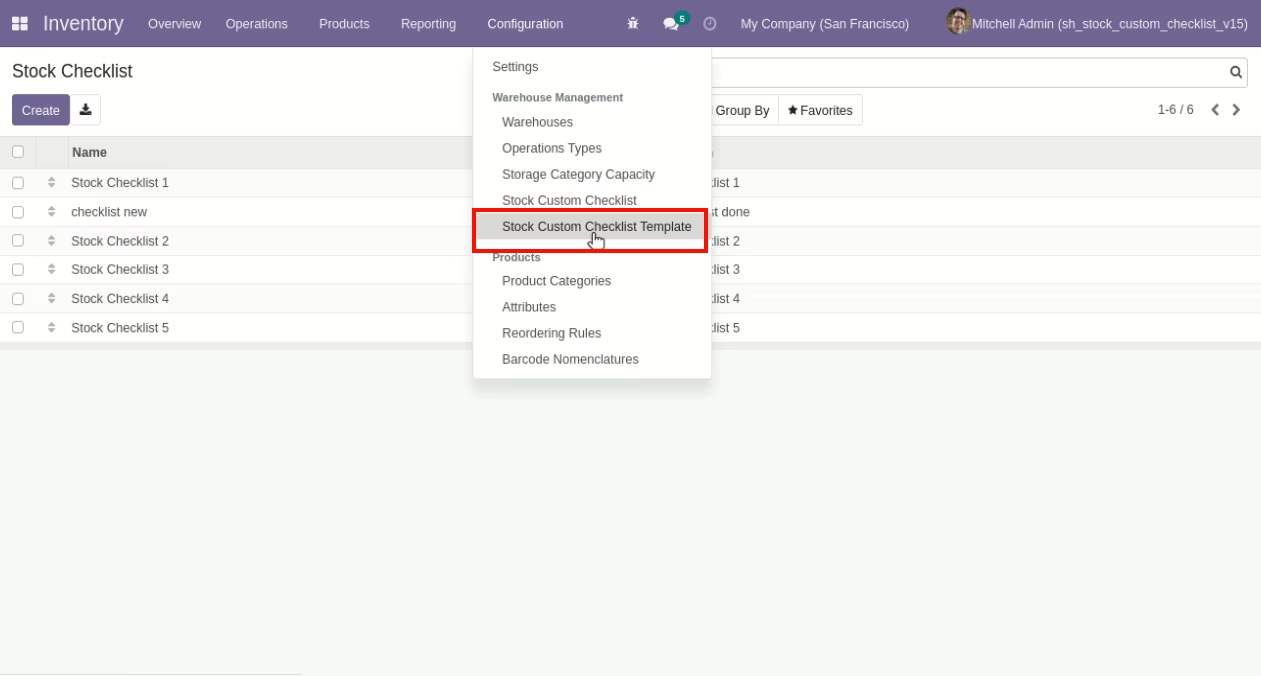
Go to the "Configuration" => Stock Custom Checklist Template.
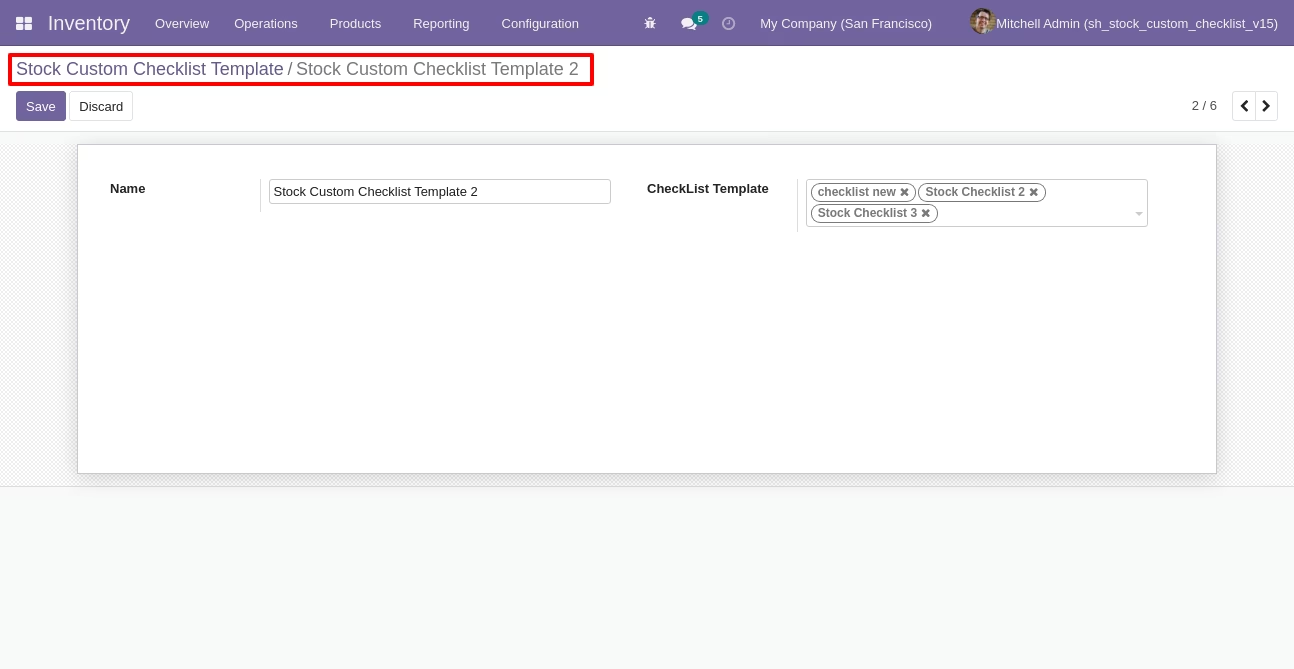
Now we create stock checklist template, checklist template form view looks like this.
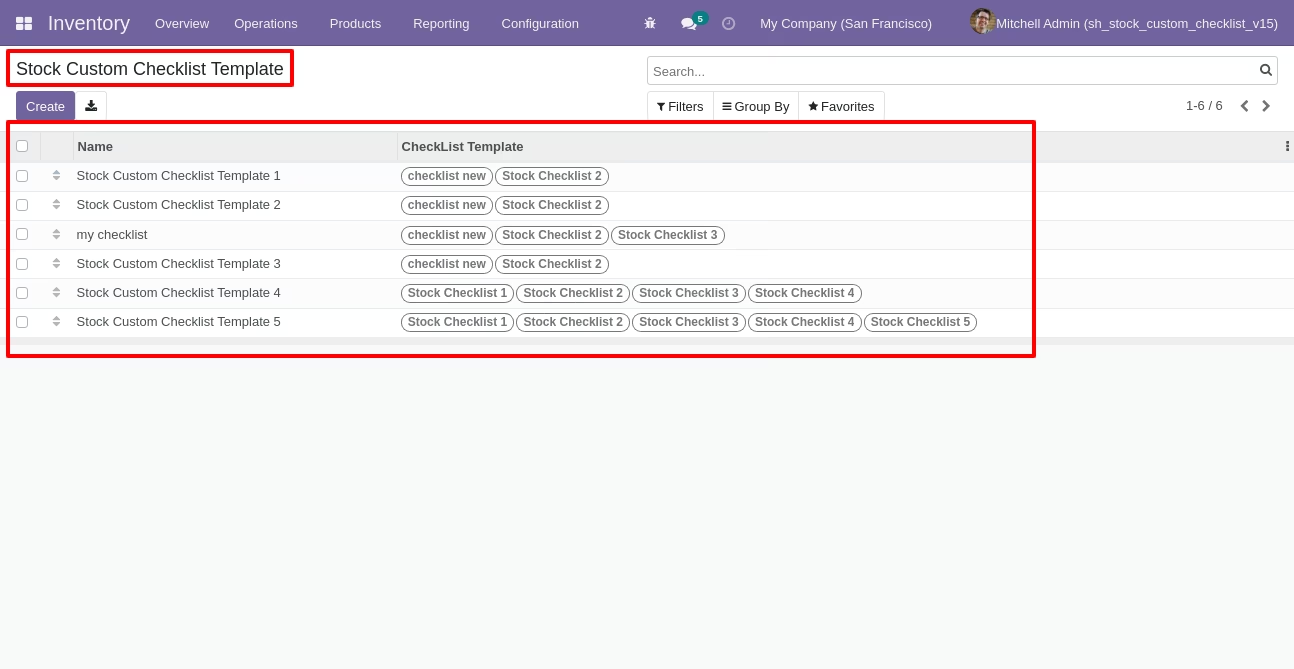
Stock checklist template list view looks like this.
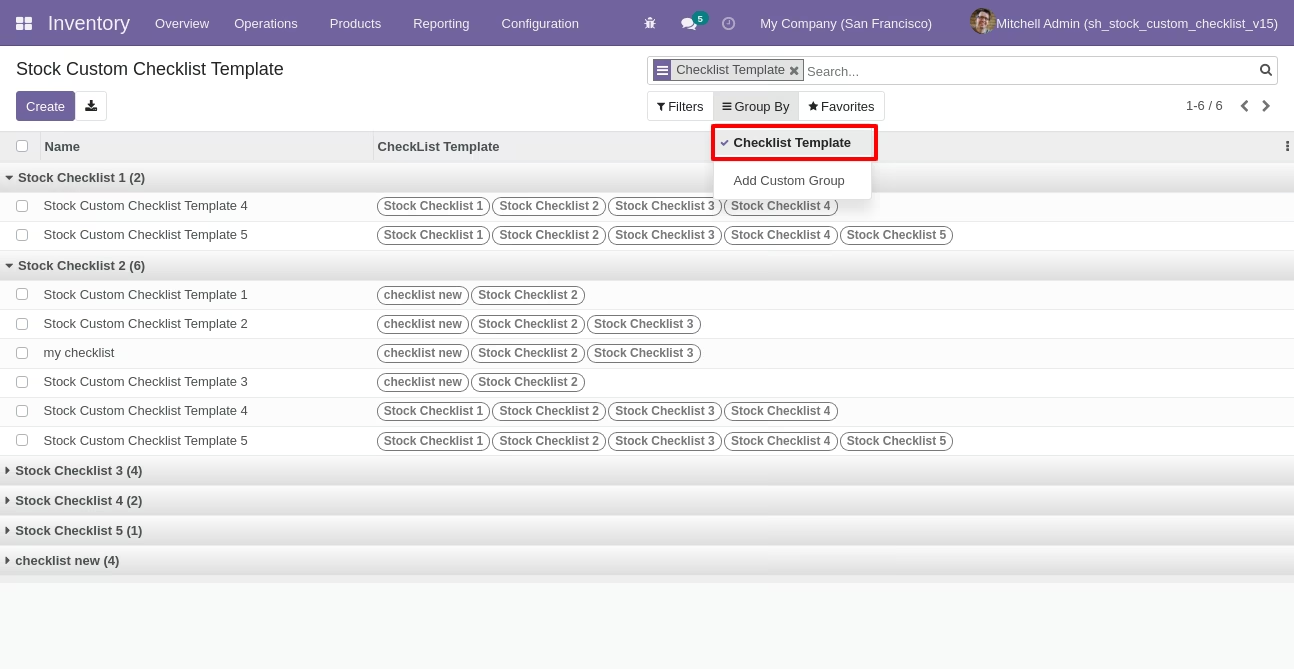
You can group by checklist templates.
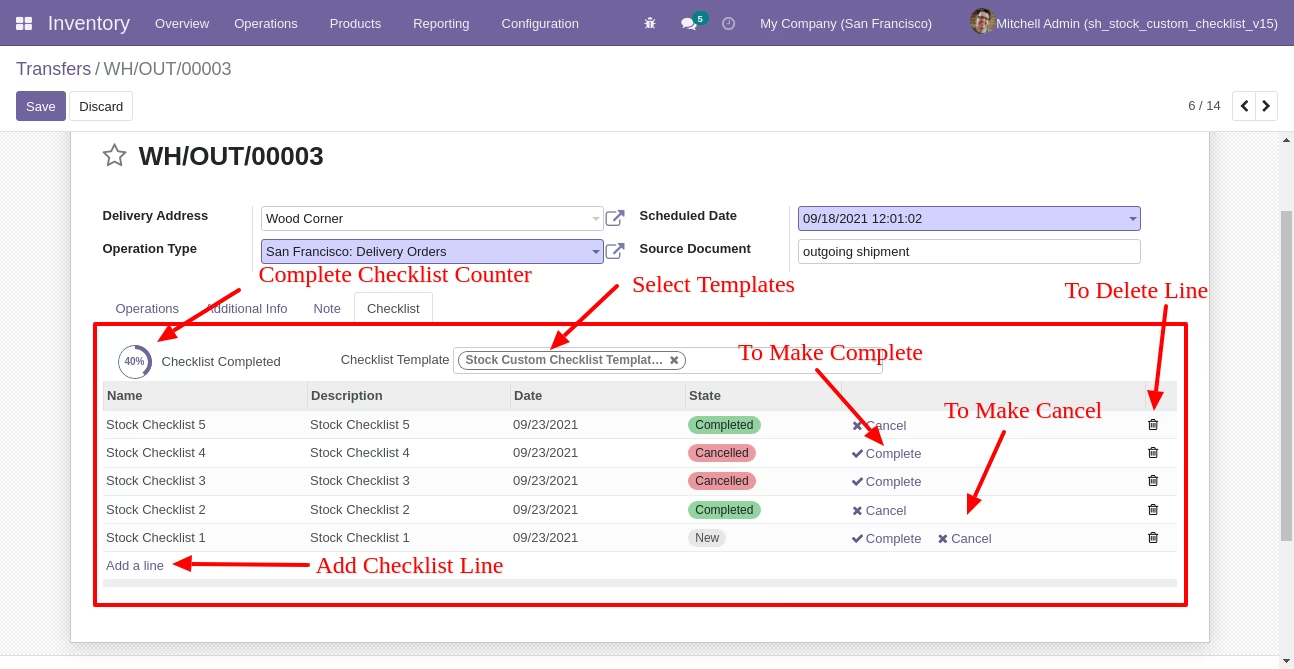
Now we fill the checklist by selecting the checklist template, When we select checklist template, it adds a record by default.
Stock checklist with state New, Completed and Cancelled. Click on Check Icon To Complete Checklist & Cancel Icon to Cancel Checklist.
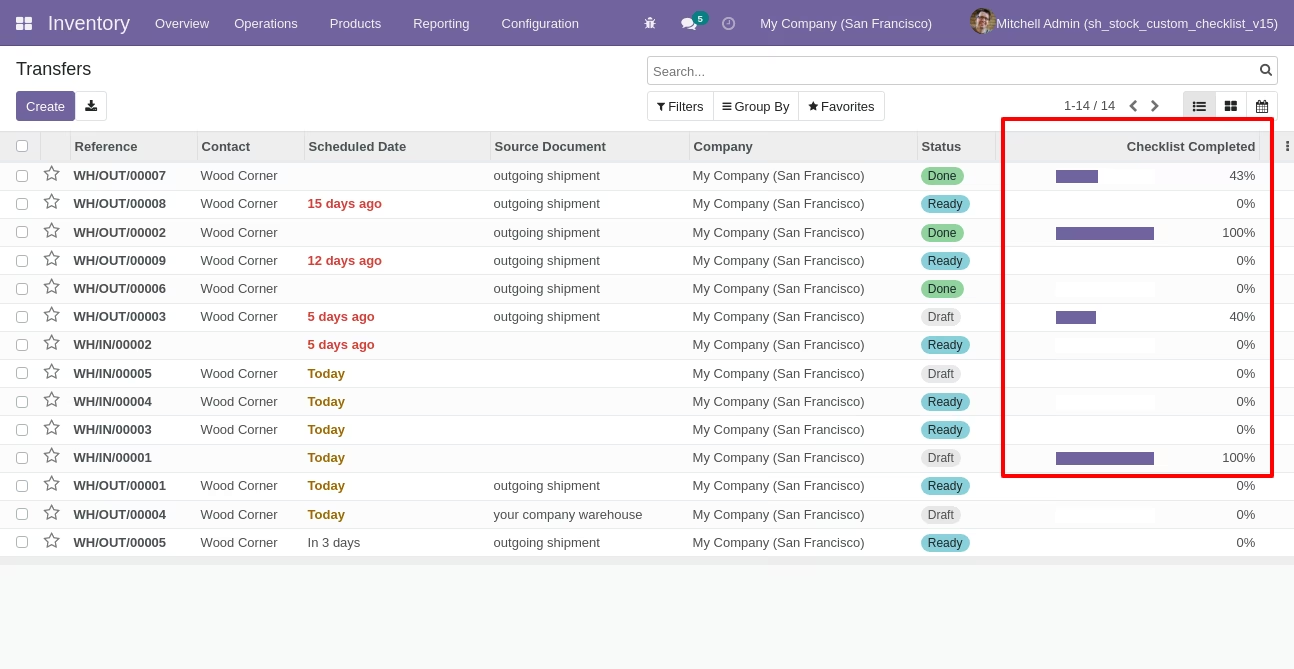
Checklist completed percentage on list view.
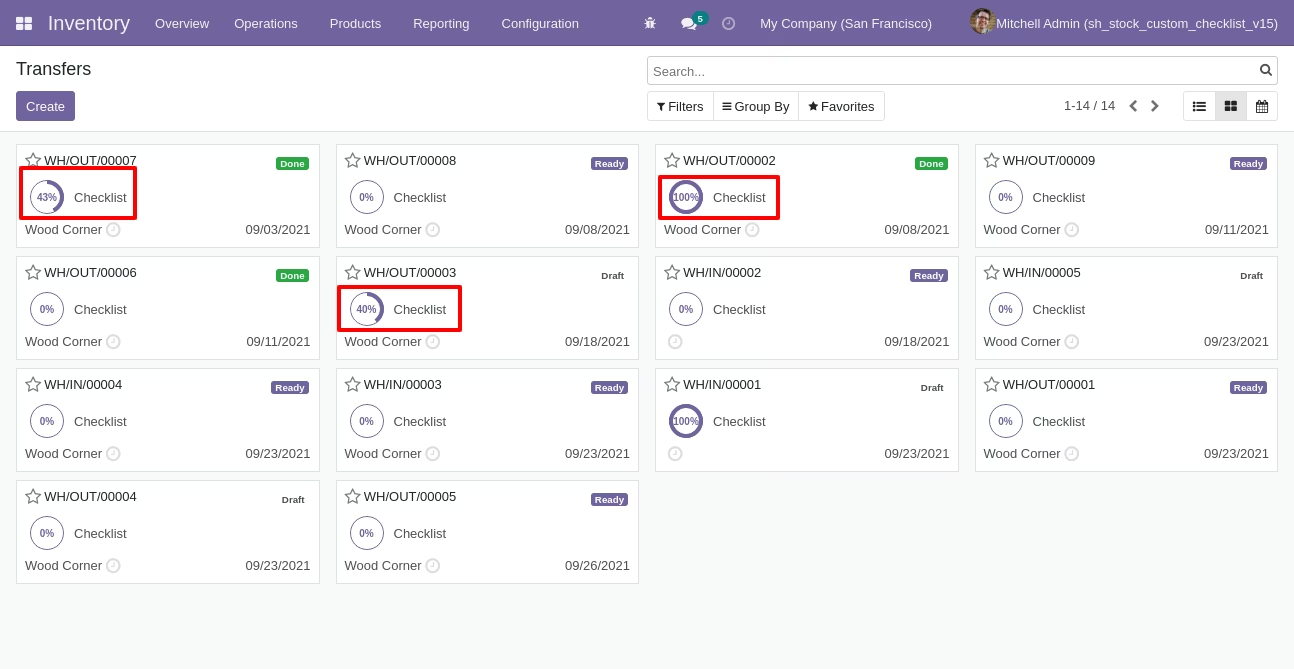
Checklist completed percentage on kanban view.
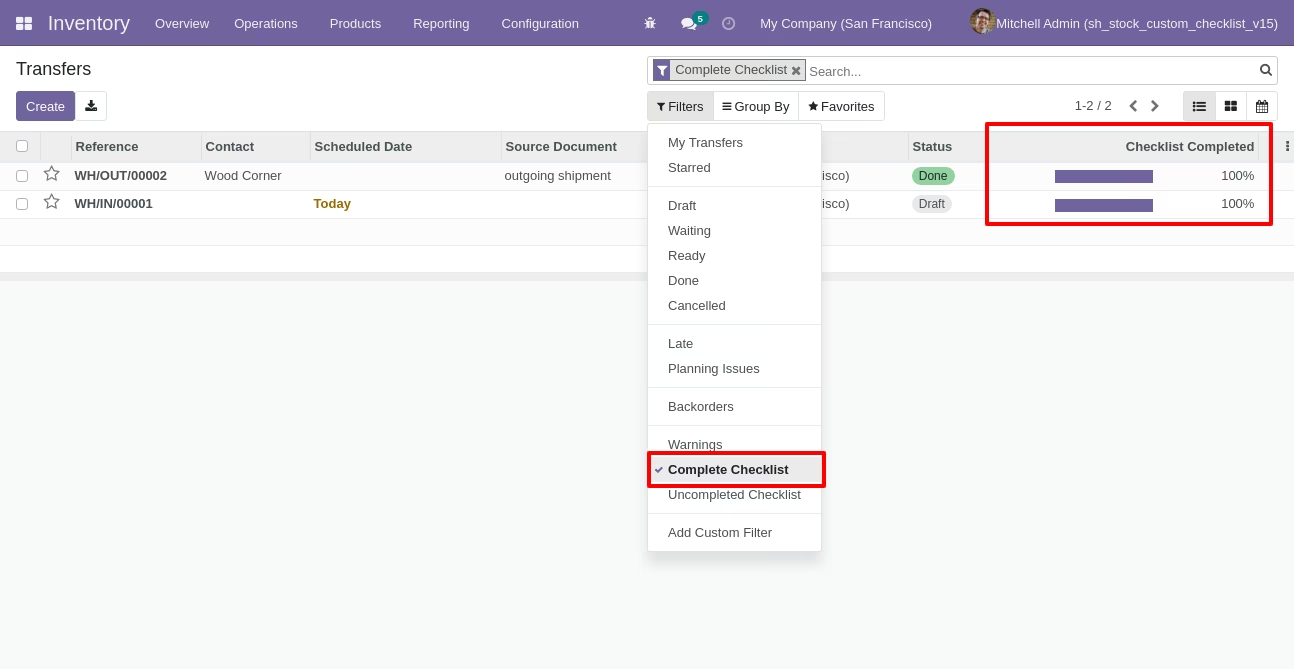
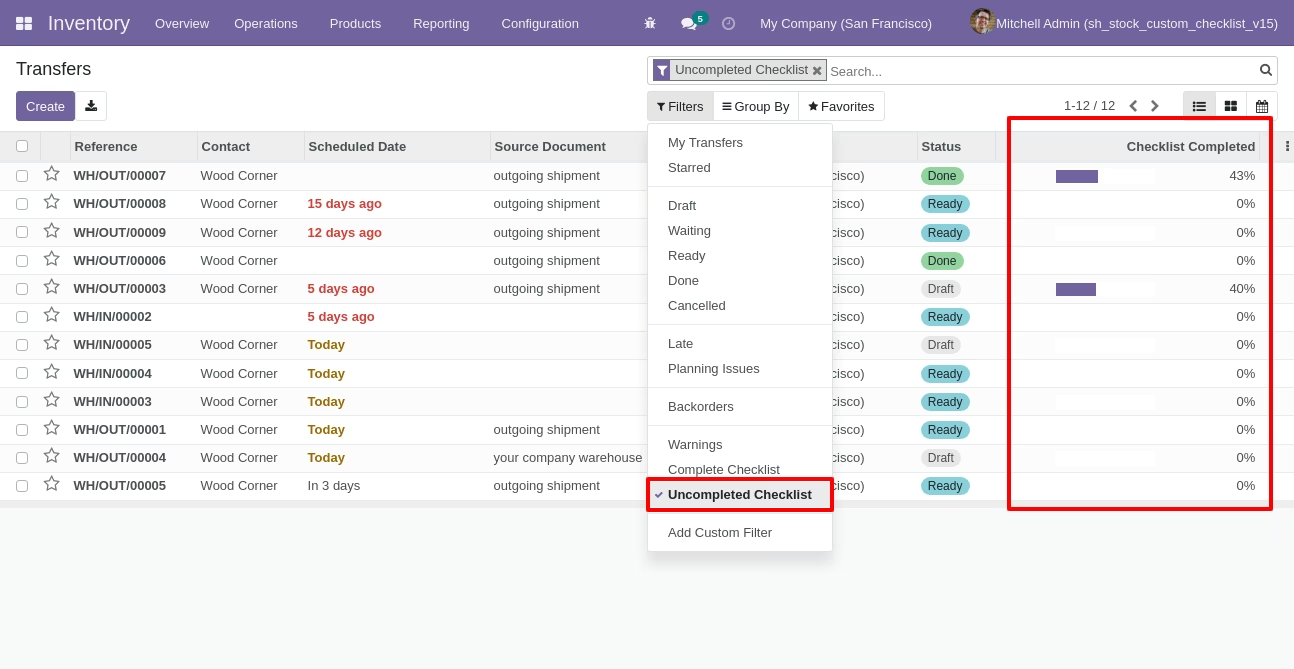
You can filter checklists by complete/Uncomplete checklist.
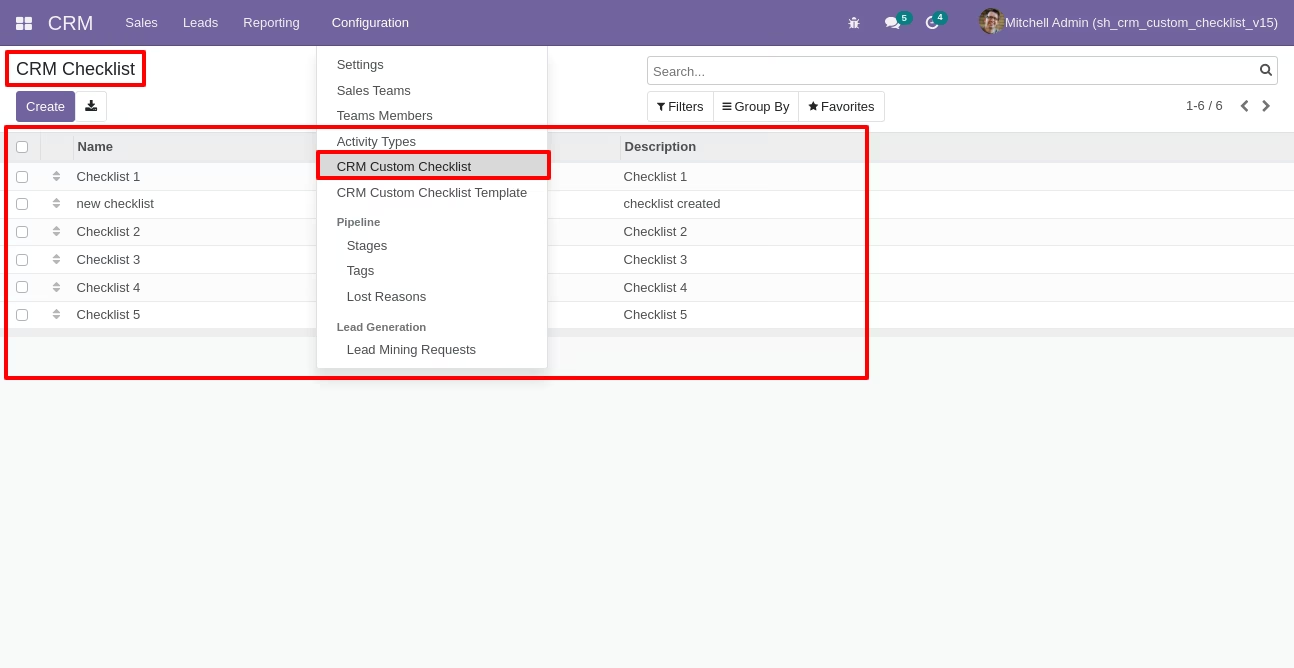
Go to configuration select "CRM Custom Checklist".
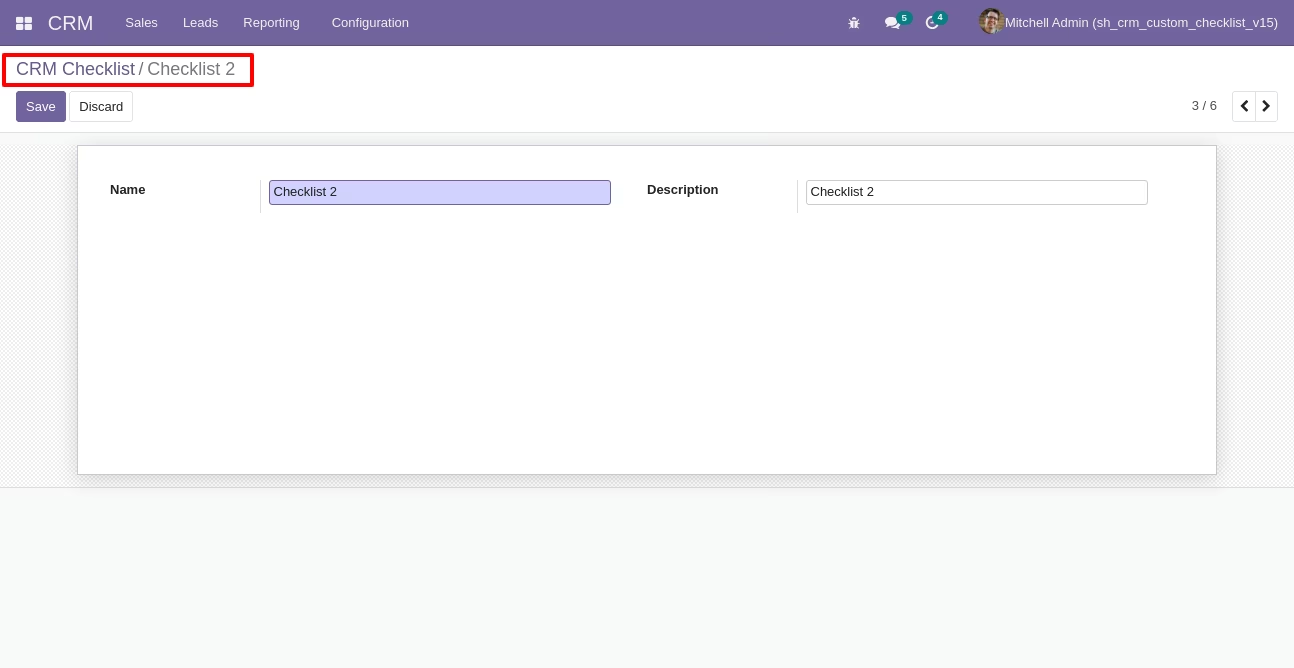
Write the name and description of the checklist.
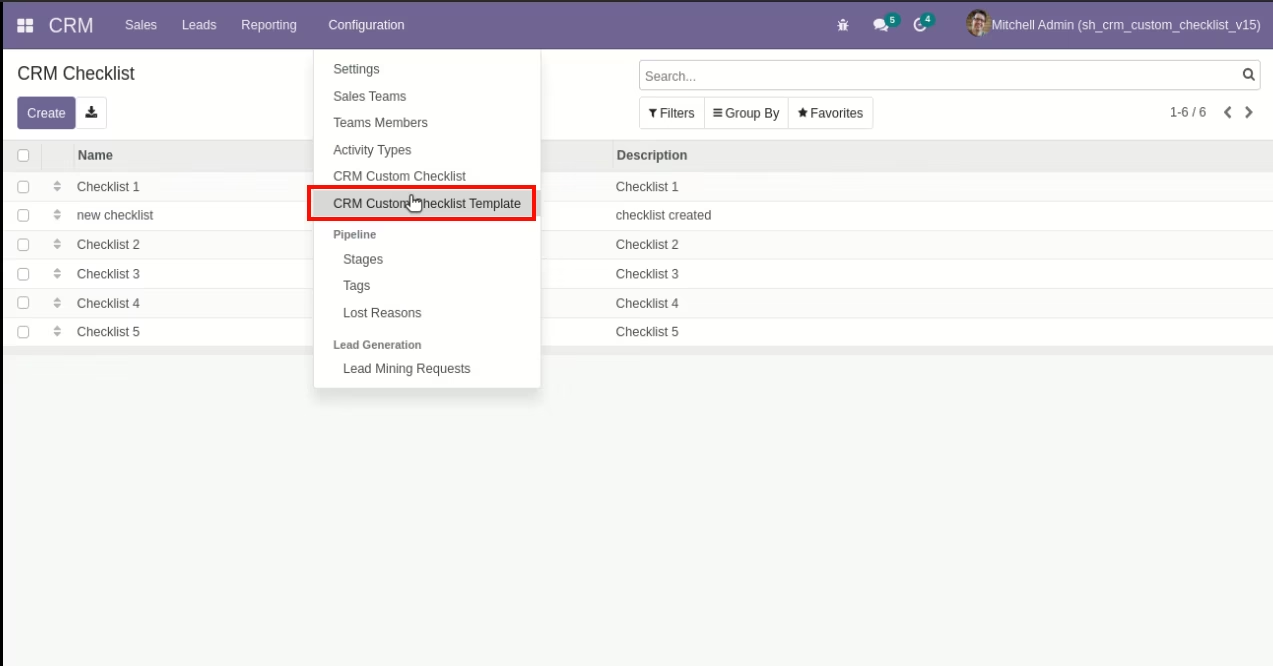
Go to the "Configuration" => CRM Custom Checklist Template.
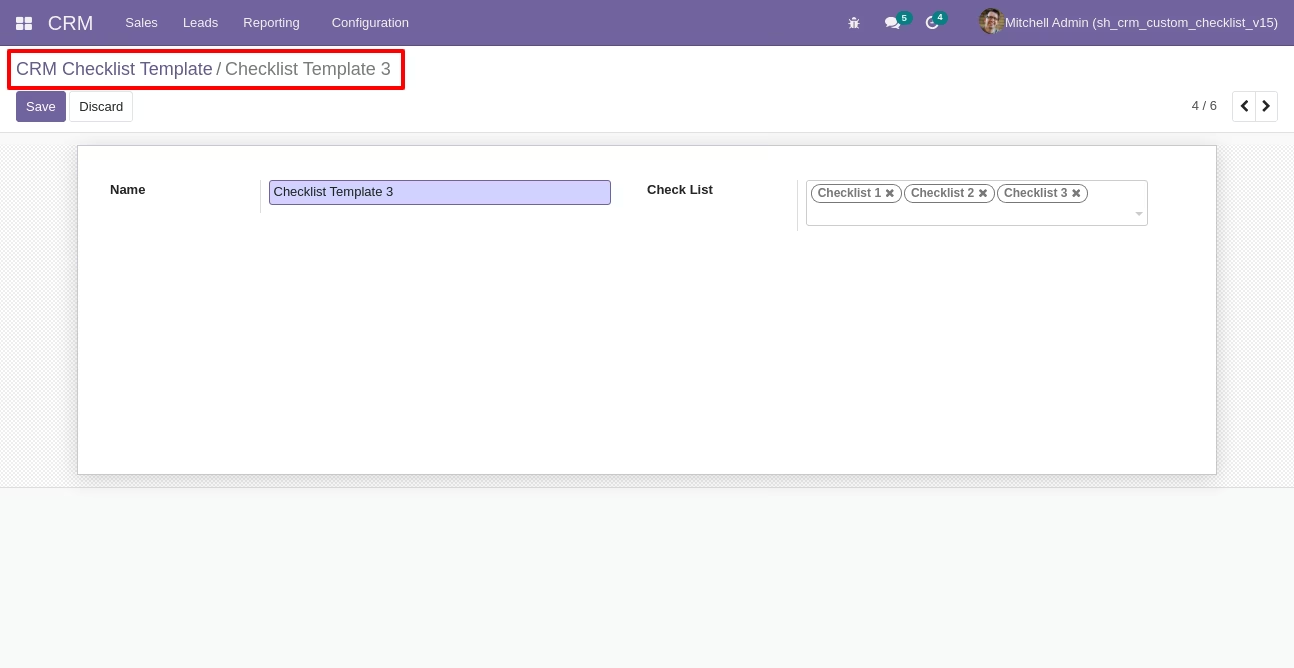
Now we create CRM checklist template, checklist template form view looks like this.
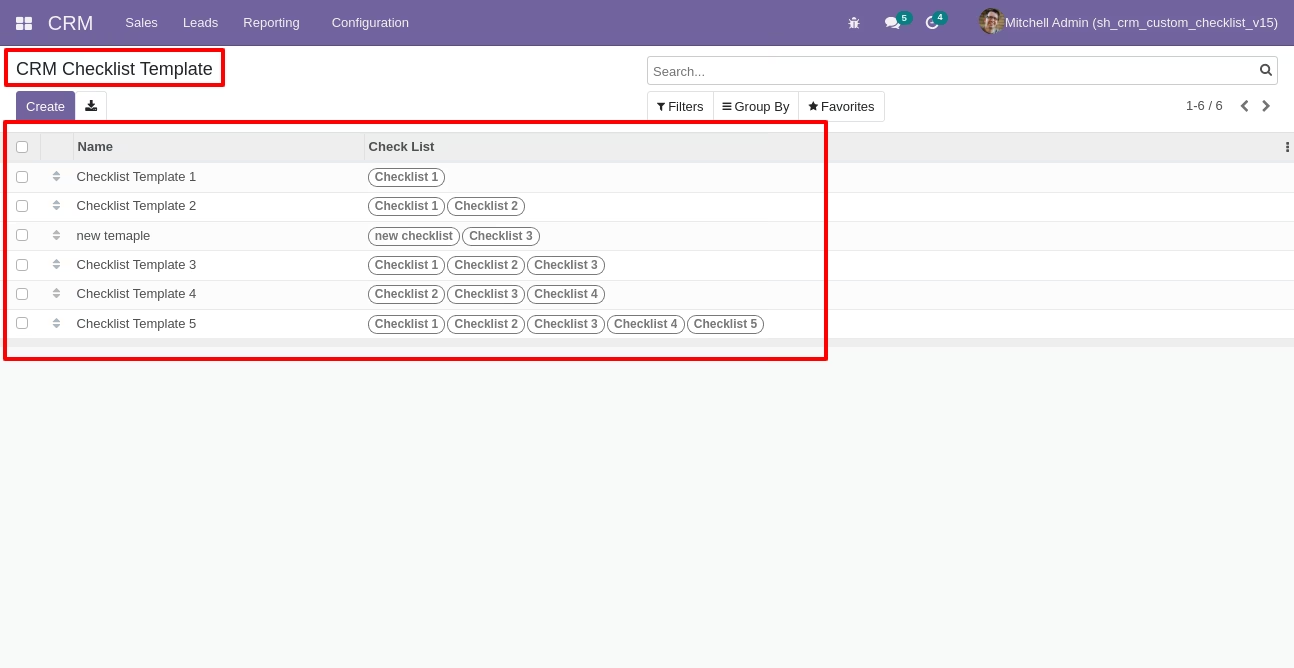
CRM checklist template list view looks like this.
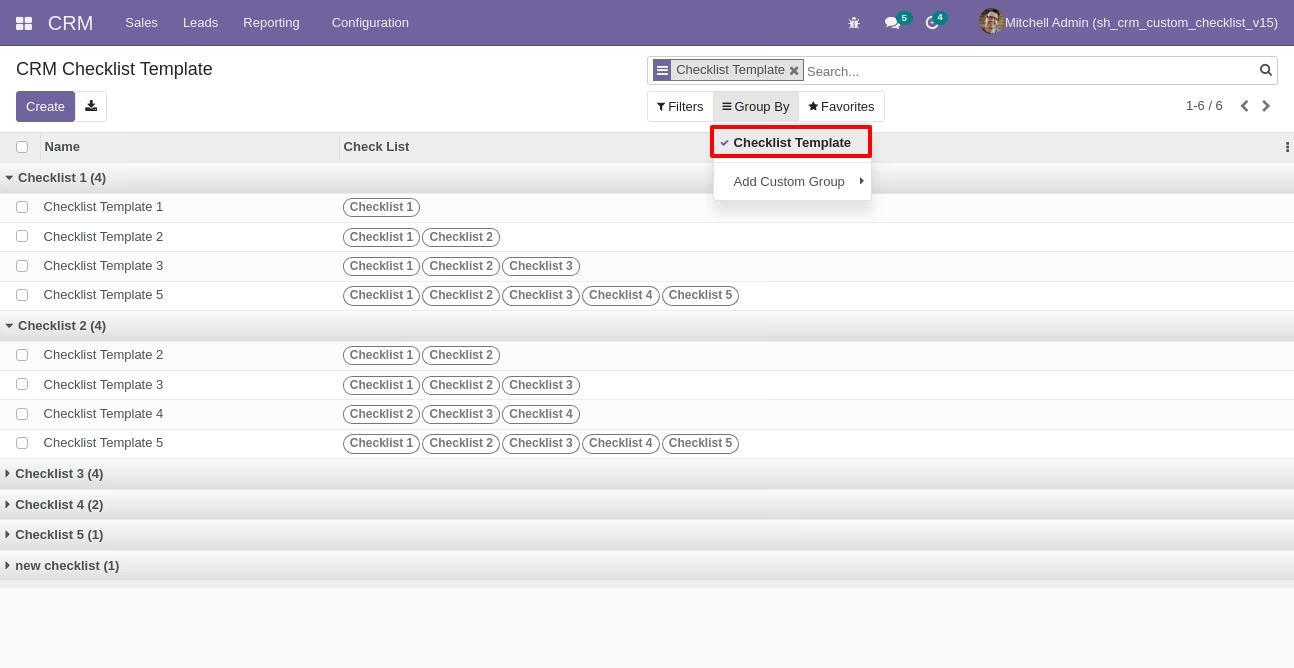
You can group by checklist templates.
Now we fill the checklist by selecting the checklist template, When we select checklist template, it adds a record by default.
CRM checklist with state New, Completed and Cancelled. Click on Check Icon To Complete Checklist & Cancel Icon to Cancel Checklist.
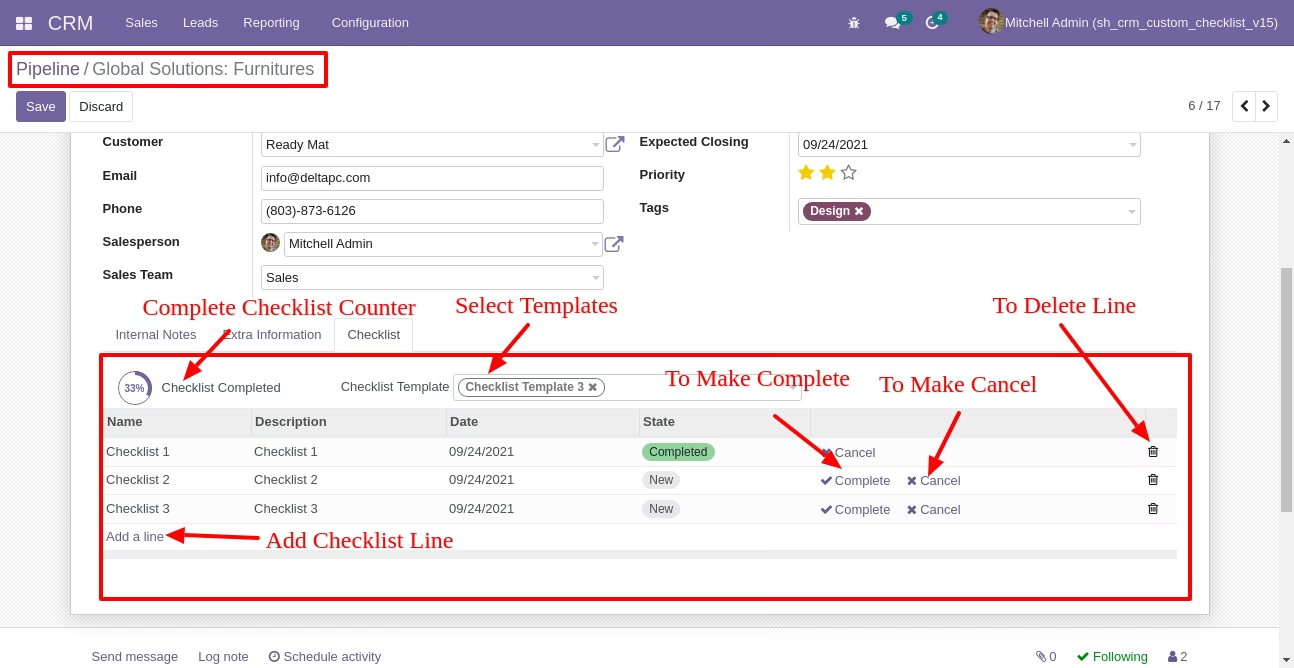
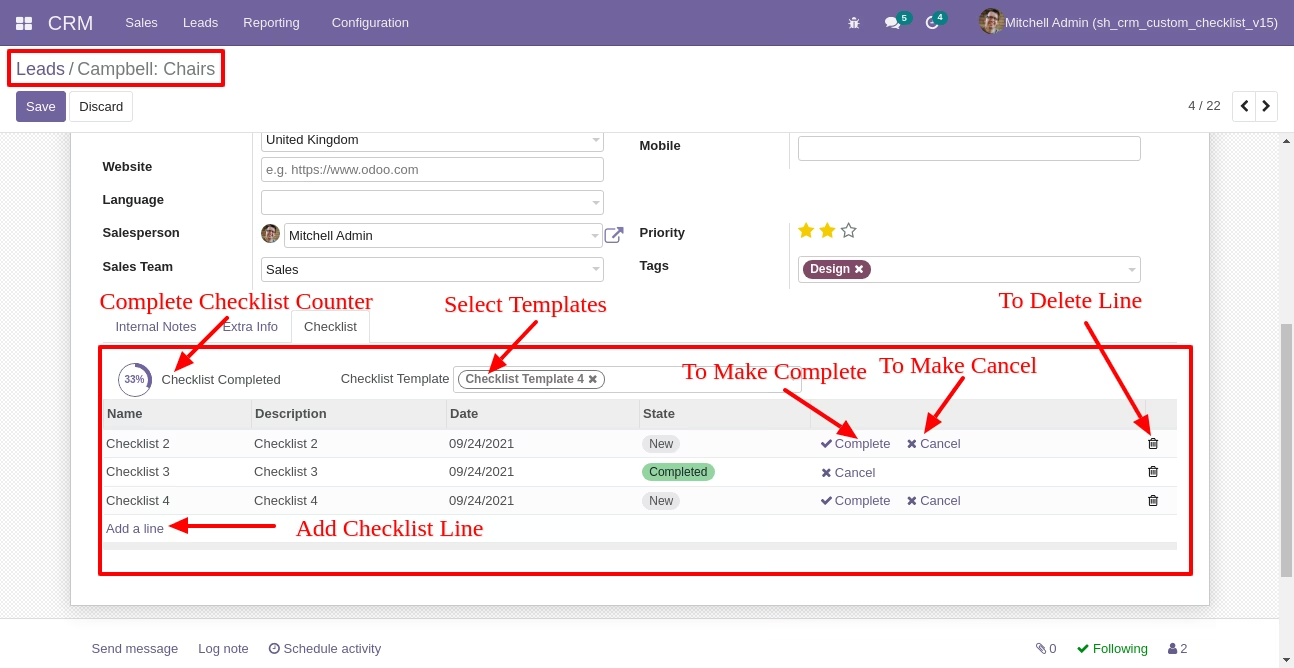
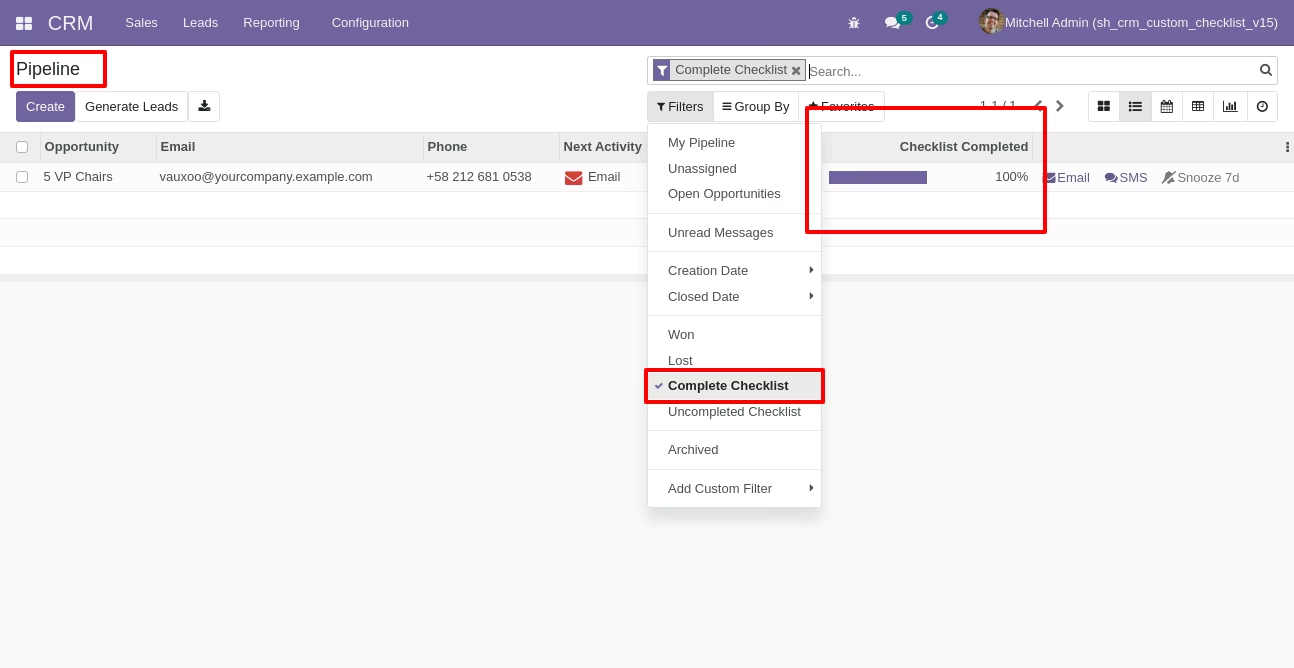
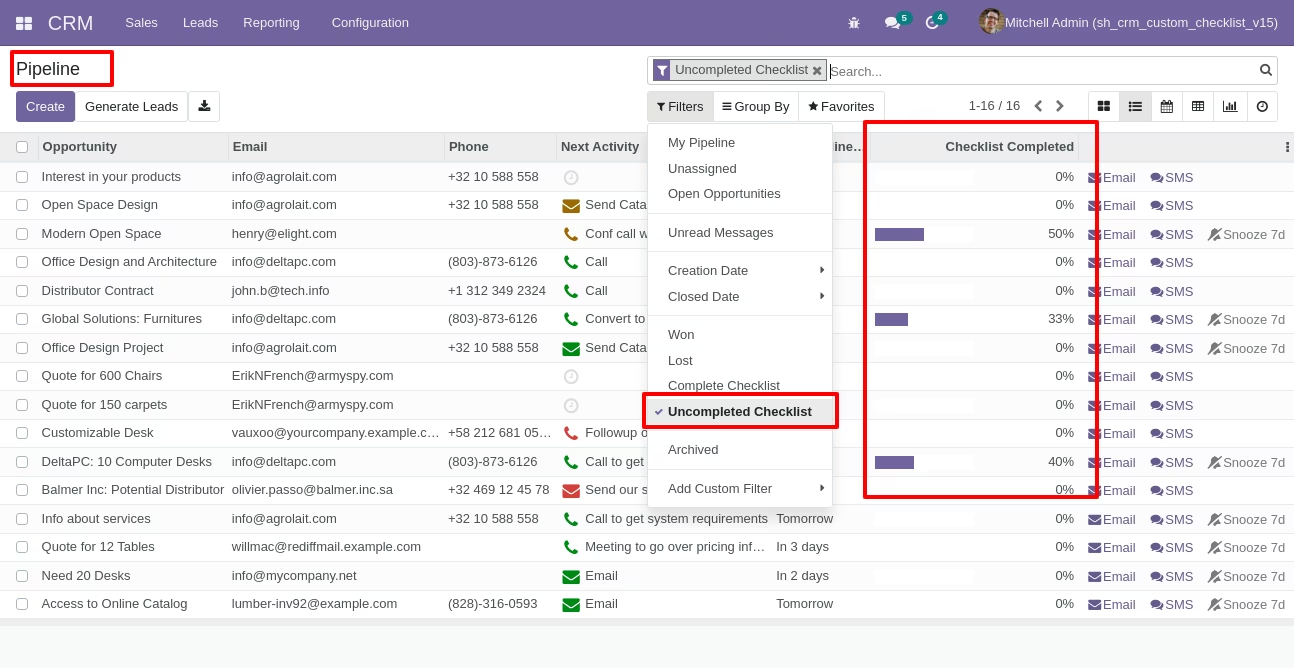
Checklist completed percentage on list view.
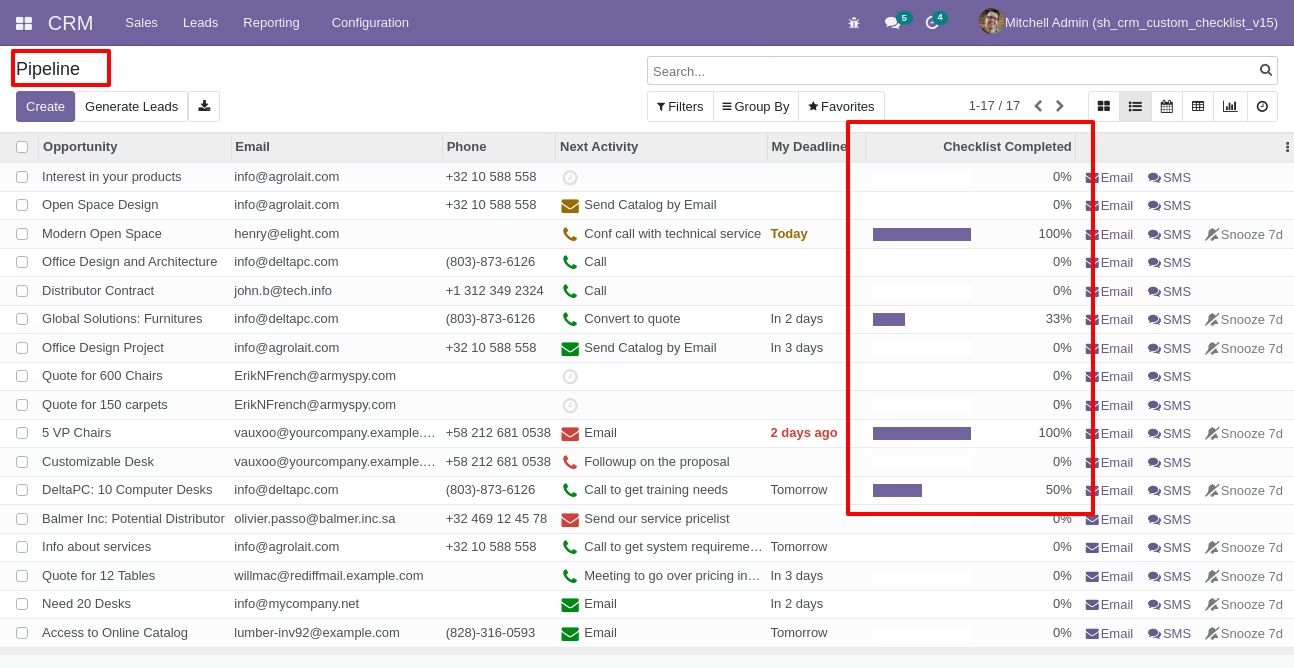
You can filter checklists by complete/Uncomplete checklist.
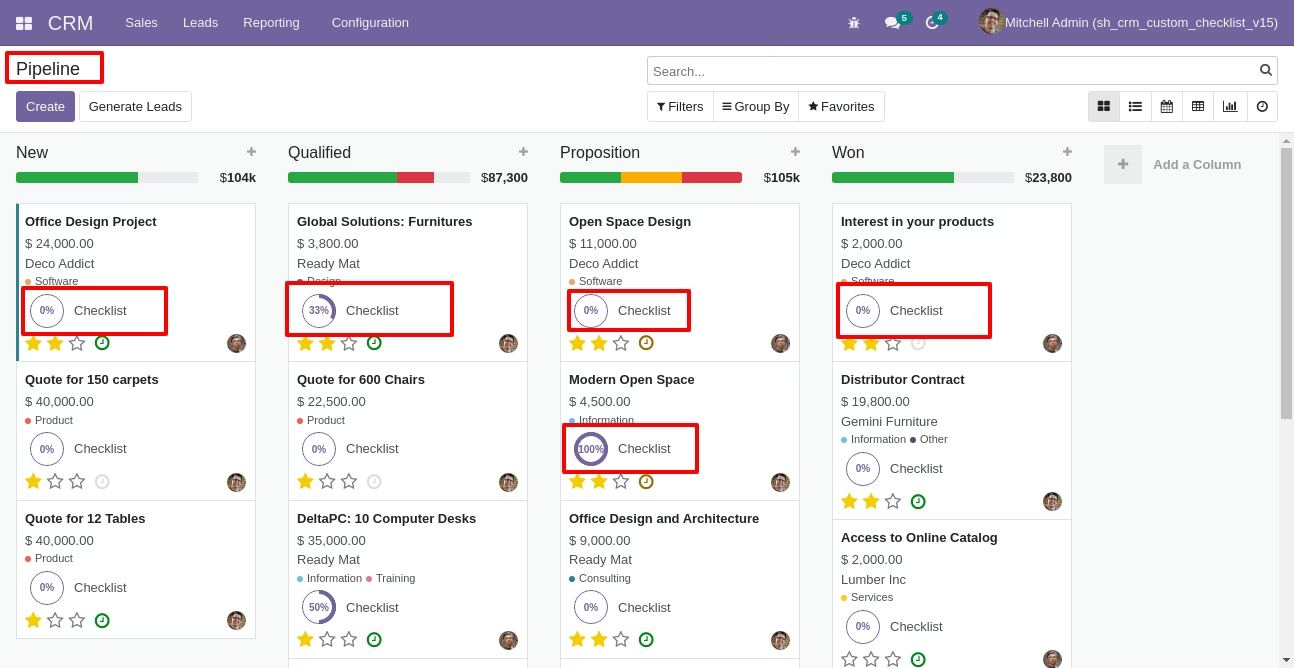
Checklist completed percentage on kanban view.
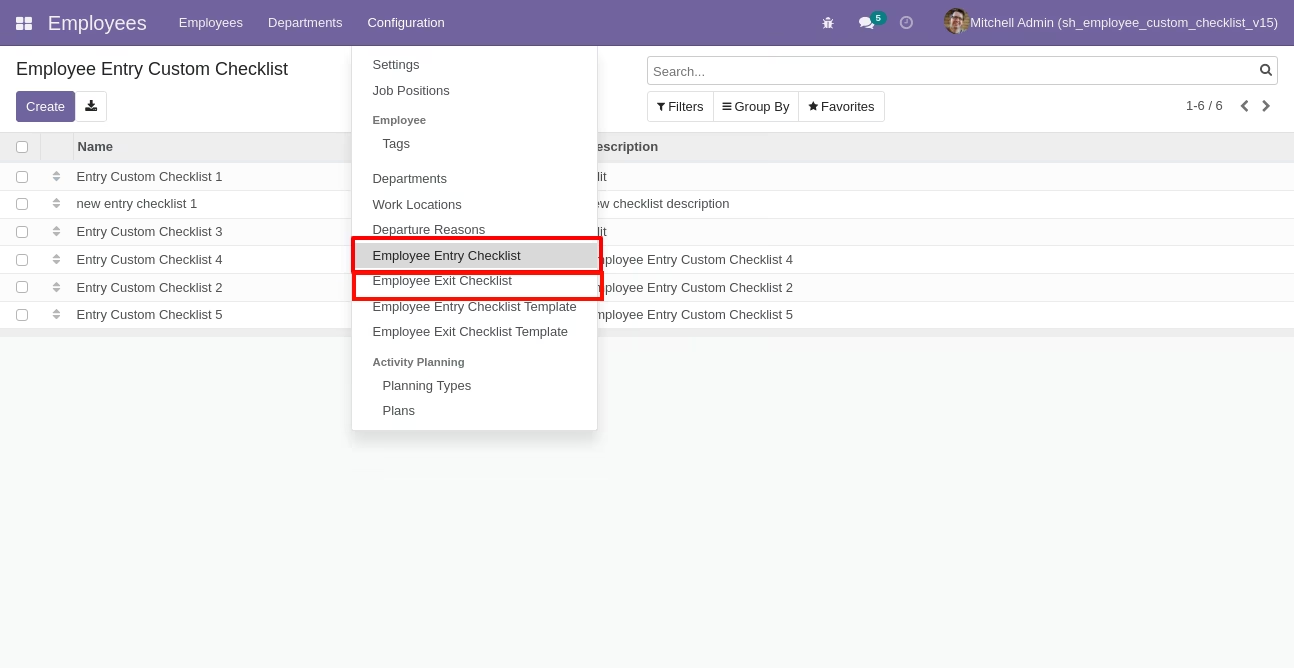
Go to configuration select "Employee Entry Checklist" & "Employee Exit Checklist".
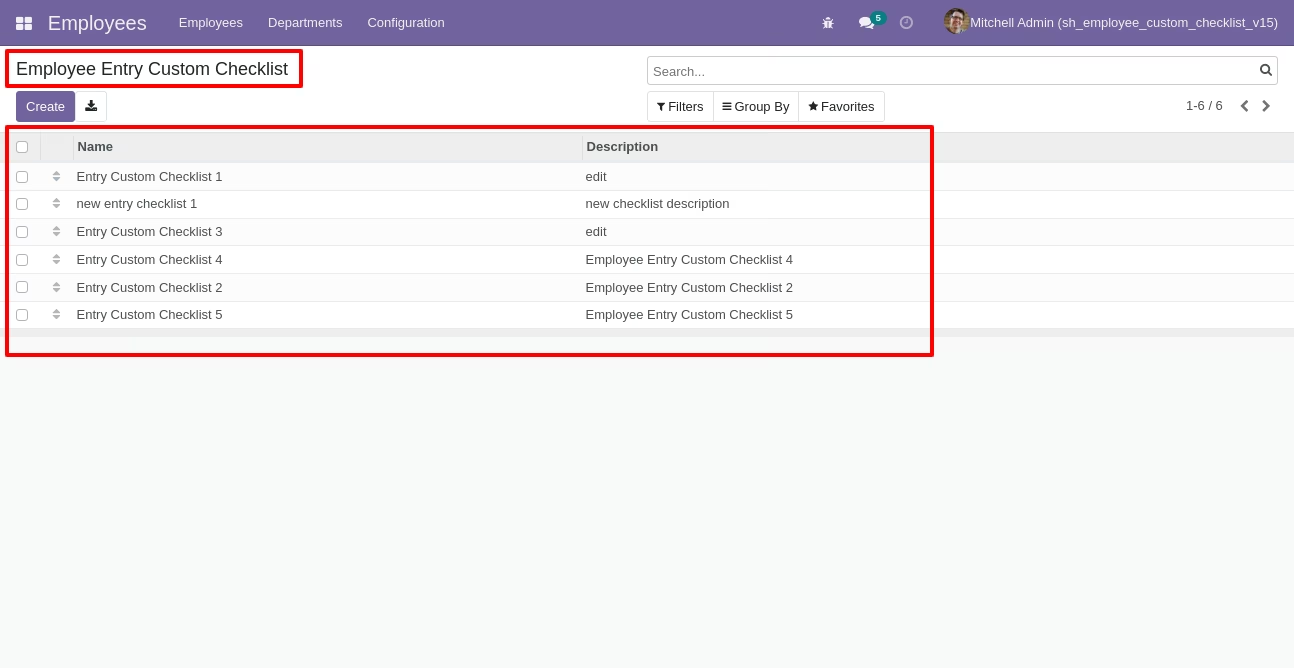
Employee entry custom checklist list view.
Write the name and description of the checklist.
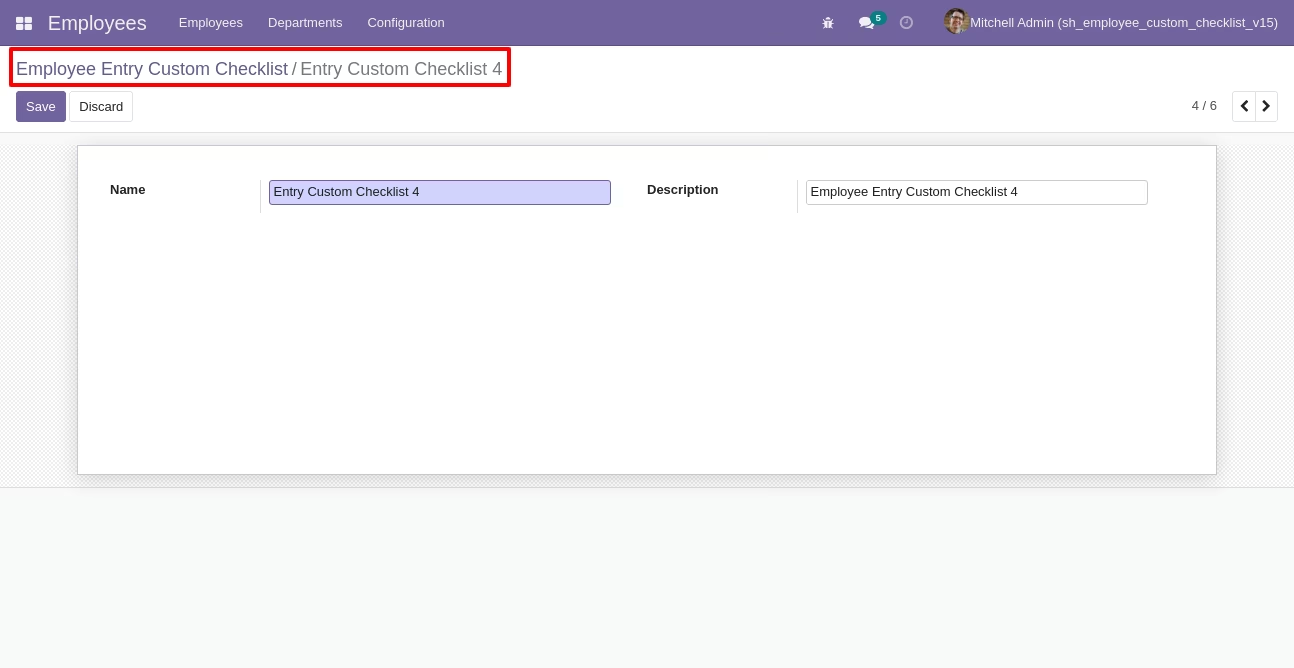
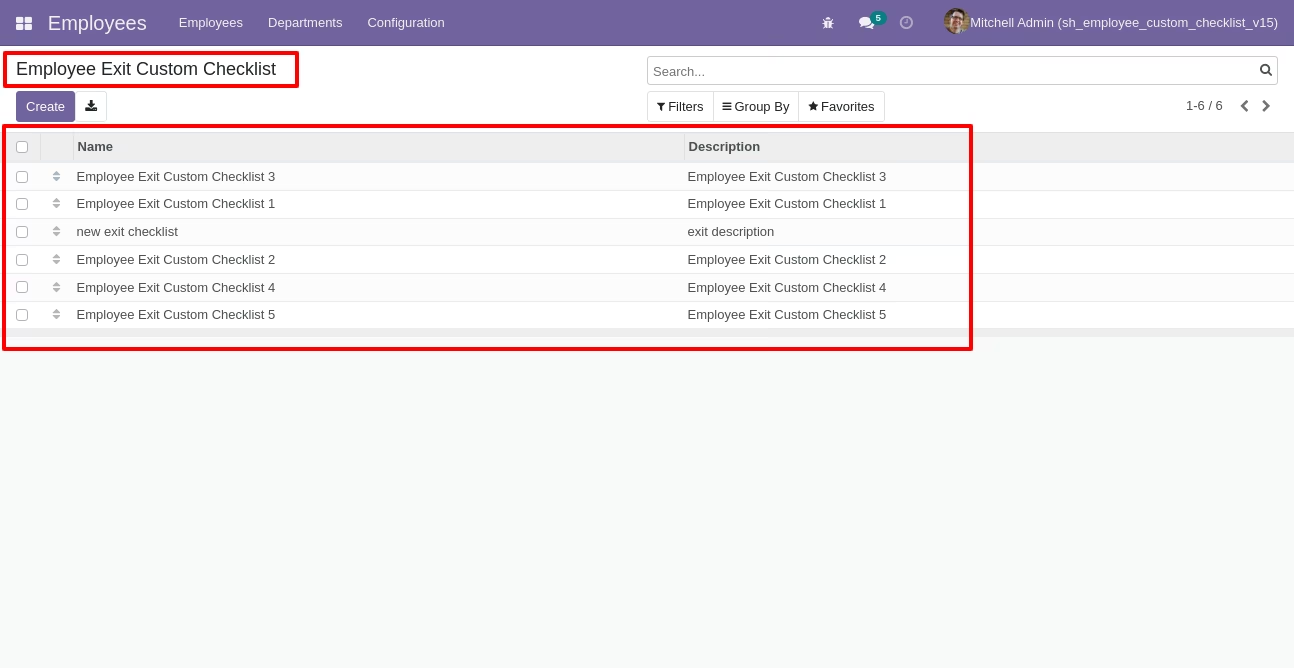
Employee exit custom checklist list view.
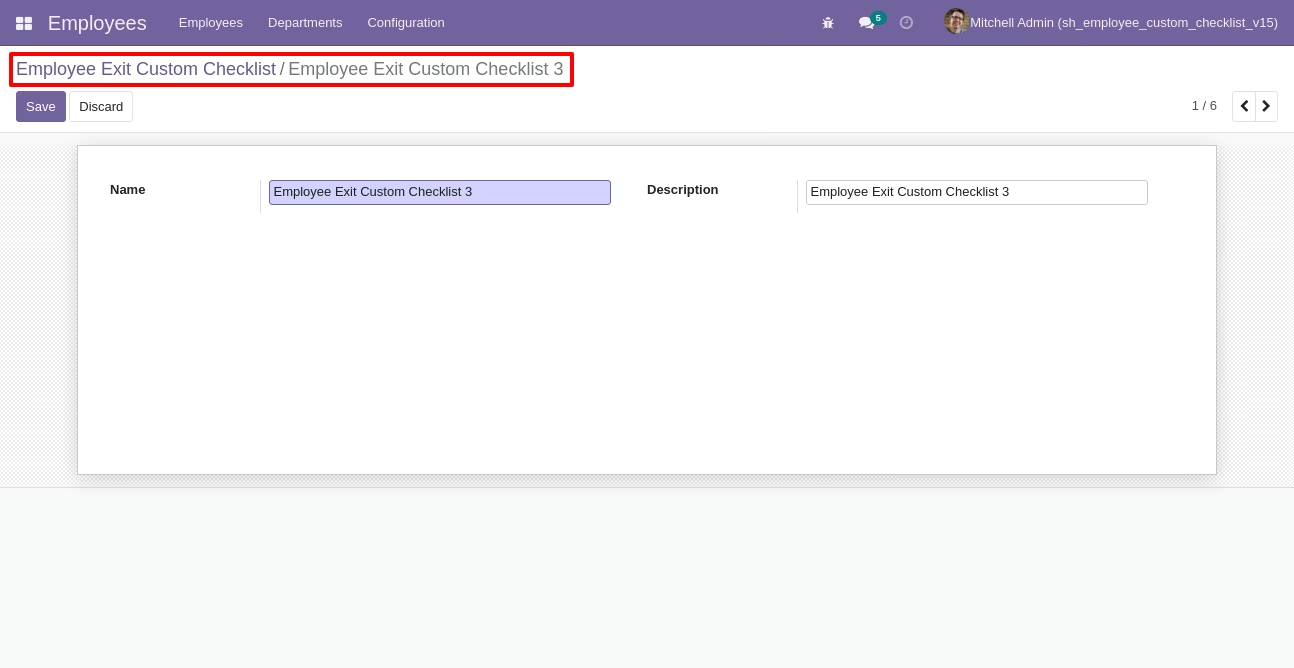
Write the name and description of the checklist.
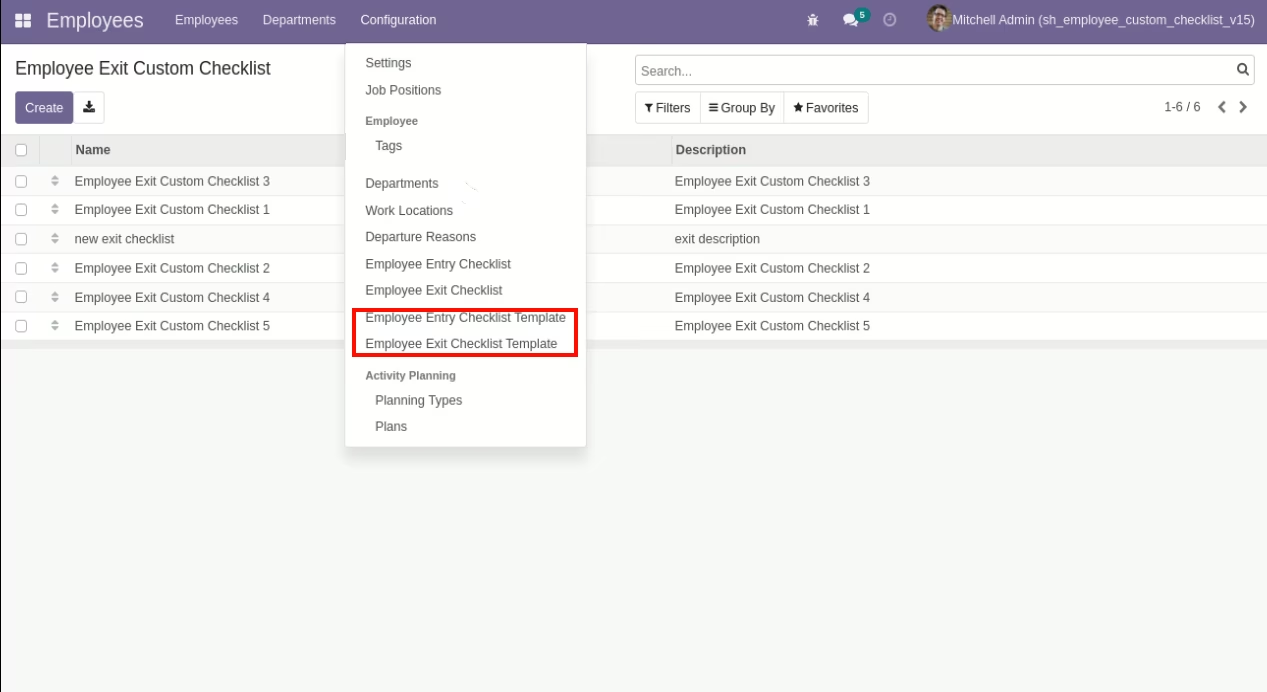
Go to configuration select "Employee Entry Checklist Template" & "Employee Exit Checklist Template".
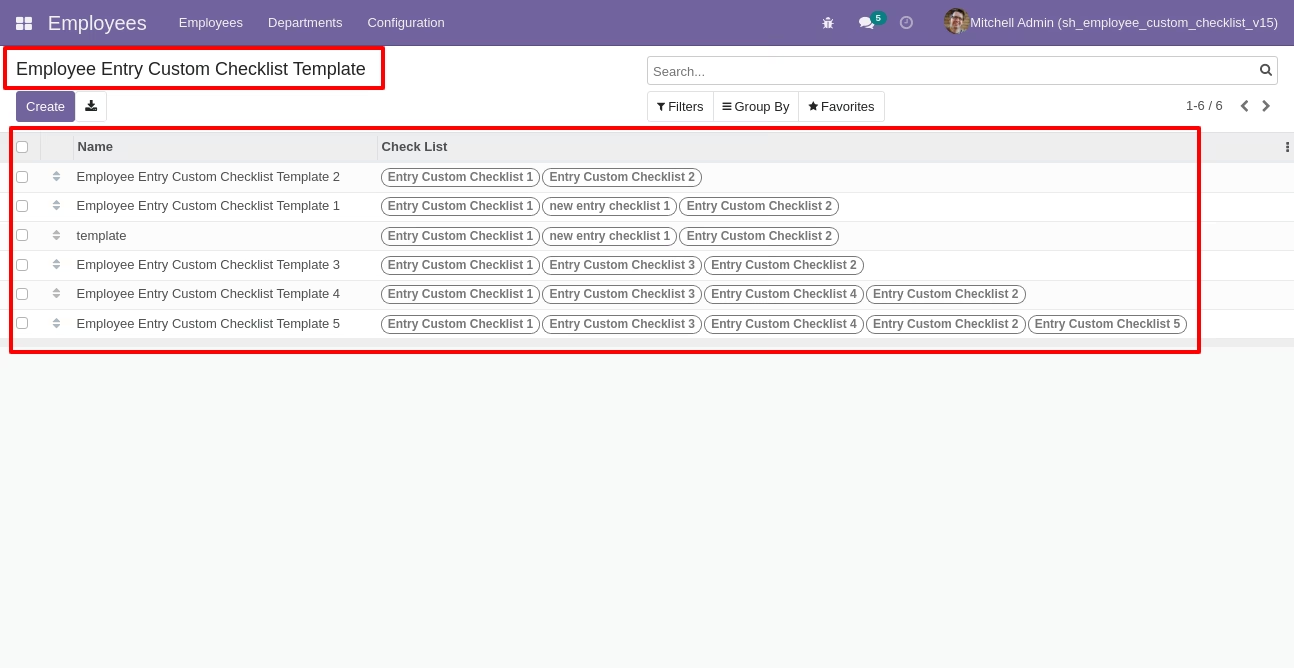
Employee entry custom checklist template list view.
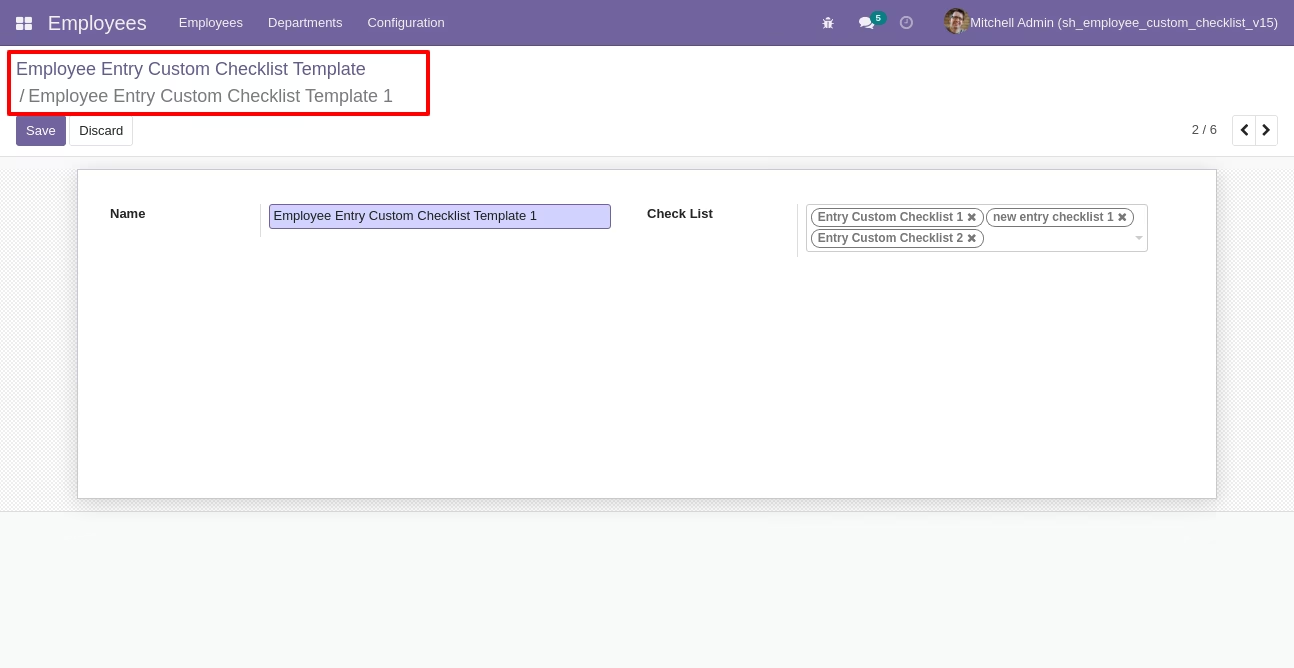
Now we create checklist template, checklist template form view looks like this.
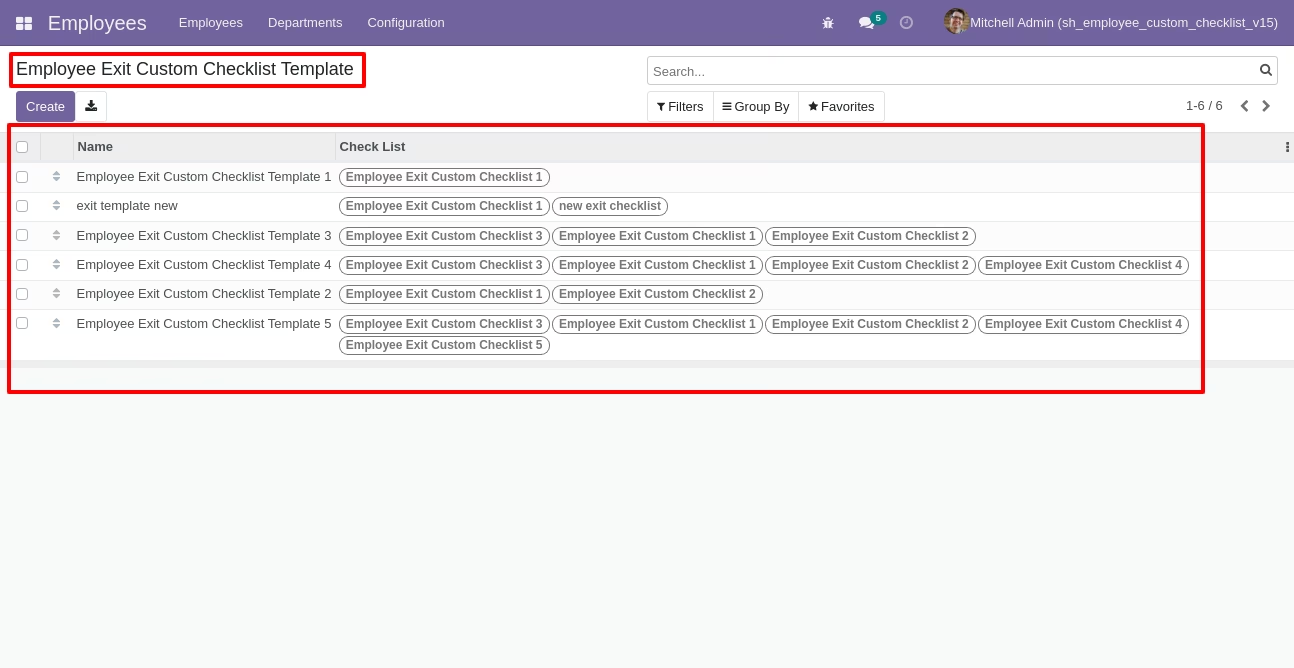
Employee exit custom checklist template list view.
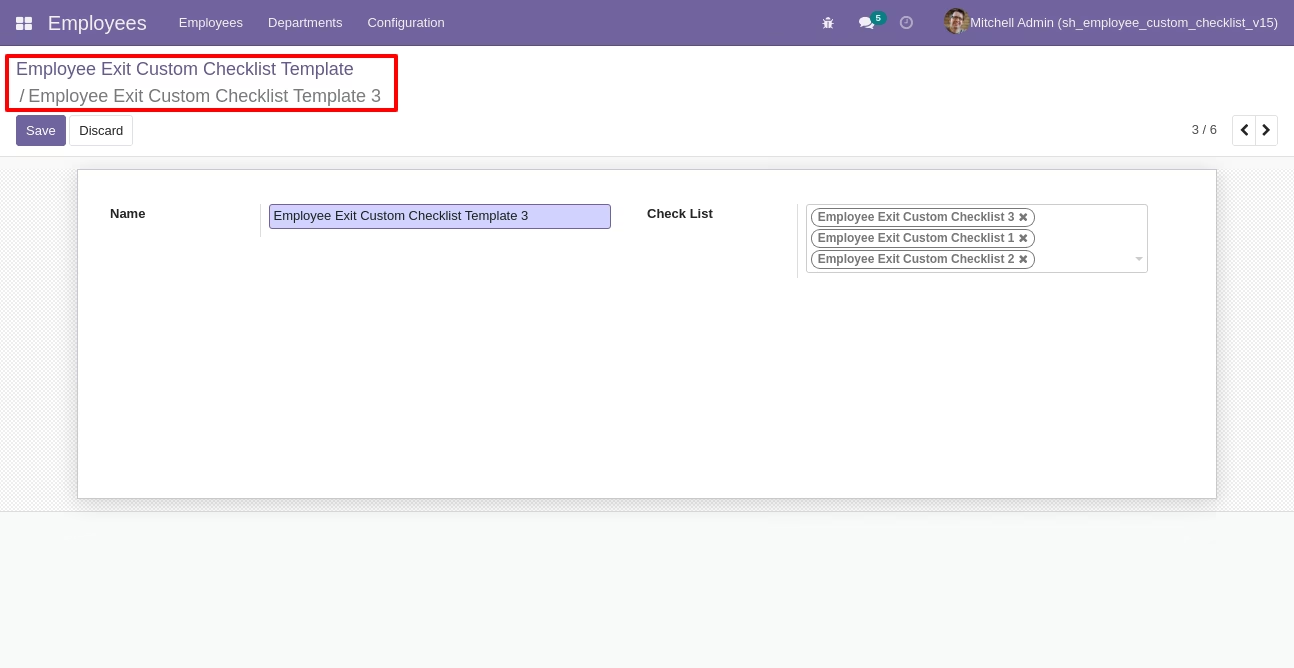
Now we create checklist template, checklist template form view looks like this.
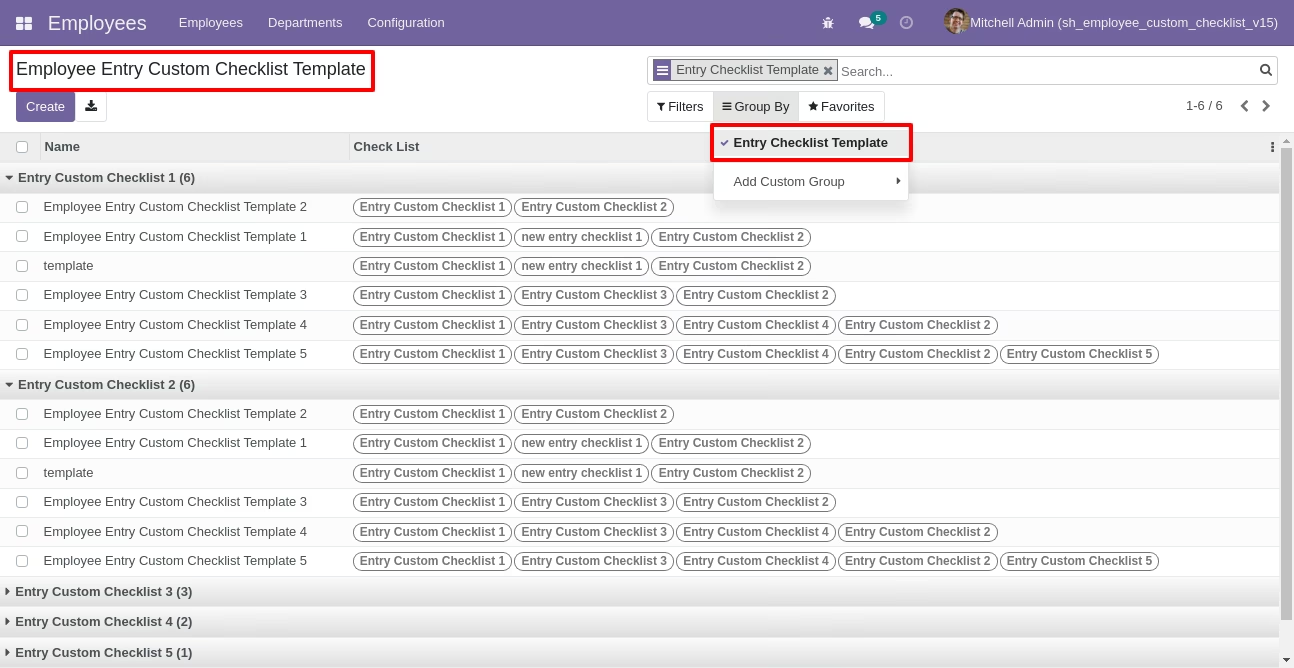
You can group by entry checklist templates.
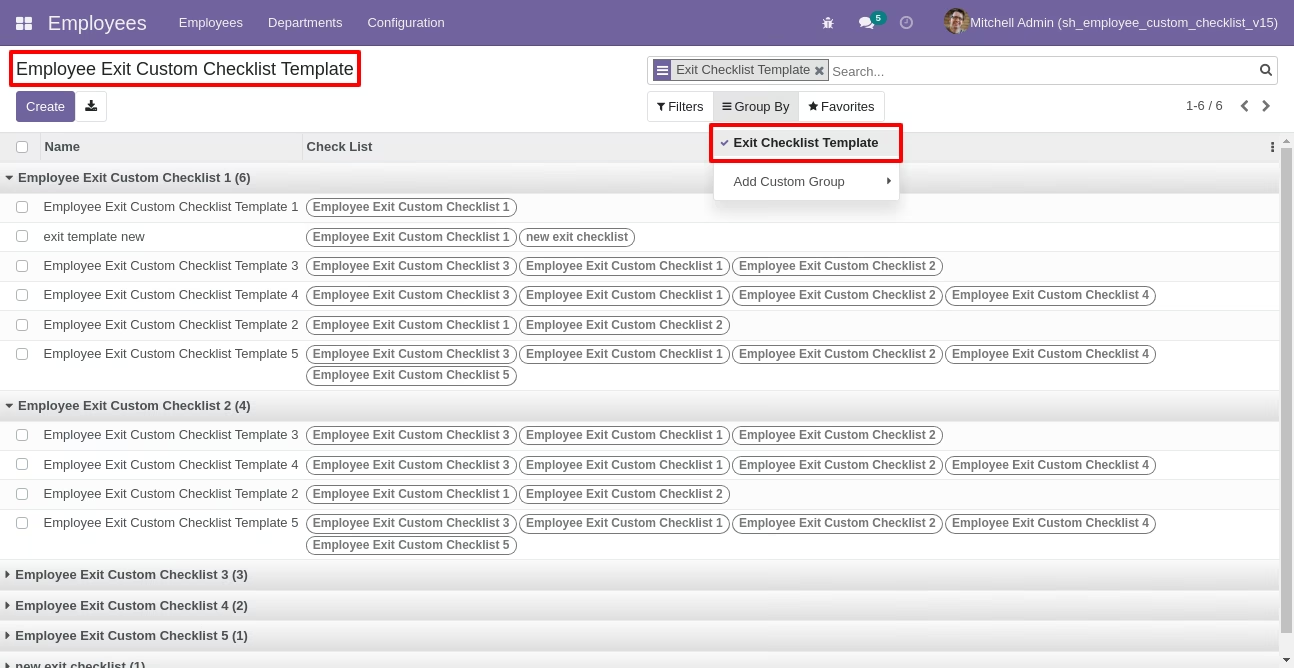
You can group by exit checklist templates.
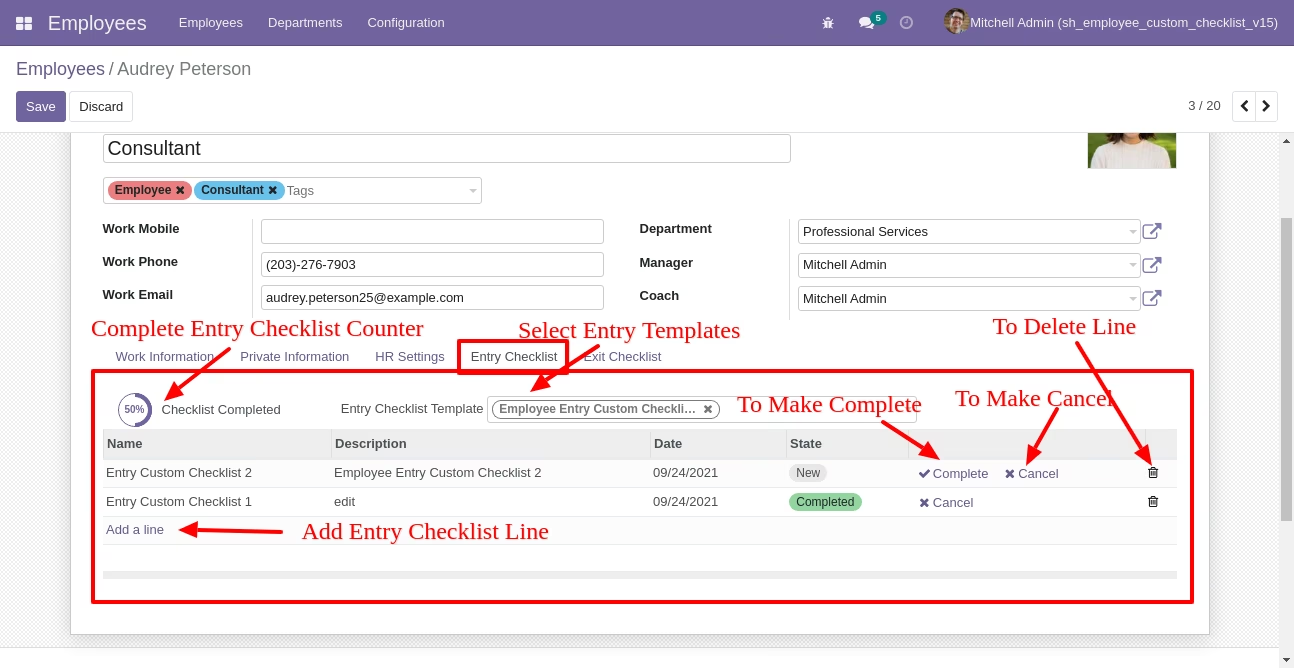
Now we fill the checklist by selecting the checklist template, When we select checklist template, it adds a record by default.
Employee checklist with state New, Completed and Cancelled. Click on Check Icon To Complete Checklist & Cancel Icon to Cancel Checklist.
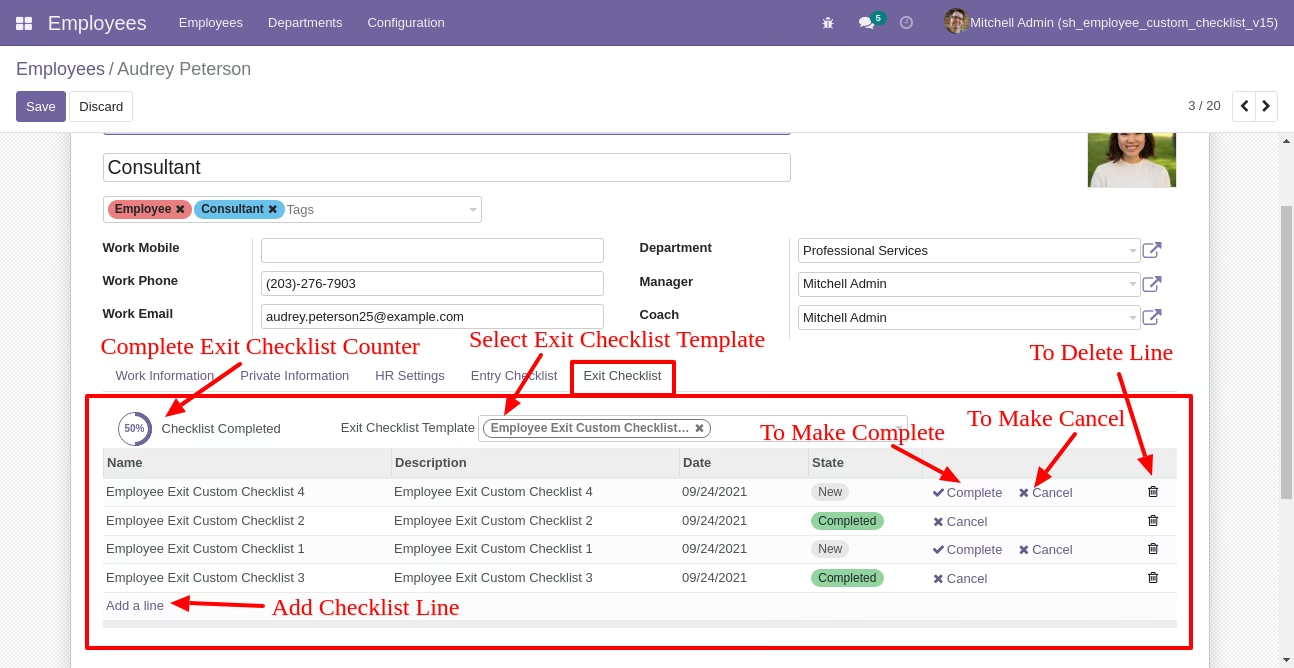
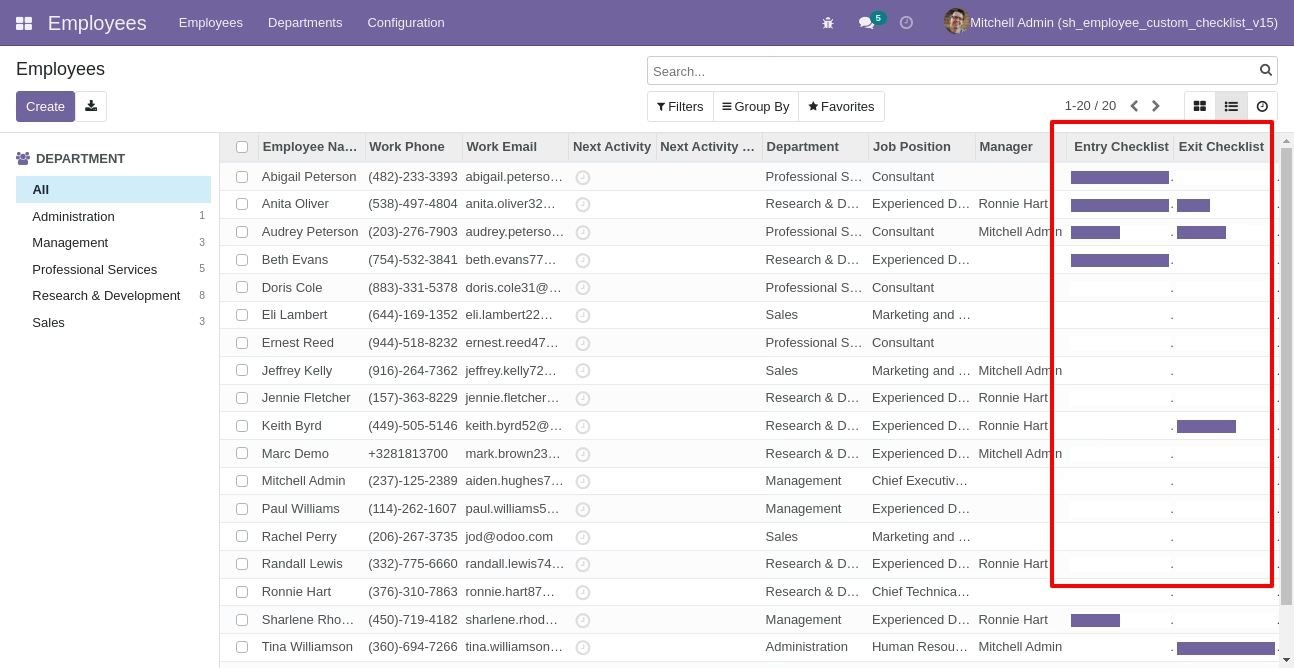
Checklist completed percentage on list view.
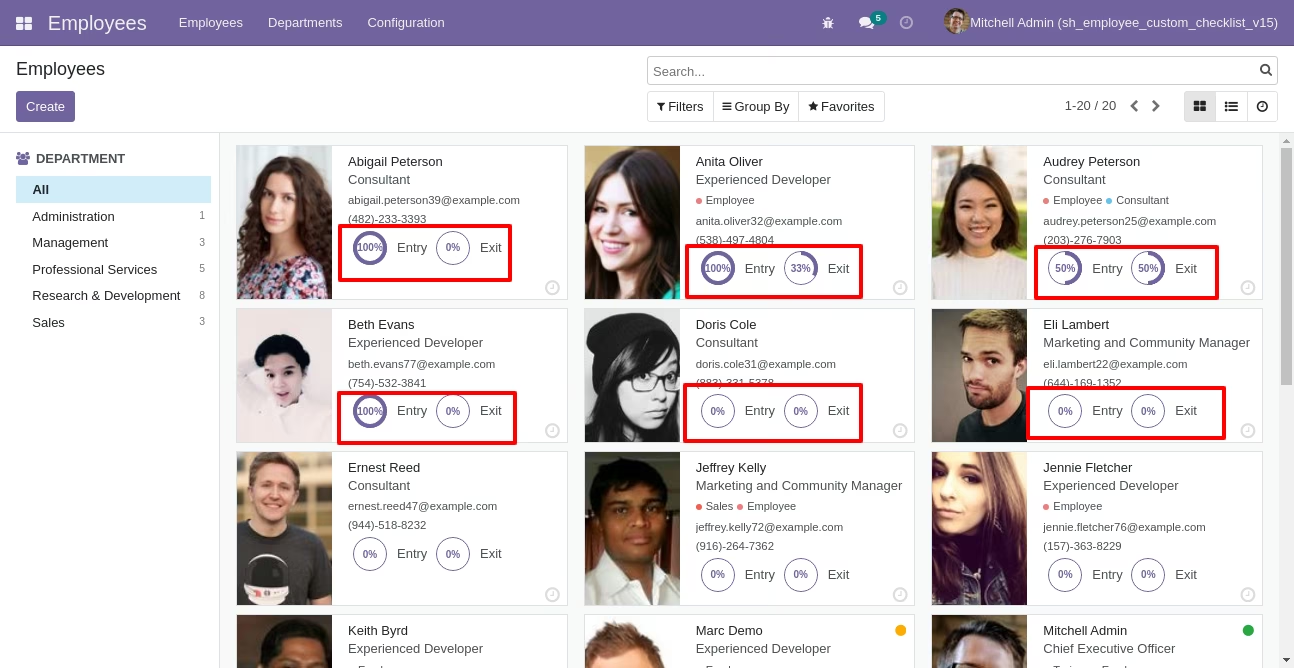
Checklist completed percentage on kanban view.
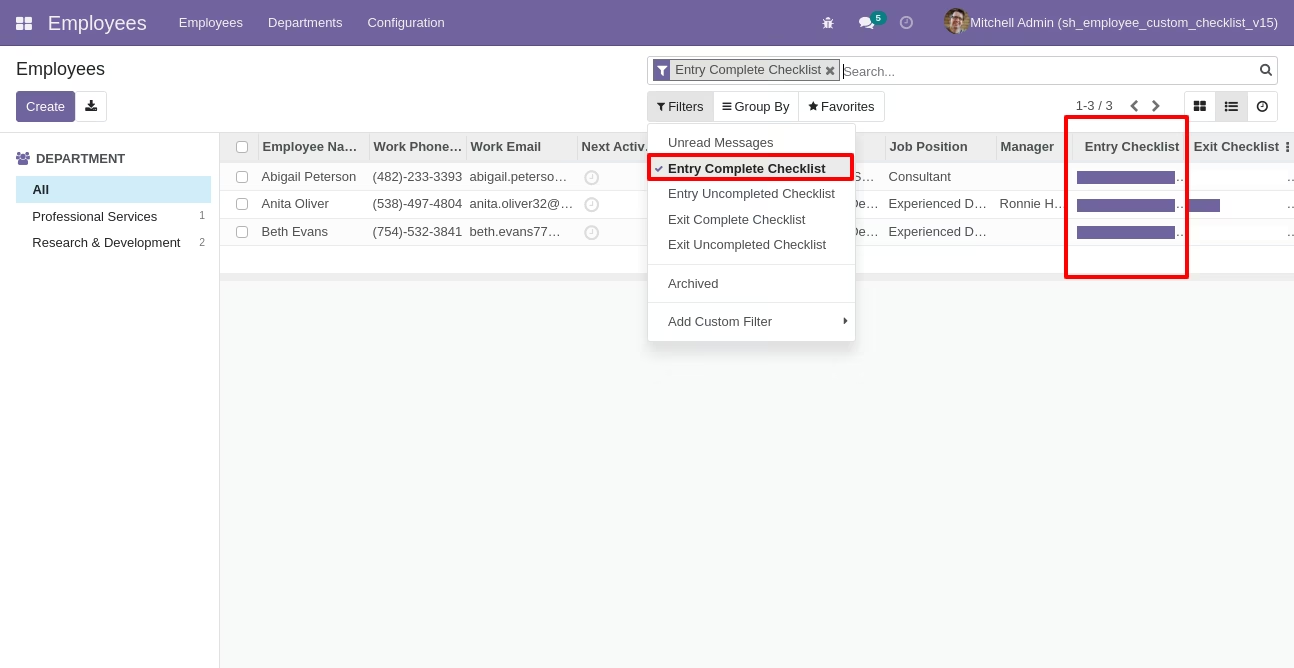
You can filter entry checklists by complete/Uncomplete checklist.
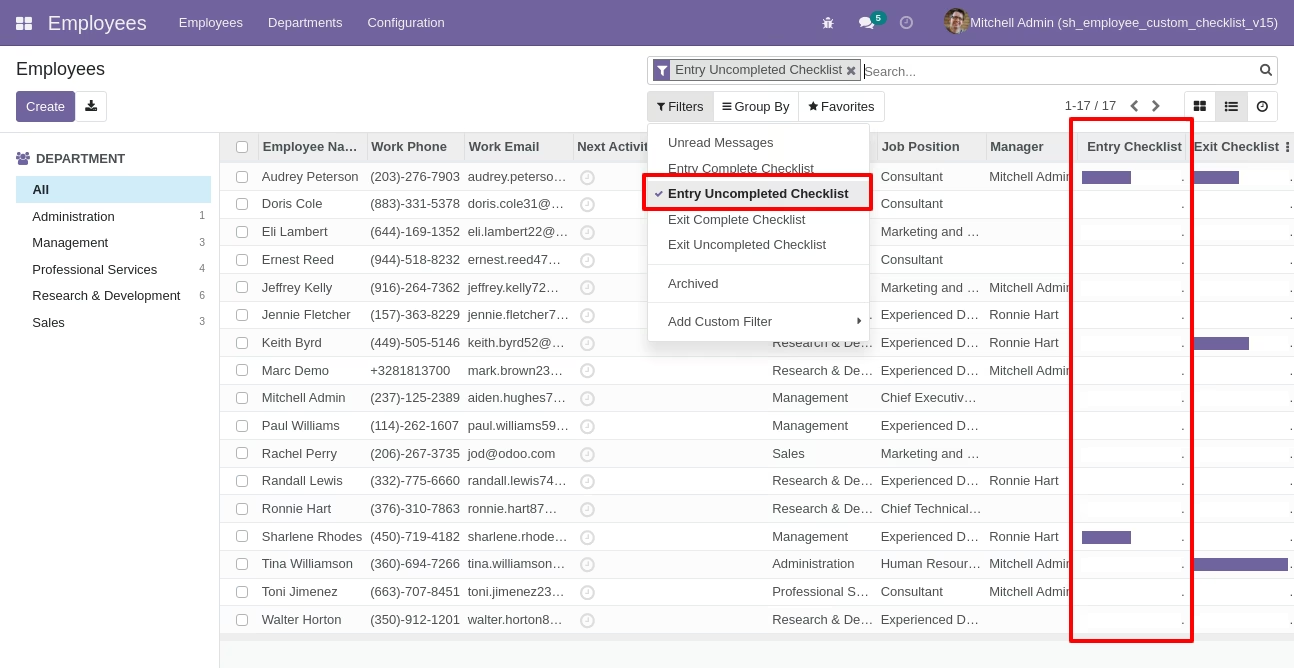
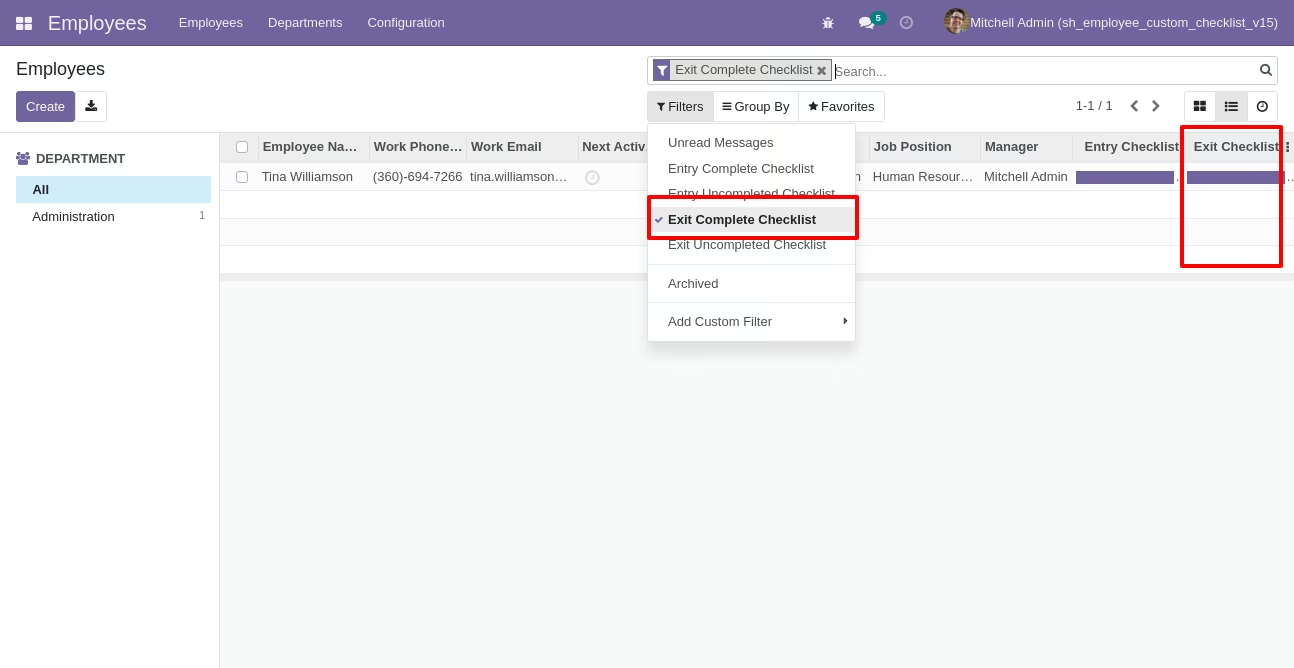
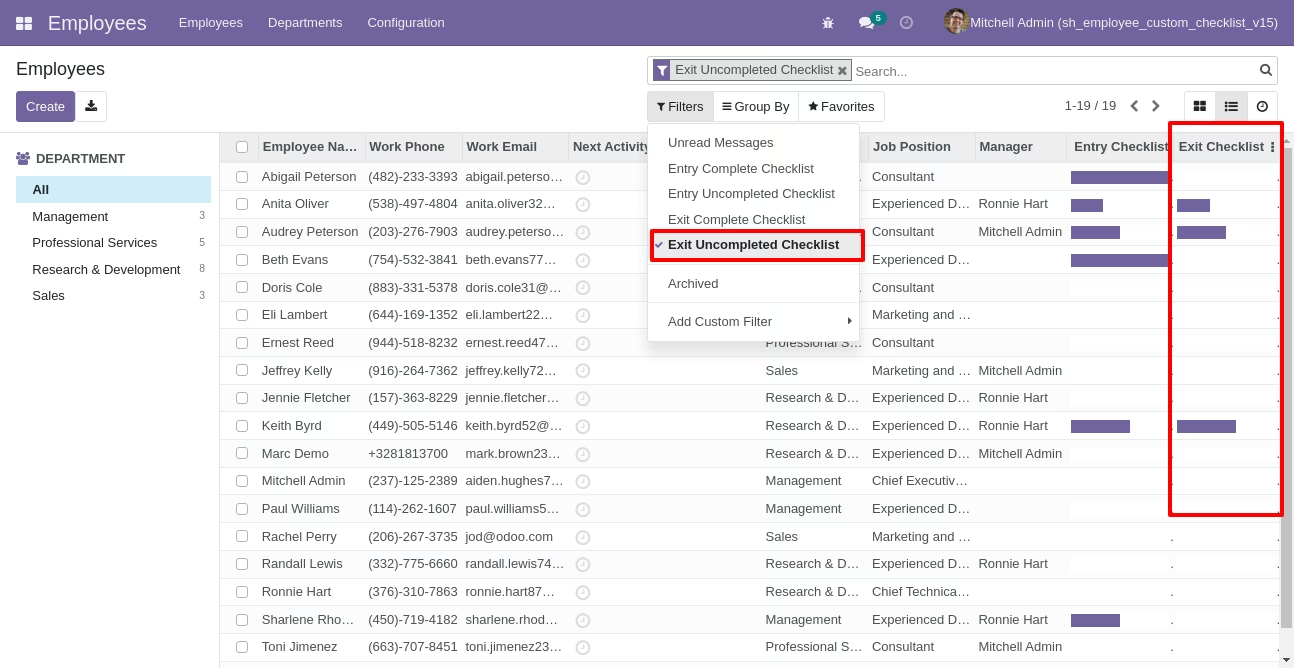
You can filter exit checklists by complete/Uncomplete checklist.
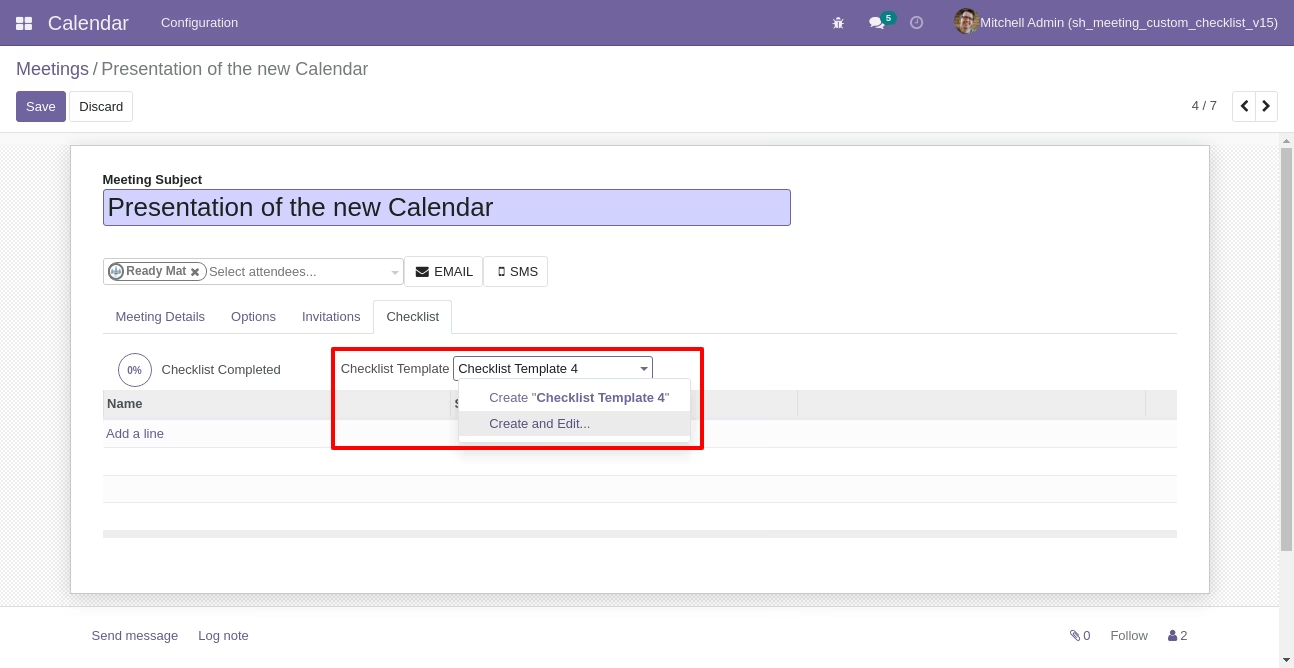
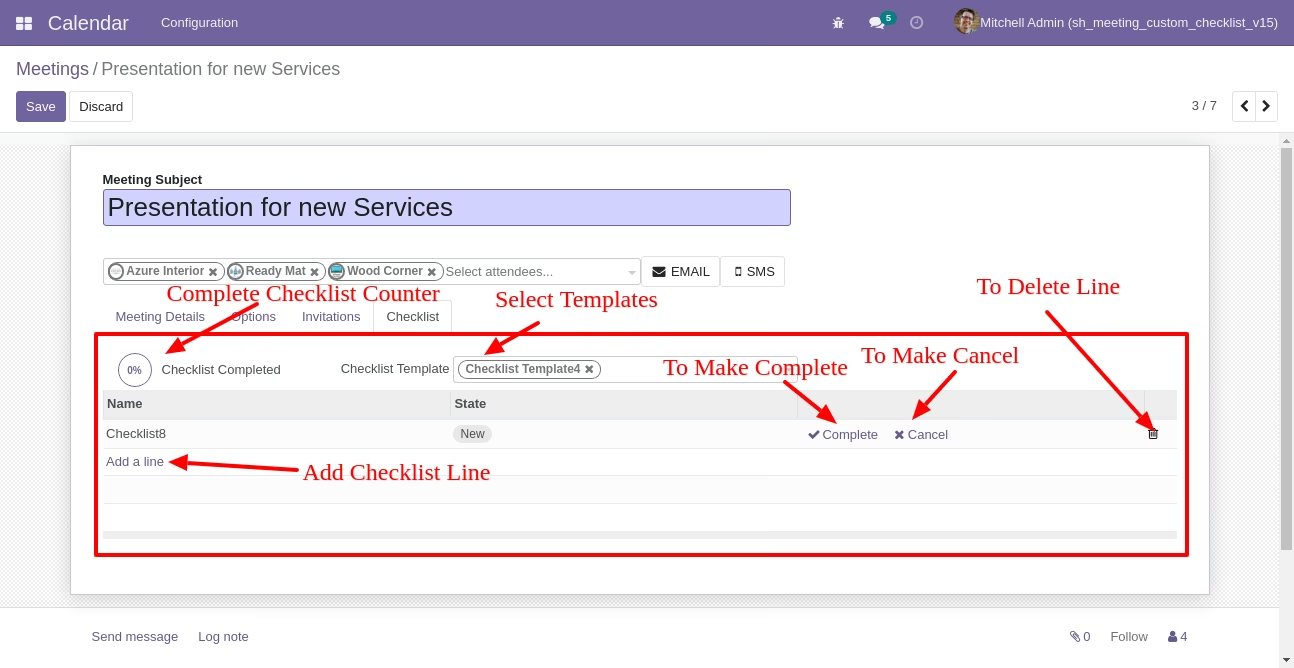
Meeting checklist with selecting checklist template.
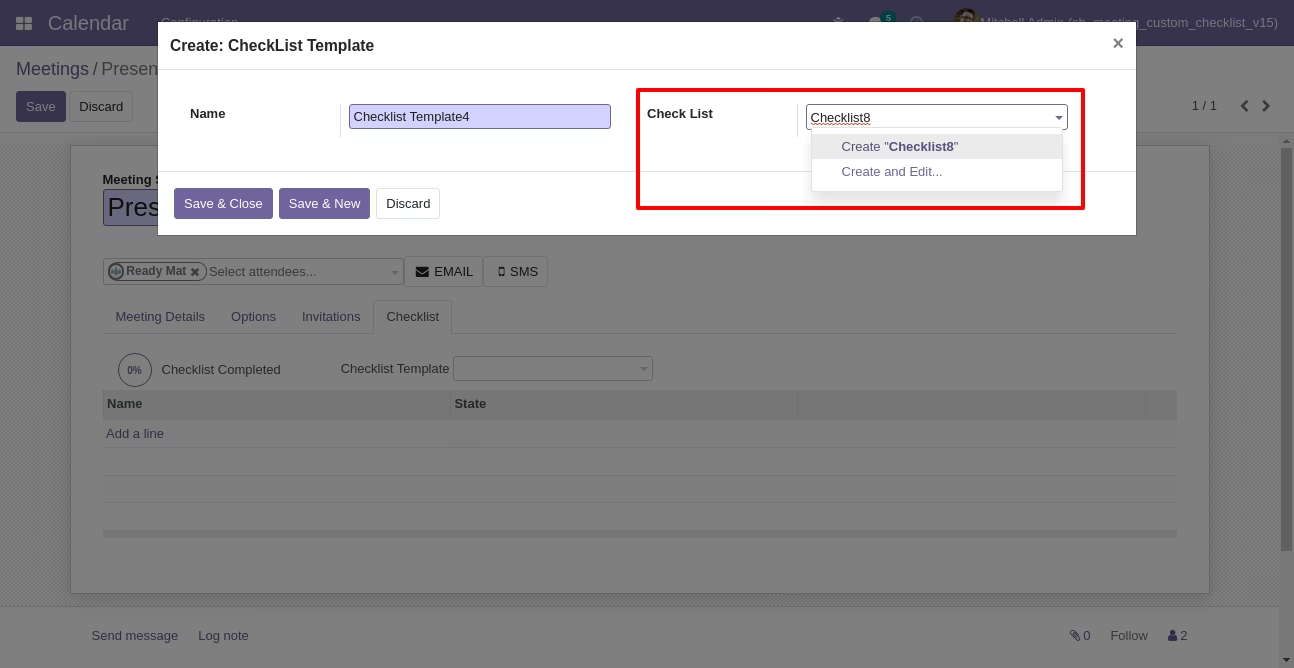
Checklist template popup.
Now we fill the checklist by selecting the checklist template, When we select checklist template, it adds a record by default.
Meeting checklist with state New, Completed and Cancelled. Click on Check Icon To Complete Checklist & Cancel Icon to Cancel Checklist.
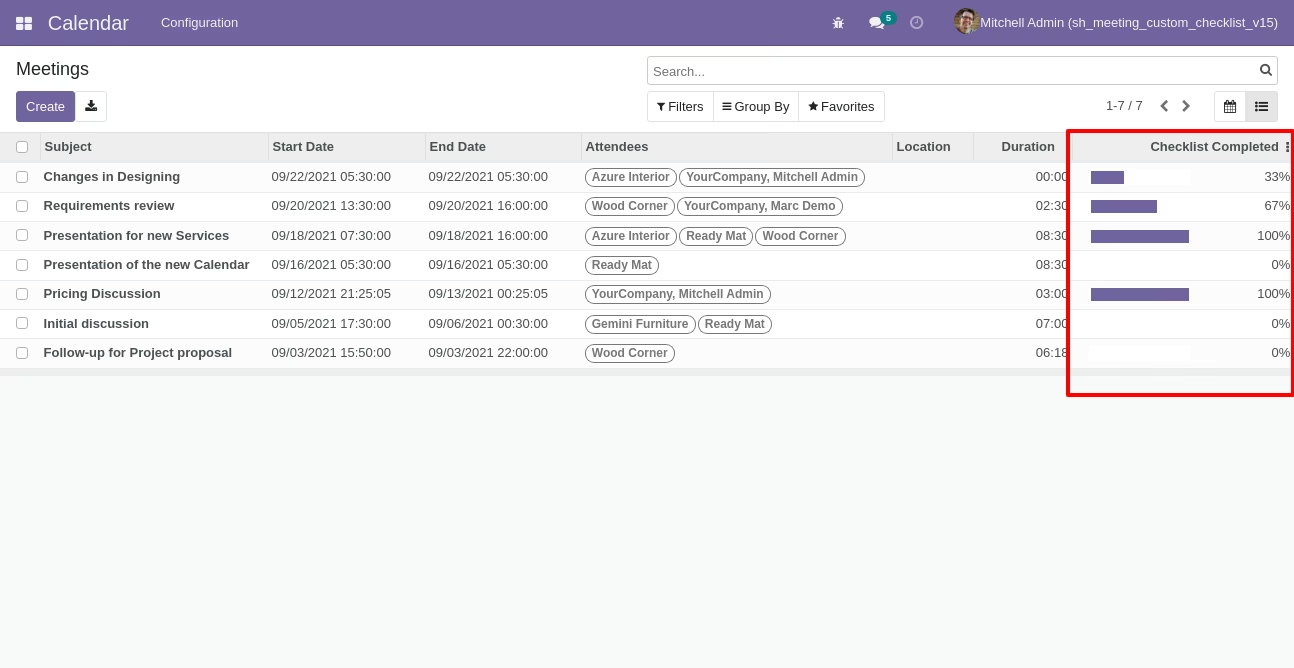
Checklist completed percentage on list view.
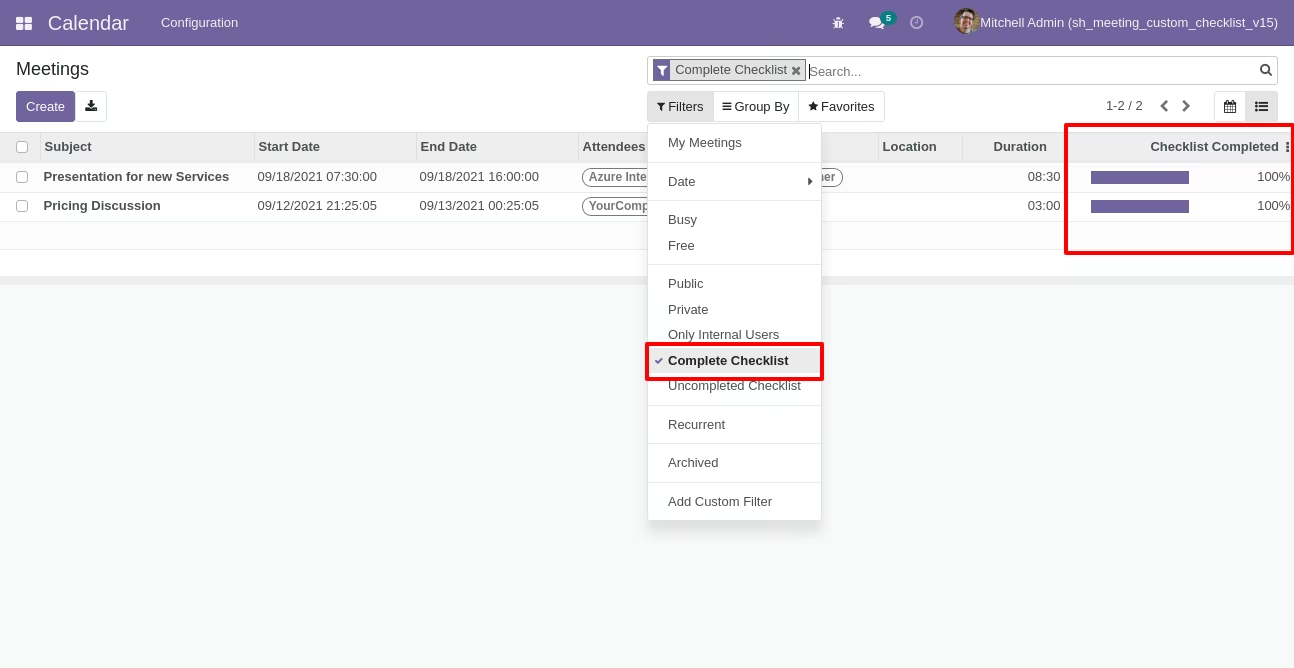
You can filter checklists by complete checklist.
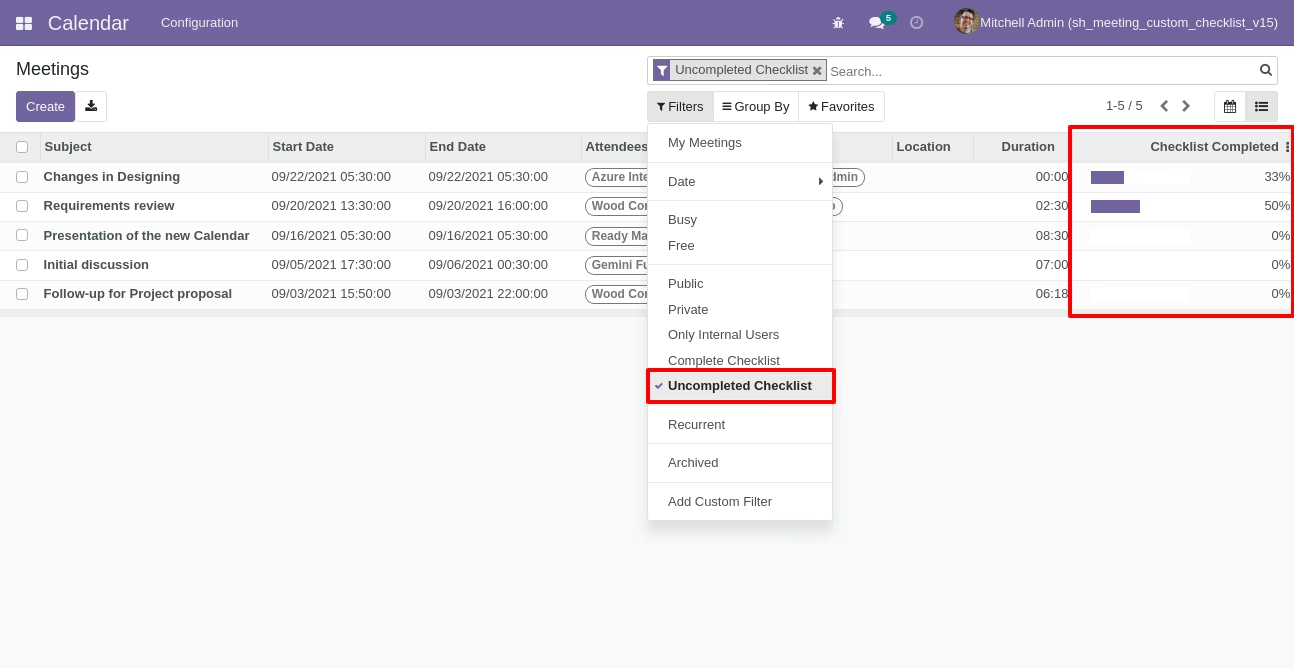
You can filter checklists by uncomplete checklist.
Go to the "Configuration" => Project Custom Checklist.
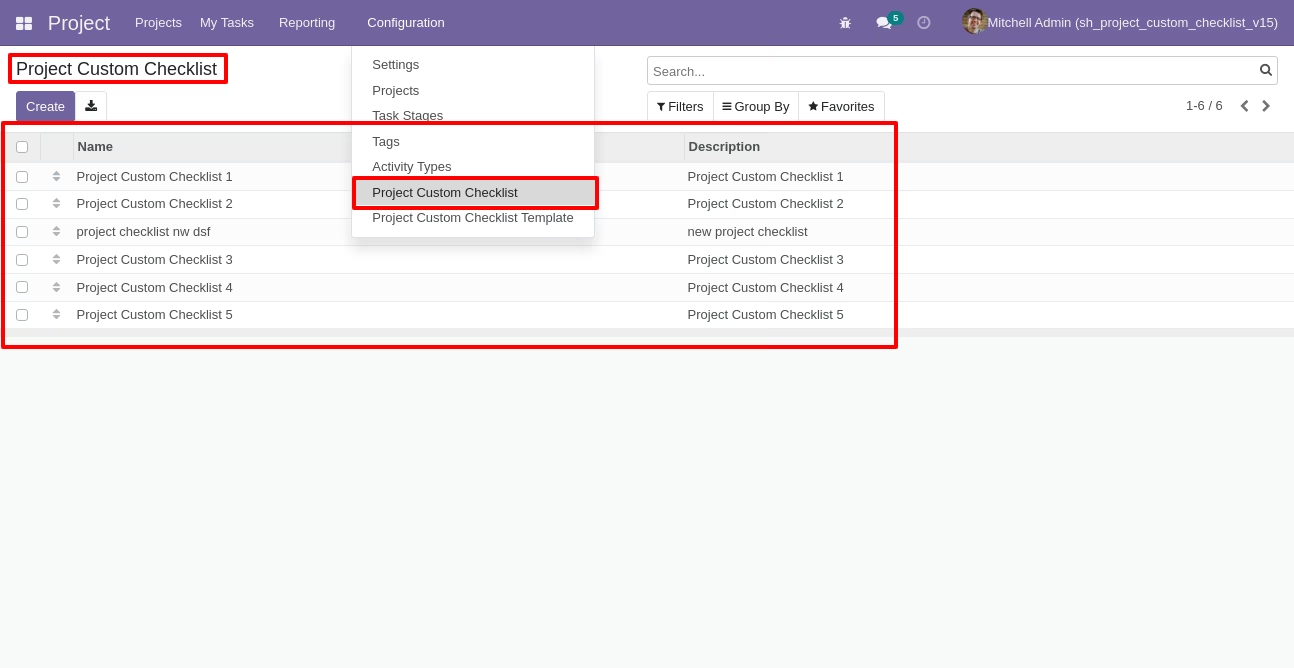
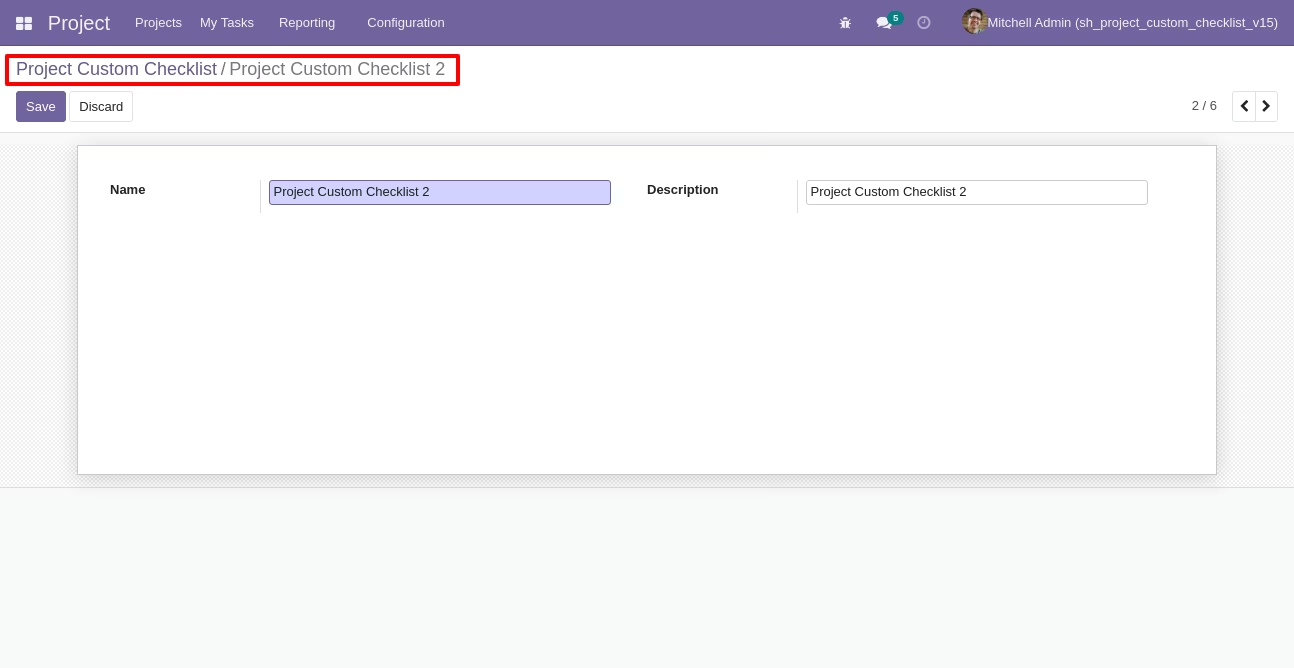
Create project checklist.
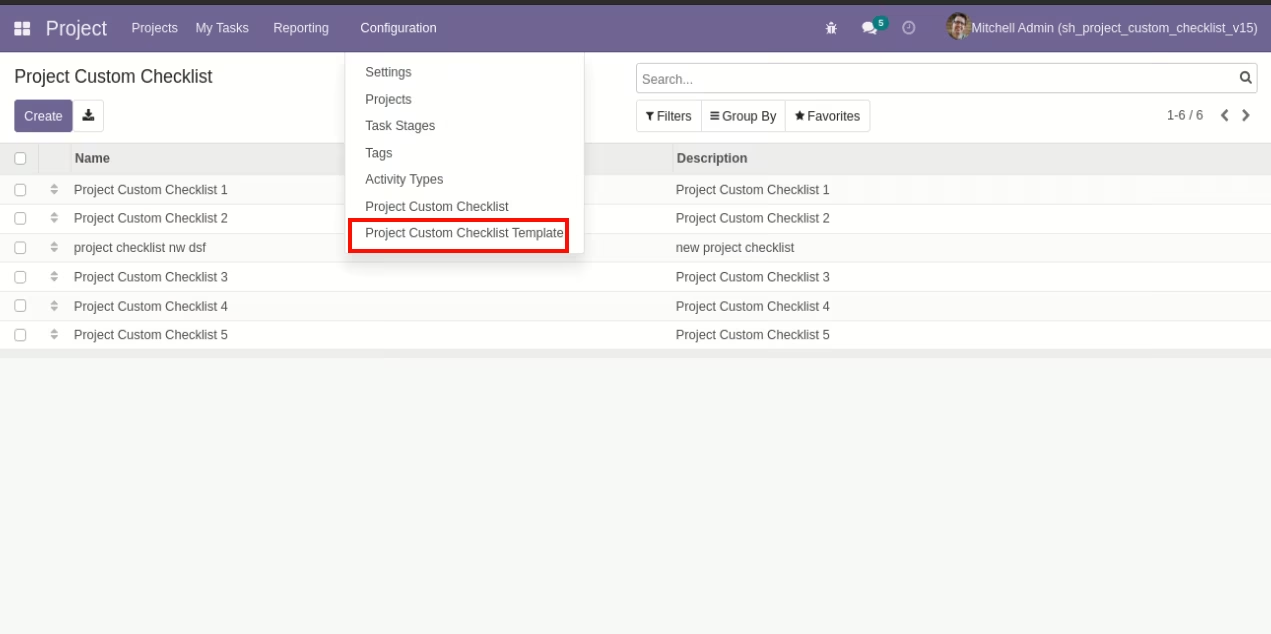
Go to the "Configuration" => Project Custom Checklist Template.
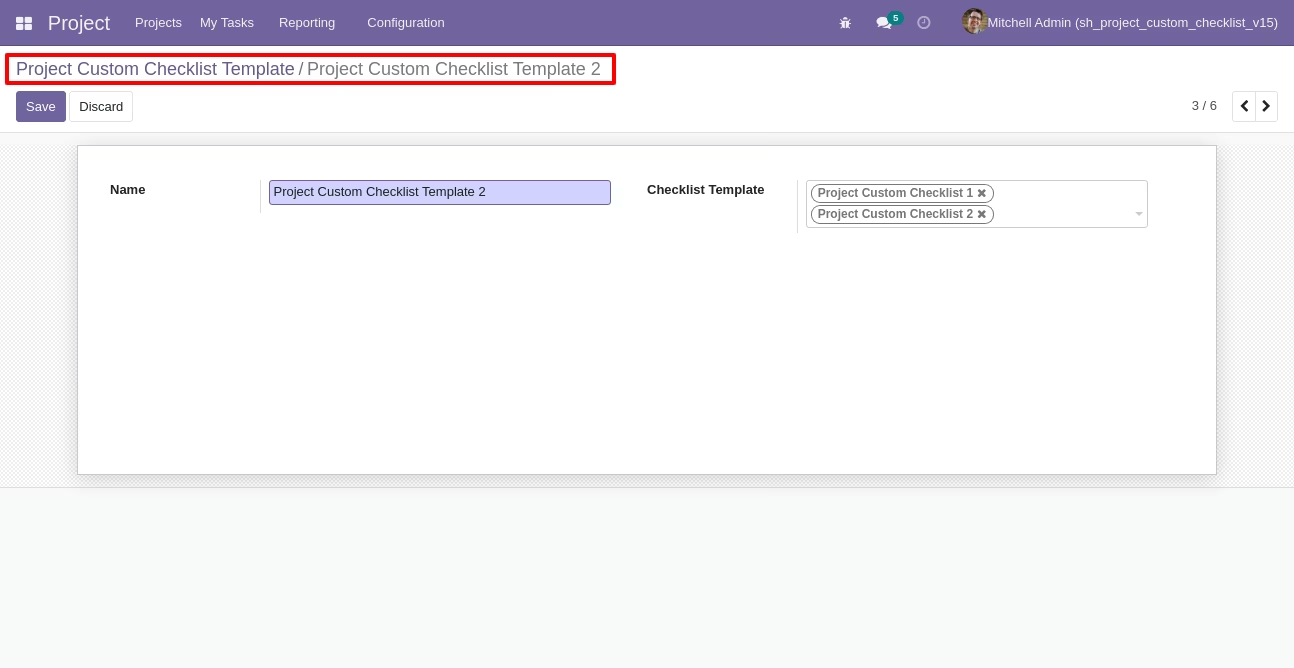
Now we create a project checklist template, checklist template form view looks like this.
Project checklist template list view looks like this
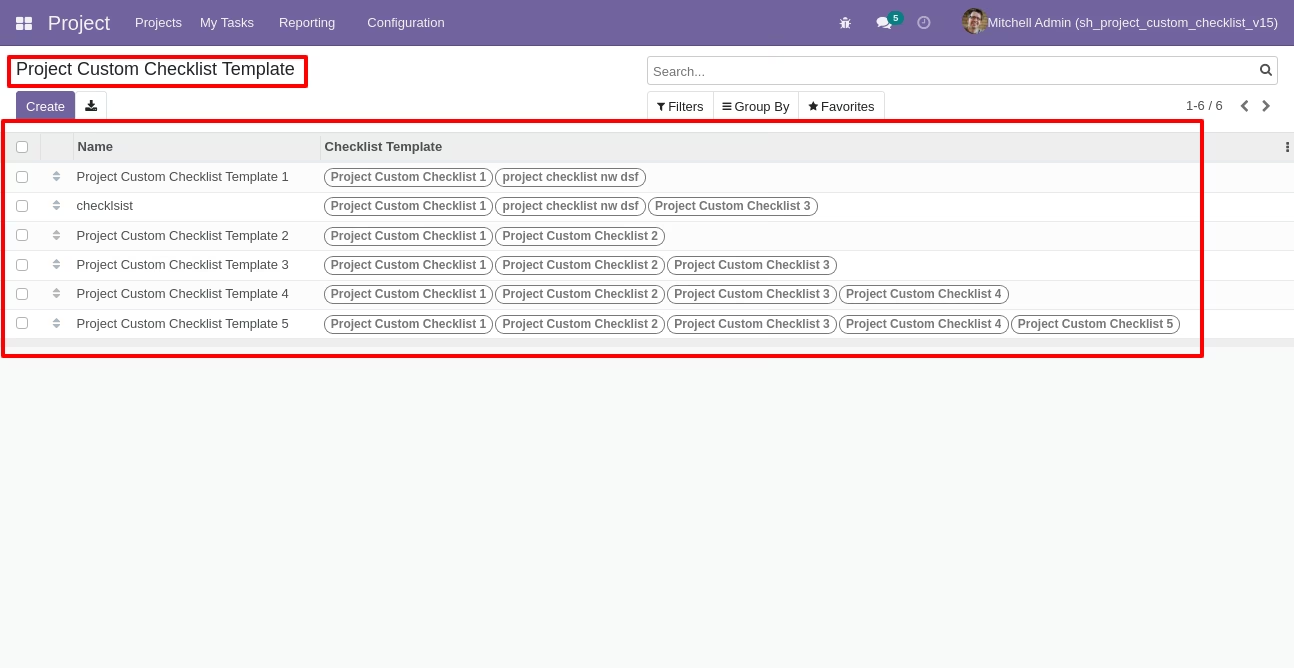
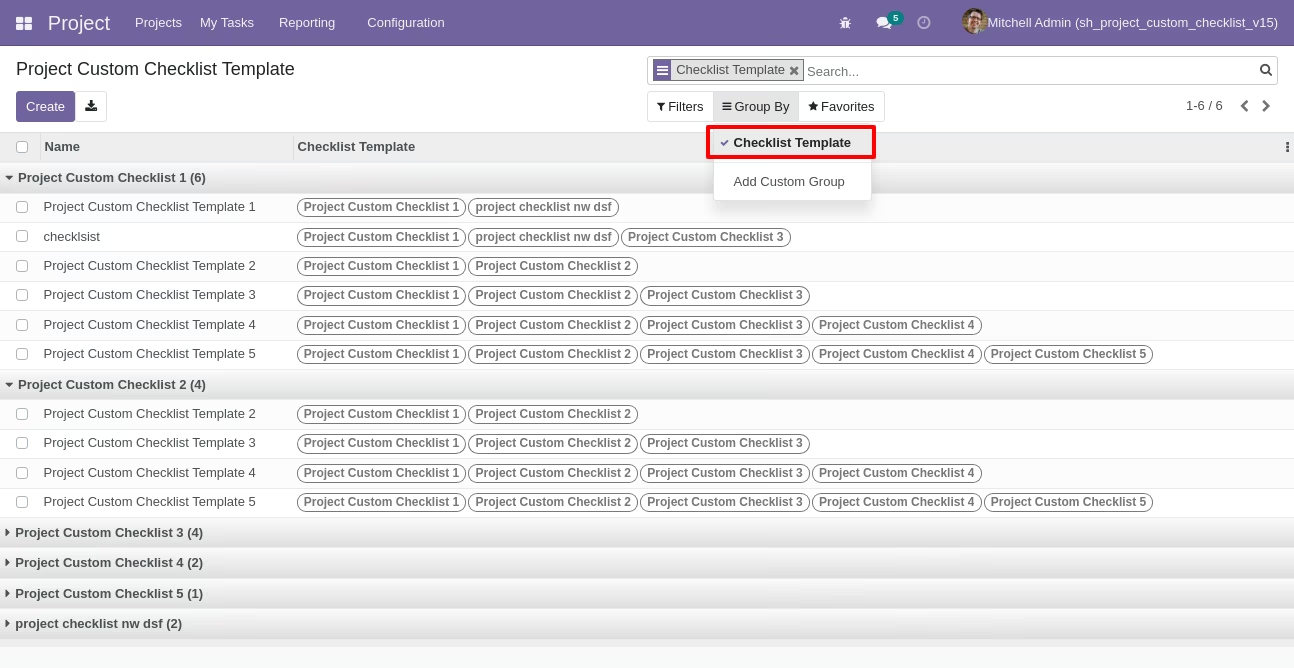
You can group by checklist templates.
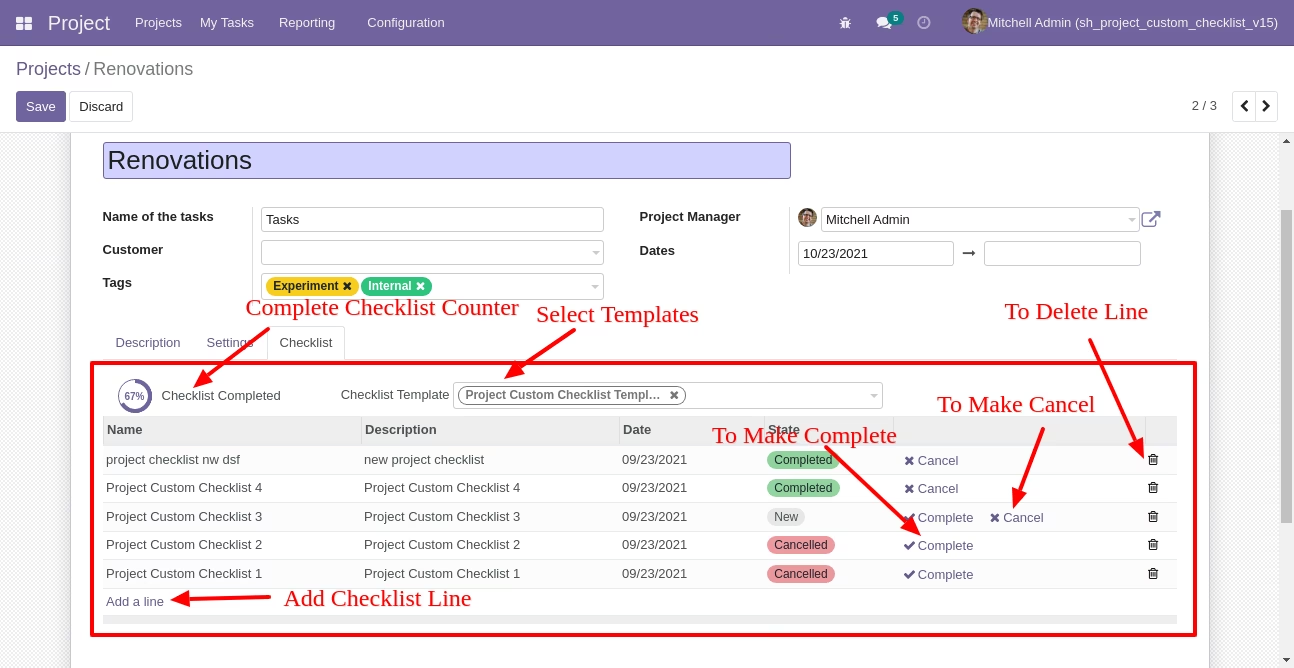
Now we fill the checklist by selecting the checklist template, When we select checklist template, it adds a record by default.
Project checklist with state New, Completed and Cancelled. Click on Check Icon To Complete Checklist & Cancel Icon to Cancel Checklist.
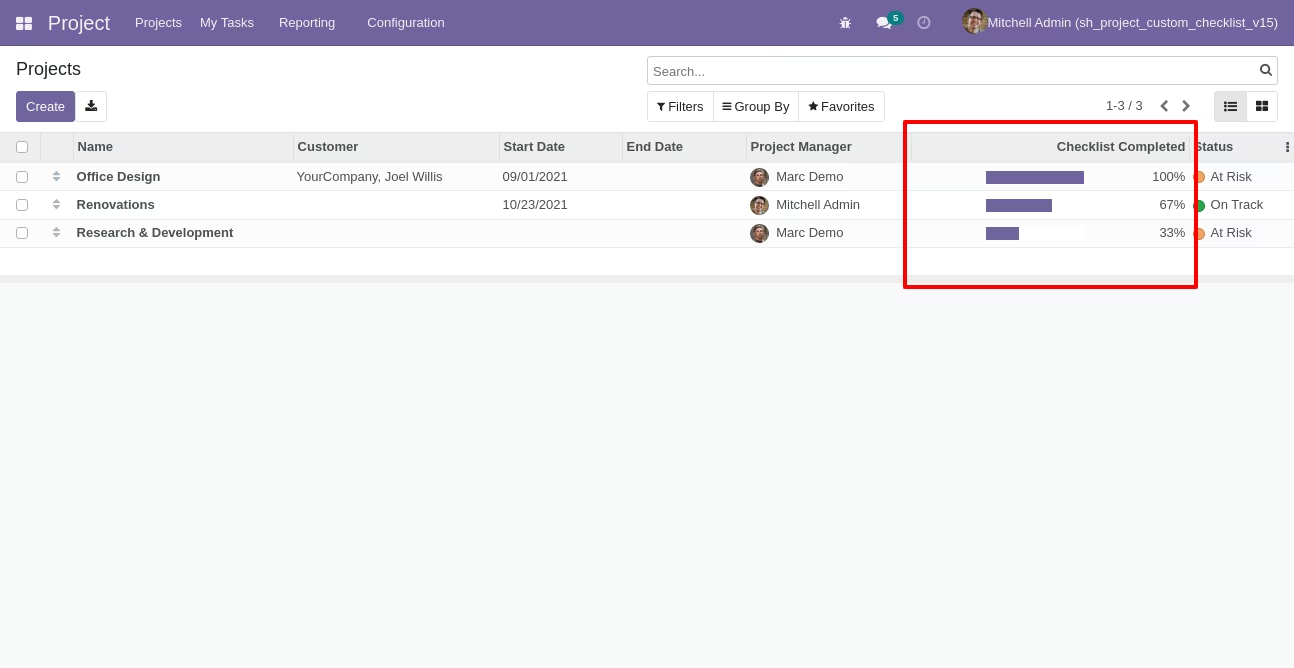
Checklist completed percentage on list view.
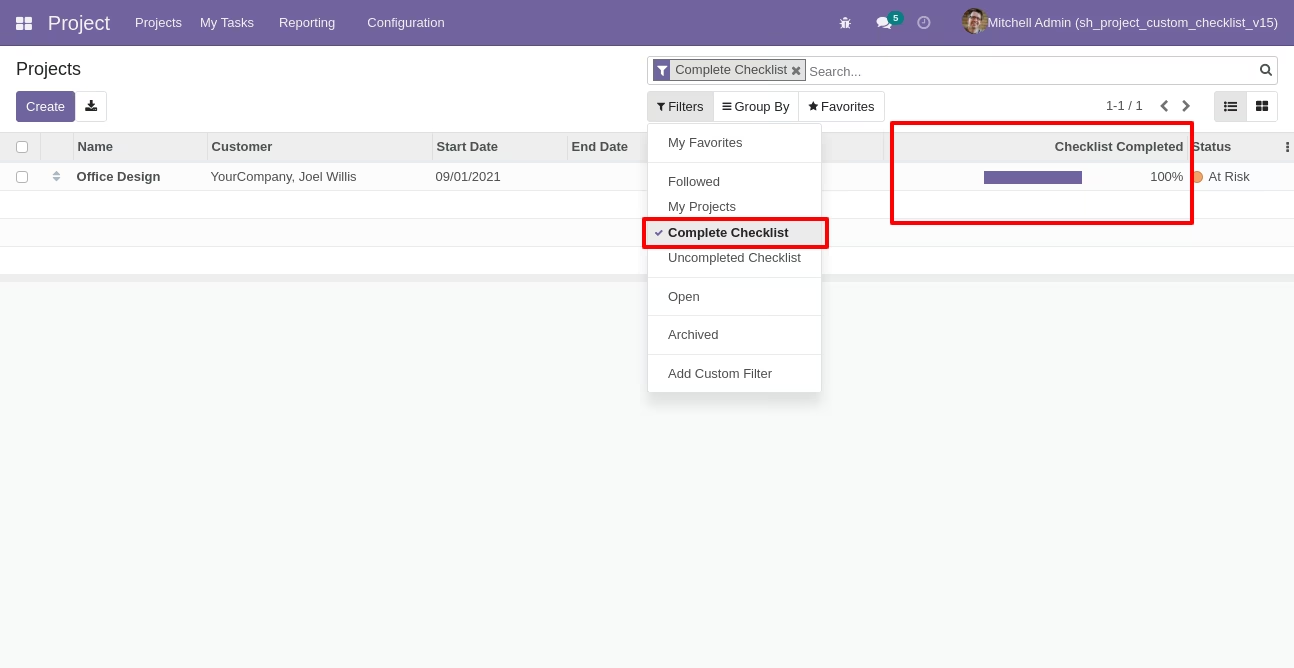
You can filter checklists by complete checklist.
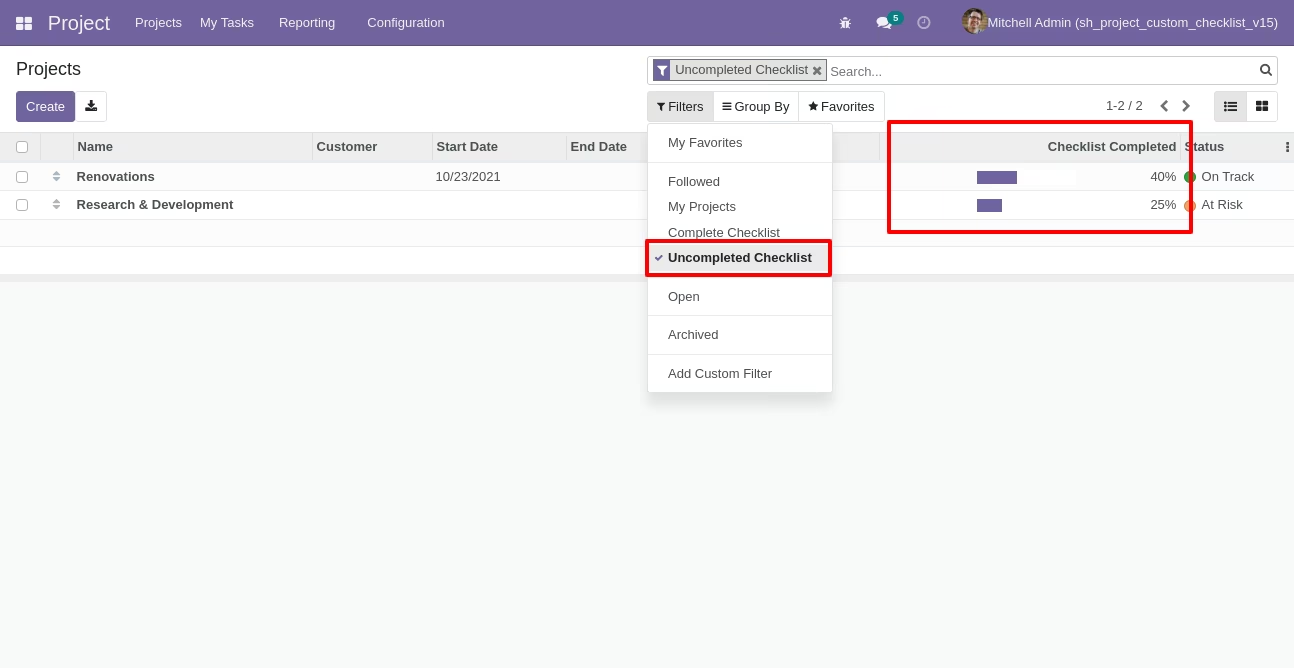
You can filter checklists by uncomplete checklist.
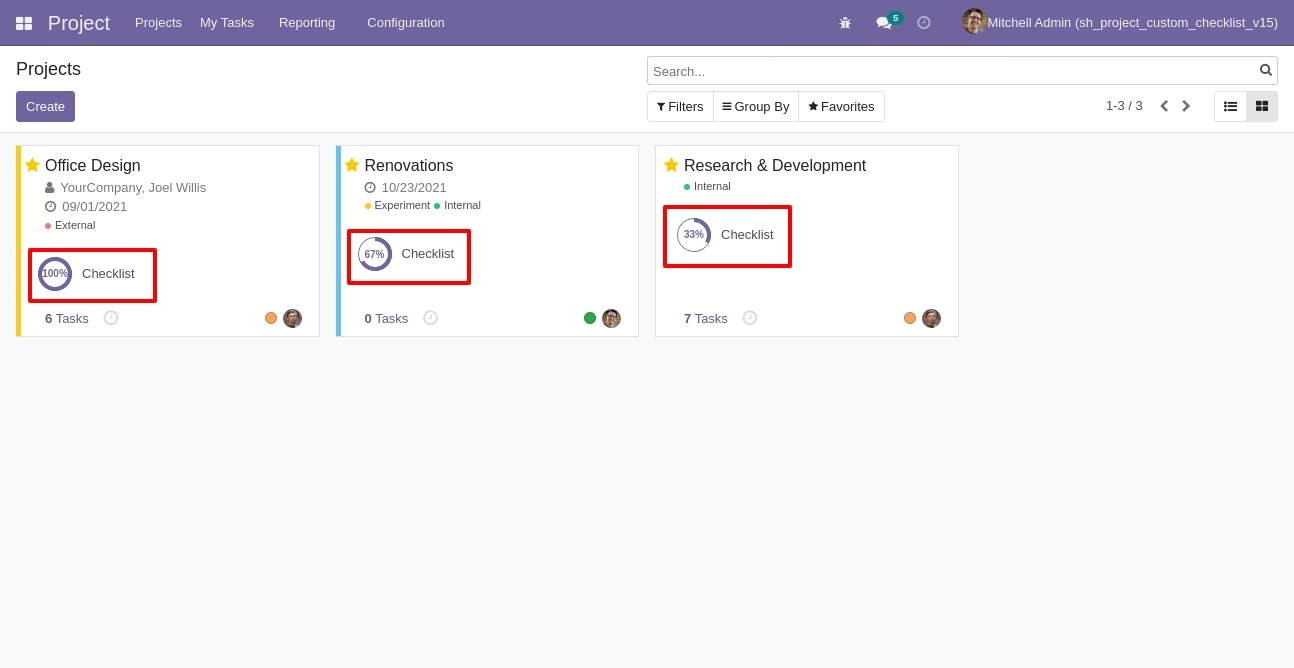
Checklist completed percentage on kanban view.
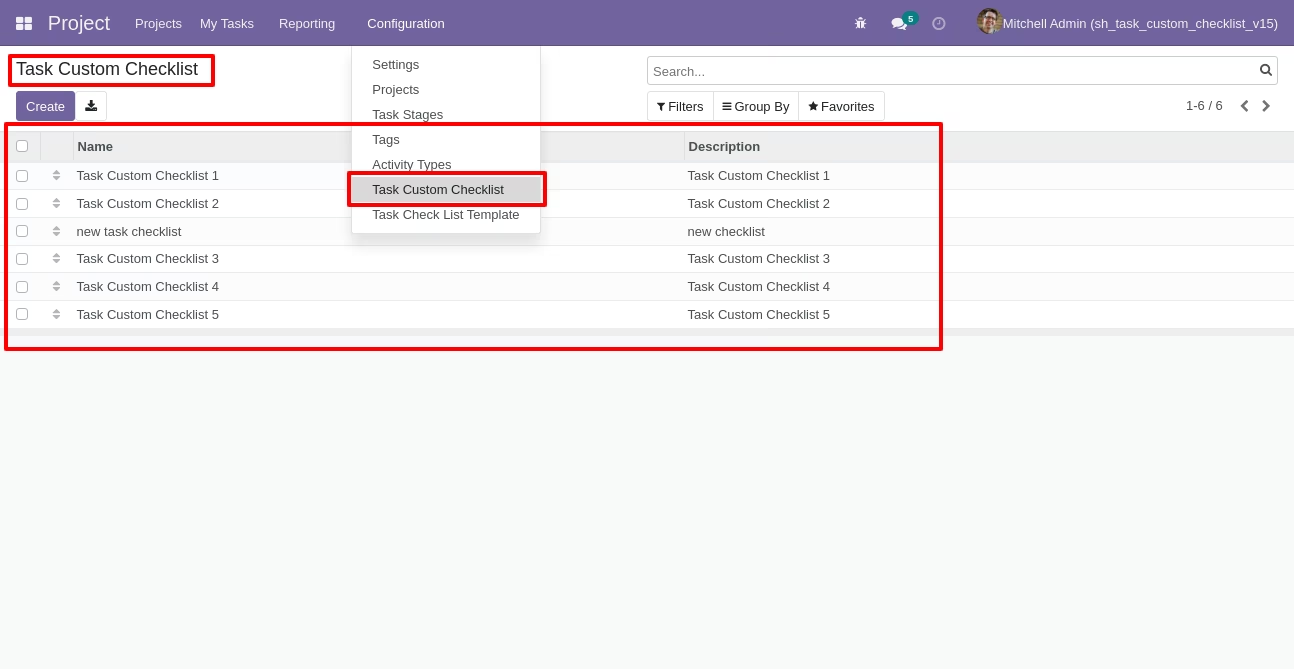
Go to configuration select "Task Custom Checklist".
Write the name and description of the checklist.
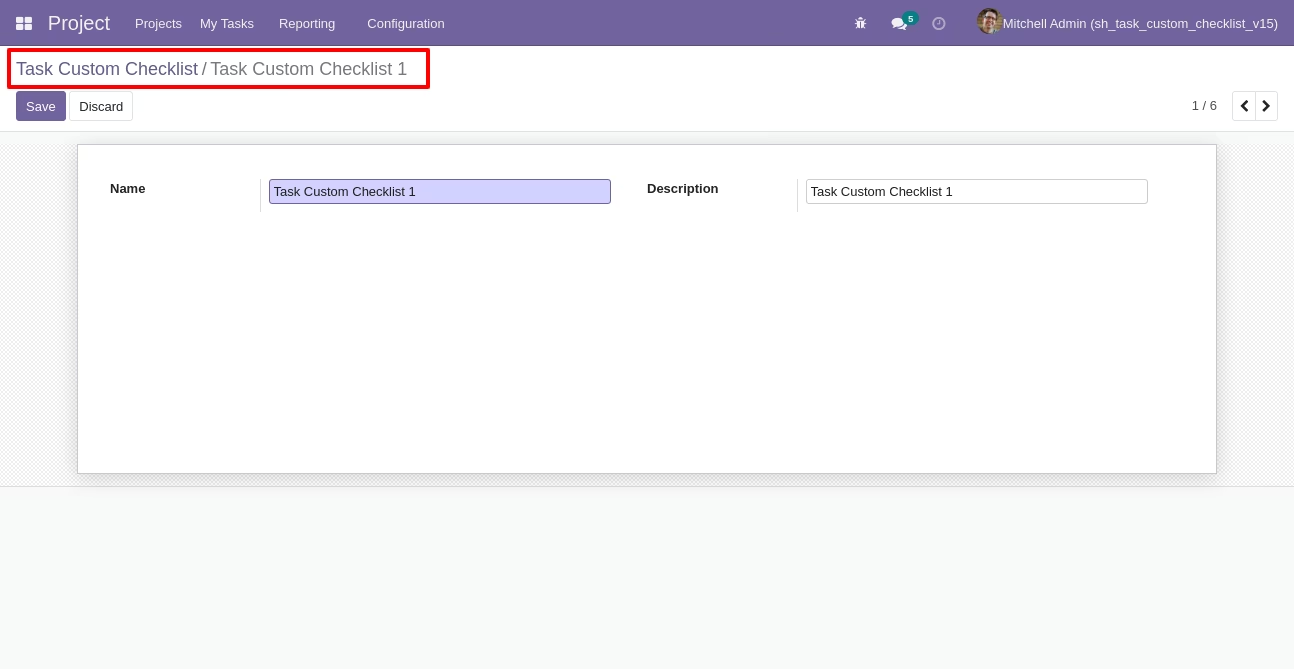
Go to the "Configuration" => Task Checklist Template.
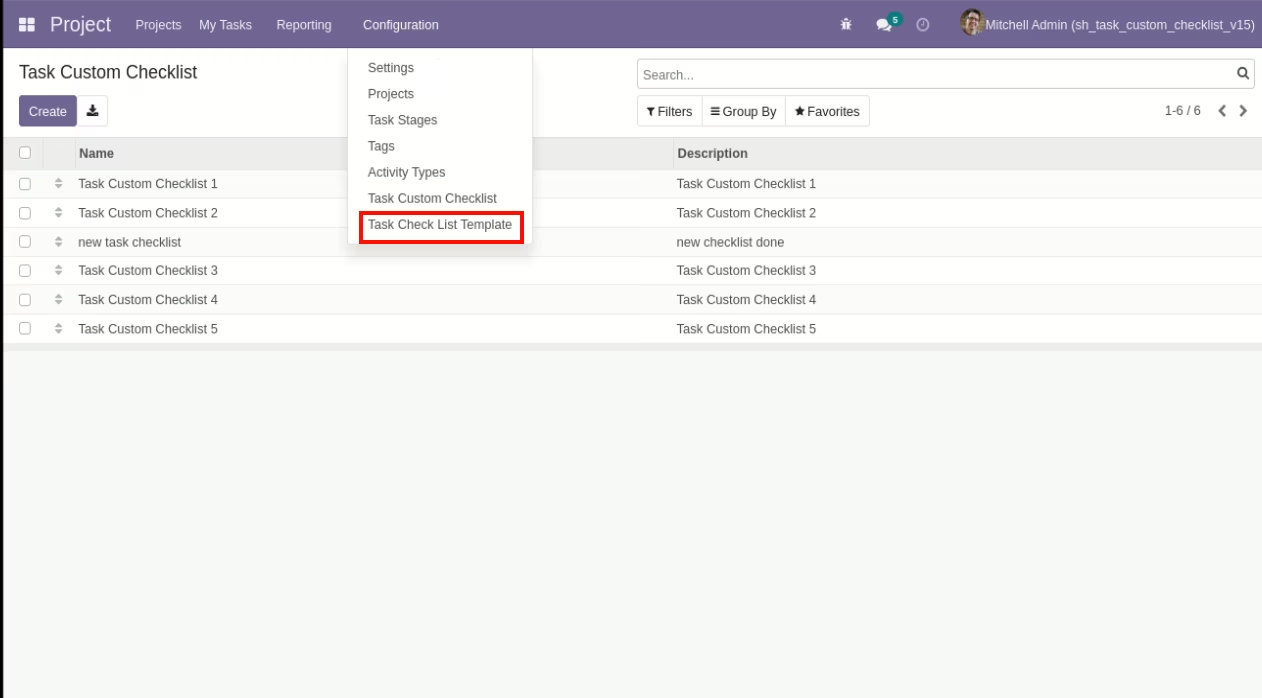
Now we create a Task checklist template, checklist template form view looks like this.
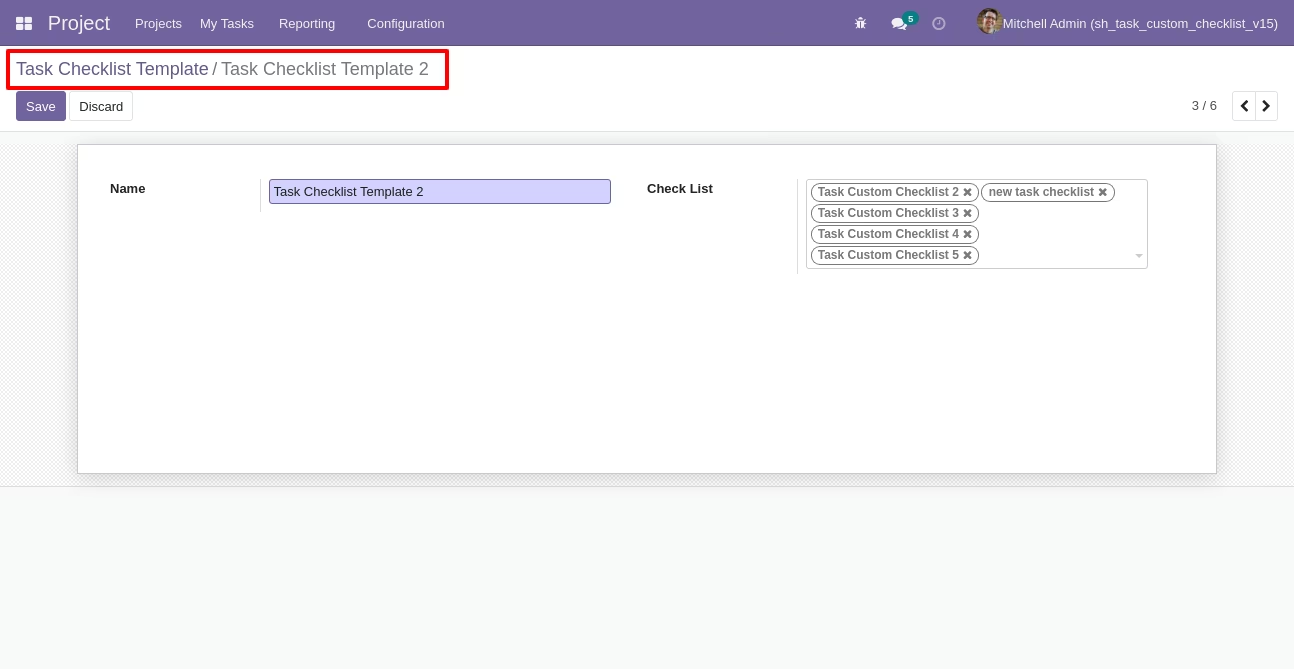
Task checklist template list view looks like this.
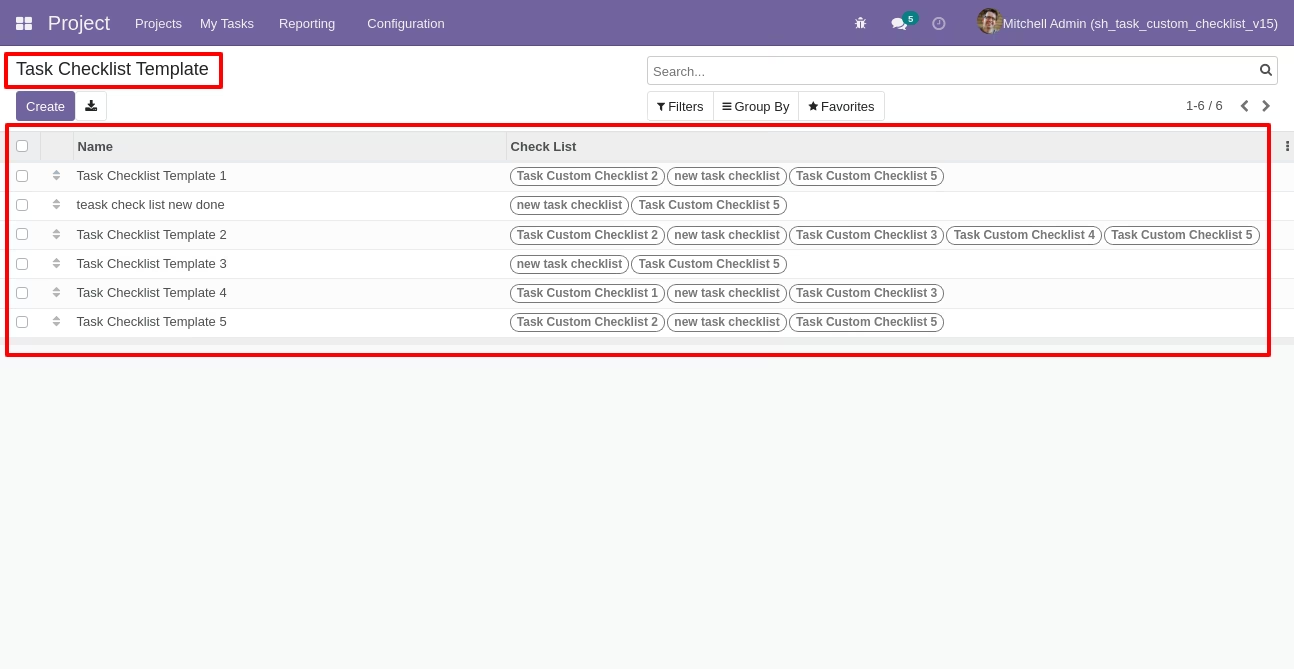
You can group by checklist templates.
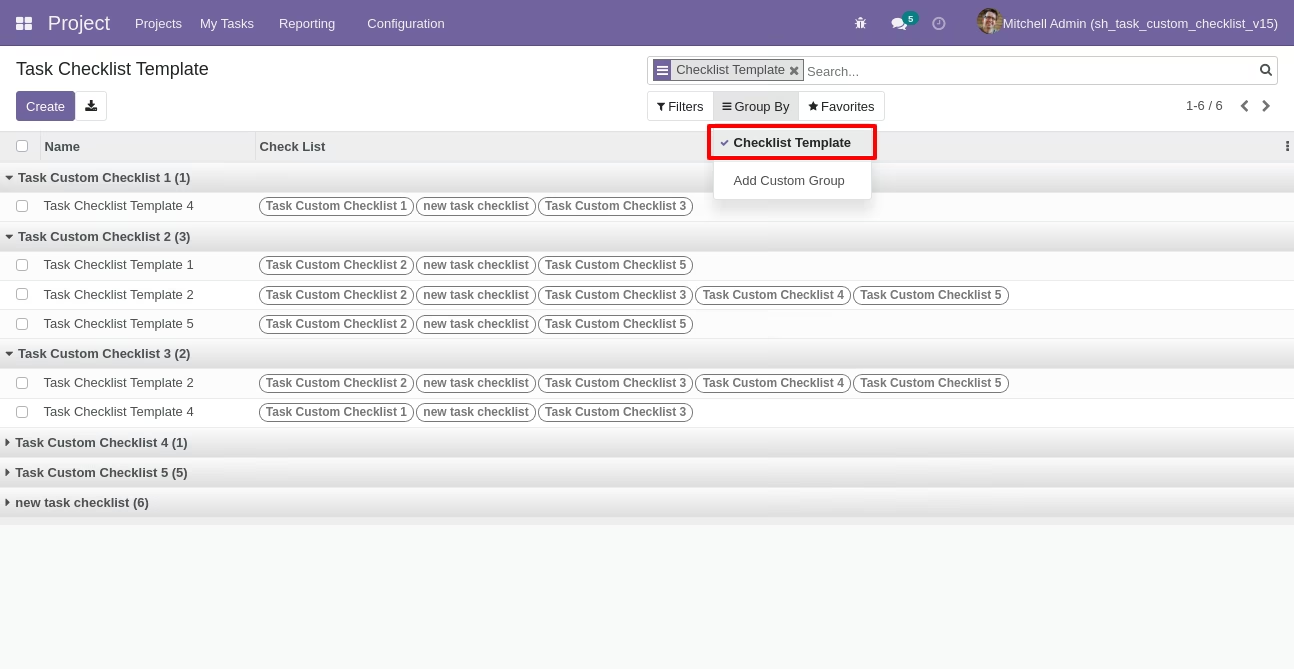
Now we fill the checklist by selecting the checklist template, When we select checklist template, it adds a record by default.
Task checklist with state New, Completed and Cancelled. Click on Check Icon To Complete Checklist & Cancel Icon to Cancel Checklist.
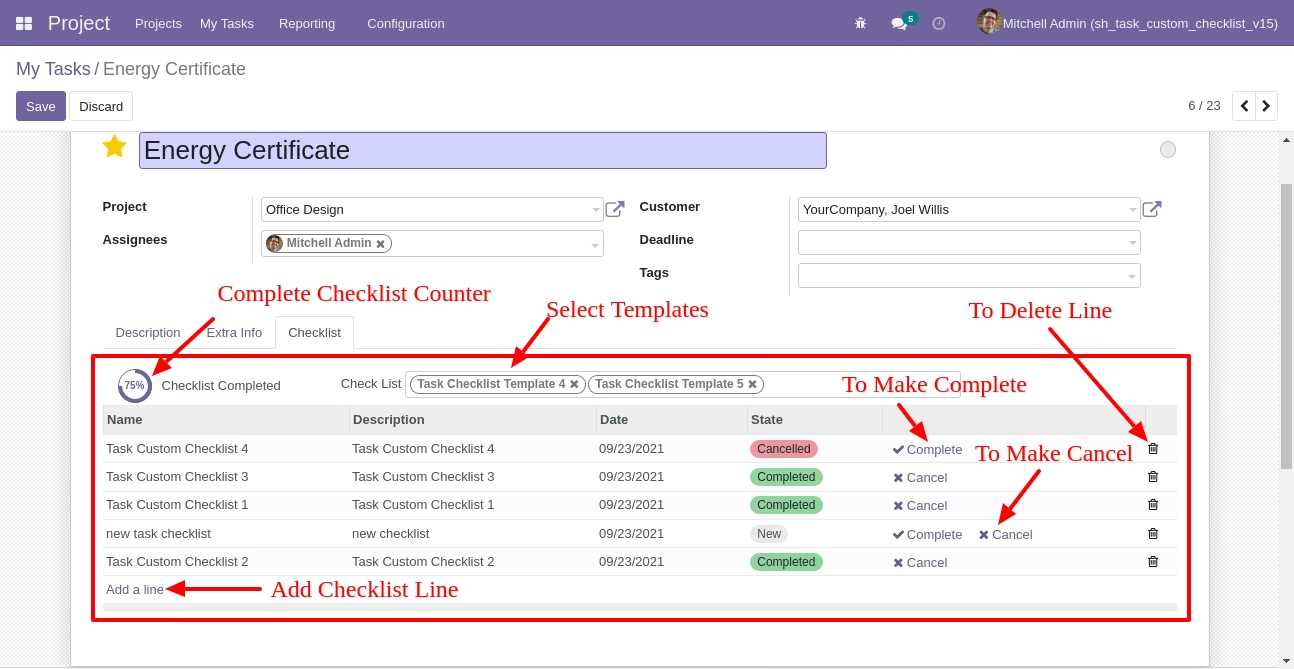
Checklist completed percentage on list view.
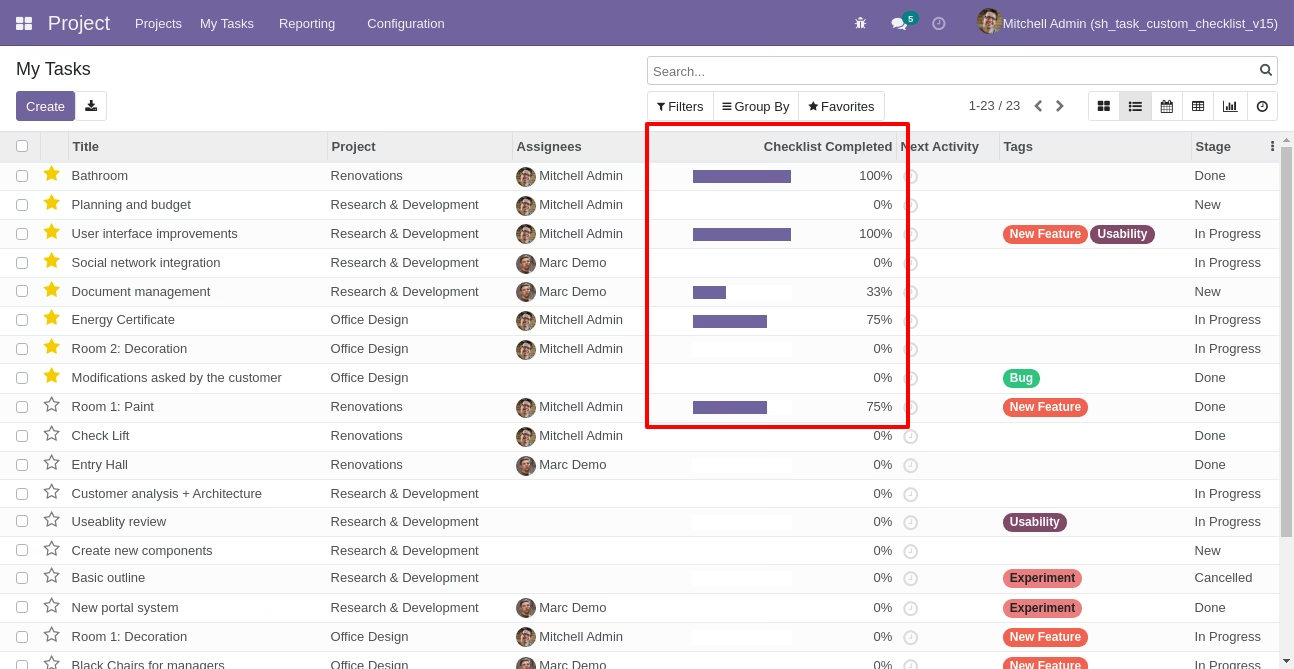
Checklist completed percentage on kanban view.
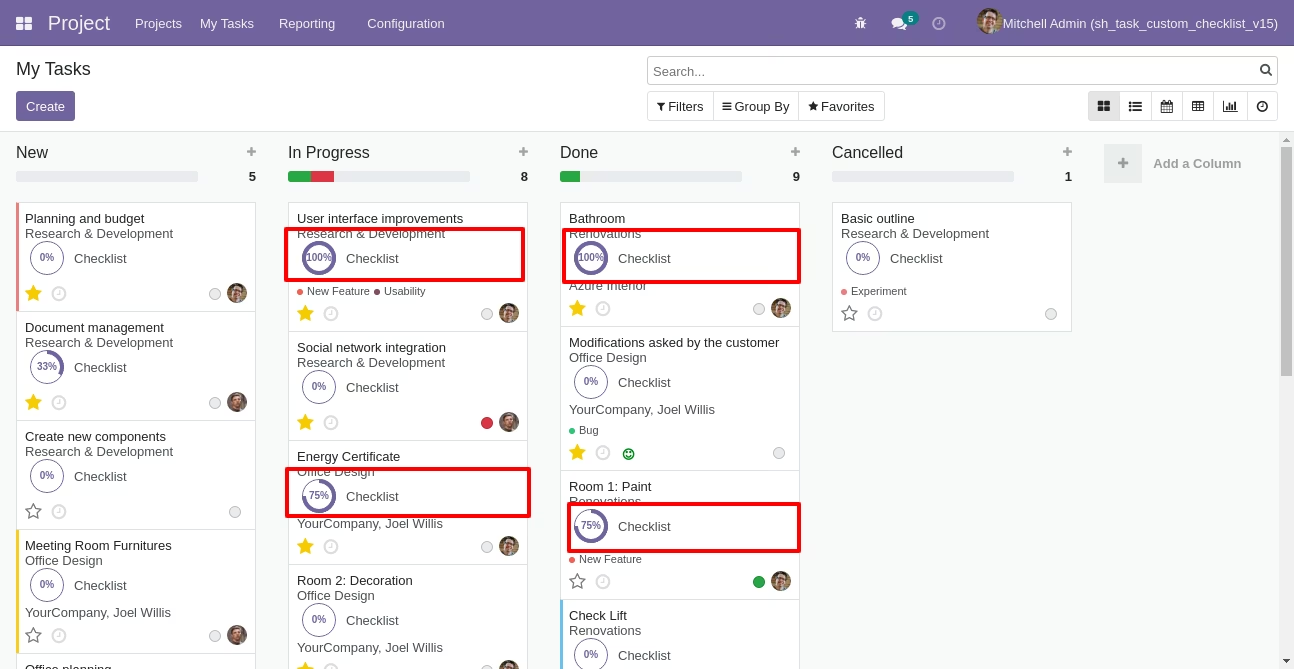
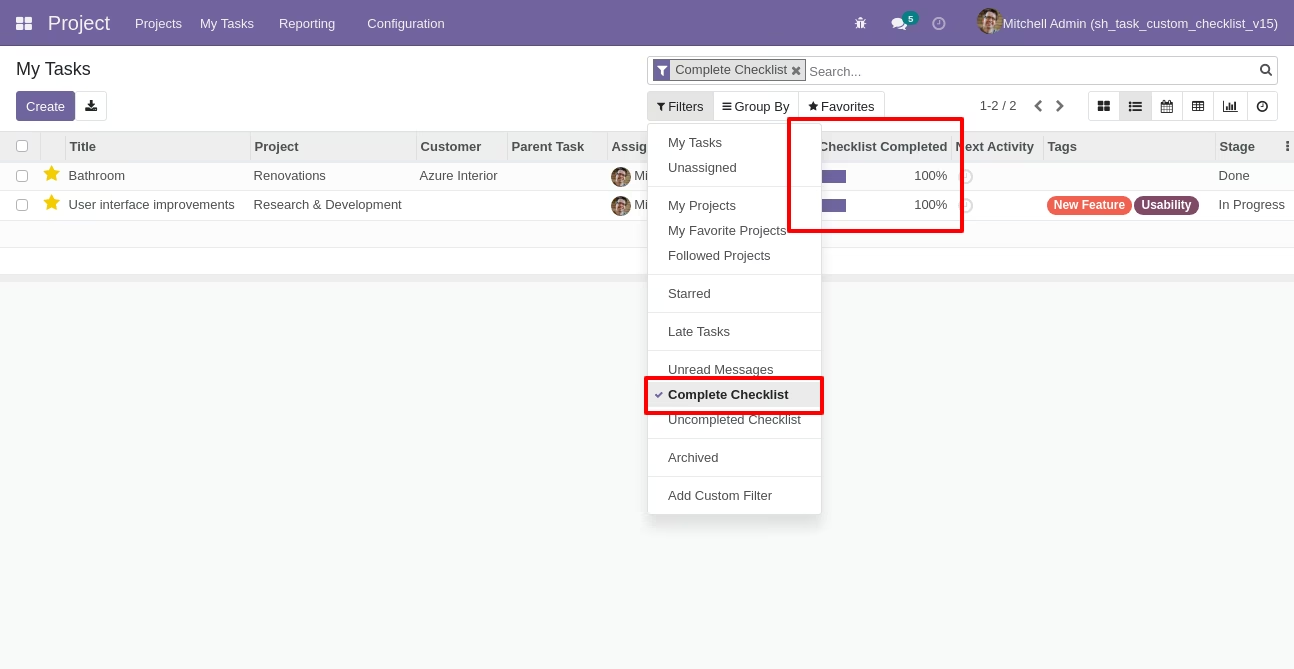
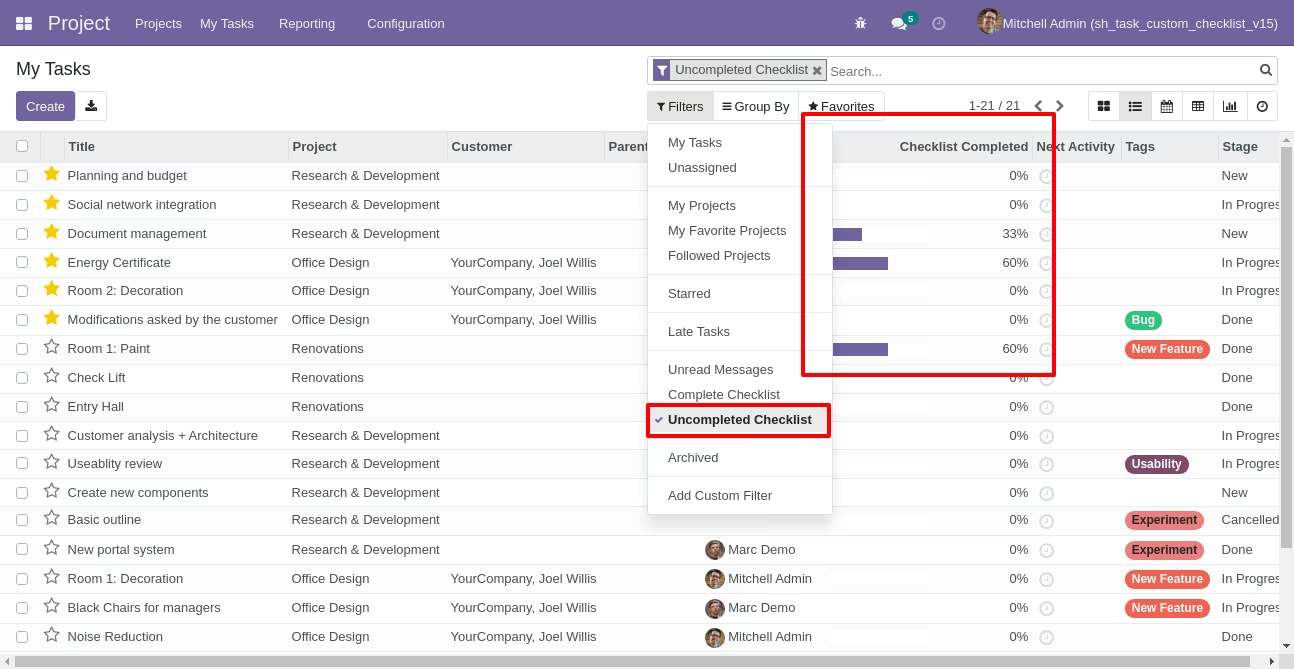
You can filter checklists by complete/Uncomplete checklist.
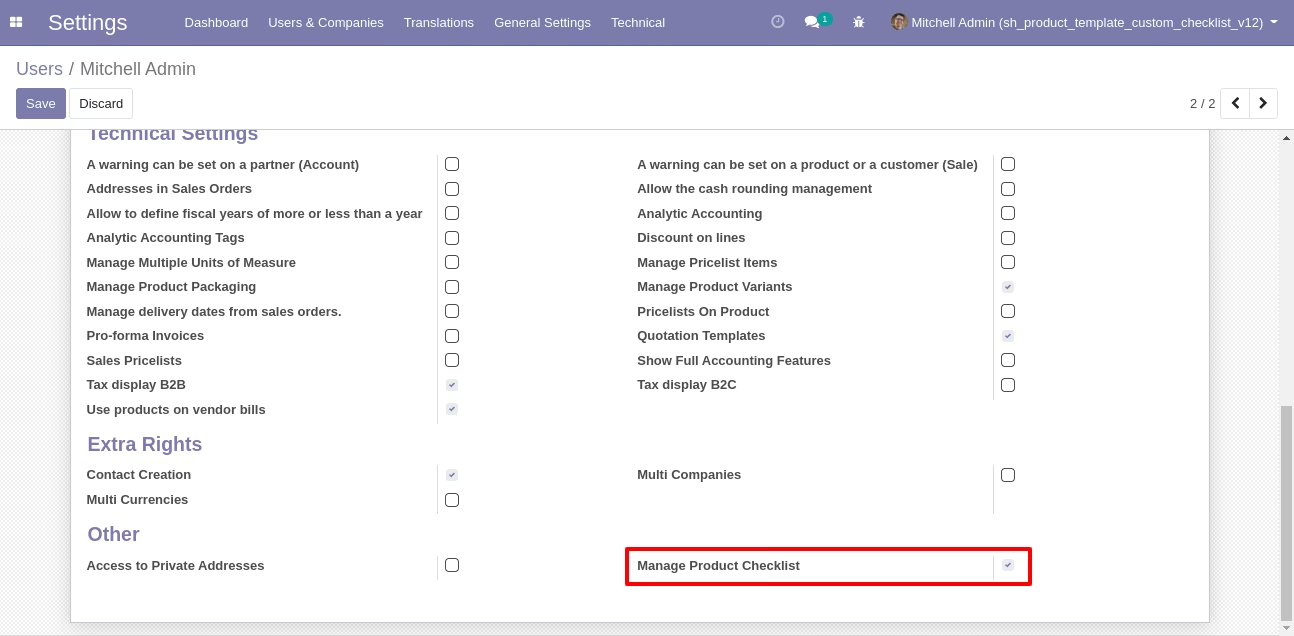
In "User", enable the "Manage Product Checklist" option.
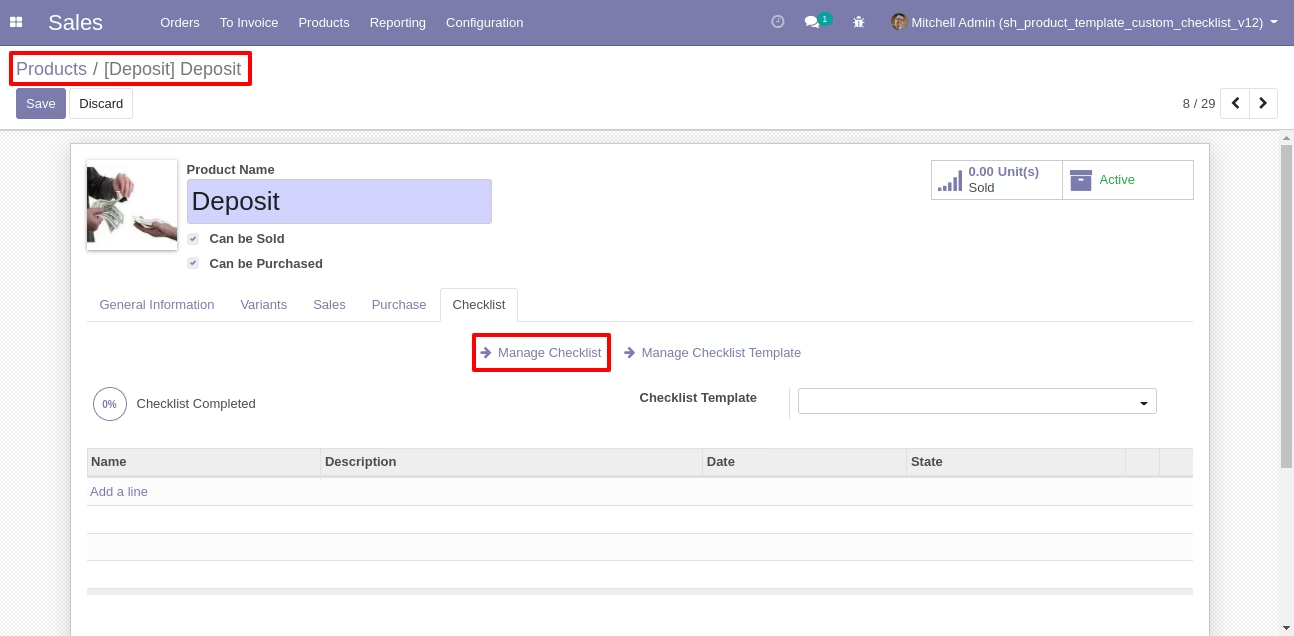
Click on Manage checklist for Manage The Custom checklist.
Product Custom checklist list view looks like this.
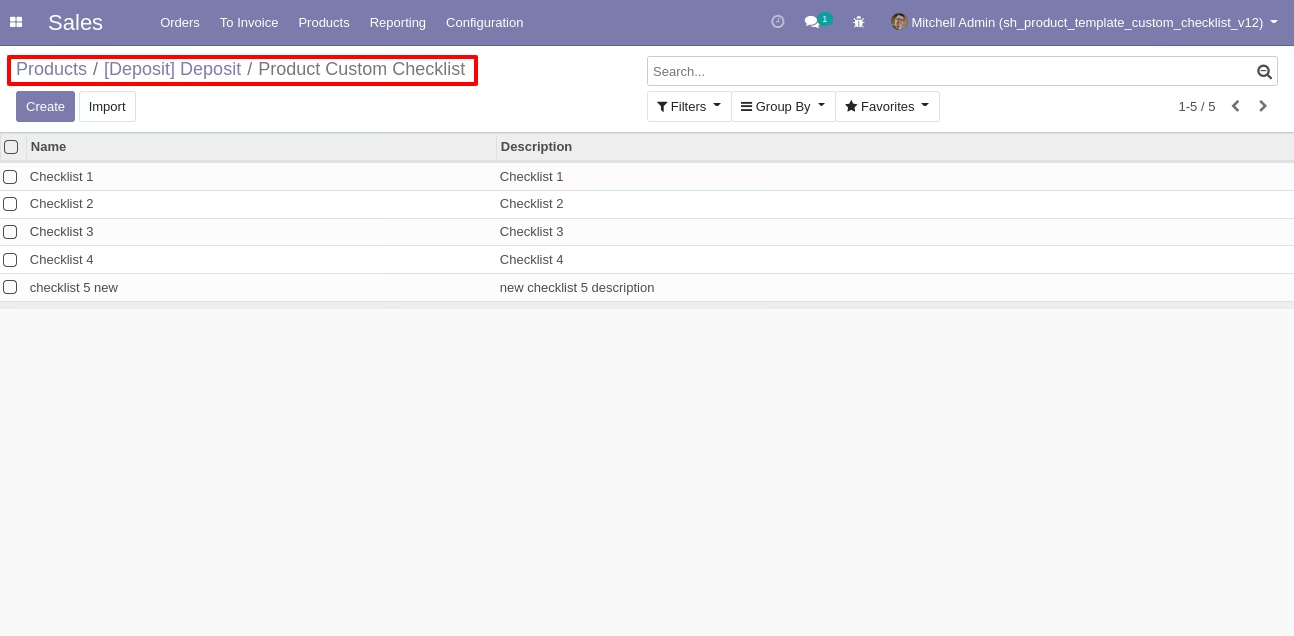
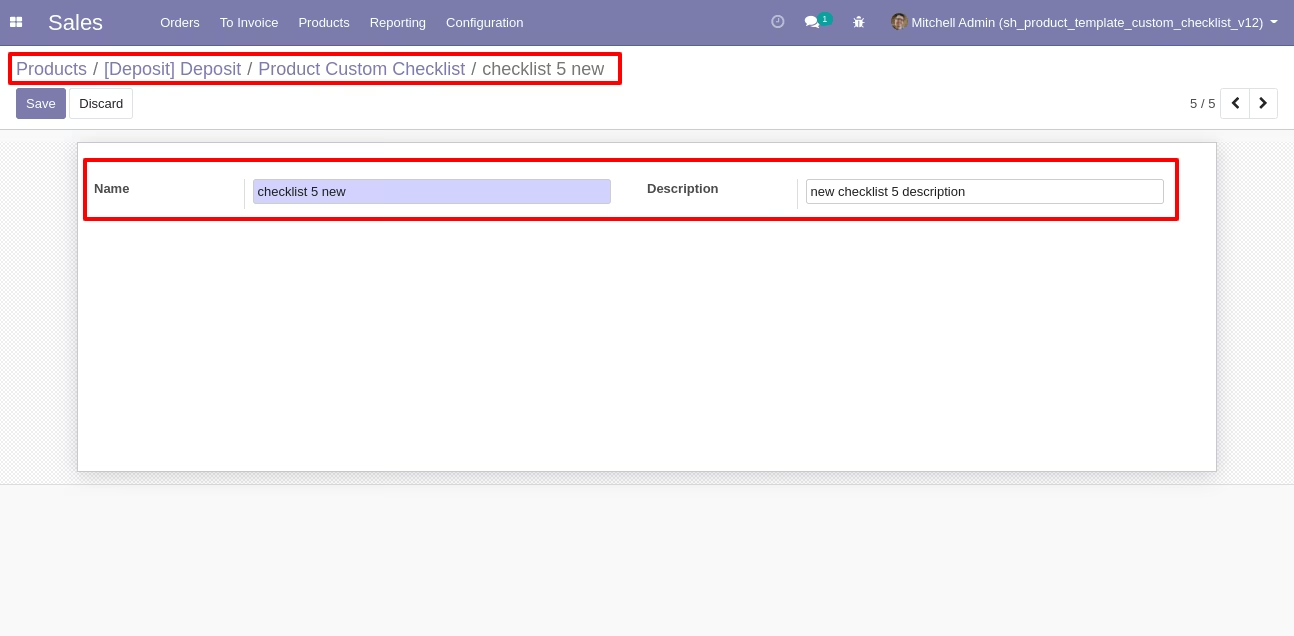
Write the name and description of the checklist.
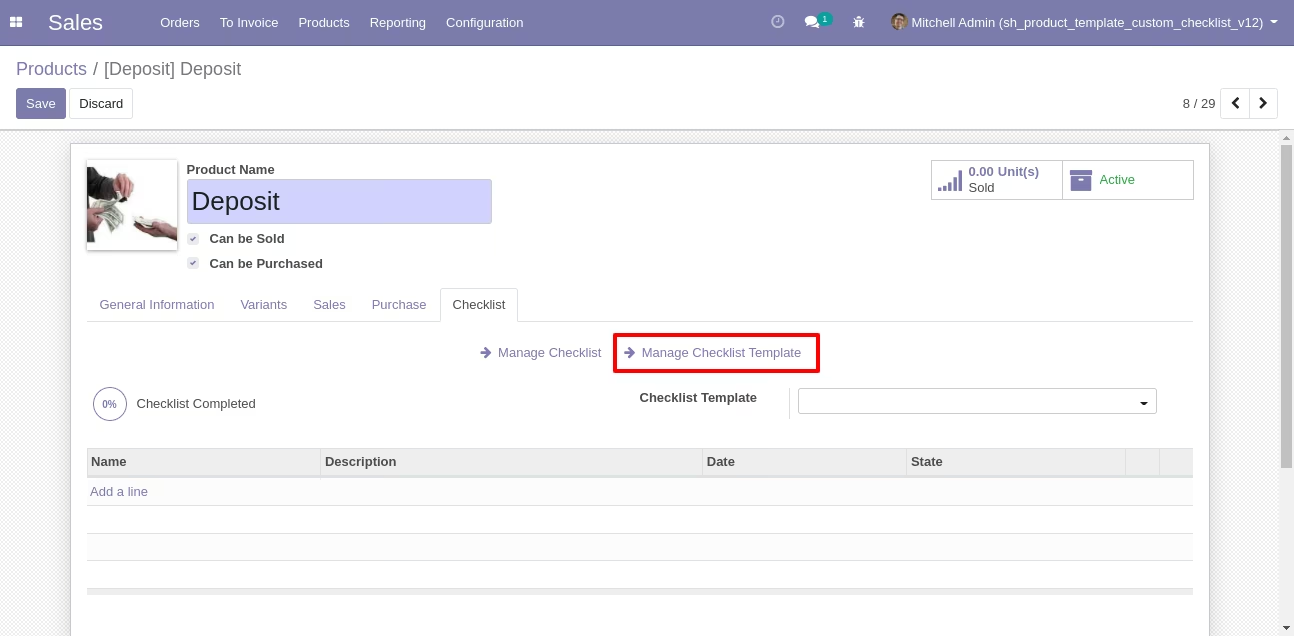
Click on Manage checklist Template for Manage The Custom checklist Template.
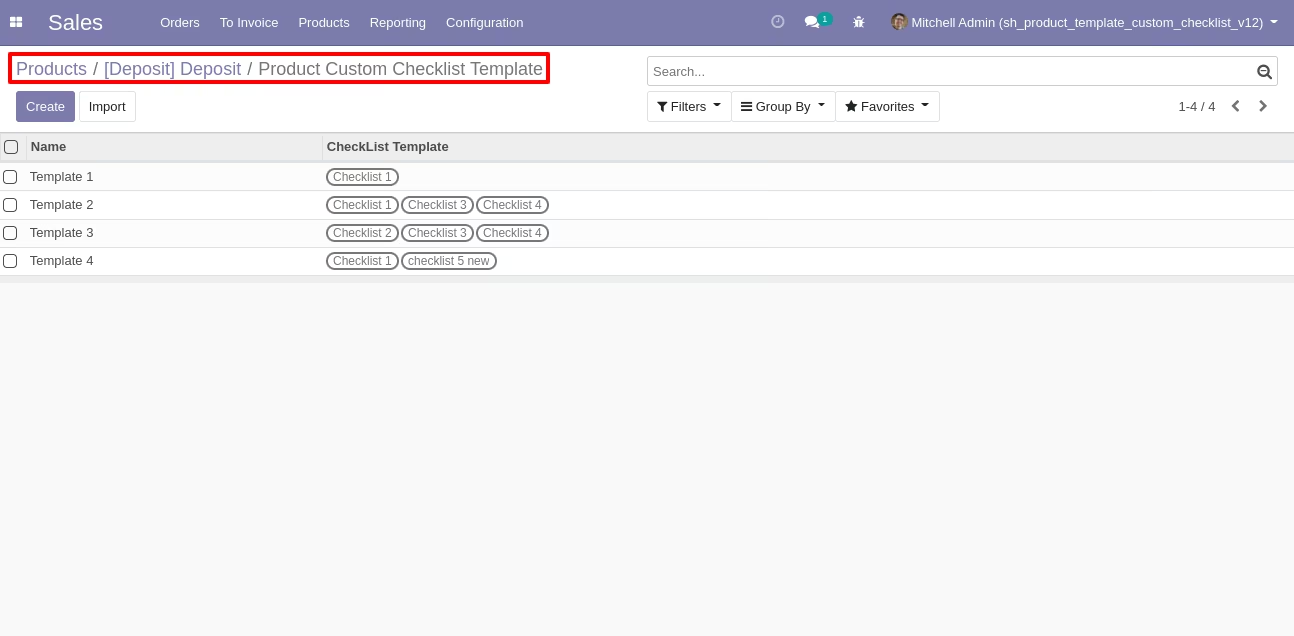
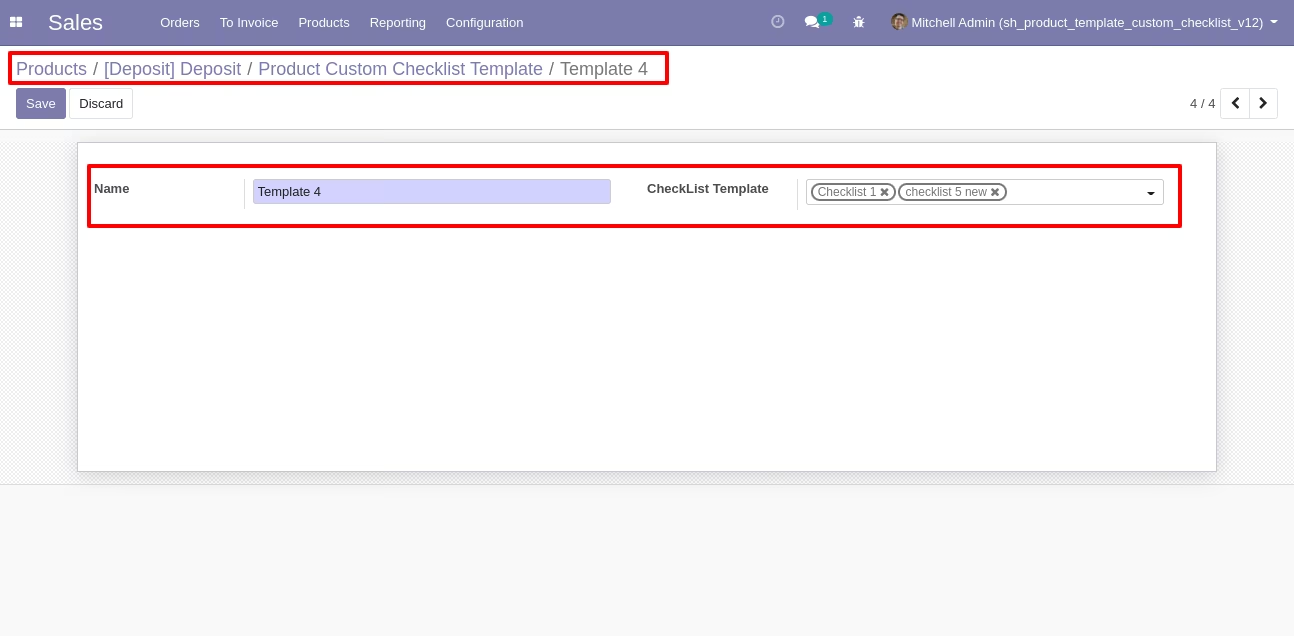
Product Custom checklist Template list view looks like this.
Write the name and description of the checklist.
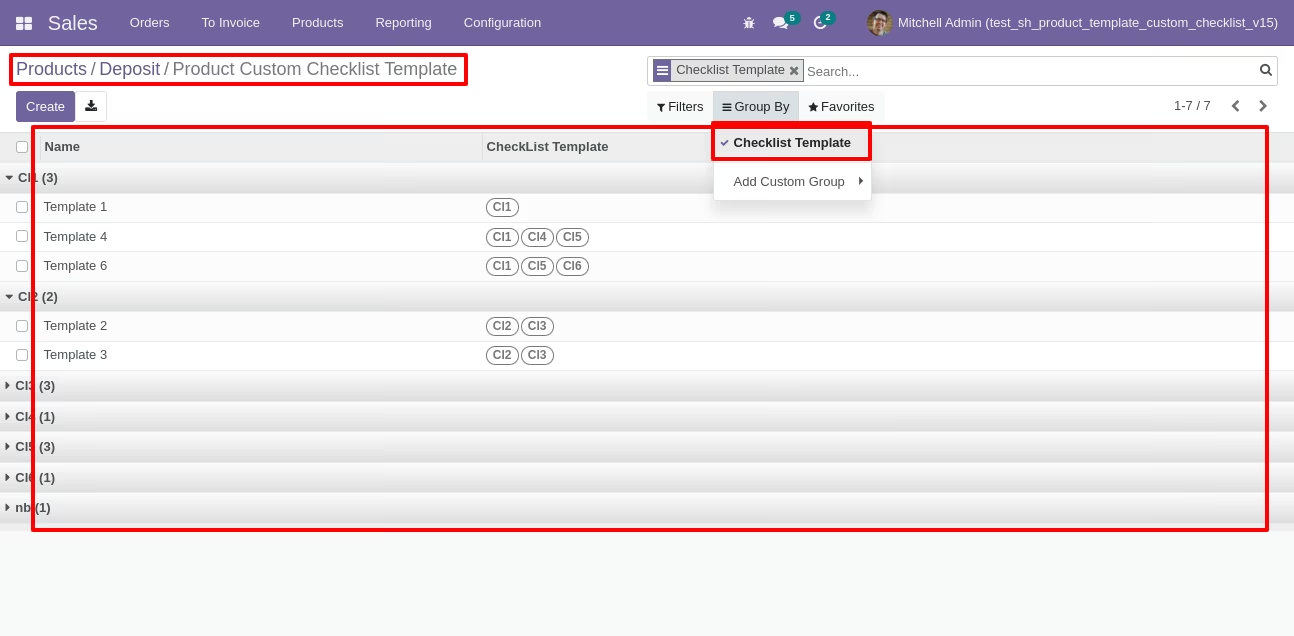
You can group by checklist templates.
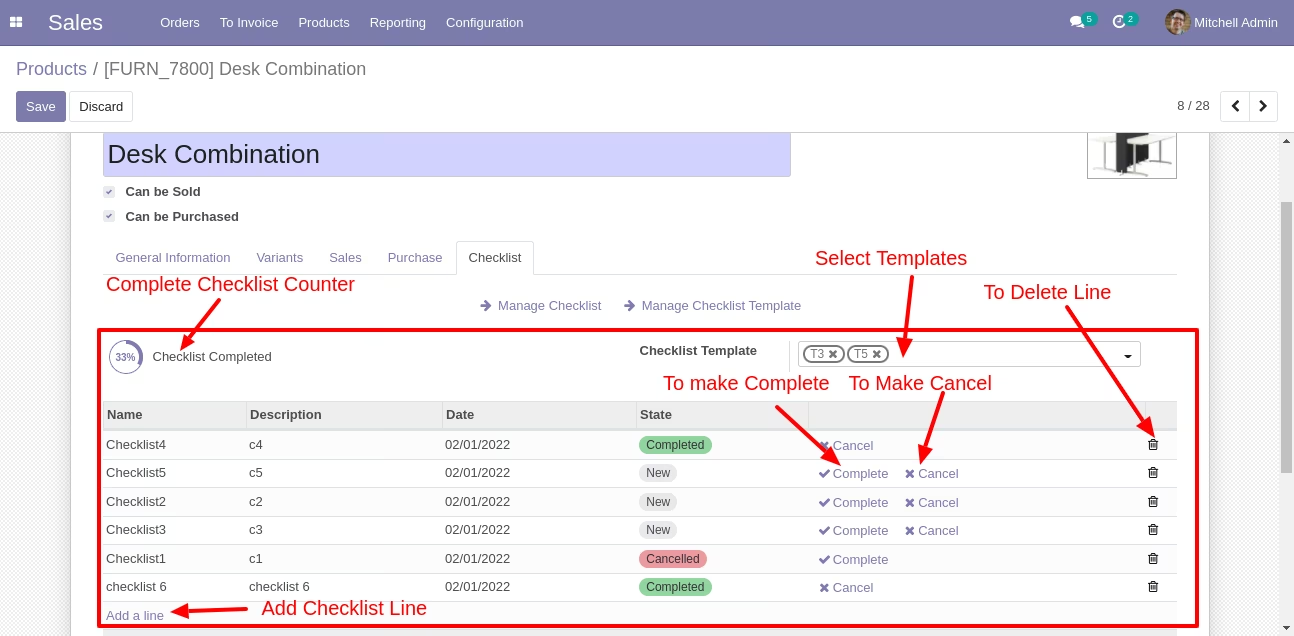
Now we fill the checklist by selecting the checklist template, When we select checklist template, it adds a record by default.
Products checklist with state New, Completed and Cancelled. Click on Check Icon To Complete Checklist & Cancel Icon to Cancel Checklist.
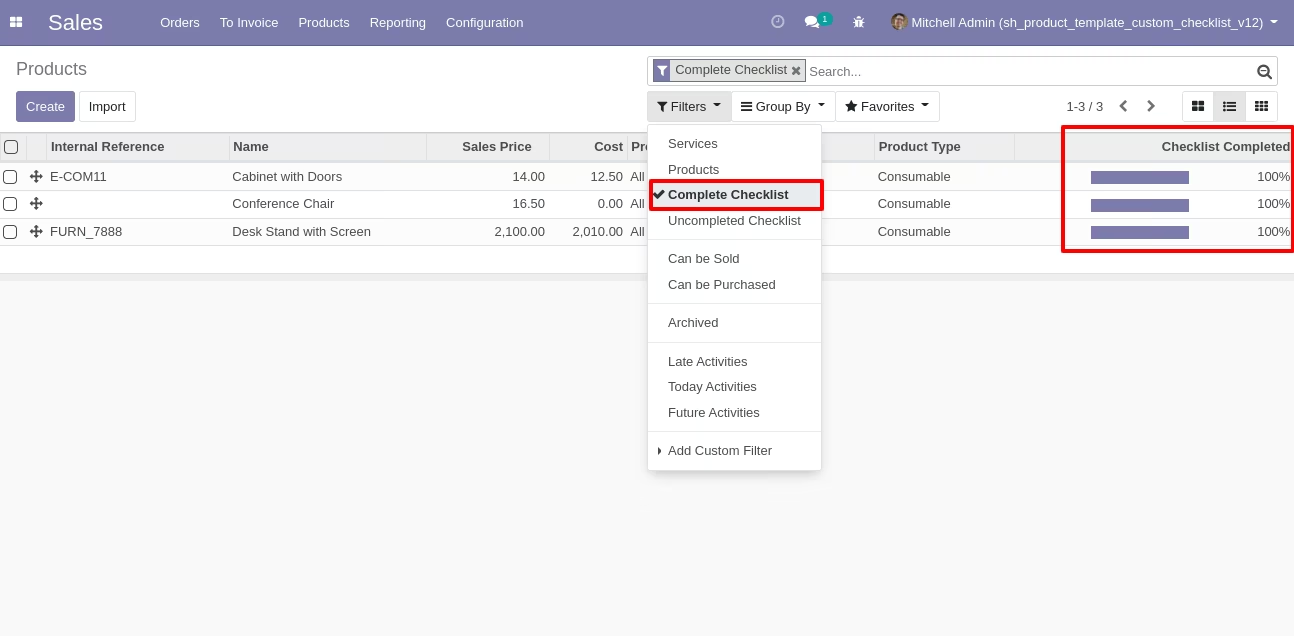
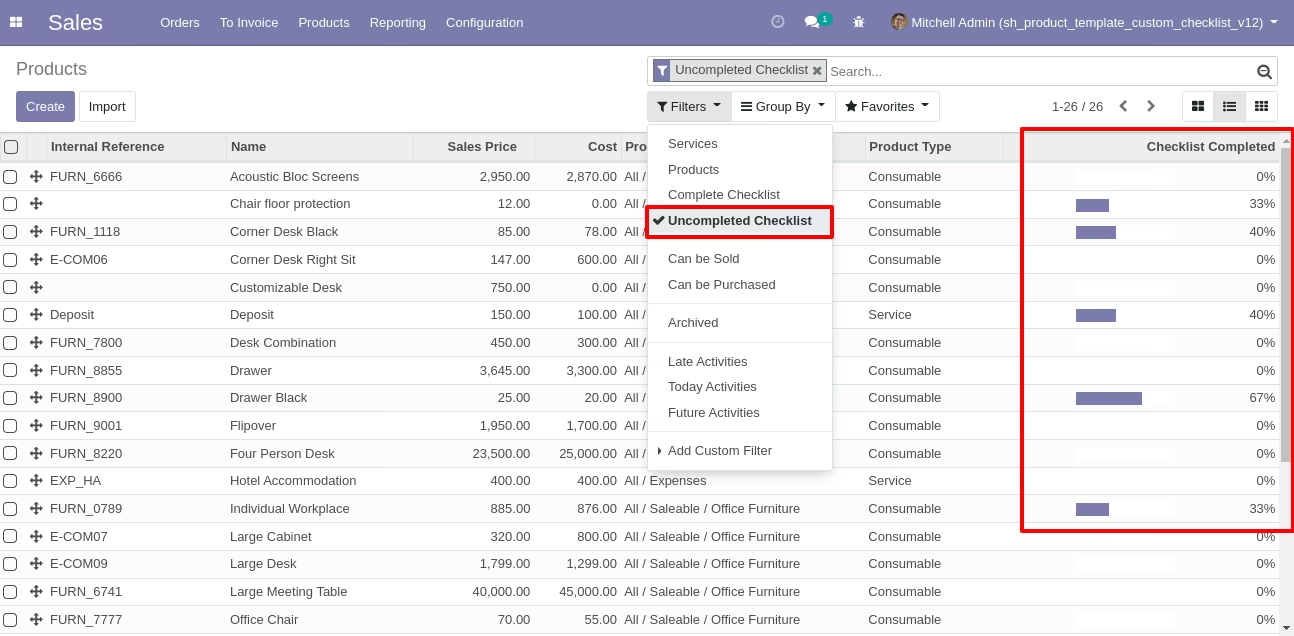
Checklist completed percentage on list view, You can filter checklists by complete/Uncomplete checklist.
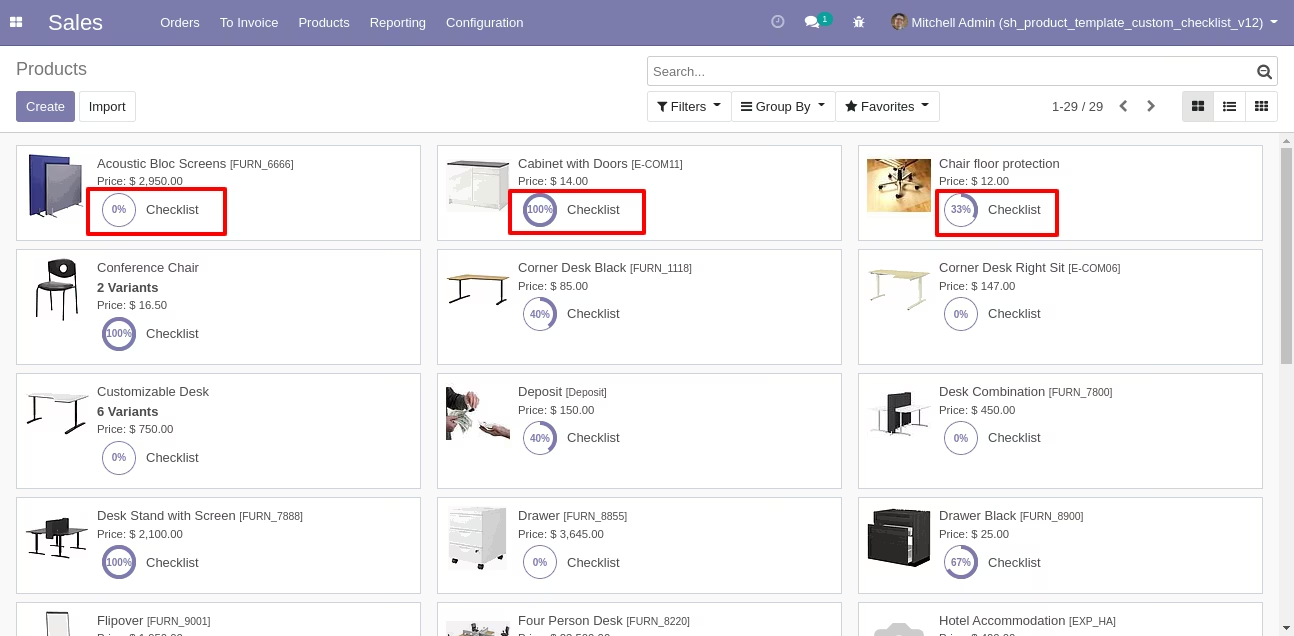
Checklist completed percentage on kanban view.
Checklist In Reports

Print checklist report from "Print" (same as in RFQ/PO Report, Delivery Slip/Picking Operation, MRP Production Order Report).
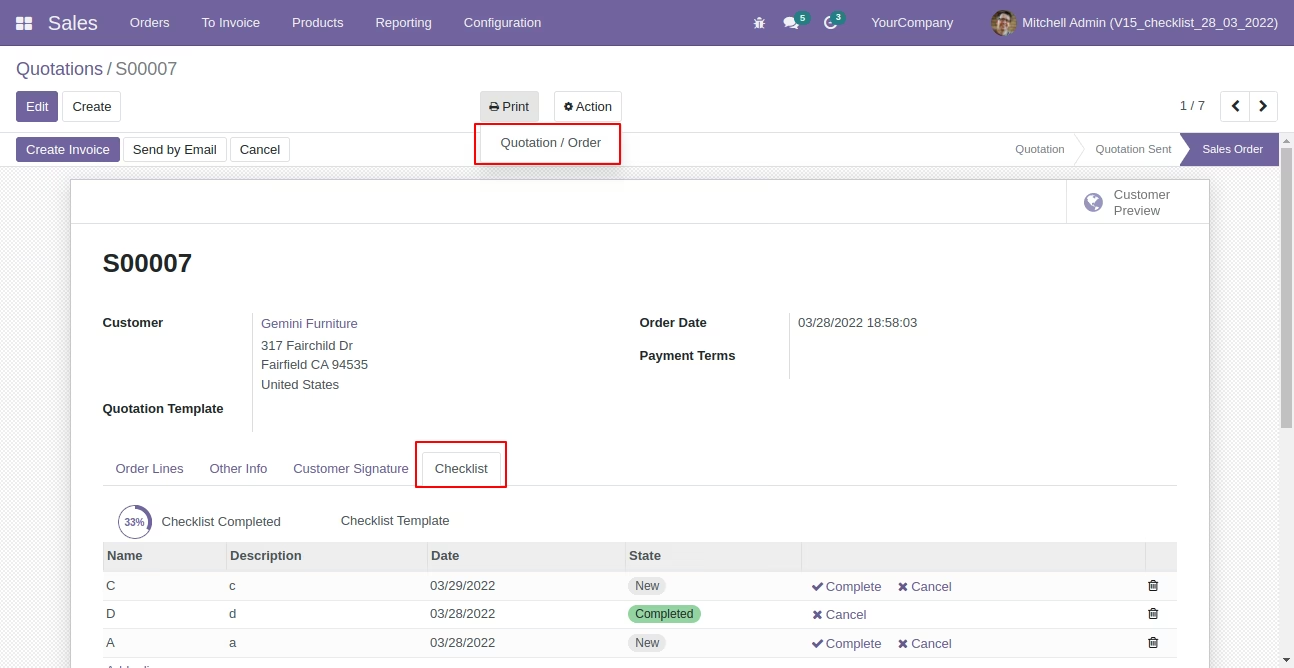
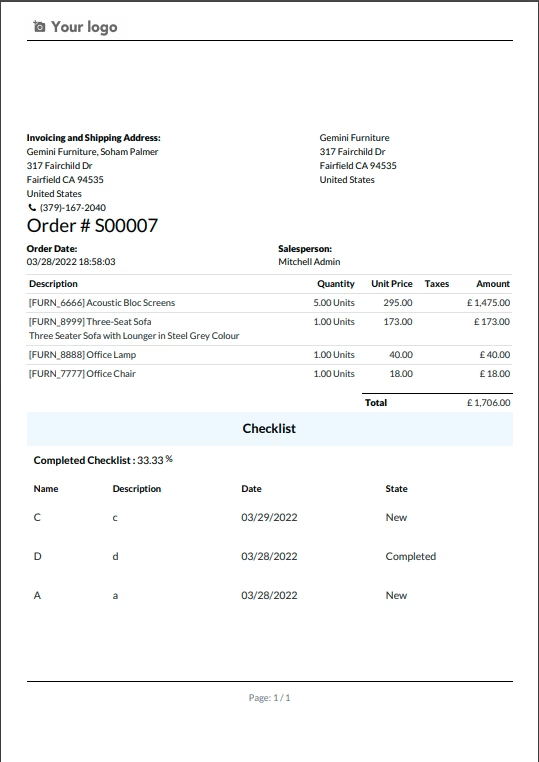
Checklist report looks like this.