This all-in-one barcode scanner module delivers a robust and streamlined solution for scanning products and QR codes across multiple business forms including sales, purchase, invoices, inventory, manufacturing (BOM), scrap operations, and warehouse workflows. Designed for efficiency, it minimizes manual data entry and speeds up order processing with accurate, on-the-go scanning capabilities.
Key Features
Scan and add products in sales orders, purchase orders, invoices, and vendor bills directly via barcode or QR code
Support for scanning product entries in inventory operations, BOM, scrap orders, and warehouse tasks
Automatic increment of product quantities when scanning existing order lines
QR code scanning enabled alongside standard barcode support
Error alerts for missing products or invalid operations for safe data integrity
Global document search via barcode scanning for quick document retrieval
Autofocus field experience post-scan for seamless scanning workflow
Benefits
Accelerates data entry and streamlines document creation across critical business processes
Eliminates manual selection errors and enhances operational accuracy
Enhances productivity by enabling one-tap product additions via scanning
Reduces training time with intuitive, consistent scanning workflows
Improves user experience with real-time feedback and streamlined scanning interface
All In One Barcode Scanner-Basic
Do your time-wasting in sales, purchases, invoices, inventory, bill of material, scrap operations by manual product selection? So here are the solutions these modules useful do quick operations of sales, purchases, invoicing and inventory, bill of material, scrap using Barcode/QRCode scanner. You no need to select the product and do one by one. scan it and you do! So be very quick in all operations of cheers!
Features
- Auto focus barcode input field in scan success or failure.
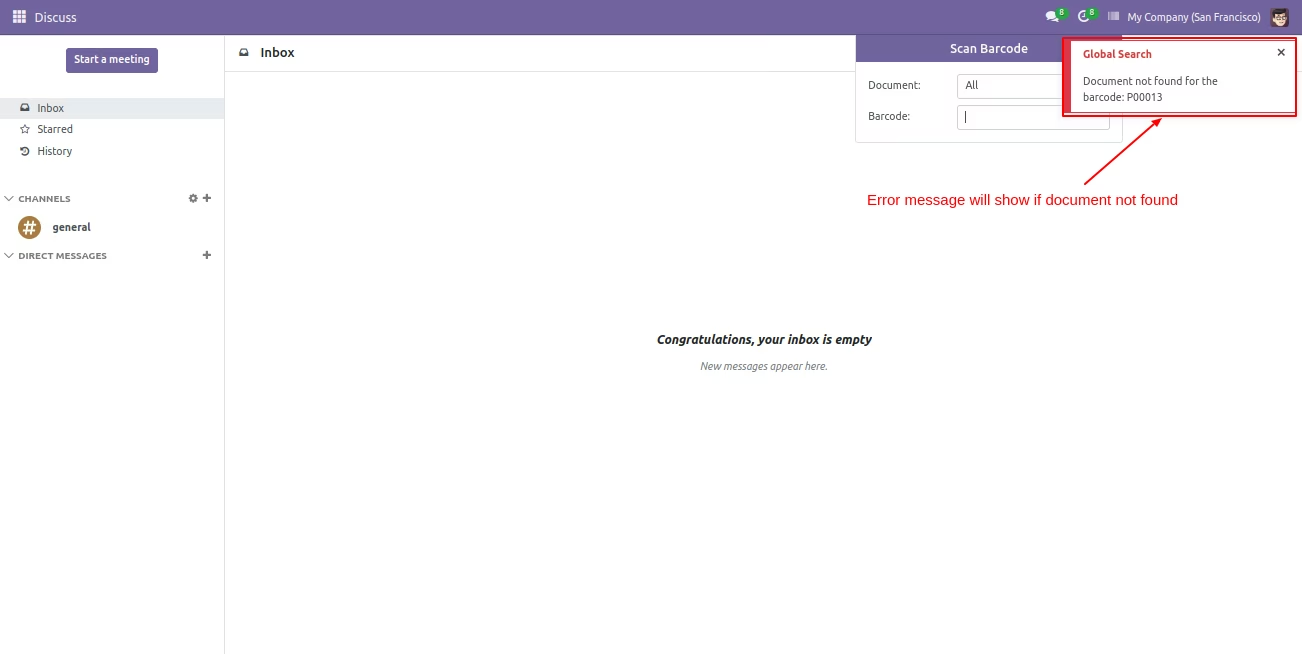
- Easy to search documents globally using the Barcode.
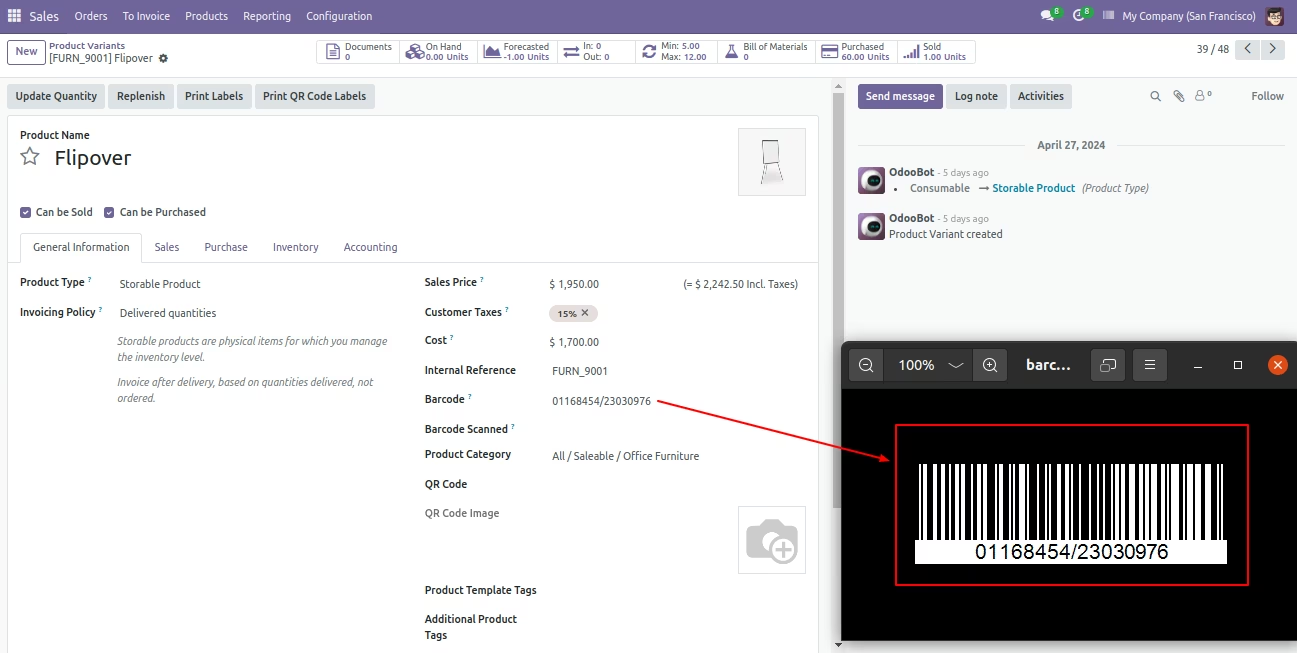
- When you scan the barcode the barcode will automatically added to the barcode field inside the product.
- QR code scanner option added.
- Easy to add products in sale order, purchase order, customer invoices, vendor bills, delivery order, incoming order, etc by barcode scanner.
- Barcodes eliminate the possibility of human error.
- PDA barcode scanner functionality enables fast and accurate barcode scanning.

Products With EAN-13 Barcode.
Product scan option in sale settings whether you want to scan product by Barcode, QRCode, internal reference, or all.
Scan the barcode then the product is automatically added in the order line if the product already existed in order line then ordered qty increased by 1.
The error message is given if no any matching product is found.
The error message is given if the sale order in cancelled or locked state.
Products With EAN-13 Barcode.
Product scan option in purchase settings whether you want to scan product by Barcode, QRCode, internal reference, or all.
Scan barcode then product automatic added in order line if product already existed in order line then ordered qty increased by 1.
Error message given if no any matching product found.
Error message is given if the purchase order is in a cancelled or locked state.
Products With EAN-13 Barcode.
Product scan option in inventory settings whether you want to scan product by Barcode, QRCode, internal reference, or all.
The error message is given if you enable lots and serial numbers.
If you scan the barcode then the quantity done increases by 1.
The error message is given if picking is not in the proper state.
The warning message is given if done quantity increases than the initial demand.
The error message is given if the scanned product is not found in line.
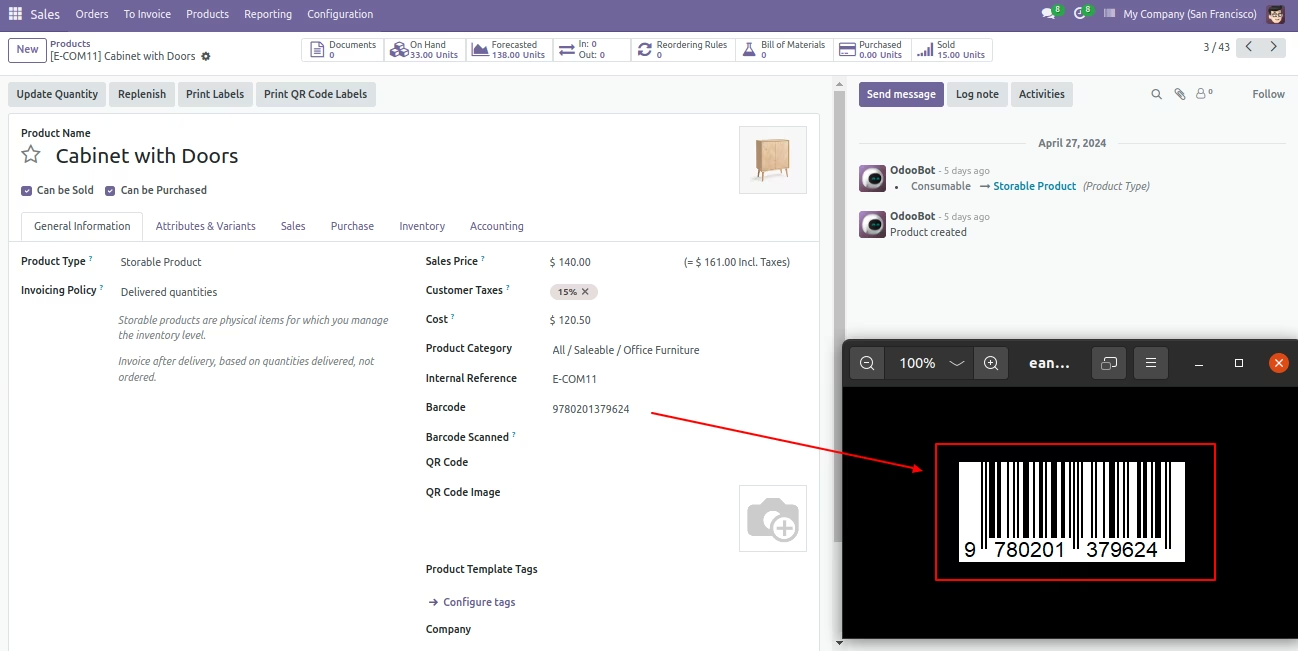
Products With EAN-13 Barcode.
Product scan option in inventory settings whether you want to scan product by Barcode,QRCode, internal reference or all.
Scanned product added in product field and quantity set to 1 if product already in product field then quantity increased by 1.
Scan barcode then product automatic added in product field and quantity set to 1 if product already in product field then quantity increased by 1
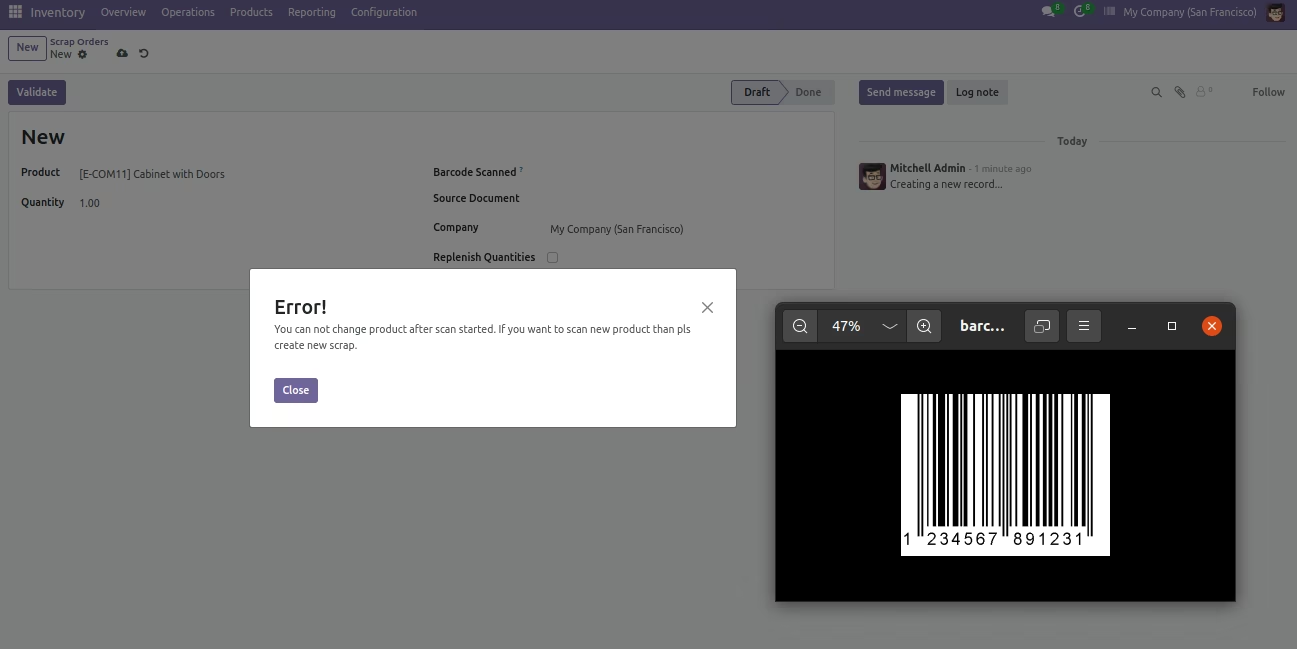
Error message given if you try to change product in scrap order after scanning started.
Error message given if scrap order in Done state.
Error message given if no any matching product found.
Products With EAN-13 Barcode.
Product scan option in invoice settings whether you want to scan product by Barcode,QRCode, internal reference or all.
Scan barcode then product automatic added in invoice line if product already existed in invoice line then ordered qty increased by 1.
Error message given if no any matching product found.
Error message given if invoice not in Posted state.
You can also scan product in vendor bills.
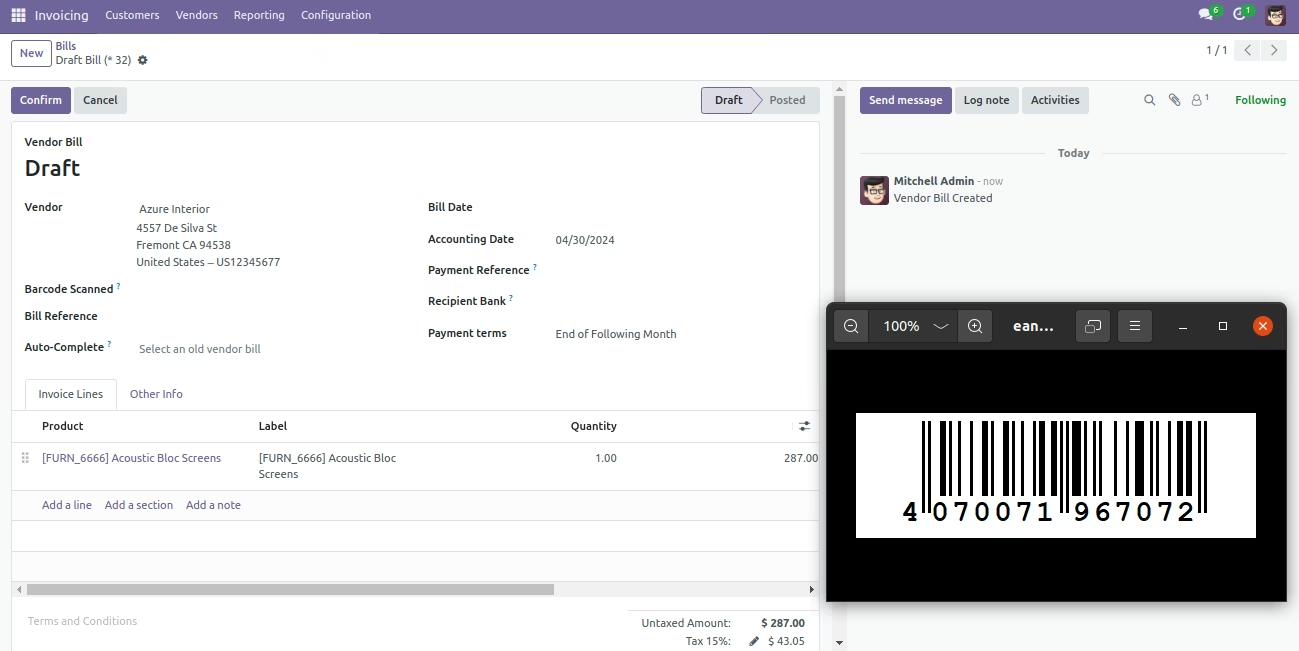
Products With EAN-13 Barcode.
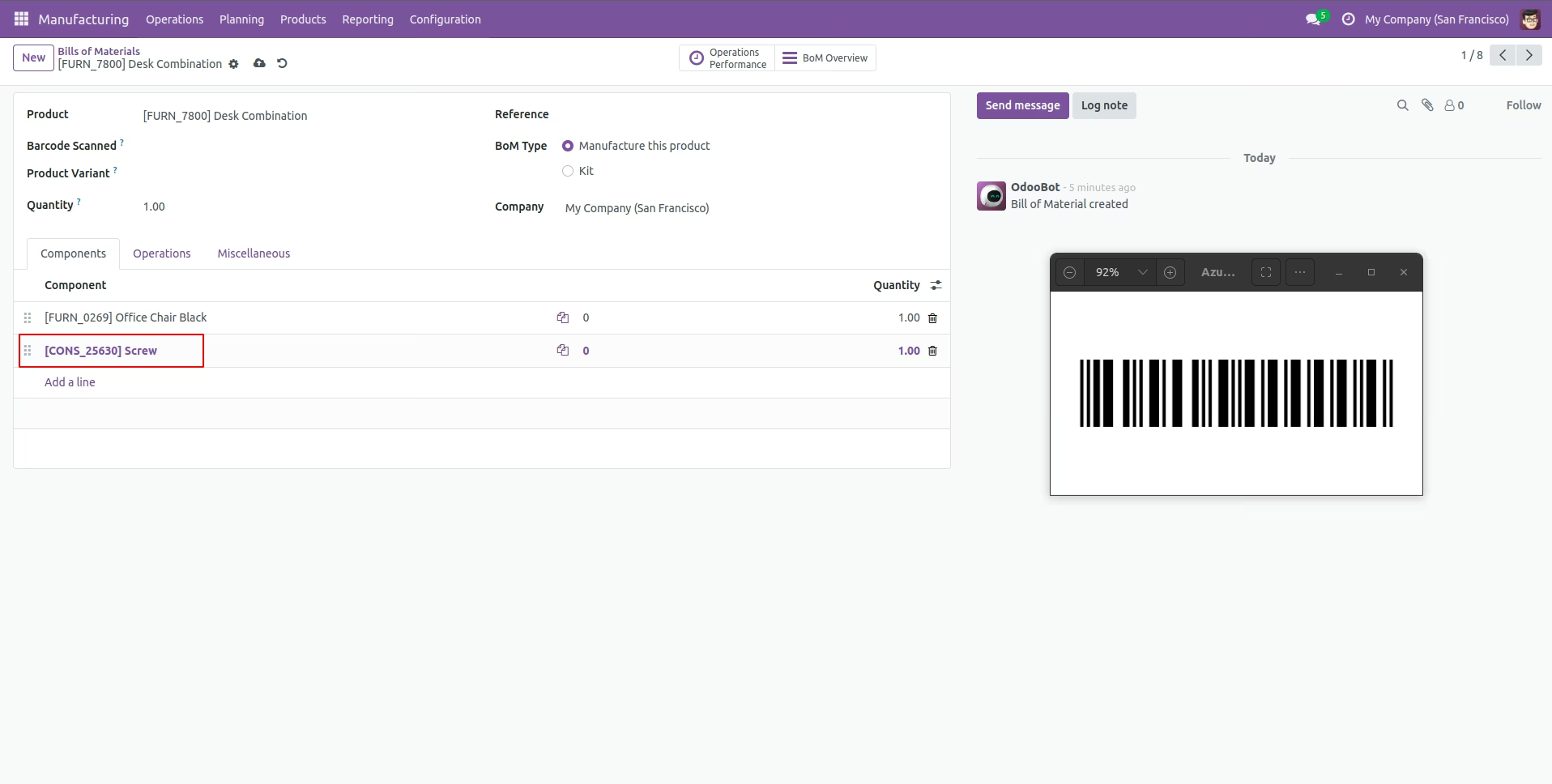
Product scan option in Manufacturing settings whether you want to scan product by Barcode, QRCode, internal reference, or all.
Scan barcode then product automatically added in bom line if the product already existed in bom line then ordered qty increased by 1.
Error message given if no any matching product found.
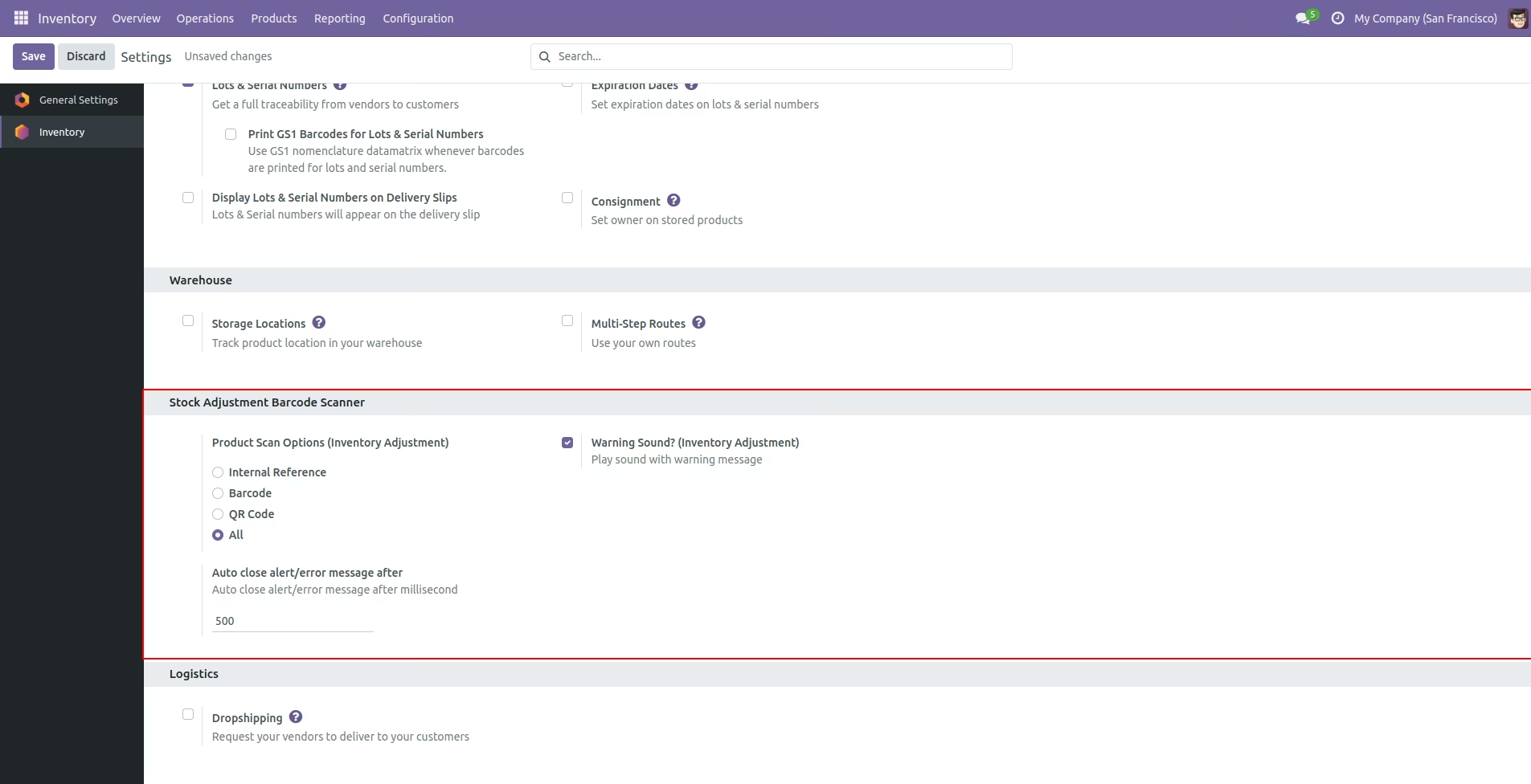
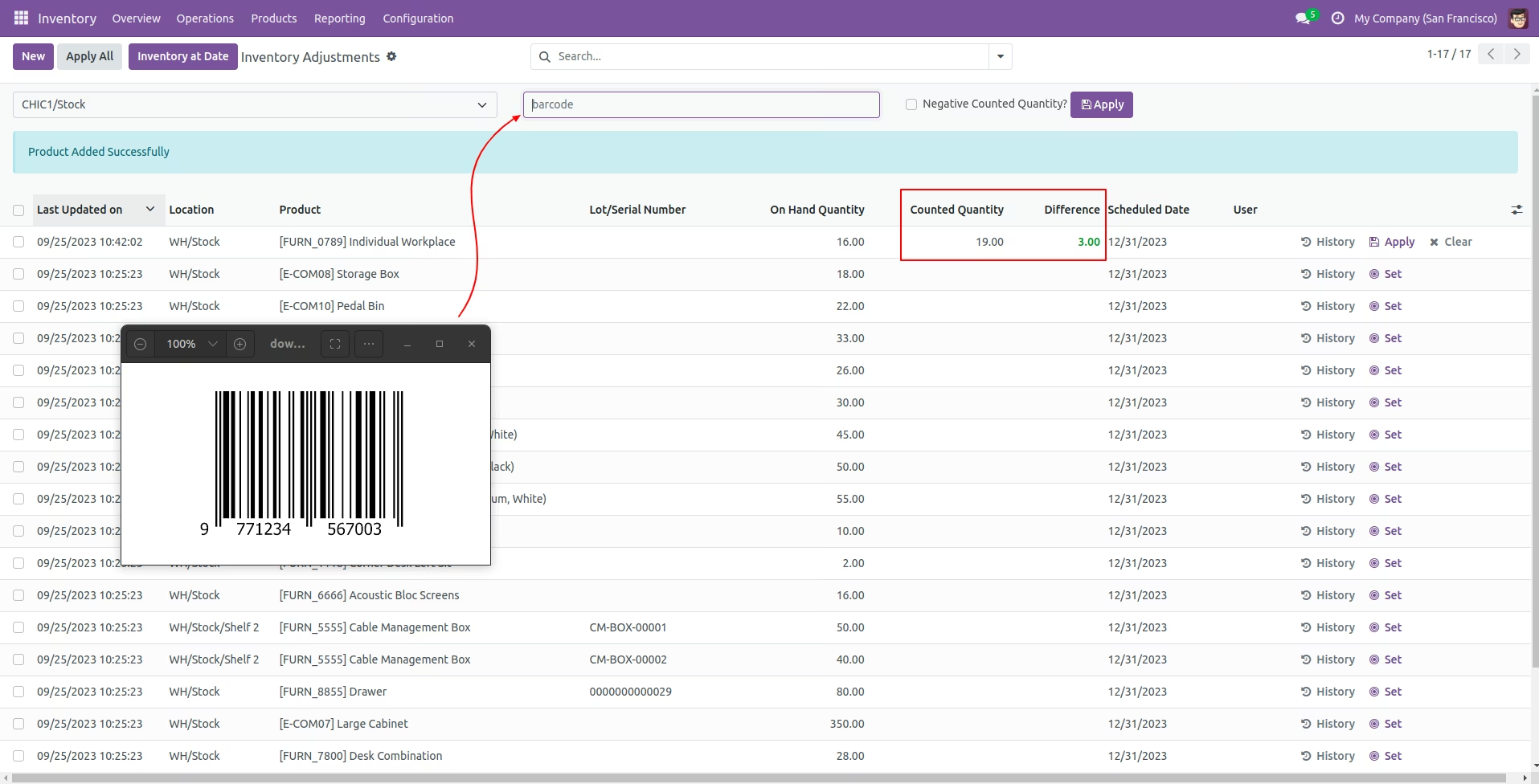
Product scan option in Inventory settings whether you want to scan product by Barcode, QRCode, internal reference, or all.
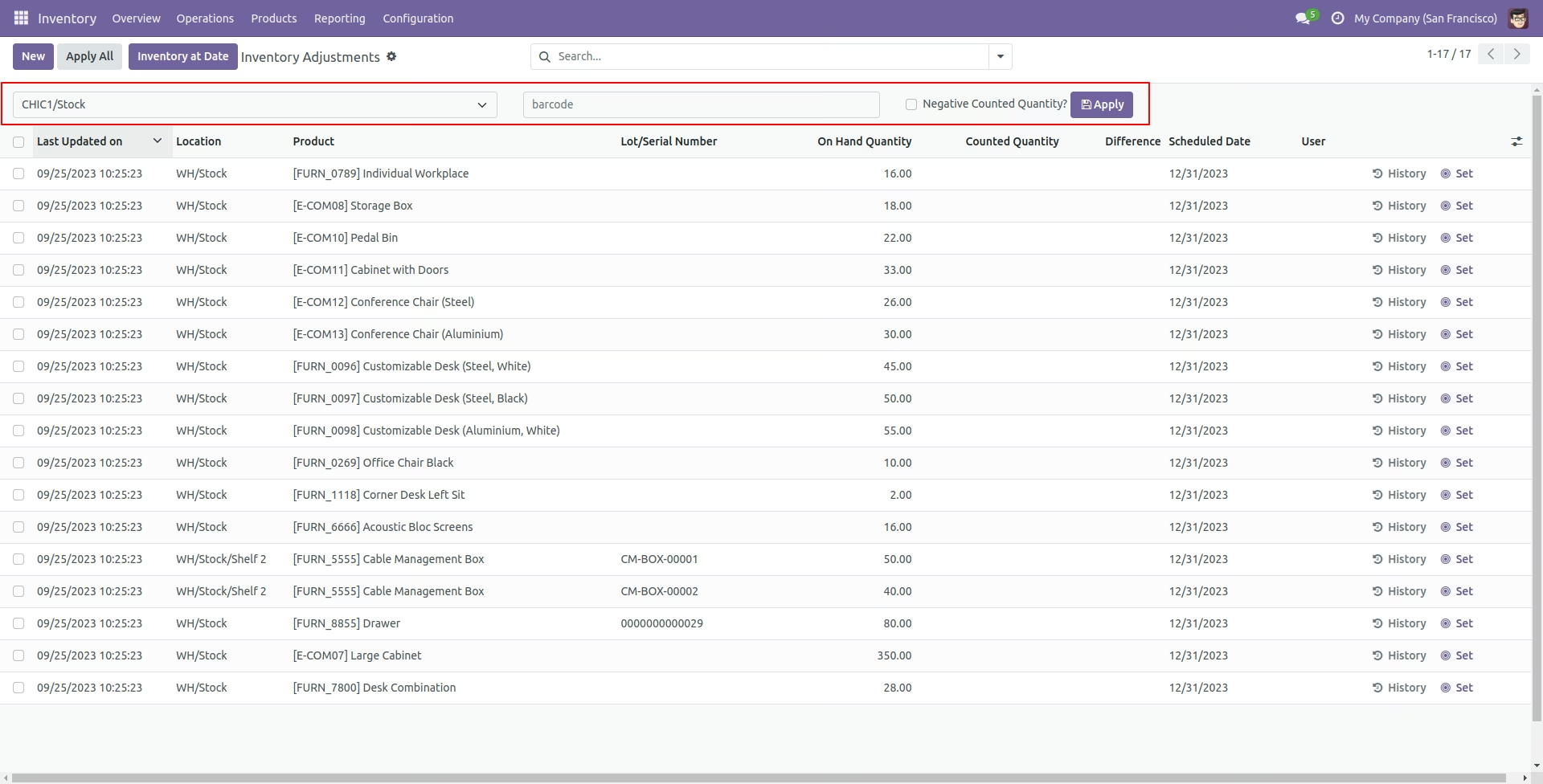
Select a location, scan the barcode, and apply it.
You can scan products and that counted qty increase by 1(One).
The success message looks like this.
The error message is given if no matching product is found.
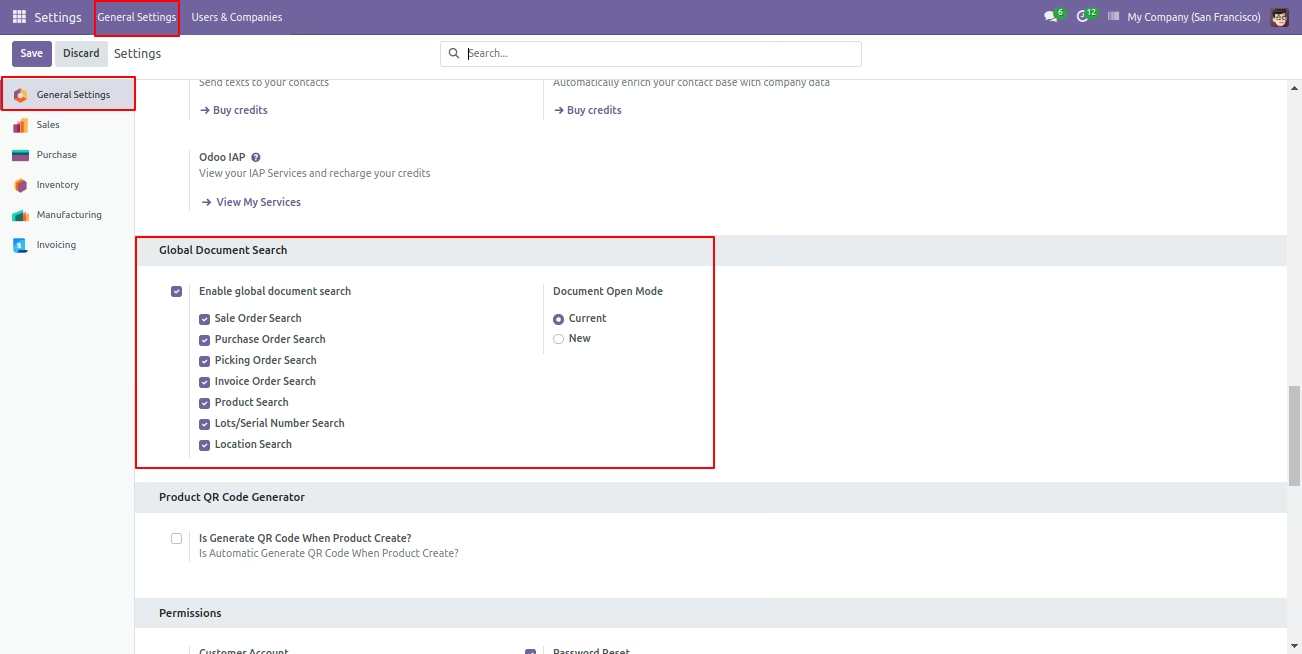
Global document search configuration.
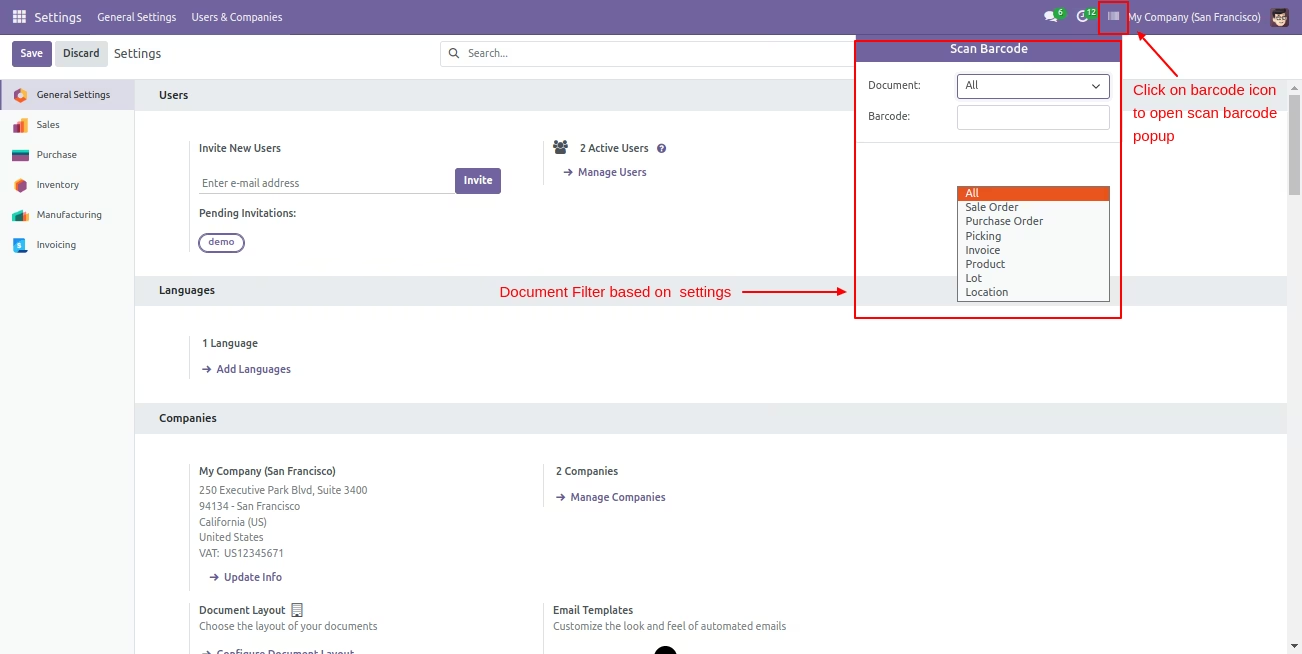
Click on the barcode icon to open the barcode popup and scan the barcode. You can filter documents based on the configuration settings.
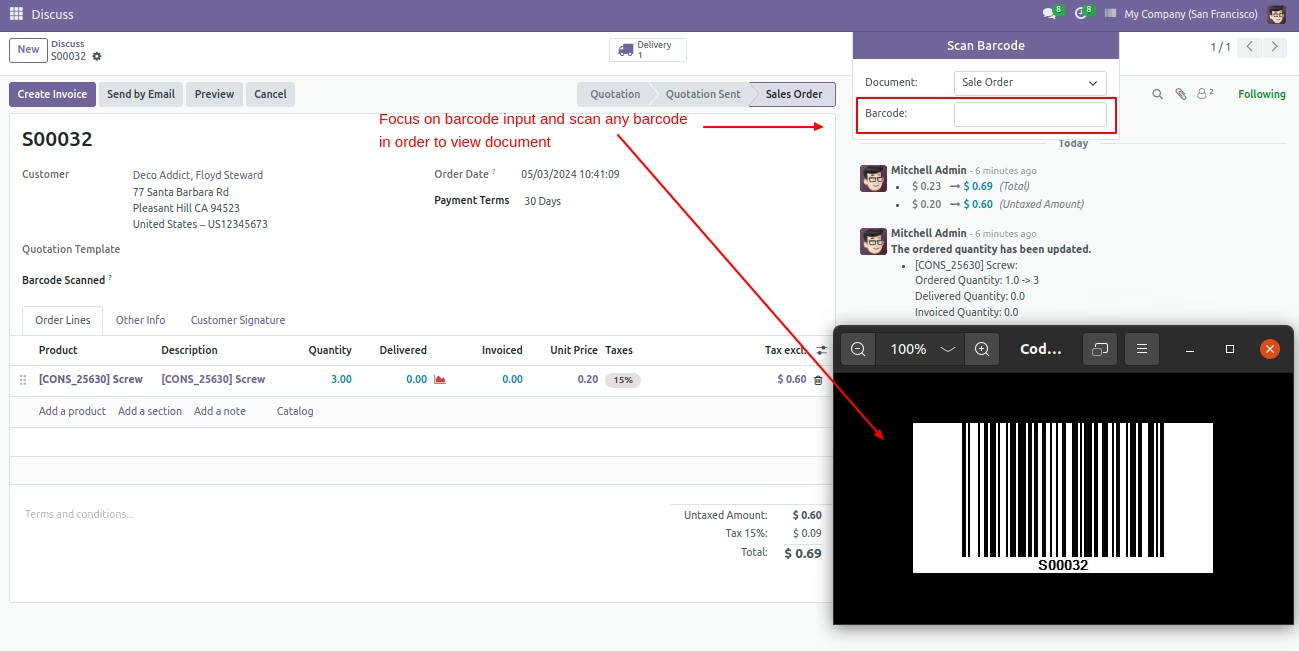
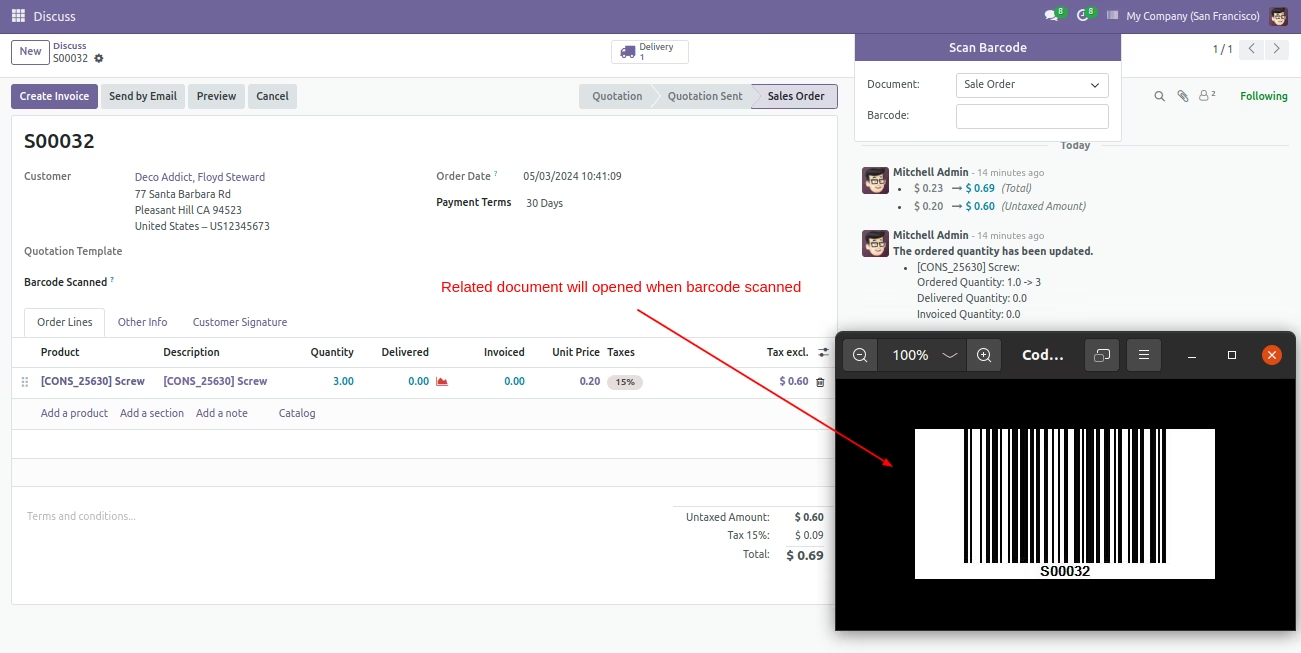
Now scan the barcode to open the document.
We are using "Print Barcode in sales, purchase, inventory, accounts, and mrp reports" to print barcode in PDF reports.
After scanning the barcode the document will be open.
We are using "Print Barcode in sales, purchase, inventory, accounts, and mrp reports" to print barcode in PDF reports.
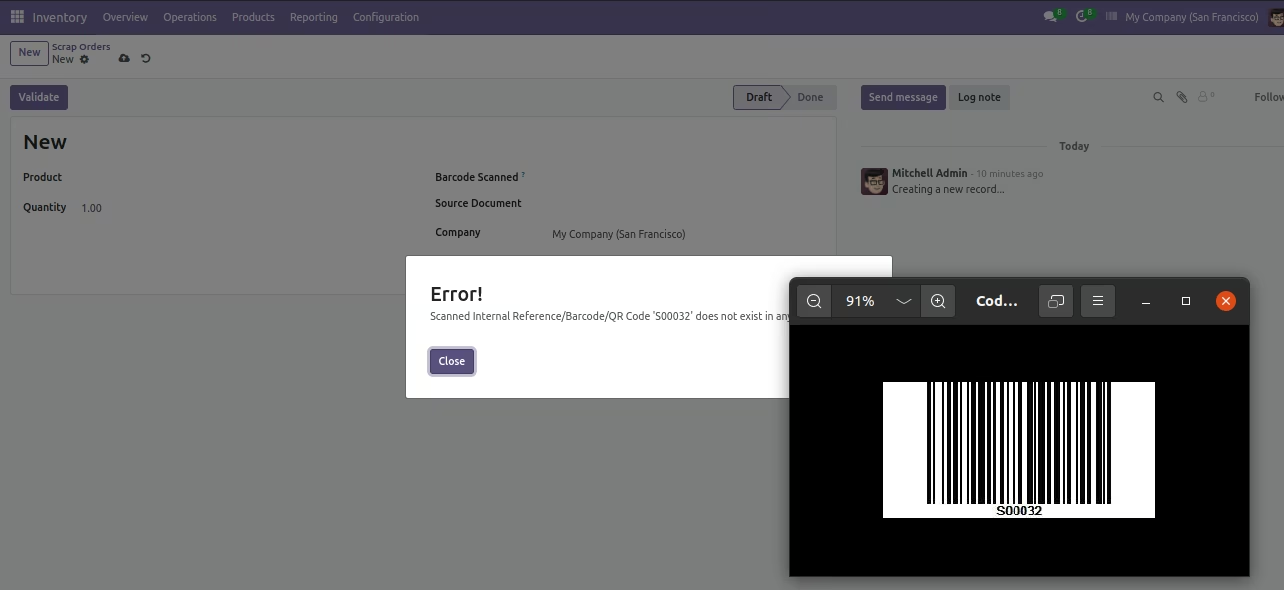
It shows the alert if the document is not found.
When you scan the barcode from the product template then it will auto-add the barcode into the barcode field.
When you scan the barcode from the product variant then it will auto-add the barcode into the barcode field.