This all-in-one backdate control module offers a centralized solution for applying customized effective dates and optional remarks during record confirmation across sales, purchases, accounting, inventory, and manufacturing workflows. Designed for accuracy and auditability, it enables mass assignment of backdate entries with a single action while ensuring that effective dates and remarks propagate throughout related stock moves, product movements, and journal entries.
Key Features
Apply custom backdates with remarks when confirming sales orders
Assign backdated confirmation dates and remarks on purchase orders
Enable effective date control for accounting transactions such as invoices and bills
Backdate manufacturing orders with optional remarks seamlessly
Apply backdated dates and remarks to inventory pickings, scrap orders, and adjustments
Support mass backdate assignment across multiple records in one action
Ensure traceability by propagating backdates and remarks to stock moves, product movements, and accounting entries
Benefits
Enhances transaction accuracy by aligning dates with real-world business events
Strengthens audit trails with consistent effective date and remark traceability
Saves time and reduces manual workload through batch backdate capability
Maintains consistency across linked documents ensuring synchronized dates and notes across stock, financials, and manufacturing
Improves accountability by capturing remarks with each backdated entry
All In One Backdate - Basic
Our module is useful for confirm sales, purchase, accounting & inventory orders with selected confirmation backdate. You can put a custom backdate and remarks. You can mass assign backdate in one click. This selected date and remarks are also reflects in the stock moves, product moves & journal entries.
Hot Features
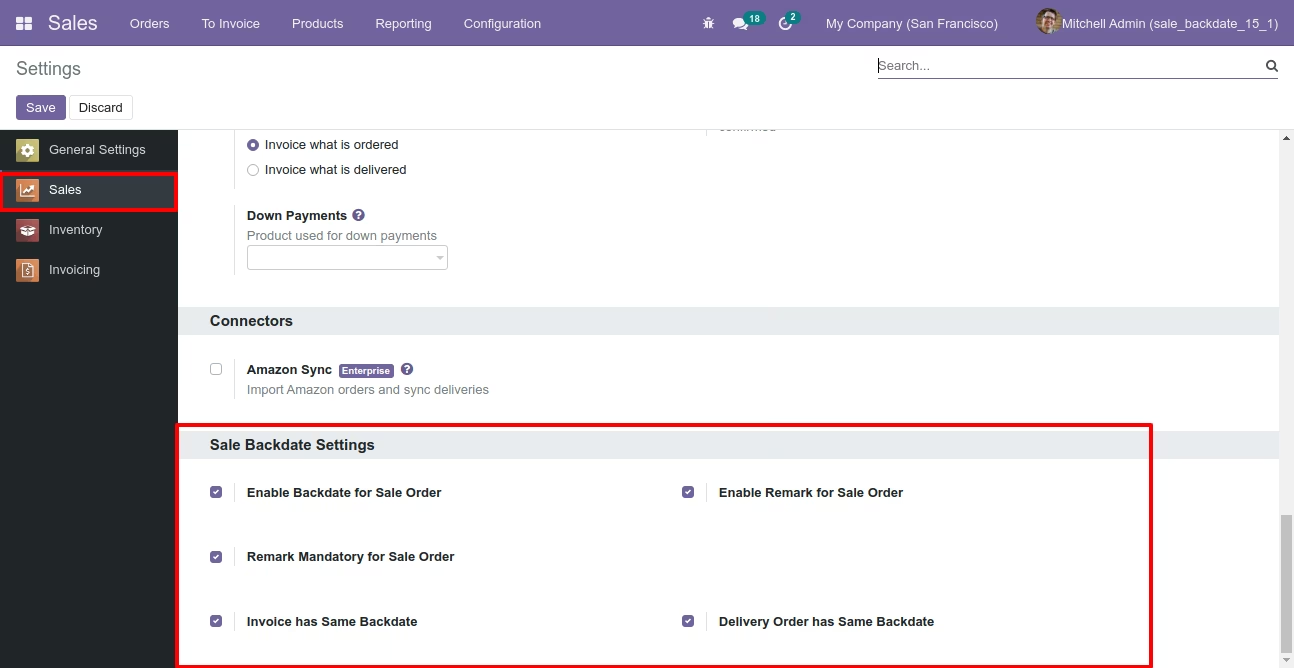
Configuration for sales backdate, enable features as per requirement.
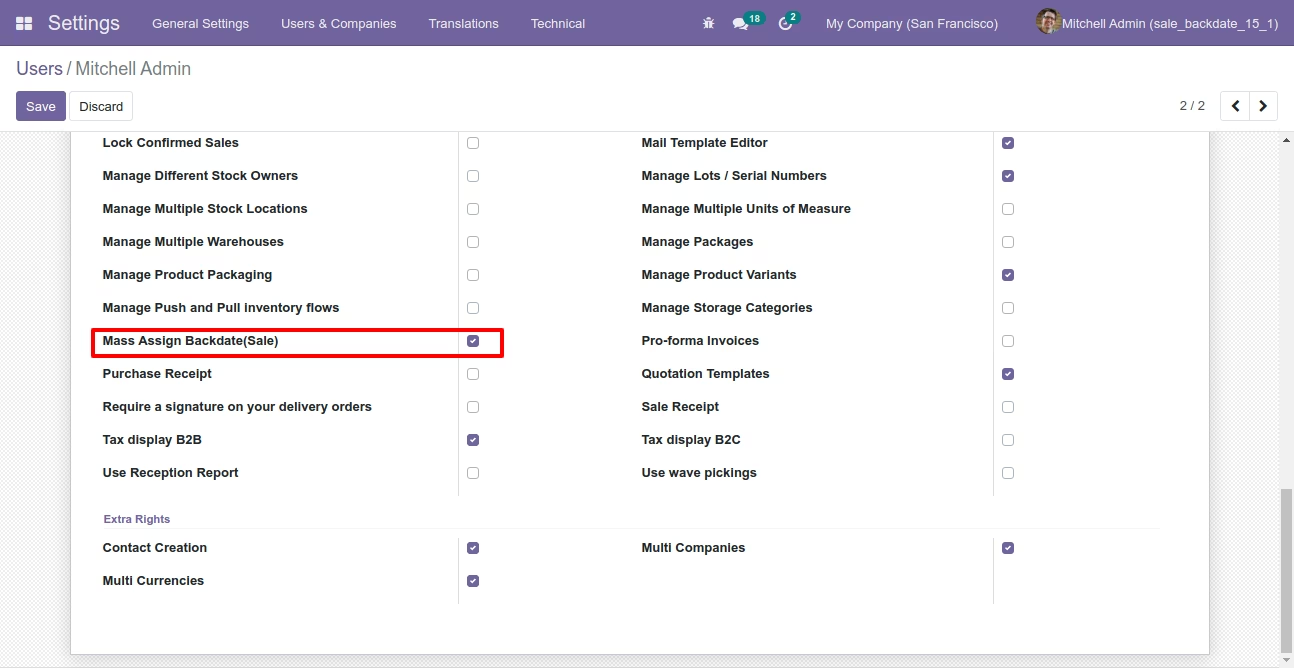
If you enable "Mass Assign Backdate" then you can mass assign backdate in sales.
Select sale orders from the list view then click "Mass Assign Backdate".
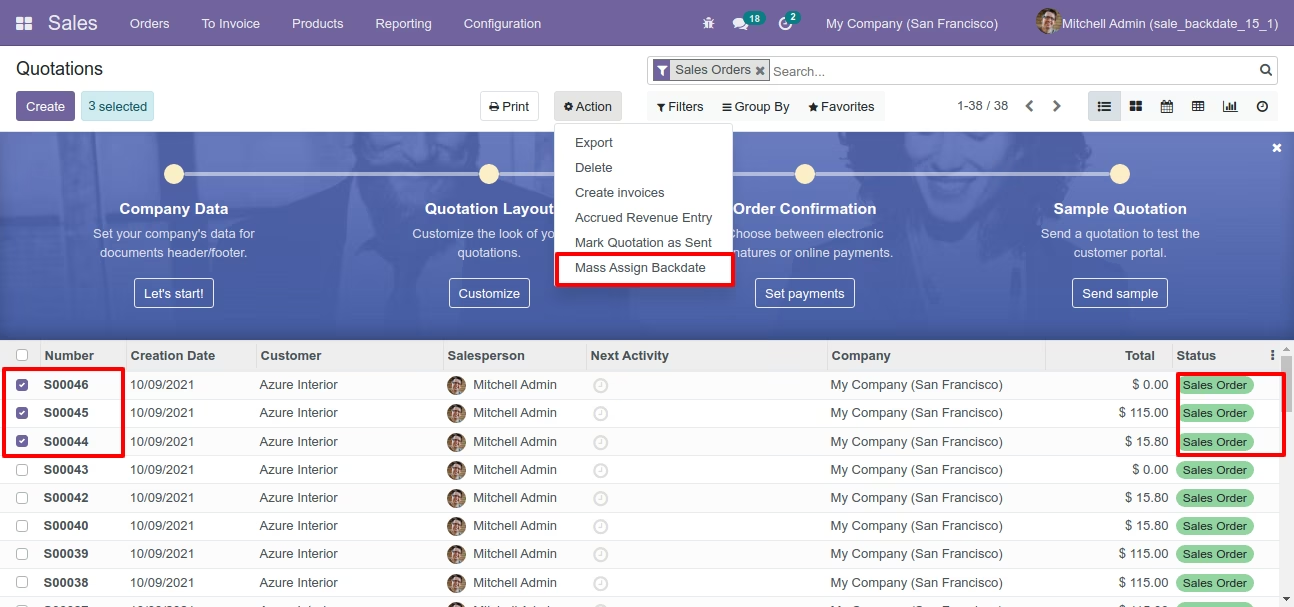
After that, this wizard opens, enters the order date and remarks. Here remarks come if you have enabled that feature.
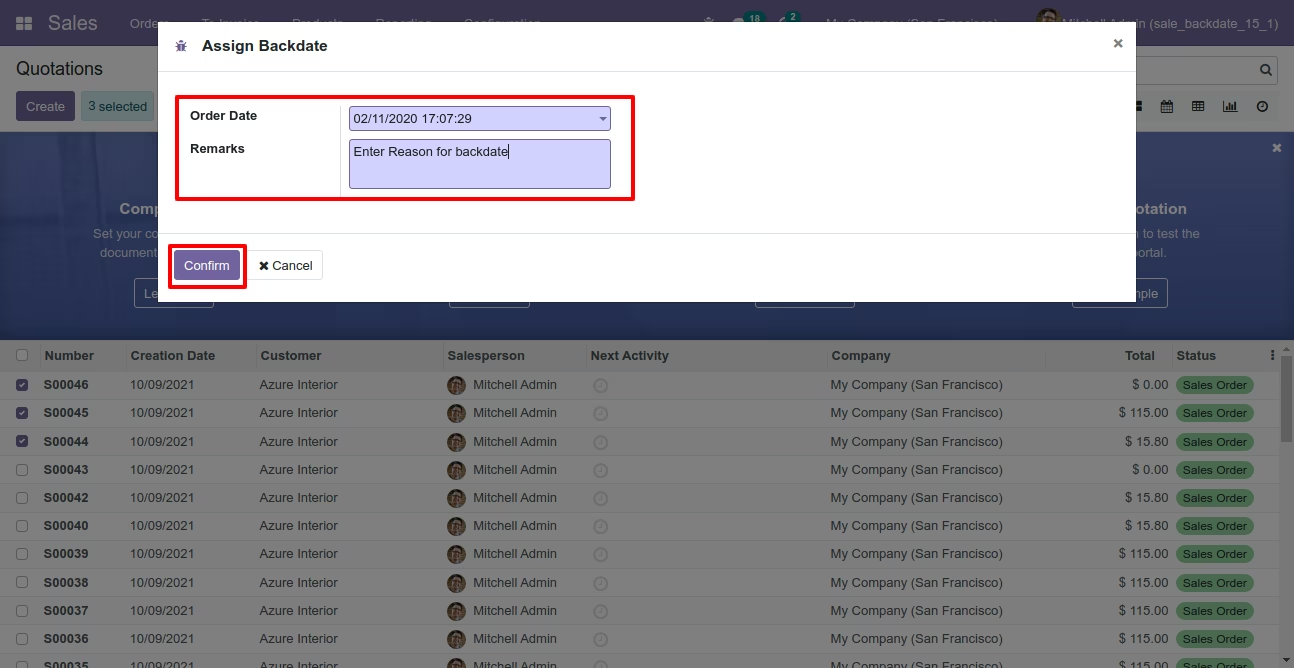
Sale order form view with backdate and remarks.
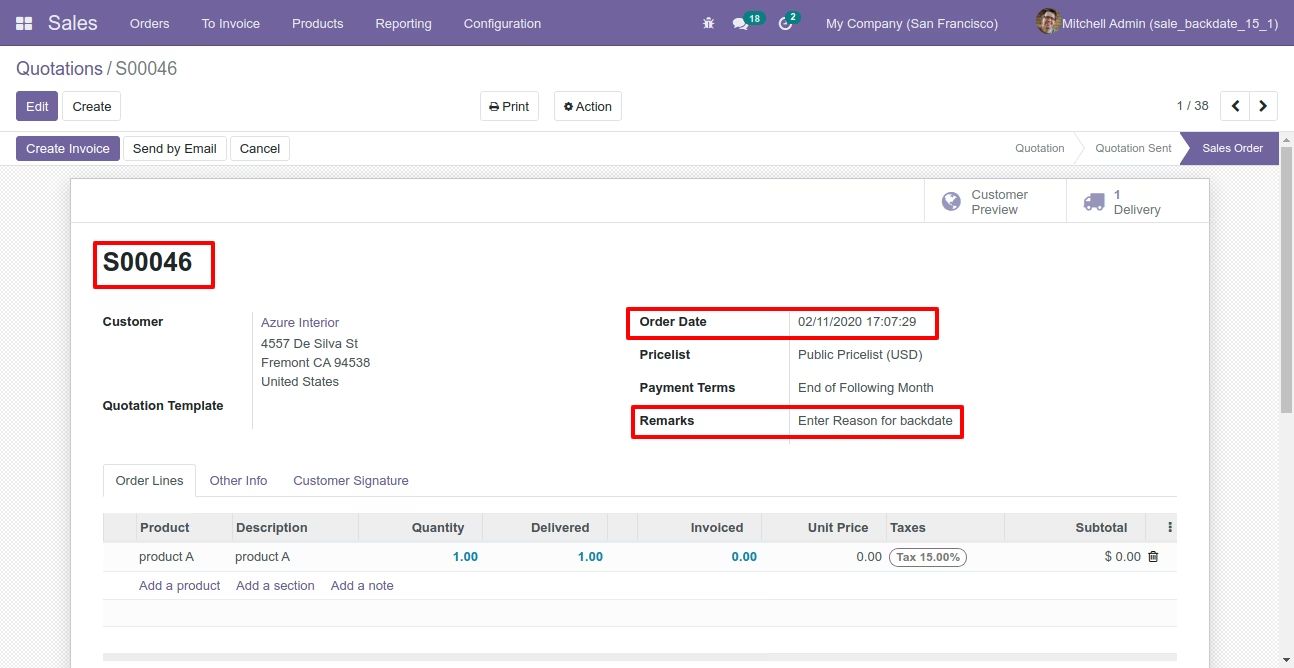
Delivery order with backdate and remarks.
Stock moves with backdate and remarks.
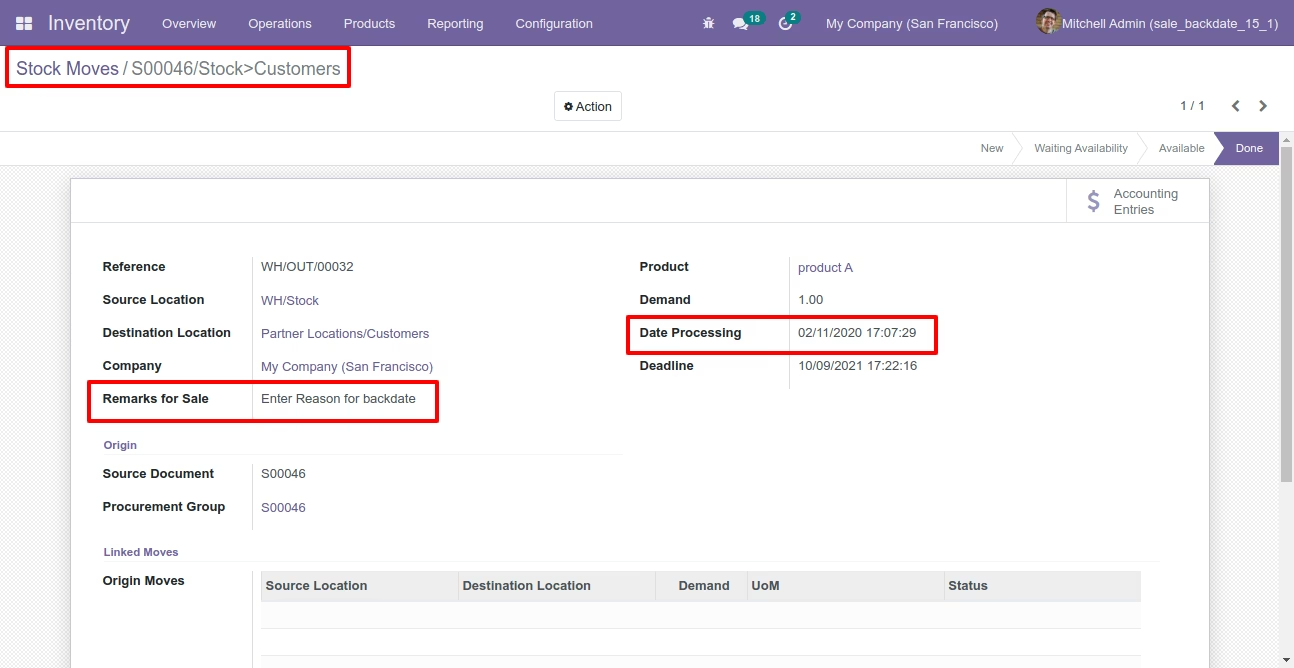
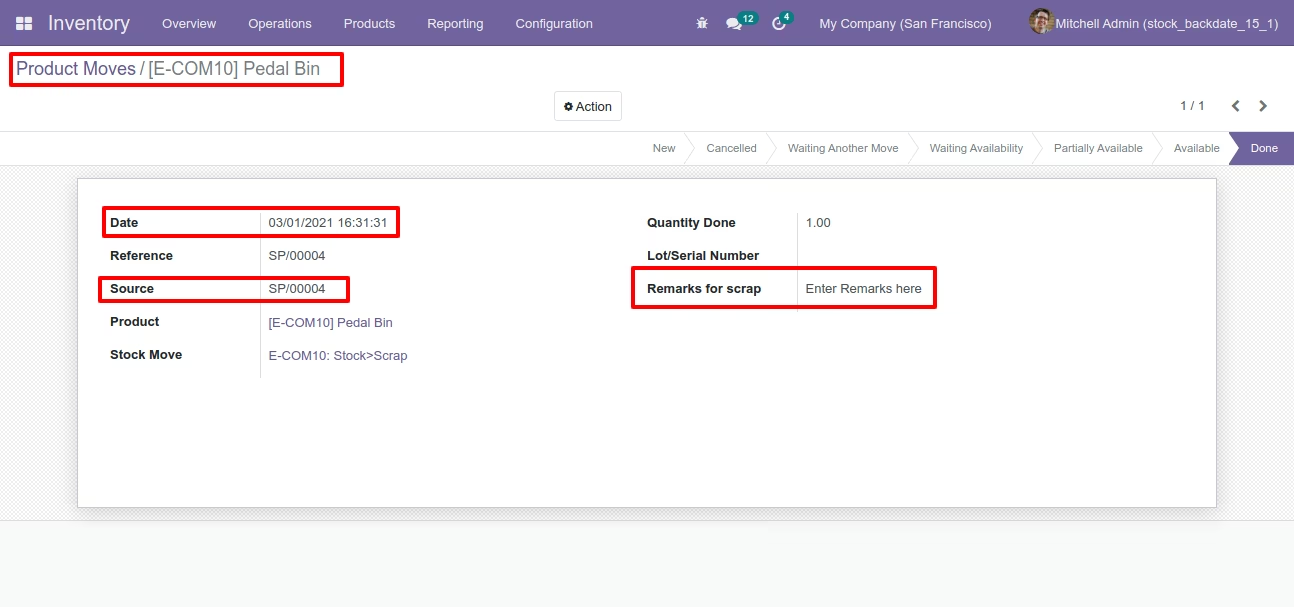
Product moves with backdate and remarks.
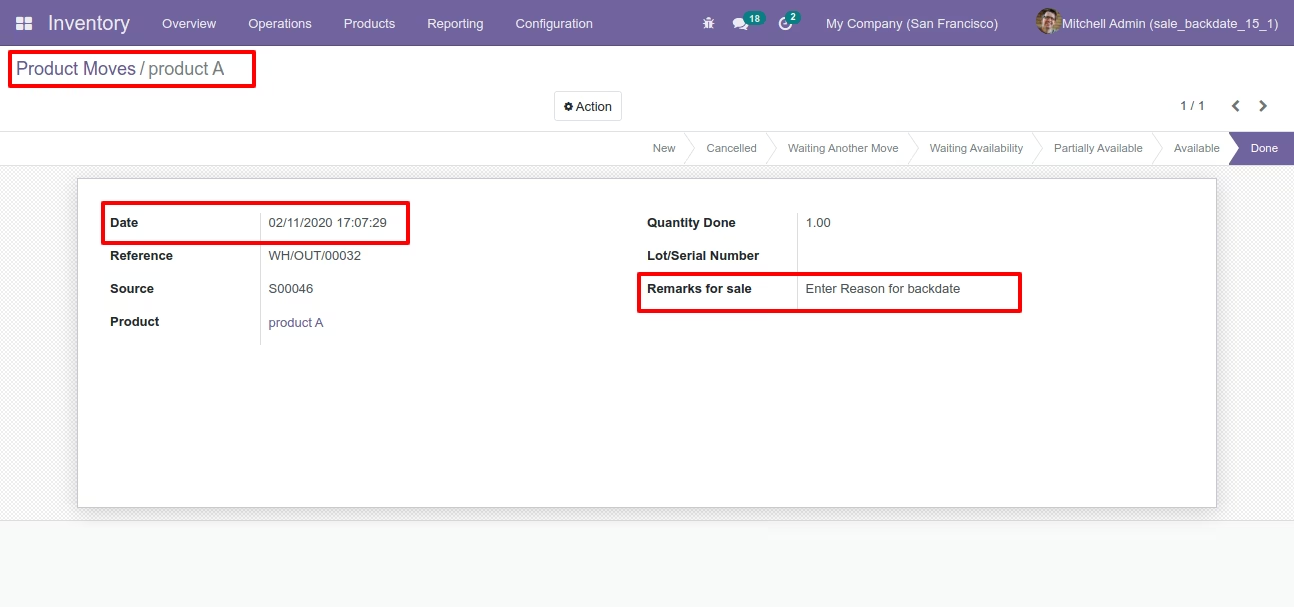
Invoice with backdate and remarks.
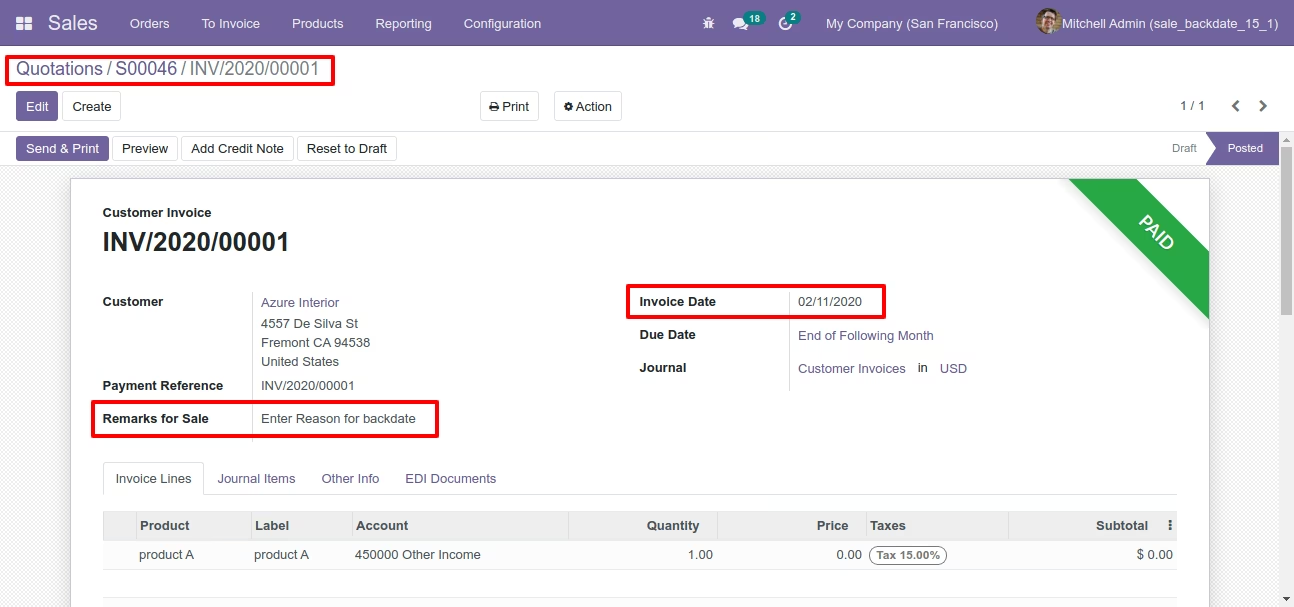
Journal entries with backdate and remarks.
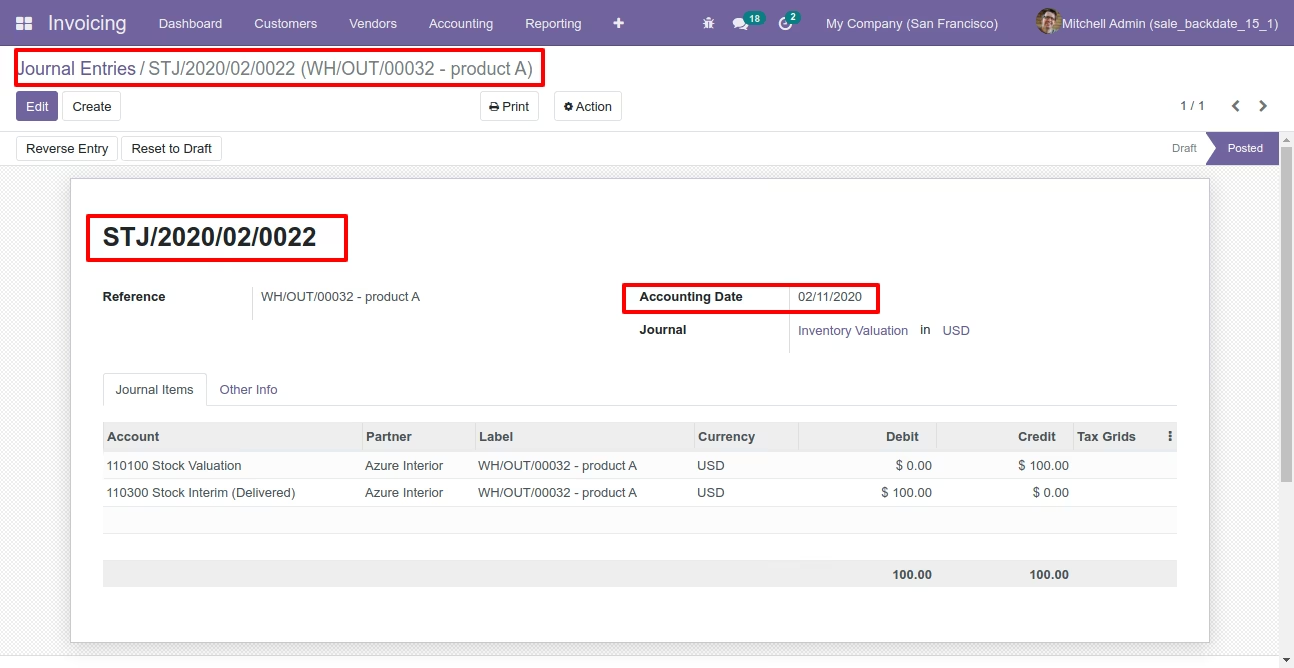
Features

- You can confirm purchase orders with a custom backdate.
- You can select desired confirmation backdate in purchases.
- You can mass assign backdate in purchase.
- While you assign backdate, you can put remarks with it.
- We provide an option for mandatory remarks while assigning backdate.
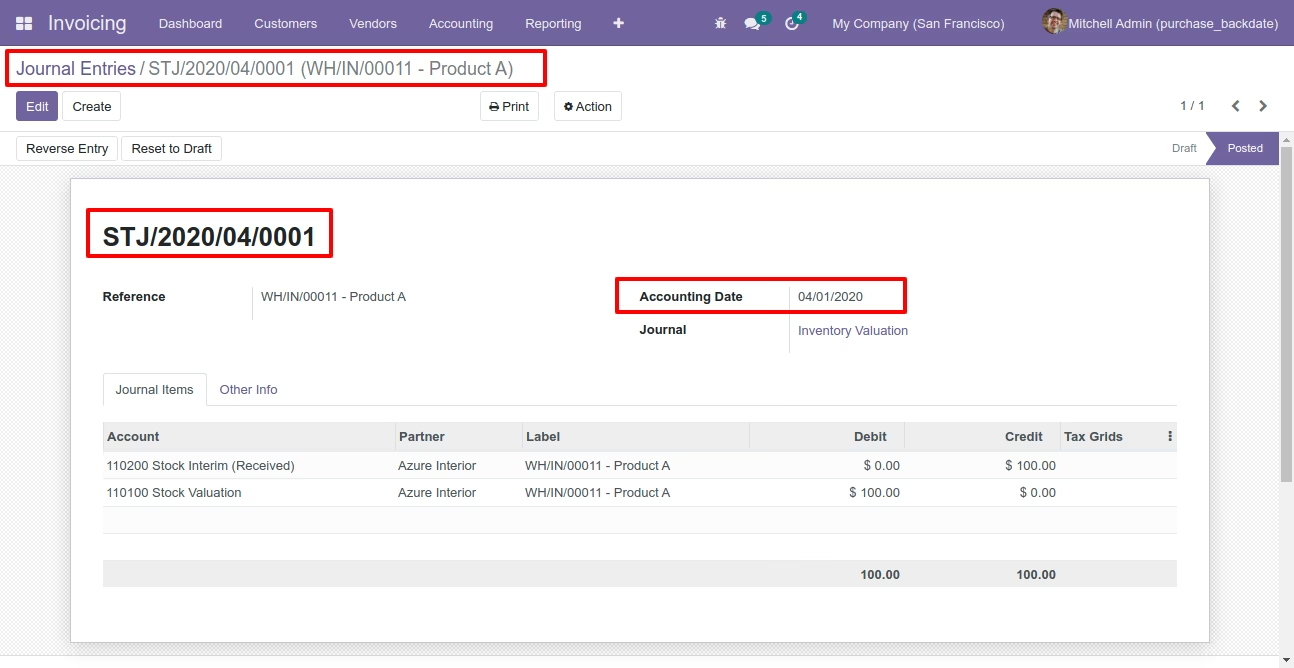
- Backdate and remarks transfer to the bill and journal entries.
- Backdate and remarks transfer to the receipt.
- Backdate and remarks transfer to the stock moves & product moves.
Workflow
Configuration for purchase backdate, enable features as per requirement.
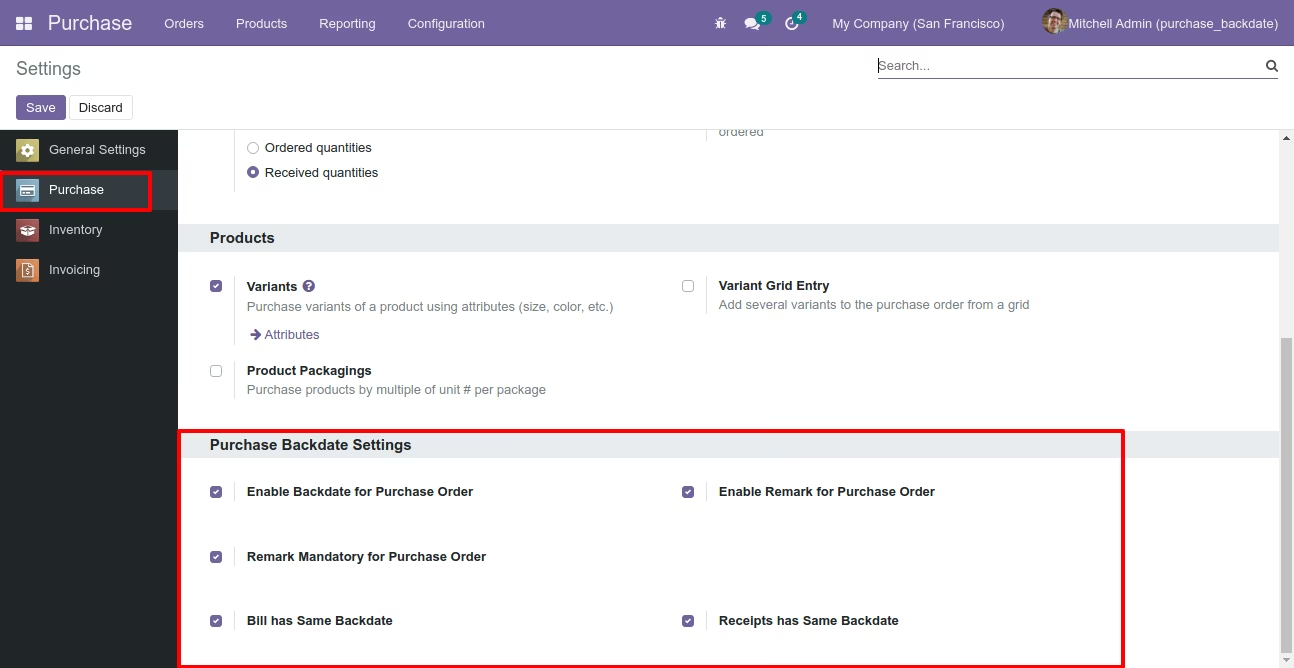
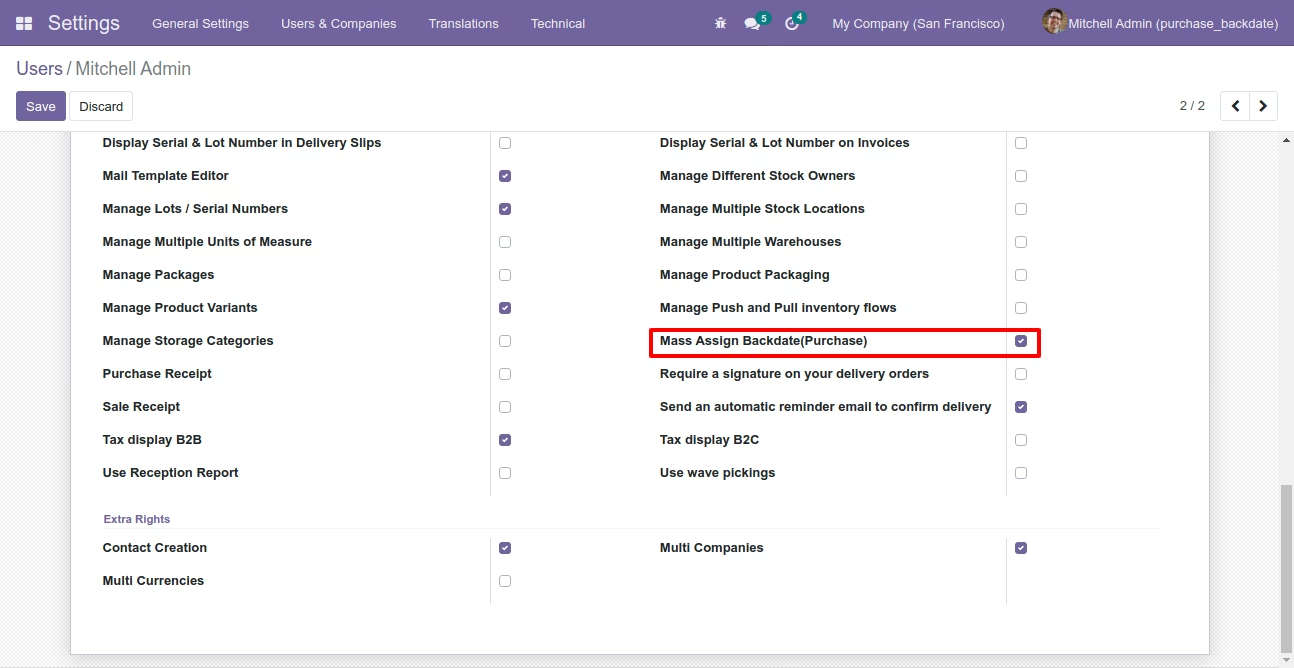
If you enable "Mass Assign Backdate" then you can mass assign backdate in purchases.
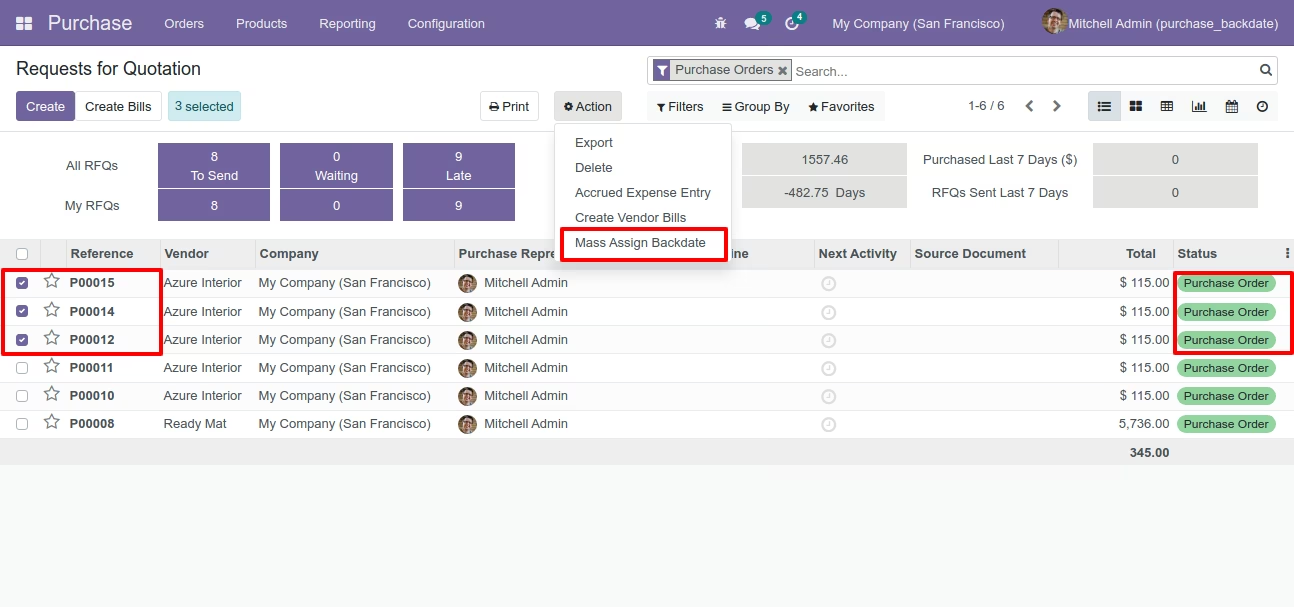
Select purchase orders from the list view then click "Mass Assign Backdate".
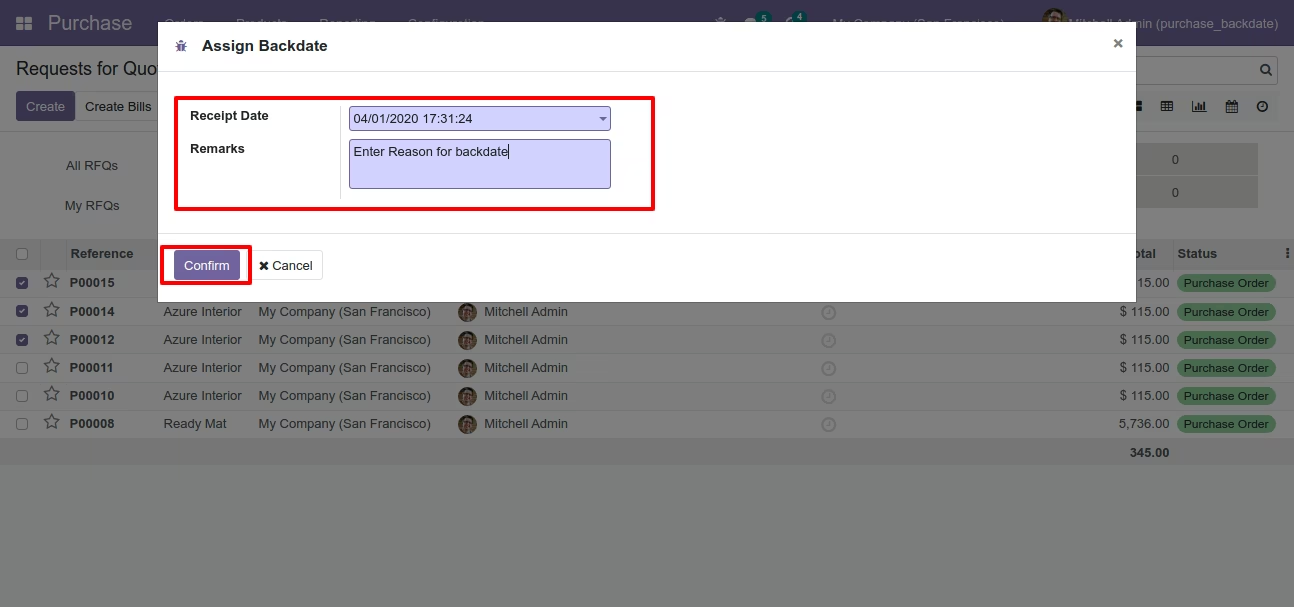
After that, this wizard opens, enters the order date and remarks. Here remarks come if you have enabled that feature.
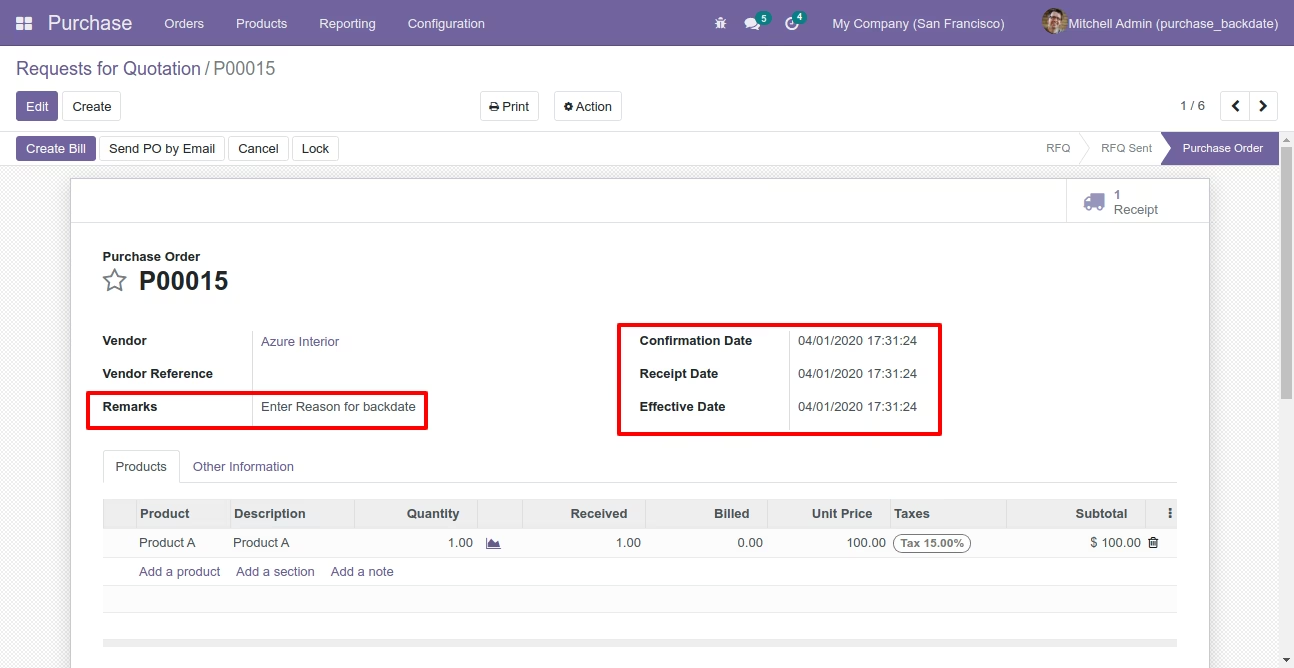
Purchase order form view with backdate and remarks.
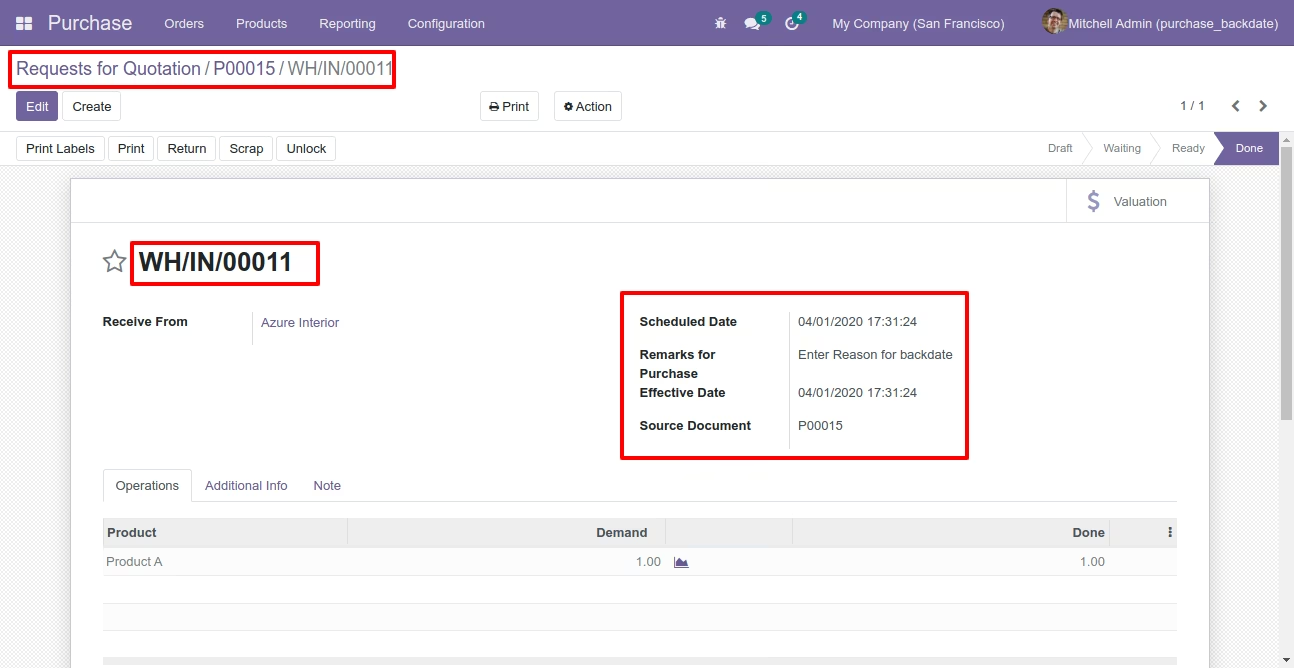
Receipt with backdate and remarks.
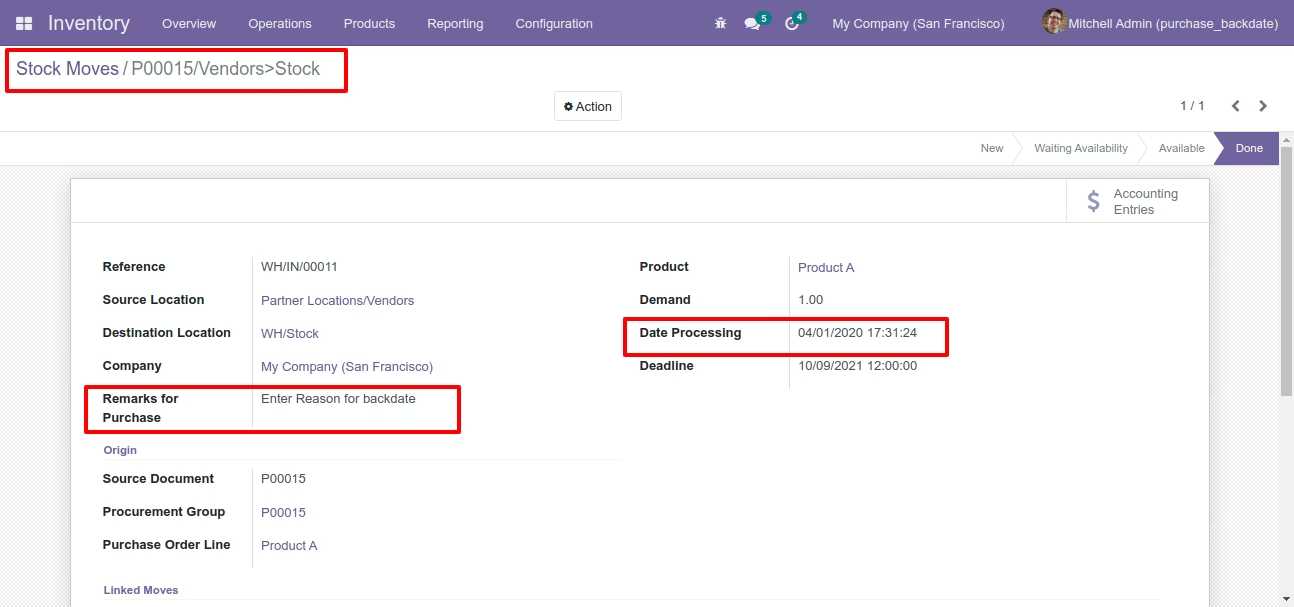
Stock moves with backdate and remarks.
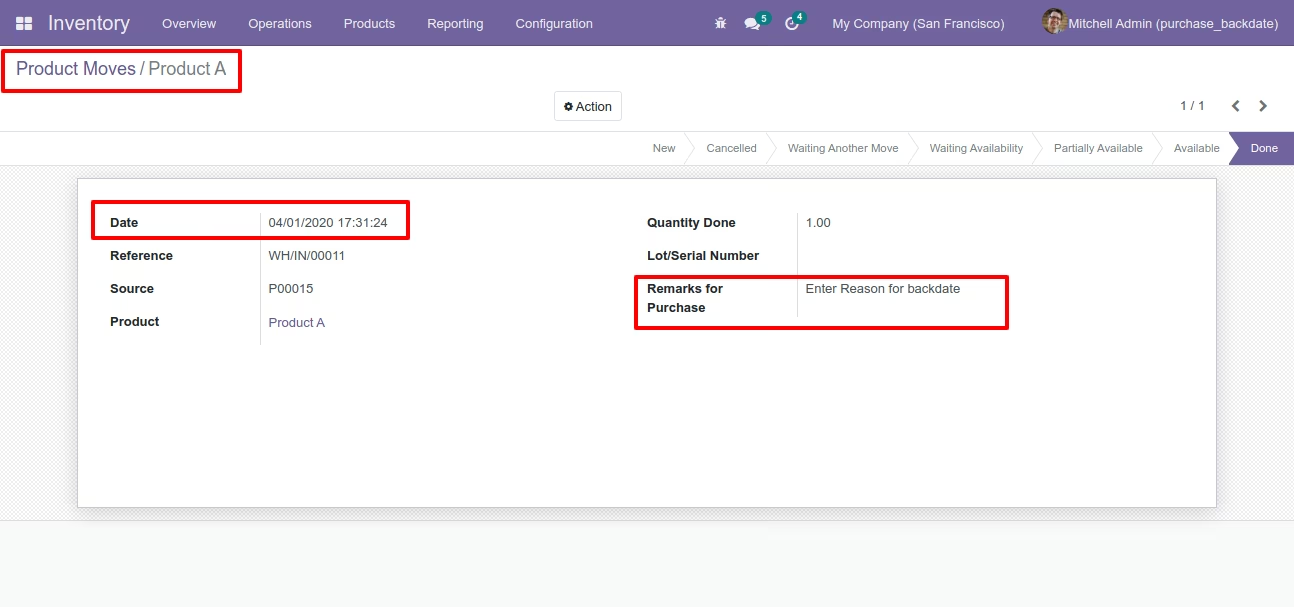
Product moves with backdate and remarks.
Bill with backdate and remarks.
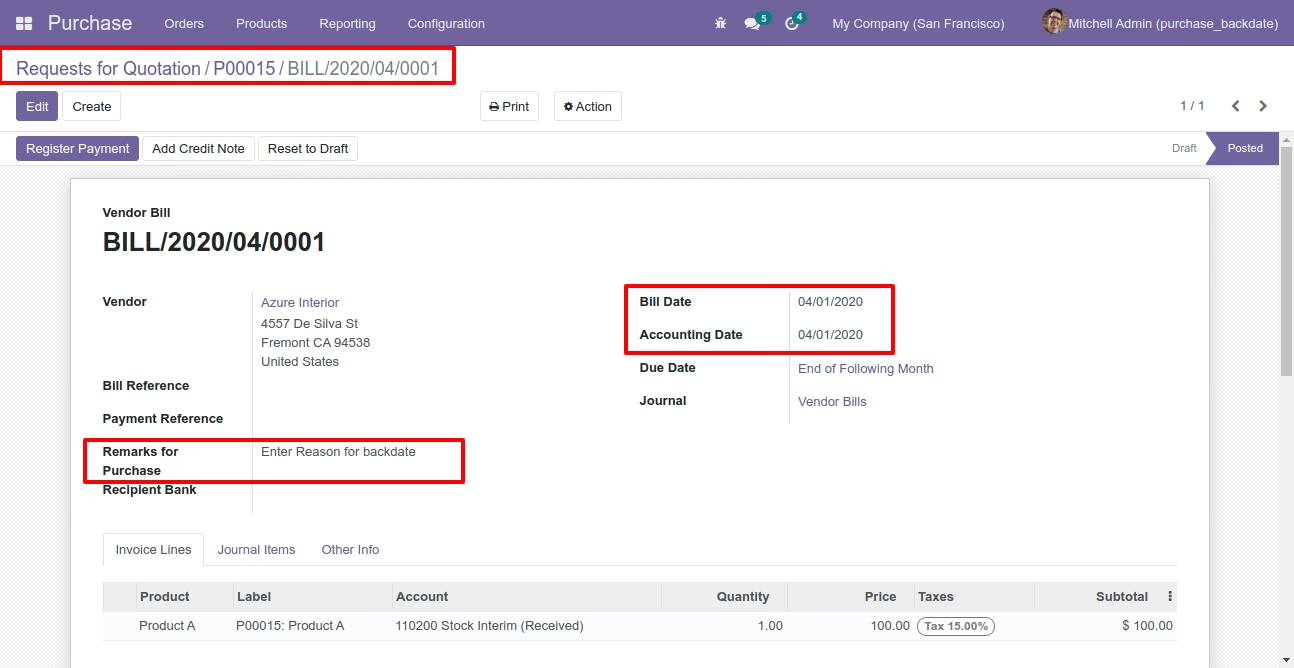
Journal entries with backdate and remarks.
Features
- You can confirm invoice, bill, credit note, debit note & payments with a custom backdate.
- You can mass assign backdate.
- While you assign backdate, you can put remarks with it.
- We provide an option for mandatory remarks while assigning backdate.
- Backdate and remarks transfer to the journal entries.
Workflow
Configuration for account backdate, enable features as per requirement.
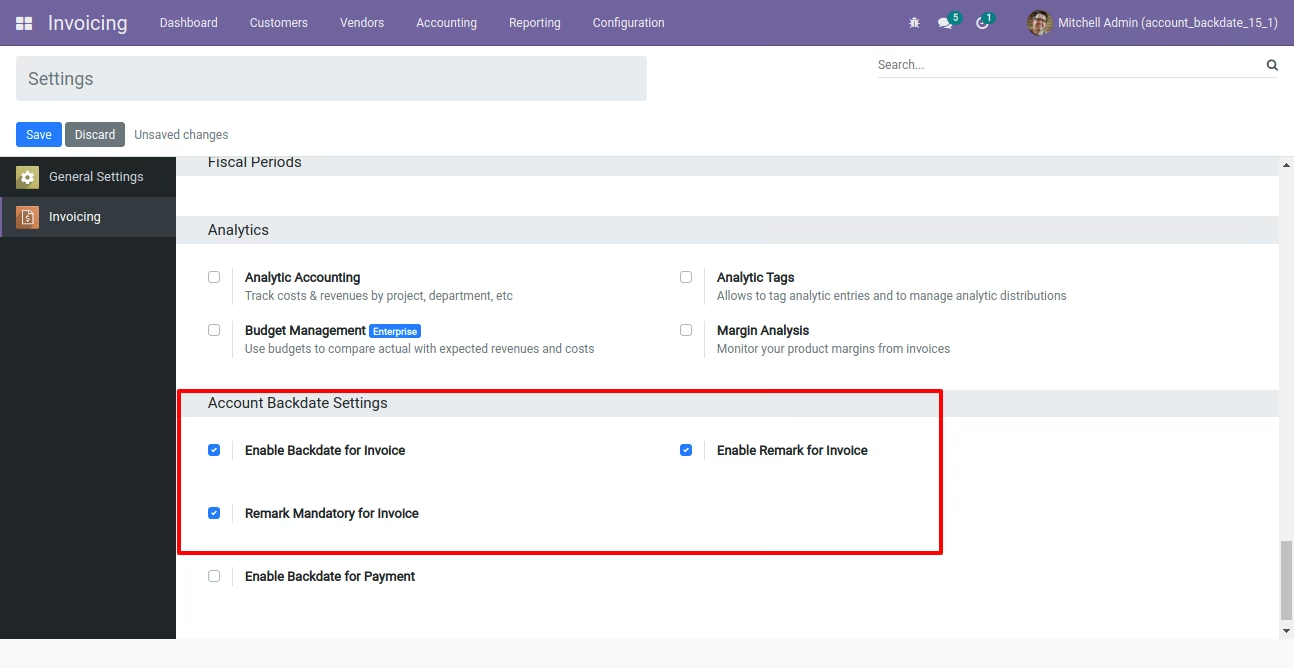
If you enable "Mass Assign Backdate" then you can mass assign backdate.
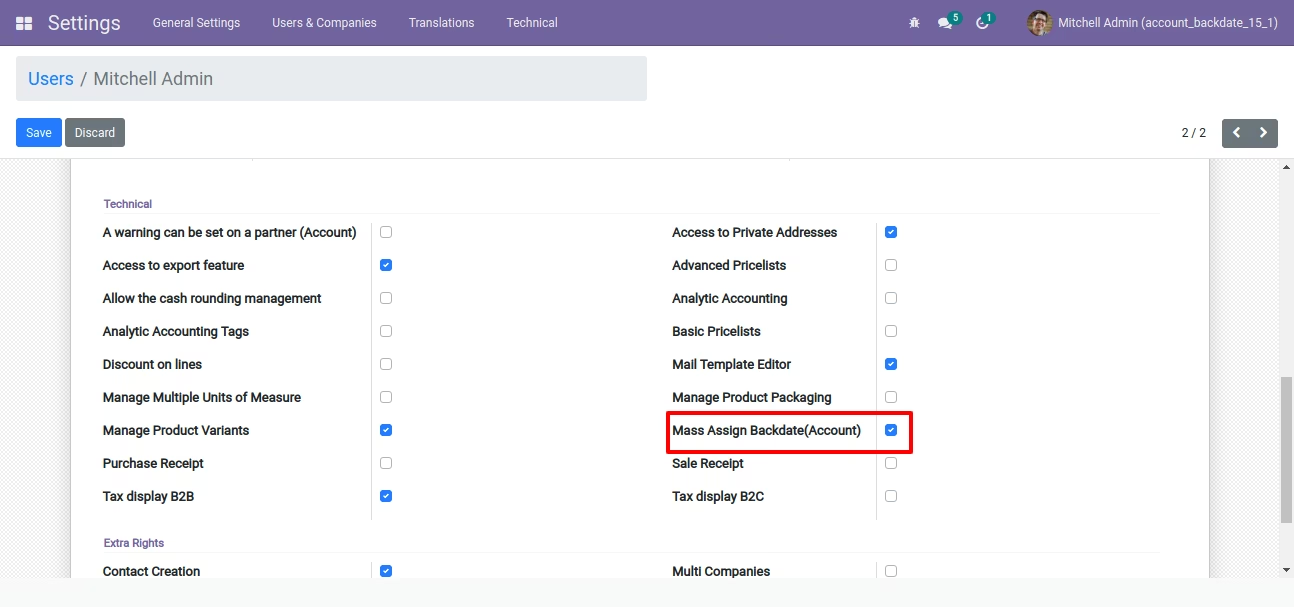
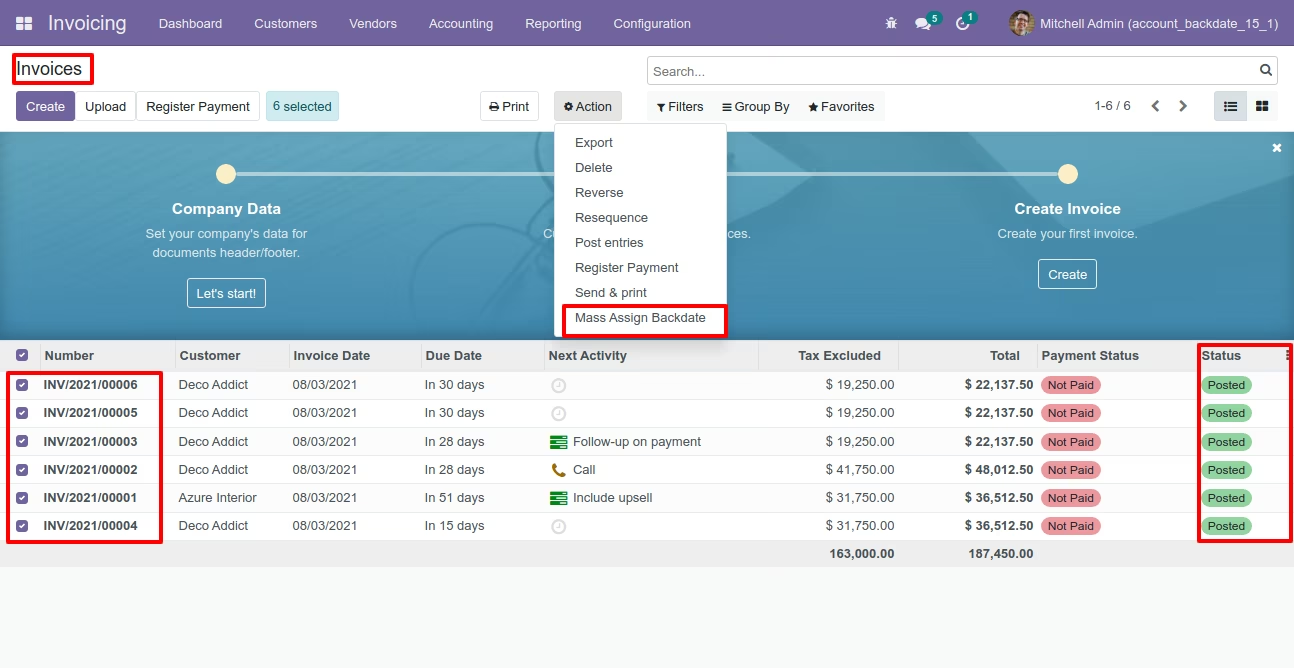
Select orders from the list view then click "Mass Assign Backdate".
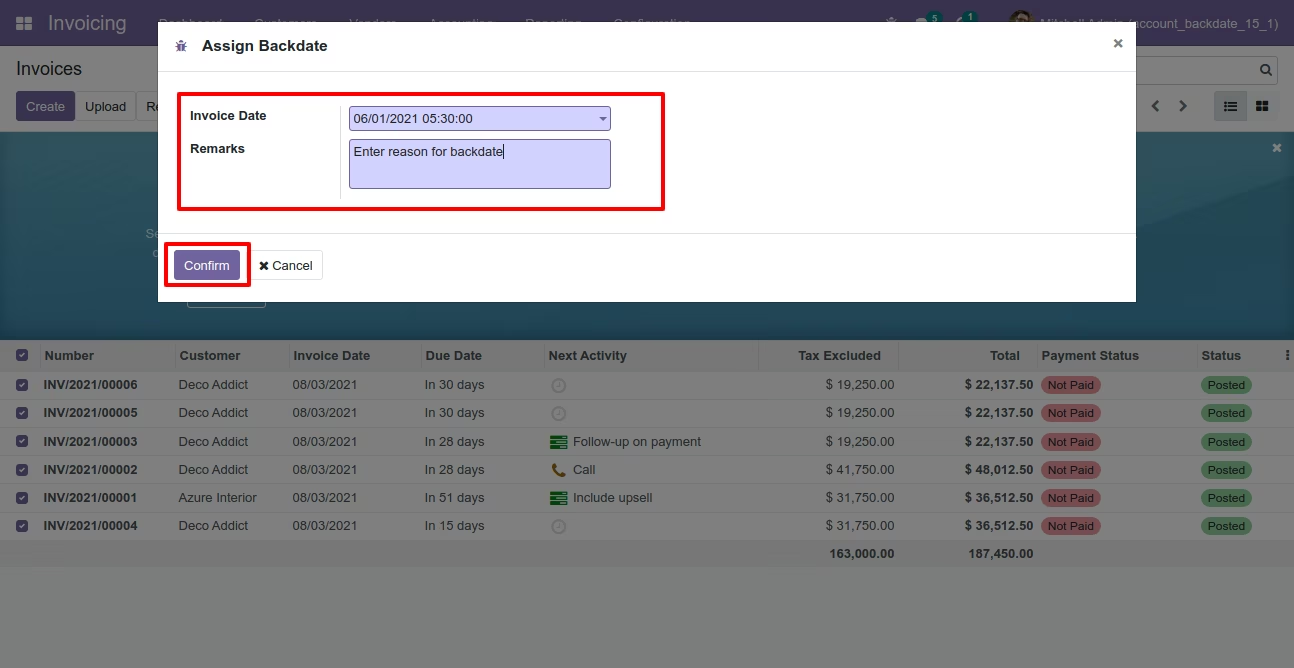
After that, this wizard opens, enters the order date and remarks. Here remarks come if you have enabled that feature.
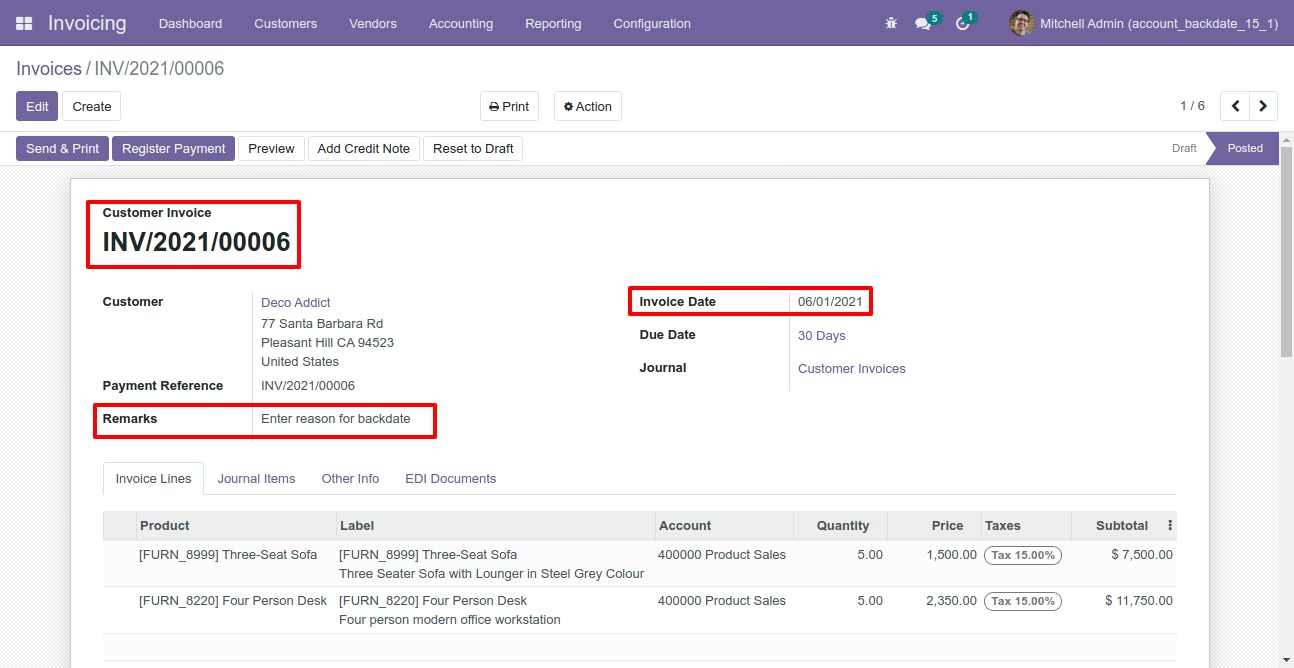
Invoice form view with backdate and remarks.
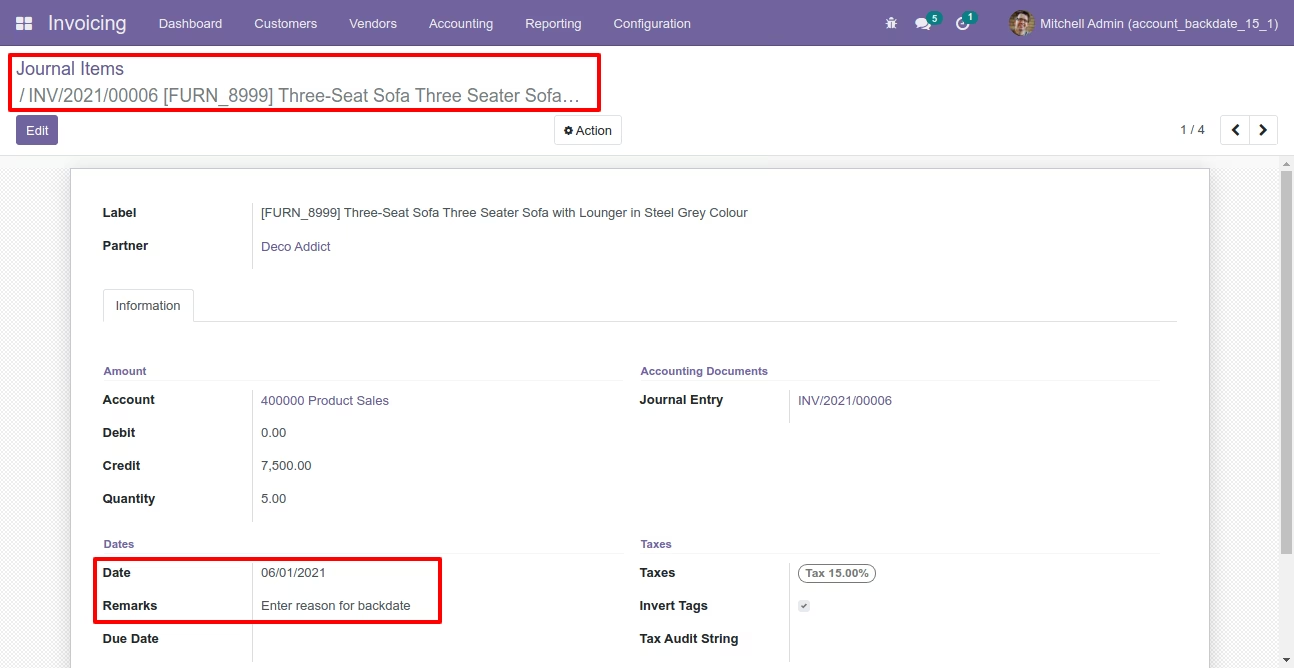
Journal items with backdate and remarks.
Configuration for payment backdate, enable features as per requirement.
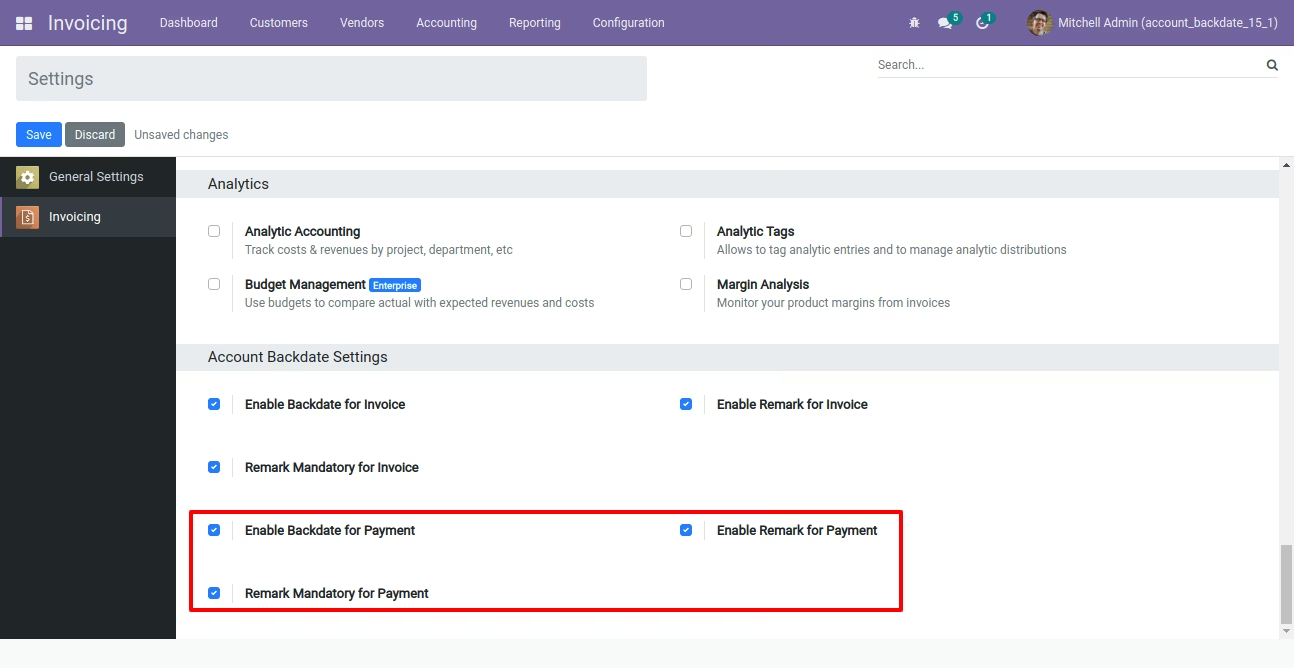
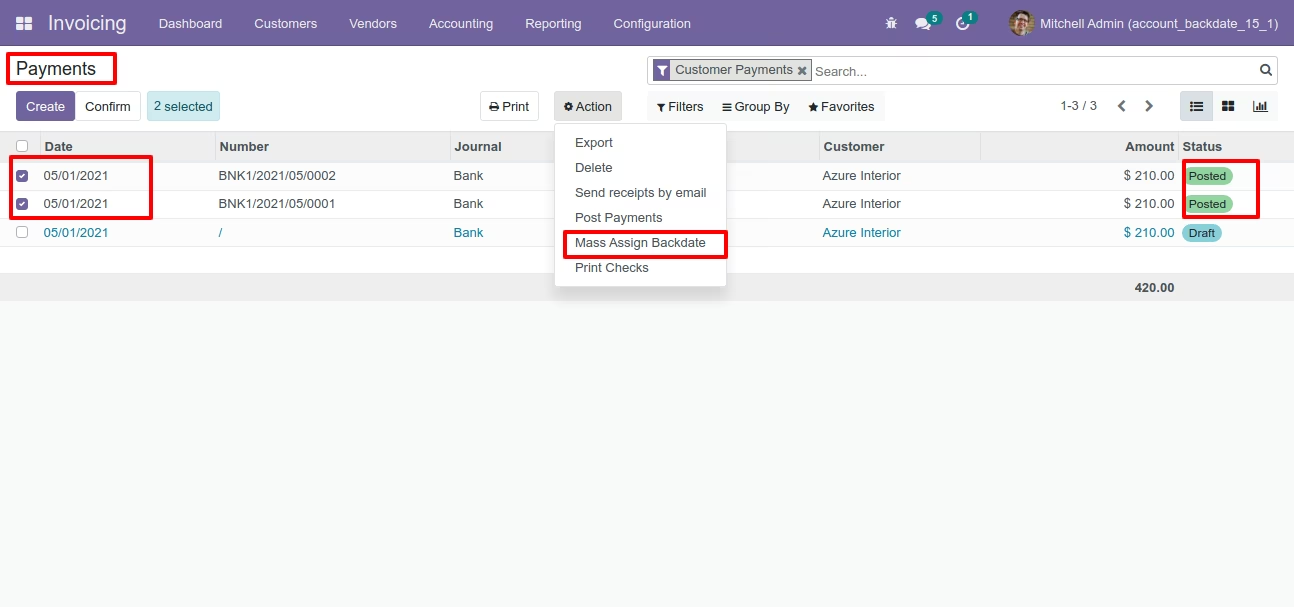
If you enable "Mass Assign Backdate" then you can mass assign backdate, Select orders from the list view then click "Mass Assign Backdate".
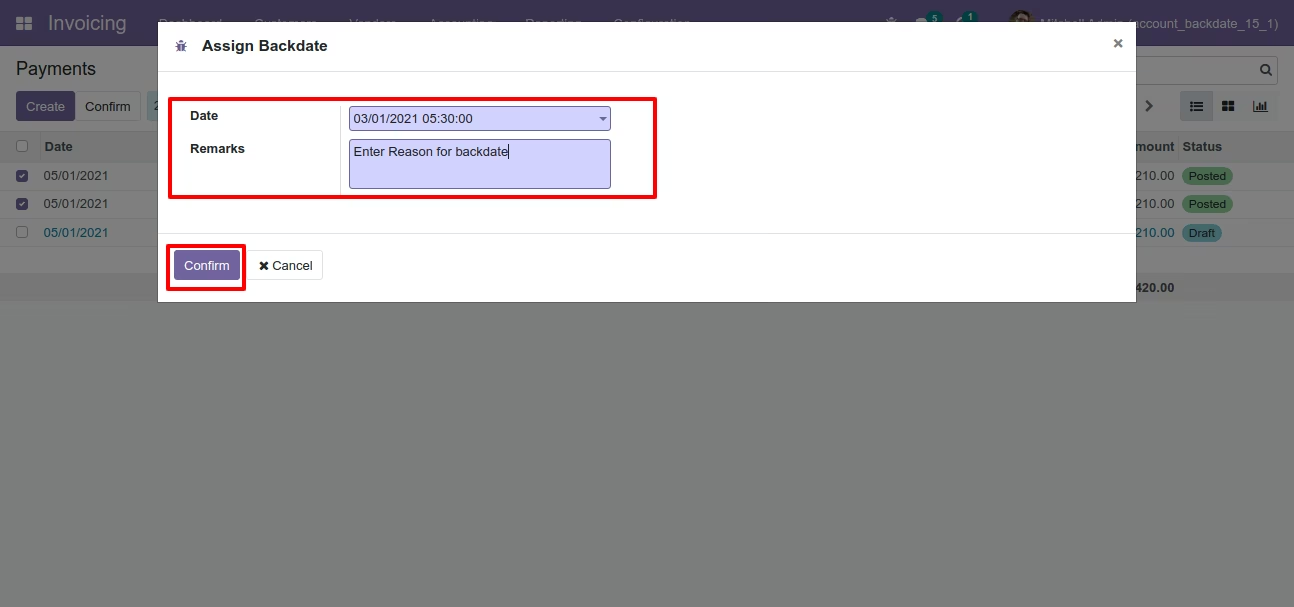
After that, this wizard opens, enters the order date and remarks. Here remarks come if you have enabled that feature.
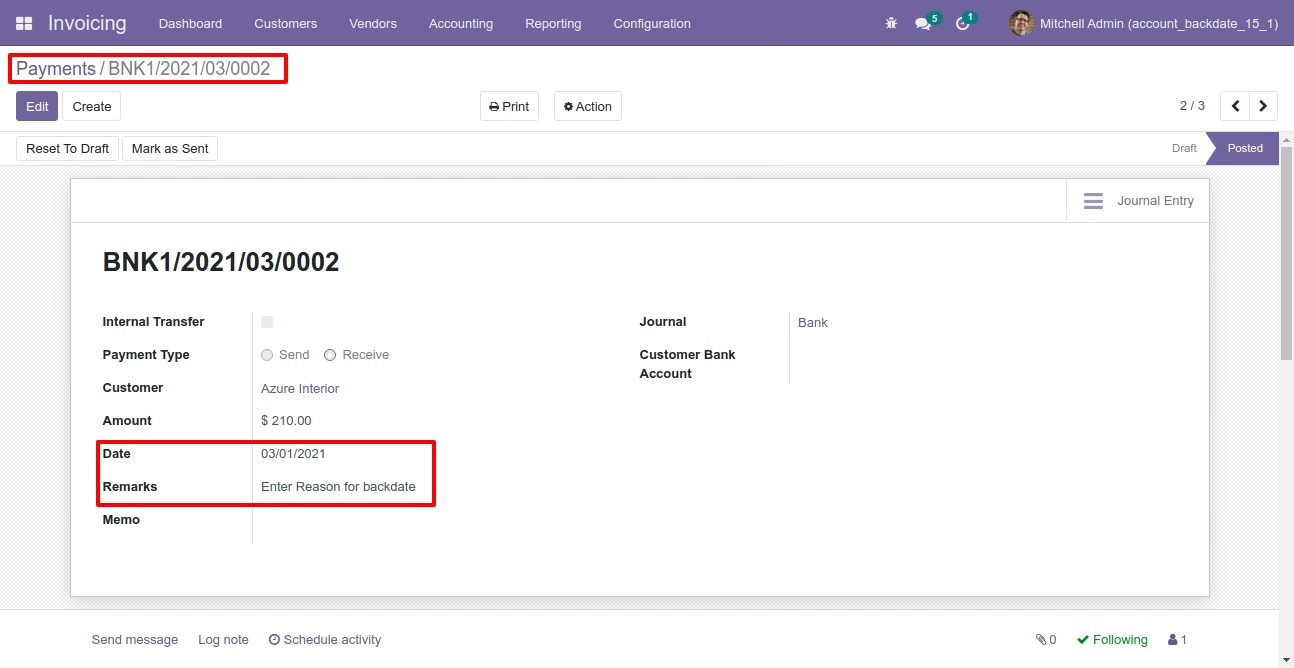
Payments form view with backdate and remarks.
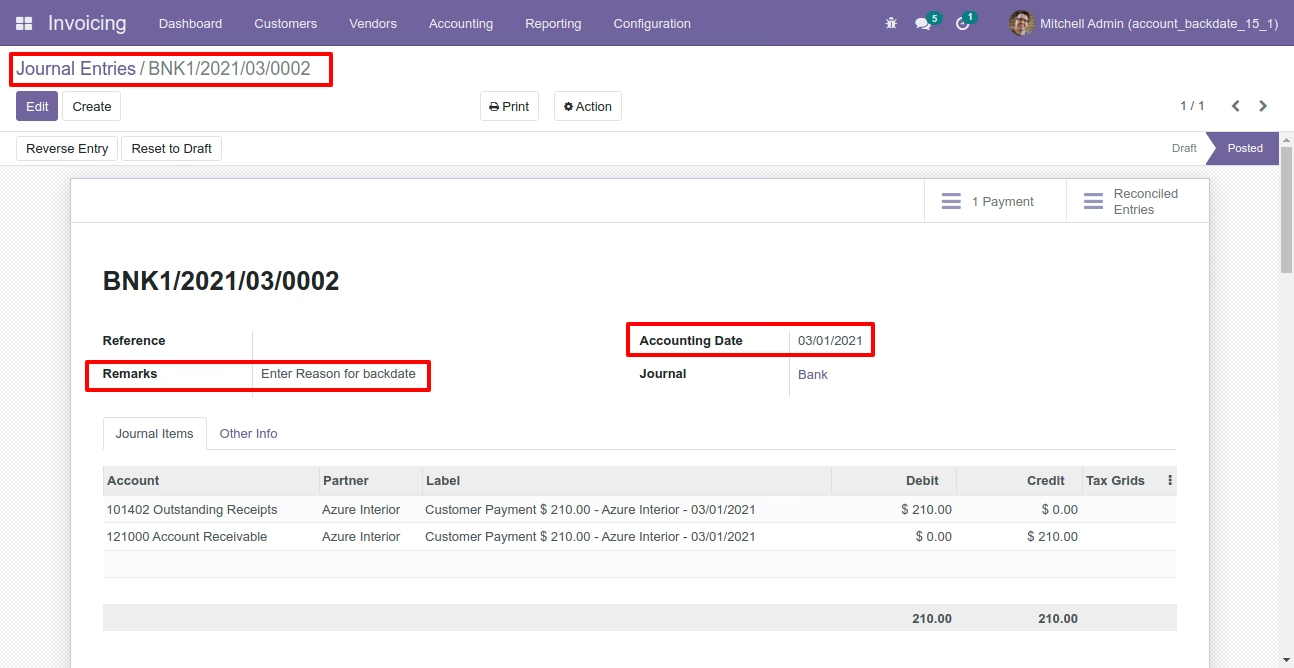
Journal entries with backdate and remarks.
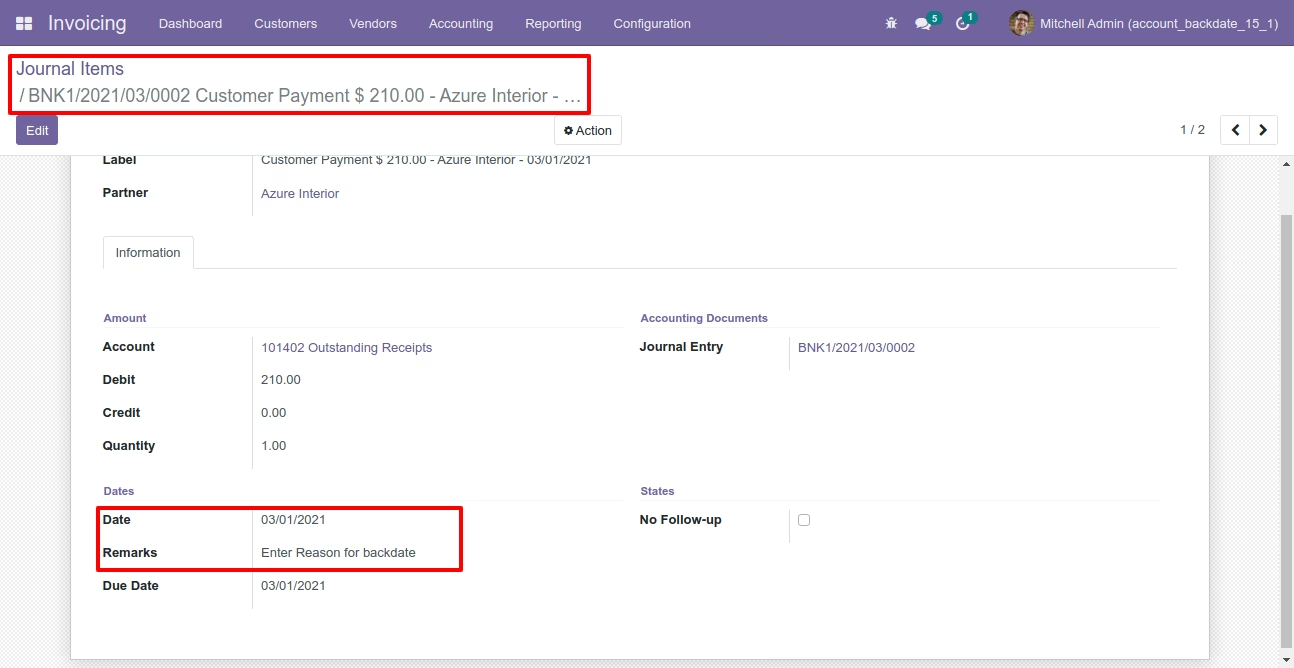
Journal items with backdate and remarks.
Features
- You can confirm picking orders (incoming order / delivery order / internal transfer) with a custom backdate.
- You can confirm scrap orders with a custom backdate.
- You can mass assign backdate in picking & scrap orders.
- While you assign backdate, you can put remarks with it.
- We provide an option for mandatory remarks while assigning backdate.
- Backdate and remarks transfer to the stock moves & product moves.
Workflow
Configuration for picking backdate, enable features as per requirement.
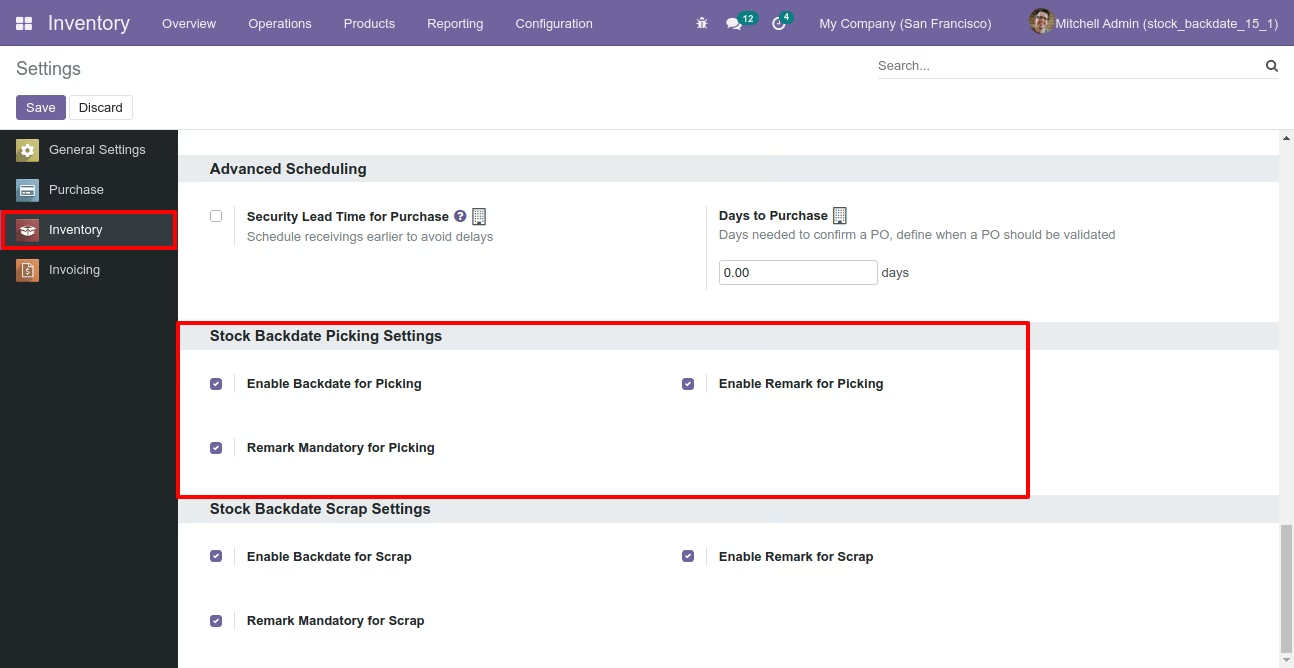
If you enable "Mass Assign Backdate" then you can mass assign backdate.
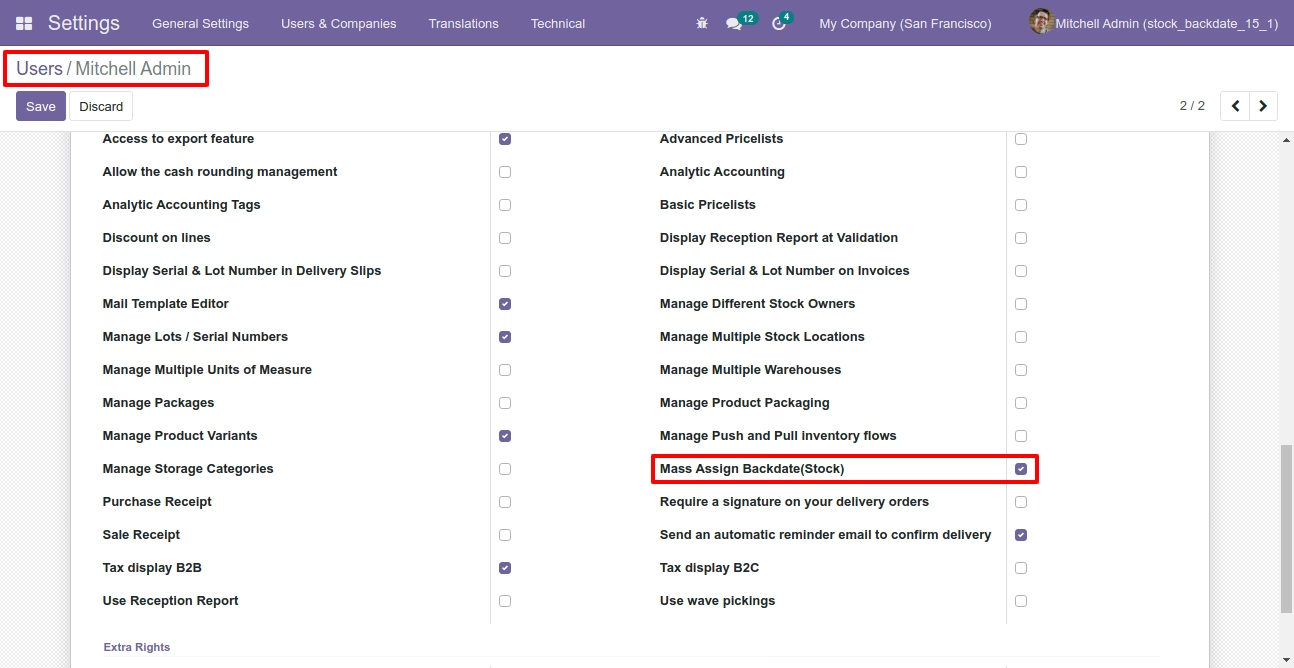
Select orders from the list view then click "Mass Assign Backdate".
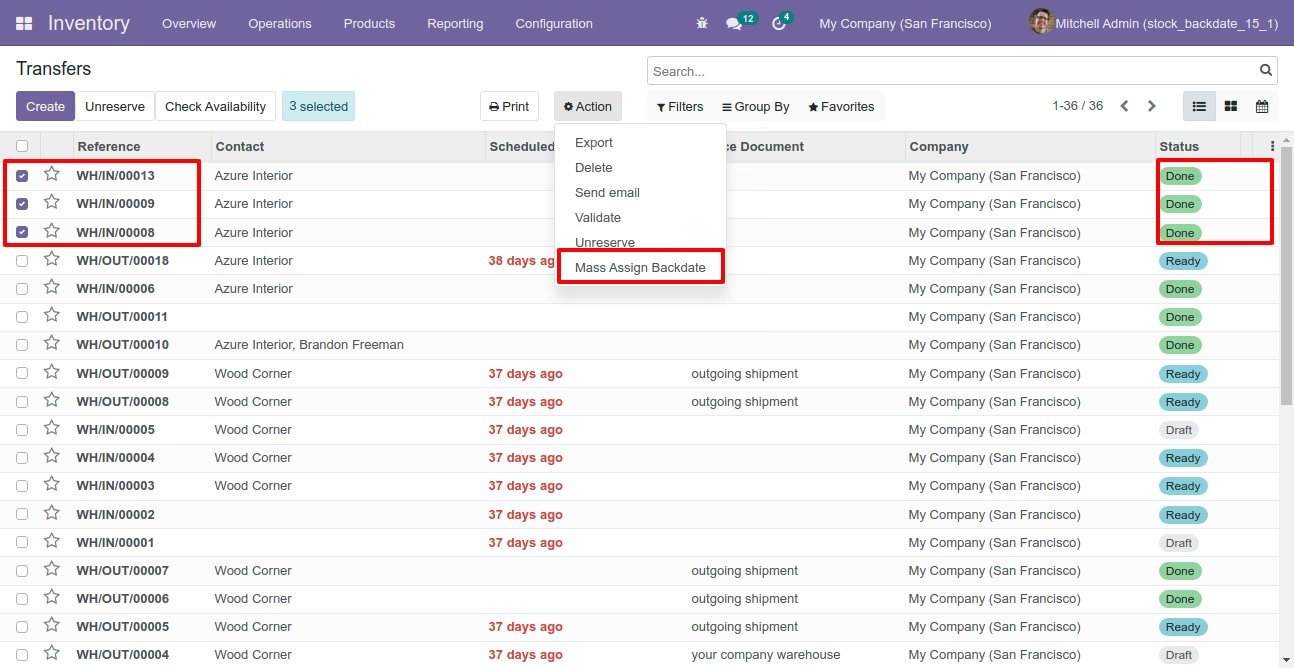
After that, this wizard opens, enters the order date and remarks. Here remarks come if you have enabled that feature.
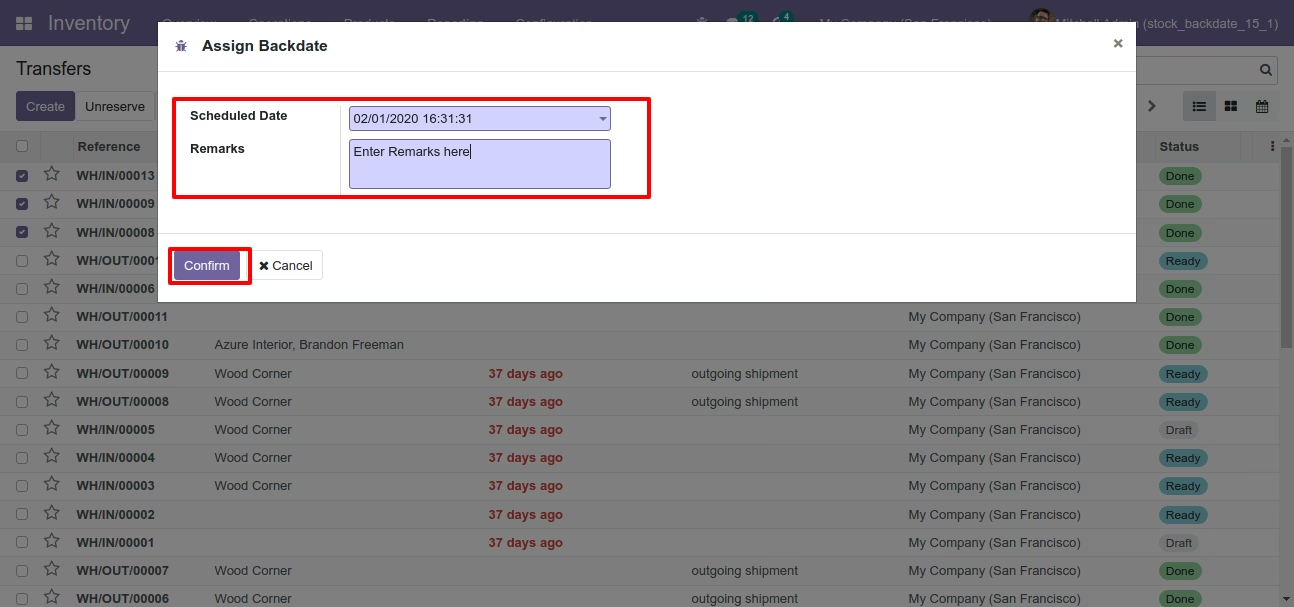
Picking form view with backdate and remarks.
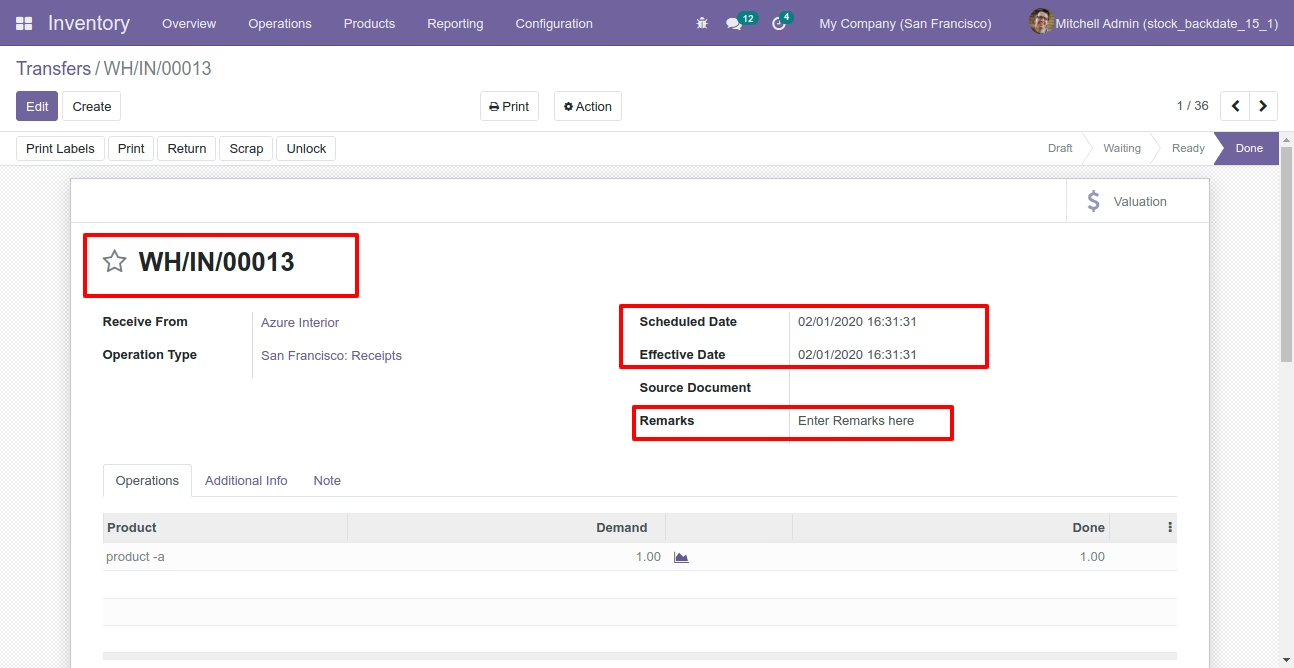
Stock moves with backdate and remarks.
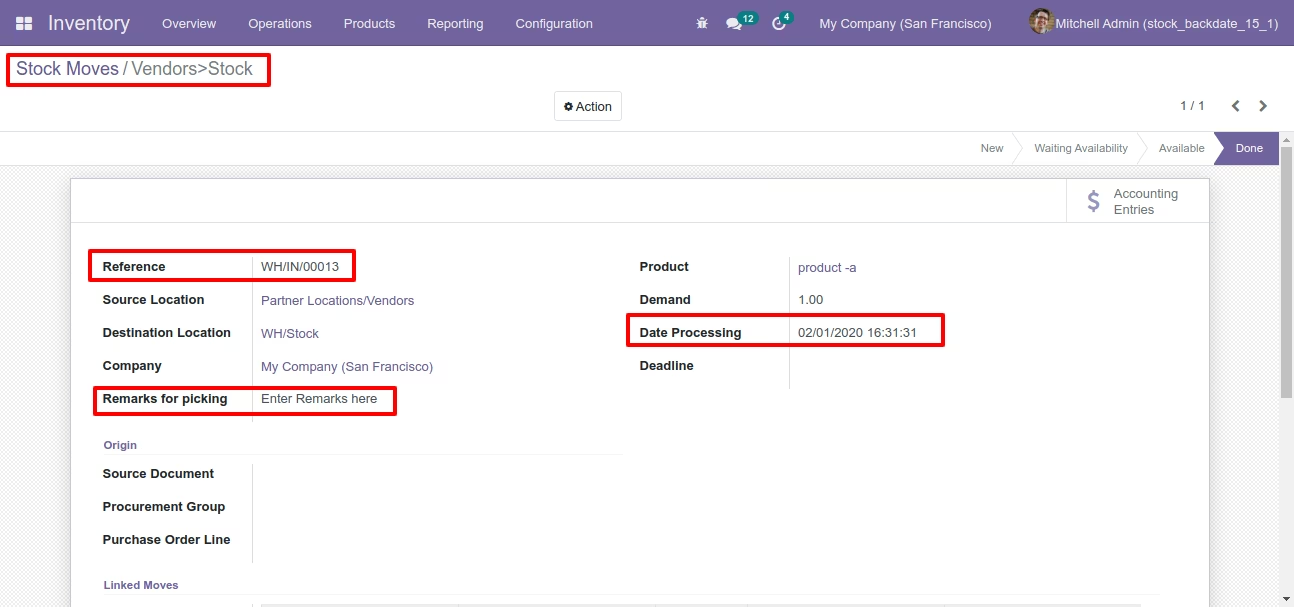
Product moves with backdate and remarks.
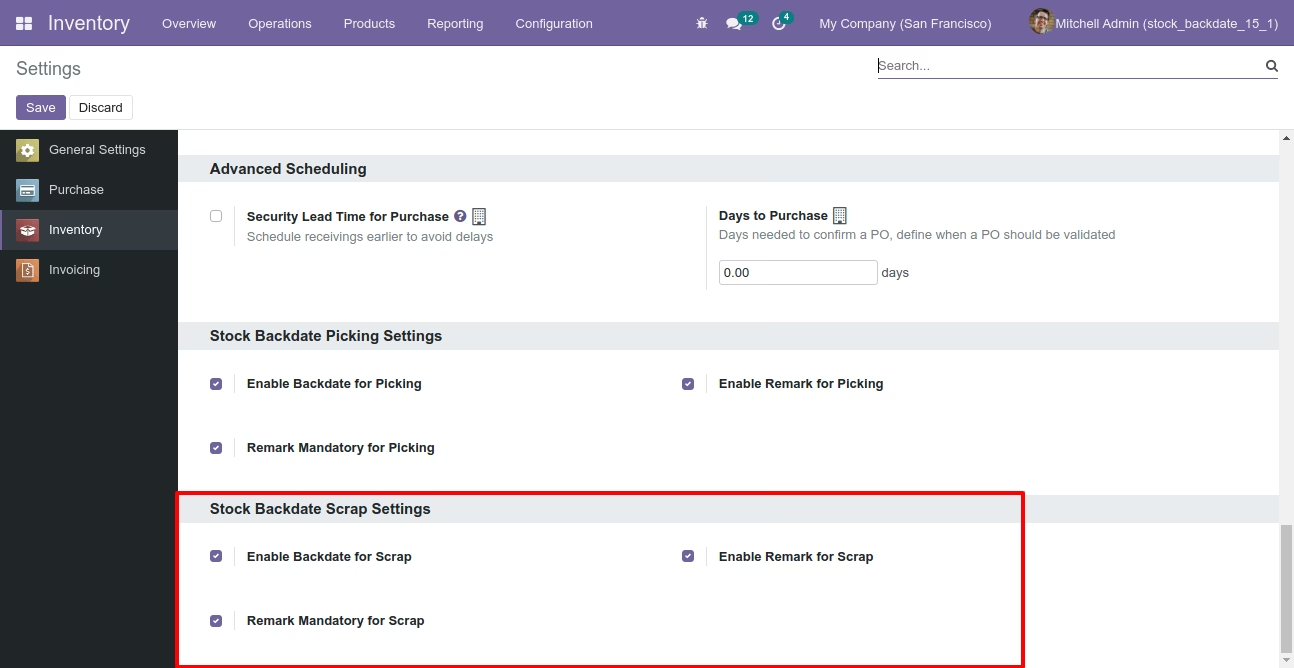
Configuration for scrap order backdate, enable features as per requirement.
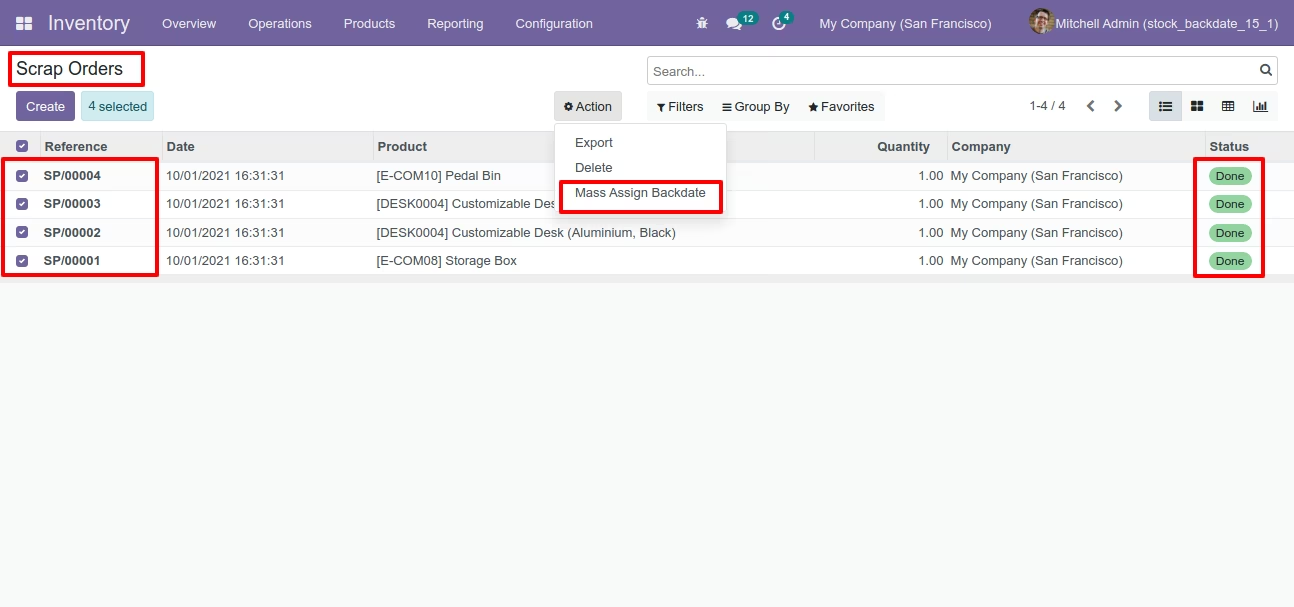
If you enable "Mass Assign Backdate" then you can mass assign backdate, Select orders from the list view then click "Mass Assign Backdate".
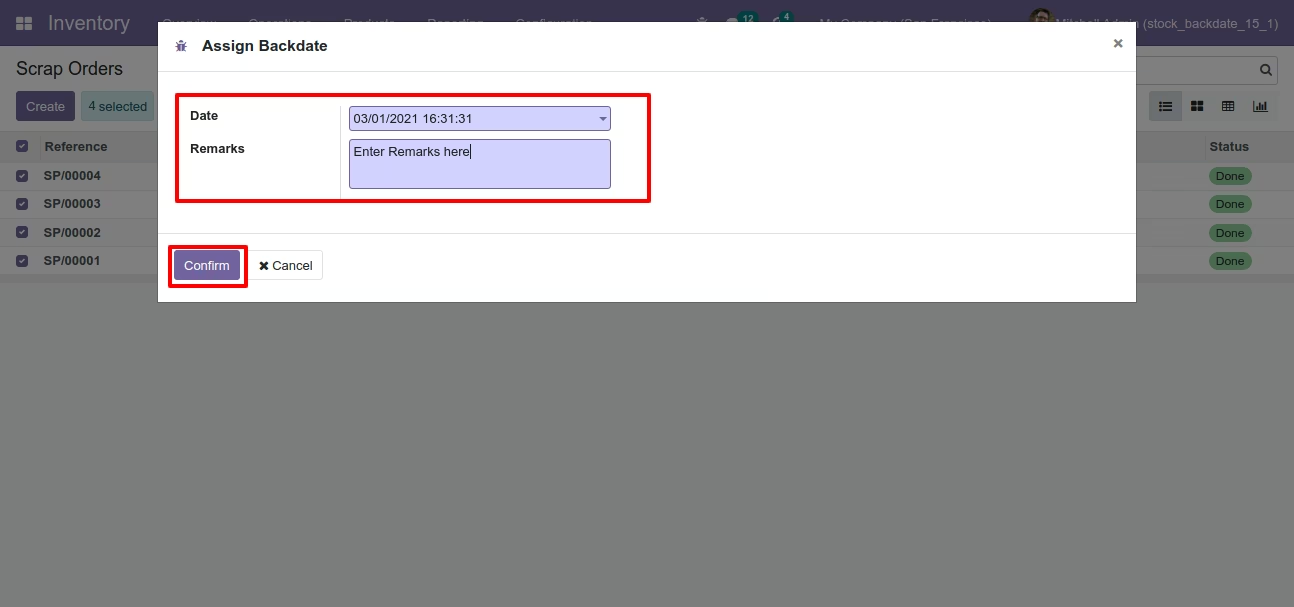
After that, this wizard opens, enters the order date and remarks. Here remarks come if you have enabled that feature.
Scrap order form view with backdate and remarks.
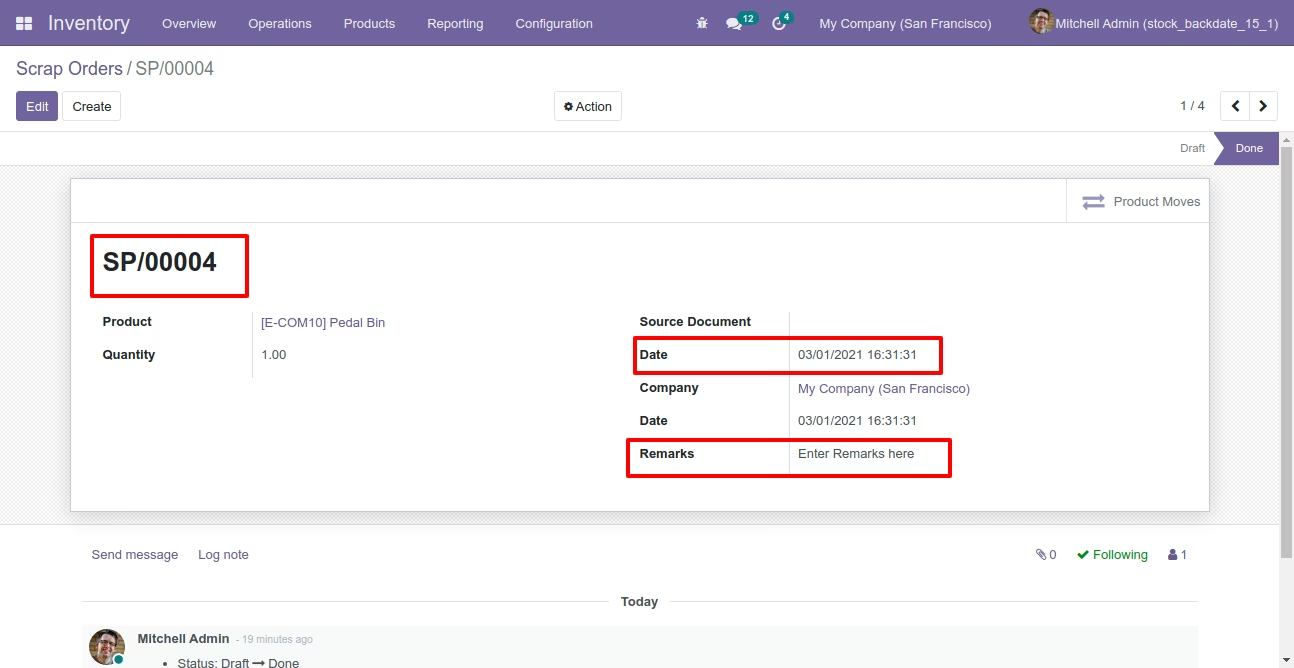
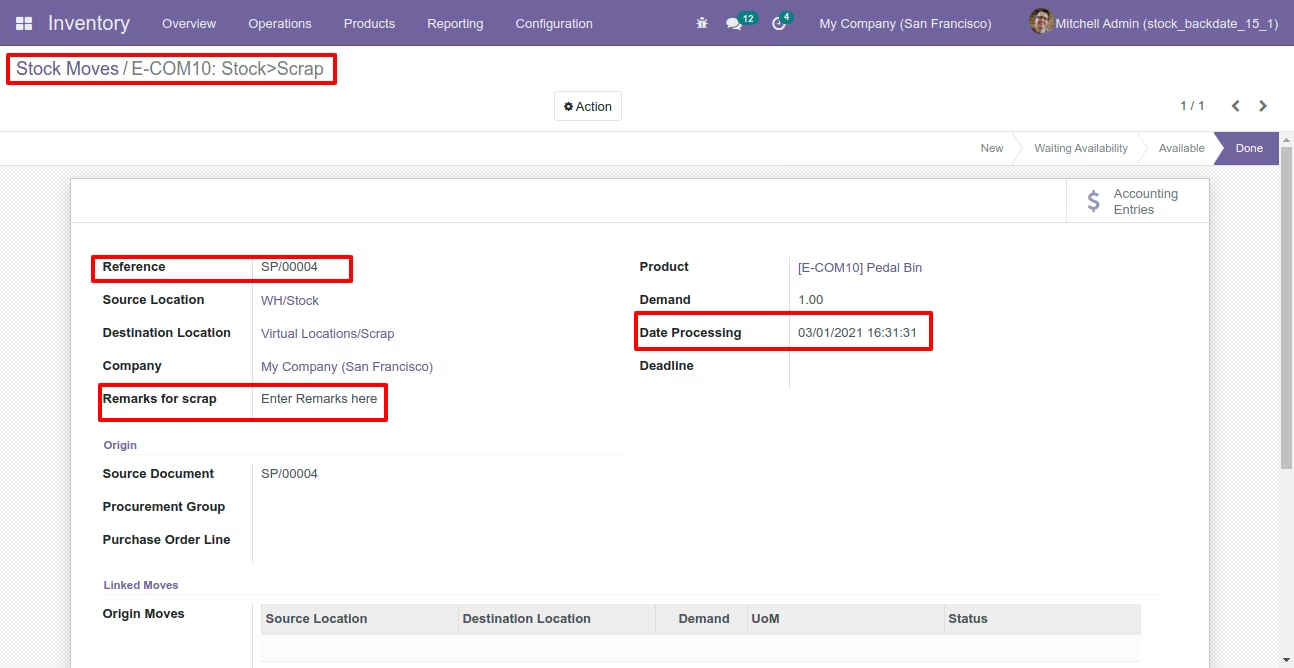
Stock moves with backdate and remarks.
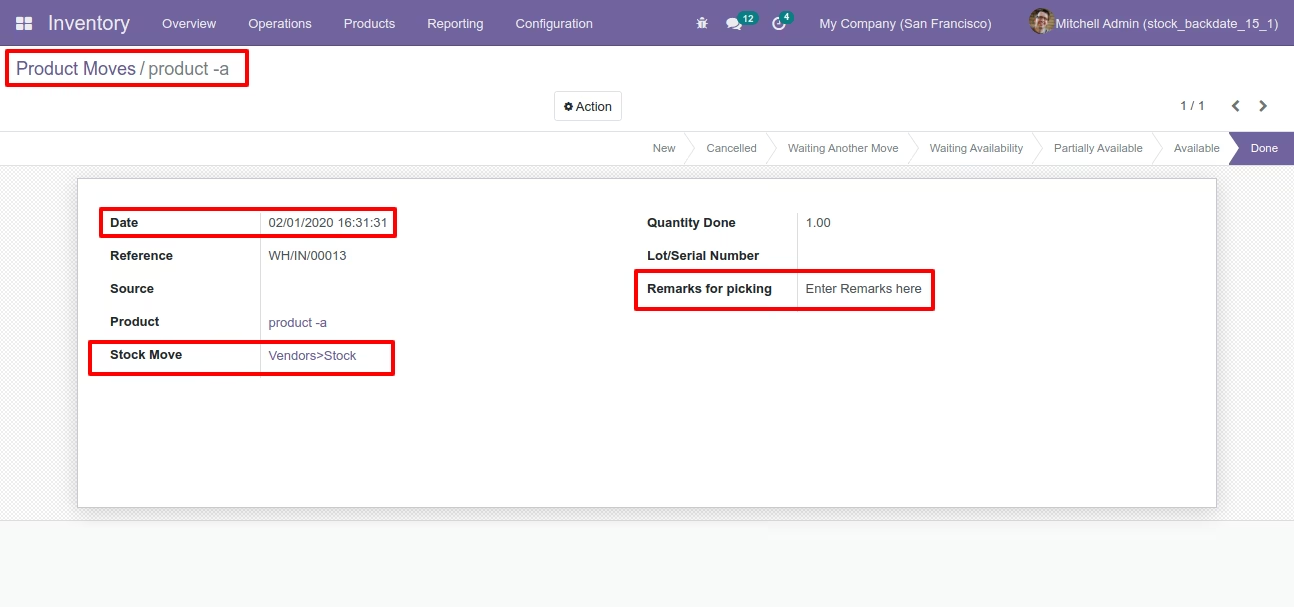
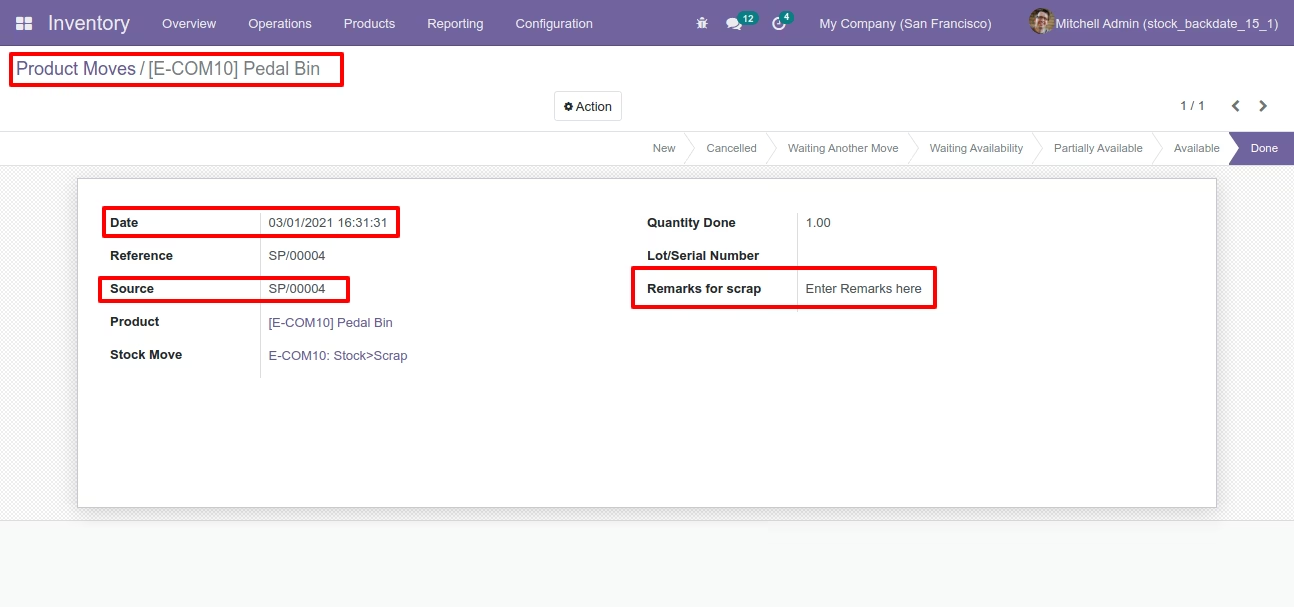
Product moves with backdate and remarks.
Features
- You can confirm picking orders (incoming order / delivery order / internal transfer) with a custom backdate.
- You can confirm scrap orders with a custom backdate.
- You can mass assign backdate in picking & scrap orders.
- While you assign backdate, you can put remarks with it.
- We provide an option for mandatory remarks while assigning backdate.
- Backdate and remarks transfer to the journal entries.
- Backdate and remarks transfer to the stock moves & product moves.
Workflow
Configuration for picking backdate, enable features as per requirement.
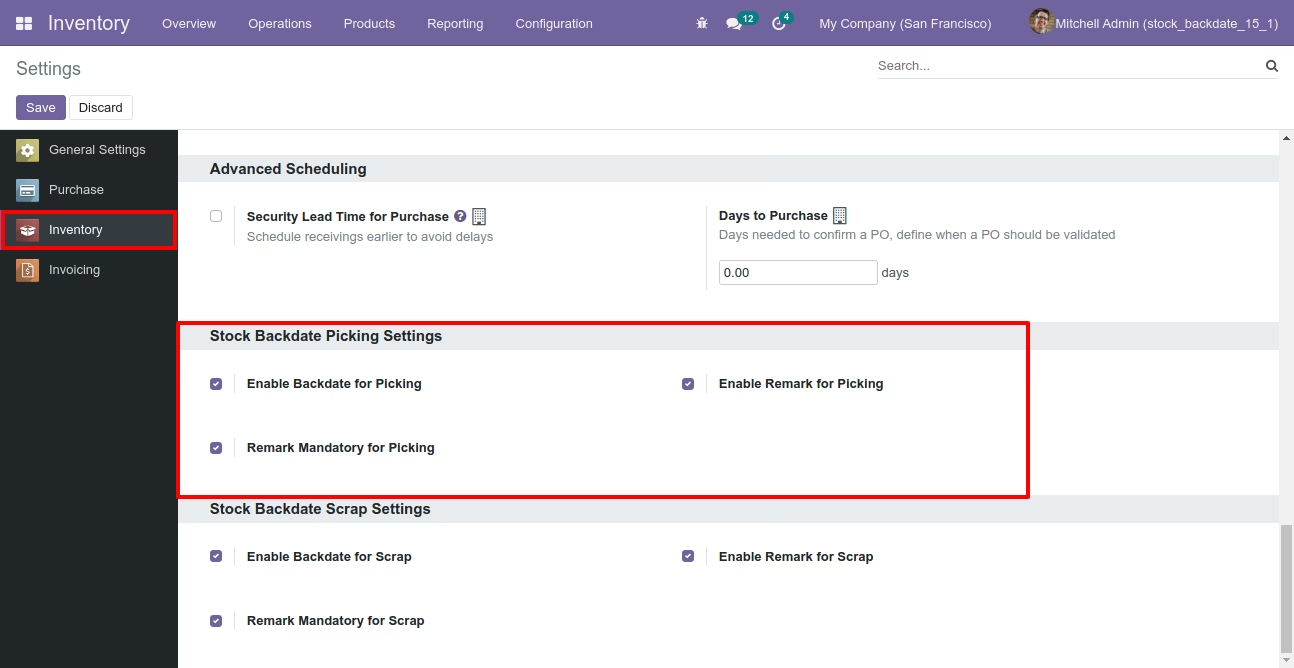
If you enable "Mass Assign Backdate" then you can mass assign backdate.
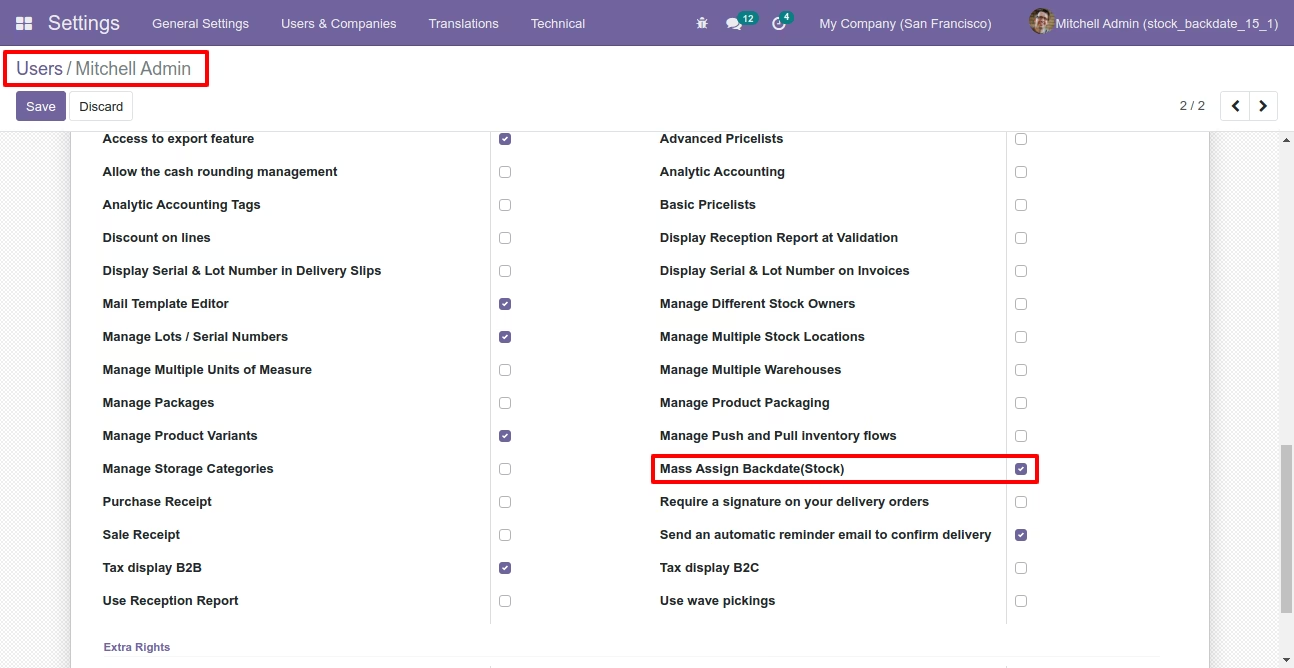
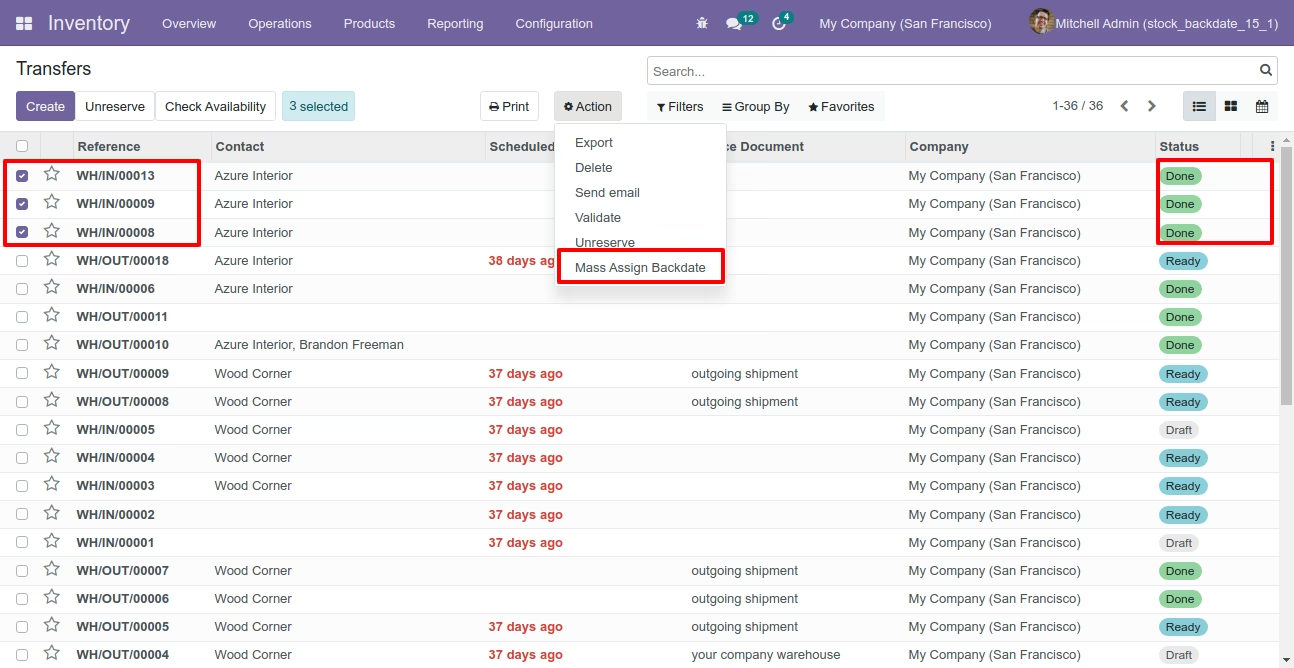
Select orders from the list view then click "Mass Assign Backdate".
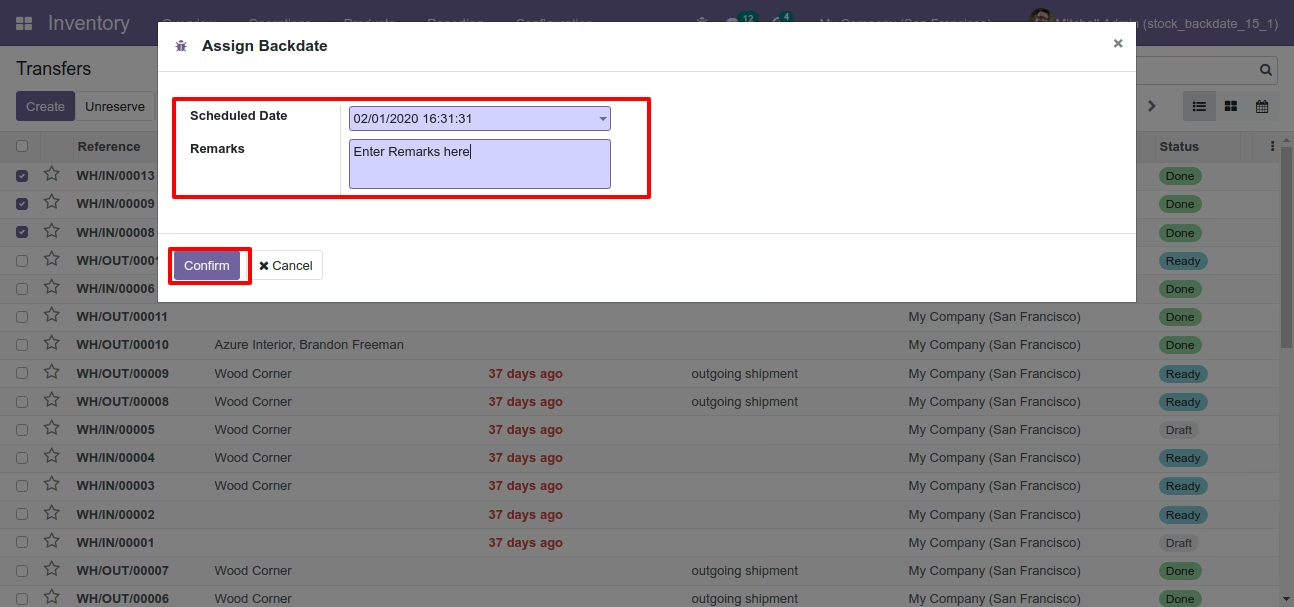
After that, this wizard opens, enters the order date and remarks. Here remarks come if you have enabled that feature.
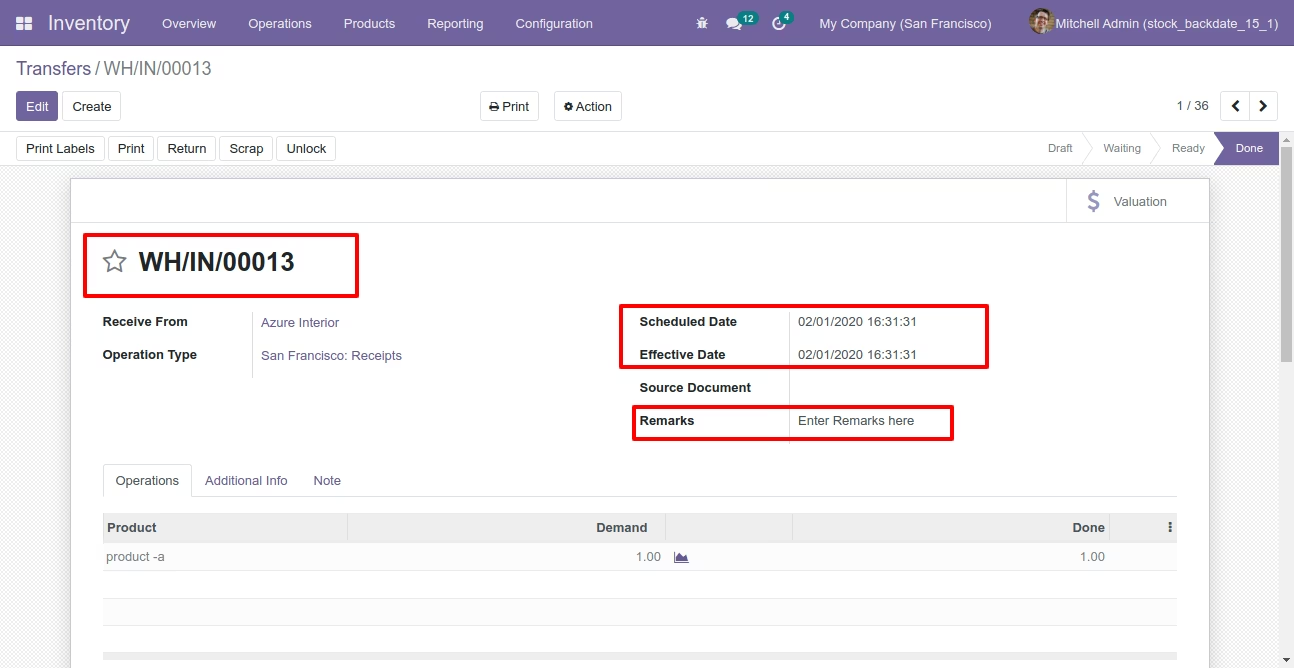
Picking form view with backdate and remarks.
Stock moves with backdate and remarks.
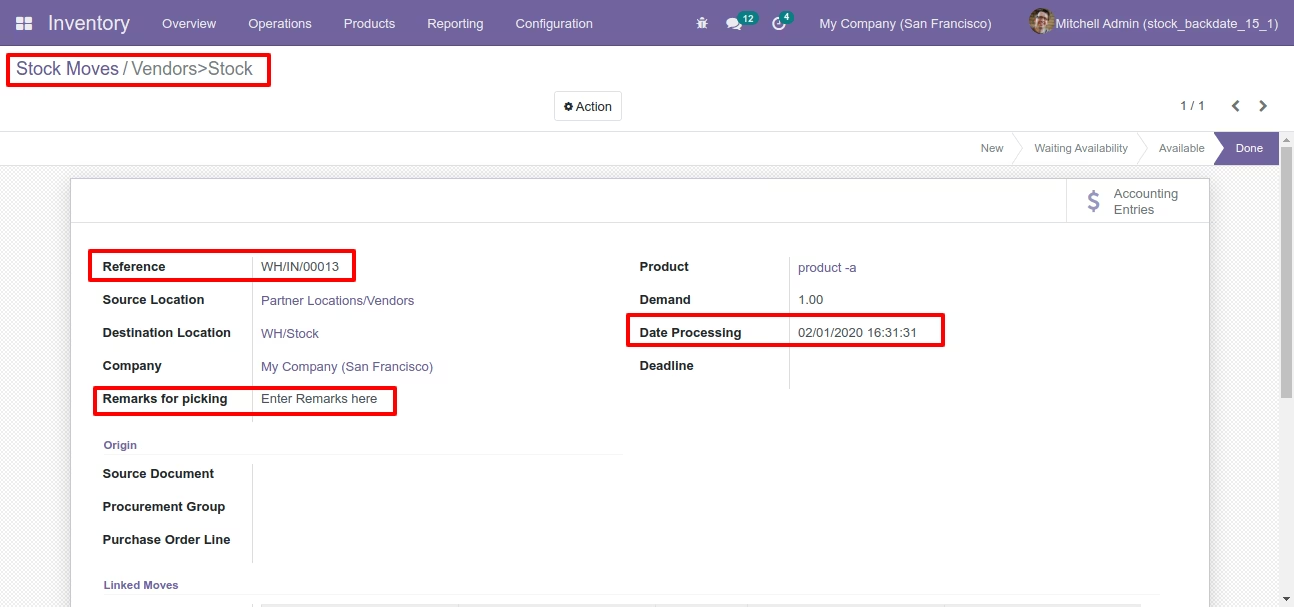
Product moves with backdate and remarks.
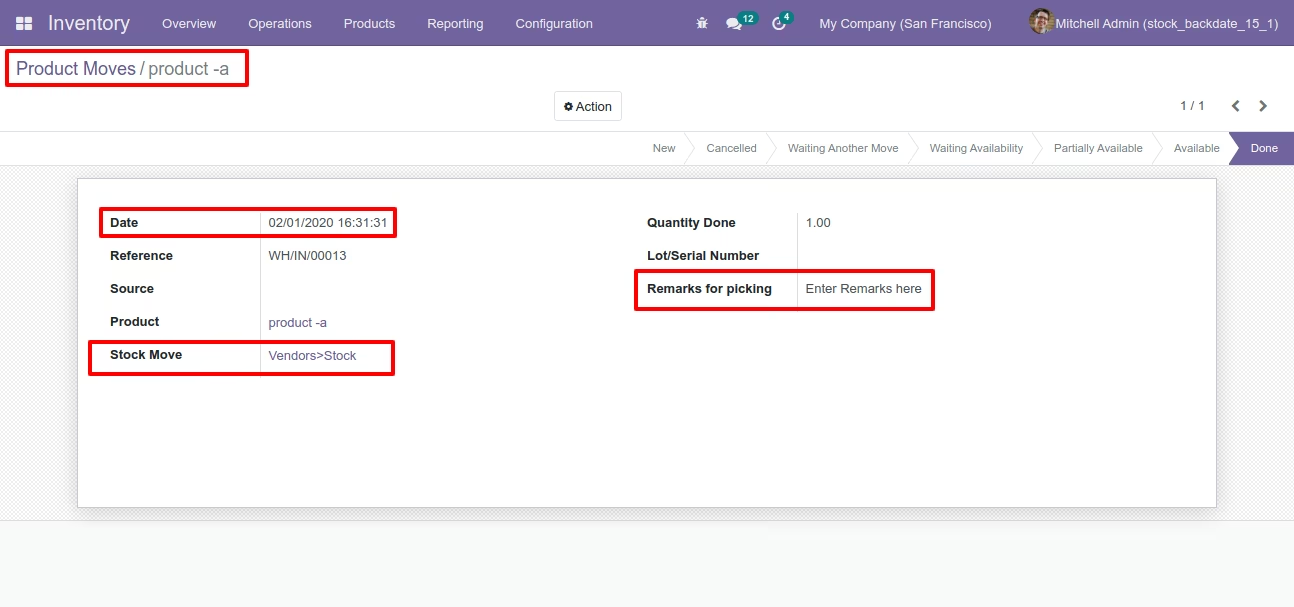
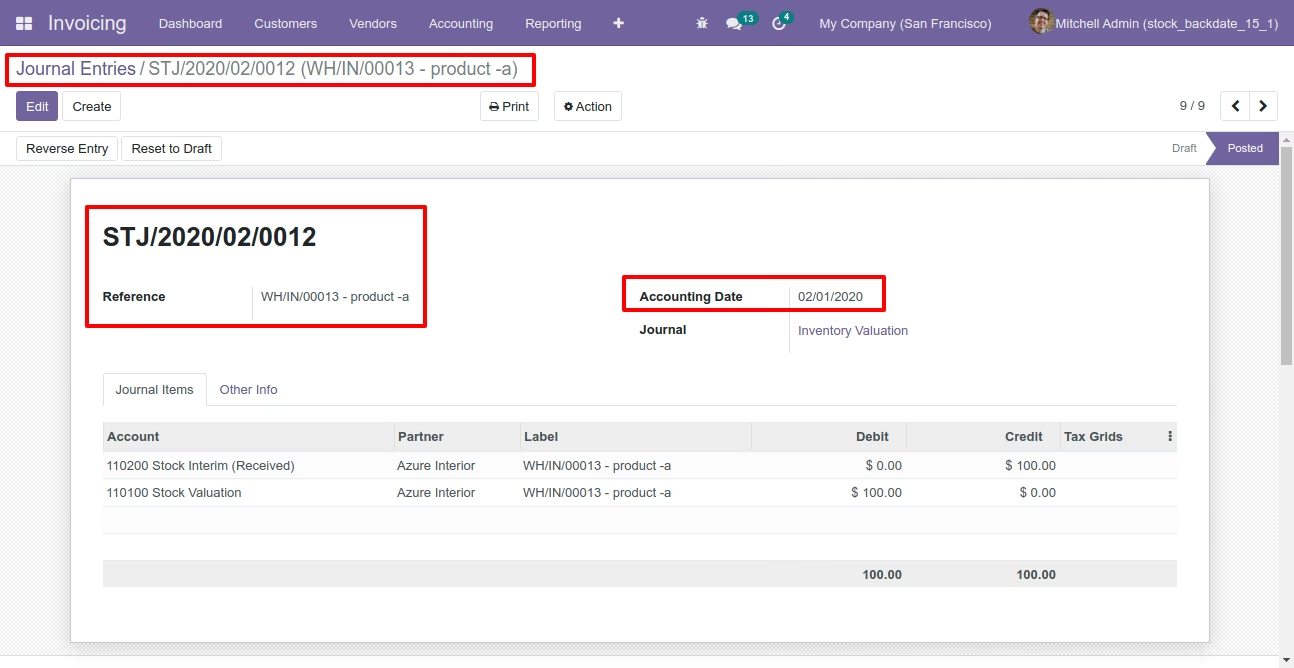
Journal entry with backdate and remarks.
Configuration for scrap order backdate, enable features as per requirement.
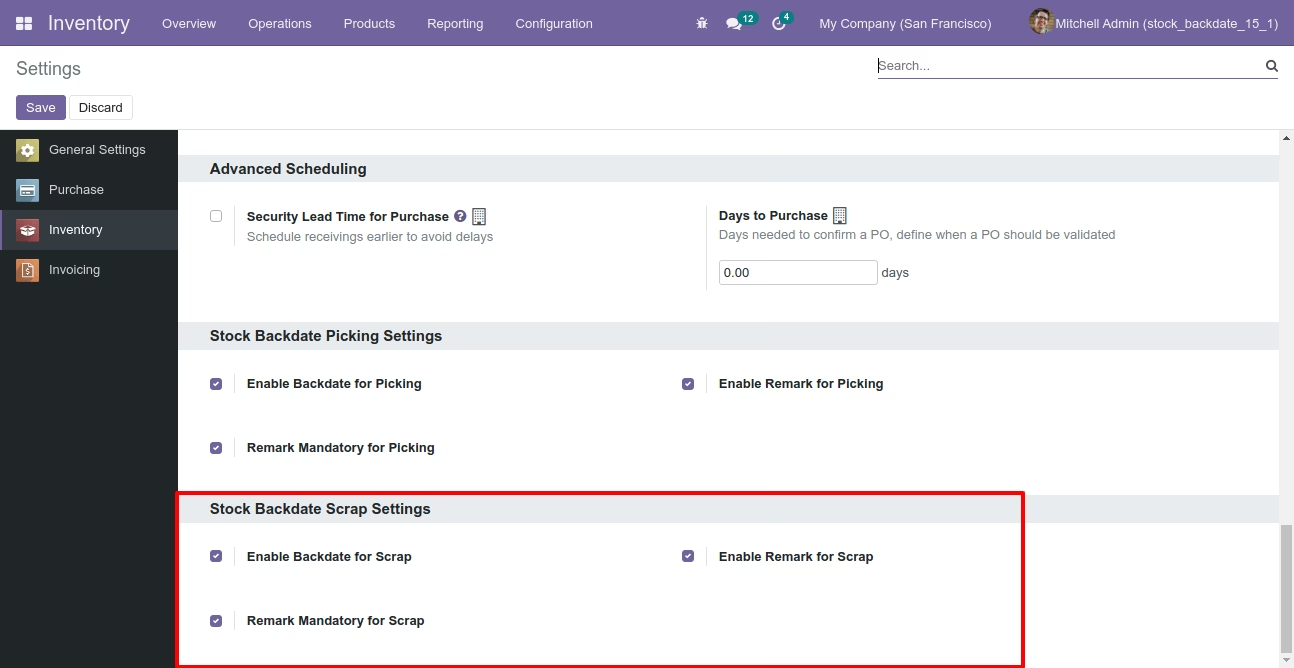
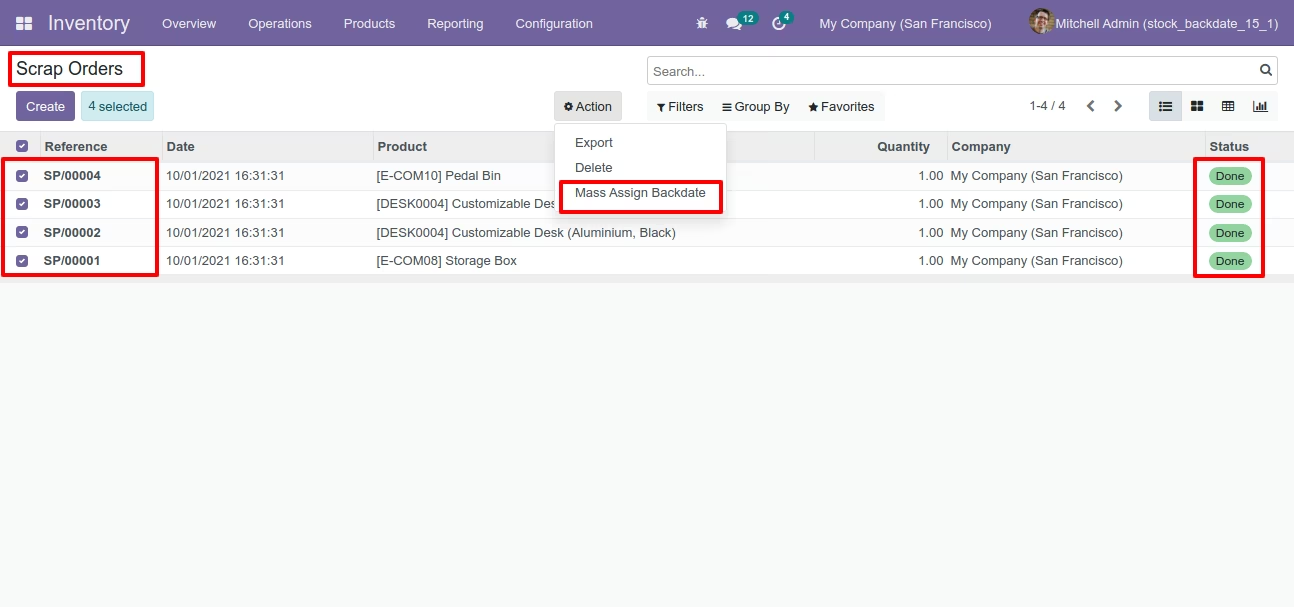
If you enable "Mass Assign Backdate" then you can mass assign backdate, Select orders from the list view then click "Mass Assign Backdate".
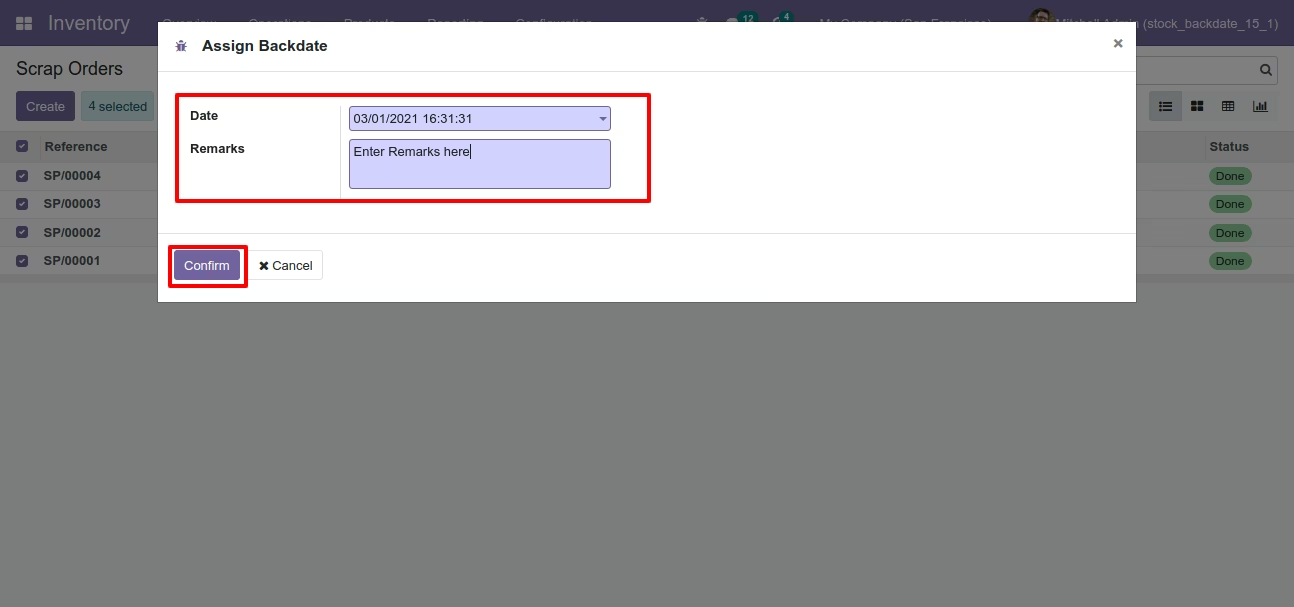
After that, this wizard opens, enters the order date and remarks. Here remarks come if you have enabled that feature.
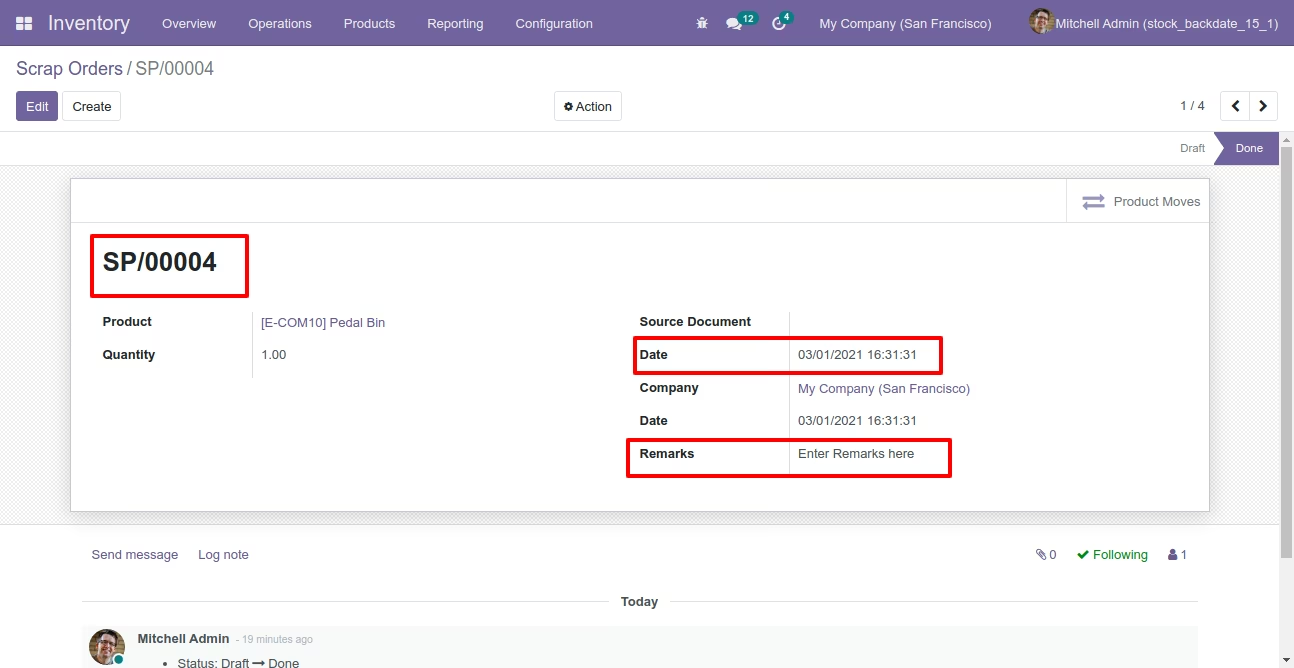
Scrap order form view with backdate and remarks.
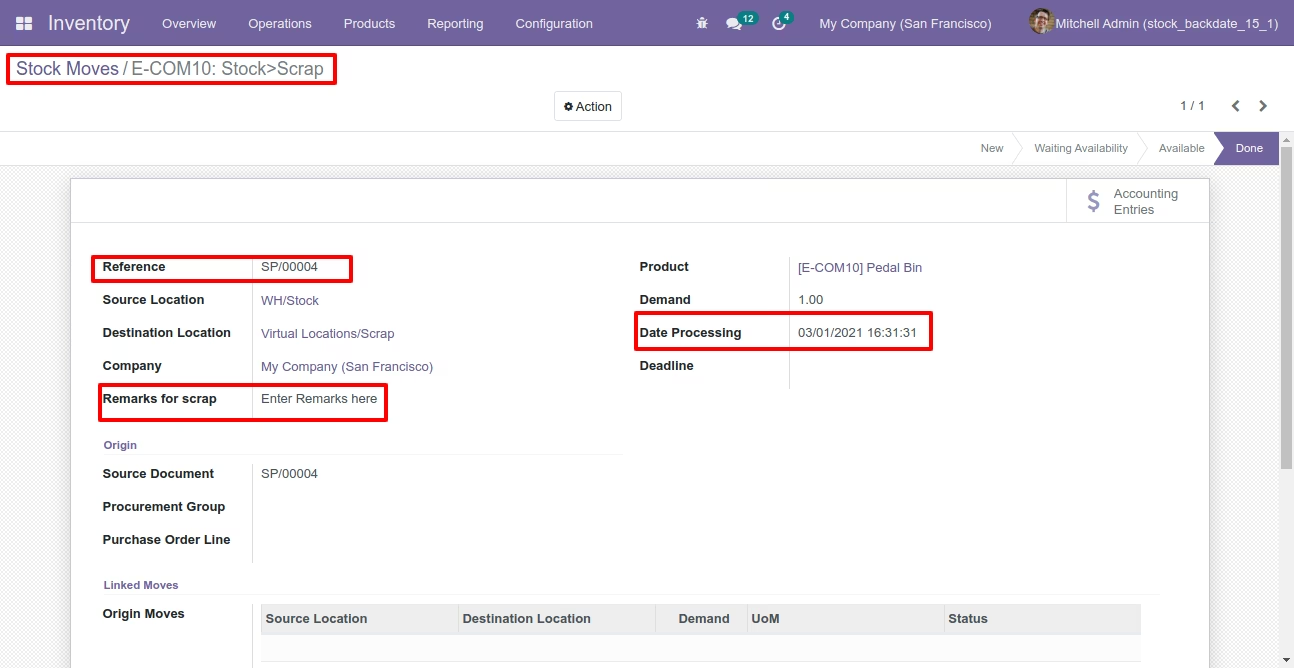
Stock moves with backdate and remarks.
Product moves with backdate and remarks.