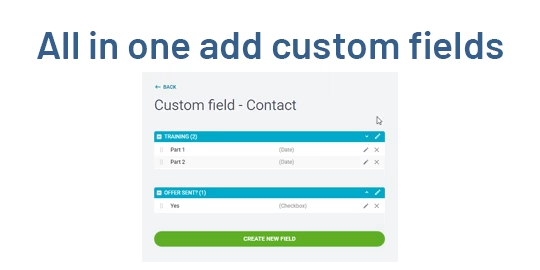
This all-in-one global custom fields module empowers users to add and manage custom fields and tabs across any form view without relying on development resources. Whether you need to extend forms with text, date, boolean, selection, or relational fields, this solution simplifies customization. With features like positioning, updating, filtering, and deletion all accessible via GUI it streamlines form adaptability and saves time.
Key Features
Add dynamic custom fields globally across any form view—no coding required
Create and manage custom tabs for organizing fields within forms
Edit or delete custom fields and tabs using an intuitive update interface
Choose field types such as char, boolean, date, datetime, HTML, float, many-to-one, selection, and more
Define field position, label, help text, required status, copy behavior, and access rights by group
Filter and group custom fields and tabs by model or field type directly in the list view
Benefits
Accelerates customization by enabling administrators to tailor forms through a no-code interface
Enhances usability and data capture with dynamic fields and custom tabs aligned to business needs
Simplifies maintenance by allowing on-the-fly editing and removal of fields or tabs
Provides granular control with group-based access rights and flexible positioning
Reduces dependency on developers, empowering users to adapt systems independently
Add Custom Global Fields
User can add custom global fields to any object.
Add Custom Global Tabs
User can add custom global tabs to any object.

Update Custom Global Fields
User can update custome global fields and apply access rights and domain, also change position.
Update Custom Global Tabs
User can easily update created custom global tabs.

Add Fields/Tabs to Specific Position
User can add custom fields to any position.
Add Any Type of Fields
User can add nay type of custom fields like intiger, char, many2one, one2many or many2many etc.

Access Rights
Authorized user only can add custom fields and tabs.

Filters & Group By Option For Custom Fields
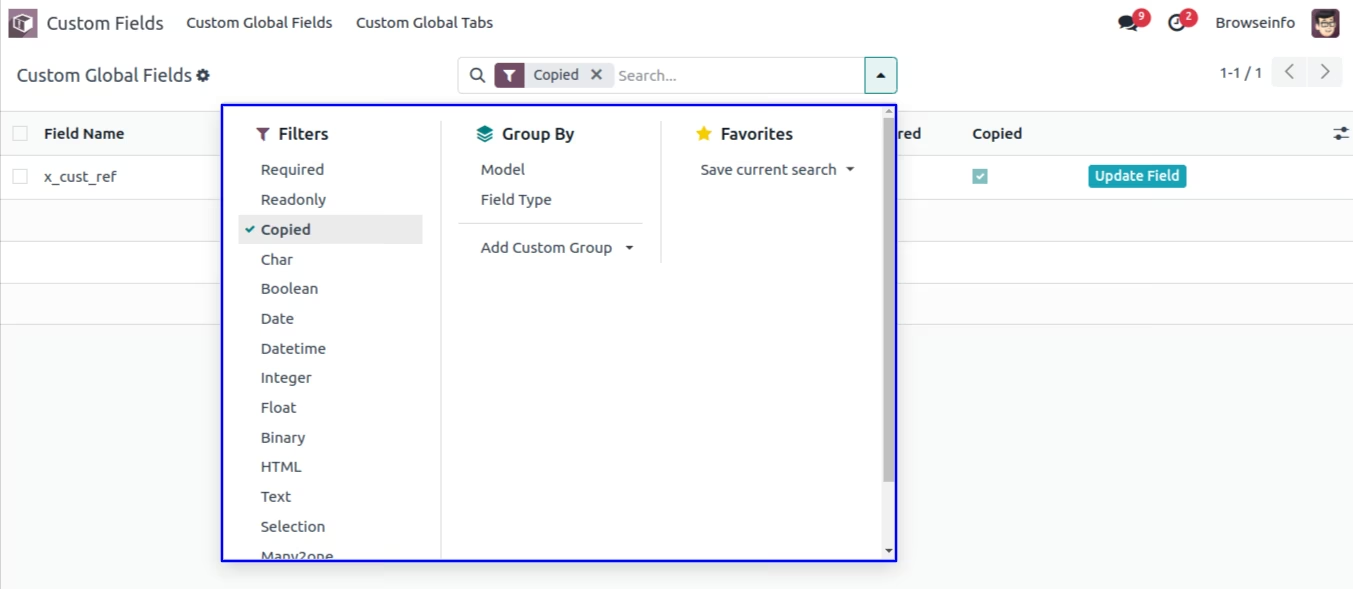
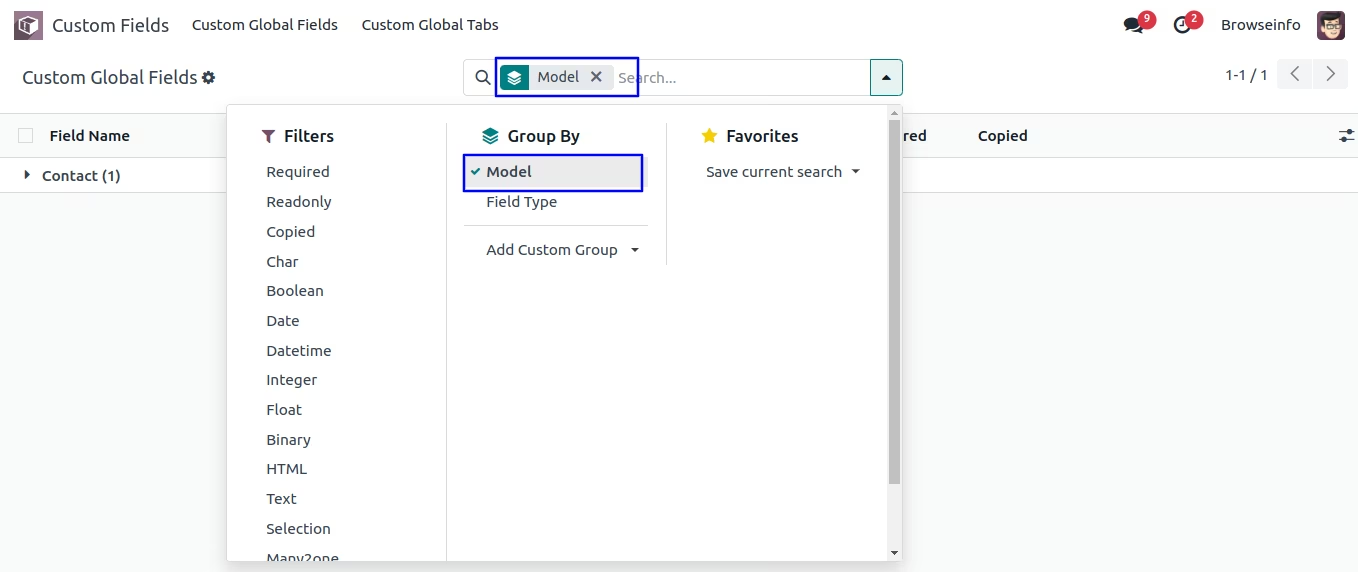
User can apply different filters and group by option for custom fields.
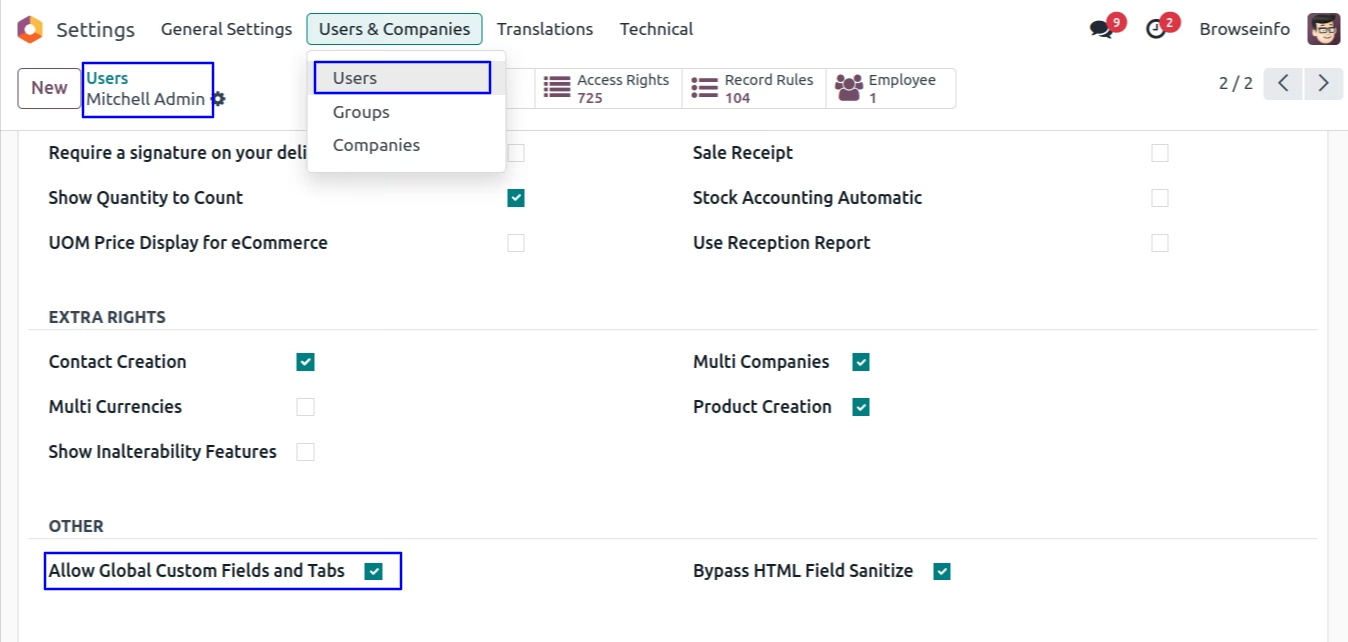
Access Rights Configuration
User with " Allow Global Custom Fields and Tabs" access rights can only create and update global custom fields.
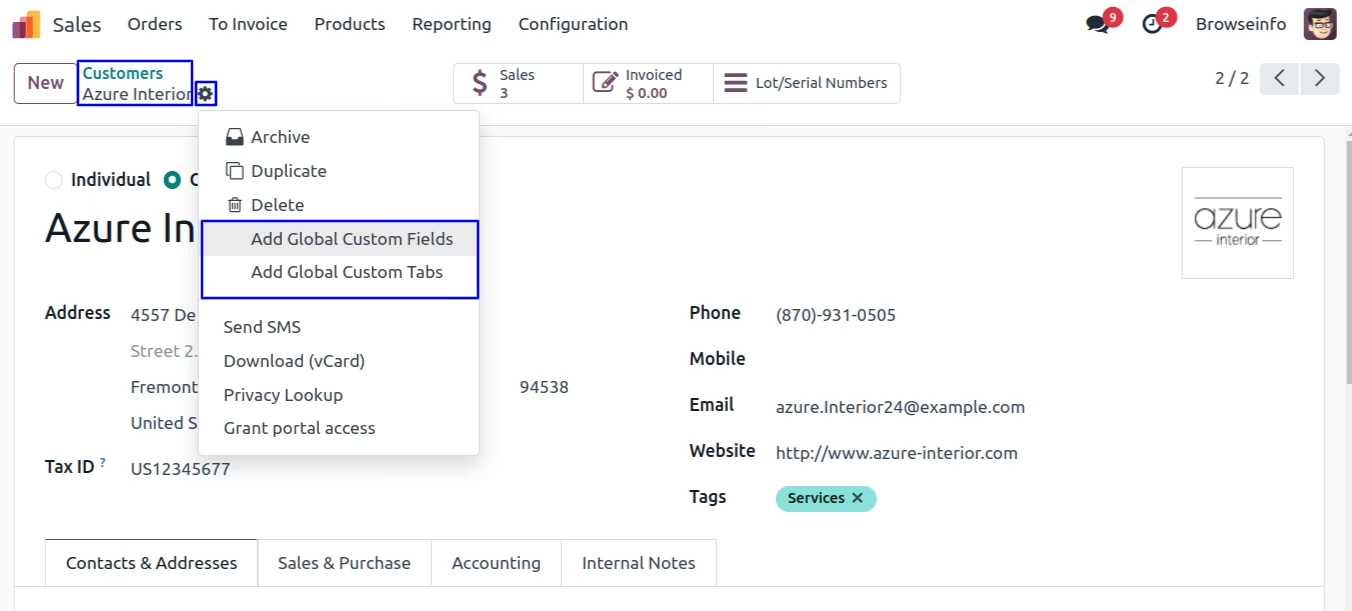
Add Custom Global Fields
User can find menu to add global custom fields under action menu as shown bellow image.
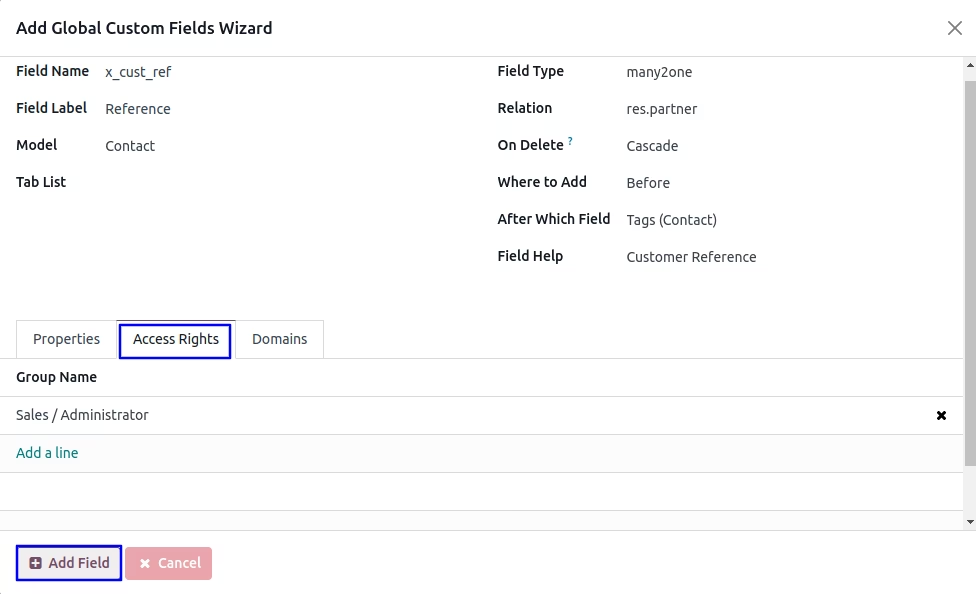
On wizard user have to enter fields name, fields lable and fields type, and model for which fields will added, User need to add relation if selected relational field type, user can also choos fields position as "After" or "Before" selected field.
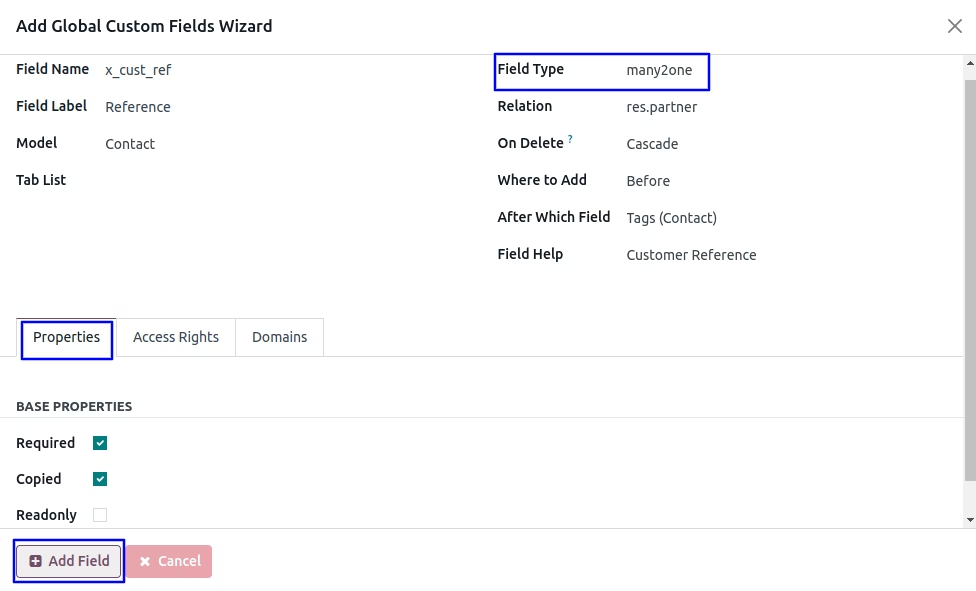
User can also add fields properties like "Required, Copied, and Readonly", also can apply access rights by selection specific groups.
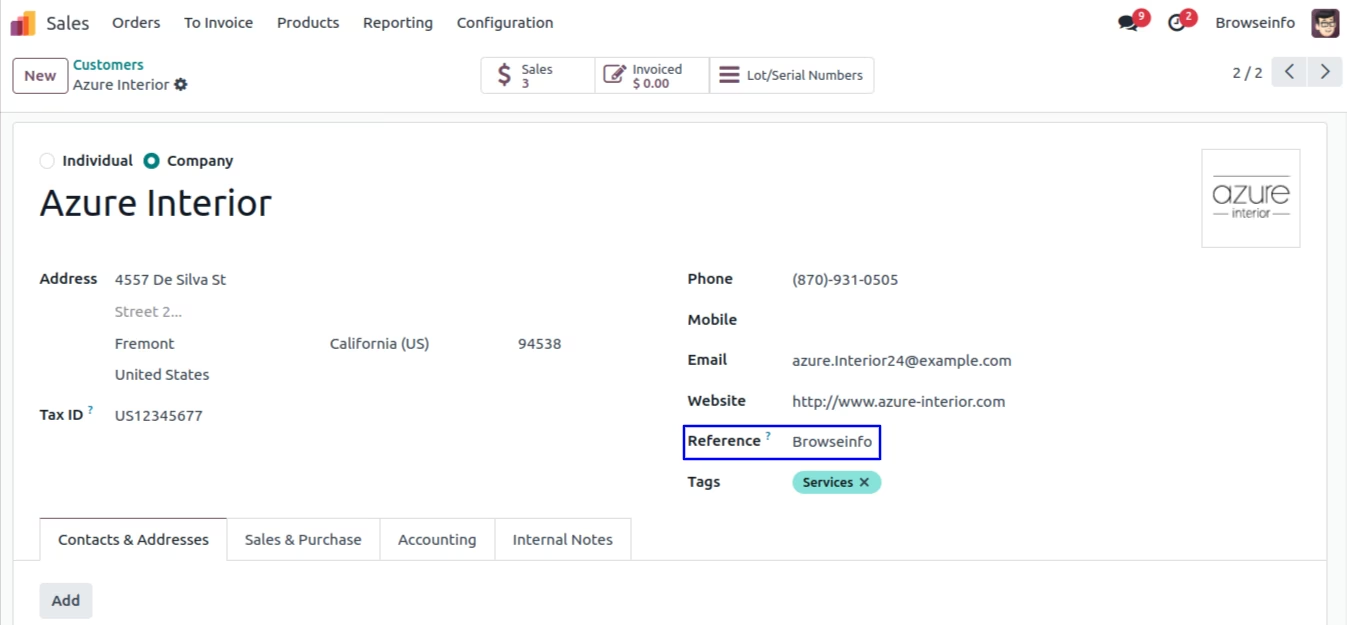
User can see added global custom fields on selected position with selected attribute.
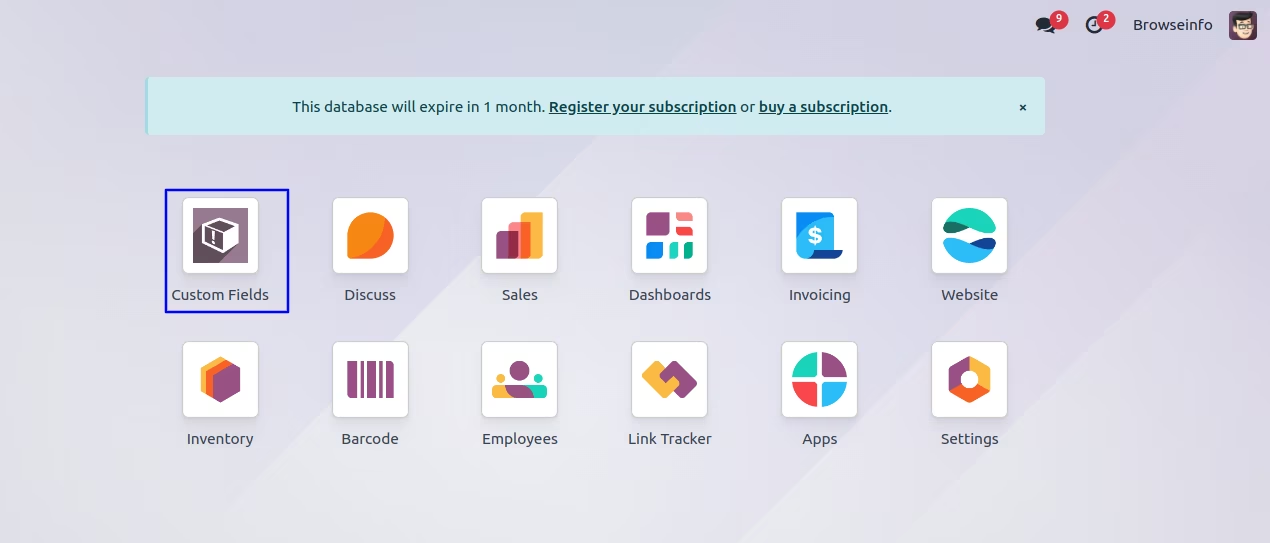
Custom Fields Main Menu
User can see "Custom Fields" main menu
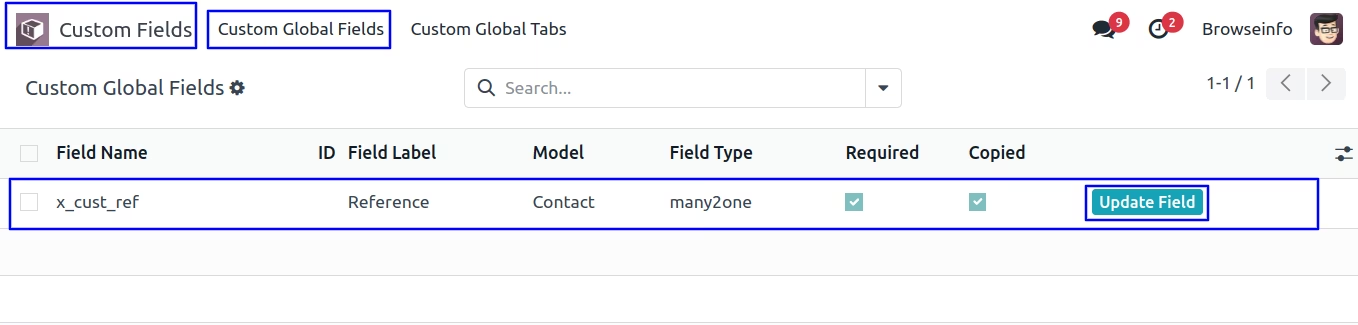
Update Custom Global Fields
User can see create global custom fields in tree views and also update fields by clicking "Update Fields" button by fields.
User can change fields and it's attributed as user wants and also apply domain for record filter.
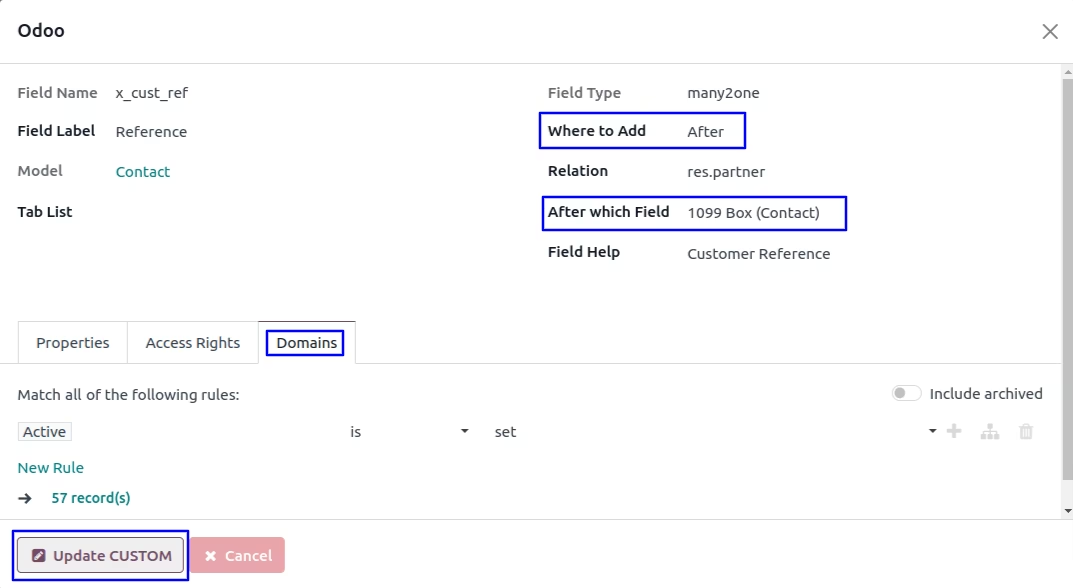
User can see updated custom global fields
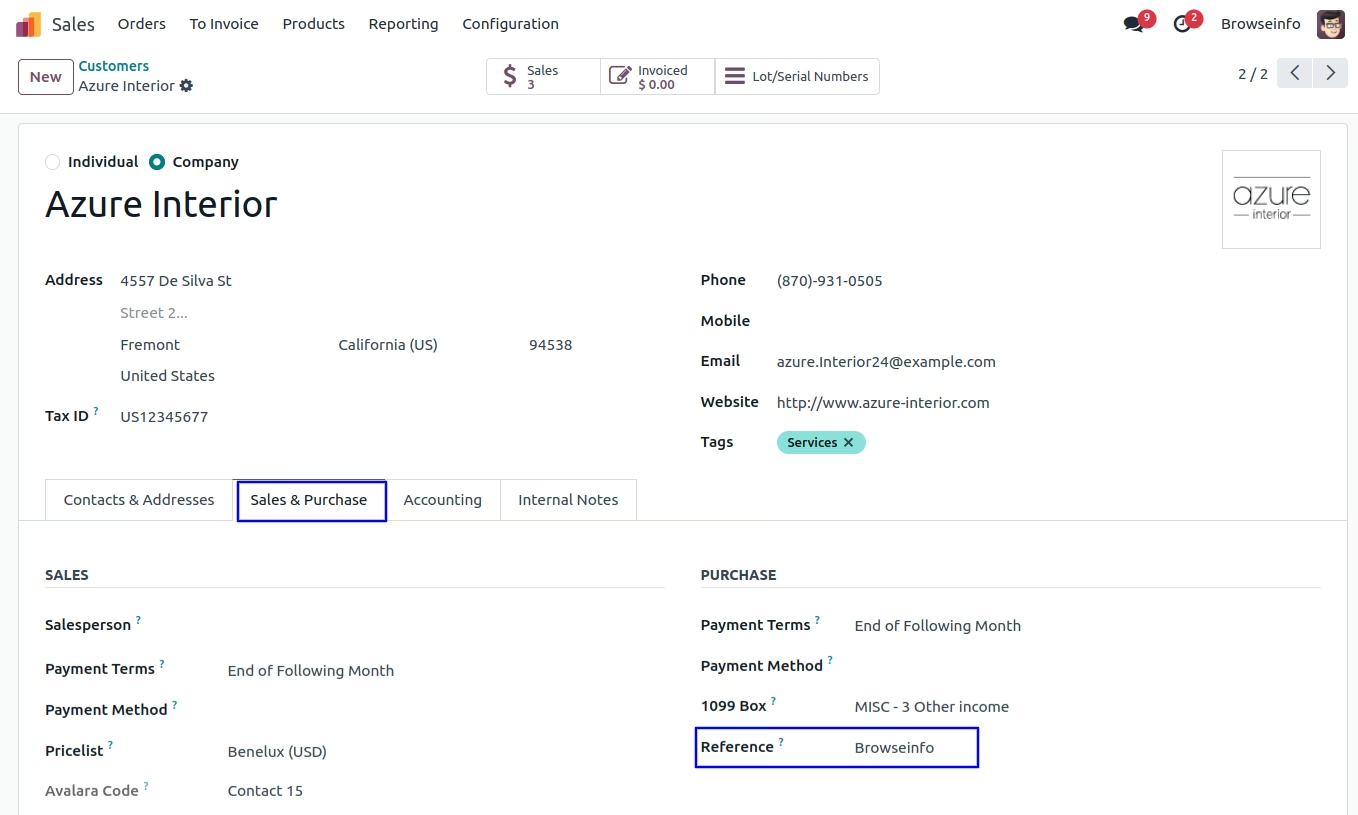
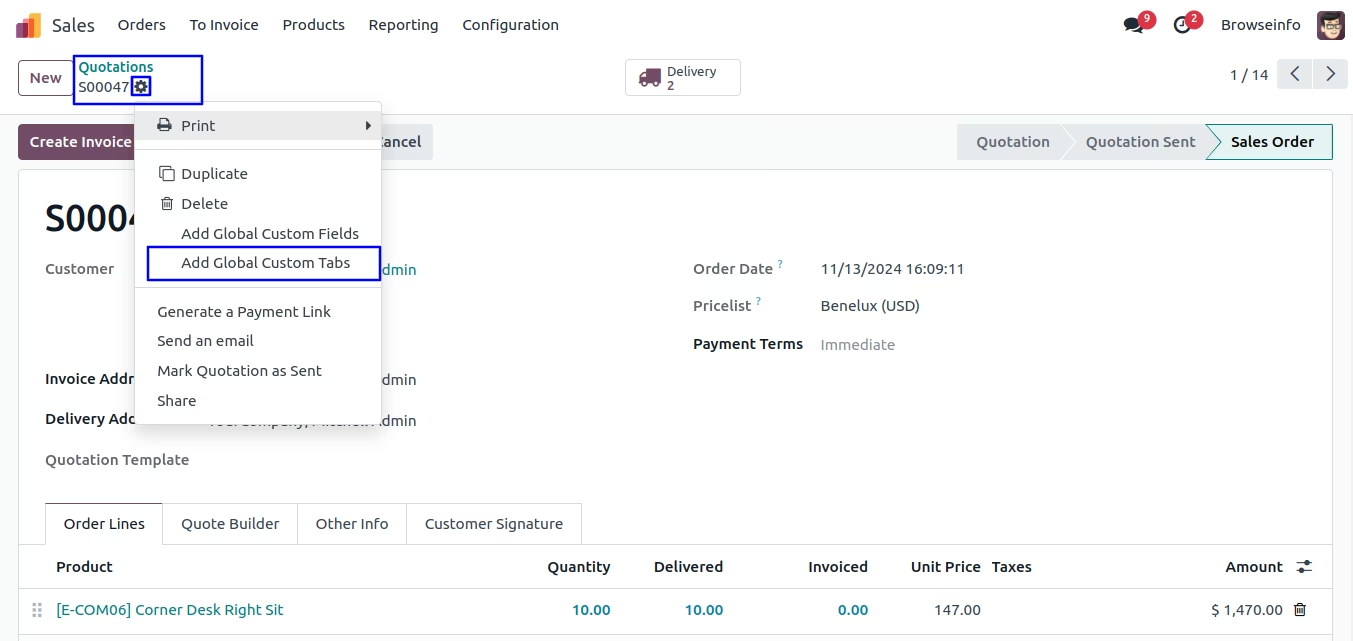
Add Custom Global Tabs
User can find menu to add custom global tabs under action menu as shown bellow image.
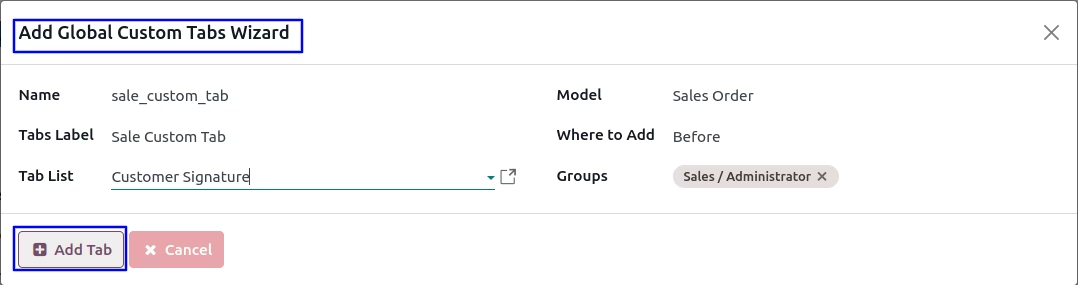
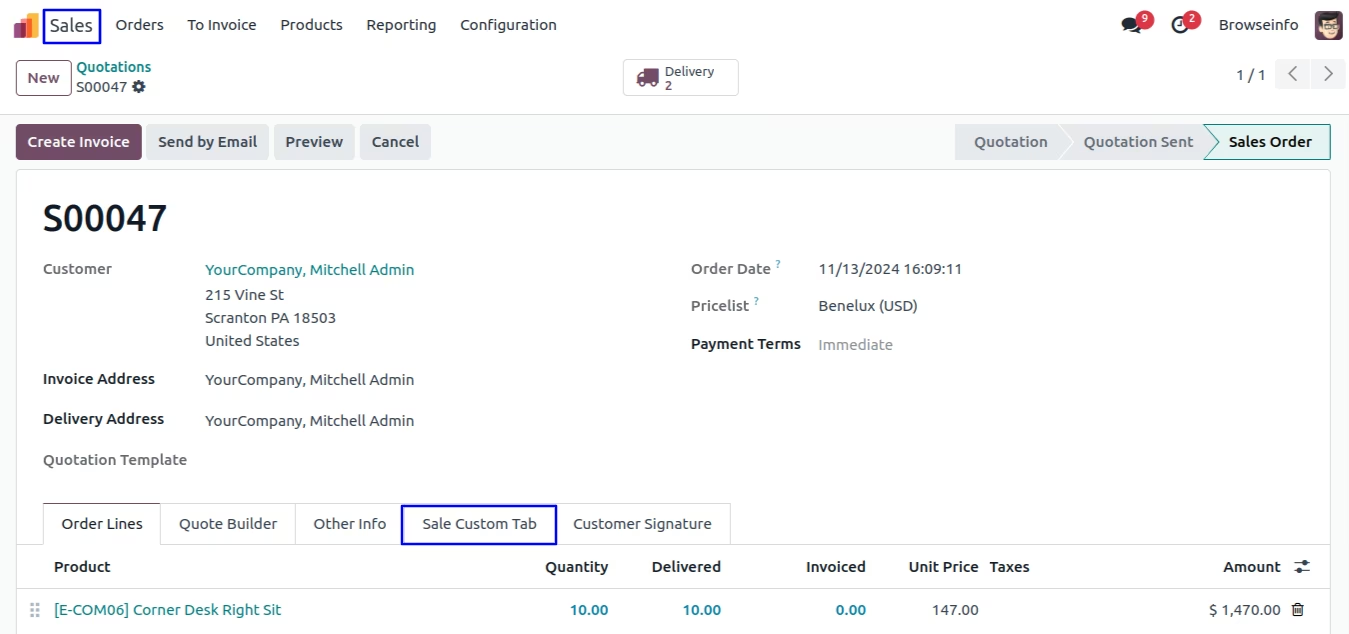
On wizard user have to enter tab name, tabs label model for which tabs will added, User can also choose fields position as "After" or "Before" selected tab.
User can see added tabs on selected position
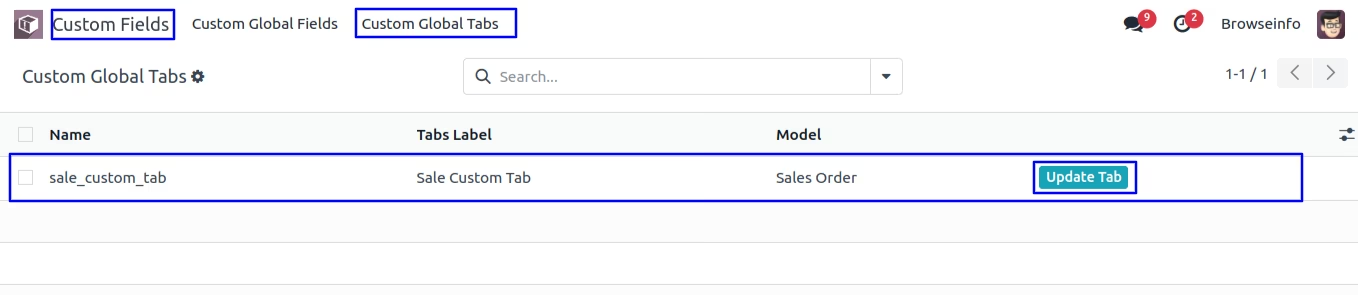
Custom Global Tabs
User can see all created global custom tabs on tree view, Also can update tabs.
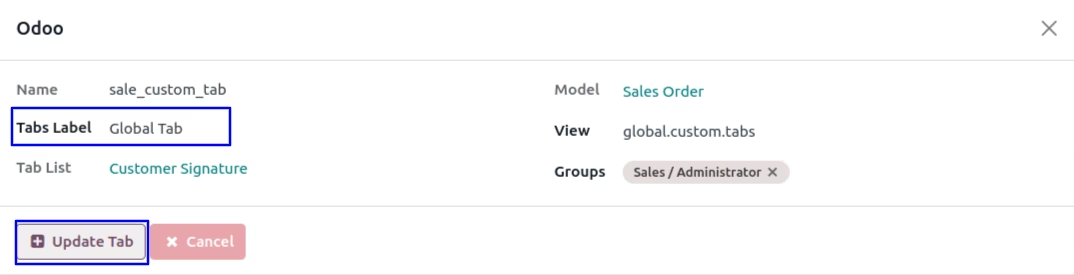
Update Custom Global Tabs
User can update custom global tabs.
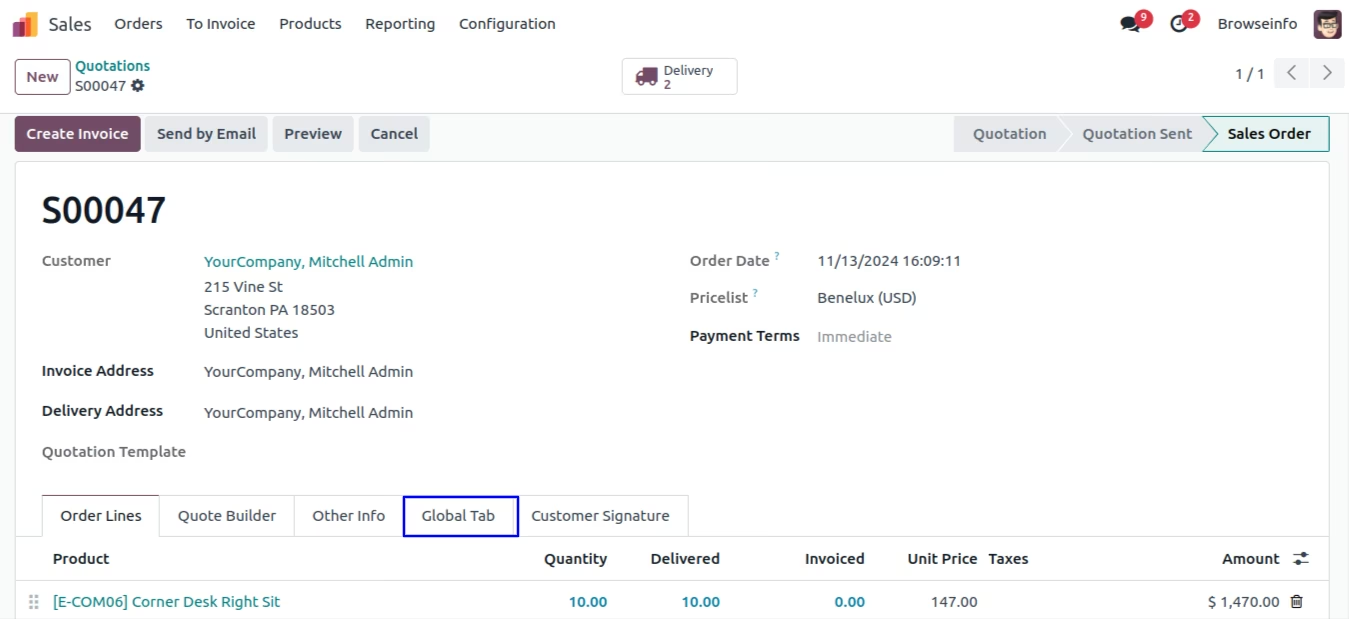
User can see updated custom global tabs.
Custom Global Fields Filter
User can use different filters for custom global fields.
Custom Global Fields Group By
User can use different group By option for custom global fields.
Version :
18.0.0.0
01 October 2024
Initial release of the app.
Version :
18.0.0.5
03 December 2025
Bug Fixes.