This all-in-one agriculture website integration module delivers a seamless connection between public-facing crop request forms and backend agricultural workflows. Designed for easy access and management, it enables farmers or customers to submit crop requests directly via your website or portal, ensuring smooth intake and efficient handling of submissions within your agriculture management environment.
Key Features
Publish a website form to collect crop requests from visitors or customers
Automatically sync submitted crop request data into the agriculture backend system
Leverage integrated workflows to manage crop requests alongside existing agriculture modules
Enable portal access for users to view or track their submitted crop requests
Benefits
Enhances customer accessibility by enabling direct crop request submission through your website
Improves workflow responsiveness by instantly capturing external requests in the system
Boosts engagement by offering a user-friendly portal experience for request tracking
Saves administrative time through automation of request intake and backend assignment
Agriculture Crop Request from Website by Customer
Website Crop Request for Agriculture App
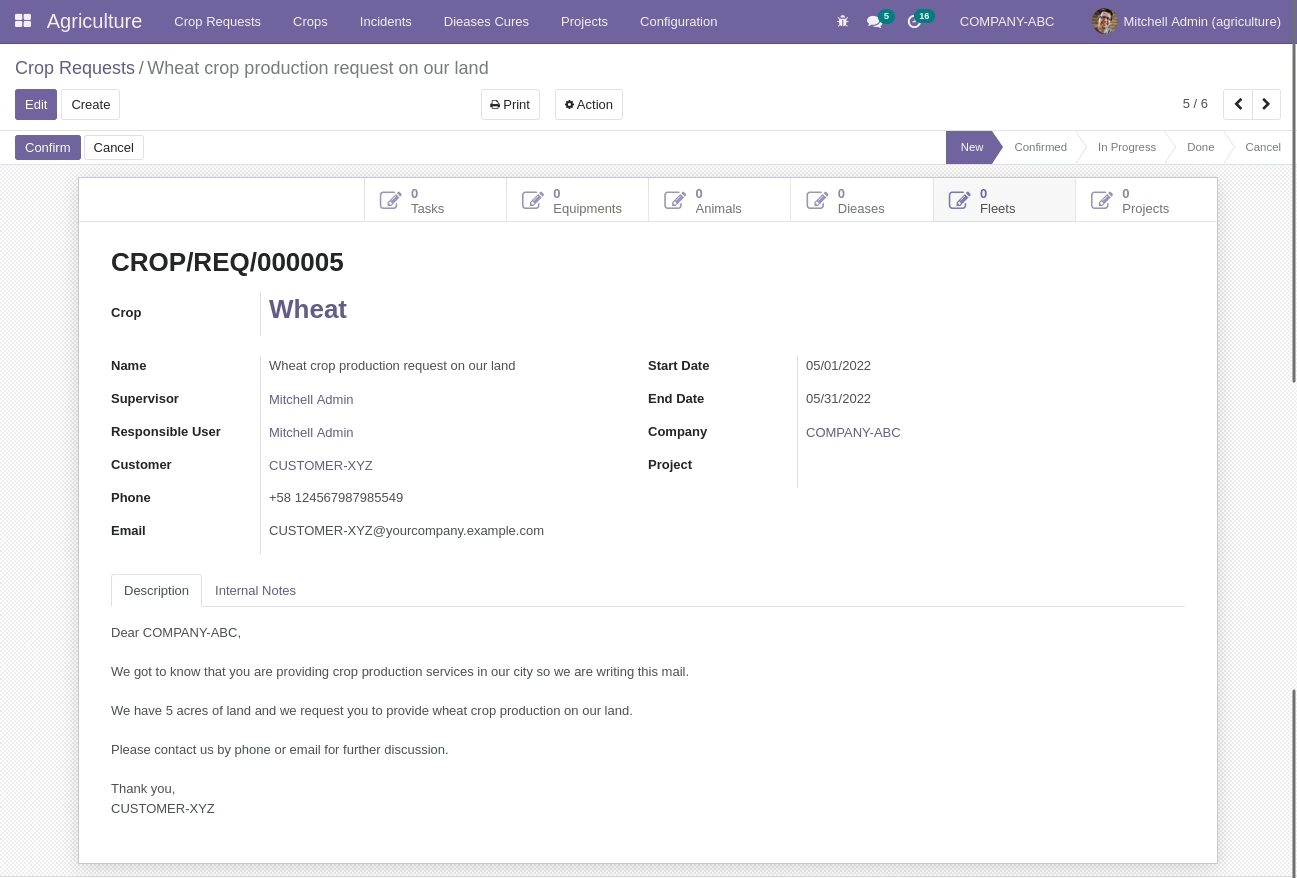
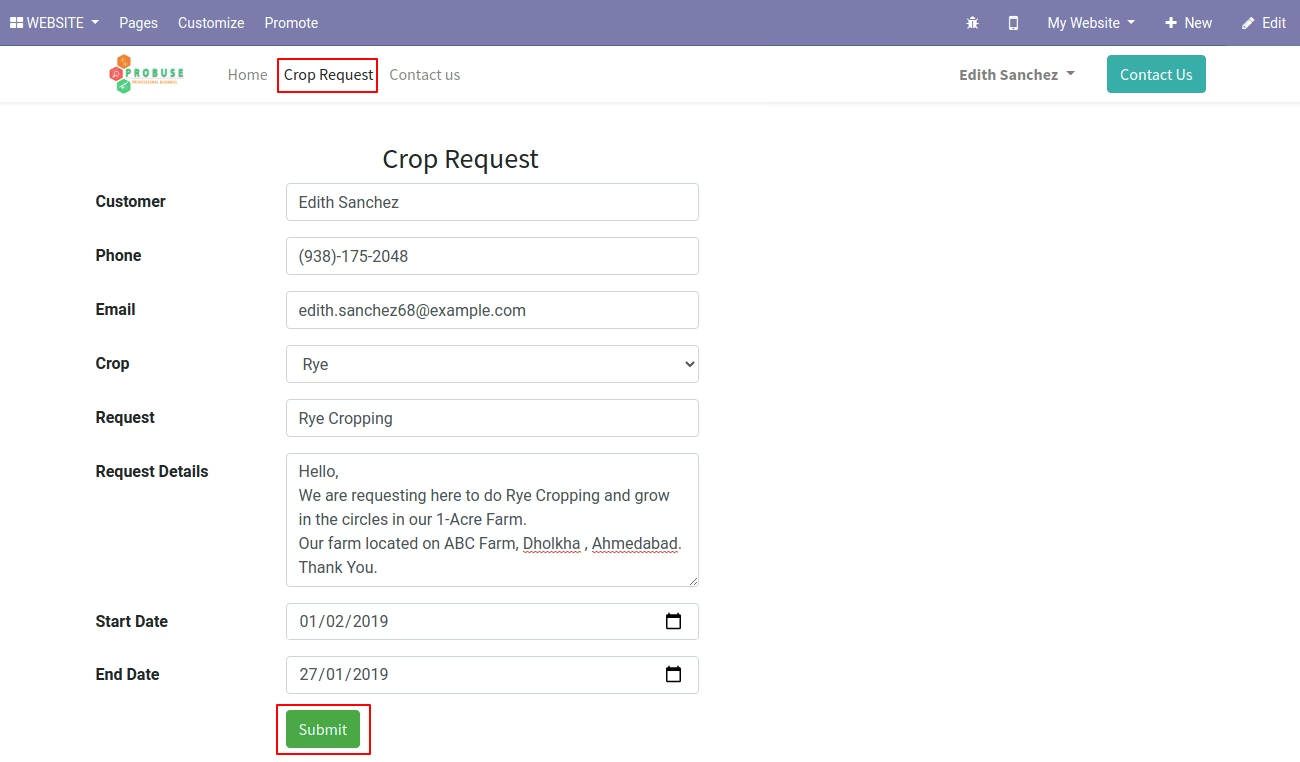
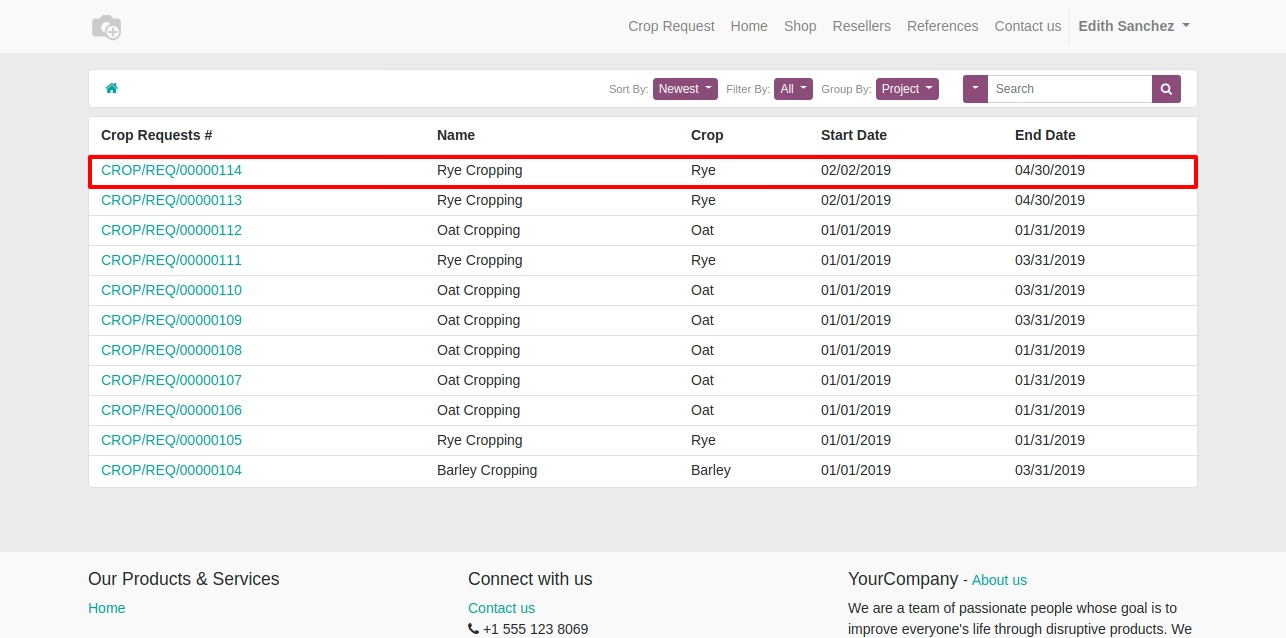
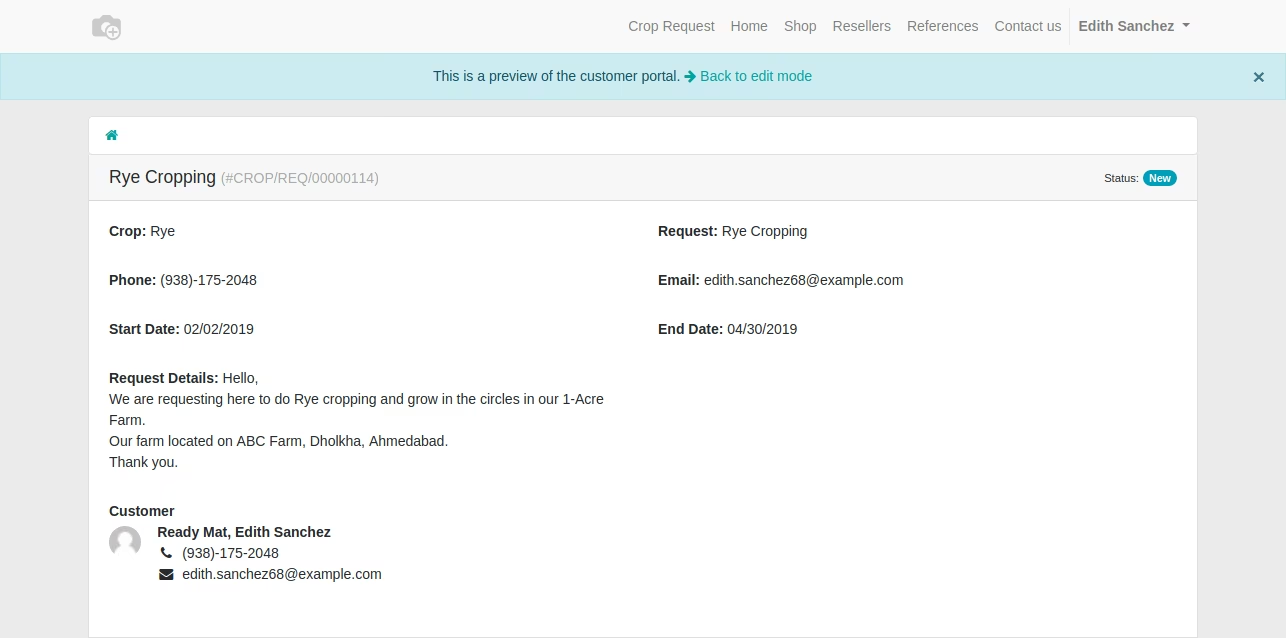
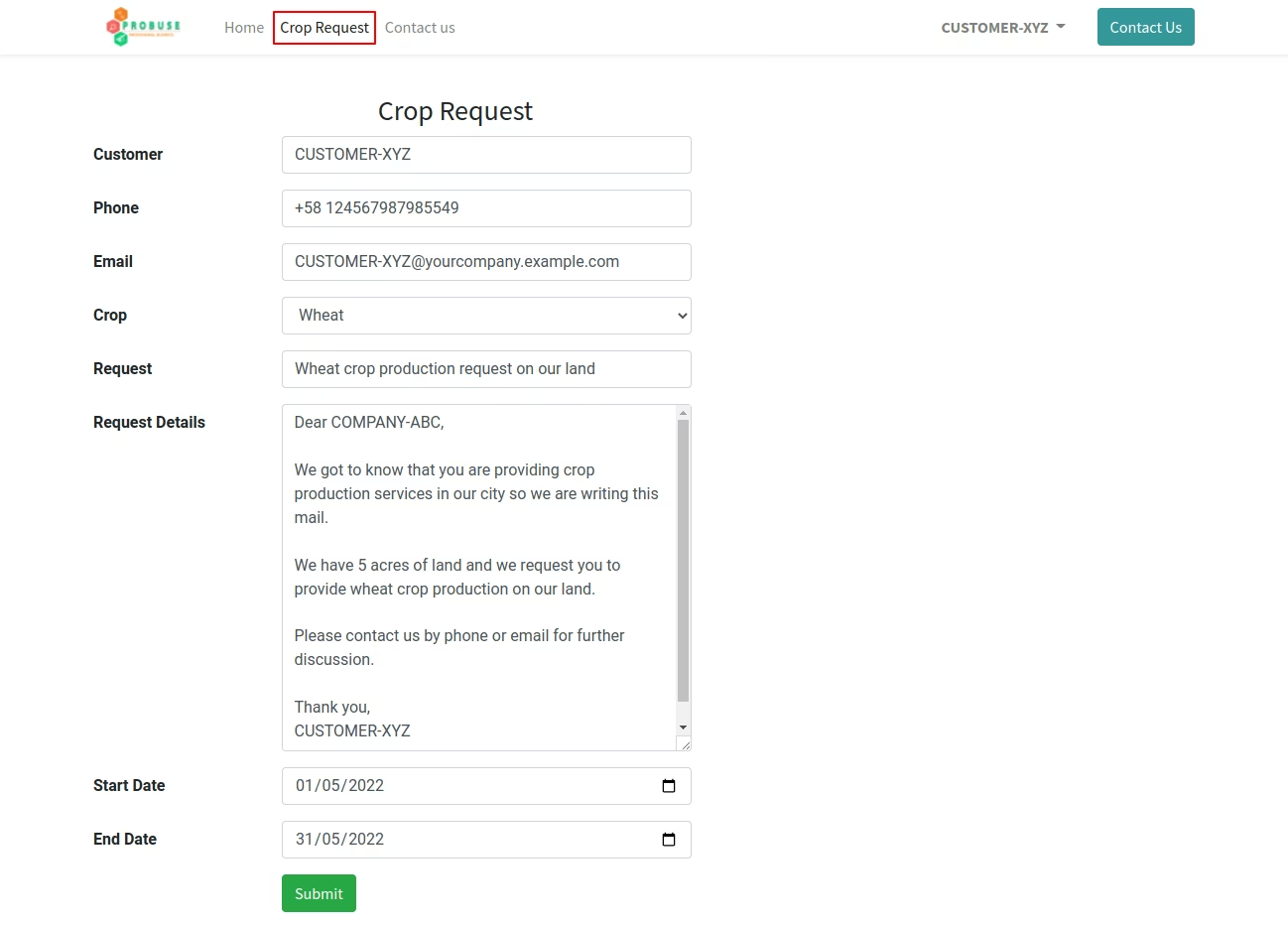
This app allows your customer / farmer / consumer to create a crop request from the website page and the system will create a crop request in the backend and show the same request to the customer in my account portal of your website.
Main Features:
- Customers / Farmers can create crop requests from the website and view in my account portal.
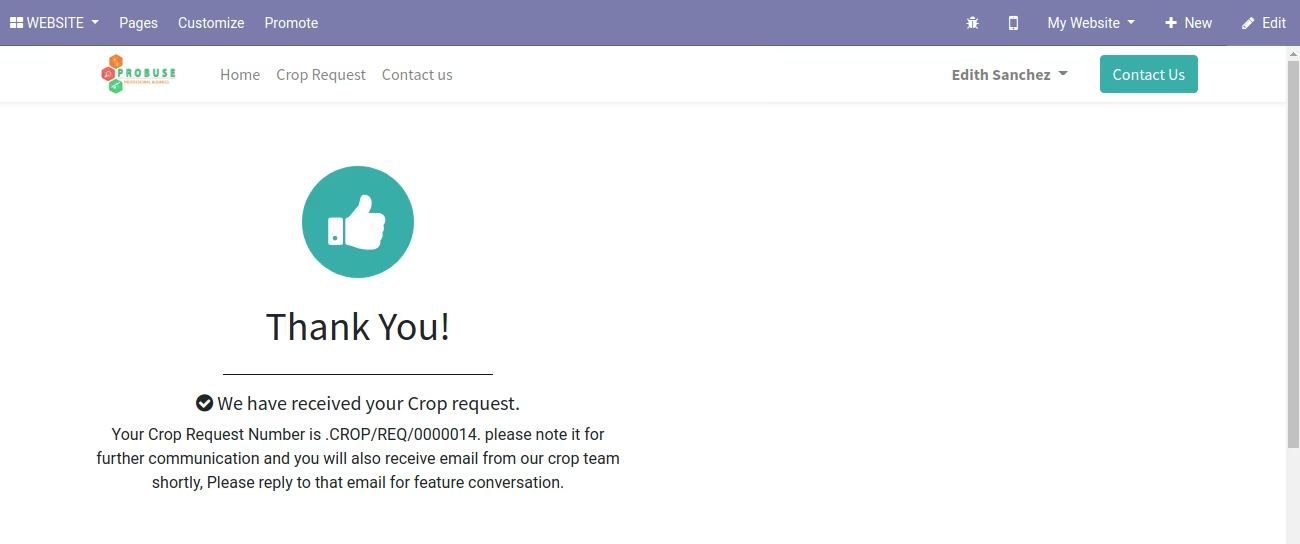
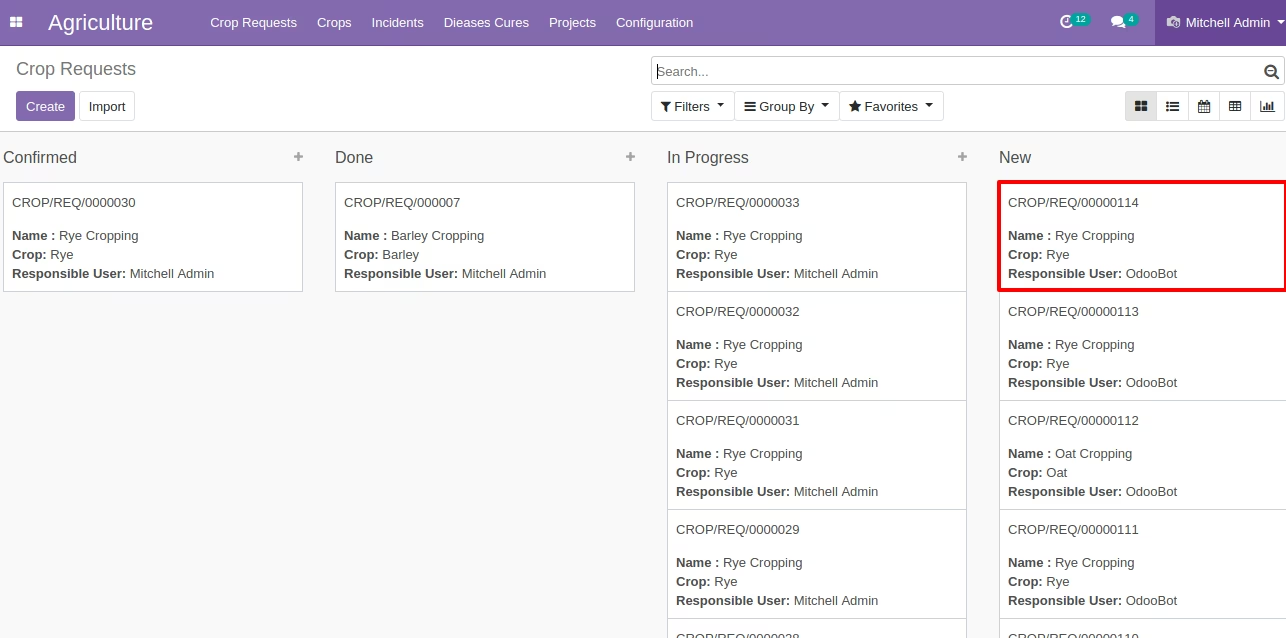
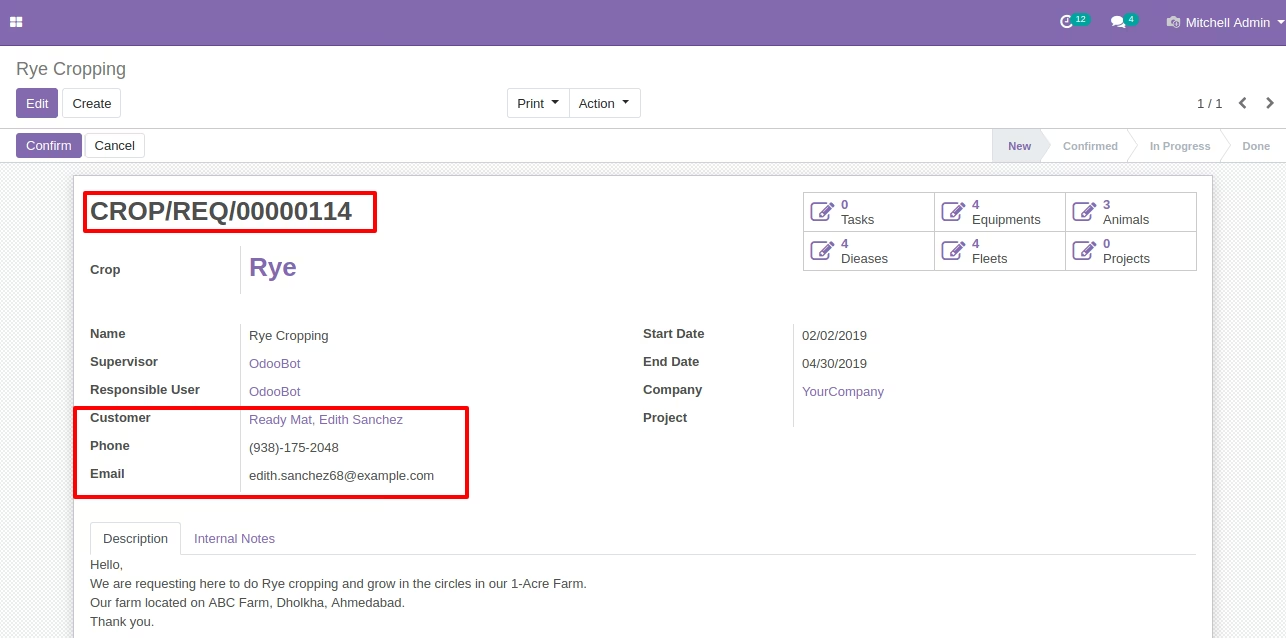
- After submitting a crop request then the system will create a crop request in the backend.
- For details about the agriculture module please click on the dependent app of agriculture.
- Example:
- COMPANY-ABC is producing crops using processes like (i) Preparation of soil (ii) Sowing (iii) Adding manure and fertilizers (iv) Irrigation (v) Protecting from weeds (vi) Harvesting (vii) Storage (examples steps). That means COMPANY-ABC has resources/farmers and provides crop produce services to their customers also.
- CUSTOMER-XYZ has 5 acres of land but do not have a resources to produce a crop on their land so CUSTOMER-XYZ can contact COMPANY-ABC to provide service for crop production on their 5 acres of land for the crop they want to produce (like wheat, corn, rice, etc.) and once COMPANY-ABC get crop request from the website from CUSTOMER-XYZ then they (COMPANY-ABC) can provide crop production services to CUSTOMER-XYZ.
- For more details please check below screenshots and watch the video.
Edition Compatibility:
Enterprise .sh Community
Example 1
=============================================================================================================================================Crop Request Website Create Page
Acknowledgement Message to Customer after Submit
Crop Requests In My Account Portal
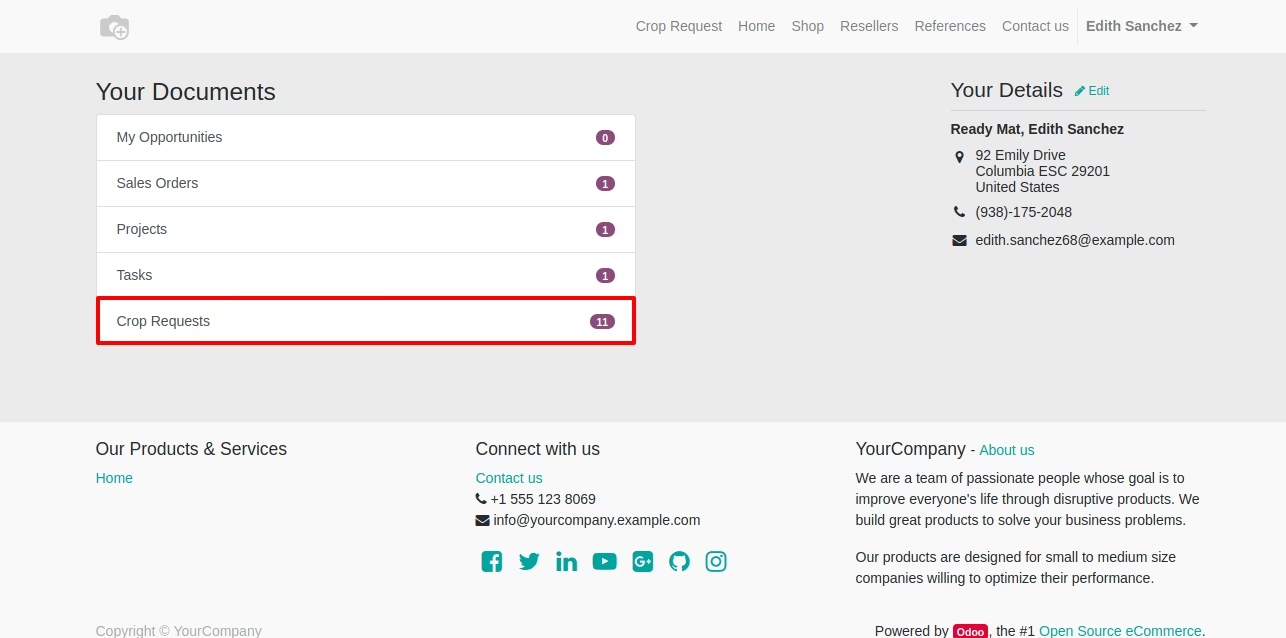
Crop Requests List in My Account Portal
Crop Requests Form in My Account Portal
Created Crop Requests in the Backend Kanban View
Created Crop Requests in the Backend Form View
Example 2
=============================================================================================================================================Crop Request Website Create Page
Created Crop Requests in the Backend Form View