This all-in-one reporting filter module enhances financial visibility by introducing salesperson-based filtering and columns within aged receivable and partner ledger reports. Enable finance teams and managers to swiftly segment outstanding balances and partner histories by responsible salespeople. Improve follow-up workflows, transparency, and accountability across sales and accounting functions.
Key Features
Adds Salesperson as a filter option in aged receivable and partner ledger reports
Displays a Salesperson column for clear attribution within report outputs
Enables focused, salesperson-specific financial reporting and data export
Streamlines reconciliation and collection efforts aligned by individual sales ownership
Benefits
Elevates report clarity by associating aging and partner balances with the responsible salesperson
Boosts accountability across sales and finance teams with targeted visibility
Speeds up collections and follow-up actions through focused data insights
Enhances decision-making with salesperson-filtered financial overviews and summaries
Aged Receivable/Partner Ledger Reports per salesperson
Note: This module works only in Enterprise
This module allow you to filter Aged Receivable/Partner Ledger Reports by salesperson assigned to the customer in partner form view.
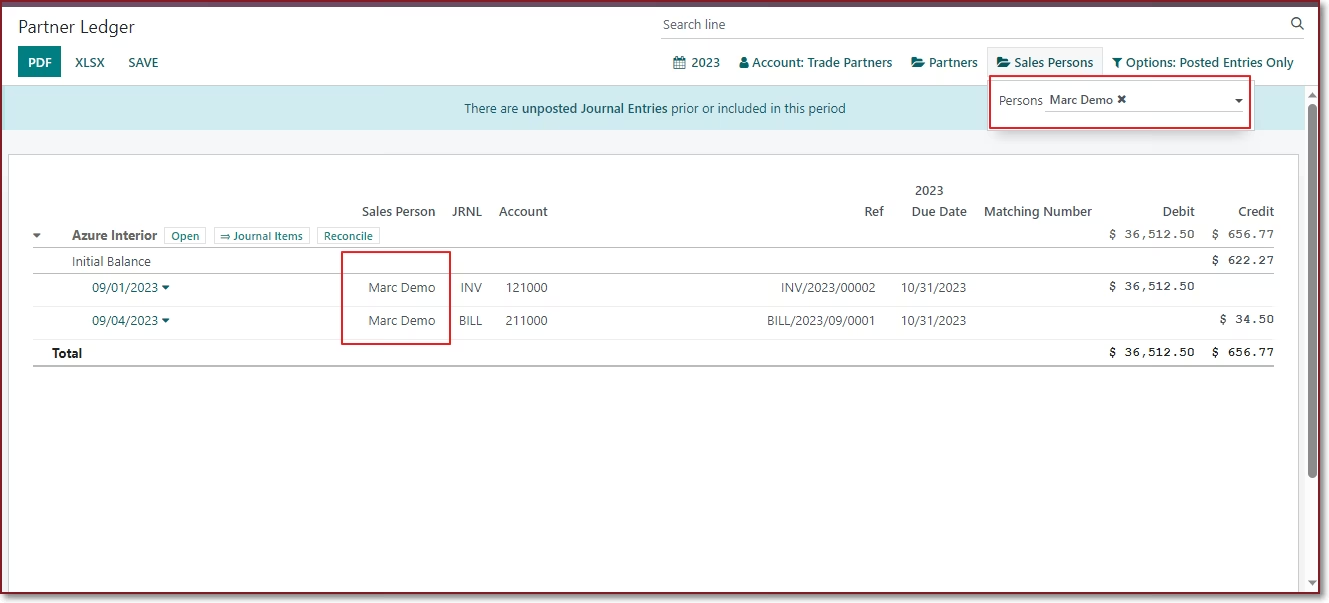
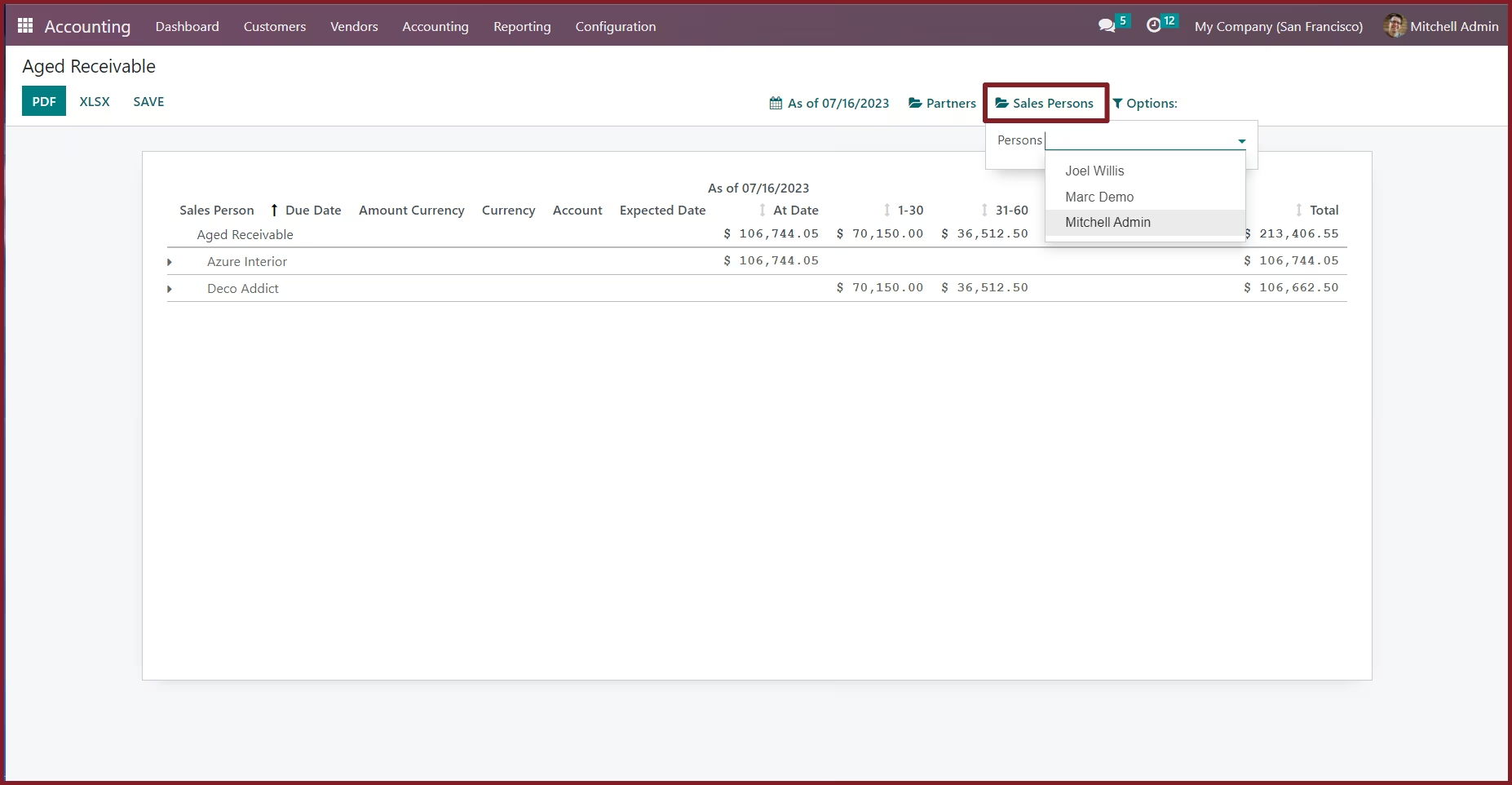
 Filter Aged Receivable report by salespersonShow salesperson in Aged Receivable report.Filter Partner Ledger report by salespersonShow salesperson in Partner Ledger report.
Aged Receivable/Partner Ledger Reports per salesperson
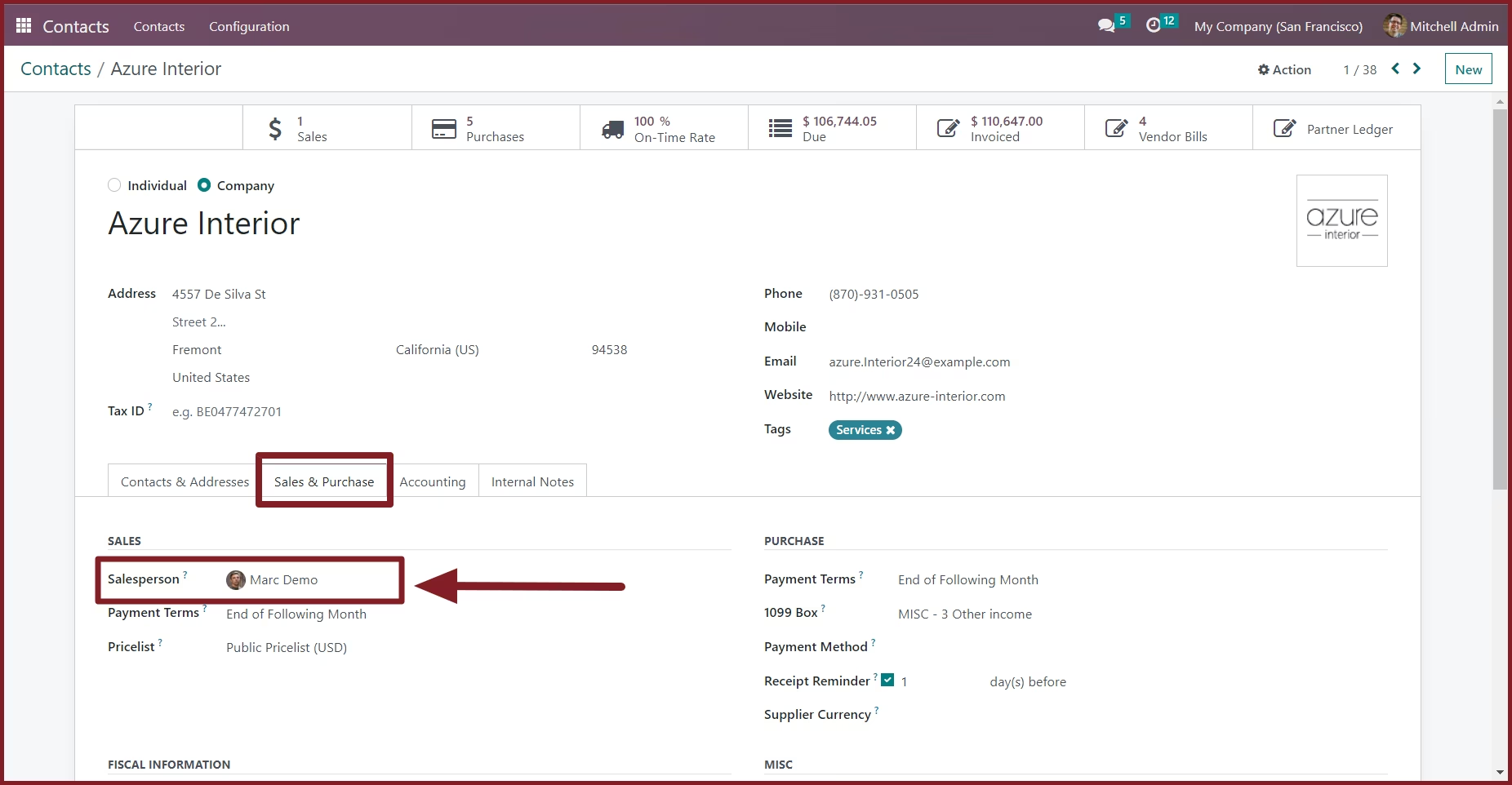
Assign a Salesperson to a partner
From the Sales & Purchase tab in partner form view, You can assign a salesperson to a partner
Filter the aged receivable report by salesperson.
Filter the partner ledger report by salesperson.