
This all-in-one module enhances accounting visibility by enabling salesperson-based filtering and column display in aged receivable reports. Empower finance teams and account managers to quickly analyze outstanding invoices by assigned salesperson, improving accountability and streamlining follow-up processes.
Key Features
Adds salesperson as a filter option in aged receivable reports
Displays a salesperson column within the aged receivable report for easy reference
Enables targeted financial reporting based on sales ownership
Supports better follow-up workflows in collections and account management
Benefits
Increases clarity by associating aged receivables to responsible salespeople
Boosts efficiency in collections with focused salesperson-specific reports
Enhances accountability across sales and finance teams
Accelerates actions on overdue payments through targeted visibility
Aged Receivable Report per salesperson
Note: This module works only in Enterprise
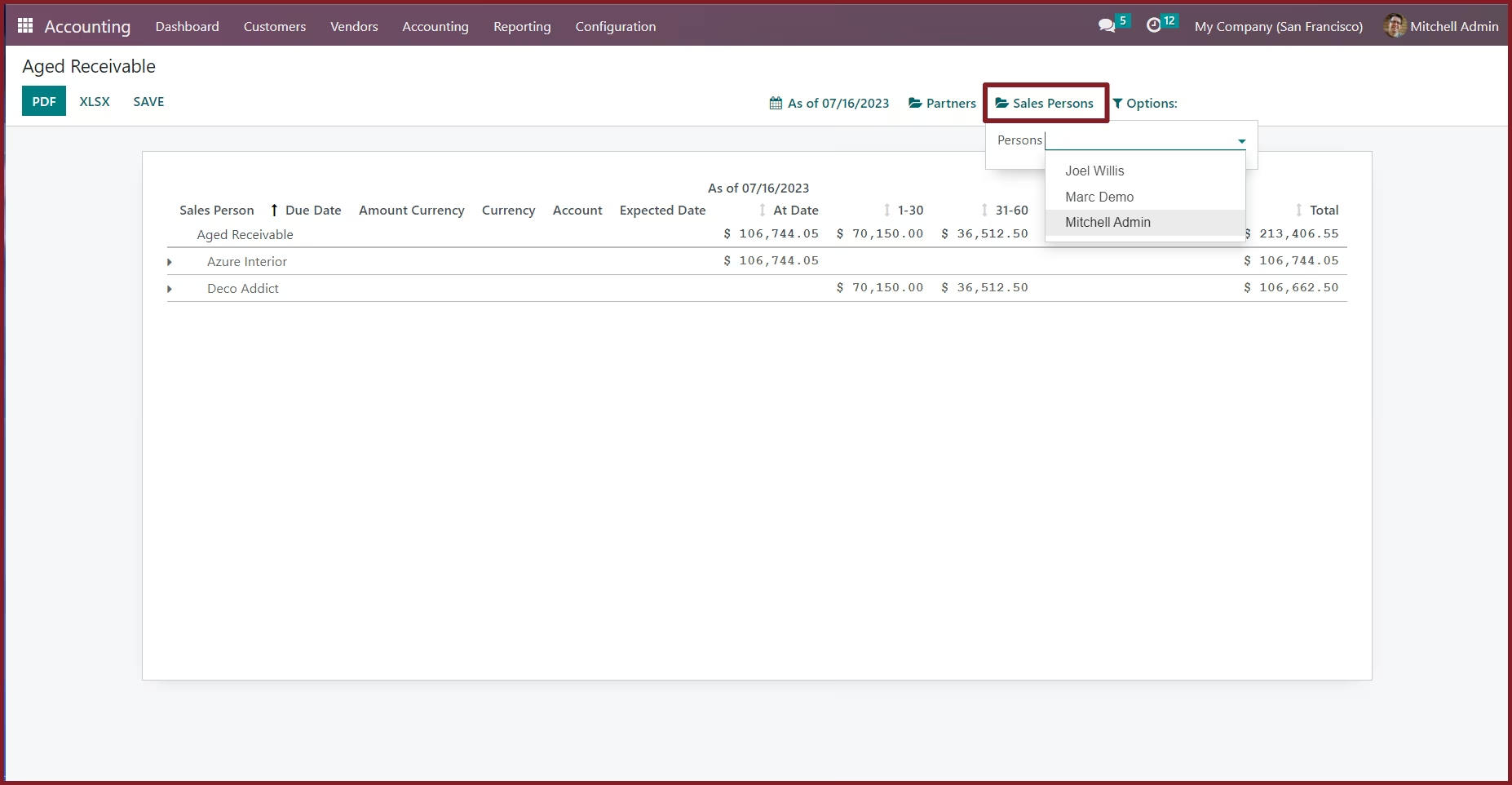
This module allow you to filter Aged Receivable Report by salesperson assigned to the customer in partner form view.
 Filter Aged Receivable report by salespersonShow salesperson in aged receivable report.
Aged Receivable Report per salesperson
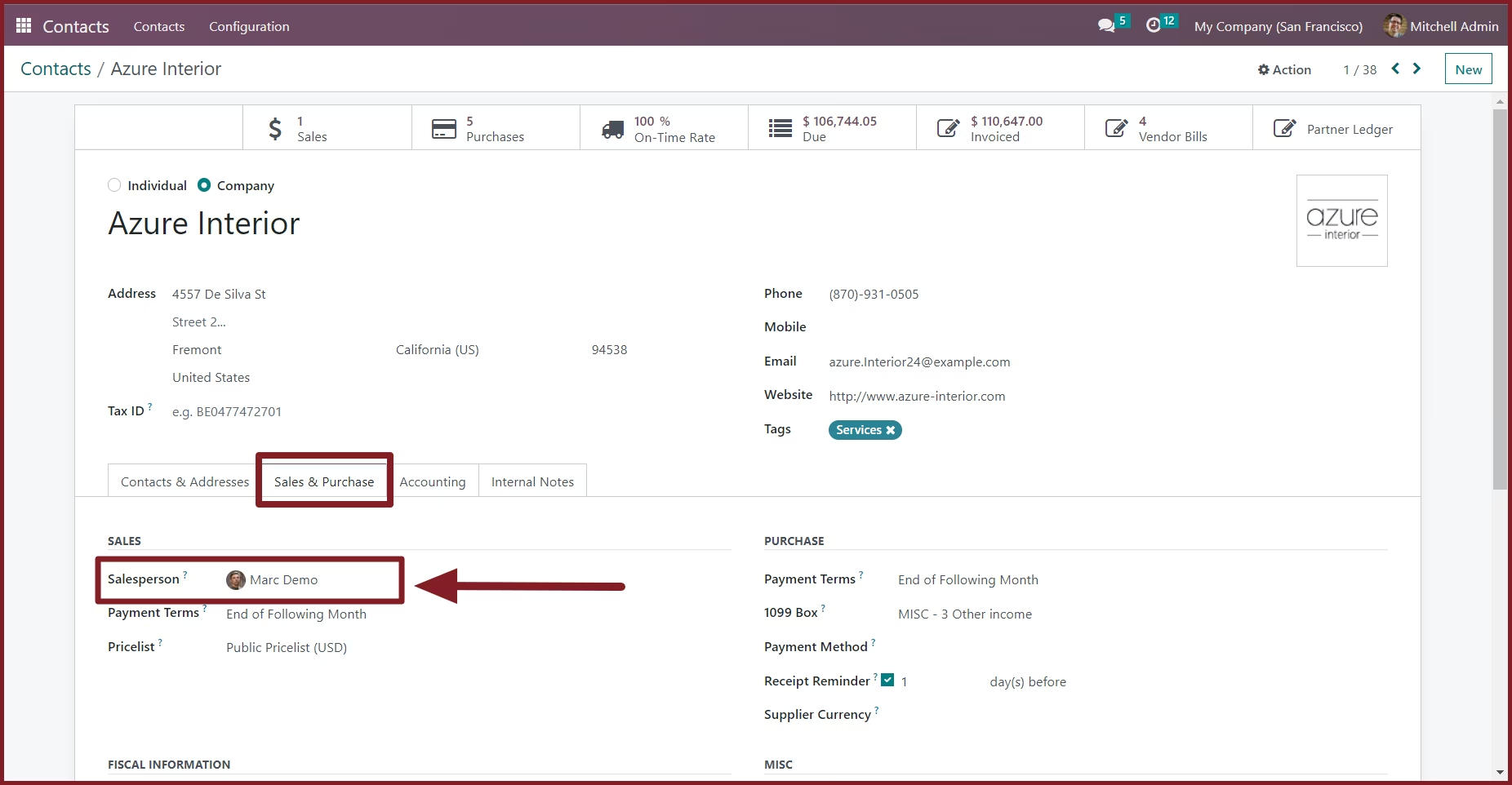
Assign a Salesperson to a partner
From the Sales & Purchase tab in partner form view, You can assign a salesperson to a partner
Filter the aged receivable report by salesperson.
You will get 60 days free support for any doubt, queries, and bug fixing (excluding data recovery) or any type of issue related to this module.
This is applicable from the date of purchase
Please note that it's not allowed to distribute this module after purchase!