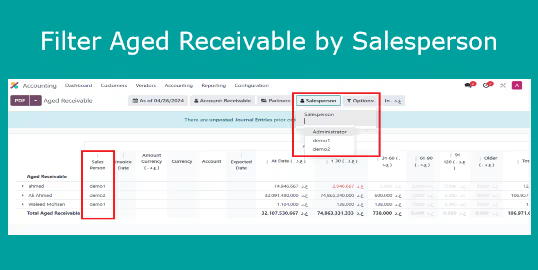
This all-in-one module enhances accounting reports by enabling salesperson-based filtering and column display within aged receivable and partner ledger views. With this enhanced reporting, finance and sales teams gain clear insights into outstanding invoices grouped by responsible salesperson. This module fosters accountability and streamlines follow-up workflows with precision tracking.
Key Features
Adds Salesperson as a filter in aged receivable and partner ledger reports
Displays a Salesperson column for easier identification in report outputs
Enables faster, role-specific report filtering and sharing
Empowers teams to track receivables based on sales ownership efficiently
Benefits
Boosts visibility into collections by linking receivables to sales team members
Improves accountability and follow-up clarity through targeted reporting
Speeds up collection efforts with focused, salesperson-driven insights
Simplifies decision-making and financial oversight for leadership and finance professionals
Aged Receivable Report Filter per salesperson
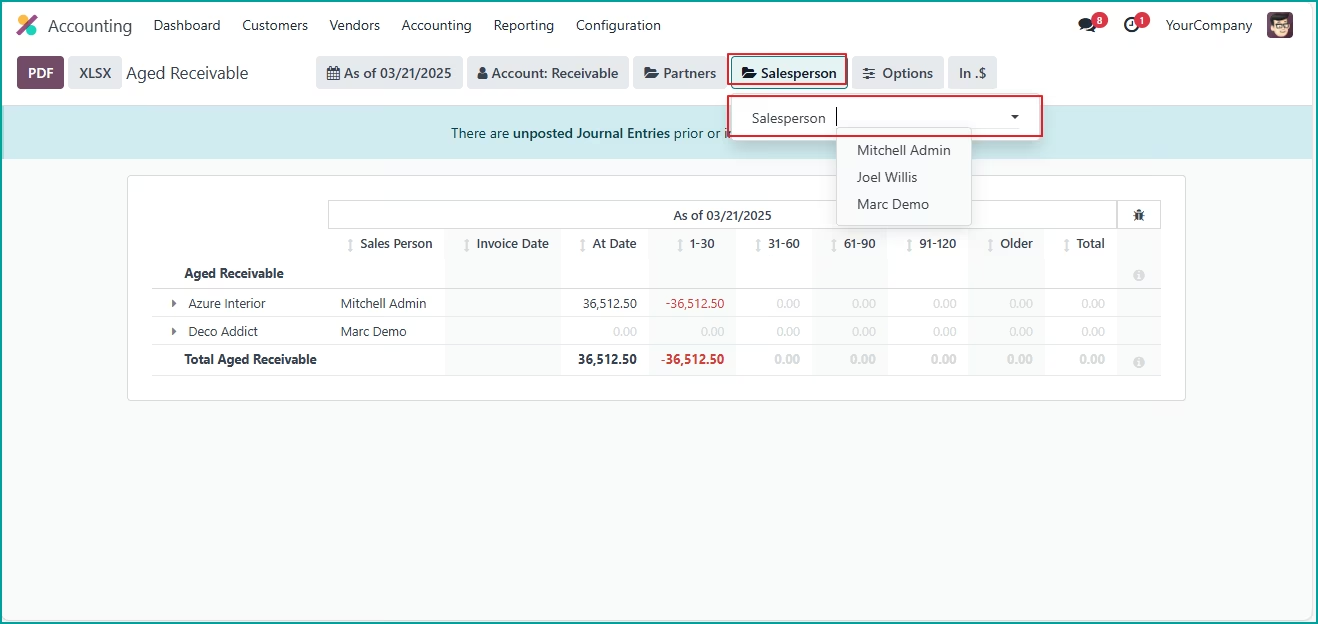
This app allows you to filter the Aged Receivable Report based on the salesperson assigned to each customer.
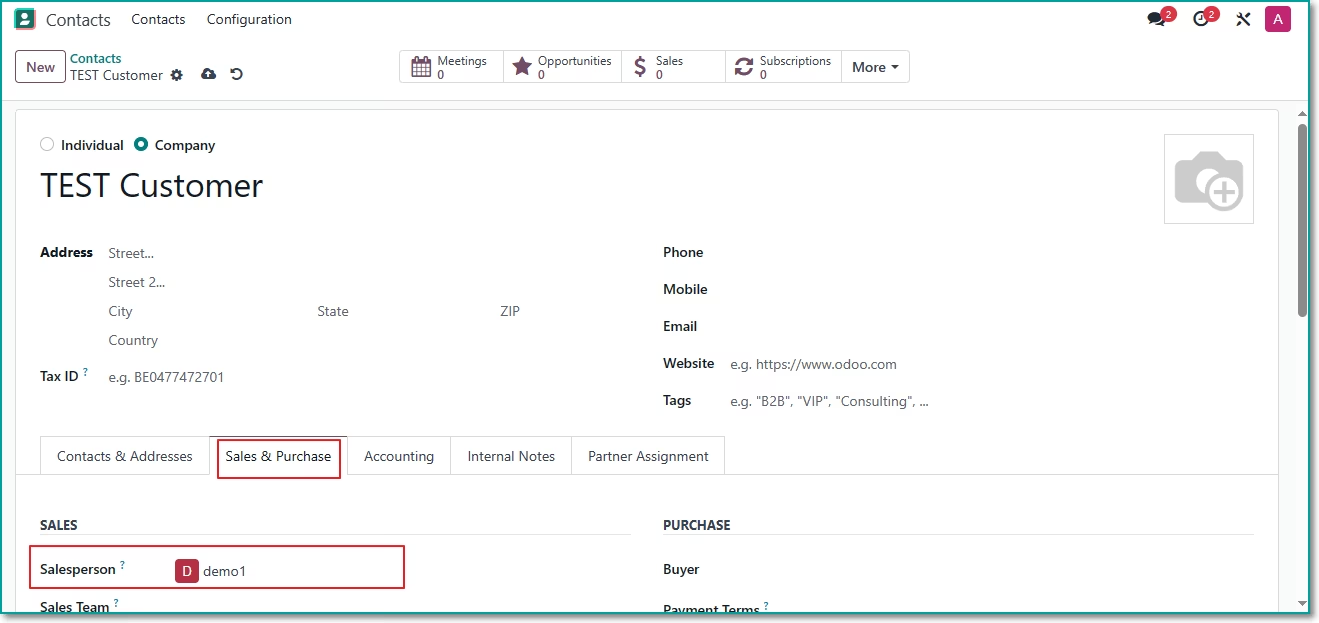
After installing this app, Set salesperson for customers:
Filter per salesperson
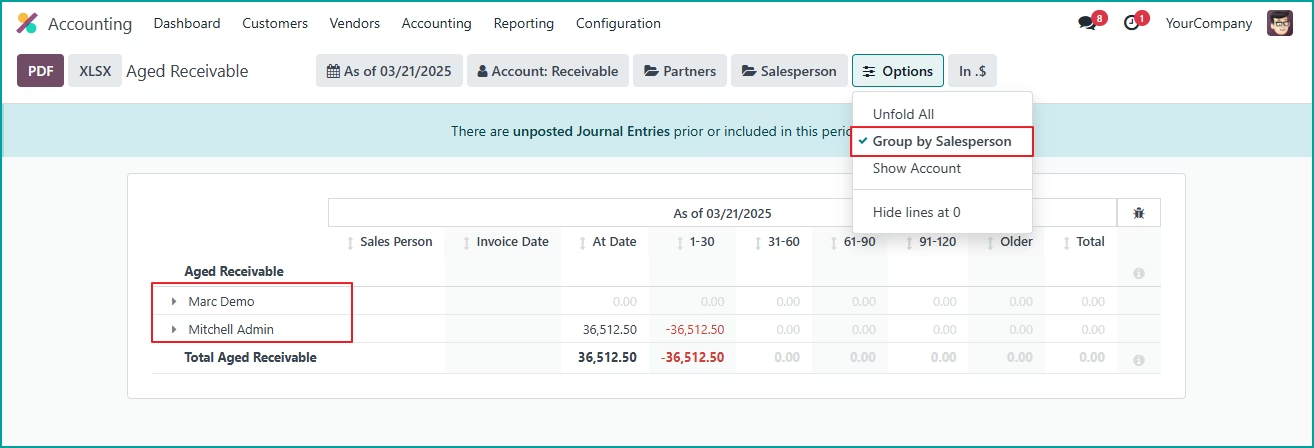
Group by salesperson.
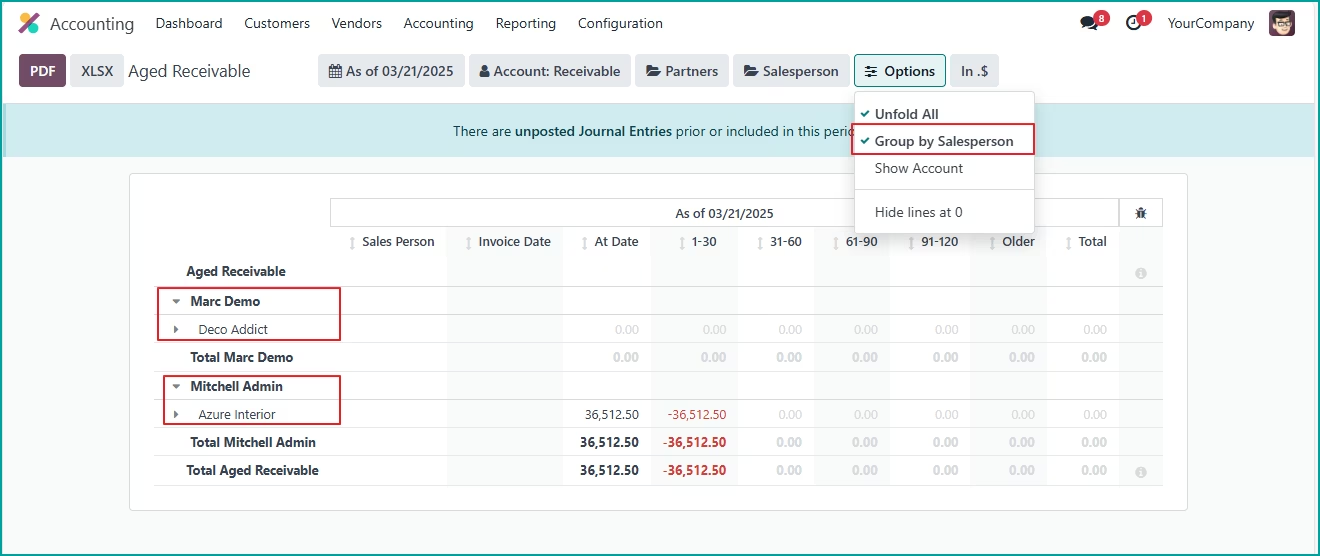
V1.0.1 (15-Nov-2025)
- NEW Add new option to enable grouping the report by salesperson to display aged receivable report (AR) summarized per salesperson.
V1.0.0
- Ability to filter report by salesperson