The Advanced Chatter, enhances the standard Chatter feature by providing a more intuitive and user-friendly interface. This module aims to improve team collaboration and communication by streamlining the messaging experience.
Key Features
Enhanced User Interface: Offers a cleaner and more intuitive layout for easier navigation and interaction.
Customizable Message Formatting: Allows users to format messages for better clarity and emphasis.
Improved File Attachment Handling: Simplifies the process of attaching and managing files within messages.
Activity Scheduling Integration: Seamlessly integrates with activity scheduling to keep track of tasks and deadlines.
Optimized Performance: Enhances the responsiveness and speed of the Chatter interface.
Benefits
Streamlined Communication: Facilitates more efficient and effective communication among team members.
Increased Productivity: Reduces time spent navigating the messaging interface, allowing more focus on tasks.
Better Collaboration: Improves collaboration by providing a more organized and accessible messaging system.
Enhanced User Experience: Offers a more pleasant and user-friendly environment for interacting.
Resizable Side Panel
Easily adjust the width of the side panel to fit your preferences and maximize form viewing.
Collapsible Interface
Toggle the side panel on or off to create a clutter-free workspace, focusing on the form when needed.
Quick Access to Activities
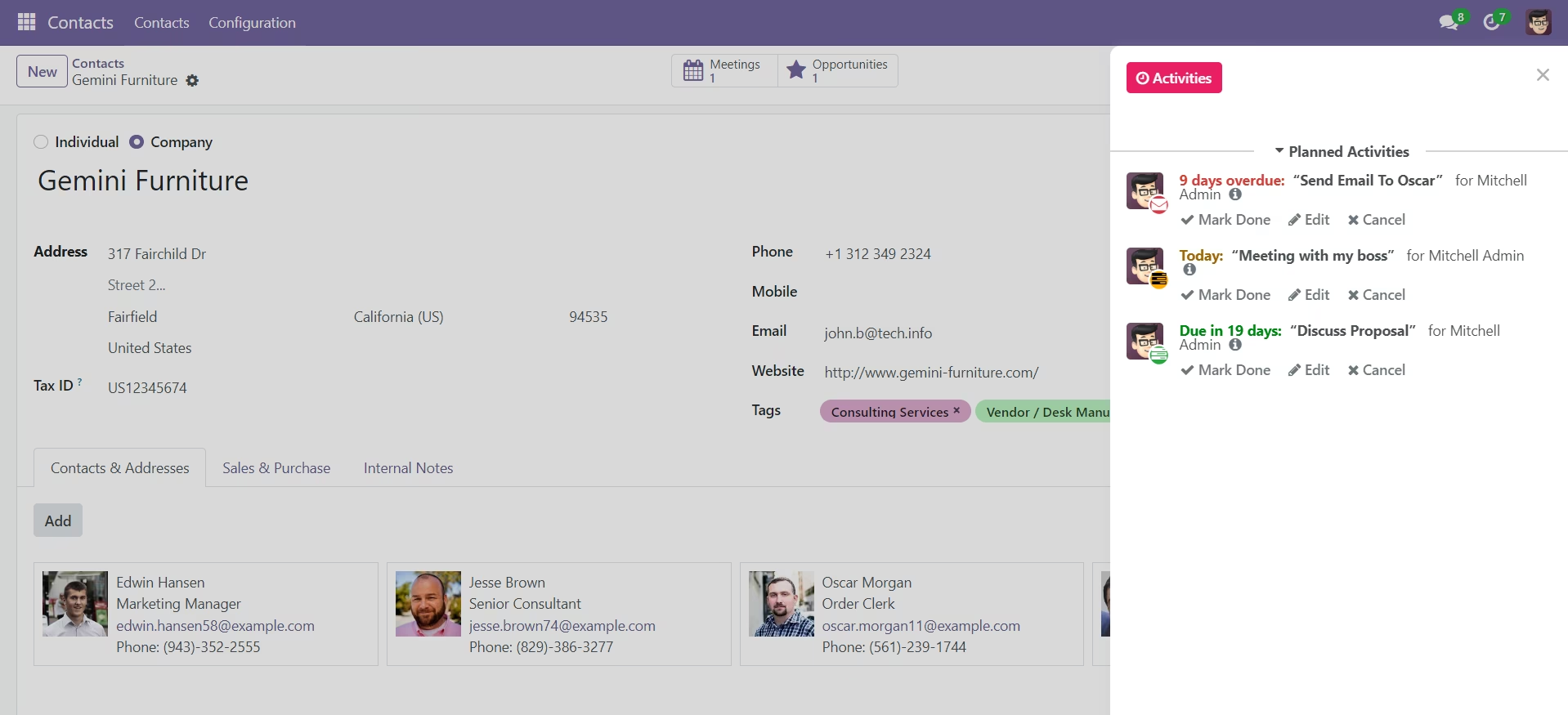
Instantly view and manage activities related to the current record.
Efficient Note Management
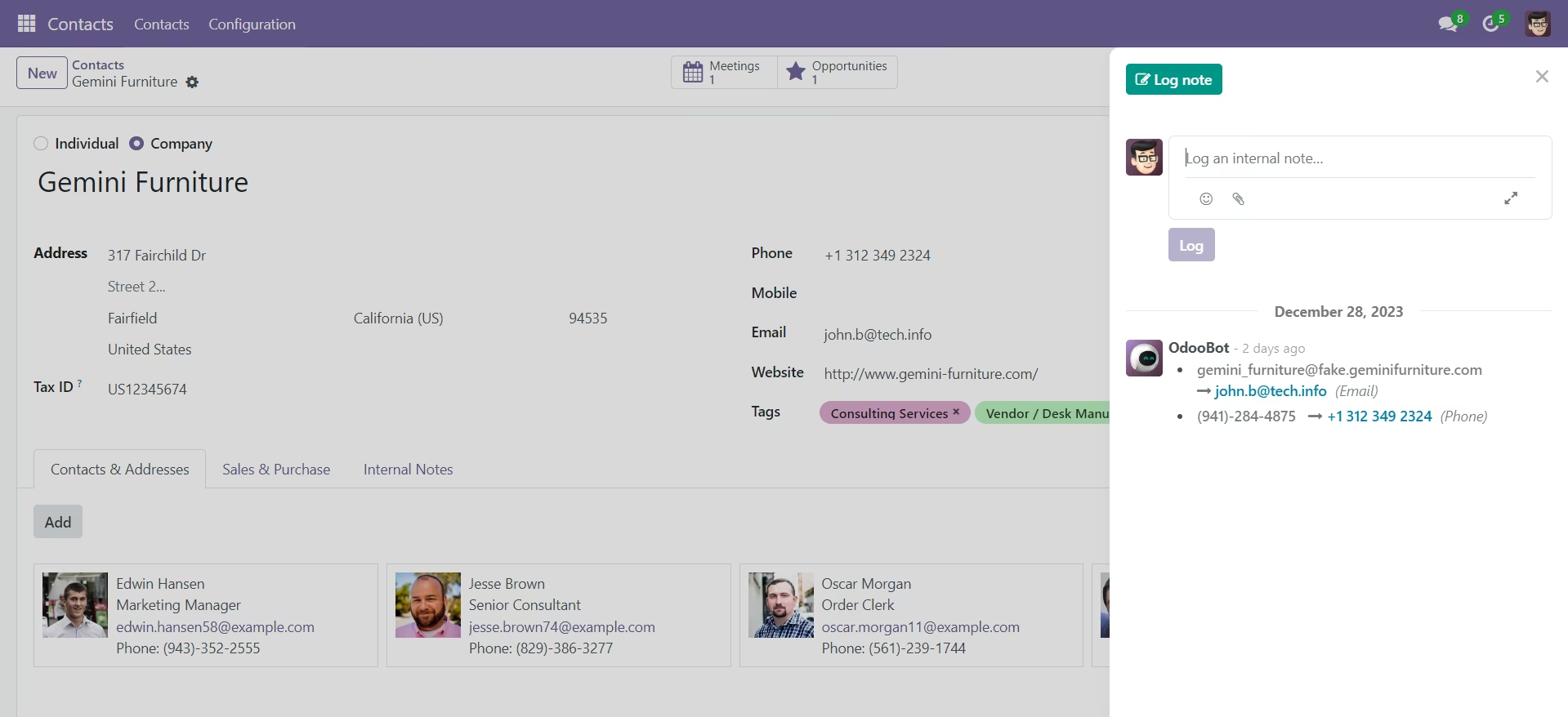
Access and create notes seamlessly within the side panel for improved user experience.
Streamlined Message Viewing
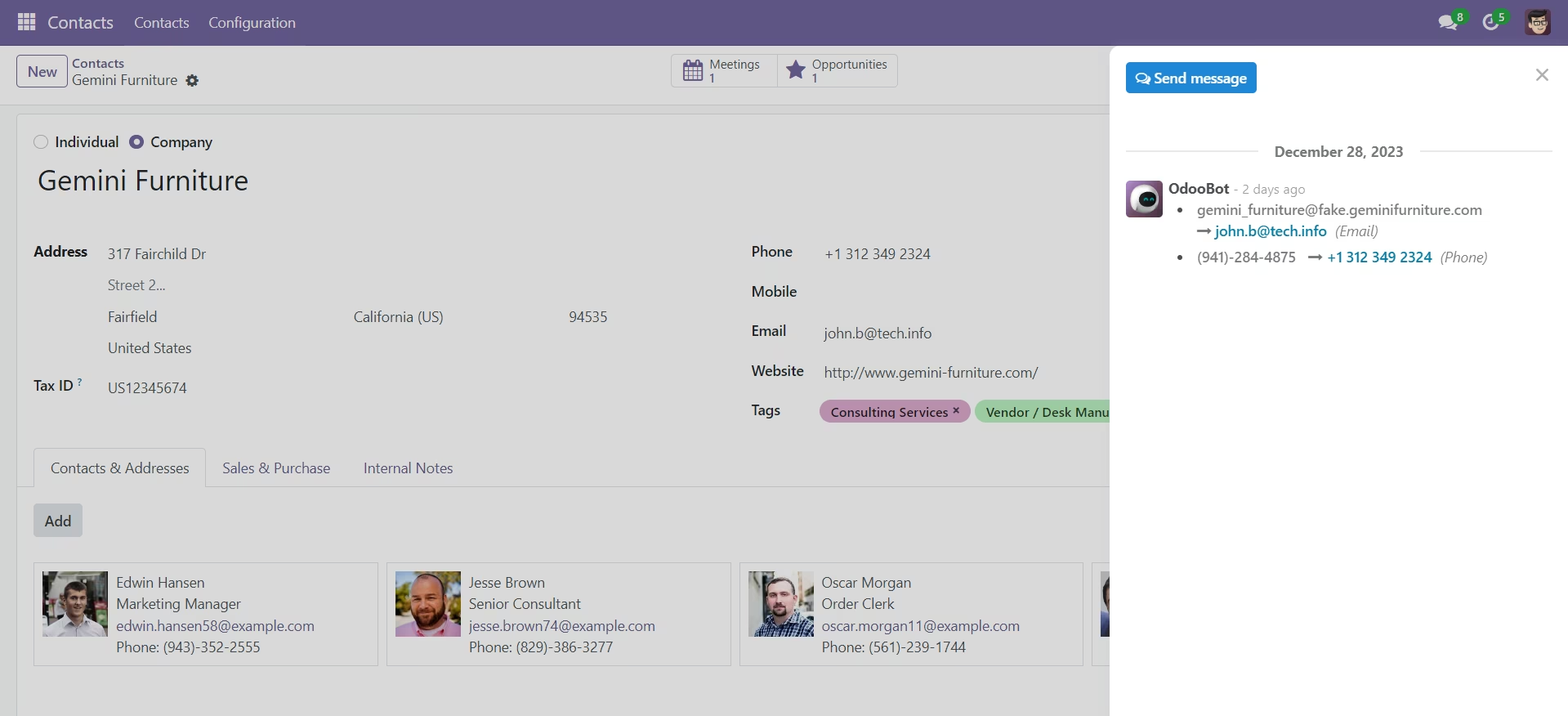
Stay updated with messages associated with the record, enhancing communication and collaboration.
User-Friendly Interface
Intuitive design for a smooth user experience, ensuring easy navigation and interaction.
Enhanced Productivity
Save time by having essential information and actions readily available in the convenient side panel.
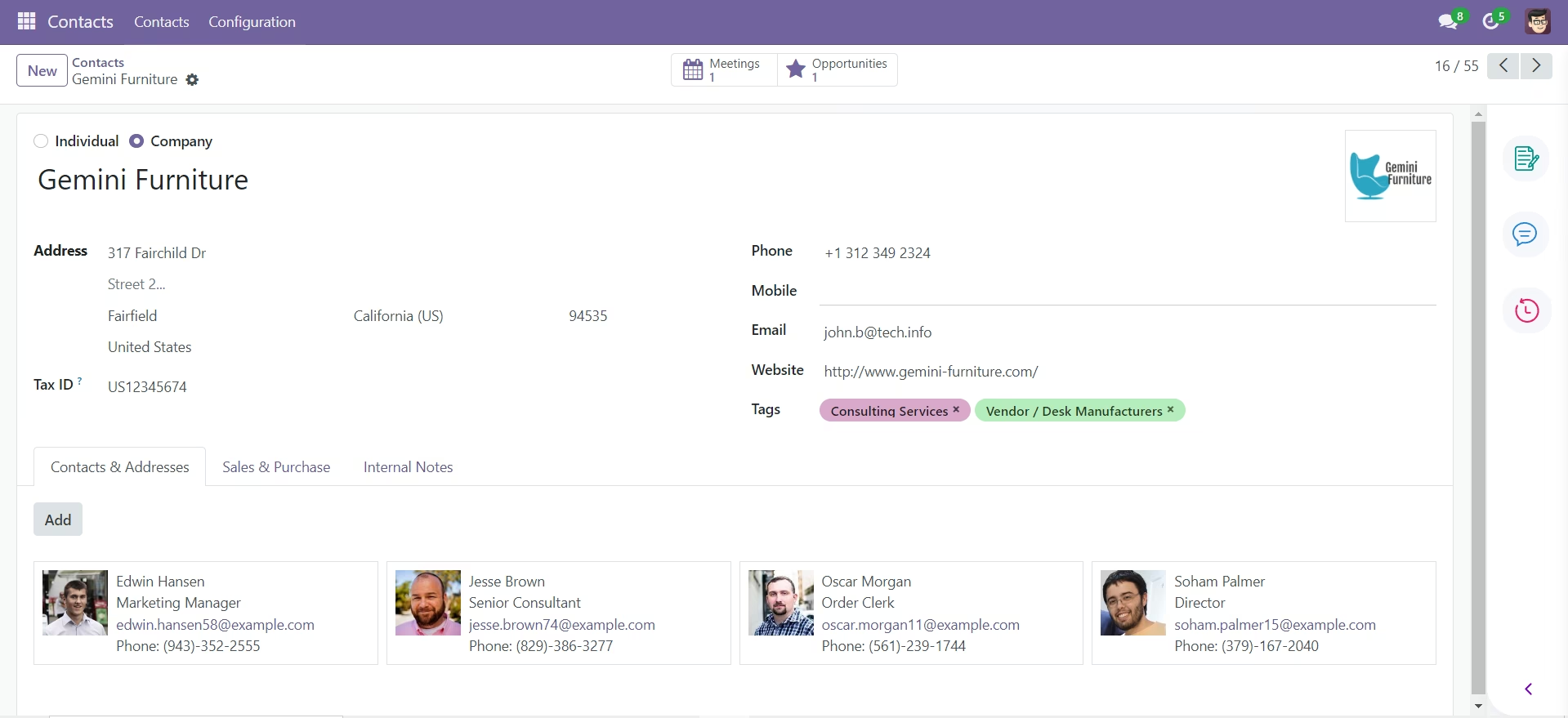
Collapsed Chatter Panel
Toggle the chatter panel to collapse and maximize the form layout, focusing on core information.
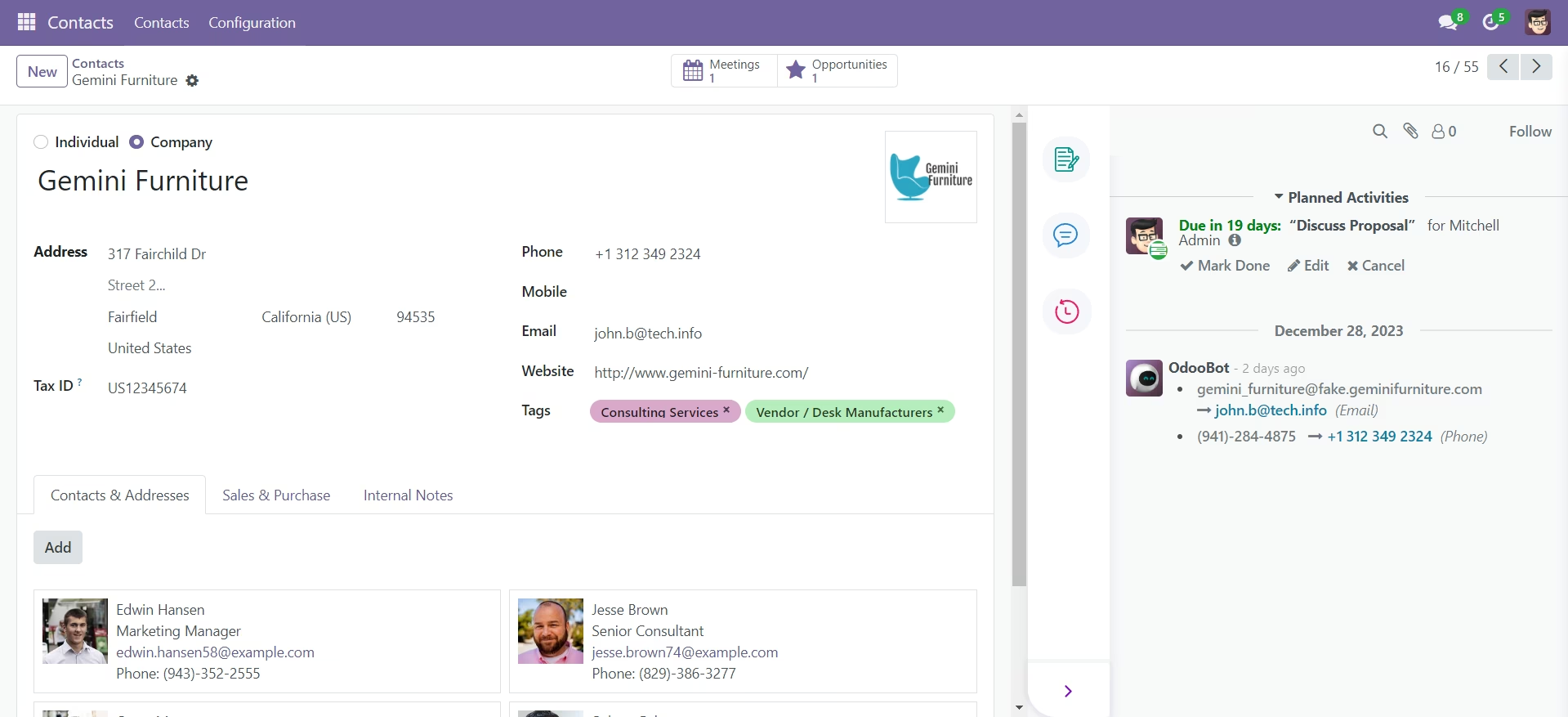
Expanded Chatter Panel
View and interact with notes, messages, and activities in an expanded chatter panel for comprehensive form interaction.
Notes Panel
Dedicated space for detailed notes, providing a structured way to capture and organize important information.
Messages Panel
Streamlined messaging panel for seamless communication, ensuring quick access to relevant conversations.
Activities Panel
Track and manage activities efficiently with a dedicated panel, allowing users to stay organized and focused.