
This all-in-one advanced vehicle repair management module delivers a powerful, end-to-end solution for handling repair operations within fleet or workshop environments. It enables seamless service bookings, detailed inspections, spare part tracking, job card management, and centralized dashboards providing comprehensive oversight and control of vehicle maintenance workflows with clarity and efficiency.
Key Features
Vehicle service booking and inspection scheduling streamline service appointments and workflow initiation
Generate and manage job cards and detailed repair entries for each service order
Spare parts management, including part assignment and cost tracking within repair jobs
Comprehensive repair dashboards and reports, offering insights into operations, progress, and efficiency
Support for inspection checklists and structured diagnosis workflows to ensure quality and accuracy
Benefits
Enhances operational efficiency by consolidating bookings, repairs, and parts tracking in a unified system
Reduces manual process errors with organized job card and diagnostic workflows
Improves visibility into workshop performance through dashboards and actionable reports
Streamlines spare parts usage and cost control via integrated repair workflows
Elevates maintenance quality with structured inspections and service tracking
Advance Vehicle Repair
Available in Community, Enterprise and .sh
Explore this app
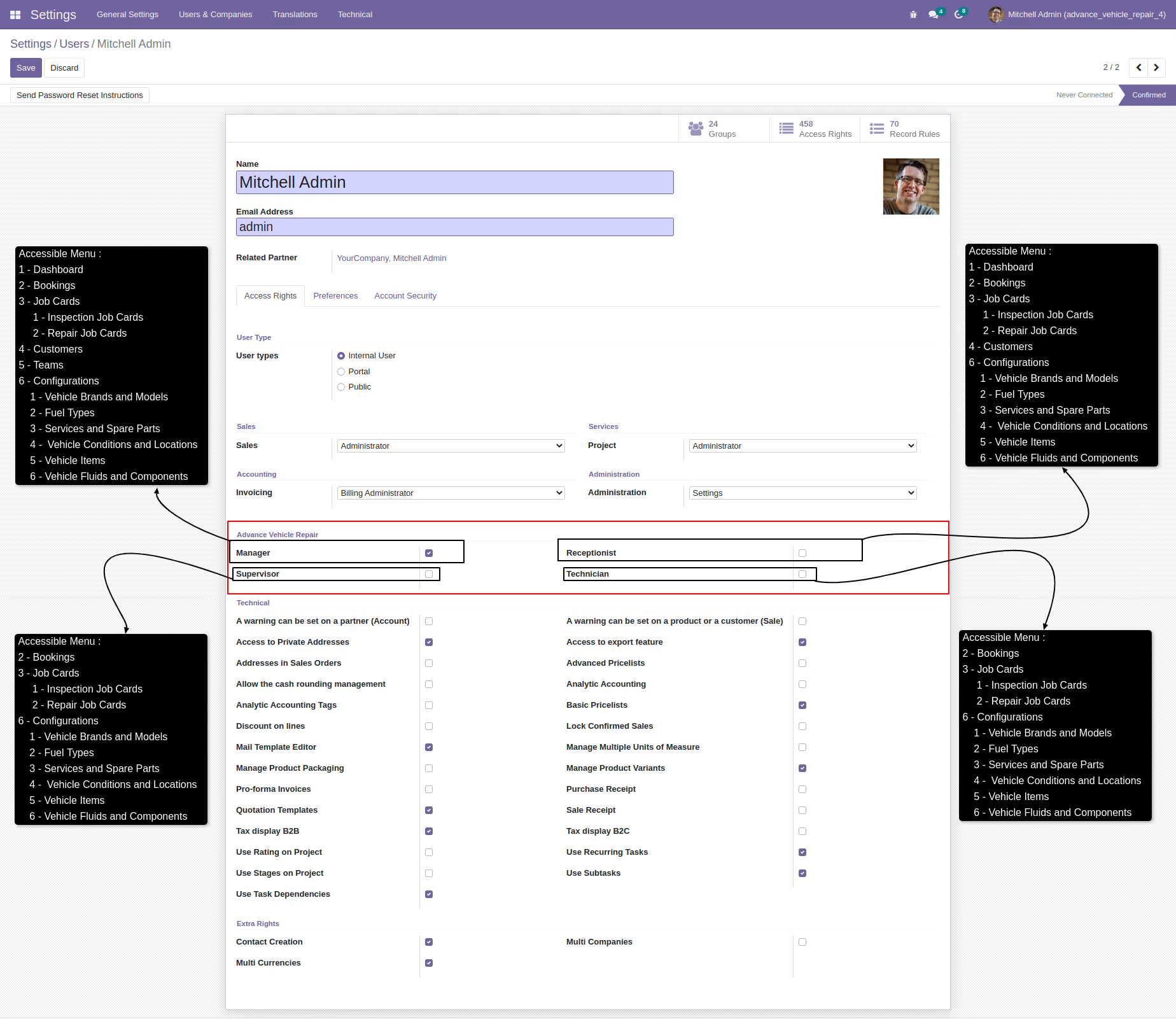
Users Roles
-
1 Manager
- The workshop manager has access to all menus, allowing them to manage all aspects of the workshop department.
- Only managers can create parts/service quotations based on the diagnosis, not authorized for technicians or other employees.
- The manager can mark a vehicle job card as complete once the work is finished.
- The manager can cancel job cards during vehicle repair or inspection processes.
-
2 Receptionist
- The workshop receptionist can create job cards and book vehicle repair or inspection appointments with basic details, as well as manage customer information.
- The receptionist can manage vehicle brands, models, fuel types, services, and spare parts.
-
3 Supervisor
- The supervisor can create and manage job card details and vehicle repair or inspection bookings.
- The supervisor can assign vehicle repair or inspection to a technician and create team tasks for vehicle repair or inspection.
- The supervisor can supervise the entire repair process, including reviewing the technician's work and ensuring it meets standards.
- The supervisor can add the price of vehicle spare parts and service charge, but cannot create sale orders for vehicle repair or inspection. Only the manager has access to create sale orders and can view them.
- After the work is finished, the supervisor can mark a vehicle repair or inspection order as complete.
-
4 Technician
- The technician can create job cards and book vehicle repair or inspection appointments with basic details, as well as manage customer information.
- The technician can view and manage vehicle repair or inspection job cards assigned by the supervisor.
- The technician can create and manage diagnoses for vehicle repair or inspection job cards.
- Only the technician and manager have the ability to transfer the vehicle inspection or repair process to an inspection request and send it to the supervisor.
Features
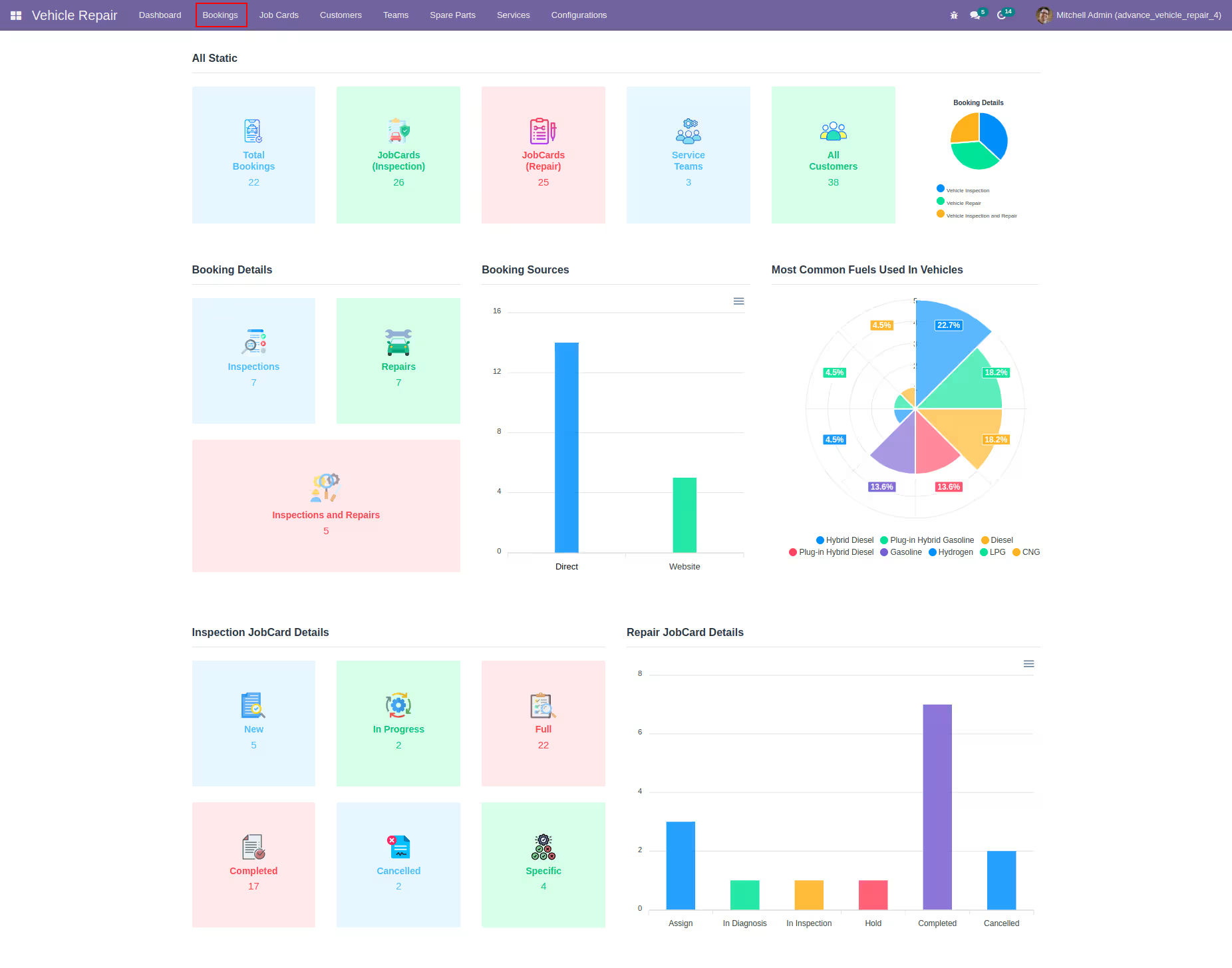
Dashboard
Stats
Dashboard displays fixed data like vehicle booking requests, inspections and repair status, and job card information including in-progress, completed, and cancelled job cards.
Graphs
Dashboard displays graphs for easy reference, such as repair job card status, booking details and sources, inspection job card types, and popular vehicle fuels.
Bookings
Booking work orders
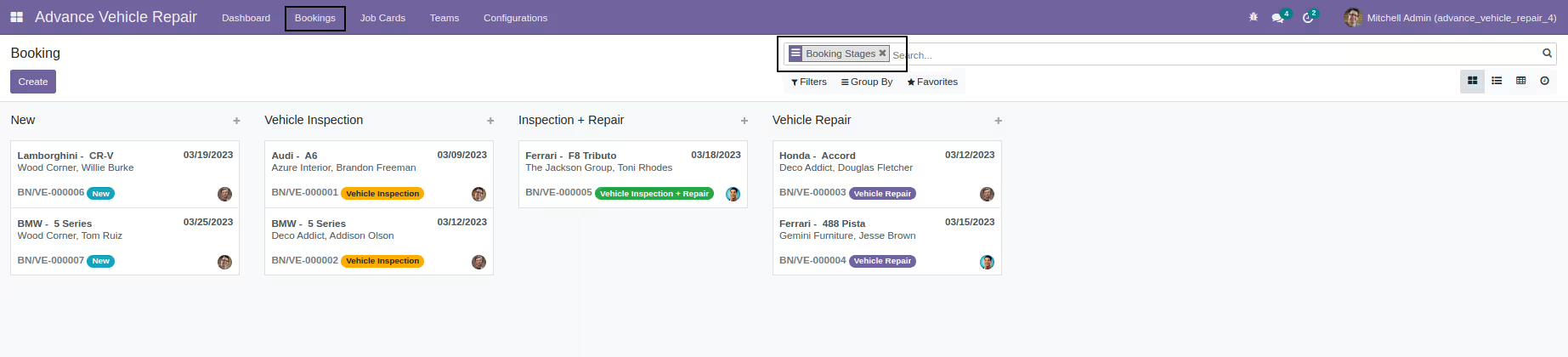
You can manage different types of bookings workflow, including vehicle inspections, repairs, and inspection with repairs.
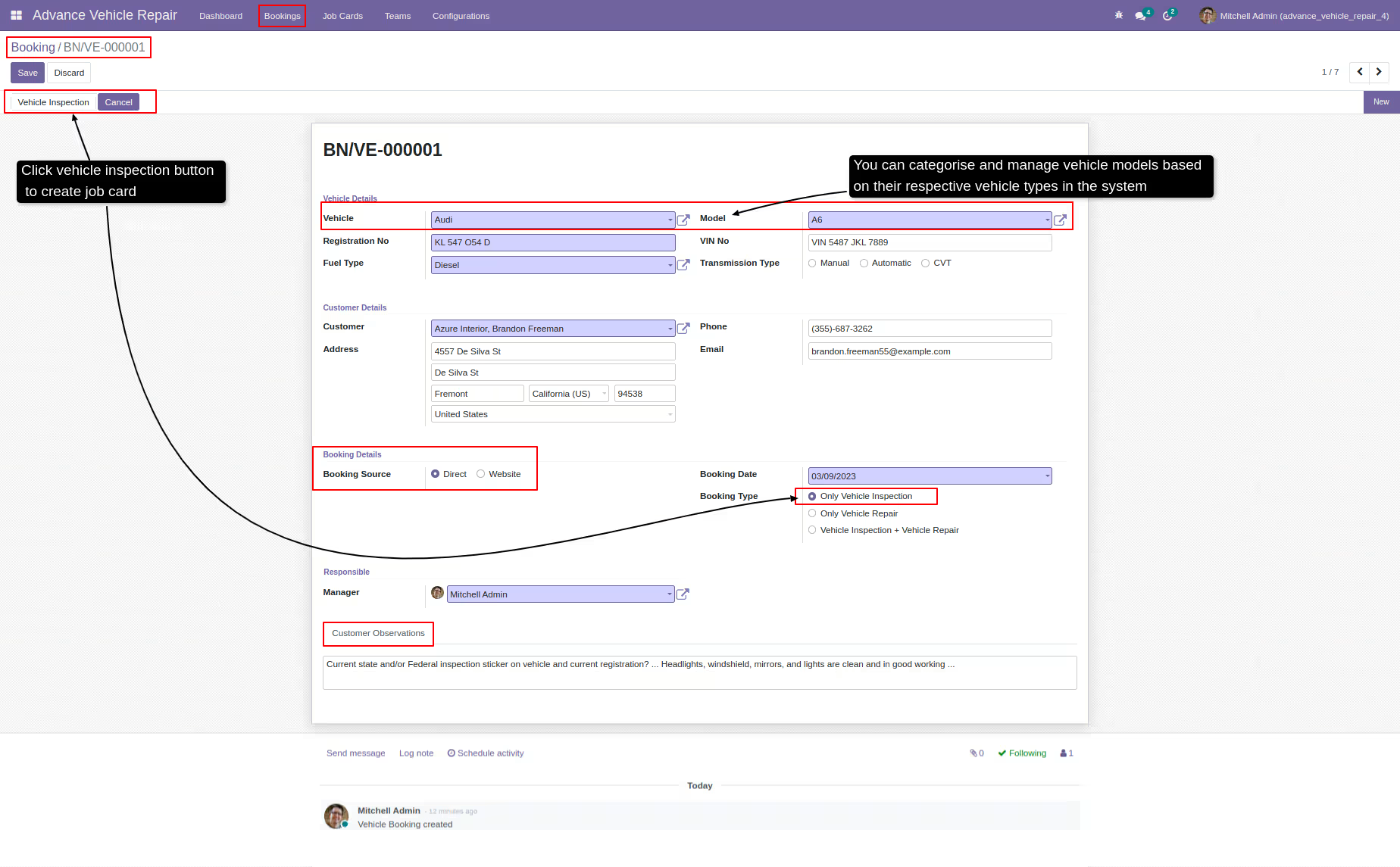
Vehicle details
To manage vehicles, options include vehicle types, brands/makes, fuel types, and vehicle identification numbers (VINs)
Customer details
To handle customer information, options include customer names, phone numbers, emails and residential addresses.
Job card
The system provides a button to generate orders for different types of vehicle services such as inspections, repairs, and inspections with repairs.
Inspection job cards
Vehicle inspection overview
You can manage vehicle details, such as models, brands, and identification numbers, as well as customer details, including contacts and residential addresses.
Inspection details
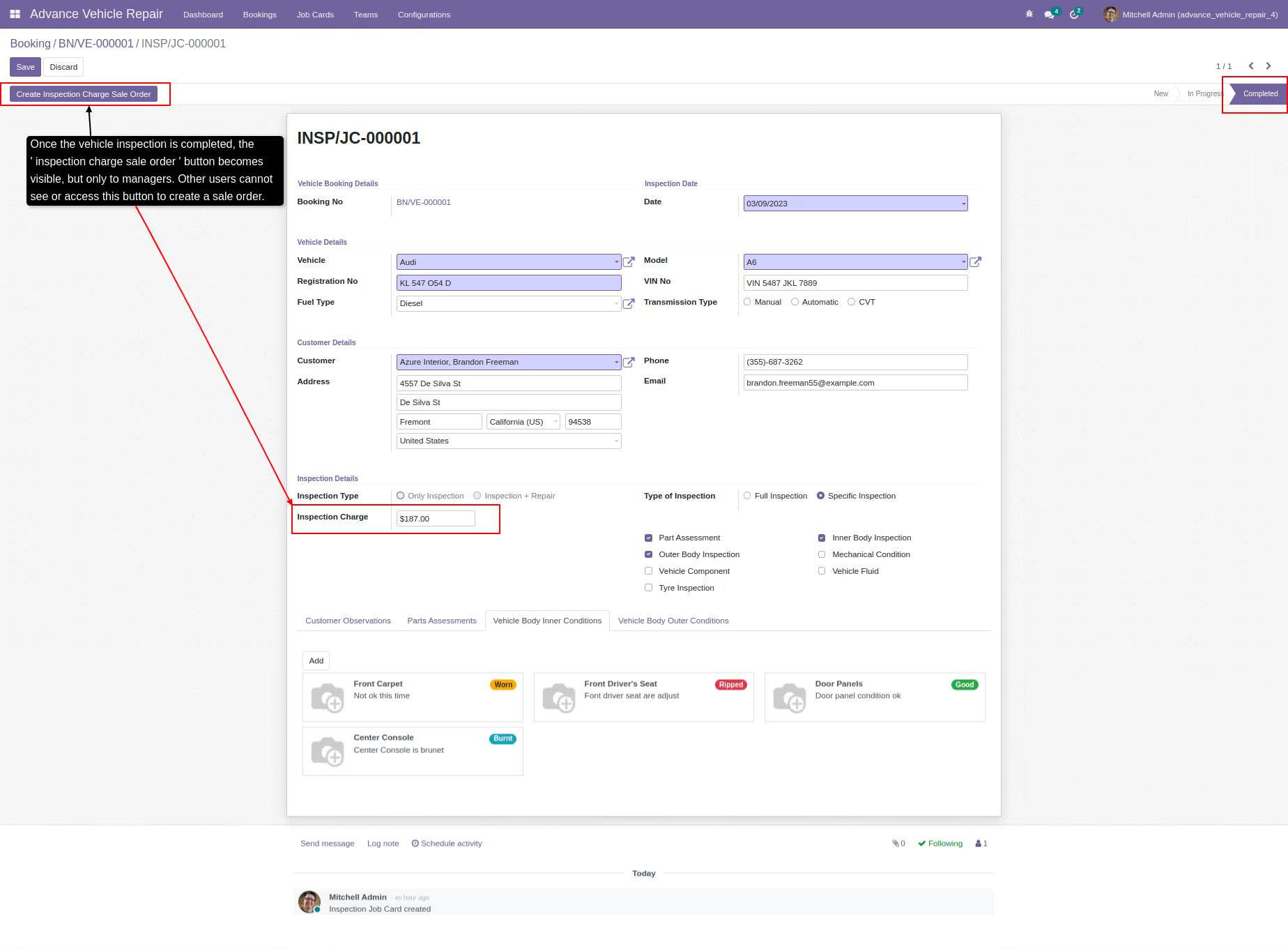
Inspection details can be managed by defining different types of vehicle inspections and their associated charges.
Full inspections
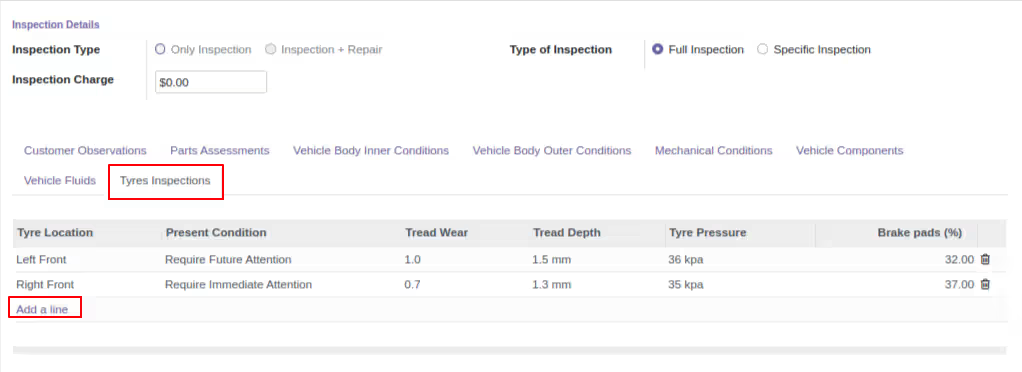
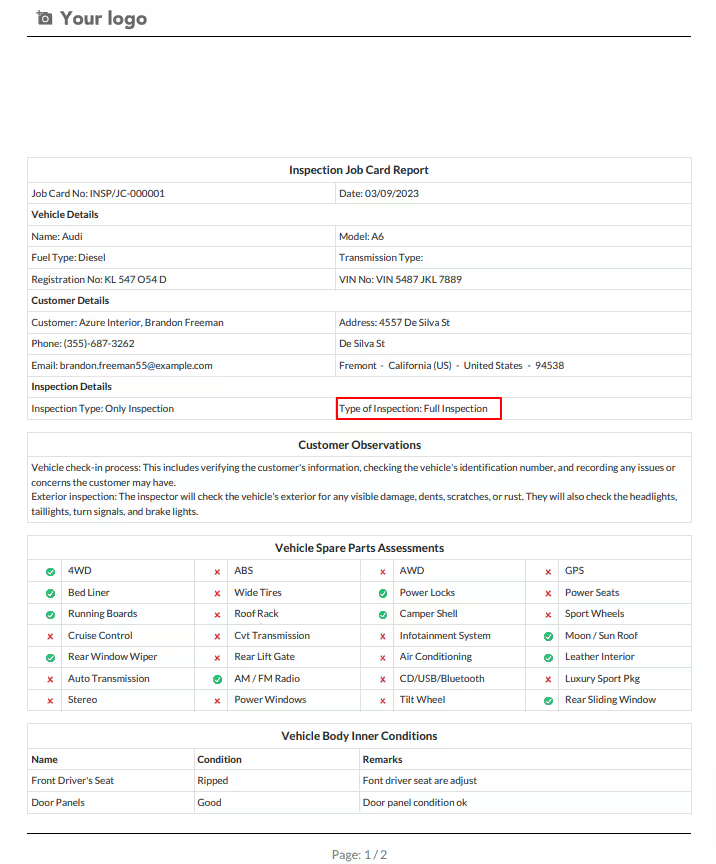
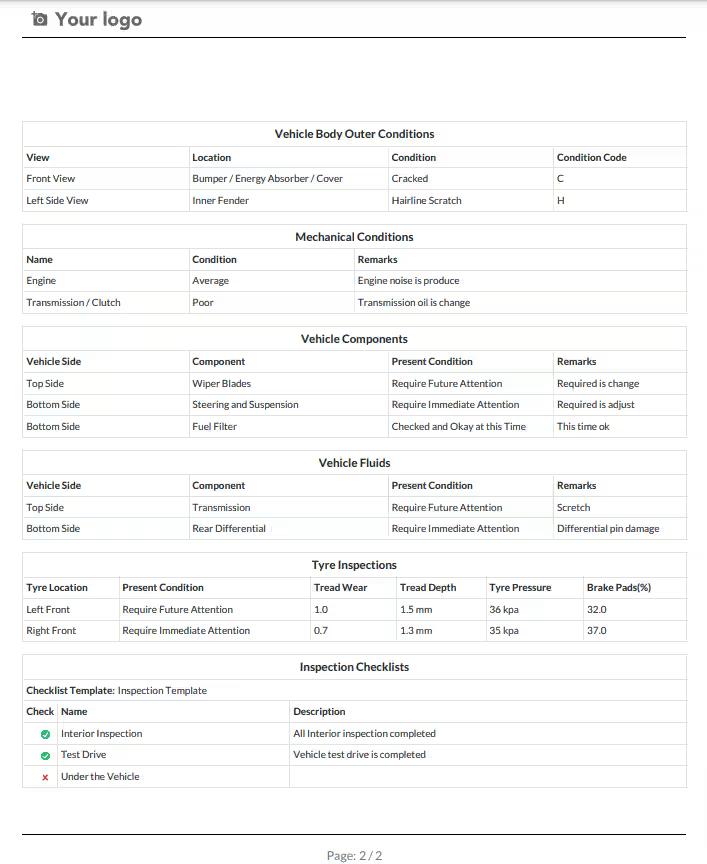
During an inspection, the assessment typically includes checking vehicle parts, body condition, mechanical components, fluids, and tires.
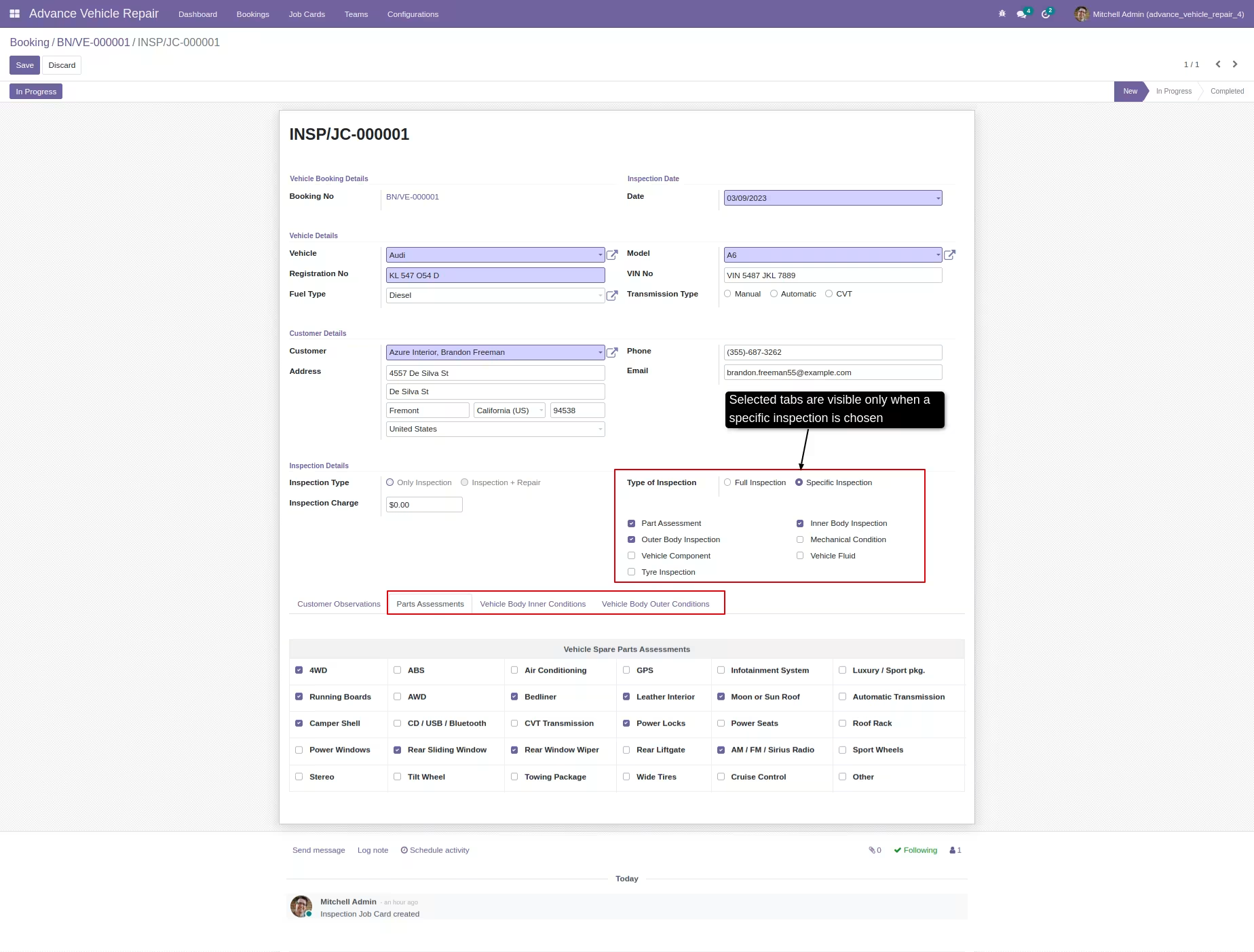
Specific inspections
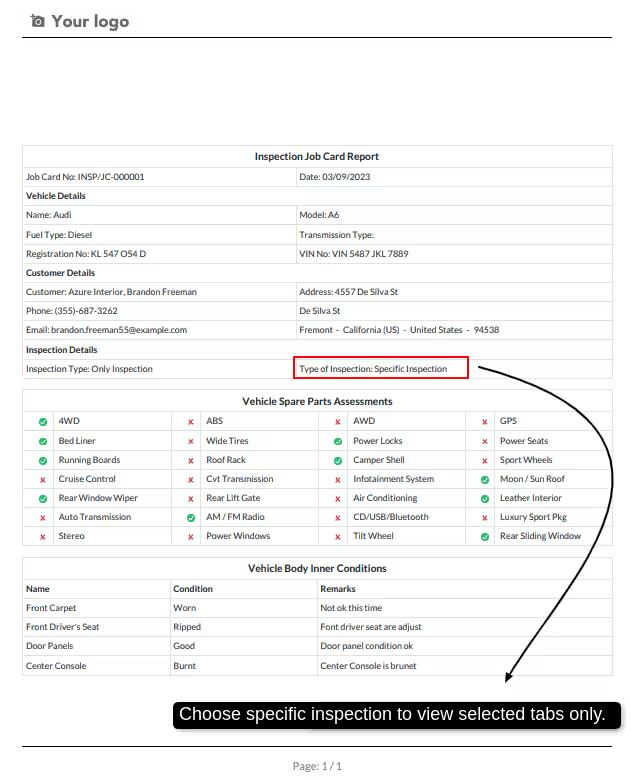
This feature allows users to view and manage only the inspection tabs that are relevant to a specific inspection, making the process more efficient and focused.
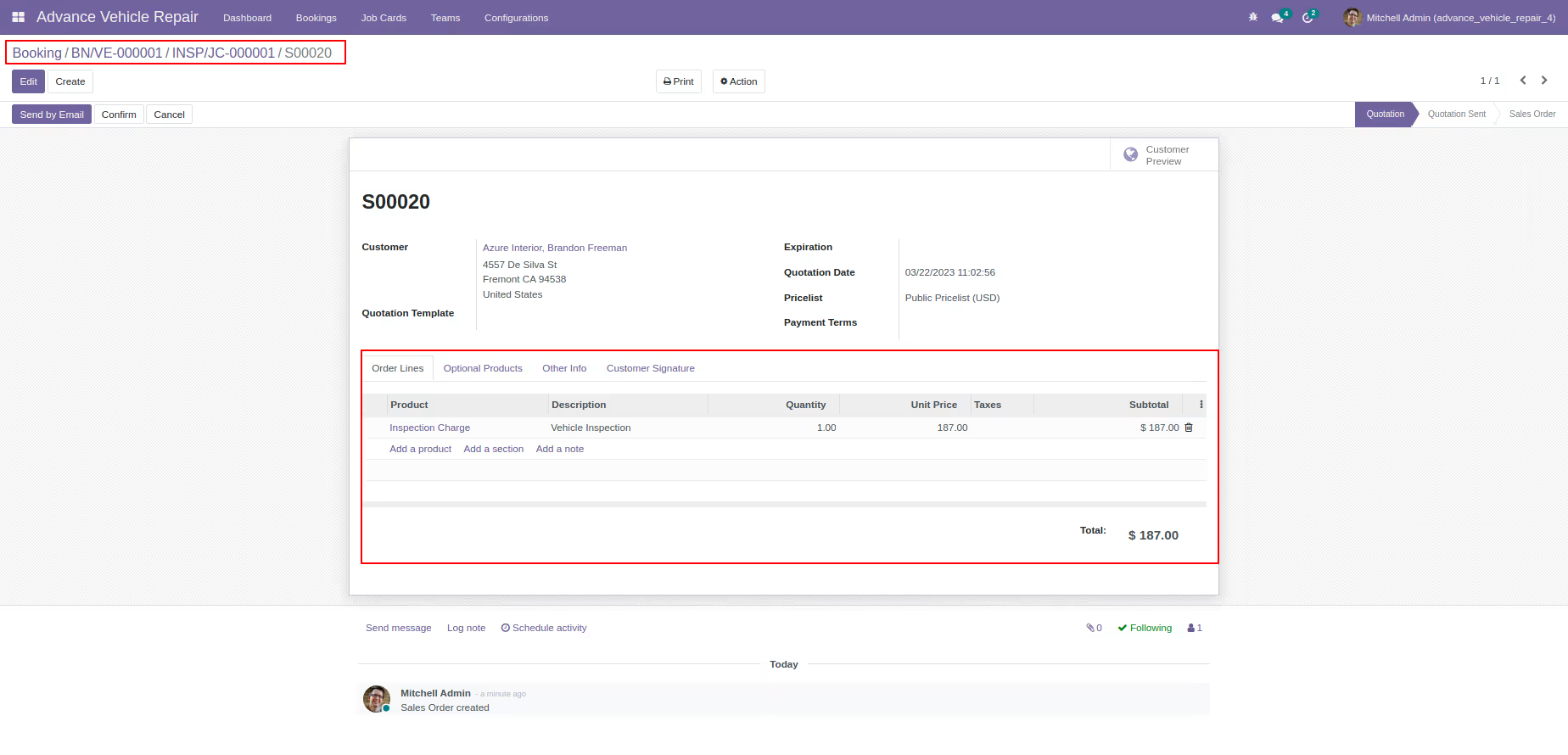
Inspection quotation
The process of managing and creating vehicle inspection quotations can be easily accomplished through the system.
Reports
The system can generate a PDF report for vehicle inspection job cards based on the type of inspection being conducted.
Repair job cards
Vehicle repair overview
You can manage vehicle details such as model, brand, and identification number, as well as customer details like contact information and residential address.
Job card work orders
You can manage the vehicle repair work order process, which includes assigning the order to a technician, diagnosing the issue, conducting a supervisor inspection, putting the order on hold, completing it, or canceling it.
Vehicle spare parts & services
You have the ability to manage vehicle spare parts and services, as well as workshop teams and members who work on repairing and maintaining vehicles.
Vehicle service teams
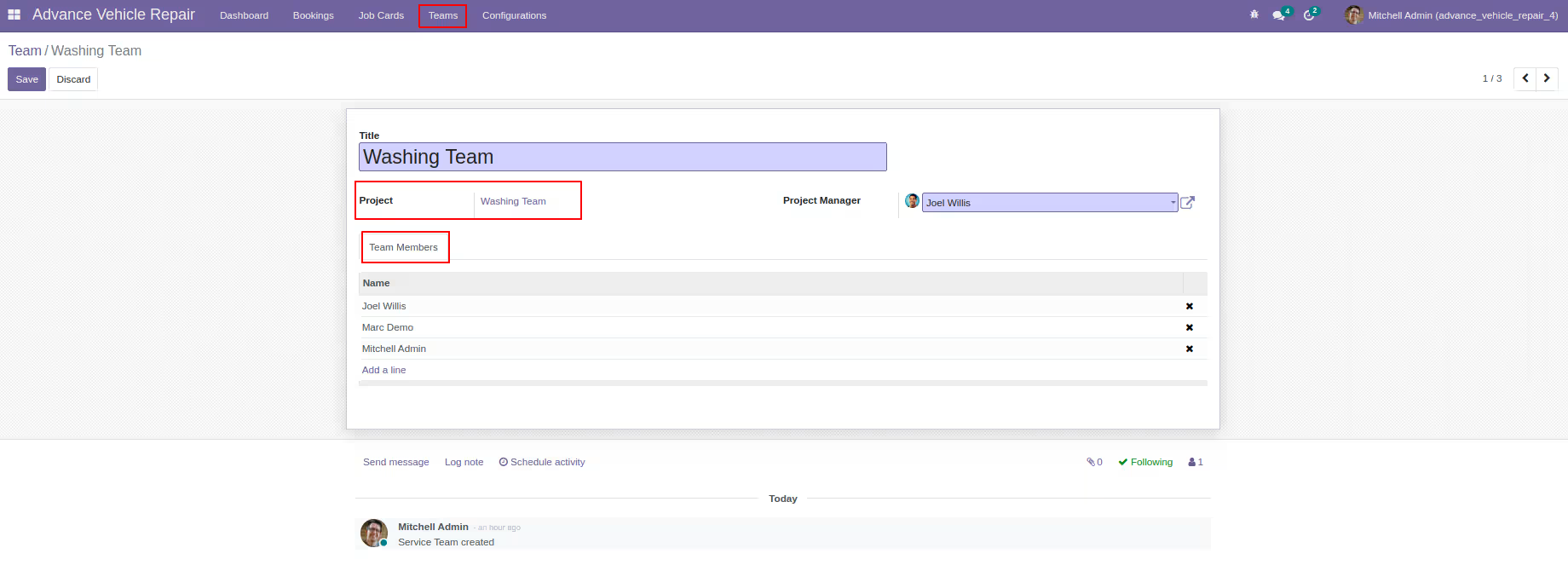
You can manage vehicle workshop teams and members, create team tasks, and assign them to vehicle technicians working in the workshop.
Quotations
You can manage the pricing for vehicle services and spare parts, and create quotations for vehicle repair job cards.
Reports
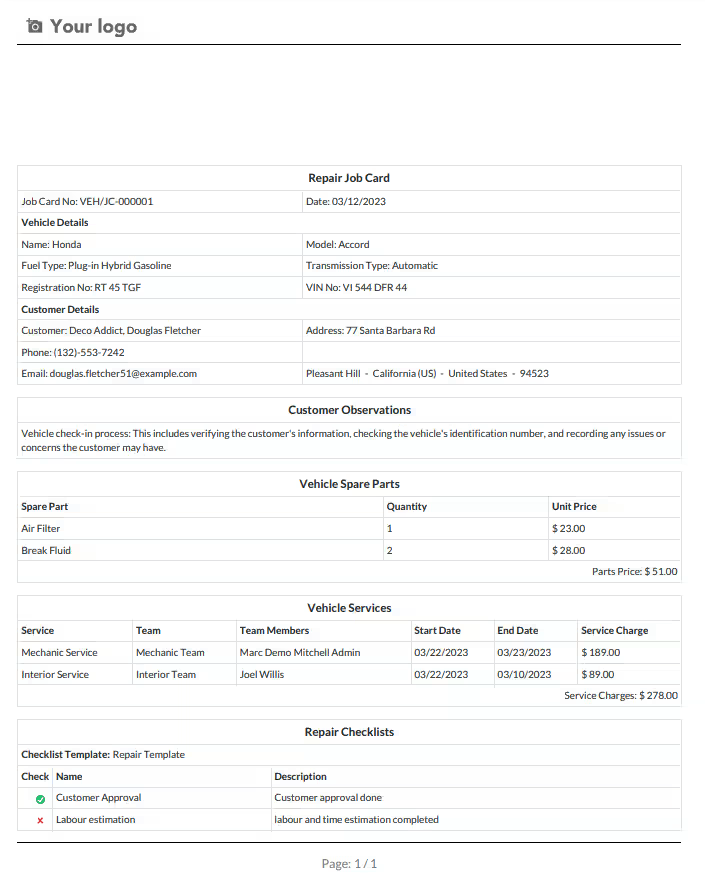
This feature allows the user to generate a PDF report for vehicle repair job cards, providing a convenient way to review and share information about the status of repair work.
Configurations
Customers
You can manage customer details, such as their name, contact information, and residential address.
Vehicle details
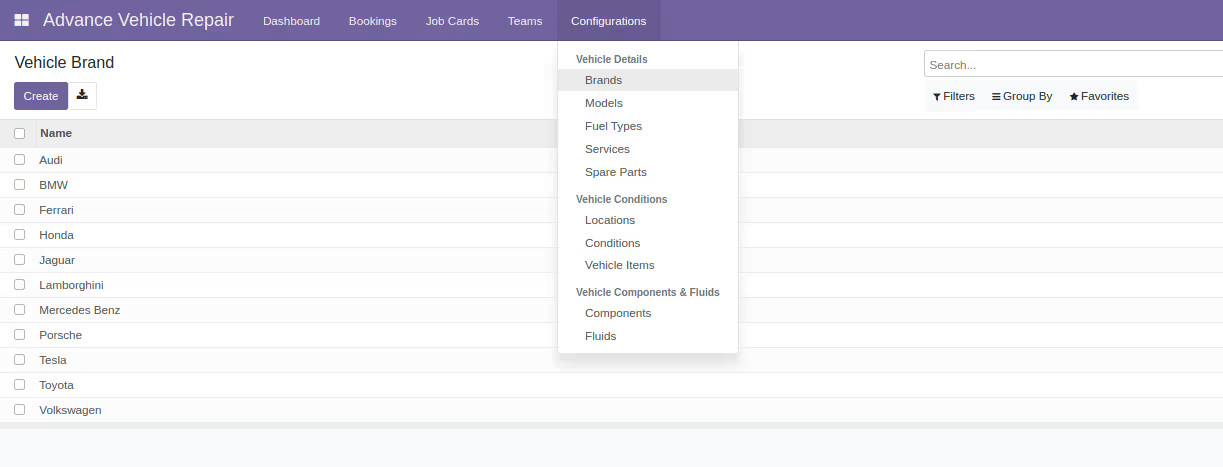
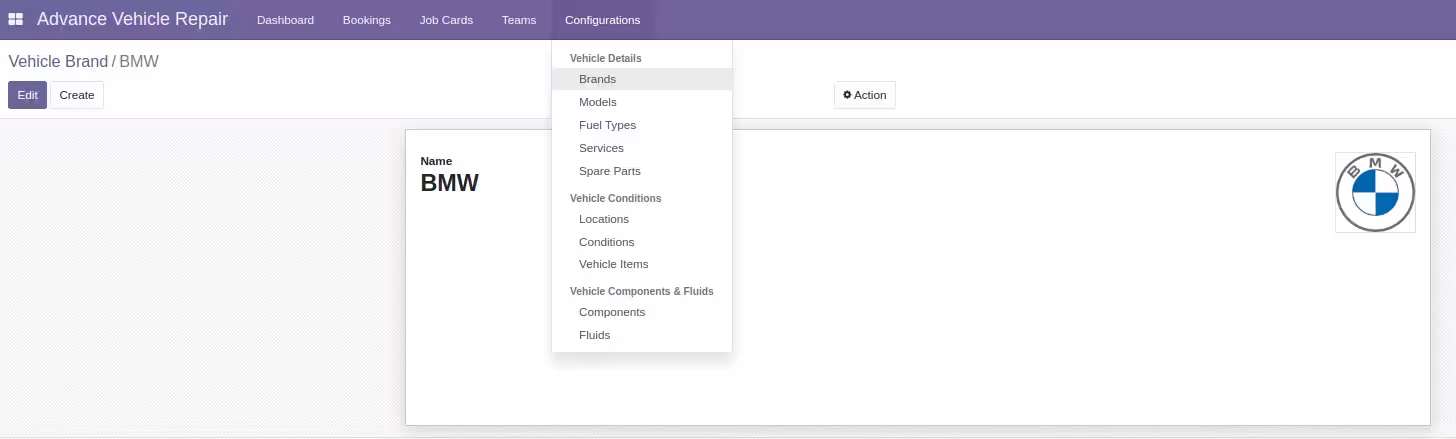
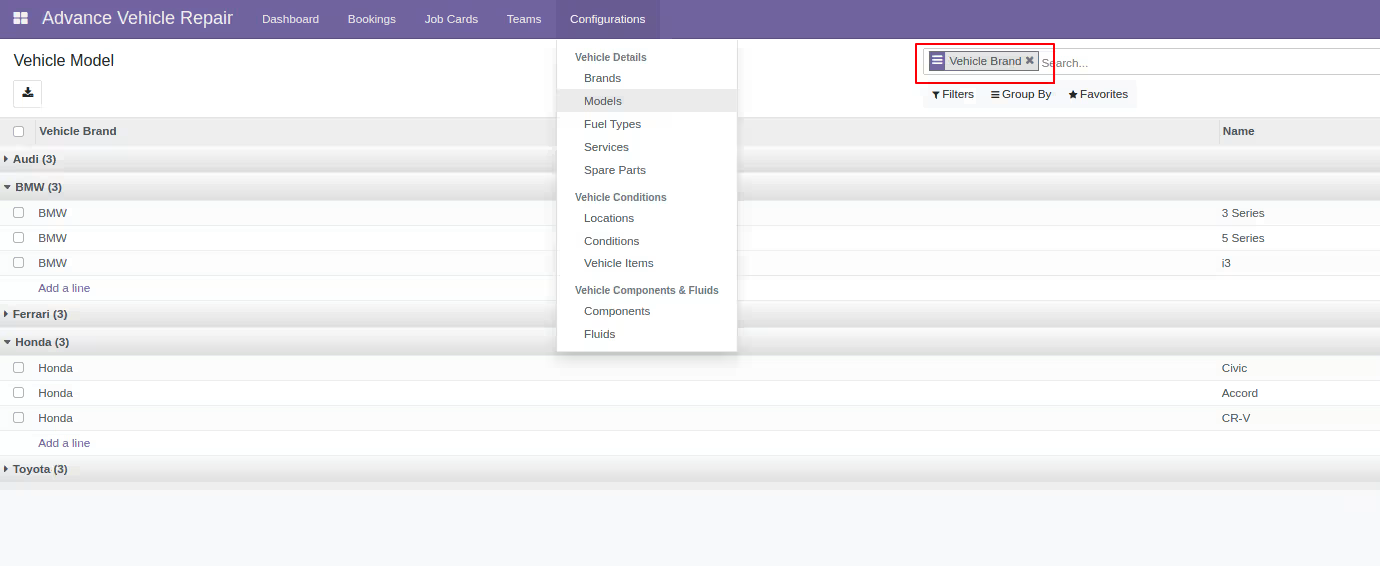
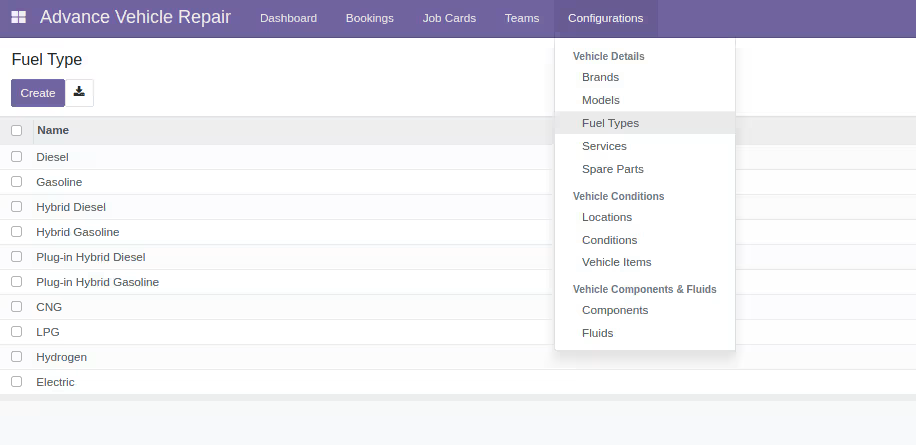
With this software, you have the ability to manage various aspects of your vehicles, including the brands, models, fuel types, and spare parts and services associated with them
Vehicle condition
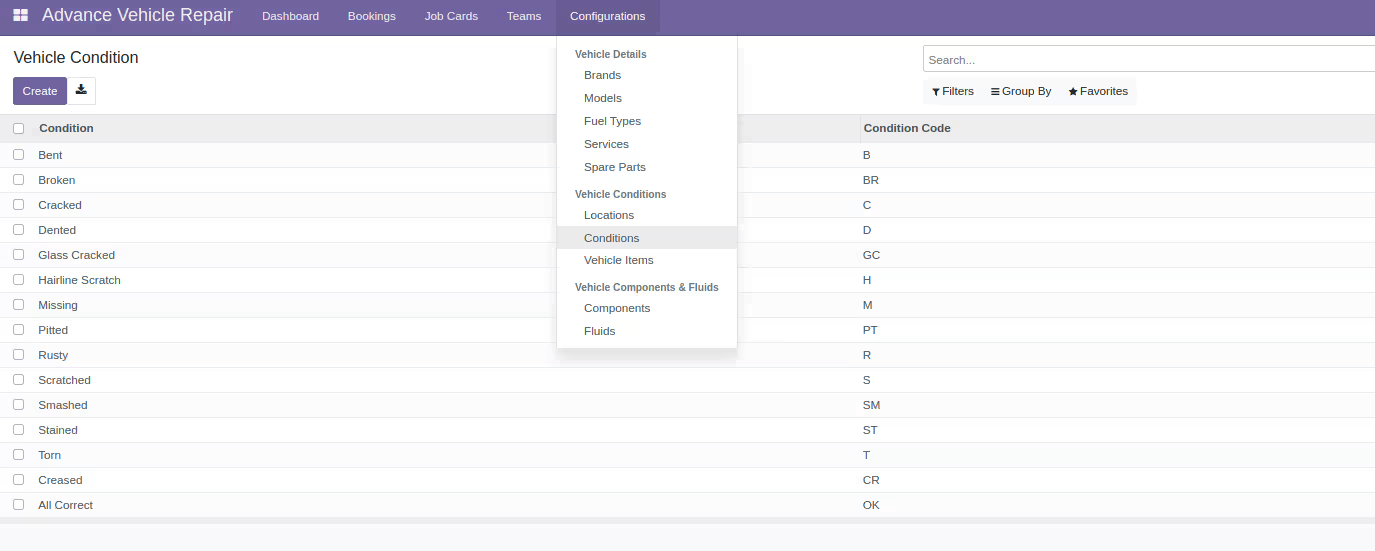
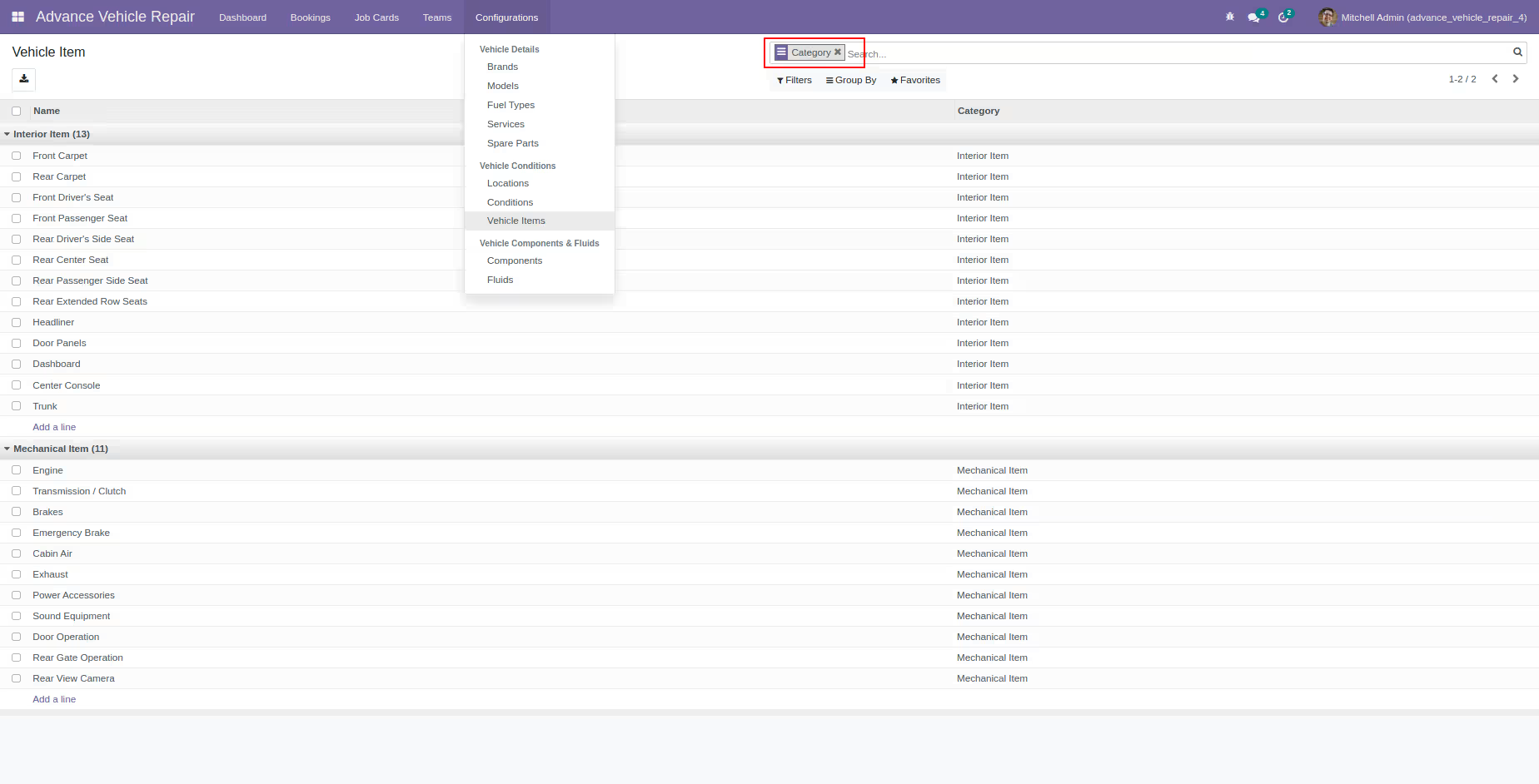
You can manage vehicle conditions, their locations, and both the interior and mechanical components of the vehicles.
Vehicle components and fluids
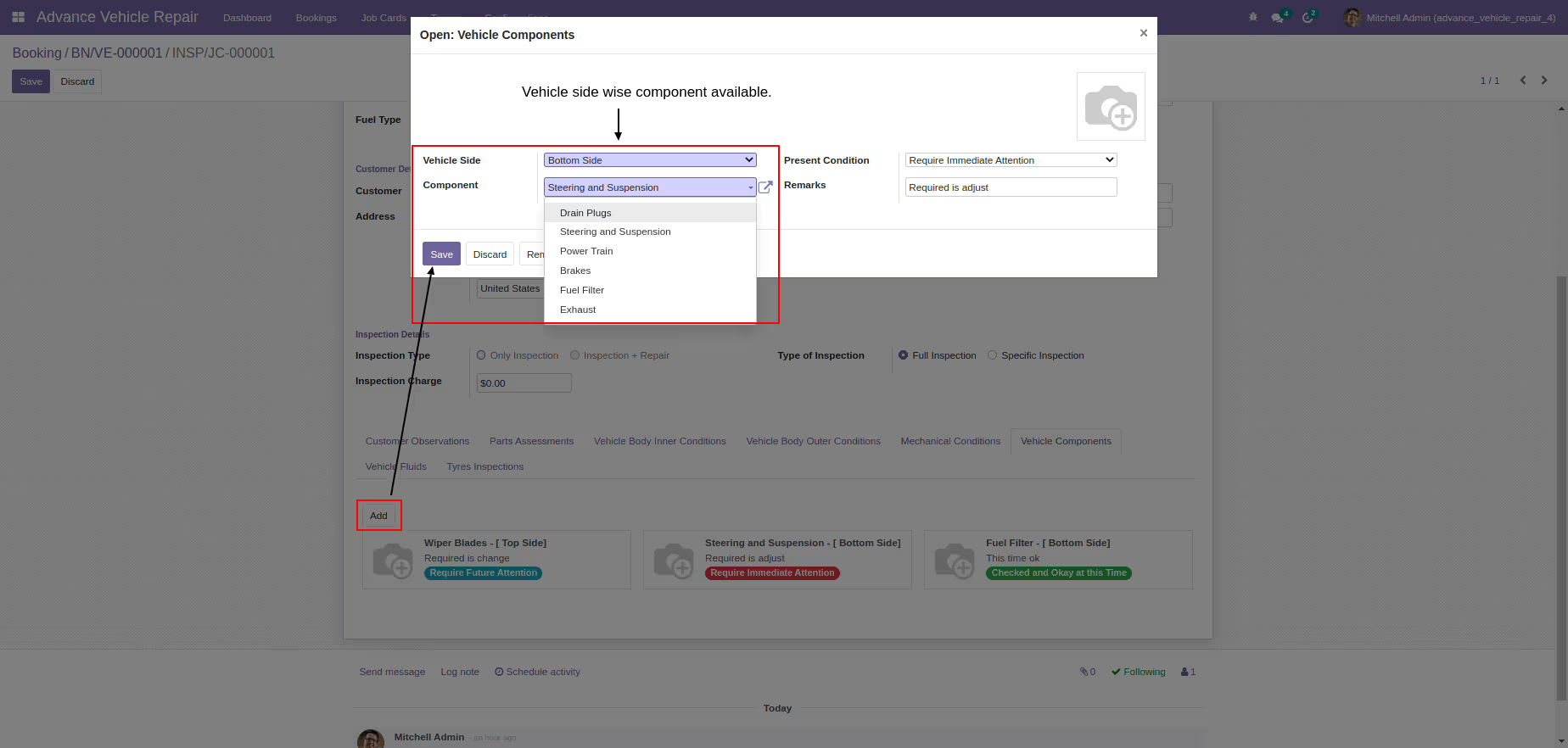
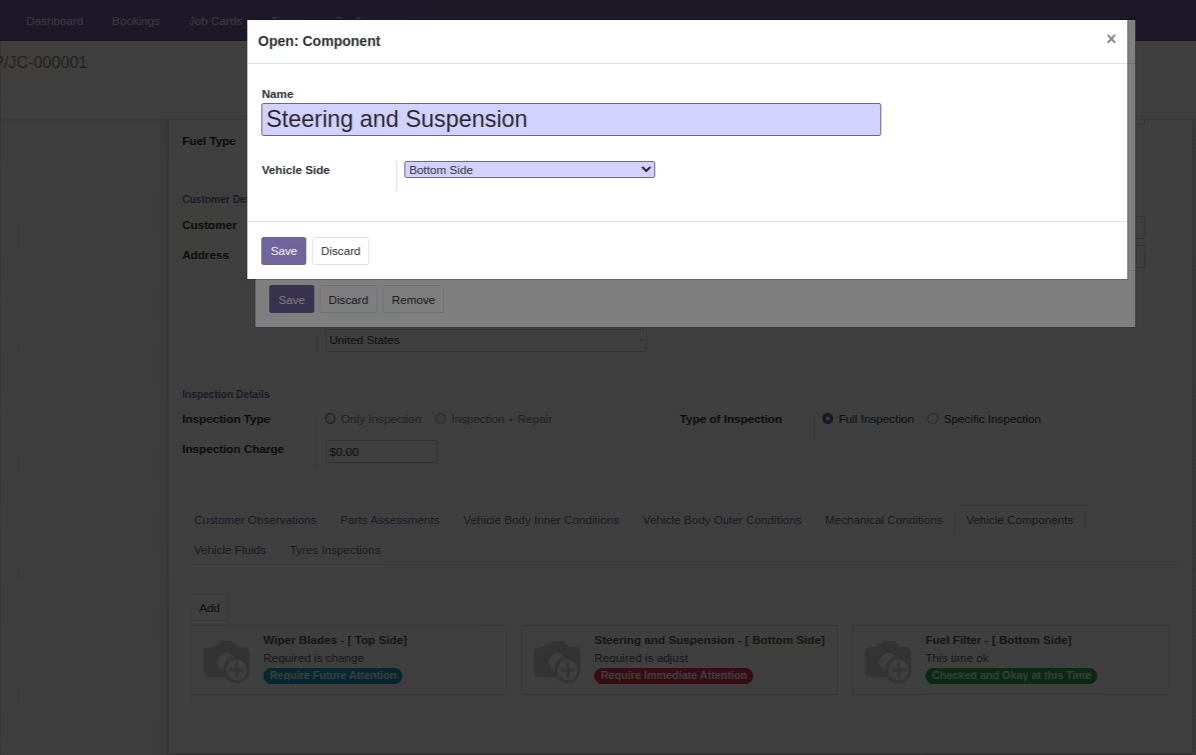
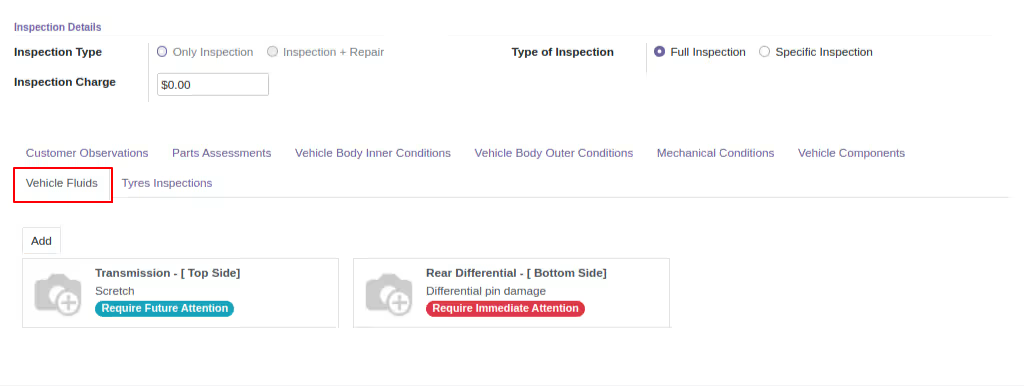
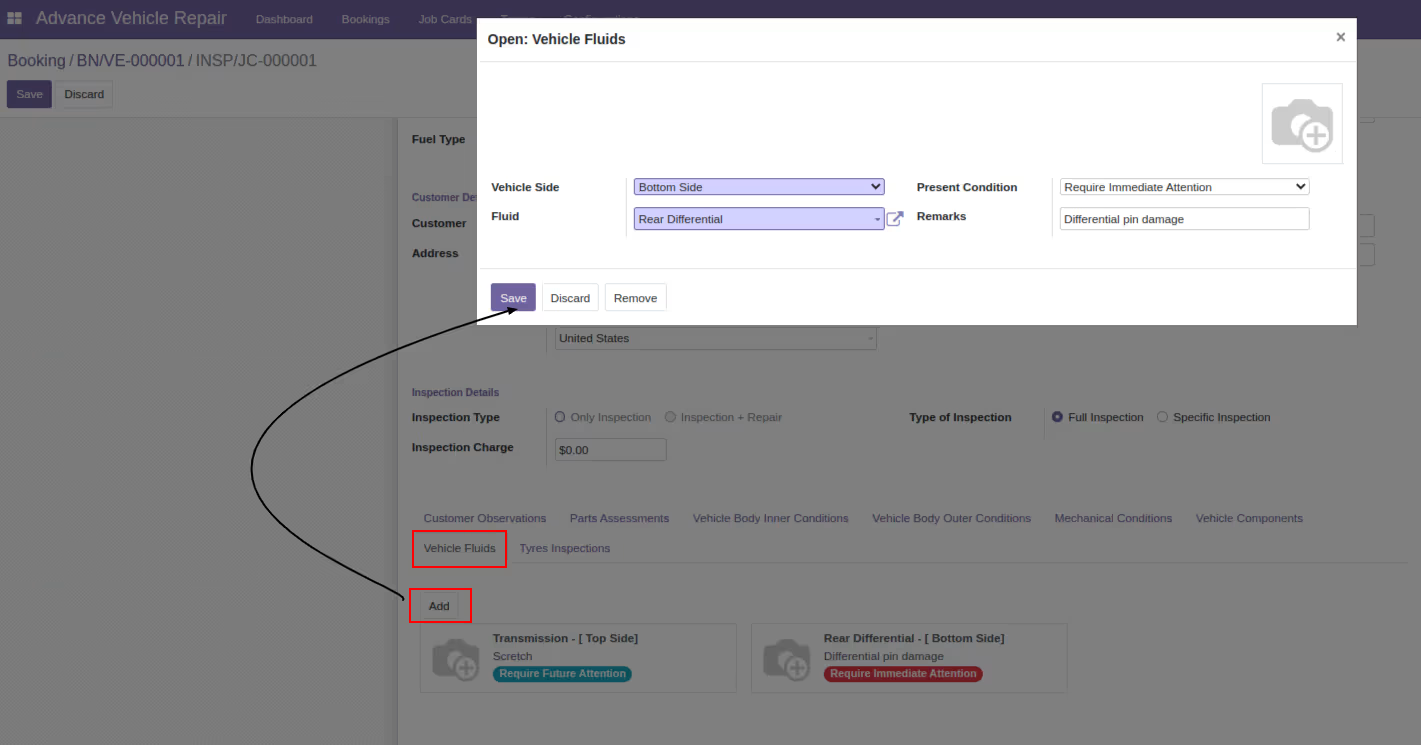
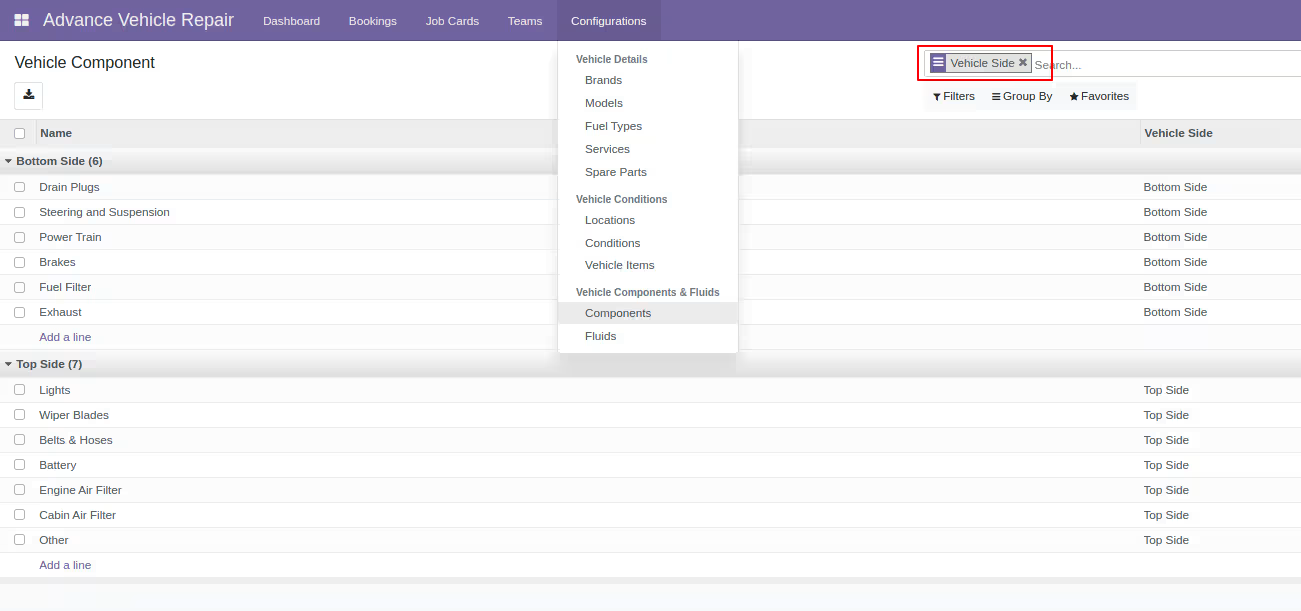
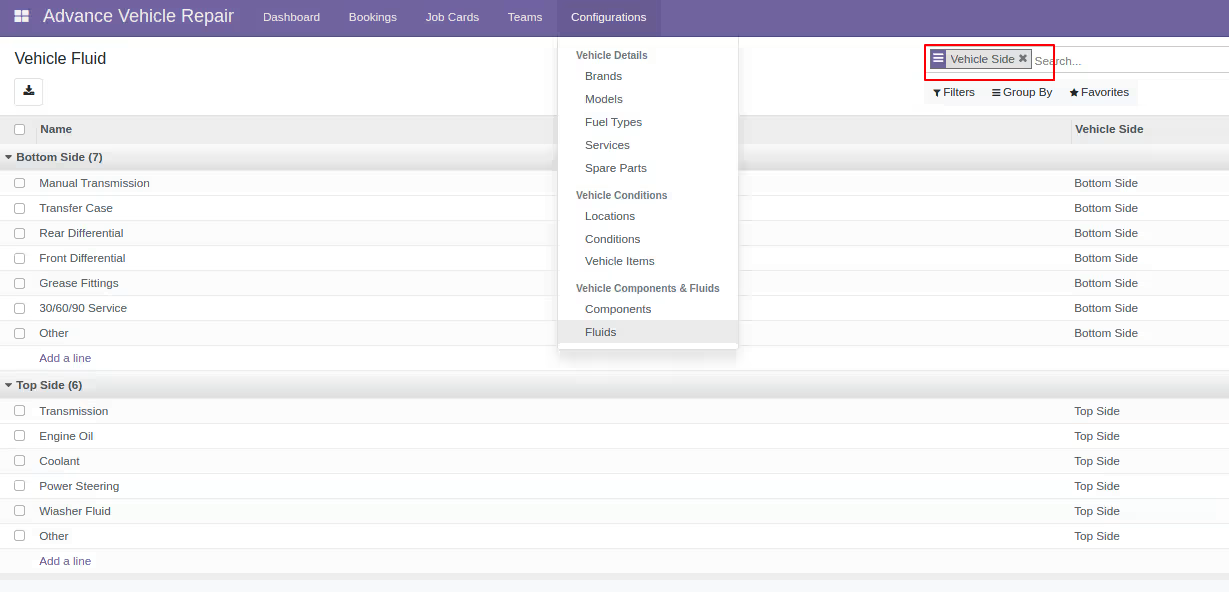
With our system, you can easily manage the location of vehicle components and fluids on the top and bottom sides of the vehicle. This includes details such as engine oil, brake fluid, coolant, and more.
Screenshots / Workflow
Access Rights Configuration
Advance Dashboard
Vehicle Bookings
-
Vehicle booking details available by stages
-
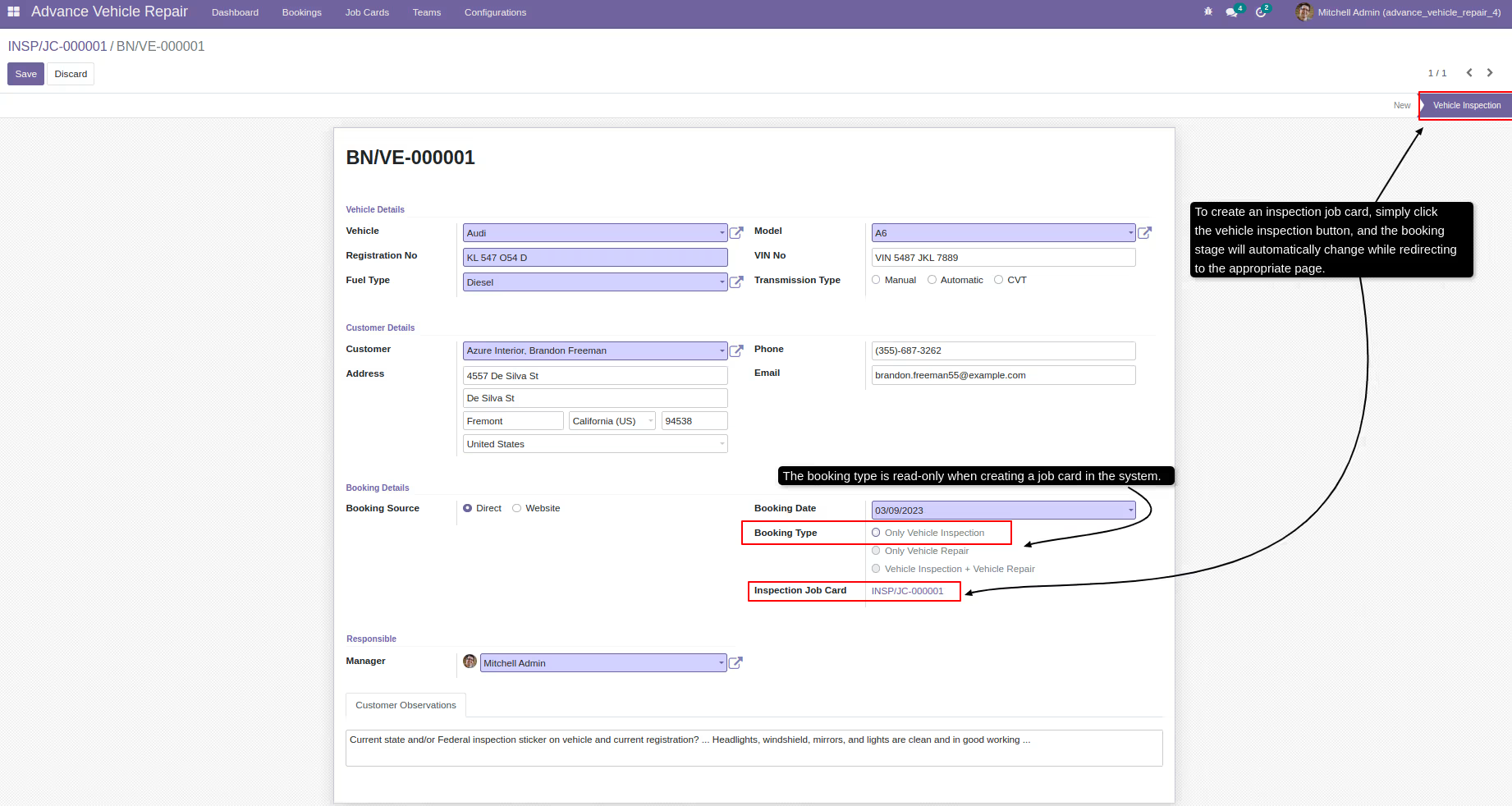
Click vehicle inspection button to create job card
-
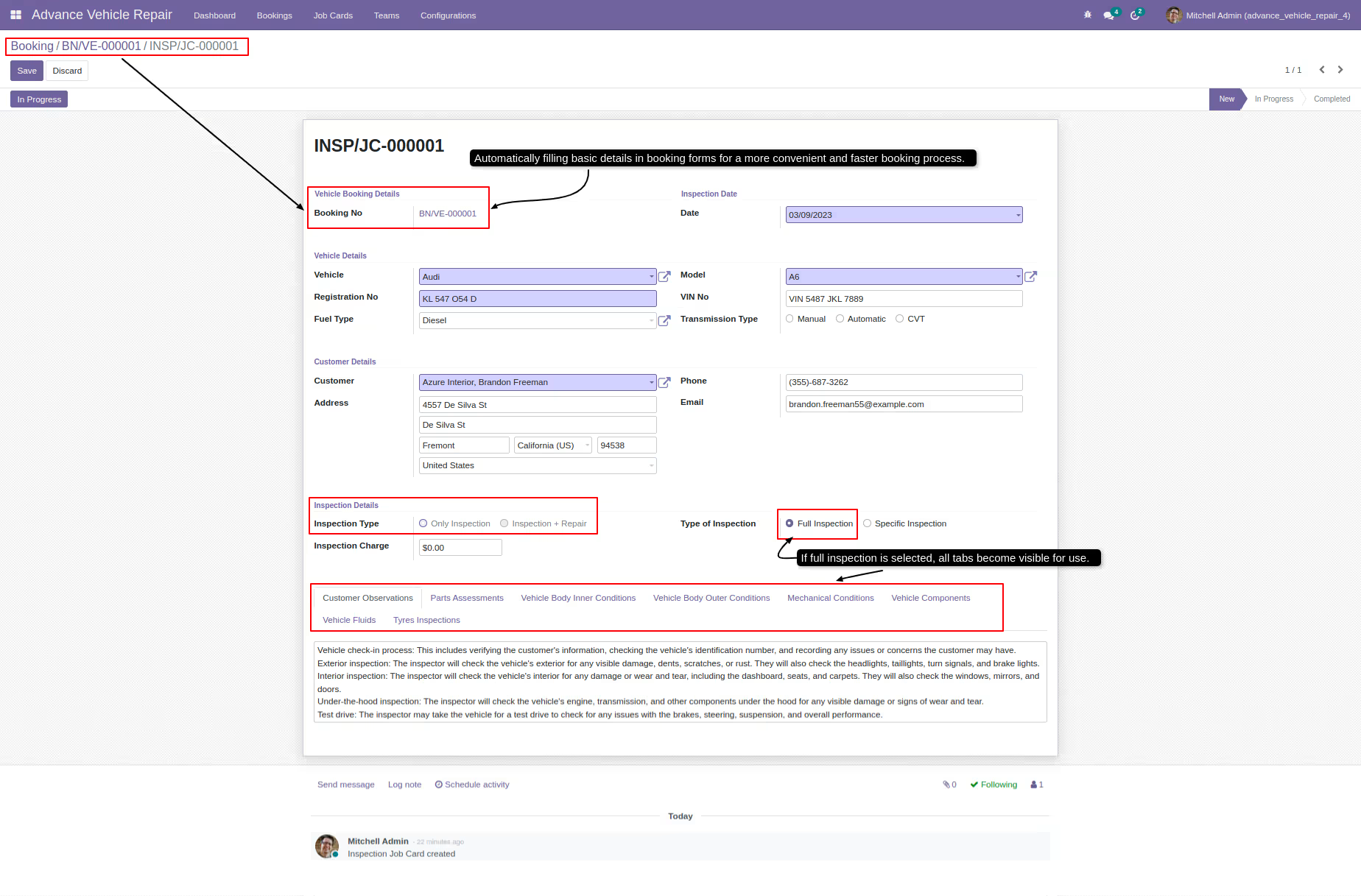
Inspection job card details
-
The inspection being conducted is of the full inspection type
-
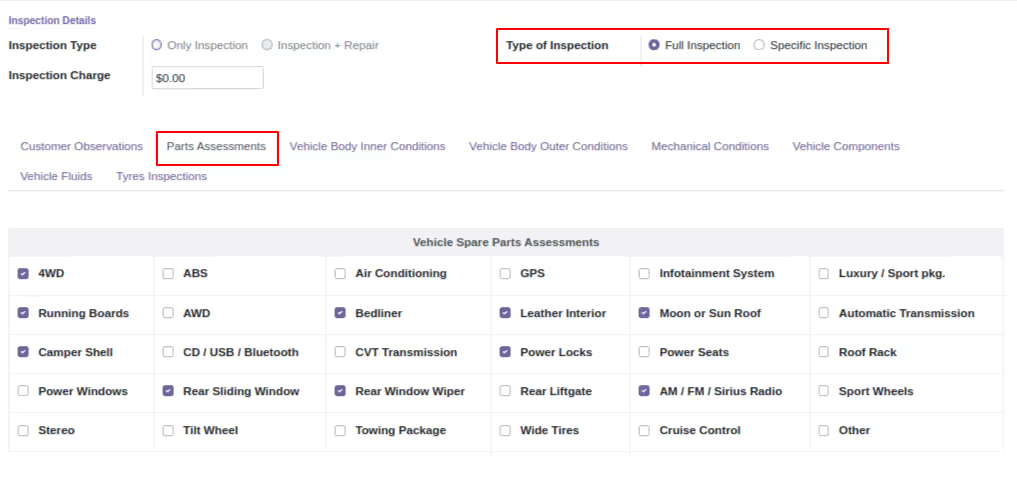
Part assessments details
-
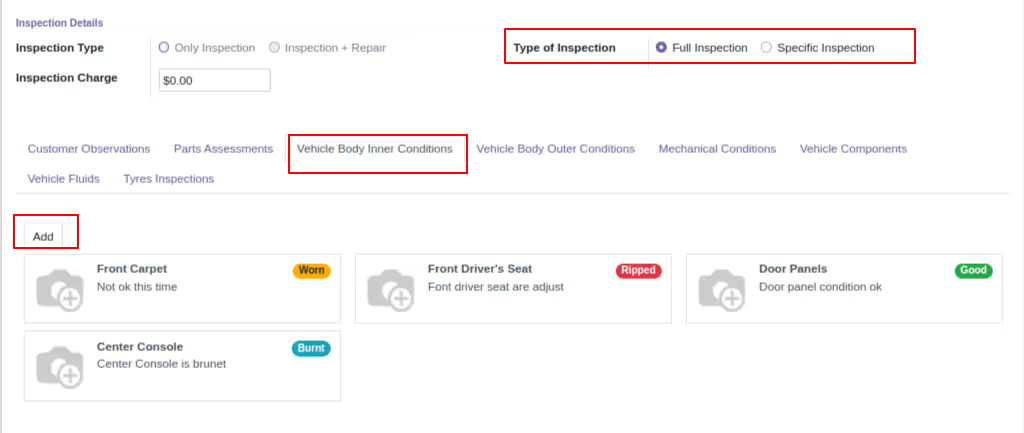
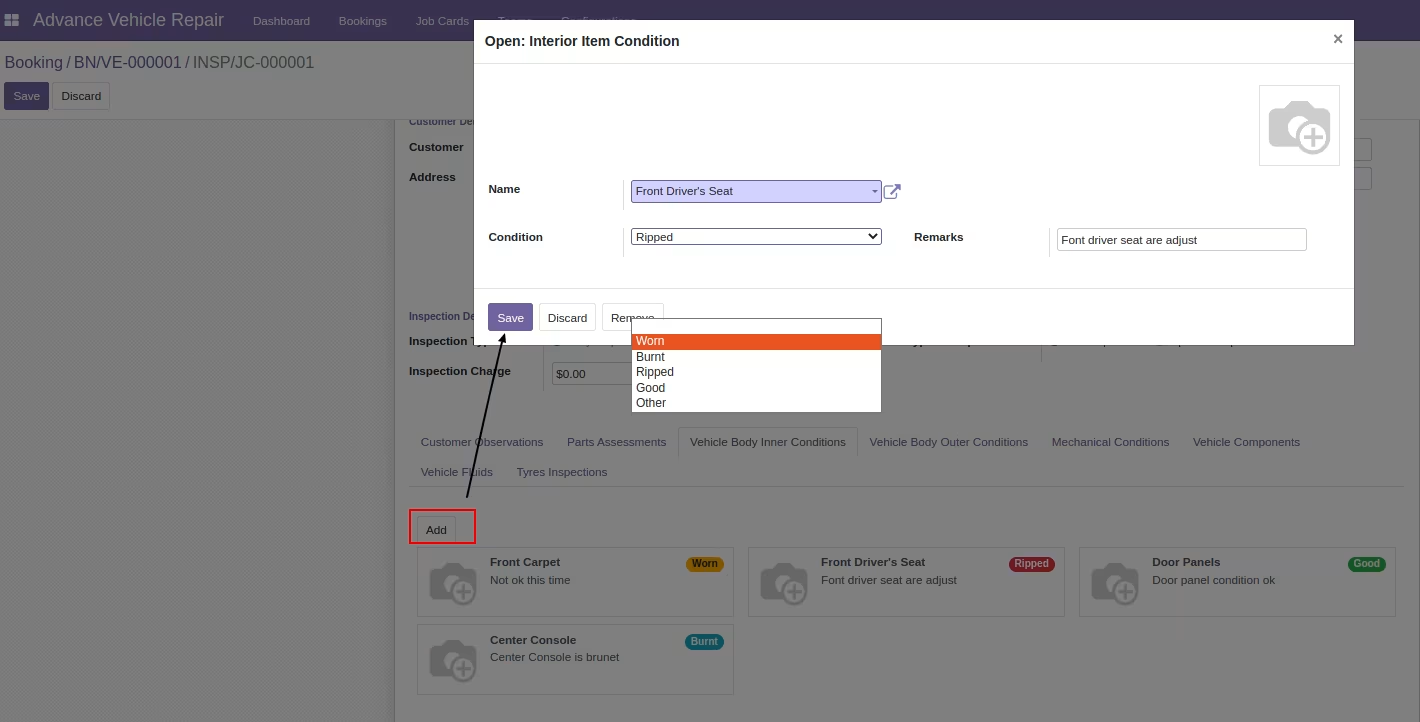
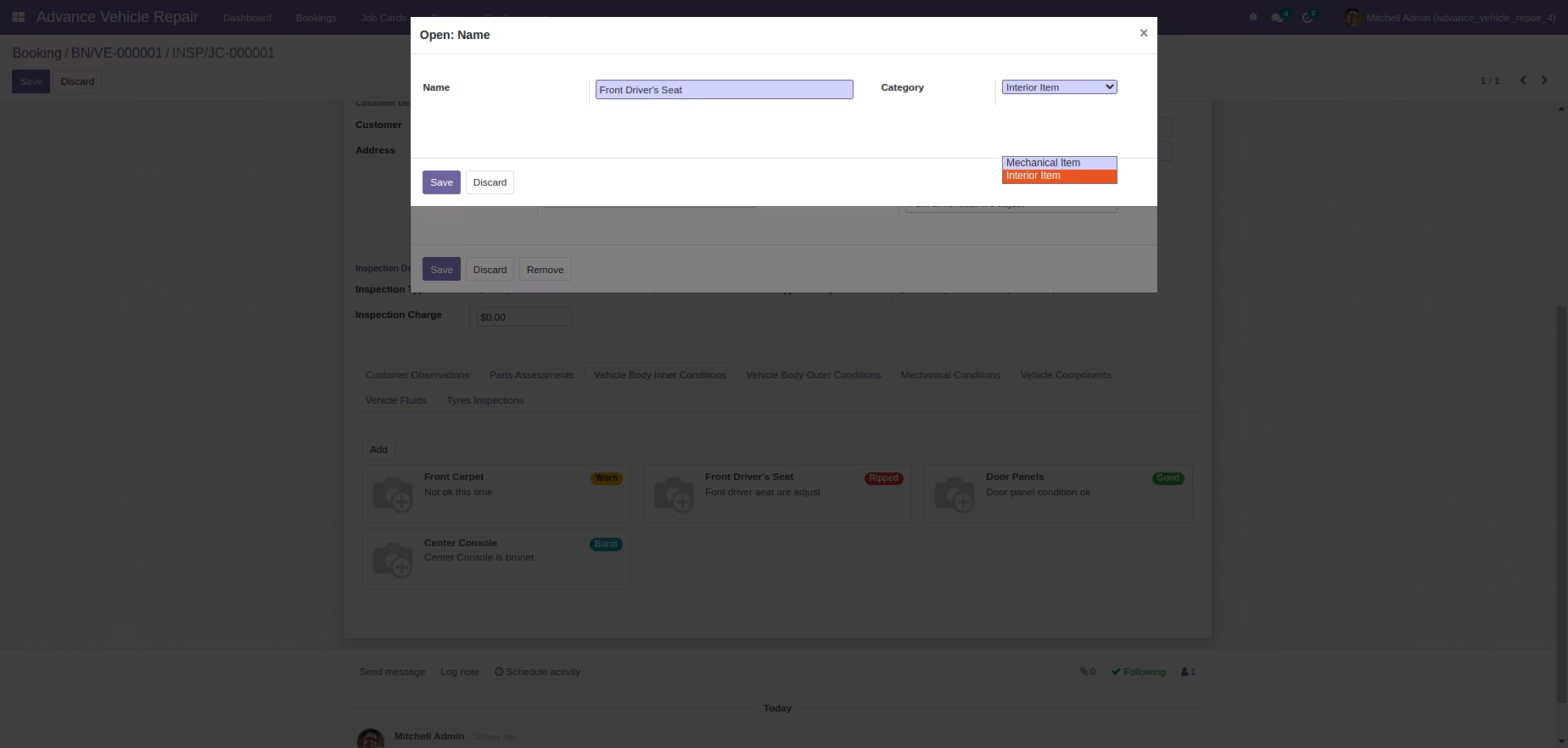
Vehicle body inner conditions
-
Vehicle body inner (Interior) condition details
-
-
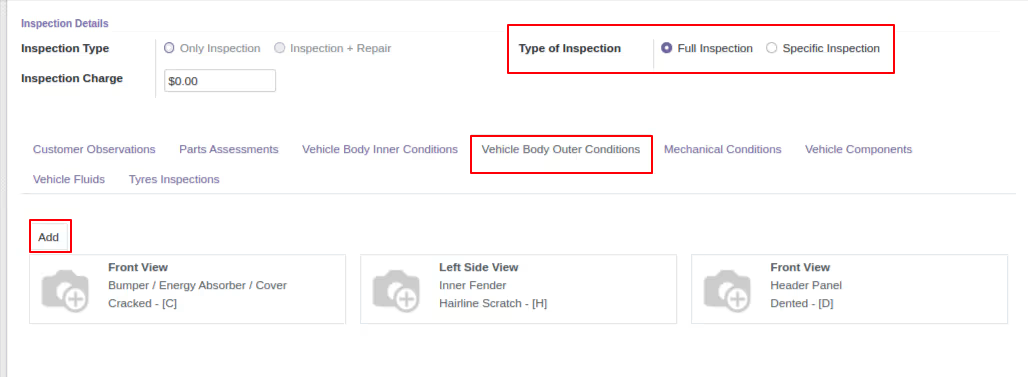
Vehicle body outer conditions
-
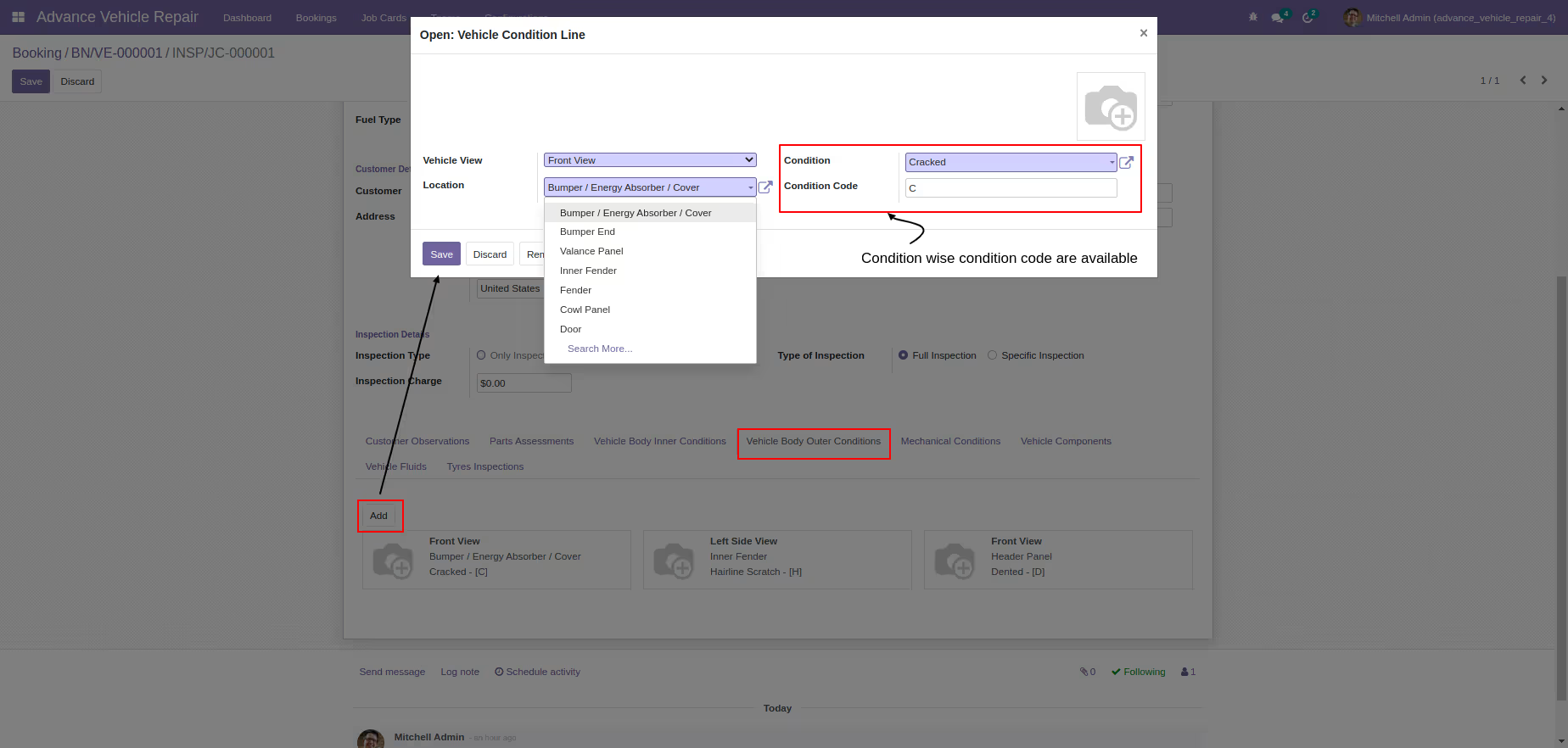
Vehicle body outer condition details
-
-
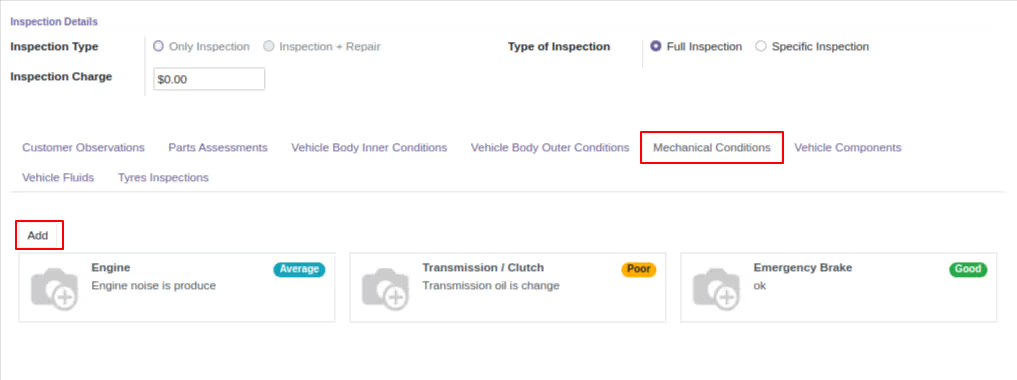
Mechanical conditions
-
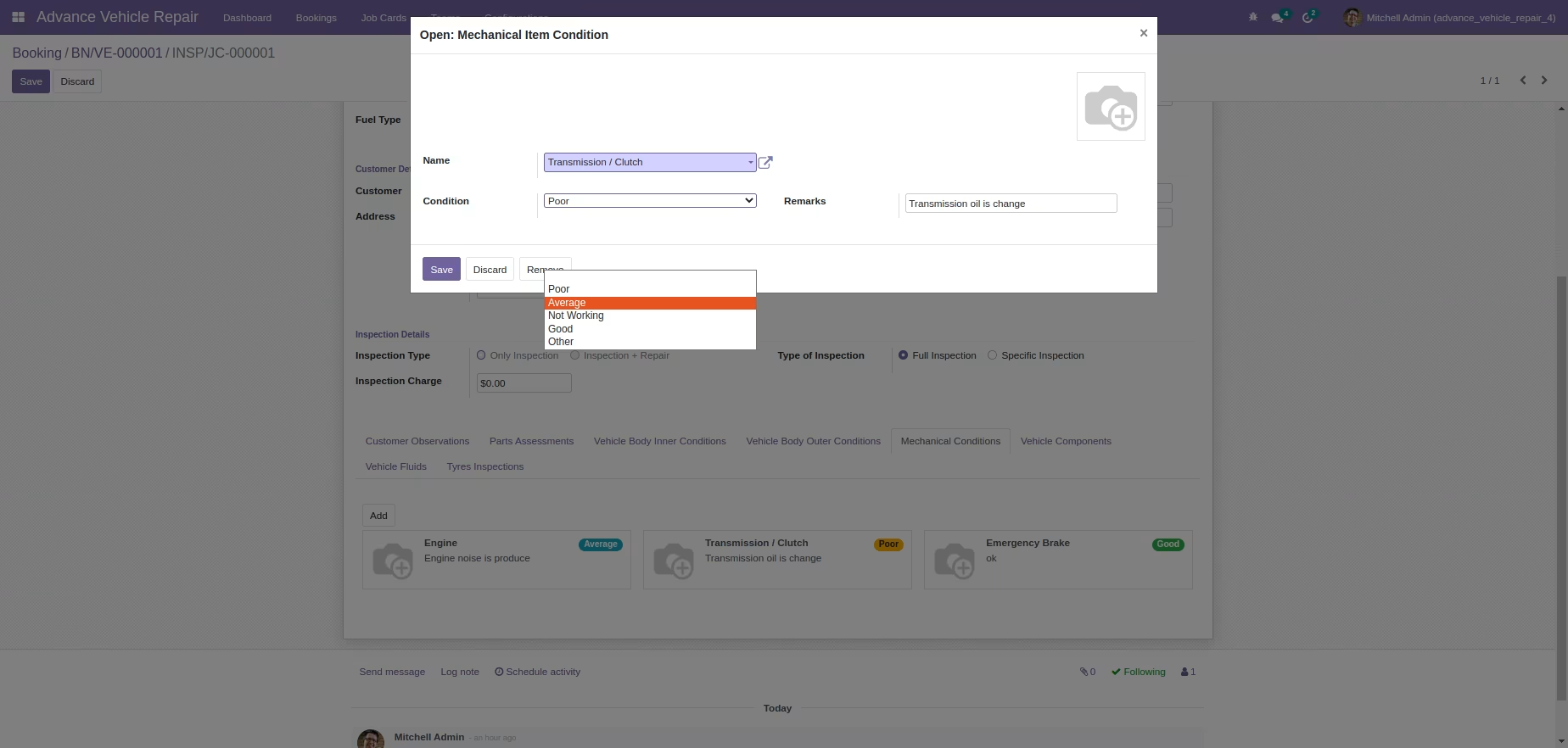
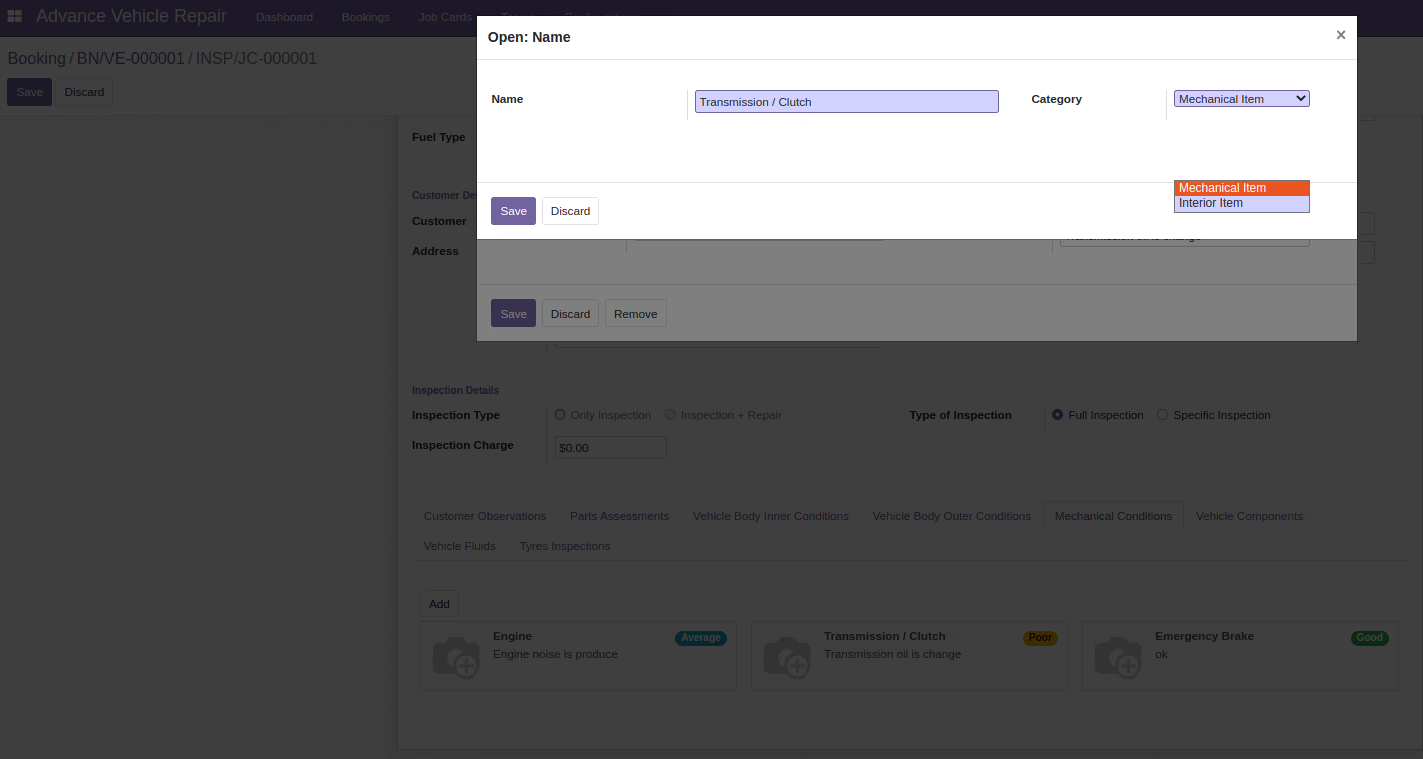
Mechanical item condition details
-
-
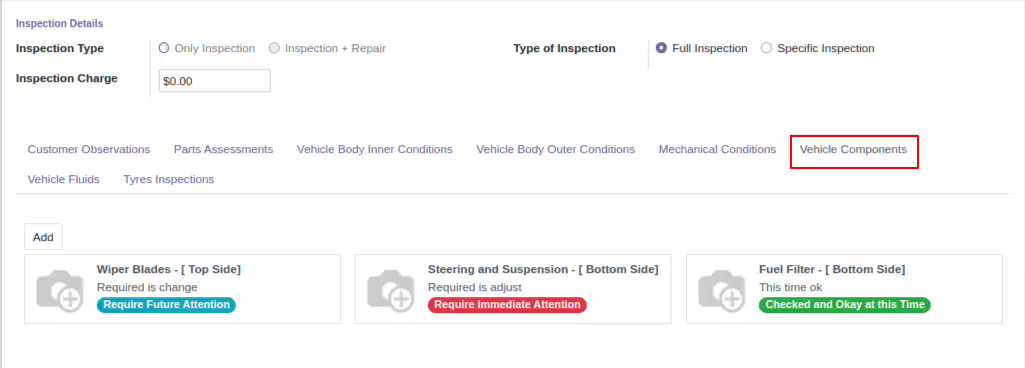
Vehicle components
-
Vehicle component details
-
-
Vehicle fluids
-
Vehicle fluid details
-
-
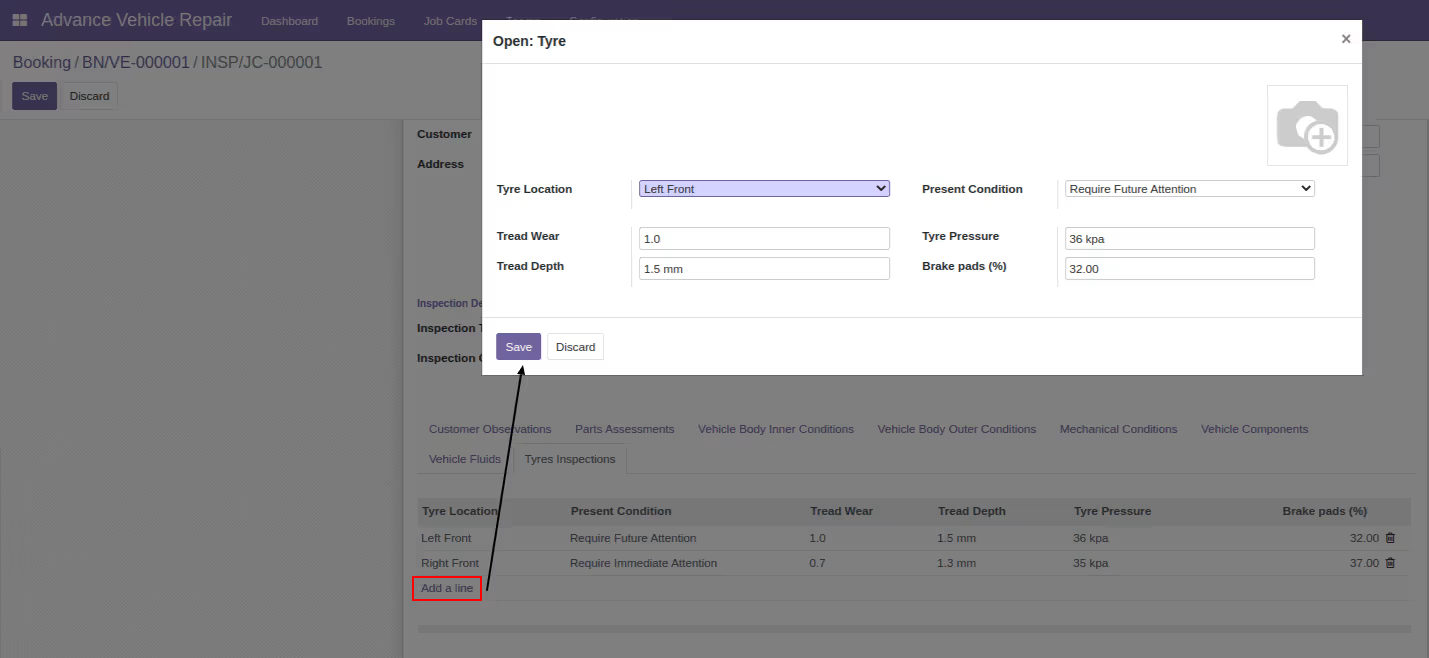
Tyre inspections
-
Tyre inspection details
-
-
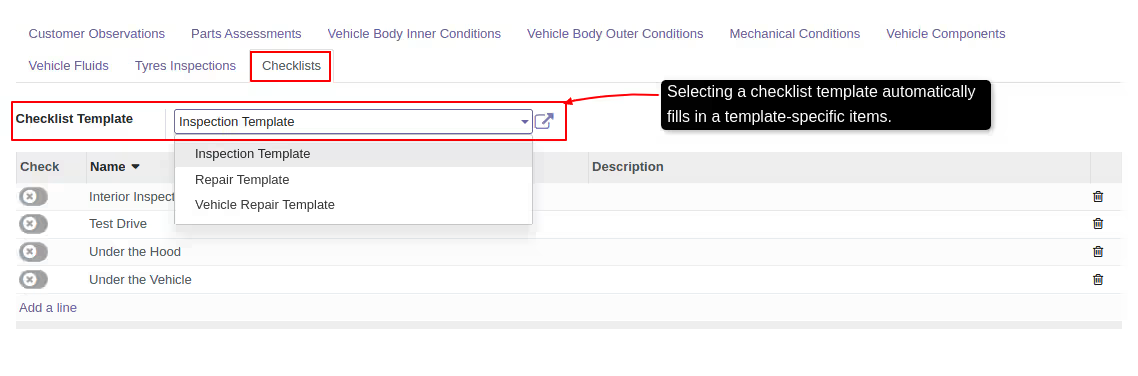
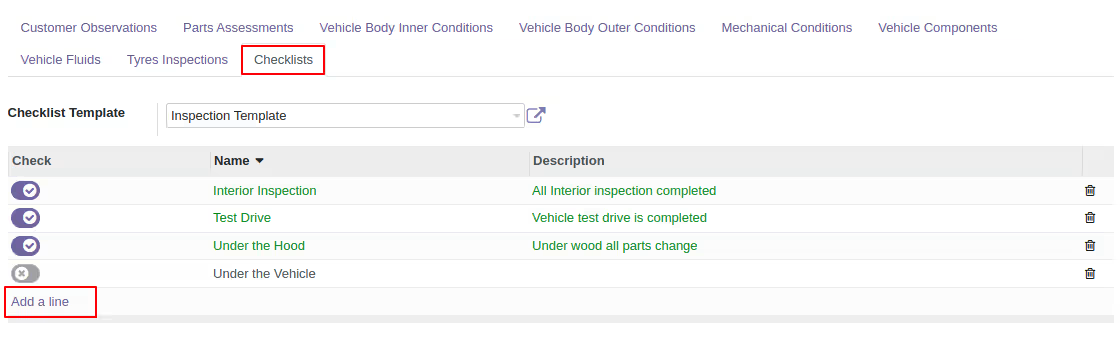
Inspection checklists
-
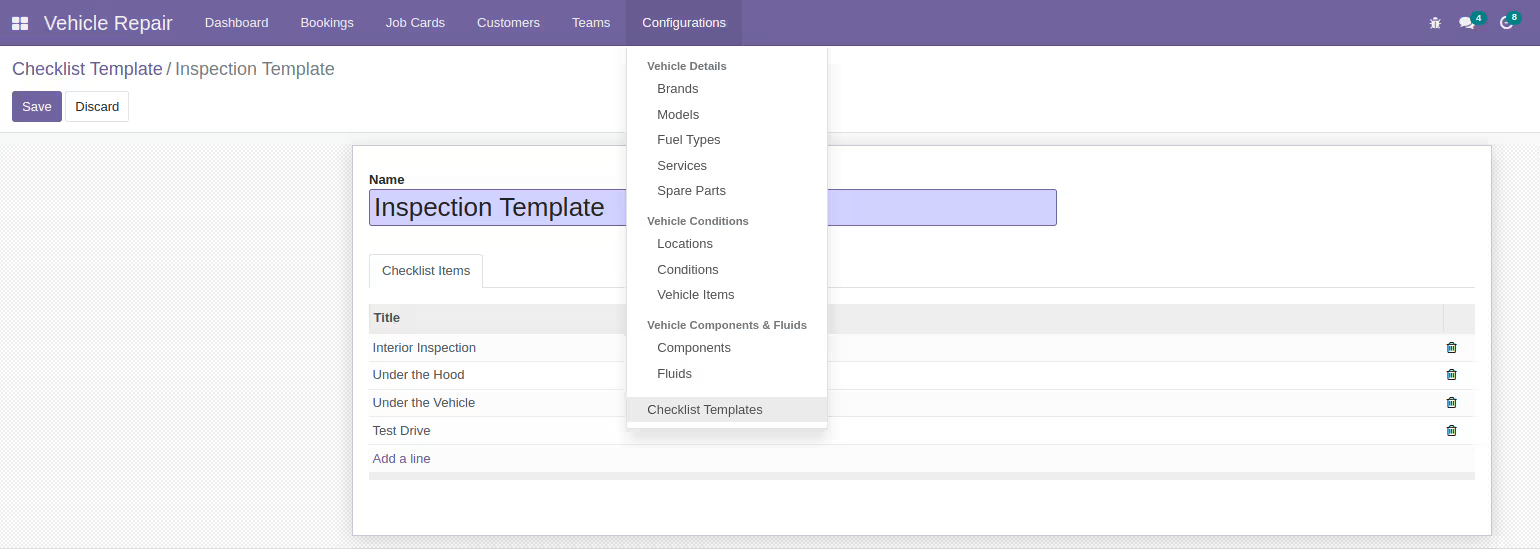
You can customize the checklist template
-
-
The inspection being conducted is of a specific inspection type
-
Selected tabs are visible only when a specific inspection is chosen
-
-
Creating inspection charge sale orders is restricted to manager only
-
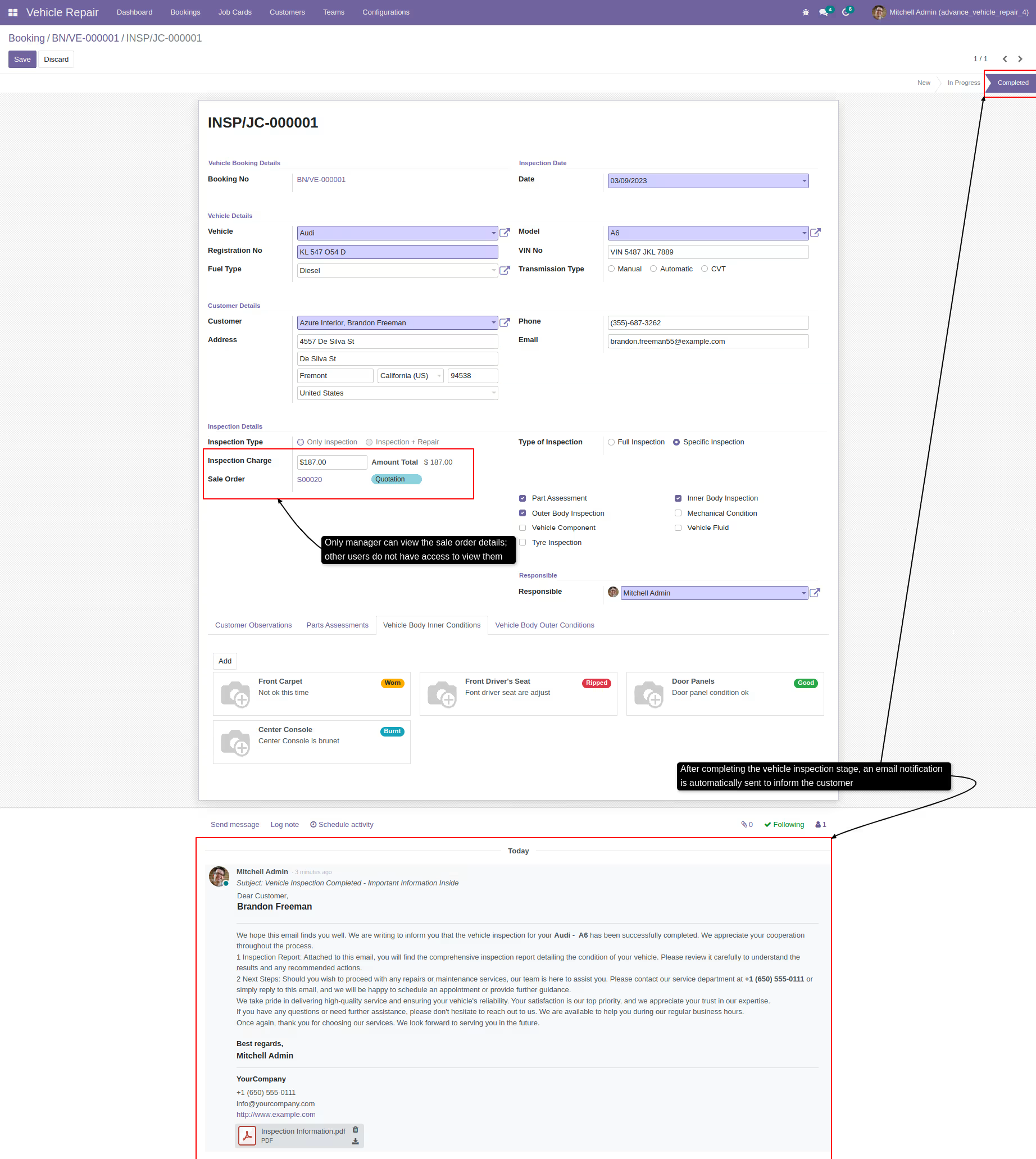
Only manager can view the sale order details; other users do not have access to view them
-
-
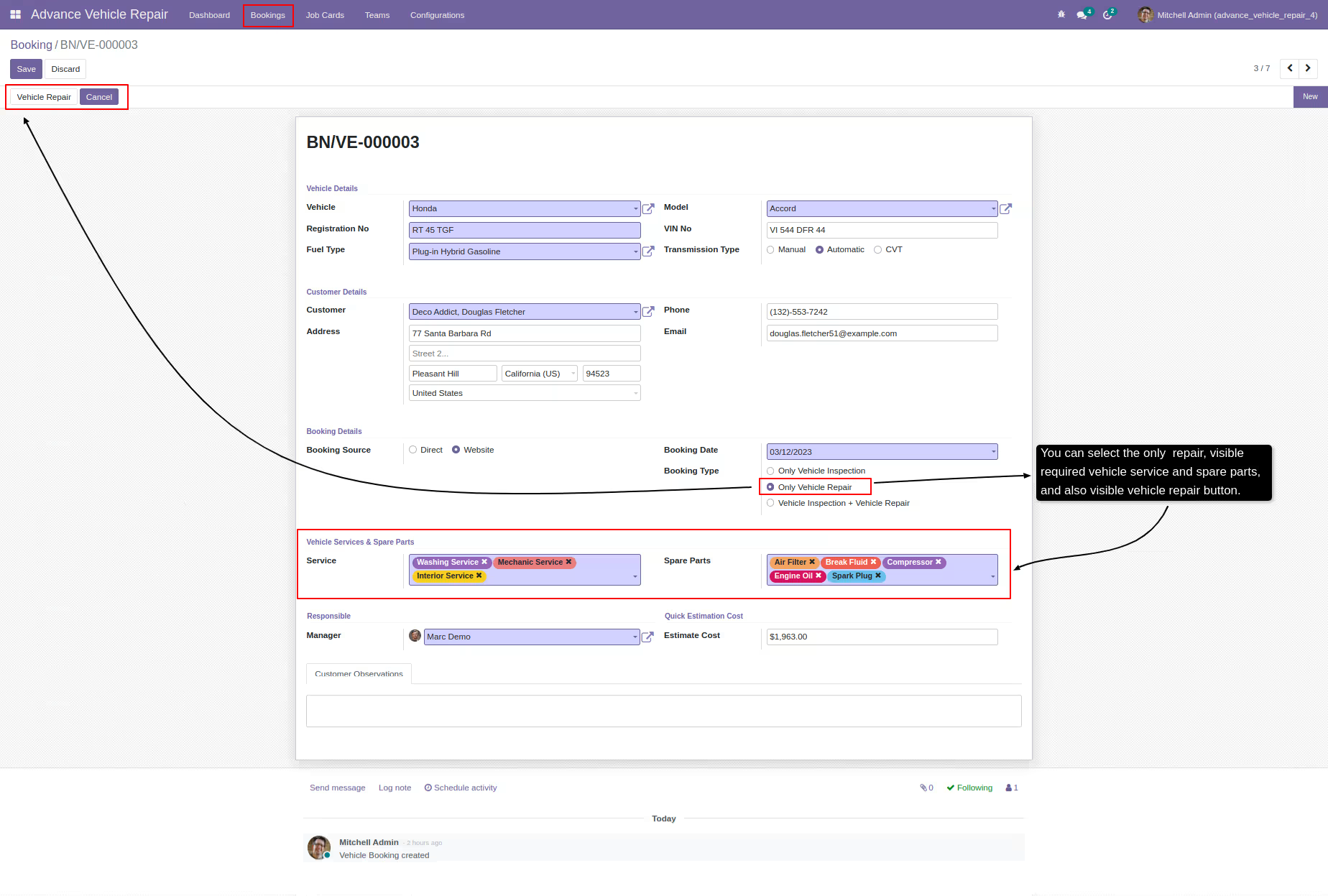
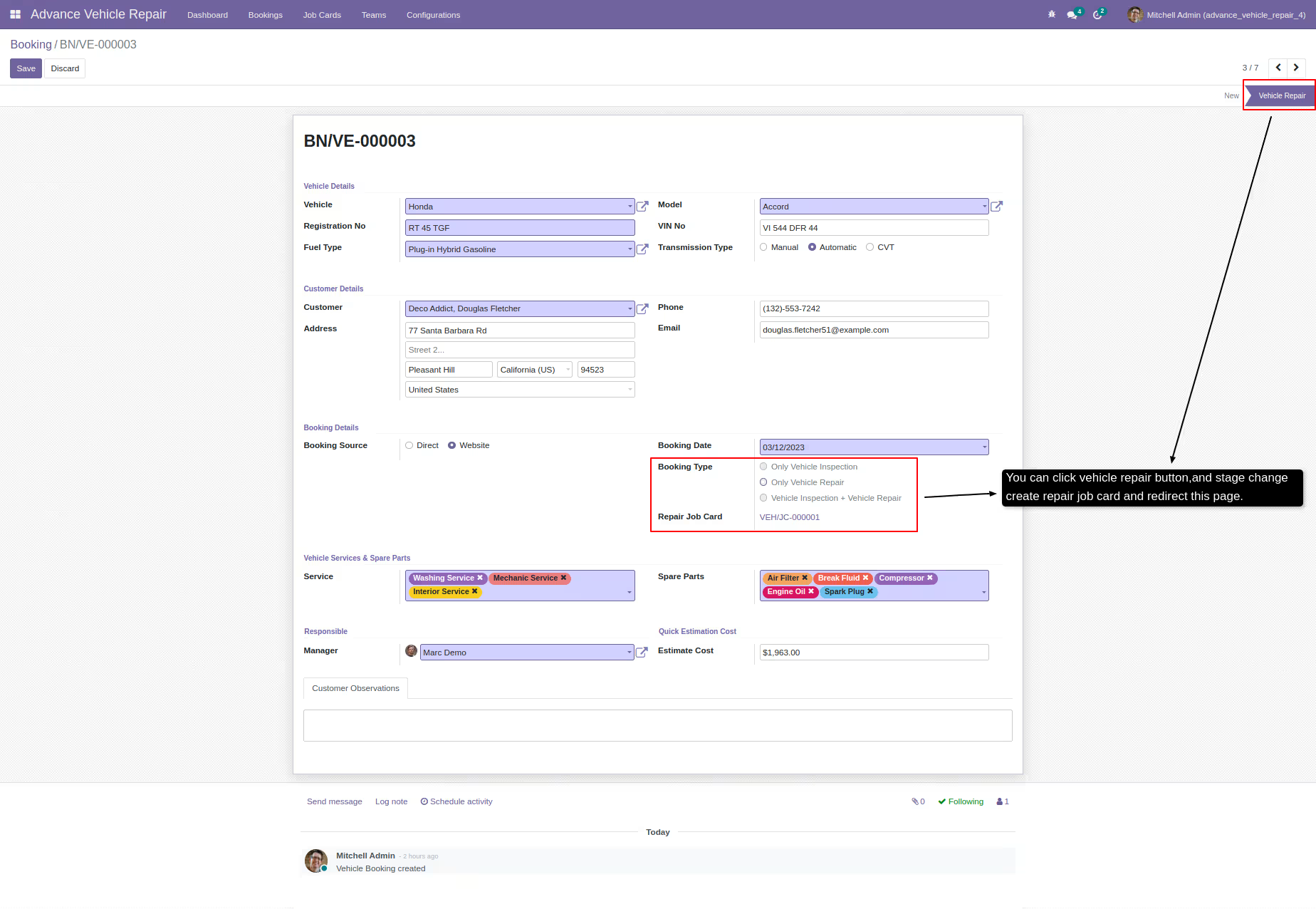
Booking through create vehicle repair job card
-
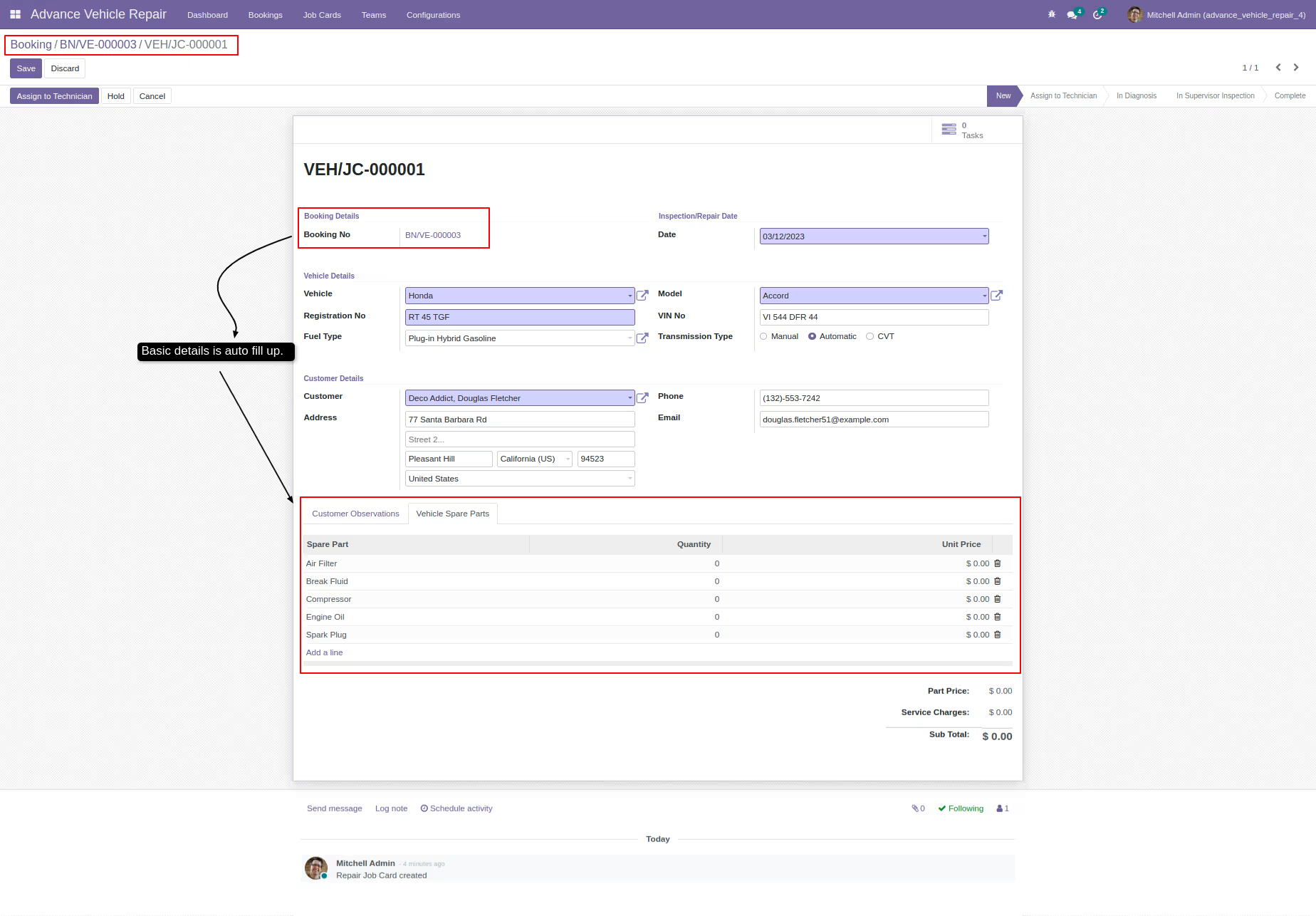
Repair job card details
-
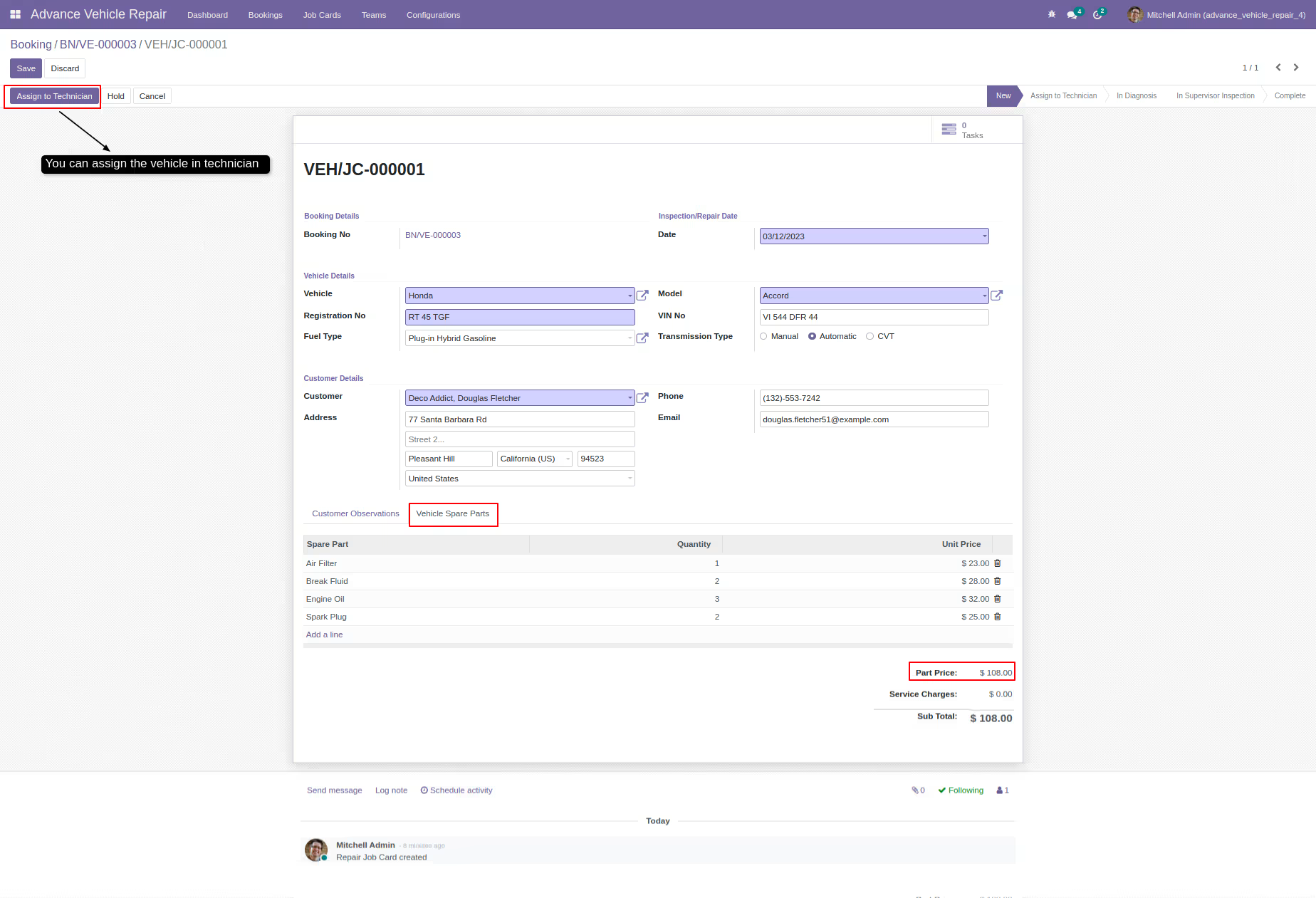
It is possible to assign a vehicle to a technician
-
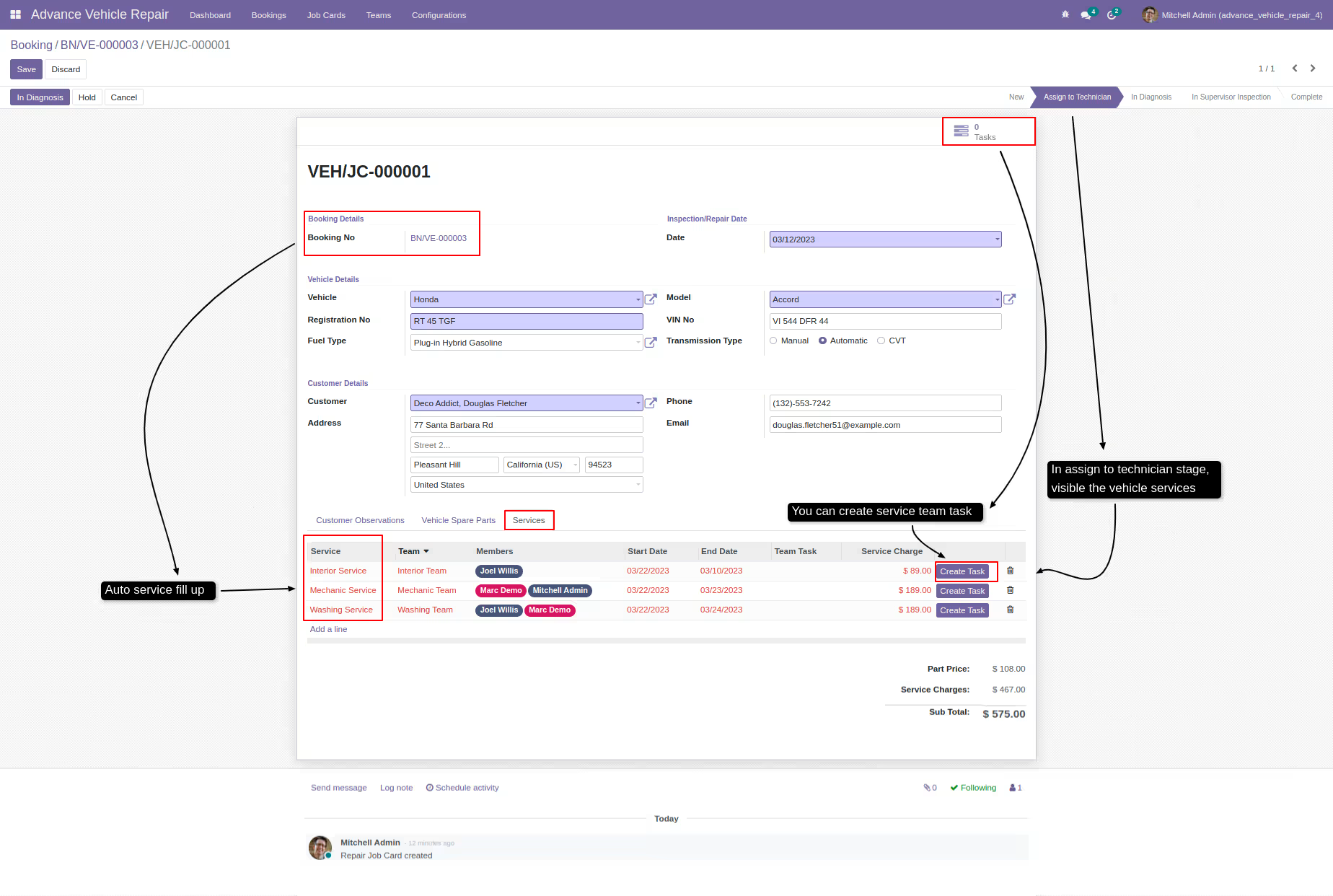
During the 'assign to technician' stage, the available vehicle services are displayed
-
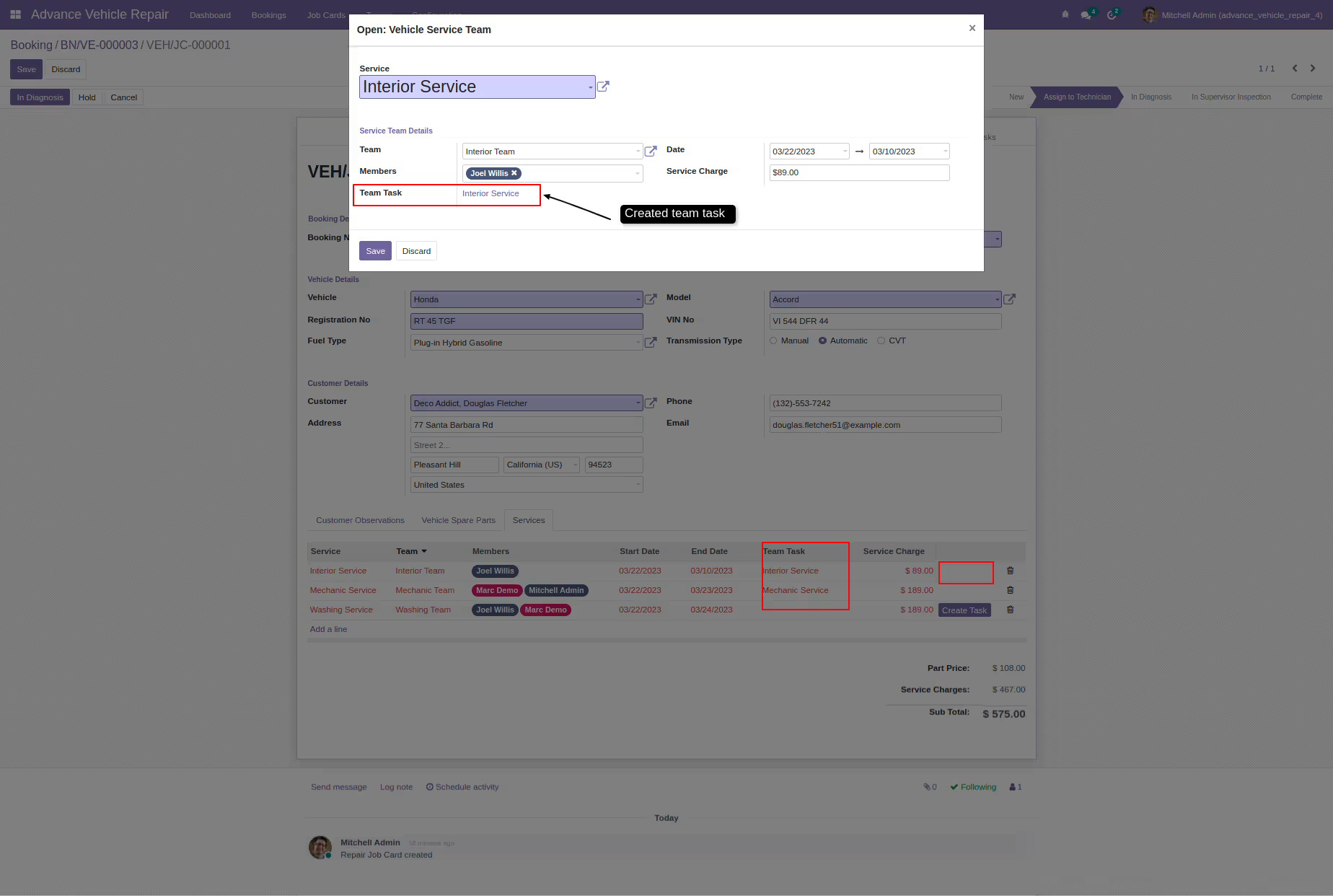
Creating team tasks is limited to supervisors or managers only
-
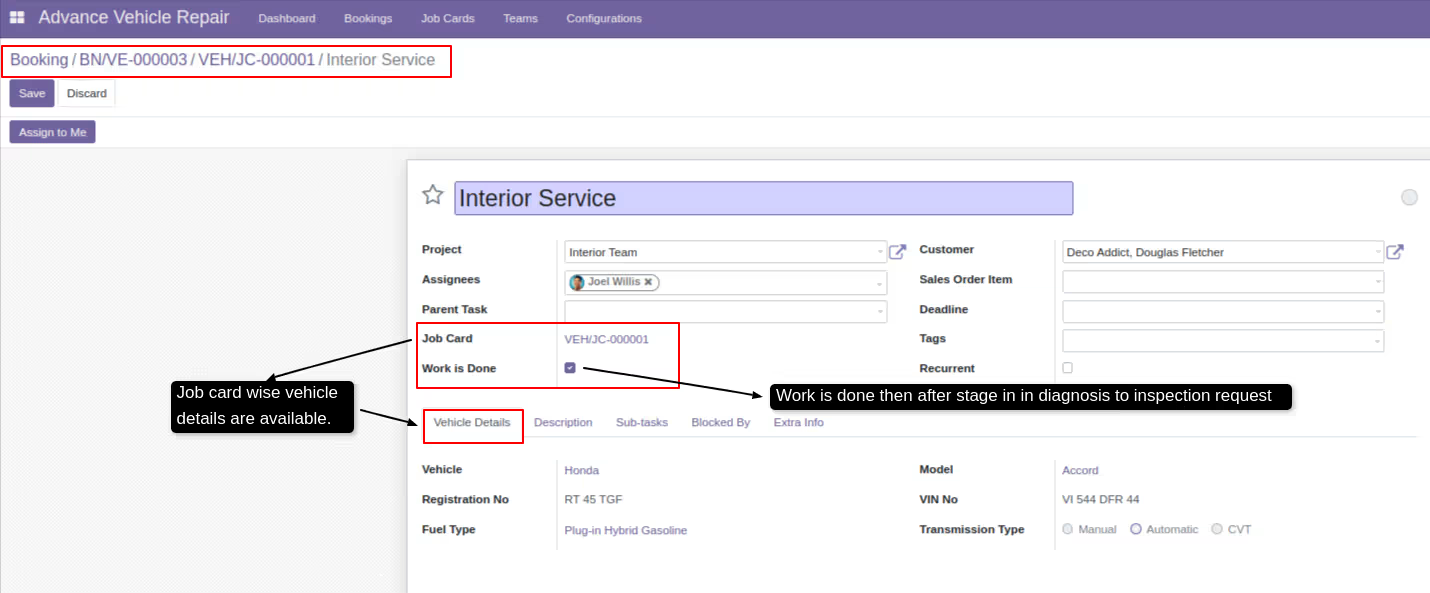
Information related to a team task, such as task description, deadline, and team members assigned to the task
-
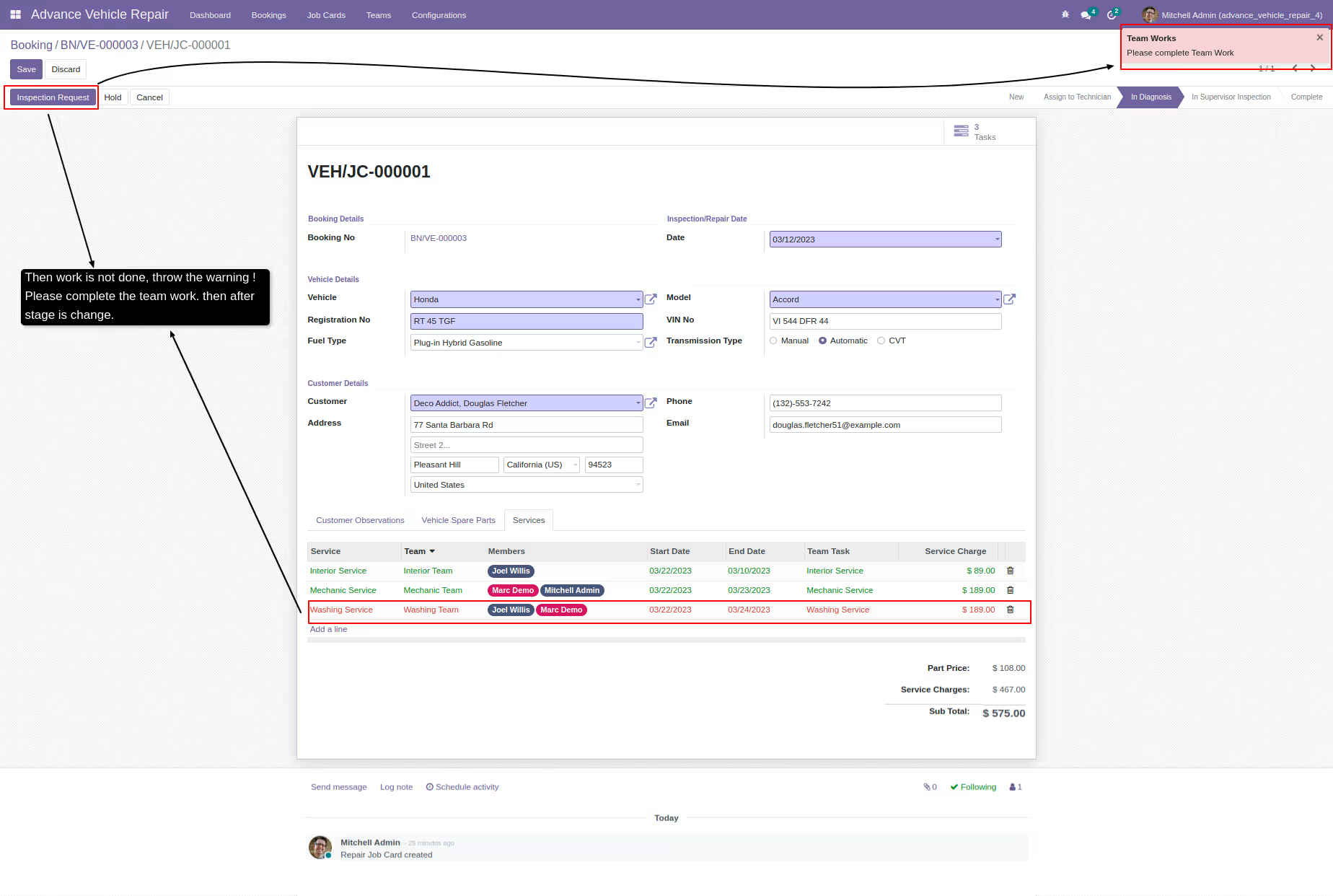
If the work is incomplete, a warning message is displayed
-
The stage changes to 'supervisor inspection' once all services are completed by the service team
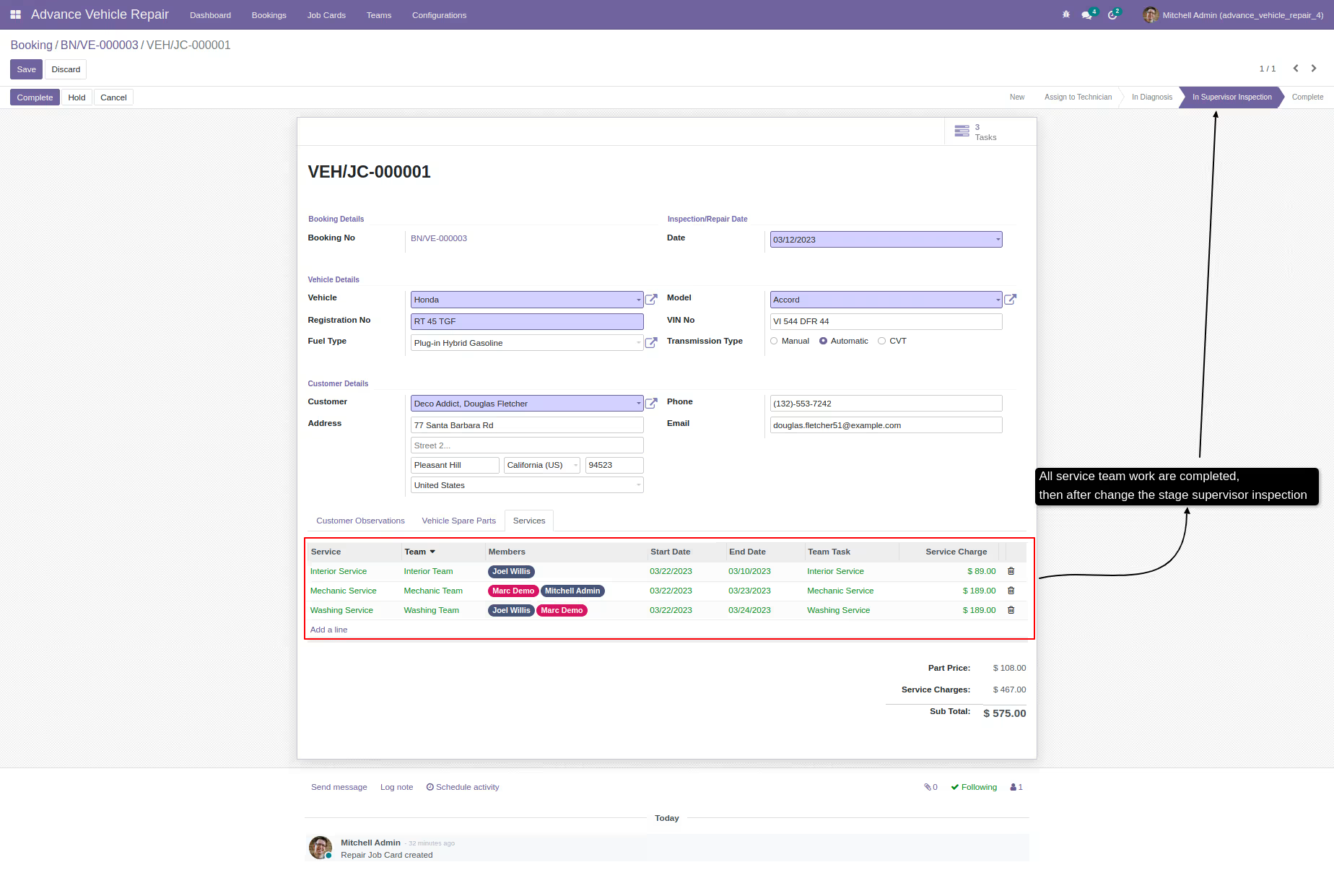
-
The user can pause the process at any time and choose the stage to resume from
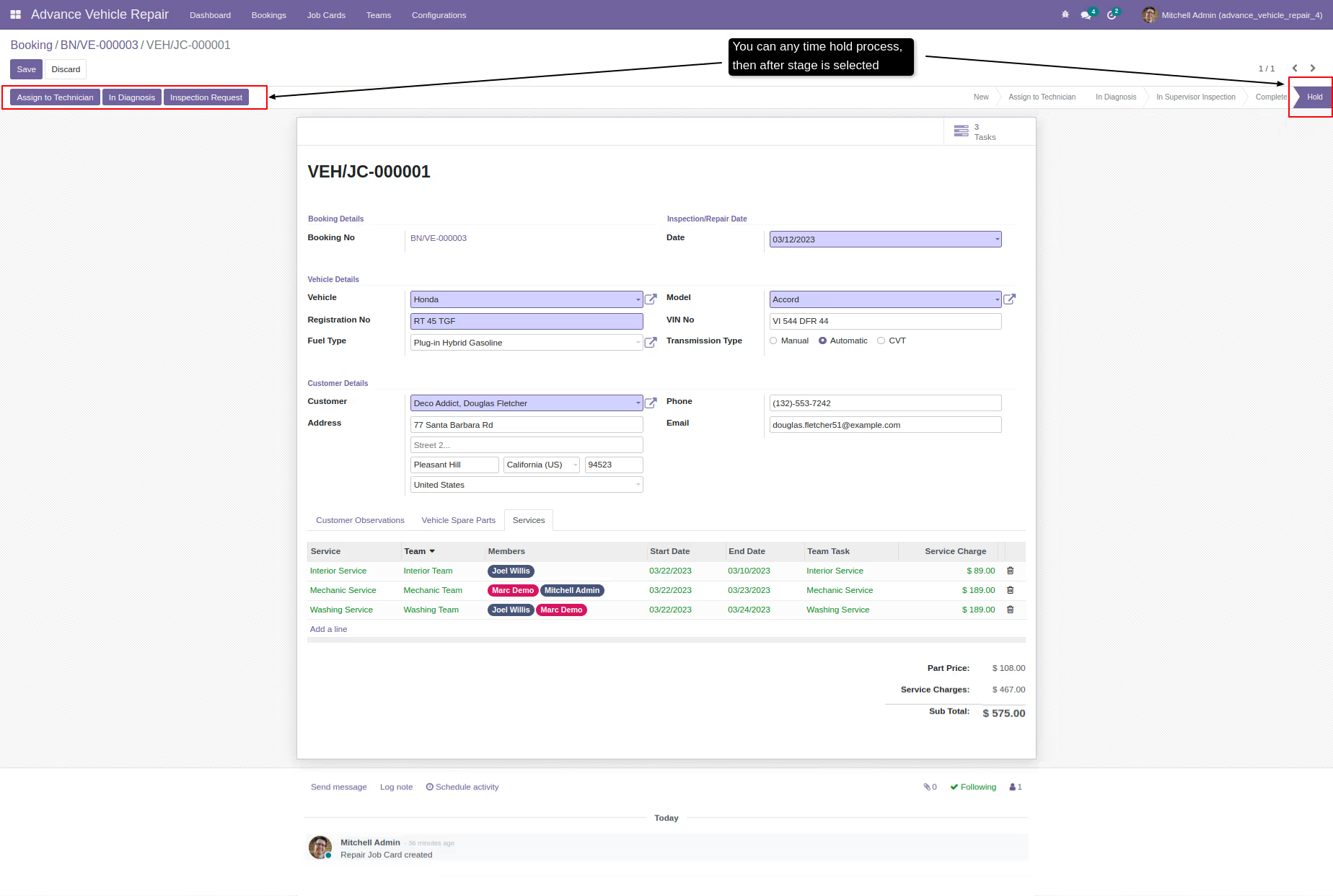
-
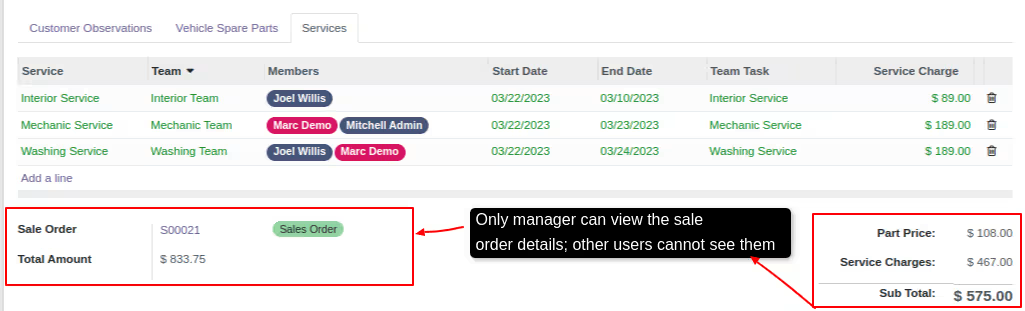
Only managers can view and create repair sale orders, and they are the only ones who can view the resulting sale order
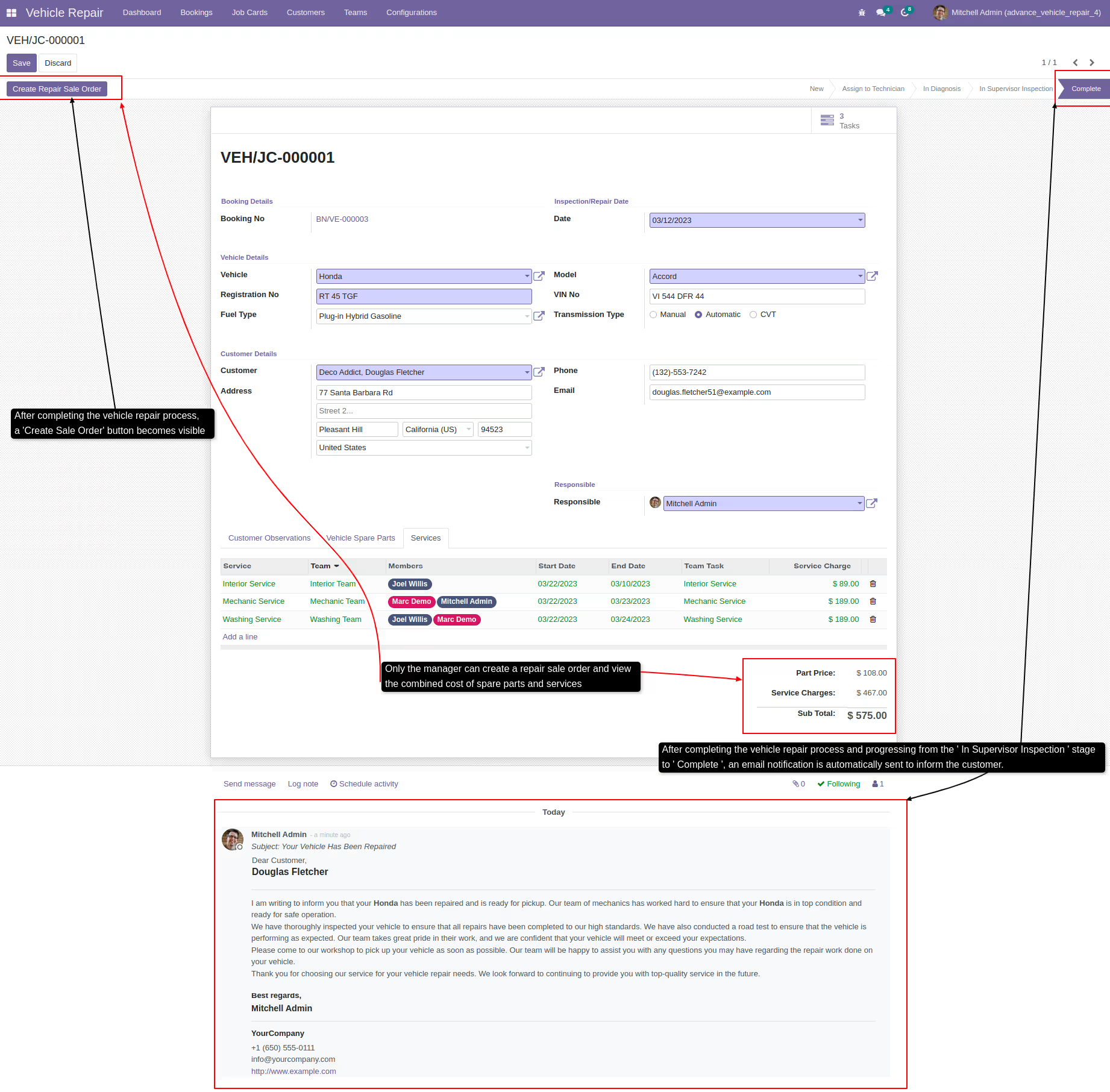
-
Details of a sale order
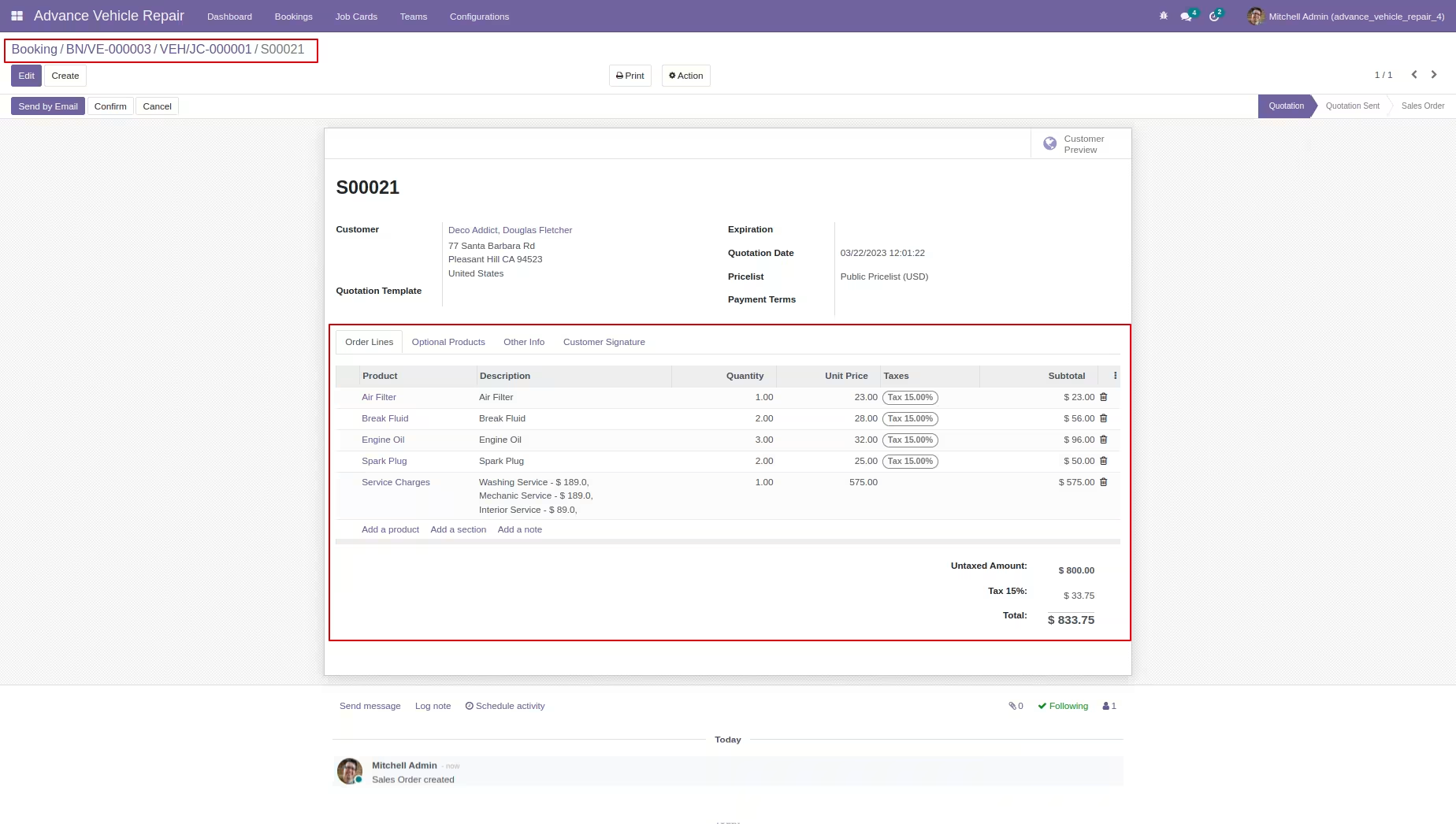
-
-
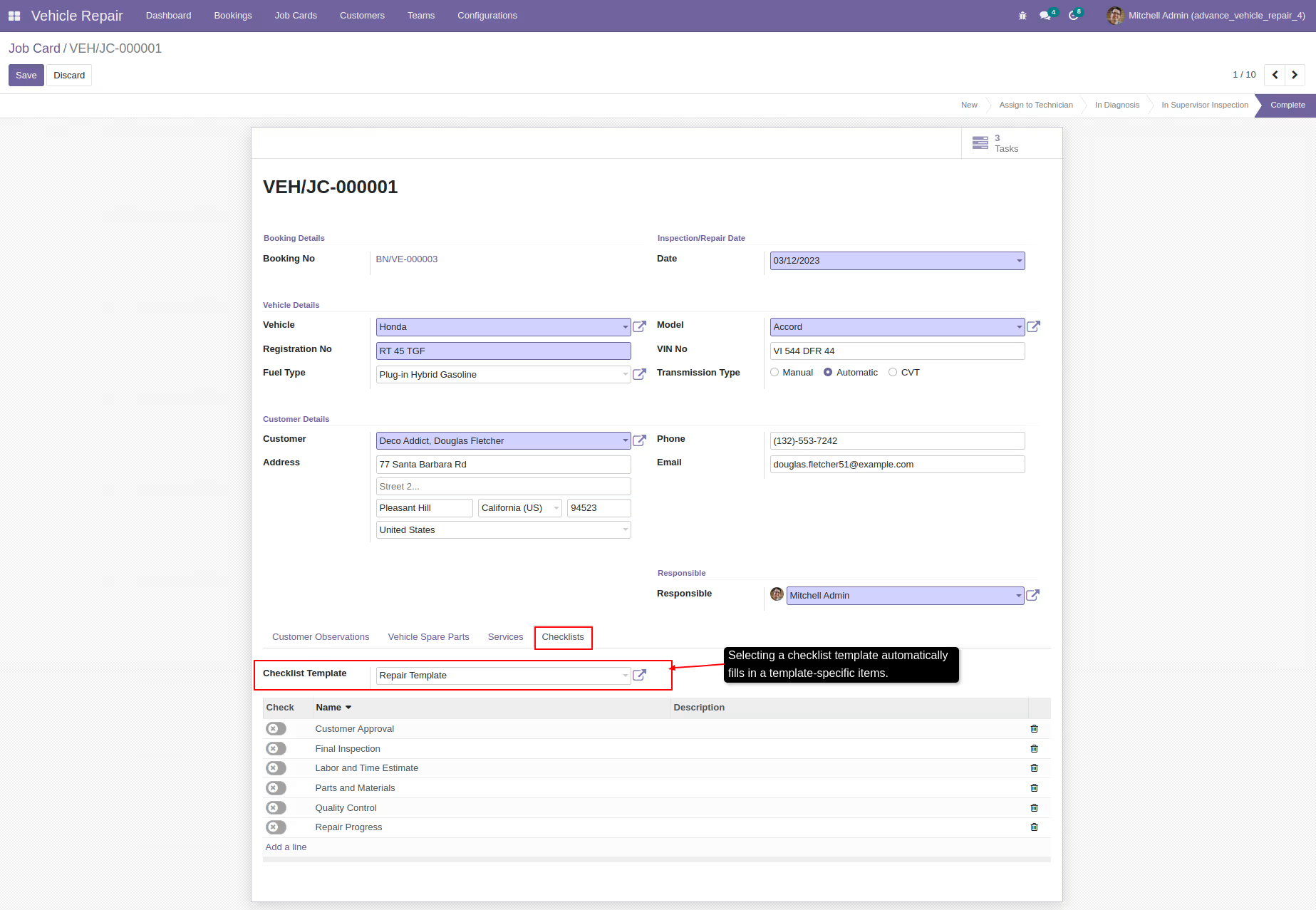
Repair checklists
-
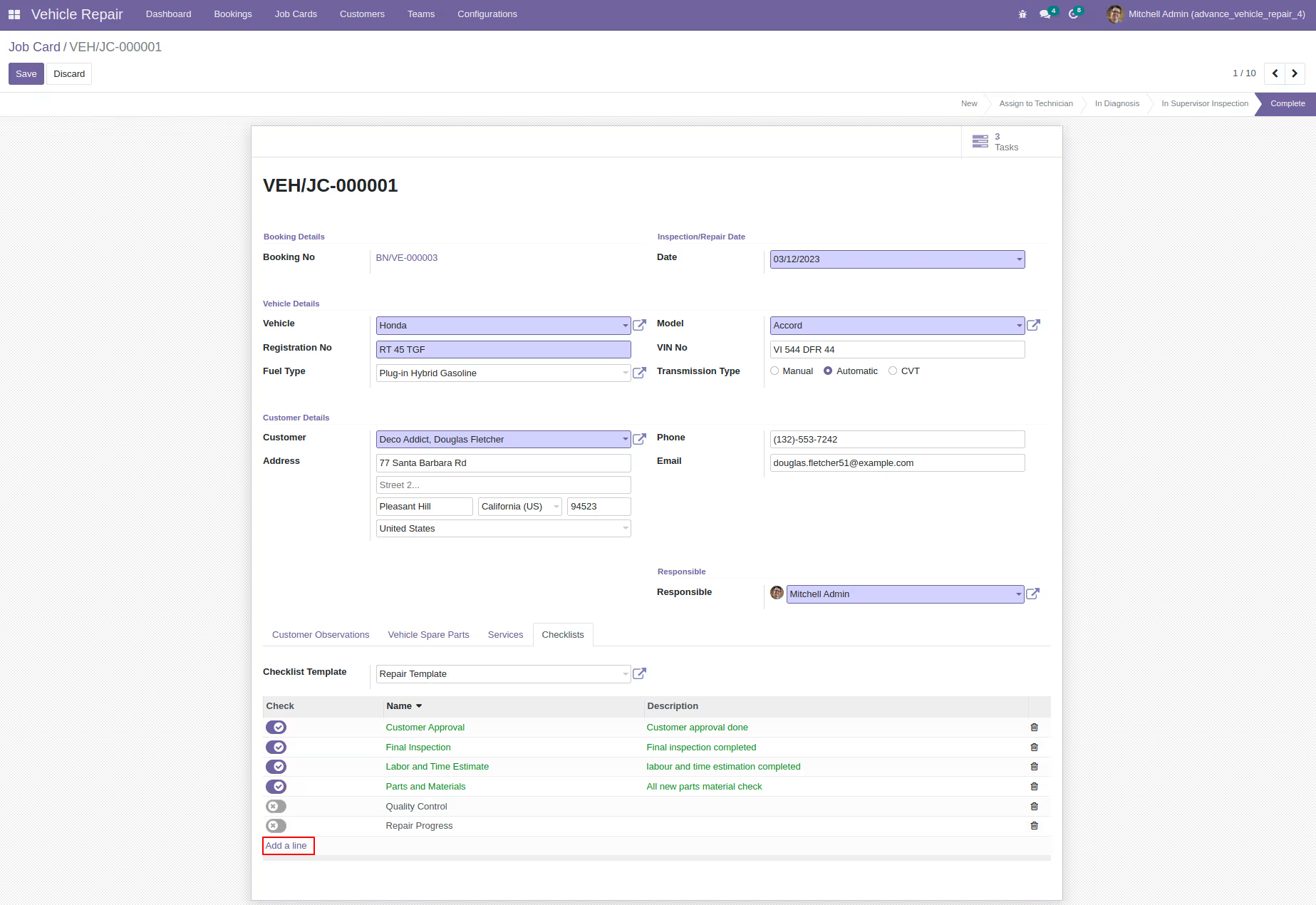
You can customize the checklist template
-
-
-
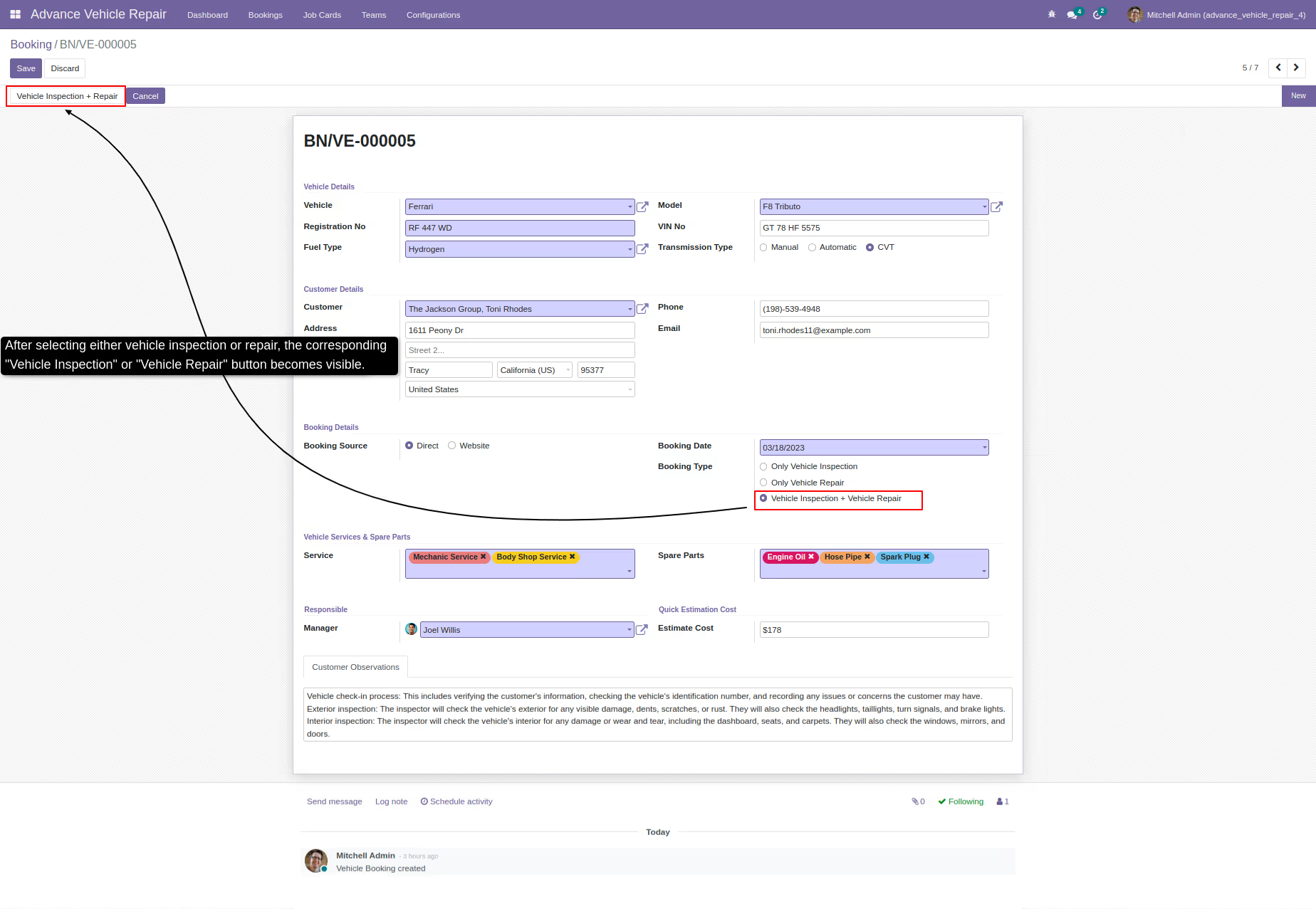
Booking through create vehicle inspection/repair job card
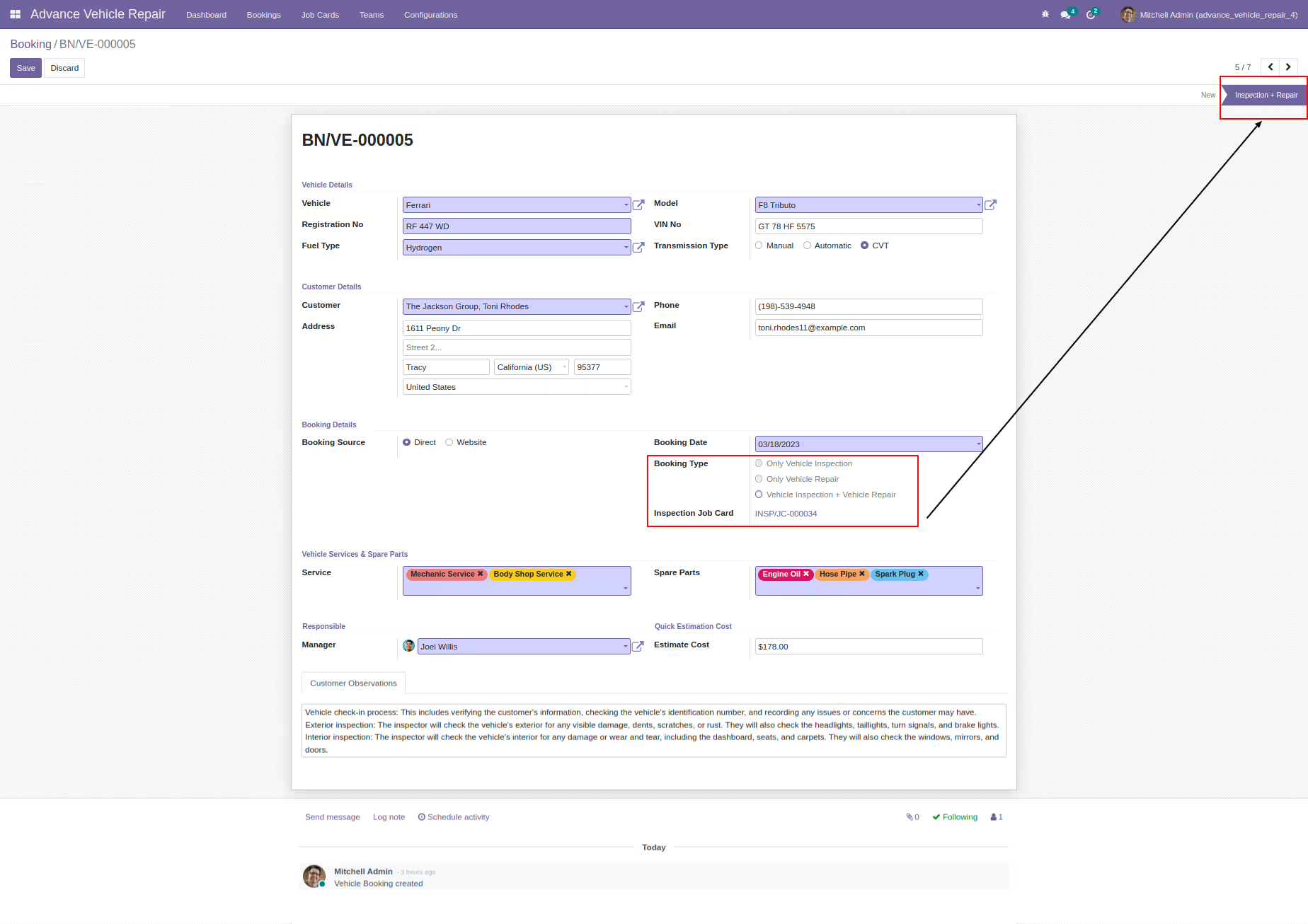
-
Job card information for inspection/repair
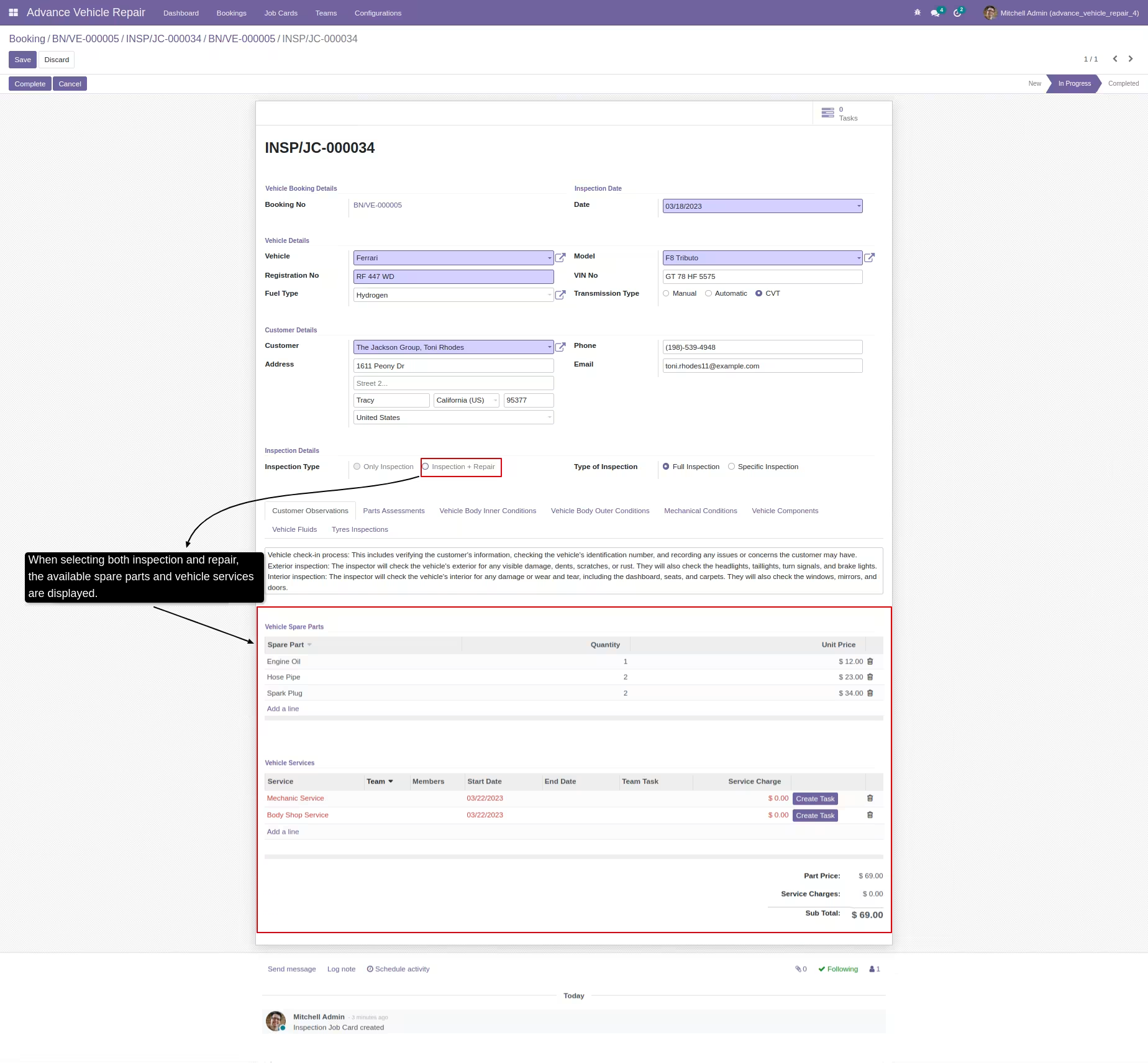
-
After completing the vehicle inspection, the option to create a vehicle repair order becomes available
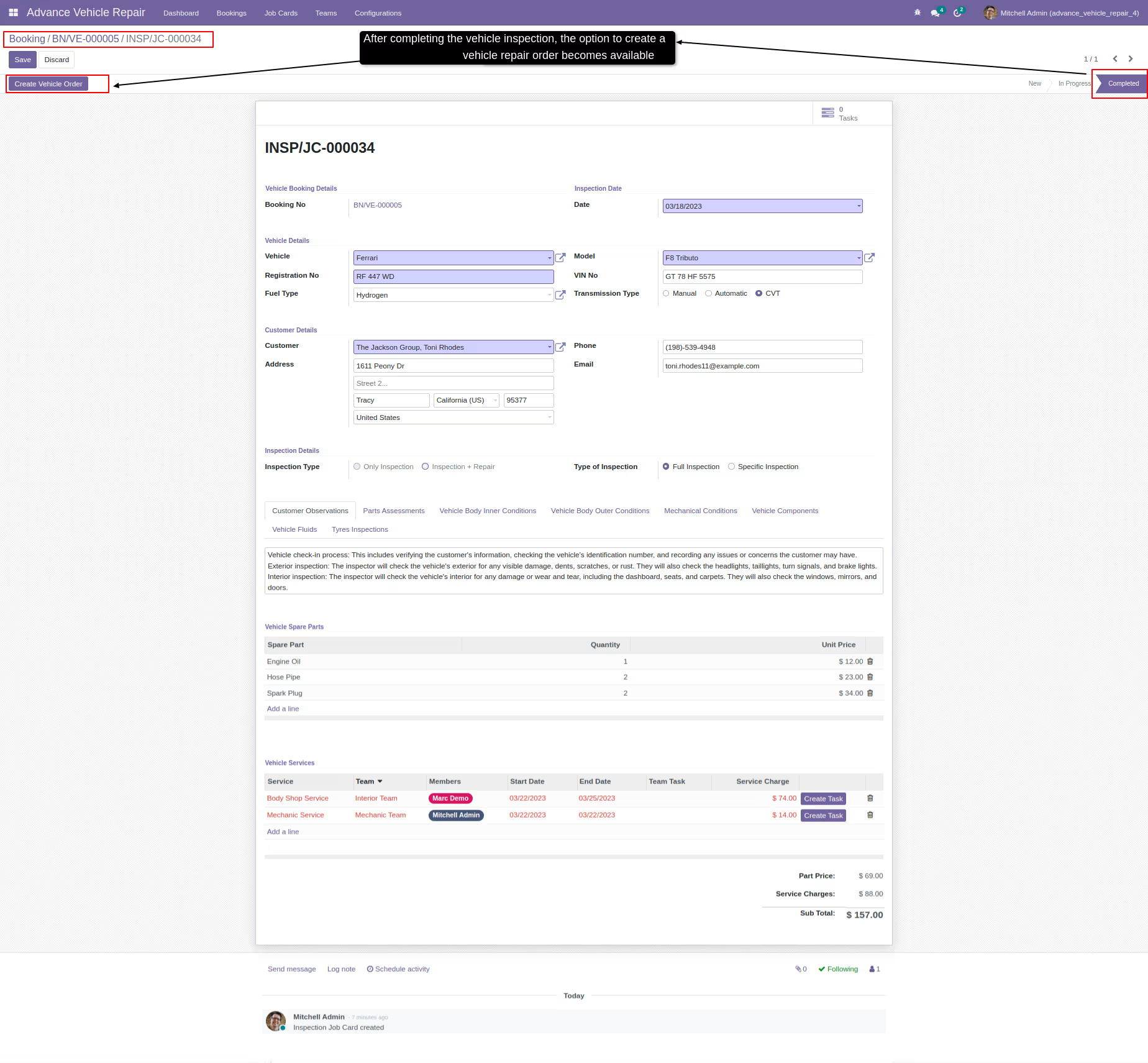
-
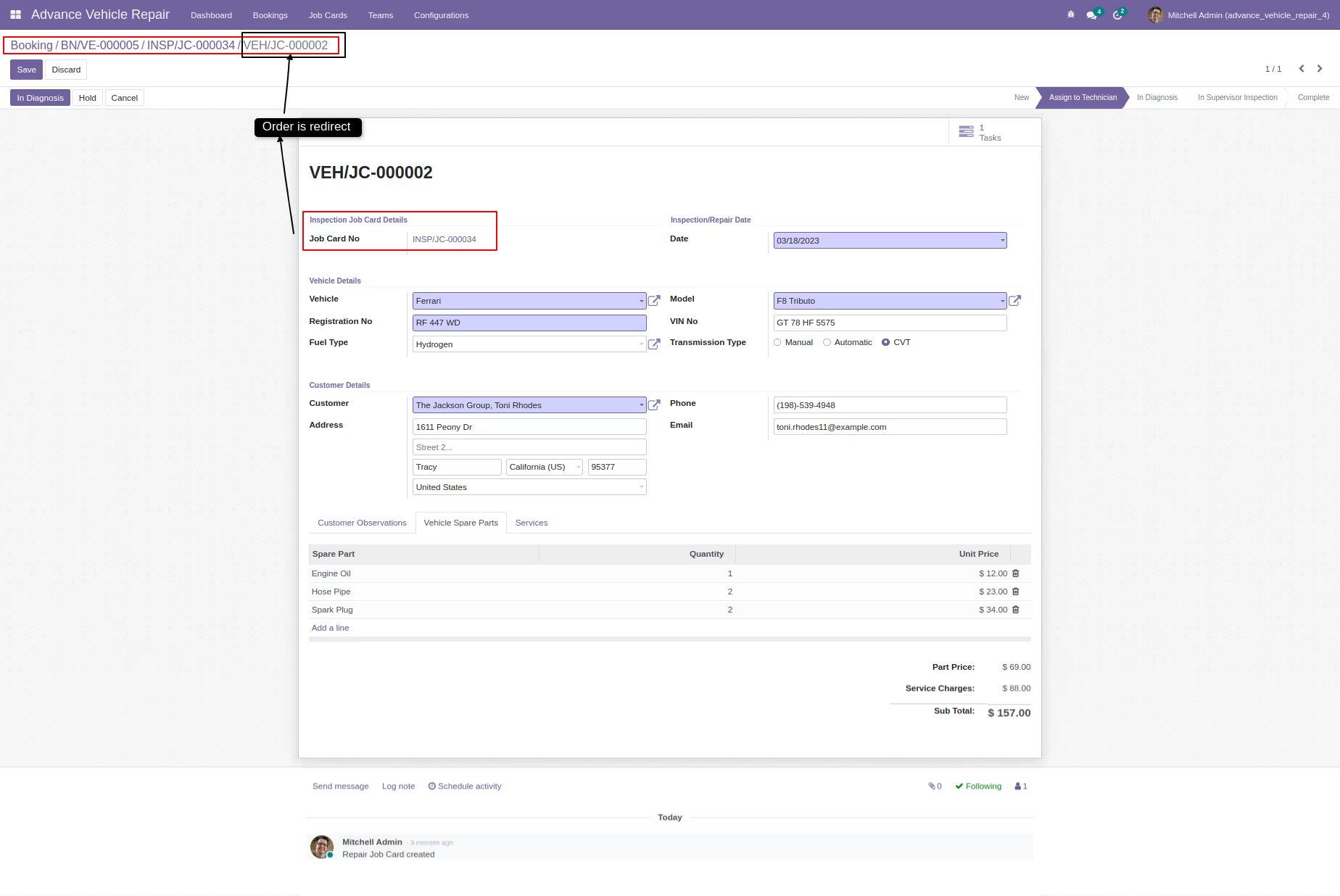
Once the vehicle order is created, the user is redirected to the corresponding page
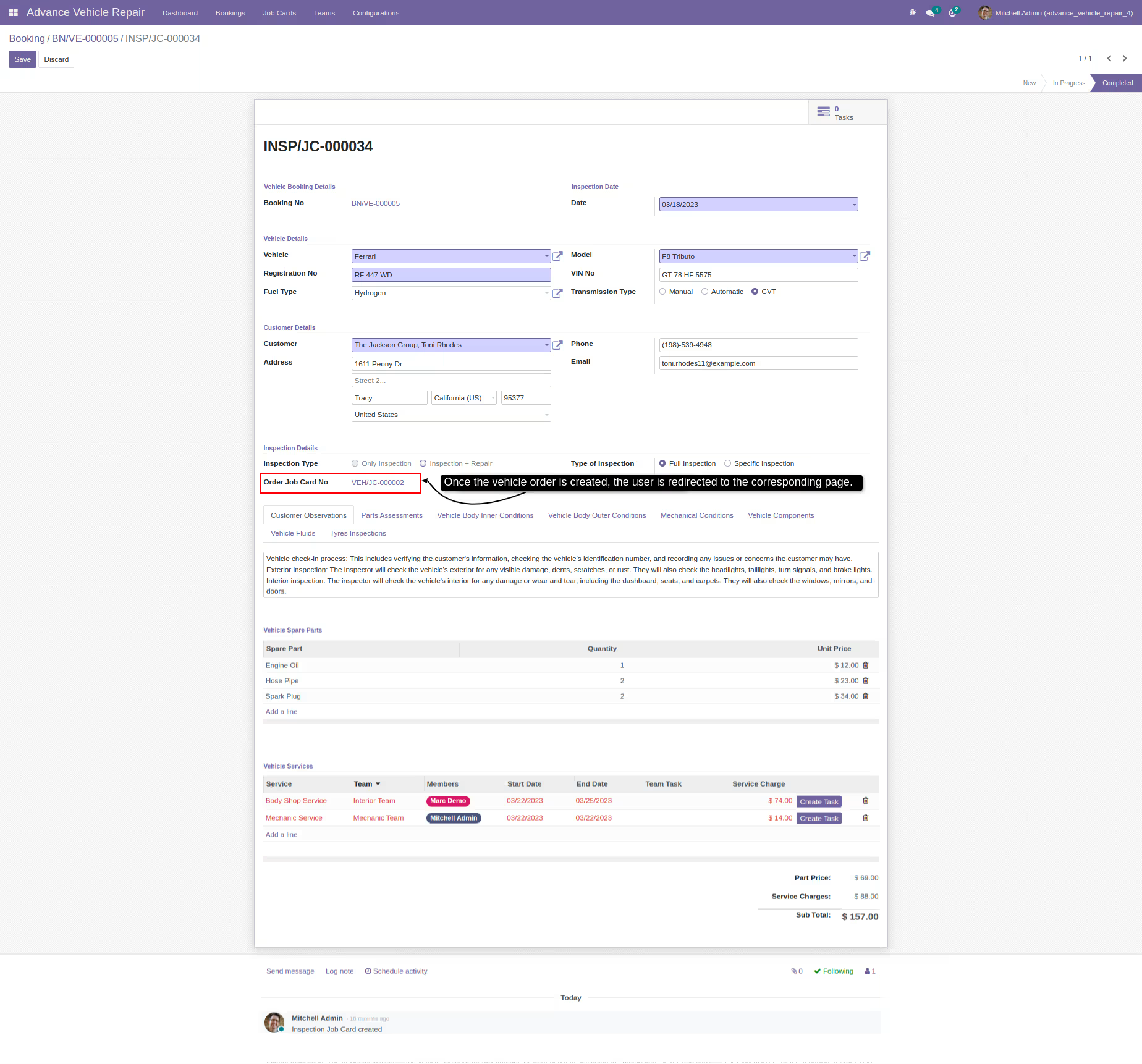
-
-
Inspection job card PDF report
-
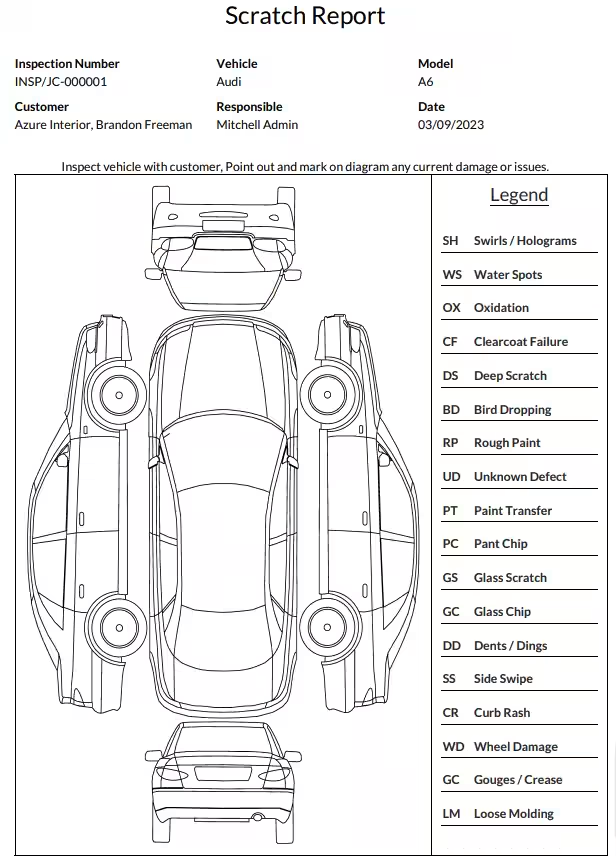
Inspection job card Scratch PDF report
-
Repair job card report
-
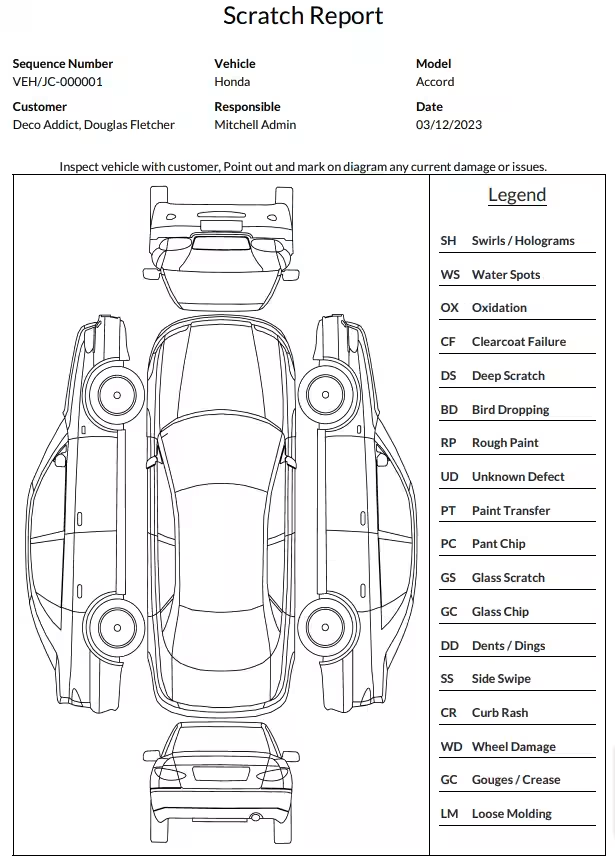
Repair job card Scratch report
-
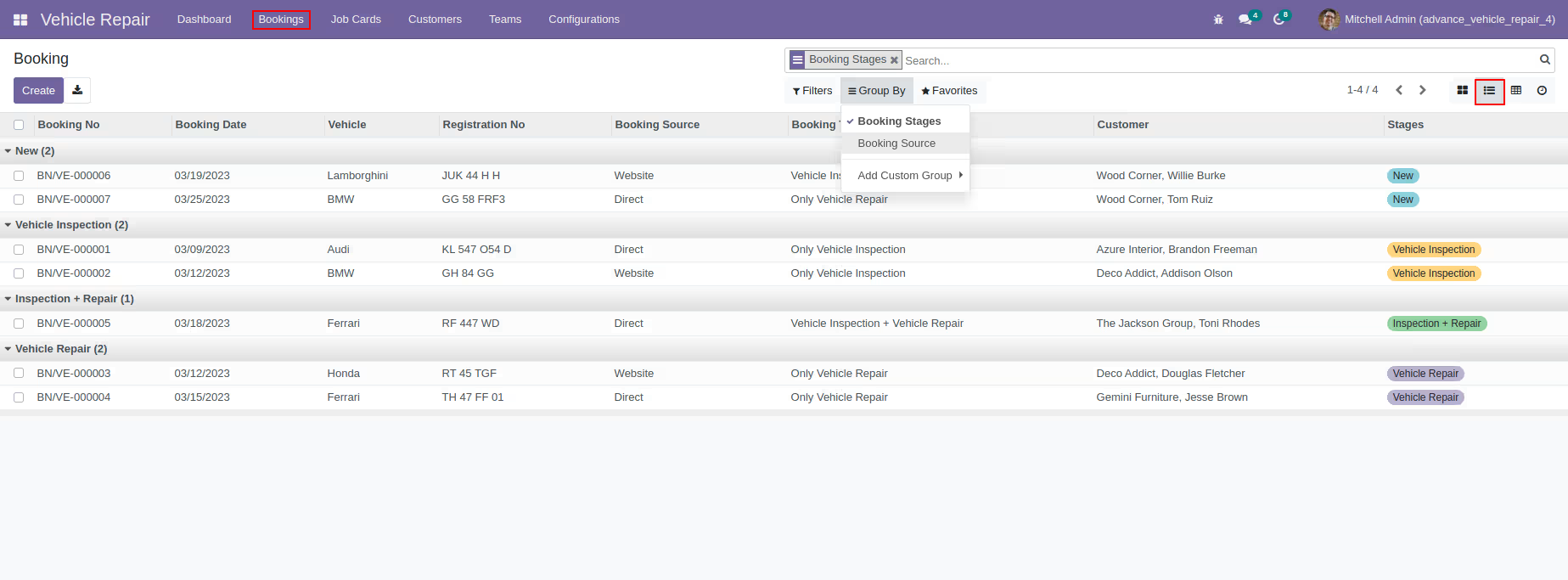
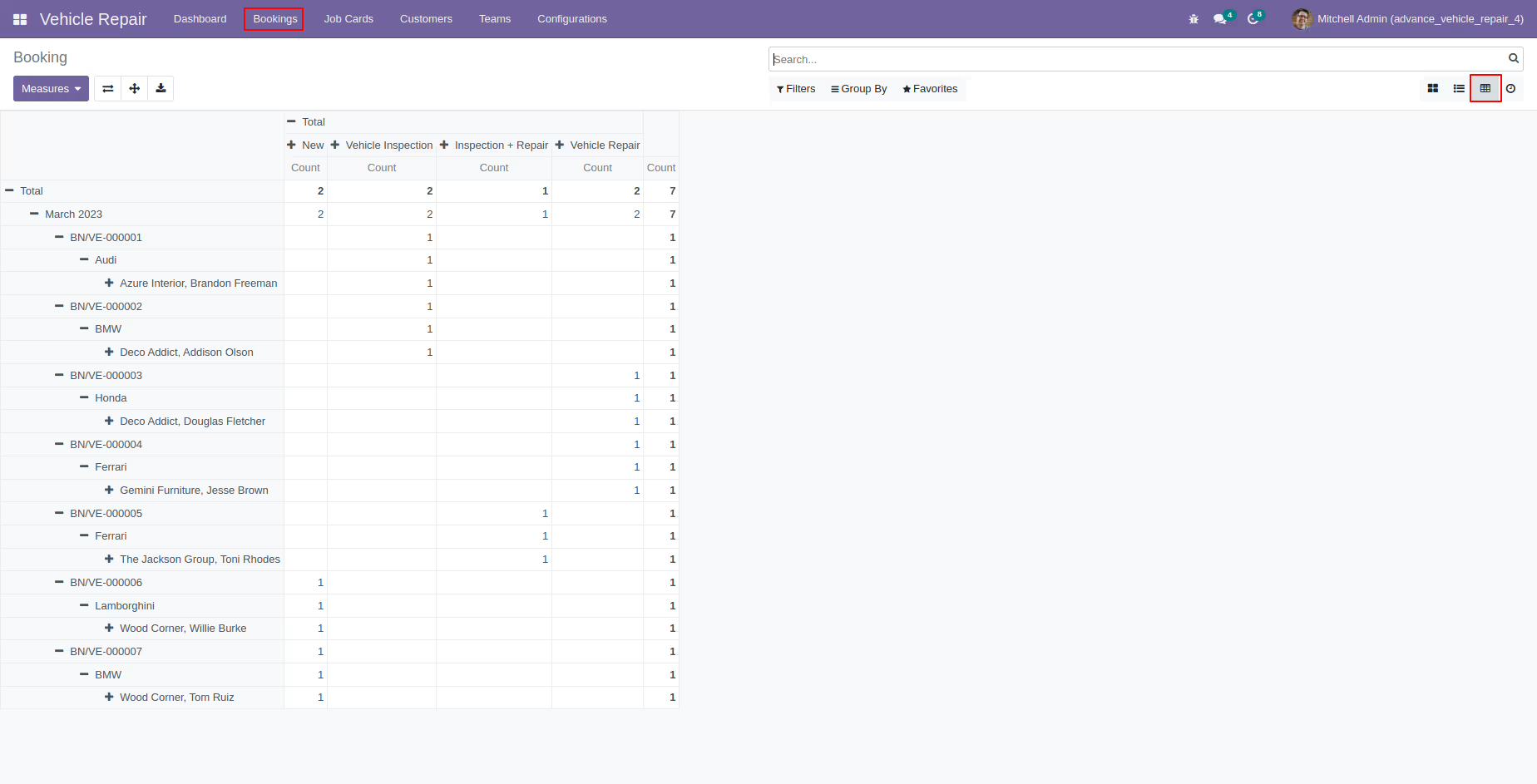
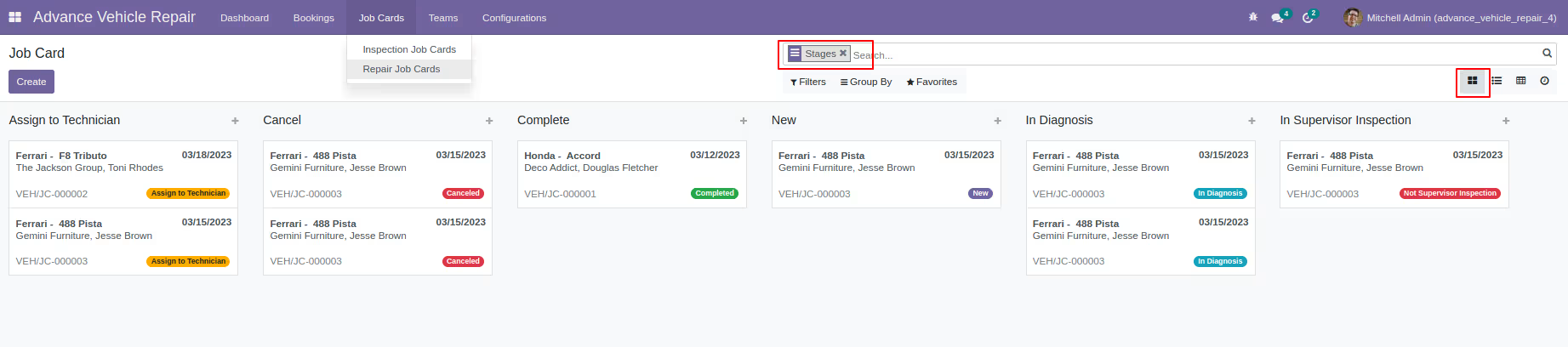
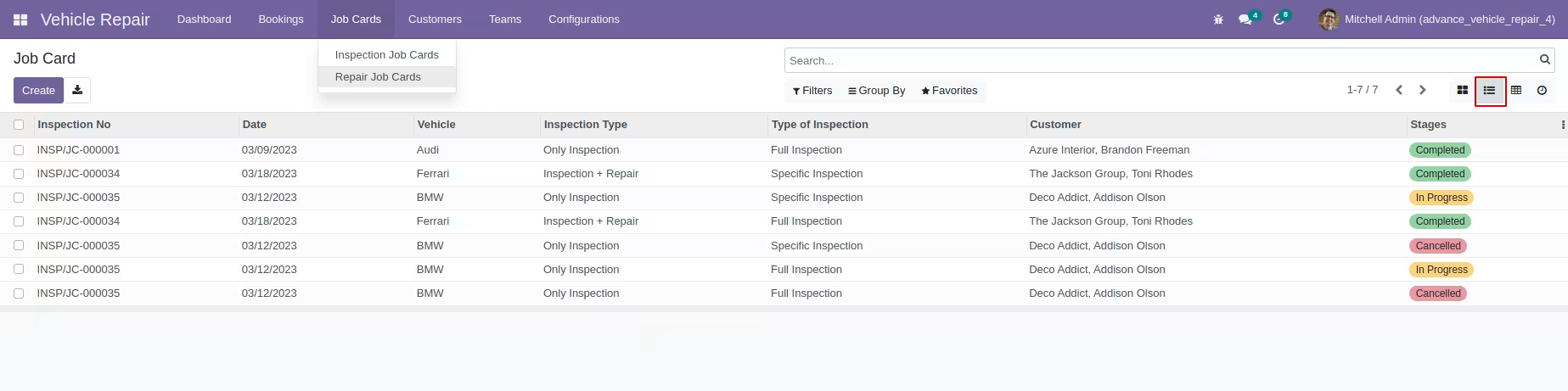
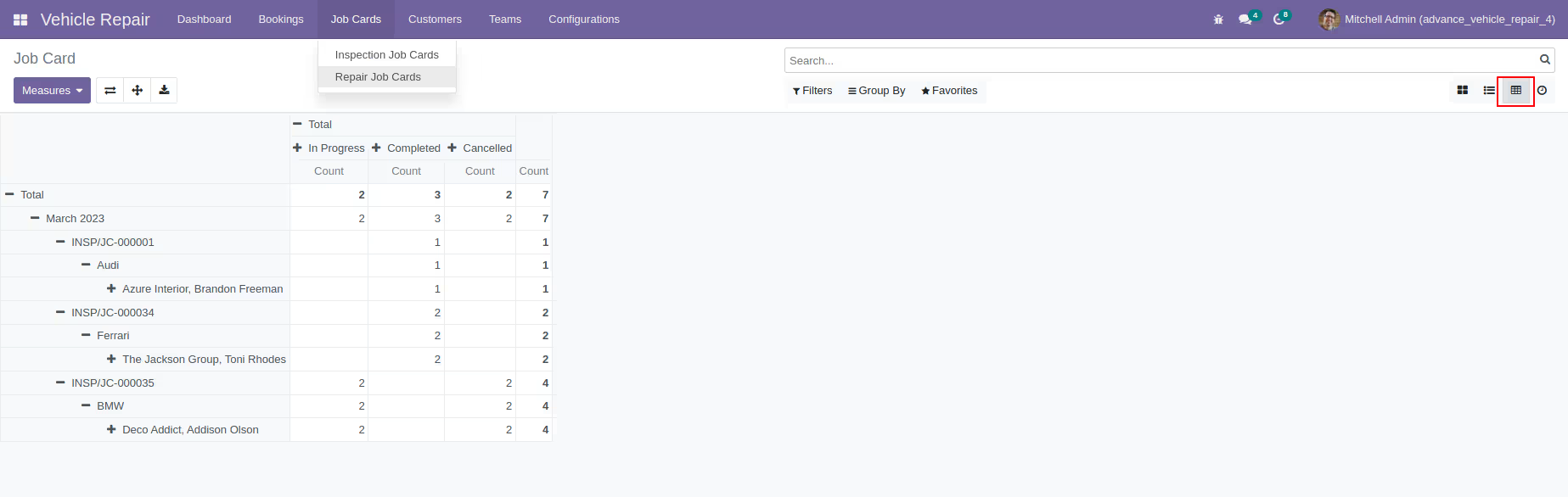
Booking details viewable in multiple formats for convenience
Inspection job cards
-
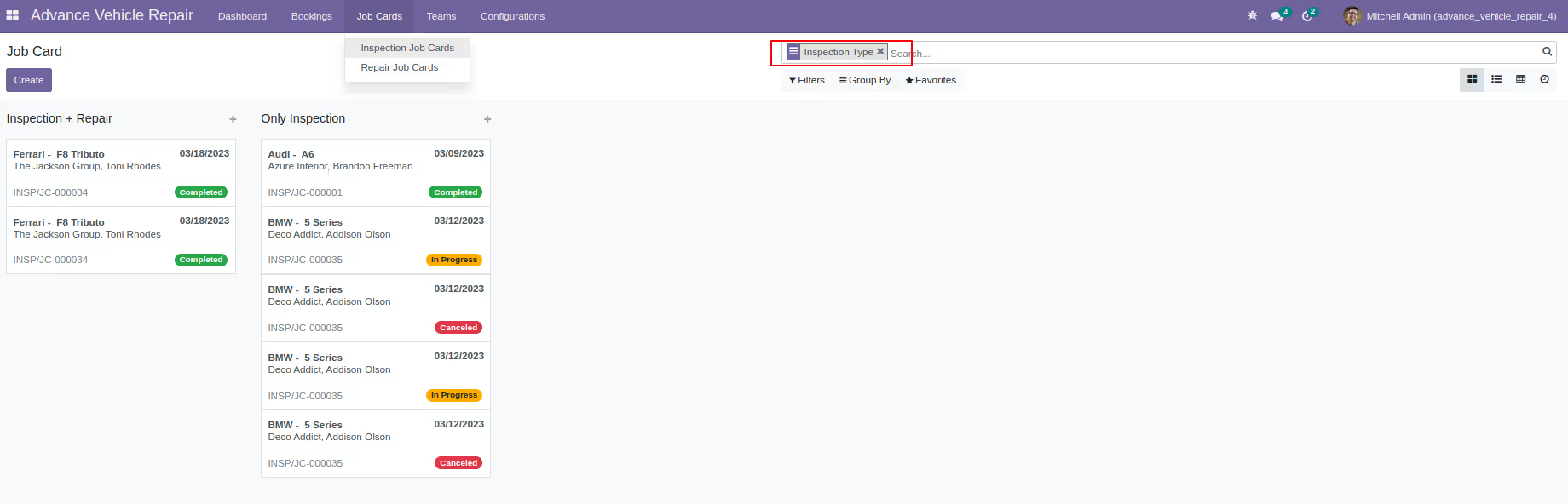
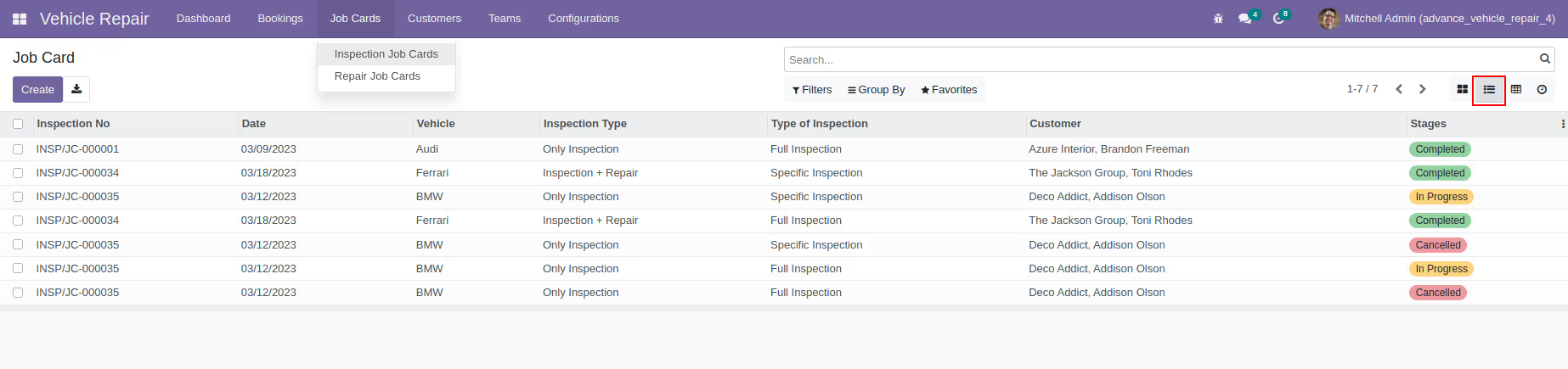
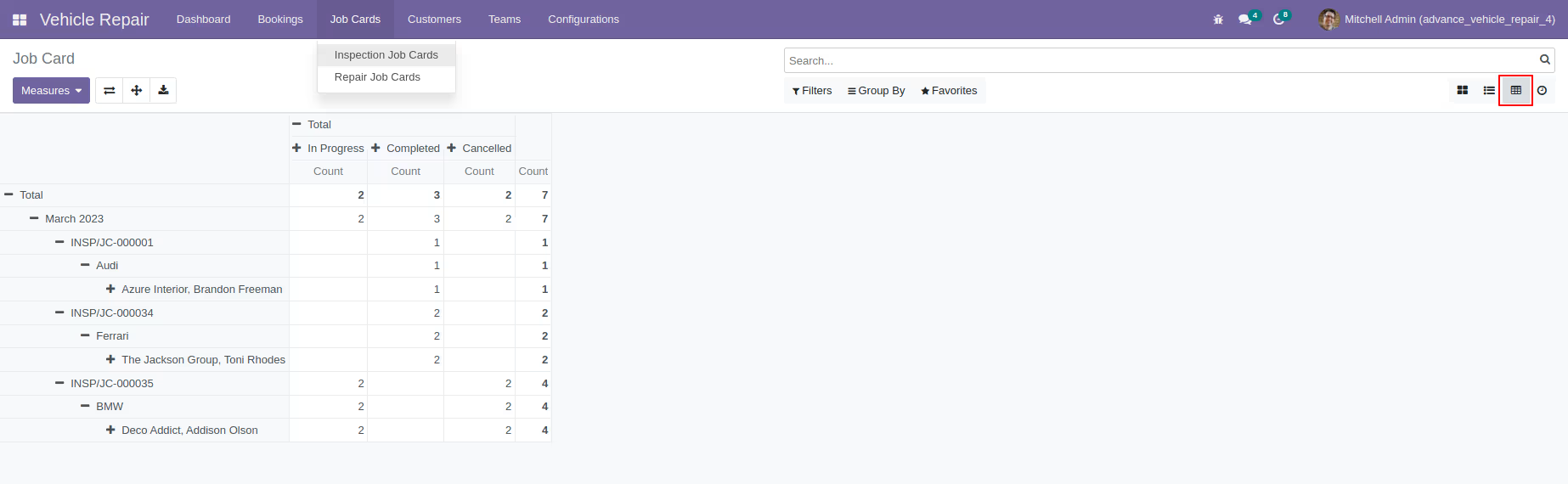
Inspection job card details can be viewed in kanban, list, and pivot formats, providing a visual representation of the job card's progress
Repair job cards
-
Repair job card details can be viewed in kanban, list, and pivot formats, providing a visual representation of the job card's progress
Teams
-
Team details

Configurations
-
Vehicle details
-
Brands
-
Models
-
Fuel types
-
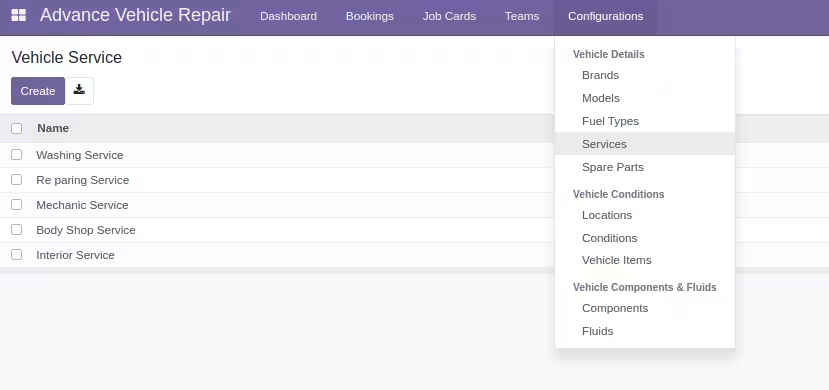
Services
-
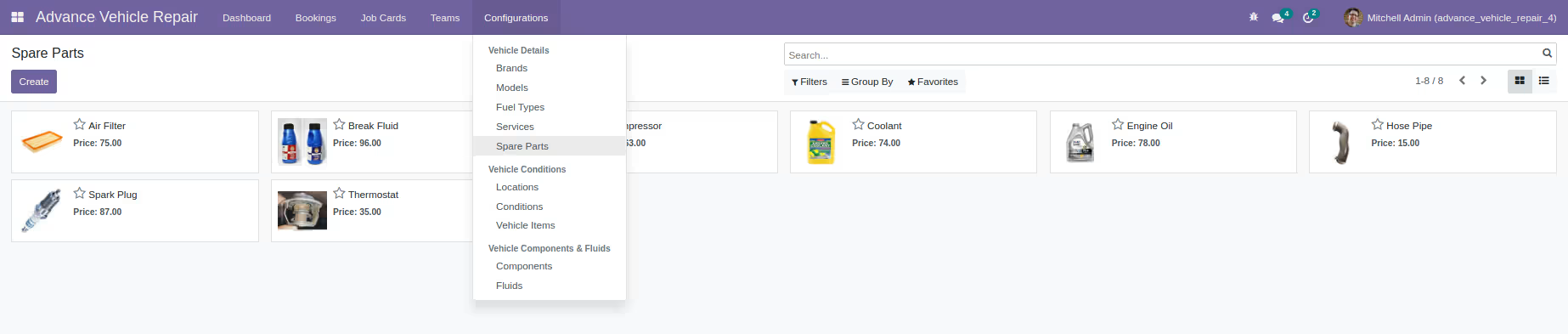
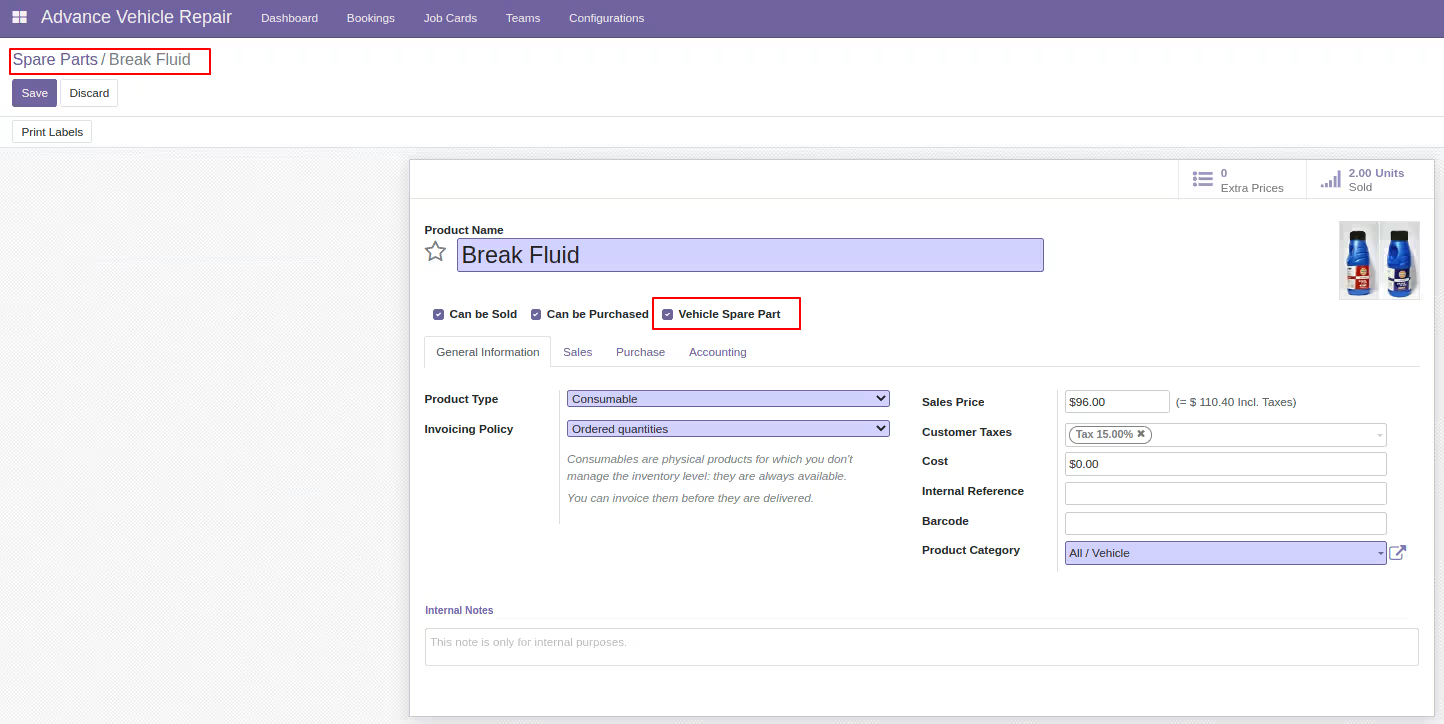
Spare parts
-
-
Vehicle conditions
-
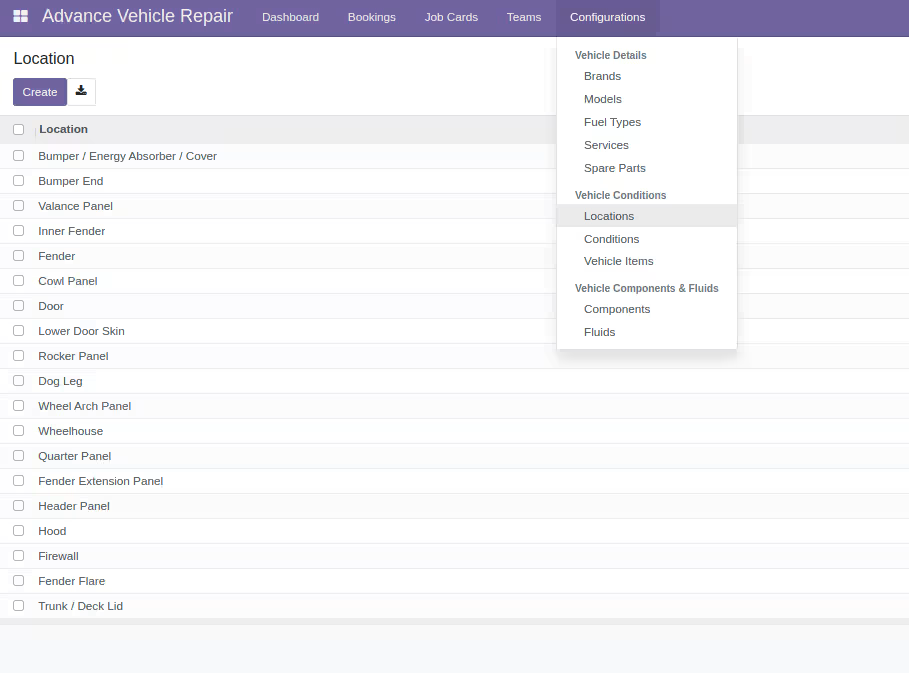
Locations
-
Conditions
-
Vehicle items
-
-
Vehicle components & fluids
-
Components
-
Fluids
-
-
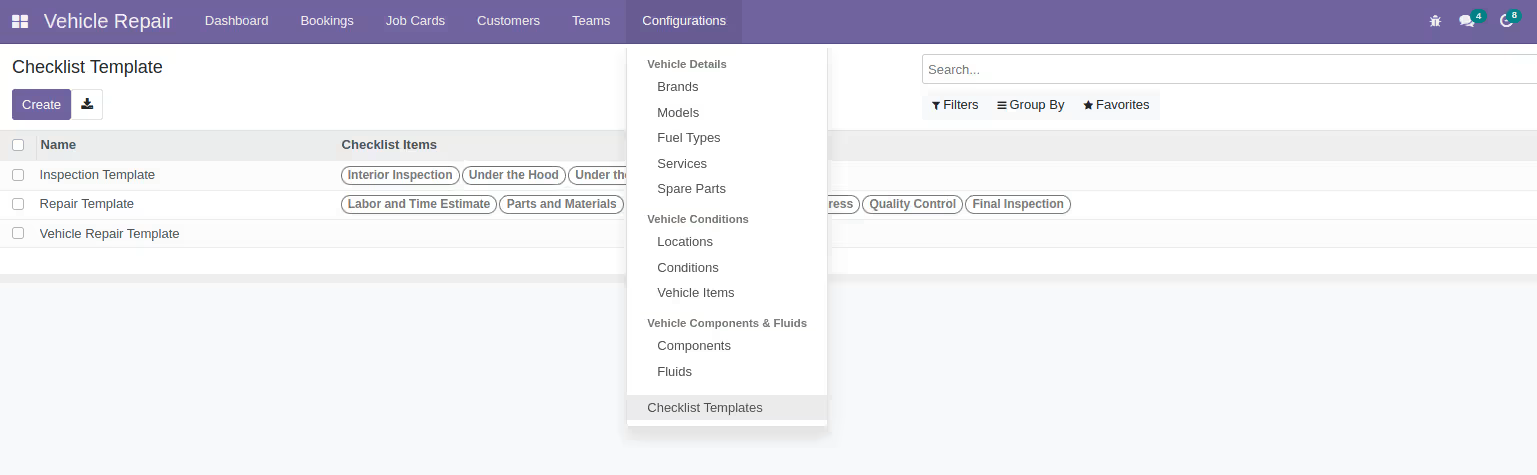
Checklist Templates
-
Template details
-