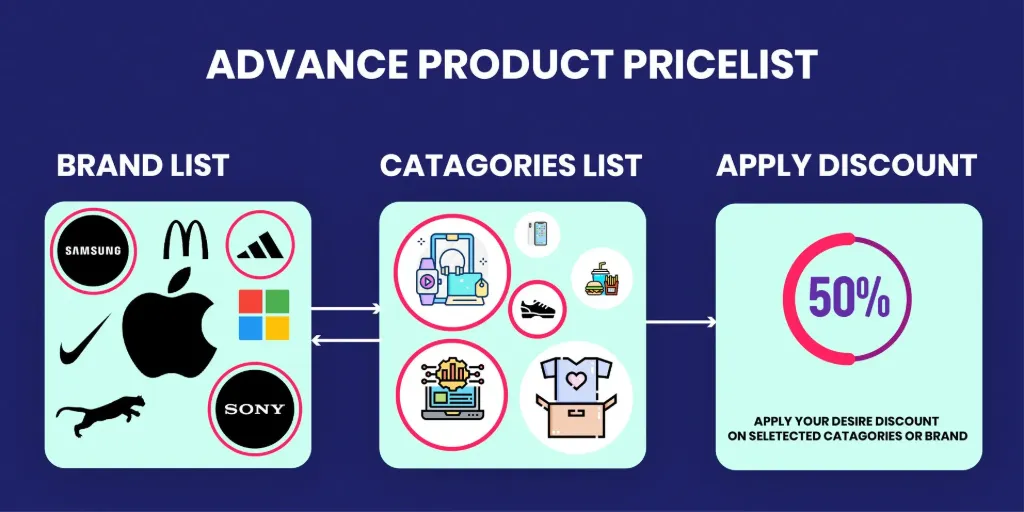
The Advanced Product PriceList module for empowers businesses to implement dynamic pricing strategies across multiple sales channels, including Sales, Website, and Point of Sale (POS). This module enhances pricing flexibility by enabling the definition of complex pricing rules based on various conditions such as customer segments, product categories, and sales volumes. By automating price adjustments, it ensures consistency and competitiveness in pricing, ultimately improving profit margins and customer satisfaction.
Key Features
Multi-Channel Pricing: Apply consistent pricing rules across Sales, Website, and POS platforms.
Advanced Price Rules: Define pricing based on formulas, discounts, and fixed prices.
Customer-Specific Pricing: Set unique prices for individual customers or customer groups.
Time-Based Pricing: Implement pricing strategies that vary by time periods or promotional events.
Currency Management: Handle multiple currencies seamlessly within the pricing structure.
Discount Policies: Configure discount policies to include or exclude discounts in the displayed price.
Product Category Pricing: Apply pricing rules to specific product categories for targeted pricing strategies.
Margin-Based Pricing: Set prices based on desired profit margins over cost or sales price.
Benefits
Enhanced Pricing Flexibility: Tailor pricing strategies to meet diverse business needs across different sales channels.
Consistency Across Channels: Ensure uniform pricing rules are applied across Sales, Website, and POS.
Improved Profit Margins: Utilize advanced pricing techniques to optimize profit margins.
Customer Segmentation: Offer personalized pricing to different customer segments, enhancing customer loyalty.
Promotional Pricing Management: Easily manage and implement promotional pricing strategies.
Operational Efficiency: Automate pricing adjustments, reducing manual intervention and errors.
Scalability: Adapt pricing strategies as the business grows and enters new markets or product lines.
Advance Product PriceList (Sales/Website/POS)
We all know the odoo default pricelist is provides good features but not provides advance level features. Which are really needed for the every business to give more and more offers to customers.
What our app provide?
This app allow you to configure advance level features to you can give more and more offers to customer. You can configure like Category along with Brand and also allow to configure Brand along with Category and many more. You can use this app with Sales orders, Website orders, POS orders, ...etc
 Key Features
 Documentation
 Change Logs
- You can configure pricelist rule with only Category Level
- You can configure pricelist rule with Brand Level along with Category Level
- You can configure pricelist rule with only Brand Level
- You can configure pricelist rule with Category Level along with Brand Level
- You can create product brands.
- You can set Brand to all Products.
App Installation
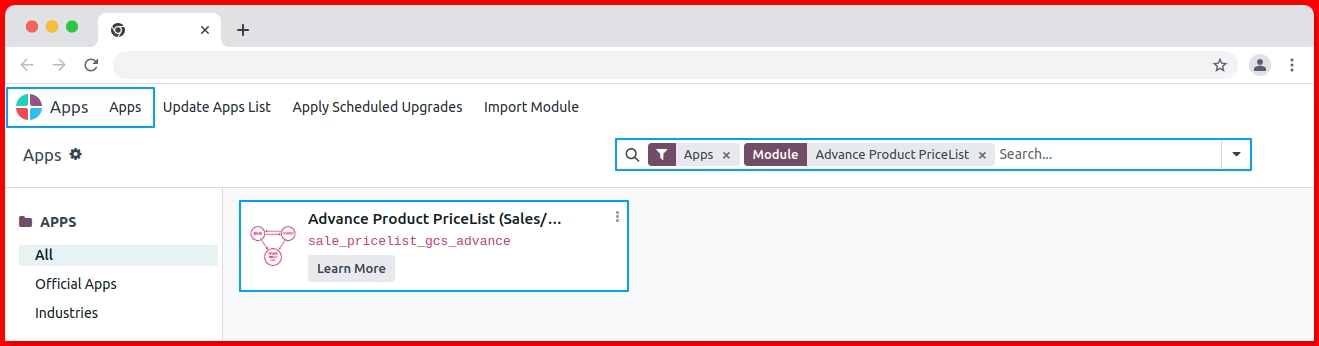
After, Purchase app you need to install our app.
Configure pricelist rule with only Category Level
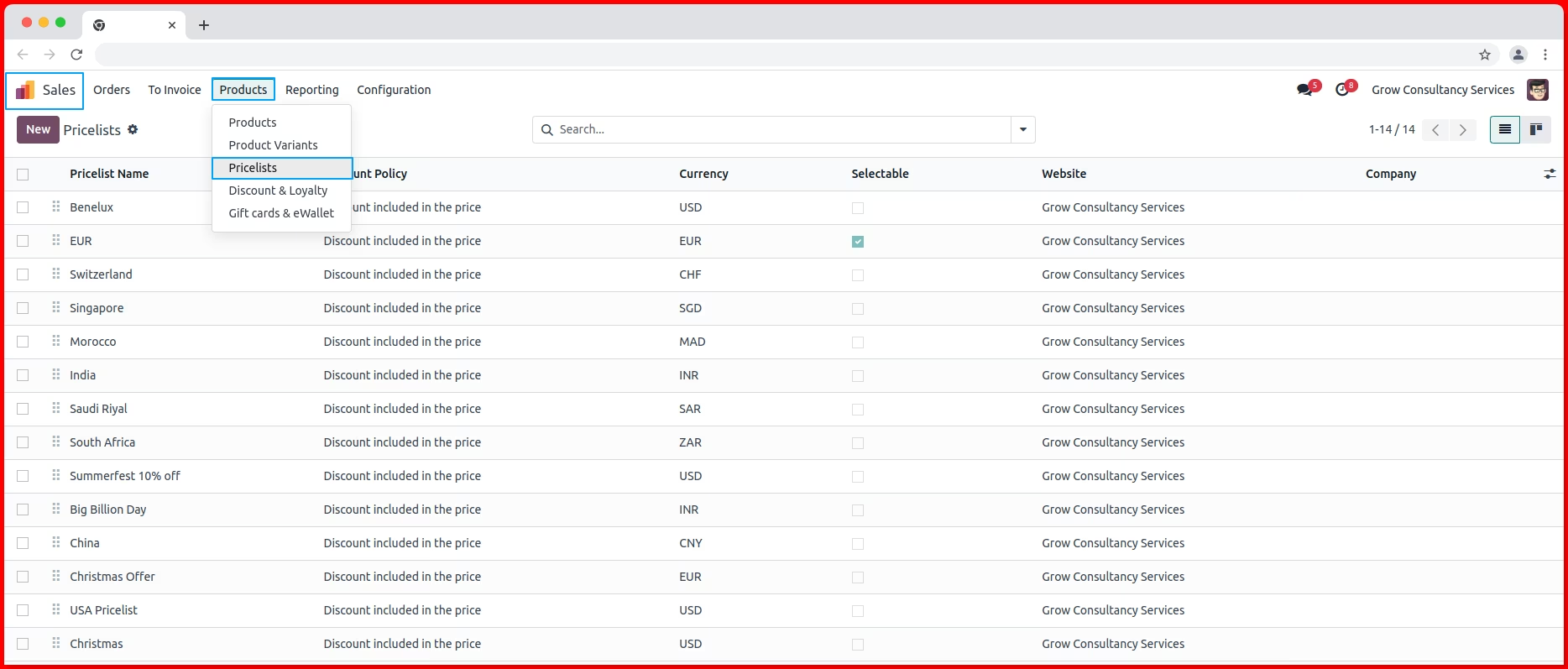
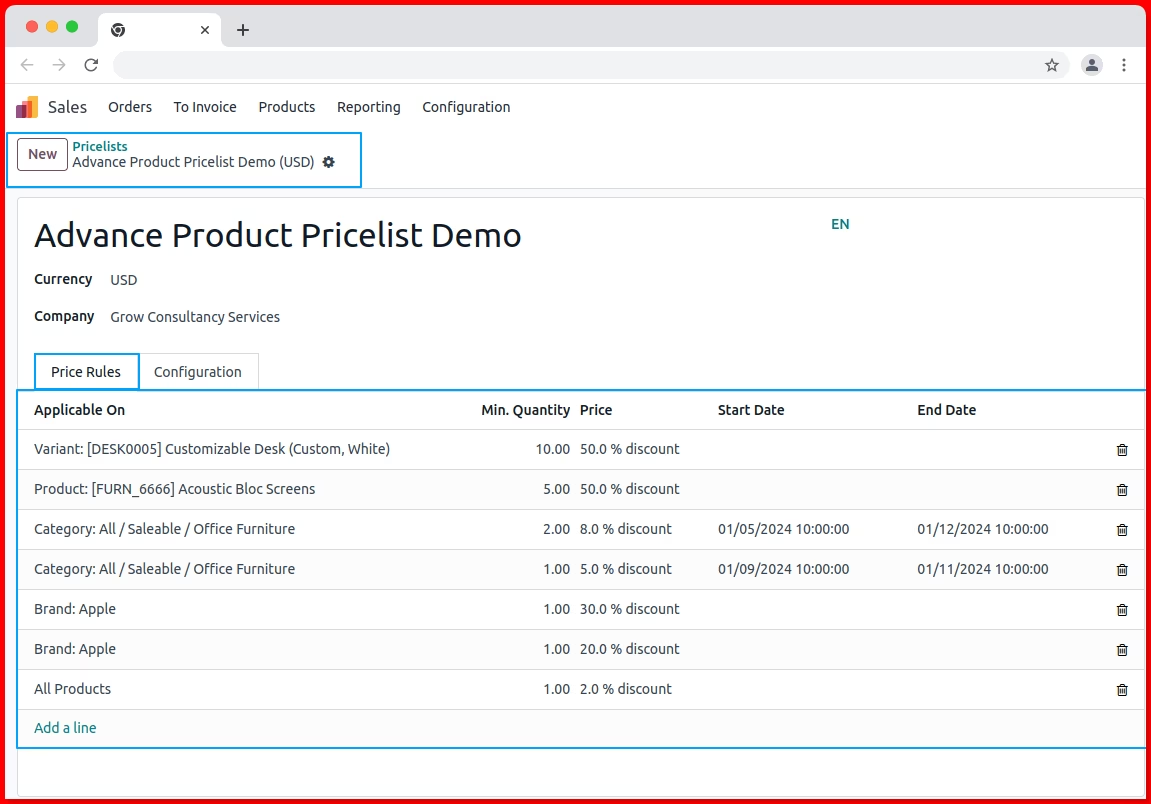
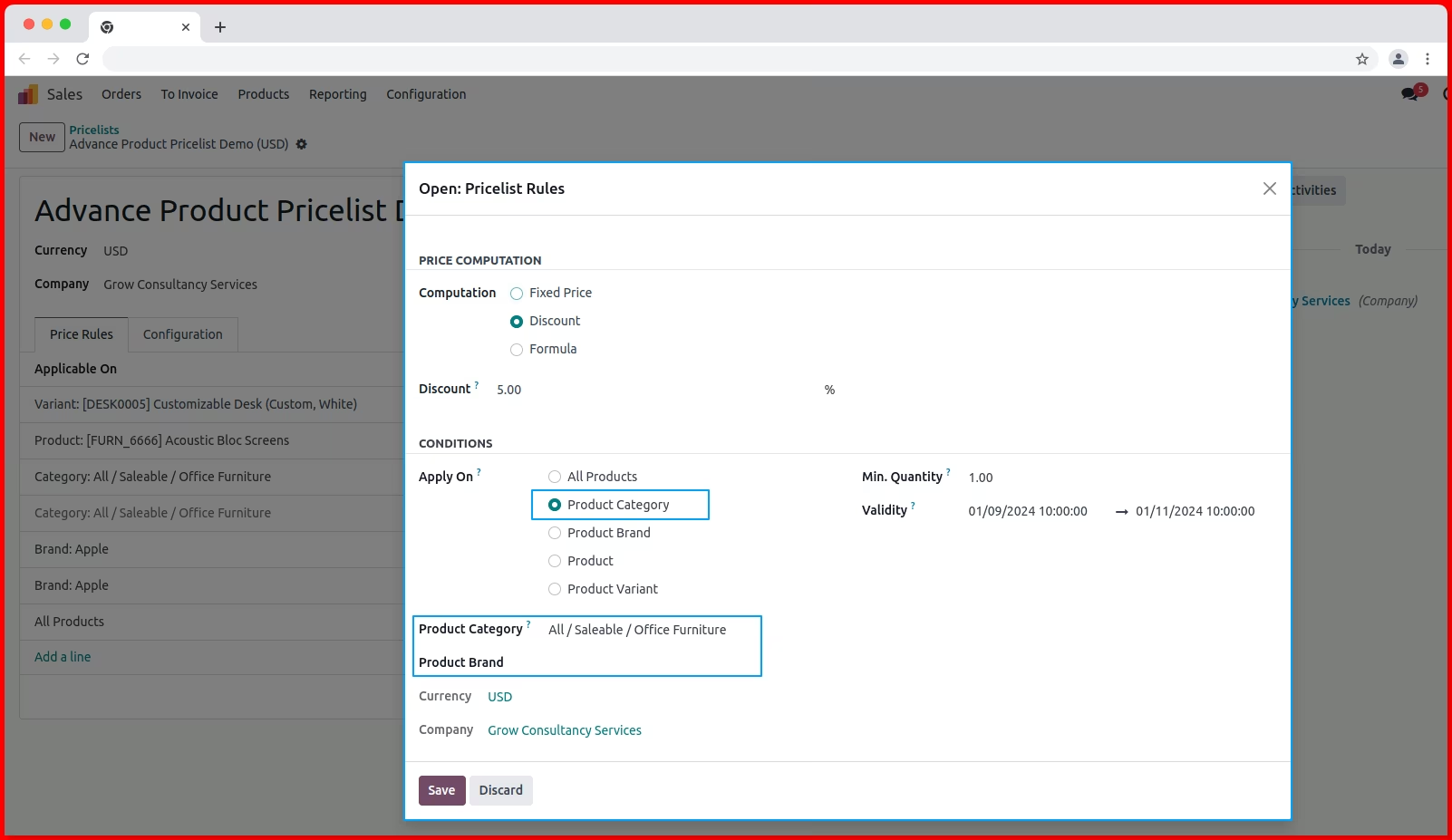
1. Goto Sales -> Products -> Pricelist -> Create/Open any Pricelist -> Price Rules Tab 2. On pricelist rule select Apply On: Product Category >> Product Category: Select product category >> Product Brand: Leave product brand >> And with this you can configure other option like Min. qty, Start date, End date, Compute Price,...etc >> When you select product on Sale Order, POS, Website, and Others that time system will check the if Category will match then apply this pricelist rule to that product and will apply your offer.
Configure pricelist rule with Brand Level along with Category Level
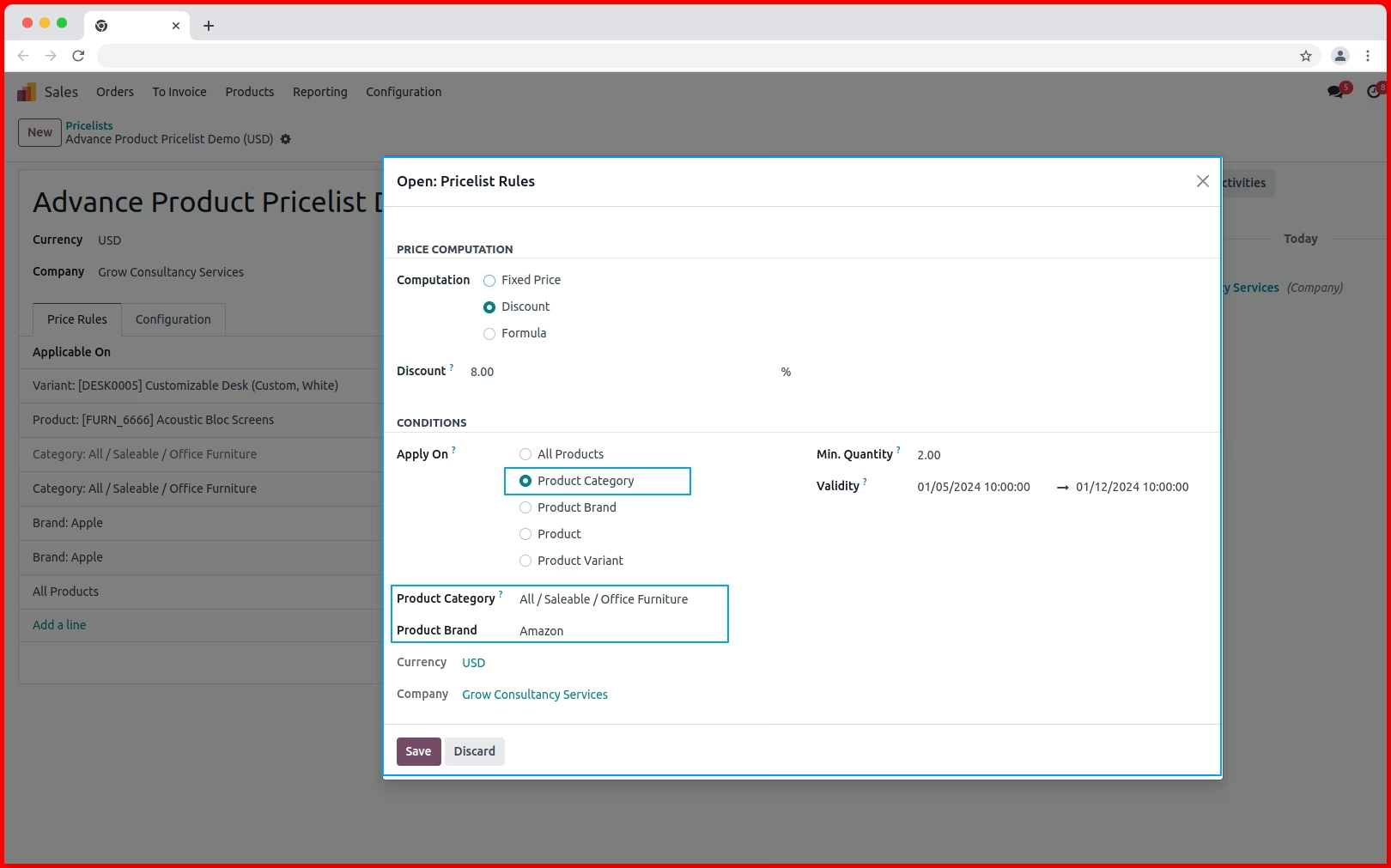
1. On pricelist rule select Apply On: Product Category >> Product Category: Select product category >> Product Brand: Select product brand >> And with this you can configure other option like Min. qty, Start date, End date, Compute Price,...etc >> When you select product on Sale Order, POS, Website, and Others that time system will check the if Category and Brand both will match then apply this pricelist rule to that product and will apply your offer.
Configure pricelist rule with only Brand Level
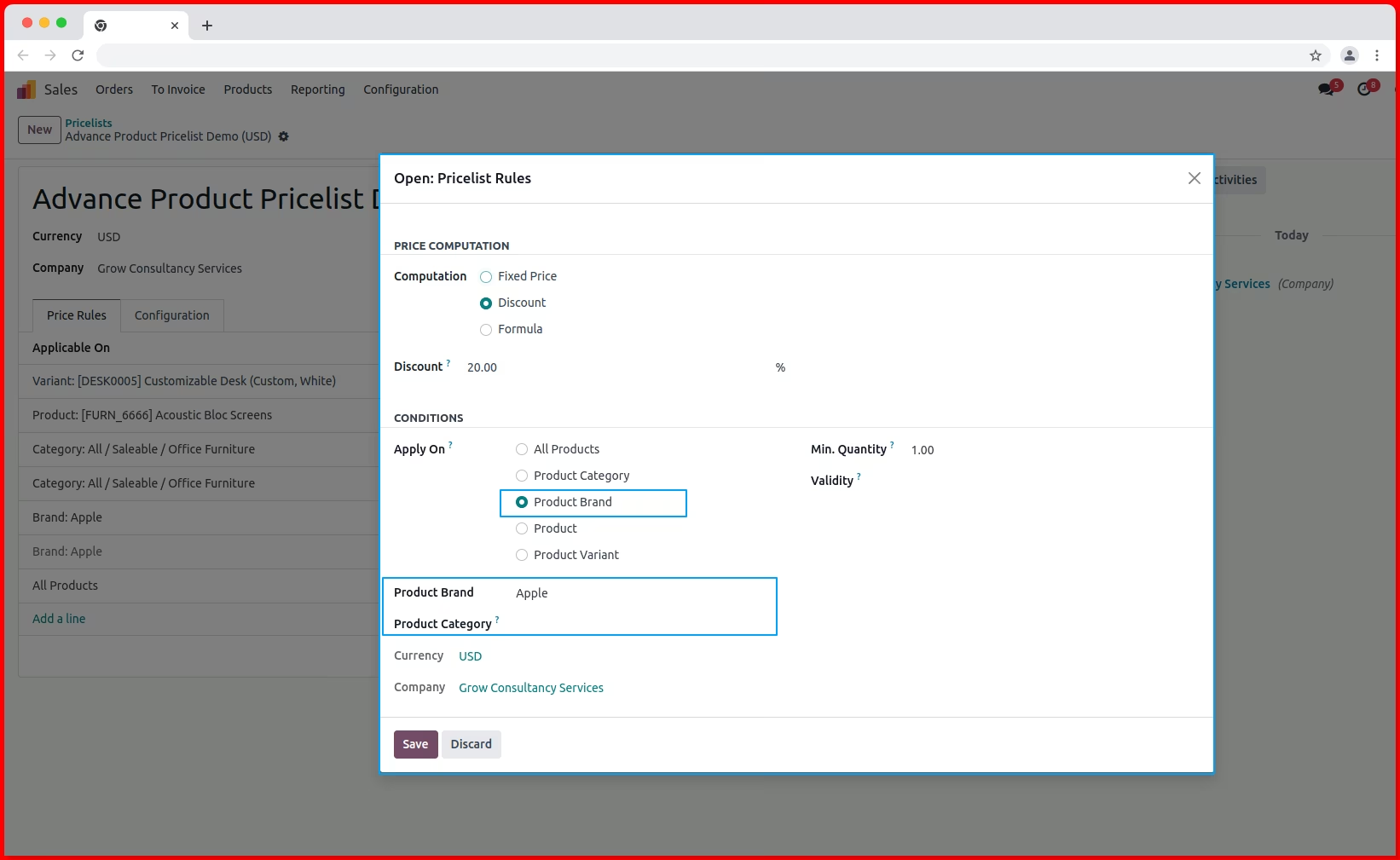
1. On pricelist rule select Apply On: Product Brand >> Product Brand: Select product Brand >> Product Category: Leave empty Product Category >> And with this you can configure other option like Min. qty, Start date, End date, Compute Price,...etc >> When you select product on Sale Order, POS, Website, and Others that time system will check the if Brand will match then apply this pricelist rule to that product and will apply your offer.
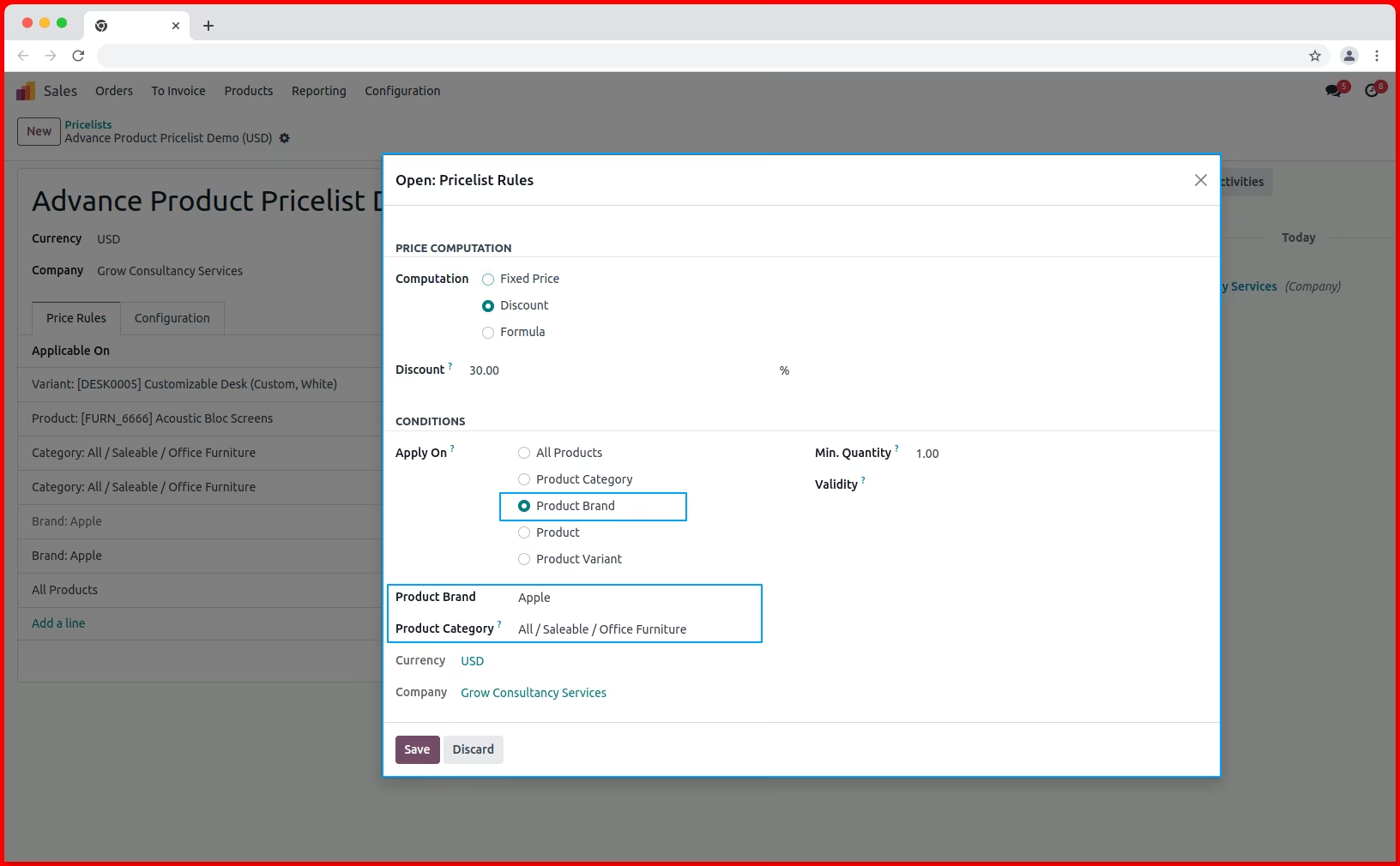
Configure pricelist rule with Category Level along with Brand Level
1. On pricelist rule select Apply On: Product Brand >> Product Brand: Select product Brand >> Product Category: Select product Category >> And with this you can configure other option like Min. qty, Start date, End date, Compute Price,...etc >> When you select product on Sale Order, POS, Website, and Others that time system will check the if Category and Brand both will match then apply this pricelist rule to that product and will apply your offer.