
The Advanced Product PriceList module for empowers businesses to implement dynamic pricing strategies across multiple sales channels, including Sales, Website, and Point of Sale (POS). This module enhances pricing flexibility by enabling the definition of complex pricing rules based on various conditions such as customer segments, product categories, and sales volumes. By automating price adjustments, it ensures consistency and competitiveness in pricing, ultimately improving profit margins and customer satisfaction.
Key Features
Multi-Channel Pricing: Apply consistent pricing rules across Sales, Website, and POS platforms.
Advanced Price Rules: Define pricing based on formulas, discounts, and fixed prices.
Customer-Specific Pricing: Set unique prices for individual customers or customer groups.
Time-Based Pricing: Implement pricing strategies that vary by time periods or promotional events.
Currency Management: Handle multiple currencies seamlessly within the pricing structure.
Discount Policies: Configure discount policies to include or exclude discounts in the displayed price.
Product Category Pricing: Apply pricing rules to specific product categories for targeted pricing strategies.
Margin-Based Pricing: Set prices based on desired profit margins over cost or sales price.
Benefits
Enhanced Pricing Flexibility: Tailor pricing strategies to meet diverse business needs across different sales channels.
Consistency Across Channels: Ensure uniform pricing rules are applied across Sales, Website, and POS.
Improved Profit Margins: Utilize advanced pricing techniques to optimize profit margins.
Customer Segmentation: Offer personalized pricing to different customer segments, enhancing customer loyalty.
Promotional Pricing Management: Easily manage and implement promotional pricing strategies.
Operational Efficiency: Automate pricing adjustments, reducing manual intervention and errors.
Scalability: Adapt pricing strategies as the business grows and enters new markets or product lines.

Product Variant Dimensional Values
User can select UOM and add different height, width and length.

Product Price Calculation Option
User have option to calculate product price based on product dimension or qty.

Dimension Method Option
User have option to select different product measurement option as "Length x Width x Height" or "Width x Height".

Calculates Product UOM (Mt.)2 based on Length, Height & Width.
Automatically calculates product UOM (Mt.)2 based on height and width, also price will be calculated based on (Mt.)2.
Product Variant Measurement
Under product variant user need to enable "Uses Dimensional Values" option and select "UOM Prompt" and enter minimum and maximum "Length, Width, and Height" for product variant.
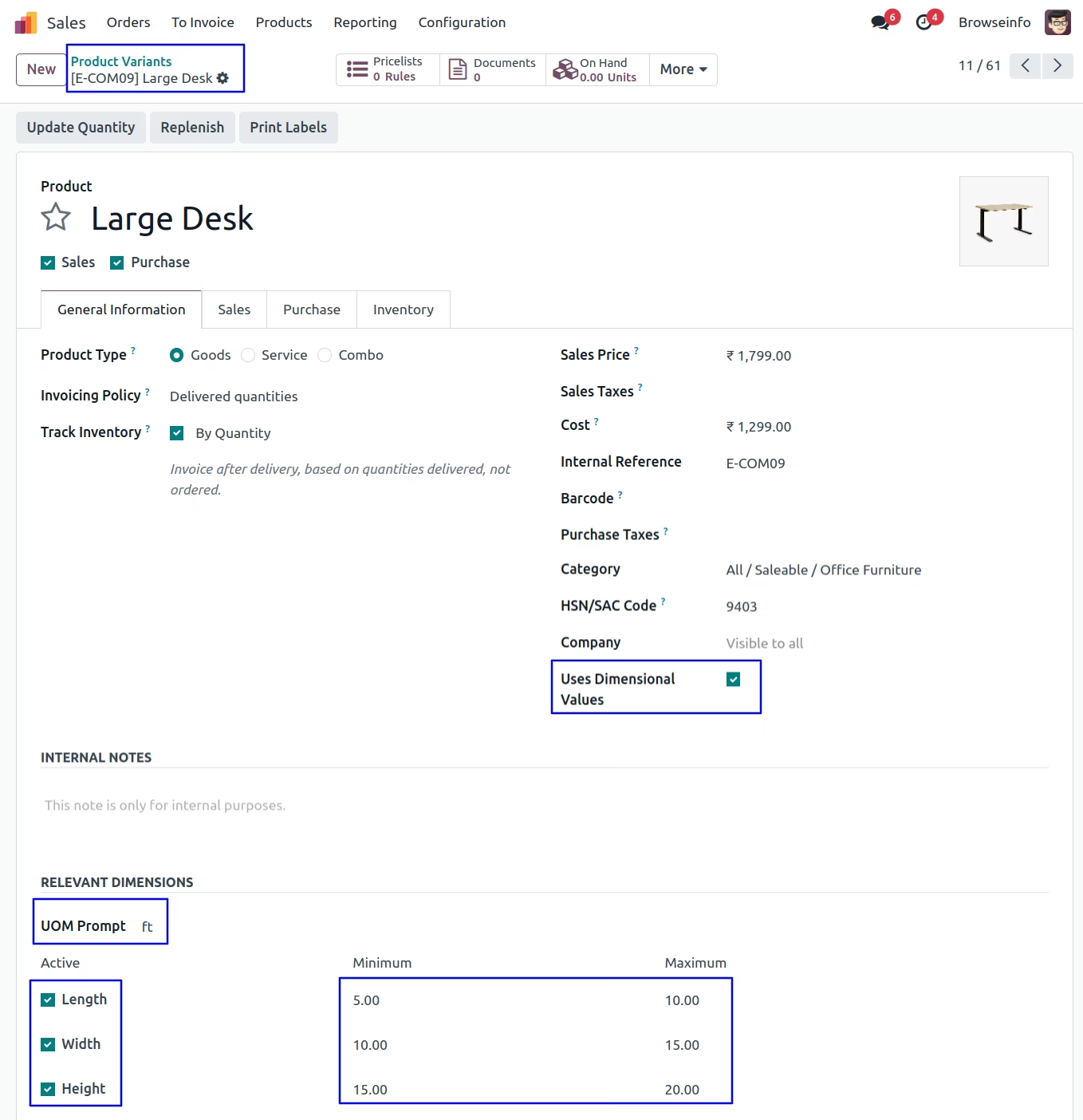
Option 1 : Price Calculation based on Dimension(m2/m3)
Unit Price Calculation Configuration
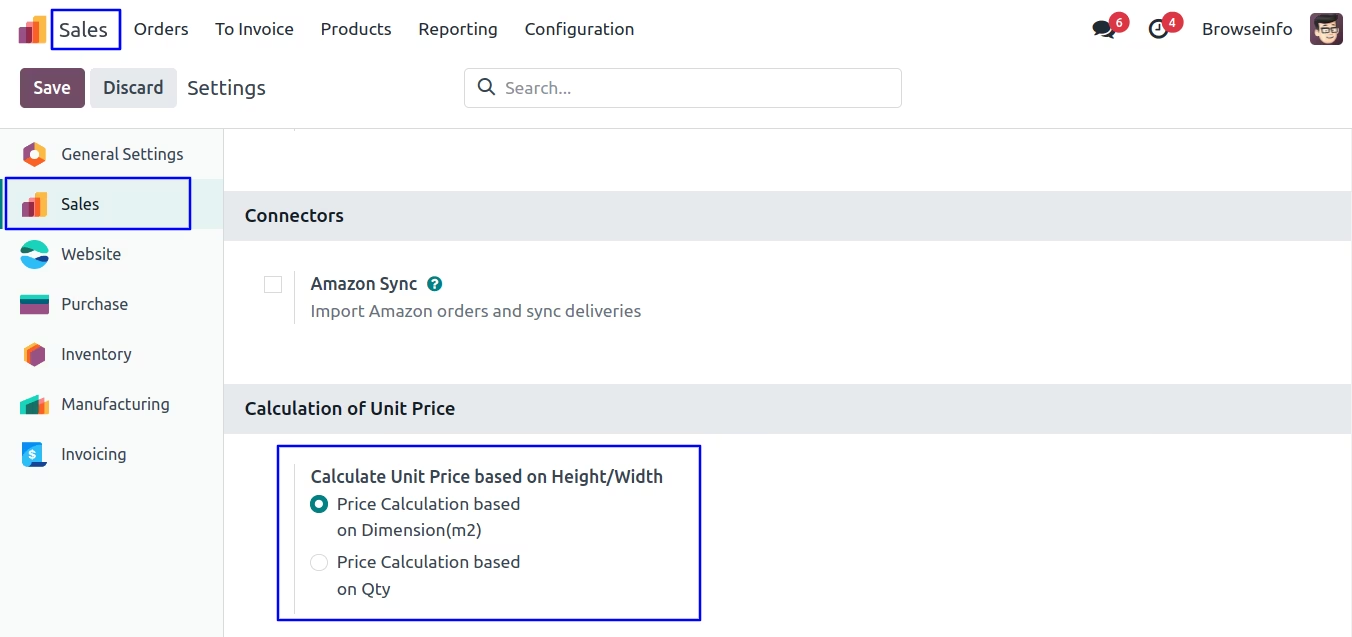
User have to select "Price Calculation based on Dimension(m2/m3)" option under Sales > Configuration > Settings menu.
In this option net price will calculated based on : UNIT PRICE * QTY * M2.
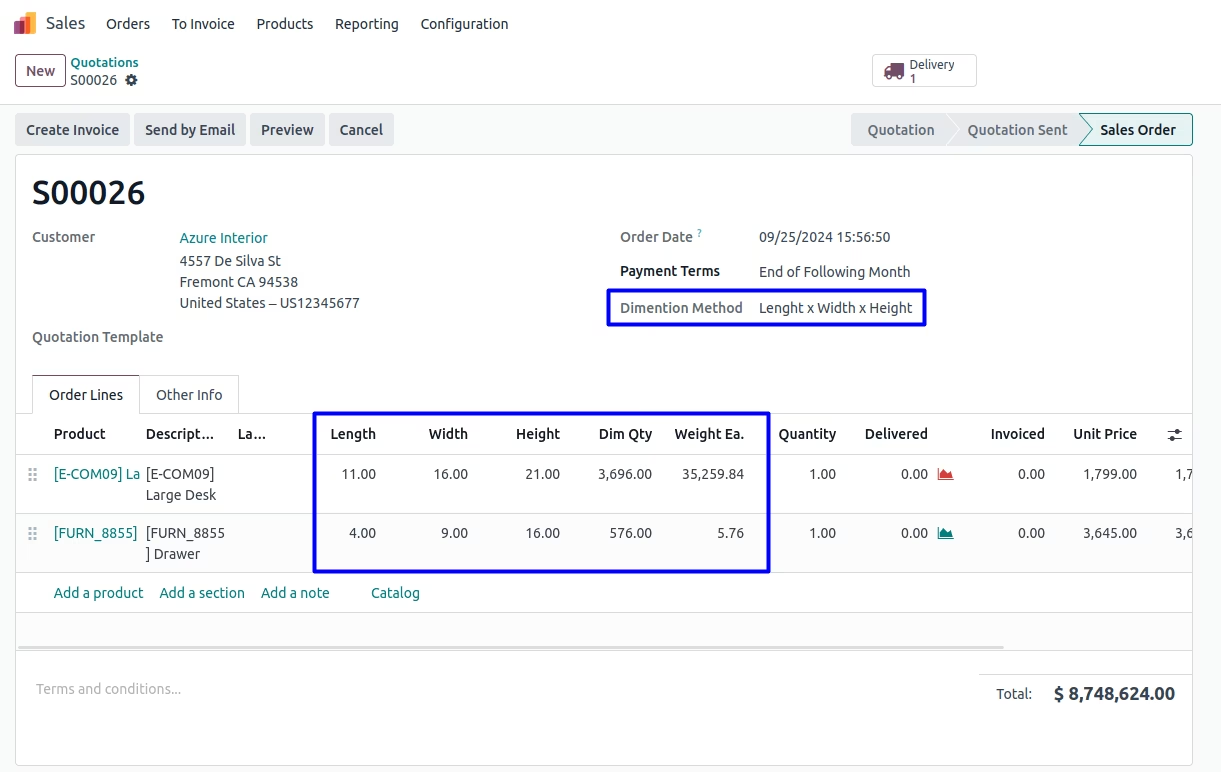
Product Dimension on Sales Order
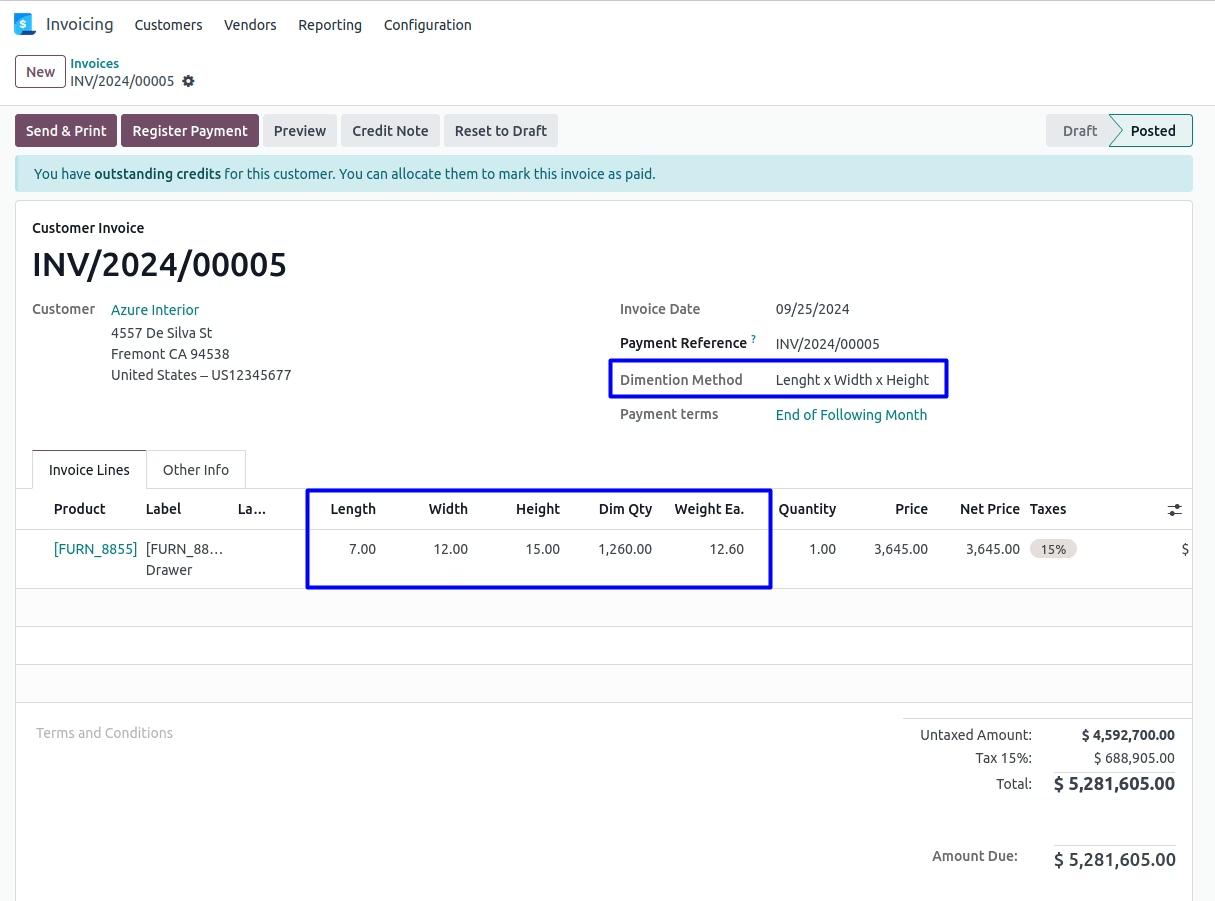
While creating quotation, salesman can select "Dimension Method" and add "Length, Width and Height" of product and based on that "Dim Qty, and Weight Ea." will automatically calculated in order line.
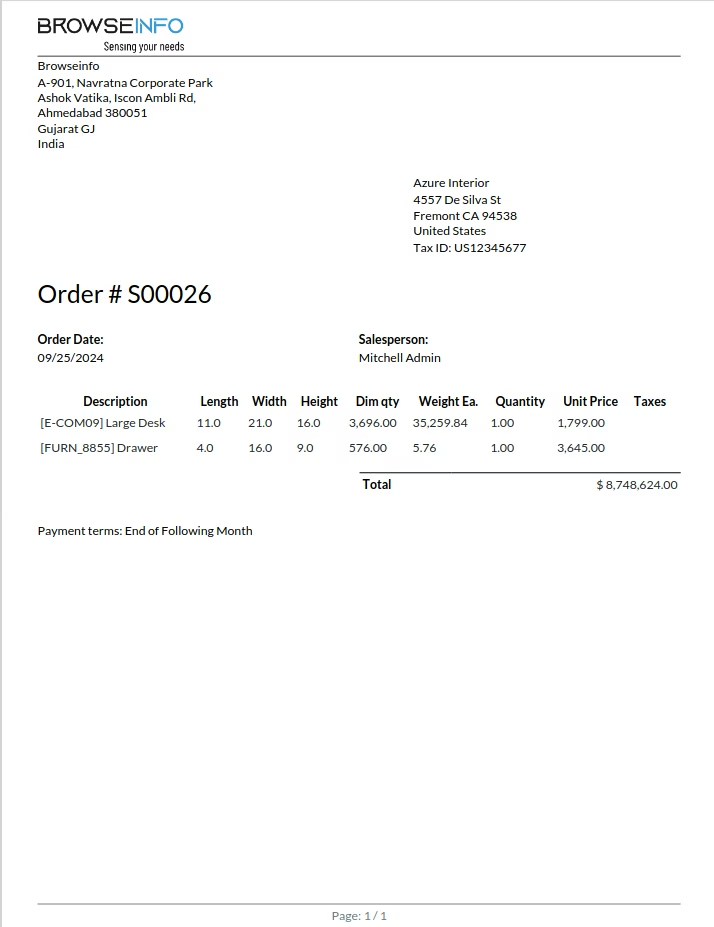
User can see the length height and width and net price of product is display on generated order.
Product Dimension on Customer Invoice
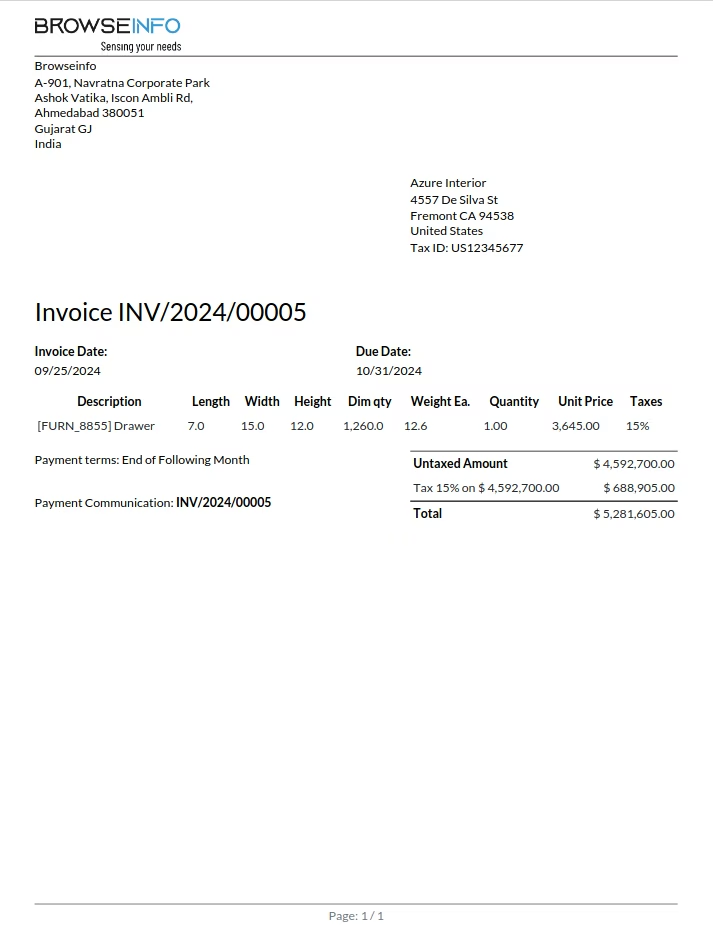
While invoice created from the sales order same height(Mt.)/width(Mt.) will be passed on invoice line for product. Also billing user can add length, height and width of product in invoice line.
Product Dimension on Purchase Order
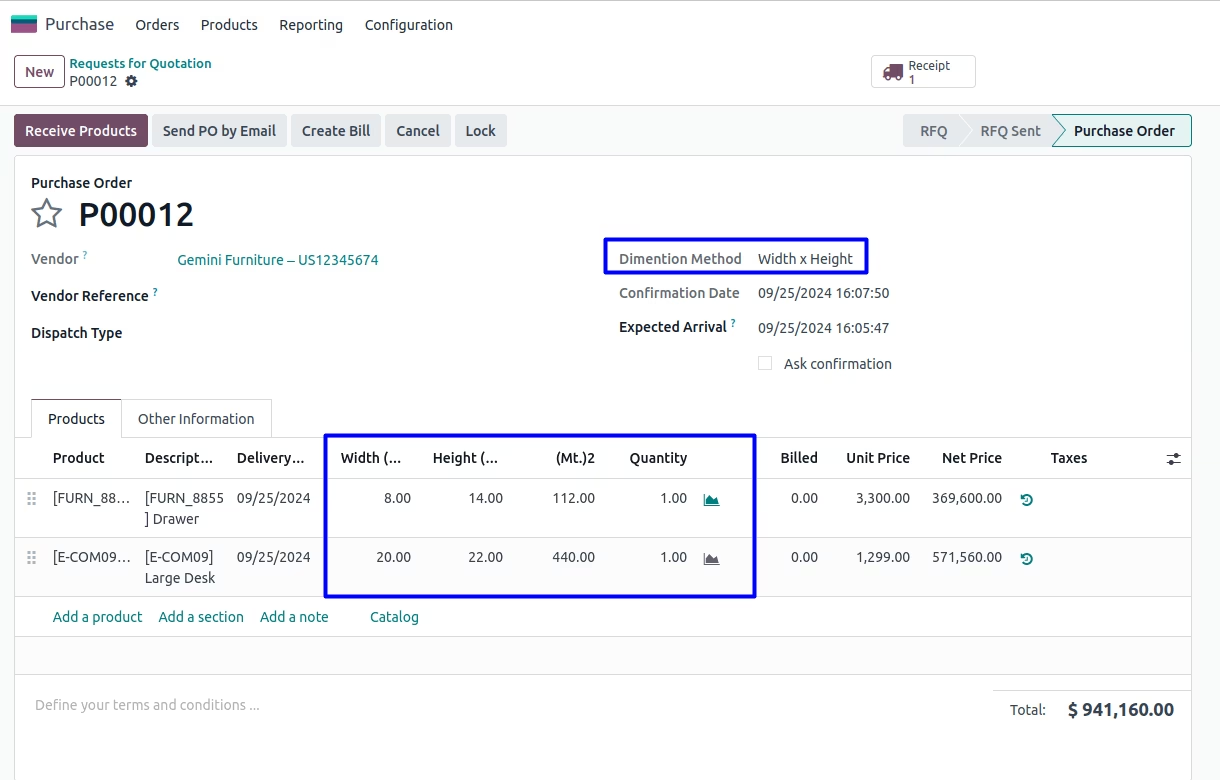
When purchase generated by the purchase user, purchase user can add length, height and width of product in order line and based on that price will be calculated according to its height and width. Also same will be automatically effected when purchase has been generated from the sales order(by confirm sales).
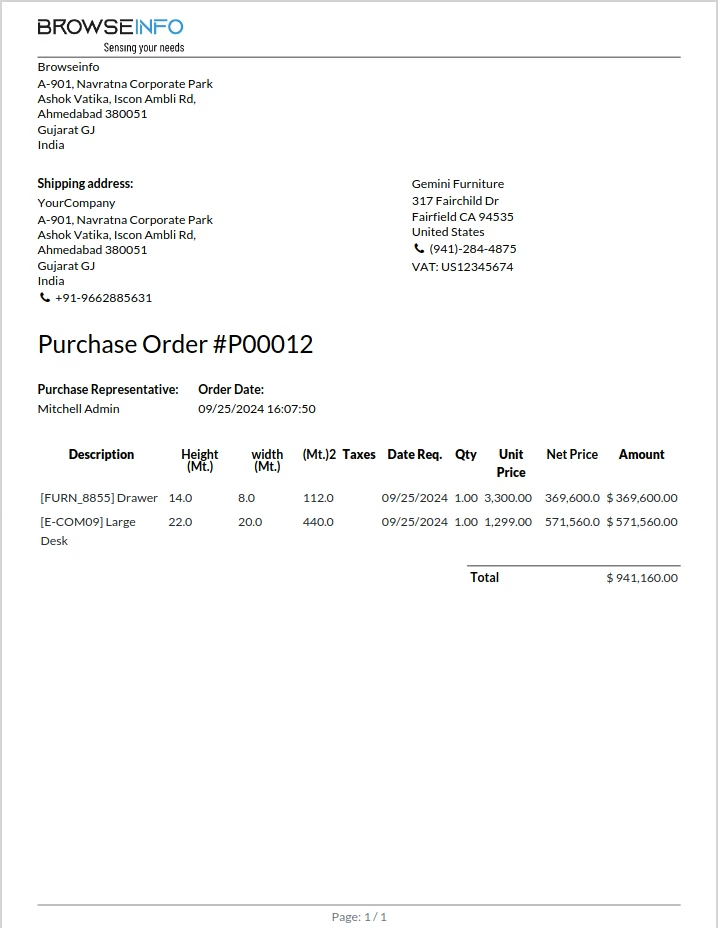
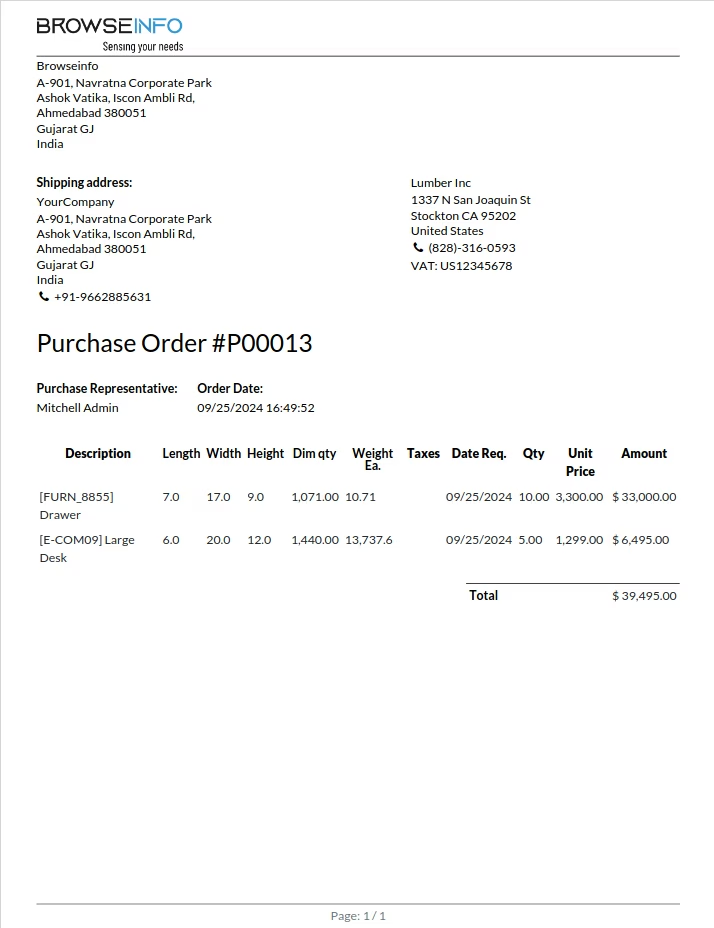
User can see the height(Mt.), width(Mt.), (Mt.)2 and net price of product is display on purchase order and also for request for quotation.
Product Dimension on Vendor Bill
While supplier invoice created from the purchase order same dimension method, height(Mt.)/width(Mt.) will be passed on invoice line for product.
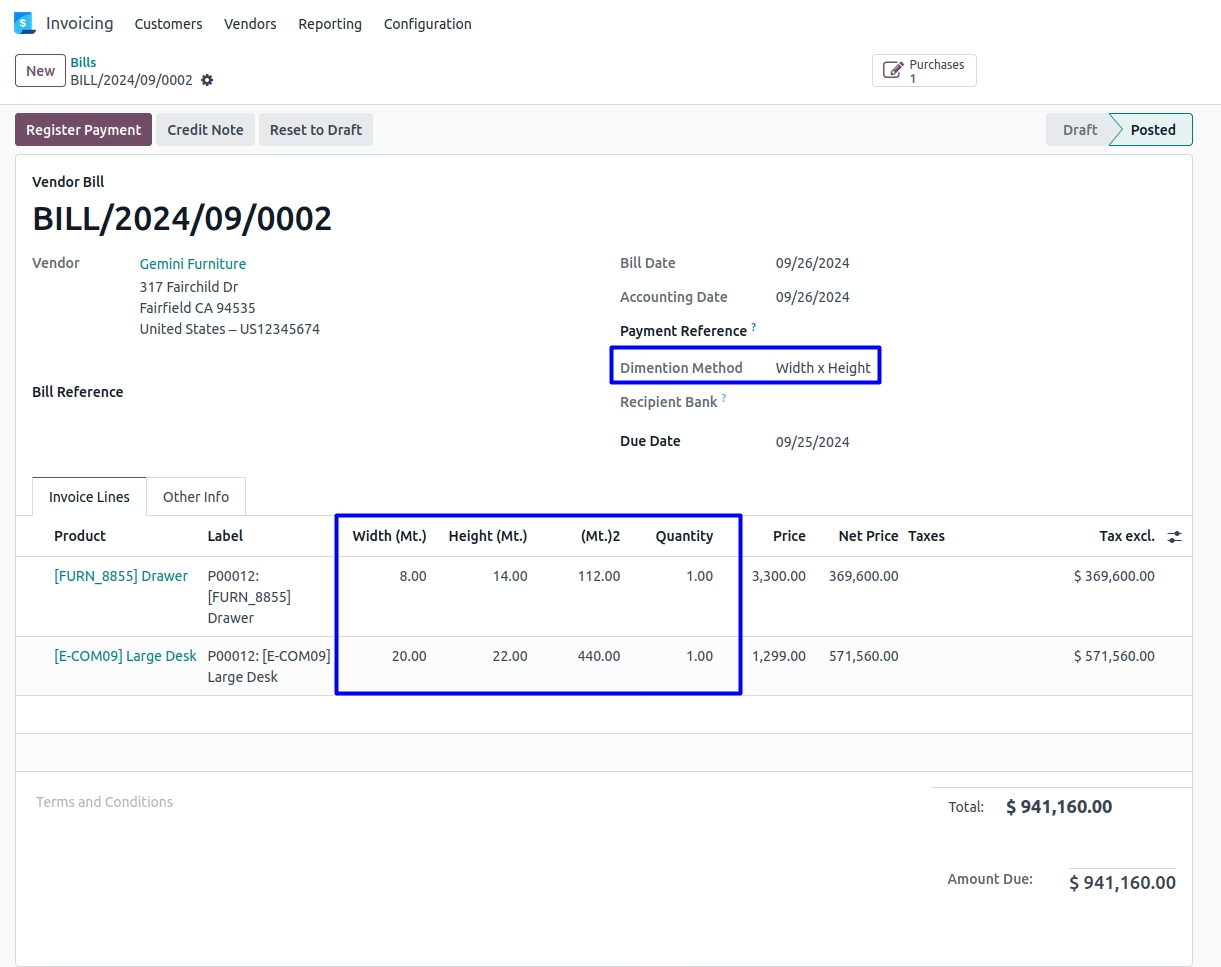
User can see the height(Mt.), width(Mt.), (Mt.)2 and net price of product is display on generated bill.
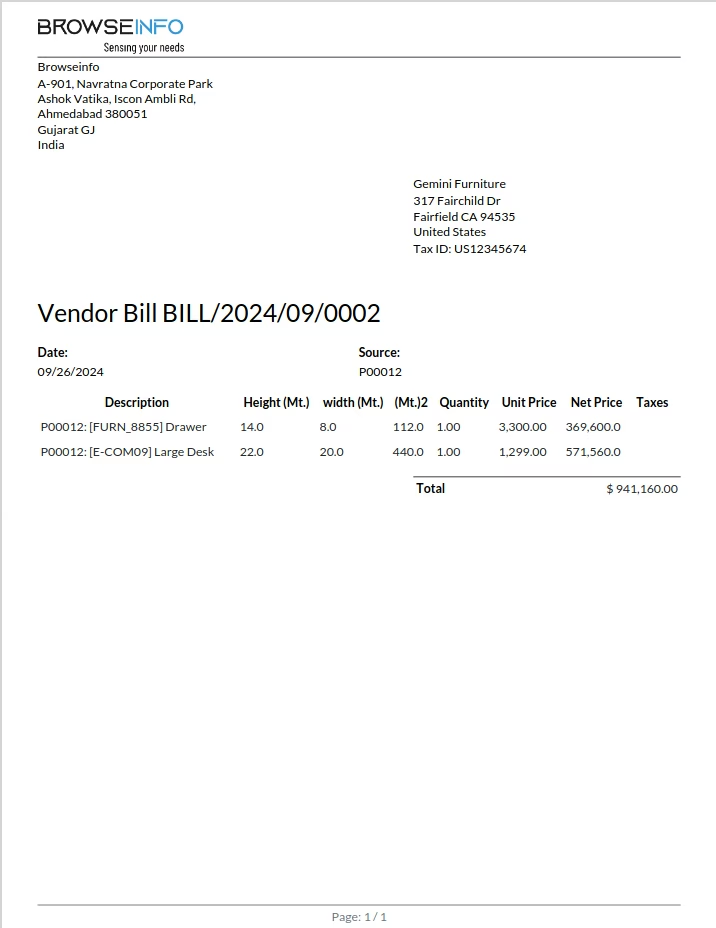
Product Dimension on Manufacturing
When Manufacturing order created by the production user can select dimension method, production user can add height(Mt.) and width(Mt.) of main product on manufacturing order and based on that (Mt.)2 price will be calculated according to its height and width. Also Same will be automatically effected when manufacturing has been generated from the sales order(by confirm sales).
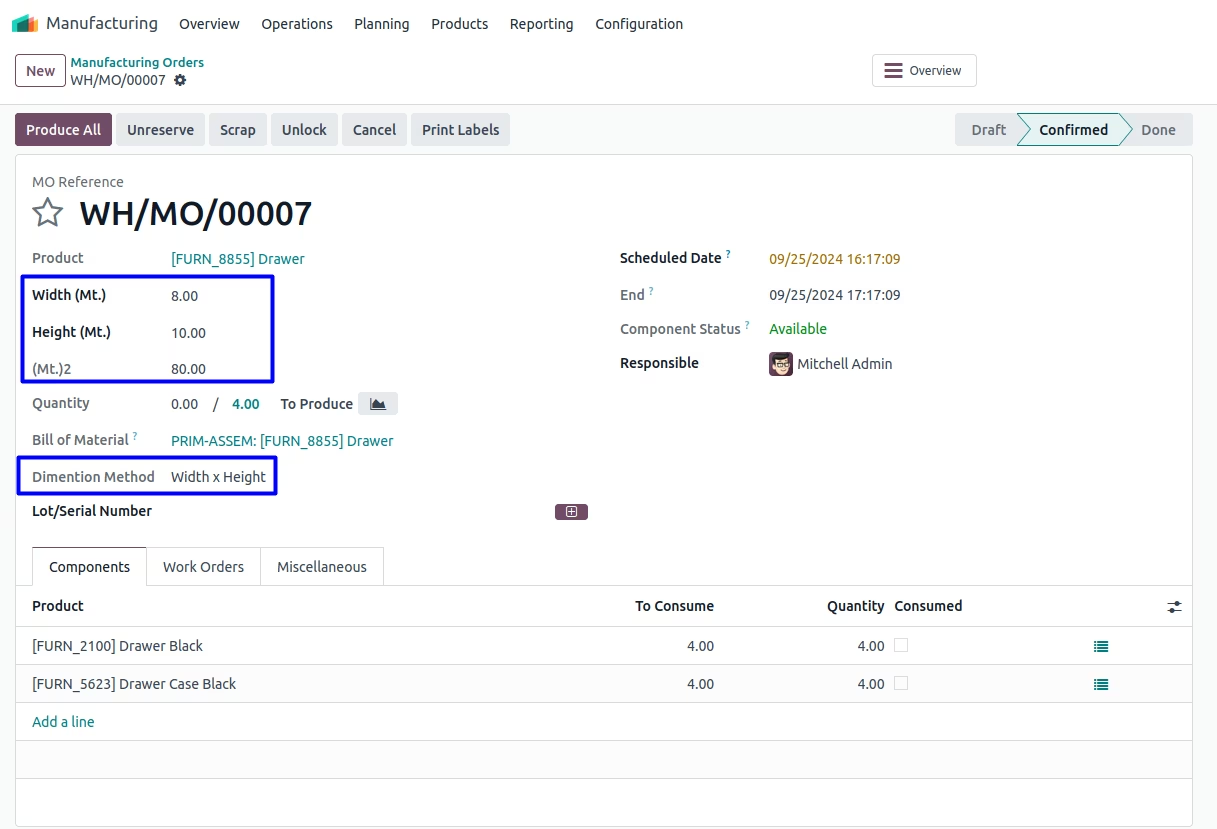
User can see the height(Mt.), width(Mt.), (Mt.)2 and net price of product is display on Production Order.
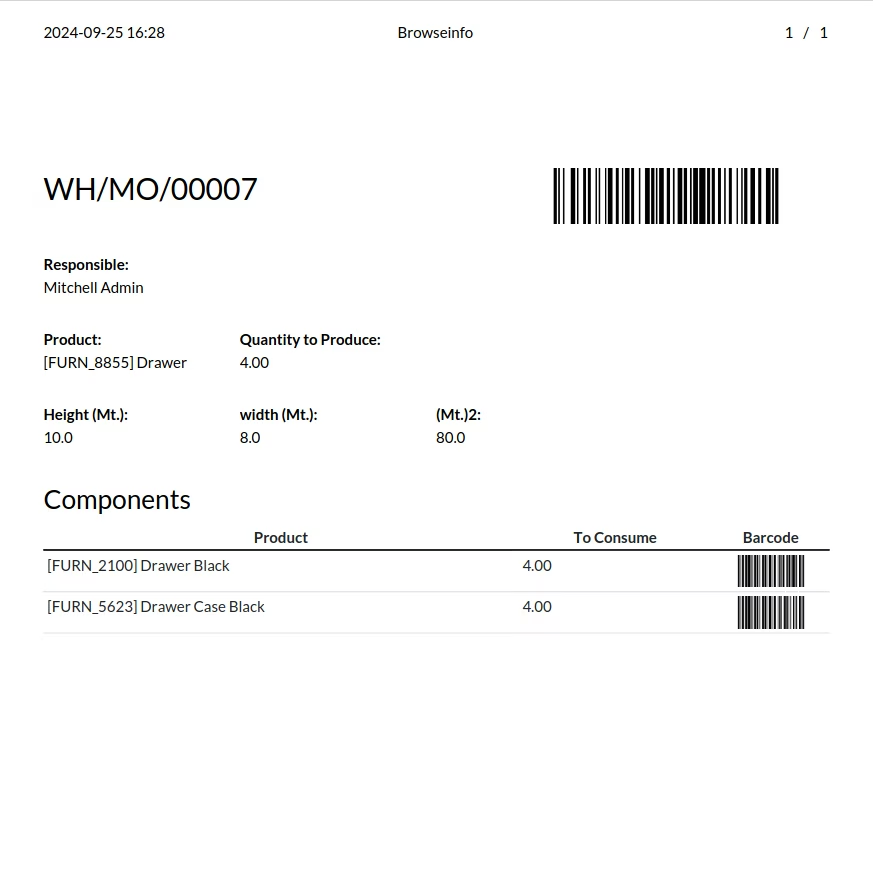
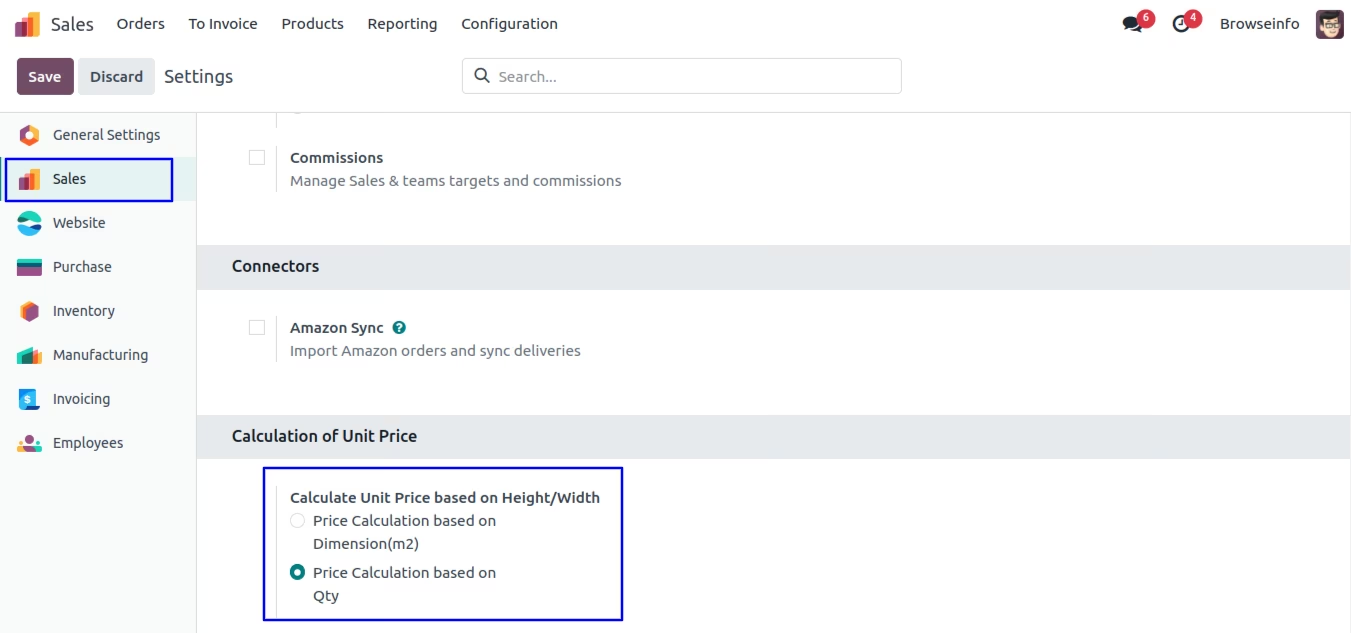
Option 2 : Price Calculation based on Qty
Configuration for Calculation of Unit Price
User have to select "Price Calculation based on Qty" option under Sales > Configuration > Settings menu.
Product Dimension on Sales
While creating Quotation, Salesman can add height(Mt.) and width(Mt.) of product in order line and based on that (Mt.)2 will be calculated automatically according to its height and width.
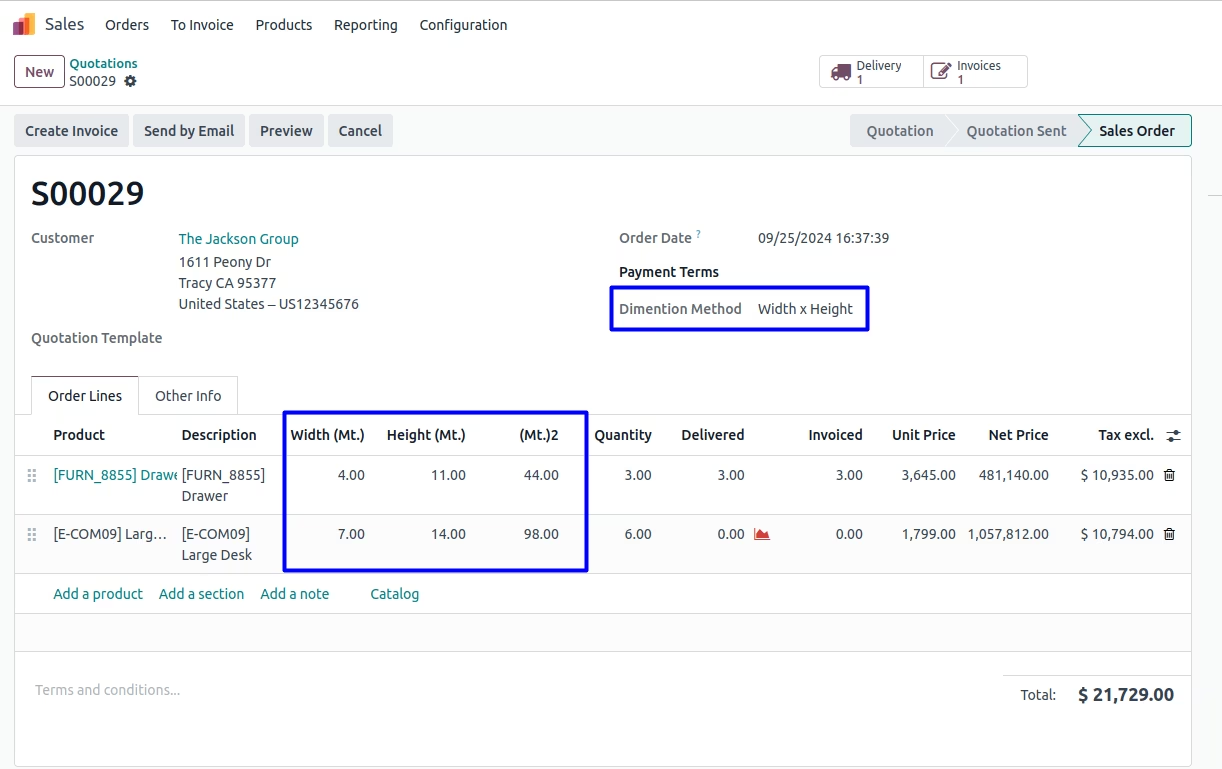
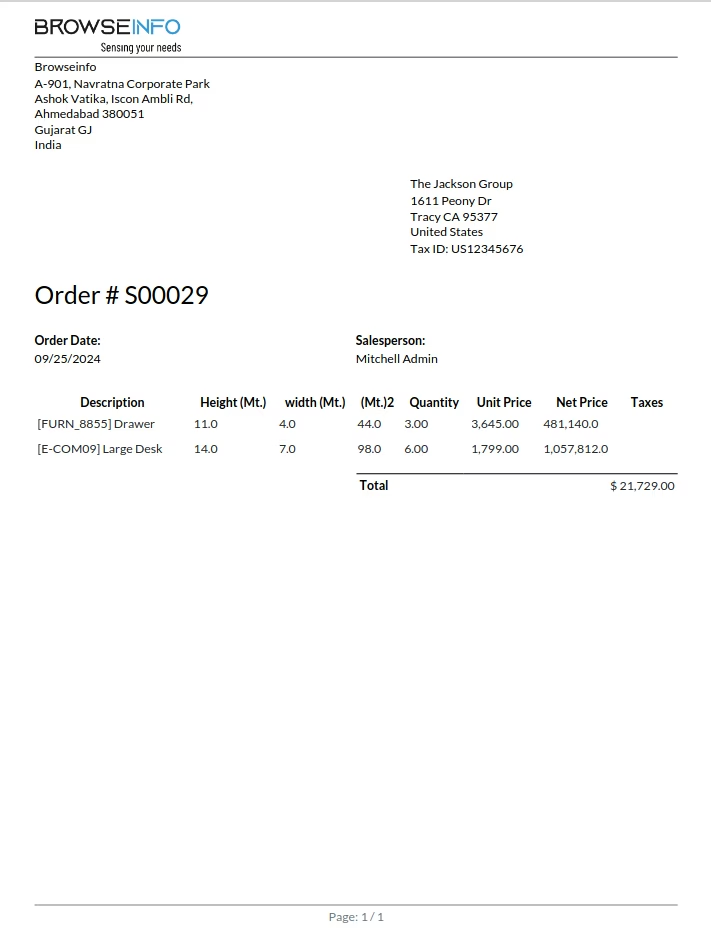
User can see the height width and M2 of product is display on generated order.
Product Dimension on Invoice
While invoice created from the sales order same height(Mt.)/width(Mt.) will be passed on invoice line for product. Also billing user can add height and width of product in invoice line and based on that (Mt.)2 will be calculated automatically according to its height and width.
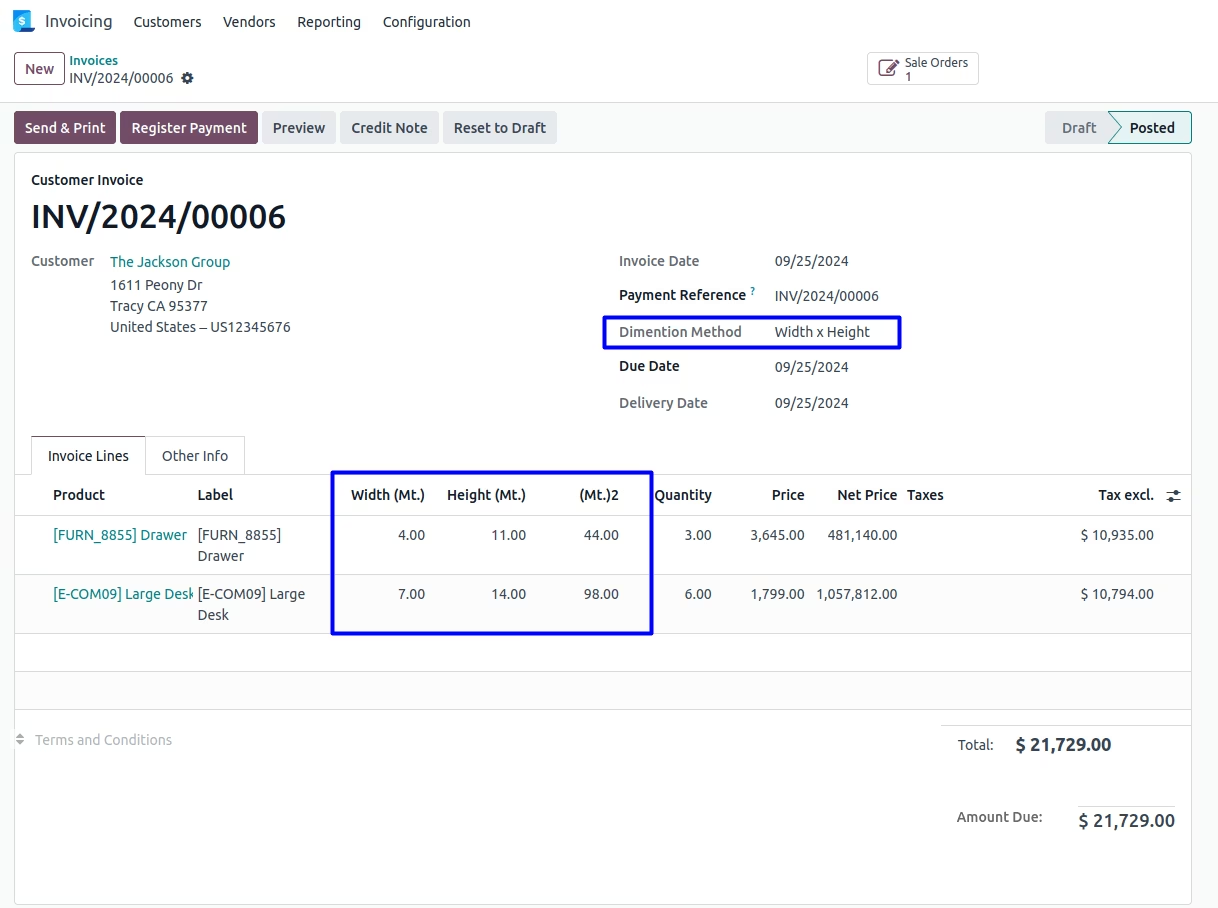
User can see the height width and M2 of product is display on generated invoice.
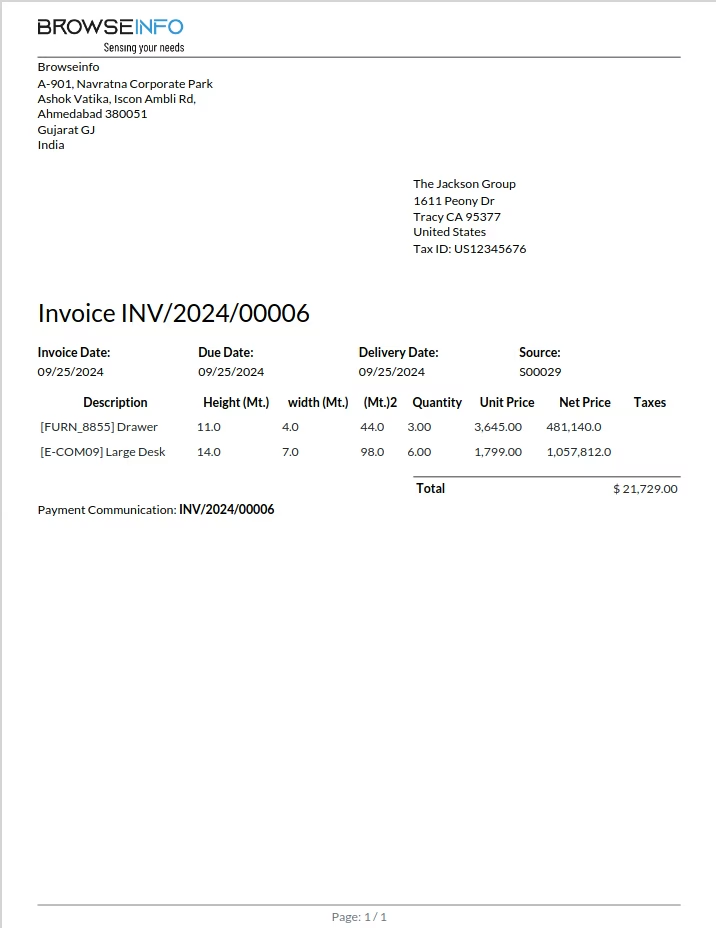
Product Dimension on Purchase
When purchase generated by the purchase user, purchase user can add height(Mt.) and width(Mt.) of product in order line and based on that (Mt.)2 will be calculated automatically according to its height and width. Also Same will be automatically effected when Purchase has been generated from the sales order(by confirm sales).
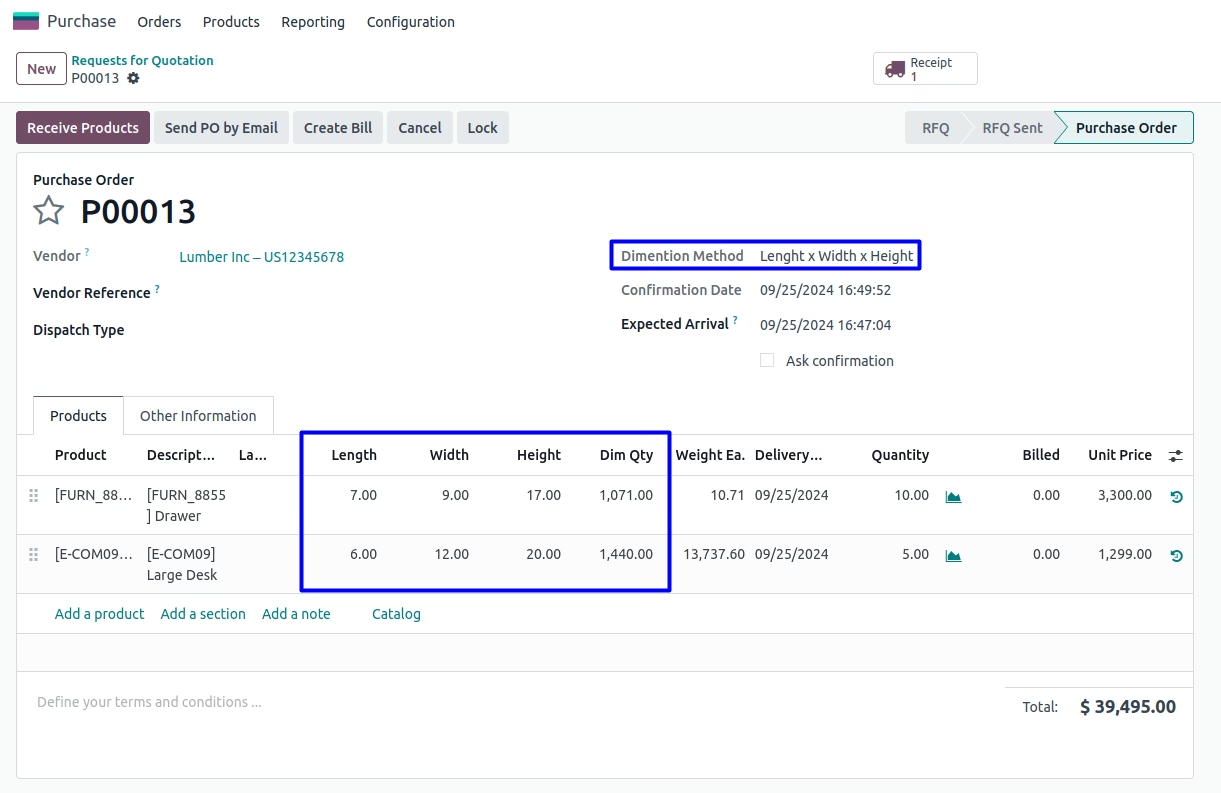
User can see the height(Mt.), width(Mt.) and (Mt.)2 of product is display on purchase order and also for request for quotation.
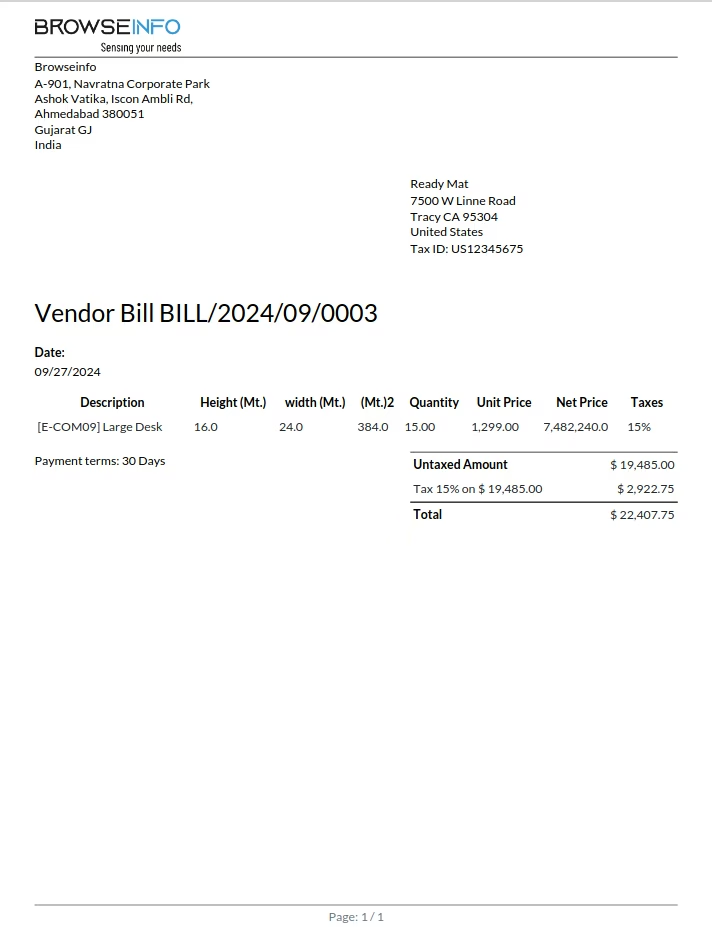
Product Dimension on Vendor Bill
While supplier invoice created from the purchase order same height(Mt.)/width(Mt.) will be passed on invoice line for product.
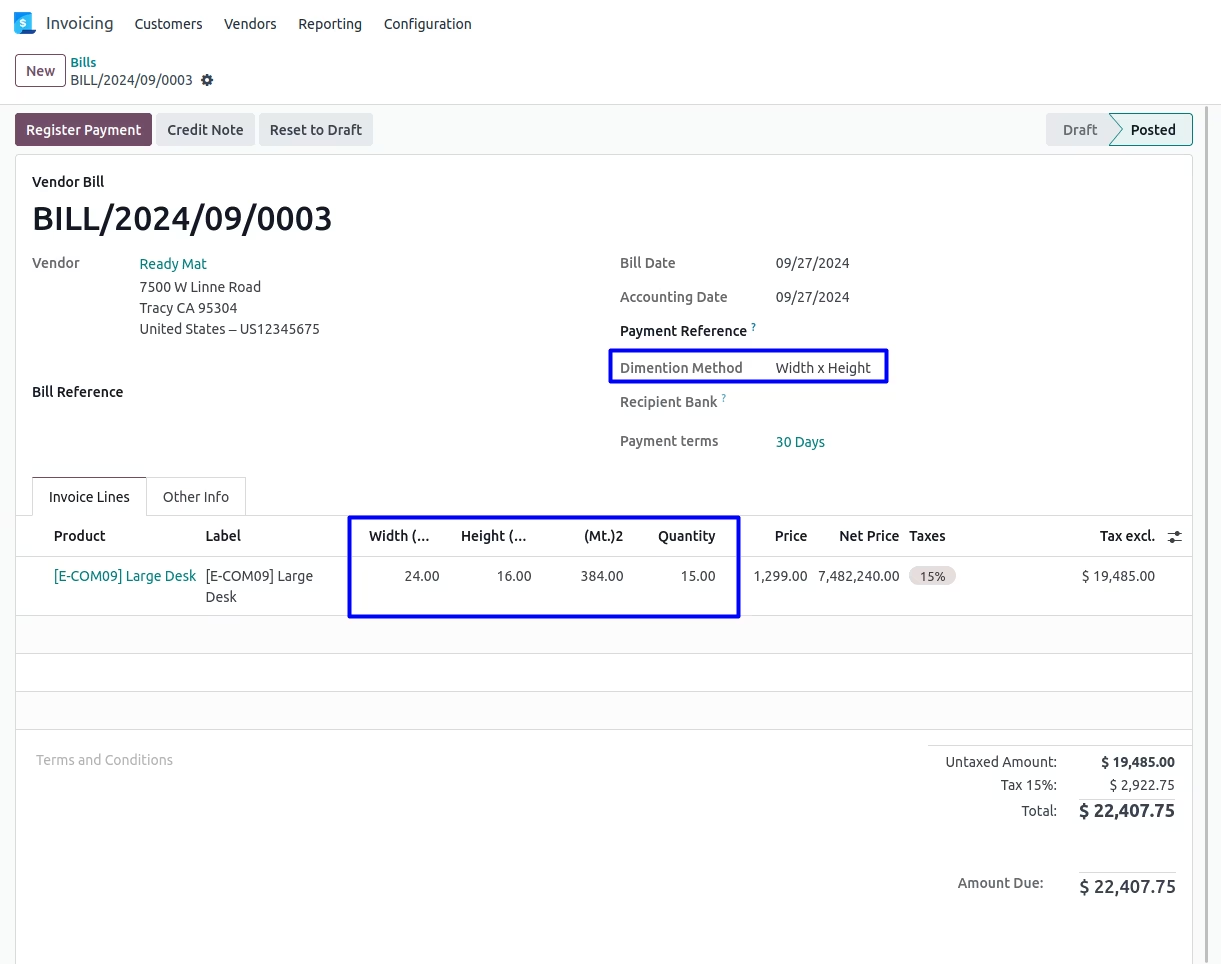
User can see the height(Mt.) width(Mt.) and (Mt.)2 of product is display on generated invoice.
Product Dimension on Manufacturing
When Manufacturing order created by the production user, production user can add height(Mt.) and width(Mt.) of main product on manufacturing order and based on that (Mt.)2 will be calculated automatically according to its height and width. Also Same will be automatically effected when manufacturing has been generated from the sales order(by confirm sales).
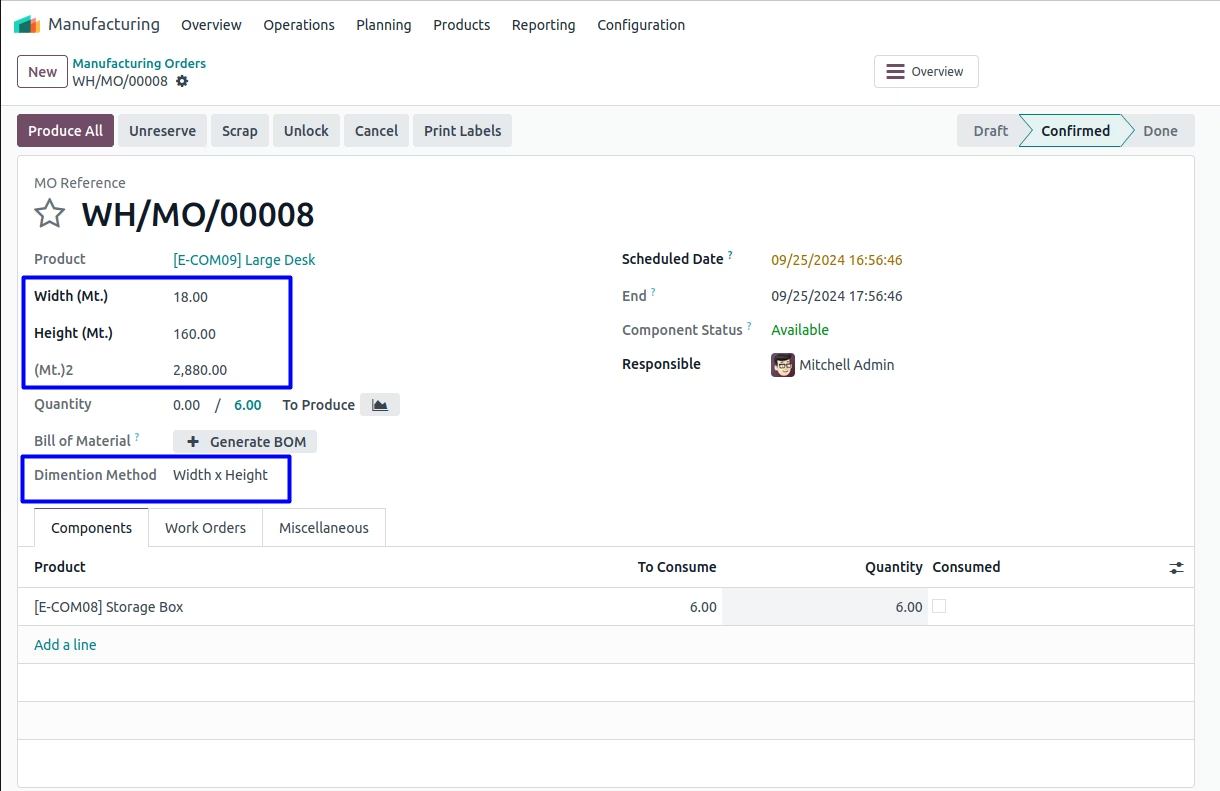
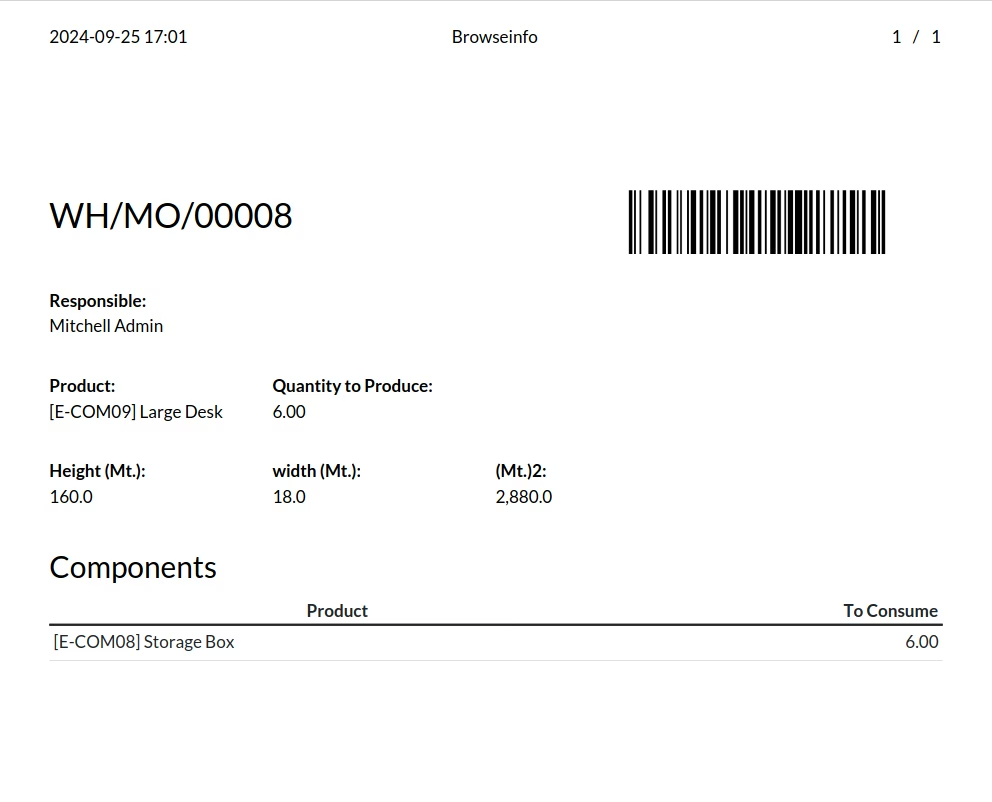
User can see the height(Mt.) width(Mt.) and (Mt.)2 of product is display on Production Order.
Warning / Validation
While user enter length which exceeding minimum or maximum length value, Warning raised.
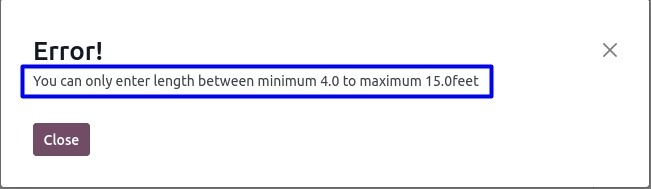
While user enter width which exceeding minimum or maximum width value, Warning raised.
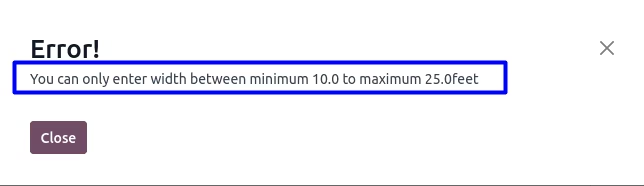
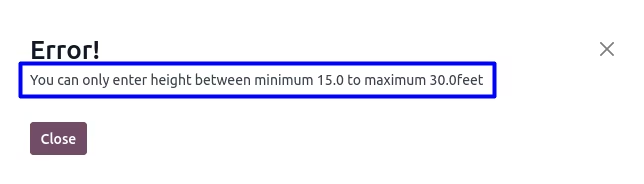
While user enter height which exceeding minimum or maximum height value, Warning raised.
Version :
17.0.0.0
20 October 2023
Initial release of the app.
Version :
17.0.0.5
05 February 2025
Fixed error when installing the expenses module and creating a new record.