
The Multi-Branch Operations module for enables businesses to manage operations across multiple branches from a centralized system. This integration streamlines processes in inventory, sales, purchases, and accounting, providing a unified view of all branch activities. Designed for companies with multiple locations, this module enhances operational efficiency and control, facilitating better decision-making and resource allocation.
Key Features
Centralized Branch Management: Oversee operations across all branches from a single interface.
Integrated Inventory Control: Manage stock levels and movements across branches seamlessly.
Unified Sales and Purchases: Handle sales and purchase orders centrally, with branch-specific allocations.
Consolidated Accounting: Maintain a unified accounting system, consolidating financial data from all branches.
User Access Control: Define user roles and permissions specific to each branch, ensuring data security.
Real-Time Reporting: Access real-time reports on branch performance, sales, inventory, and finances.
Branch-Specific Dashboards: Customize dashboards to display key metrics for each branch.
Inter-Branch Transfers: Facilitate stock transfers between branches with ease.
Automated Reconciliation: Automatically reconcile inter-branch transactions to maintain accurate financial records.
Multi-Currency Support: Handle transactions in multiple currencies, accommodating international operations.
Benefits
Enhanced Operational Efficiency: Streamline processes across branches, reducing manual effort and errors.
Improved Decision-Making: Access consolidated data for informed decision-making.
Better Resource Allocation: Optimize resource distribution across branches based on real-time data.
Increased Transparency: Gain visibility into branch performance and operations.
Scalability: Easily scale operations as the business expands to new locations.

Multi Branch Concept.
It allows you to create Multiple Branch/Unit, Working as multi branch concept same as multi company environment.

Complete Workflow for Branch.
Branch functionality added to Sales, Purchase, Invoice, Warehouse, Access group created for branch manager and branch user with specific branch.

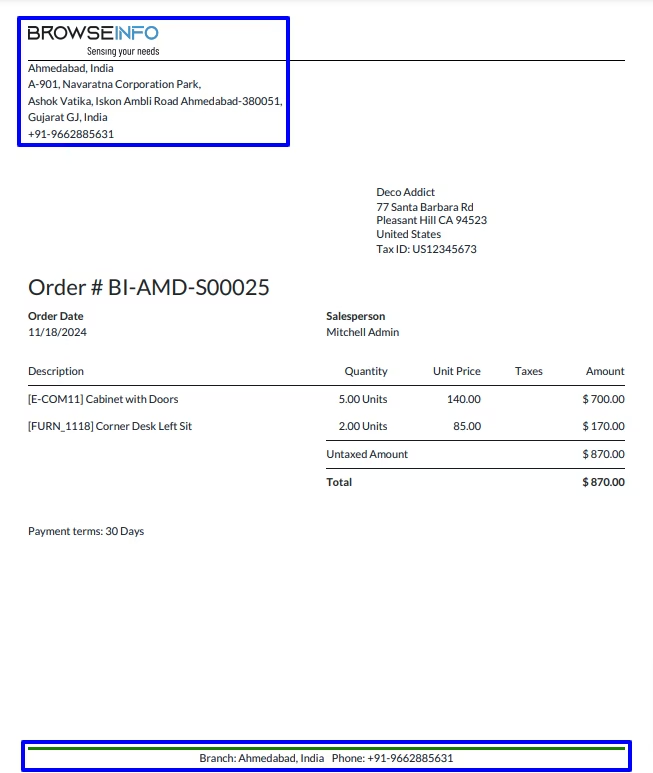
Print Branch Details on Reports
User can print sale, purchase picking invoice, bill, payment , manufacturing order report with branch details like logo, name, address, phone etc.

Set Branch Prefix to Document Sequence
On documents sequence, selected branch's prefix will applied like sale, purchase, picking, invoice, payment, etc.
Create Multiple Branch
Branch manager can create multiple branch under Settings > Users > Branch menu.
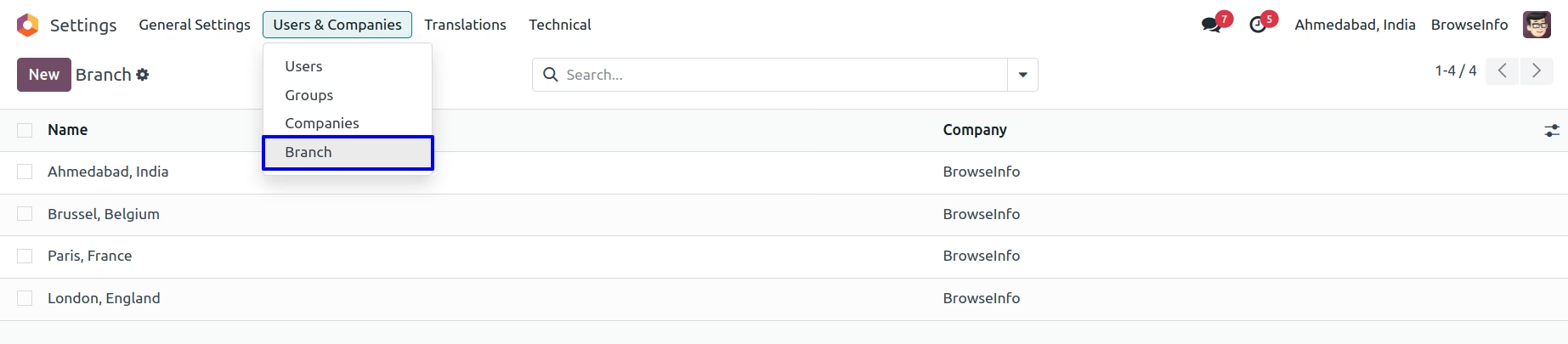
Branch manager can set branch address, phone and branch logo.
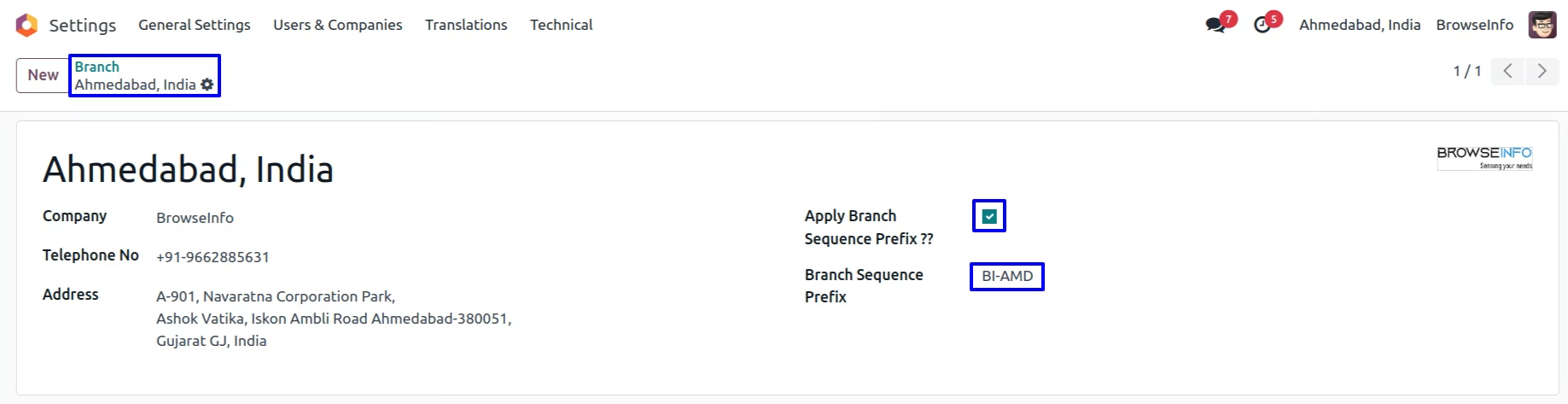
If user enable "Apply Branch Sequence Prefix ??" user have to set "Branch Sequence Prefix" for that branch and this will apply to sequence created with this branch.
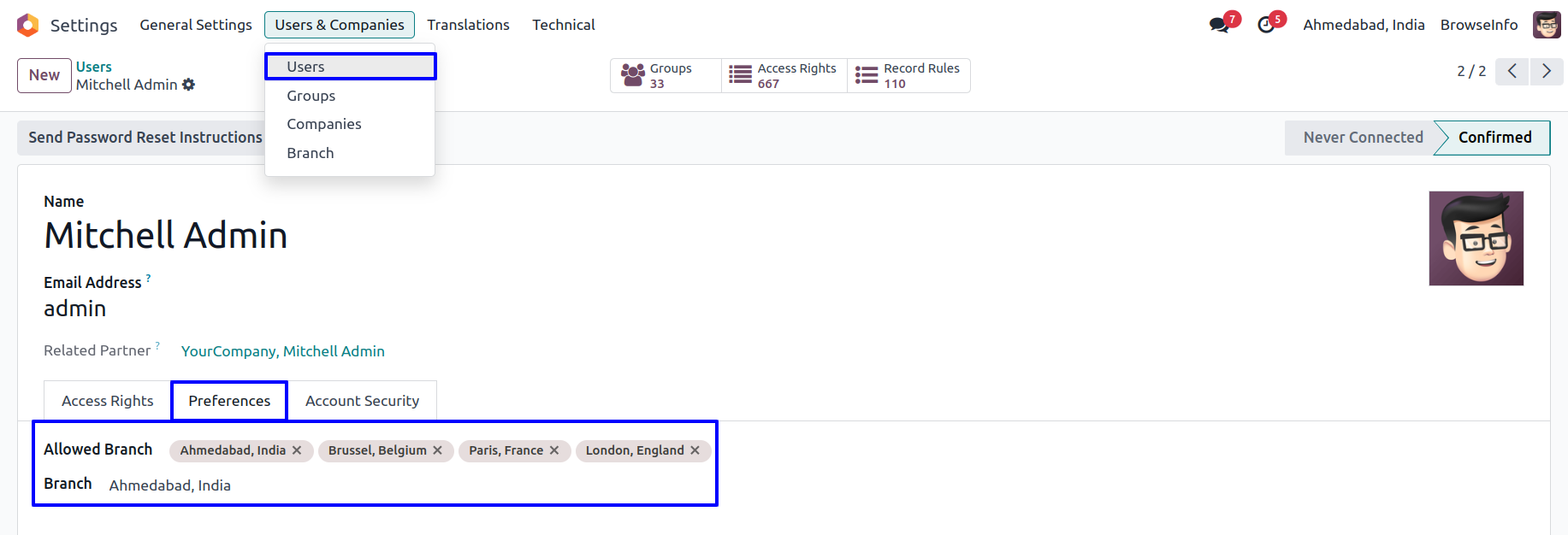
Assign Branch User
User can assign a branch for which specific user is belongs.
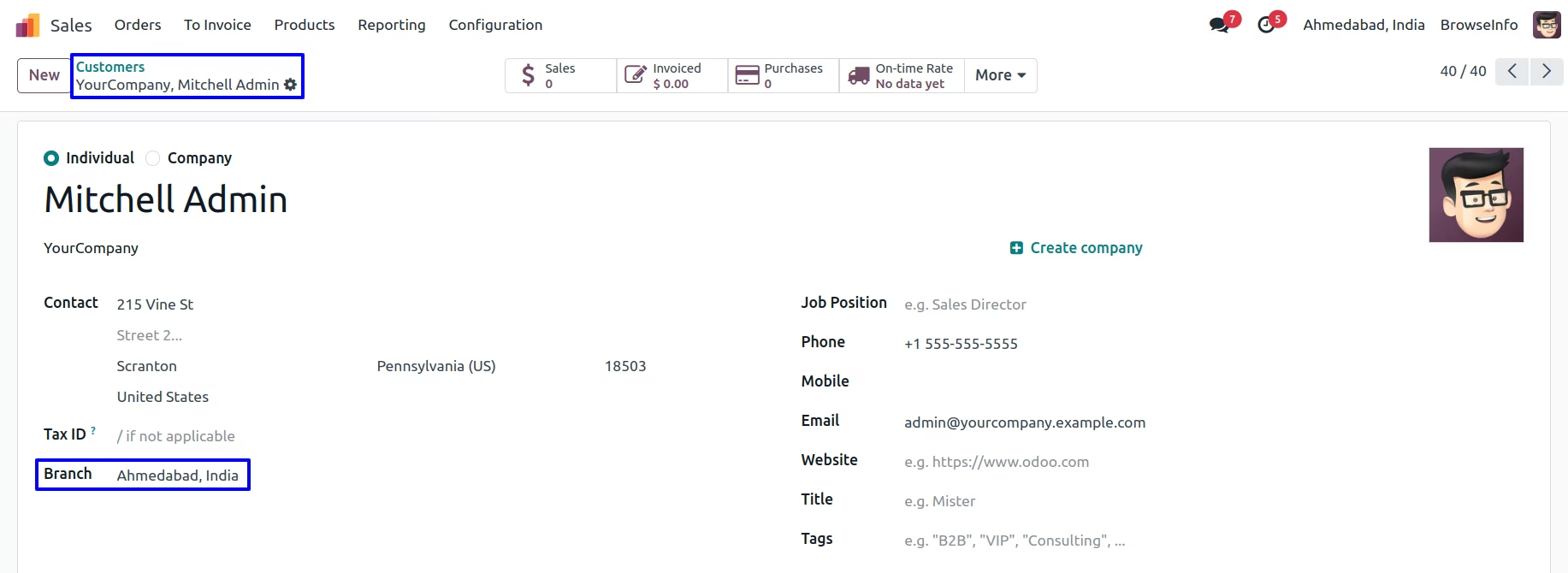
Branch On Customer
User can set customer for specific branch by selecting branch on customer.
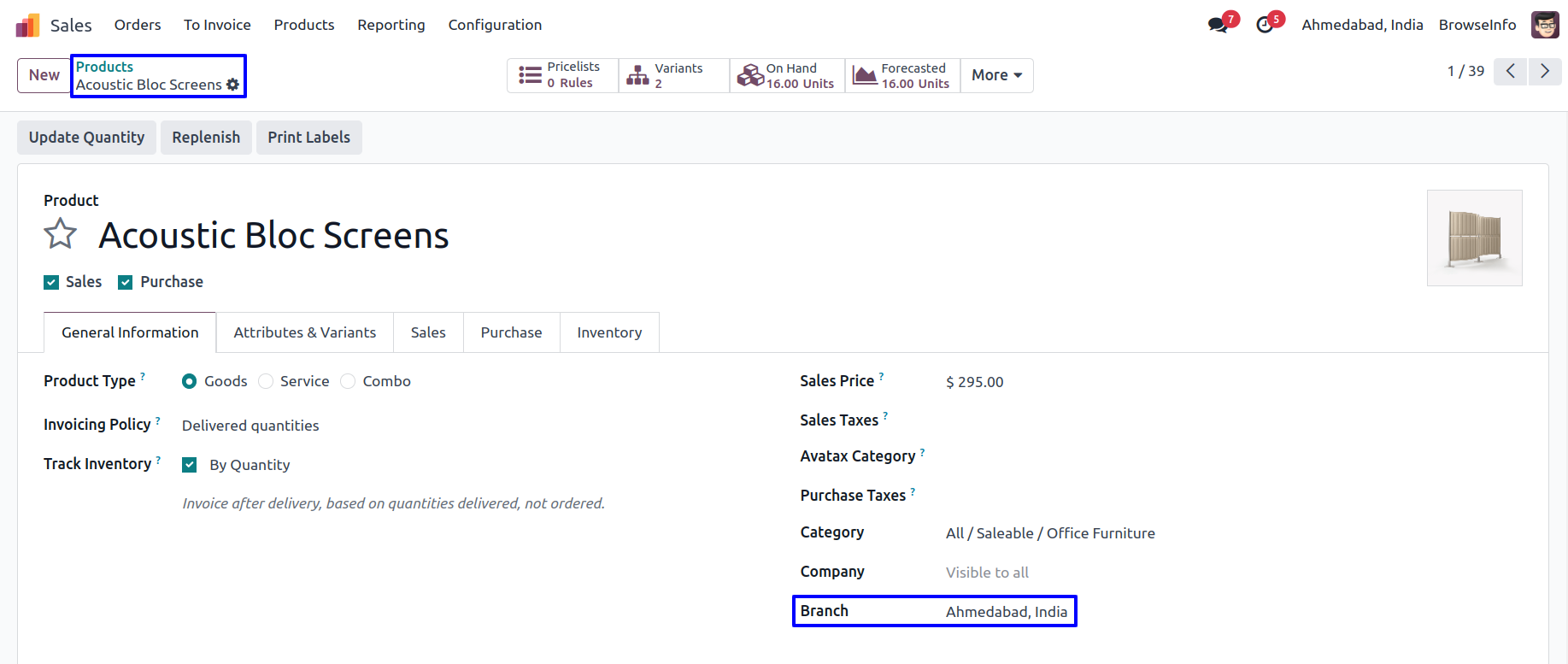
Branch On Product Template
User can set branch on product template, selected branch on product template will automatically added to product variant.
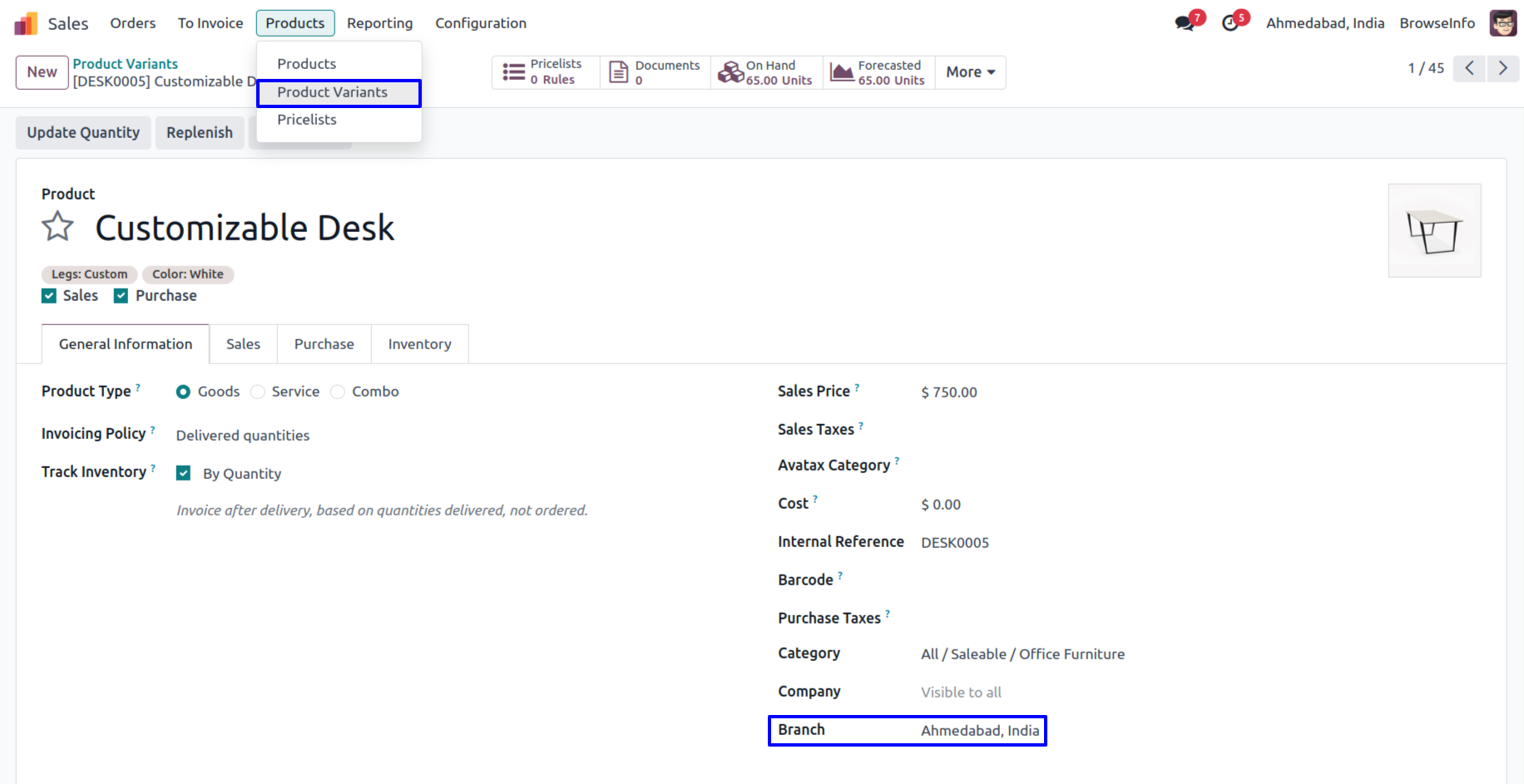
Branch On Product Variant
User can also set branch on product variant.
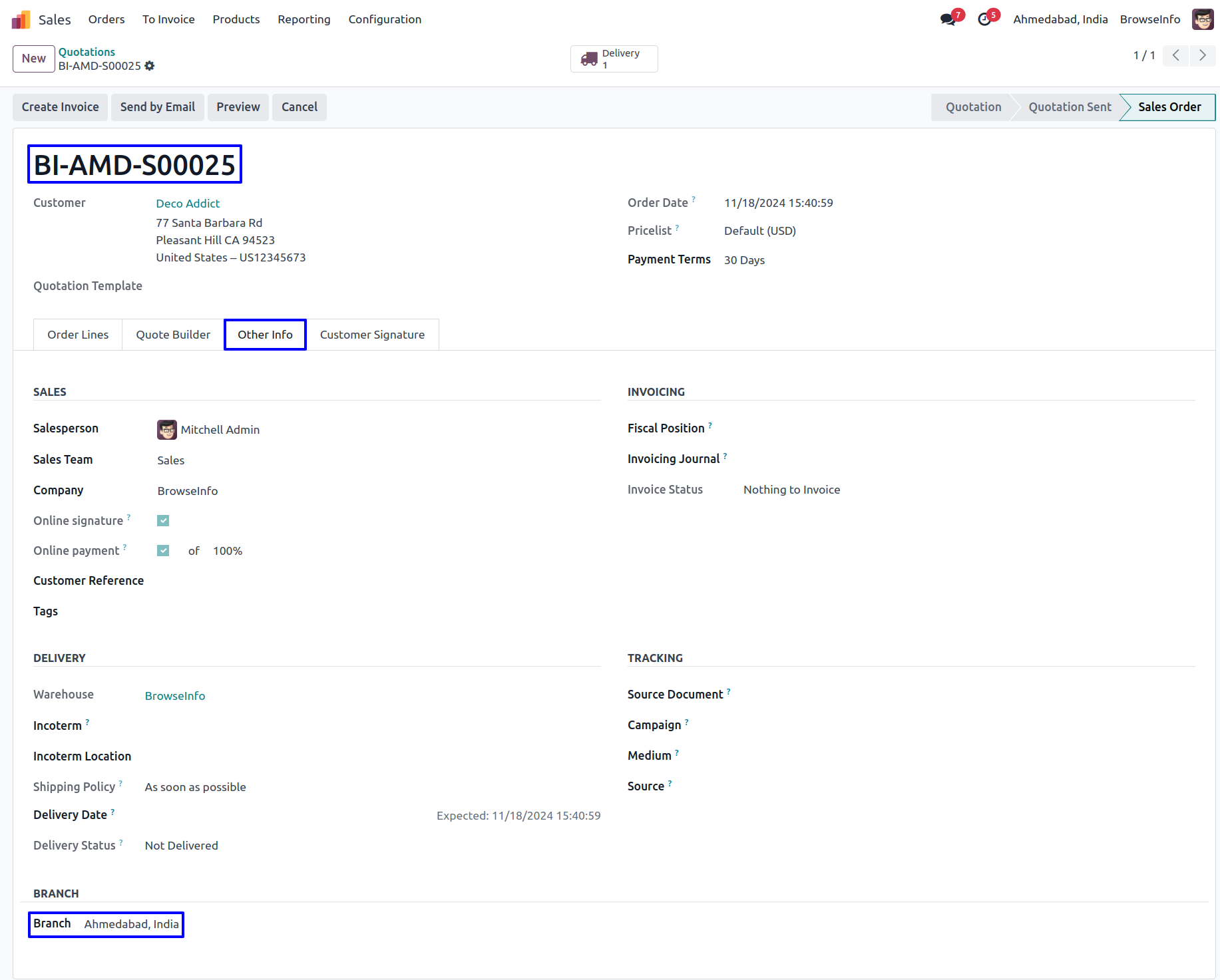
Branch On Sales Flow
While creating sales order user who is currently login, branch of the user is set as branch to the sales order and warehouse shipment address is also set according to selected branch, also sequence number for sales order is based on branch.
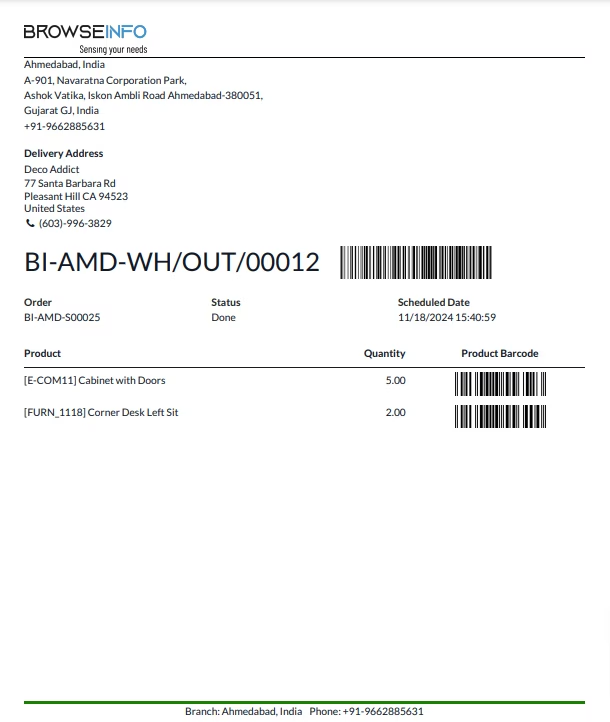
On sale order report branch logo and branch details is printed also in report footer.
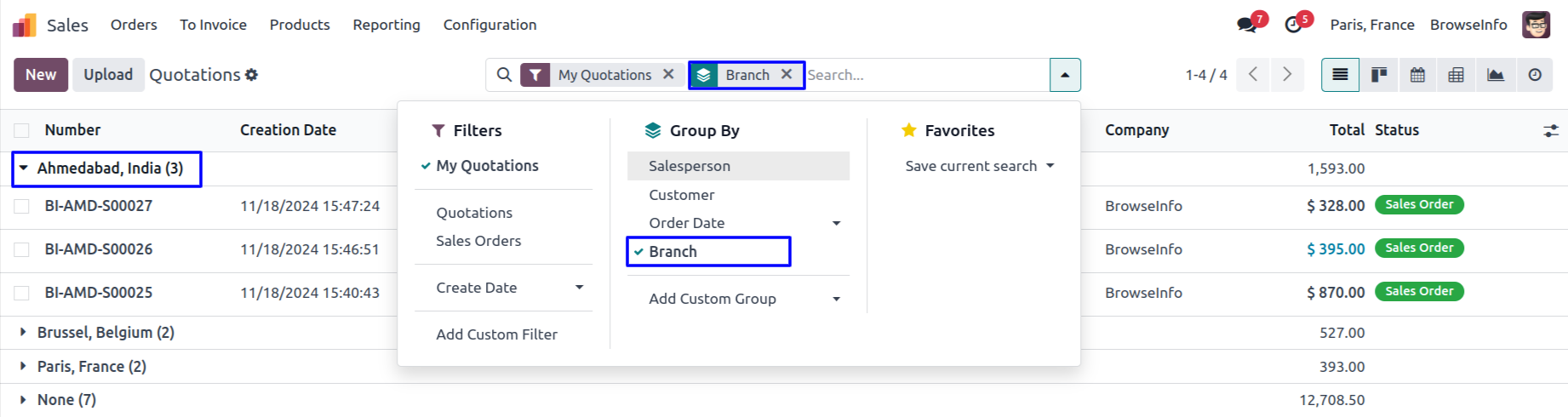
User can see created records of sale order group by branch using this filter. User can also find this branch filter in Purchase Order, Invoice, Incoming Shipment/Delivery Order, Account Bank Statement and Account Payment.
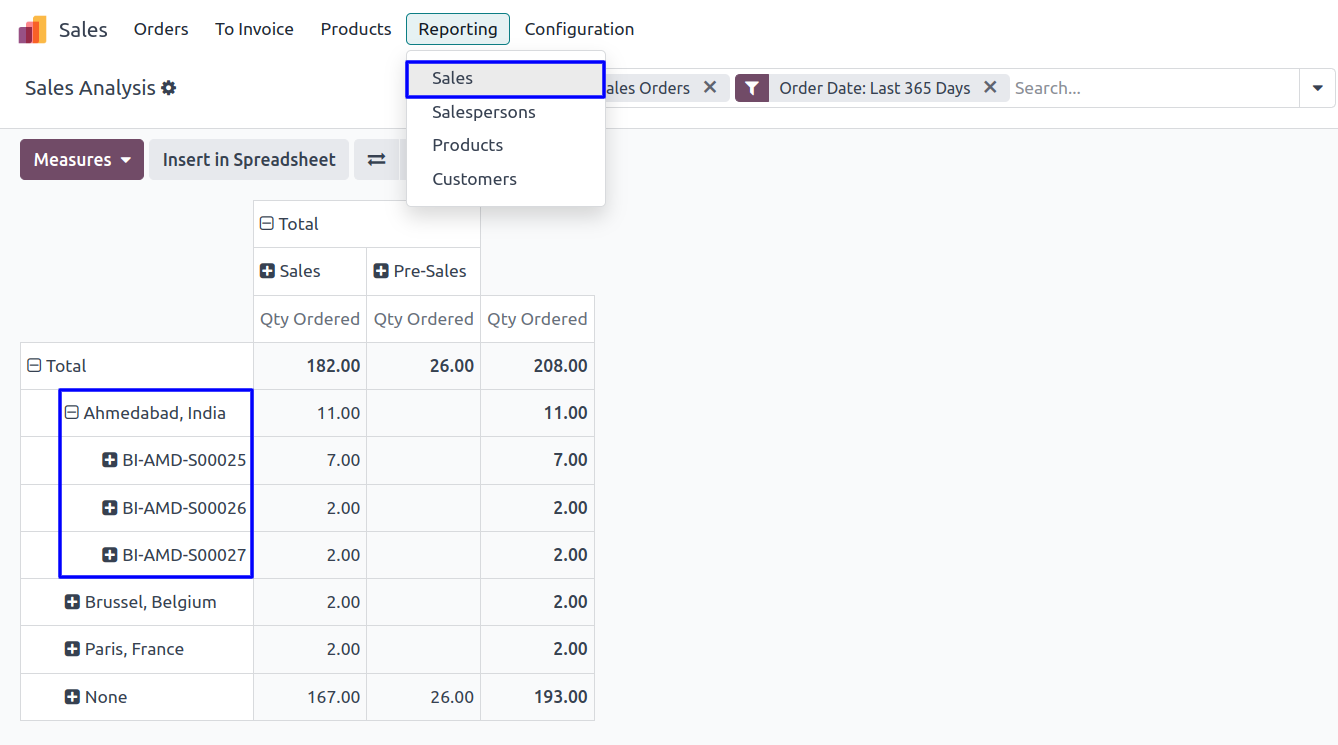
Branch Sales Analysis Report
User can see sales analysis report based on branch.
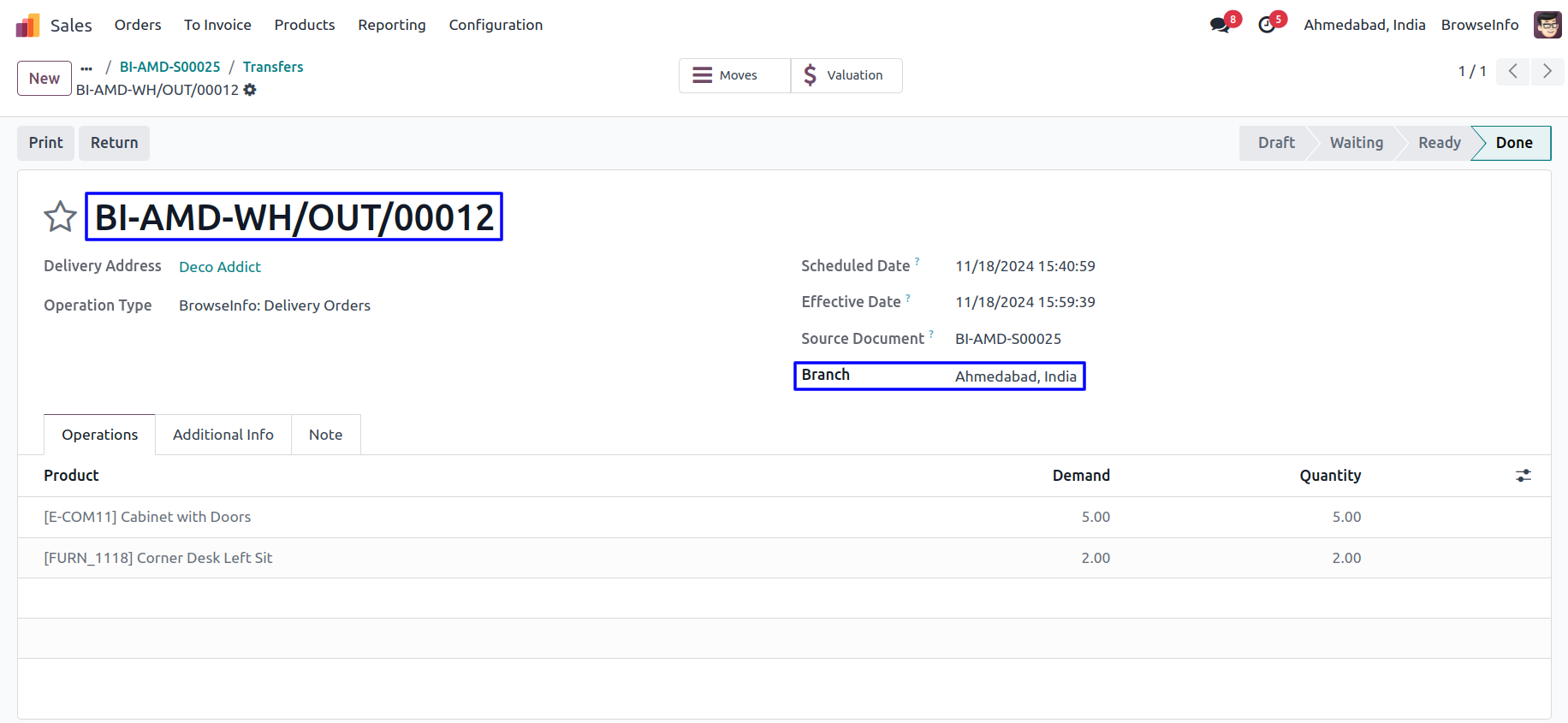
Branch on Picking
While quotation get confirmed generated picking(delivery) will have same branch automatically set based on sales order with same sequence prefix as per branch.
Delivery Report
User can see printed custom report with branch detail.
Branch On Invoices
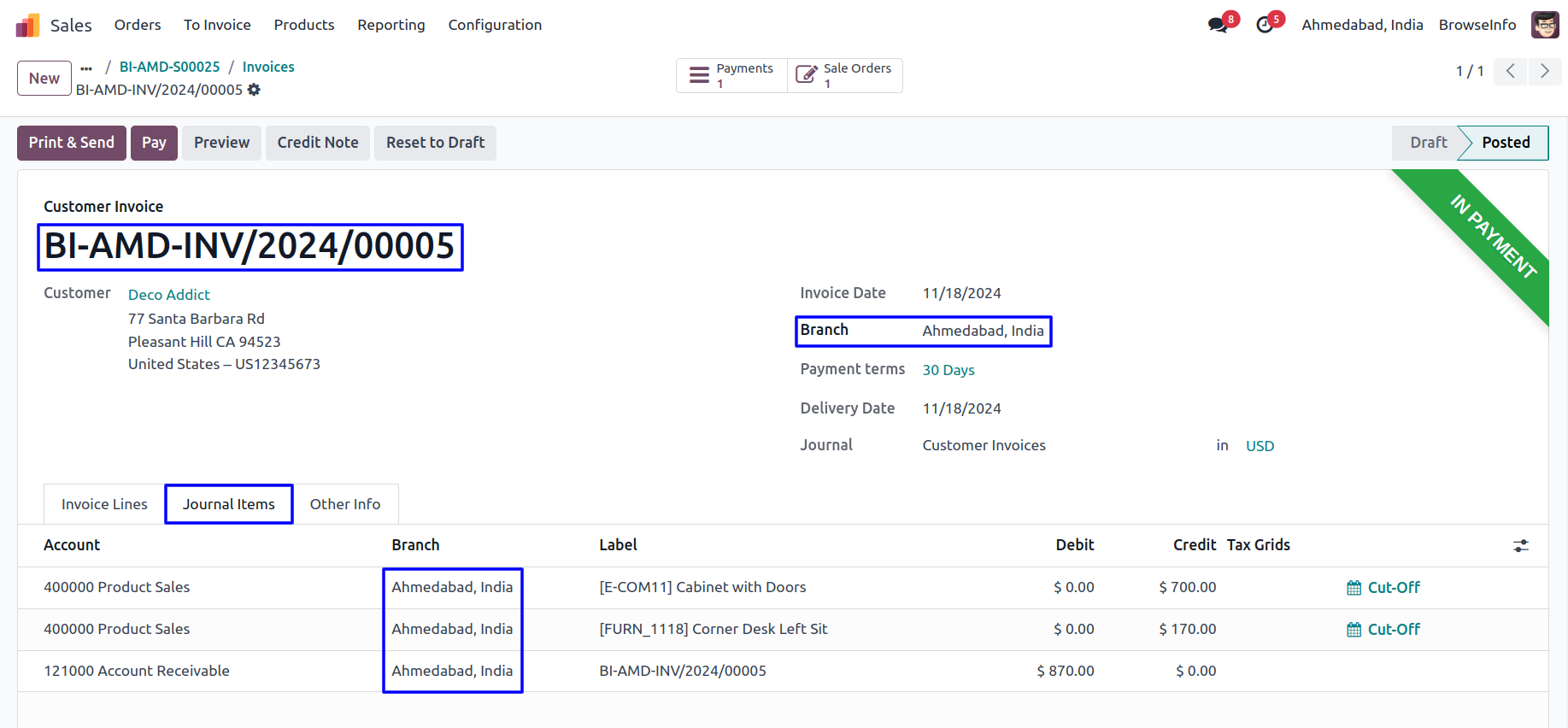
While invoice created from the sales order selected branch of the sales order will automatically set on invoice.
When creating manual invoice then log in user's branch will be assigned to the invoice.
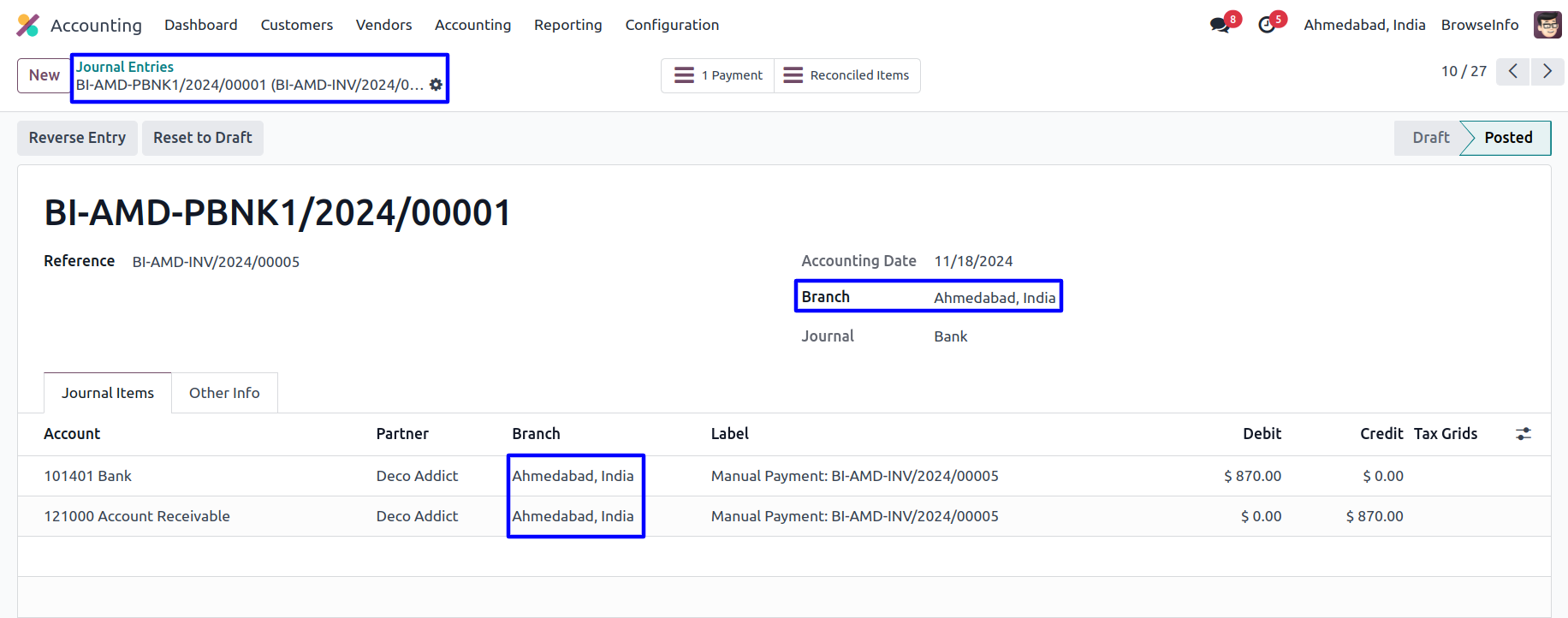
User can see that branch sequence prefix also applied to invoice sequence number, Selected branch of the invoice will automatically set on journal entry.
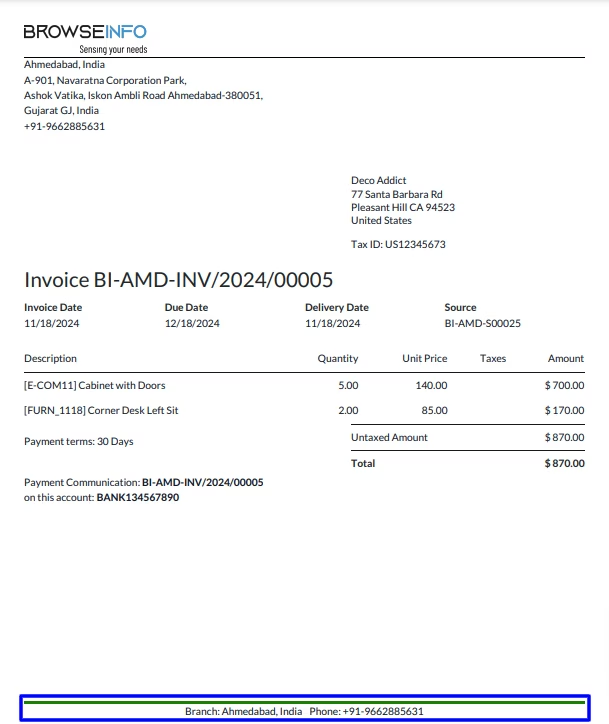
Invoice Report
User can see printed invoice report with branch details.
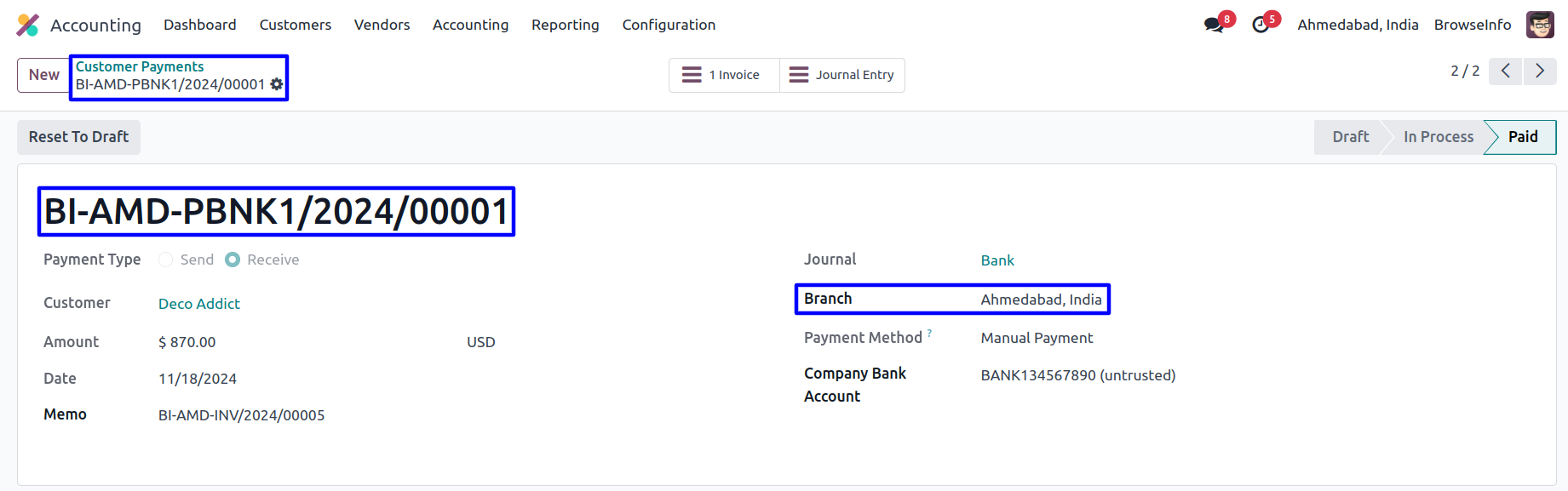
Customer Payment
Selected branch of the invoice will automatically set on account payment, also branch prefix applied to customer payment.
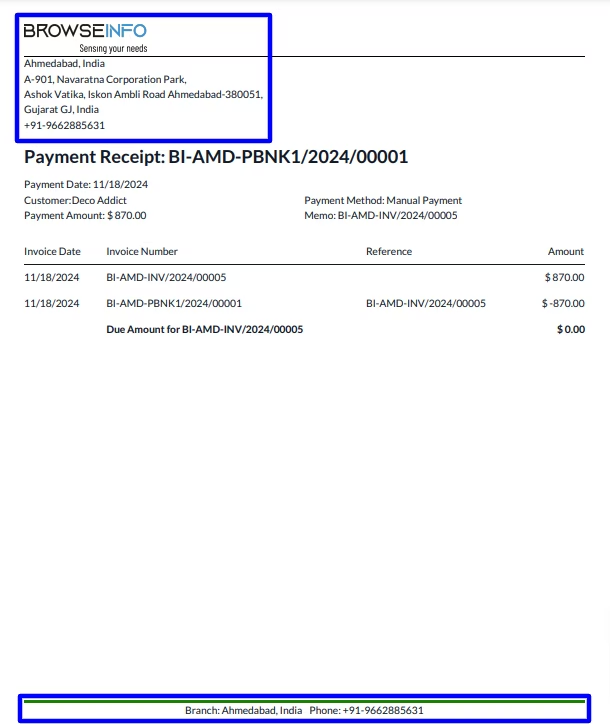
Payment Receipt
User can see prninted payment receipt with branch details.
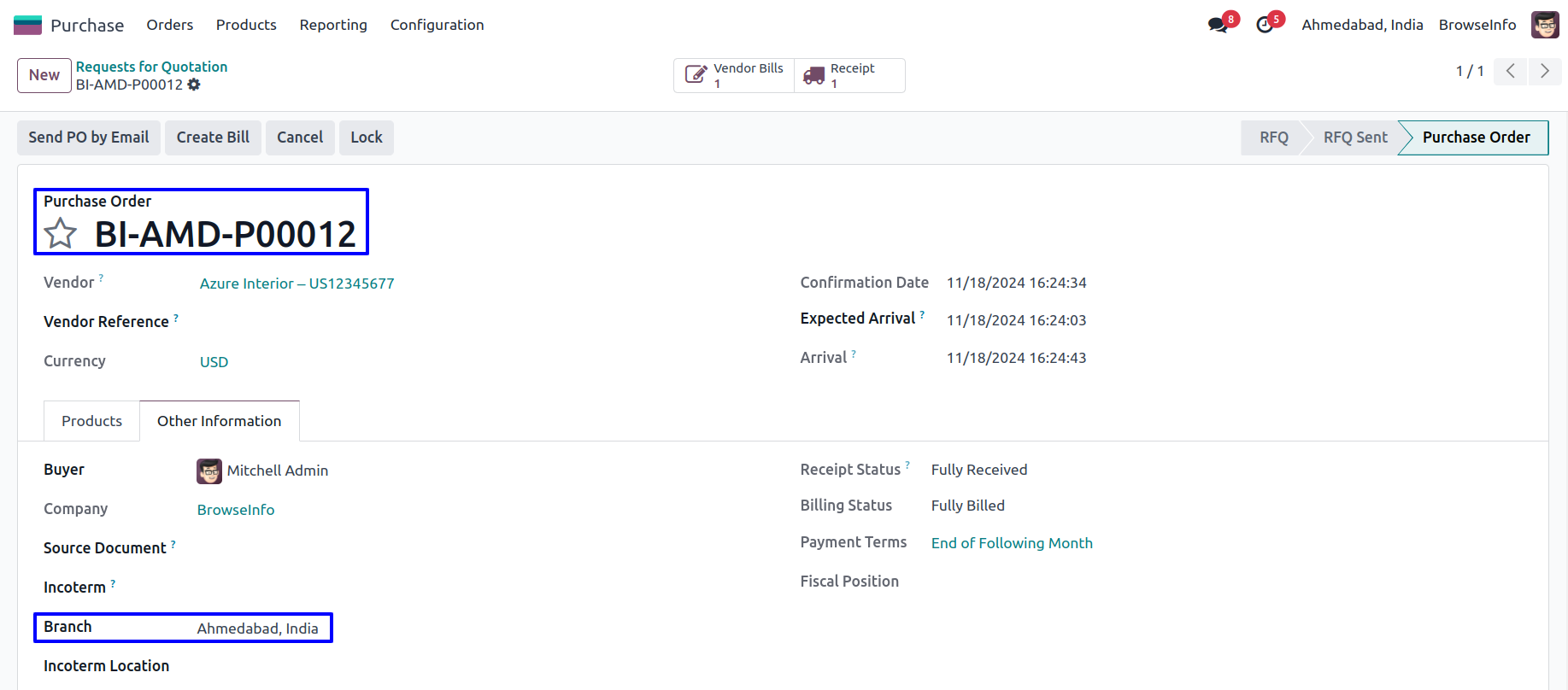
Branch On Purchase
While creating purchase order user who is currently login, branch of the user is set as branch to the purchase order, Also selected branch prefix applied to purchase order.
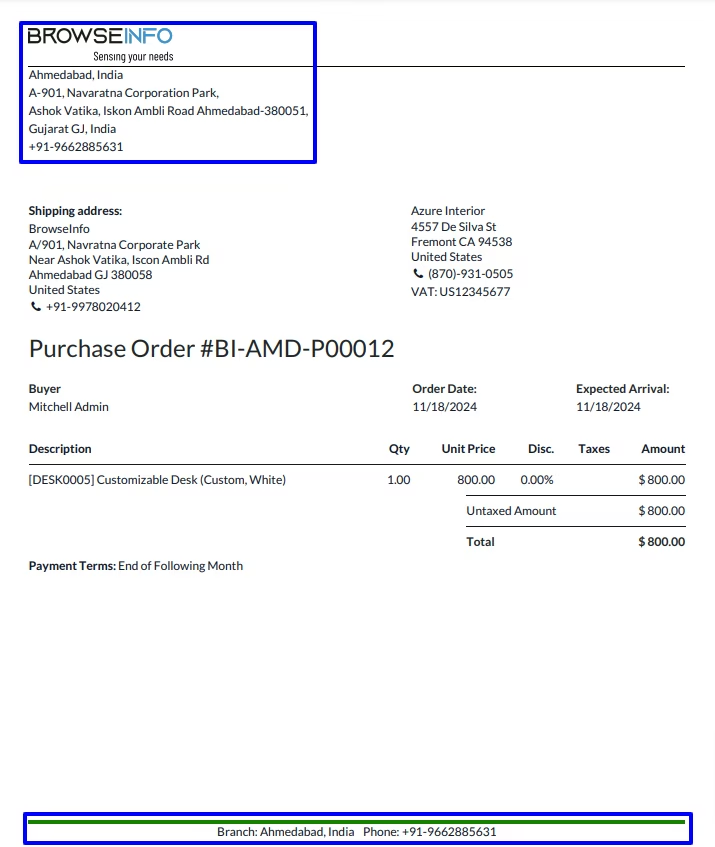
Purchase Order Report
User can see printed purchase order report with branch details like branch name, branch address, and logo.
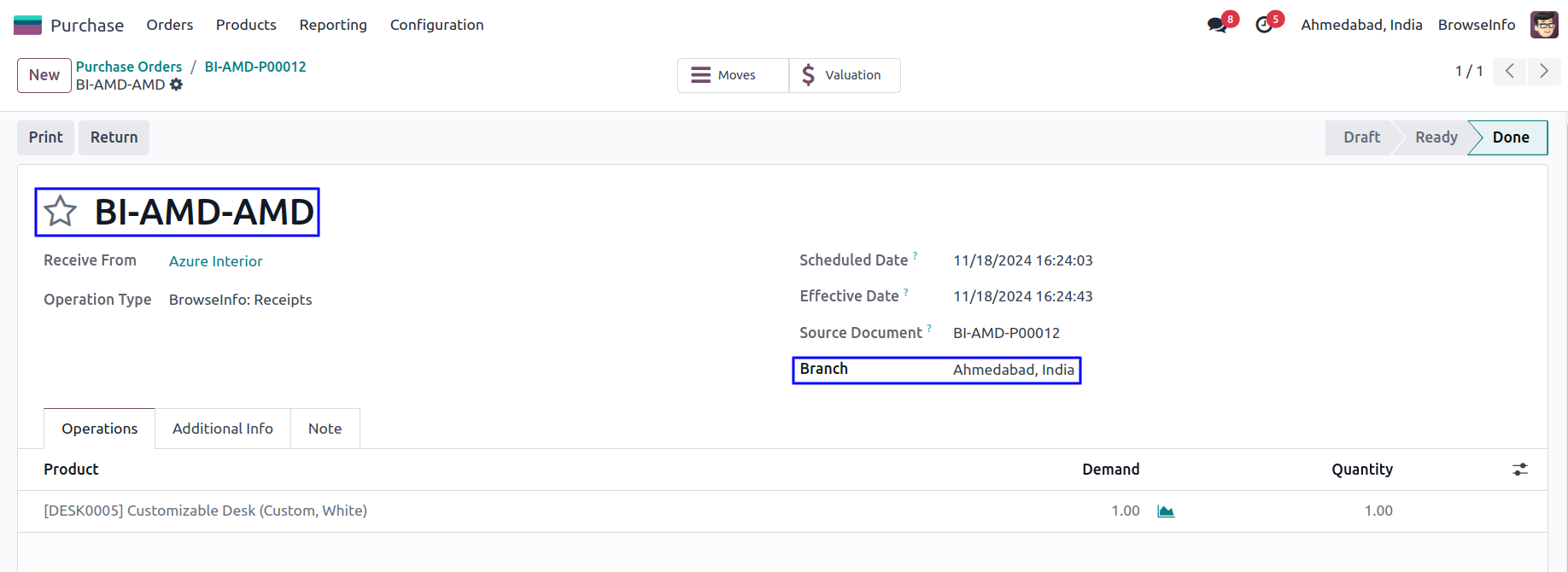
Branch on Picking
While RFQ(purchase) get confirmed generated picking(shipment) will have same branch automatically set based on RFQ, Also selected branch's prefix applied to picking order.
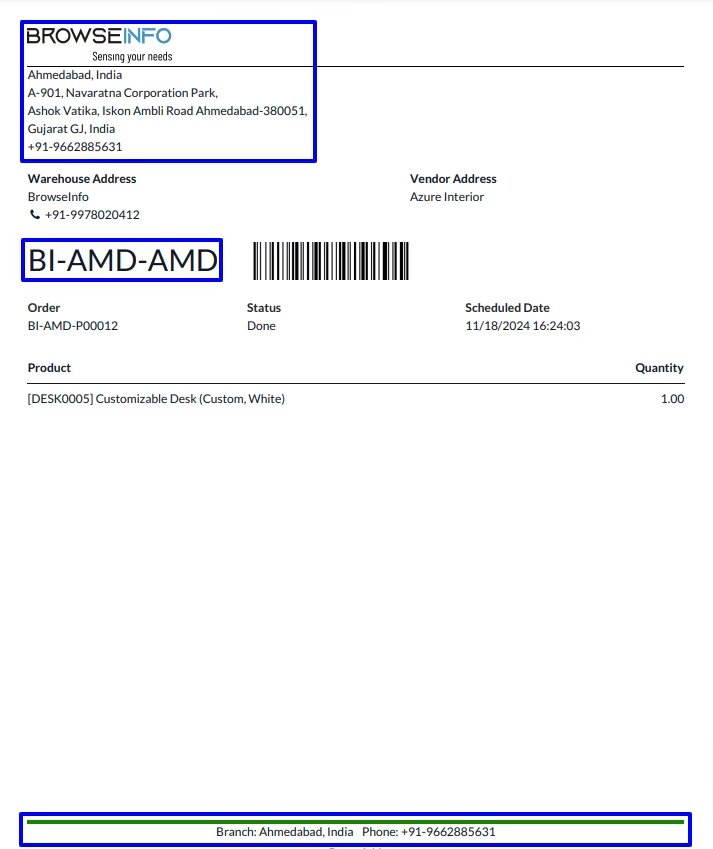
Picking Report
User can see printed picking report with branch details
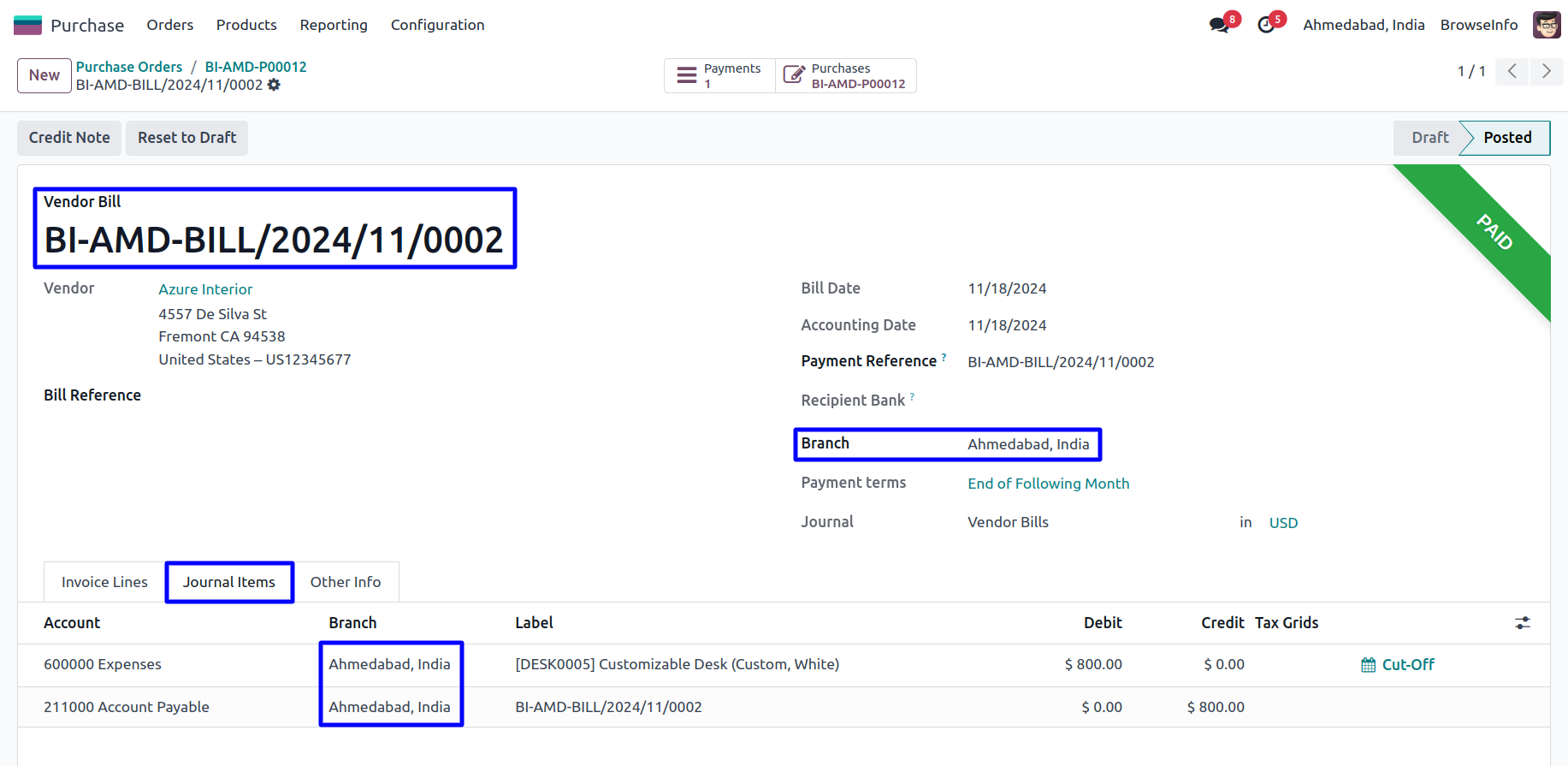
Branch On Vendor Bill
While bill created from the purchase order selected branch of the purchase order will automatically set on invoice.
After Validate invoice, Selected branch of the invoice will automatically set on Journal Entry.
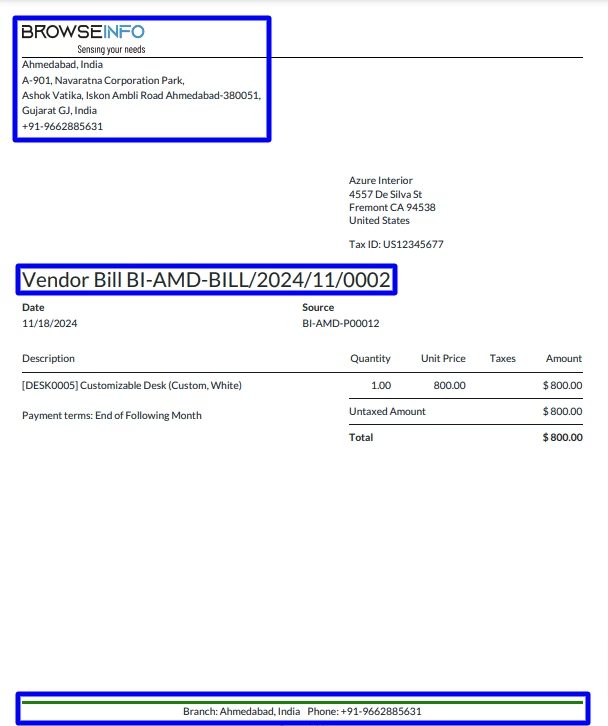
Vendor Bill Report
User can see printed bill with branch details.
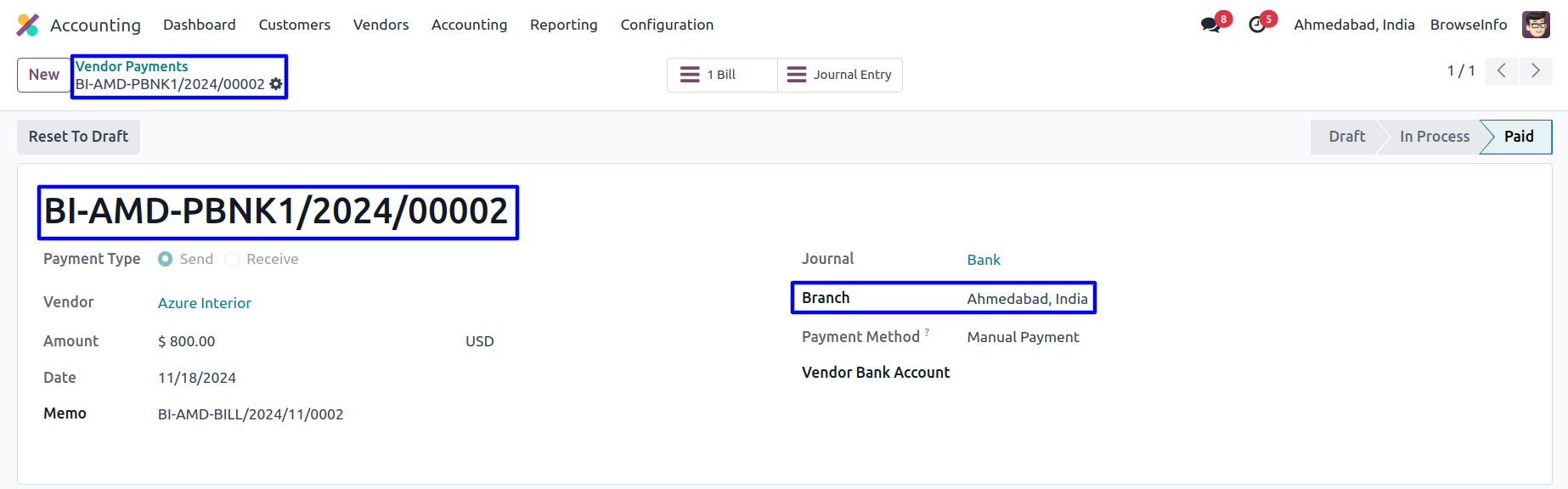
Vendor Payment
Selected branch of the bill will automatically set on account payment, selected branch prefix also applied to payment.
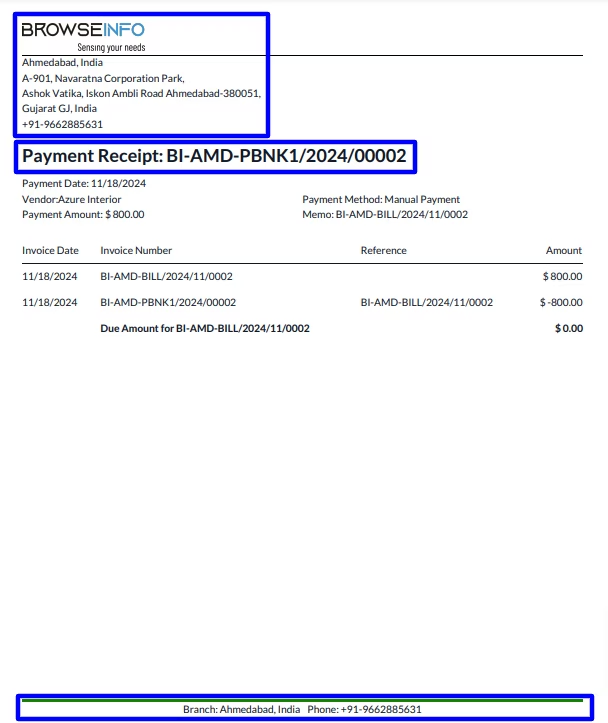
Vendor payment Report
User can see printed vendor payment report with branch detail.
Branch on Journal Entry
User can see branch on journal entry also.
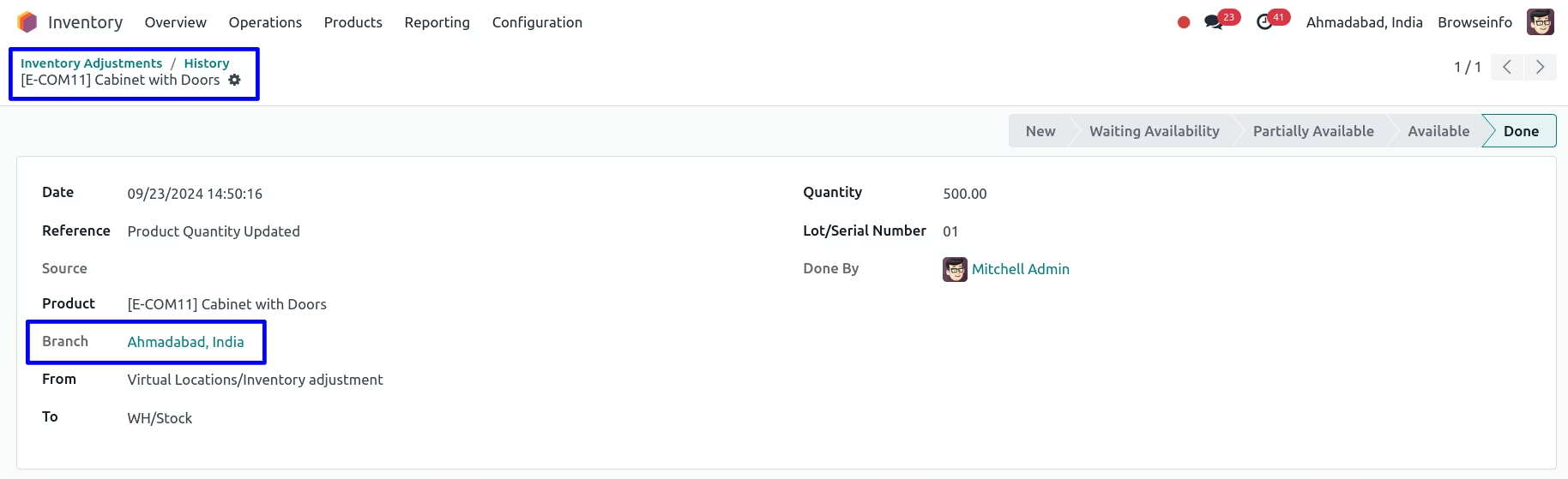
Inventory Adjustment
User can set branch also on inventory adjustment.
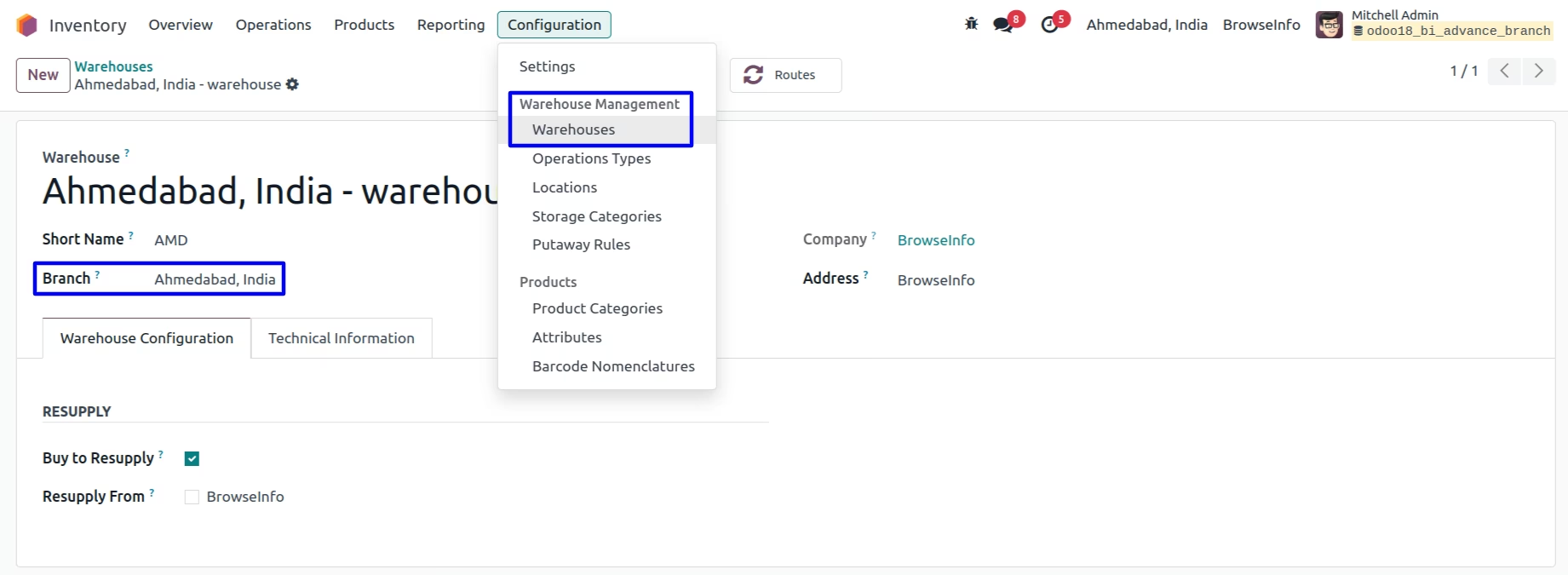
Branch on Warehouse
User can set branch on warehouse.
Version :
16.0.0.0
03 Jan 2026
Initial release of the app.